See KareShift in Action
Browse every feature — no signup required. Pick your country, sector, and role to see exactly what you'll get.
NDIS Provider — Owner / Manager View
What you see when managing your NDIS disability support team (50 workers, 30 participants).
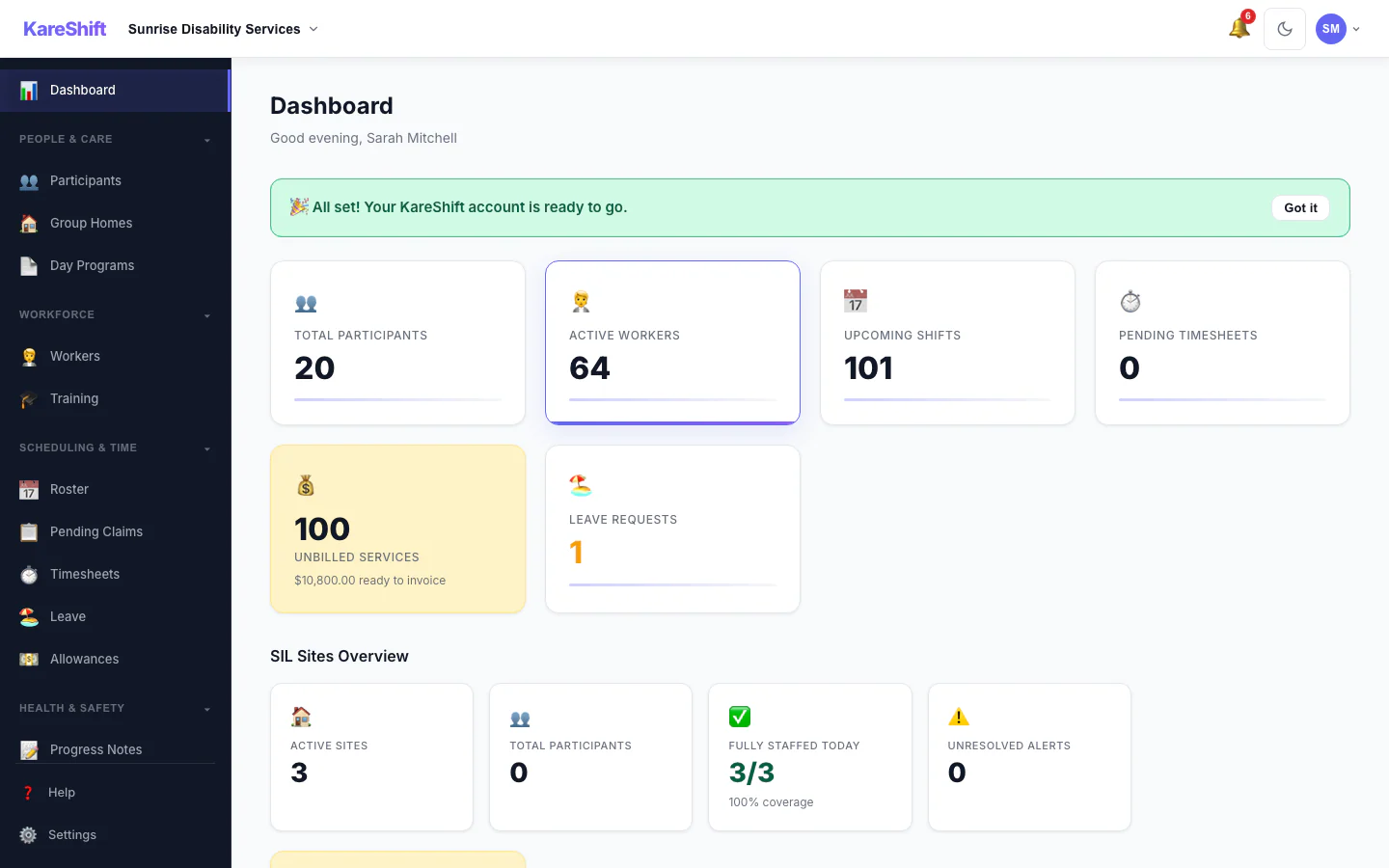
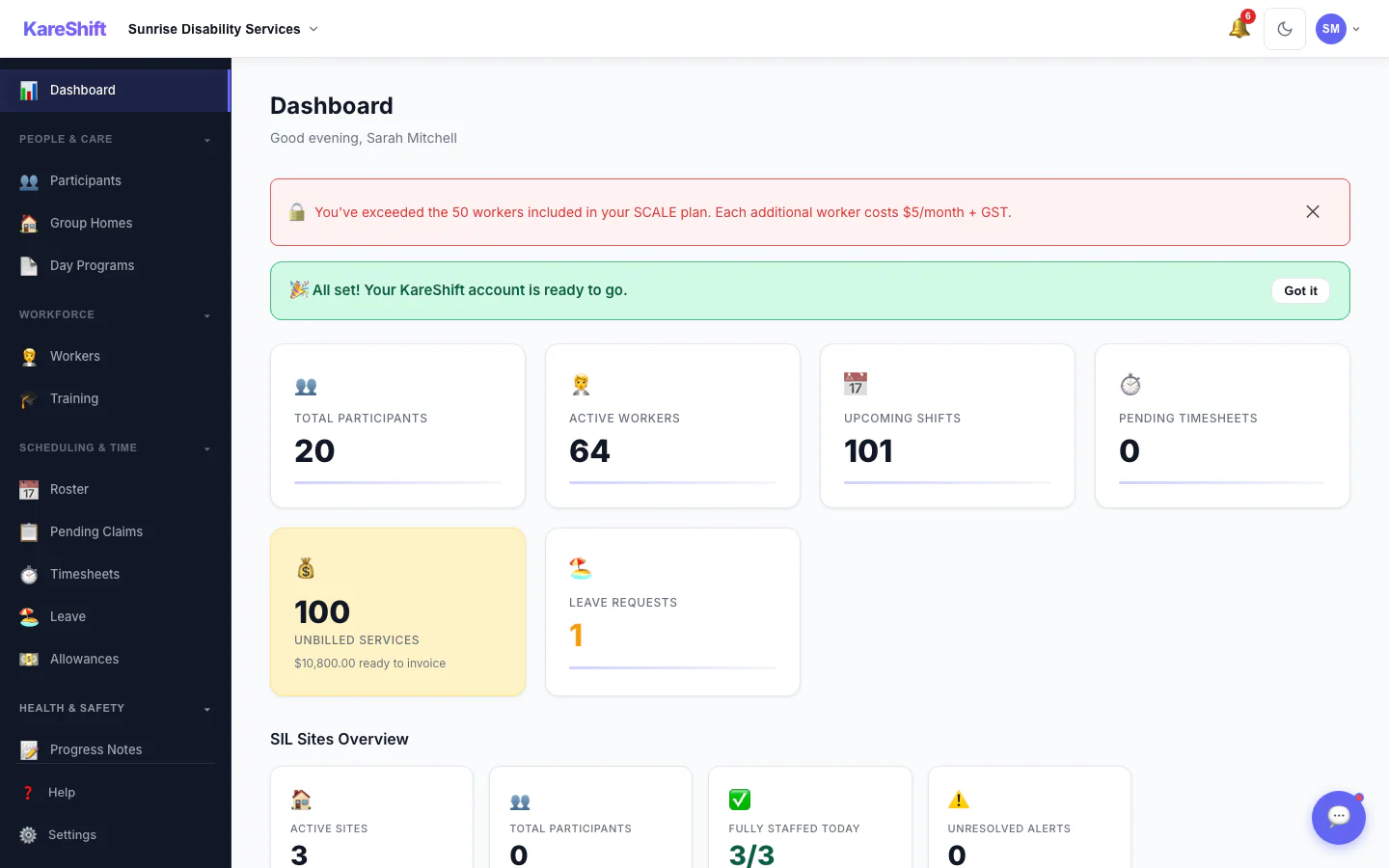
Dashboard
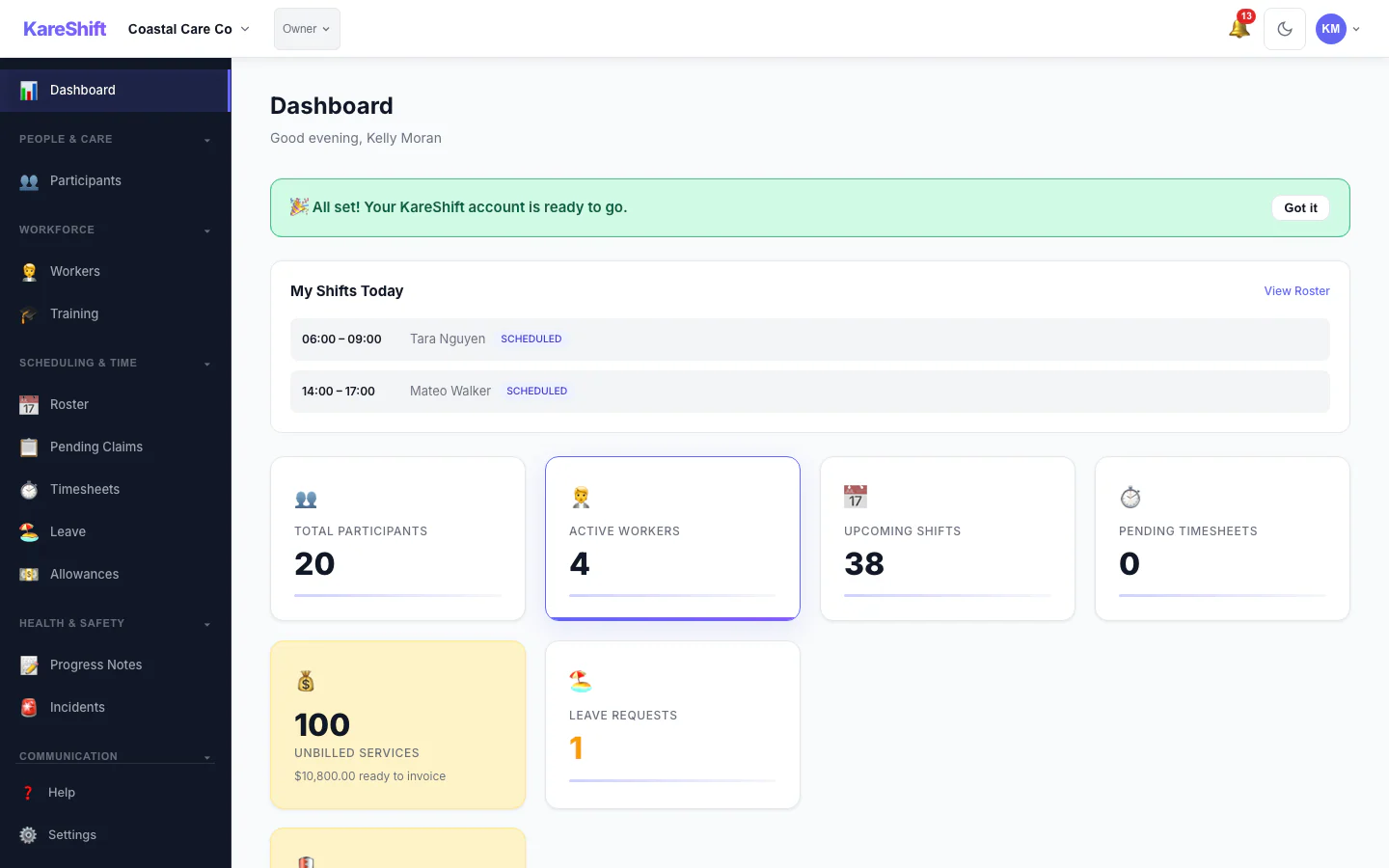
Daily overview — shifts today, compliance alerts, worker stats, getting started checklist.
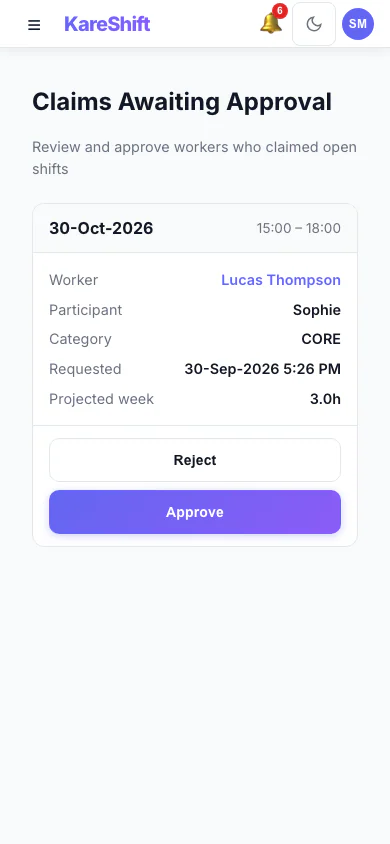
Claim Approval (Mobile)
Optionally require coordinator approval before a worker is assigned an open shift. Each claim shows projected weekly hours with an overtime warning.
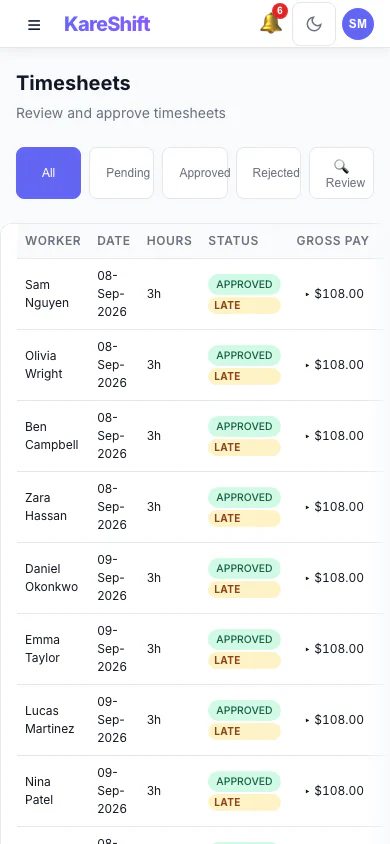
Visit Confirmation (Mobile)
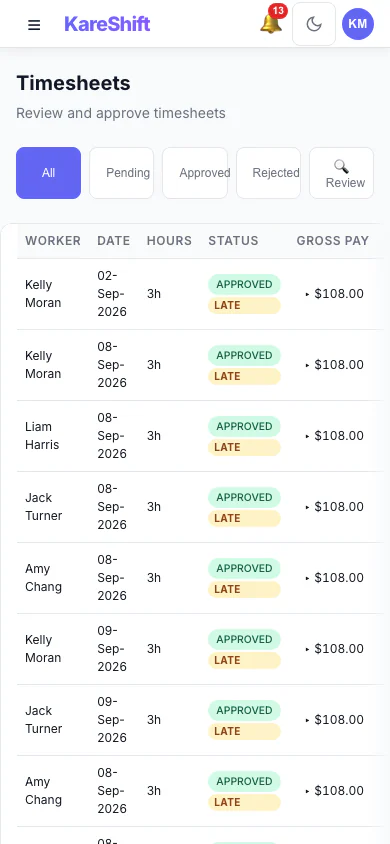
The Review filter surfaces timesheets needing a closer look — GPS geofence violations, clock-time variance, late submissions — so you verify visits before invoicing.
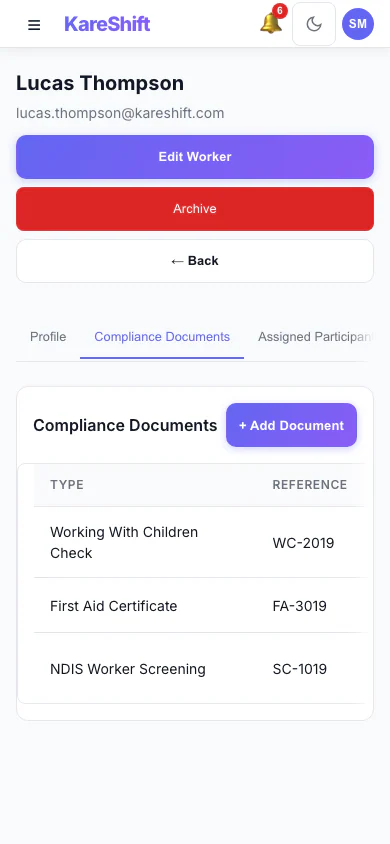
Worker Compliance (Mobile)
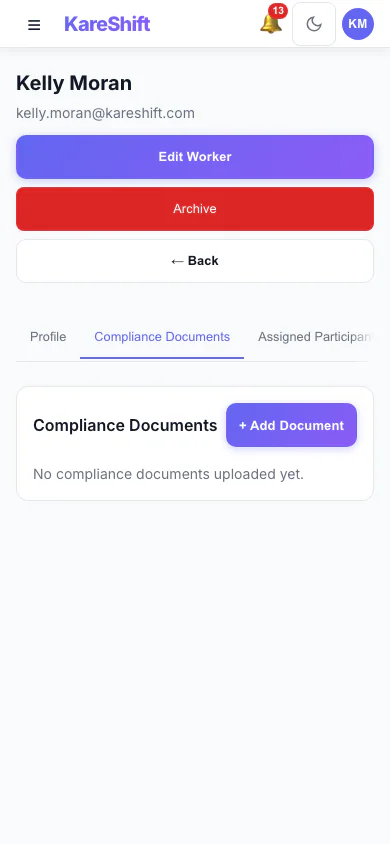
Per-worker document tracking — screenings, training and certifications with expiry alerts.
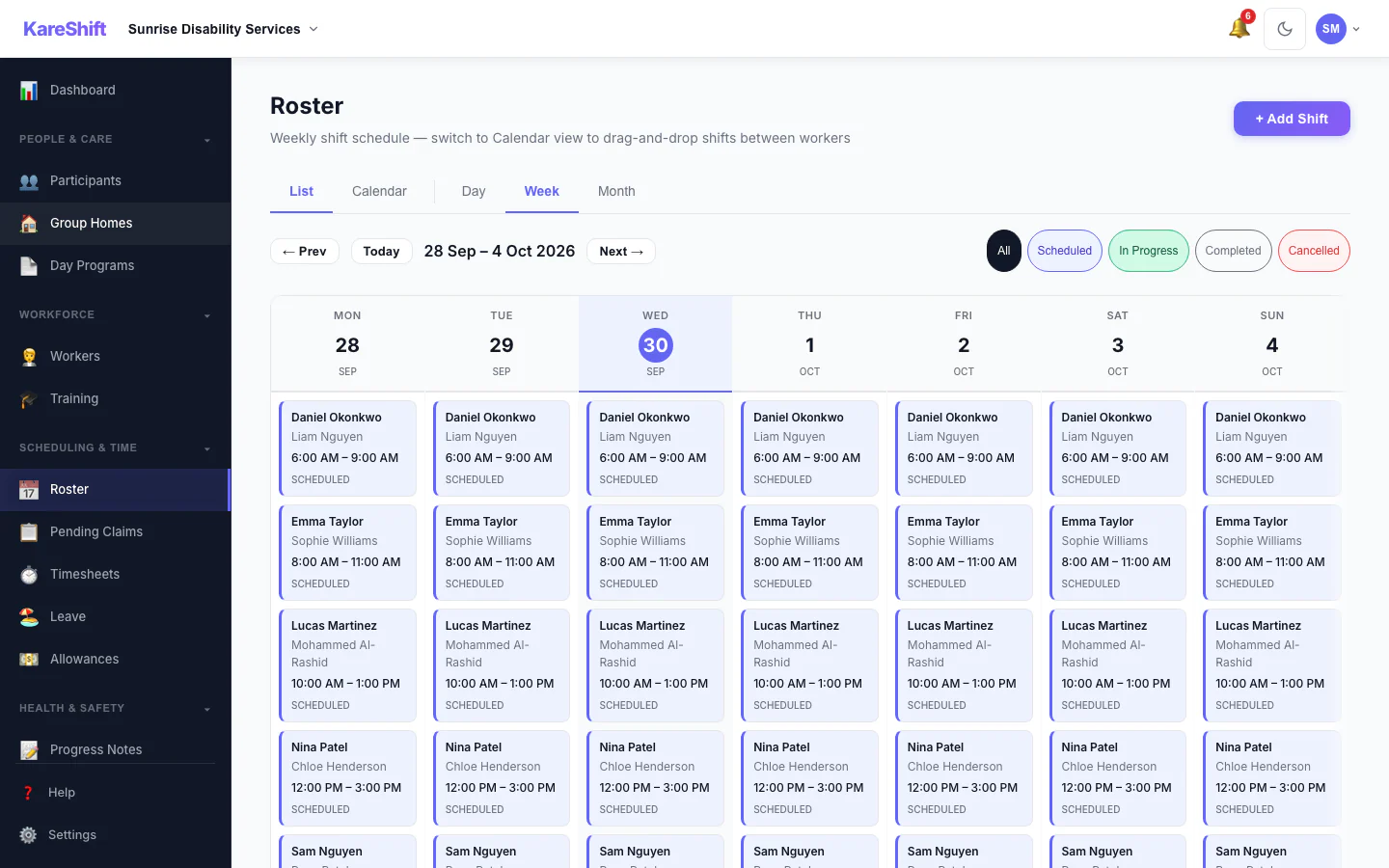
Roster & Scheduling
Weekly shift calendar with drag-and-drop. Colour-coded by participant, conflict detection built in.
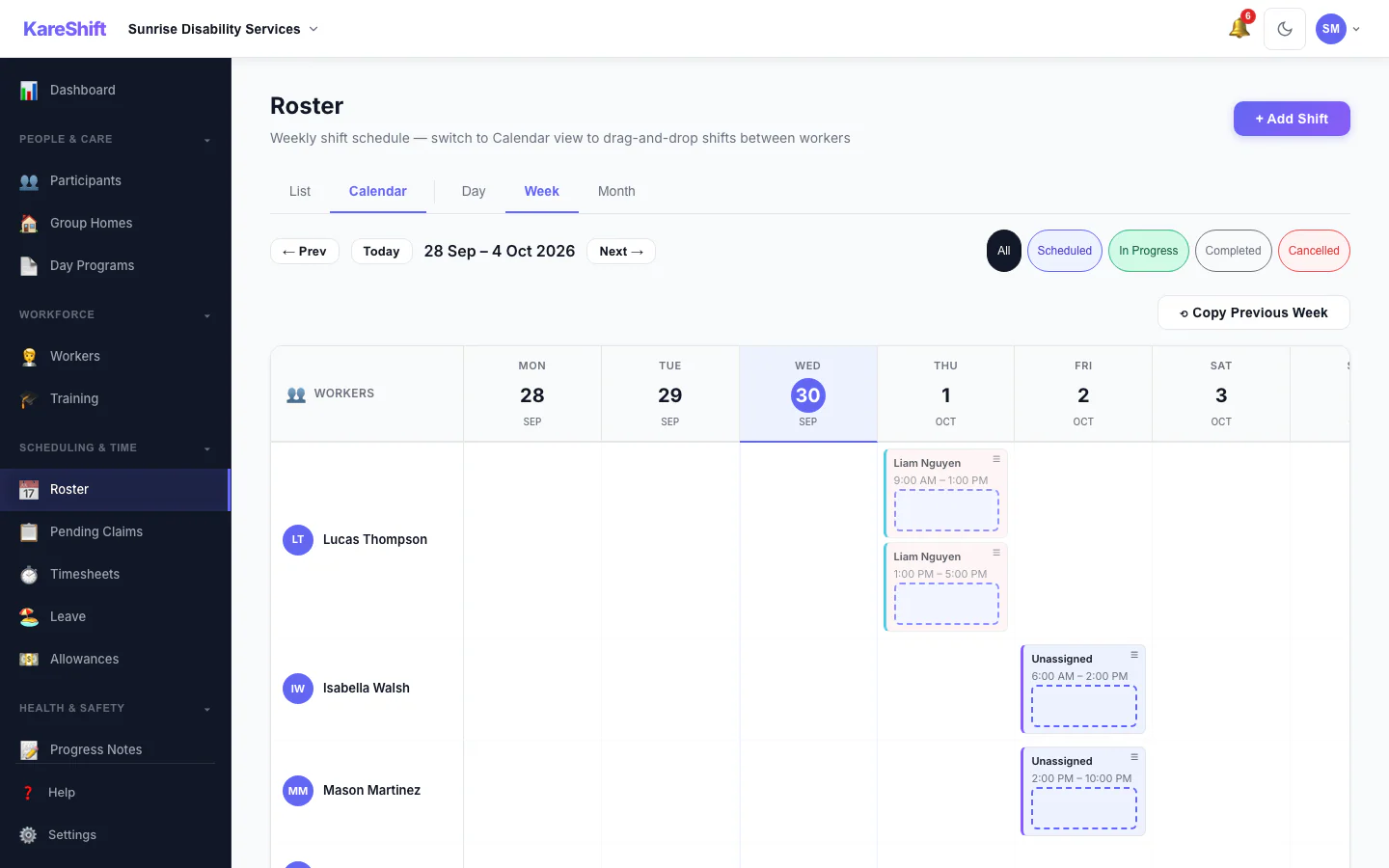
Roster Calendar
Visual calendar view — see shift coverage across the week at a glance. Colour-coded by participant.
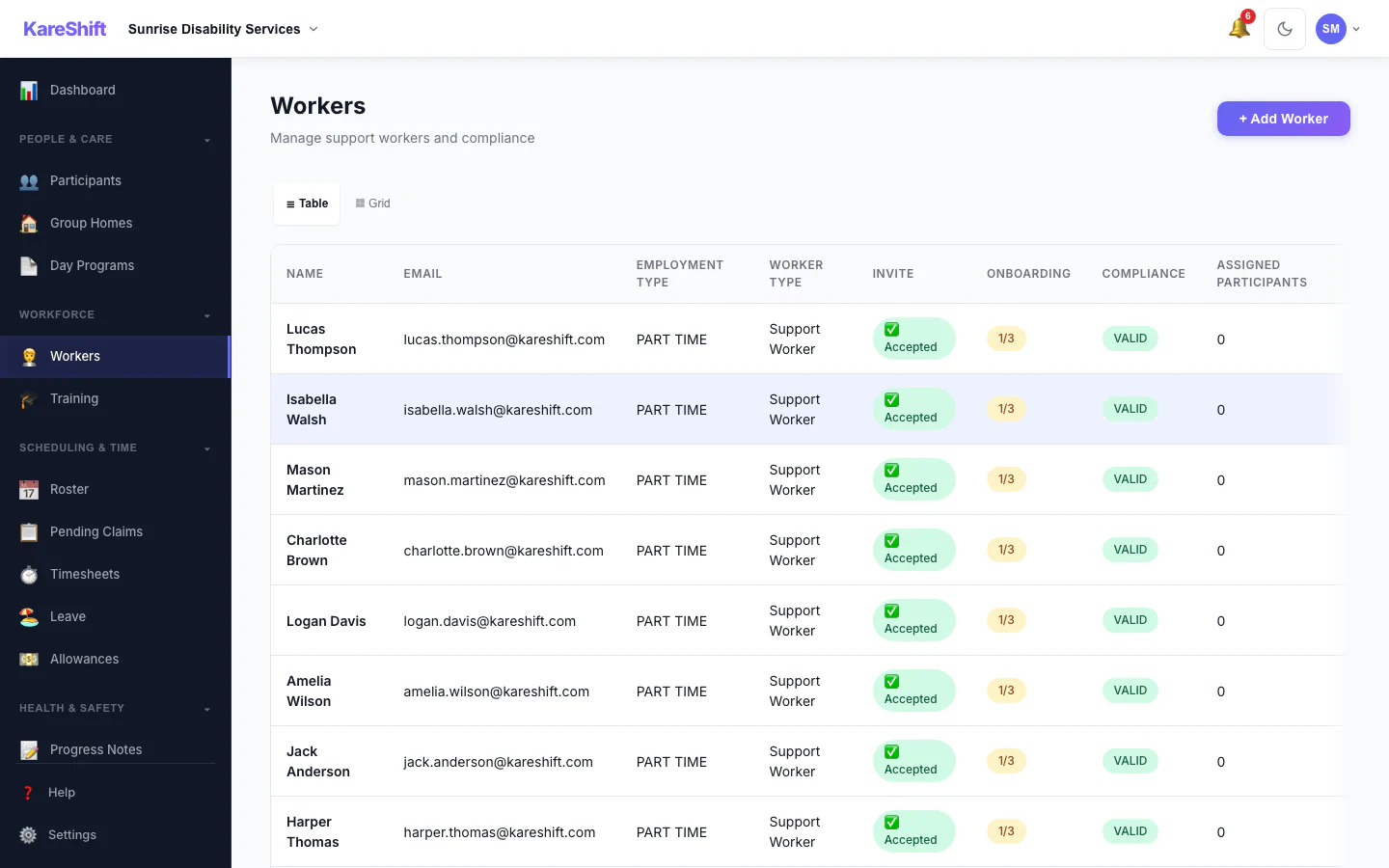
Workers
Your full team — compliance status, availability, hours this week. Card or table view.
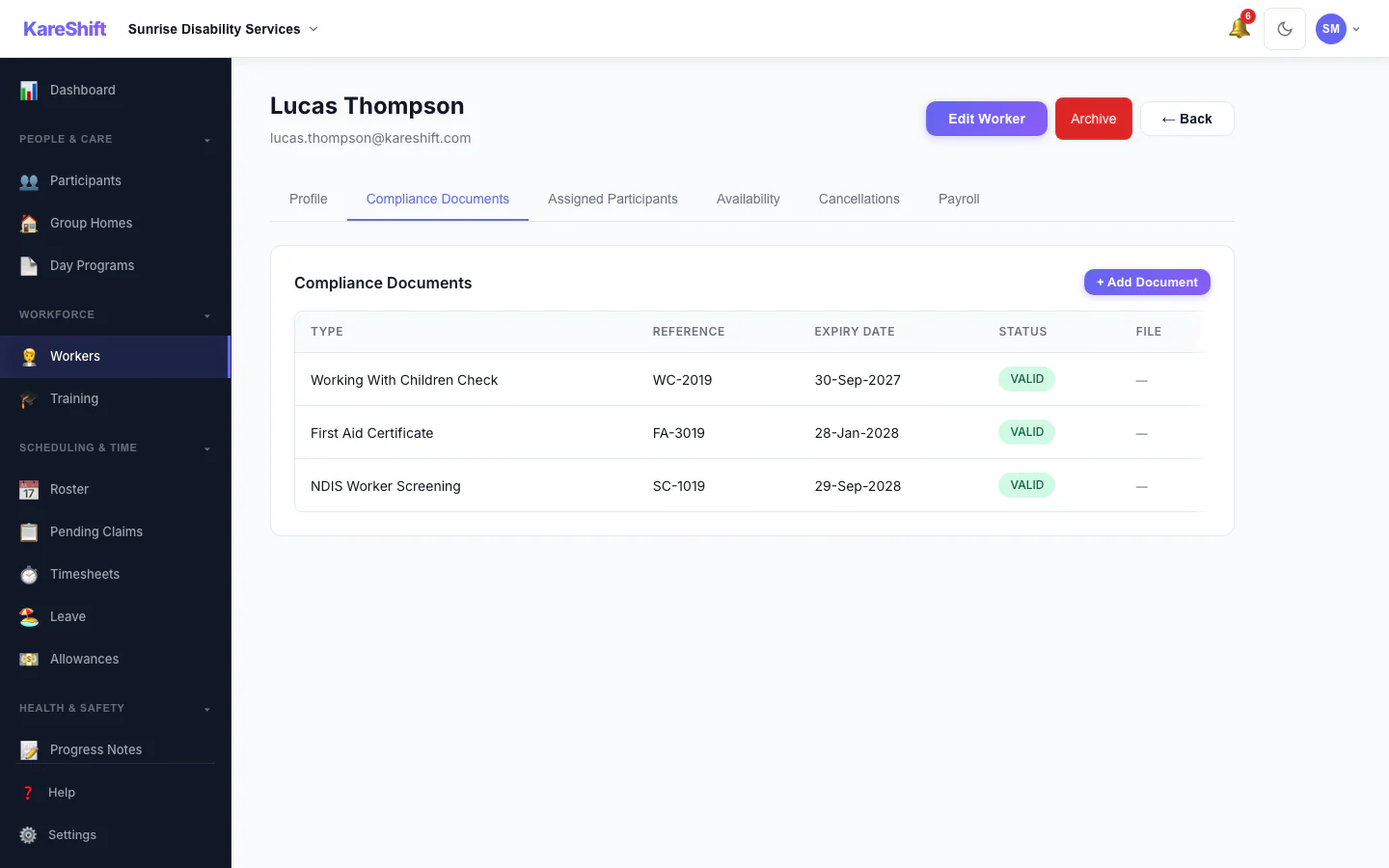
Worker Compliance
Document tracking per worker — screenings, training, certifications, expiry alerts.
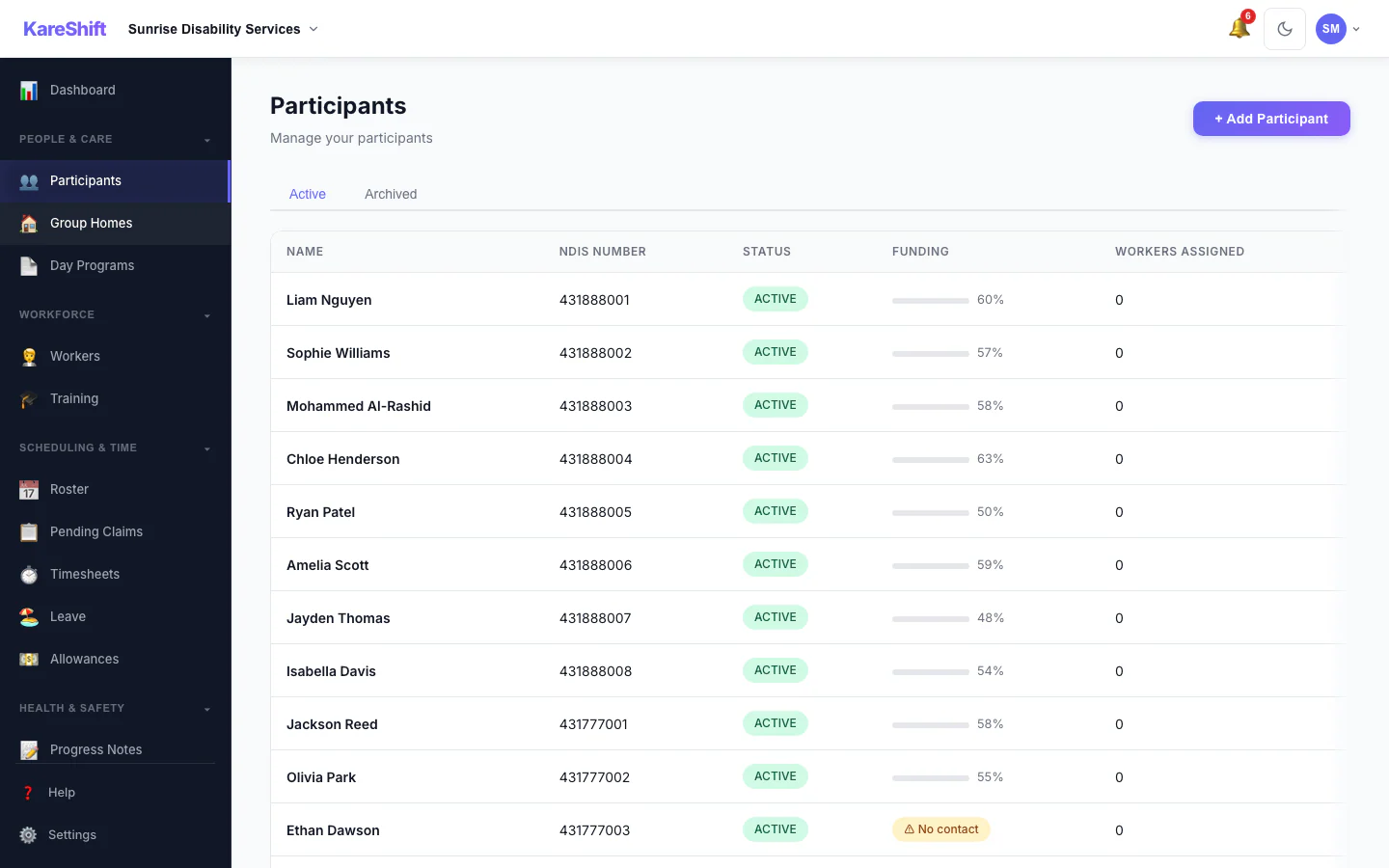
Participants
All your NDIS participants — plan status, funding remaining, goals, linked workers.
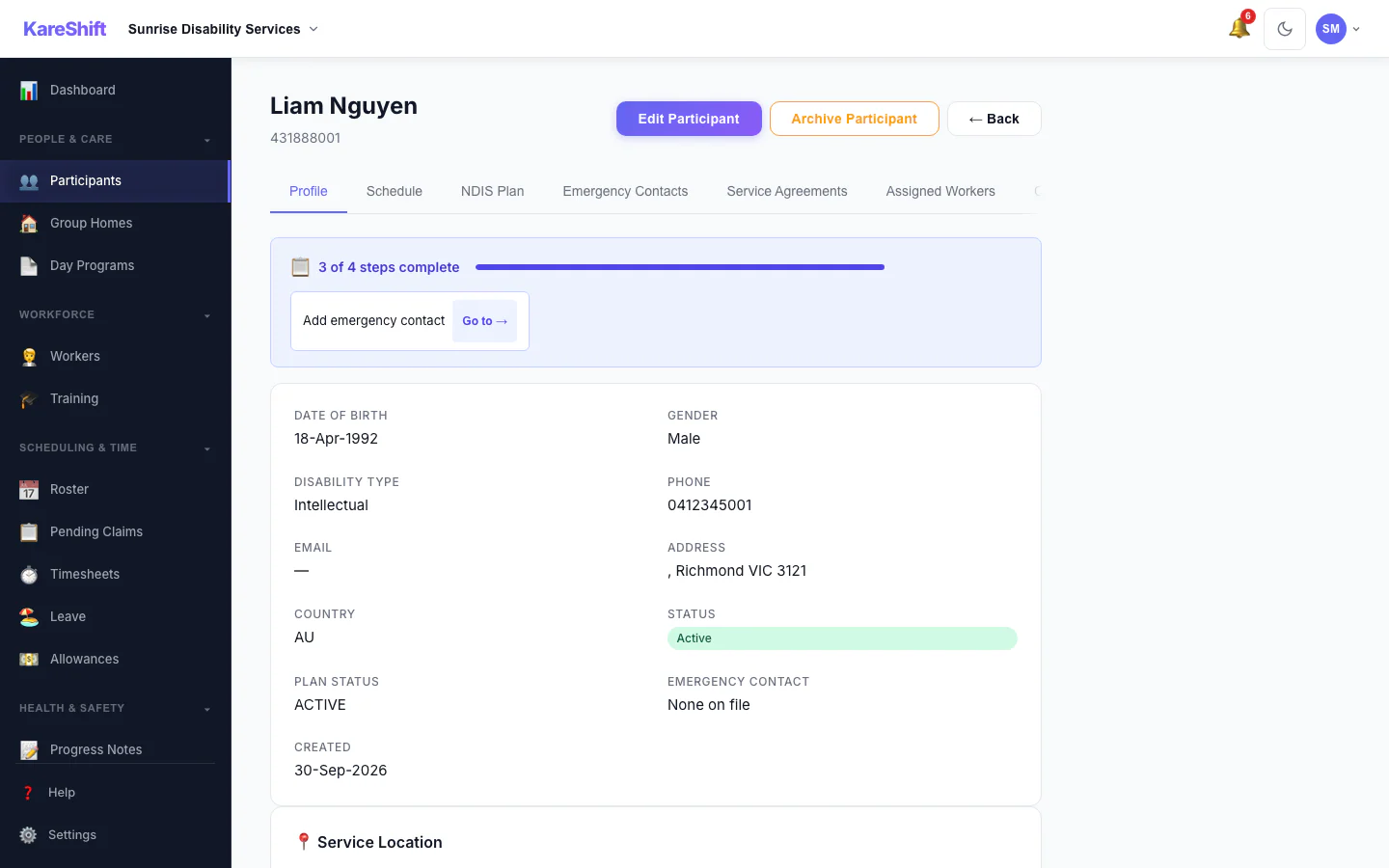
Participant Detail
Full participant profile — plan, goals, linked workers, funding breakdown, notes.
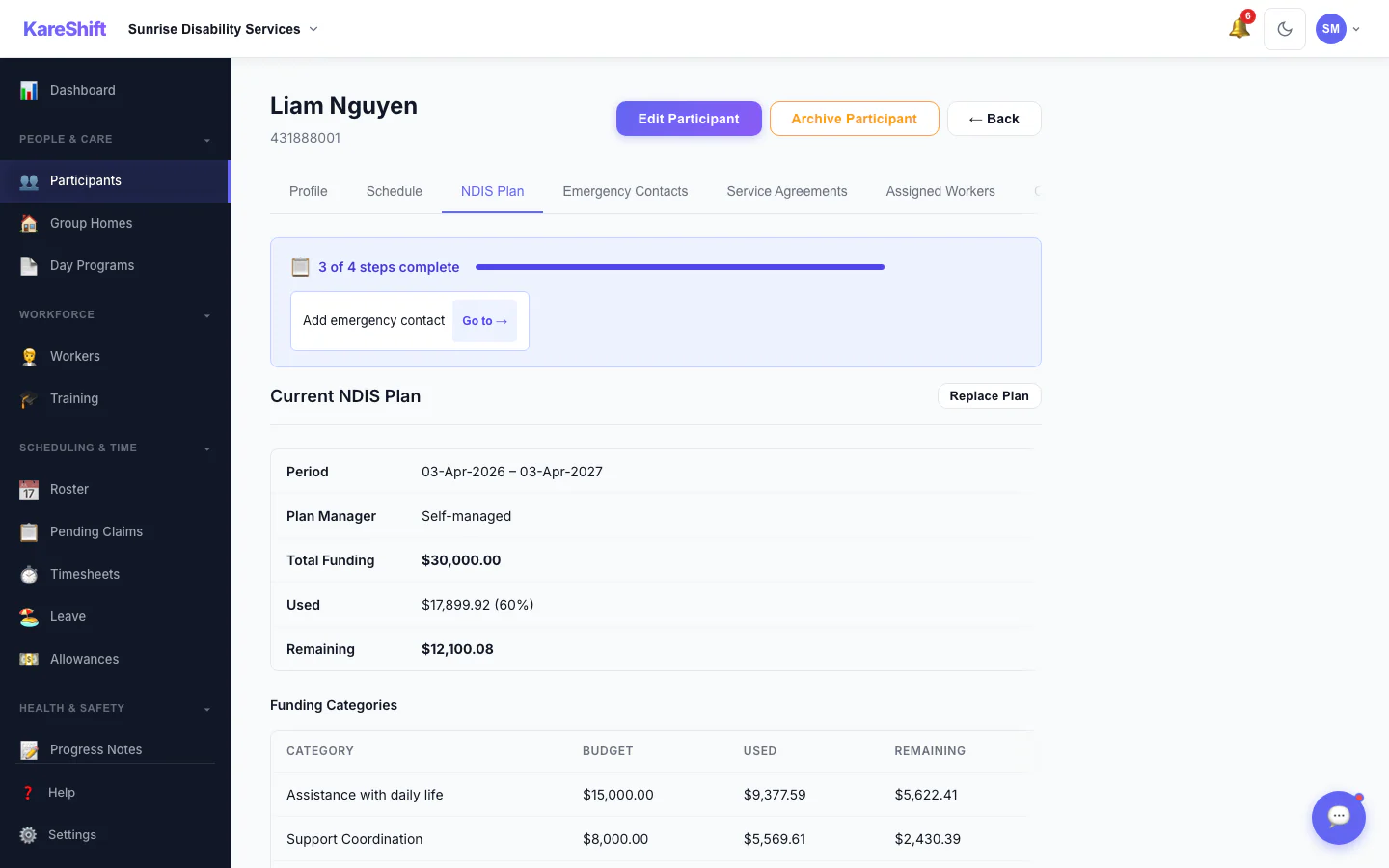
Funding Travel Breakdown
Per-category split of service vs travel spend. Know exactly where funding goes before plan reviews.
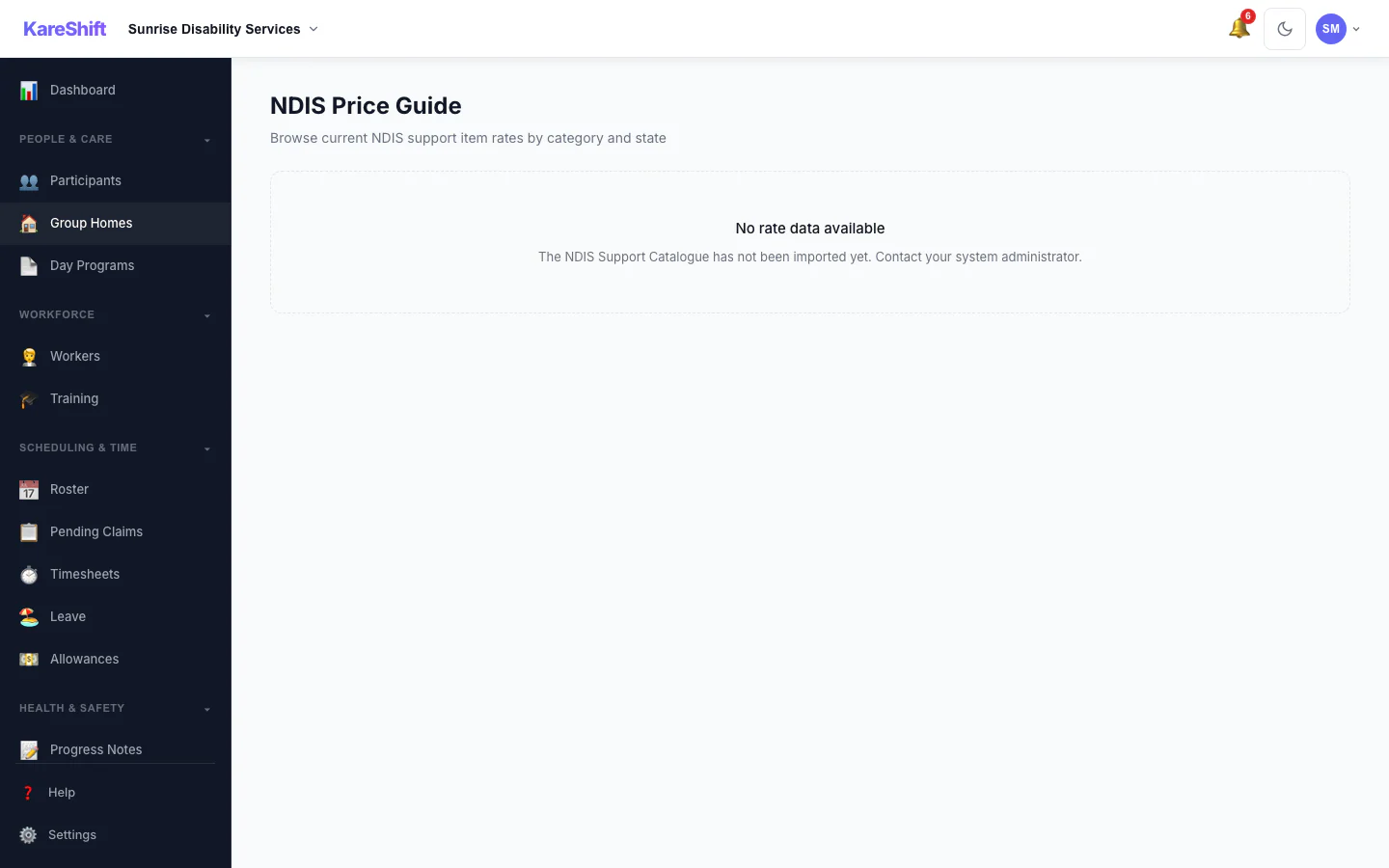
NDIS Price Guide
Built-in price guide with auto-lookup. Never charge the wrong rate.
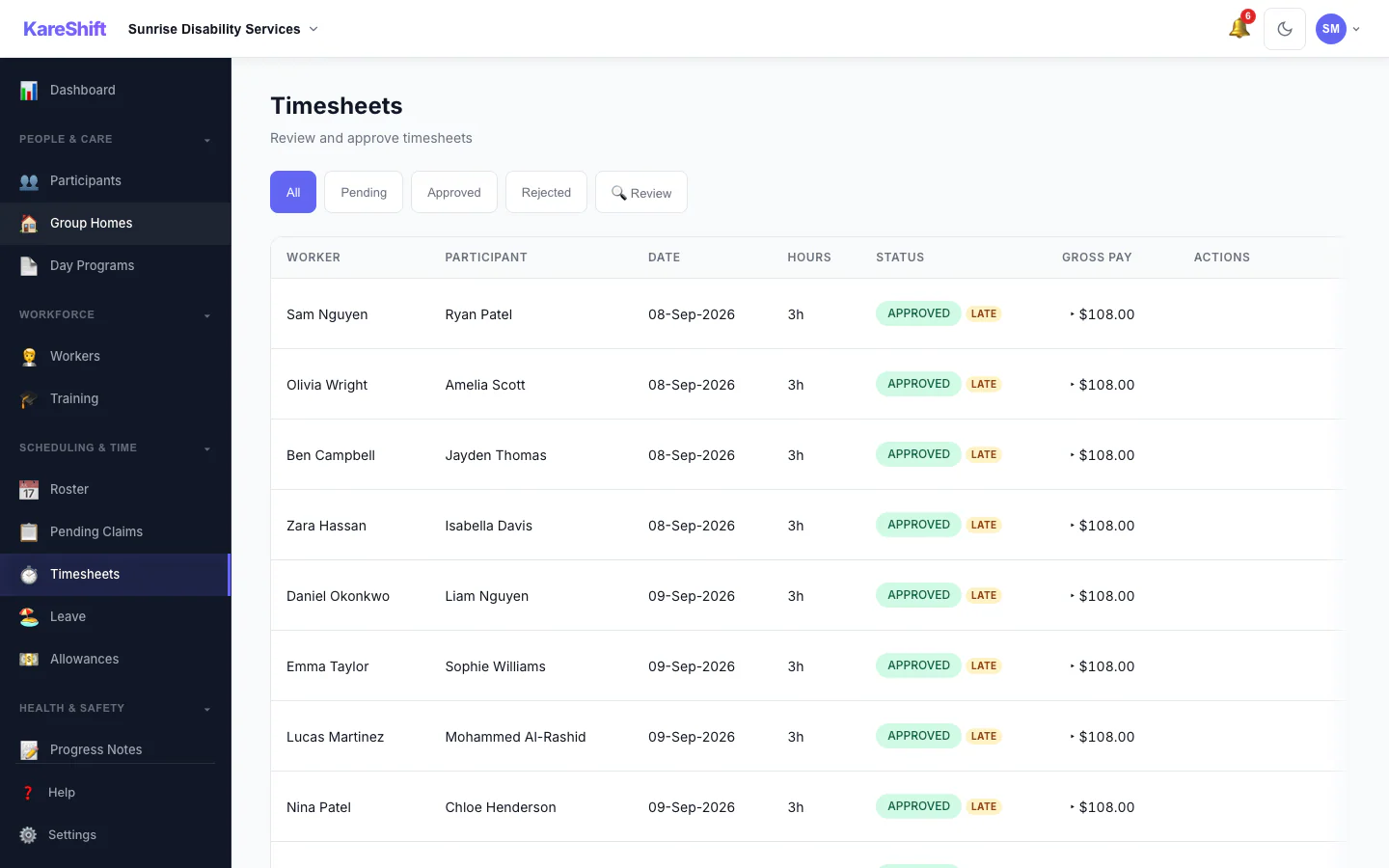
Timesheets
Auto-generated from clock-in/out. Approve, reject, or query. Exports to payroll CSV/Excel.
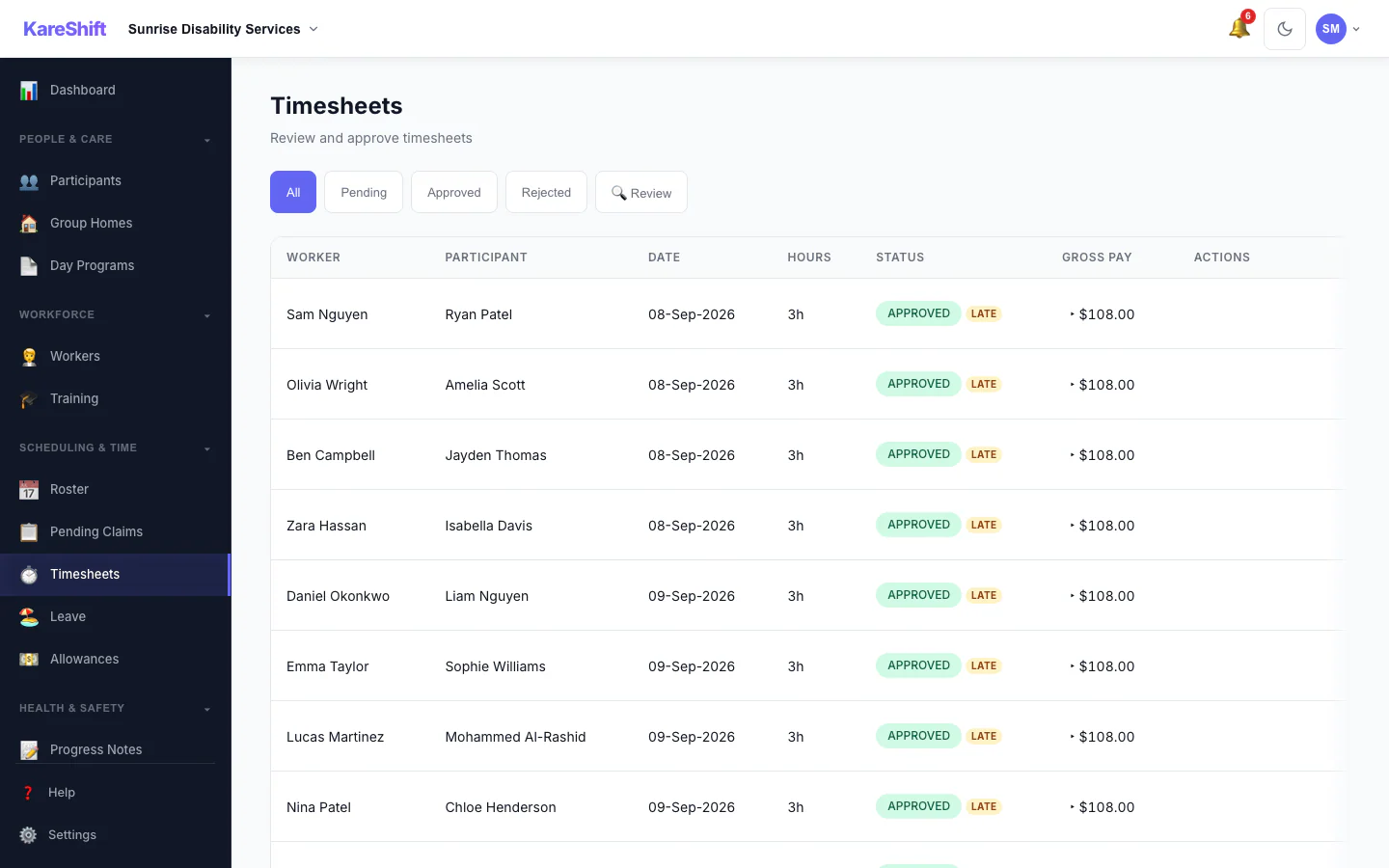
Visit Confirmation & Review
Flag timesheets that need a closer look — GPS geofence violations, clock-time variance, late submissions. The Review filter surfaces only the ones needing attention.
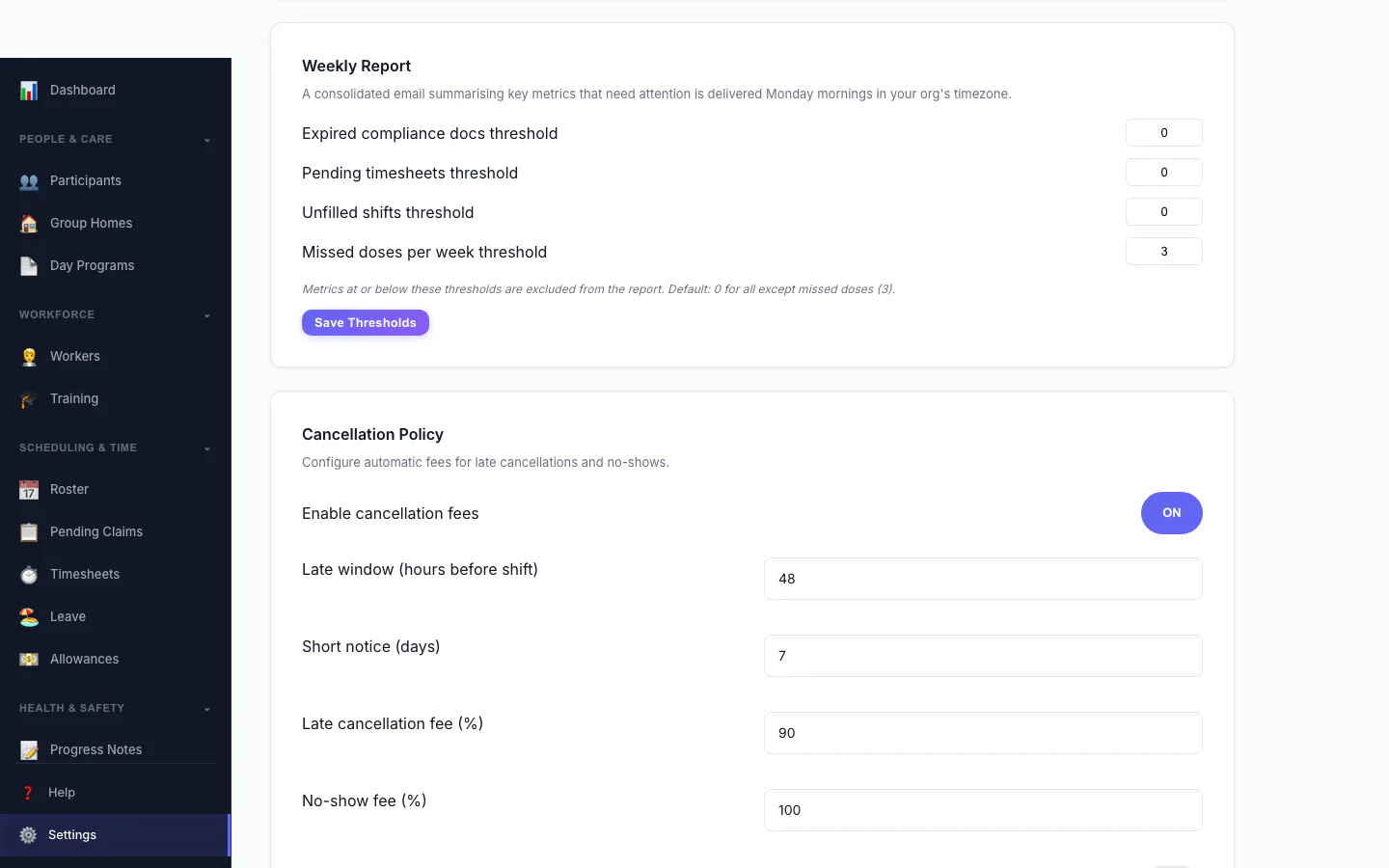
Cancellation Policy
Automate late-cancellation and no-show fees. Set the late window, fee percentages, and whether charges apply to worker- or participant-initiated cancellations.
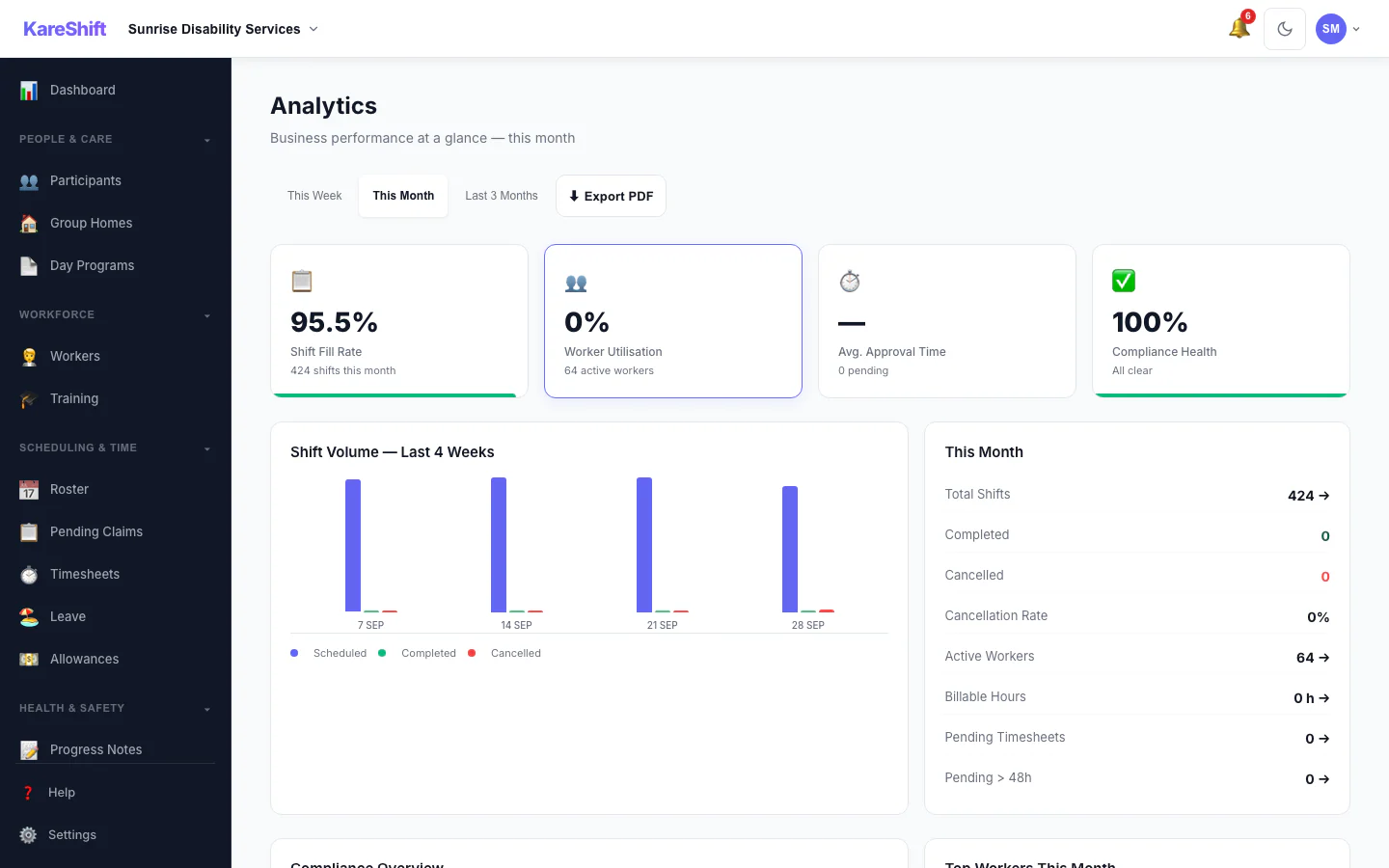
Analytics
Shift fill rate, worker utilisation, cancellation trends, compliance health, funding burn rate.
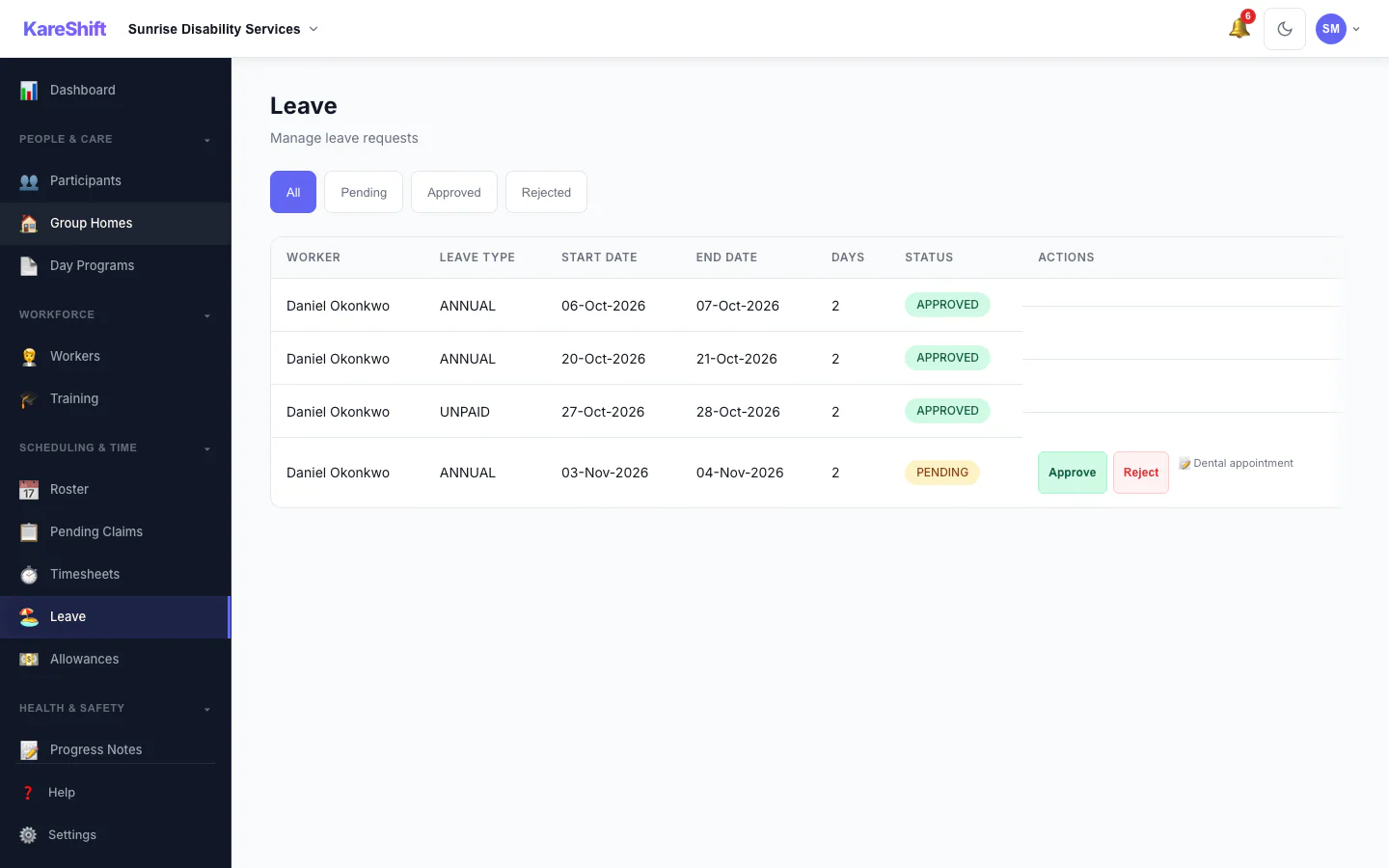
Leave Management
Leave requests, approvals, balance tracking. Annual, personal, unpaid — all in one place.
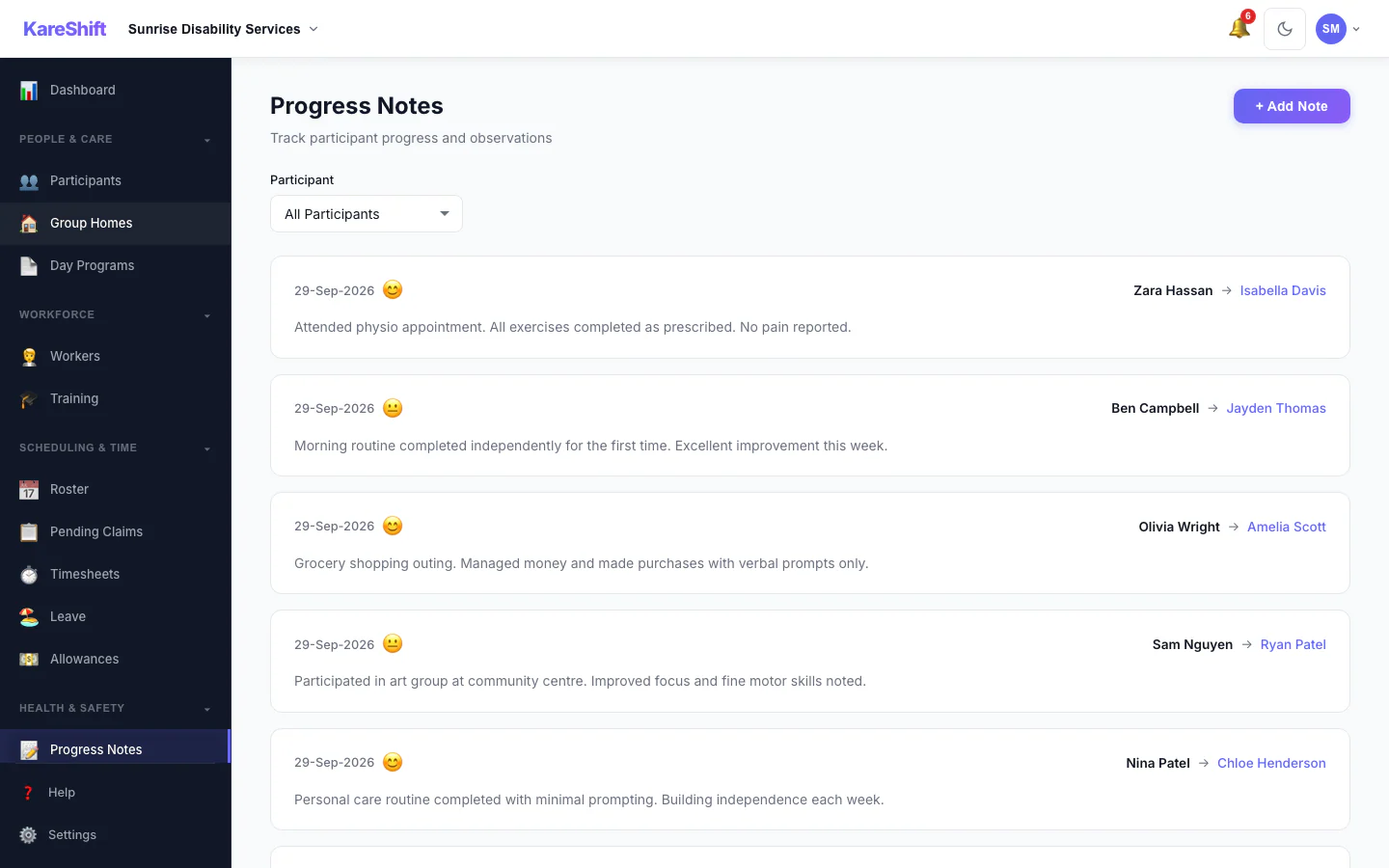
Progress Notes
Shift notes linked to participants and goals. Searchable, exportable for NDIS plan reviews.
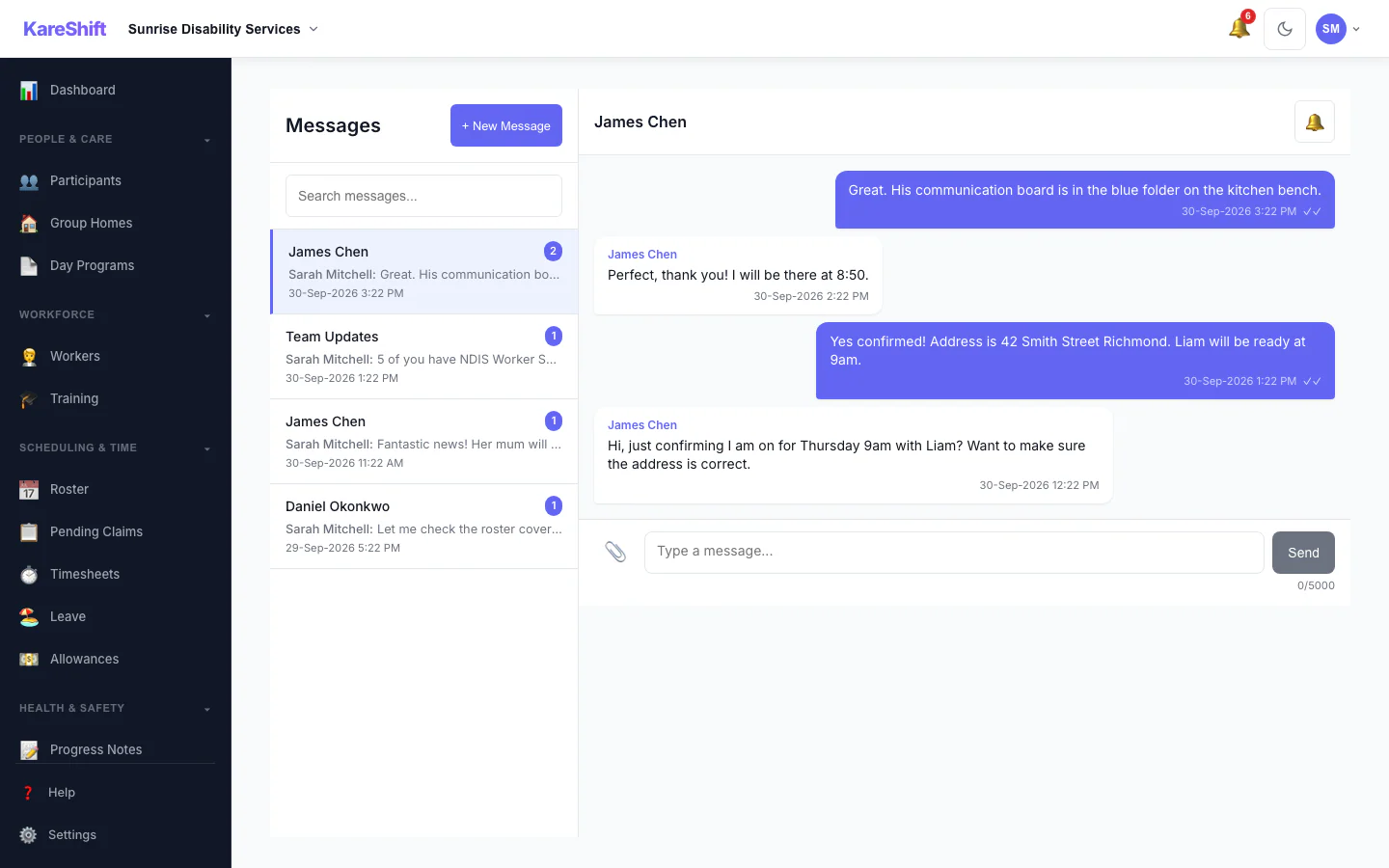
In-App Messaging
1:1 and group messages. File attachments, read receipts, push notifications. No more WhatsApp groups.
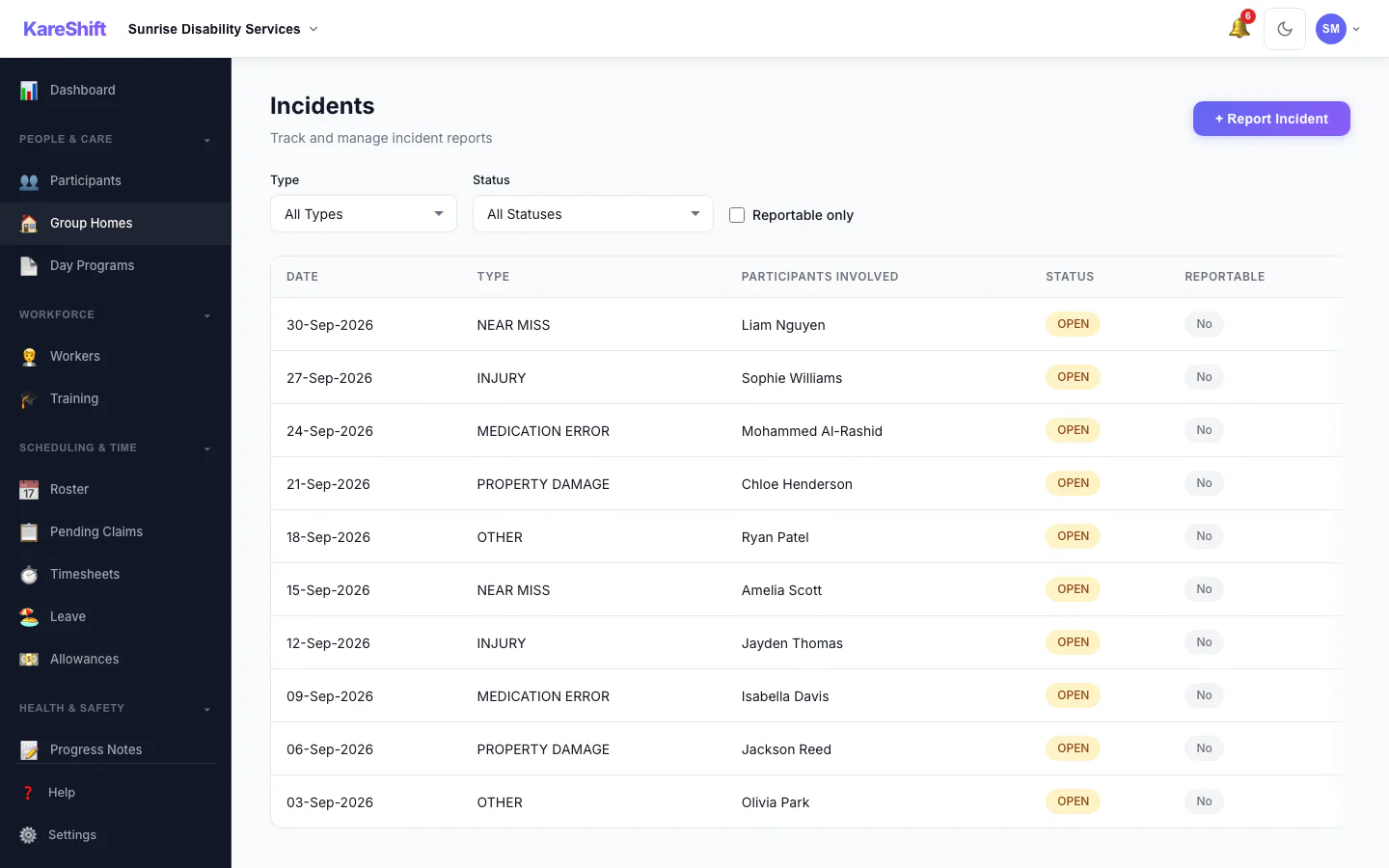
Incident Reporting
Log incidents with severity, link to participants/workers. Full audit trail for compliance.
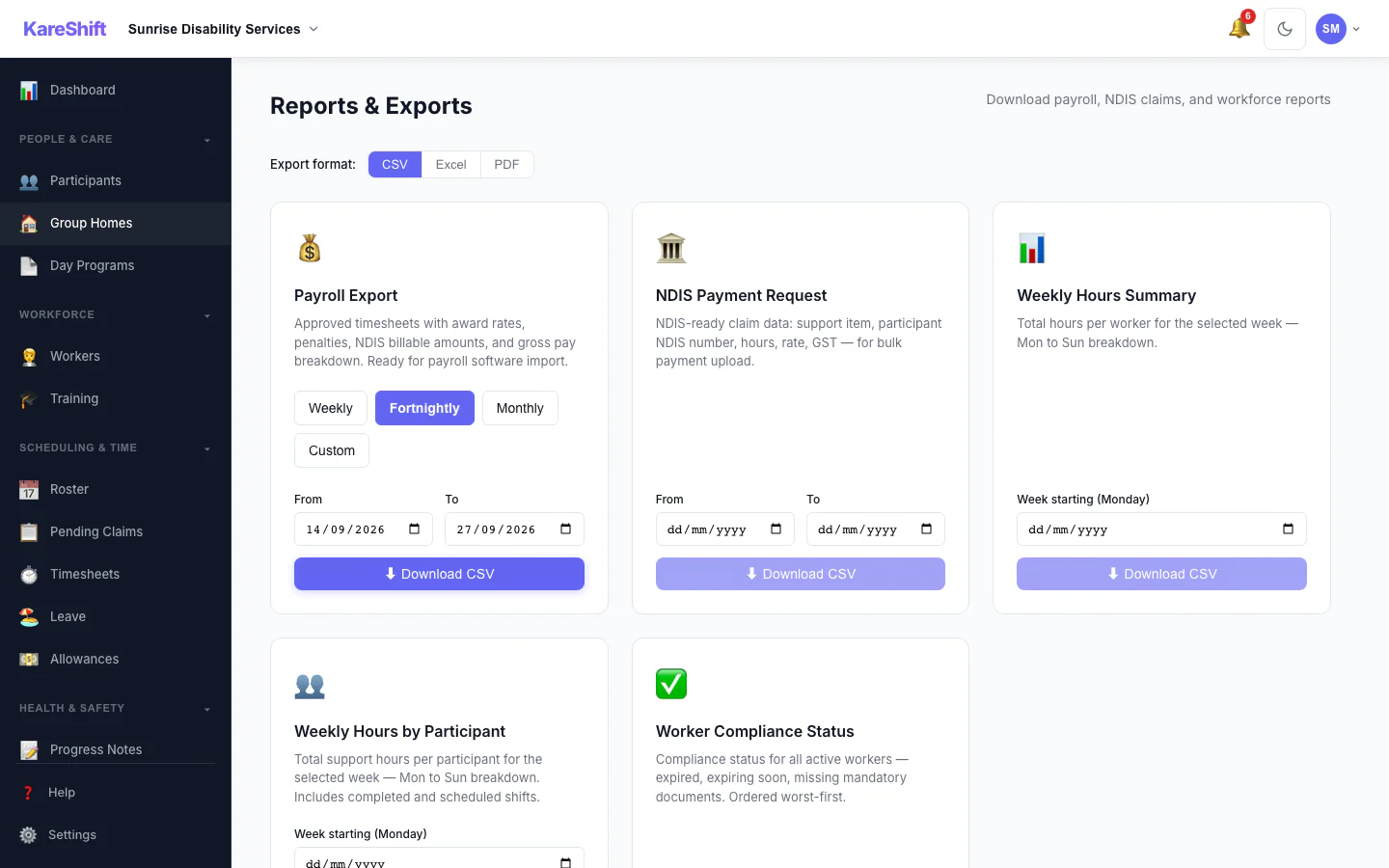
Reports & Exports
Payroll export, NDIS bulk payment request, funding usage, weekly hours — CSV, Excel, or PDF.
Unbilled Services
Track delivered shifts not yet claimed. Filter by participant, date, and worker so billable hours do not slip through.
Unbilled Services (Mobile)
Track unclaimed shifts on mobile.
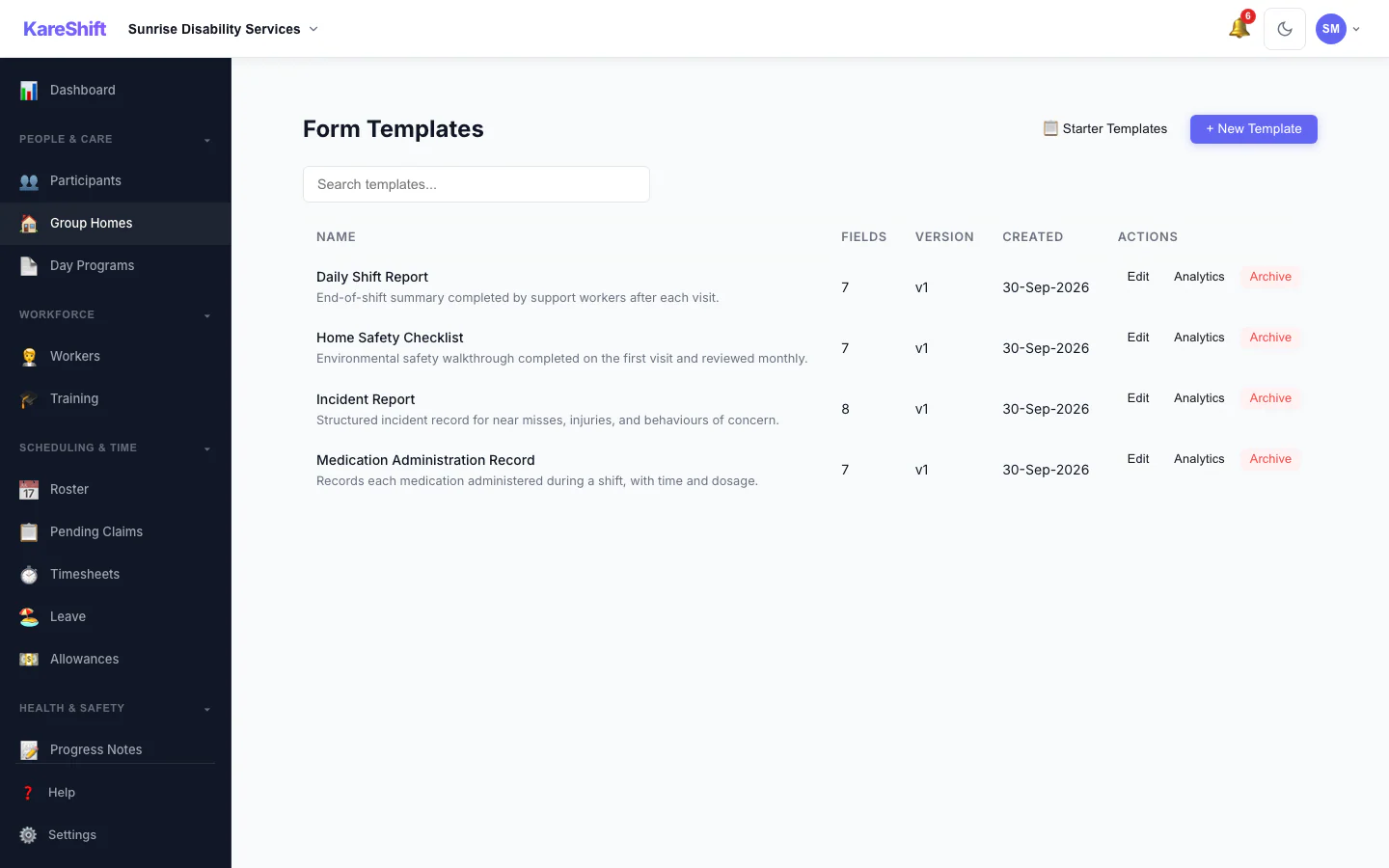
Custom Forms
Build forms for any purpose — behaviour support, vehicle inspection, daily logs. Workers fill on mobile.
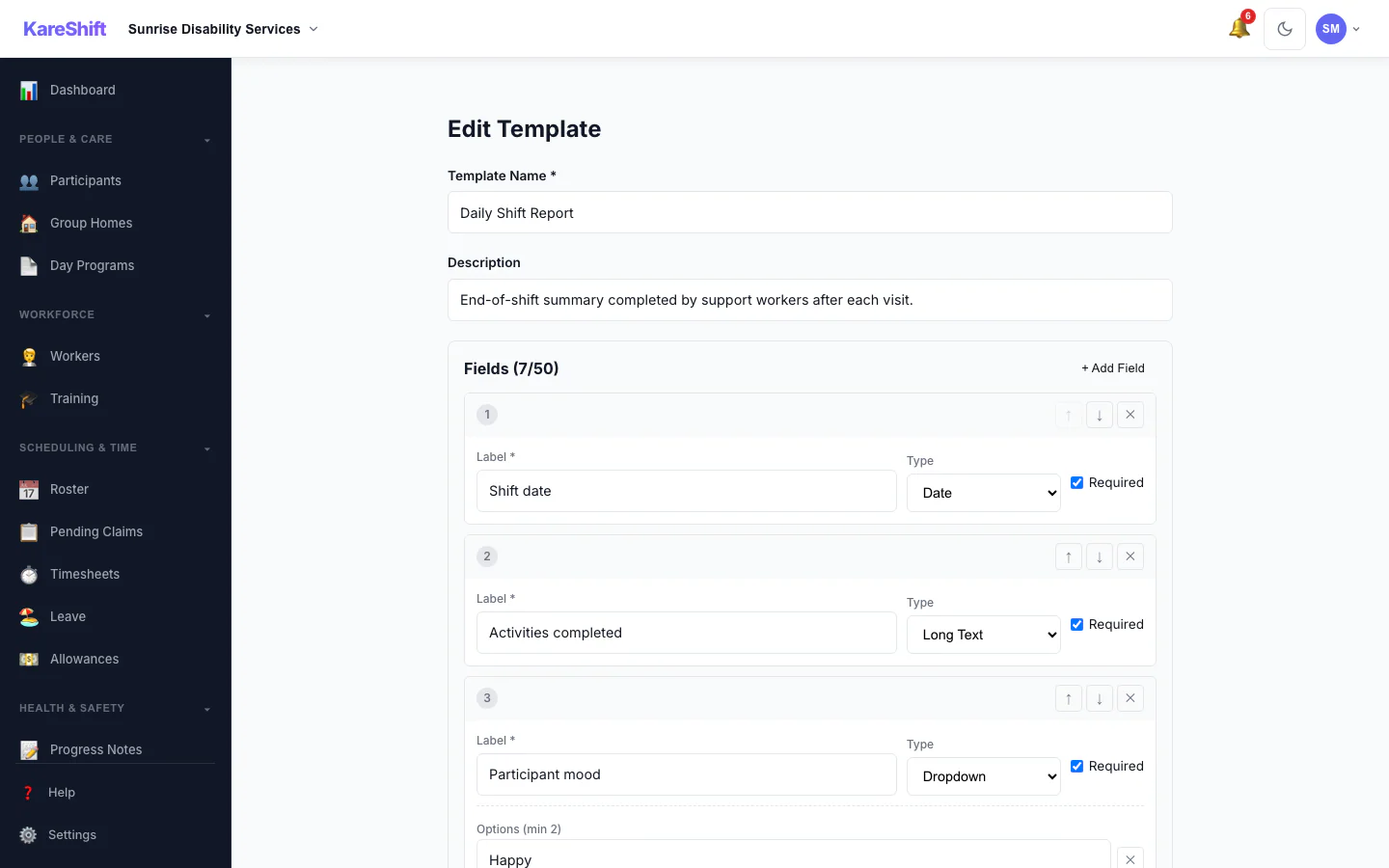
Form Builder
Design your own templates field by field — text, dropdowns, checkboxes, signatures, and photos. Set required fields and reorder with a click.
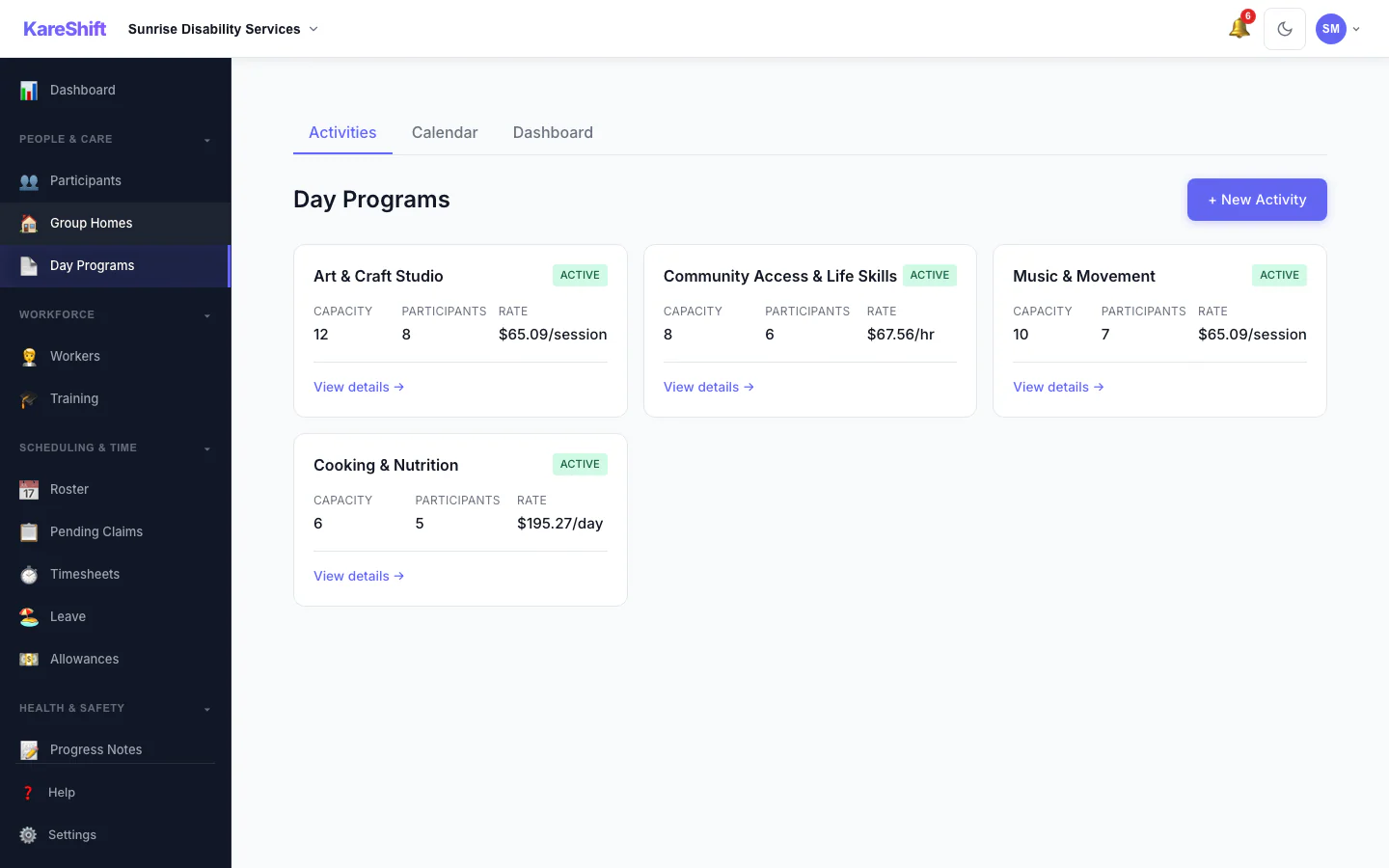
Day Programs
Run centre-based group activities — art, community access, music, cooking. Track capacity, enrolments, and per-session or hourly billing.
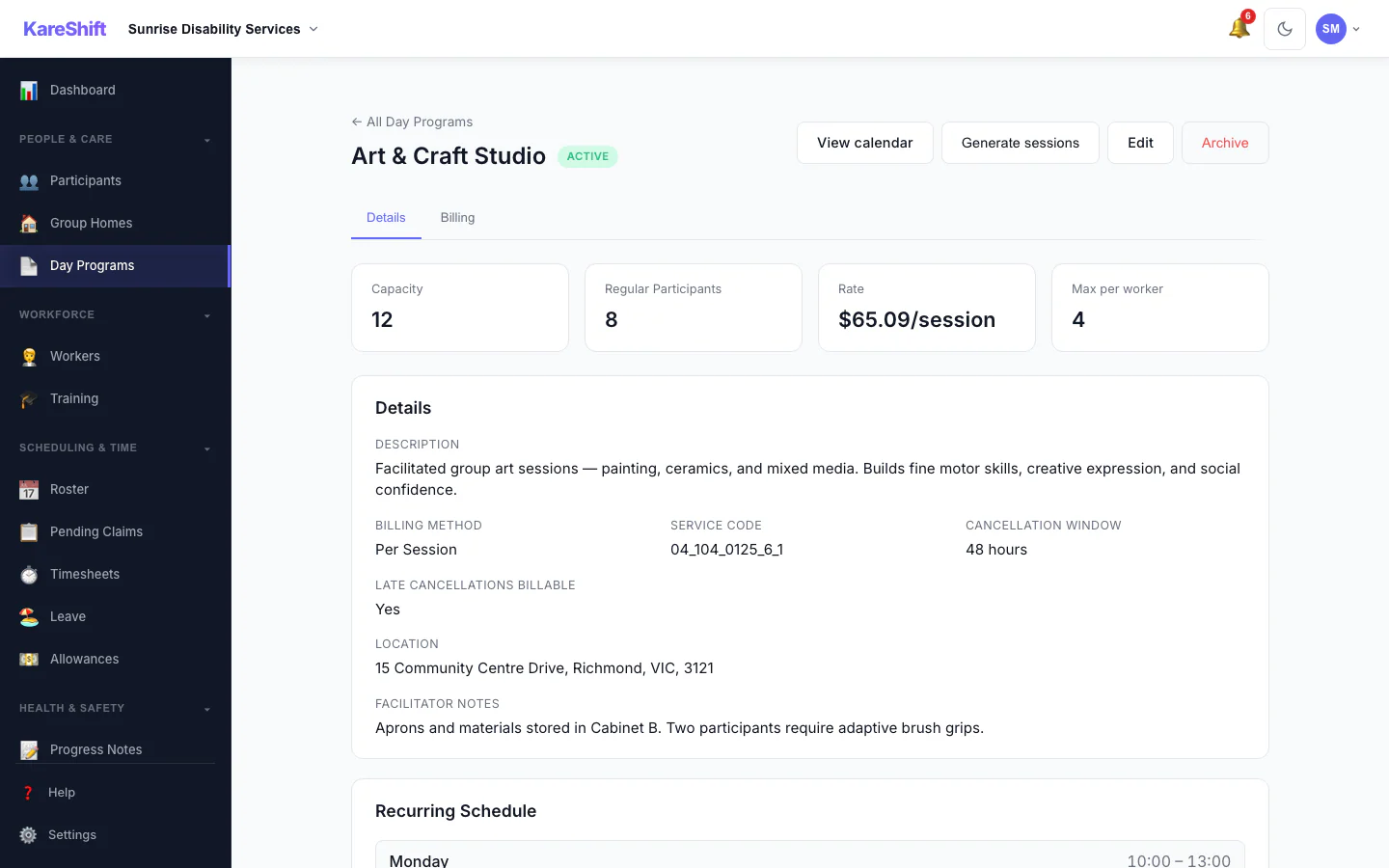
Activity Detail
Everything about an activity in one place — capacity, regular participants, billing rate, cancellation policy, location, and the recurring weekly schedule that drives session generation.
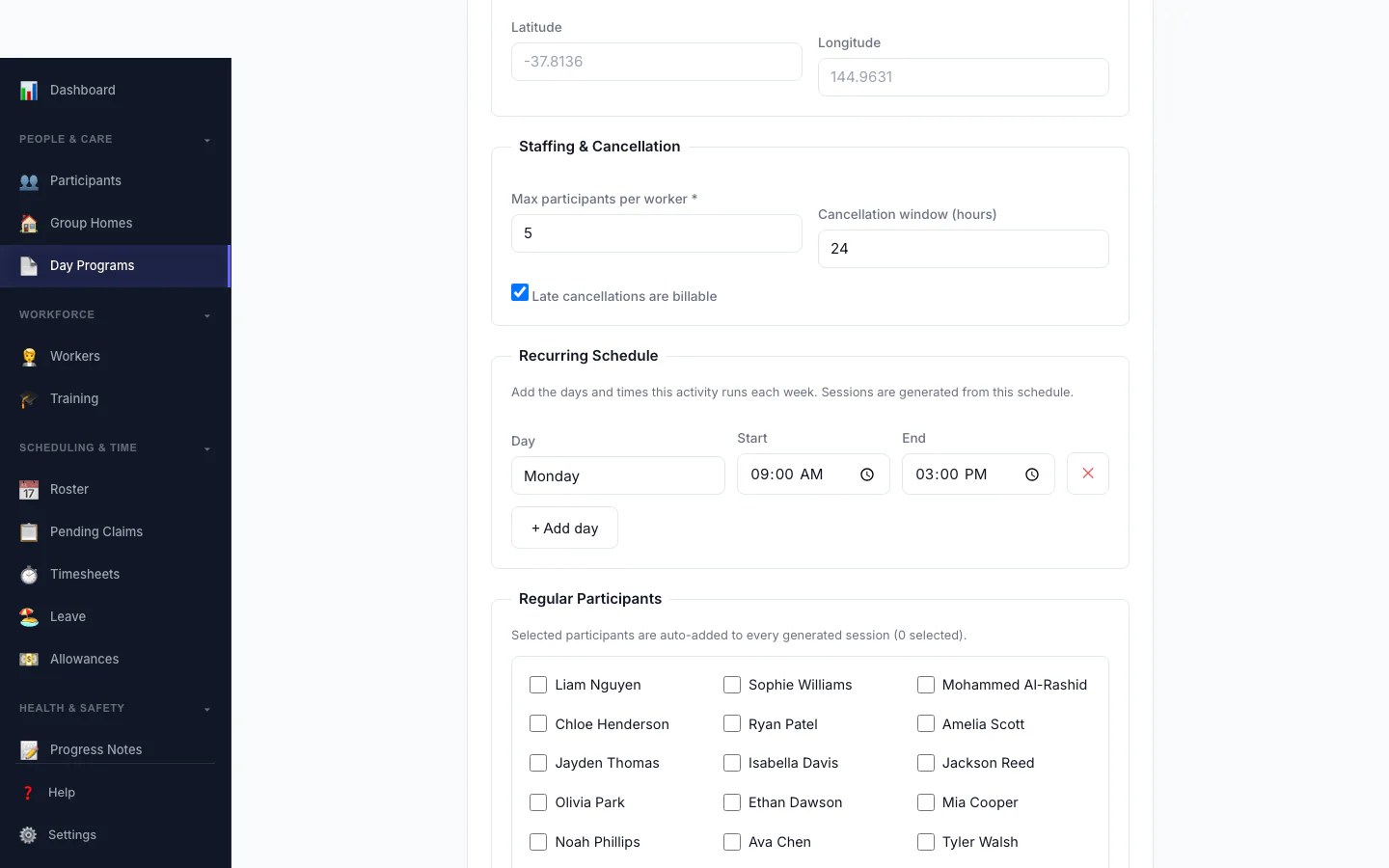
Build an Activity
Set up a group activity in minutes — capacity, billing method and rate, a weekly recurring schedule, and the regular participants who are auto-added to every session.
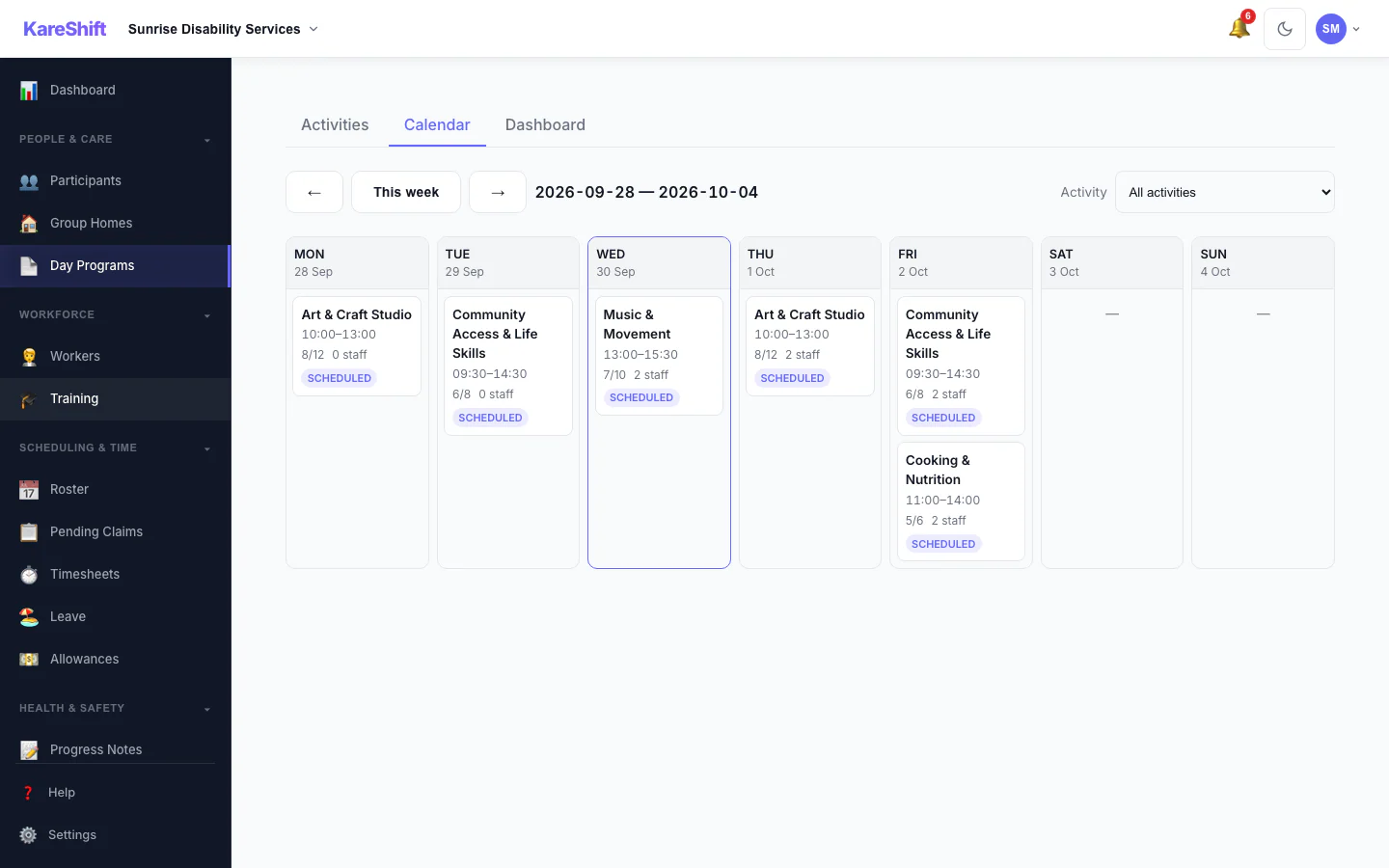
Session Calendar
See every session for the week at a glance — participants versus capacity, staff assigned, and an at-a-glance ratio indicator. Jump straight into any session to manage it.
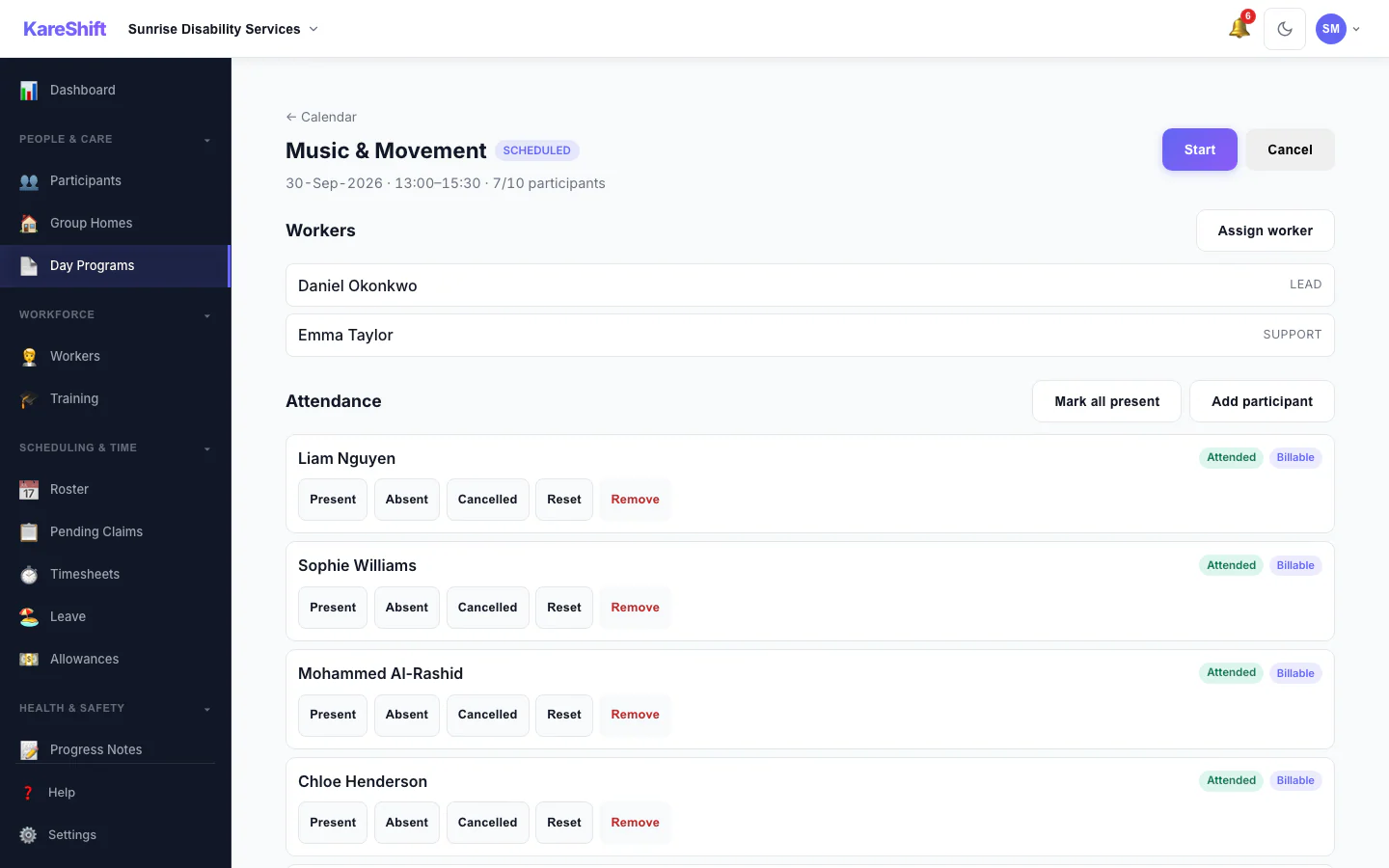
Run a Session
Assign workers, mark per-participant attendance, record transport, and move the session from scheduled through to completed — with billable no-shows and late cancellations handled correctly.
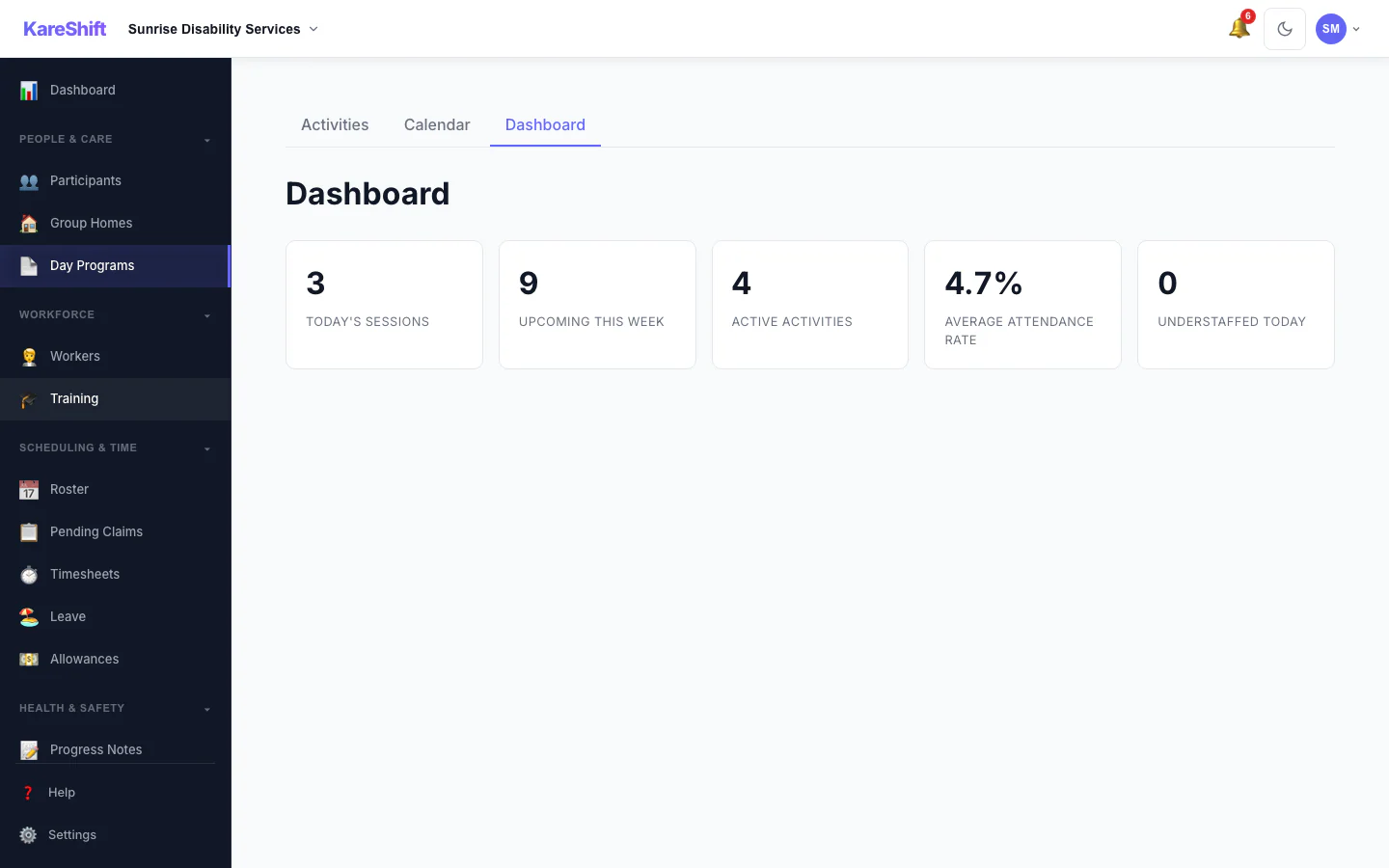
Day Program Dashboard
Today's sessions, the week ahead, active activities, average attendance, and a clear flag when a session is understaffed — the numbers that keep a centre running.
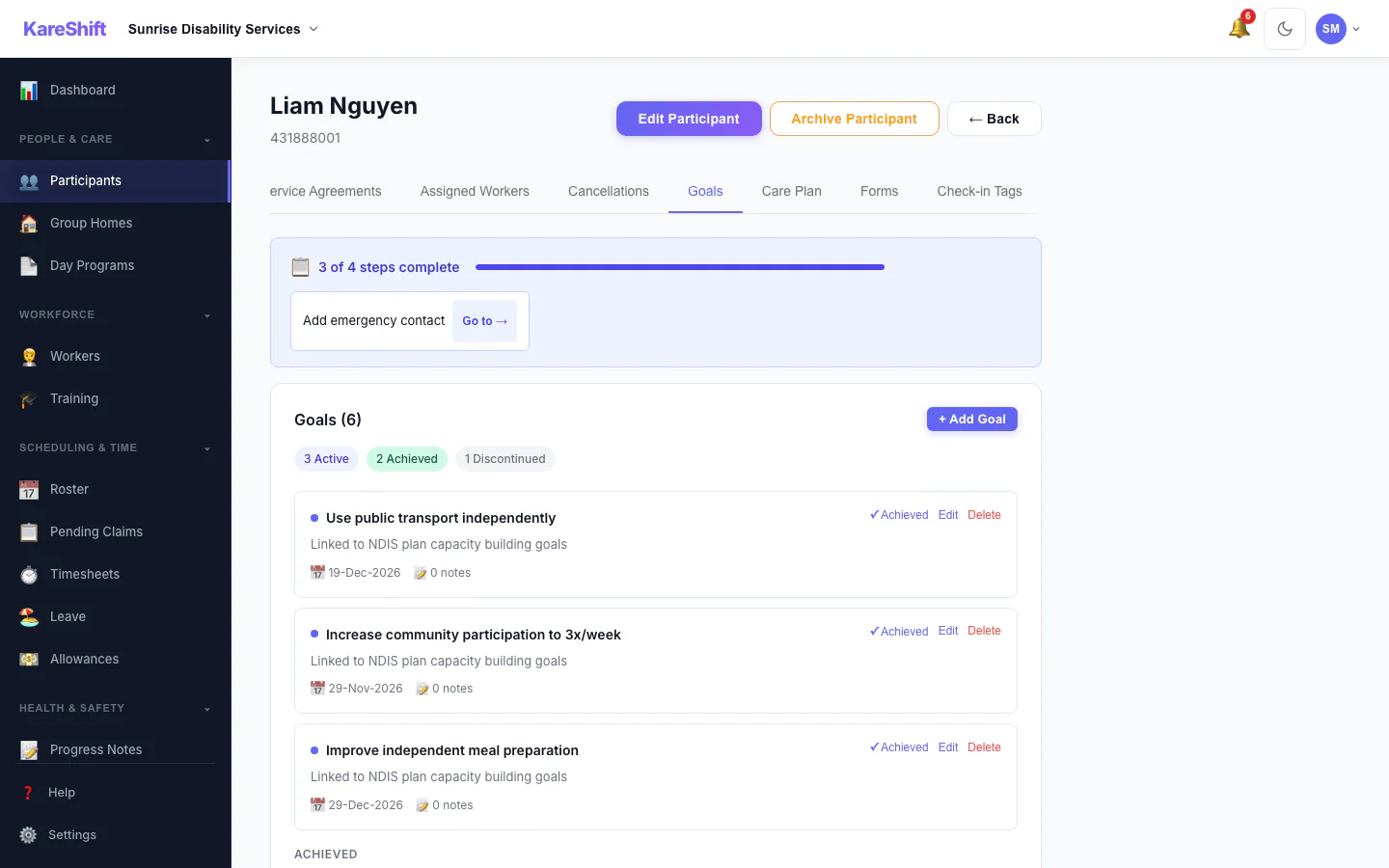
Participant Goals
Set and track outcome goals against each participant's plan. Mark progress, achievements, and link goals to shift notes.
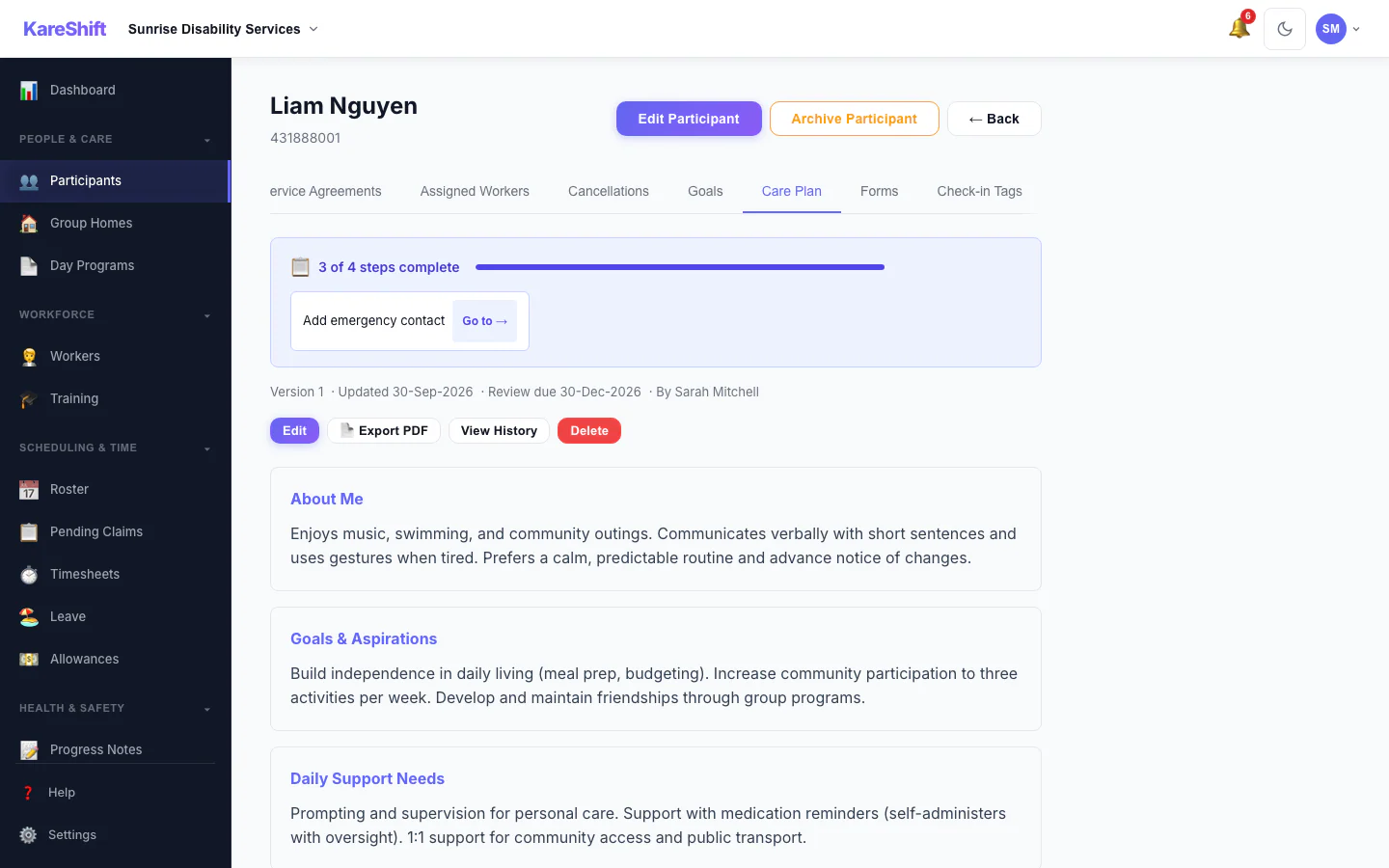
Care Plans
Build person-centred support plans with structured sections. Versioned, review-scheduled, and exportable to PDF for the participant and their circle.
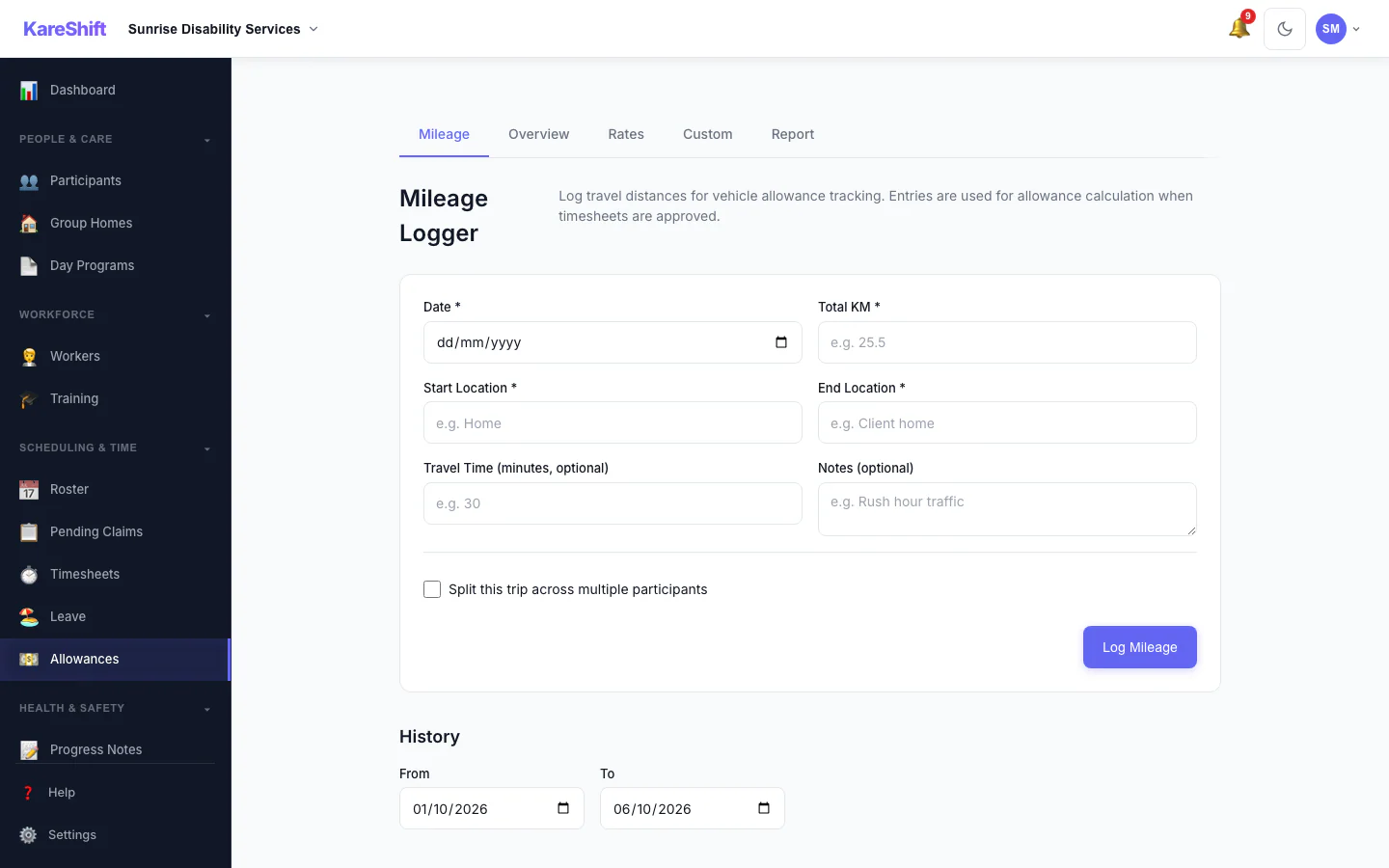
SCHADS Allowances
All 7 mandatory allowances auto-calculated. Custom allowances, versioned rates, payroll integration.
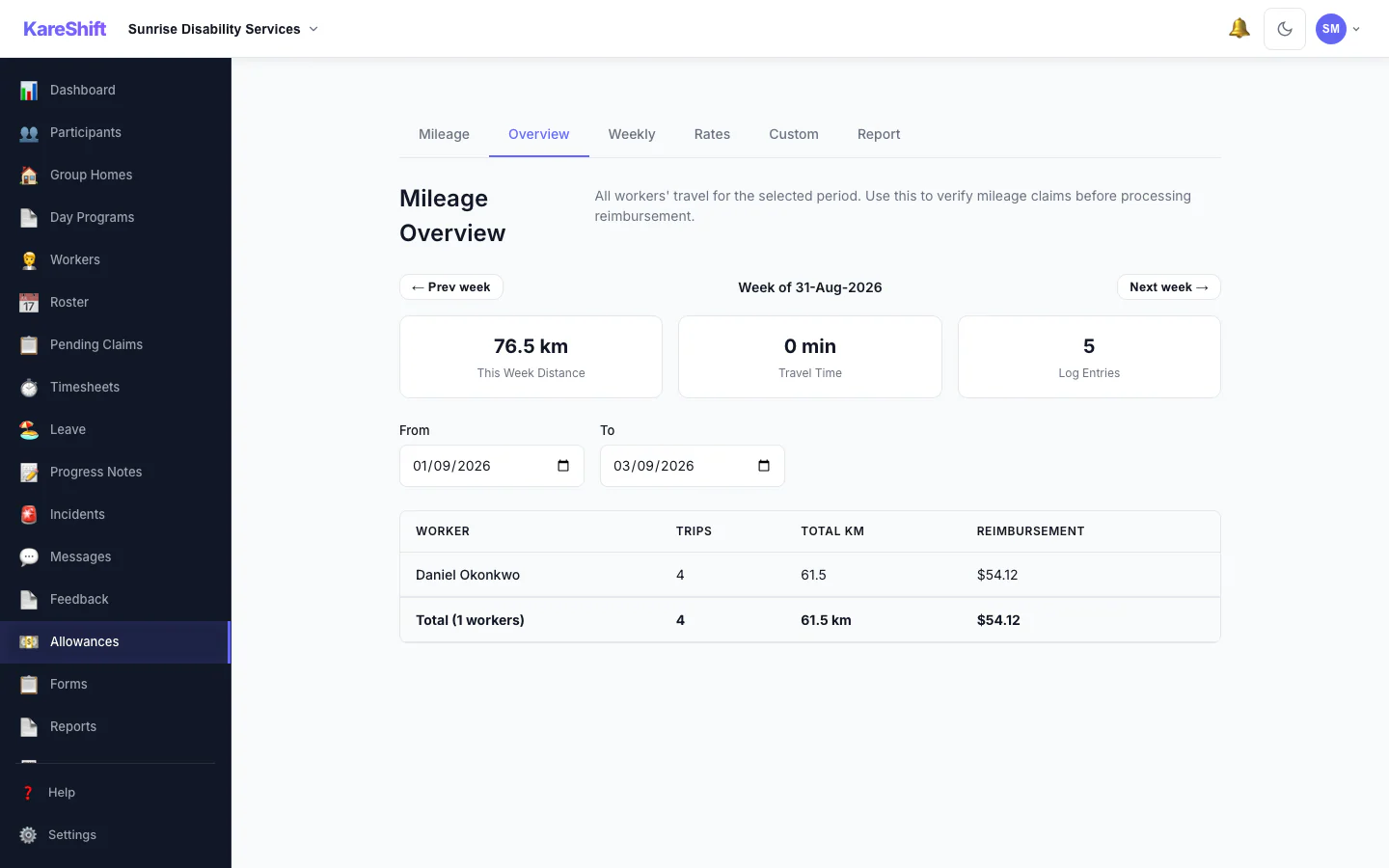
Mileage Overview
All workers' travel at a glance. Distance, trips, and reimbursement totals — ATO rate applied.
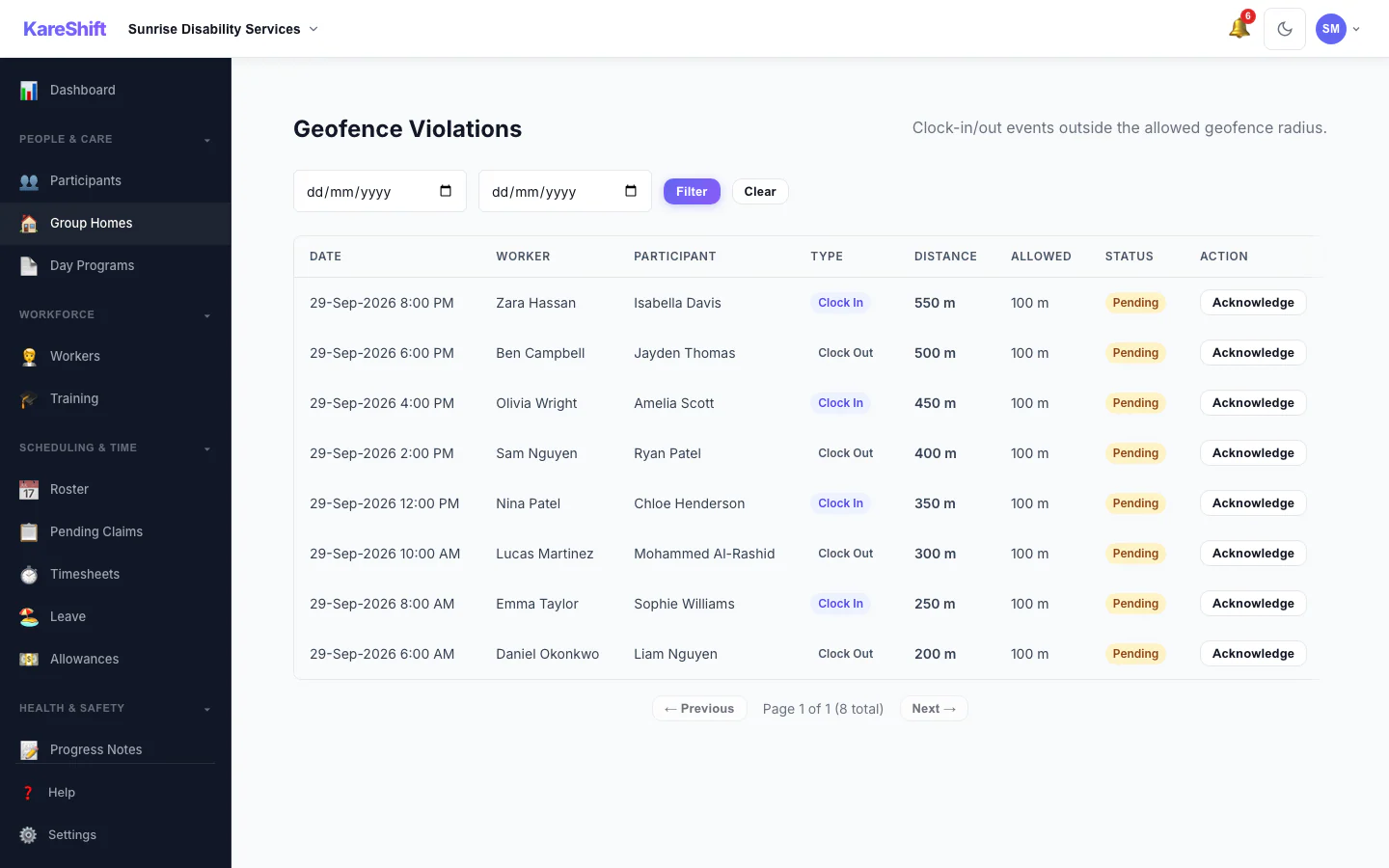
Geofencing
GPS validation on clock-in. Warn or block mode. Violations dashboard for coordinators.
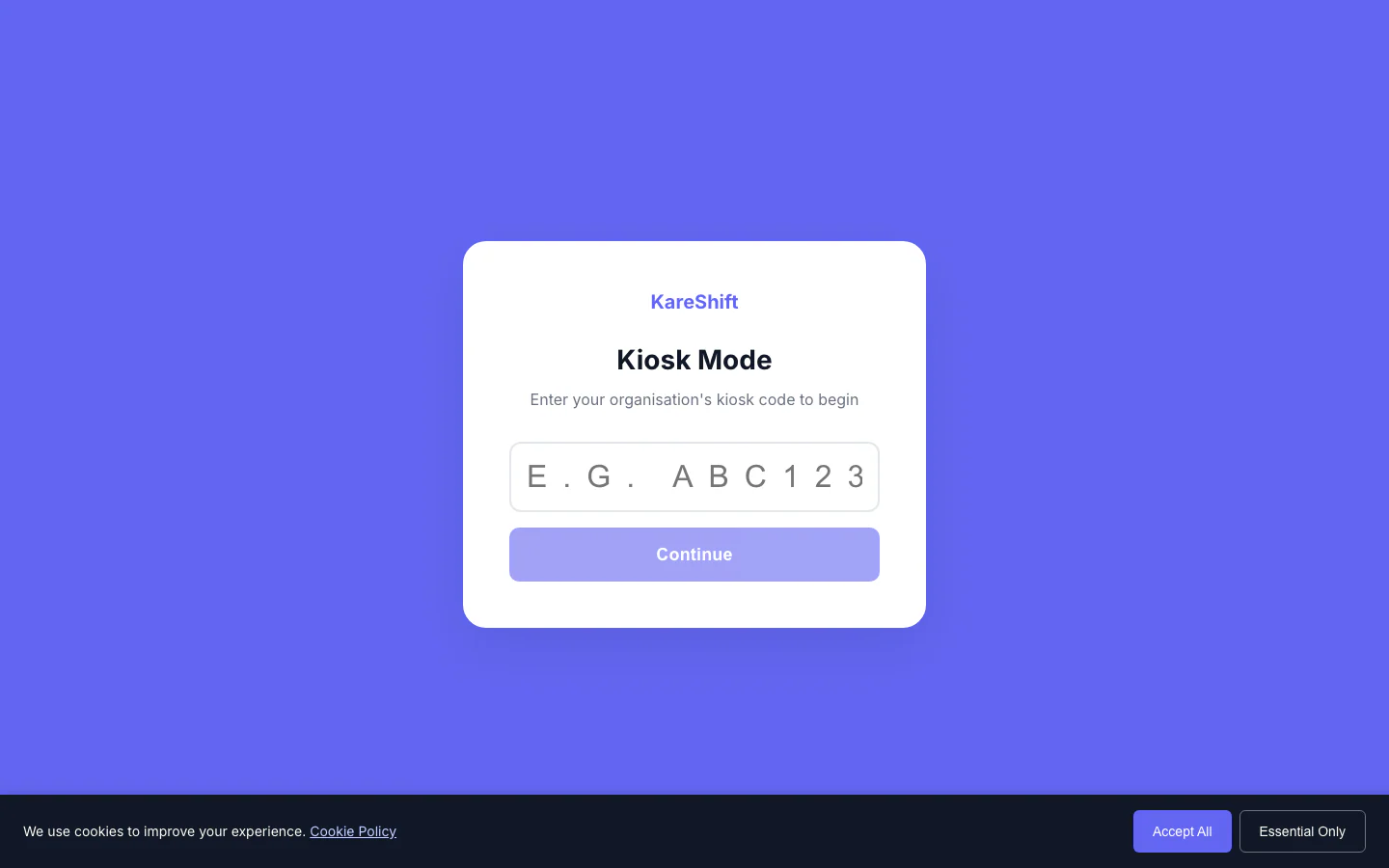
Kiosk Mode
Shared tablet clock-in with 4-digit PIN. Workers tap name, enter PIN, clock in — no full login needed.
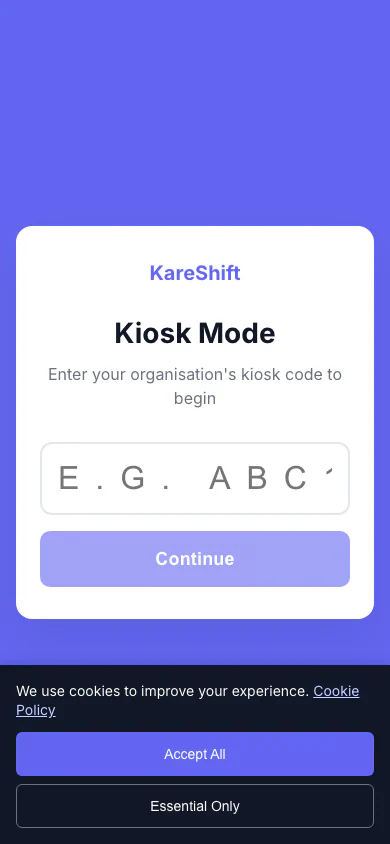
Kiosk (Mobile)
Kiosk mode on phone — same PIN-based clock-in flow.
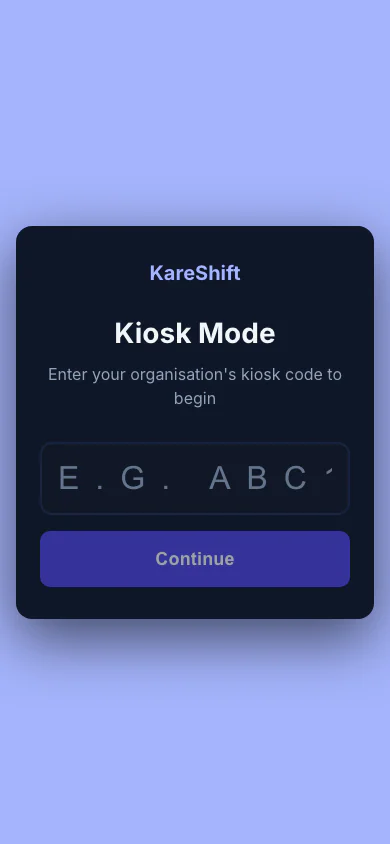
Dark Mode (Mobile)
Kiosk in dark mode — reduces eye strain for night shifts.
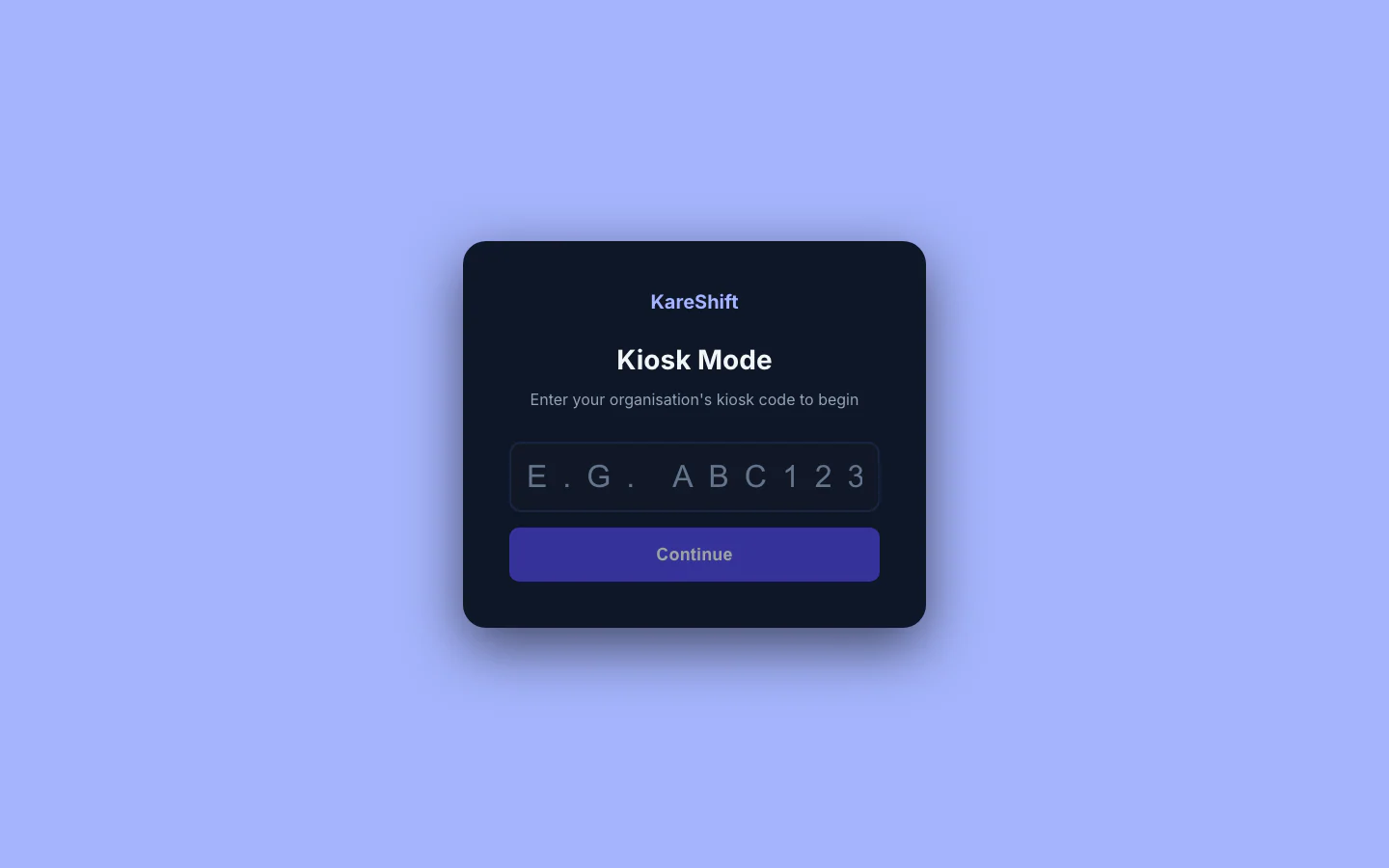
Dark Mode
Night shift friendly. Auto-detects system preference or toggle manually. Full app themed.
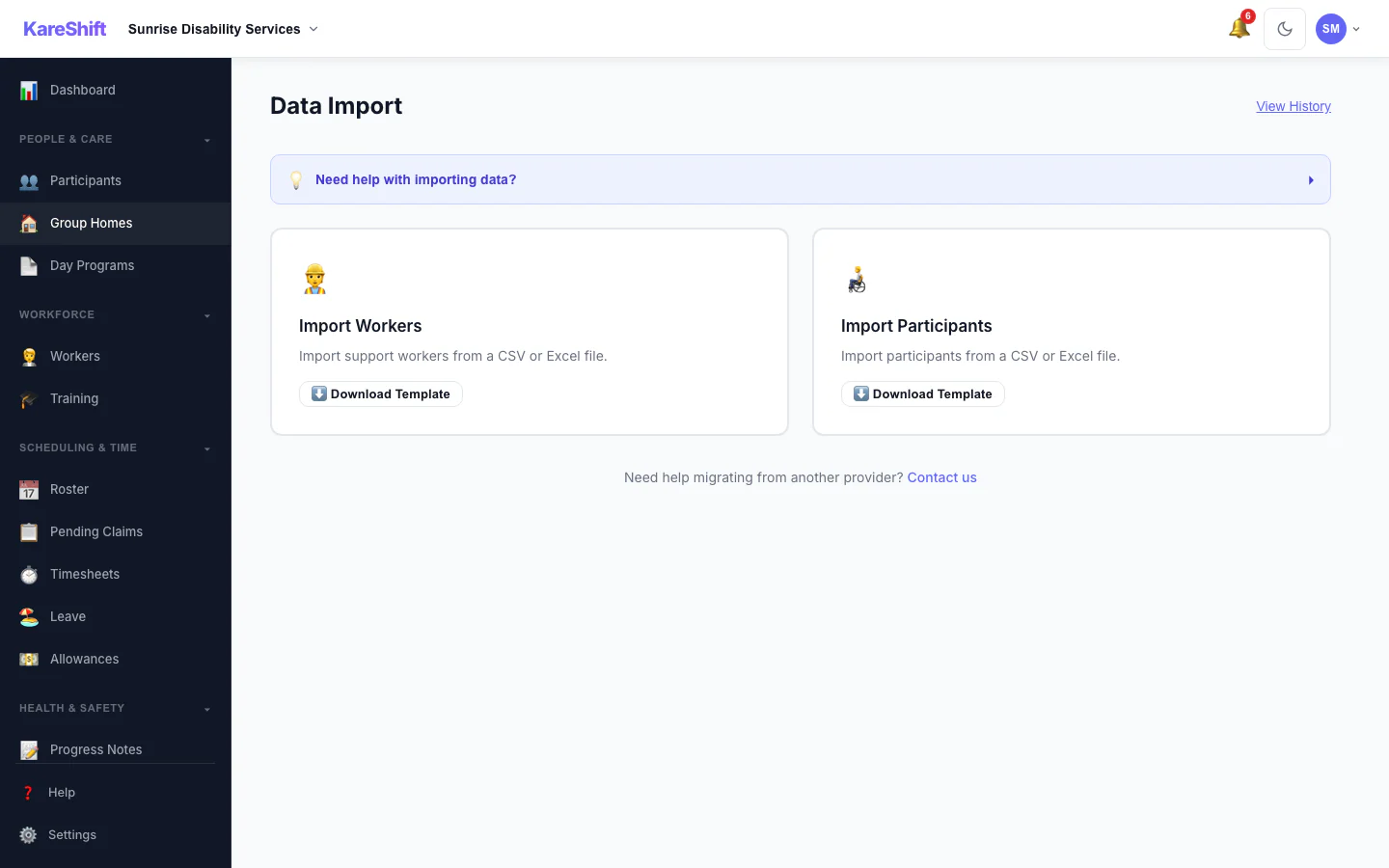
Bulk Import
Upload workers, participants, or shifts via CSV.
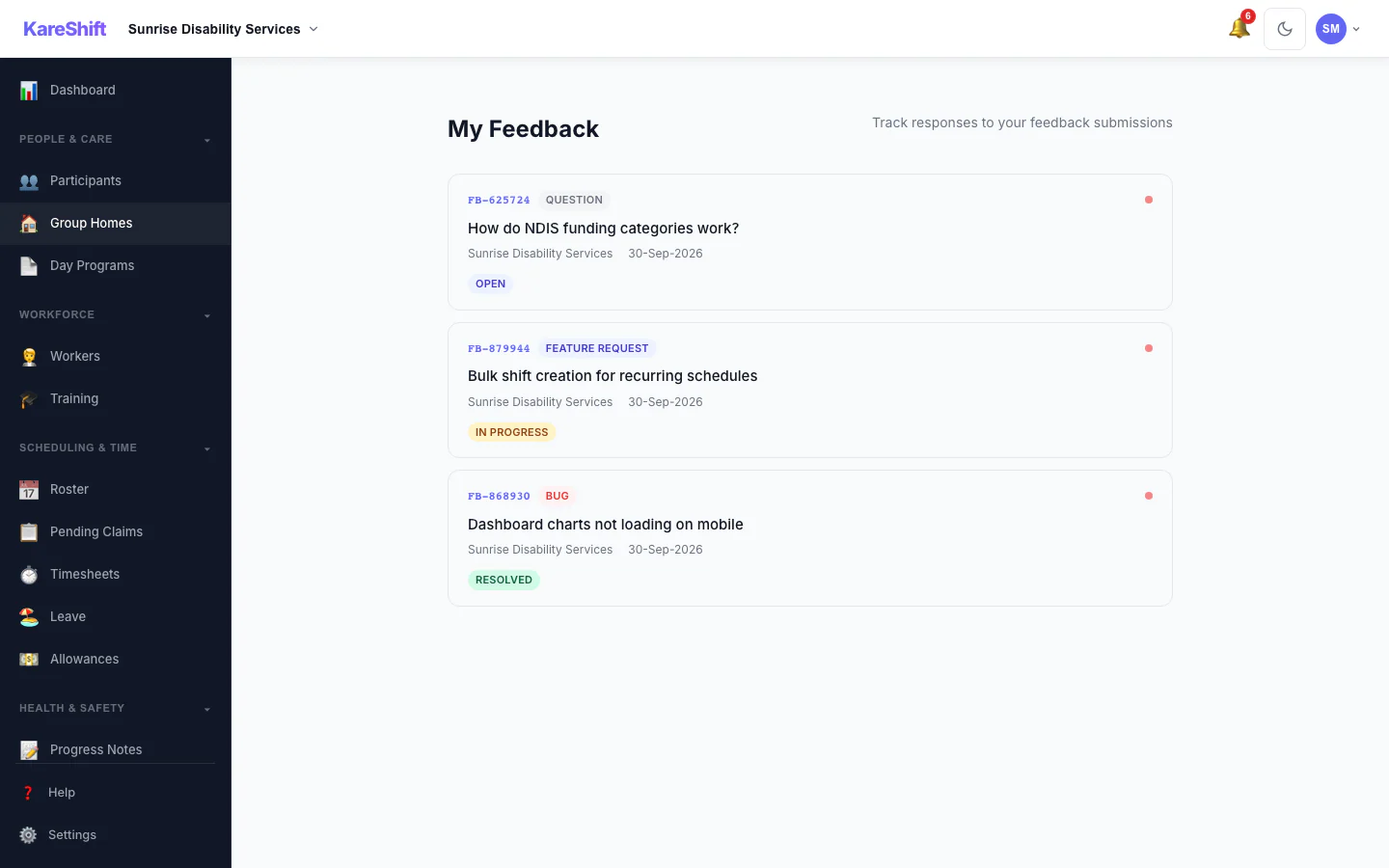
Feedback Overview
All your submissions in one place — sorted by status, with admin responses.
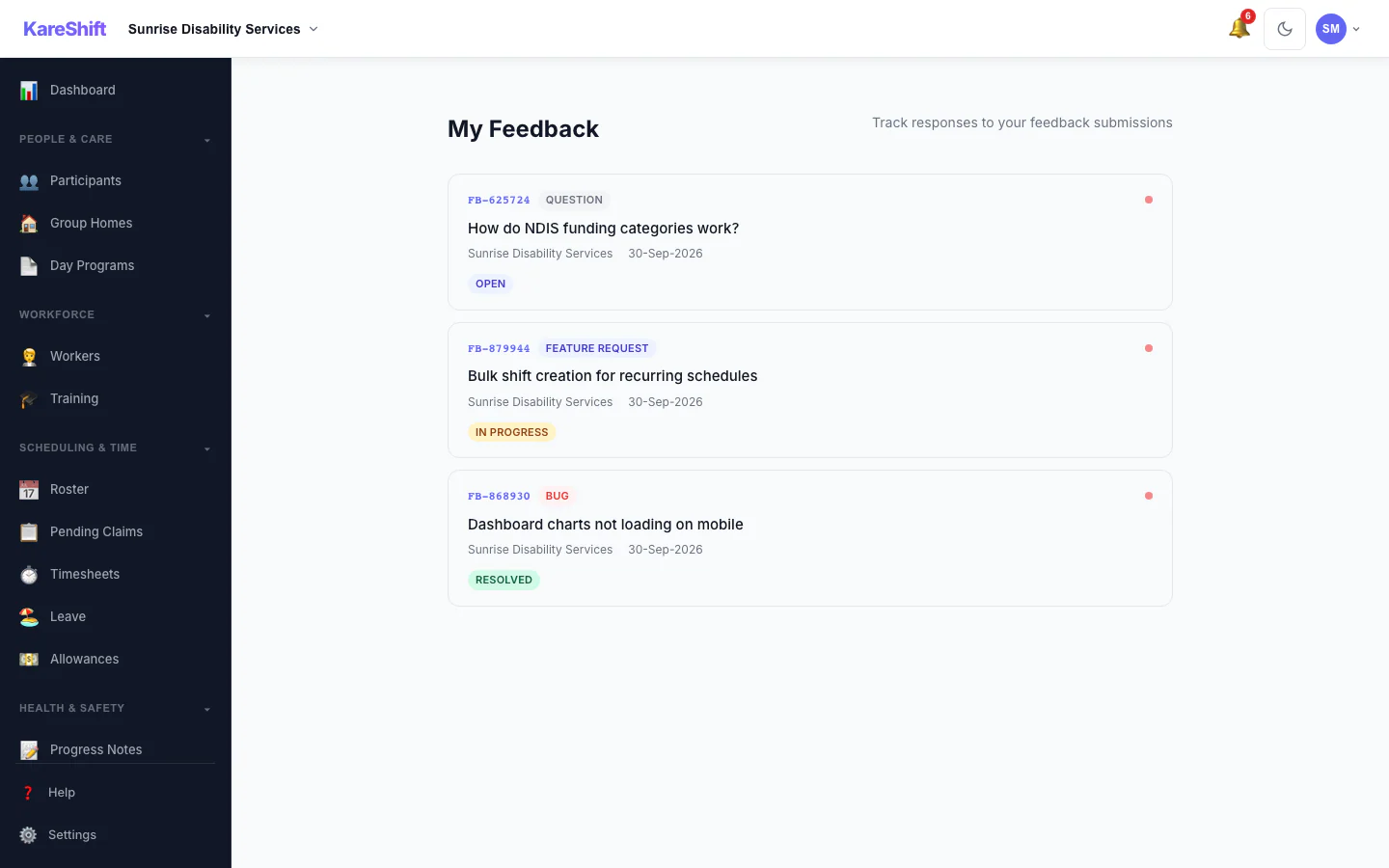
Feedback History
View all submitted feedback, track responses, and see unread replies.
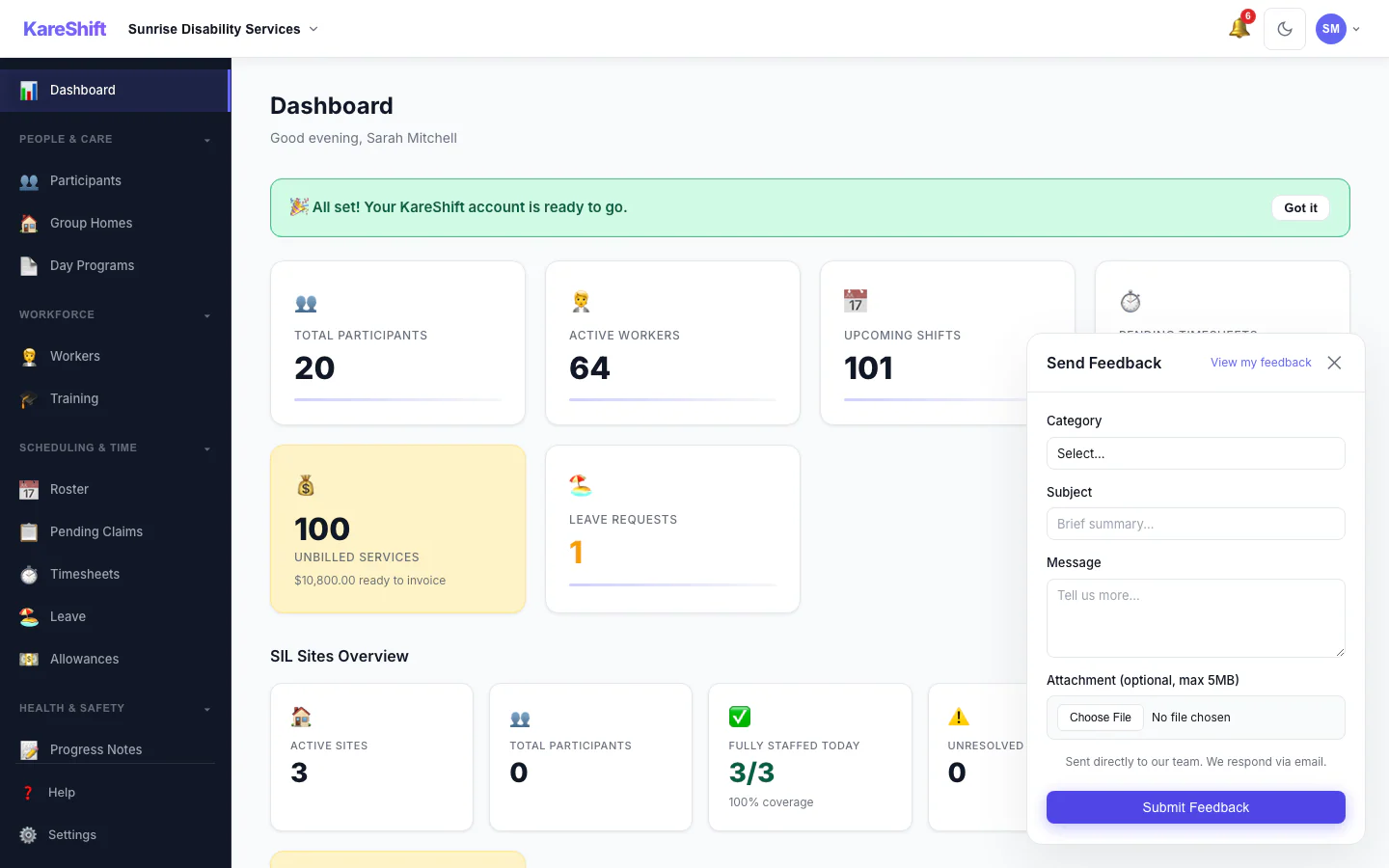
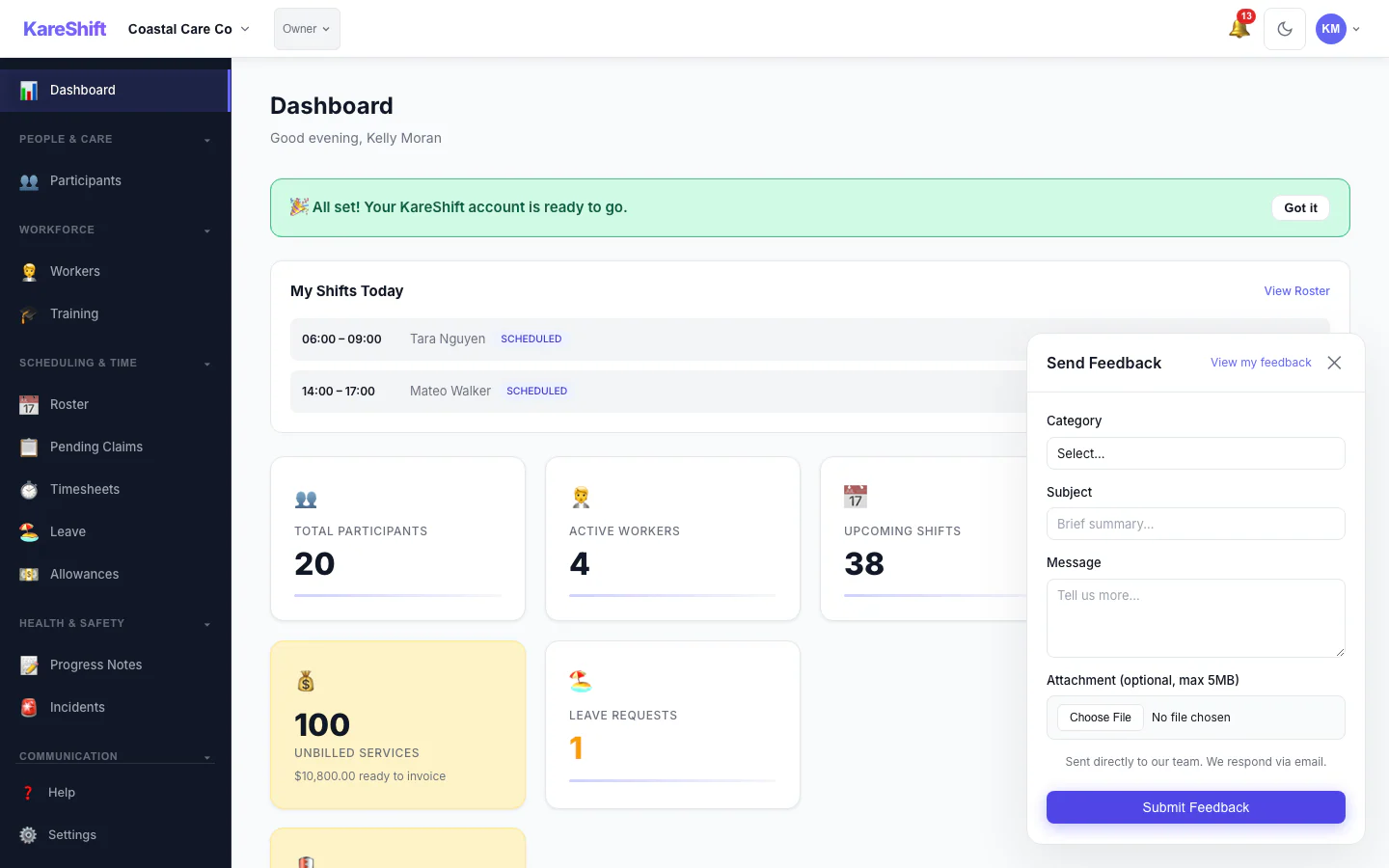
Quick Feedback
Submit feedback from any page with our floating widget. Bug, feature request, or question.
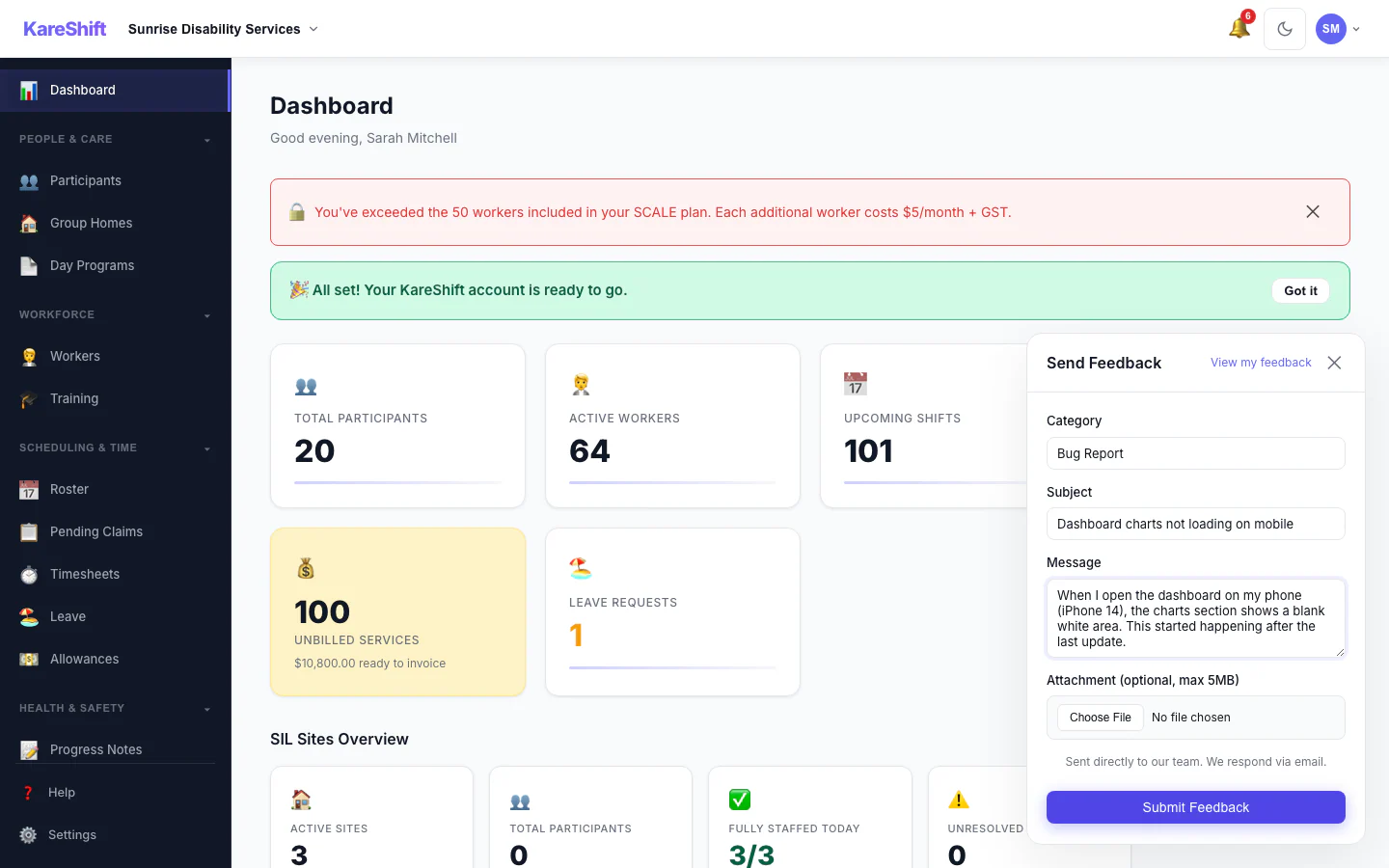
Built-in Feedback
Submit bugs, feature requests, or questions from any page. Get replies in-app and via email — never wonder if your feedback was heard.
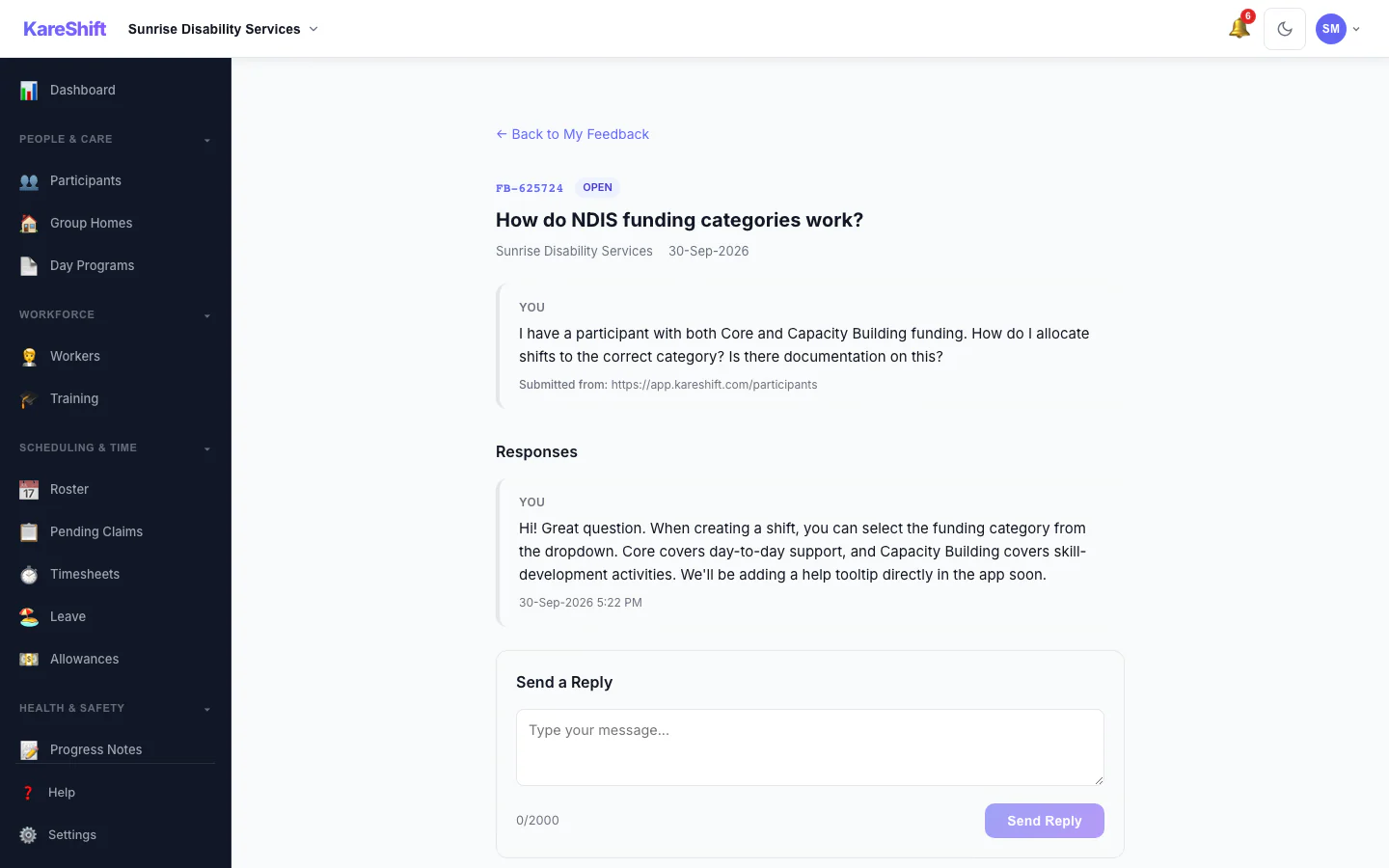
Feedback Responses
Track your submissions, see admin responses in a conversation thread. Unread dot when you have a new reply.
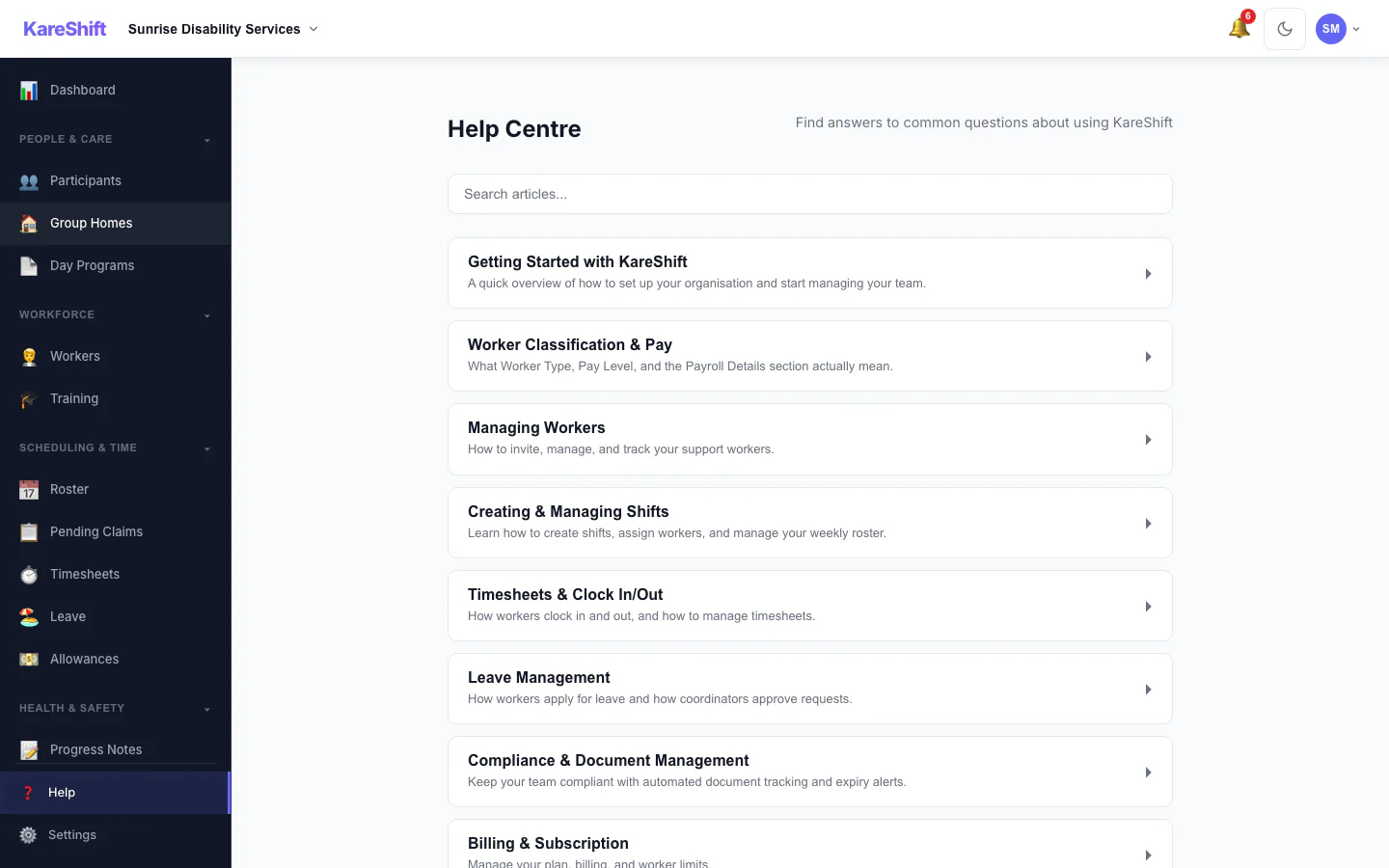
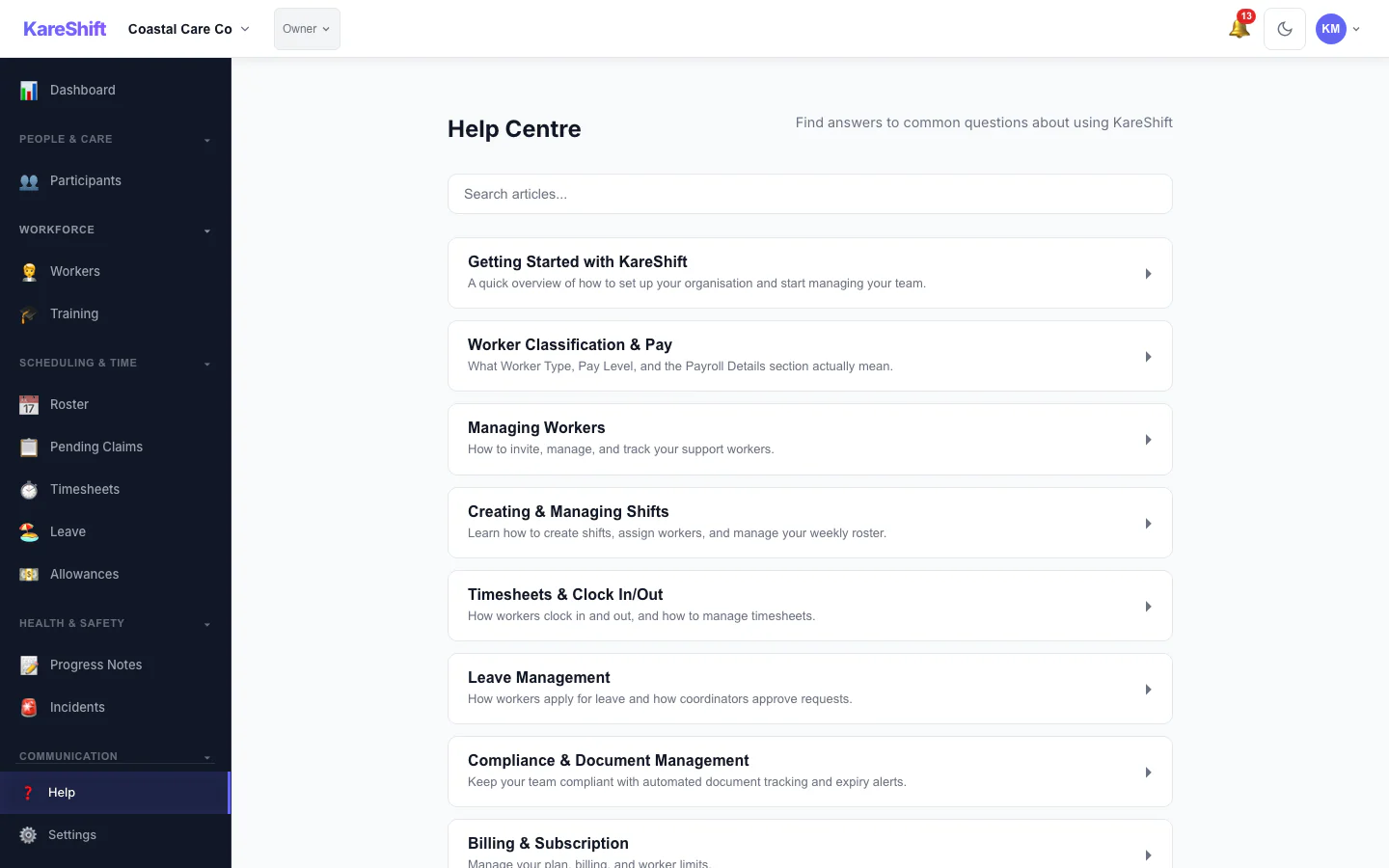
Help Centre
Searchable help articles built into the app.
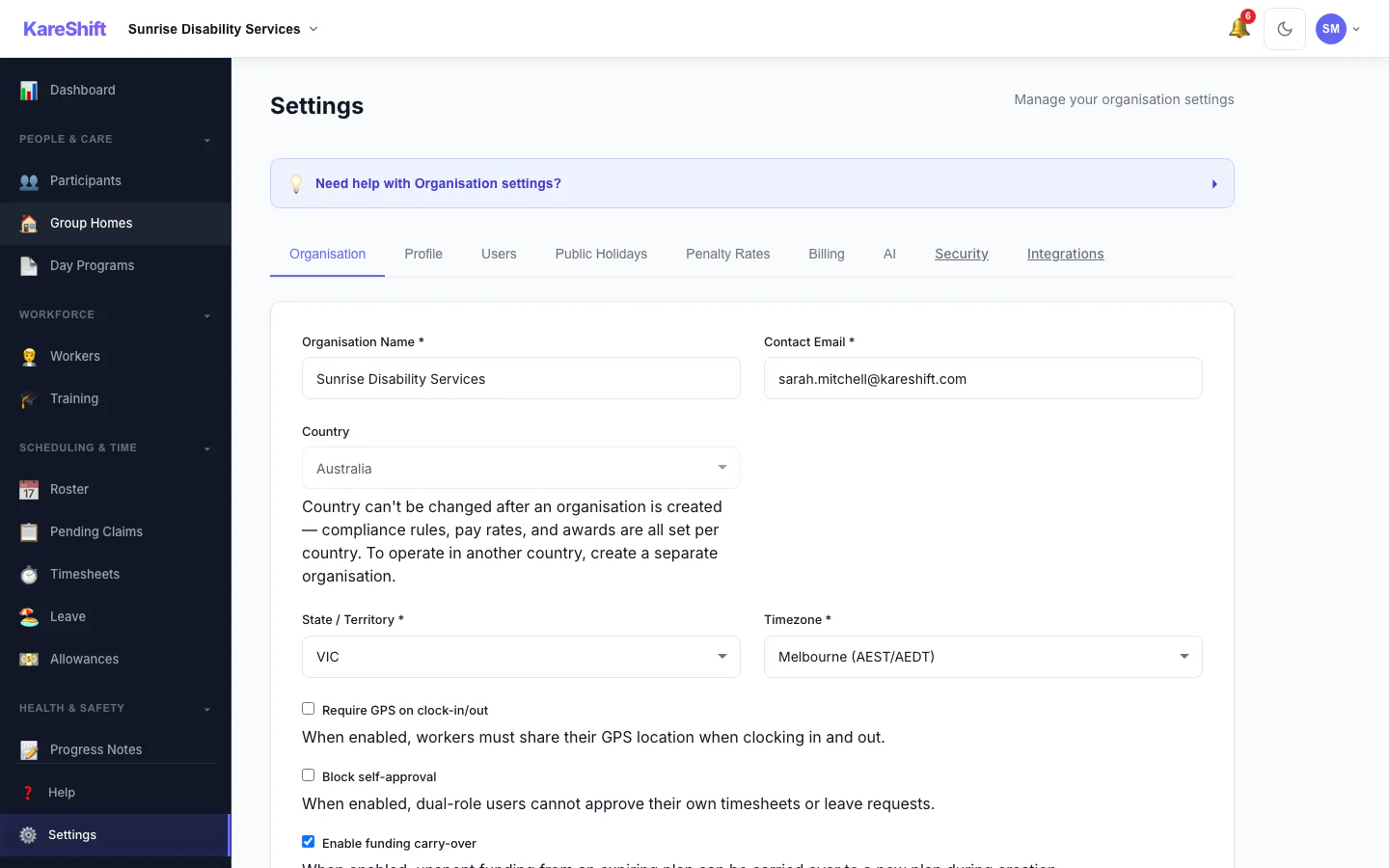
Settings
Organisation settings, billing, subscription, geofence radius, shift presets, notification preferences.
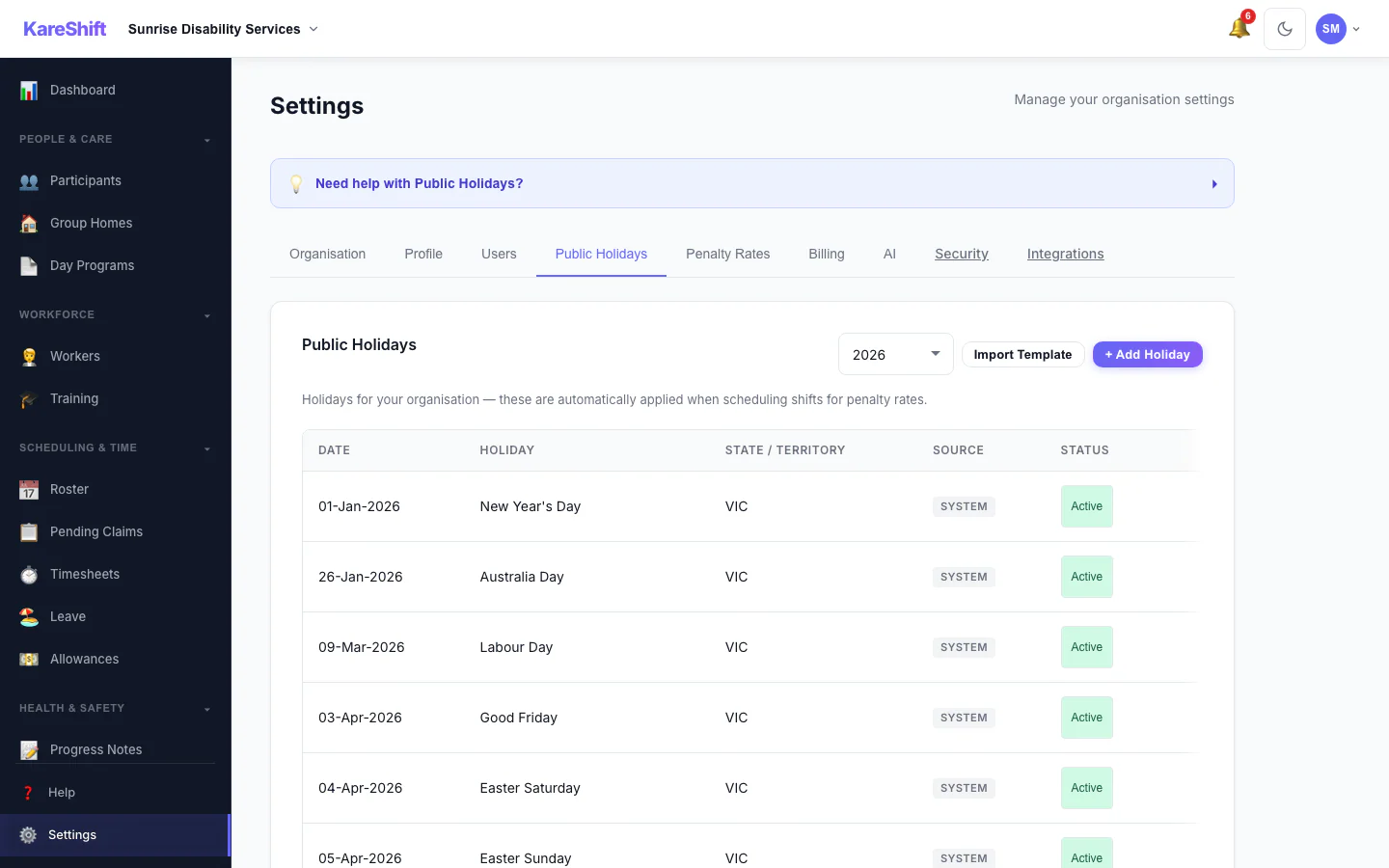
Public Holidays
System holidays auto-applied. Add your own custom holidays (RDOs, enterprise days) that trigger penalty rates on shifts.
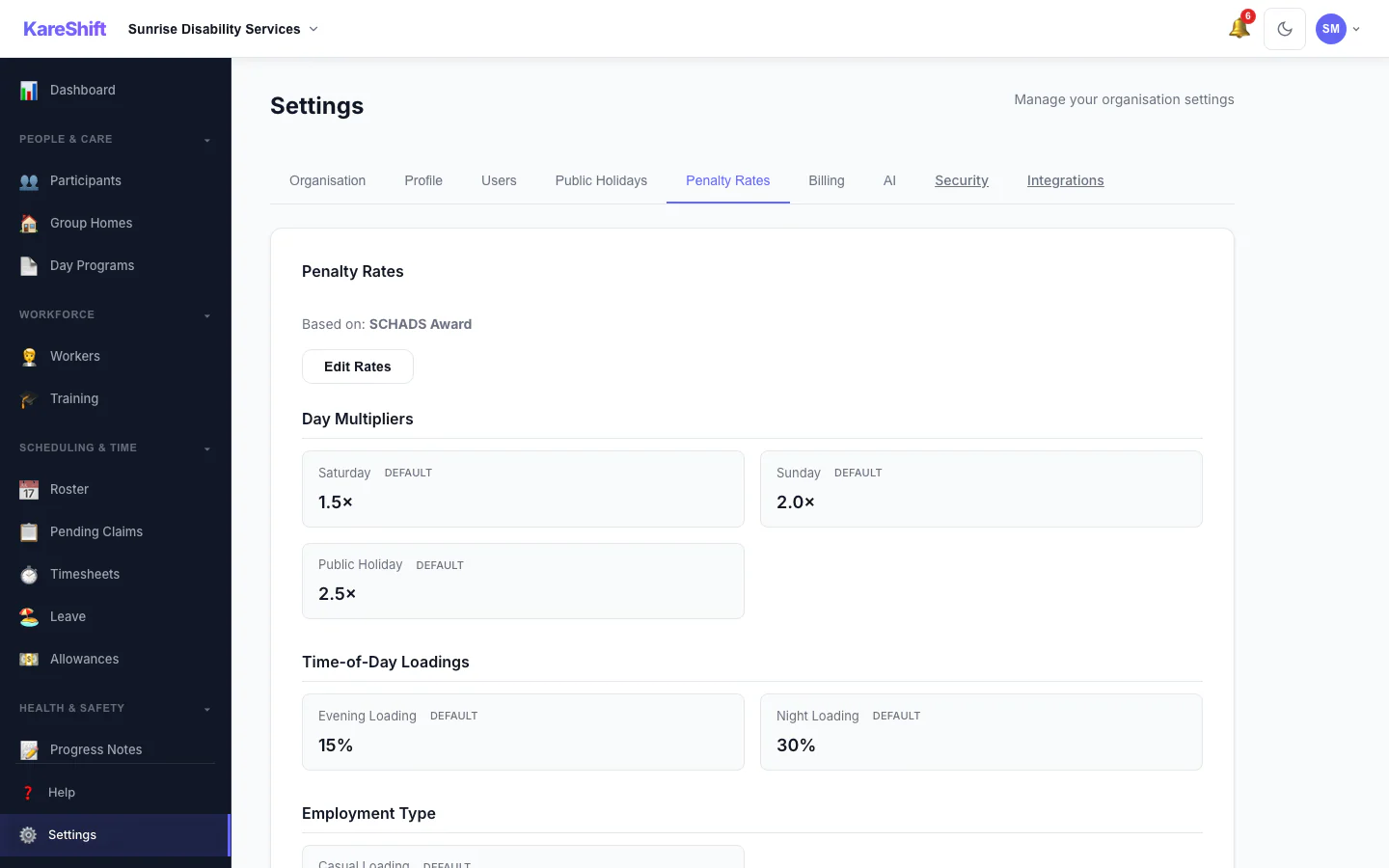
Penalty Rates
Saturday, Sunday, and public holiday multipliers. Customise per org or use SCHADS defaults. Grouped by category with override badges.
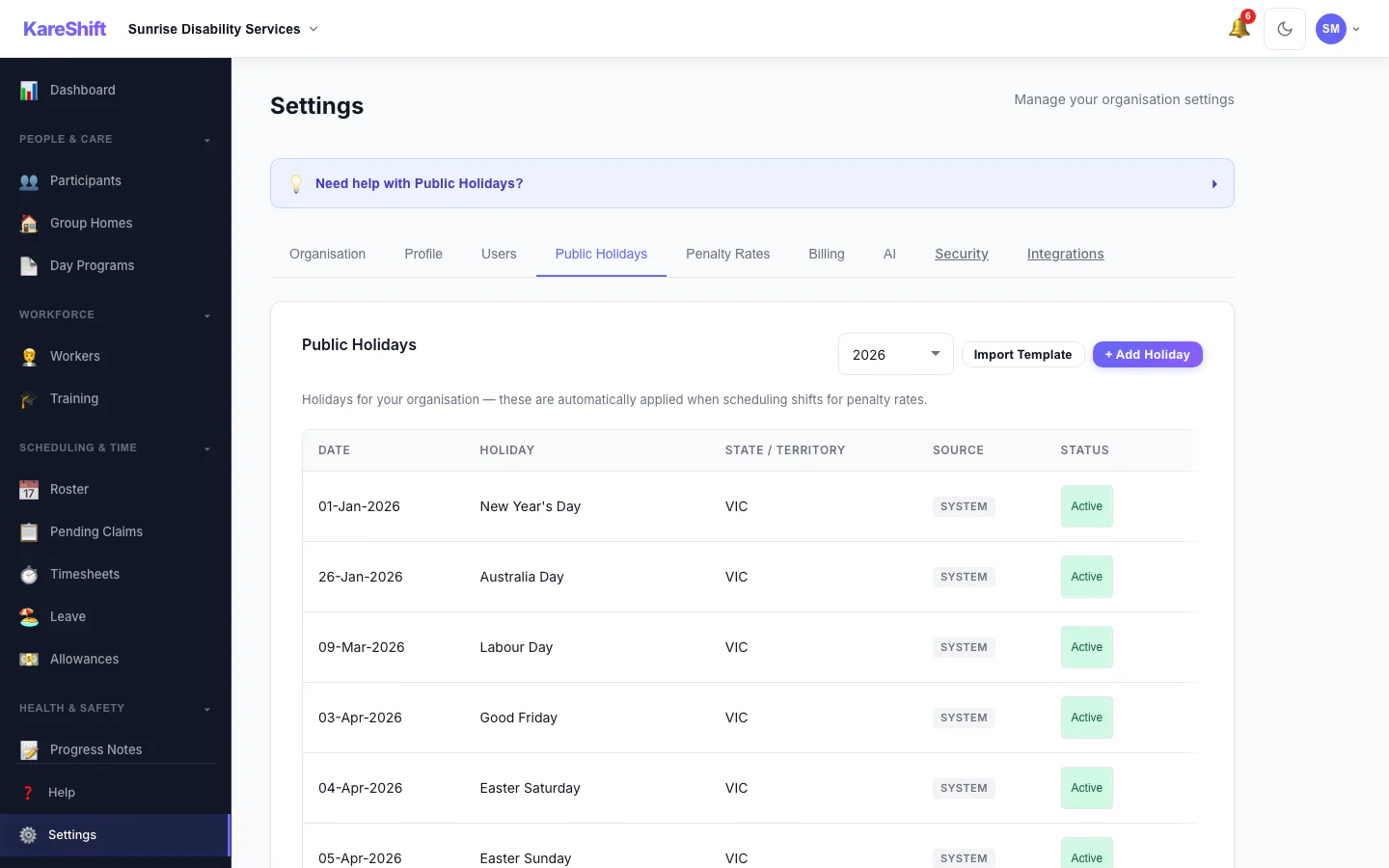
Holiday Self-Service
Toggle system holidays Active or Excluded per org. Excluded holidays won't trigger penalty rates — perfect for orgs that don't observe certain days.
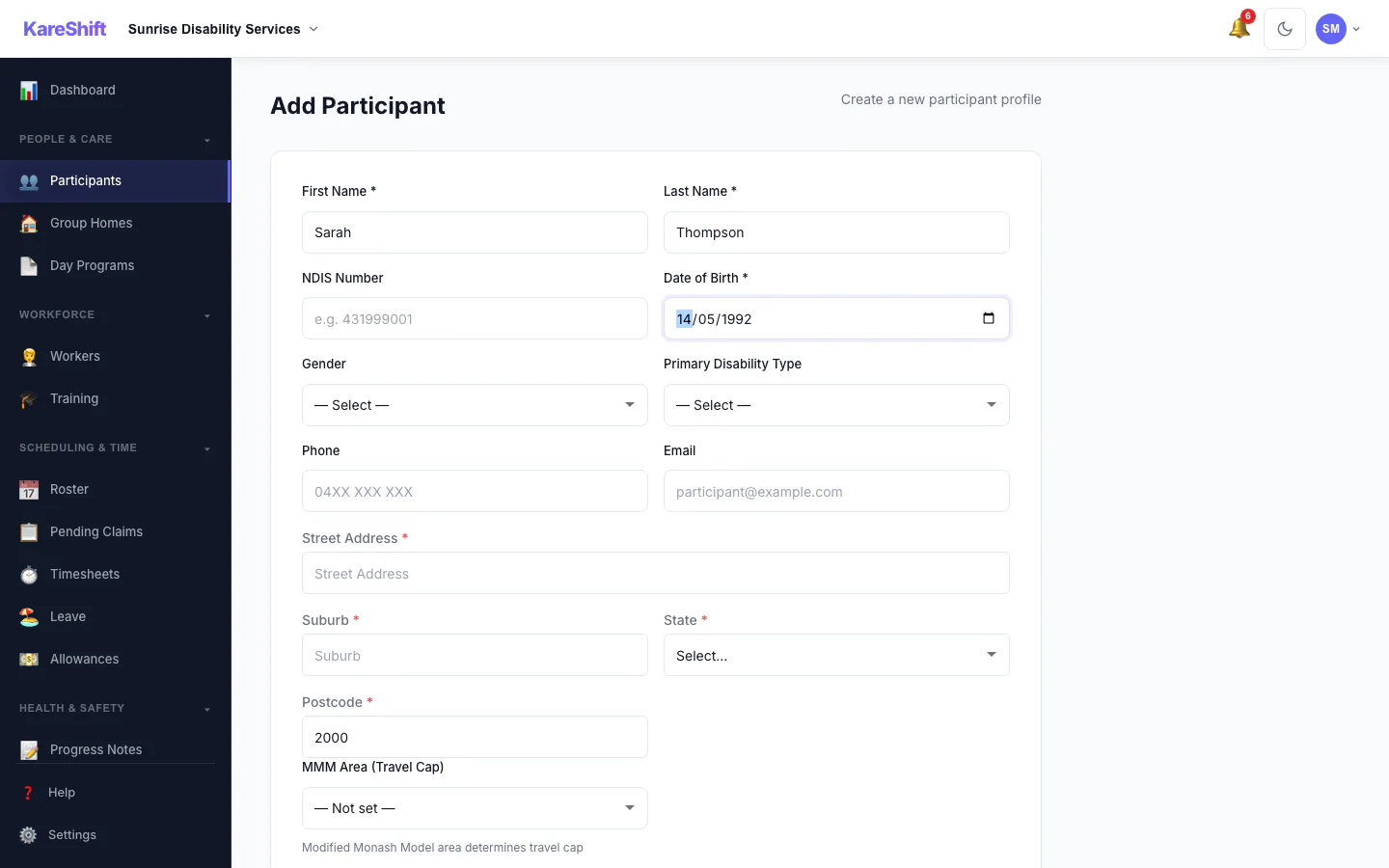
Travel Area Auto-Lookup
Enter a postcode — MMM remoteness area auto-resolves for NDIS travel billing caps. Manual override available.
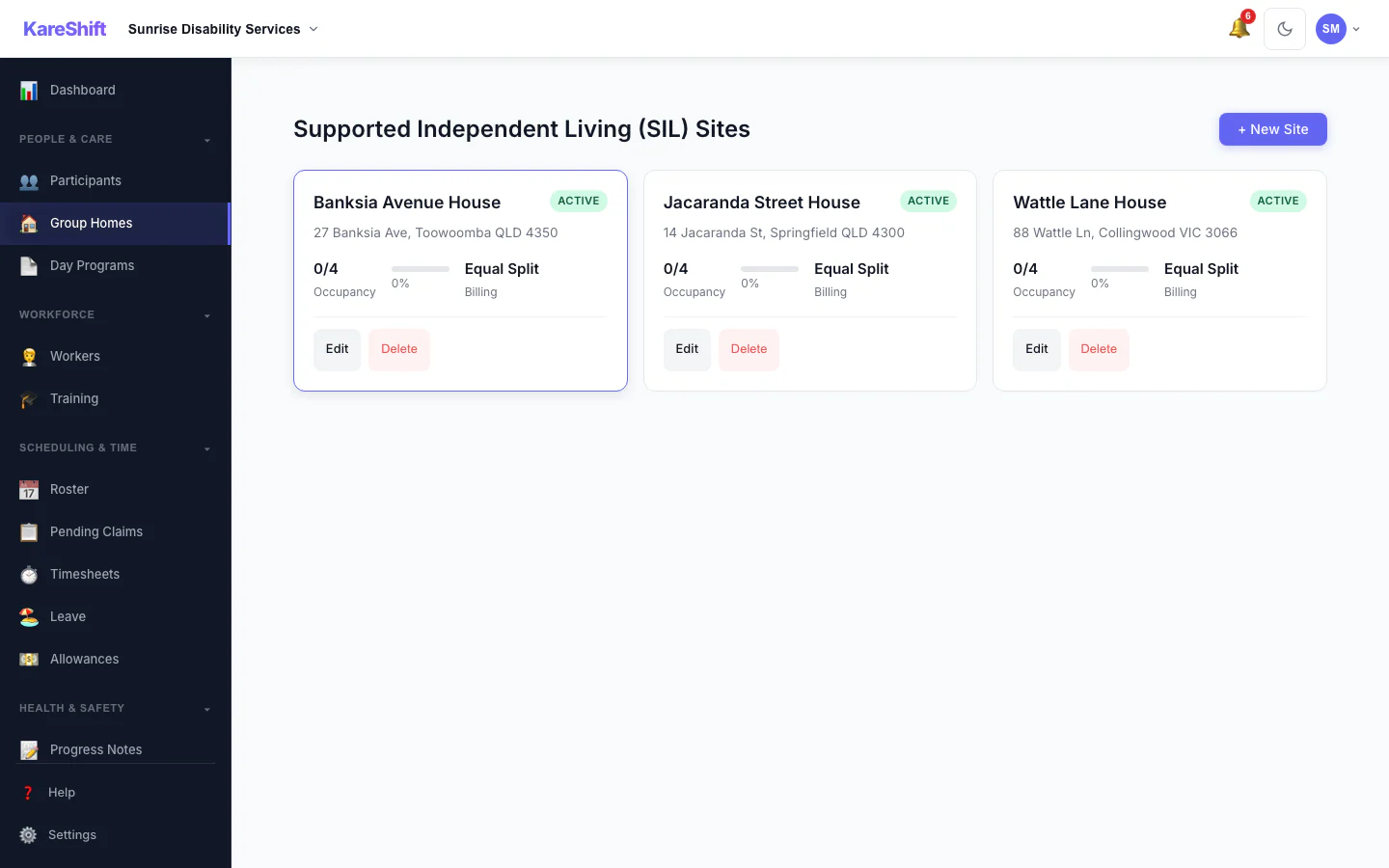
Group Homes (SIL)
Site management, participant allocation, 24/7 roster templates, ratio compliance tracking.
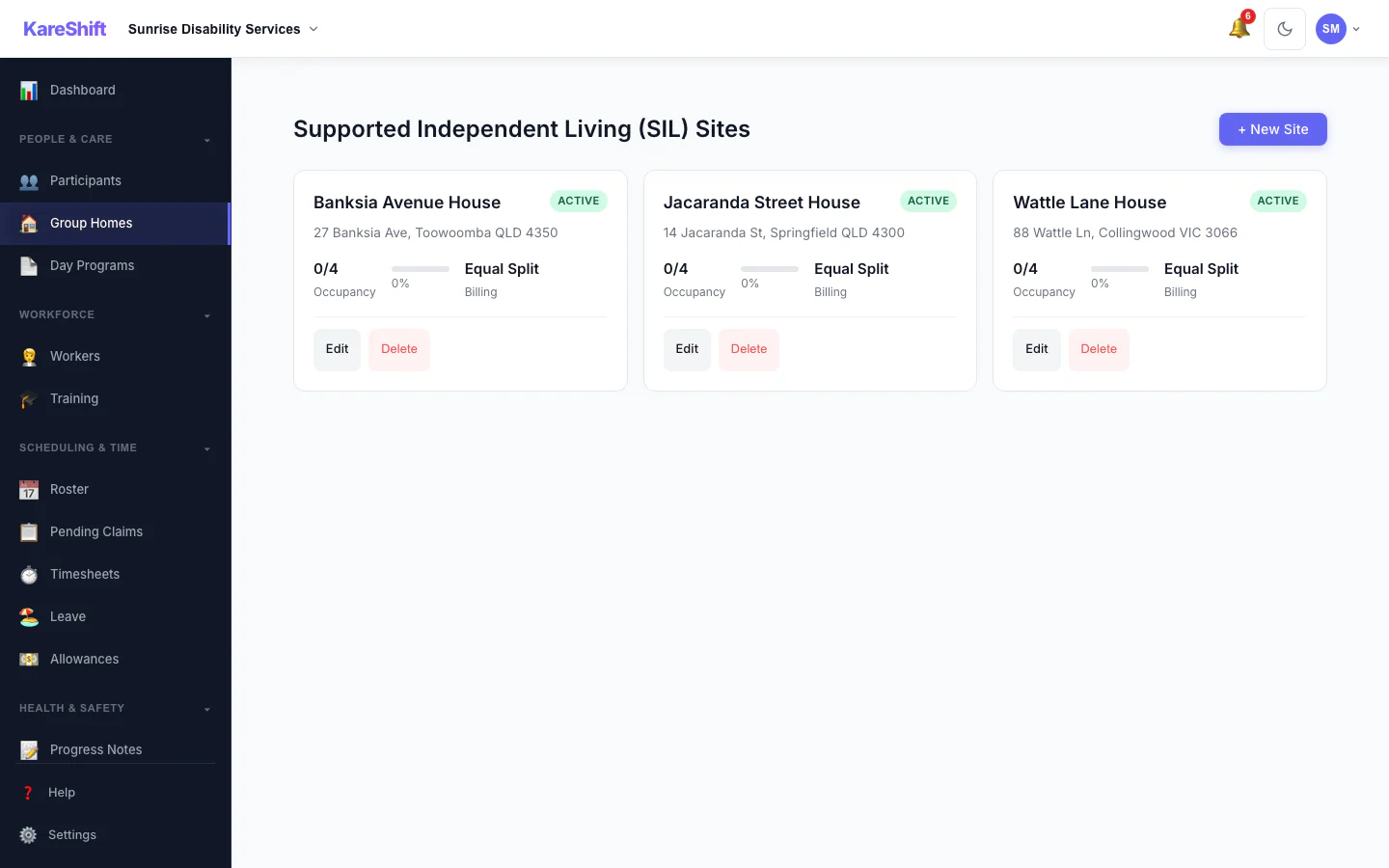
SIL Sites Overview
All group home sites at a glance.
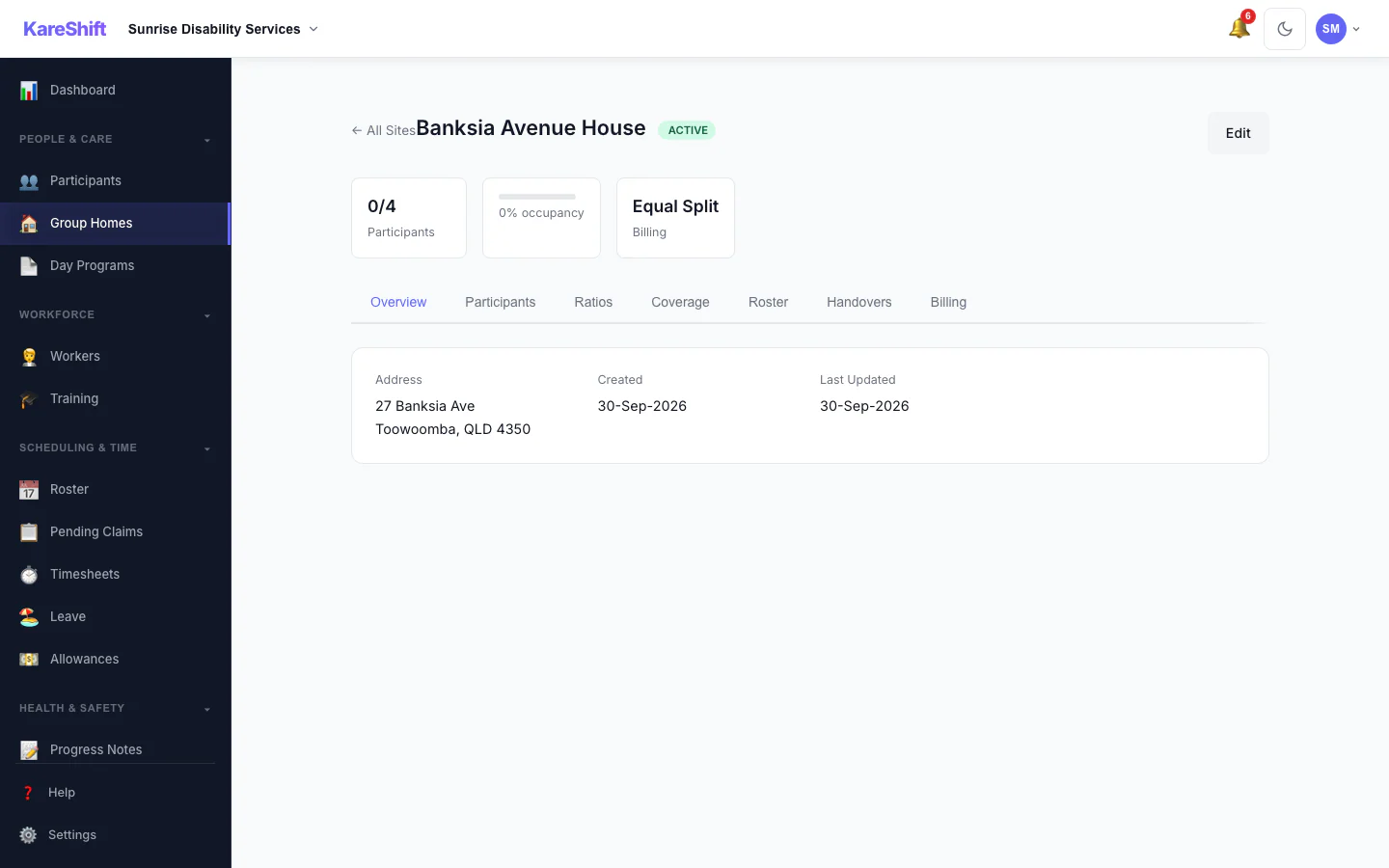
SIL Site Detail
Individual group home — allocated residents, current staff, coverage overview.
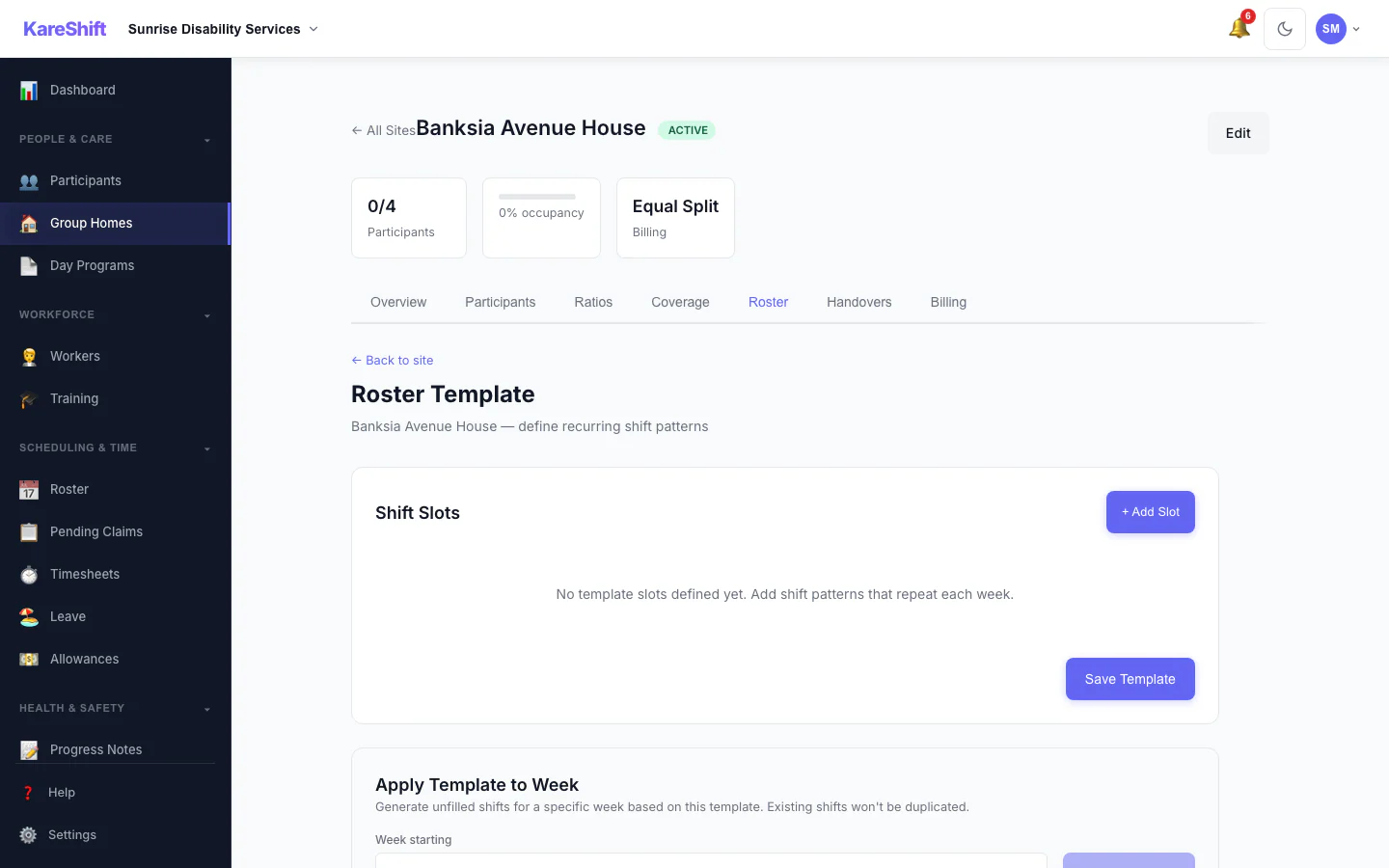
SIL Roster Template
24/7 roster template per site. Fill by shift type, ensure coverage ratios met.
Xero Payroll Integration
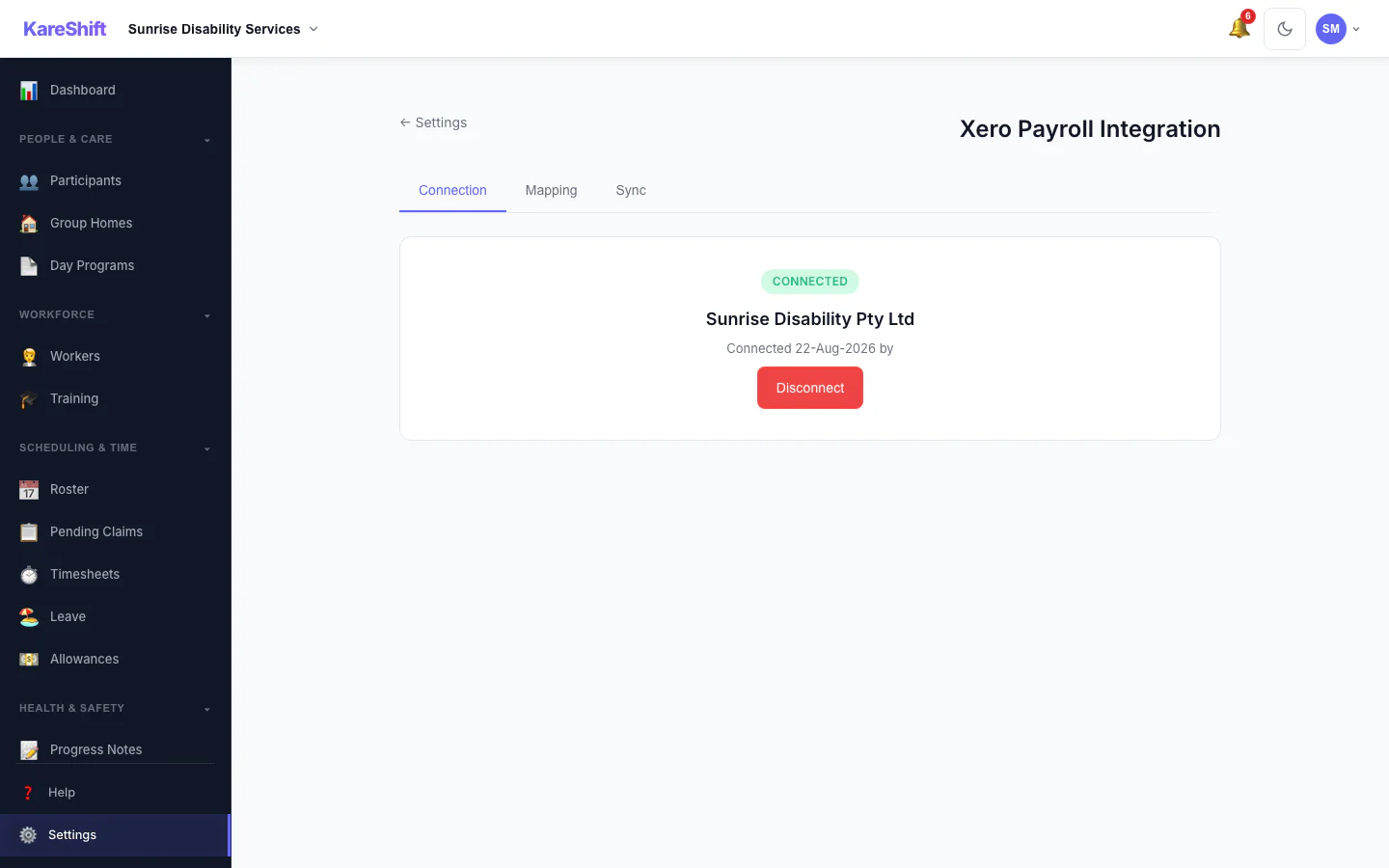
Xero Connection
One-click OAuth2 connection to your Xero payroll account. Auto-detects tenant and syncs employee list.
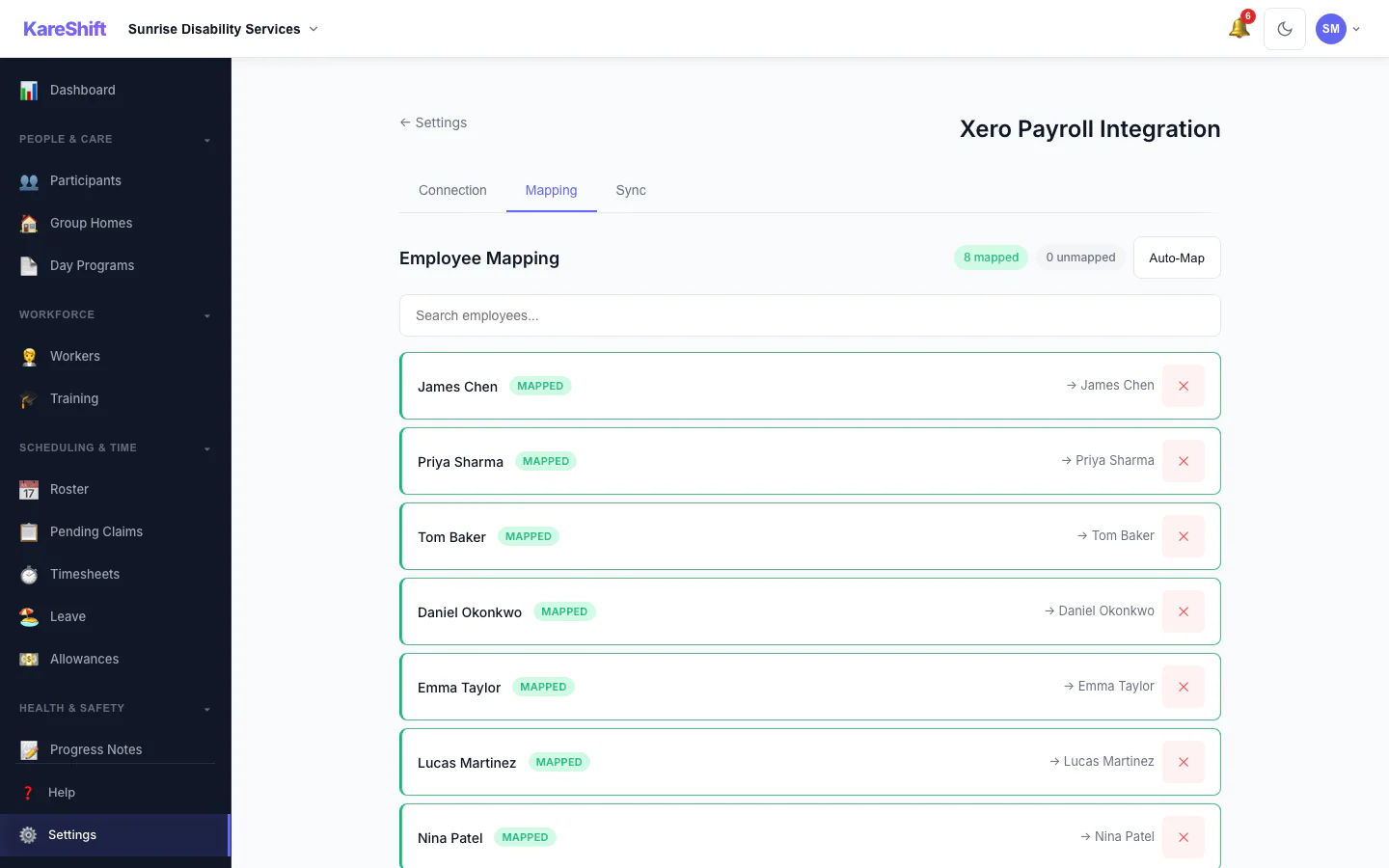
Employee & Rate Mapping
Map KareShift workers to Xero employees. Map pay components (ordinary hours, penalties, allowances) to Xero earnings rates.
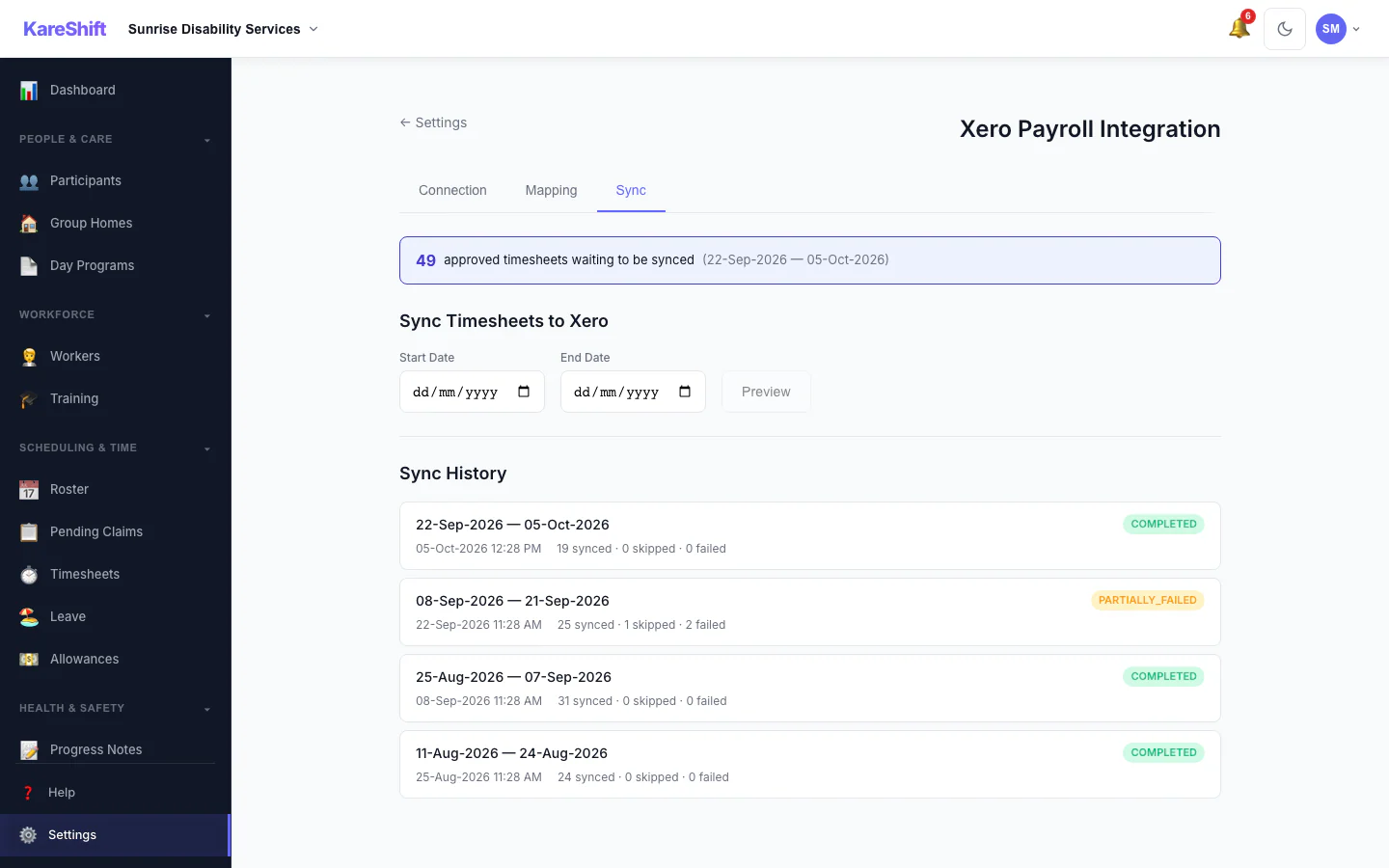
Timesheet Sync
Push approved timesheets to Xero in batches. Preview before syncing. Full history with per-timesheet status tracking.
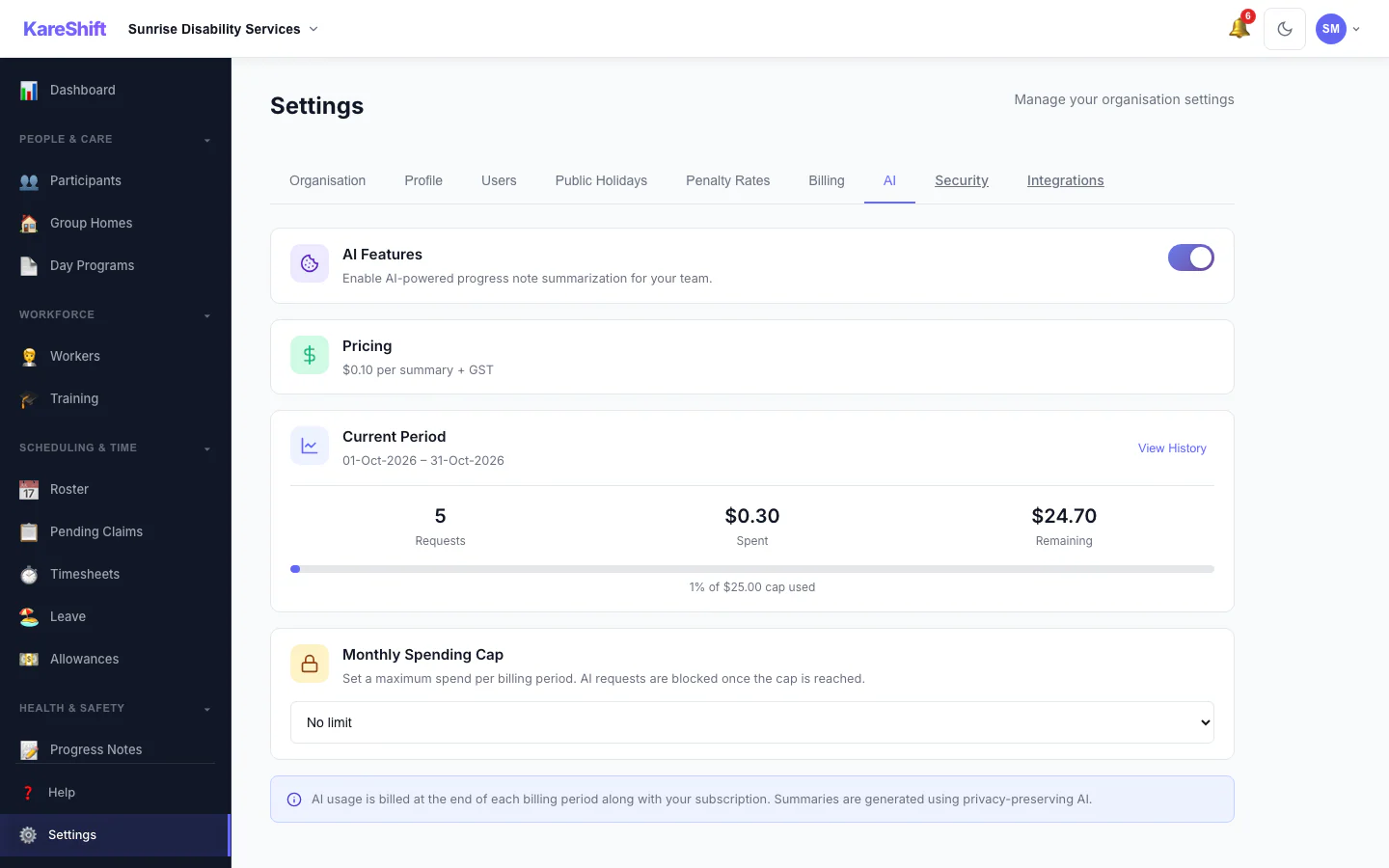
AI Settings
Turn AI progress summaries on for your organisation, set a monthly spending cap and see this period's usage.
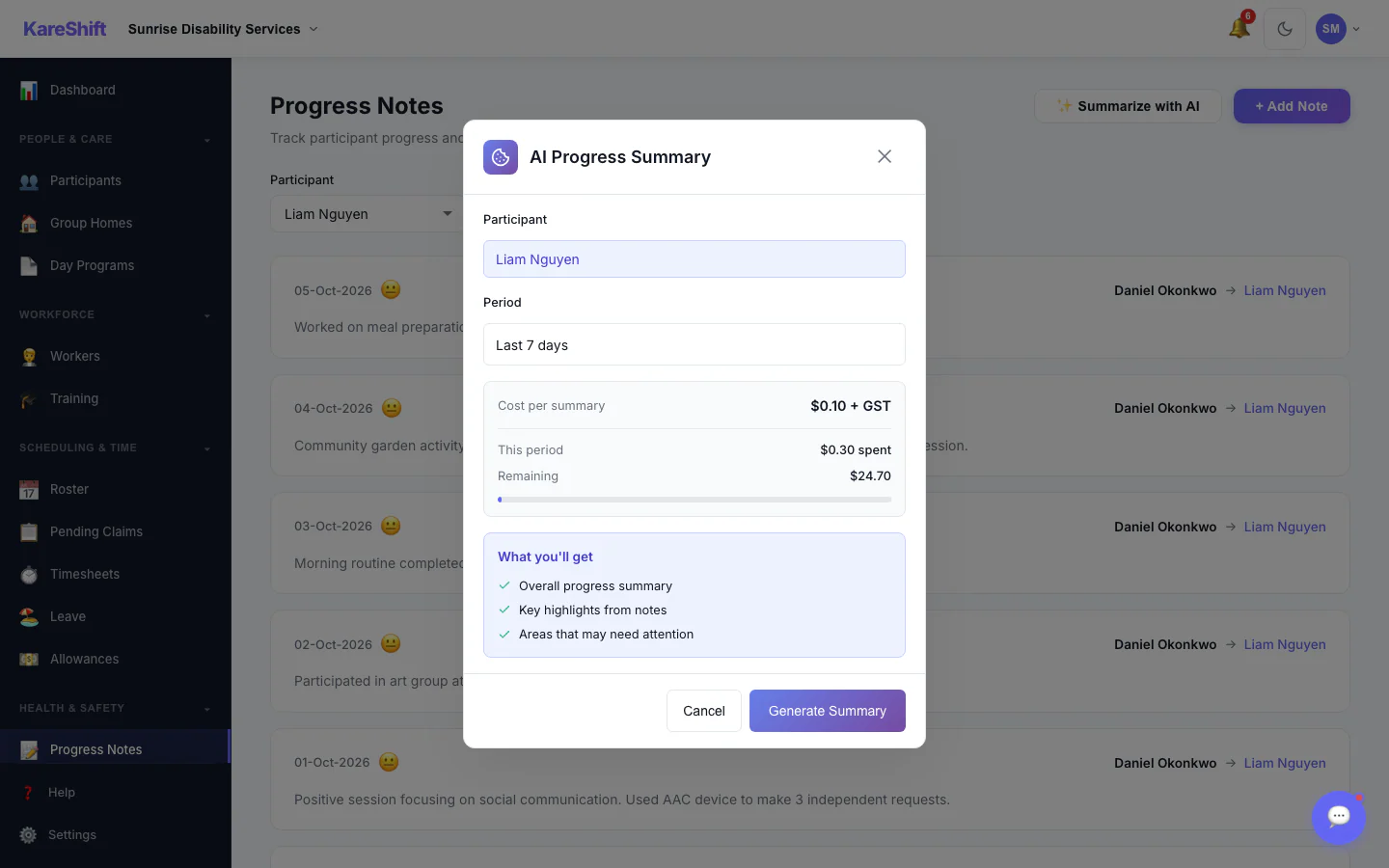
AI Progress Summary — Choose a Period
Pick a participant and a date range, see the cost per summary, then generate. Off by default; owners switch it on.
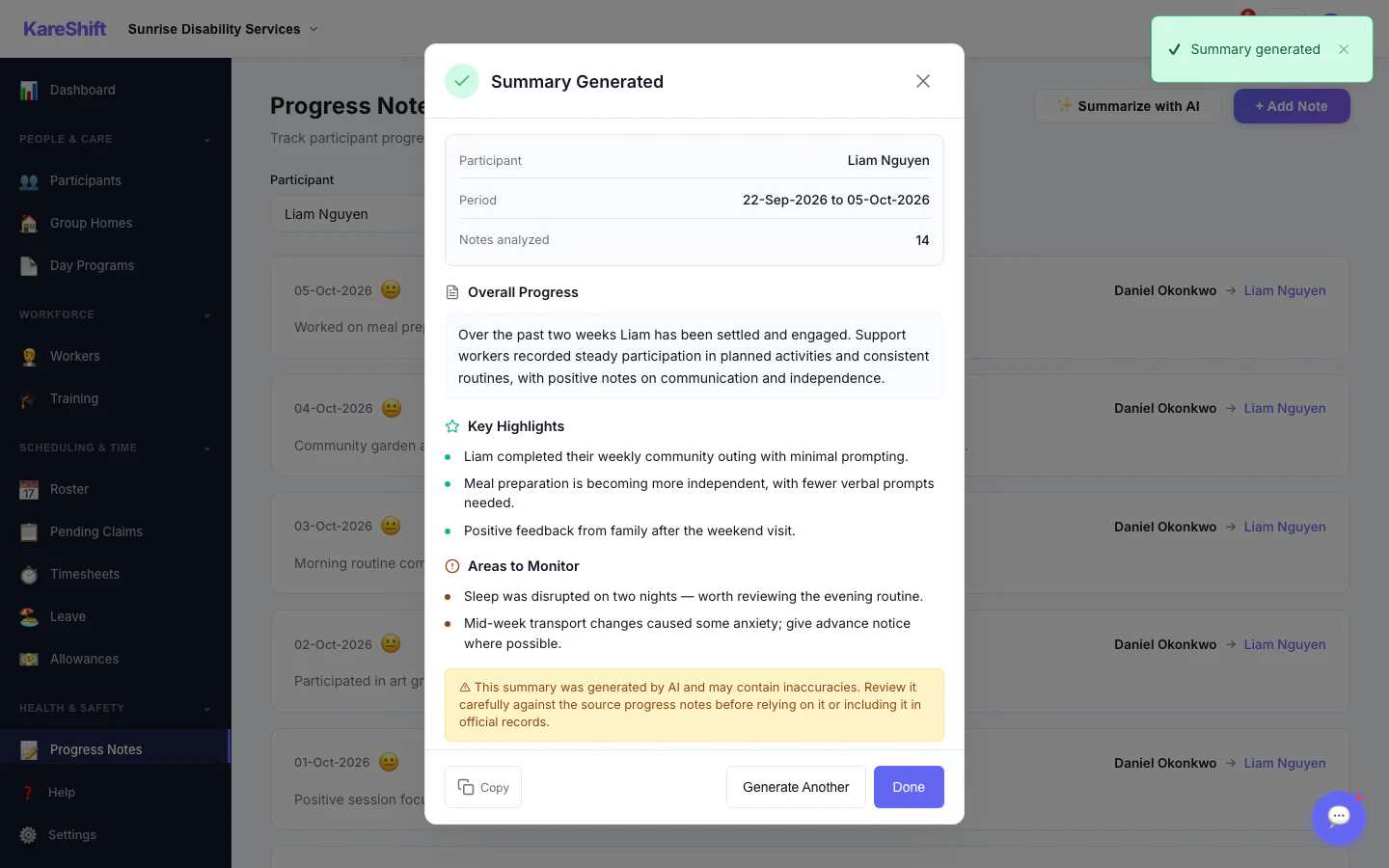
AI Progress Summary — Result
A written summary with highlights and areas to monitor. Staff review it before relying on it.
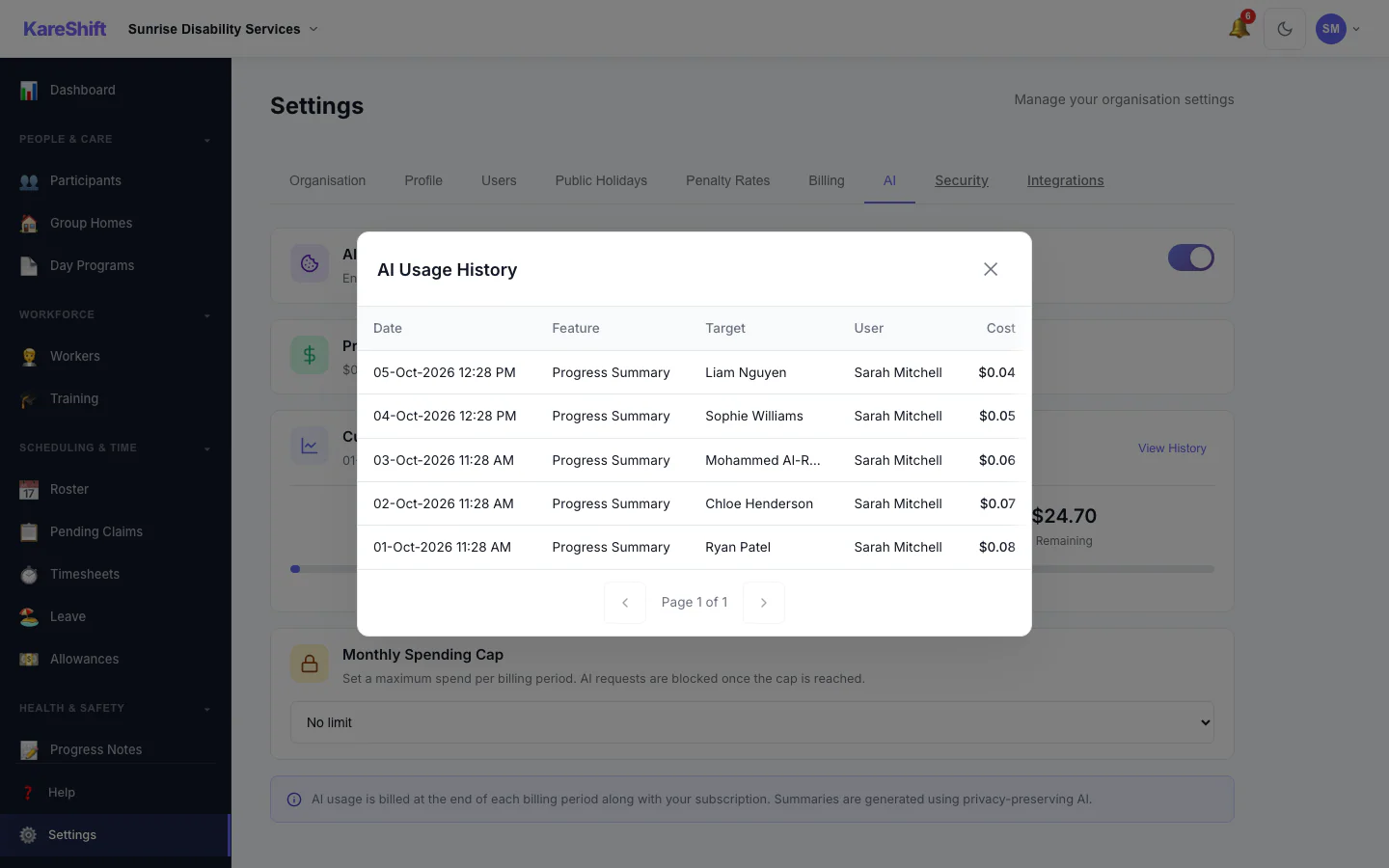
AI Usage History
Every summary generated, who ran it, for whom and what it cost.
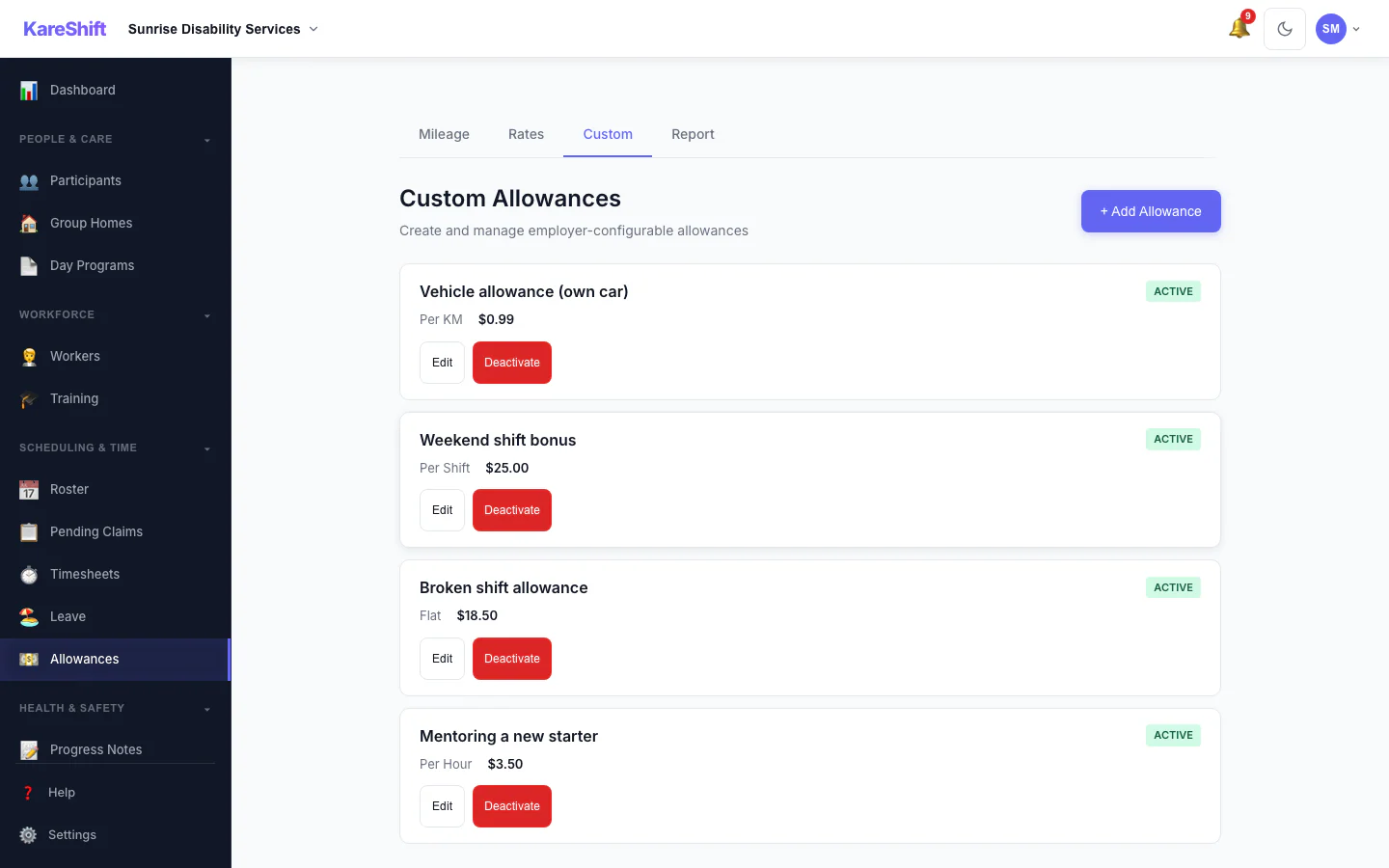
Custom Allowances
Create your own allowances beyond the standard ones, each with its own rate.
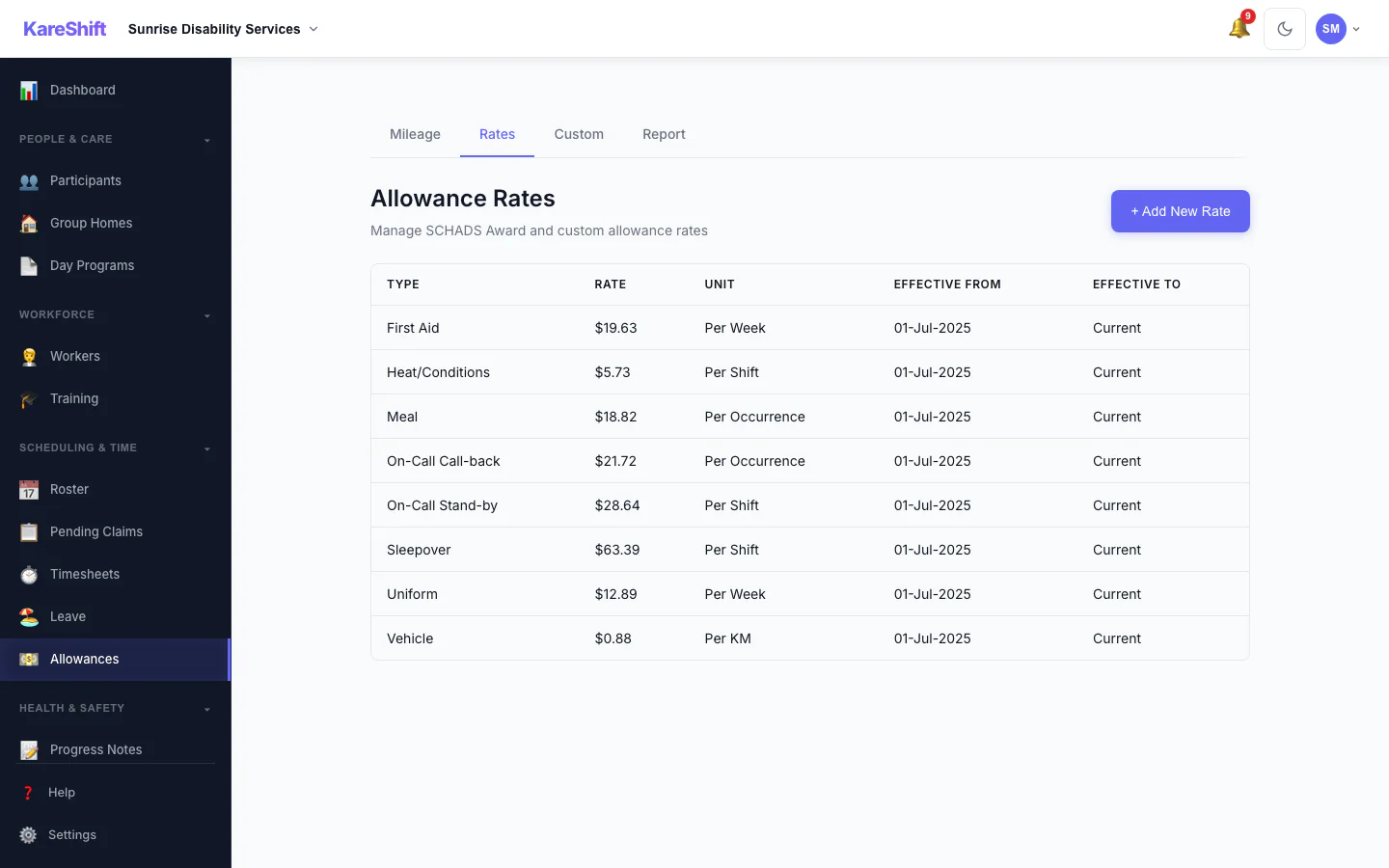
Allowance Rates
The rates used for each allowance, in one table.
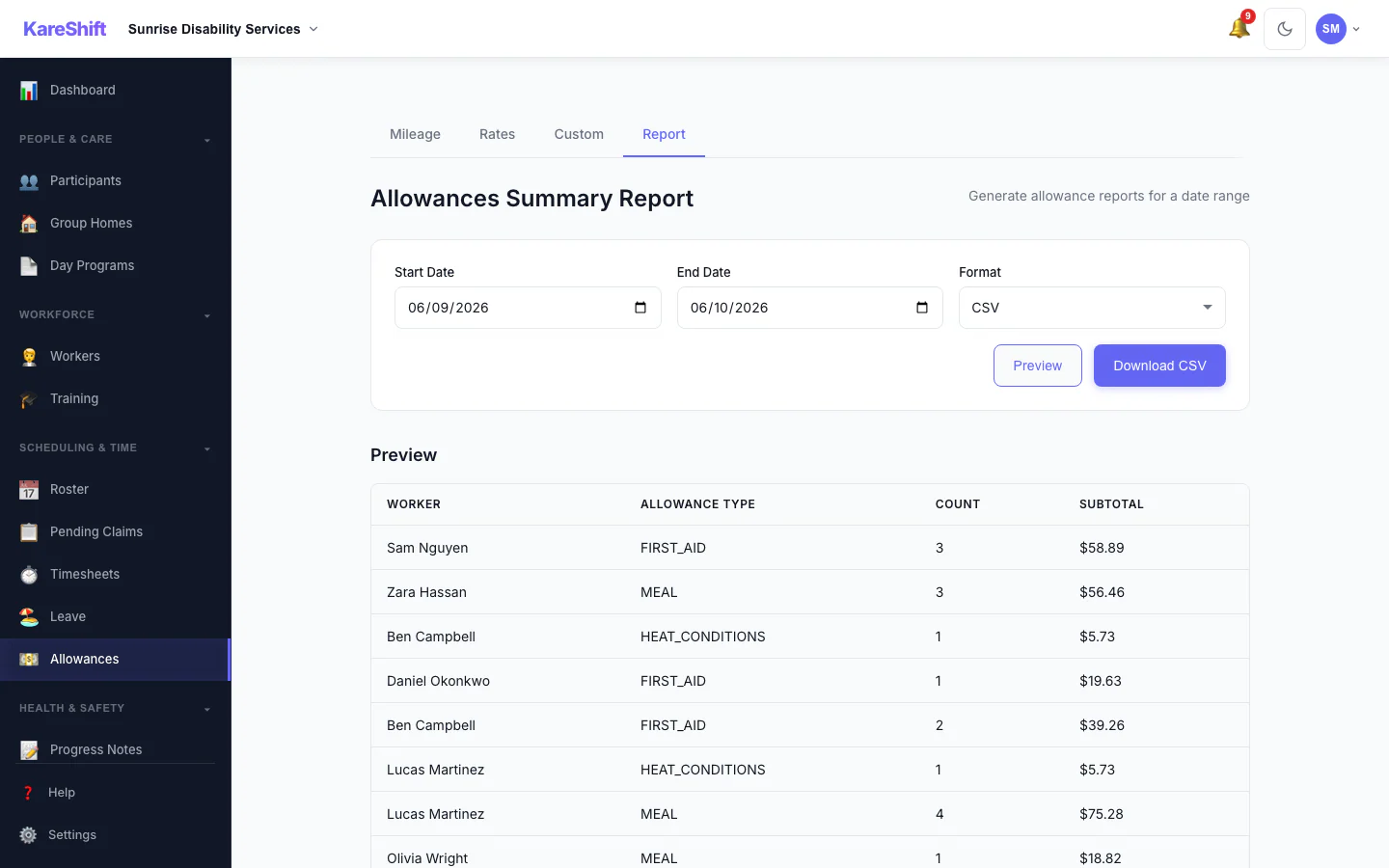
Allowances Report
Preview and export what was paid in allowances over a period, with a grand total.
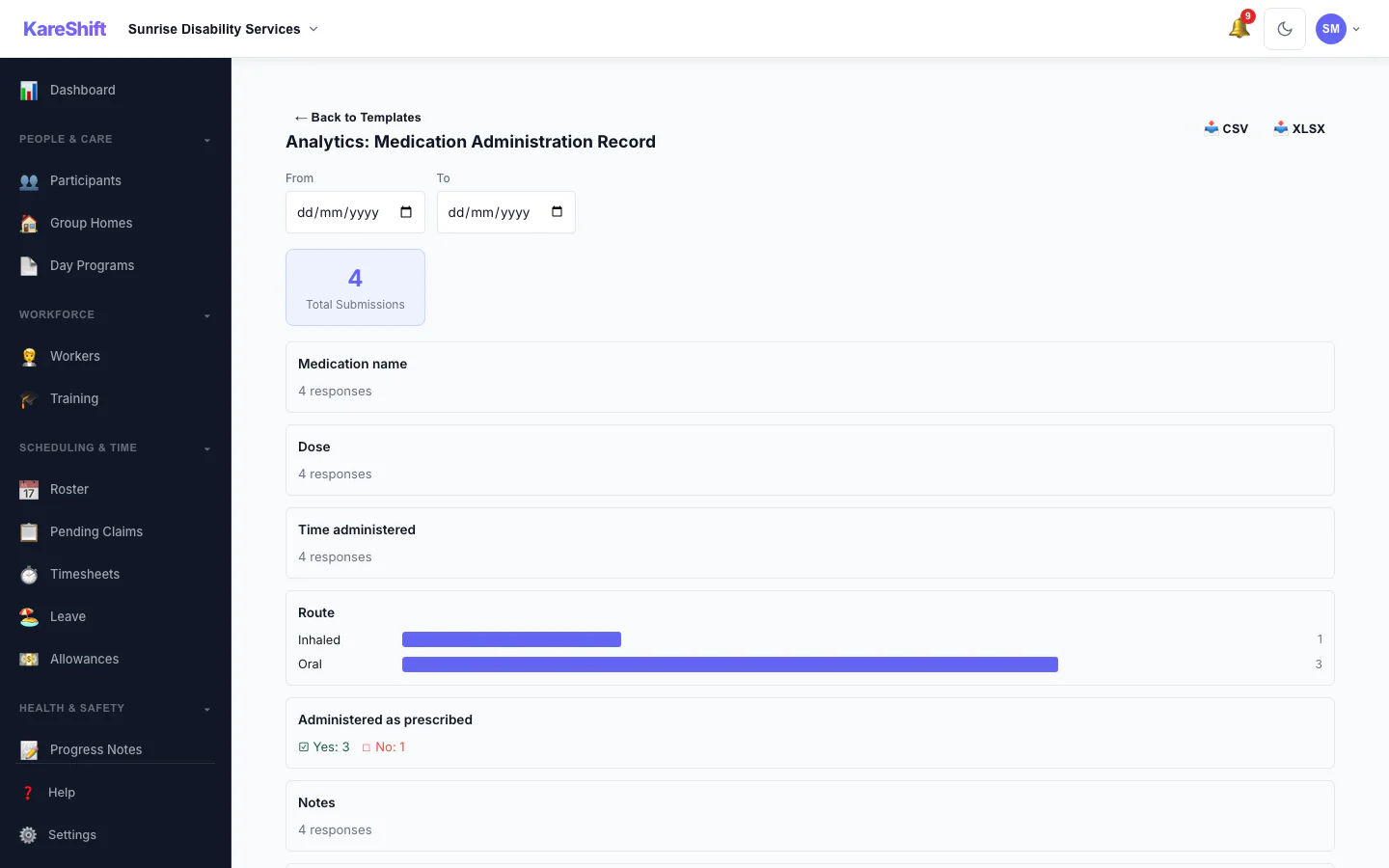
Form Analytics
Totals and answer distributions for a custom form across all submissions.
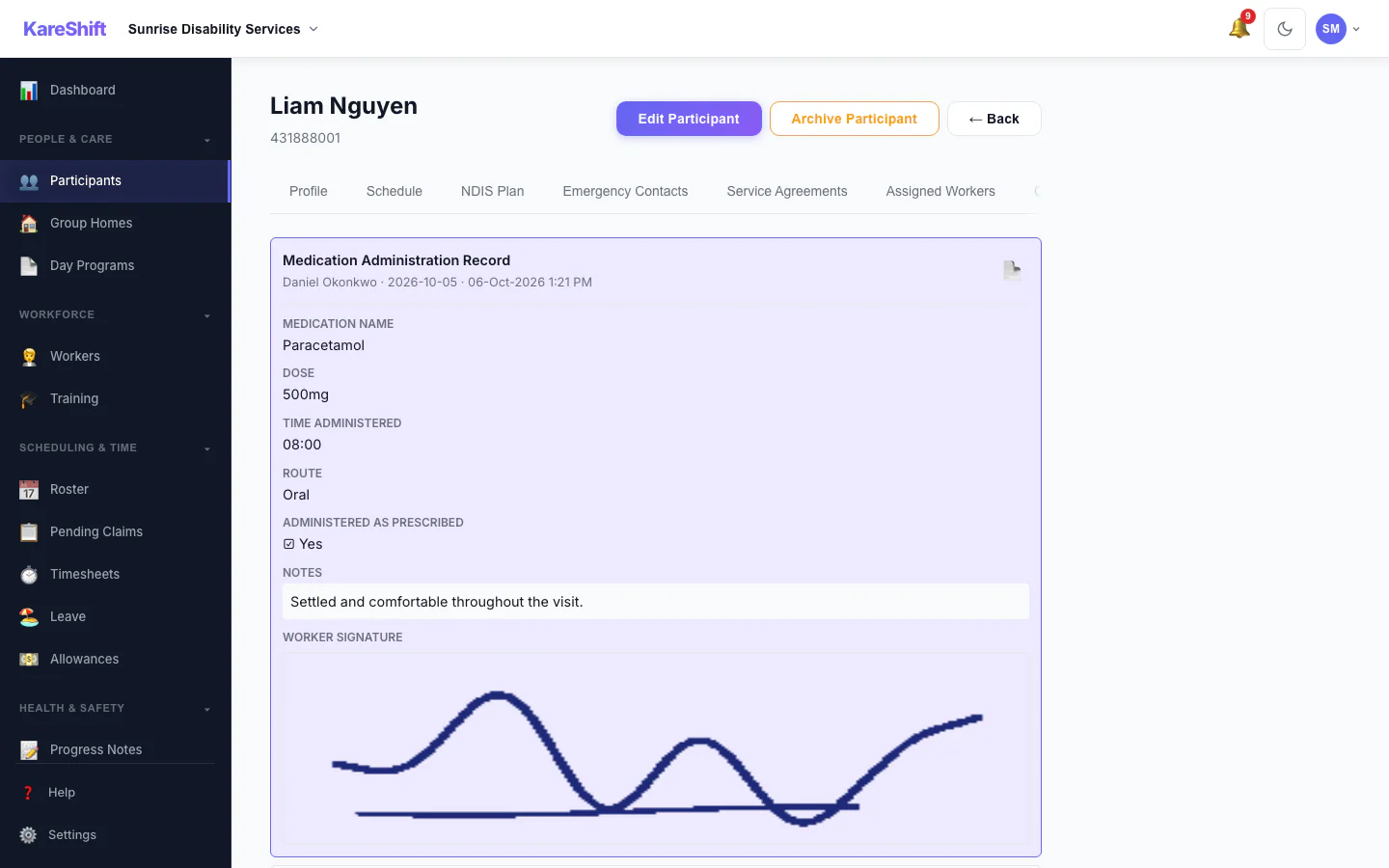
Form Submissions
Completed forms on a participant's record, with signatures.
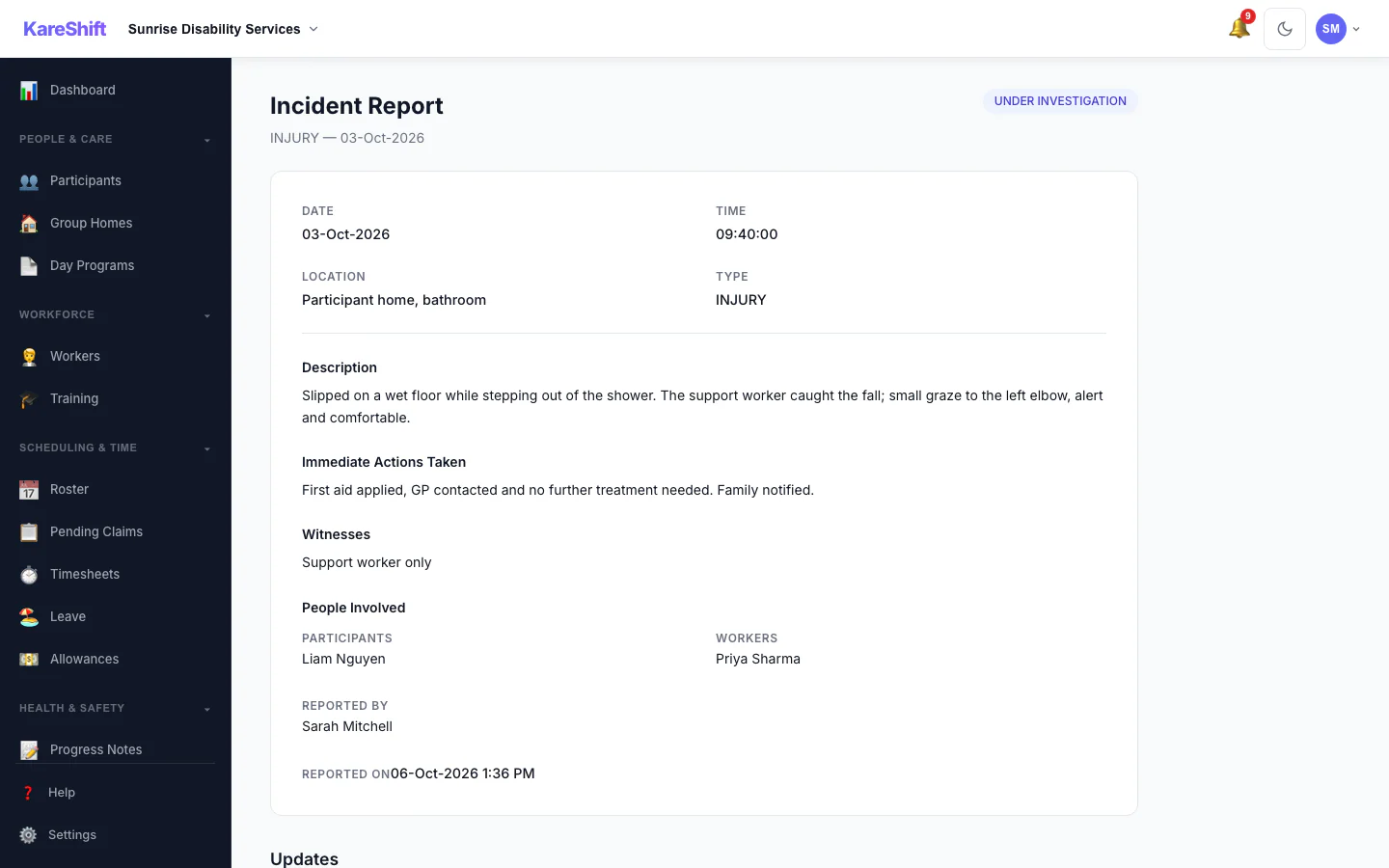
Incident Detail
An incident with its status, details and the update trail of who did what.
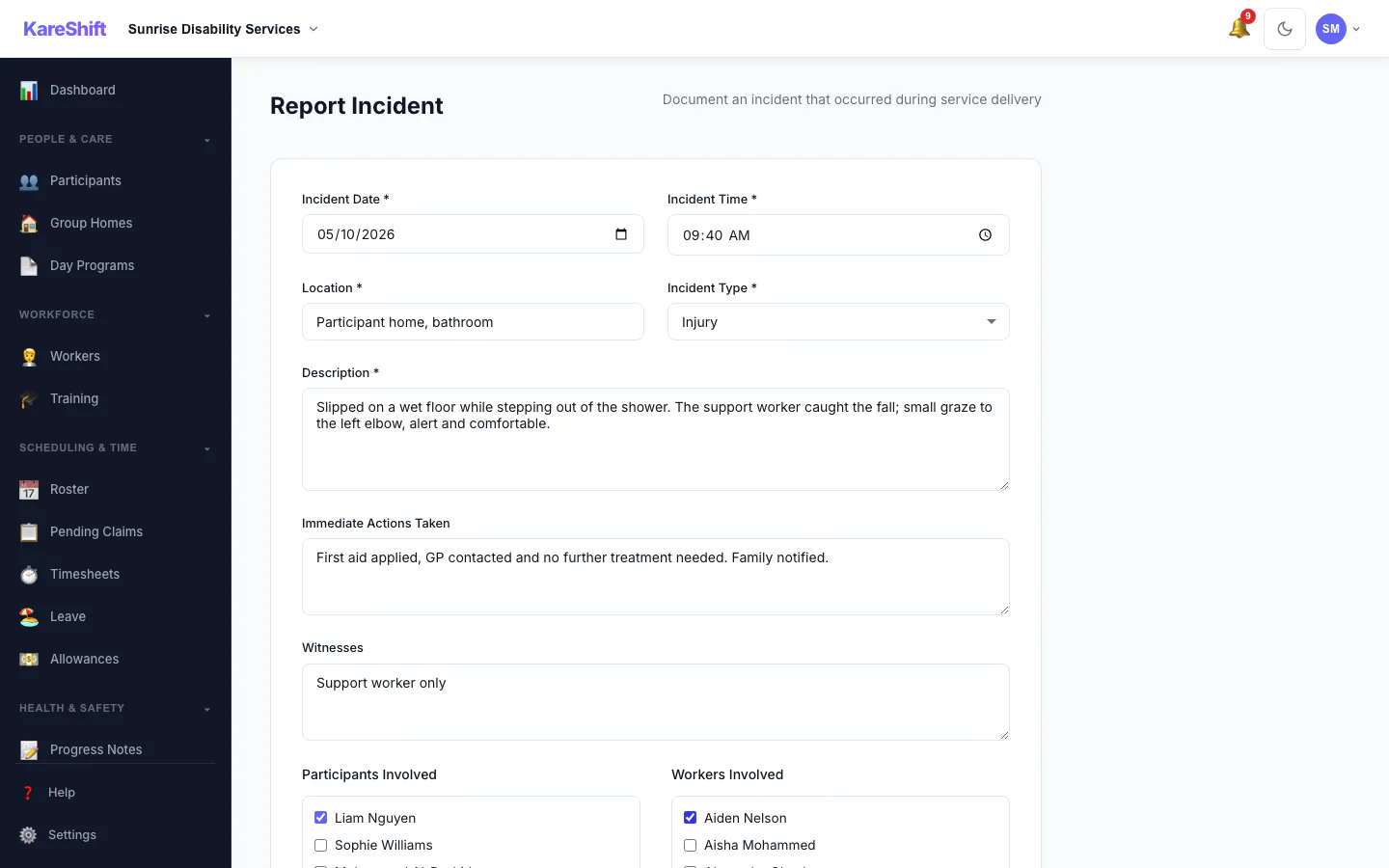
Report an Incident
Record what happened, who was involved and what was done straight away.
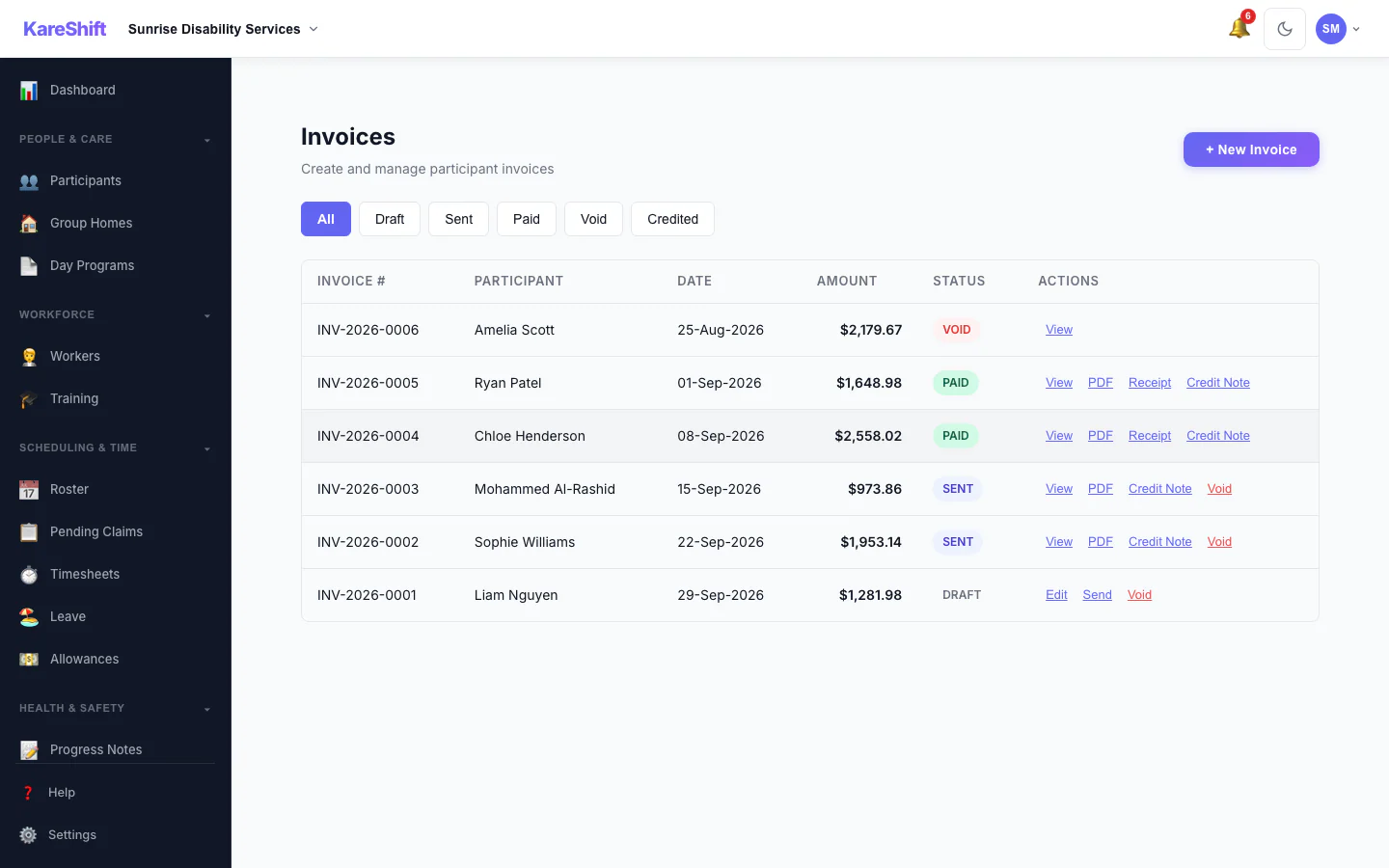
Invoices
Draft, sent, paid and voided invoices in one list, with PDF, receipt and credit note actions.
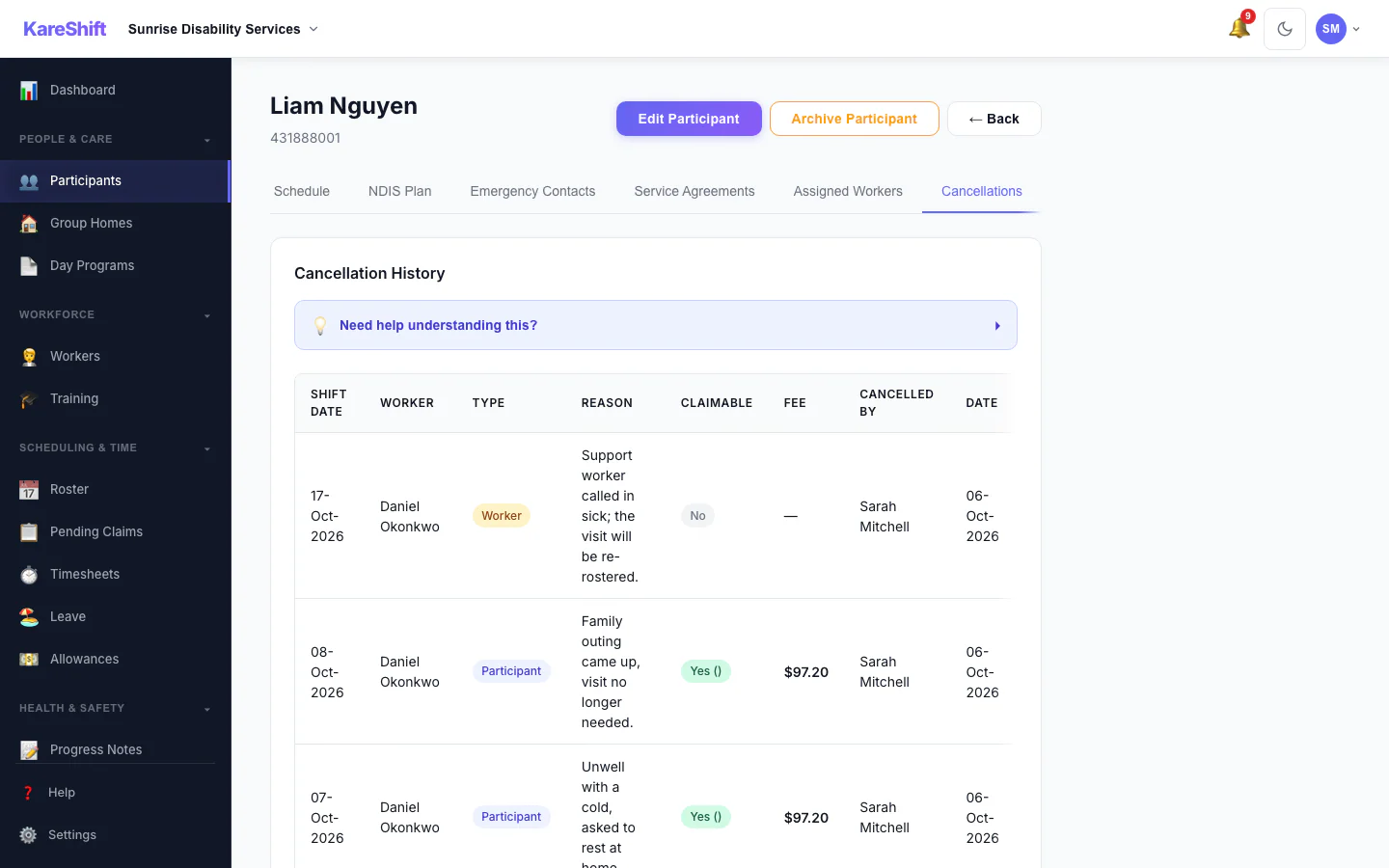
Cancellation History
Cancelled visits with who cancelled, whether the fee is claimable and the amount.
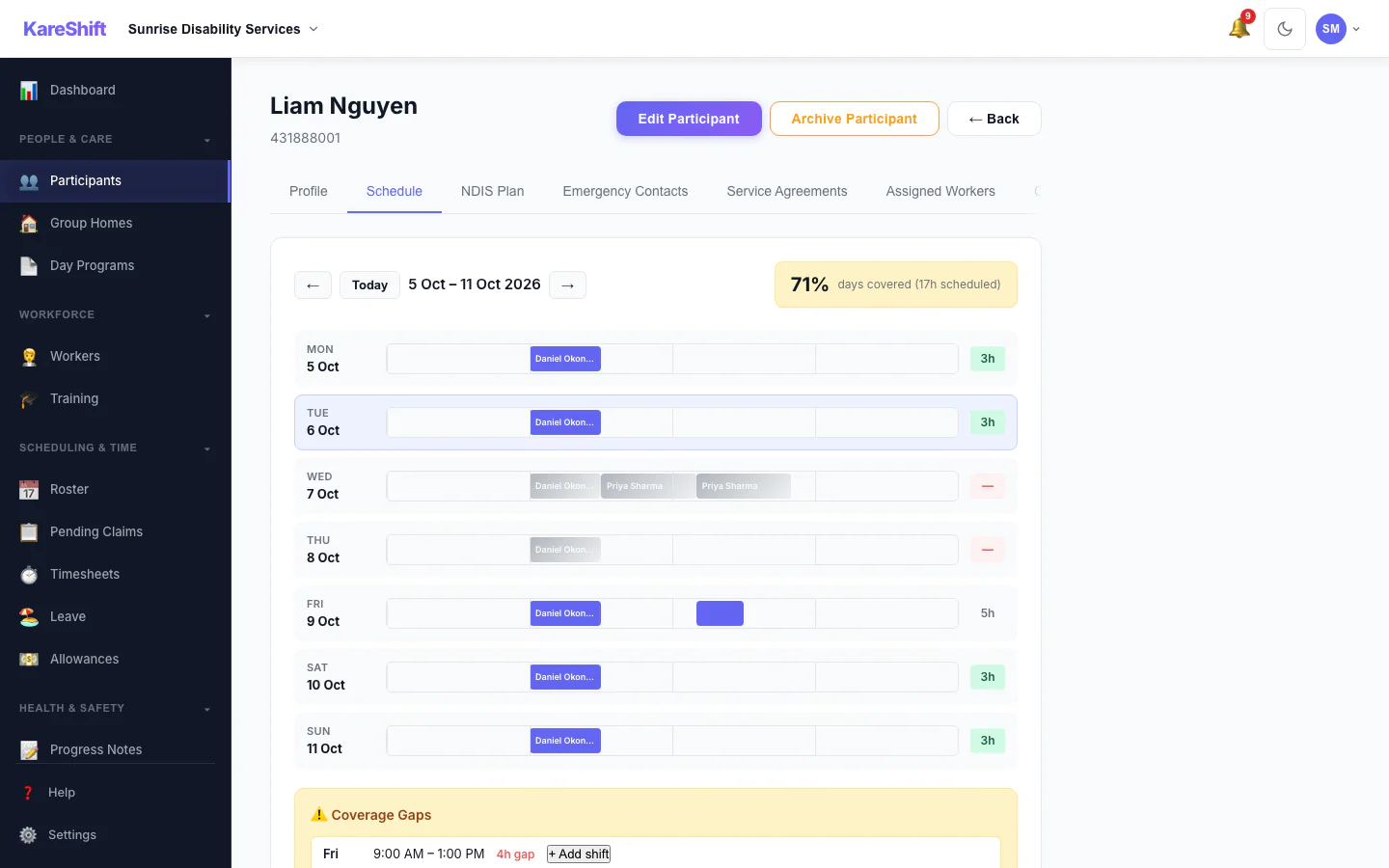
Participant Schedule
A participant's week of support and how well it is covered.
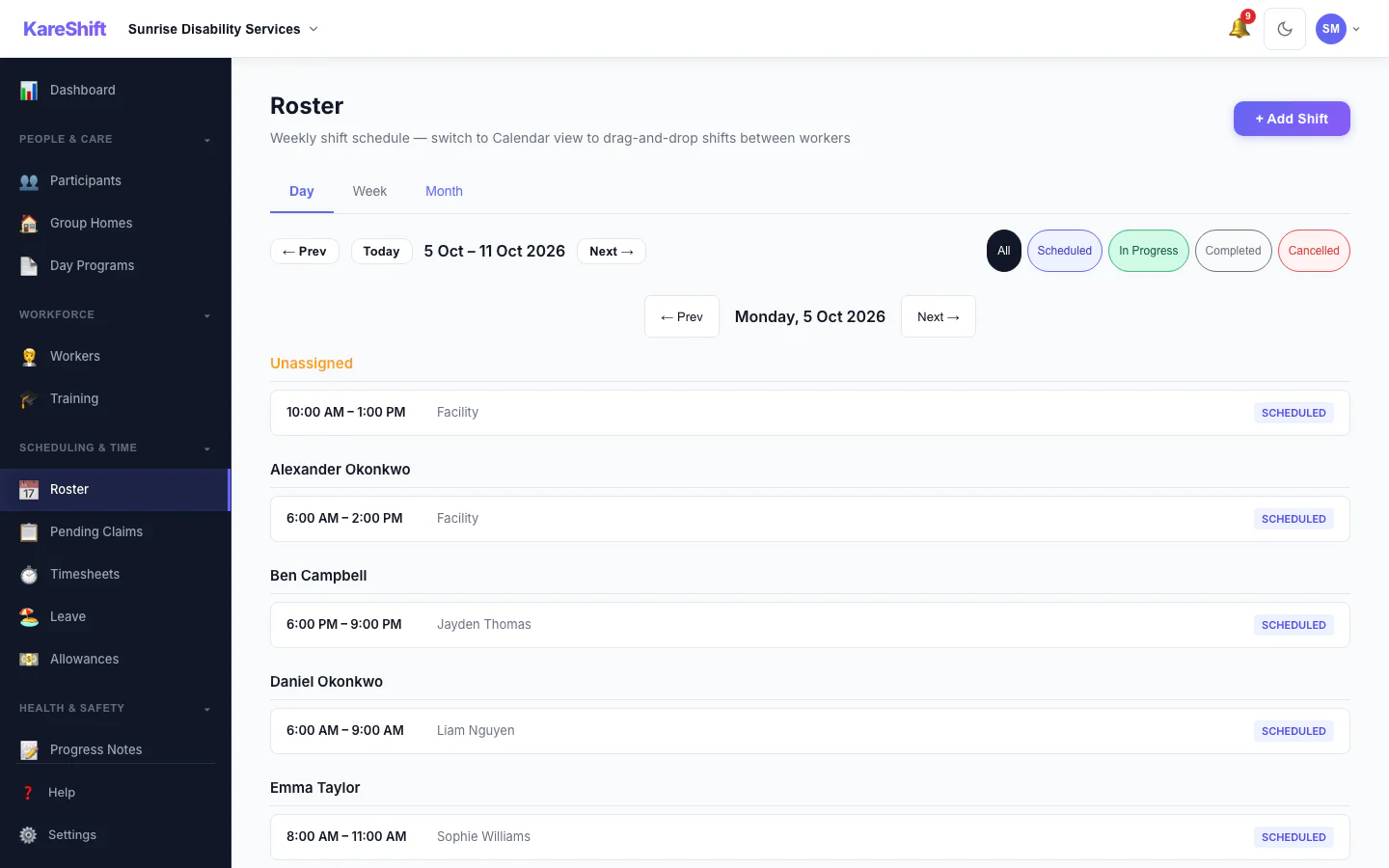
Roster — Day View
One day's shifts grouped by worker.
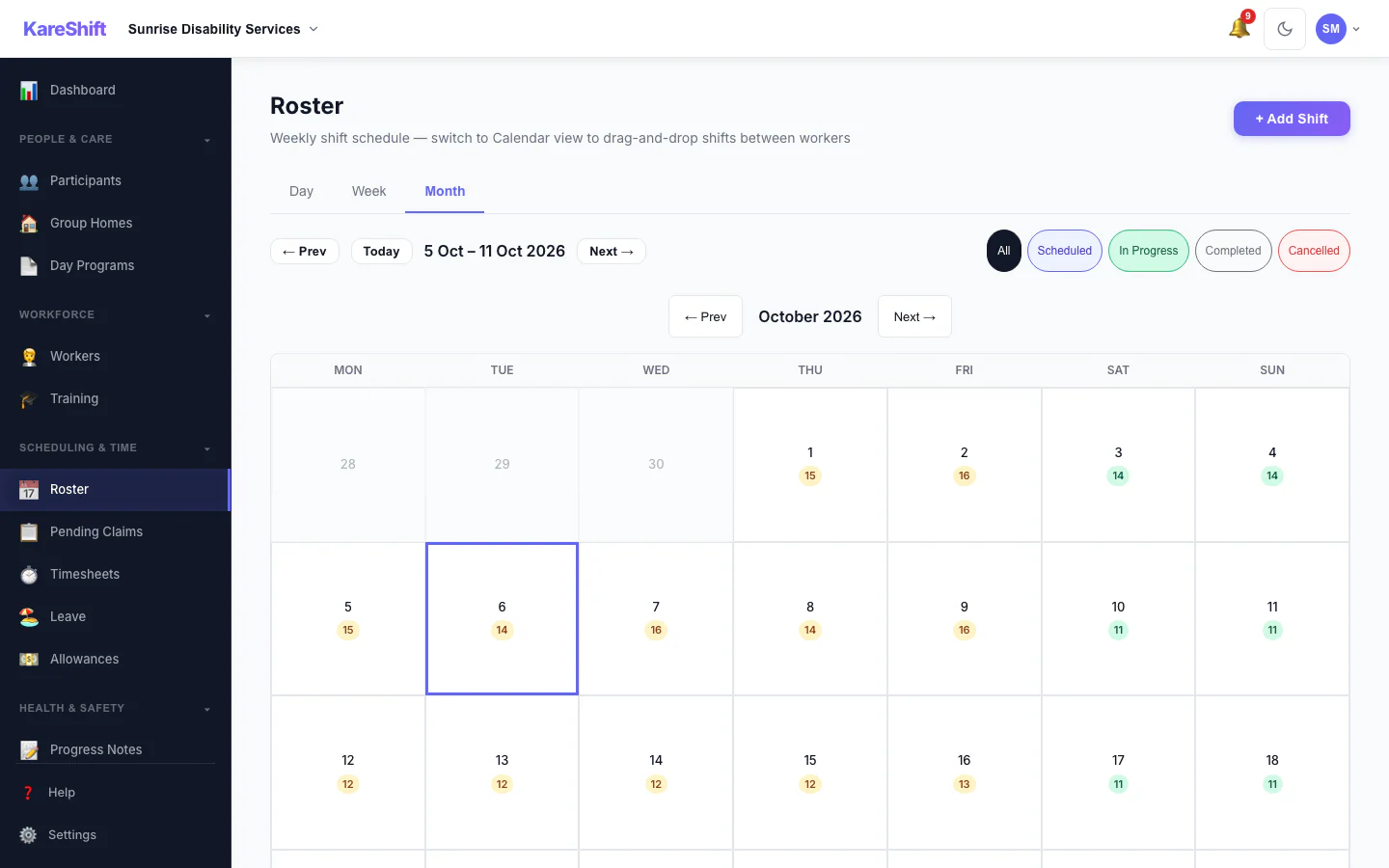
Roster — Month View
A month at a glance with shift counts for each day.
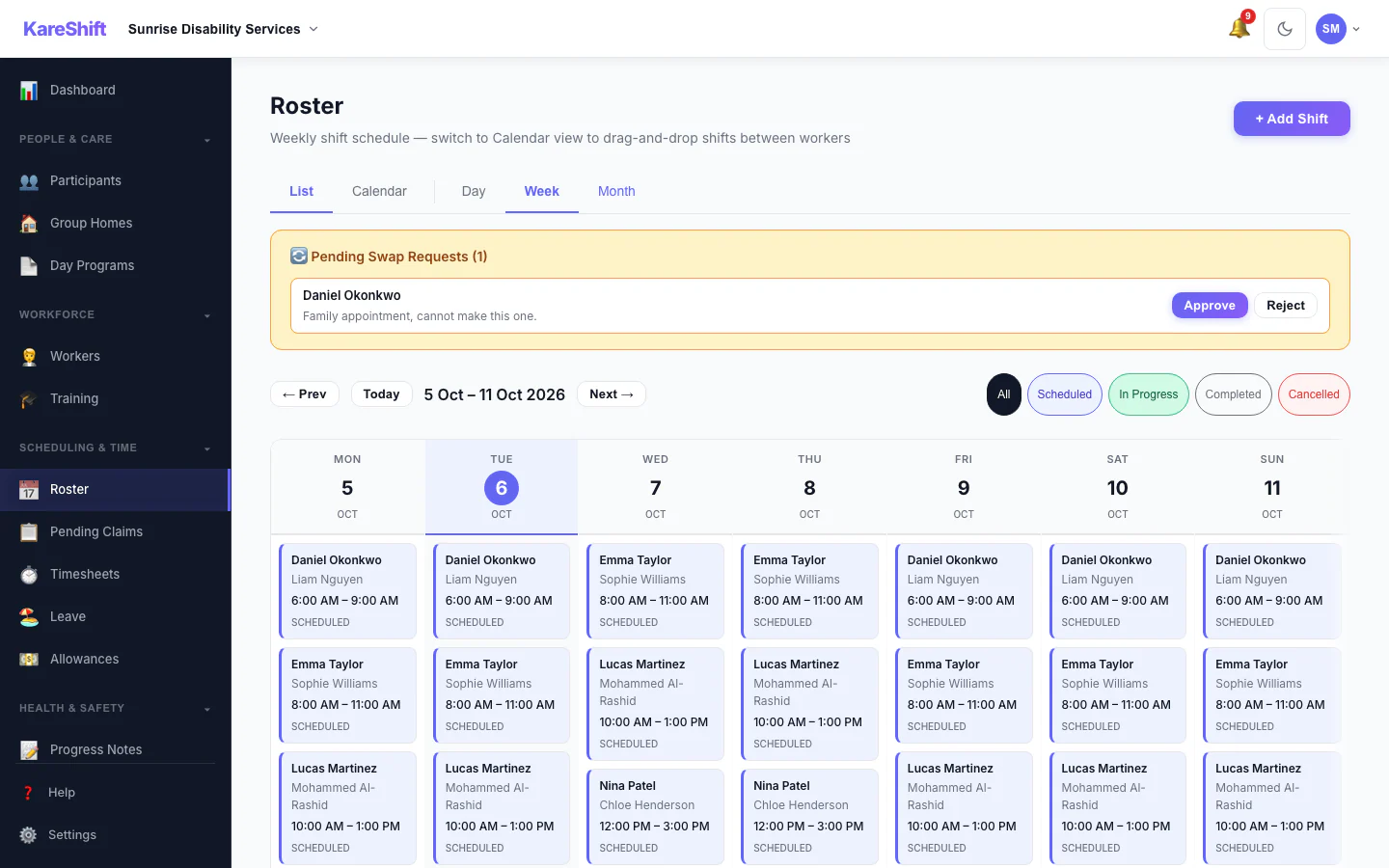
Shift Swap Requests
Pending swap requests with approve and reject.
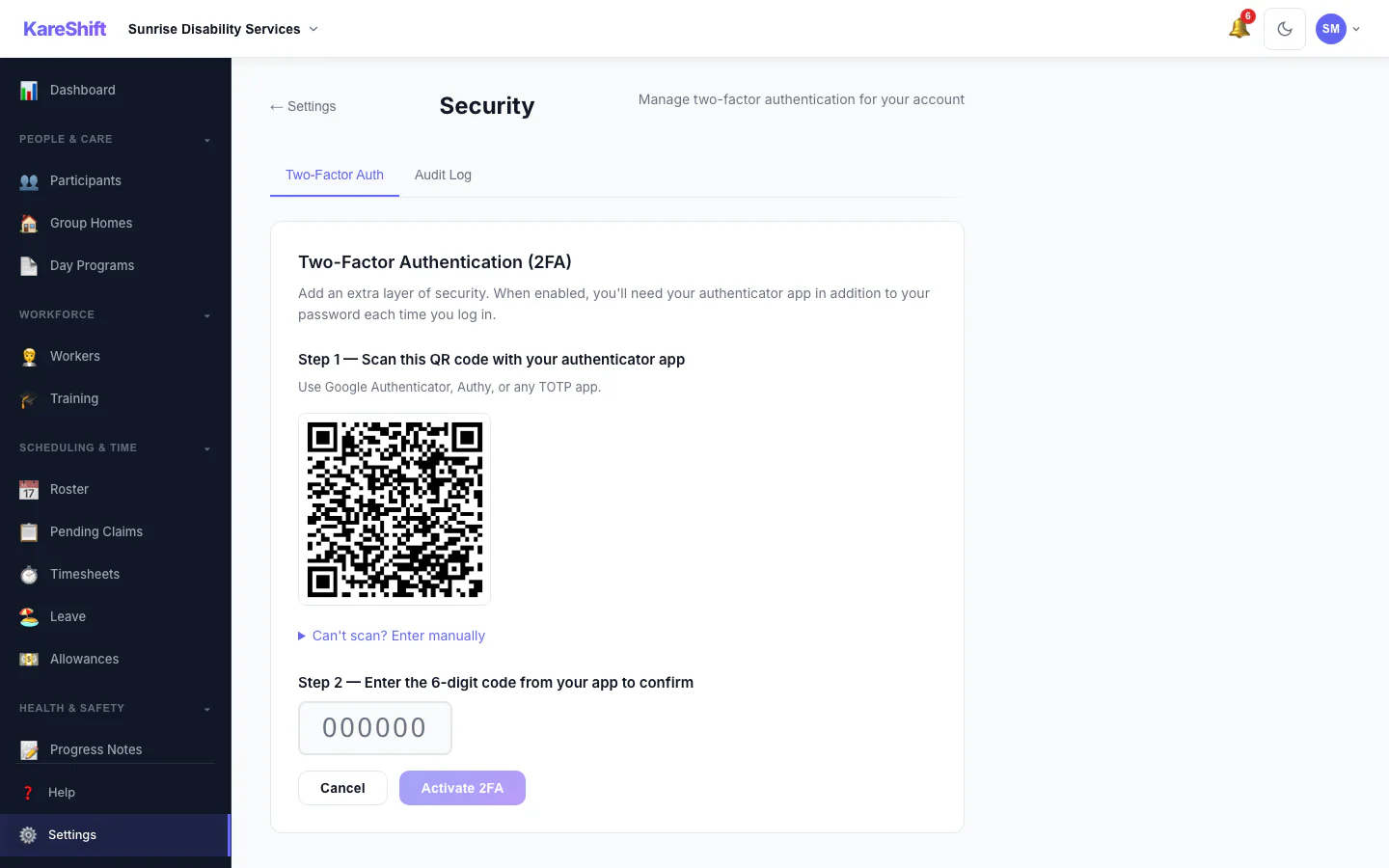
Set Up Two-Factor Authentication
Scan a code with an authenticator app, then enter the six-digit code to switch it on.
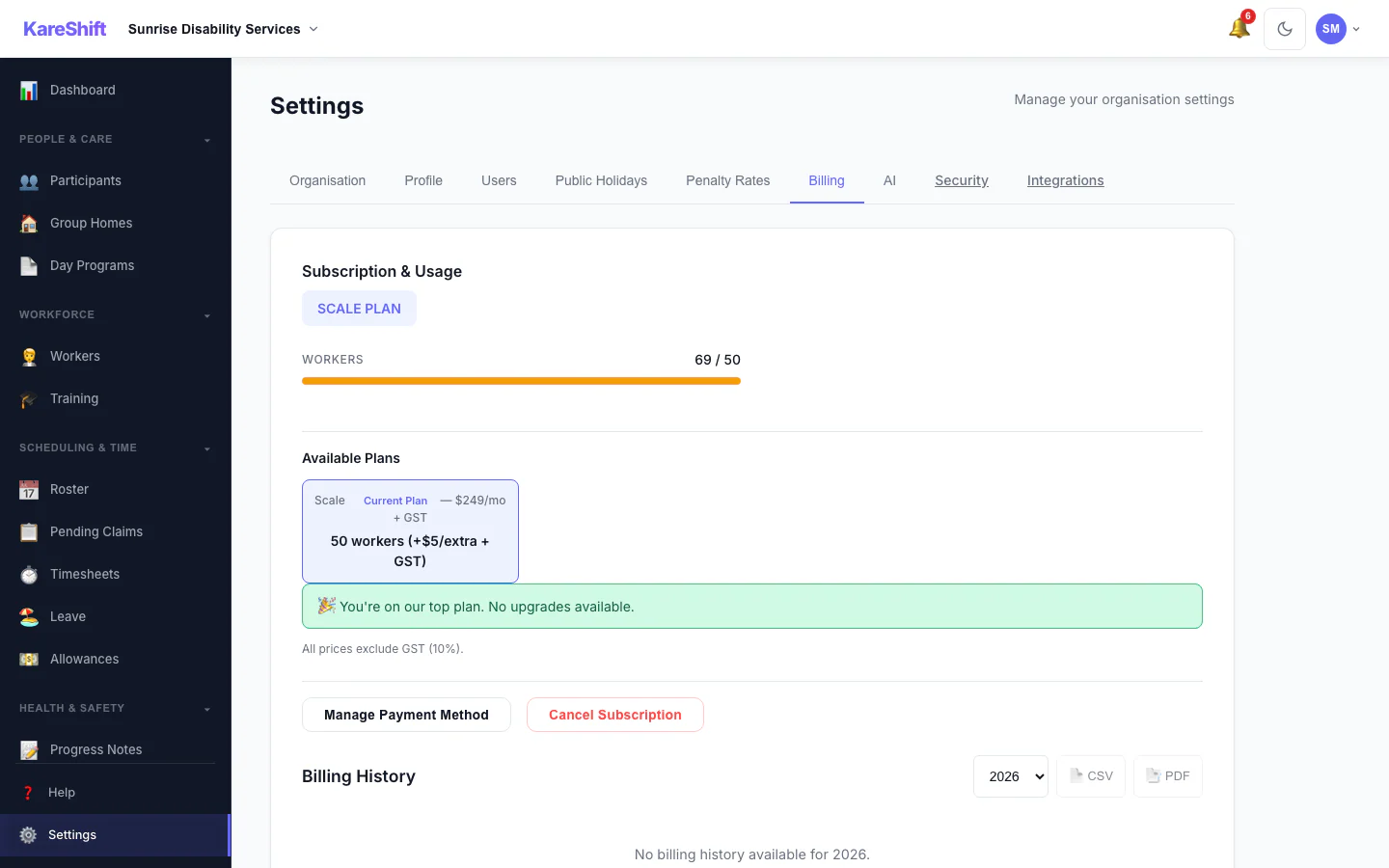
Billing and Plan
Your plan, worker usage and billing history.
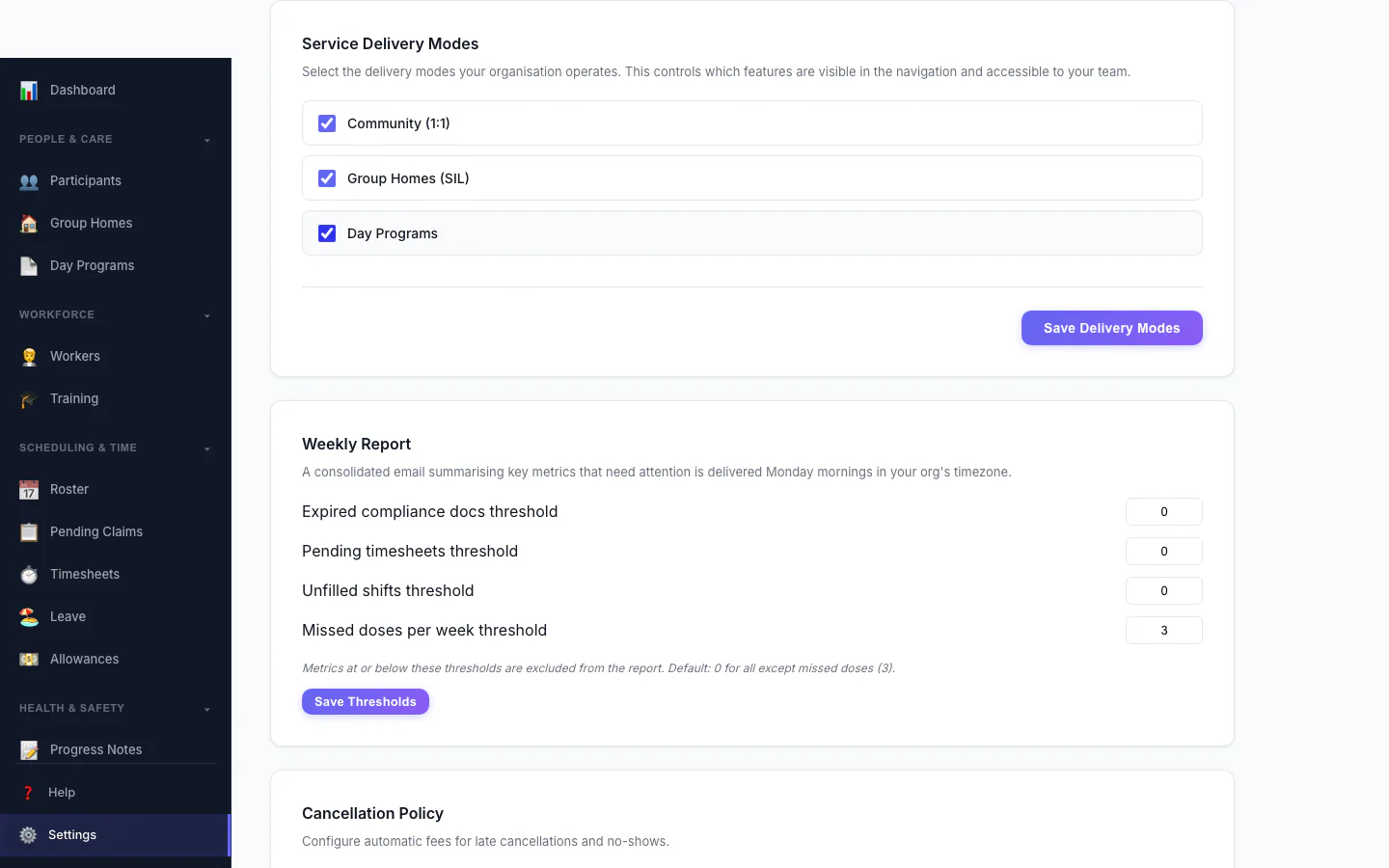
Service Delivery Modes
Choose which kinds of service your organisation delivers.
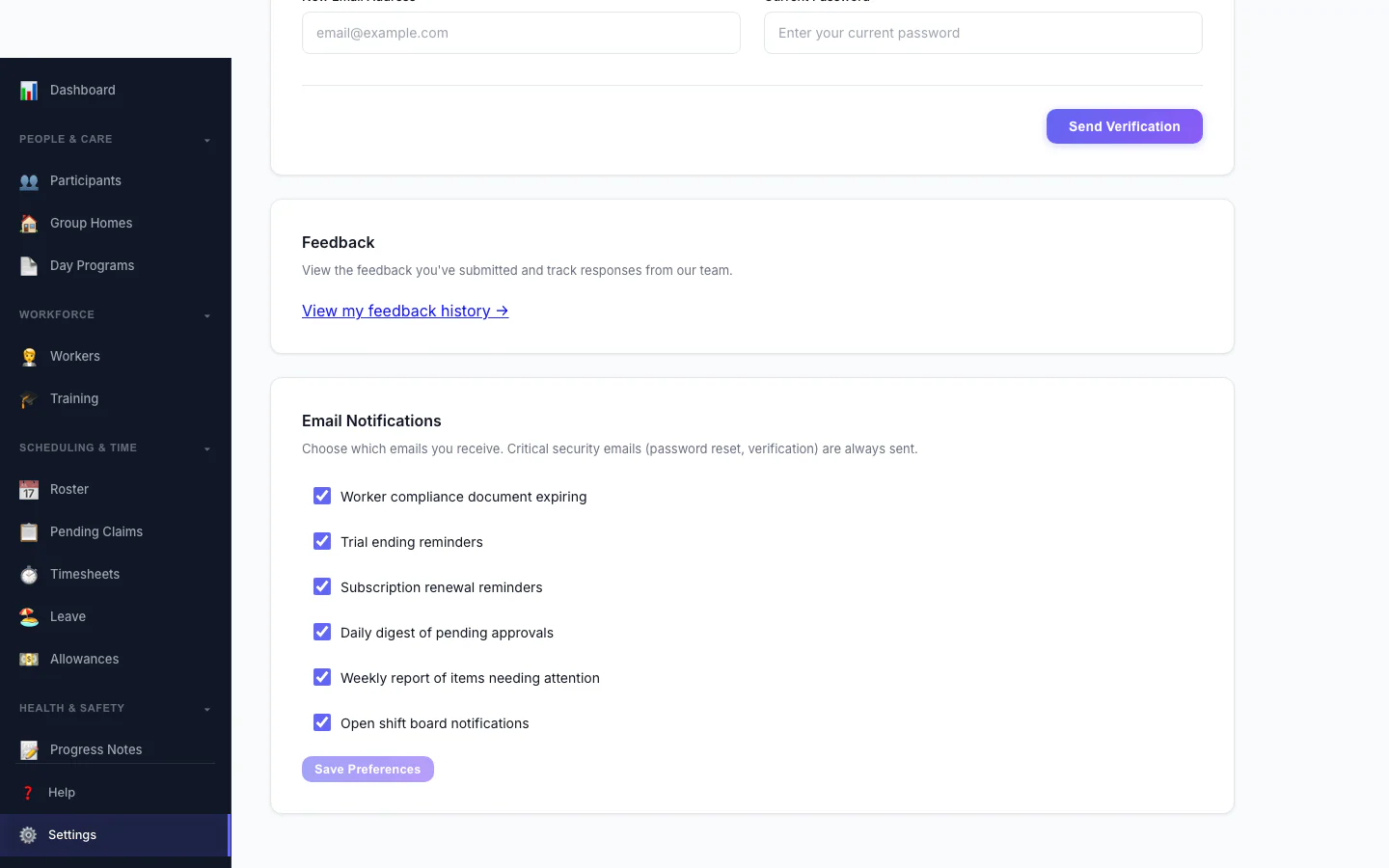
Notification Preferences
Choose which emails you receive.
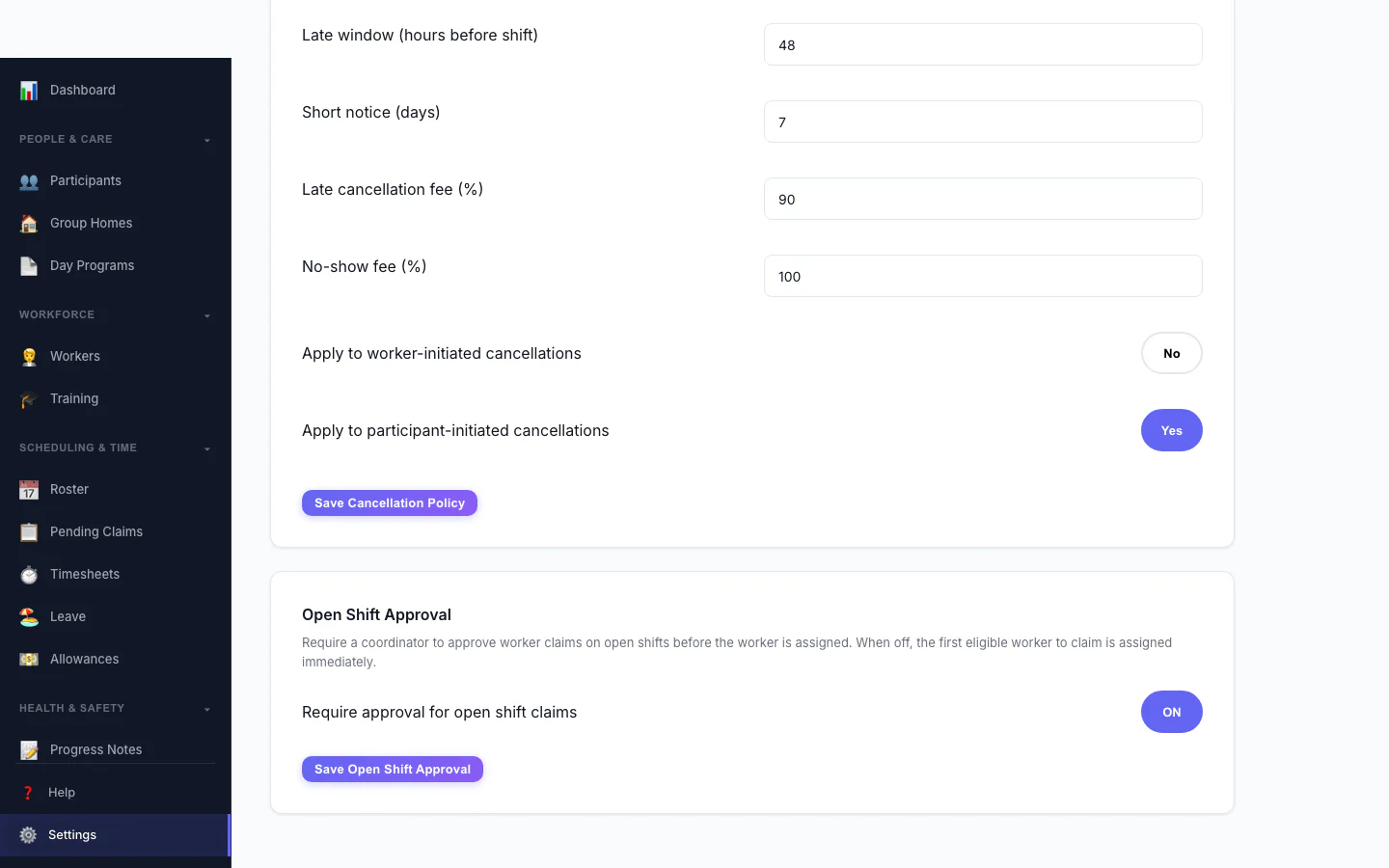
Open Shift Approval
Decide whether workers can claim open shifts straight away or need approval.
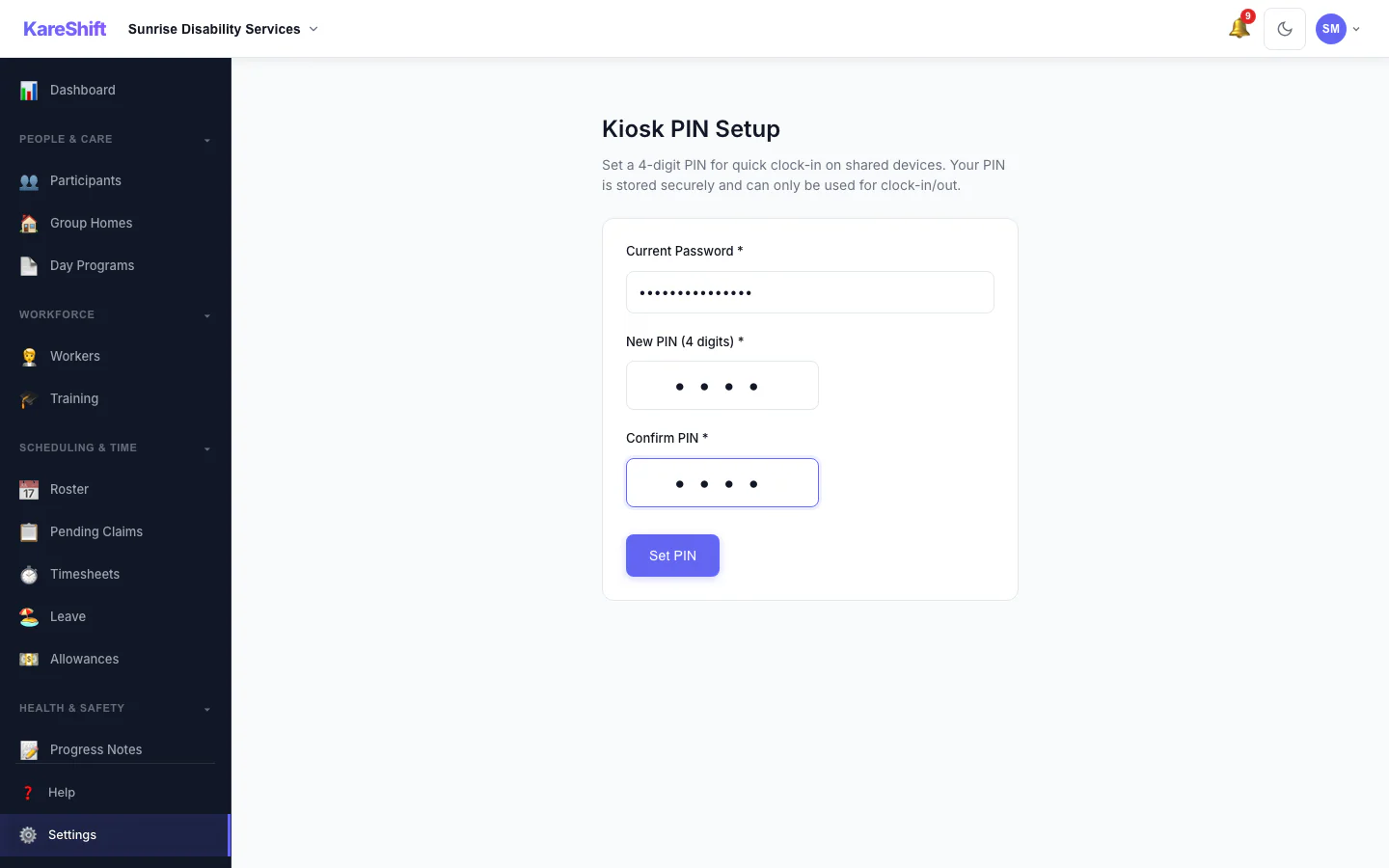
Kiosk PIN
Set the PIN workers use at a shared kiosk.
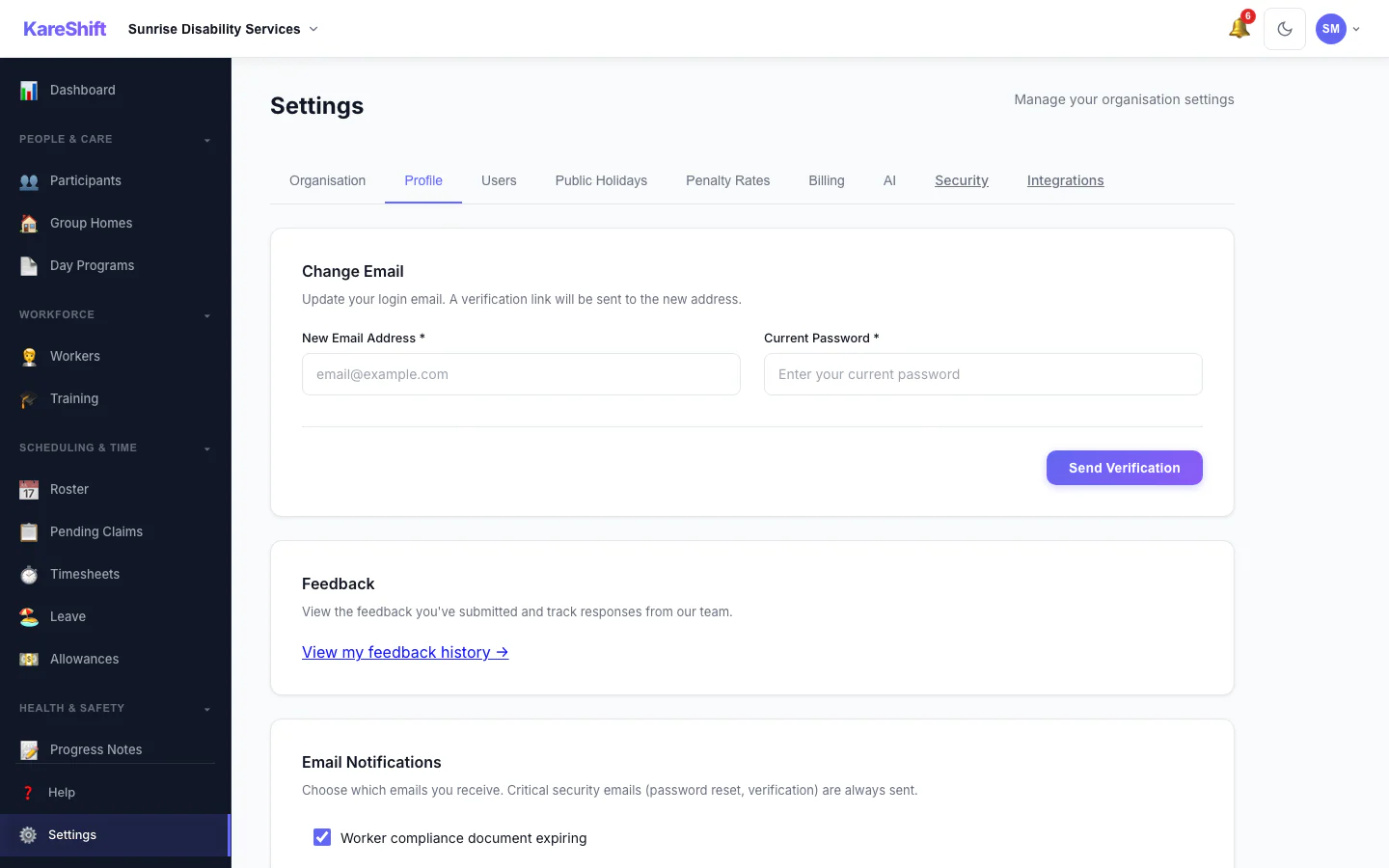
Your Profile Settings
Your login email and email notification choices.
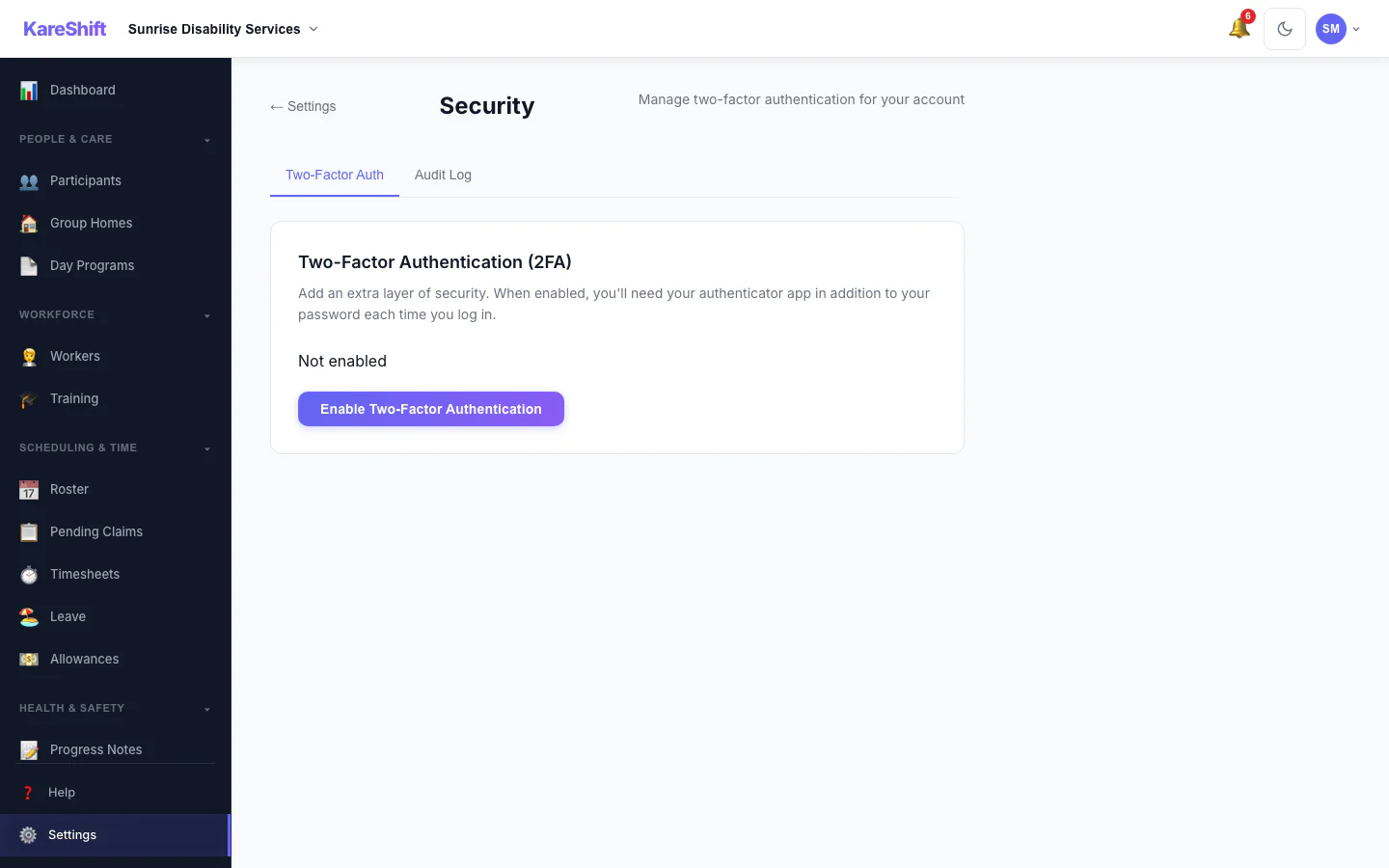
Security Settings
Two-factor status for your account, with trusted devices and an audit log for owners.
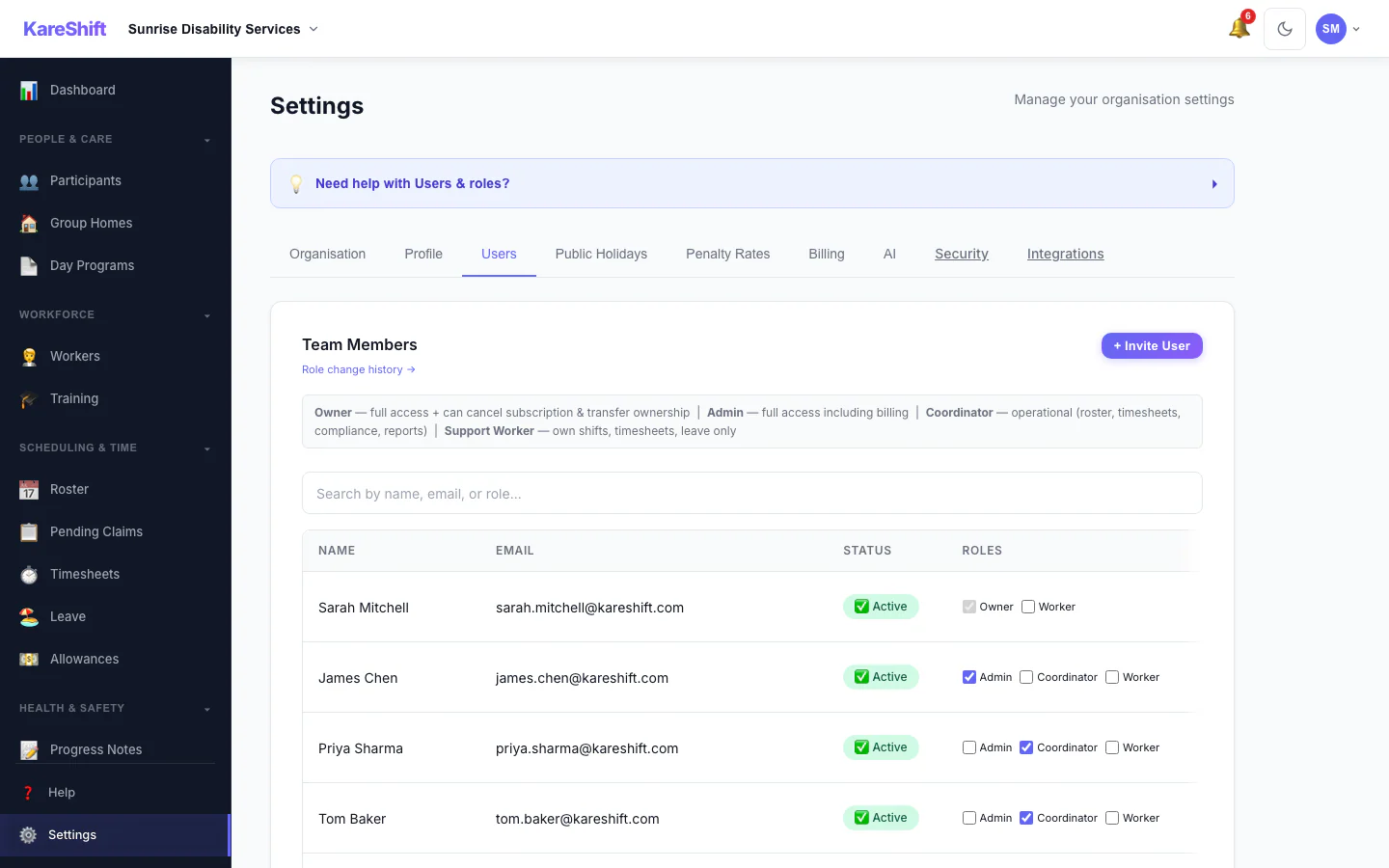
Team Members and Roles
Everyone in your organisation, their status and roles.
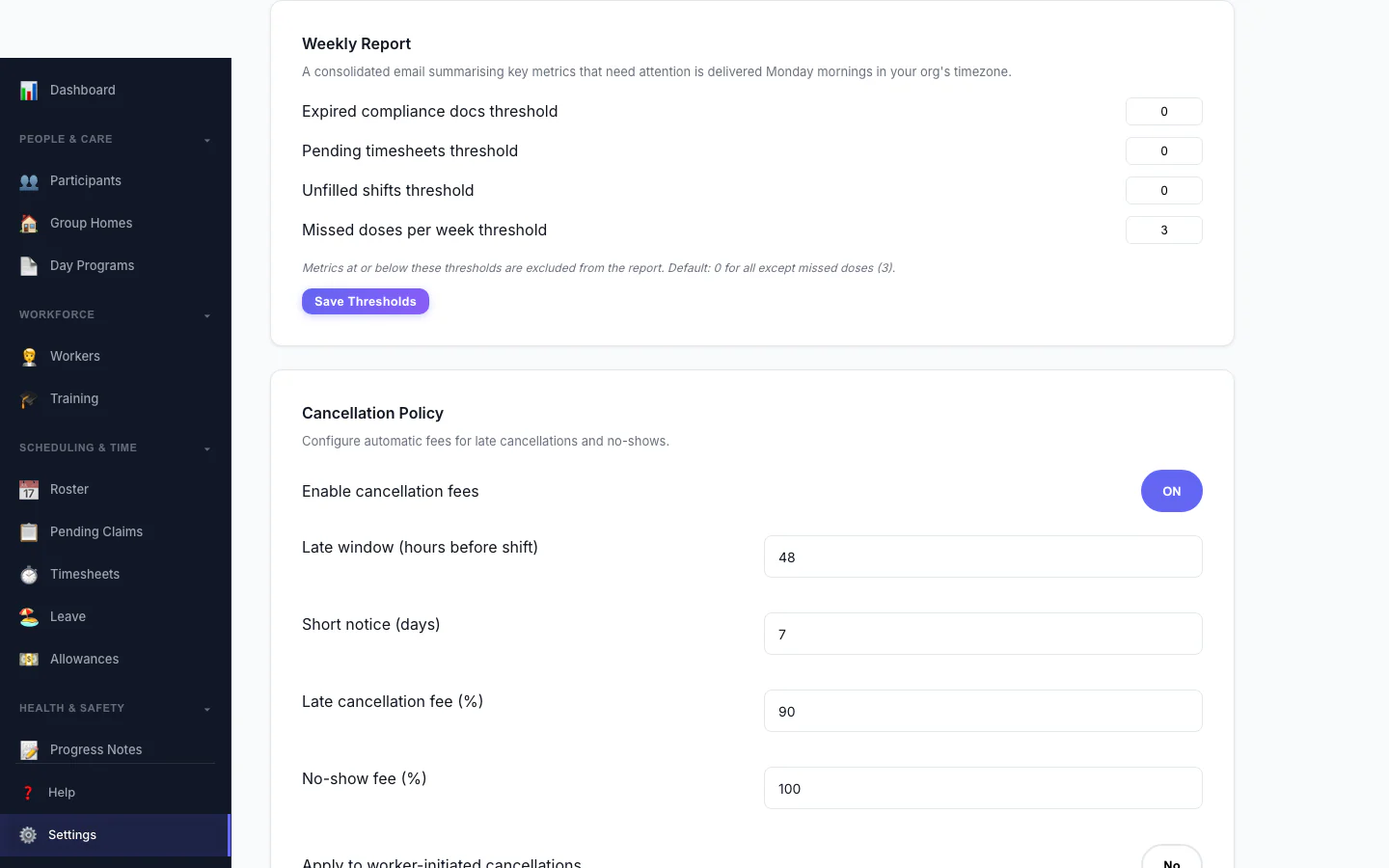
Weekly Report
Set the thresholds for the weekly summary email.
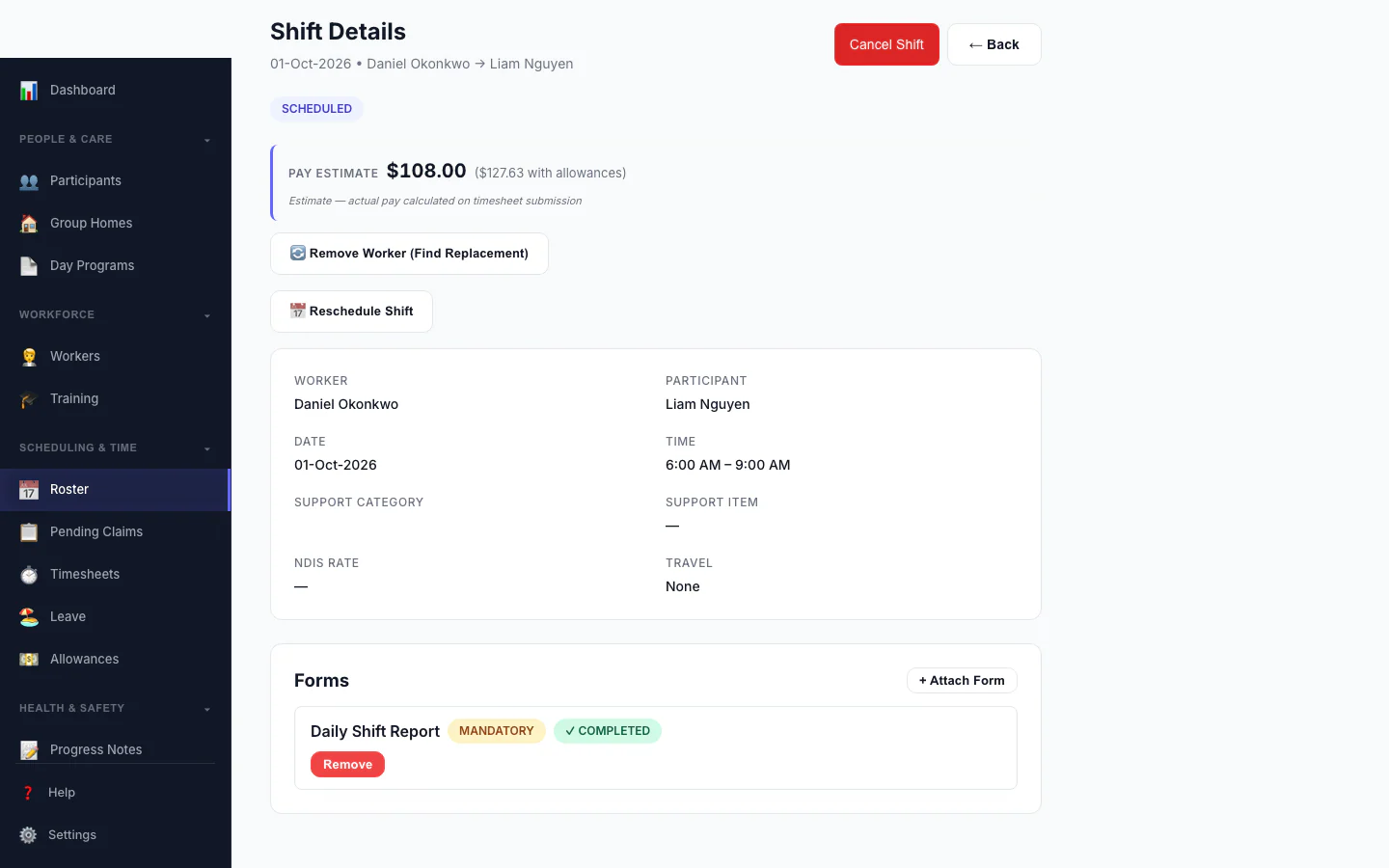
Forms Attached to a Shift
A shift with a mandatory form marked completed.
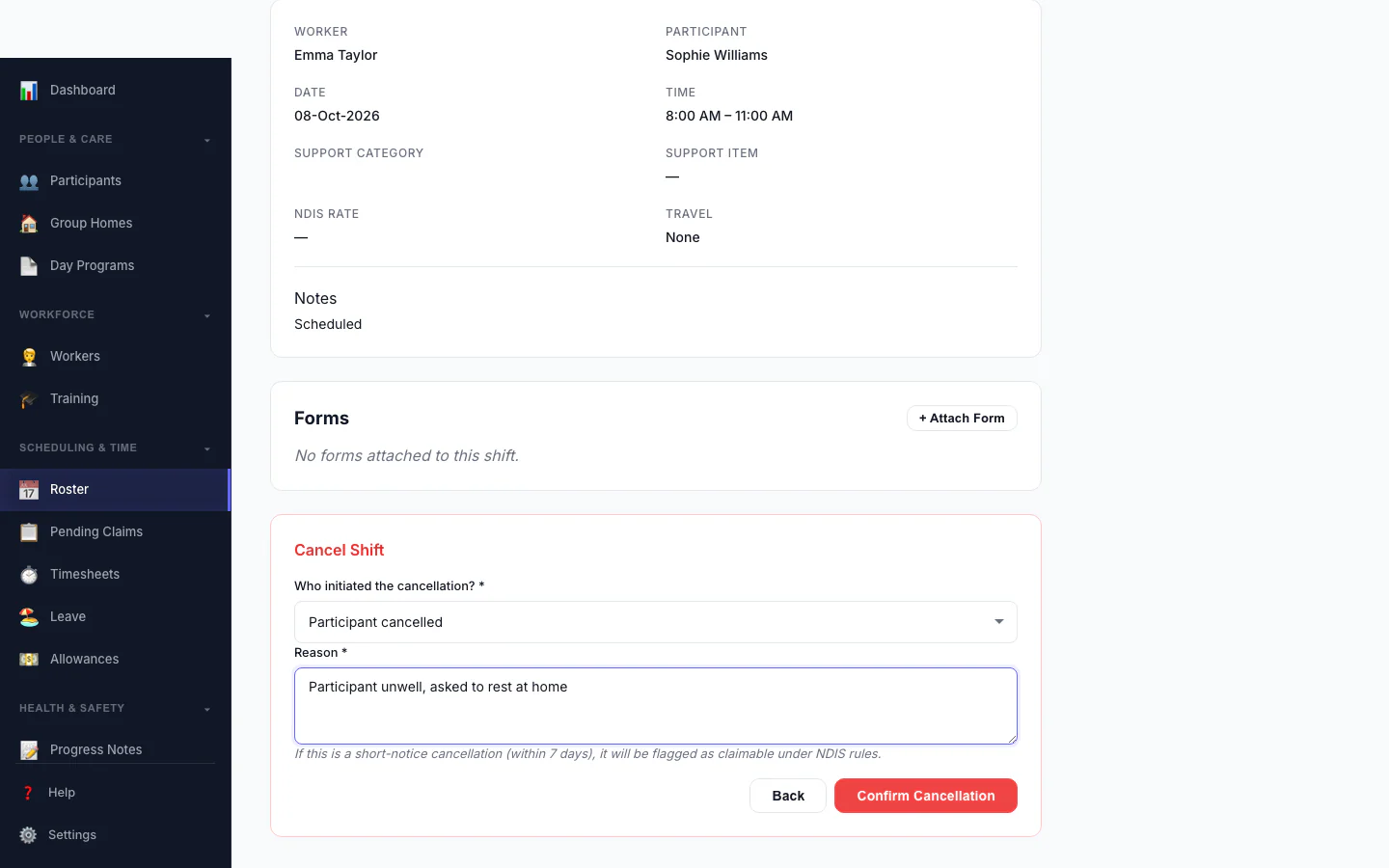
Cancel a Shift
Record who cancelled and why, so the right fee is applied.
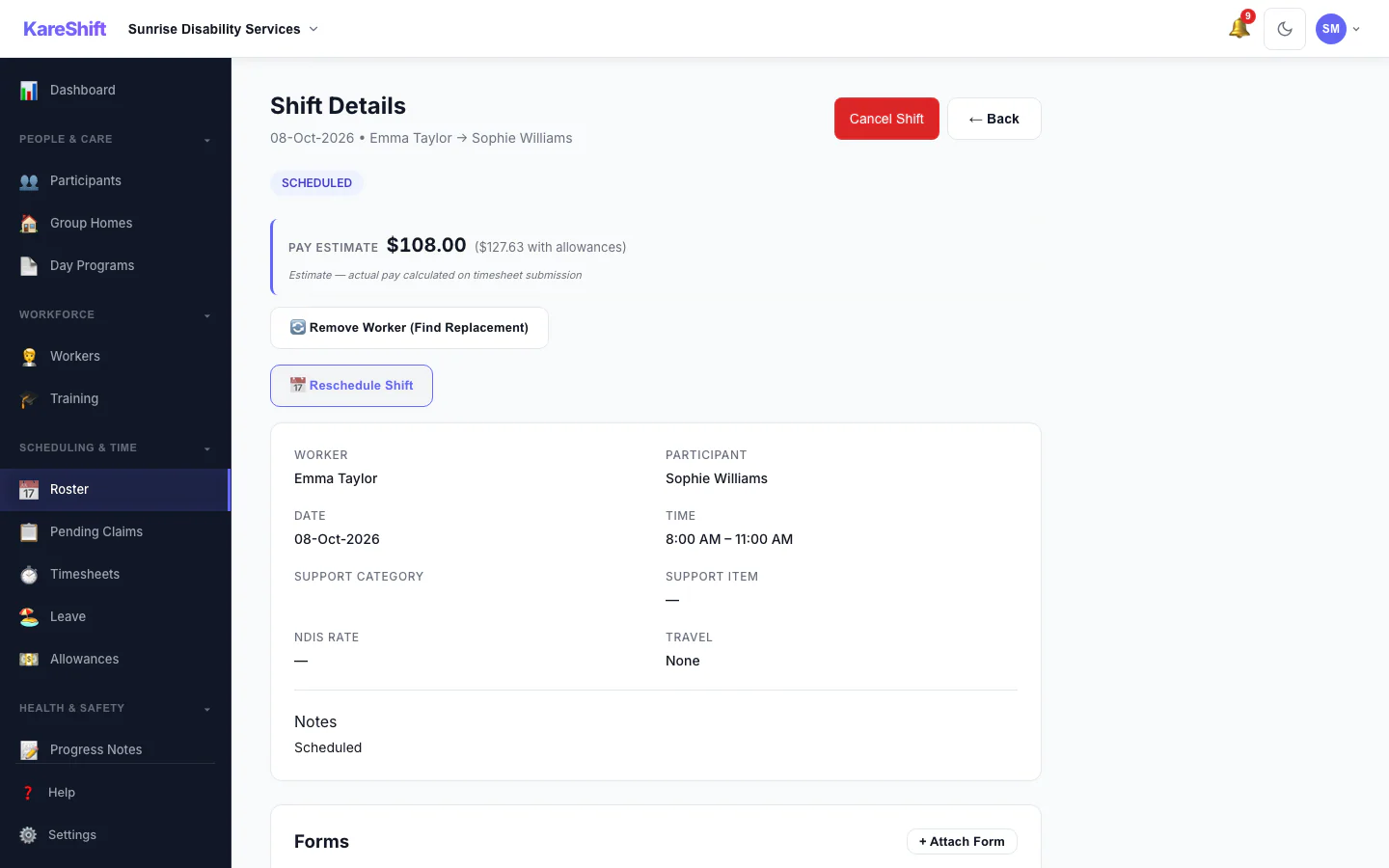
Shift Detail
A shift with its worker, pay estimate and attached forms.
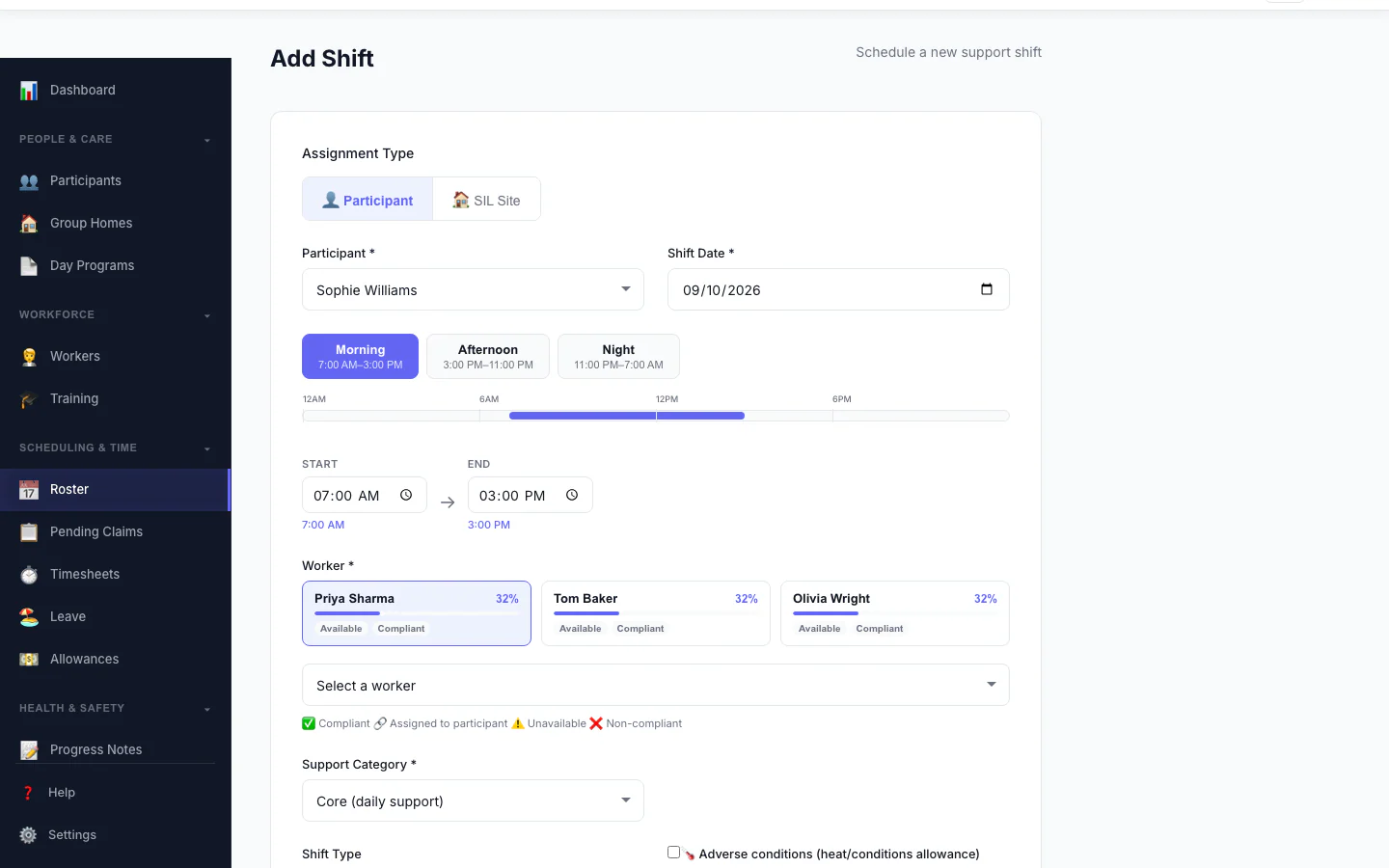
Add a Shift
Pick the person, date and times, and see suggested workers.
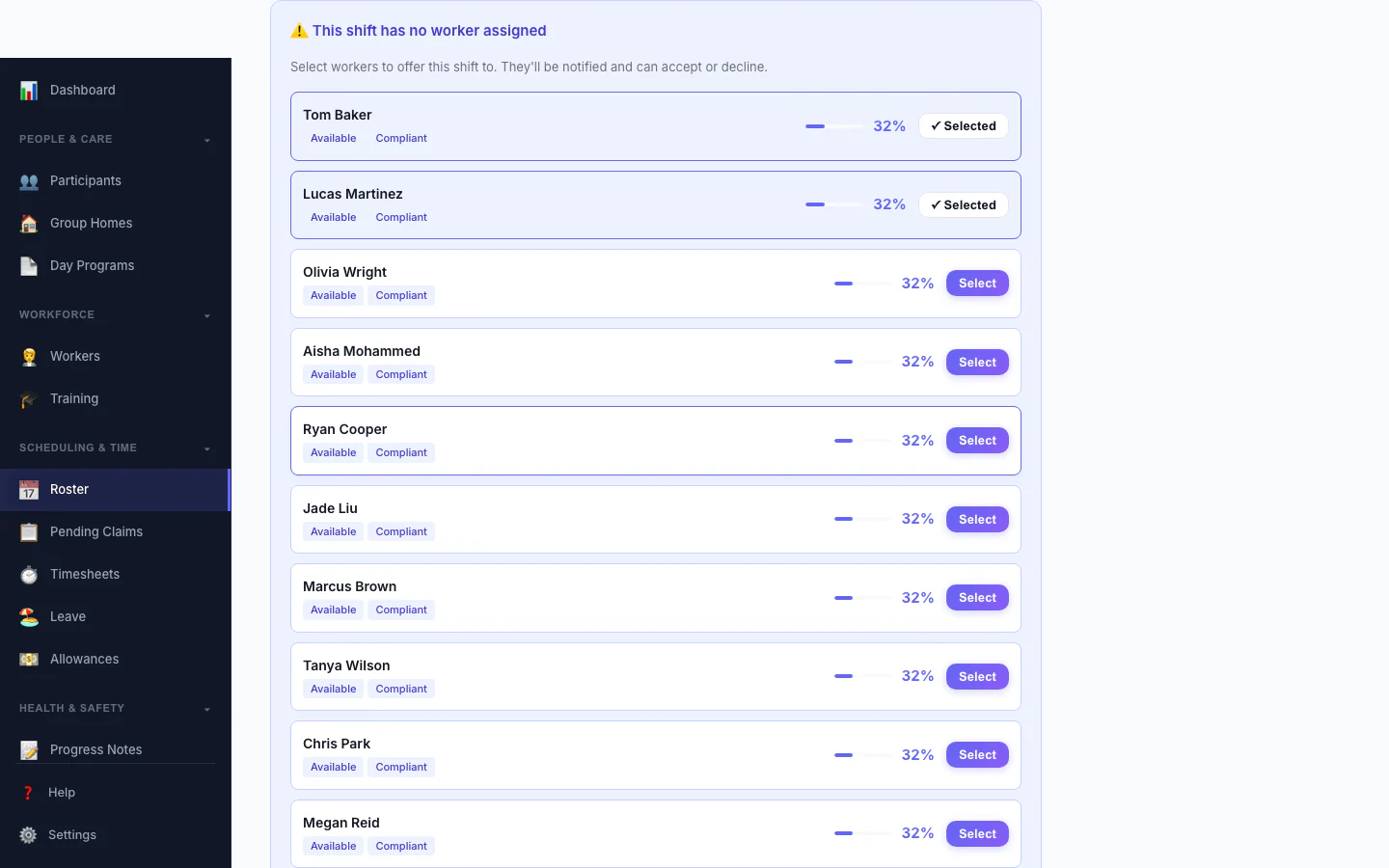
Replacement Assistant
A vacant shift with ranked replacement workers and one-click offers.
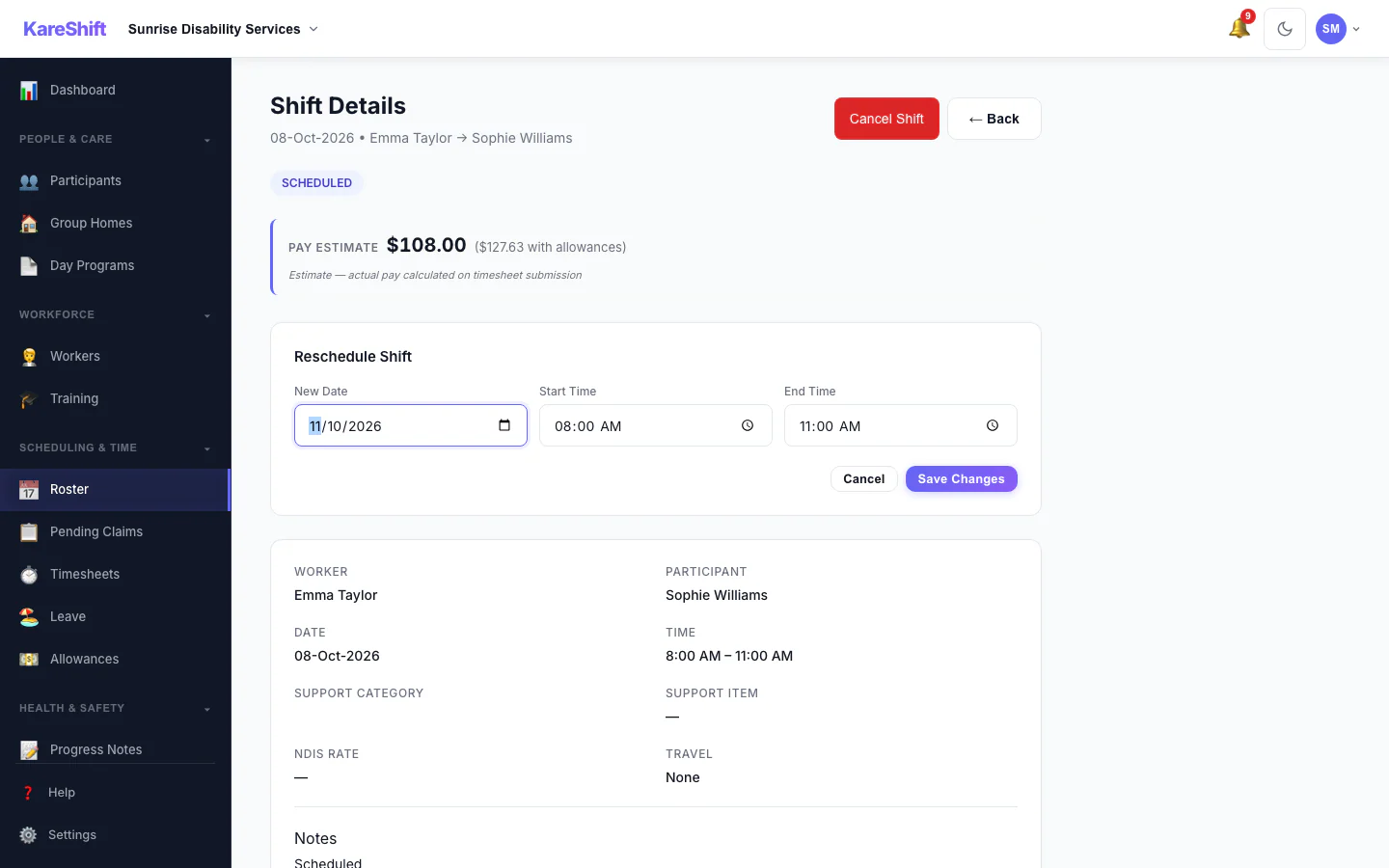
Reschedule a Shift
Move a shift to a new date and time.
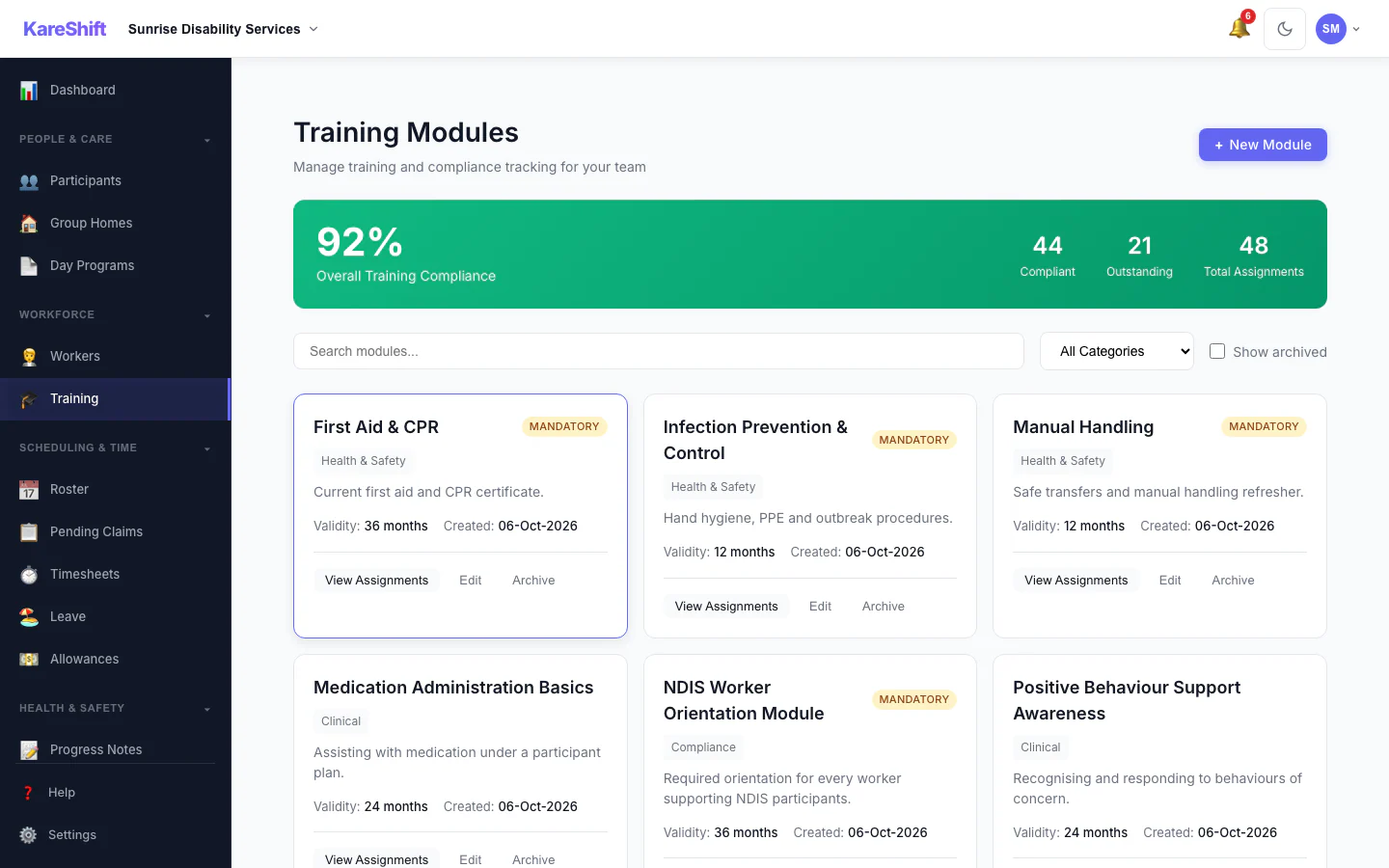
Training Modules
Mandatory and optional training, overall compliance and who is due.
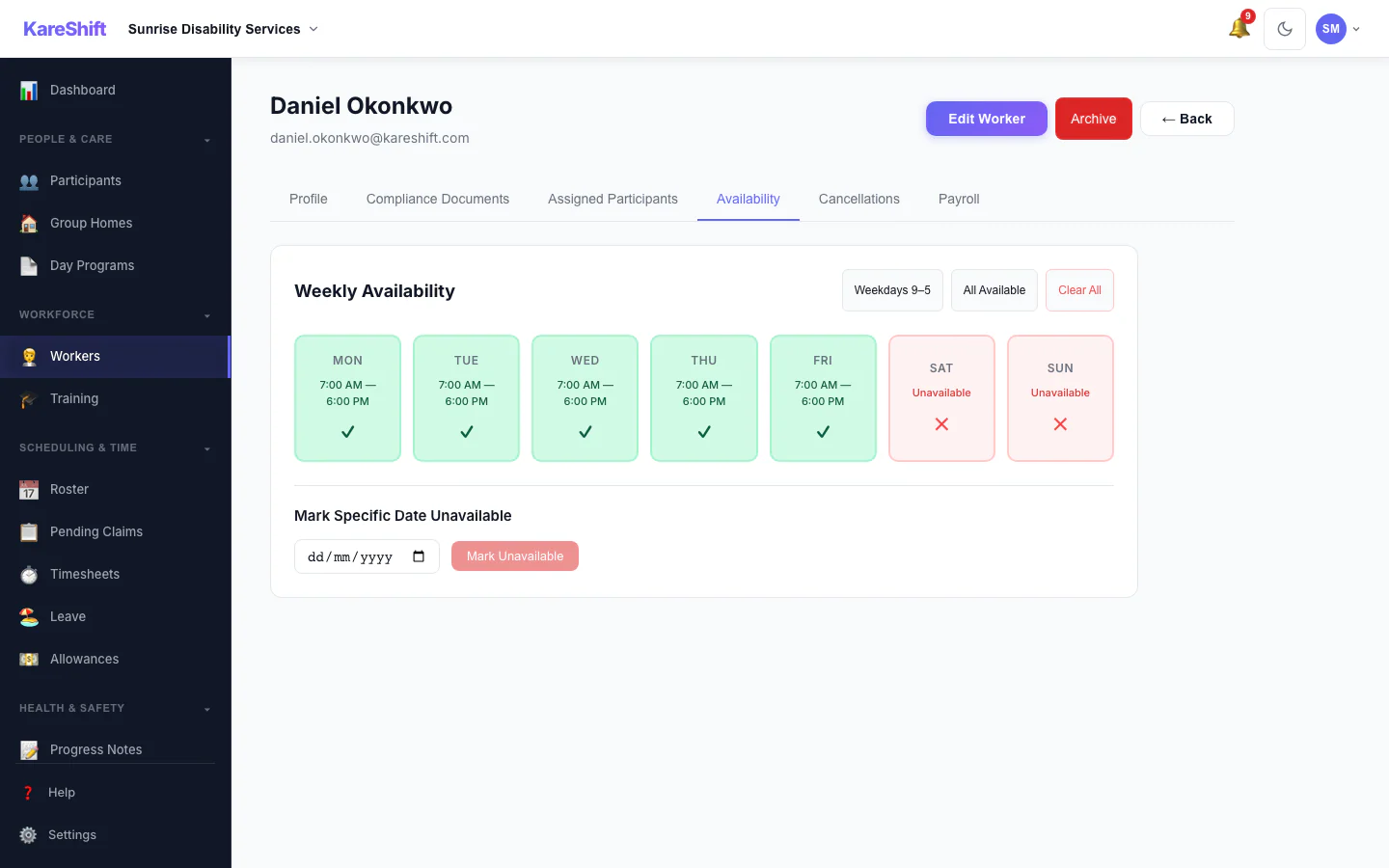
Worker Availability
A worker's weekly availability grid.
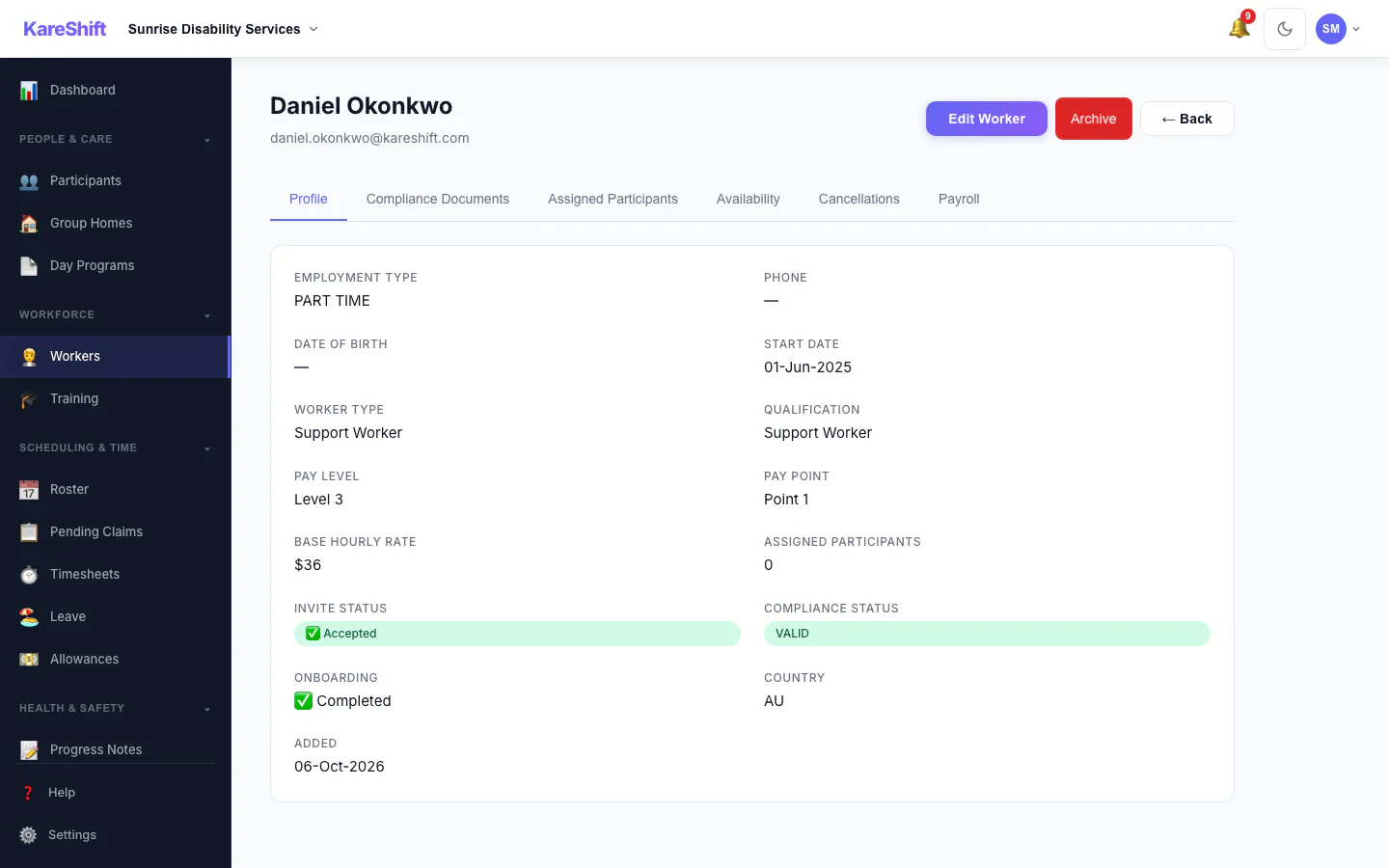
Worker Profile
A worker's profile and details.
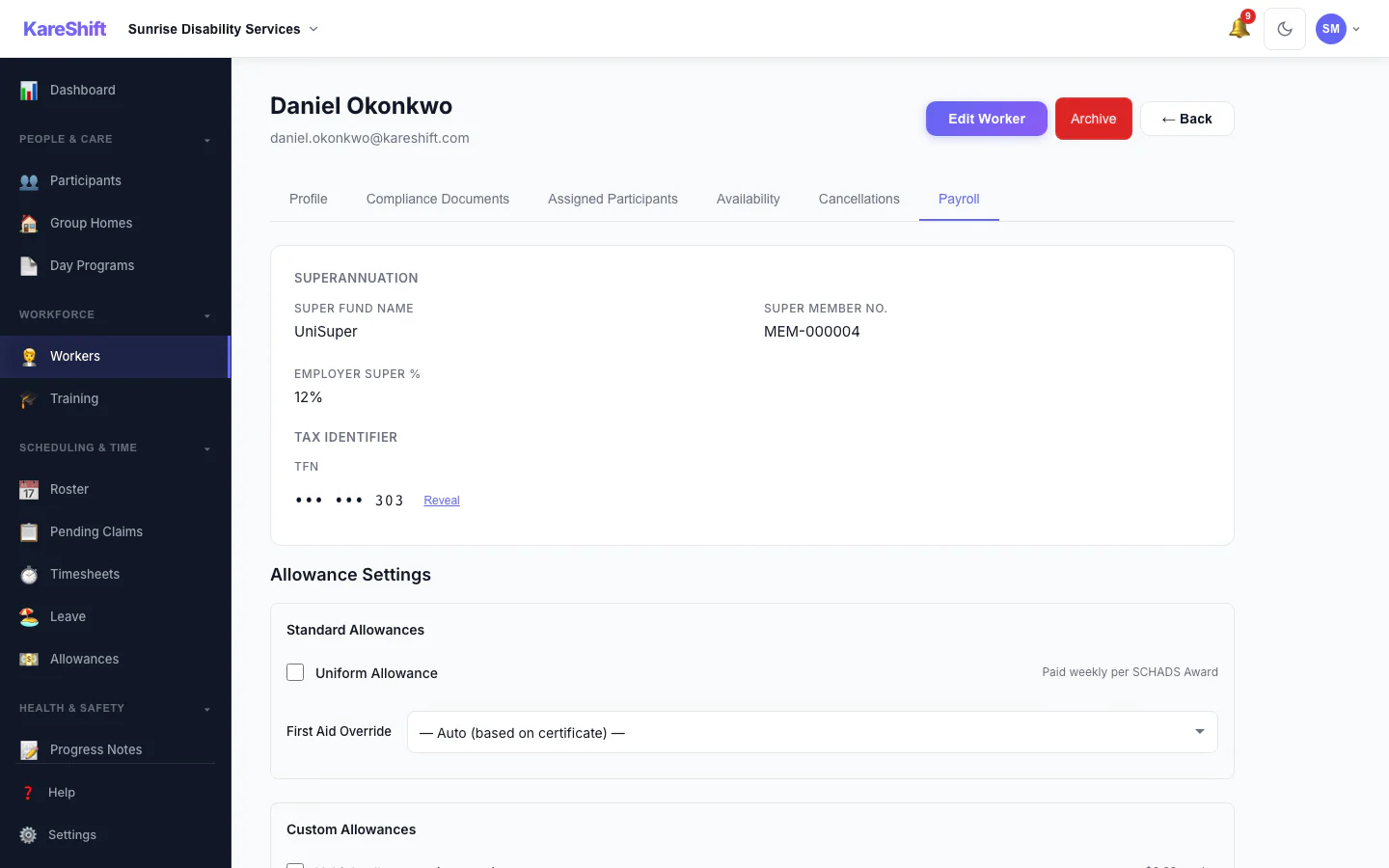
Worker Payroll Details
Payroll details and allowance settings for a worker.
Mobile Experience
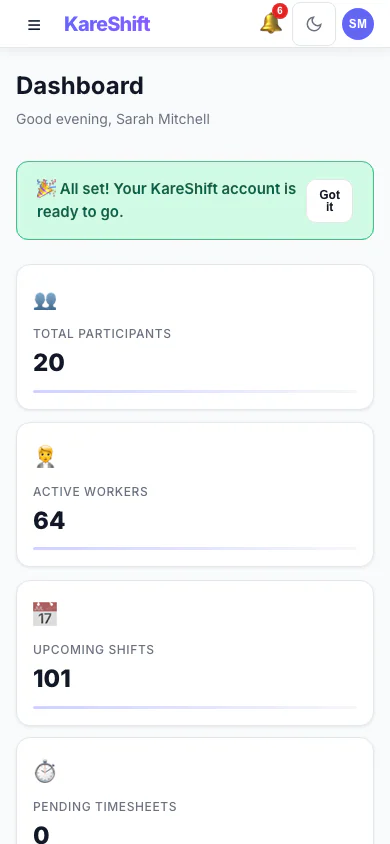
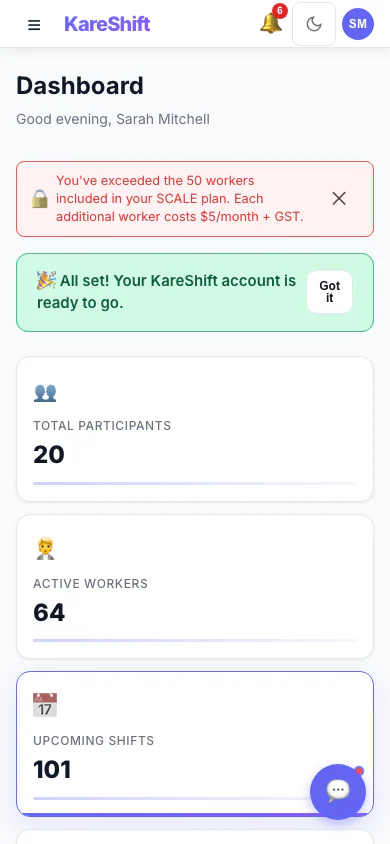
Dashboard (Mobile)
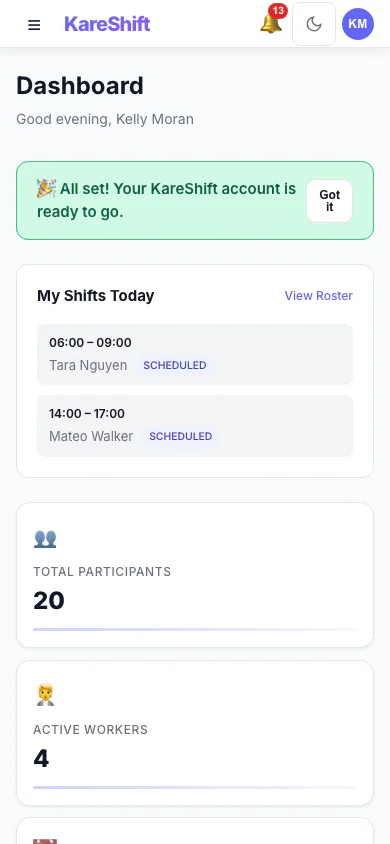
Same powerful dashboard, optimised for your phone. Check shifts and alerts on the go.
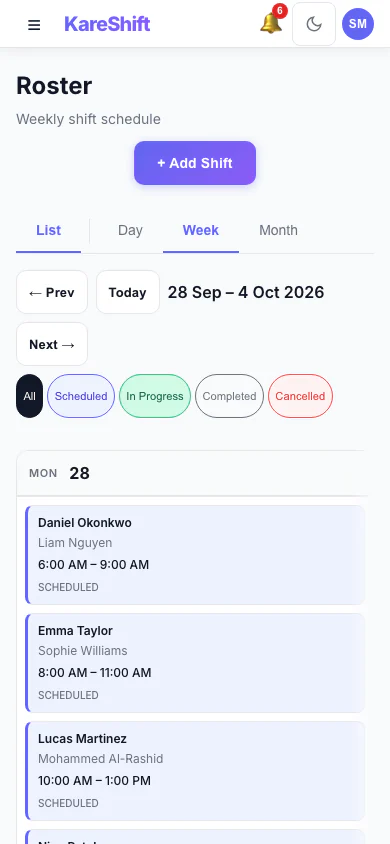
Roster (Mobile)
View and manage shifts from your phone. Swipe through days, tap for details.
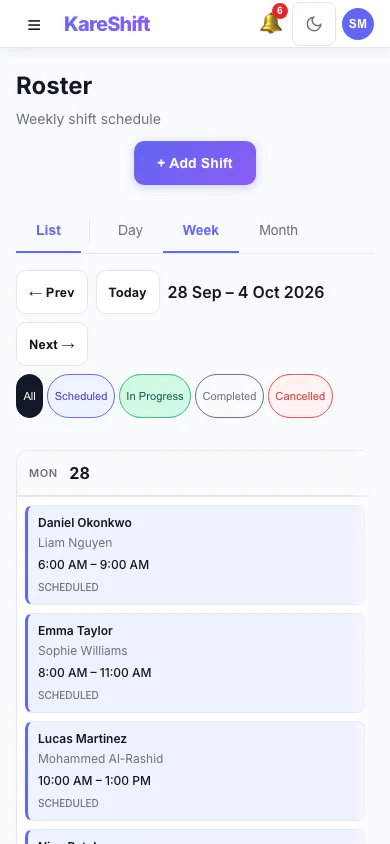
Roster Calendar (Mobile)
Visual calendar view, optimised for small screens. Scroll through the week with ease.
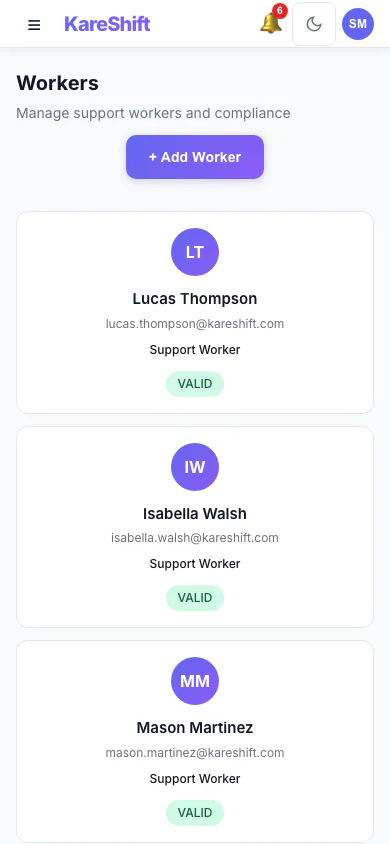
Workers (Mobile)
Full team list on mobile — compliance status and hours at a glance.
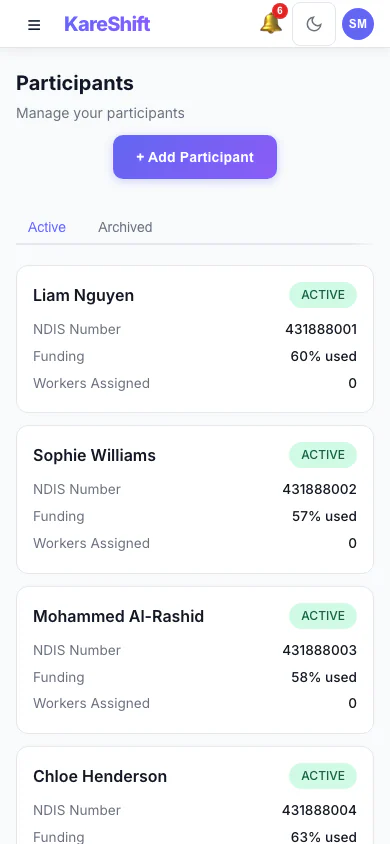
Participants (Mobile)
Browse participants, check plan status and funding on the go.
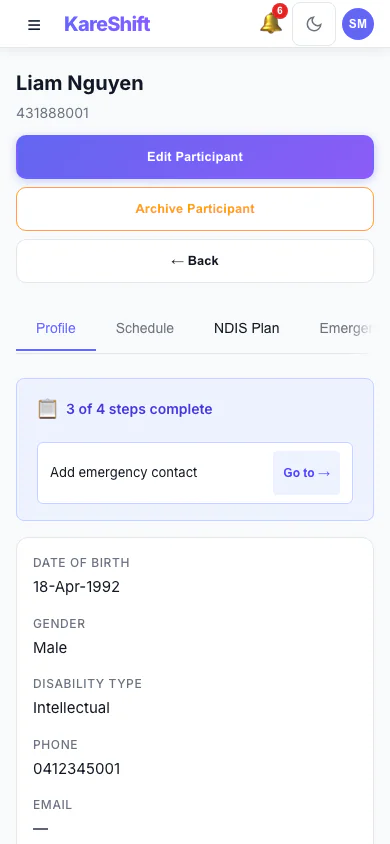
Participant Detail (Mobile)
Full participant profile on mobile — plan, goals, funding, linked workers.
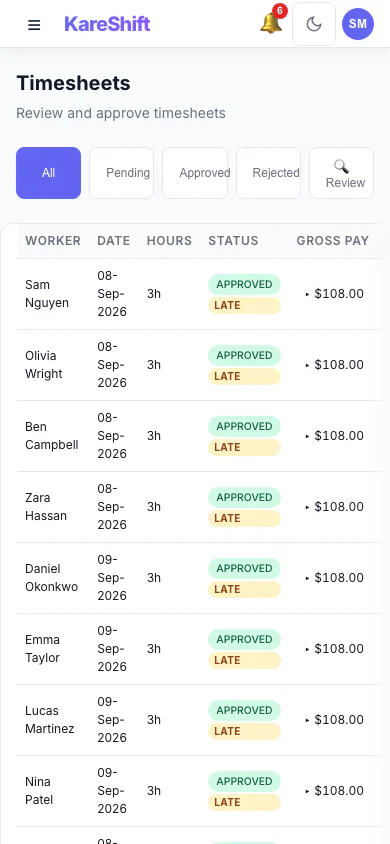
Timesheets (Mobile)
Review and approve timesheets from anywhere. Swipe to approve or reject.
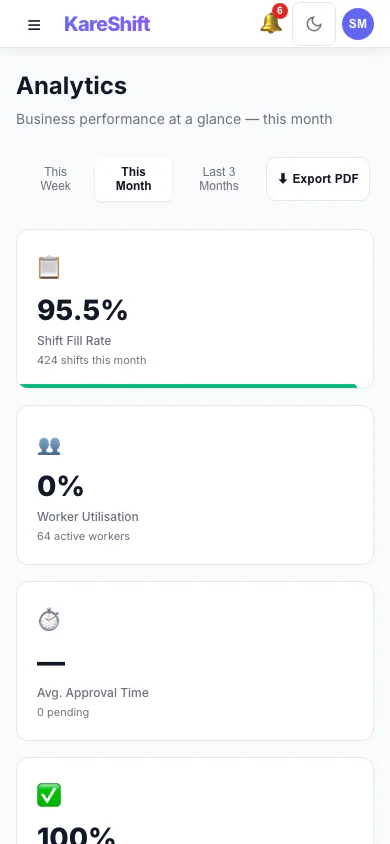
Analytics (Mobile)
Key metrics at your fingertips — shift fill rate, utilisation, compliance score.
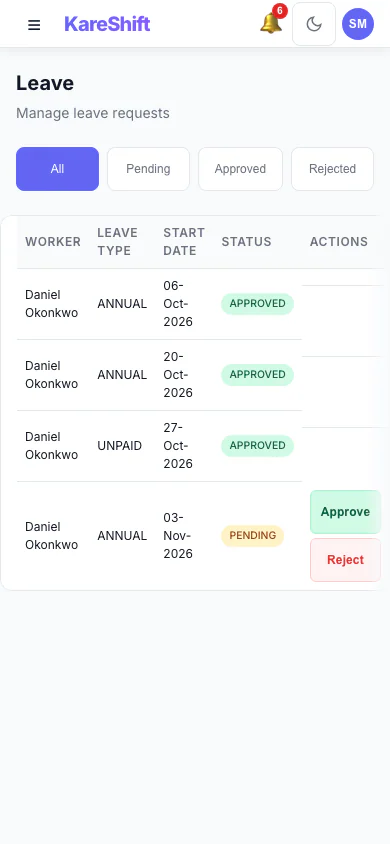
Leave (Mobile)
Approve leave requests on the go. See balances and upcoming absences.
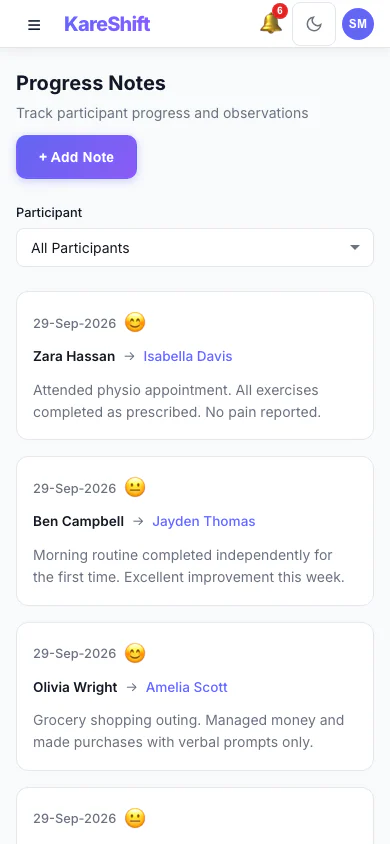
Progress Notes (Mobile)
Browse and search shift notes from your phone. Linked to participants and goals.
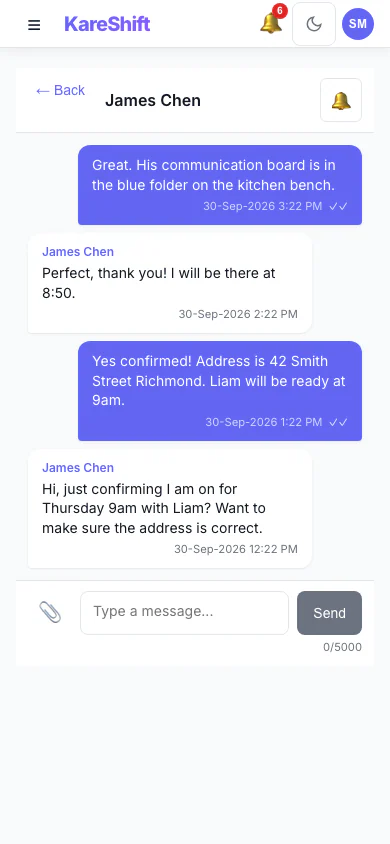
Messages (Mobile)
Stay connected with your team. Full messaging on mobile with push notifications.
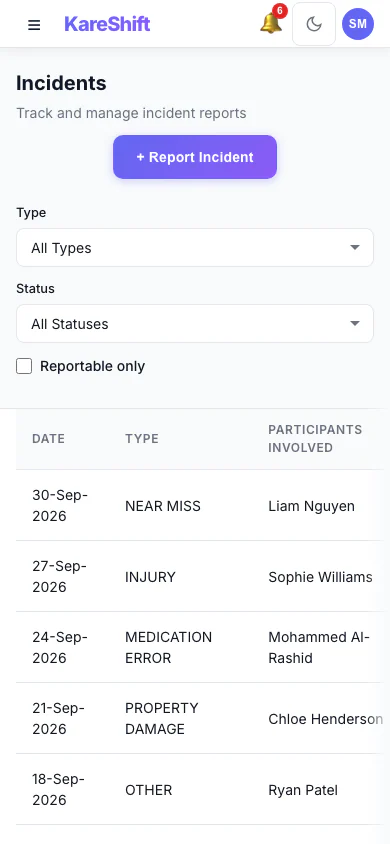
Incidents (Mobile)
Log and review incidents from the field. Severity, linked participants, full audit trail.
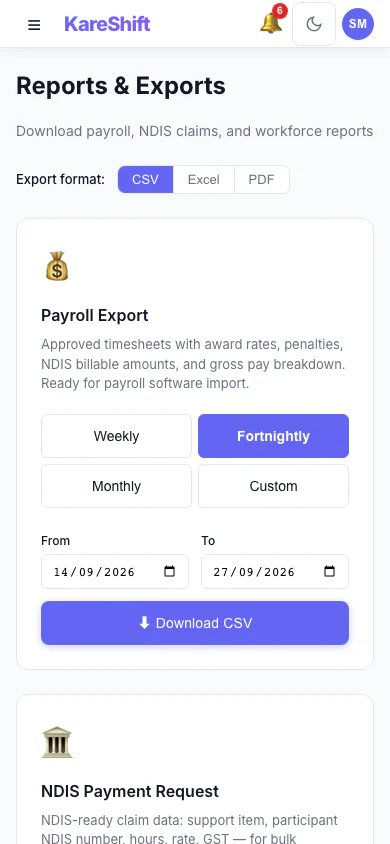
Reports (Mobile)
Access reports and exports on your phone. Quick downloads for payroll and funding.
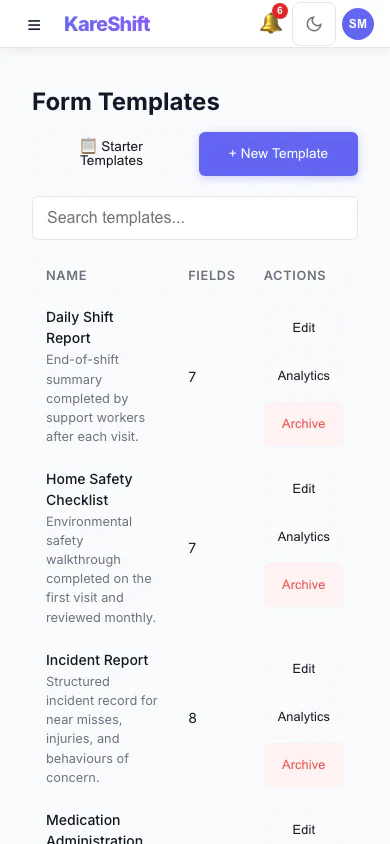
Forms (Mobile)
Custom forms on mobile — workers fill behaviour support logs, vehicle checks, daily reports.
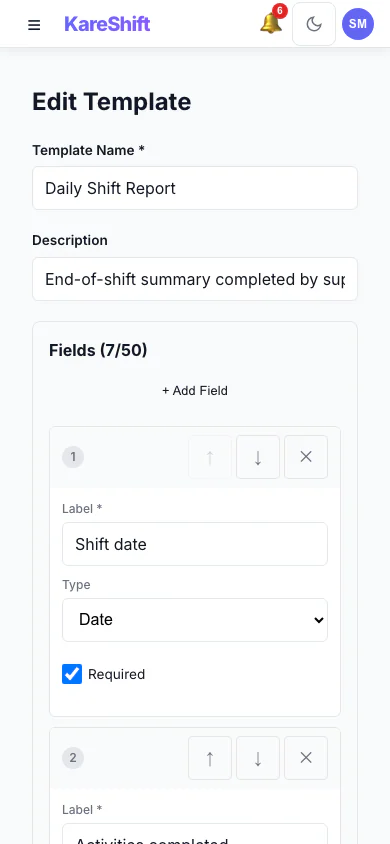
Form Builder (Mobile)
Design and edit form templates from your phone — add fields, set types, reorder.
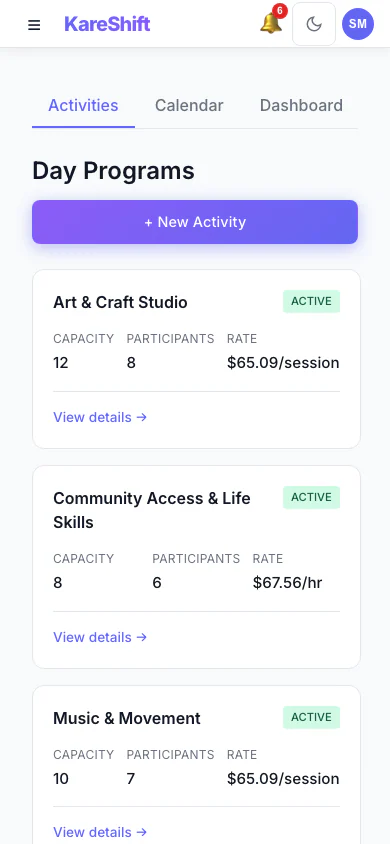
Day Programs (Mobile)
Group activities on the go — capacity, enrolments, and billing at a glance.
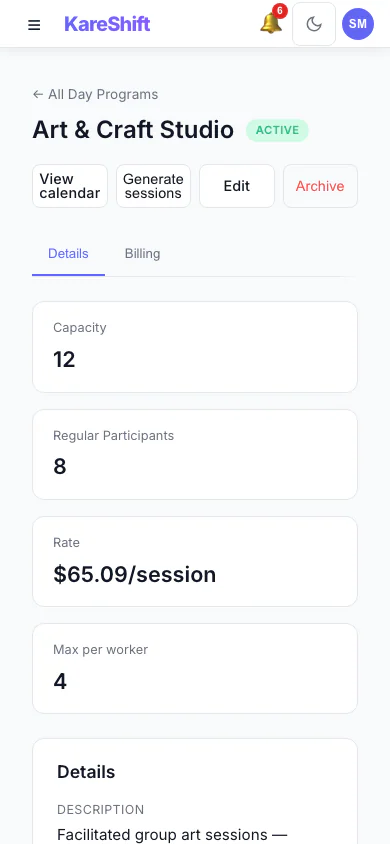
Activity Detail (Mobile)
Full activity detail and weekly schedule on your phone.
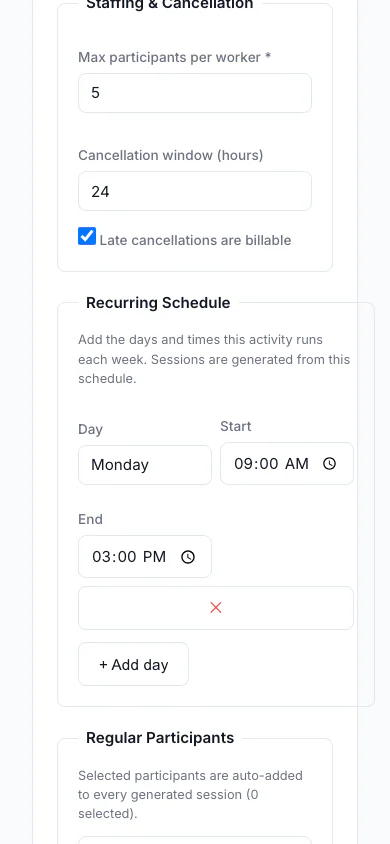
Build an Activity (Mobile)
Create and edit day-program activities from your phone.
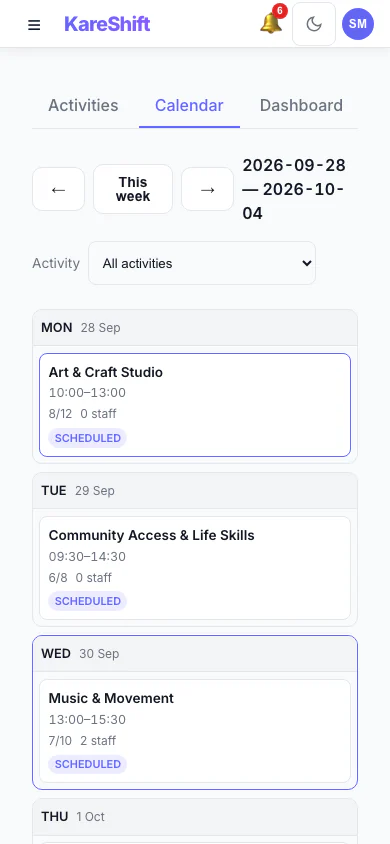
Session Calendar (Mobile)
The week's sessions as a scrollable day-by-day list, built for a phone.
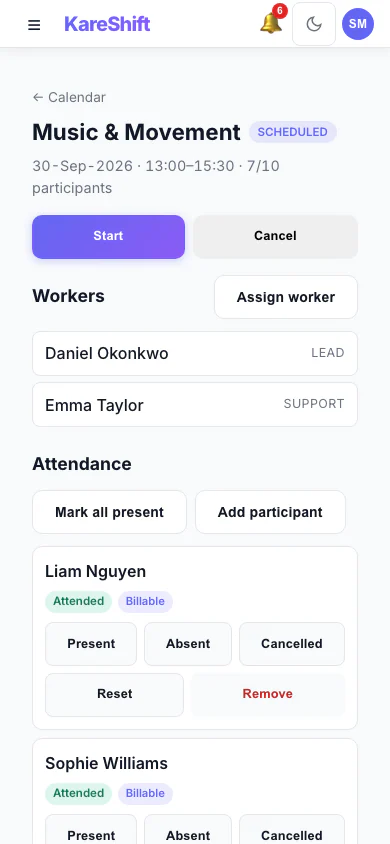
Run a Session (Mobile)
Mark attendance and manage a session from the floor, on your phone.
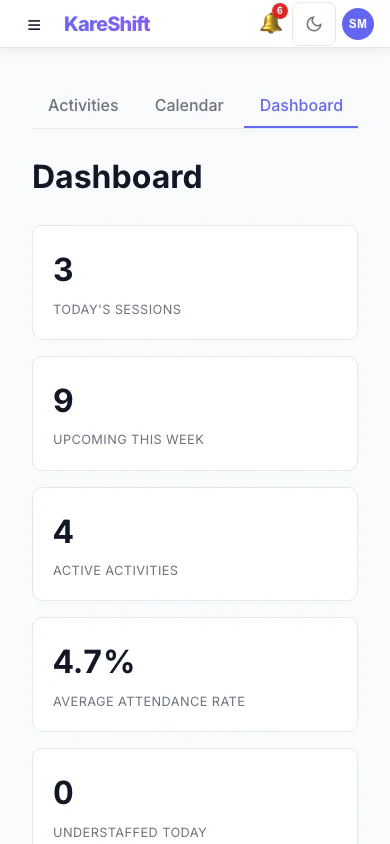
Day Program Dashboard (Mobile)
Key day-program numbers stacked for a quick check on the go.
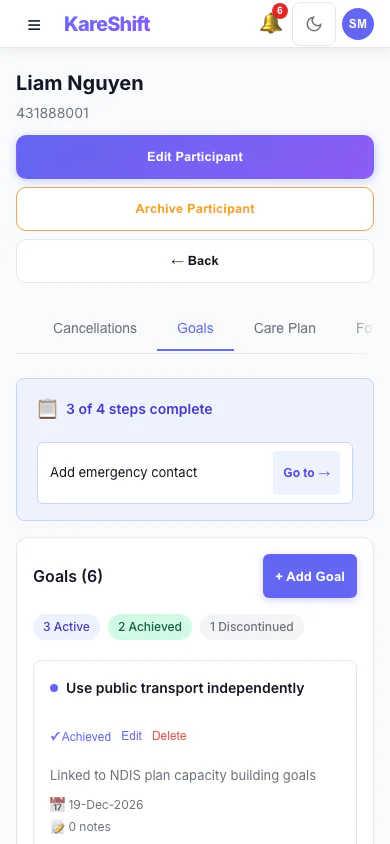
Participant Goals (Mobile)
Review and update outcome goals from your phone. Status and progress at a tap.
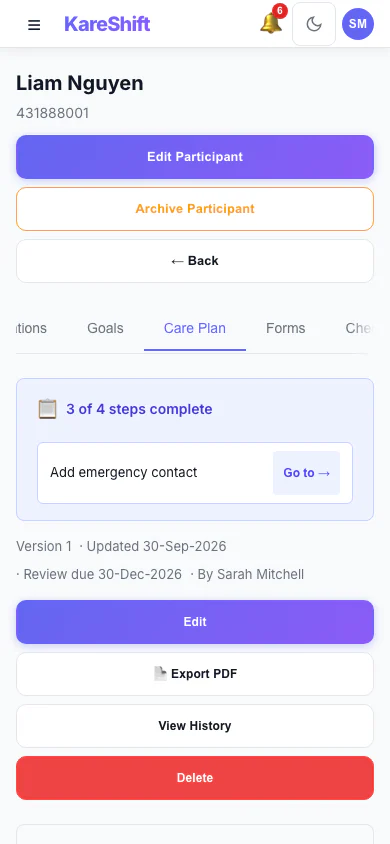
Care Plans (Mobile)
Person-centred support plans on mobile — read sections, export to PDF on the go.
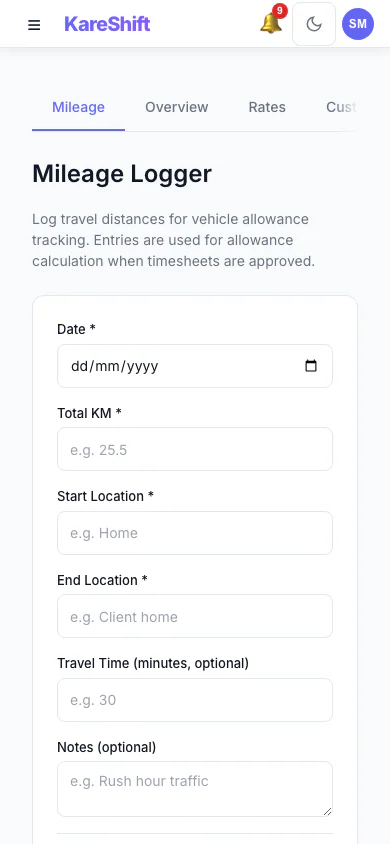
Allowances (Mobile)
SCHADS allowances on your phone. View rates and calculation history.
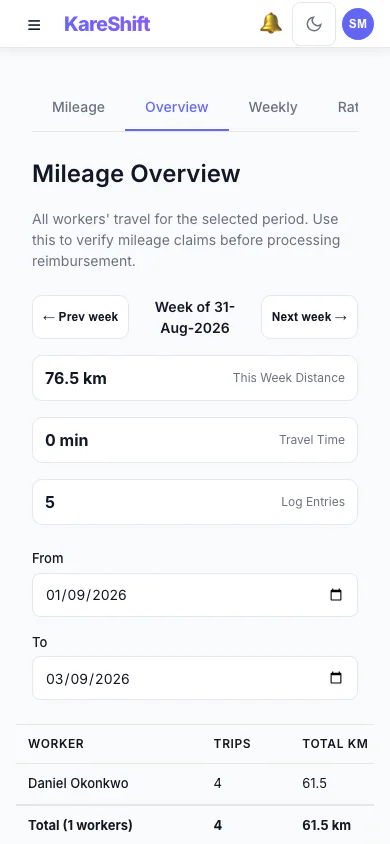
Mileage Overview (Mobile)
Travel reimbursement summary on your phone. Worker totals and distances at a glance.
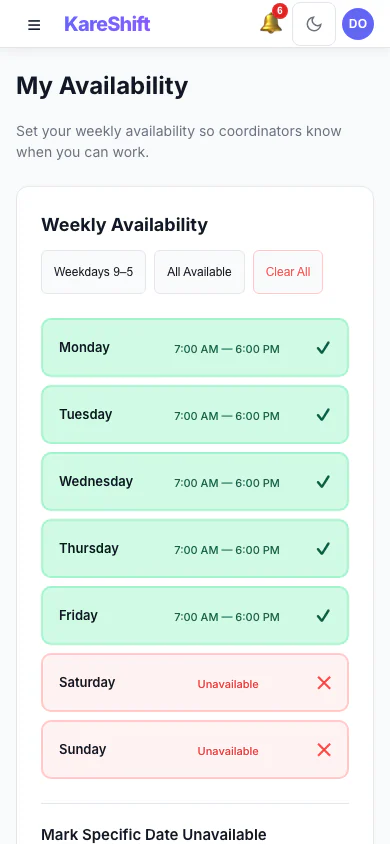
Availability (Mobile)
Set your weekly availability from your phone. Coordinators see it when rostering.
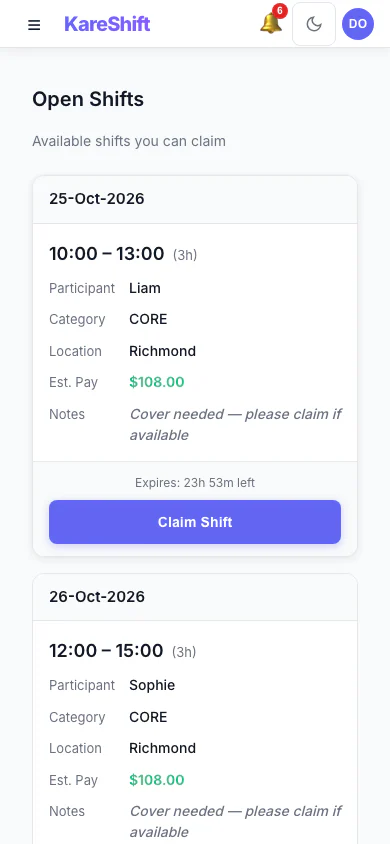
Open Shift Board (Mobile)
Vacant shifts broadcast to the team. Workers see date, time, pay estimate and expiry, then claim with one tap.
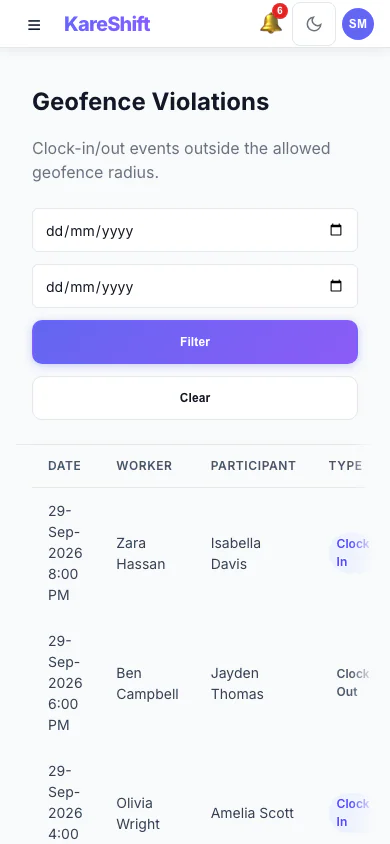
Geofencing (Mobile)
GPS violations dashboard on mobile. See who clocked in outside their zone.
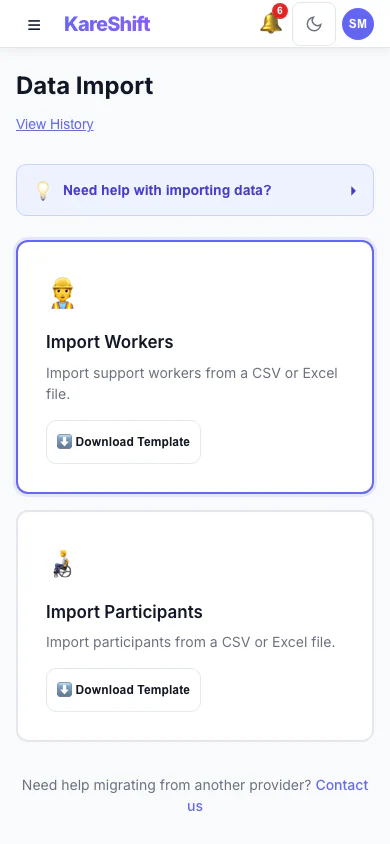
Import (Mobile)
Bulk import interface, accessible on mobile for quick uploads on the go.
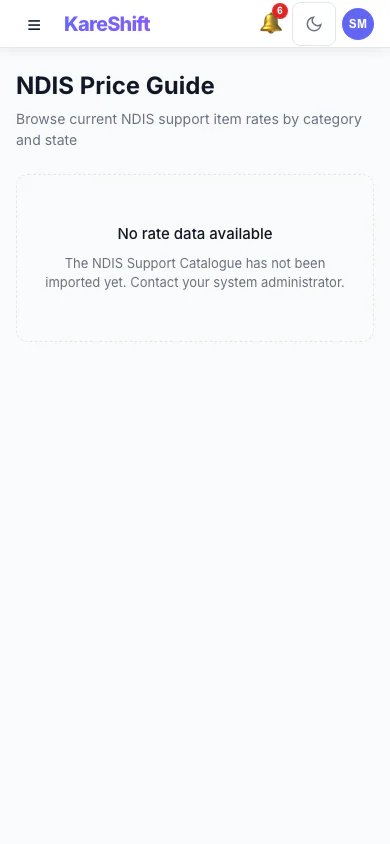
Price Guide (Mobile)
Look up NDIS rates on your phone. Quick search by support item or category.
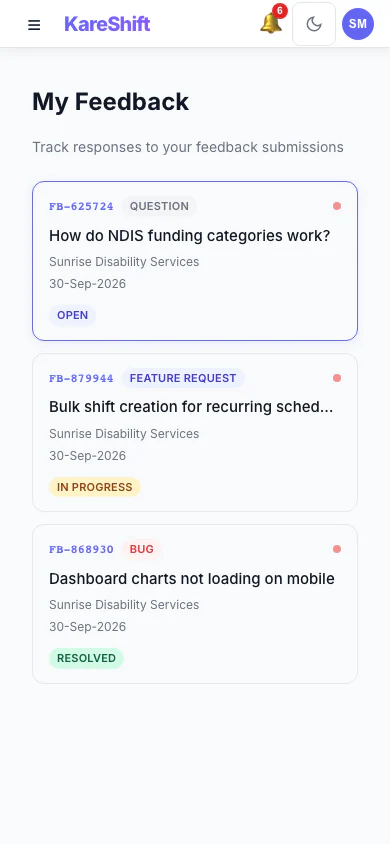
Feedback (Mobile)
Submit and track feedback from your phone. See responses and unread replies.
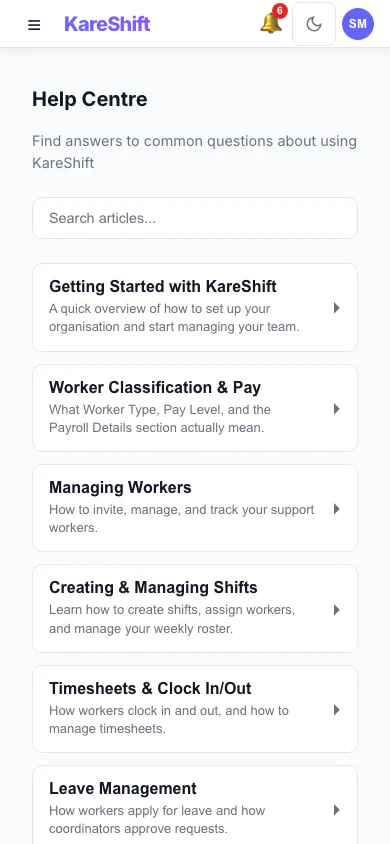
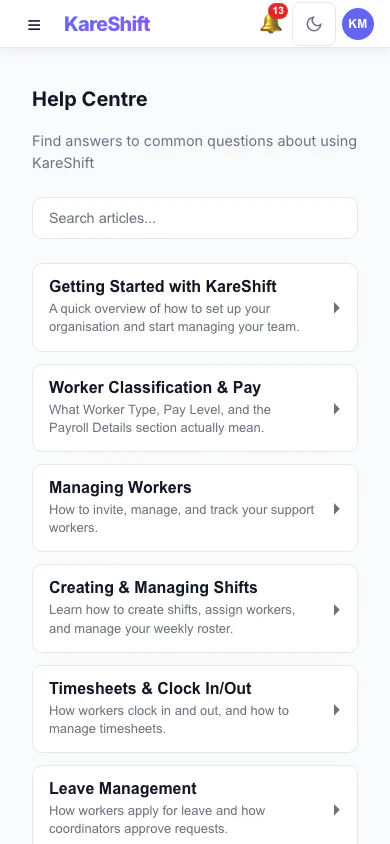
Help Centre (Mobile)
Search help articles and access support on the go.
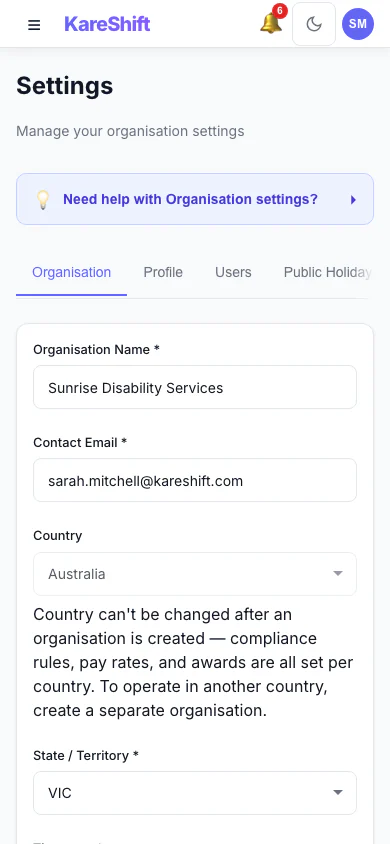
Settings (Mobile)
Manage organisation settings from your phone.
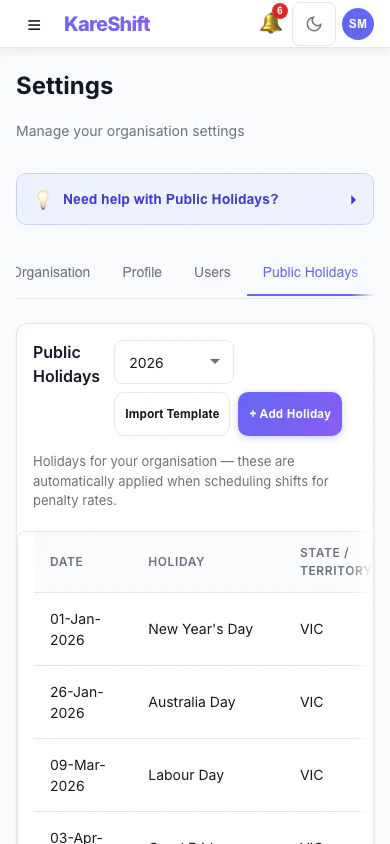
Public Holidays (Mobile)
View and manage public holidays on mobile. Custom holidays and penalty rates.
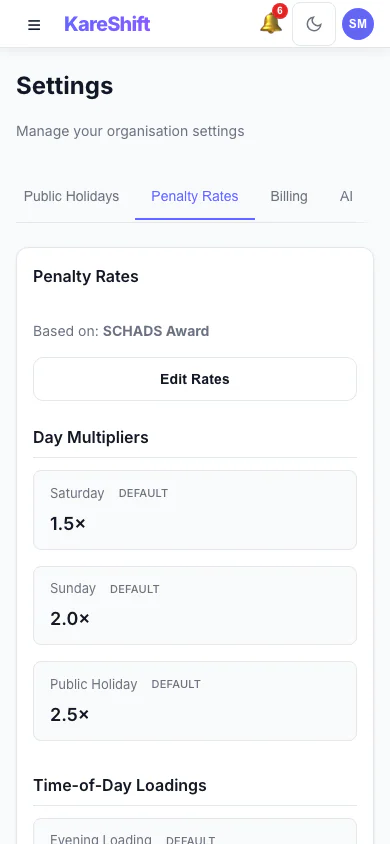
Penalty Rates (Mobile)
View and customise penalty rate multipliers on your phone.
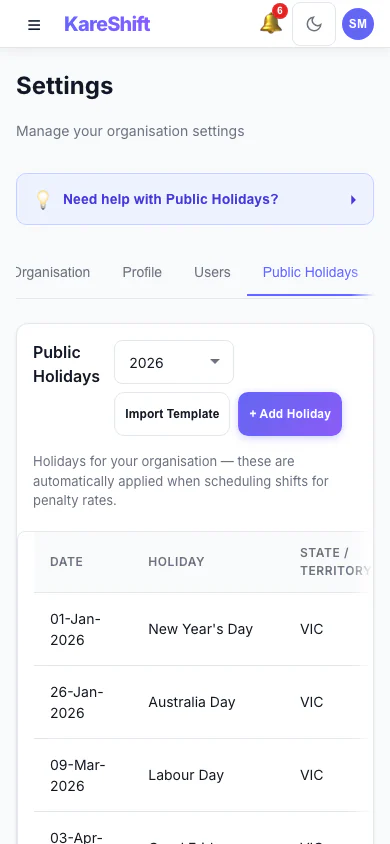
Holiday Self-Service (Mobile)
Toggle holidays Active or Excluded from your phone.
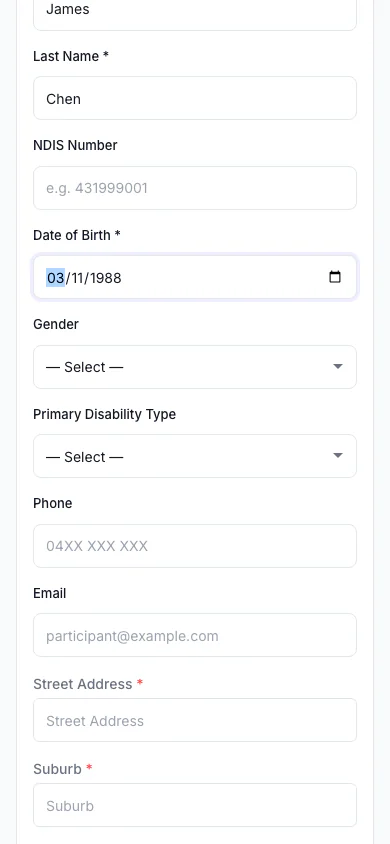
Travel Area Auto-Lookup (Mobile)
MMM remoteness lookup on your phone. Enter a postcode, get instant results.
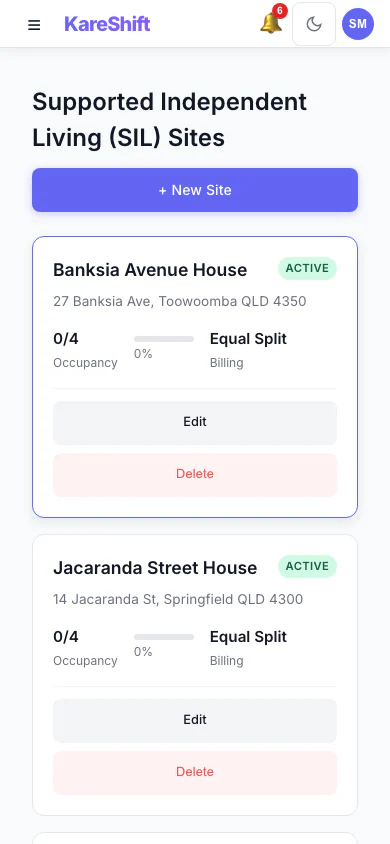
SIL Sites (Mobile)
Group home sites overview, optimised for mobile.
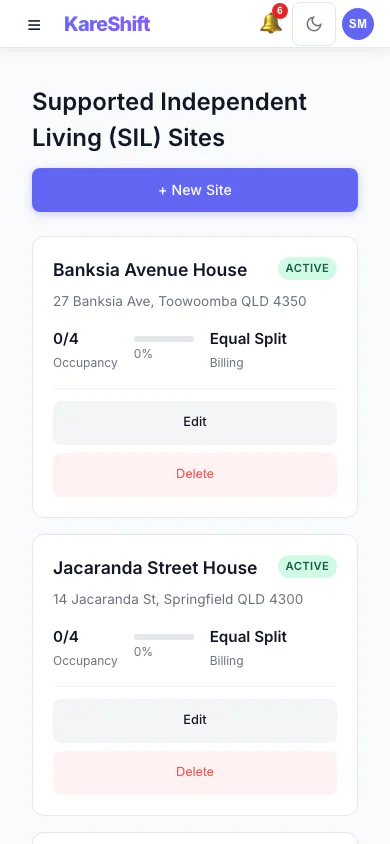
SIL Sites List (Mobile)
Browse all SIL sites on your phone — quick access to each group home.
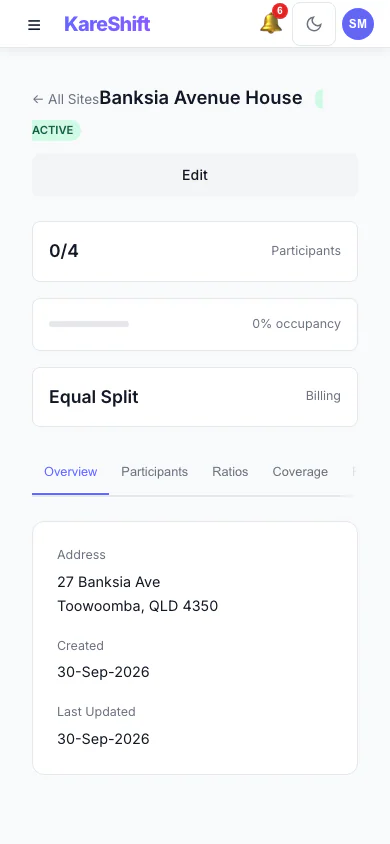
SIL Site Detail (Mobile)
Individual group home details on mobile — residents, staff, coverage.
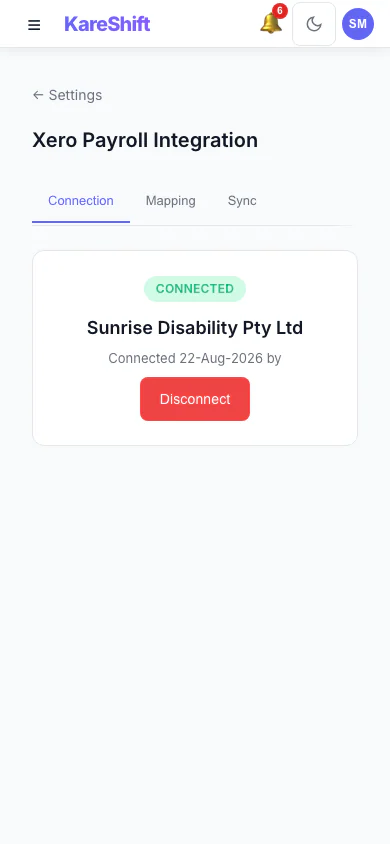
Xero Connection (Mobile)
Check Xero connection status from your phone.
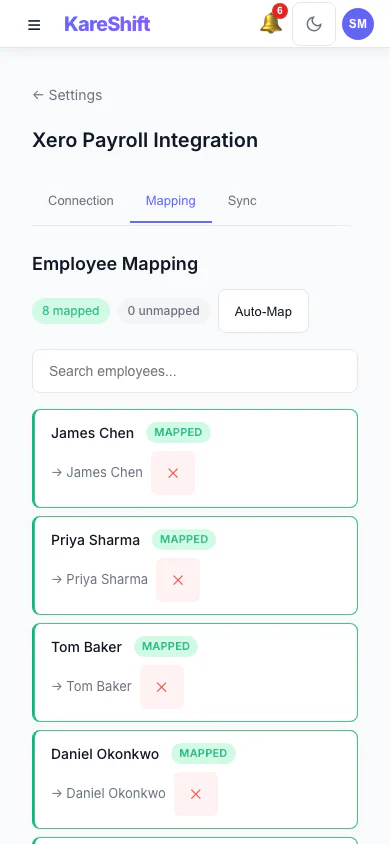
Xero Mapping (Mobile)
Employee and earnings rate mapping on mobile.
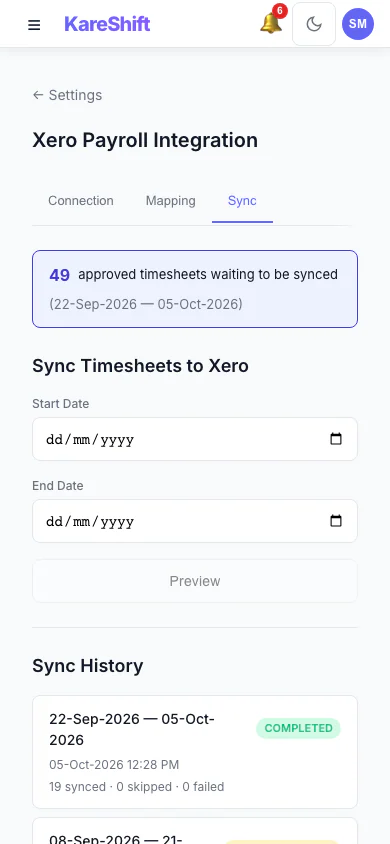
Xero Sync (Mobile)
Timesheet sync history on your phone.
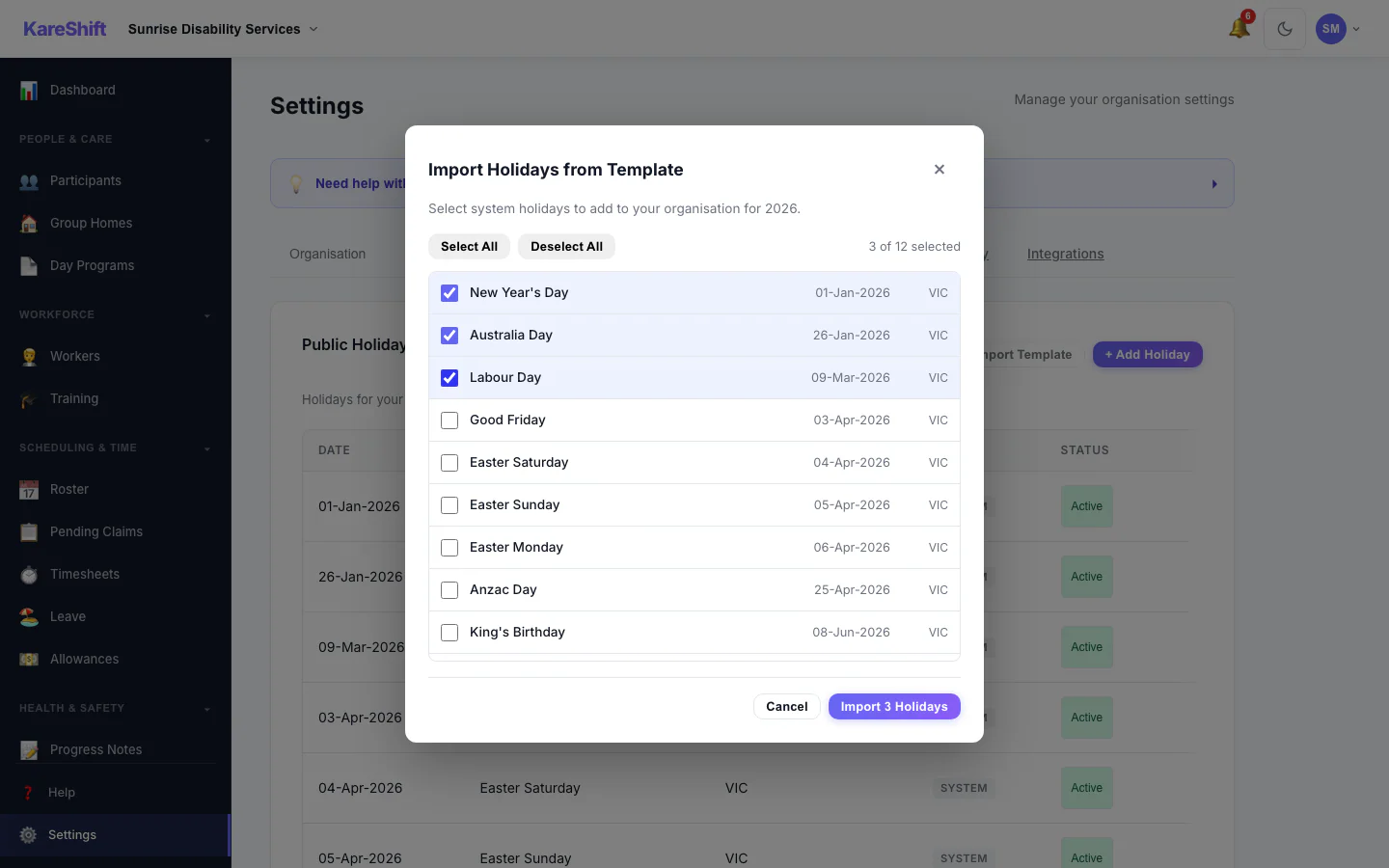
Template Import
Import shift templates from CSV. Map columns, validate, and apply to your roster.
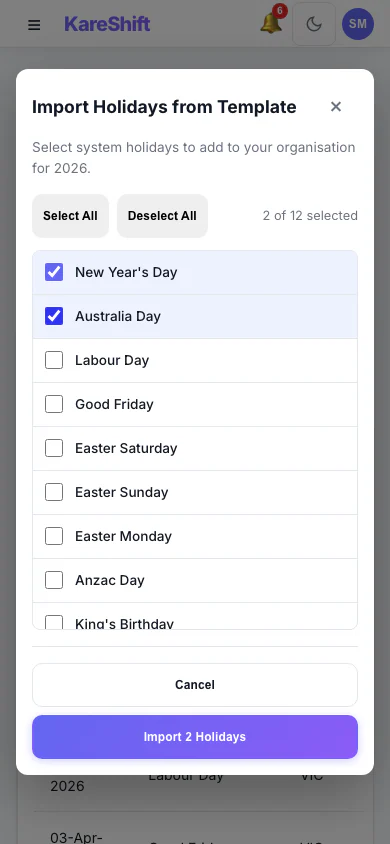
Template Import (Mobile)
Template import dialog on mobile.
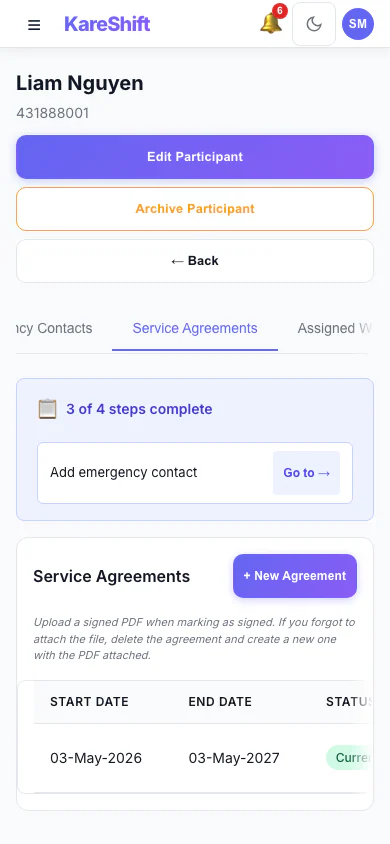
Service Agreements (Mobile)
Create NDIS service agreements and capture the participant's digital signature. Track current vs expiring agreements.
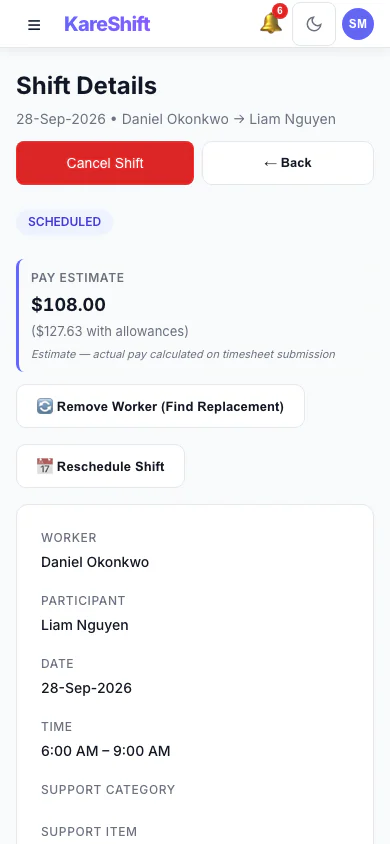
Shift Pay Preview (Mobile)
See the SCHADS-calculated cost of a shift — including penalties and allowances — before you assign it.
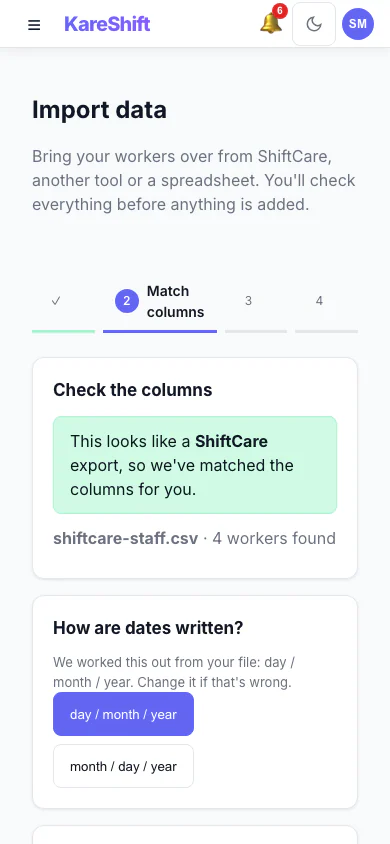
Import — Match Columns (Mobile)
A ShiftCare export is recognised and its columns are matched for you, with the date format detected.
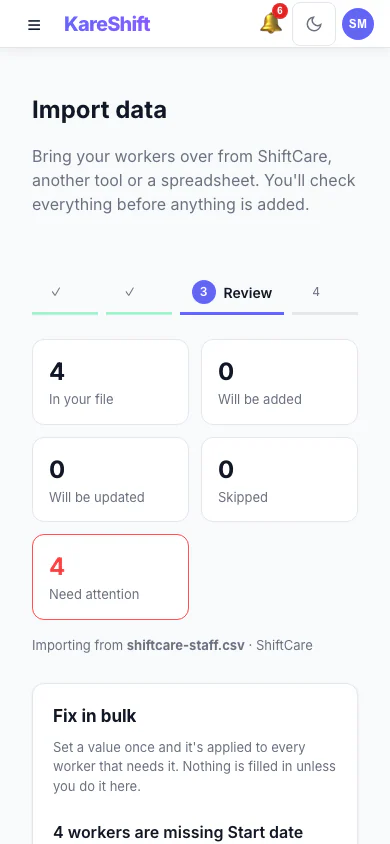
Import — Review & Bulk Fix (Mobile)
See what will be added, updated or skipped, and set a missing value once for everyone before anything is saved.
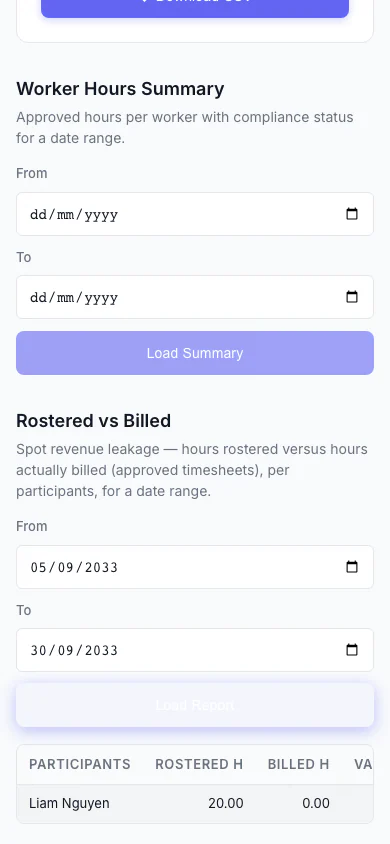
Rostered vs Billed (Mobile)
Spot revenue leakage at a glance — rostered hours versus hours actually billed, per participant, with the shortfall highlighted.
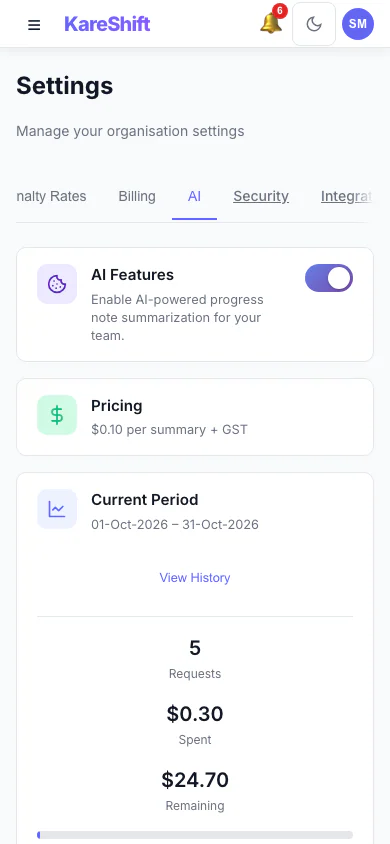
AI Settings (Mobile)
Turn AI progress summaries on for your organisation, set a monthly spending cap and see this period's usage.
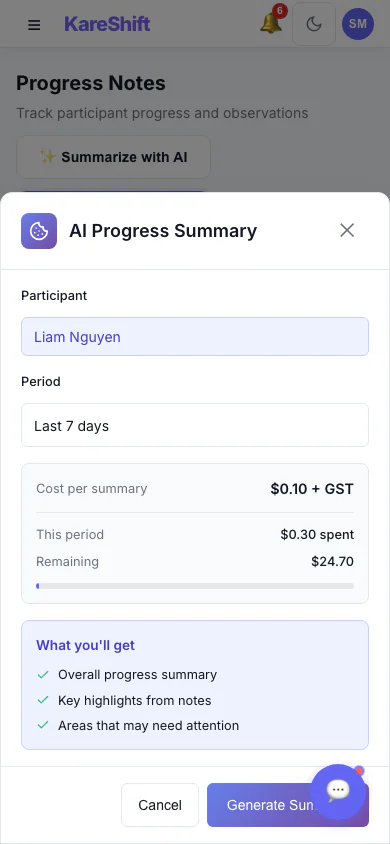
AI Progress Summary — Choose a Period (Mobile)
Pick a participant and a date range, see the cost per summary, then generate. Off by default; owners switch it on.
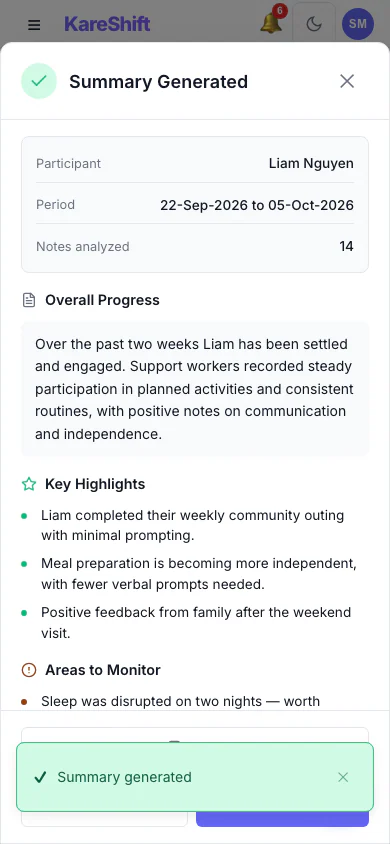
AI Progress Summary — Result (Mobile)
A written summary with highlights and areas to monitor. Staff review it before relying on it.
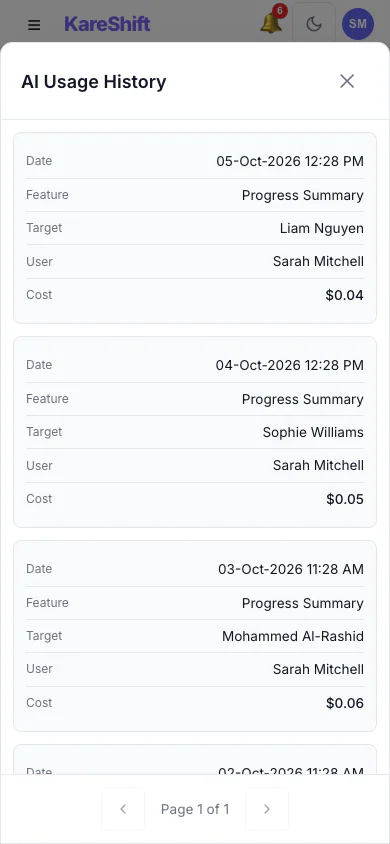
AI Usage History (Mobile)
Every summary generated, who ran it, for whom and what it cost.
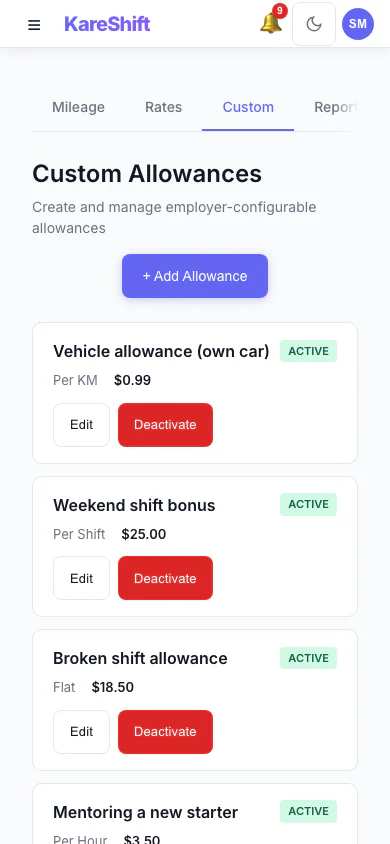
Custom Allowances (Mobile)
Create your own allowances beyond the standard ones, each with its own rate.
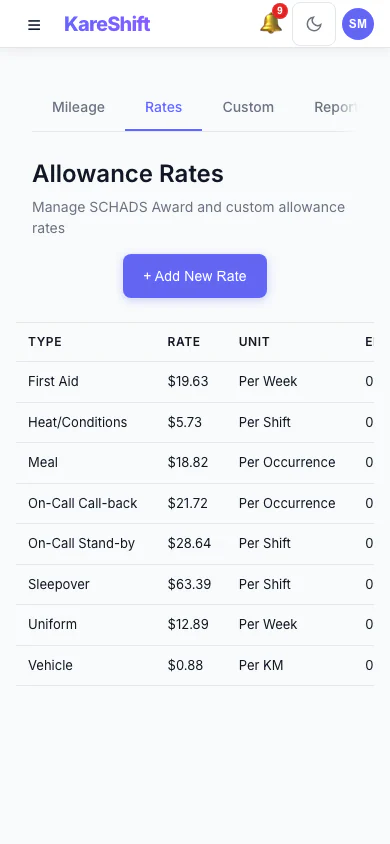
Allowance Rates (Mobile)
The rates used for each allowance, in one table.
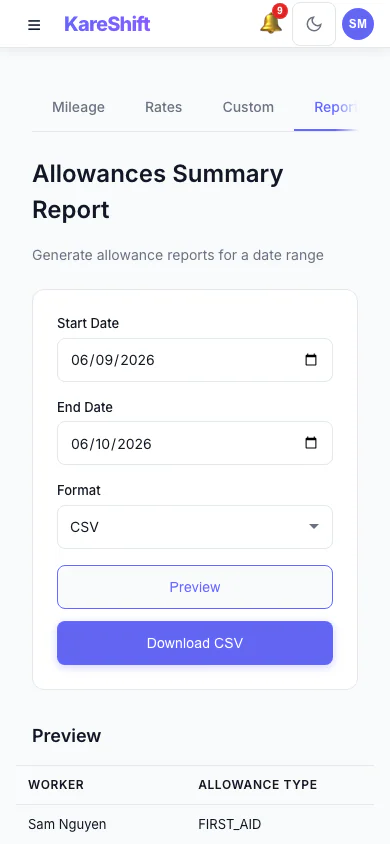
Allowances Report (Mobile)
Preview and export what was paid in allowances over a period, with a grand total.
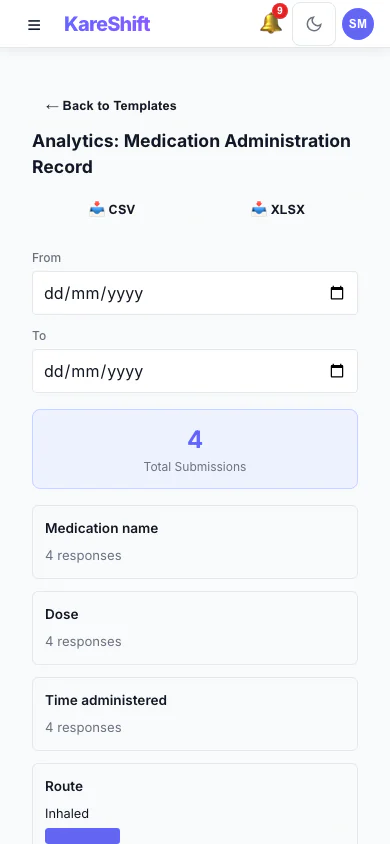
Form Analytics (Mobile)
Totals and answer distributions for a custom form across all submissions.
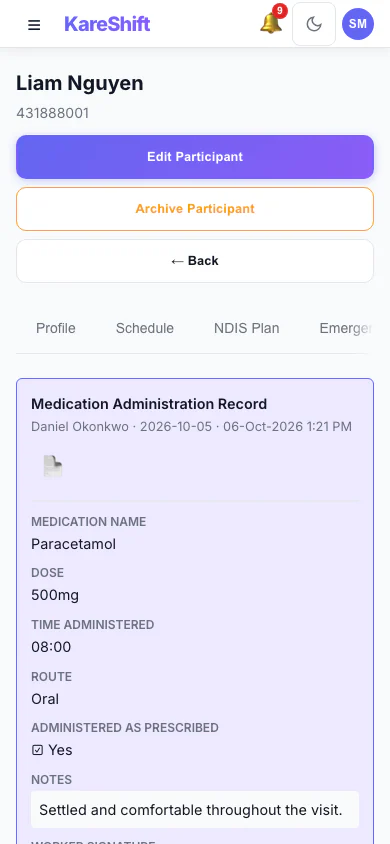
Form Submissions (Mobile)
Completed forms on a participant's record, with signatures.
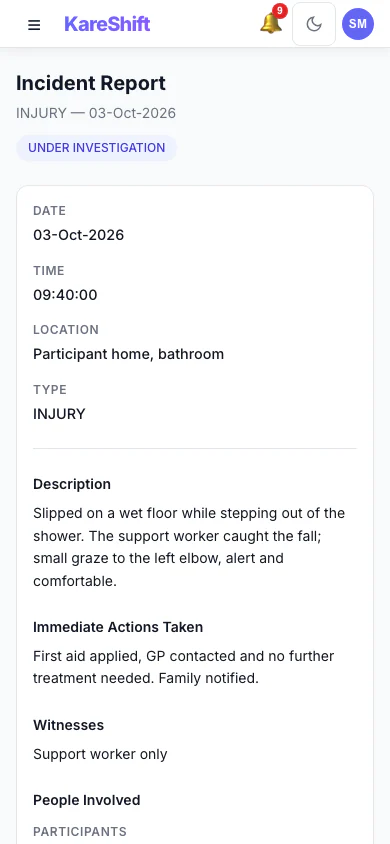
Incident Detail (Mobile)
An incident with its status, details and the update trail of who did what.
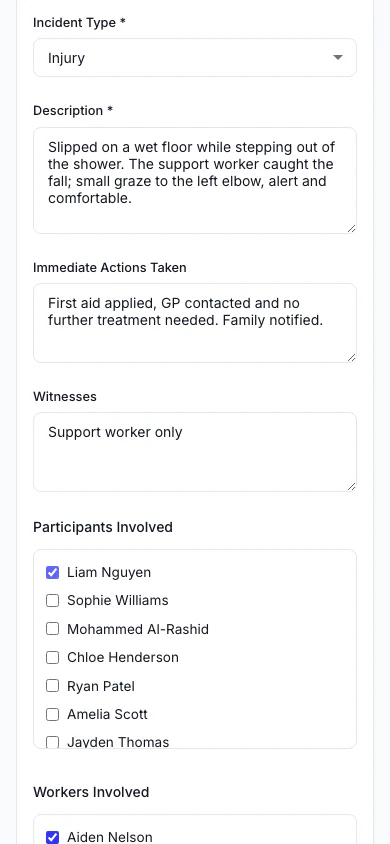
Report an Incident (Mobile)
Record what happened, who was involved and what was done straight away.
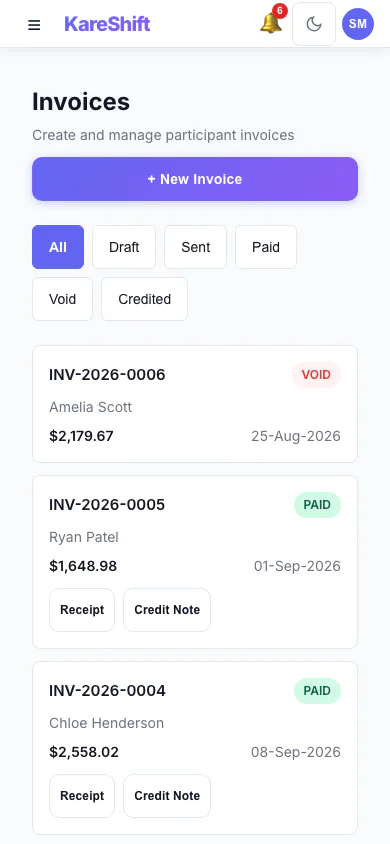
Invoices (Mobile)
Draft, sent, paid and voided invoices in one list, with PDF, receipt and credit note actions.
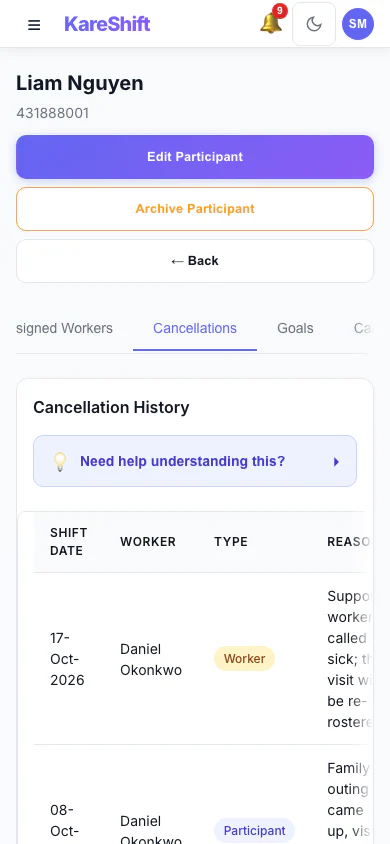
Cancellation History (Mobile)
Cancelled visits with who cancelled, whether the fee is claimable and the amount.
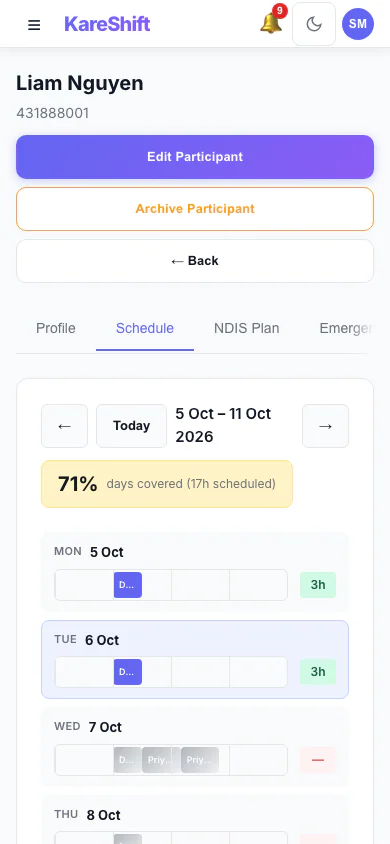
Participant Schedule (Mobile)
A participant's week of support and how well it is covered.
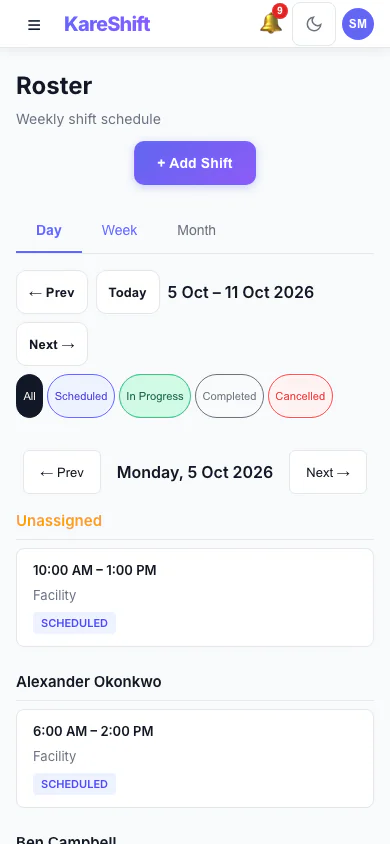
Roster — Day View (Mobile)
One day's shifts grouped by worker.
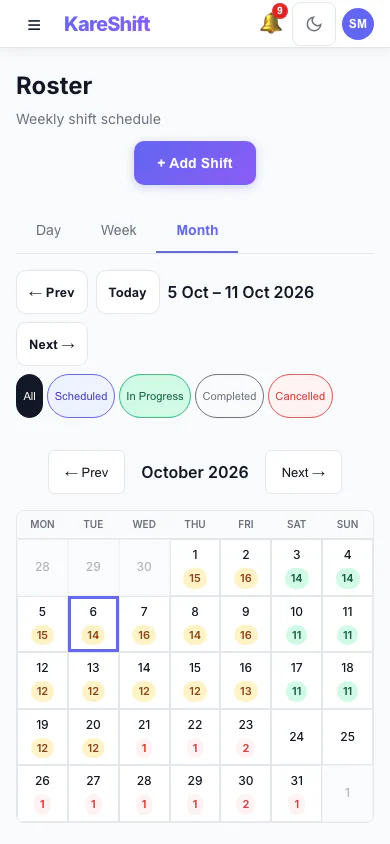
Roster — Month View (Mobile)
A month at a glance with shift counts for each day.
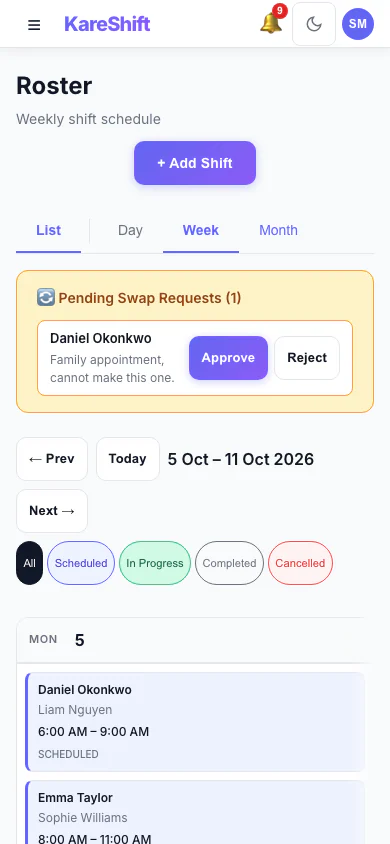
Shift Swap Requests (Mobile)
Pending swap requests with approve and reject.
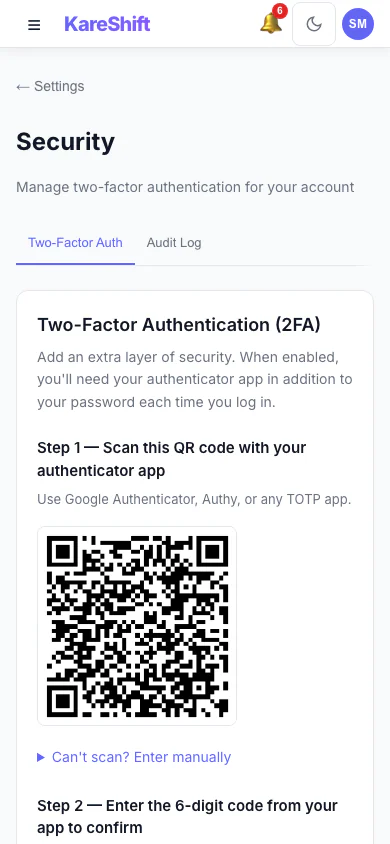
Set Up Two-Factor Authentication (Mobile)
Scan a code with an authenticator app, then enter the six-digit code to switch it on.
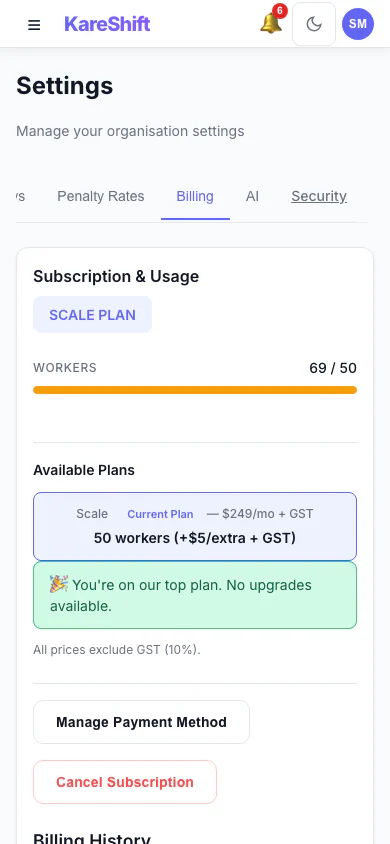
Billing and Plan (Mobile)
Your plan, worker usage and billing history.
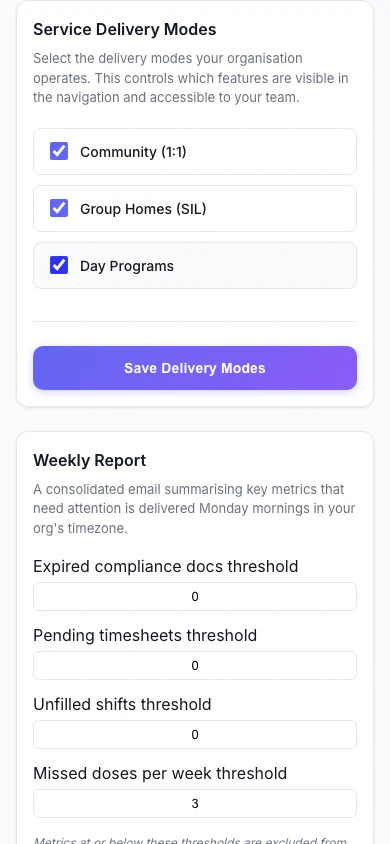
Service Delivery Modes (Mobile)
Choose which kinds of service your organisation delivers.
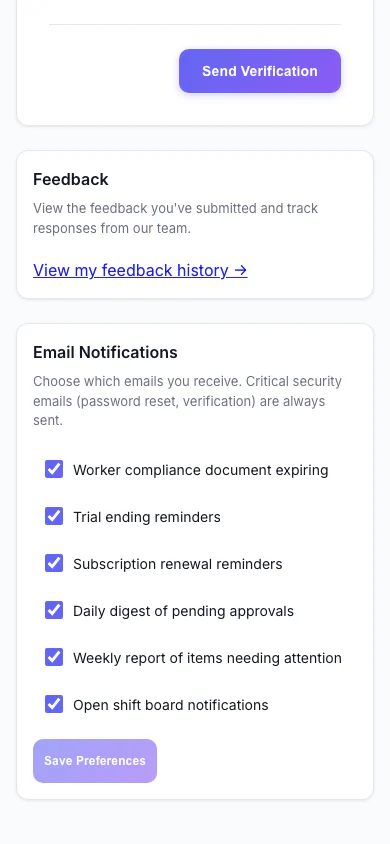
Notification Preferences (Mobile)
Choose which emails you receive.
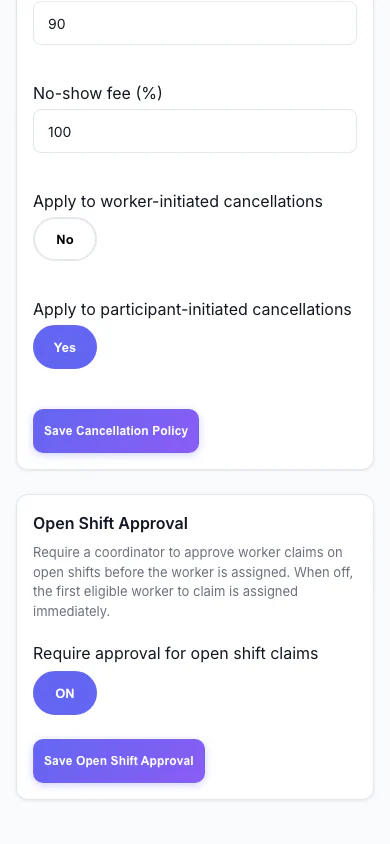
Open Shift Approval (Mobile)
Decide whether workers can claim open shifts straight away or need approval.
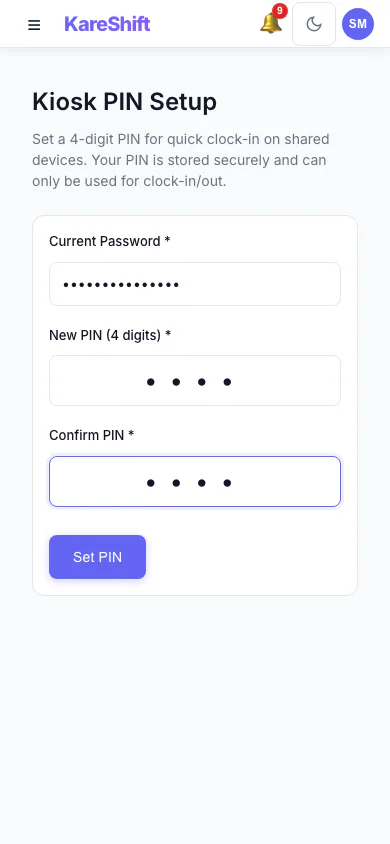
Kiosk PIN (Mobile)
Set the PIN workers use at a shared kiosk.
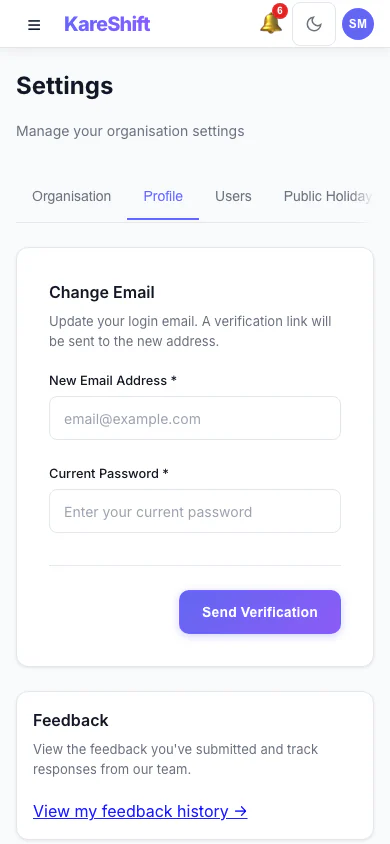
Your Profile Settings (Mobile)
Your login email and email notification choices.
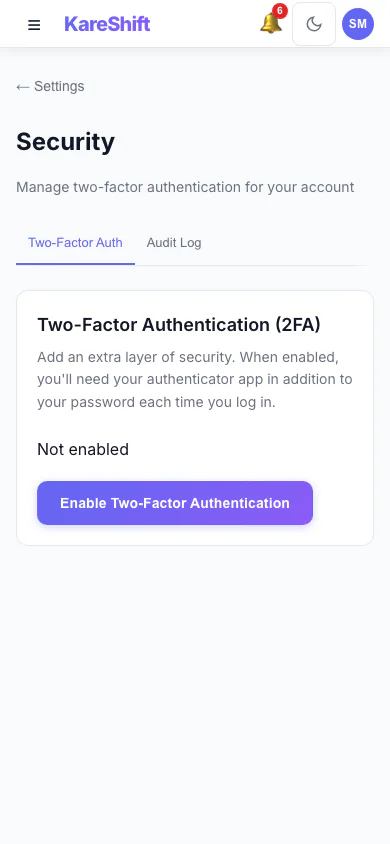
Security Settings (Mobile)
Two-factor status for your account, with trusted devices and an audit log for owners.
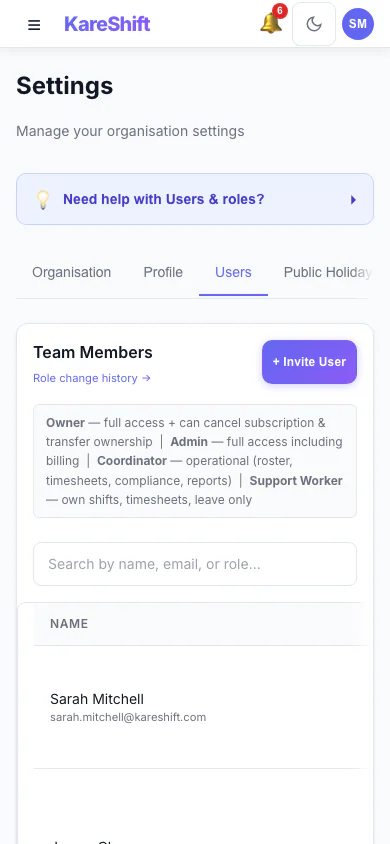
Team Members and Roles (Mobile)
Everyone in your organisation, their status and roles.
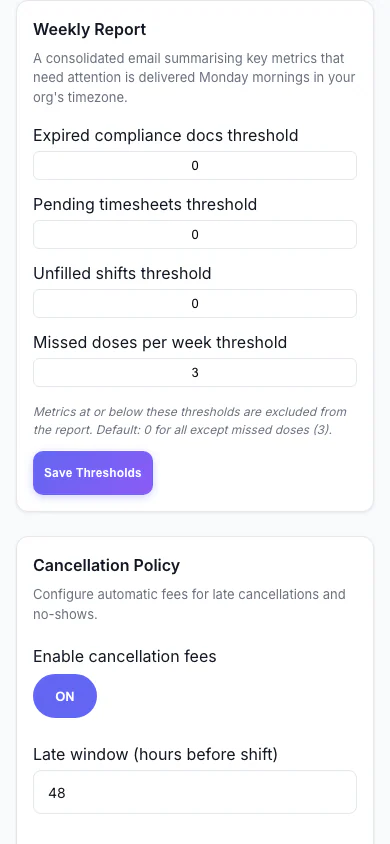
Weekly Report (Mobile)
Set the thresholds for the weekly summary email.
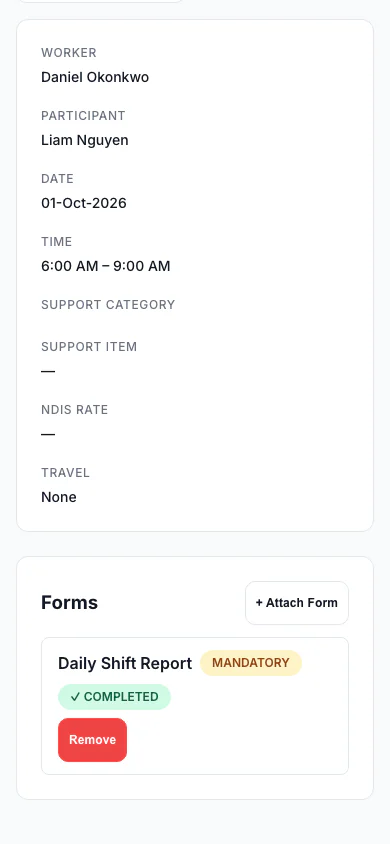
Forms Attached to a Shift (Mobile)
A shift with a mandatory form marked completed.
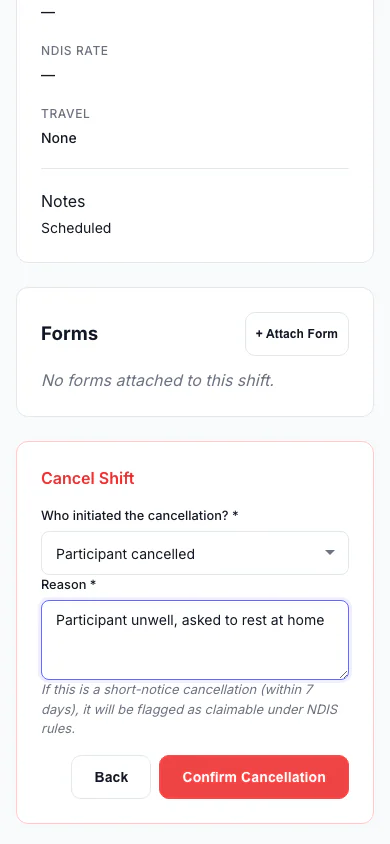
Cancel a Shift (Mobile)
Record who cancelled and why, so the right fee is applied.
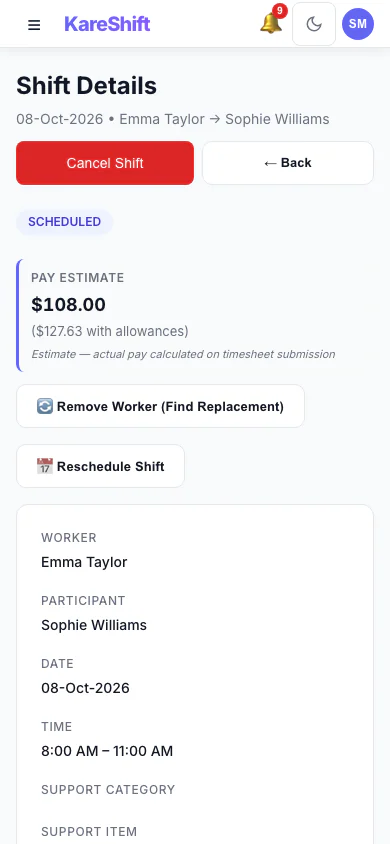
Shift Detail (Mobile)
A shift with its worker, pay estimate and attached forms.
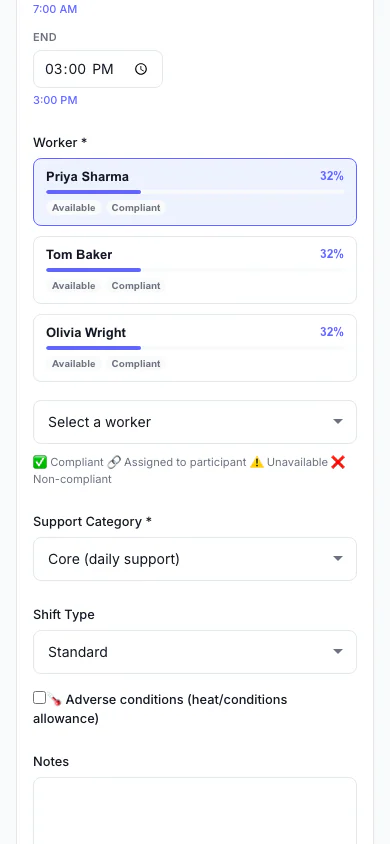
Add a Shift (Mobile)
Pick the person, date and times, and see suggested workers.
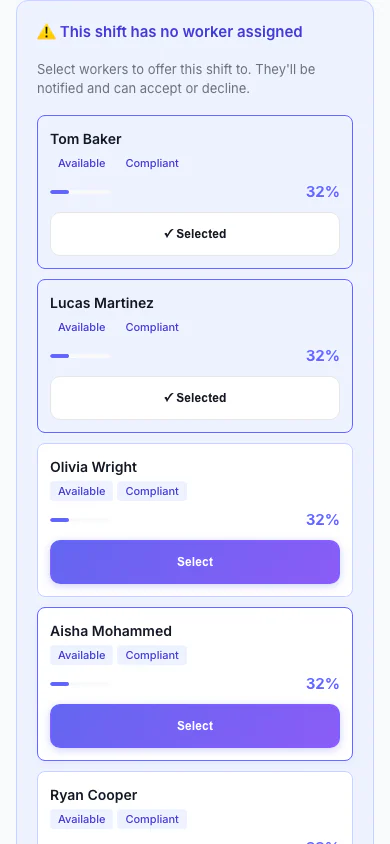
Replacement Assistant (Mobile)
A vacant shift with ranked replacement workers and one-click offers.
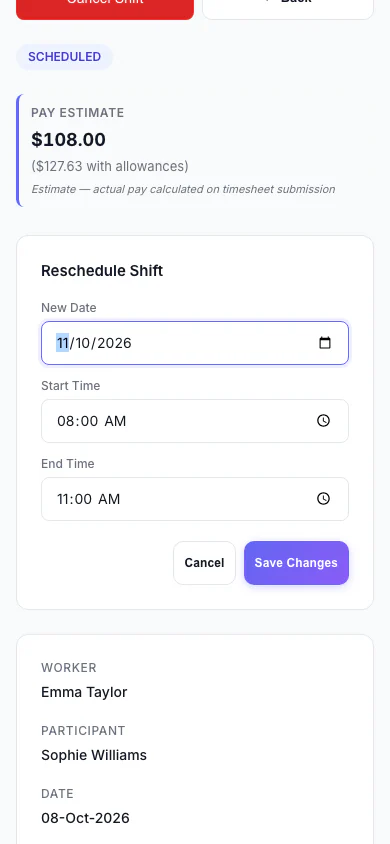
Reschedule a Shift (Mobile)
Move a shift to a new date and time.
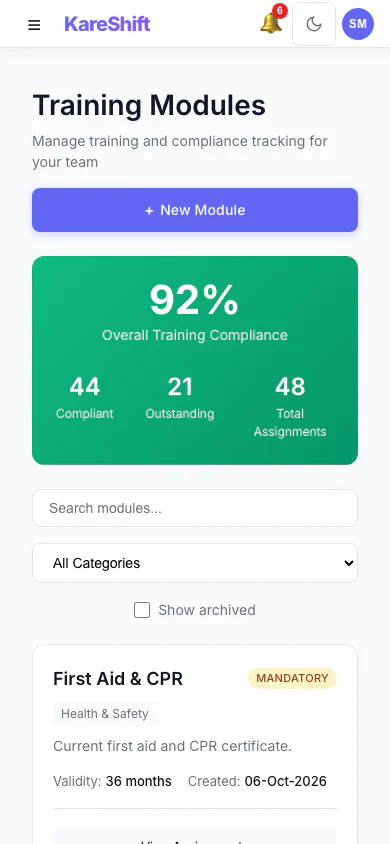
Training Modules (Mobile)
Mandatory and optional training, overall compliance and who is due.
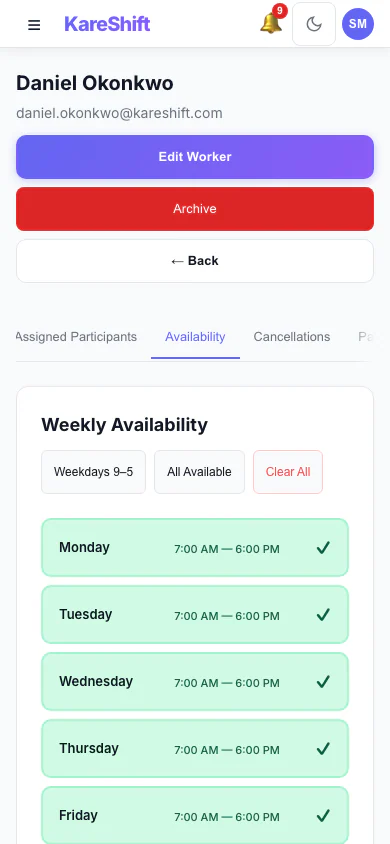
Worker Availability (Mobile)
A worker's weekly availability grid.
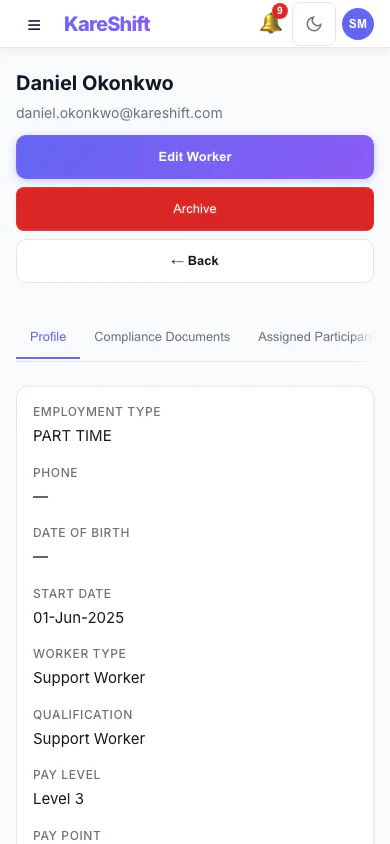
Worker Profile (Mobile)
A worker's profile and details.
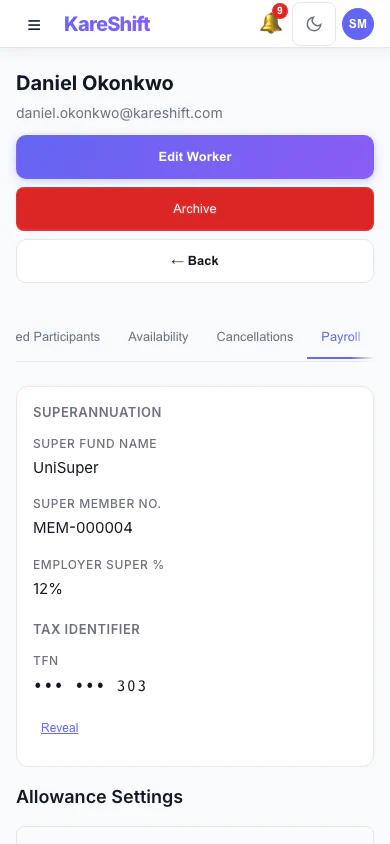
Worker Payroll Details (Mobile)
Payroll details and allowance settings for a worker.
NDIS Provider — Support Worker View
What your workers see on their phone — shifts, clock-in, timesheets, messages.
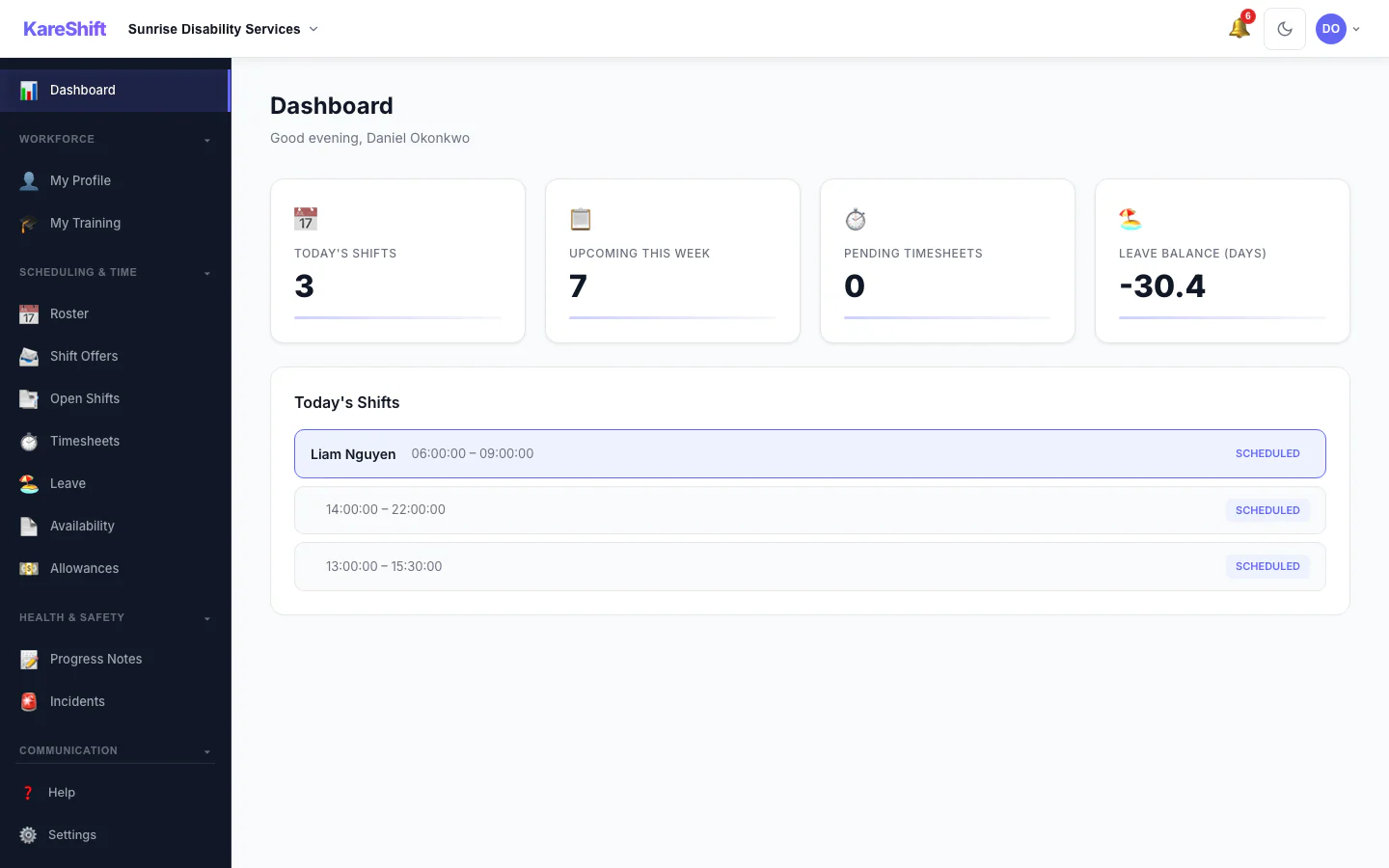
Worker Dashboard
Today's shifts, upcoming schedule, compliance alerts, quick clock-in action.
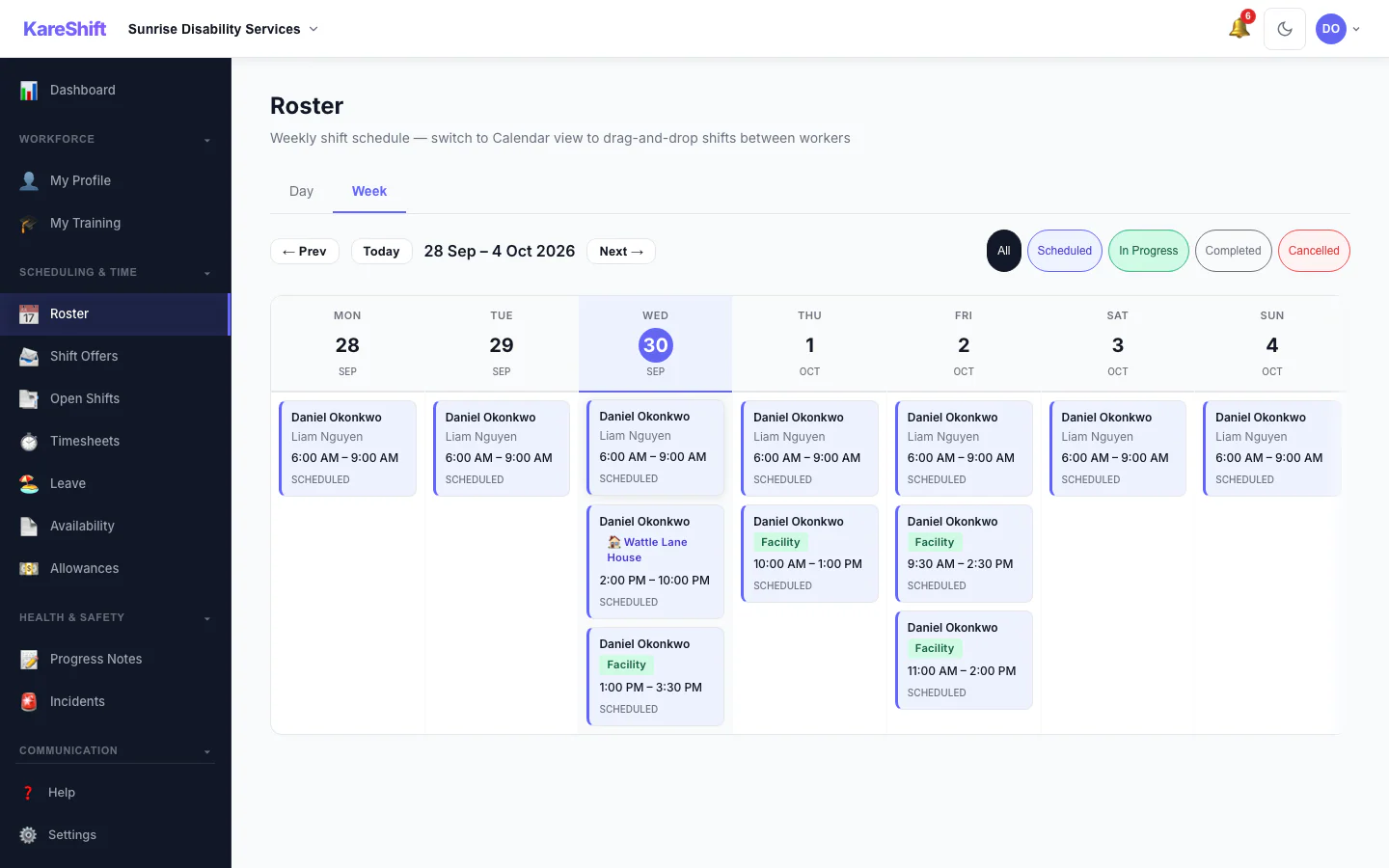
My Shifts
Weekly view of assigned shifts. Participant details, location, notes — everything for the day.
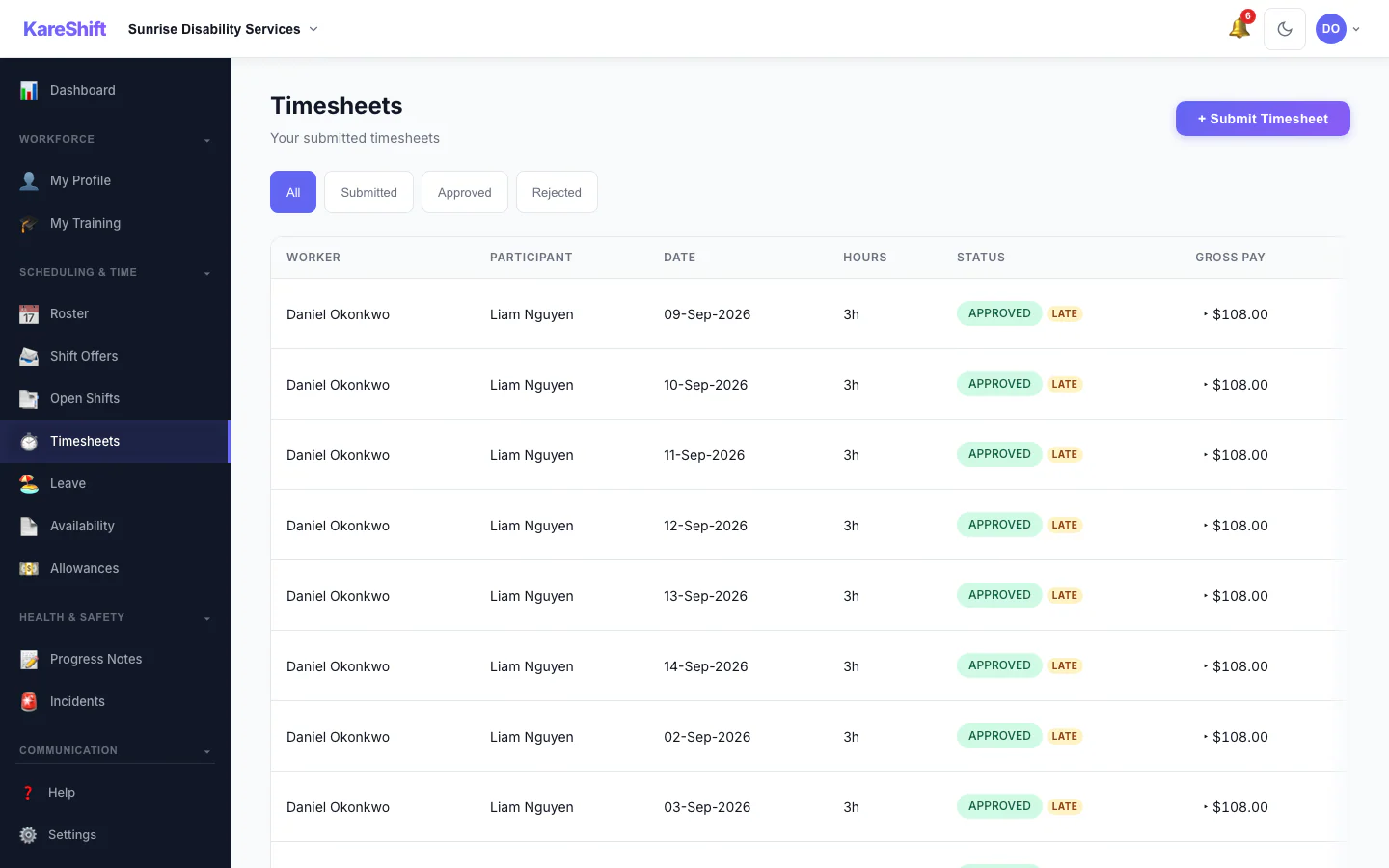
My Timesheets
Auto-generated from clock-in/out. View status (pending, approved, rejected), total hours.
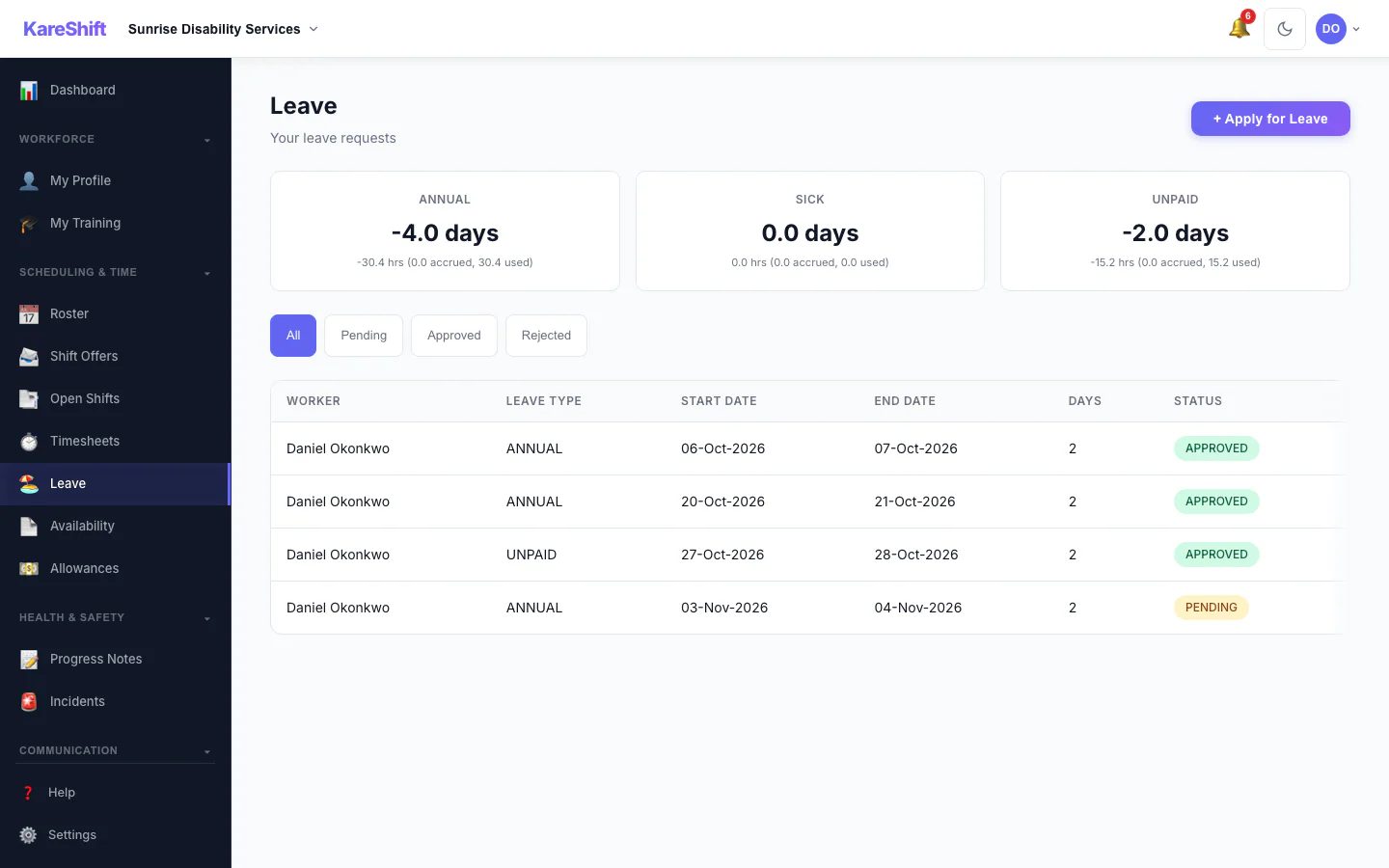
Apply for Leave
Request annual, personal, or unpaid leave. See balance, track approval status.
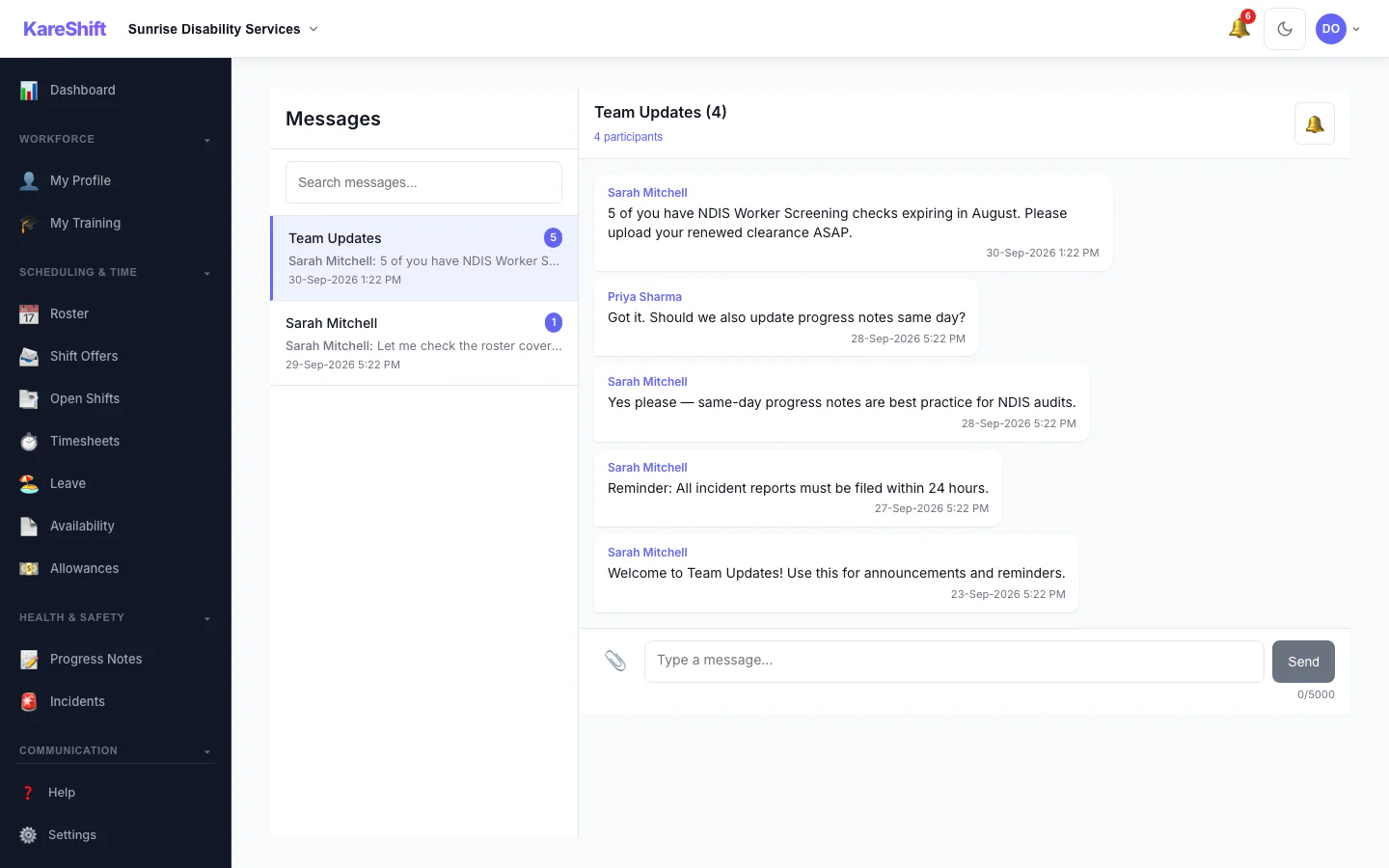
Messages
Chat with coordinators. Shift-linked messages, file sharing, push notifications.
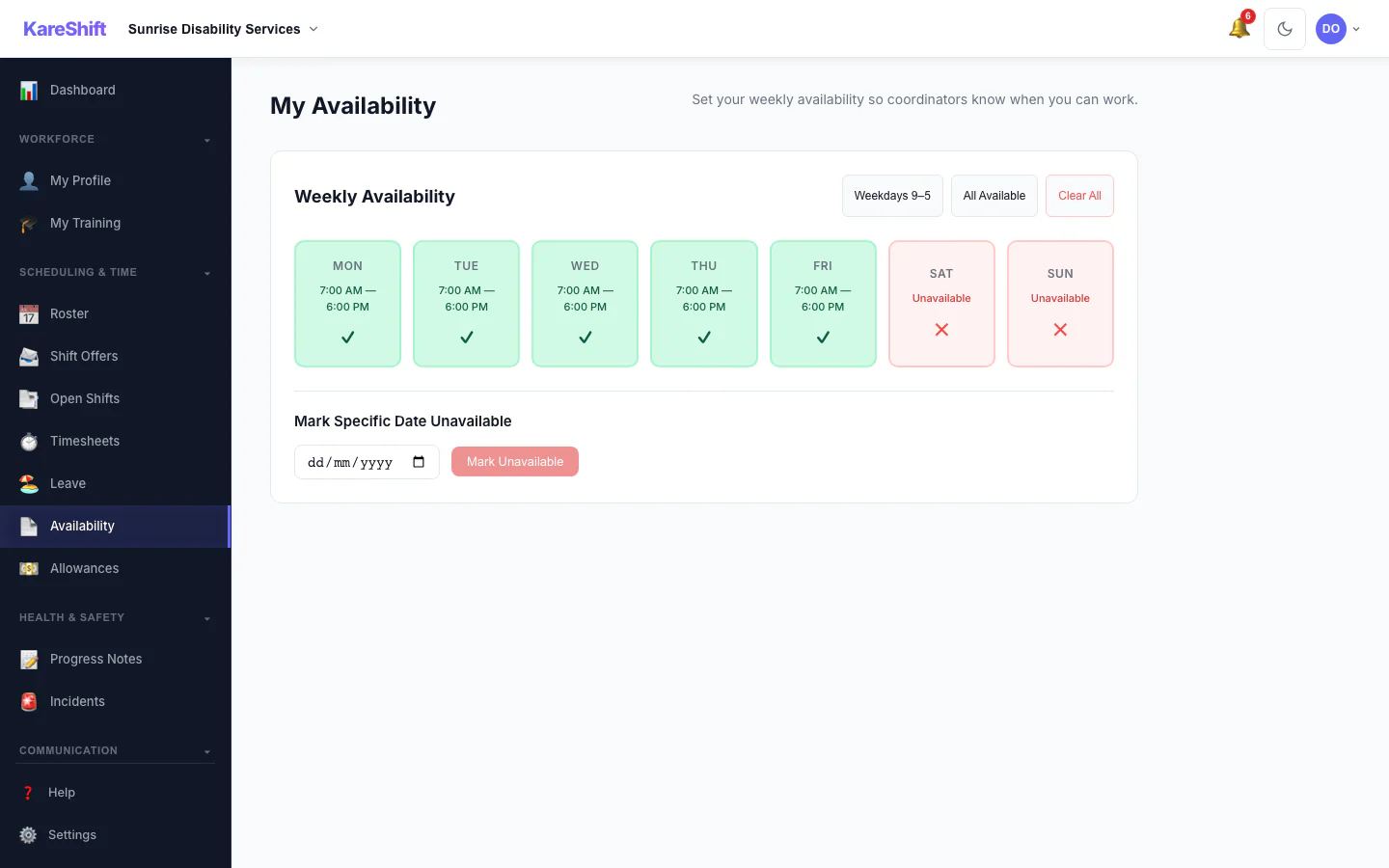
Availability
Set weekly availability — coordinators see it when rostering. Conflict warnings built in.
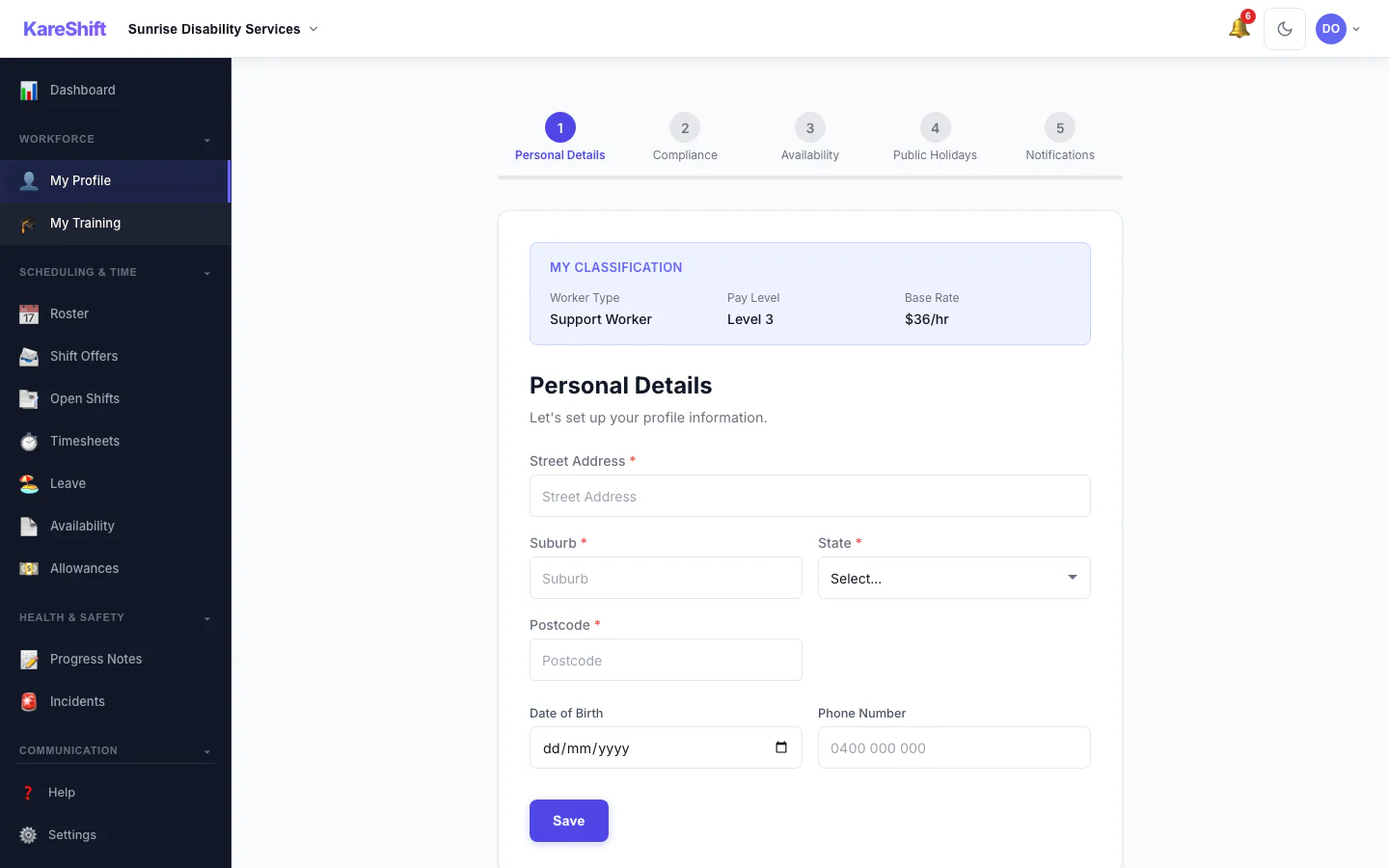
Worker Onboarding
Guided onboarding — profile, documents, availability, emergency contacts. Workers self-complete.
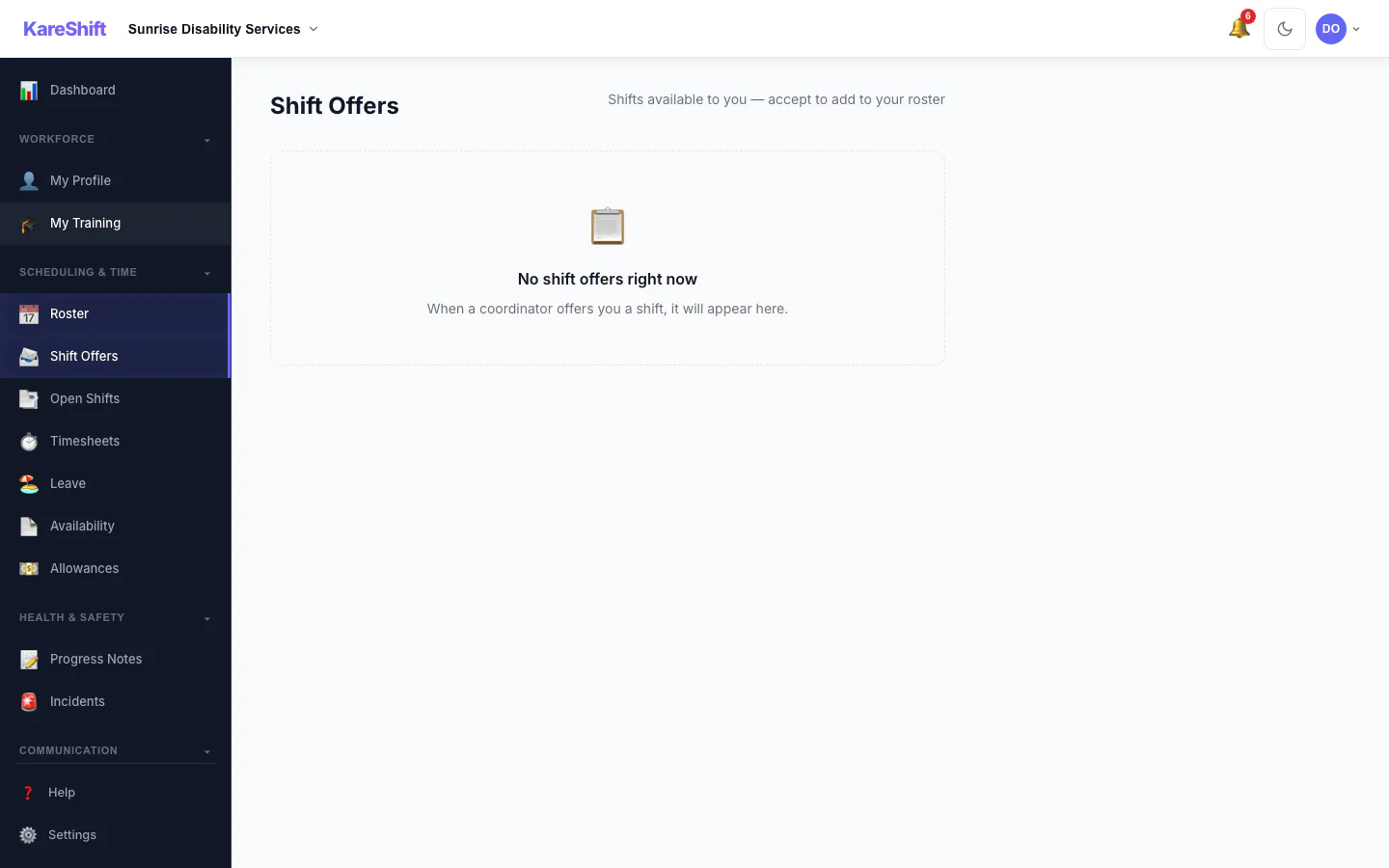
Shift Offers
Open shifts offered to available workers. Accept or decline from your phone.
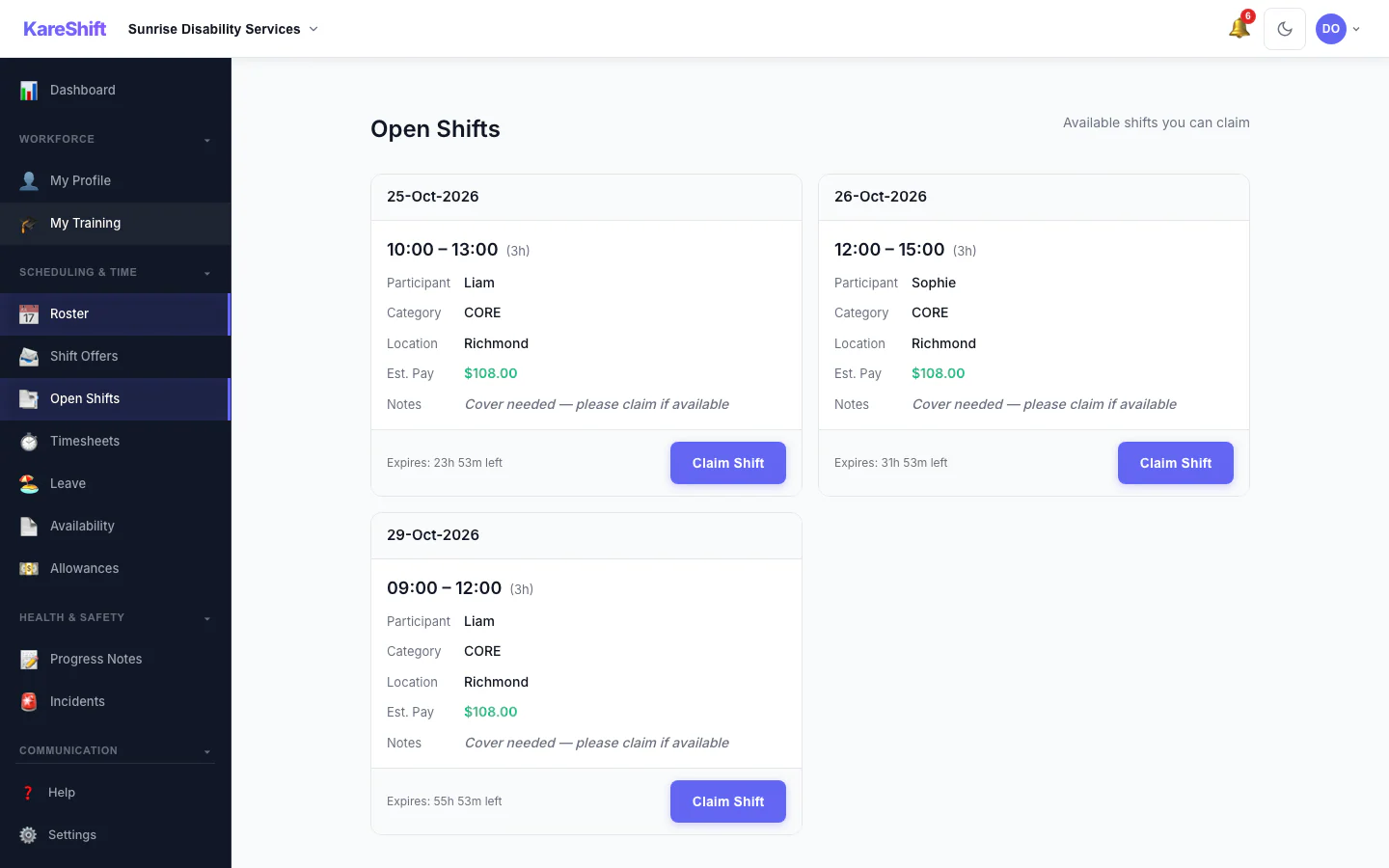
Open Shift Board
Vacant shifts broadcast to the whole team. Workers see date, time, pay estimate, and expiry countdown — then claim with one tap. Only shifts they're eligible for appear.
Claim Approval
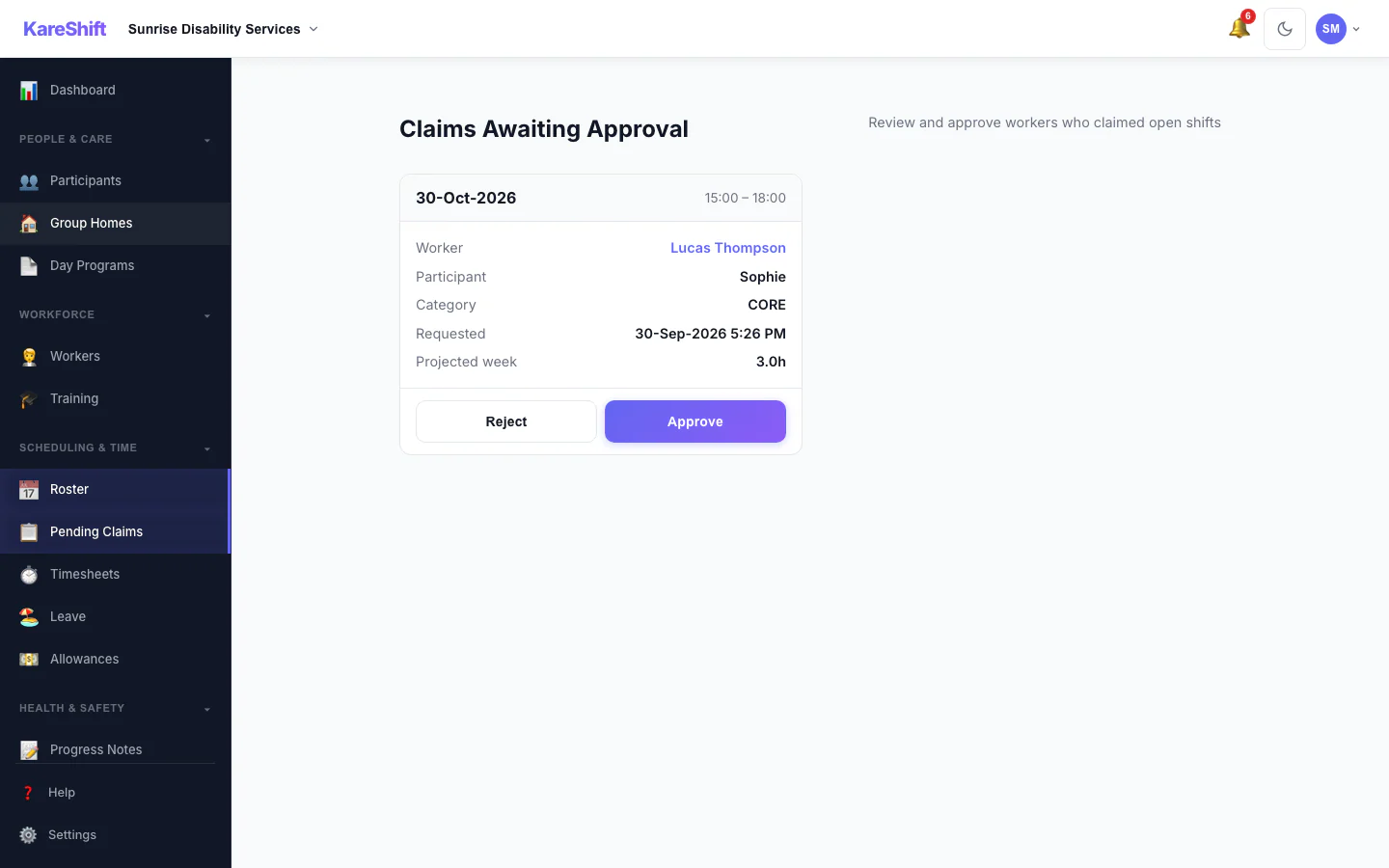
Optionally require coordinator approval before a worker is assigned an open shift. Each claim shows projected weekly hours with an overtime warning — approve or reject in one tap.
Voice Dictation
Tap the mic and speak — notes are transcribed automatically. No typing between visits. Works on Chrome and Edge. Saves 5 minutes per shift.
SIL Worker Roster
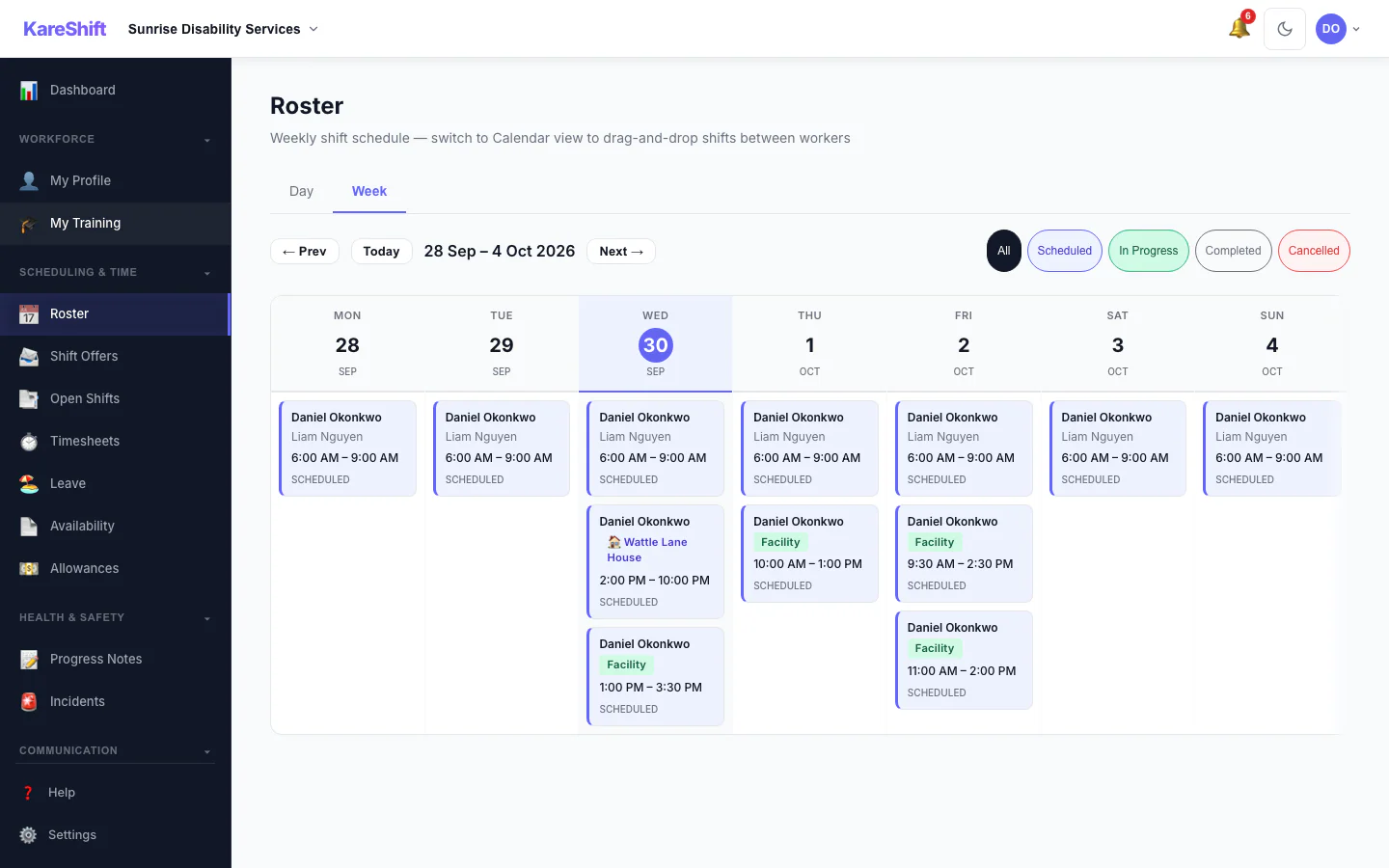
Your shifts at the group home — room assignments, co-workers on shift, handover times.
Filling a Form
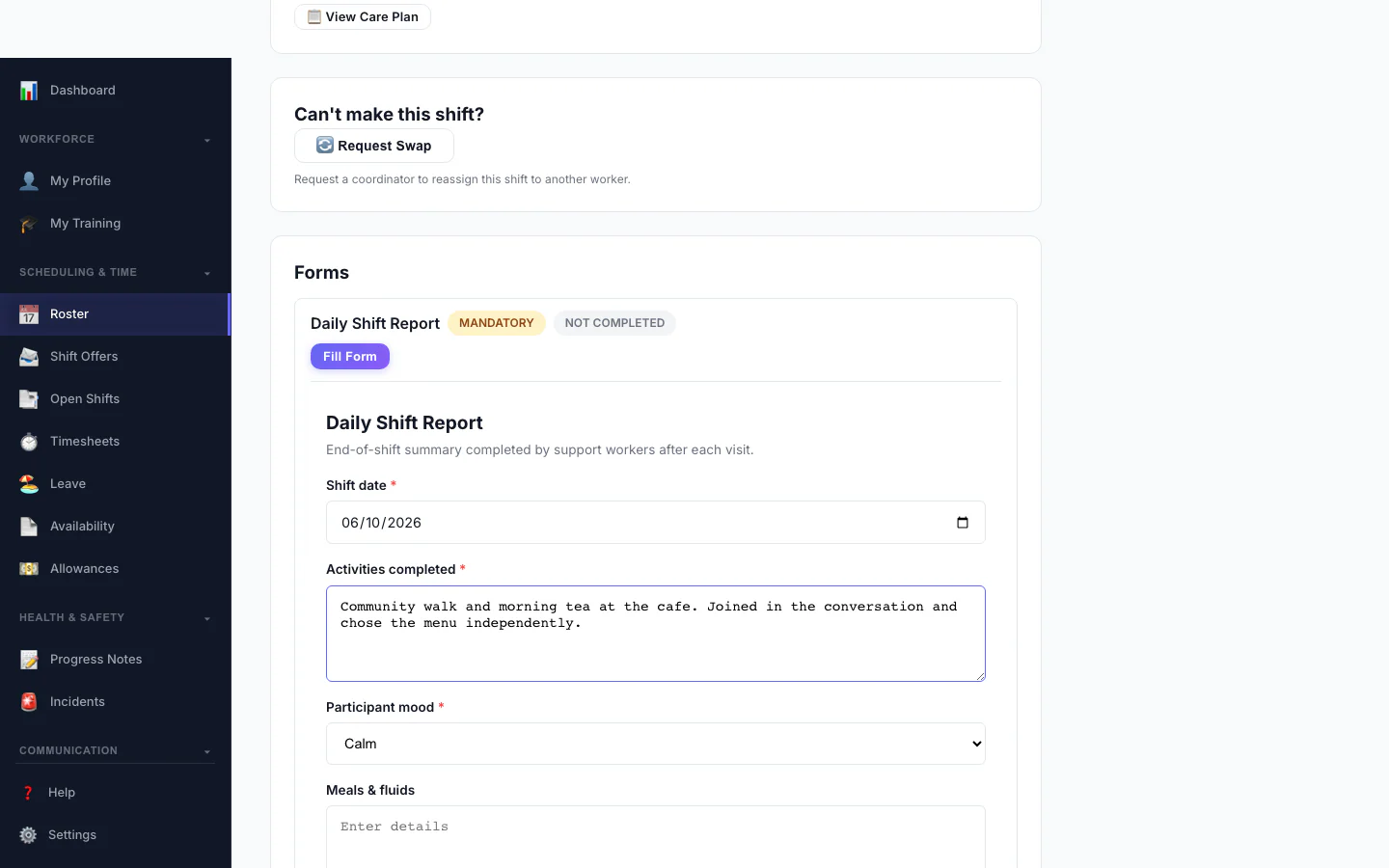
A worker fills a custom form on their phone as part of a shift.
My Training
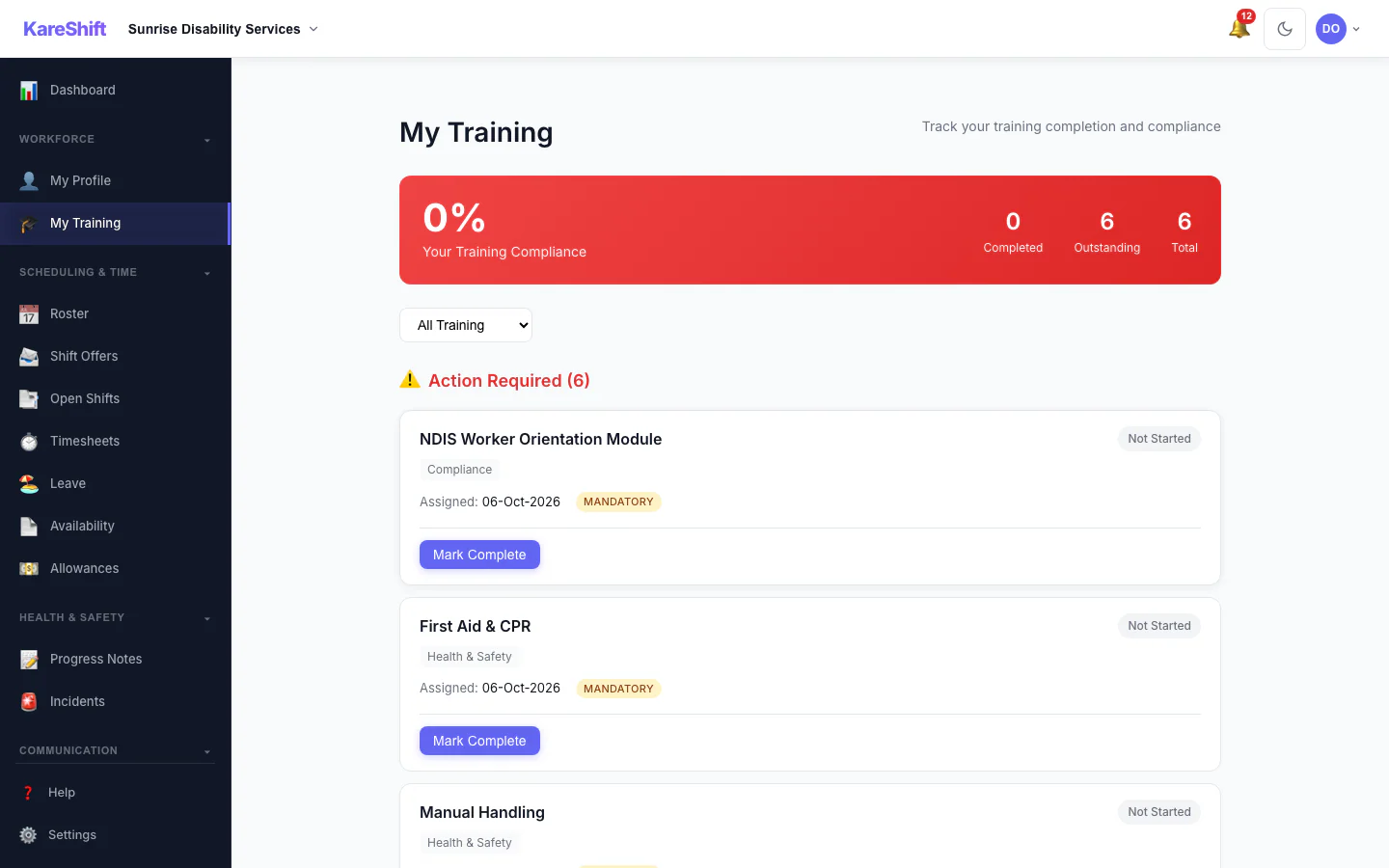
A worker sees the training assigned to them and what is complete.
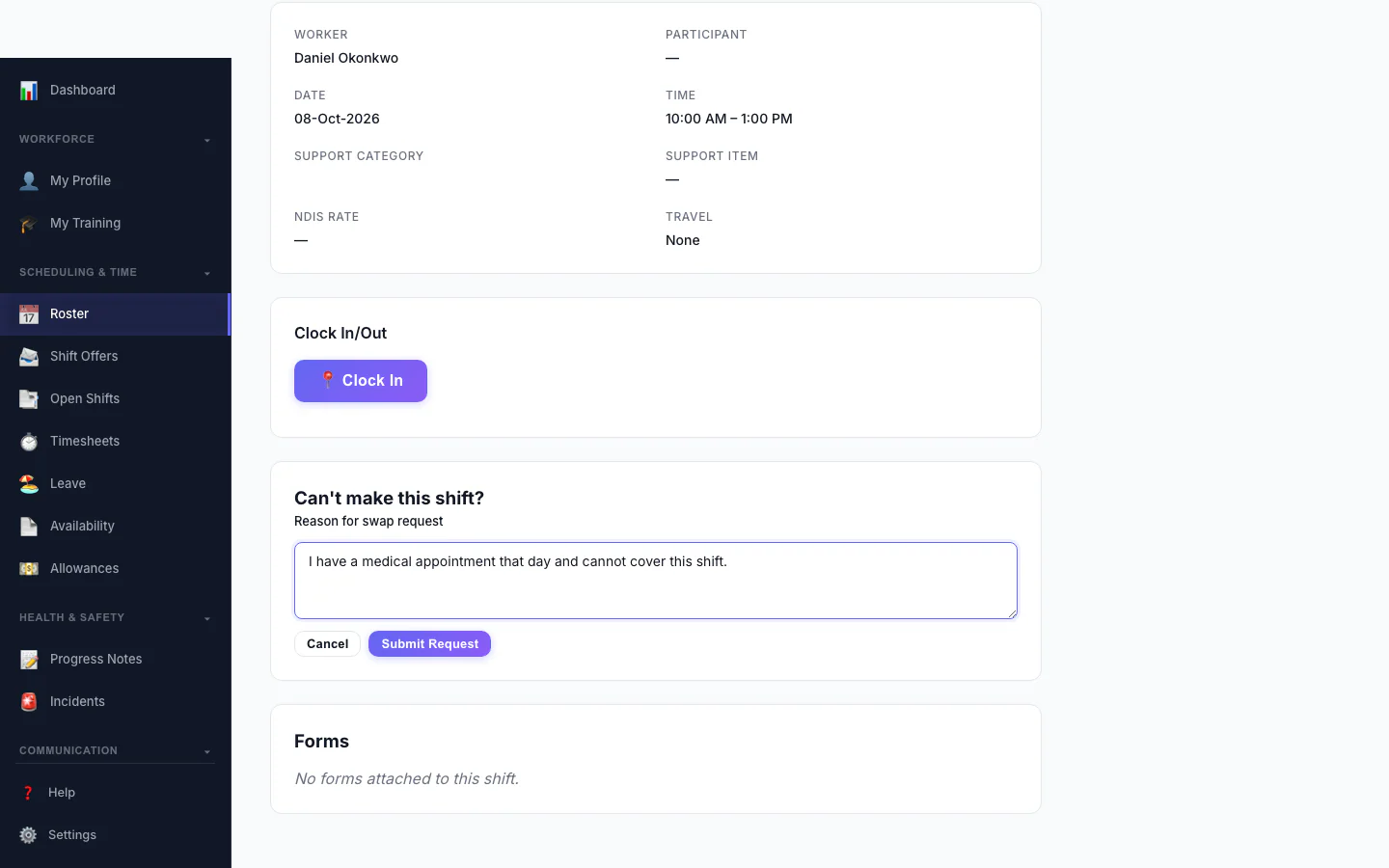
Ask to Swap a Shift
A worker who can't make a shift asks to swap it and says why.
Mobile Experience
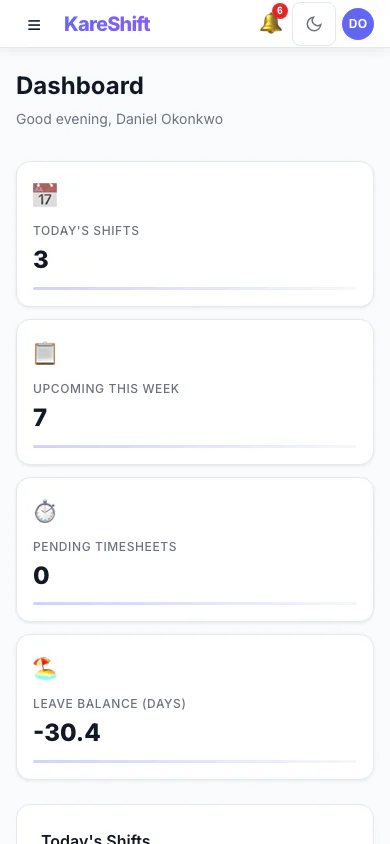
Worker Dashboard (Mobile)
Today's shifts and quick actions, designed for your phone.
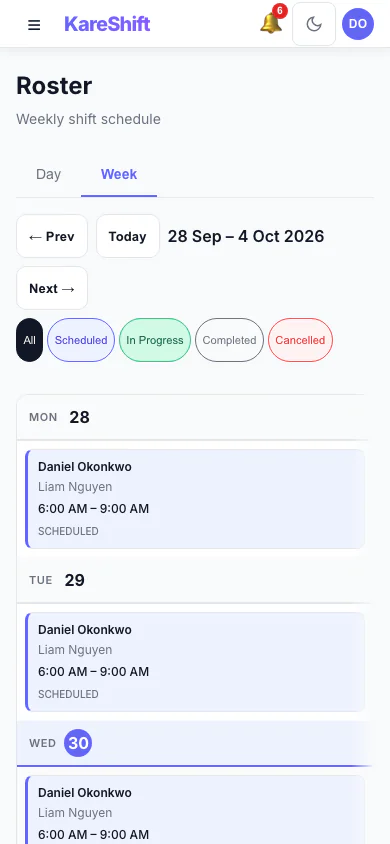
My Shifts (Mobile)
Your weekly schedule on mobile. Tap for shift details and navigation.
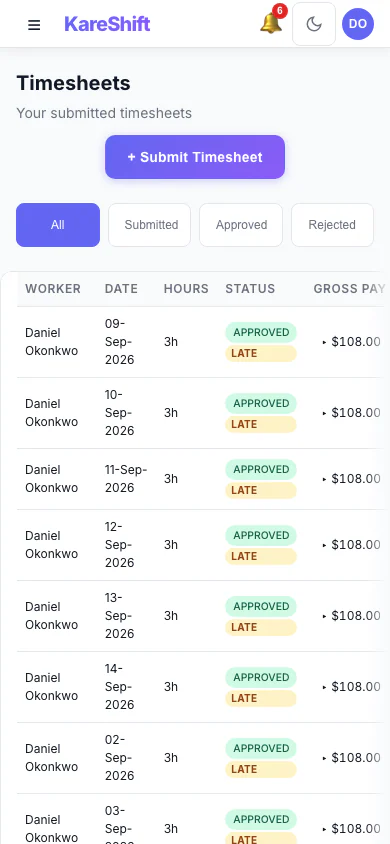
My Timesheets (Mobile)
View your timesheet history and status on mobile.
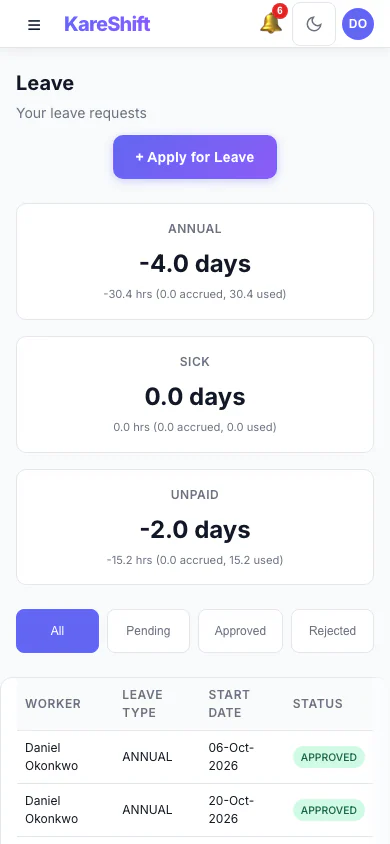
Leave (Mobile)
Apply for leave from your phone. Check balances and track approvals.
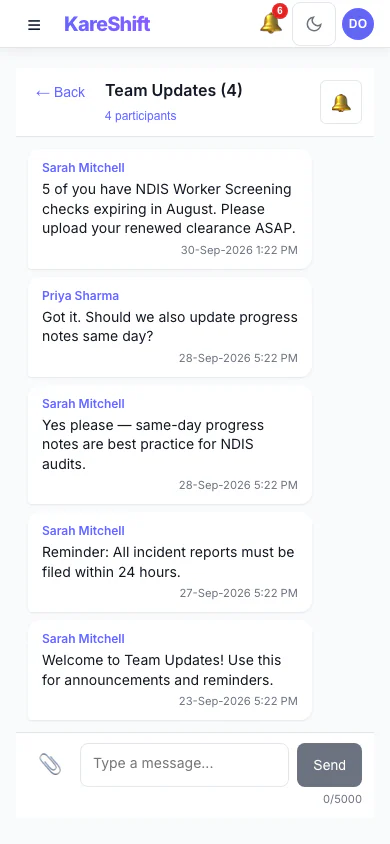
Messages (Mobile)
Stay in touch with your team. Full messaging on your phone.
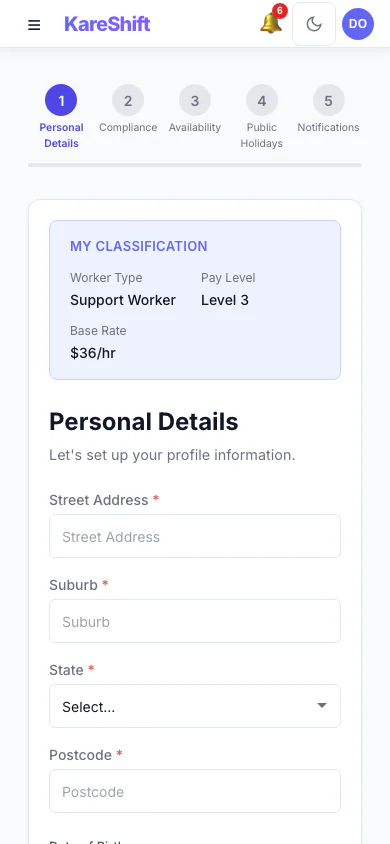
Onboarding (Mobile)
Complete your onboarding from your phone — upload docs, set availability.
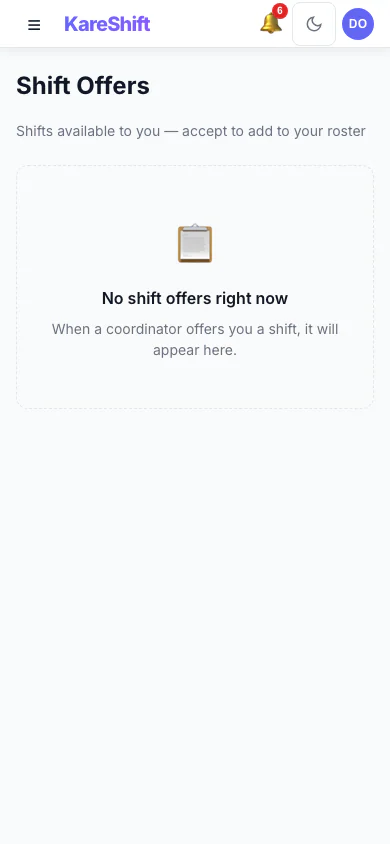
Shift Offers (Mobile)
Accept or decline open shifts with a tap. Push notifications for new offers.
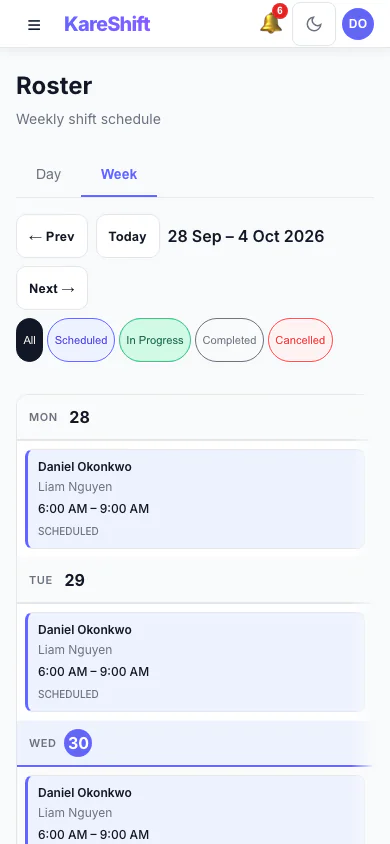
SIL Roster (Mobile)
Group home shifts on your phone — room assignments and co-workers.
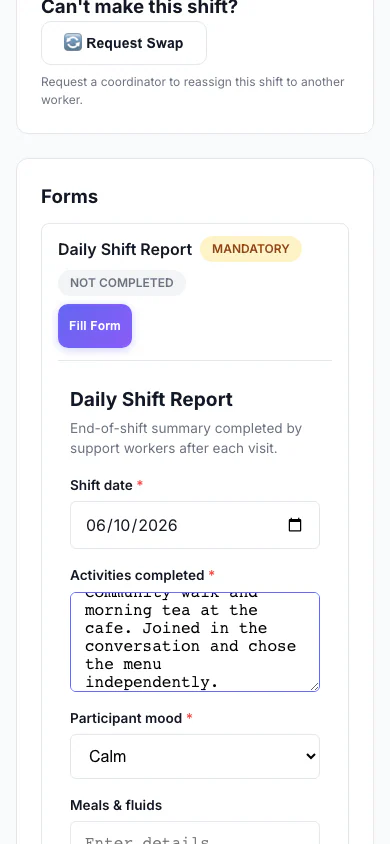
Filling a Form (Mobile)
A worker fills a custom form on their phone as part of a shift.
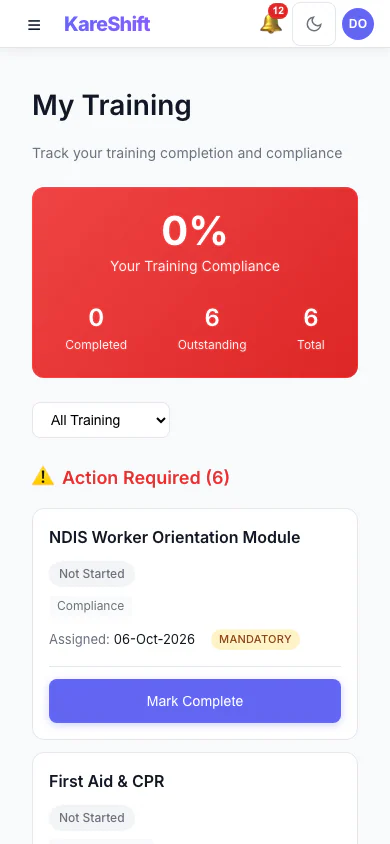
My Training (Mobile)
A worker sees the training assigned to them and what is complete.
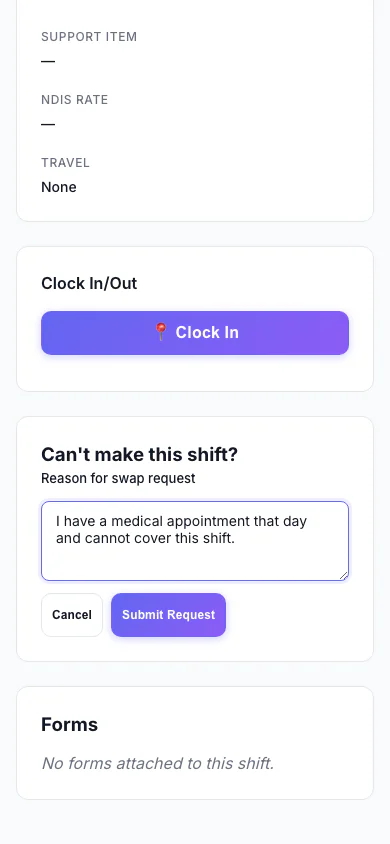
Ask to Swap a Shift (Mobile)
A worker who can't make a shift asks to swap it and says why.
Aged Care Facility — Owner / Manager View
What you see managing a 100-bed residential aged care facility (4 wings, 80 residents, 30 staff).
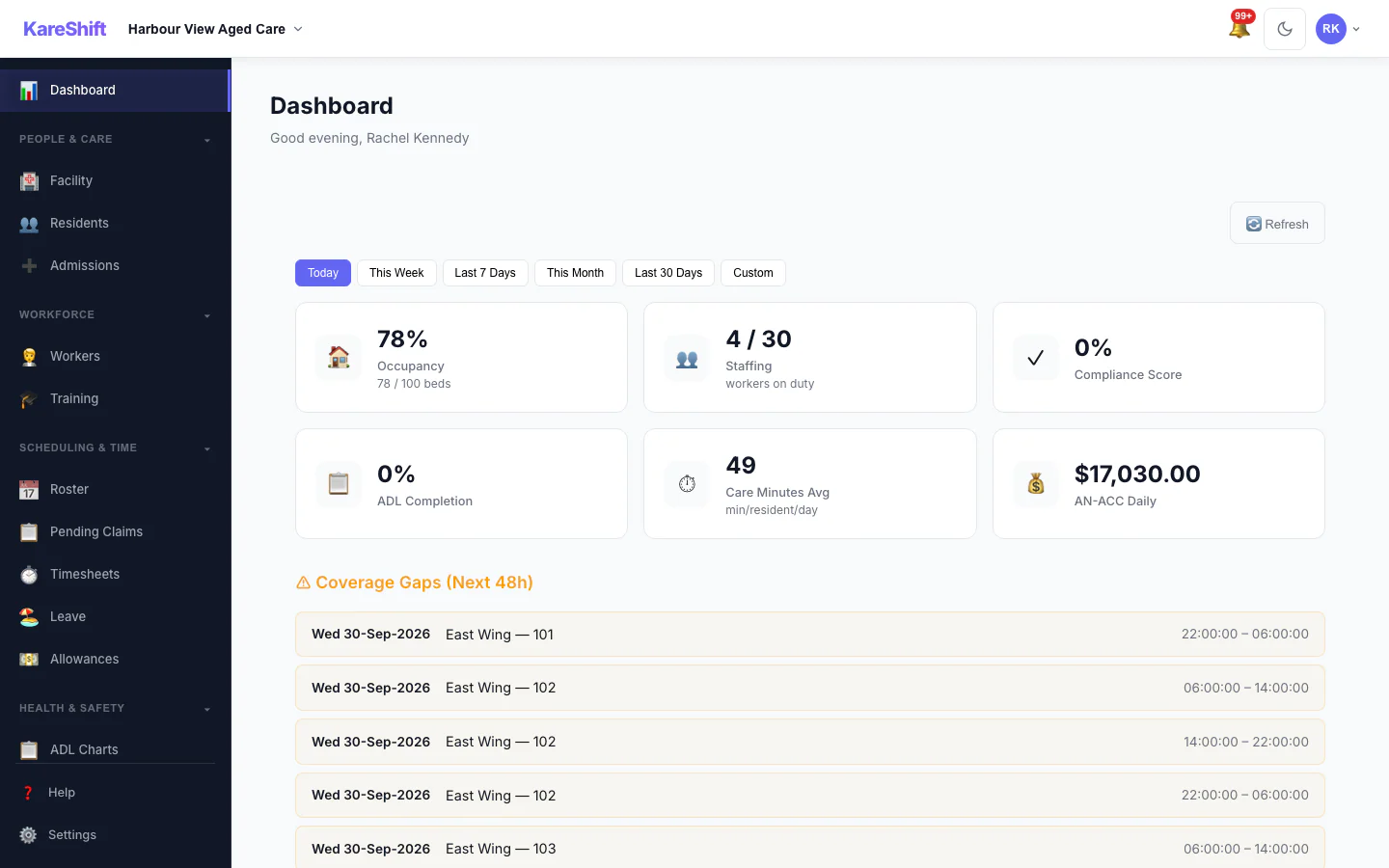
Management Dashboard
Occupancy, care minutes compliance, staffing, AN-ACC revenue, SIRS alerts, operational status.
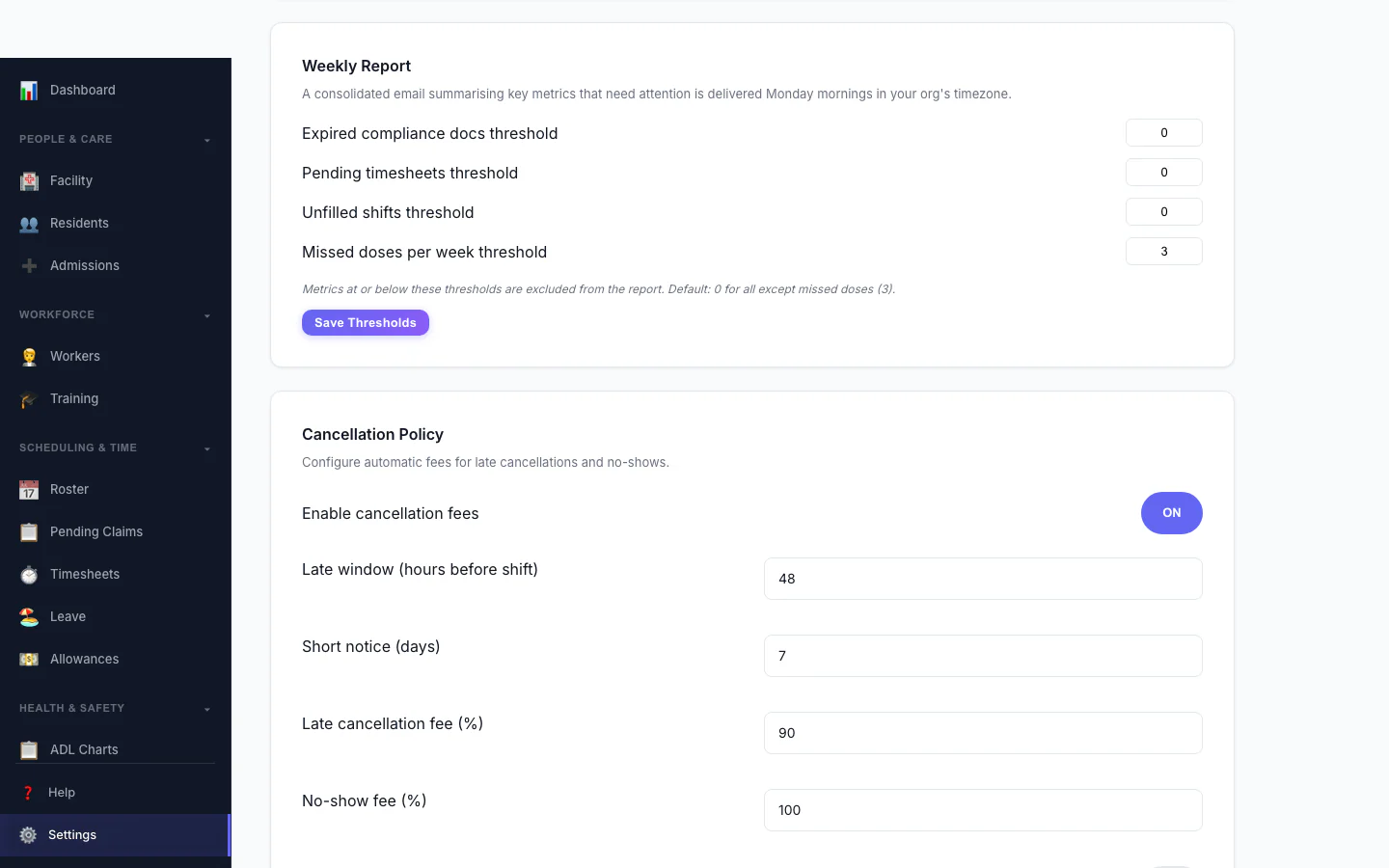
Cancellation Policy
Automate late-cancellation and no-show fees. Configure the late window, fee percentages and who they apply to.
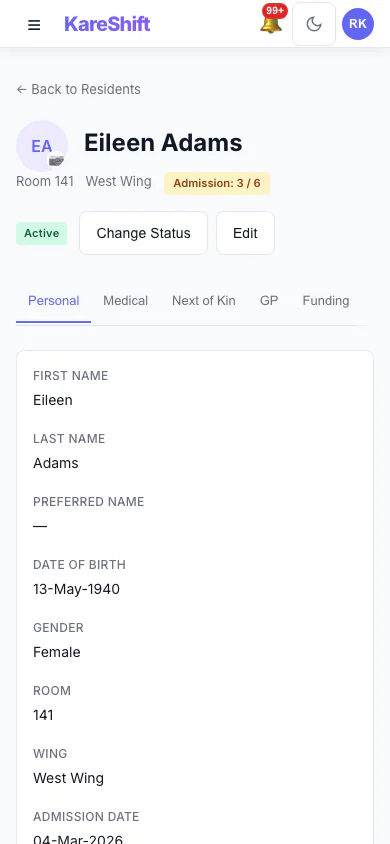
Resident Detail (Mobile)
Full resident profile — care plan, ADL charts, clinical observations and linked workers.
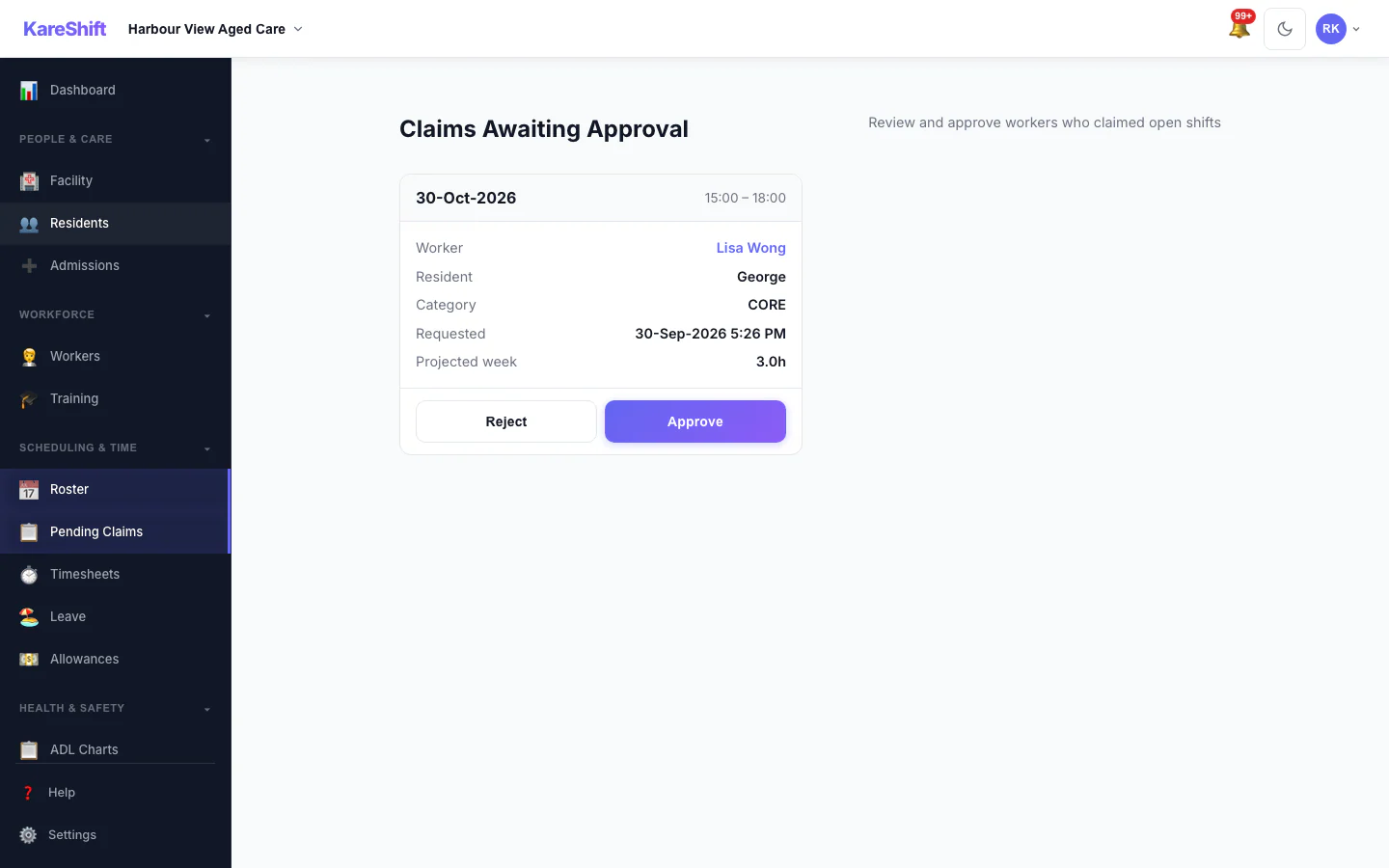
Claim Approval
Optionally require coordinator approval before a worker is assigned an open shift. Each claim shows projected weekly hours with an overtime warning.
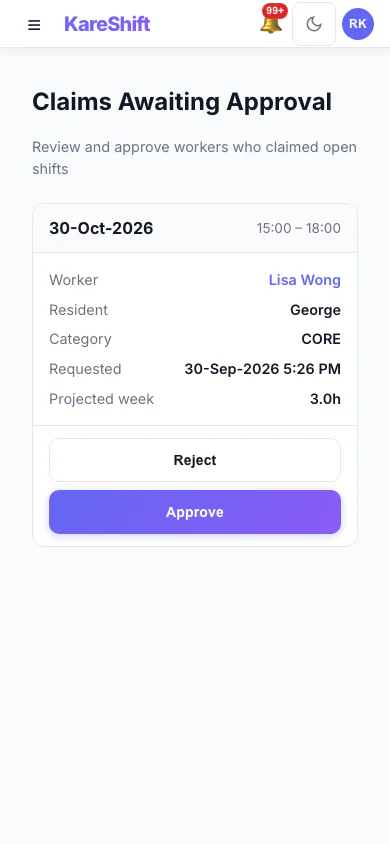
Claim Approval (Mobile)
Optionally require coordinator approval before a worker is assigned an open shift. Each claim shows projected weekly hours with an overtime warning.
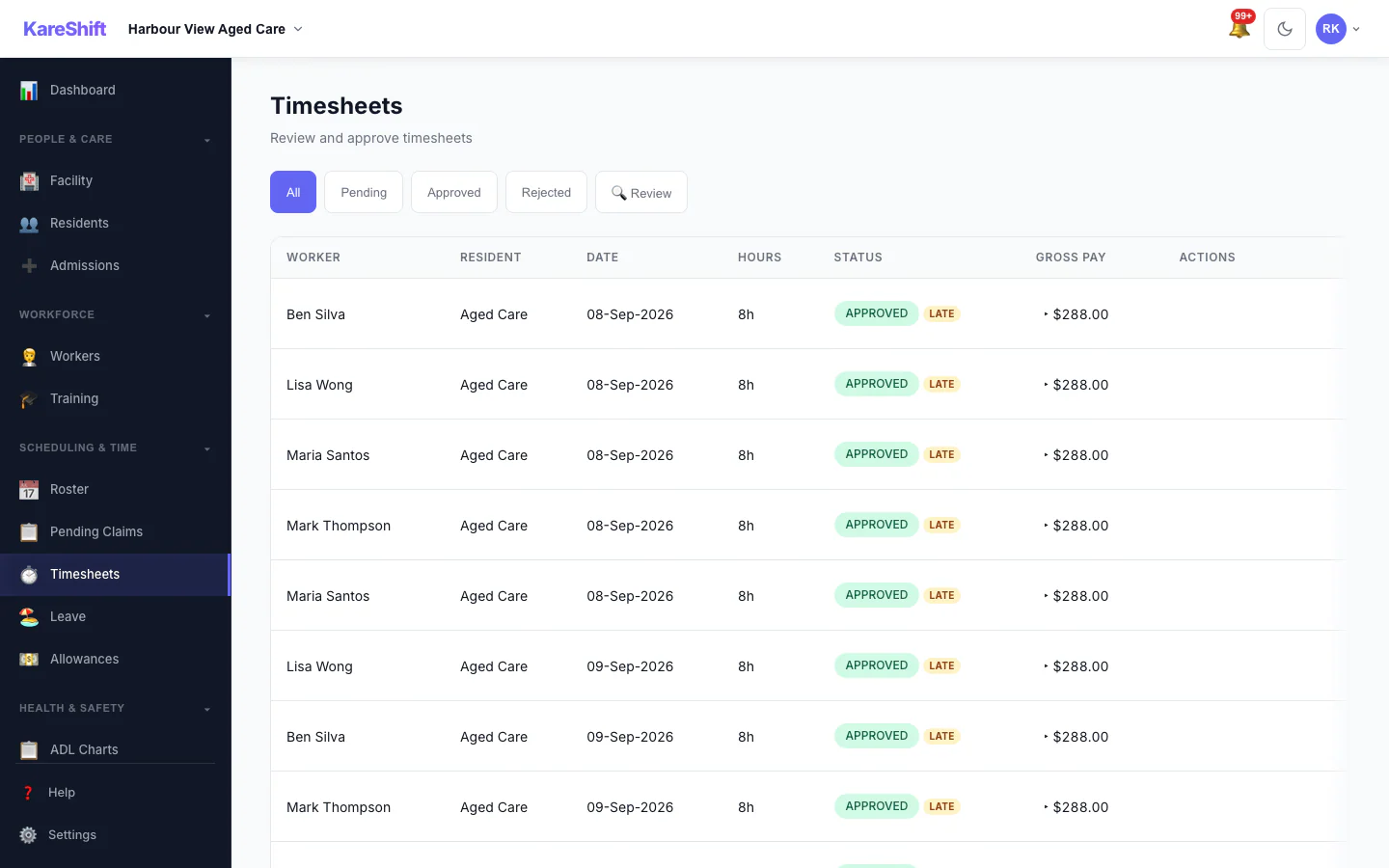
Visit Confirmation
The Review filter surfaces timesheets needing a closer look — GPS geofence violations, clock-time variance, late submissions — so you verify visits before invoicing.
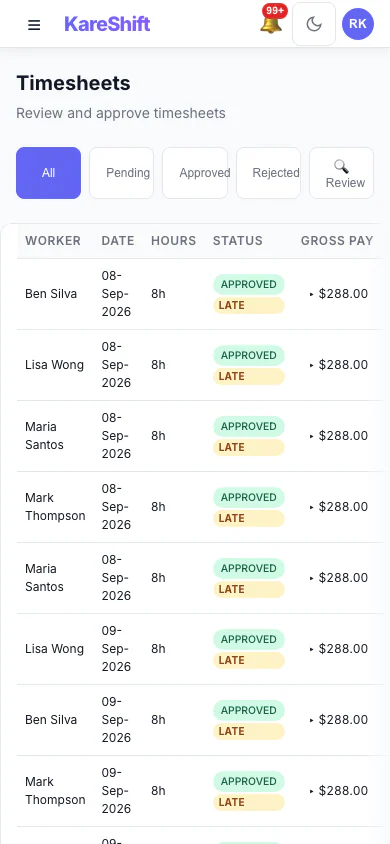
Visit Confirmation (Mobile)
The Review filter surfaces timesheets needing a closer look — GPS geofence violations, clock-time variance, late submissions — so you verify visits before invoicing.
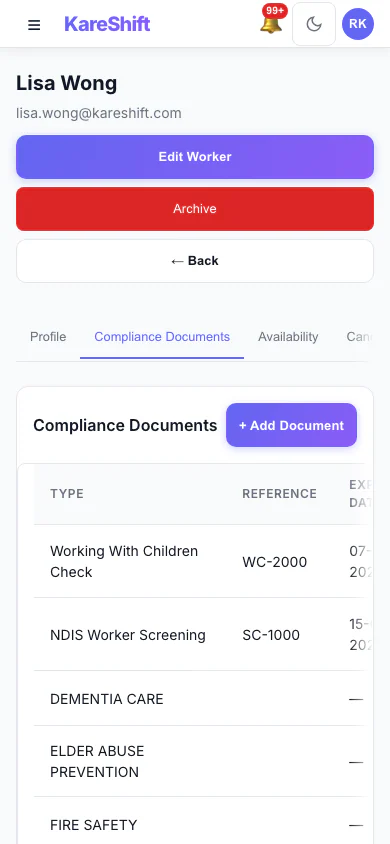
Worker Compliance (Mobile)
Per-worker document tracking — screenings, training and certifications with expiry alerts.
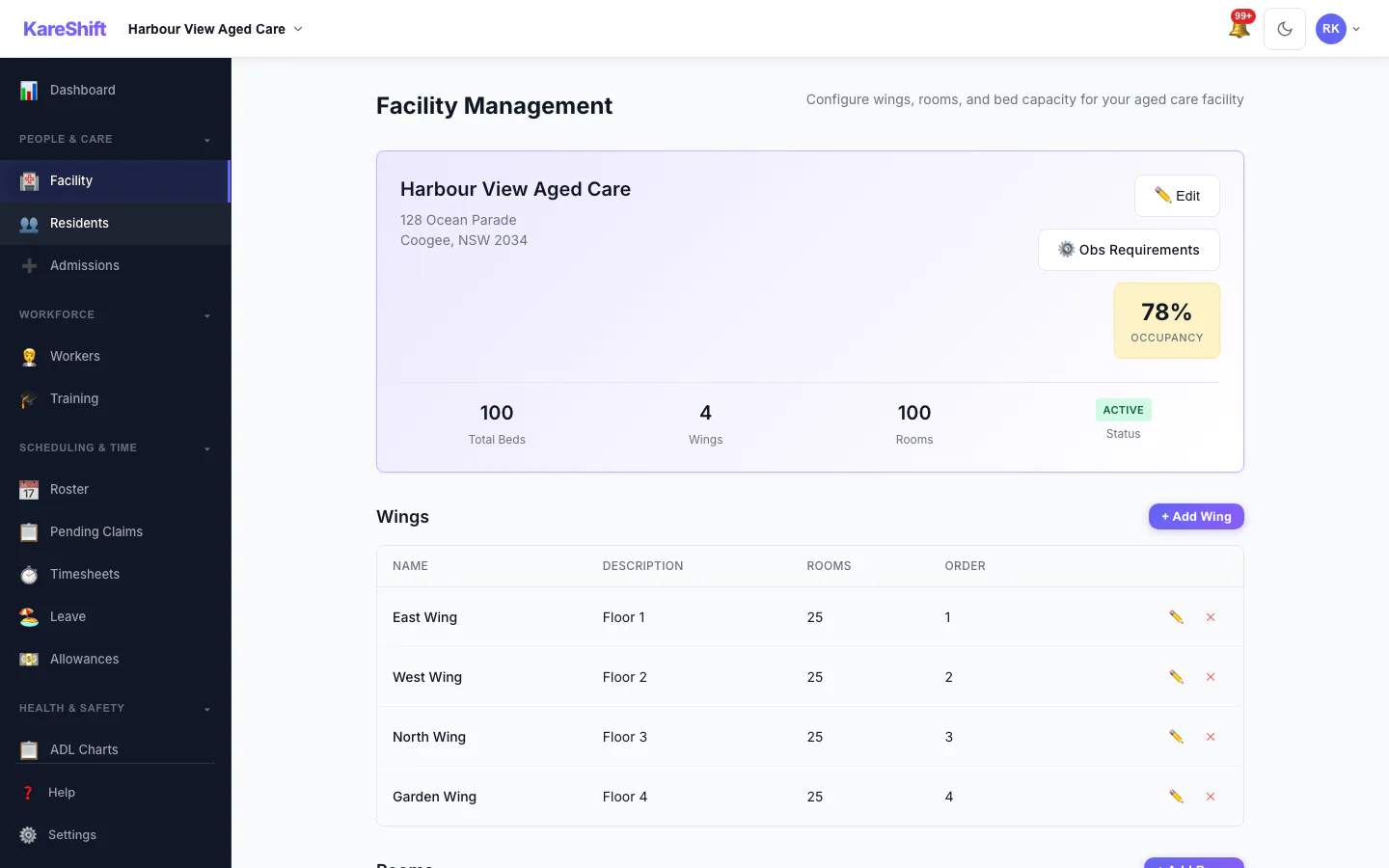
Facility Management
Wings, rooms, bed capacity. Occupancy rate at a glance. Add rooms as you grow.
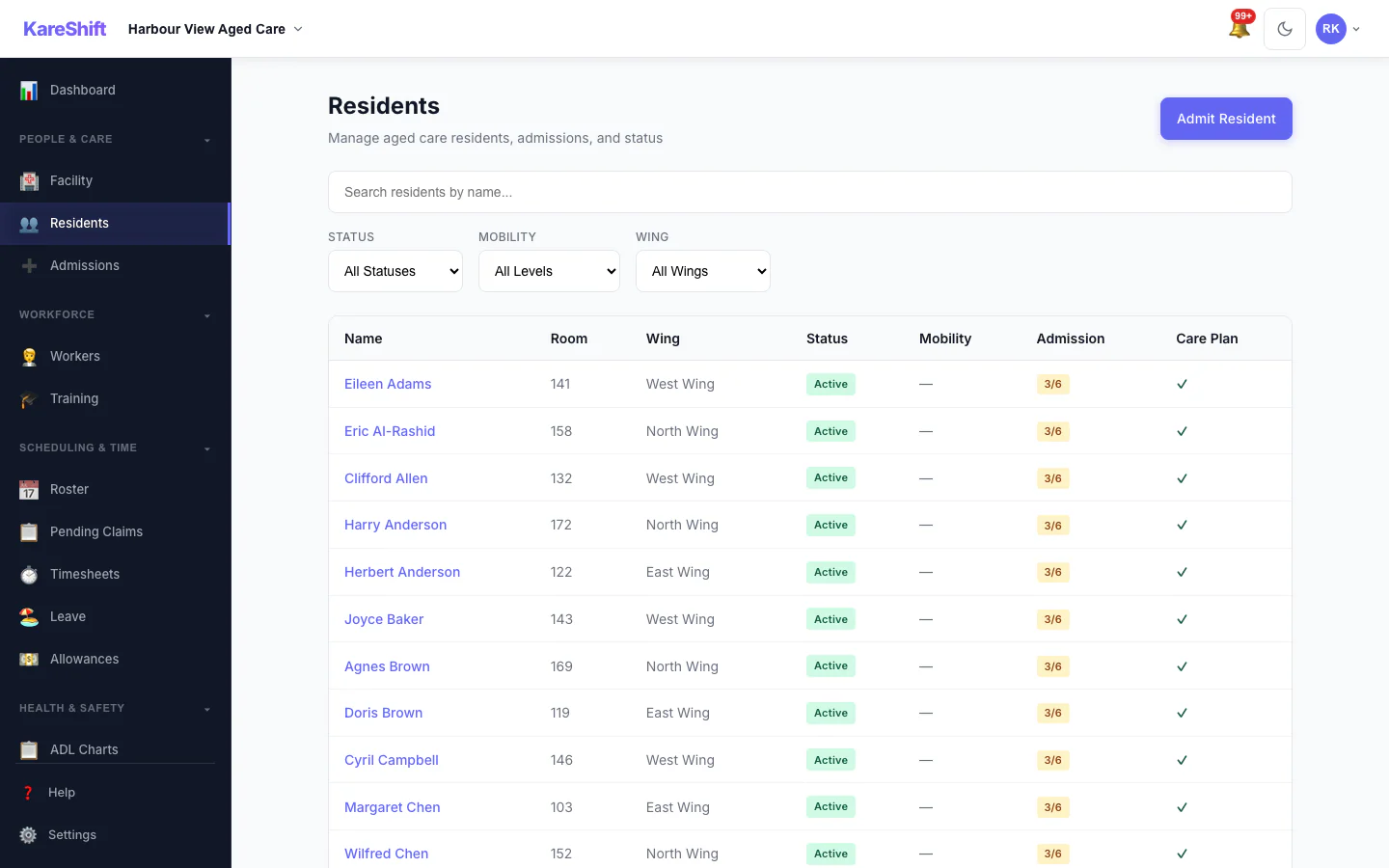
Residents
All residents — status, room, wing, admission date. Filter by status, search by name.
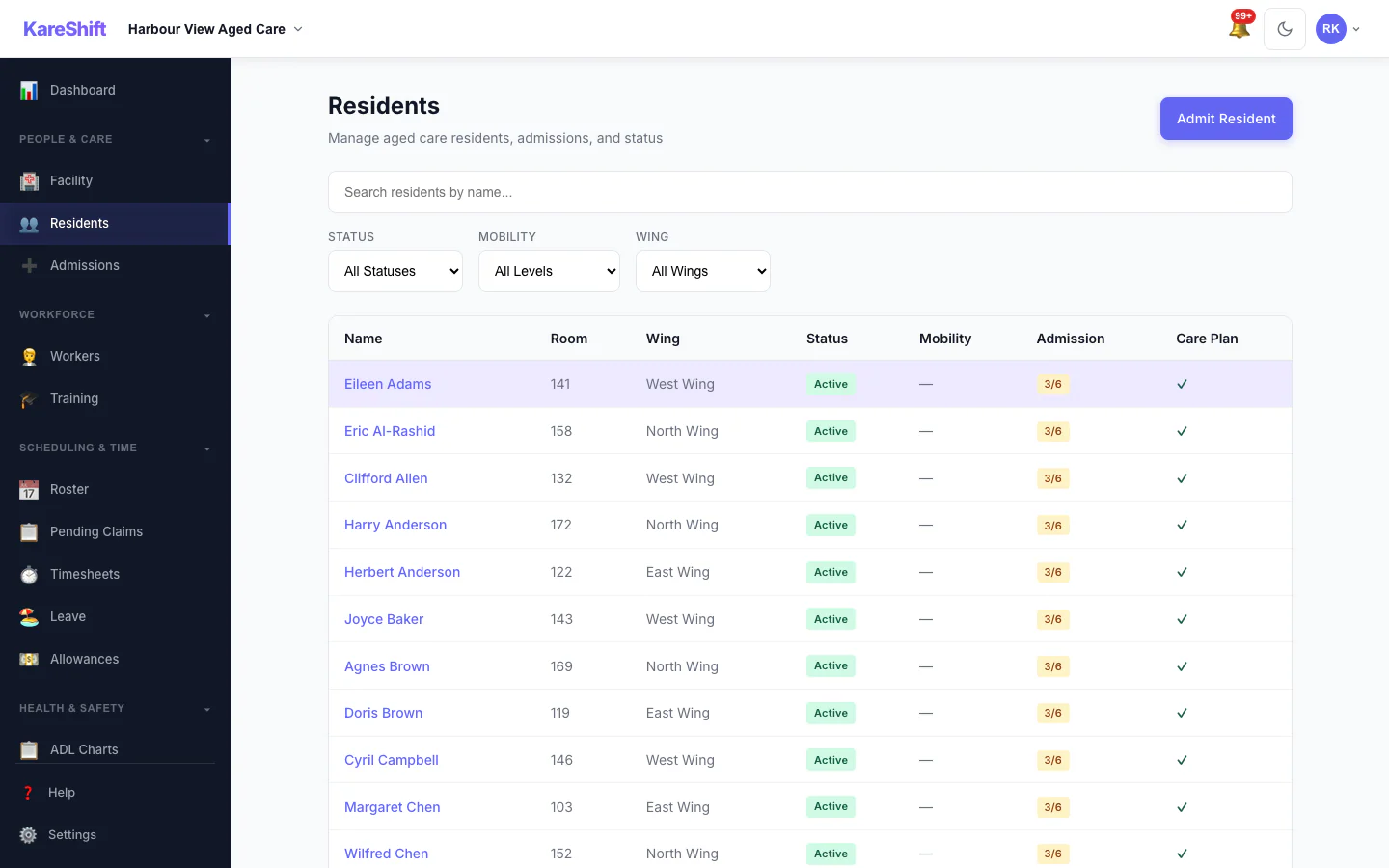
Resident Detail
Full resident profile — room, care plan, observations, NOK, medications, ADL history.
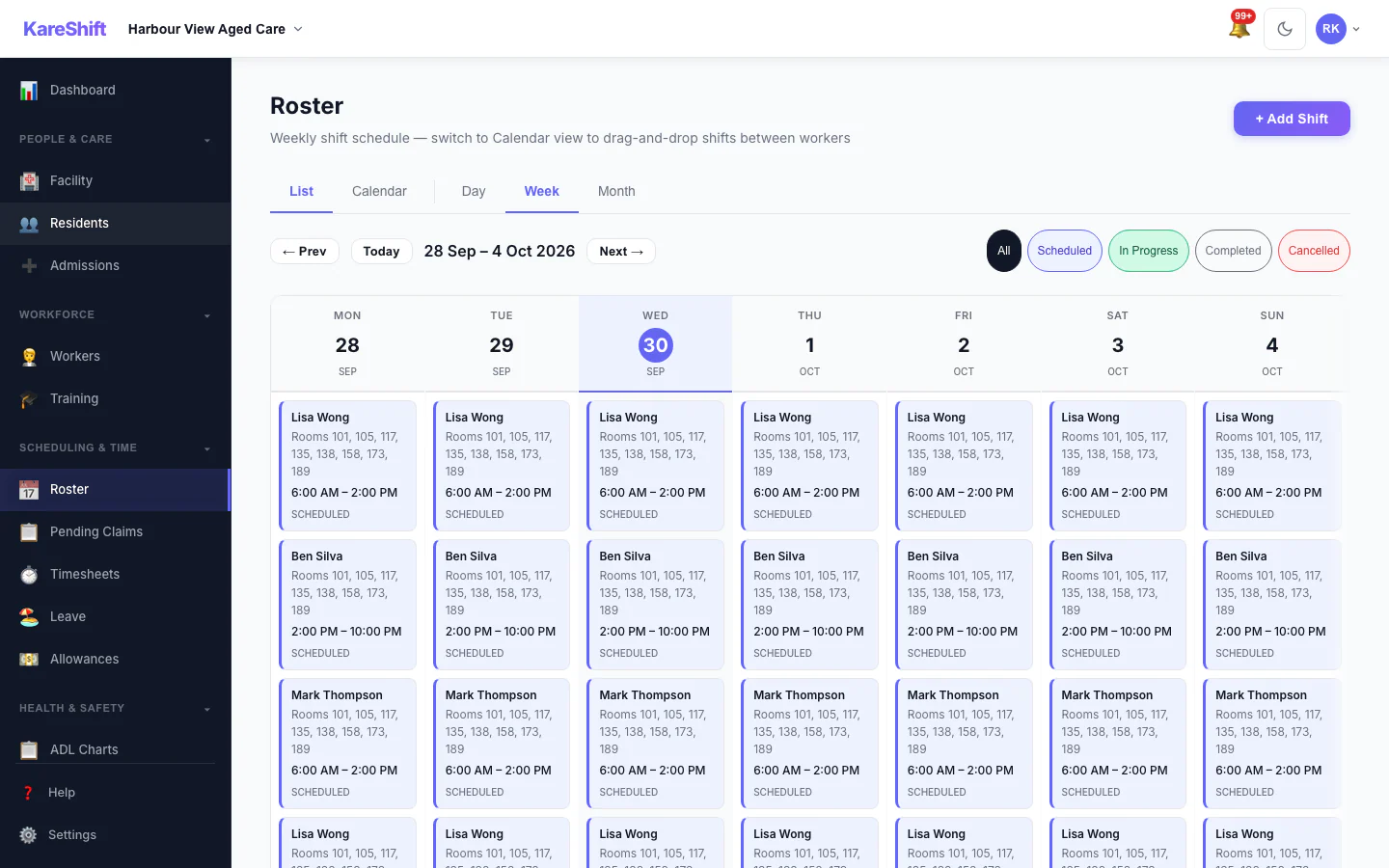
Roster & Staffing
Room-range shift assignment. Morning/afternoon/night coverage across all wings.
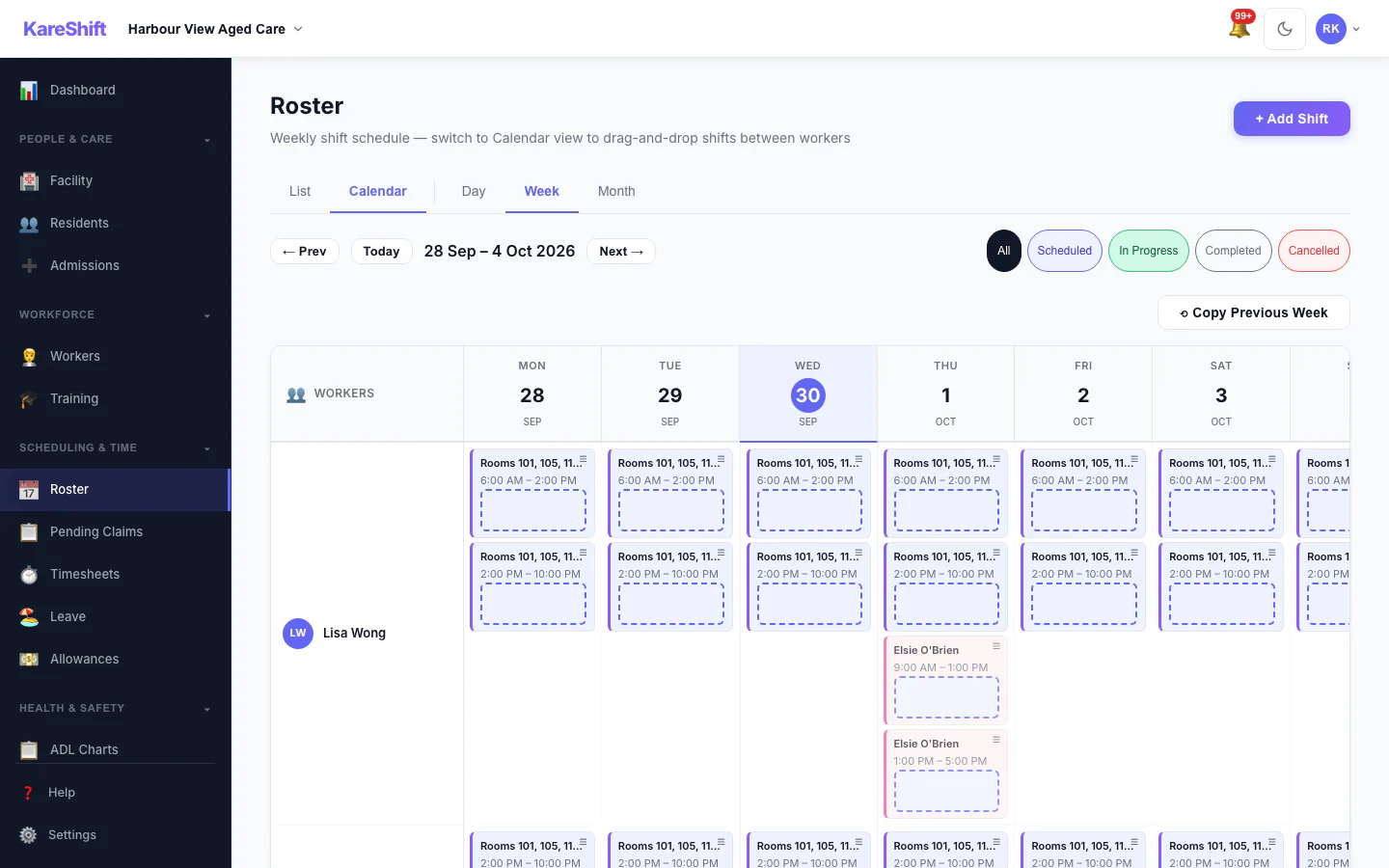
Roster Calendar
Visual calendar view of all shifts across wings and rooms.
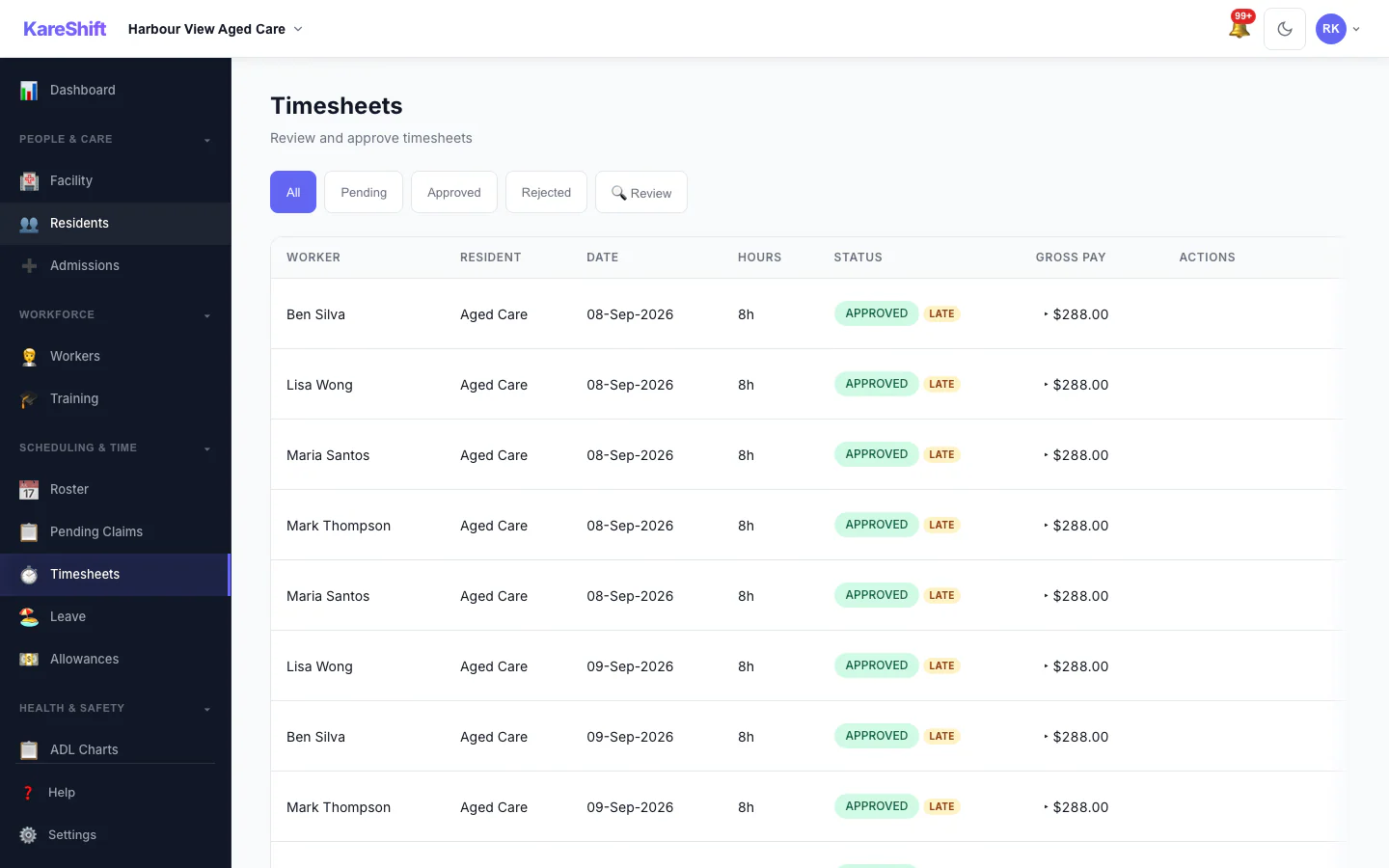
Timesheets
Auto-generated from clock-in/out. Approve, reject, or query. Payroll-ready CSV export.
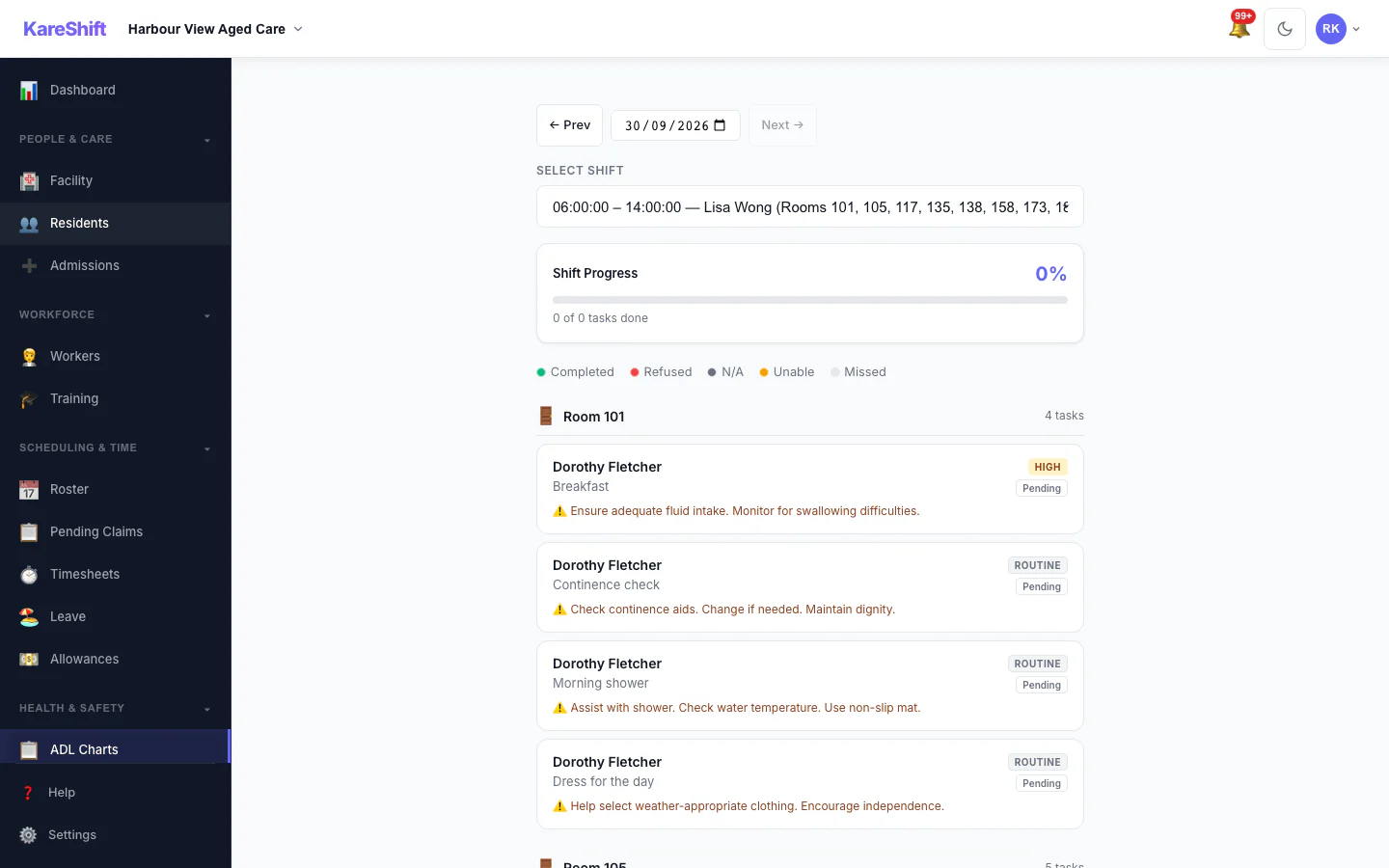
ADL Charting
Activities of daily living — auto-generated tasks from care plans. Track complete/refused/unable.
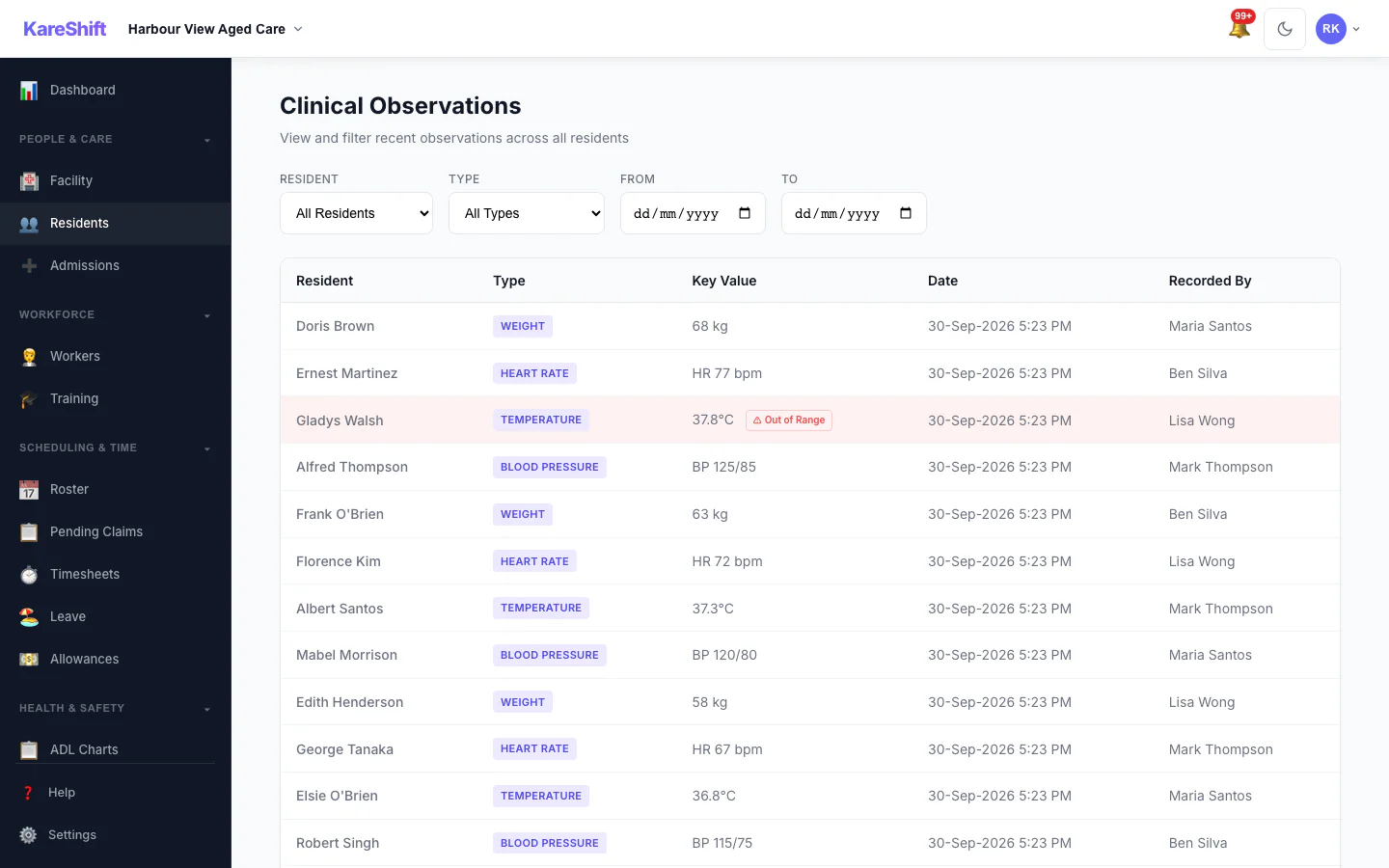
Clinical Observations
Record vitals — BP, temperature, heart rate, weight, blood sugar. Out-of-range alerts, trend charts.
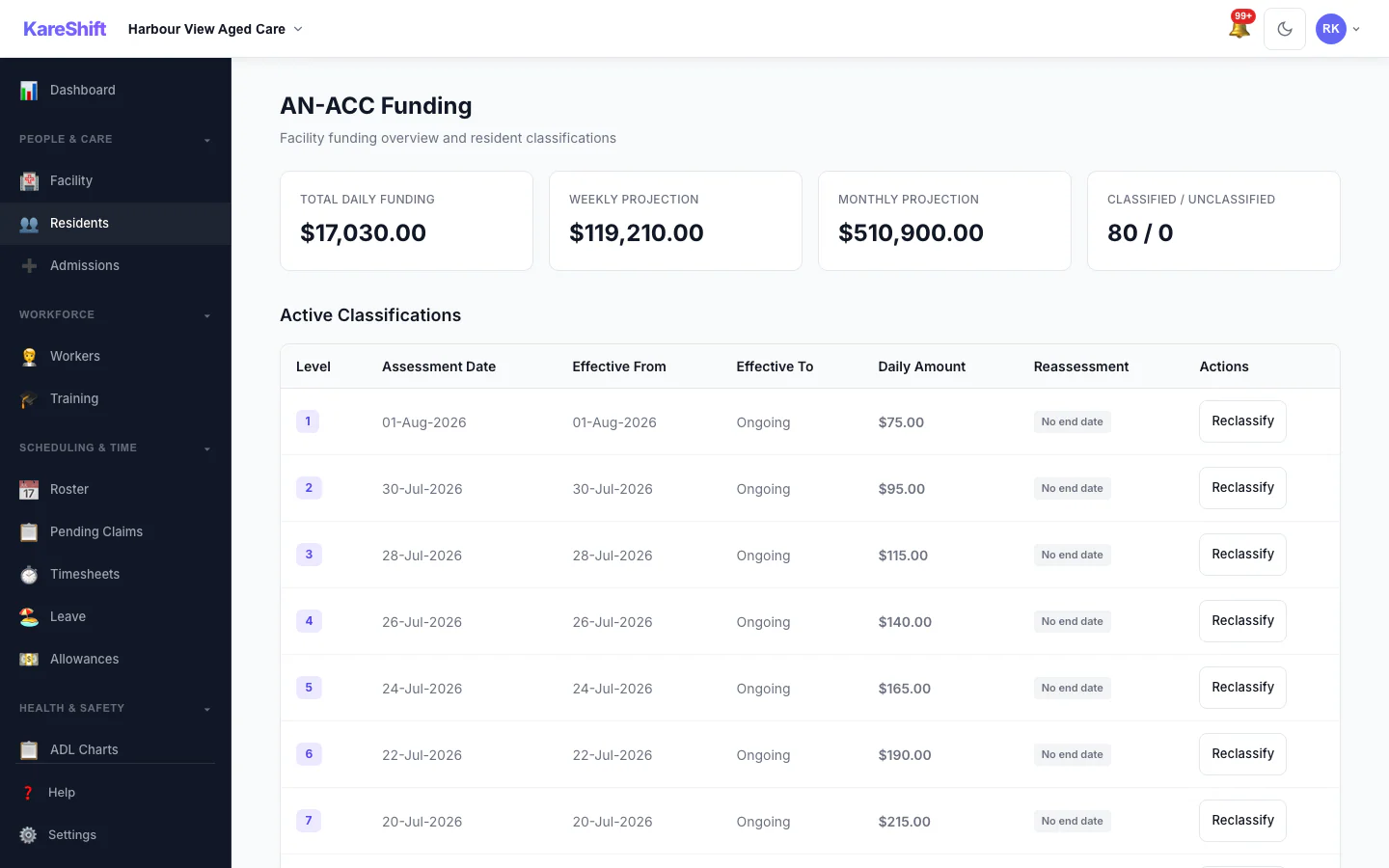
AN-ACC Funding
Classification tracking, daily subsidy amounts, reassessment alerts, funding summary.
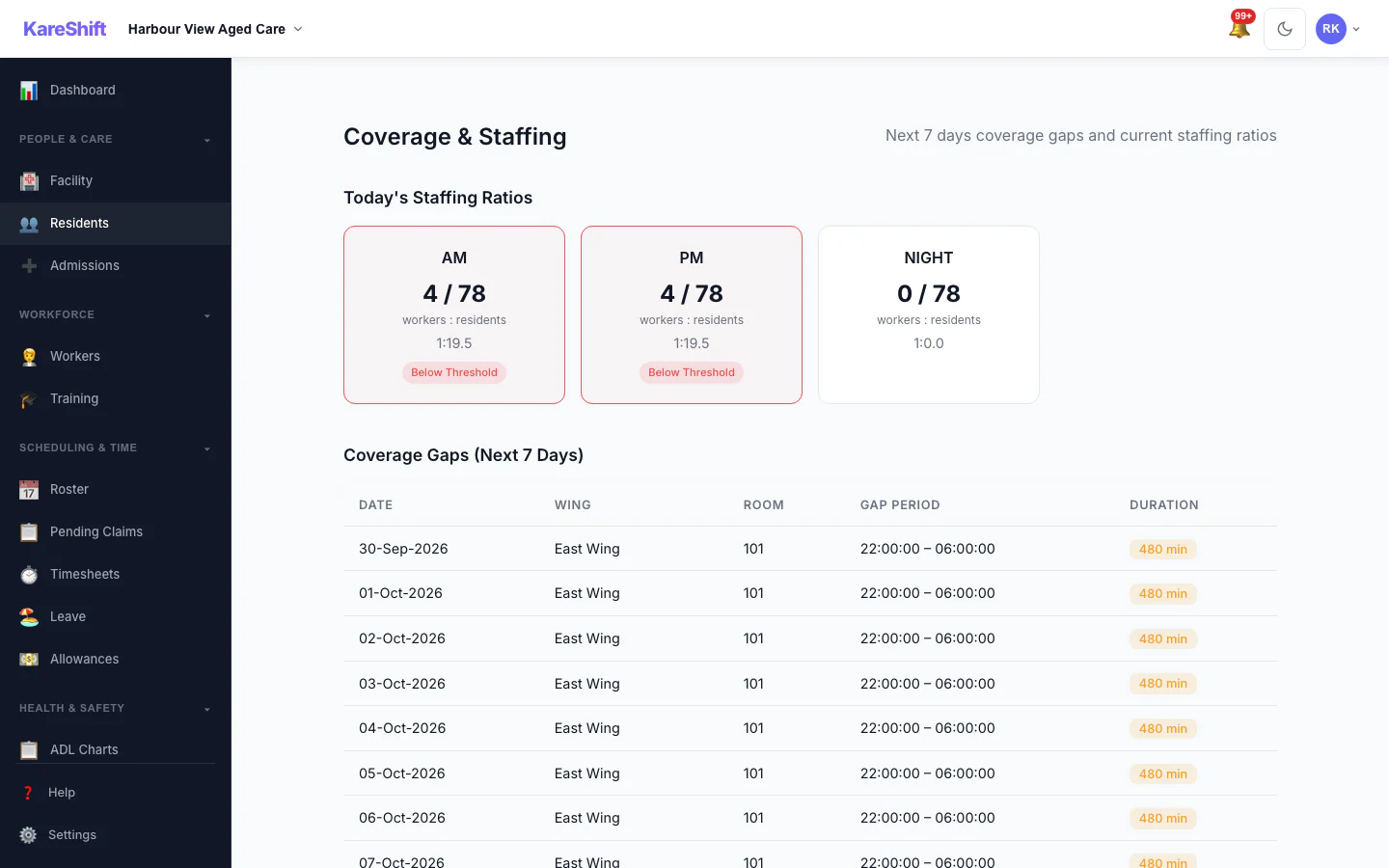
Coverage & Staffing
Identify staffing gaps, verify coverage ratios, ensure every wing is covered every shift.
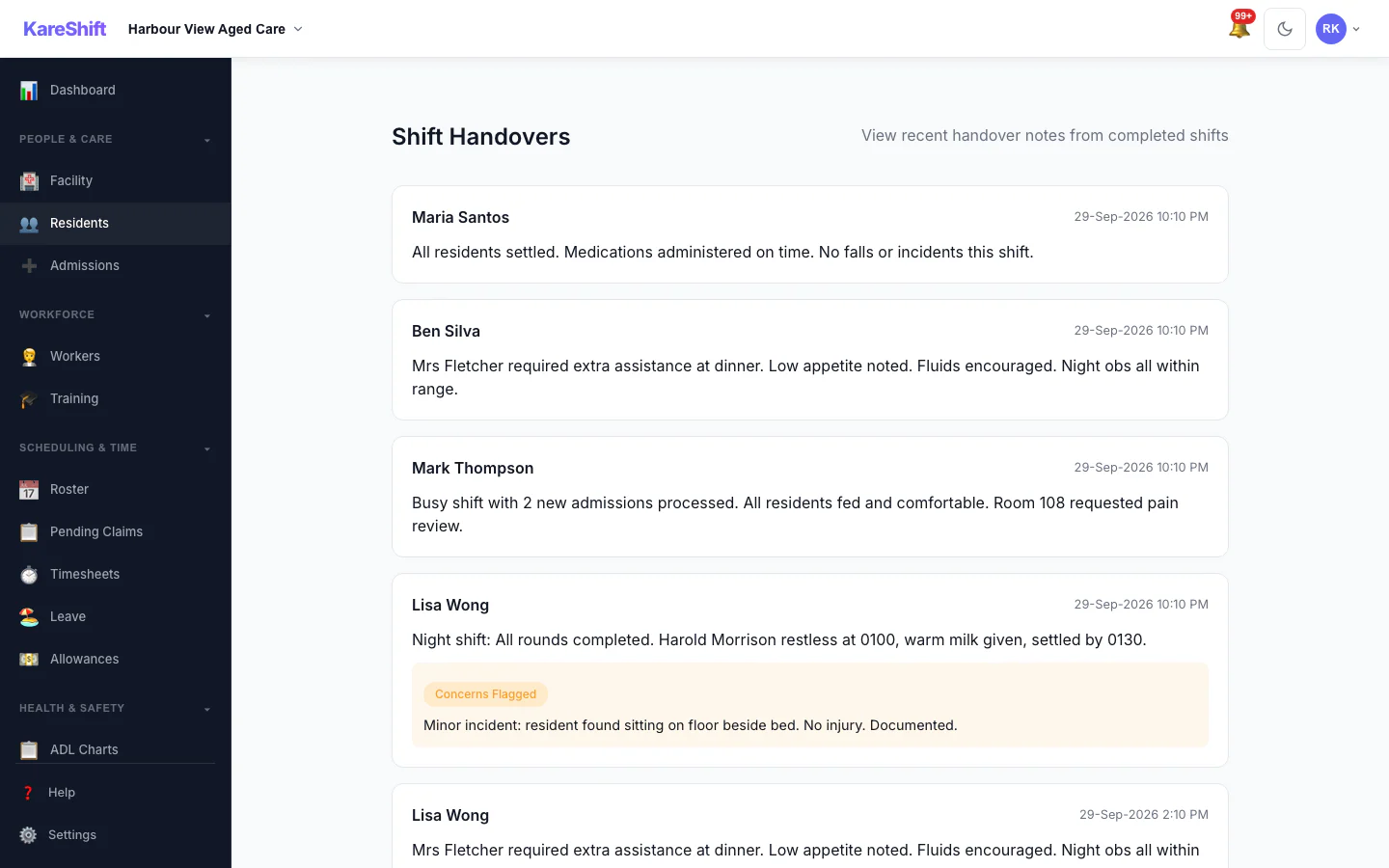
Shift Handover
Incoming shift briefing — flagged residents, concerns, incident notes from outgoing staff.
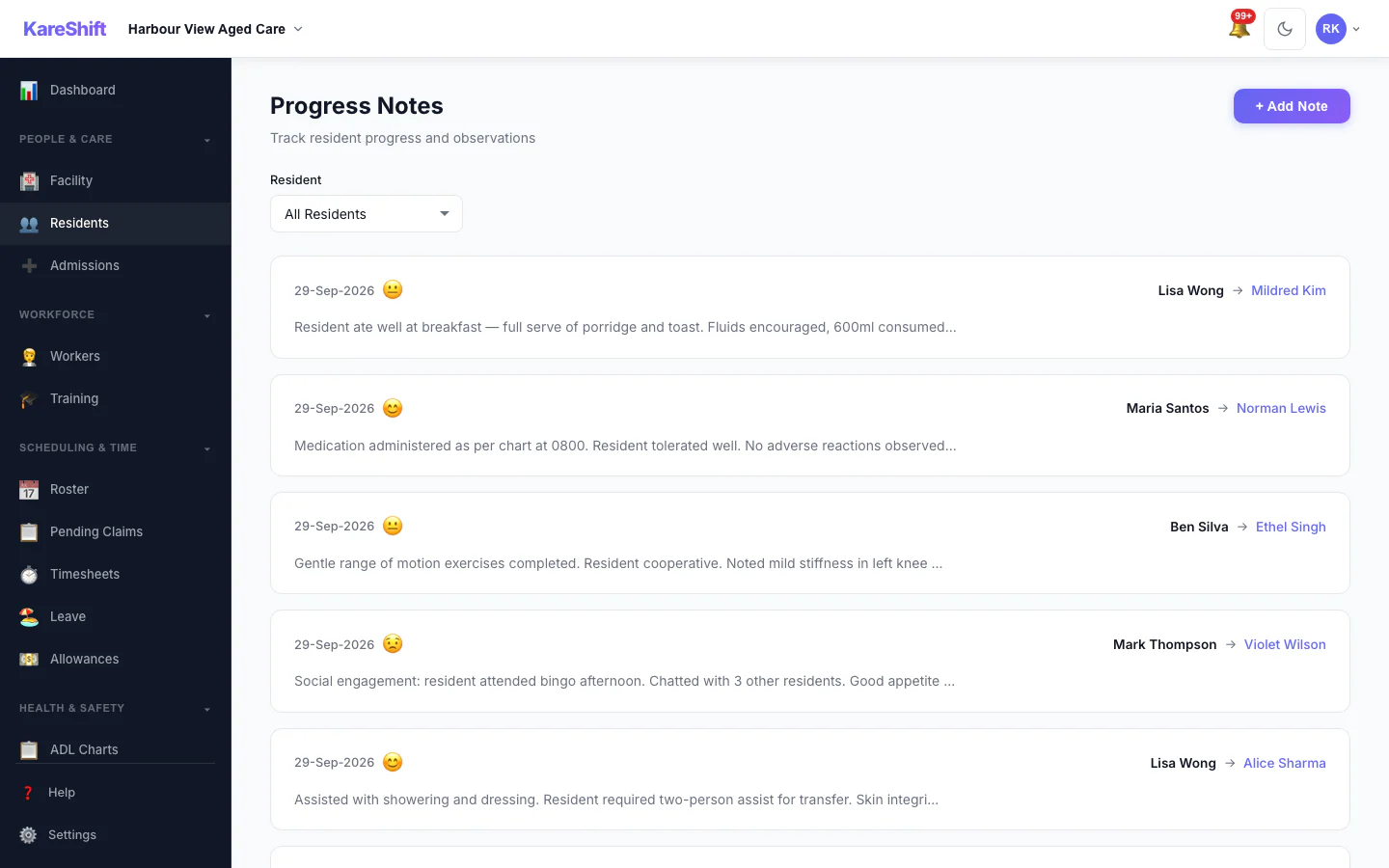
Progress Notes
Shift notes linked to residents. Searchable, timestamped, audit-ready.
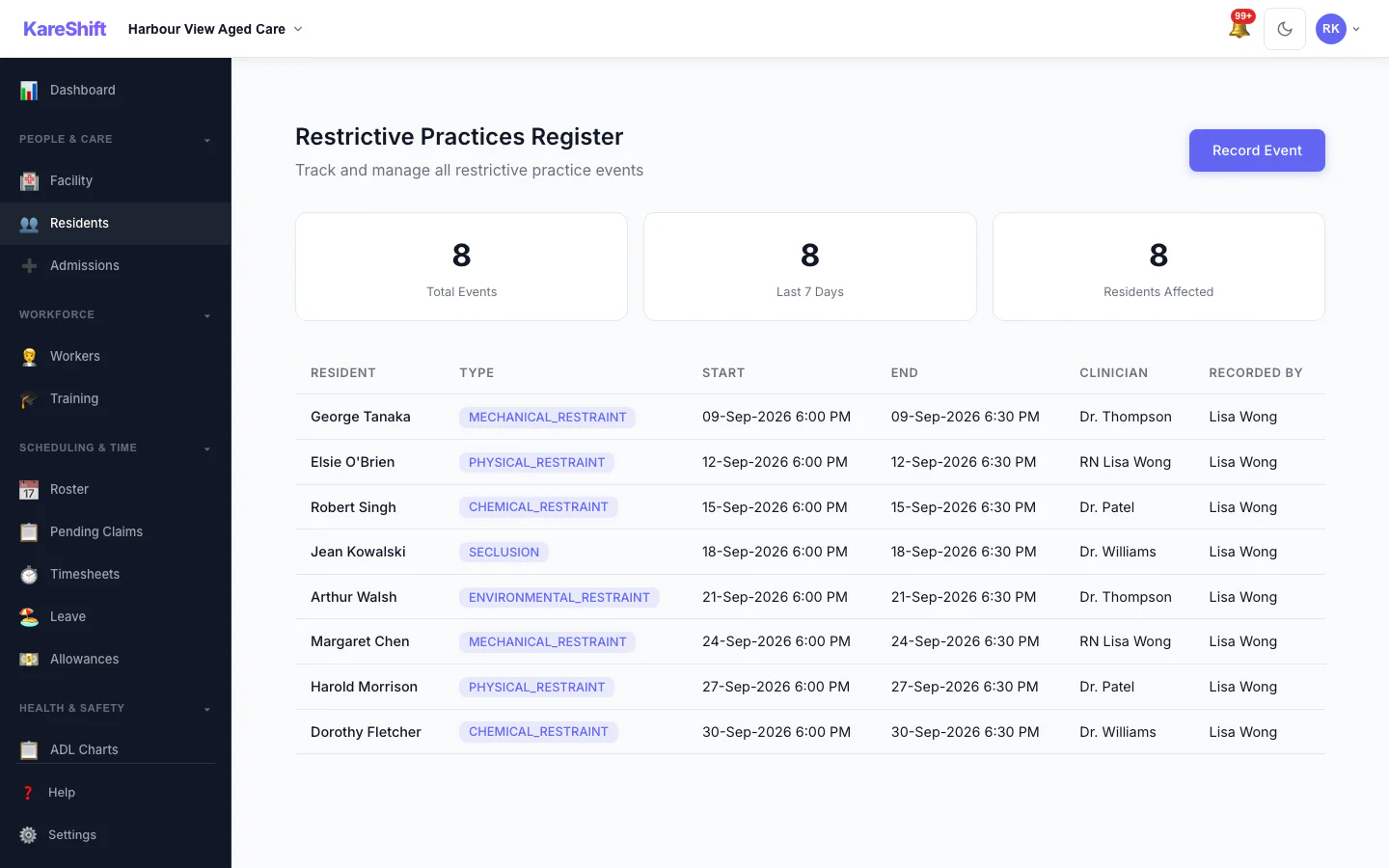
Restrictive Practices
Log and track all restrictive practice events. Frequency monitoring, register, compliance reporting.
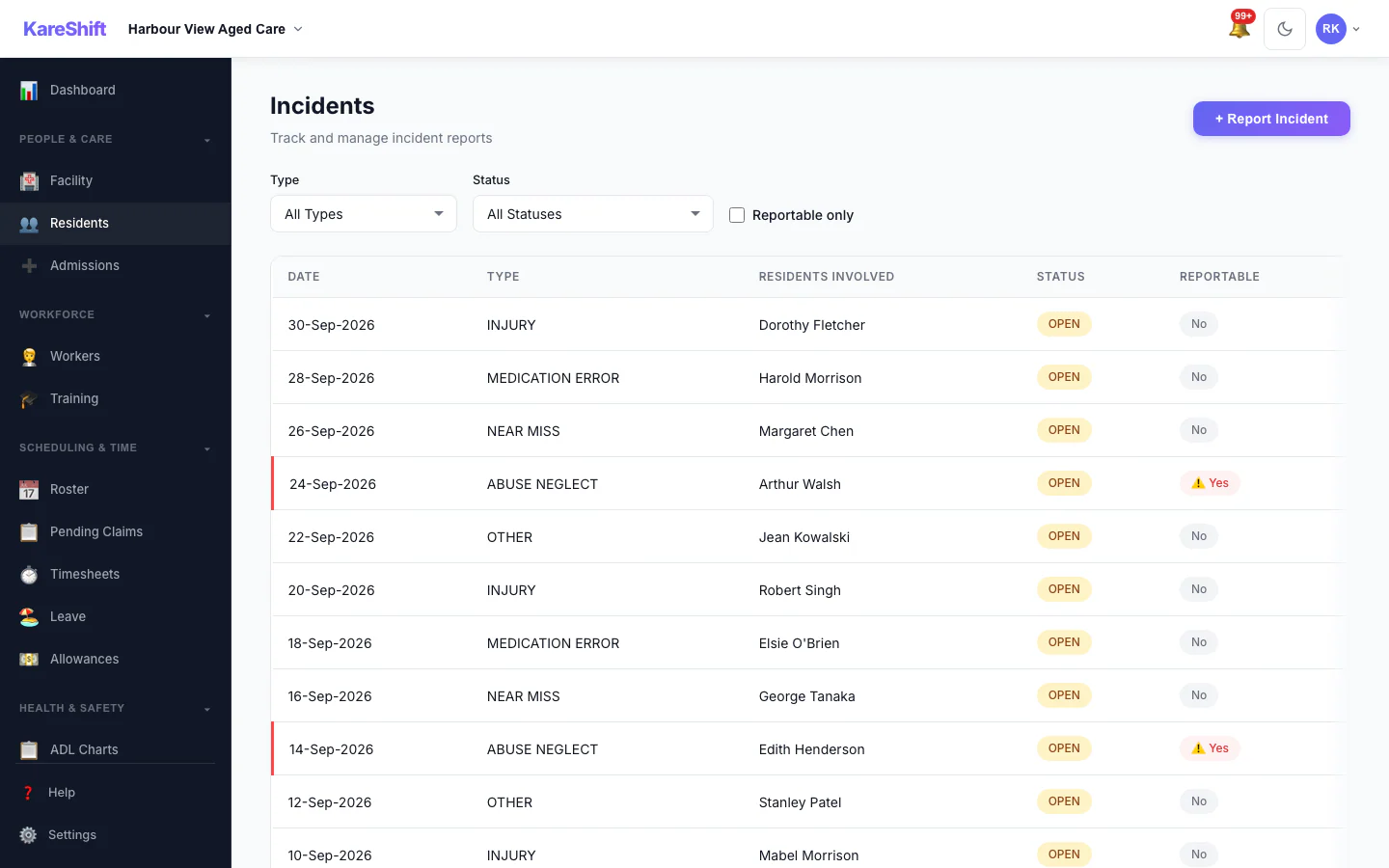
SIRS & Incidents
Incident reporting with SIRS classification. 24-hour deadline tracking, quality standards evidence.
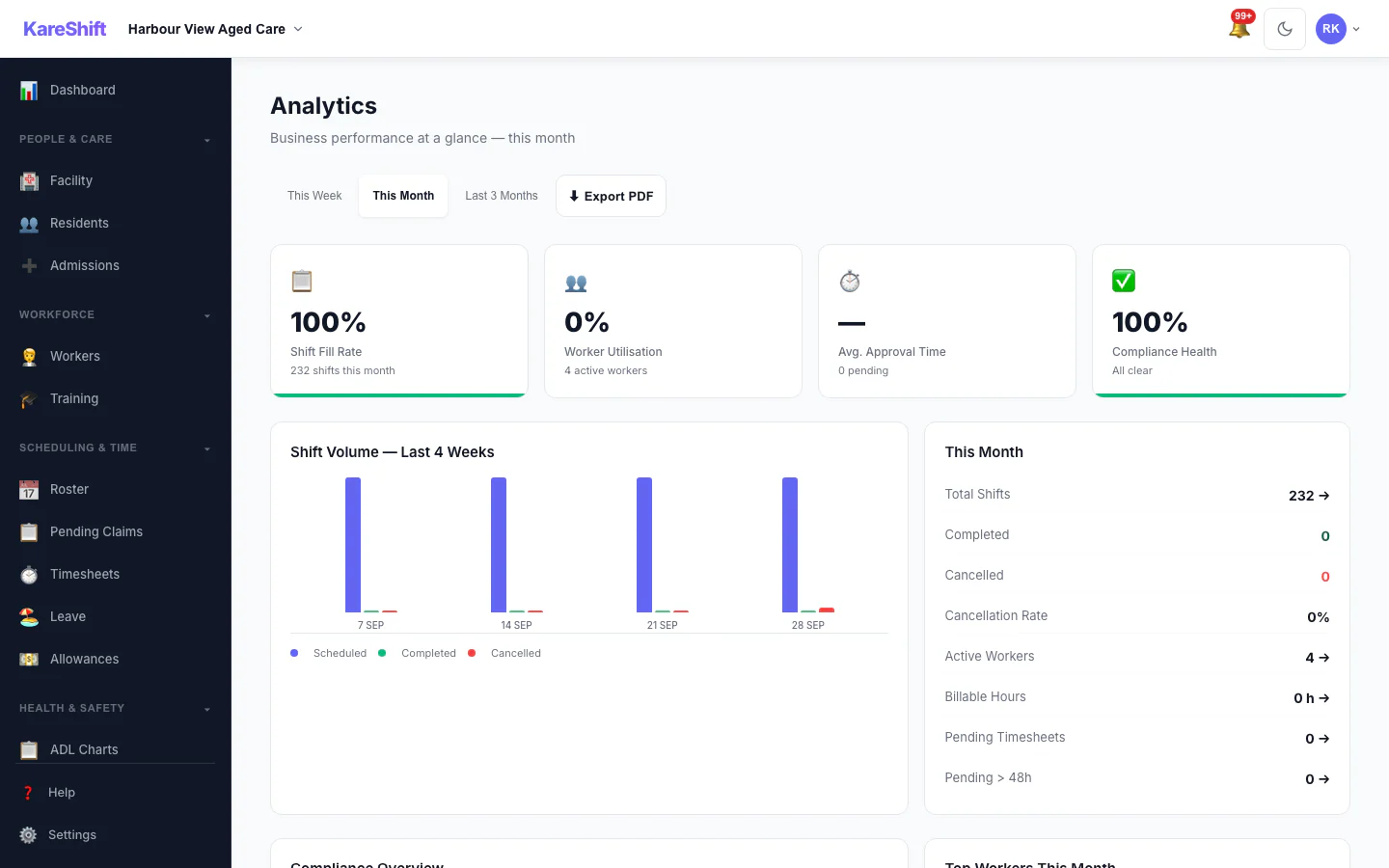
Analytics
Shift fill rate, compliance score, worker utilisation, cancellation trends — aged care specific.
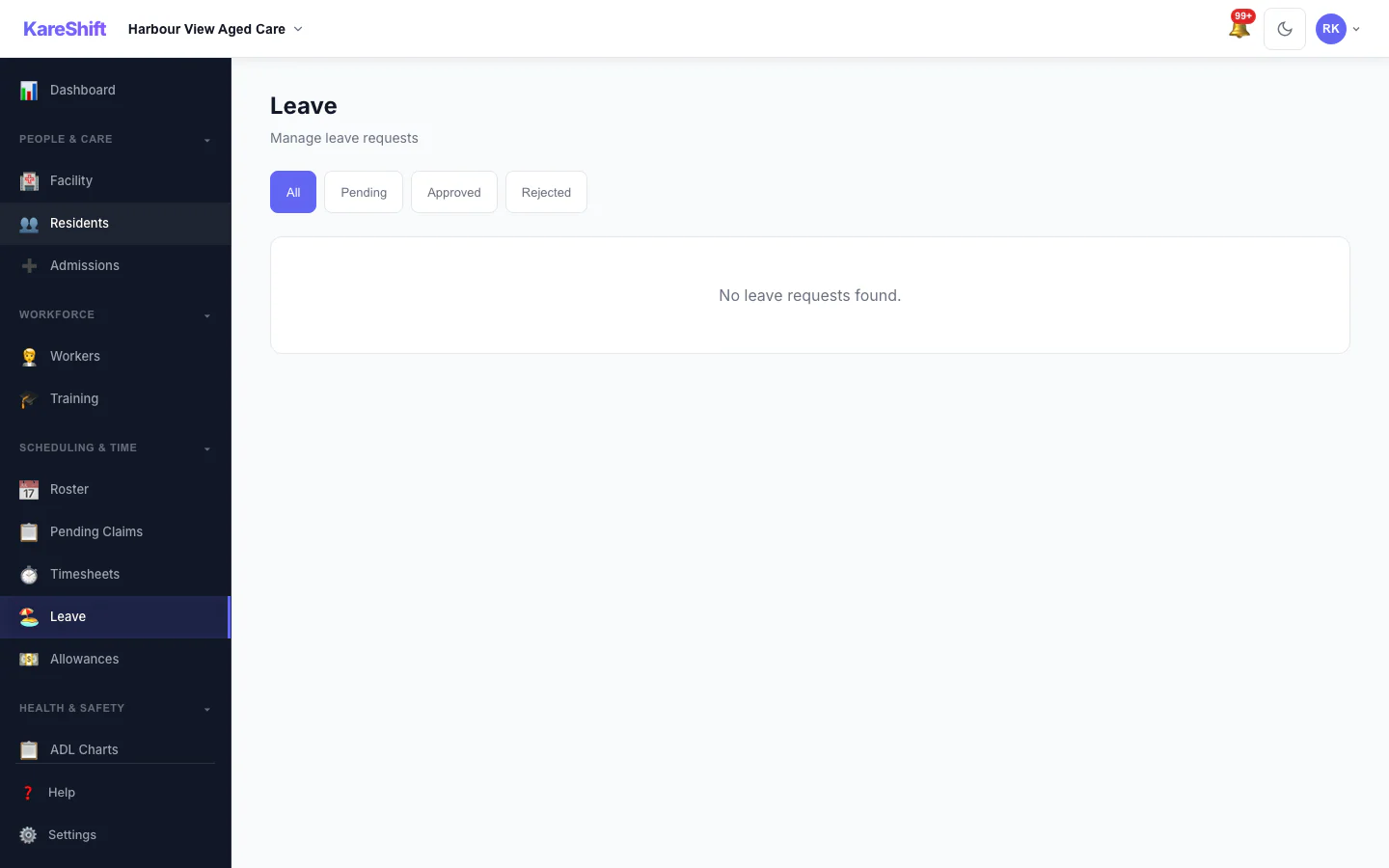
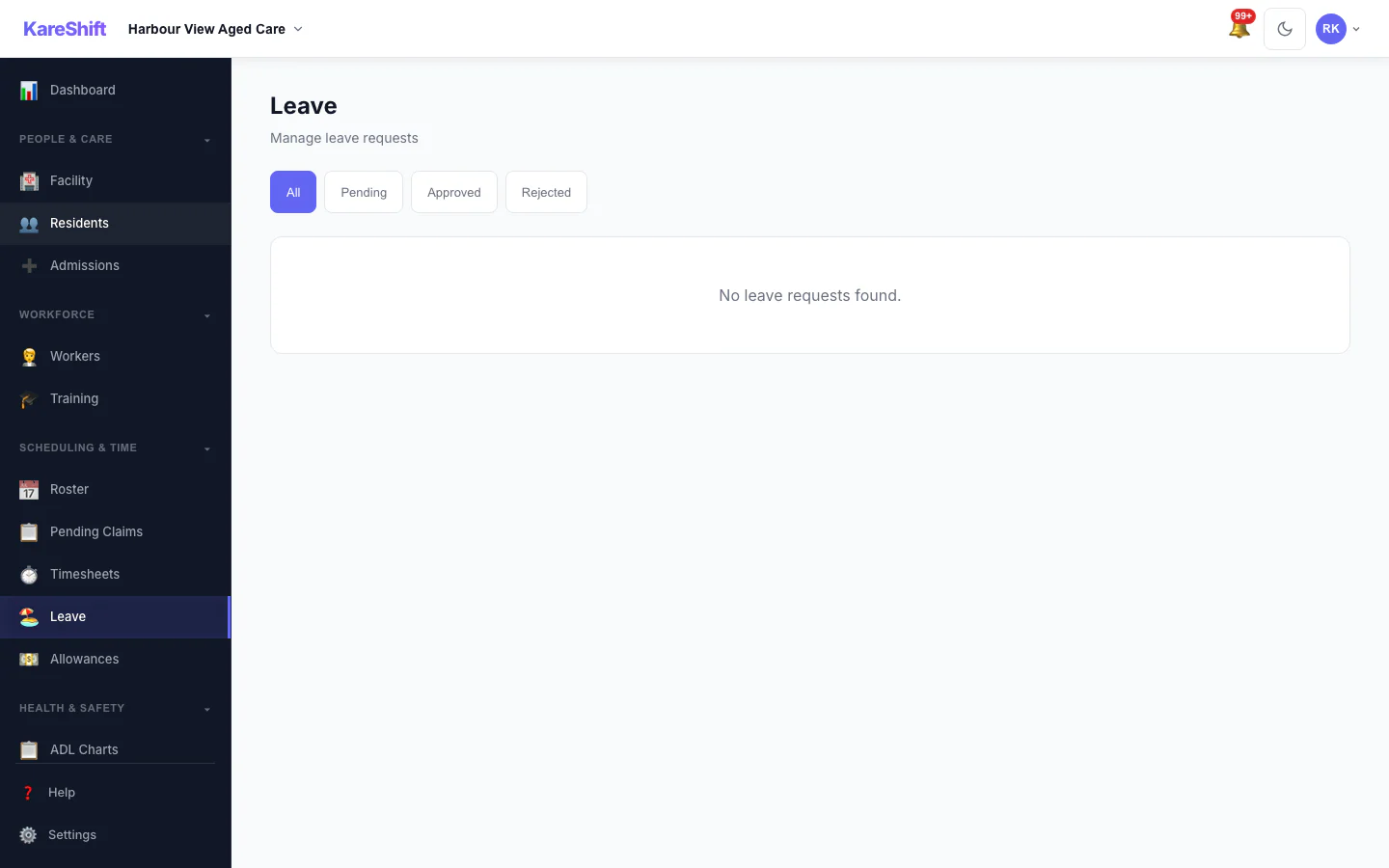
Leave Management
Leave requests, approvals, balance tracking for your aged care team.
Resident Leave
Track resident absences — social leave, hospital, family visits. Bed hold and funding impact.
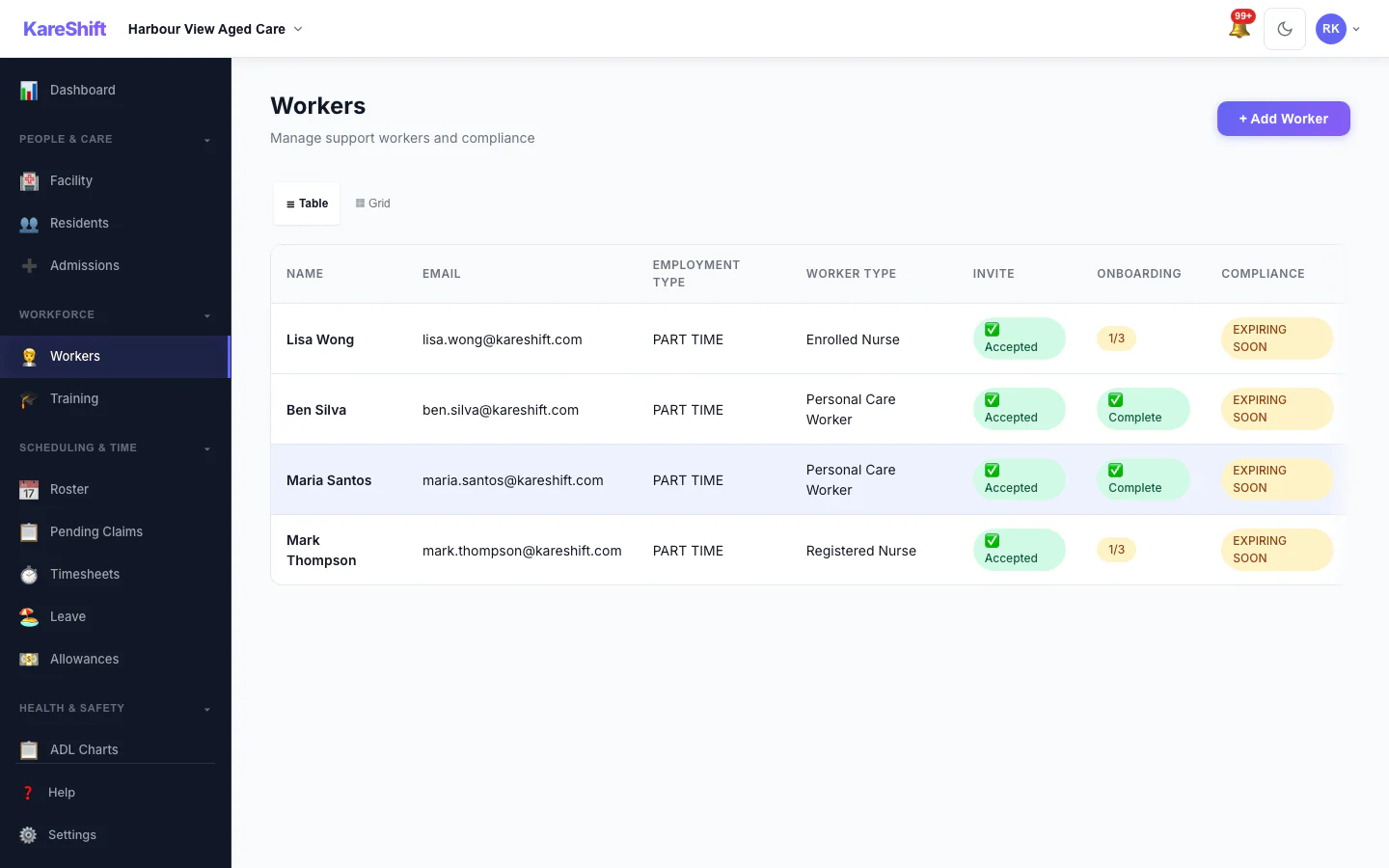
Workers
Full team — compliance status, qualifications, hours this week. Aged care specific roles.
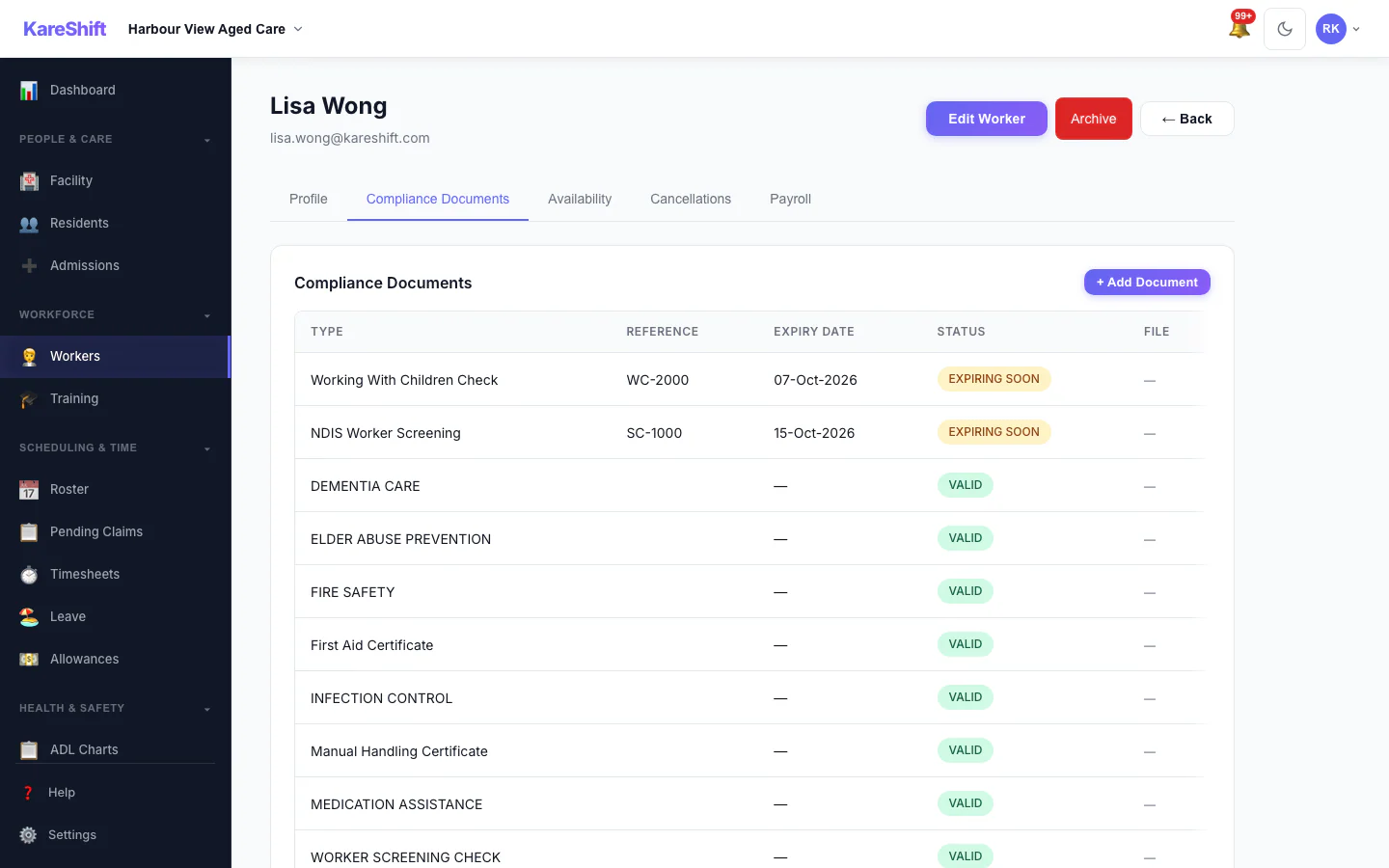
Worker Compliance
Document tracking per worker — police checks, first aid, manual handling, expiry alerts.
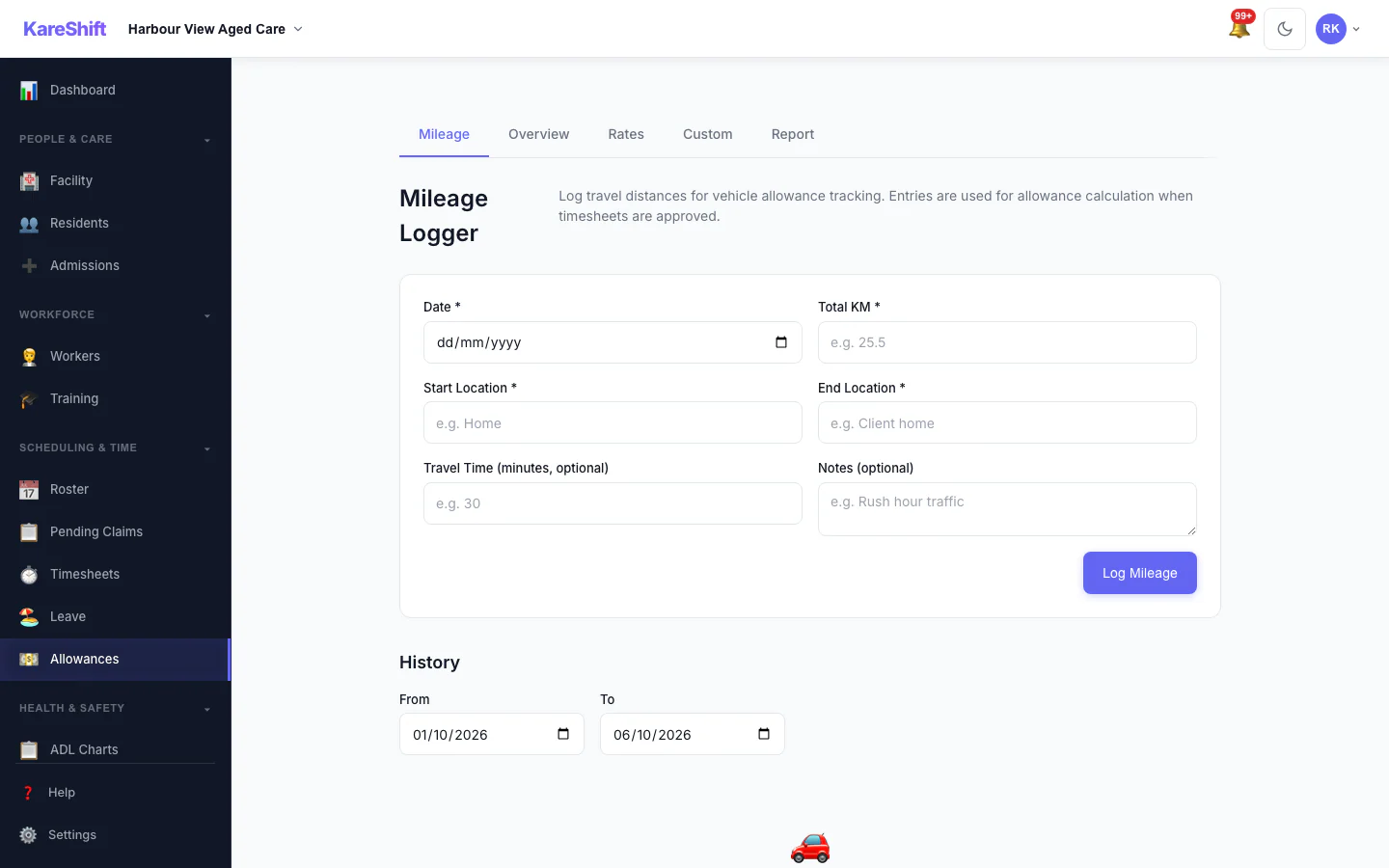
Allowances
SCHADS allowances for aged care workers. Laundry, uniform, first aid — auto-calculated.
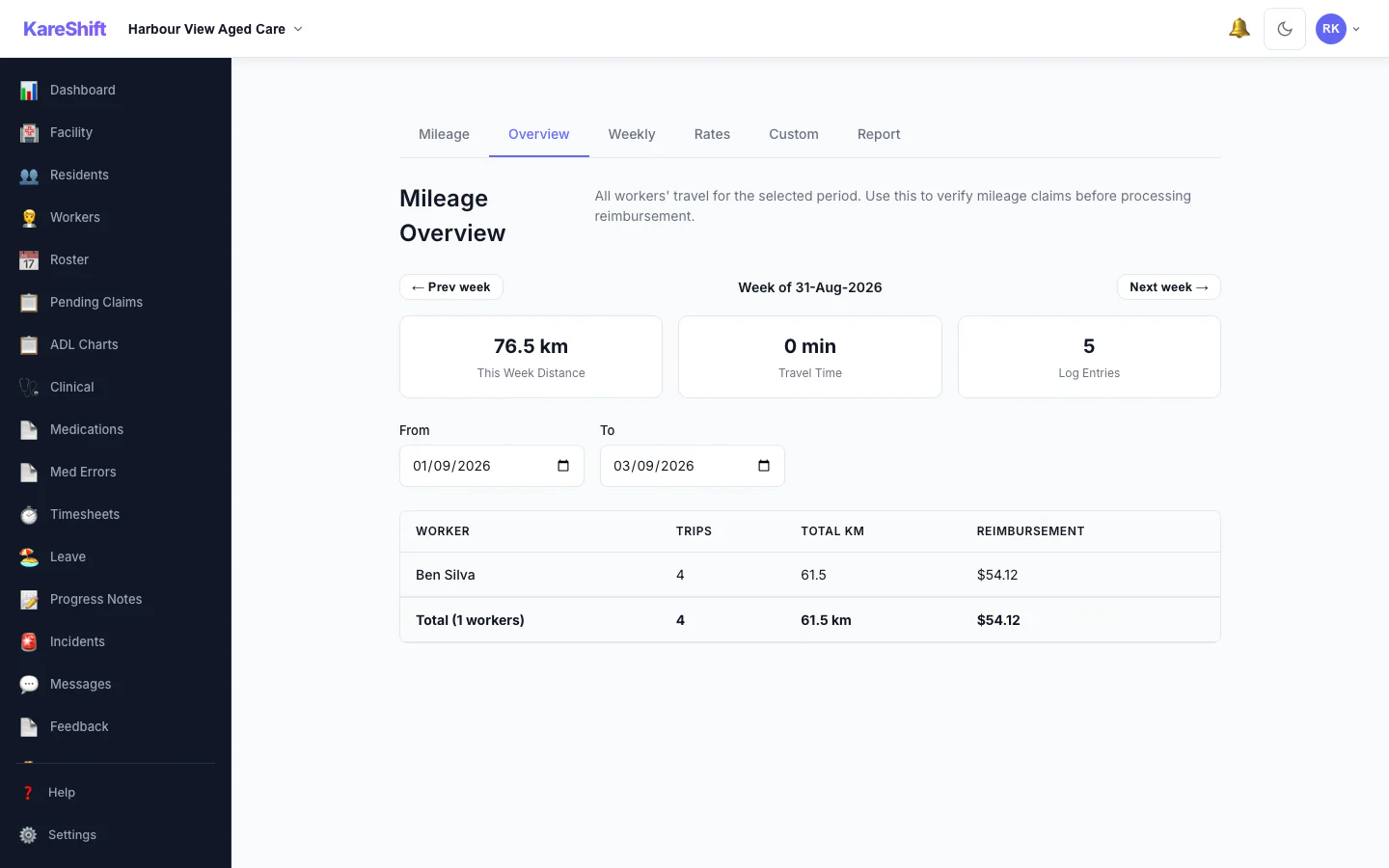
Mileage Overview
All workers' travel at a glance. Distance, trips, and reimbursement totals — ATO rate applied.
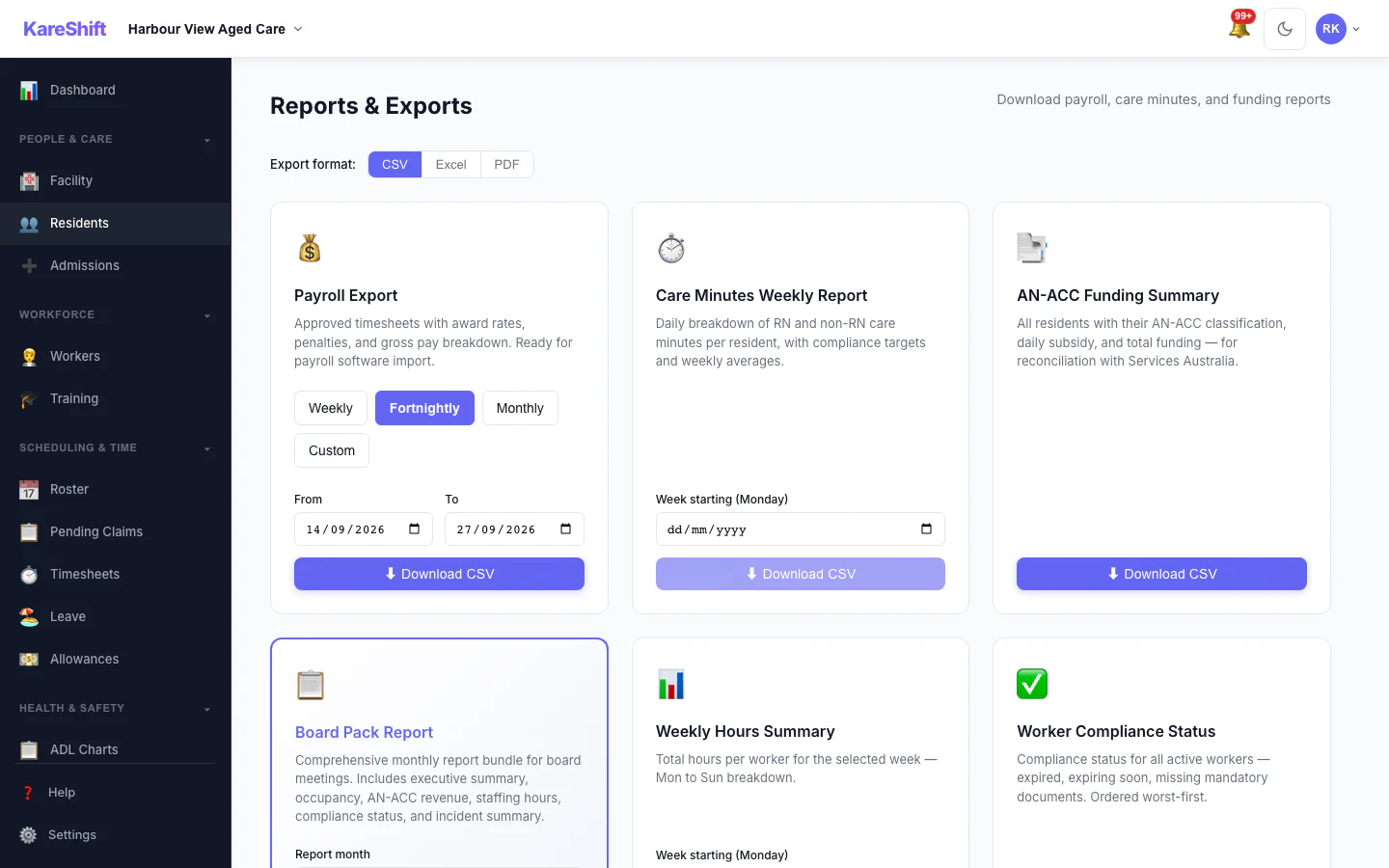
Reports & Exports
Payroll export, care minutes report, funding summary — CSV, Excel, or PDF.
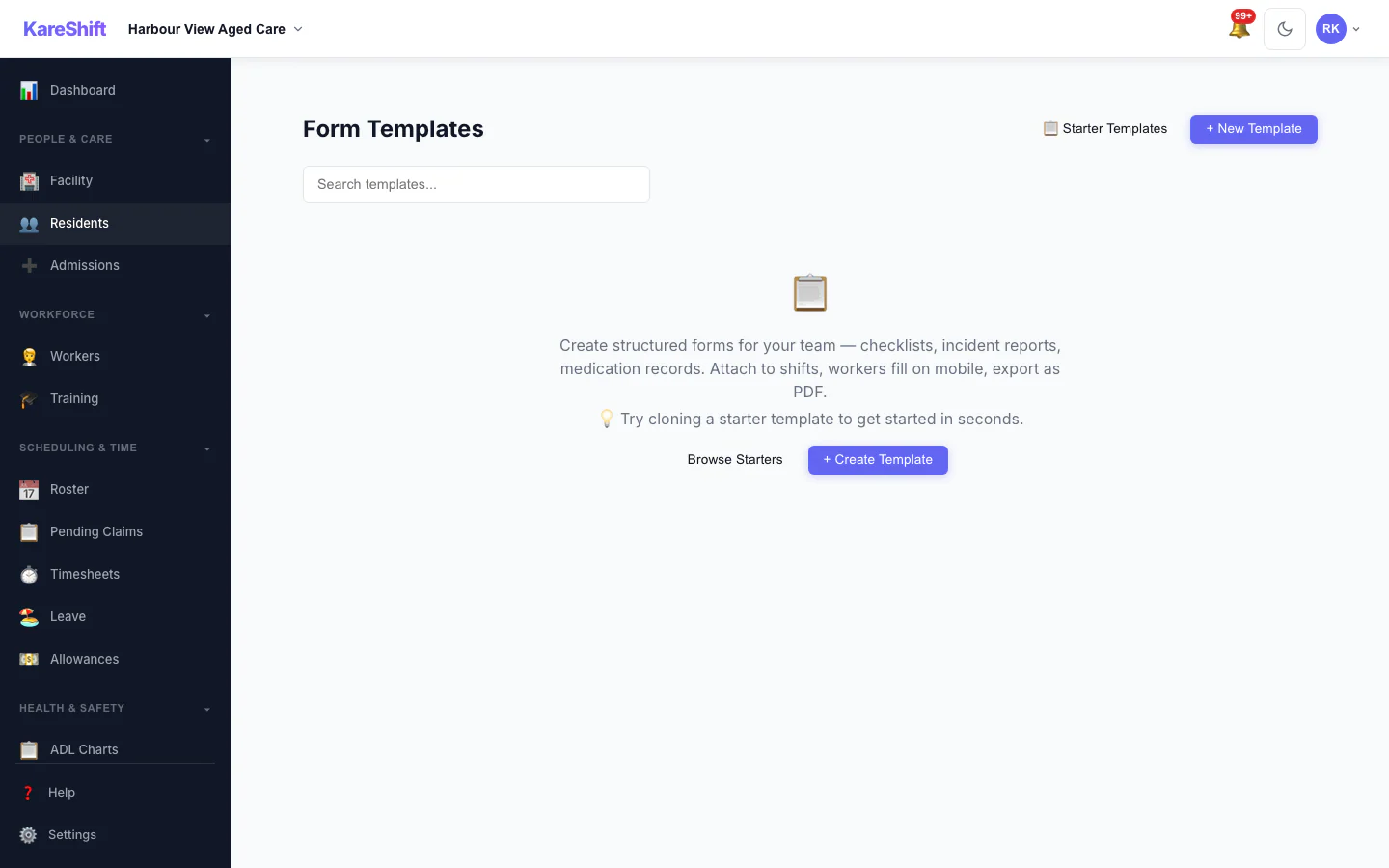
Custom Forms
Build forms for any purpose — wound assessment, fall risk, skin integrity checks.
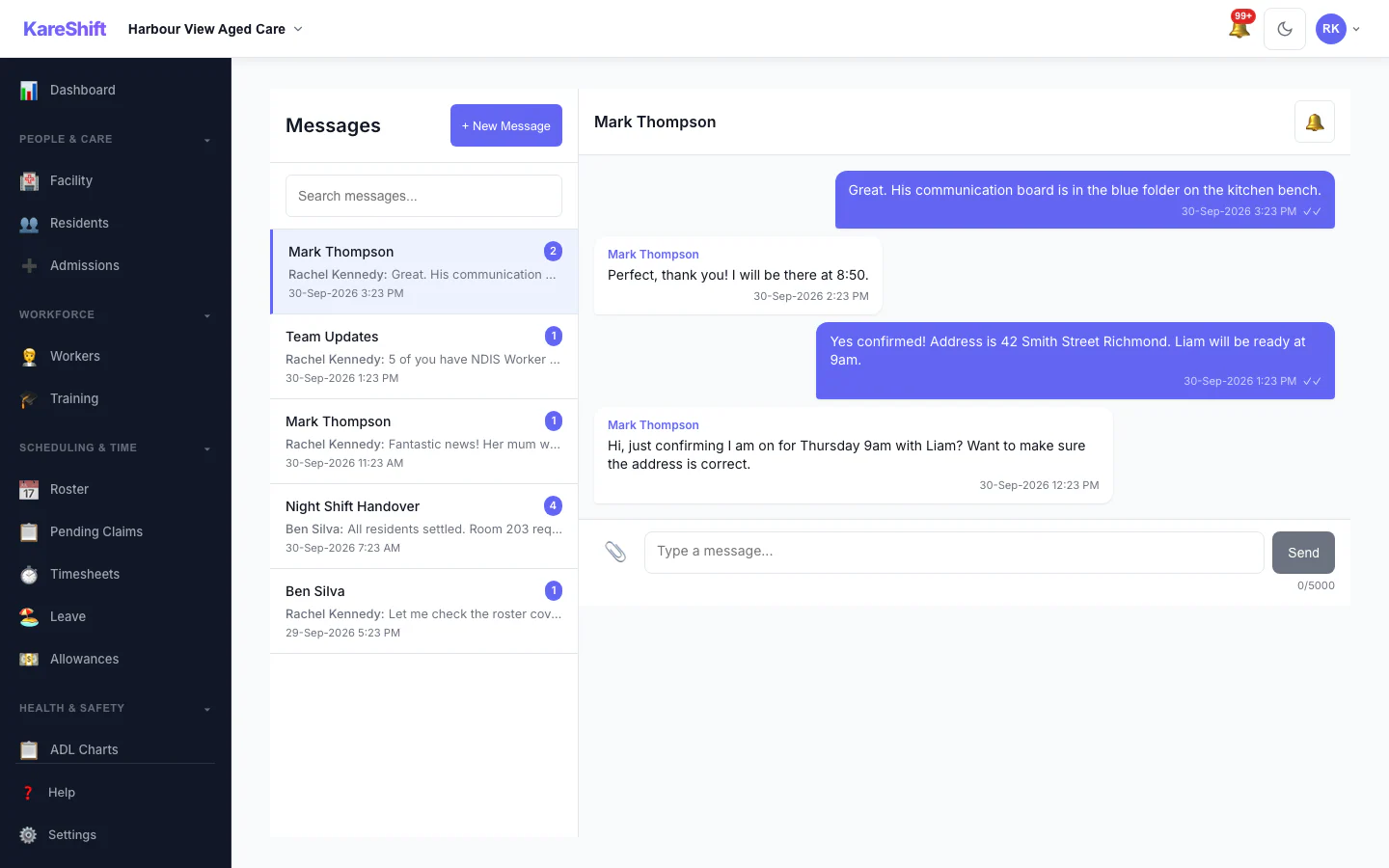
In-App Messaging
1:1 and group messages. File attachments, read receipts, push notifications.
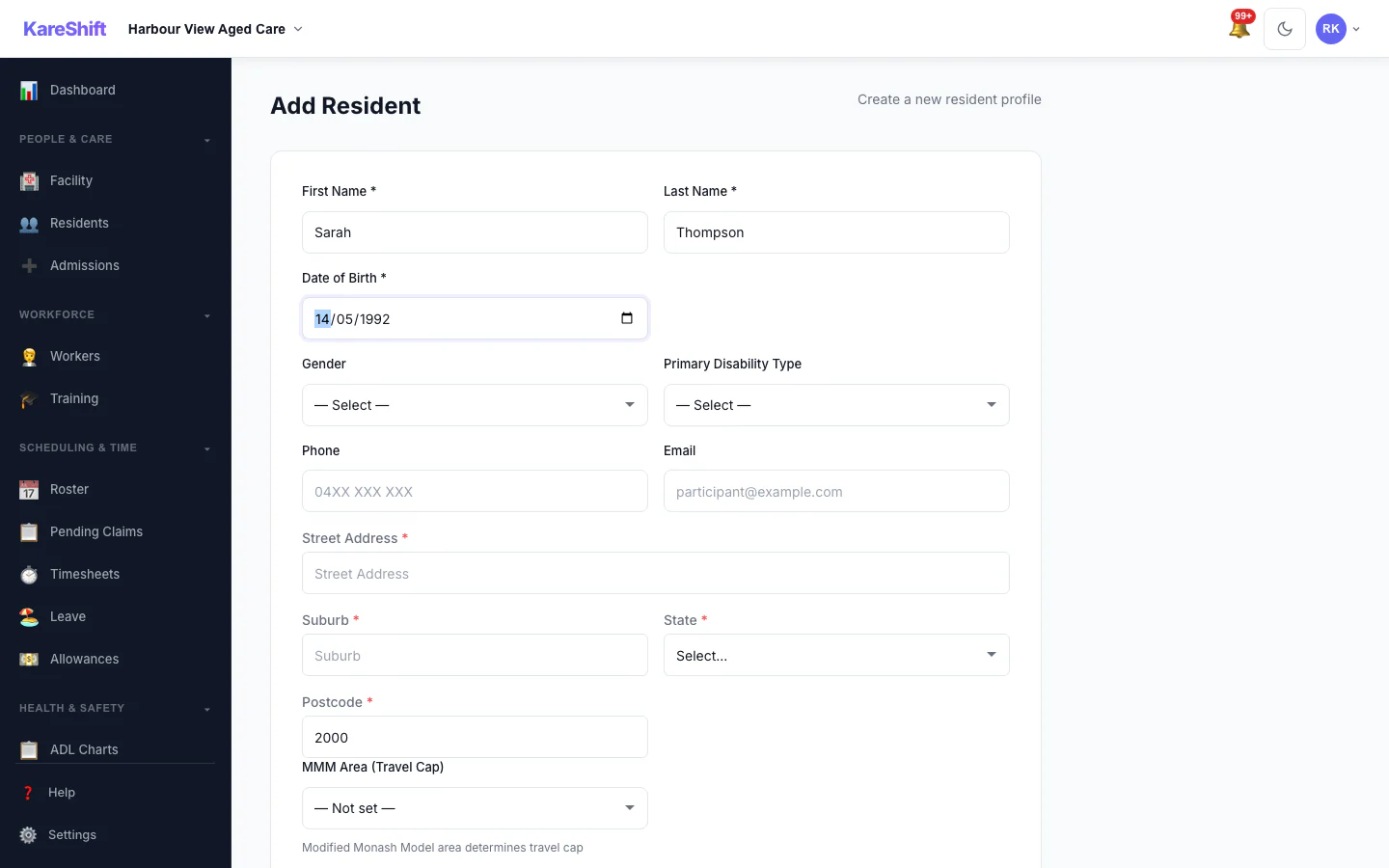
Travel Area Auto-Lookup
MMM remoteness area auto-resolves for travel billing and remote loading rates.
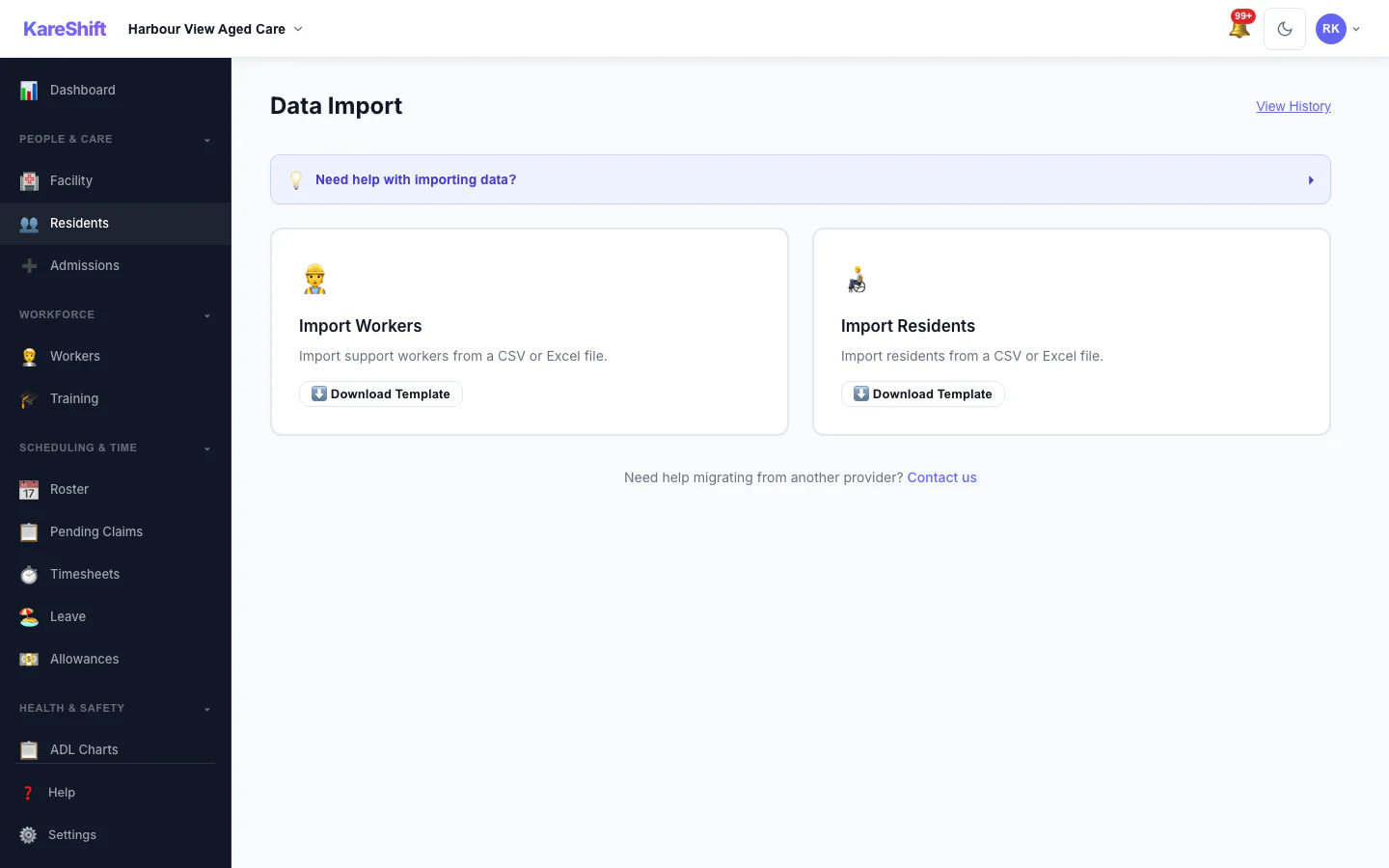
Bulk Import
Upload workers, residents, or shifts via CSV. Map columns, validate, import.
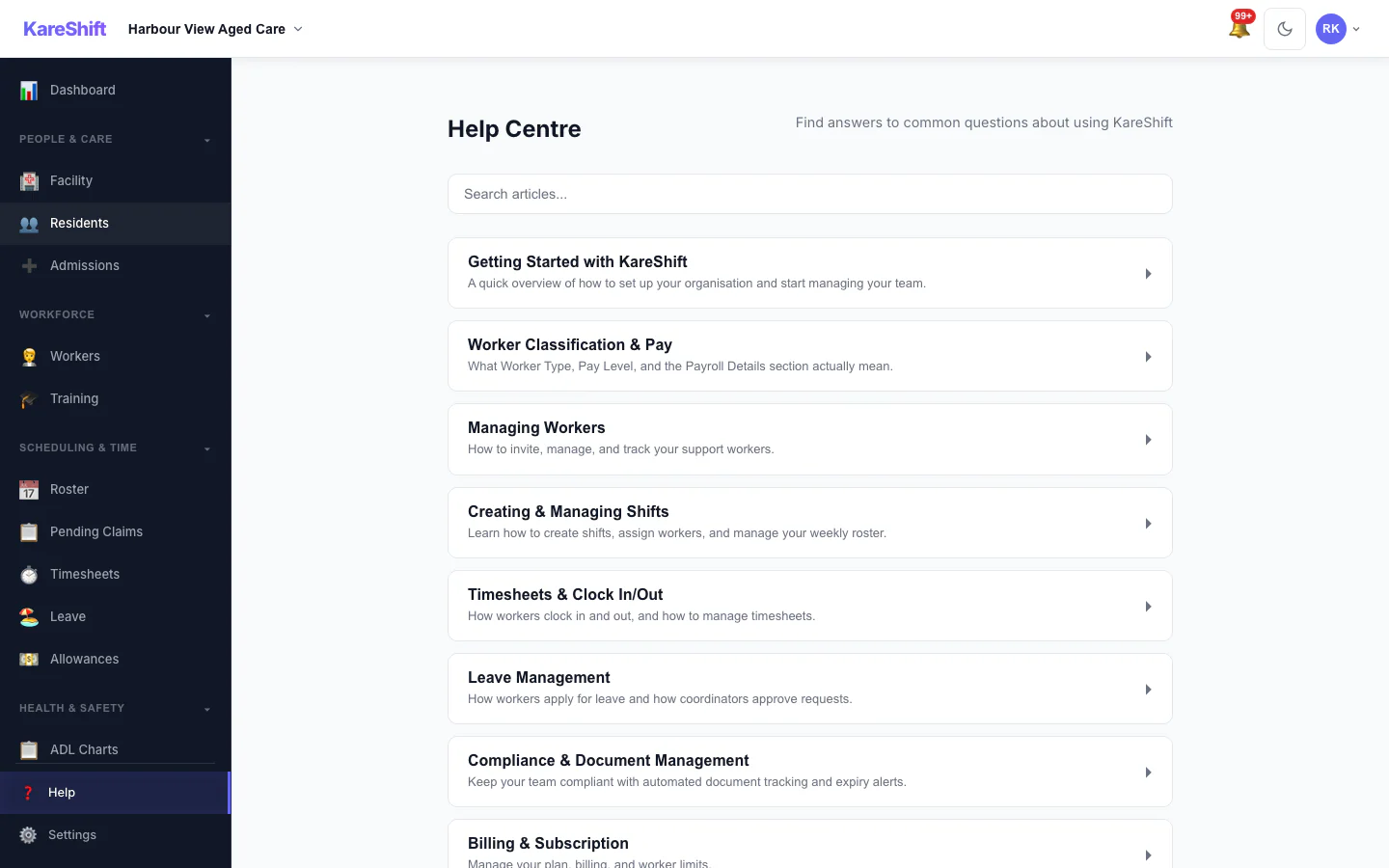
Help Centre
Searchable help articles built into the app.
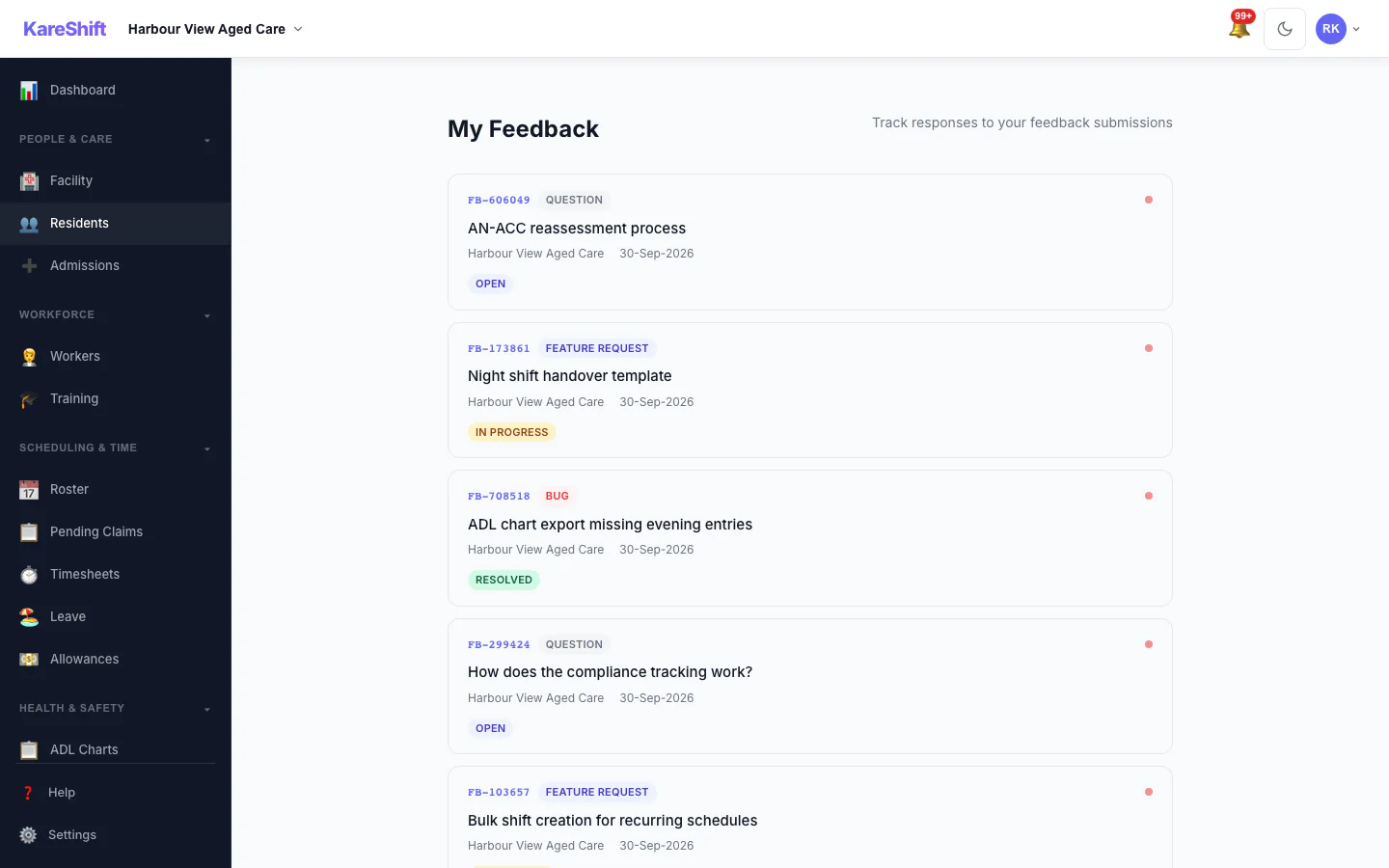
Feedback Overview
All your submissions in one place — sorted by status, with admin responses.
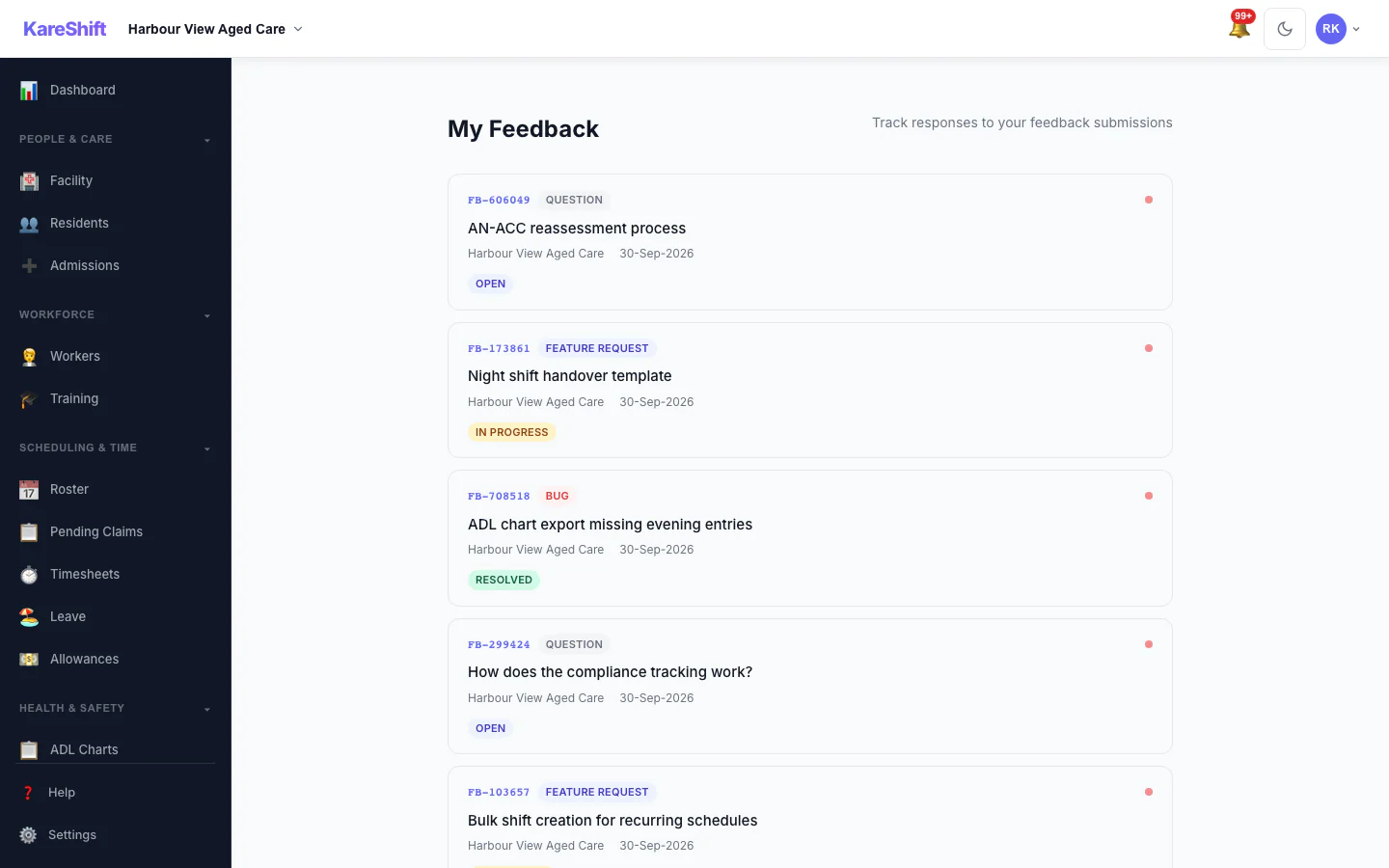
Feedback History
View all submitted feedback, track responses, and see unread replies.
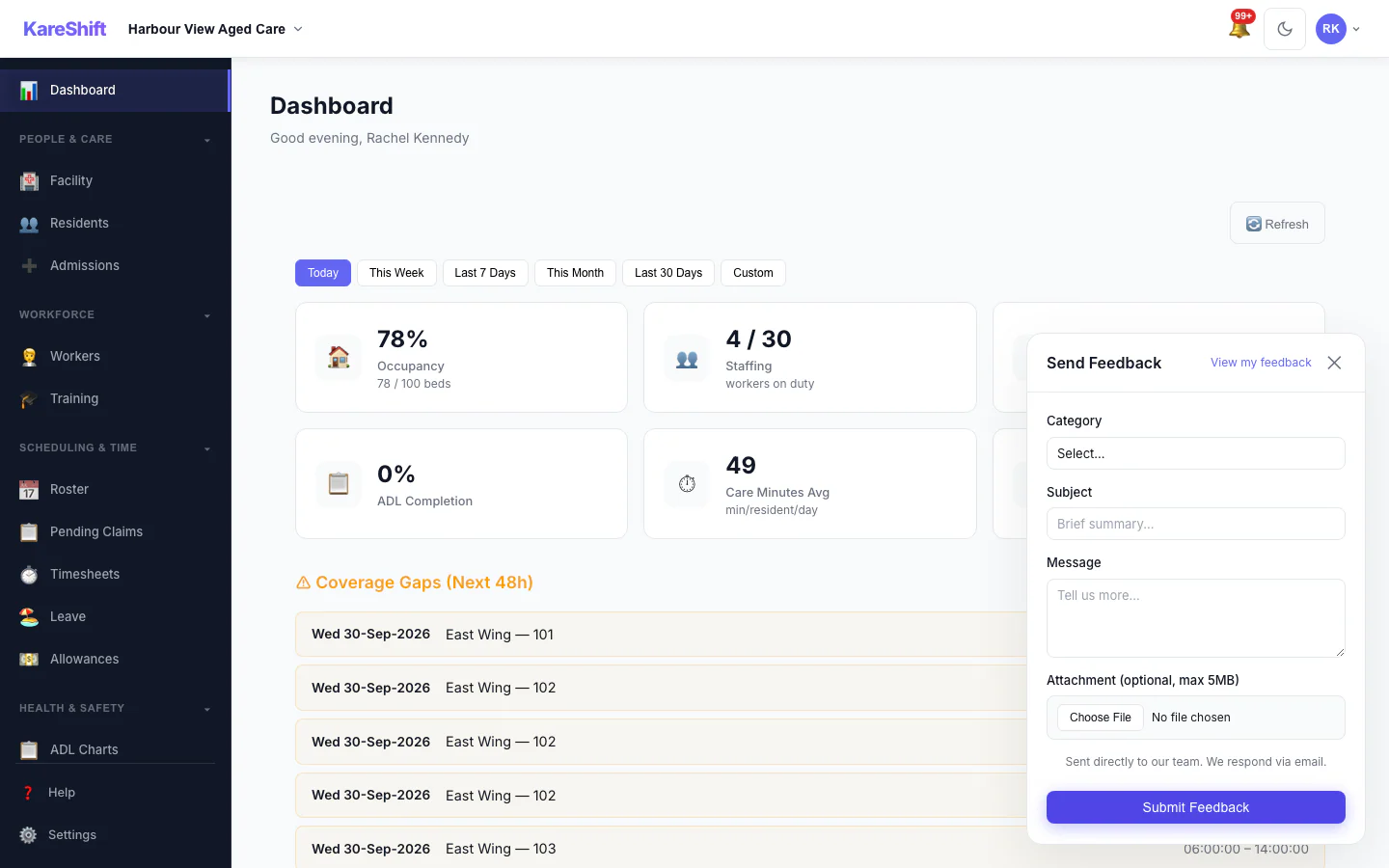
Quick Feedback
Submit feedback from any page with our floating widget. Bug, feature request, or question.
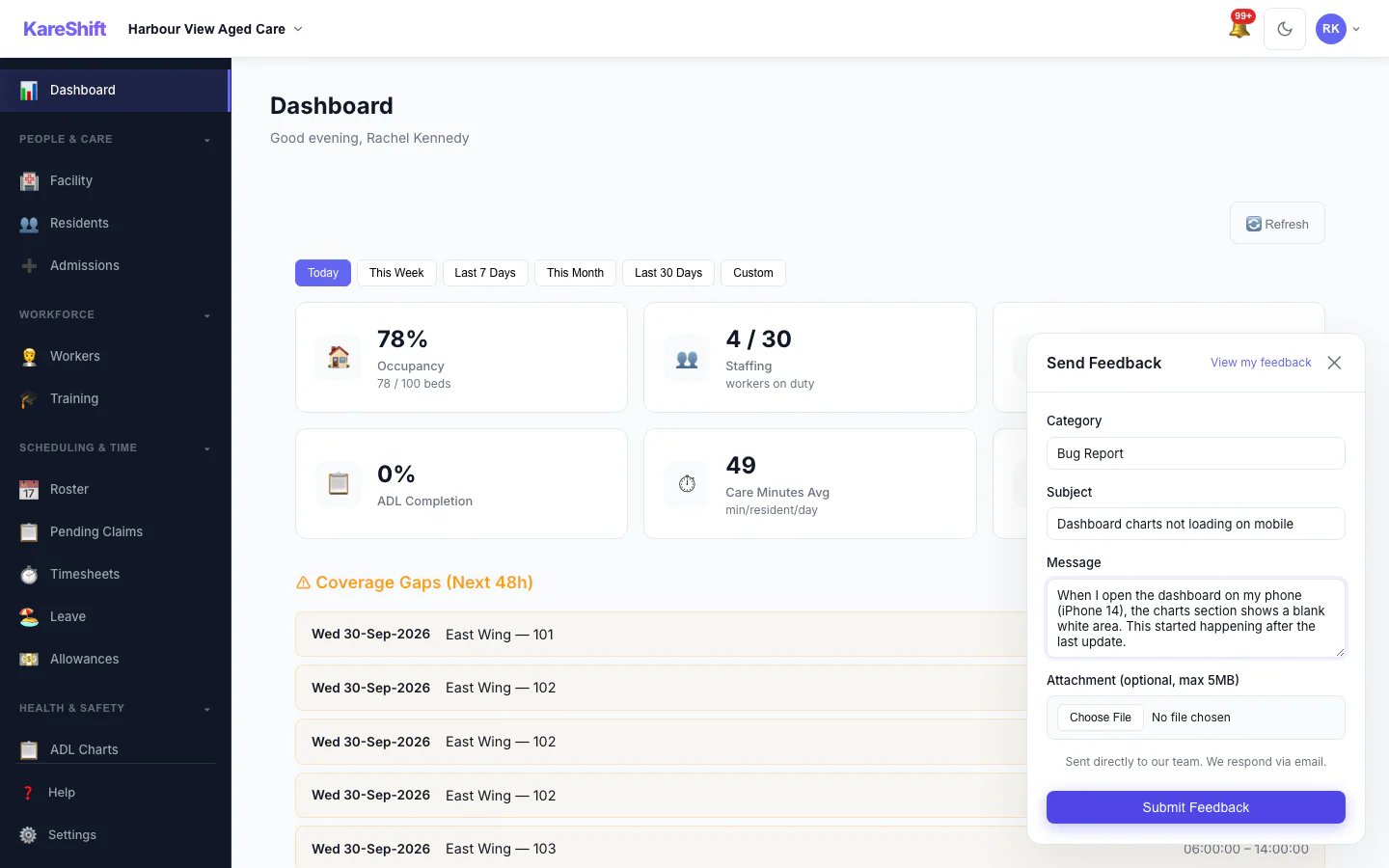
Built-in Feedback
Submit bugs, feature requests, or questions from any page. Get replies in-app and via email — your voice is always heard.
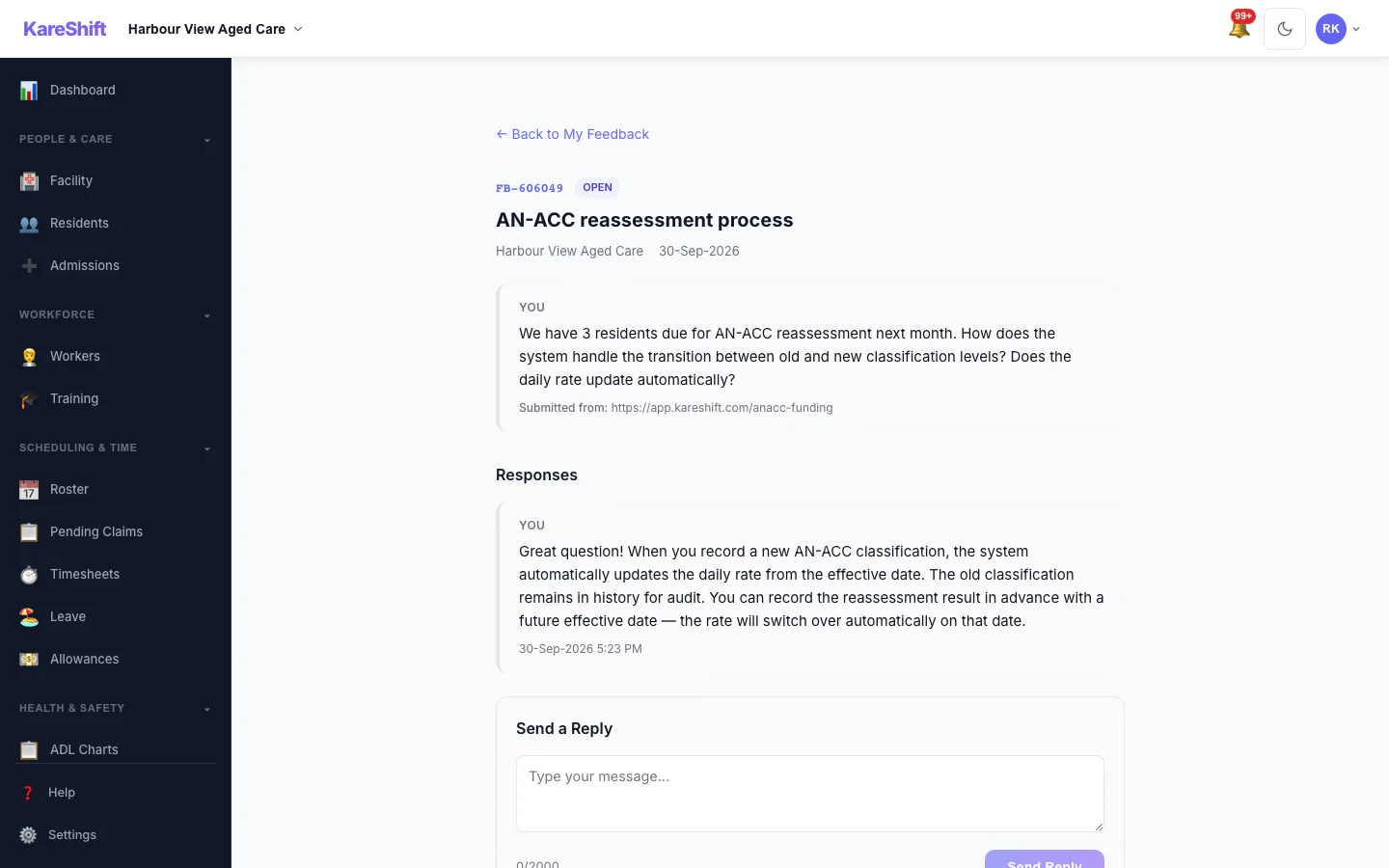
Feedback Responses
Track your submissions and see our team's responses. Conversation thread with unread indicators.
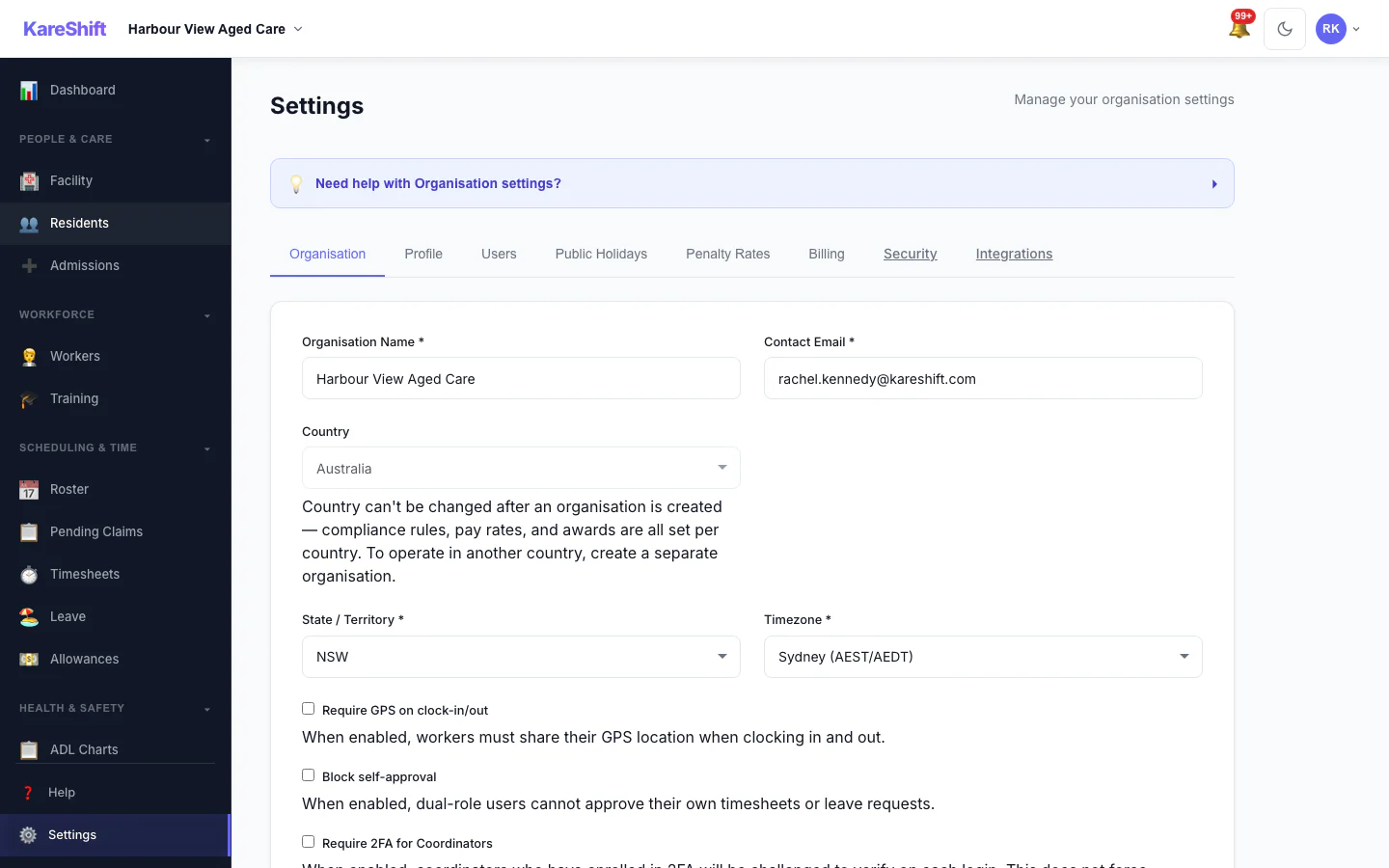
Settings
Organisation settings, billing, wings configuration, shift presets, notification preferences.
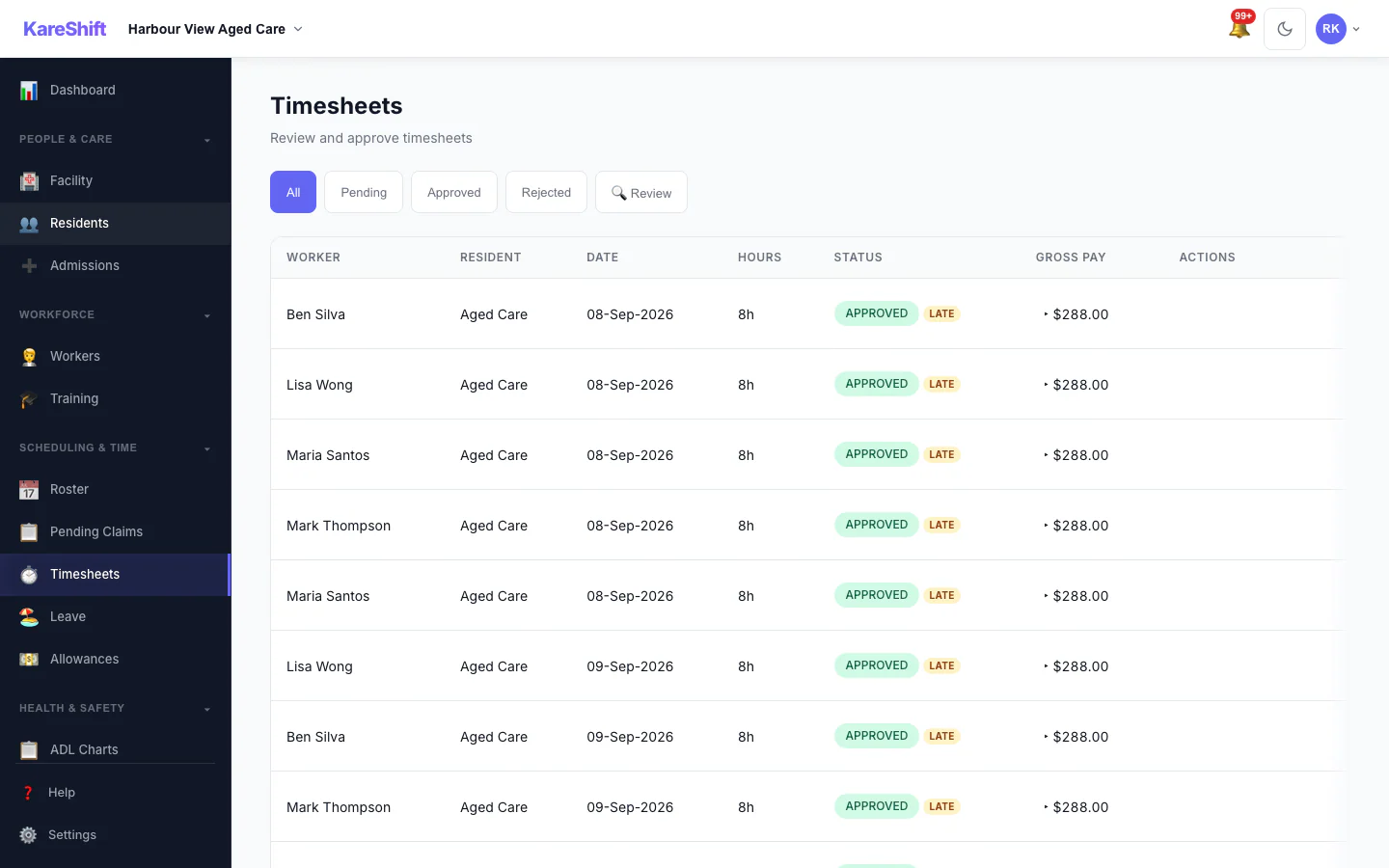
Residential Timesheets
Timesheets for residential staff — room-range assignments, shift type breakdown.
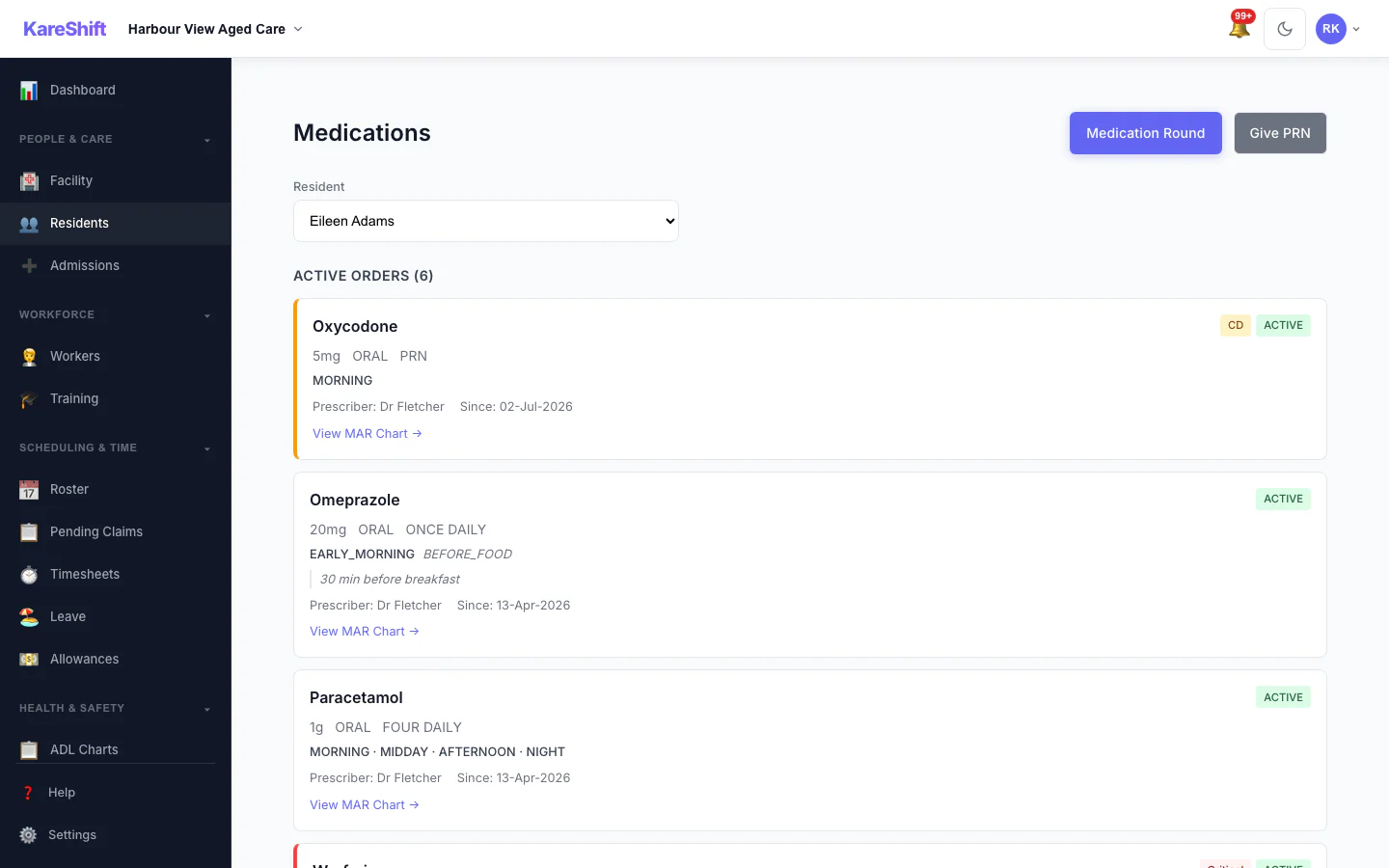
eMAR — Medication Orders
Full medication management — orders, PRN, controlled drugs. Real-time compliance tracking with missed dose alerts.
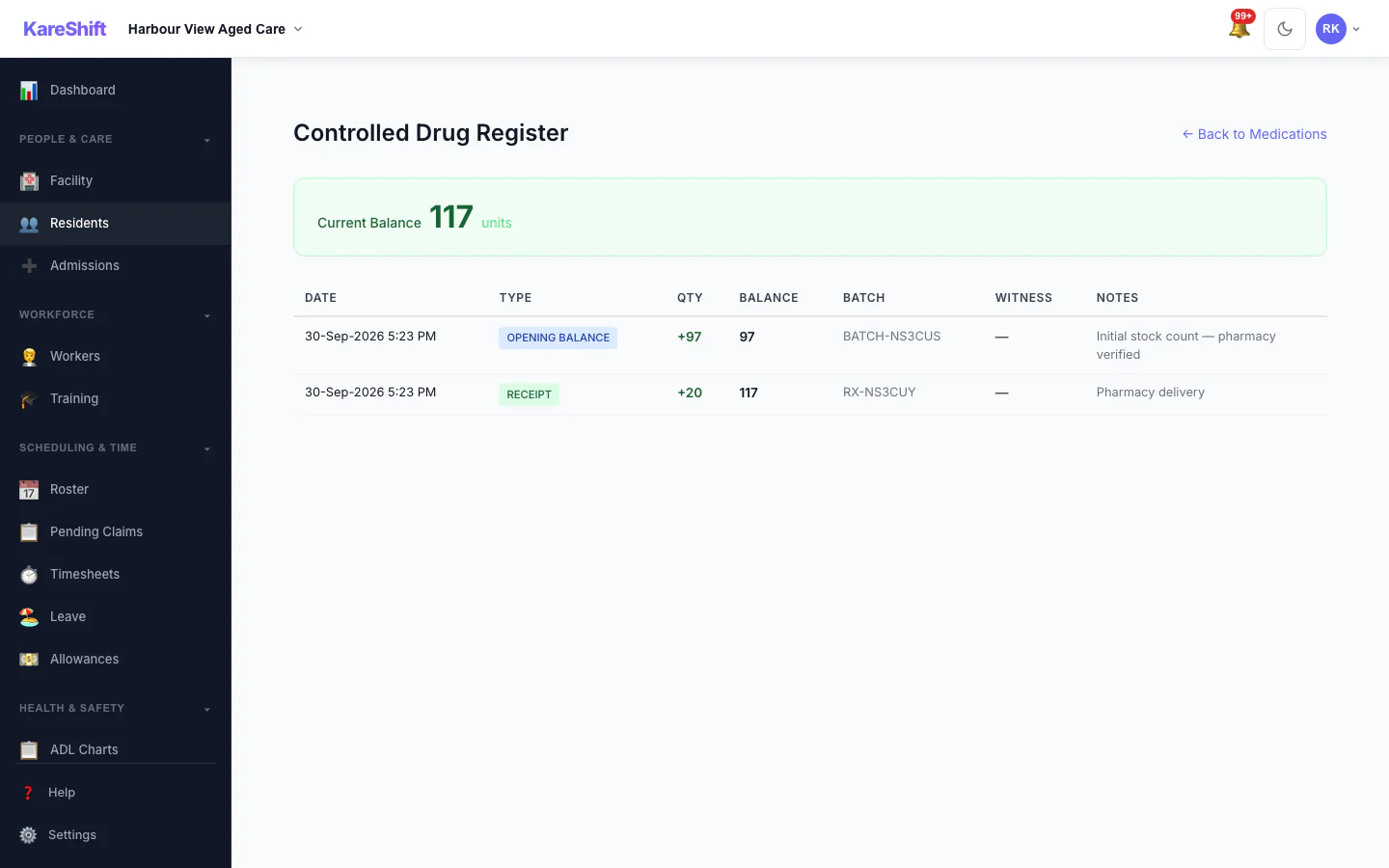
Controlled Drug Register
Schedule 8 register with opening balance, receipts, administrations, disposals, and discrepancy alerts.
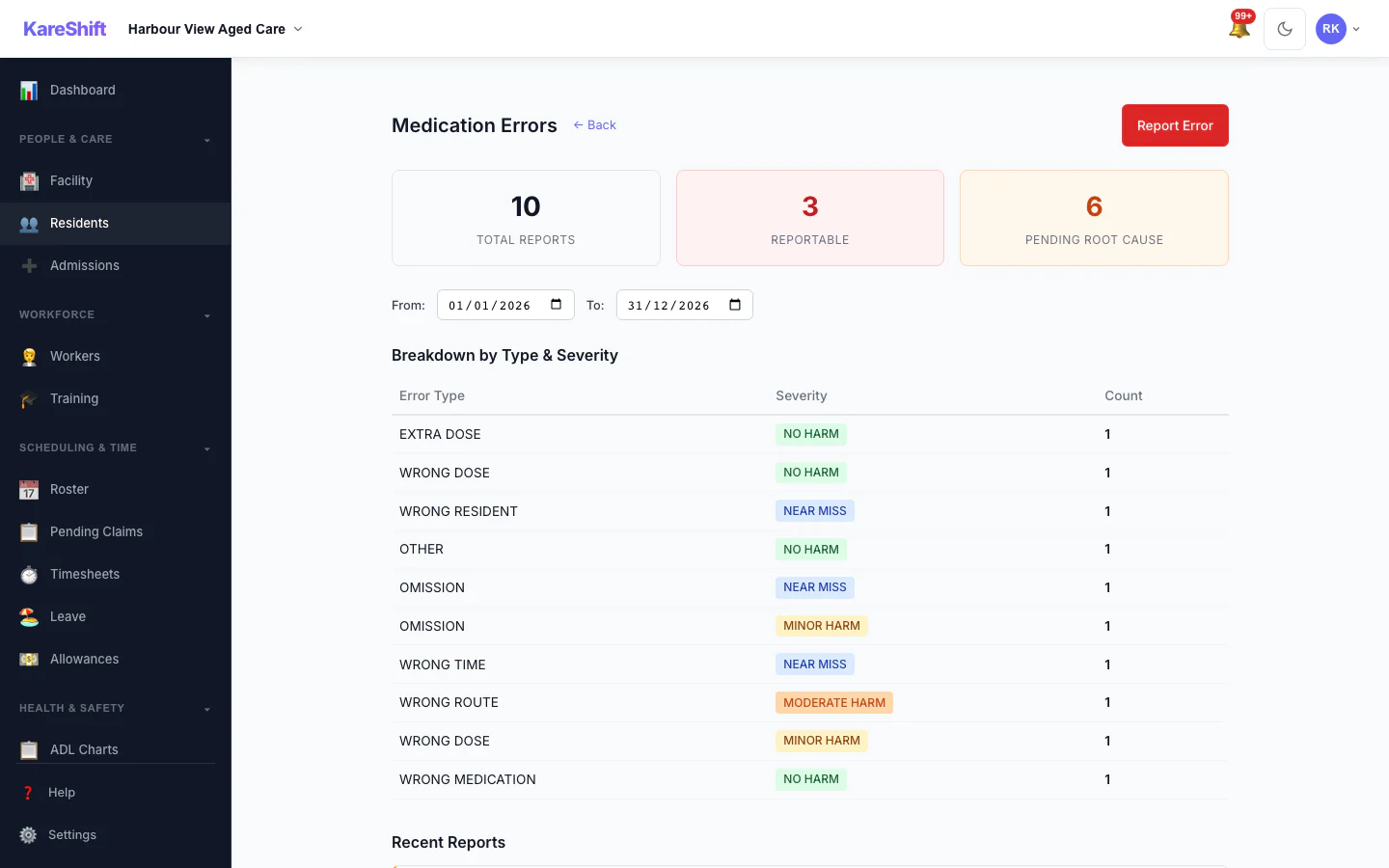
Medication Error Reports
Track and analyse medication errors — type, severity, root cause analysis. SIRS-reportable flagging for serious incidents.
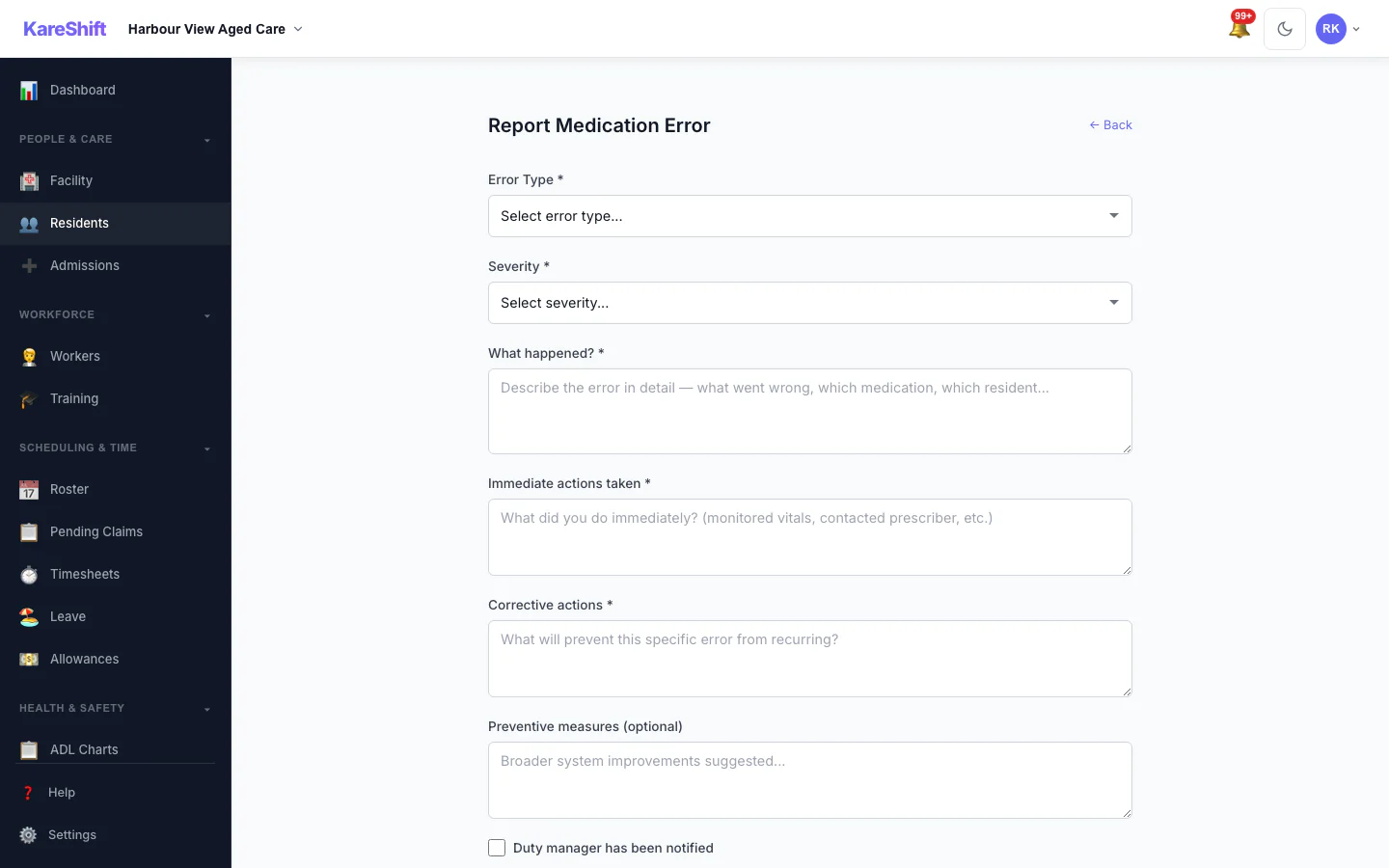
Report Medication Error
Structured error reporting — wrong dose, wrong time, omission. Immediate actions, corrective measures, duty manager notification.
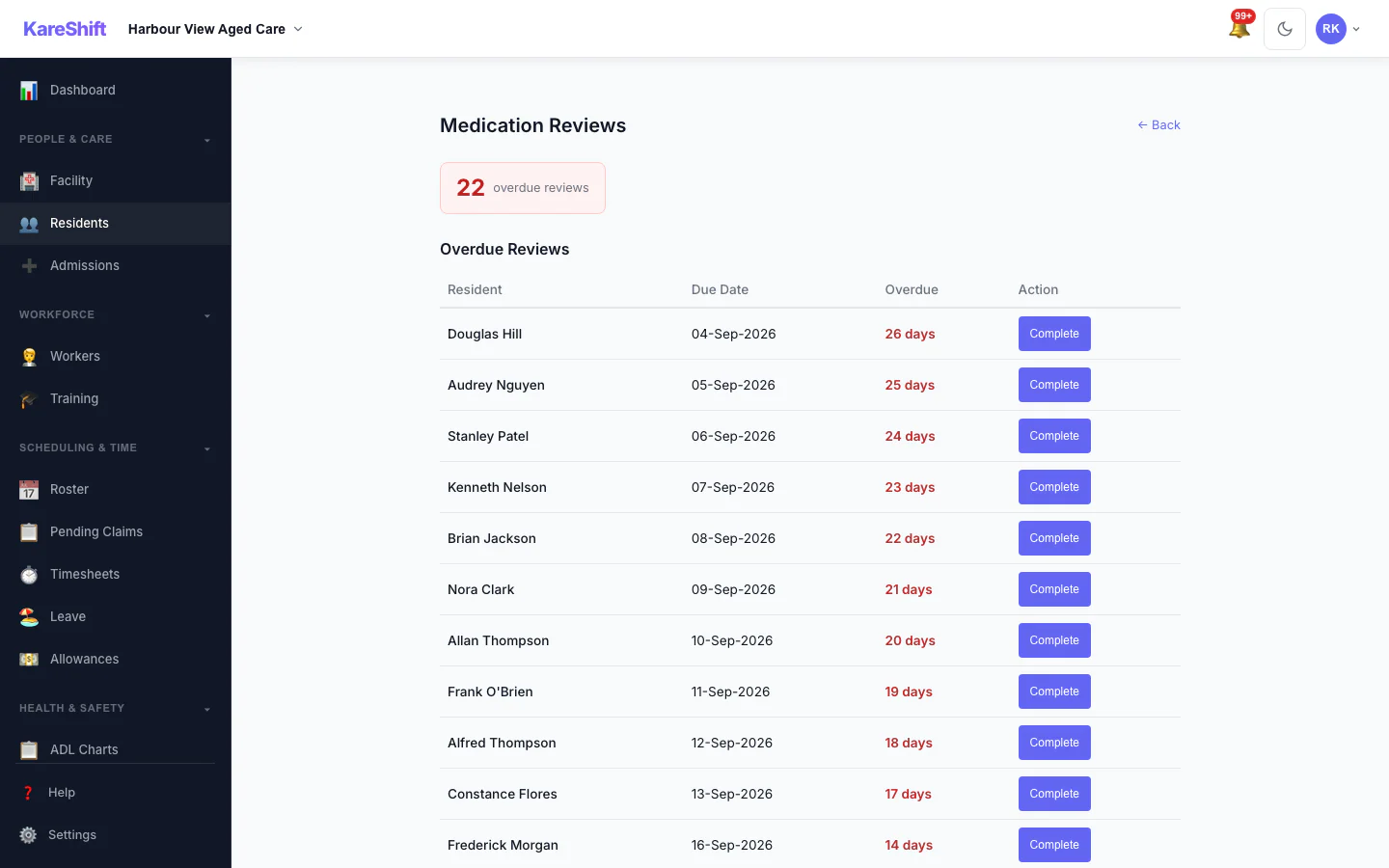
Medication Reviews
Track overdue medication reviews. Quarterly review scheduling, GP/pharmacist sign-off, deprescribing notes.
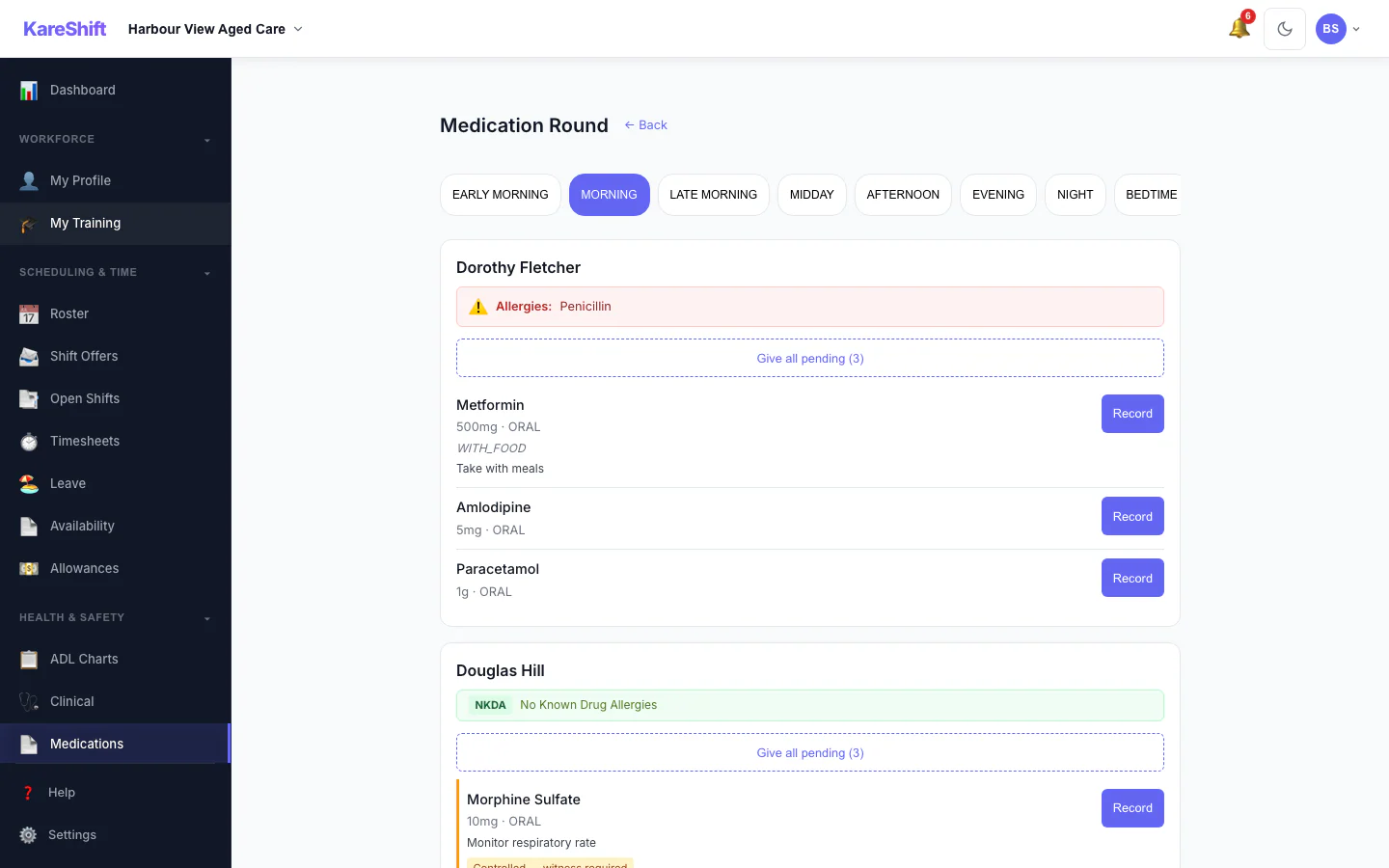
Medication Rounds
Workers see their room assignments with medication checklists. Tap to administer, record PRN, flag missed doses.
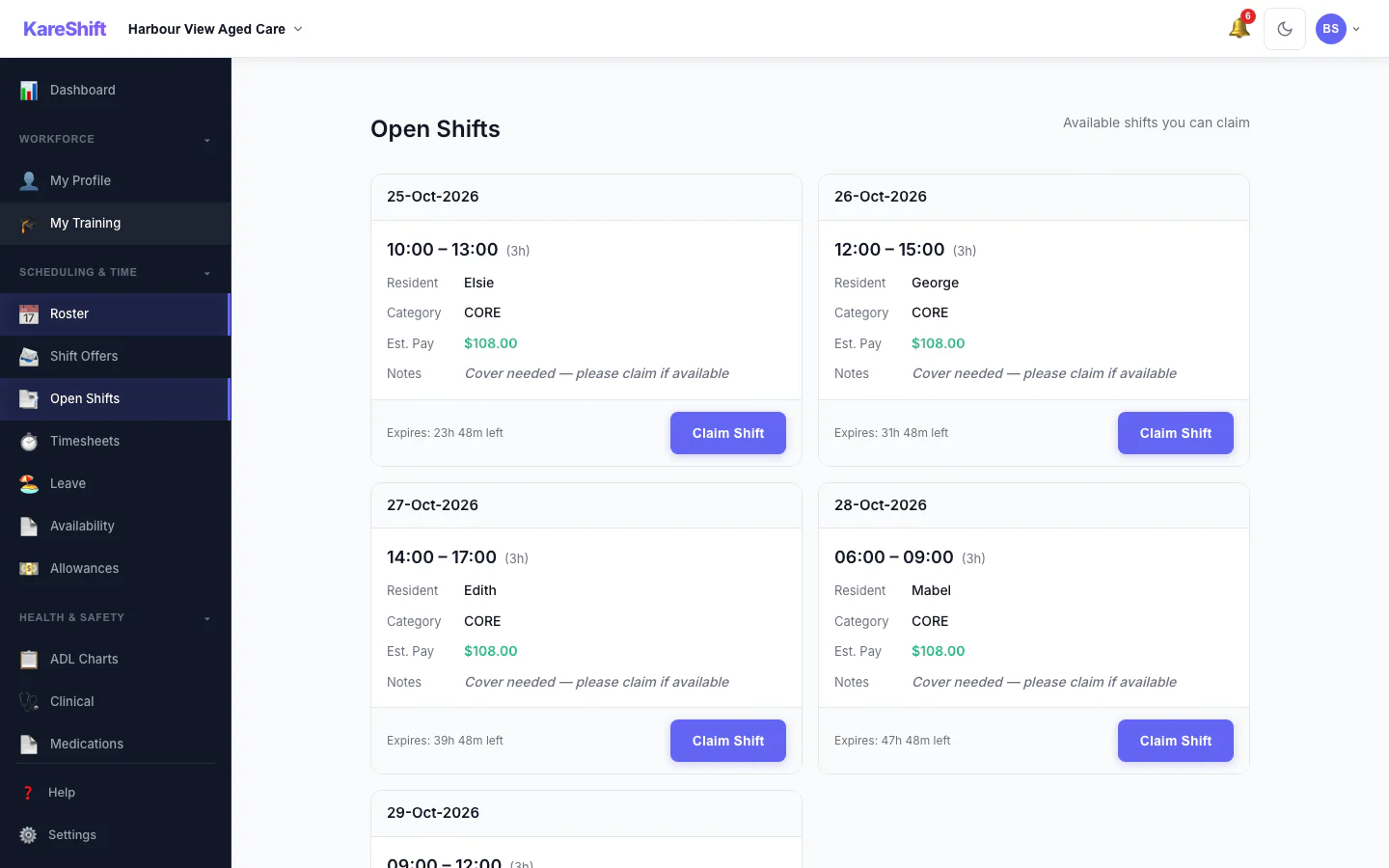
Open Shift Board
Vacant shifts broadcast to the team. Workers see date, time, pay estimate and expiry, then claim with one tap.
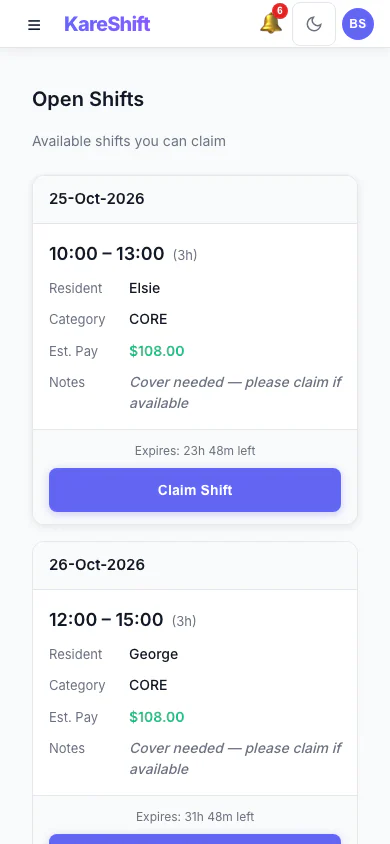
Open Shift Board (Mobile)
Vacant shifts broadcast to the team. Workers see date, time, pay estimate and expiry, then claim with one tap.
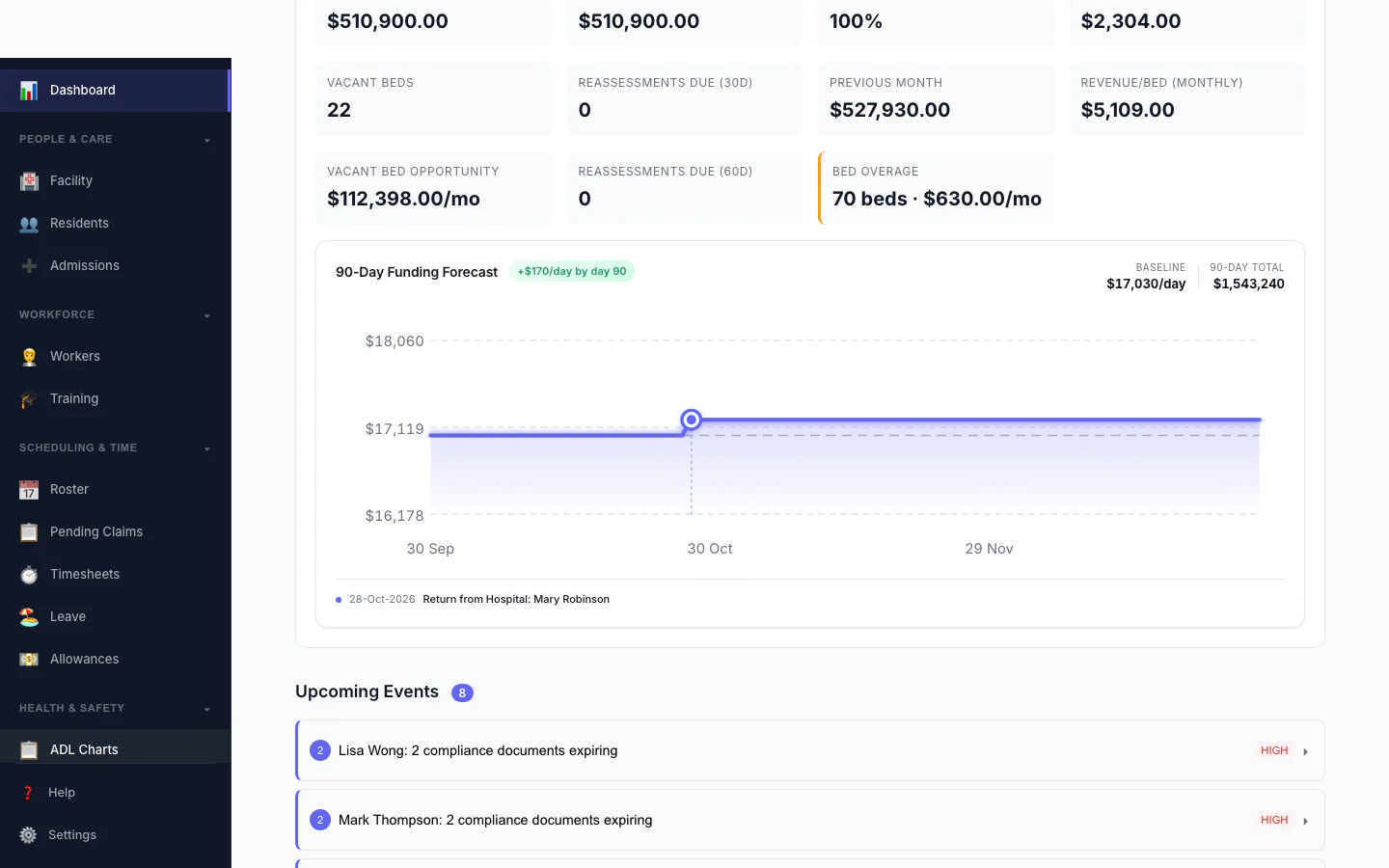
Funding Forecast
90-day AN-ACC revenue projection — baseline, bed hold returns, classification changes.
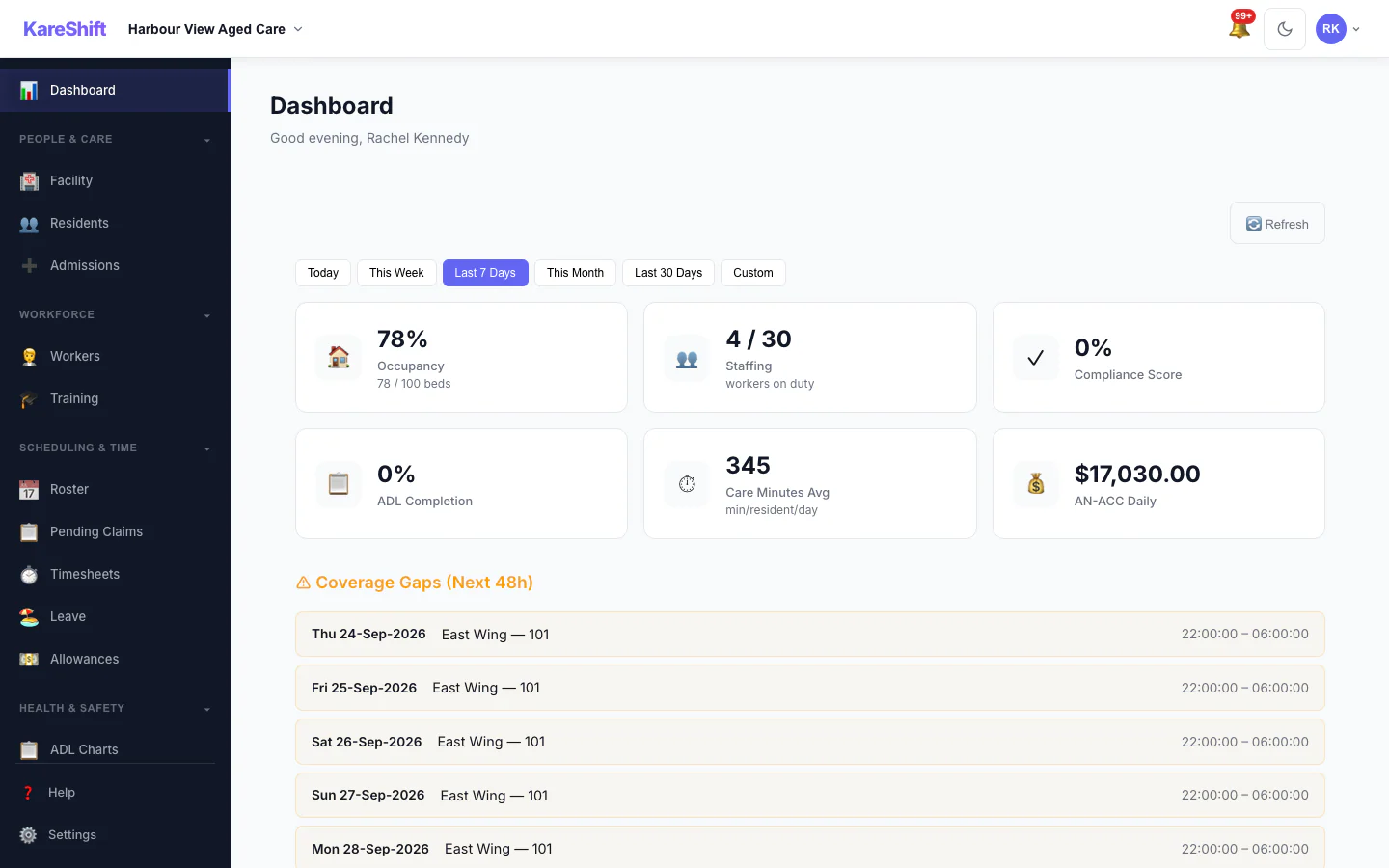
Date-Range Filtering
Filter dashboard metrics by preset ranges or custom dates. Coverage, incidents, and care minutes all respond.
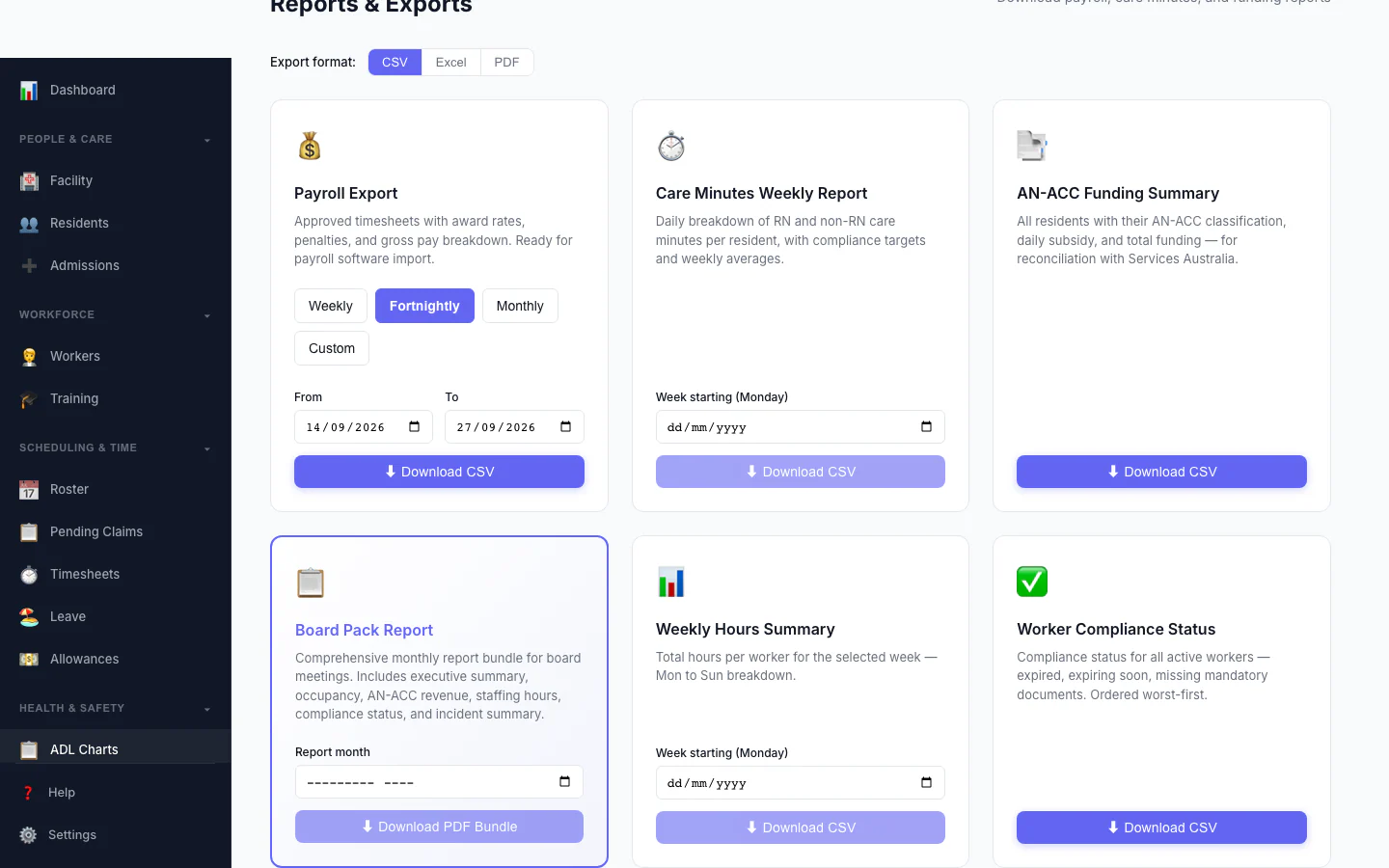
Board Pack Report
One monthly report bundle for board meetings: executive summary, occupancy, AN-ACC revenue, staffing hours, compliance status and incident summary.
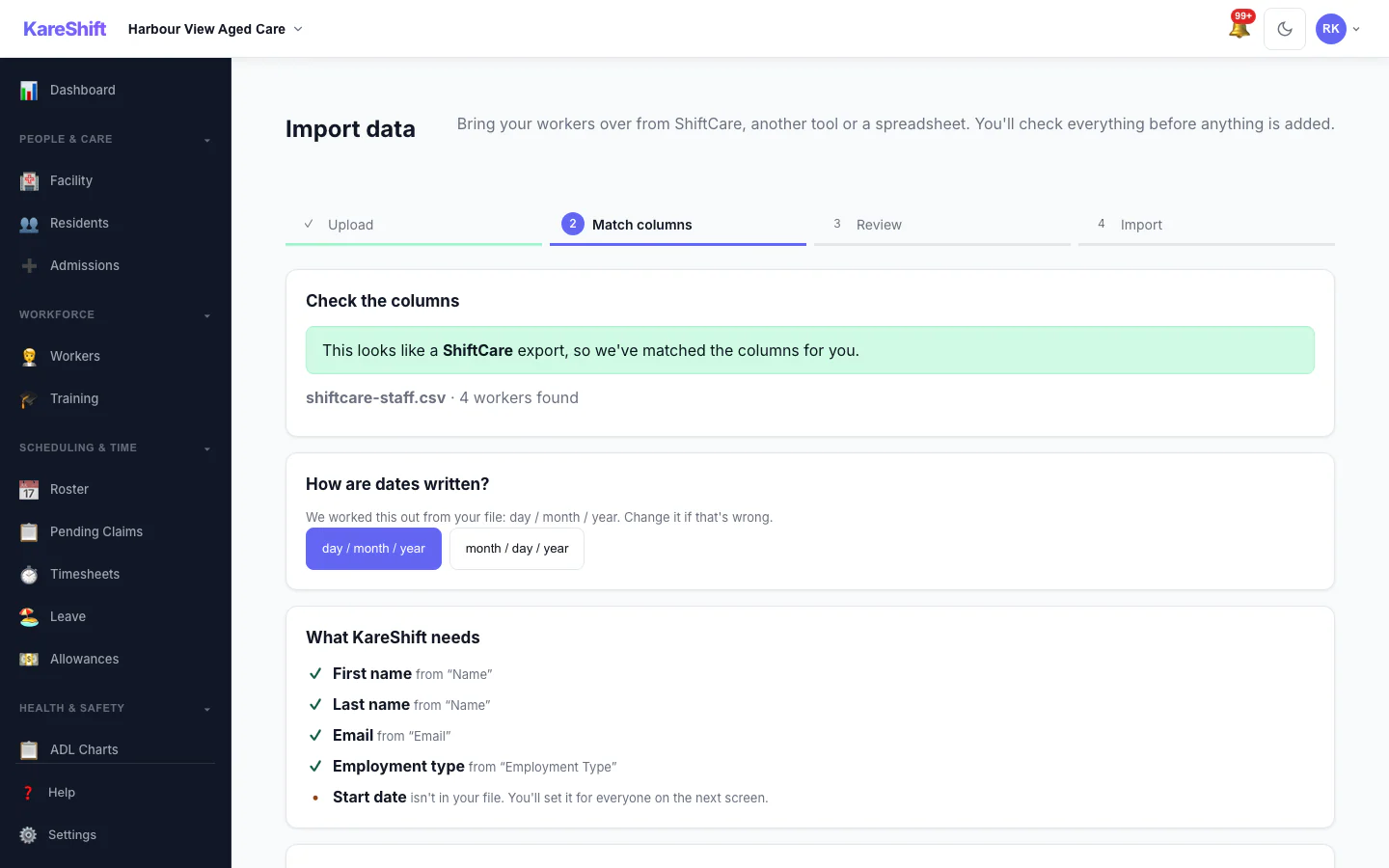
Import — Match Columns
A ShiftCare export is recognised and its columns are matched for you, with the date format detected.
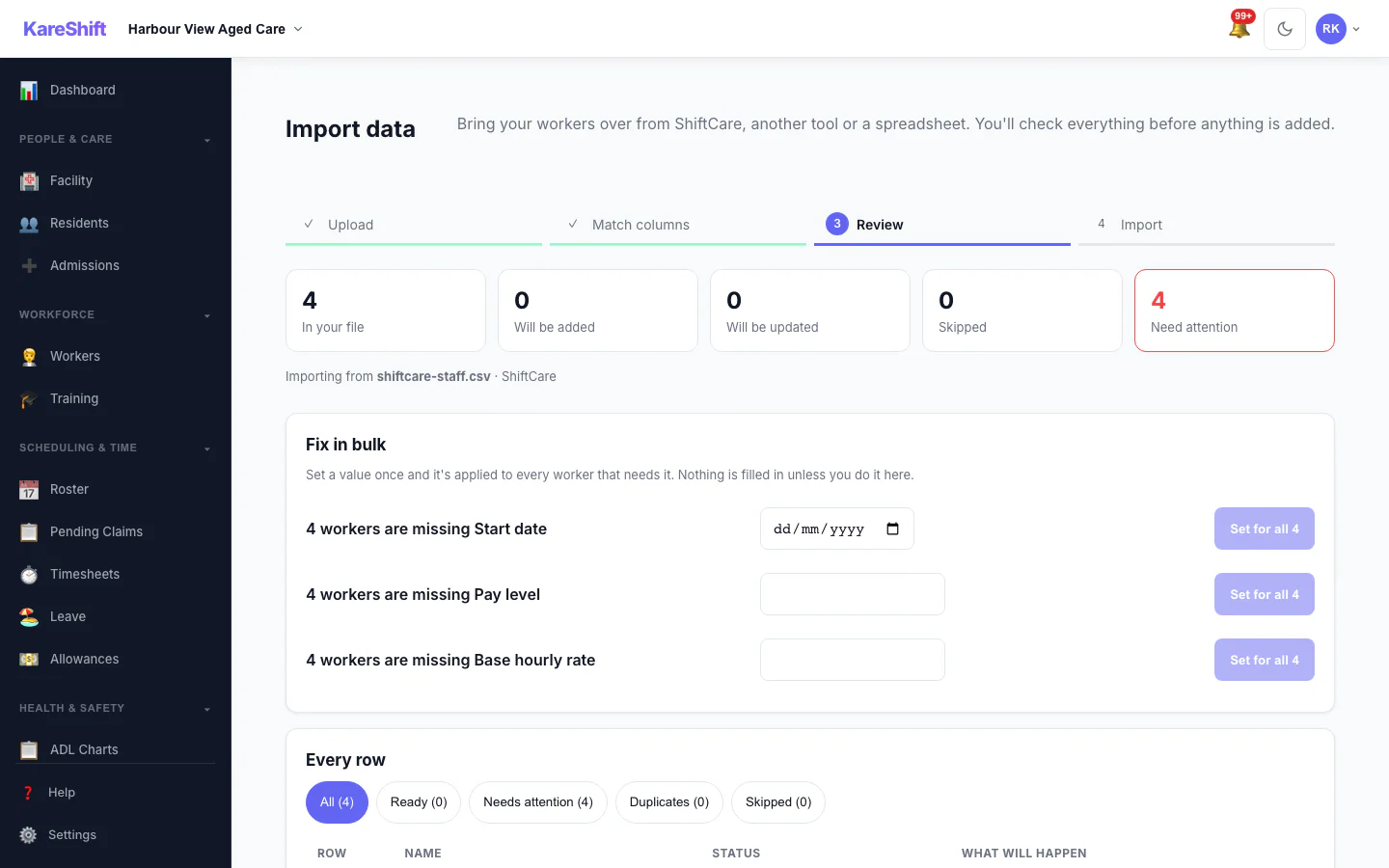
Import — Review & Bulk Fix
See what will be added, updated or skipped, and set a missing value once for everyone before anything is saved.
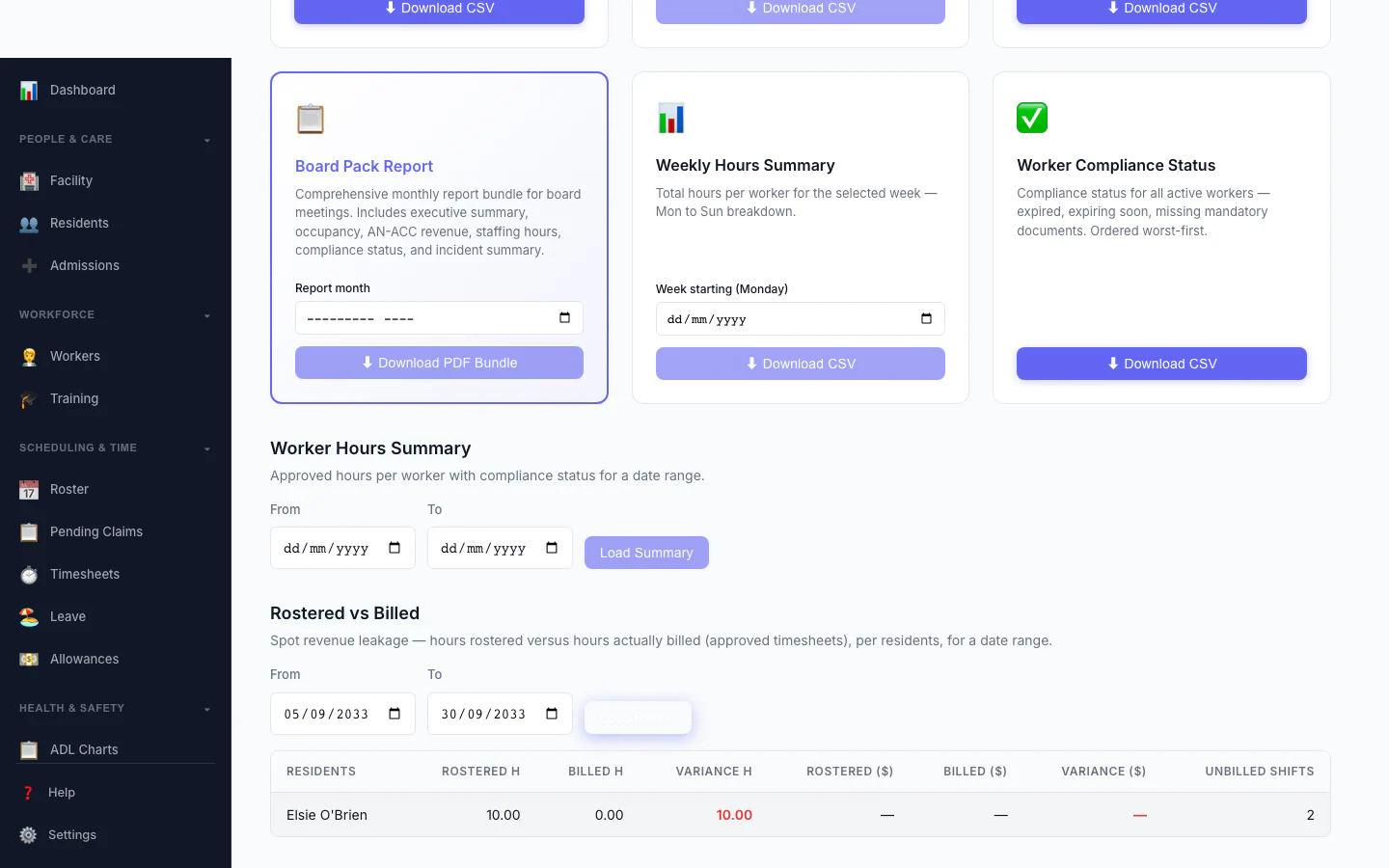
Rostered vs Billed
Spot revenue leakage at a glance — rostered hours versus hours actually billed, per participant, with the shortfall highlighted.
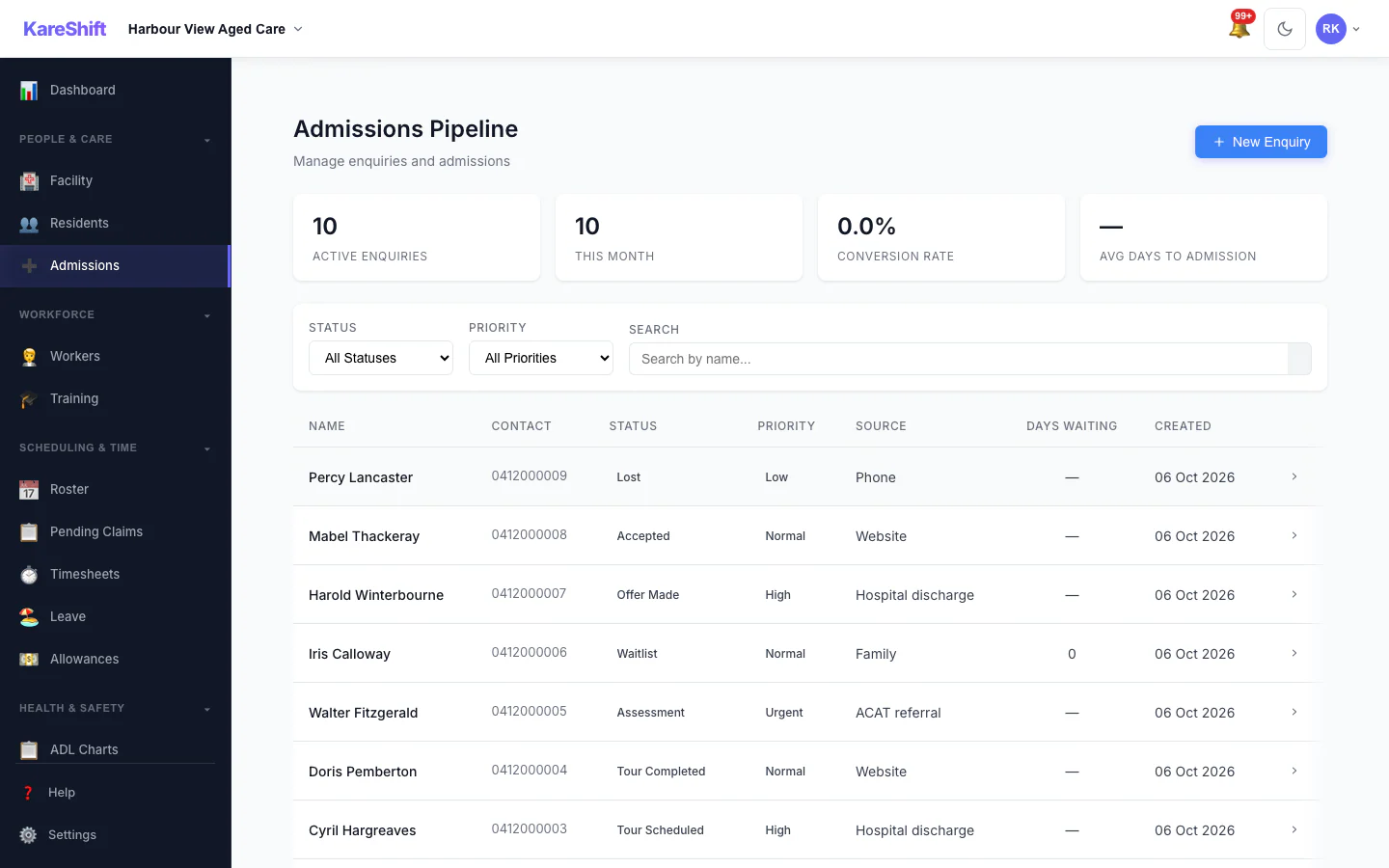
Admissions Pipeline
Track every enquiry from first call to admission: stage, priority, source and days waiting.
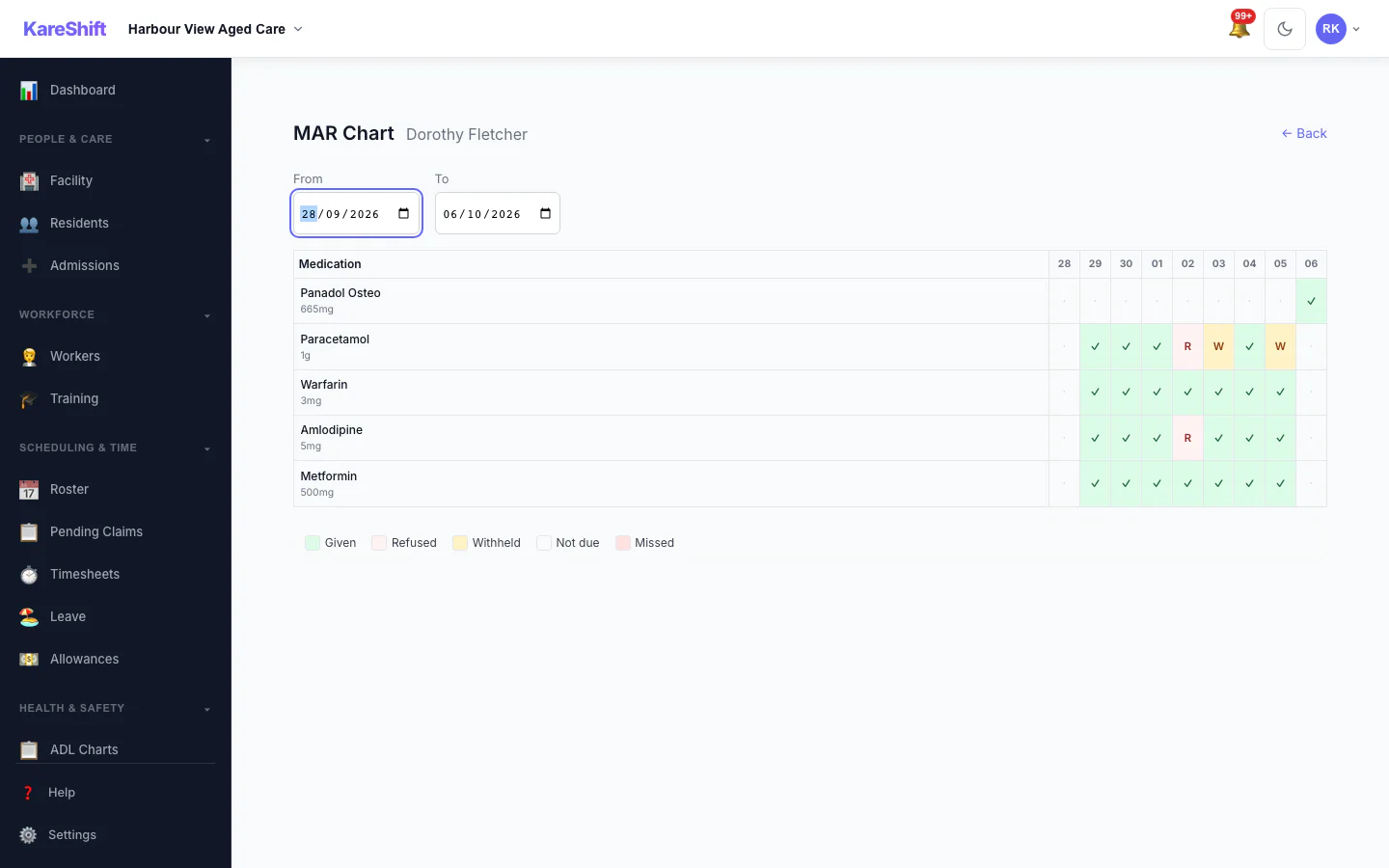
MAR Chart
A resident's medication administration over a week: given, refused, withheld and missed.
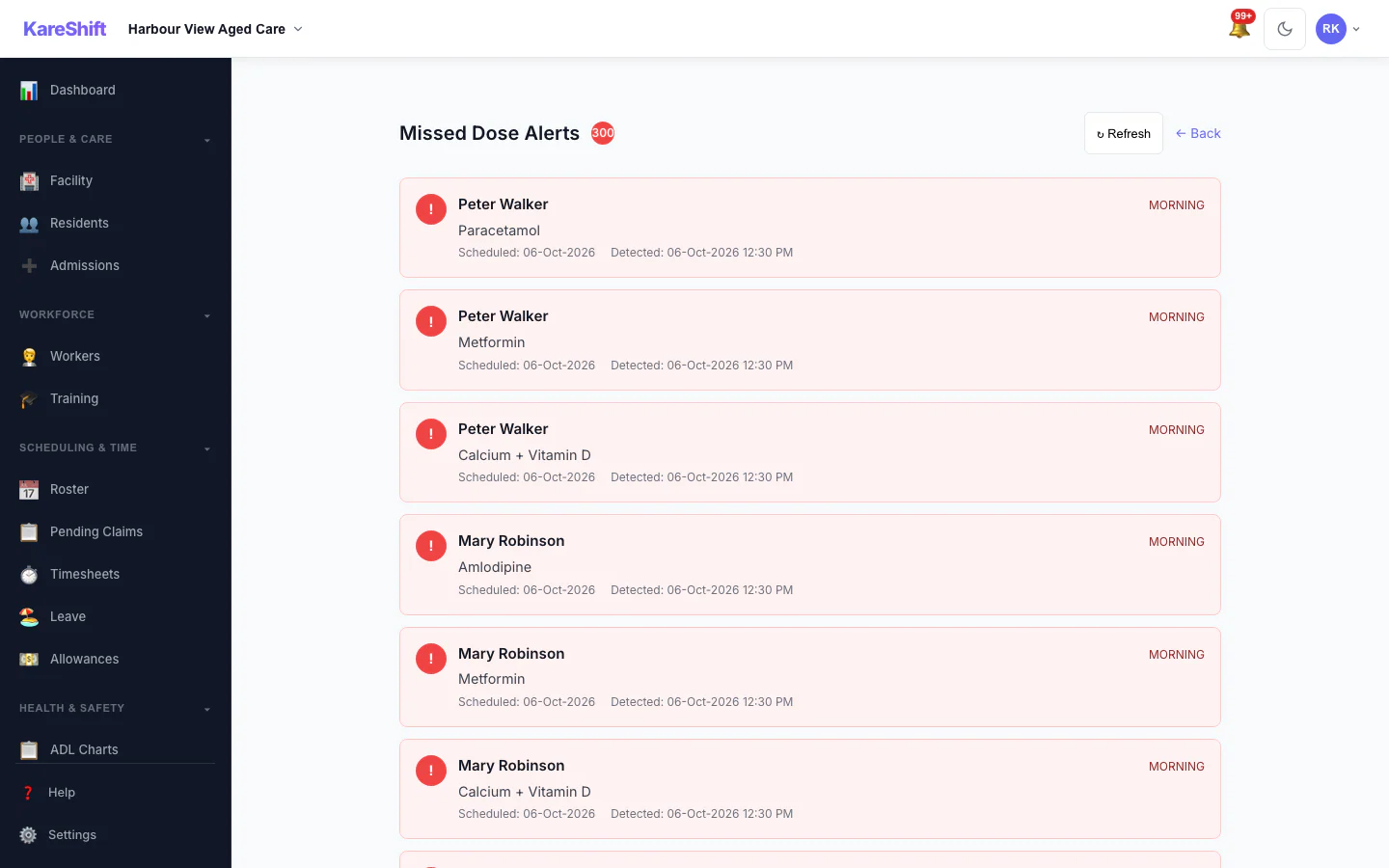
Missed Dose Alerts
Doses that were due and not recorded, so nothing is missed between rounds.
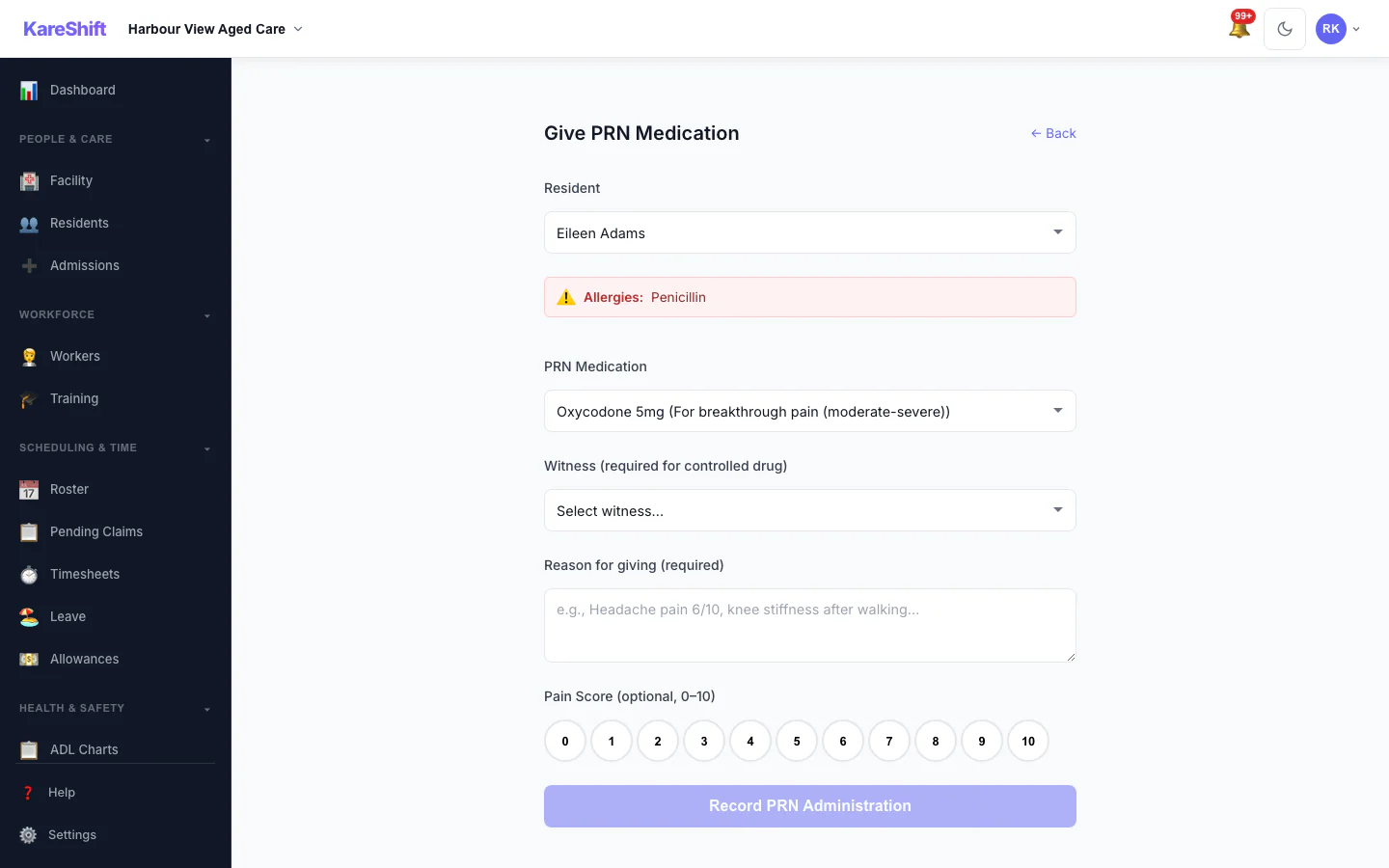
Give PRN Medication
Record an as-needed dose with the reason and a pain score; allergies and controlled-drug witnesses are shown.
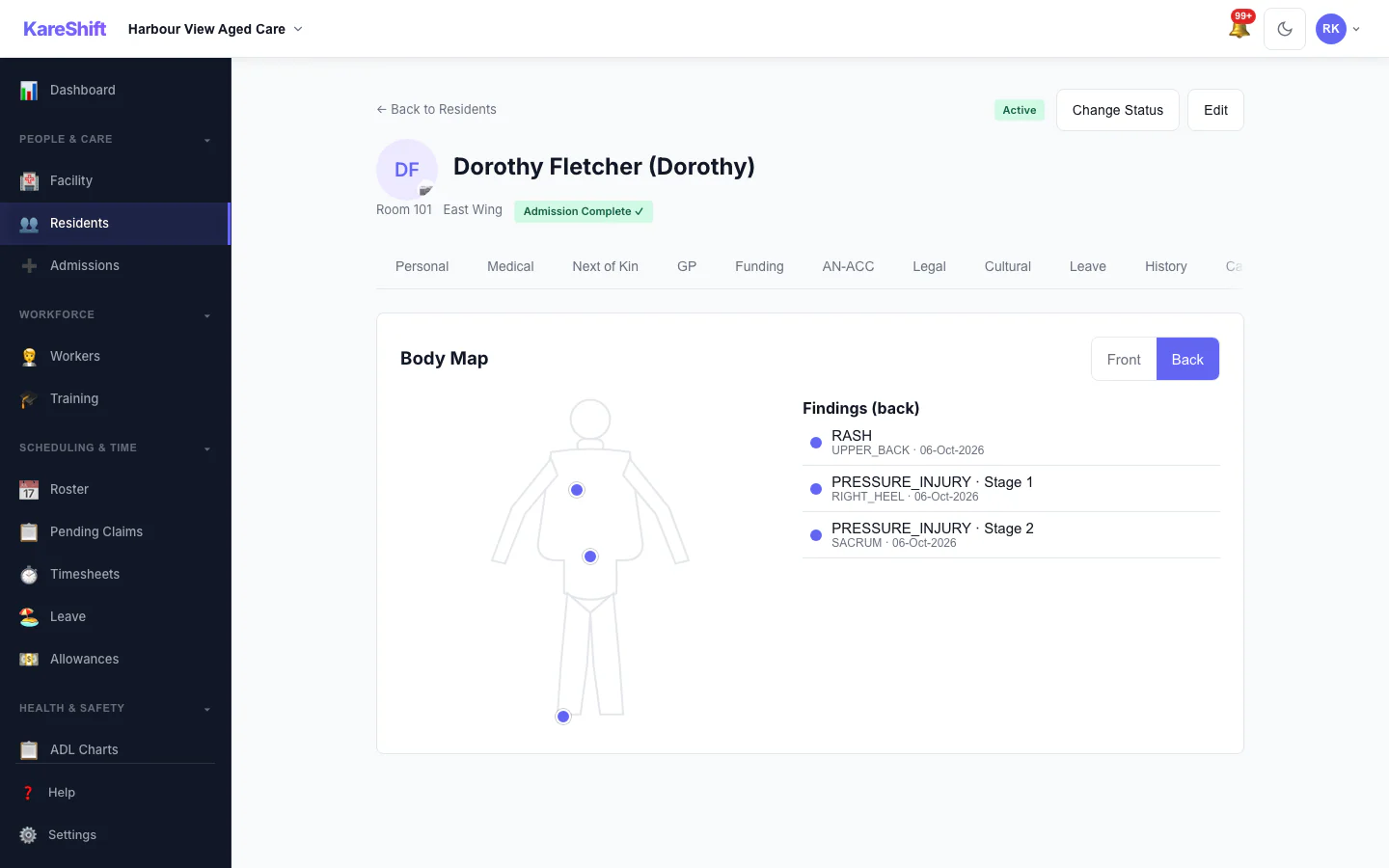
Body Map — Back
Back view with sacrum and heel pressure injuries recorded.
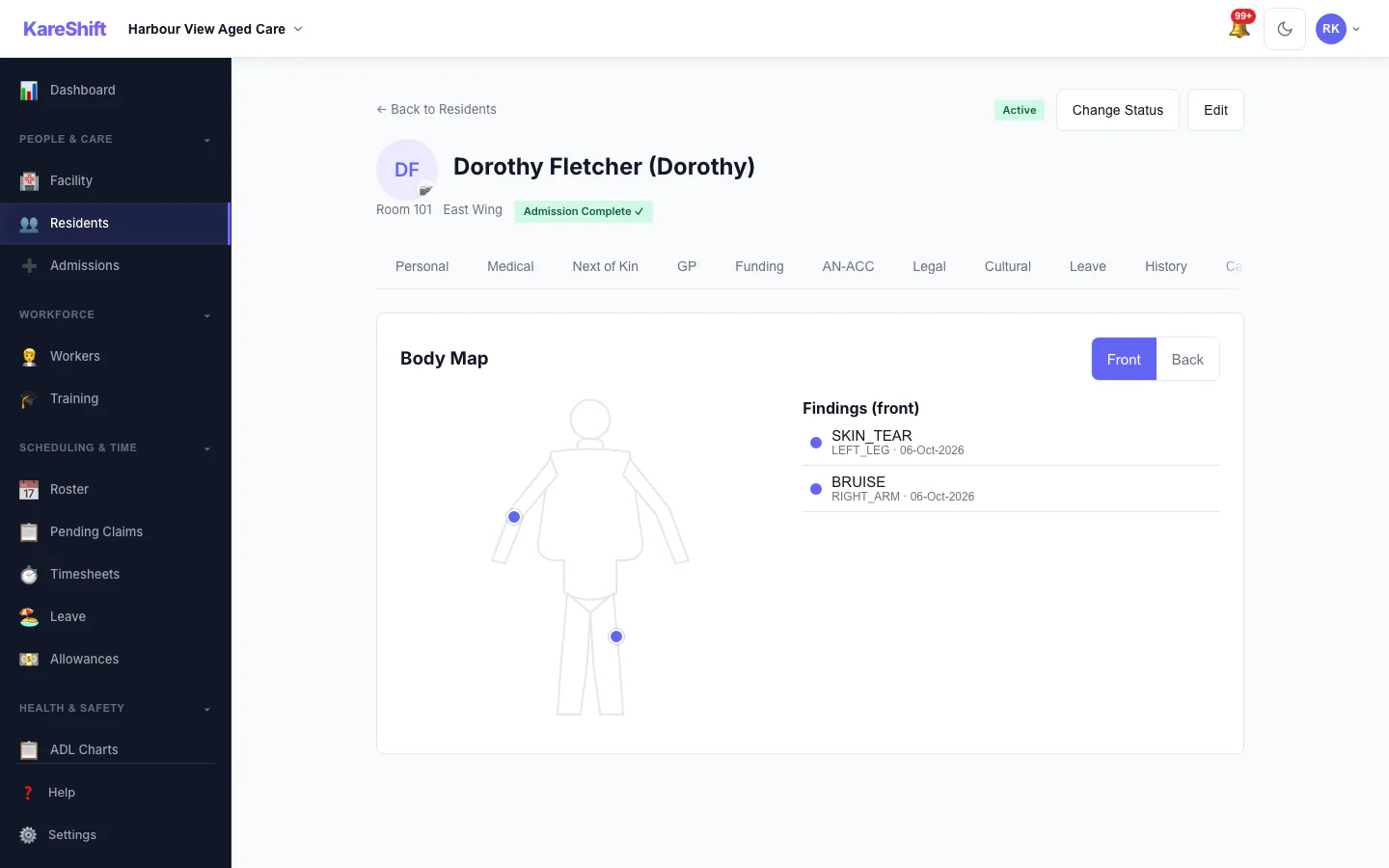
Body Map — Front
Mark skin findings on the front of the body and see them in the resident's record.
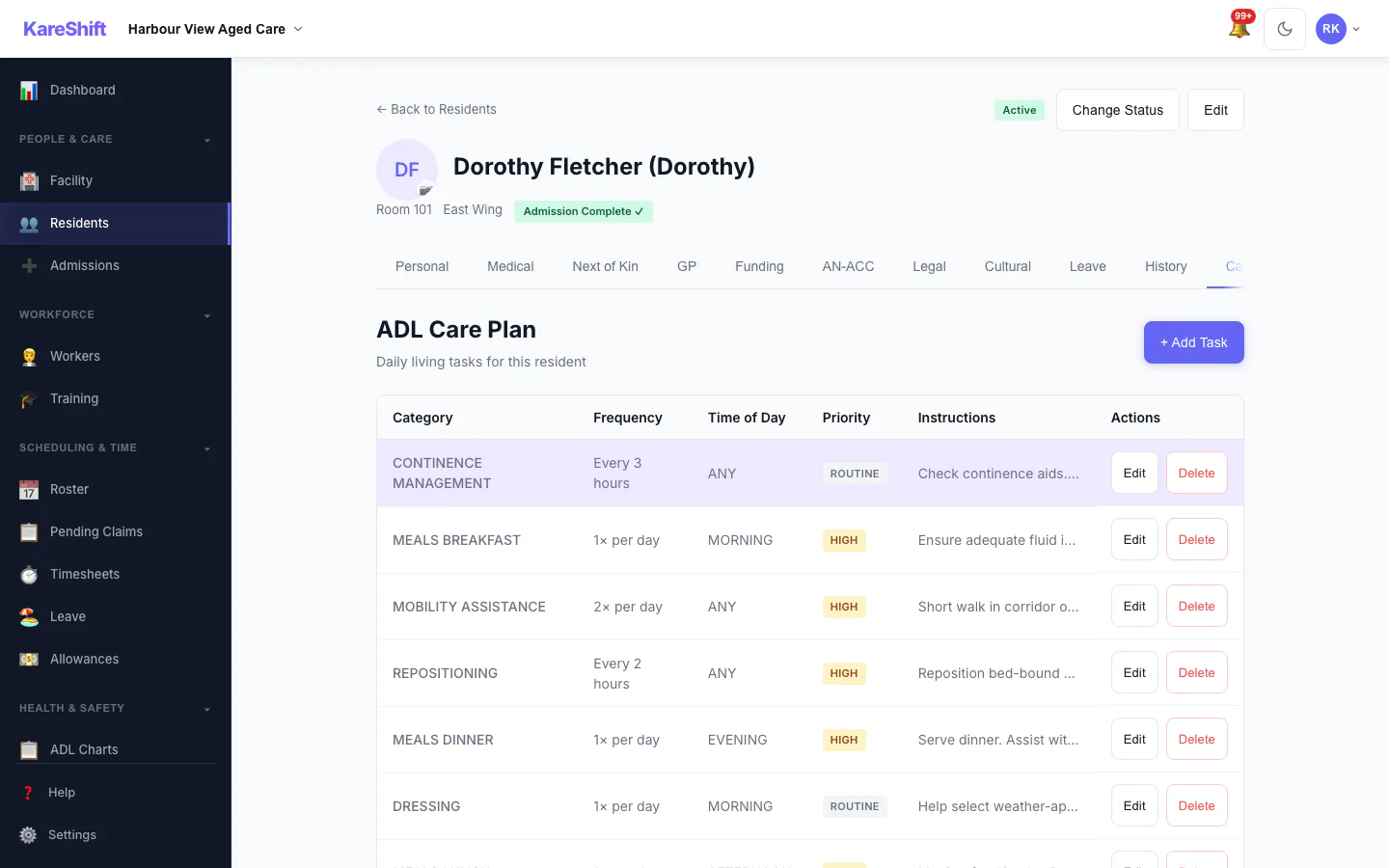
Resident Care Plan
The care plan for a resident, in the same record as everything else.
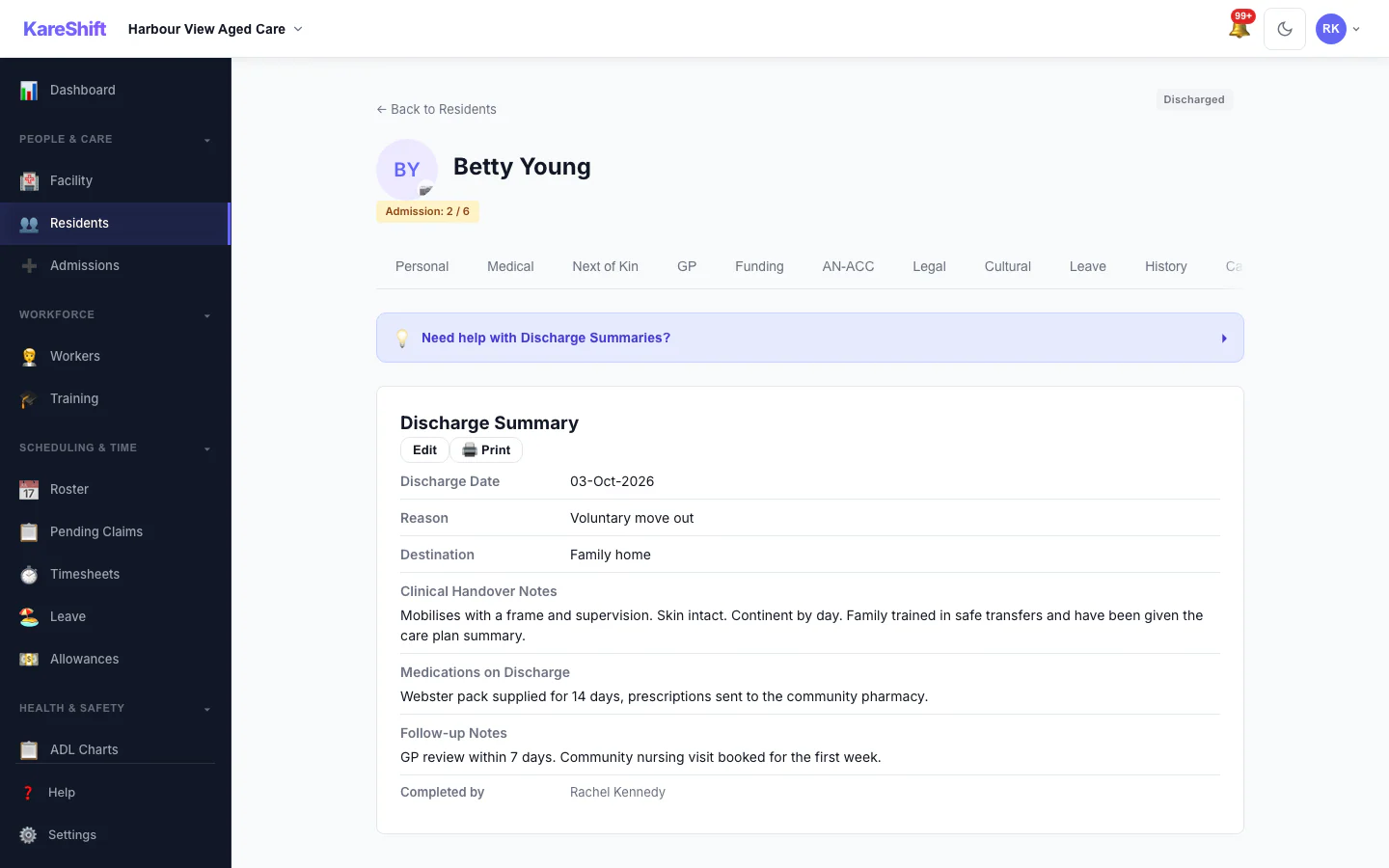
Resident Discharge
A completed discharge with its summary kept on the record.
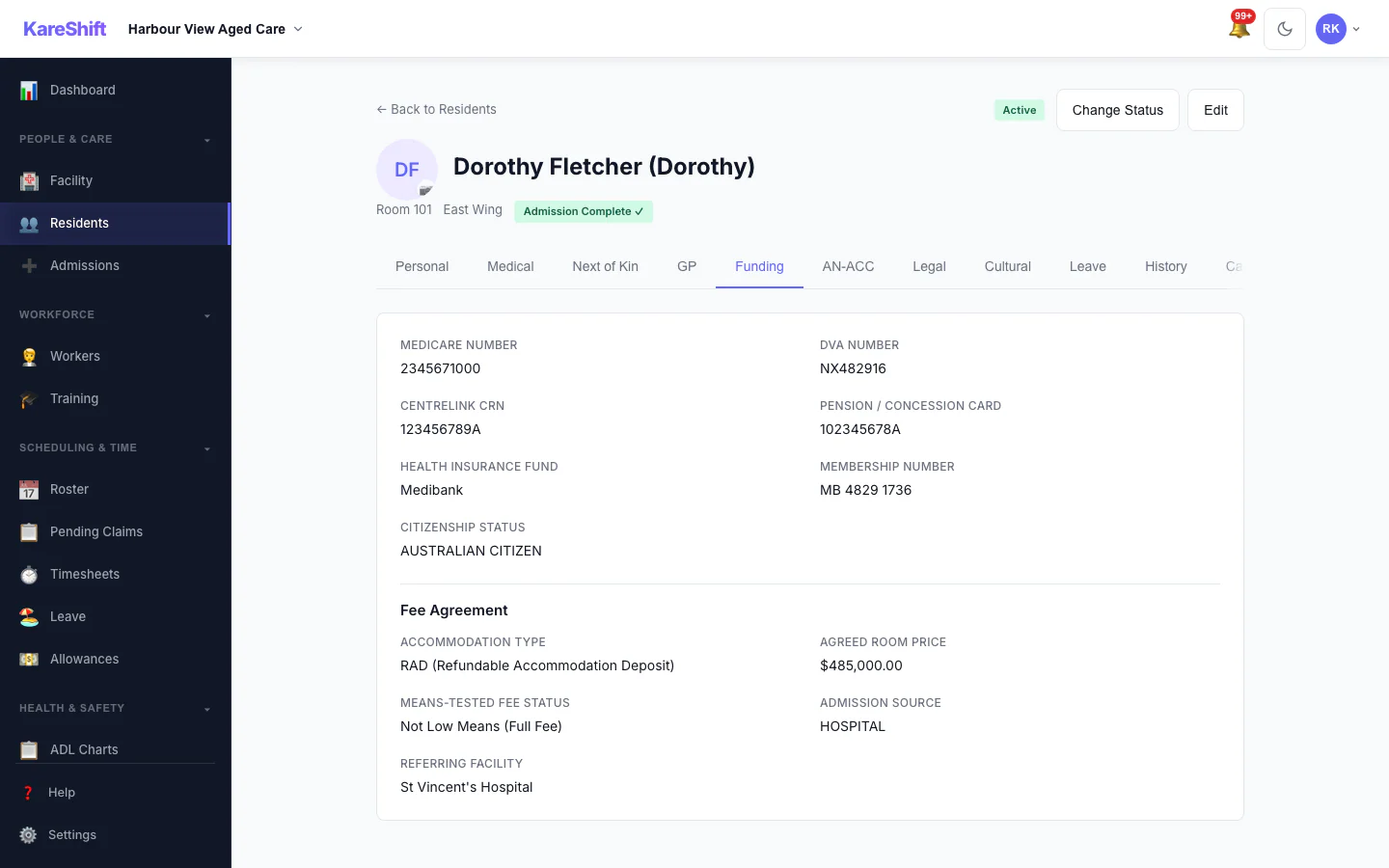
Resident Funding
Funding and fee details held on the resident's record.
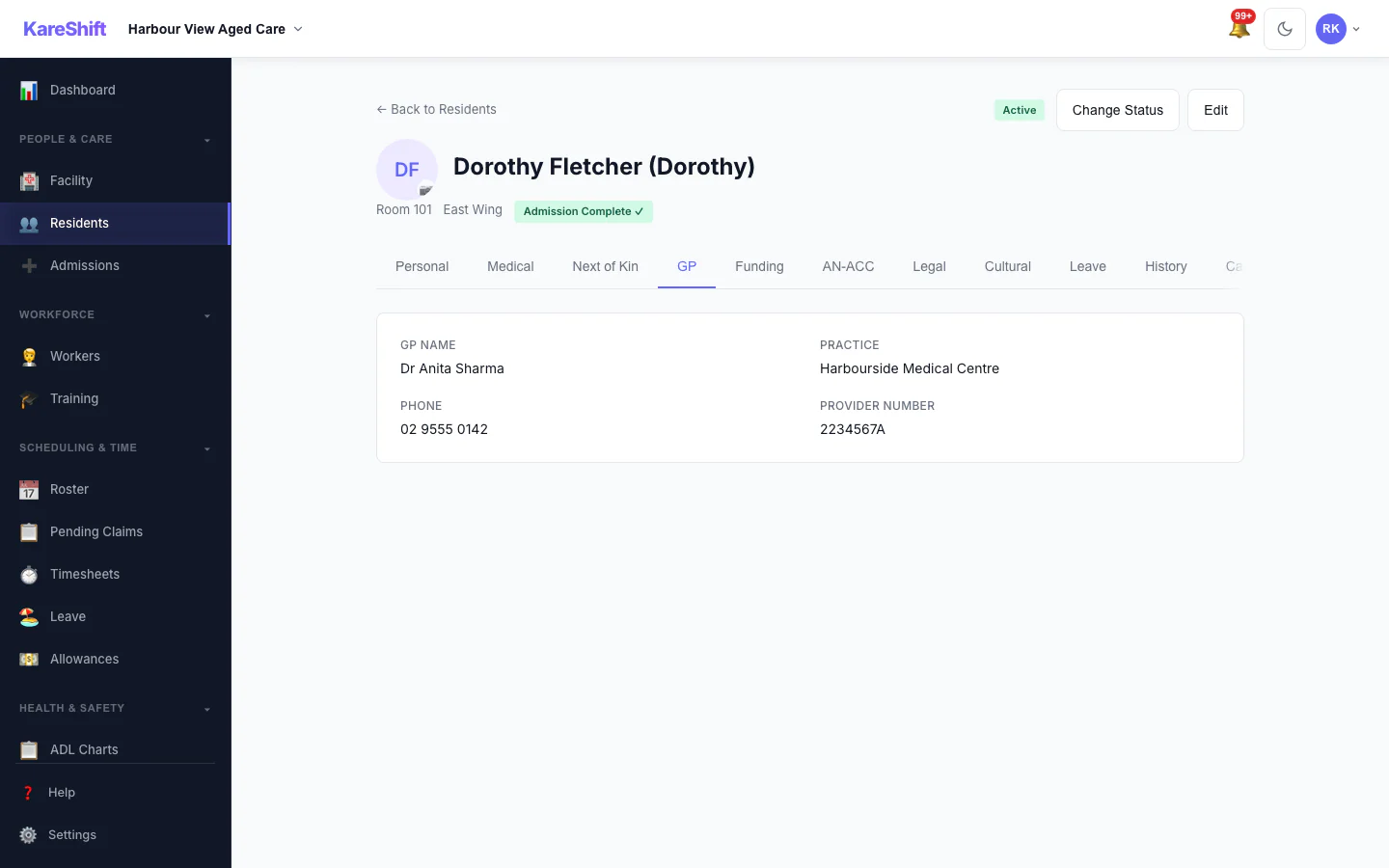
Resident GP Details
The resident's GP and contact details.
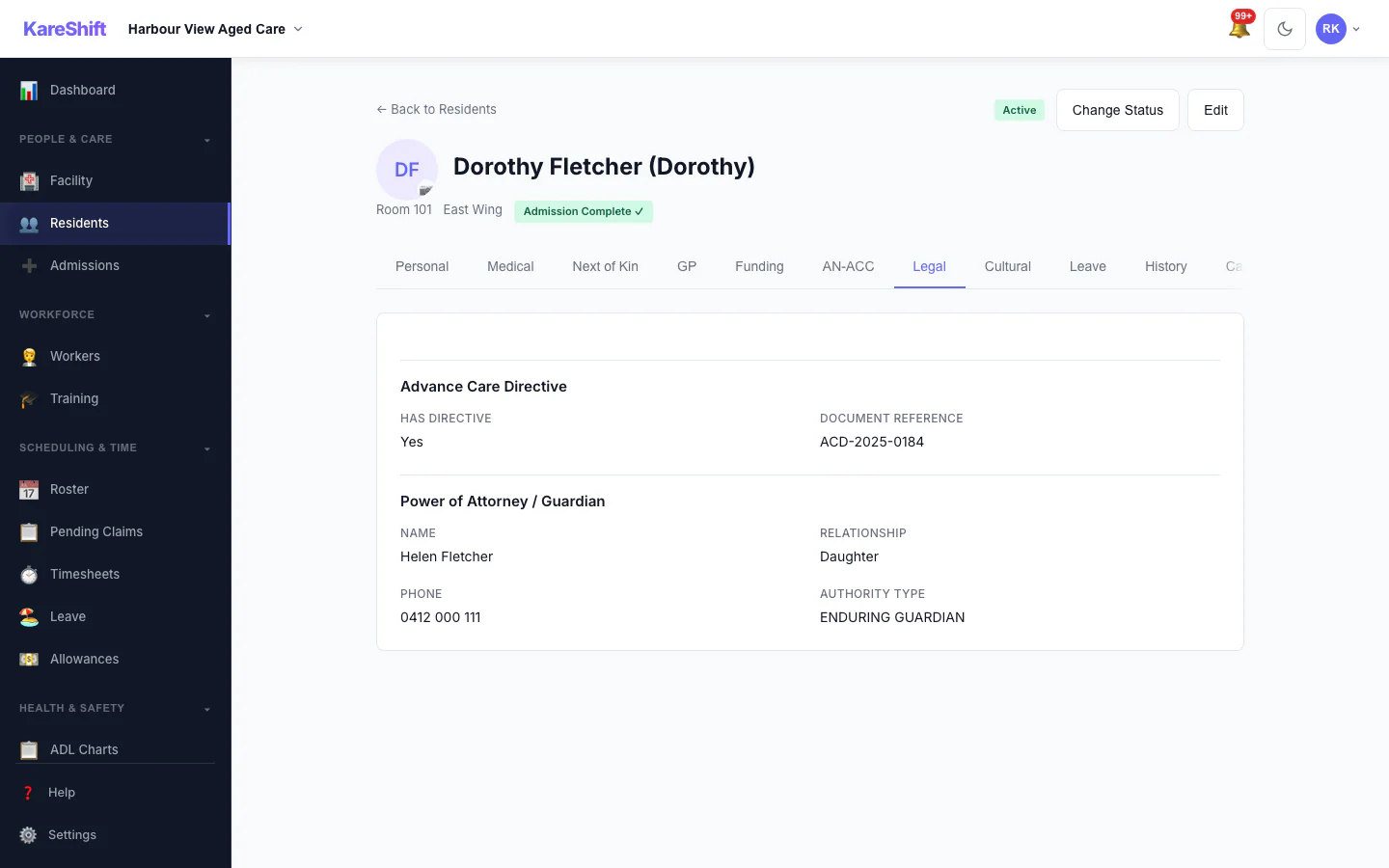
Resident Legal Documents
Advance care directive and power of attorney recorded for the resident.
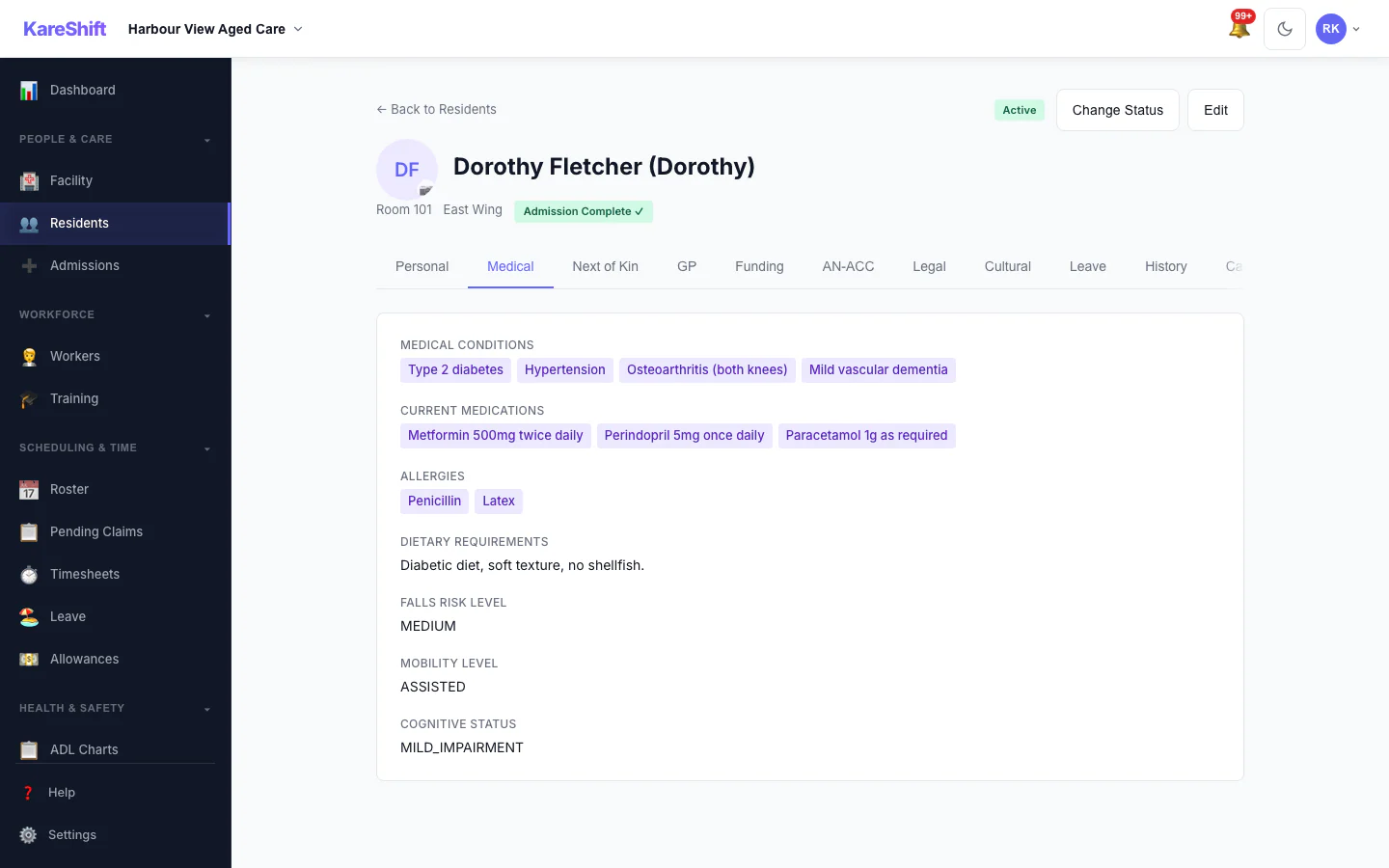
Resident Medical Profile
Conditions, medications, allergies and falls risk.
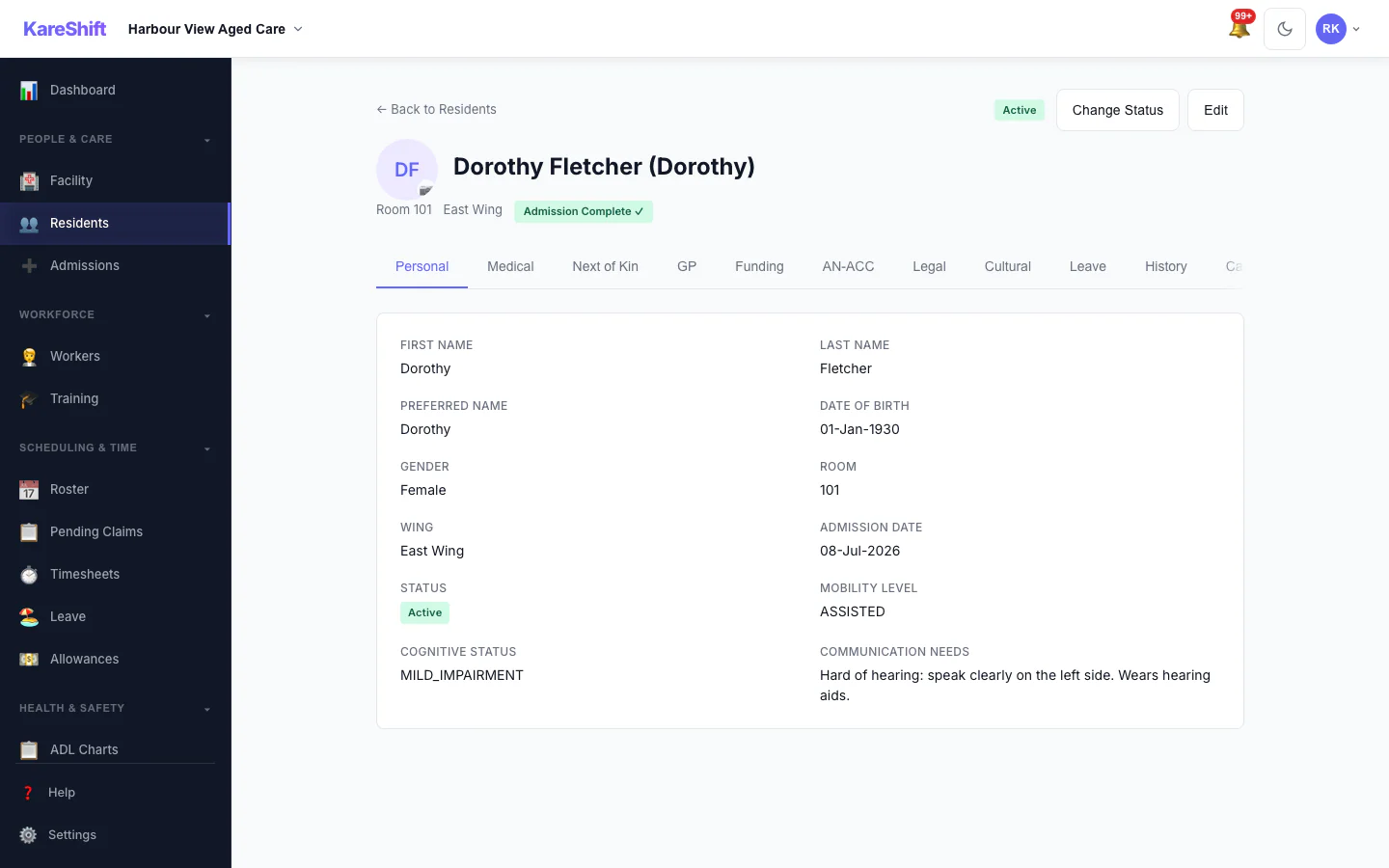
Resident Personal Details
The resident's personal details and room.
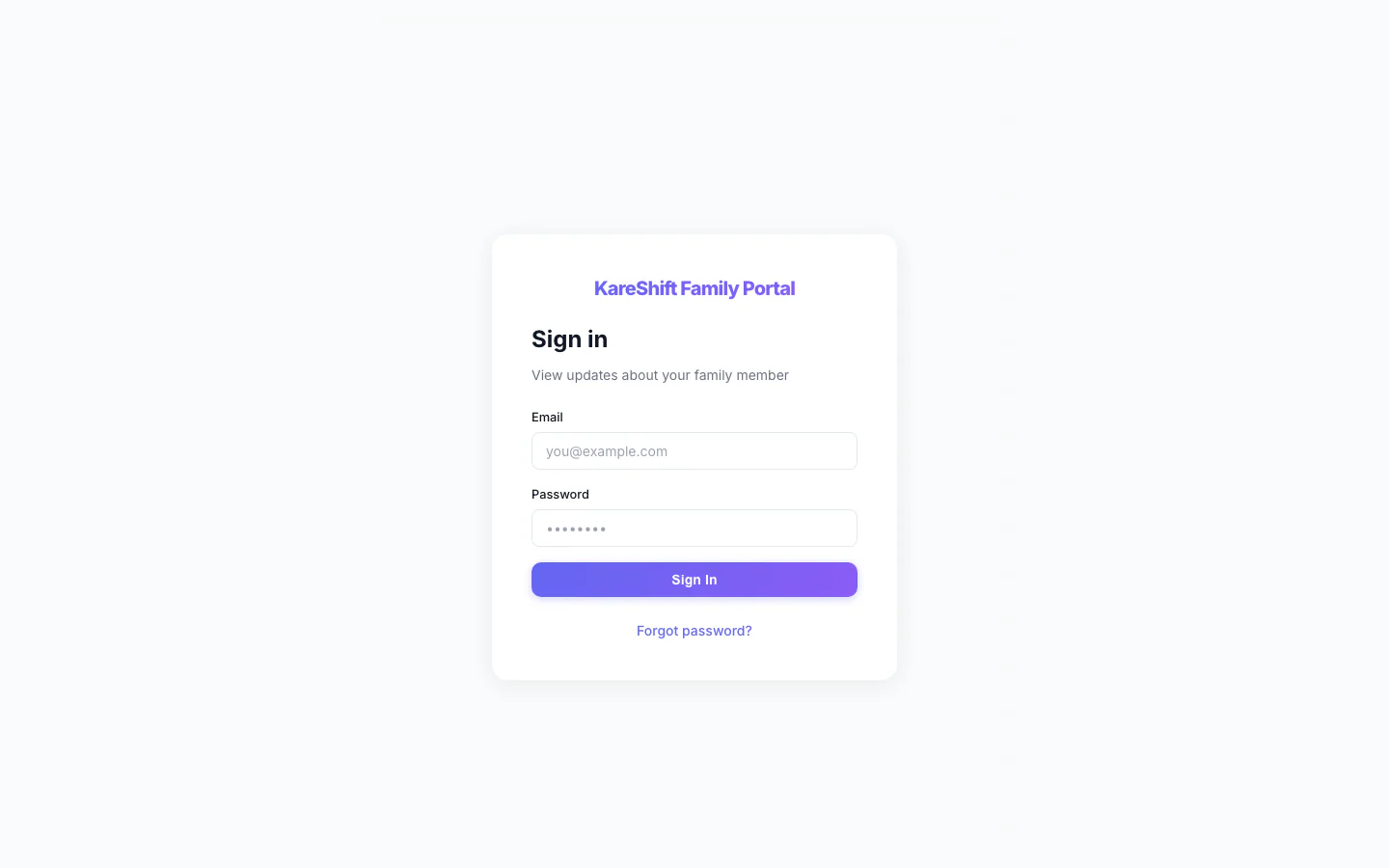
Family Portal — Sign In
Relatives sign in to their own portal, separate from the staff app.
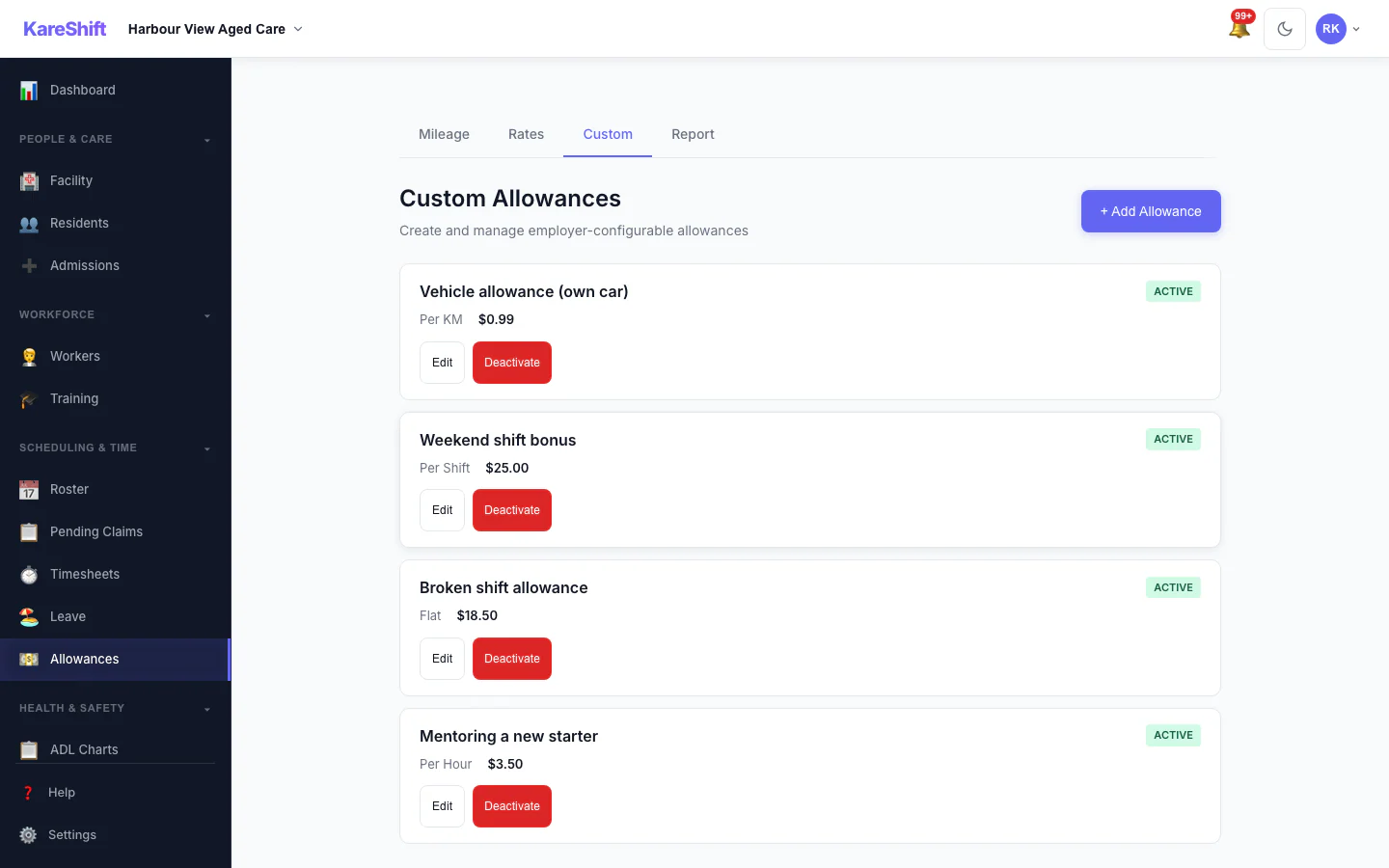
Custom Allowances
Create your own allowances beyond the standard ones, each with its own rate.
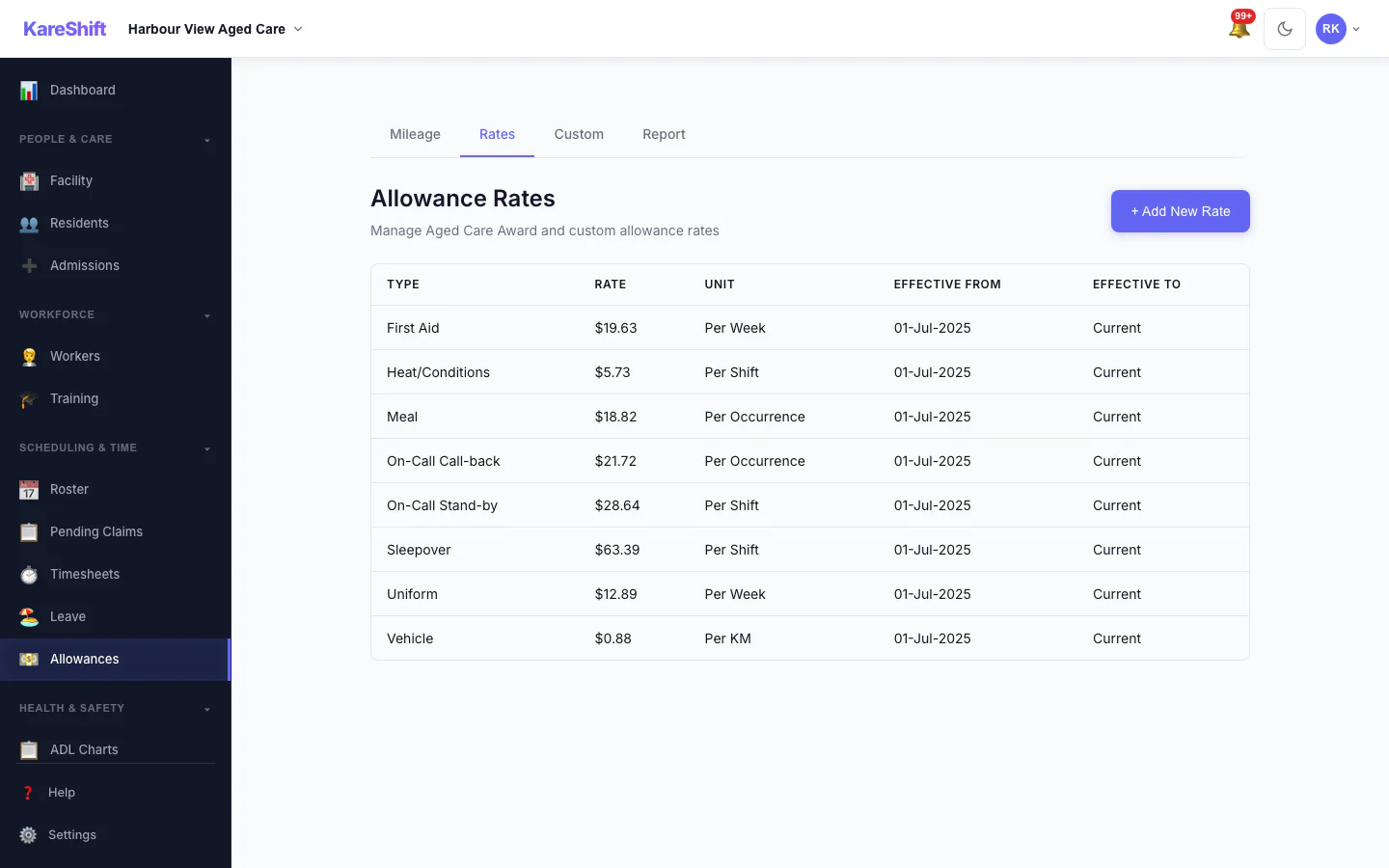
Allowance Rates
The rates used for each allowance, in one table.
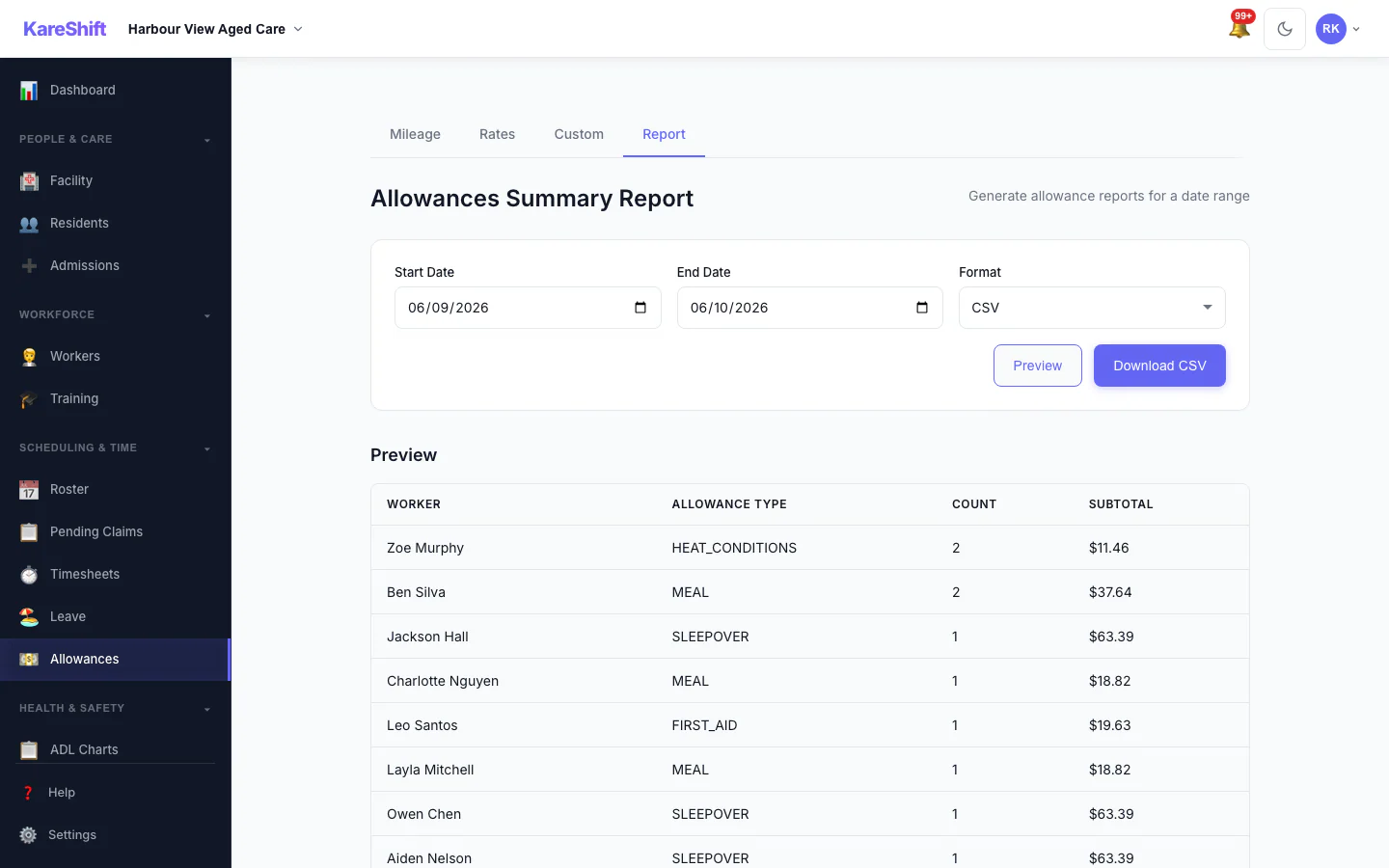
Allowances Report
Preview and export what was paid in allowances over a period, with a grand total.
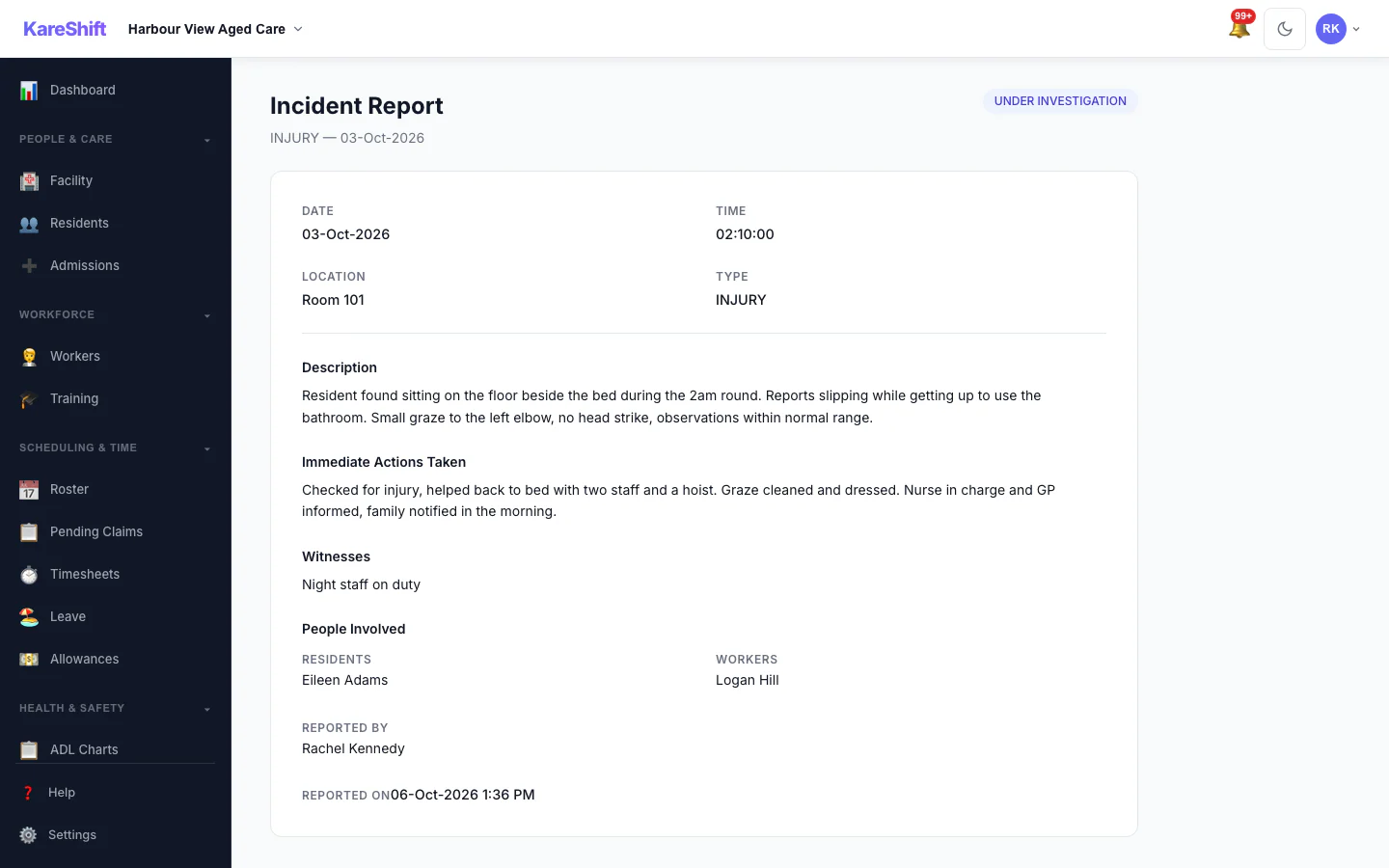
Incident Detail
An incident with its status, details and the update trail of who did what.
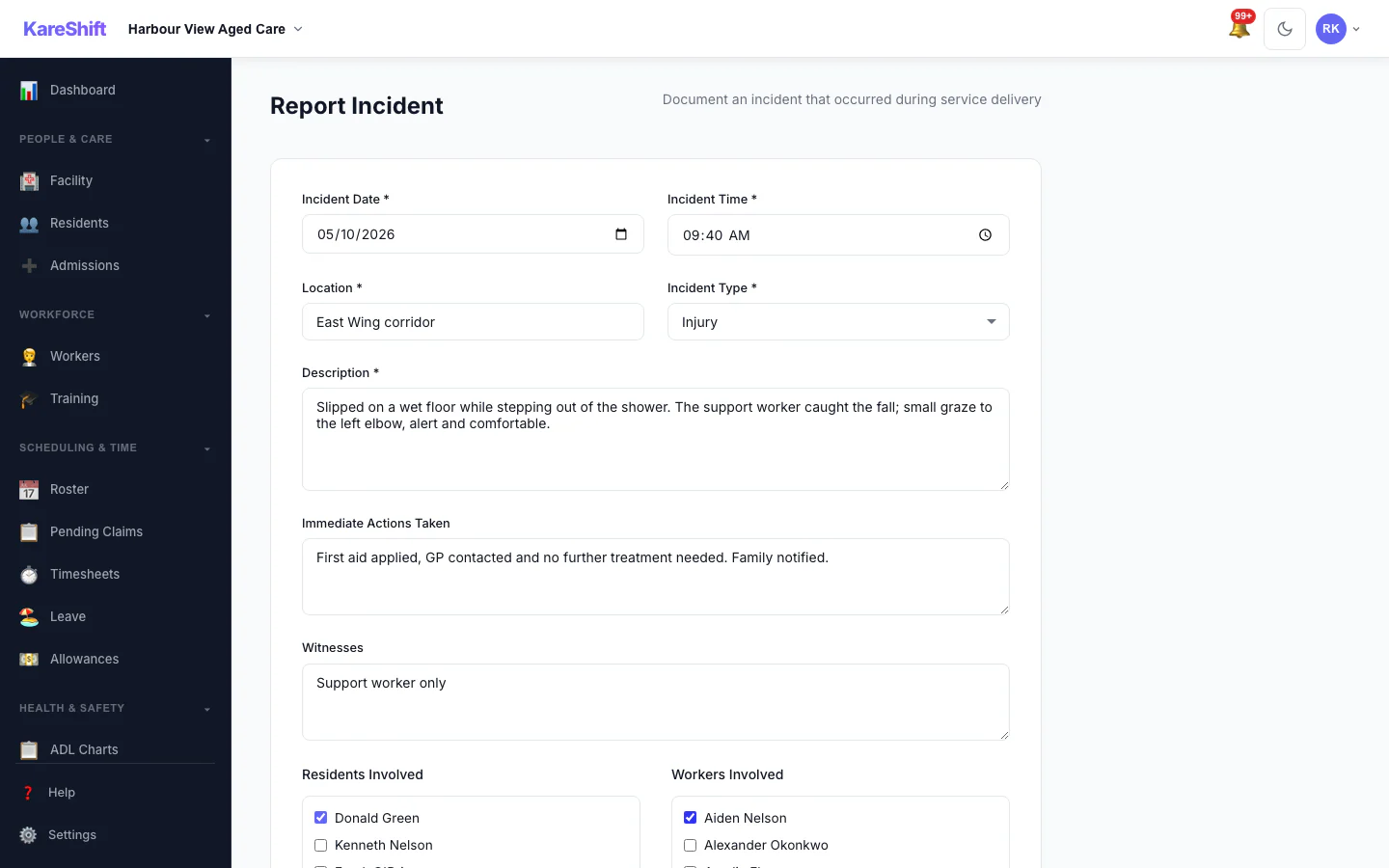
Report an Incident
Record what happened, who was involved and what was done straight away.
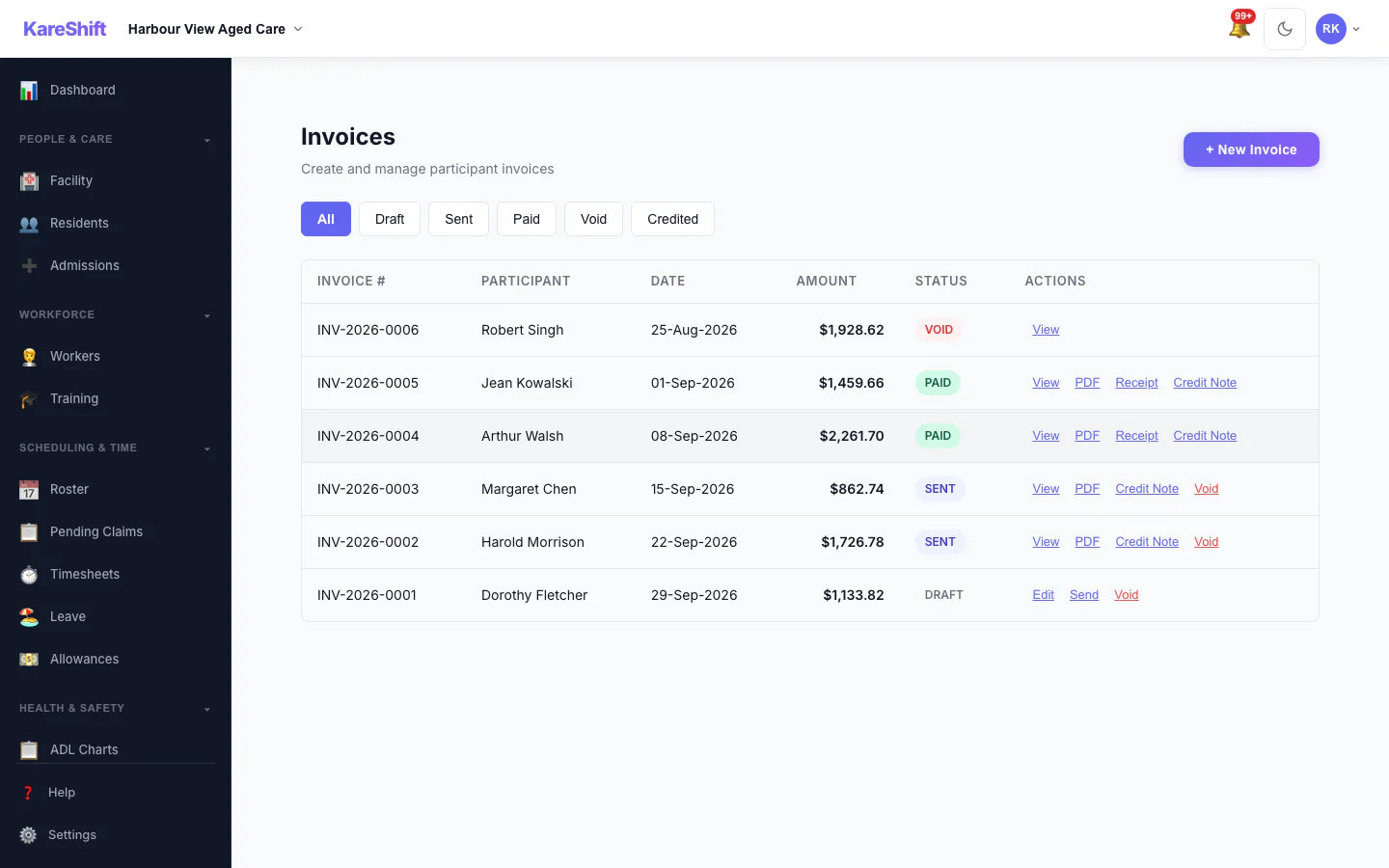
Invoices
Draft, sent, paid and voided invoices in one list, with PDF, receipt and credit note actions.
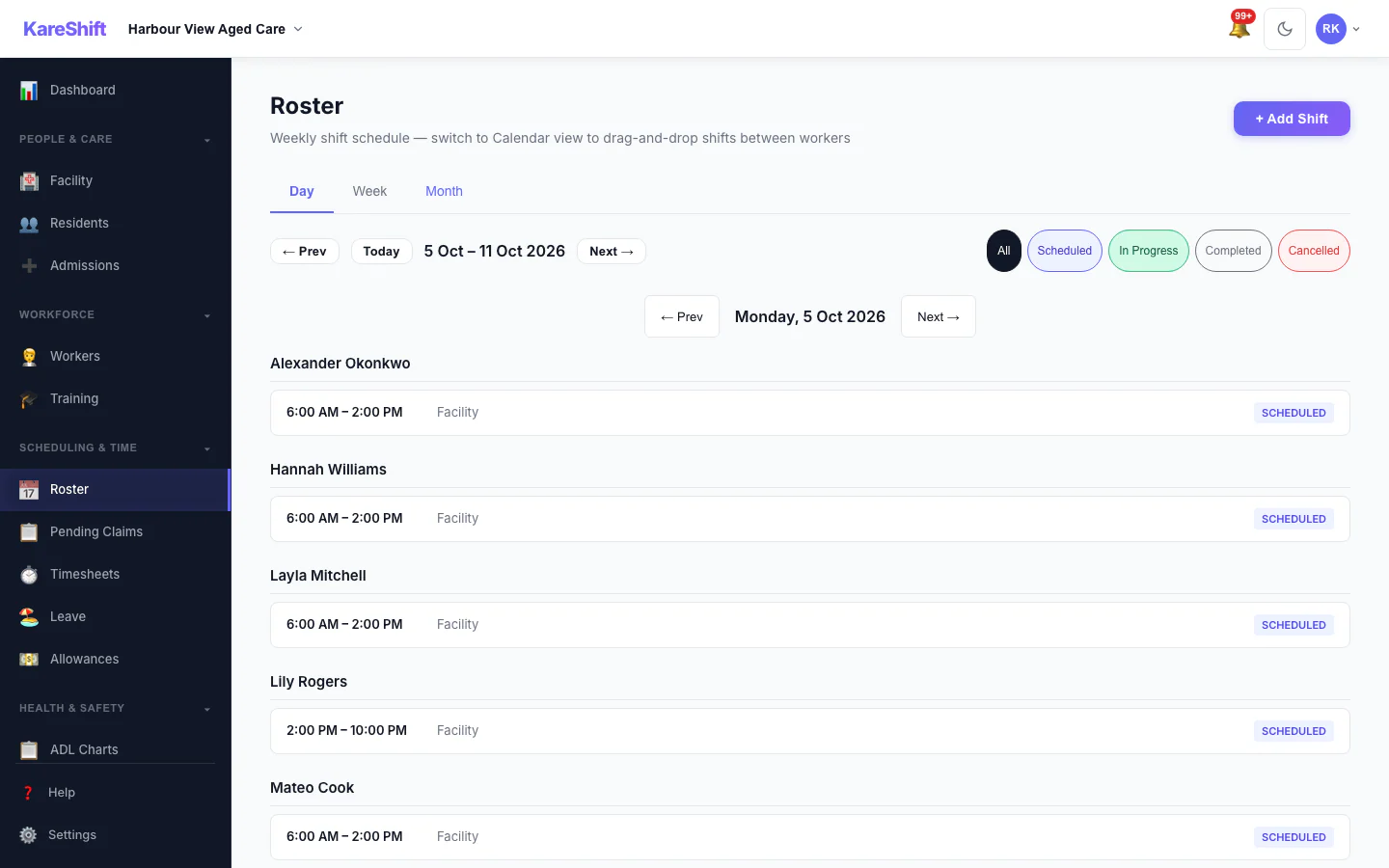
Roster — Day View
One day's shifts grouped by worker.
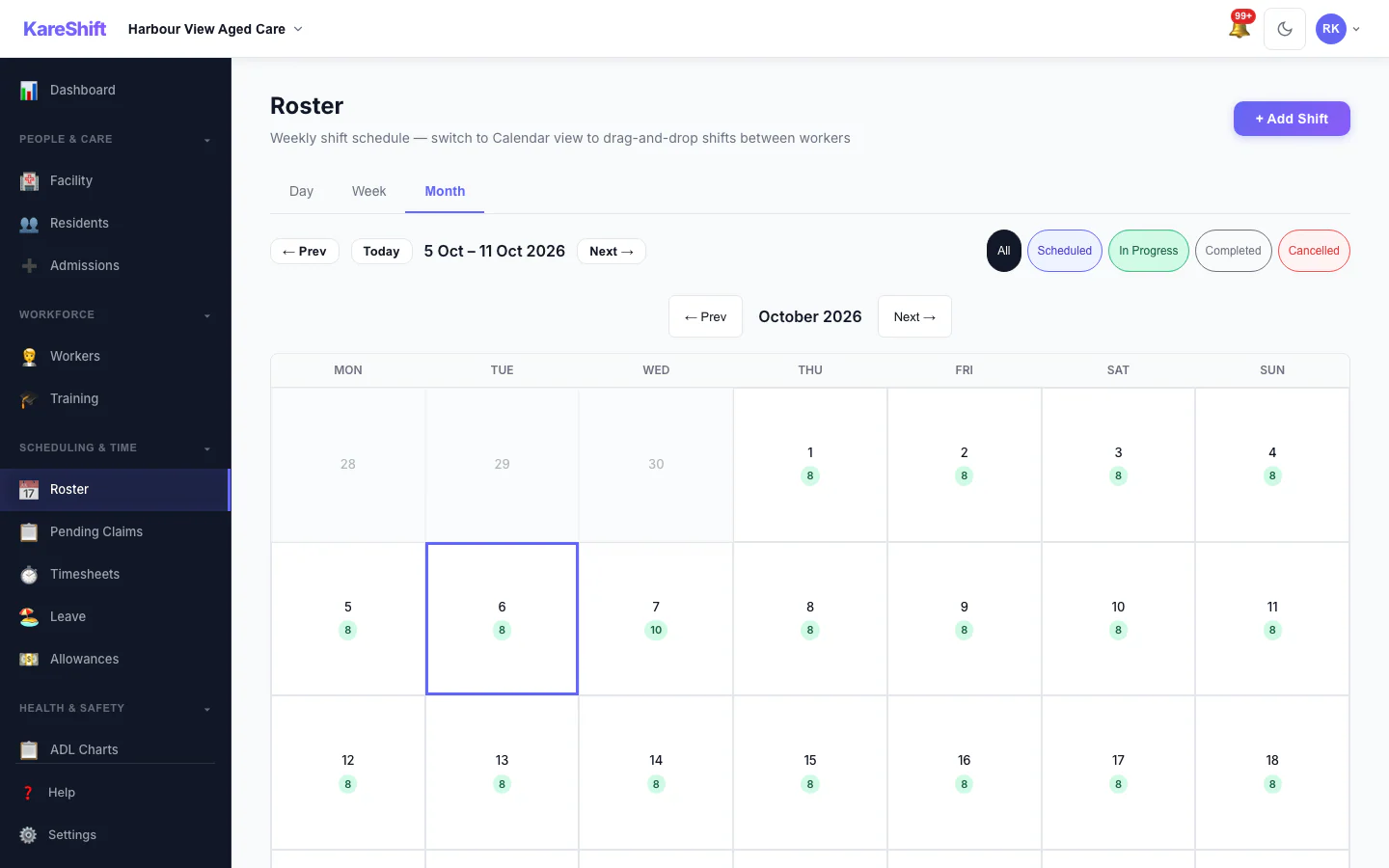
Roster — Month View
A month at a glance with shift counts for each day.
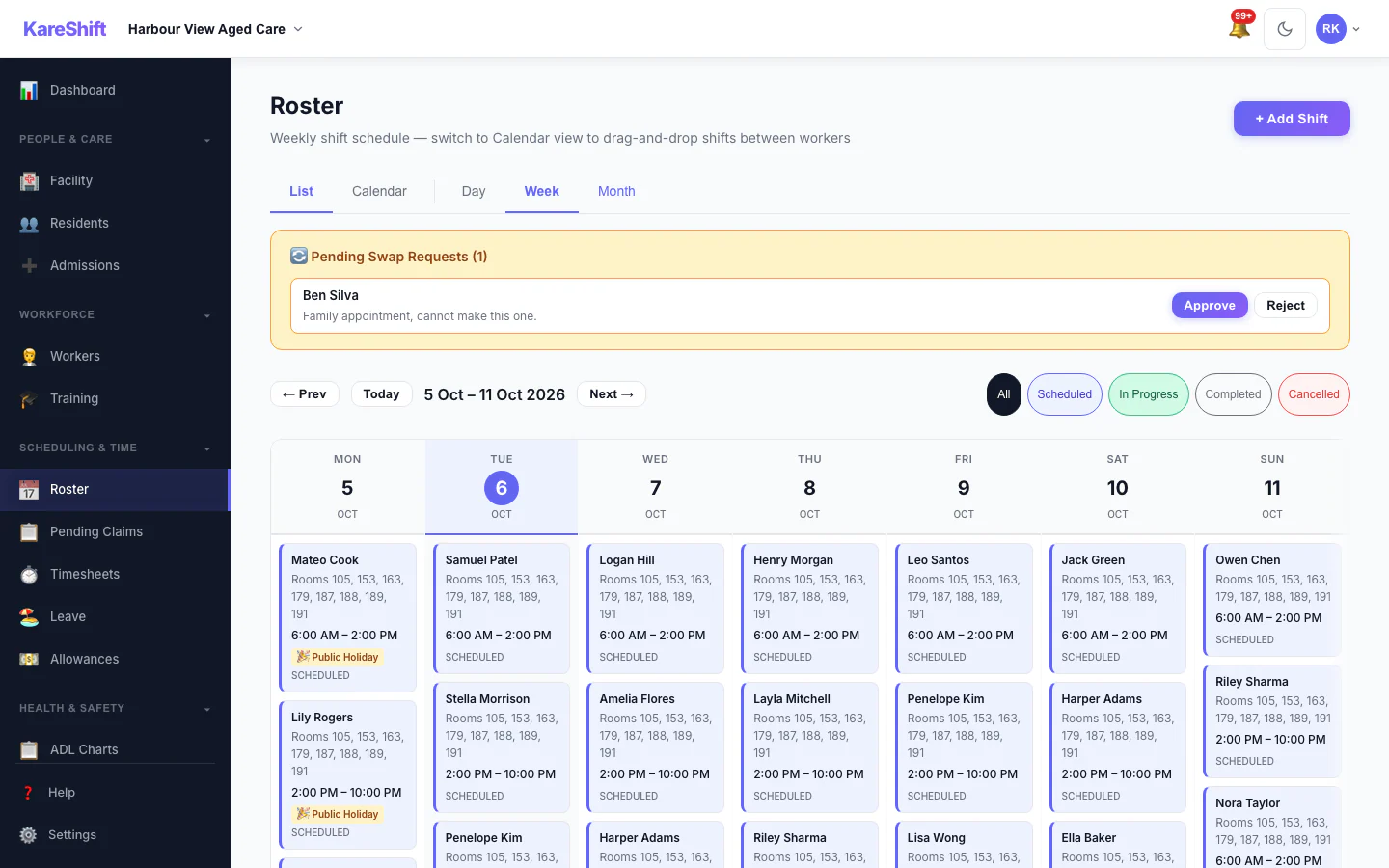
Shift Swap Requests
Pending swap requests with approve and reject.
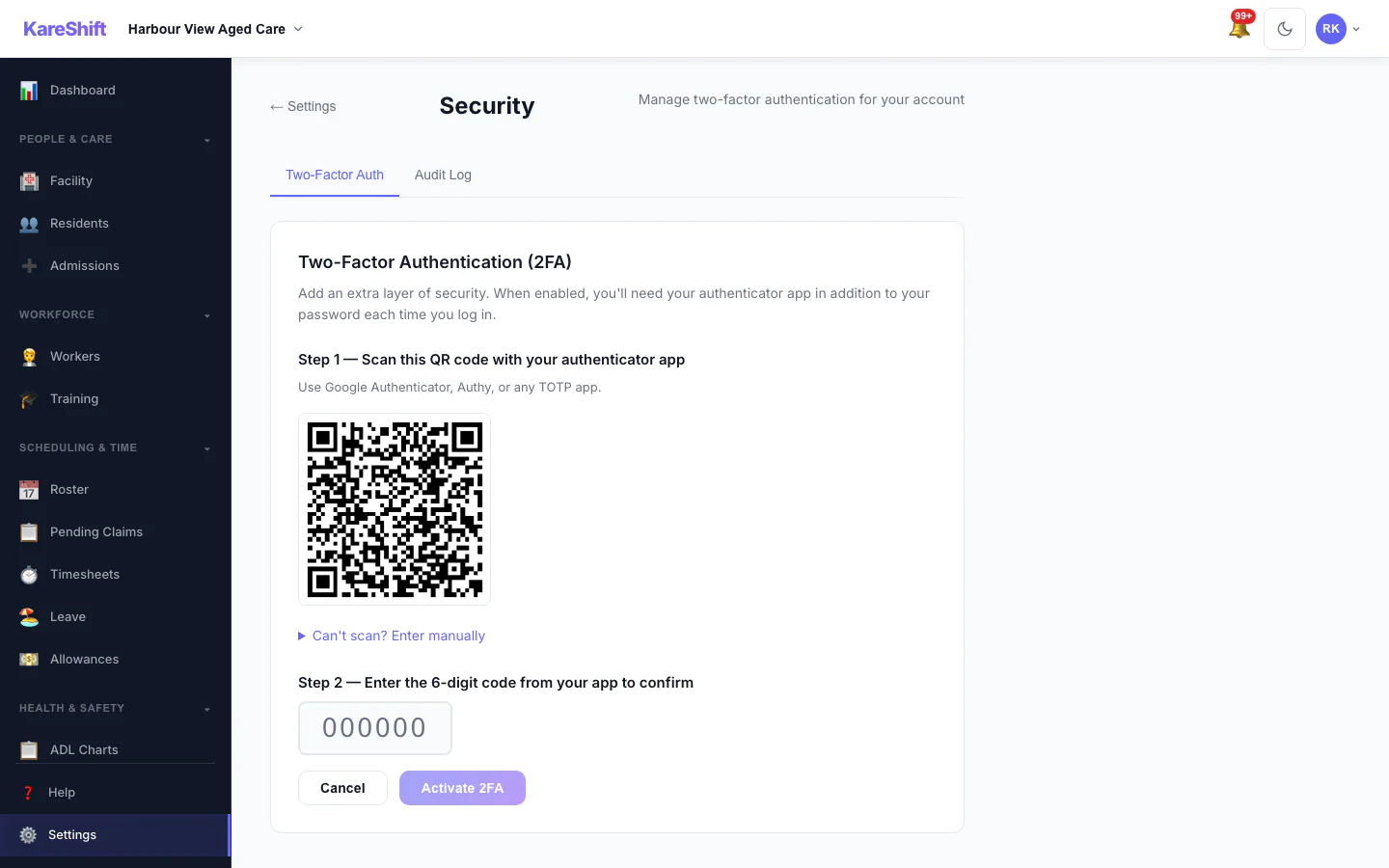
Set Up Two-Factor Authentication
Scan a code with an authenticator app, then enter the six-digit code to switch it on.
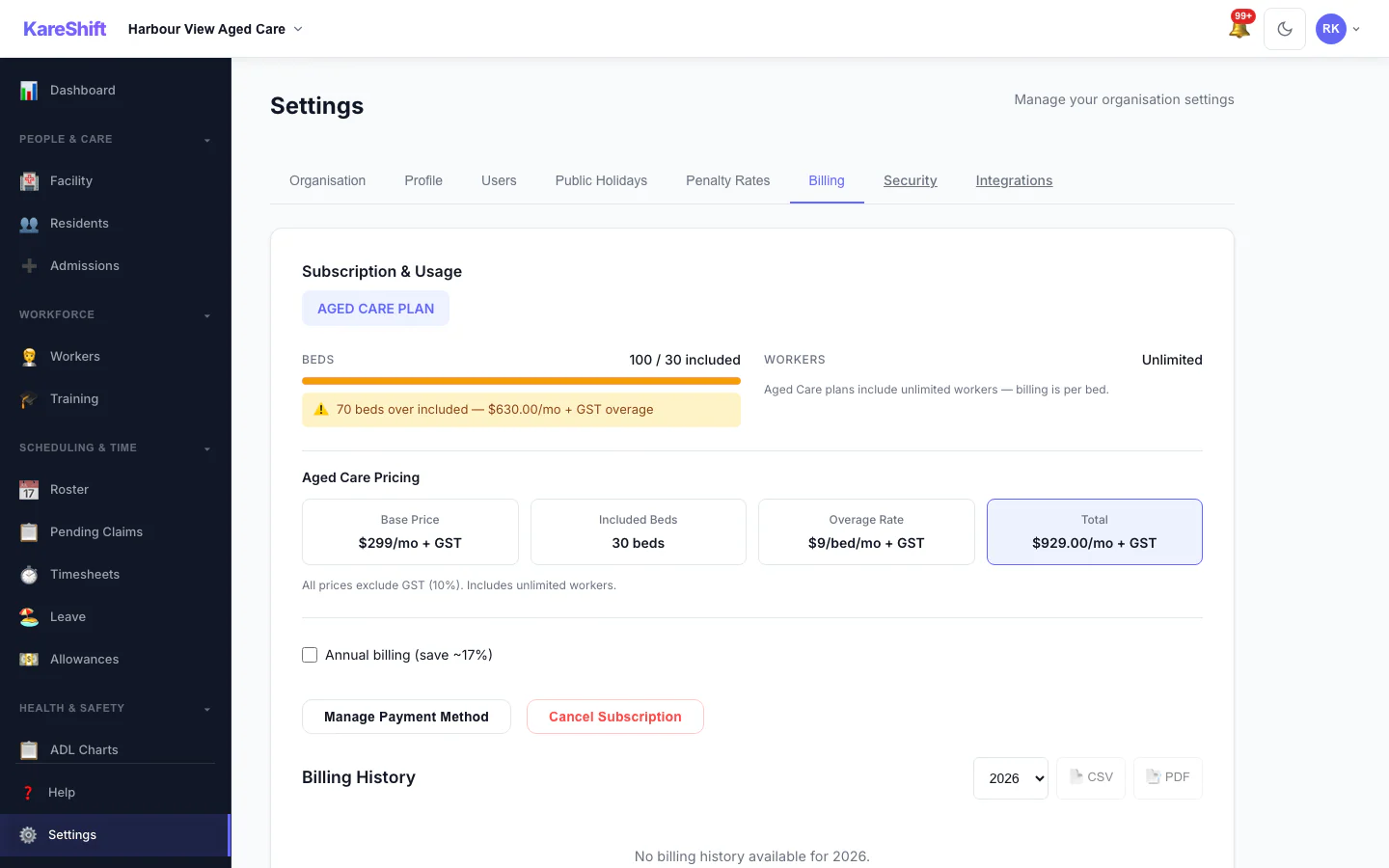
Billing and Plan
Your plan, worker usage and billing history.
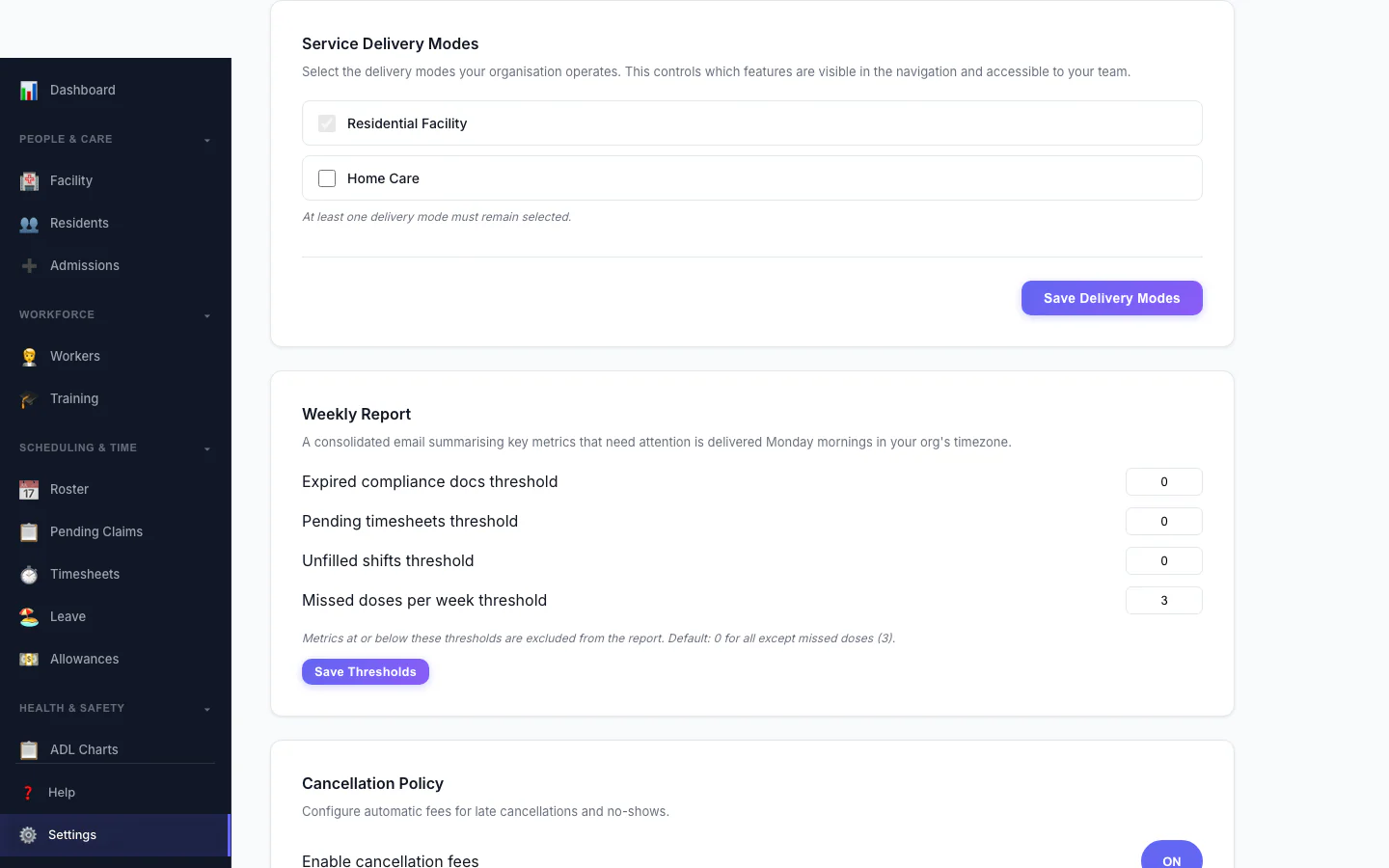
Service Delivery Modes
Choose which kinds of service your organisation delivers.
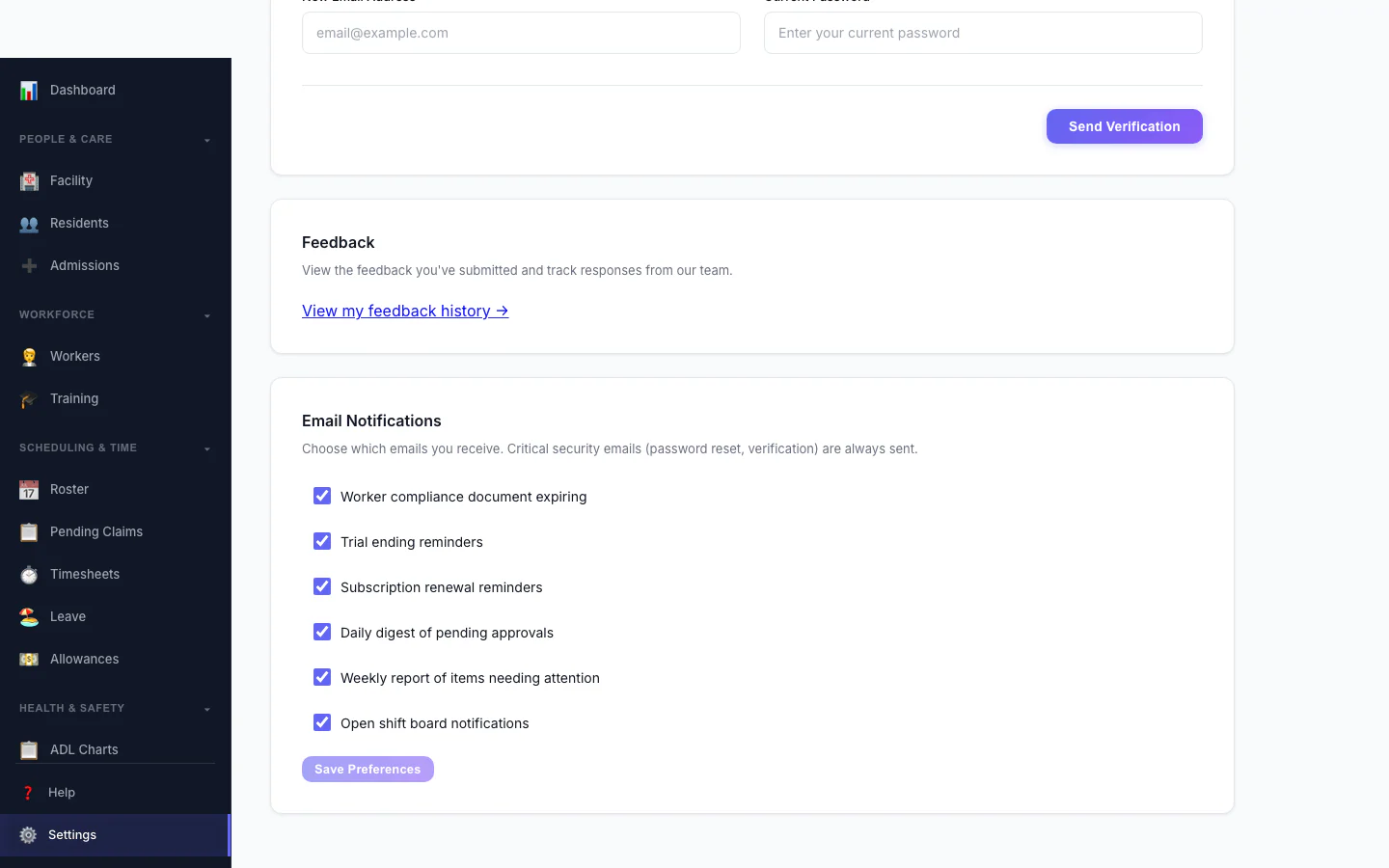
Notification Preferences
Choose which emails you receive.
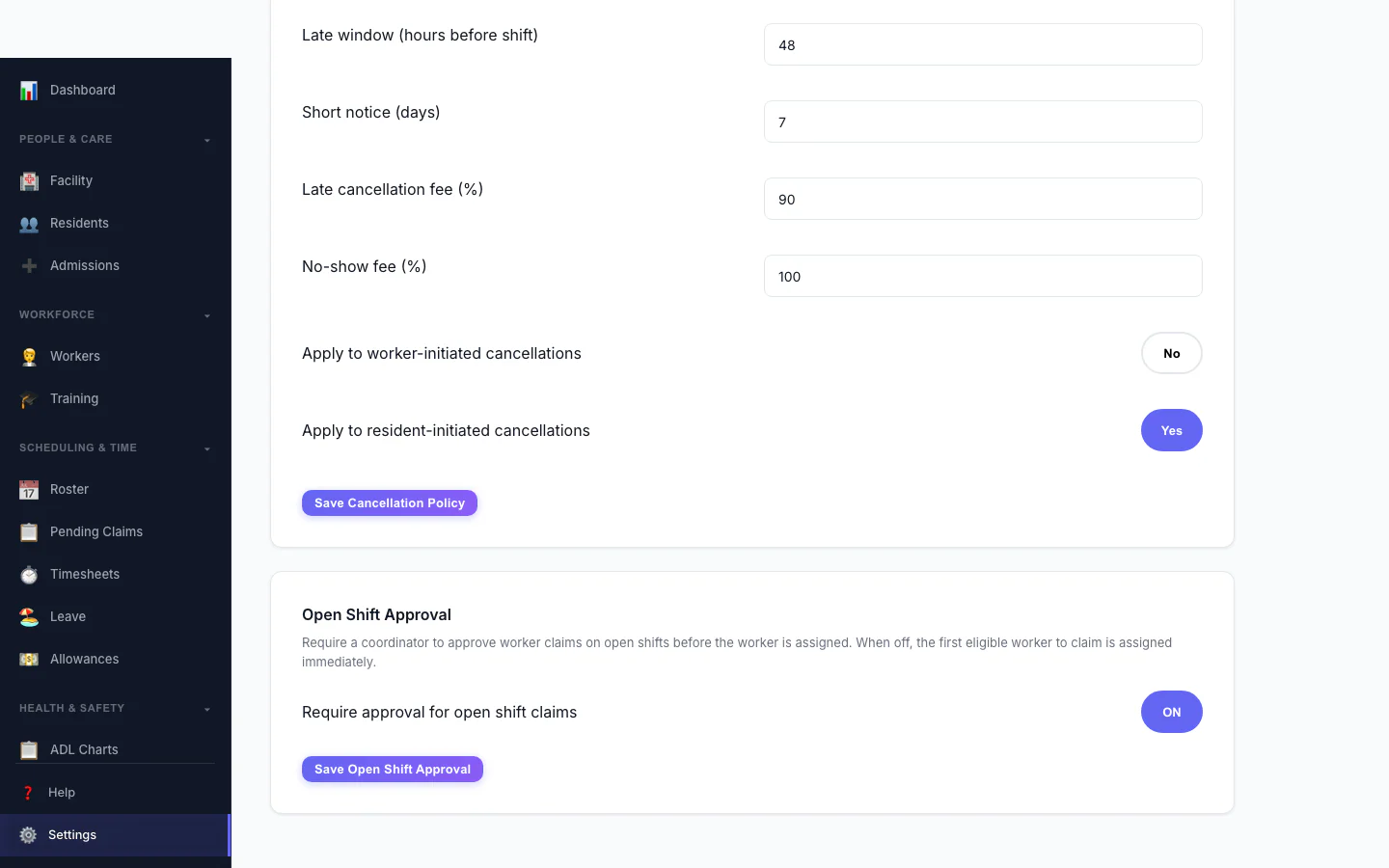
Open Shift Approval
Decide whether workers can claim open shifts straight away or need approval.
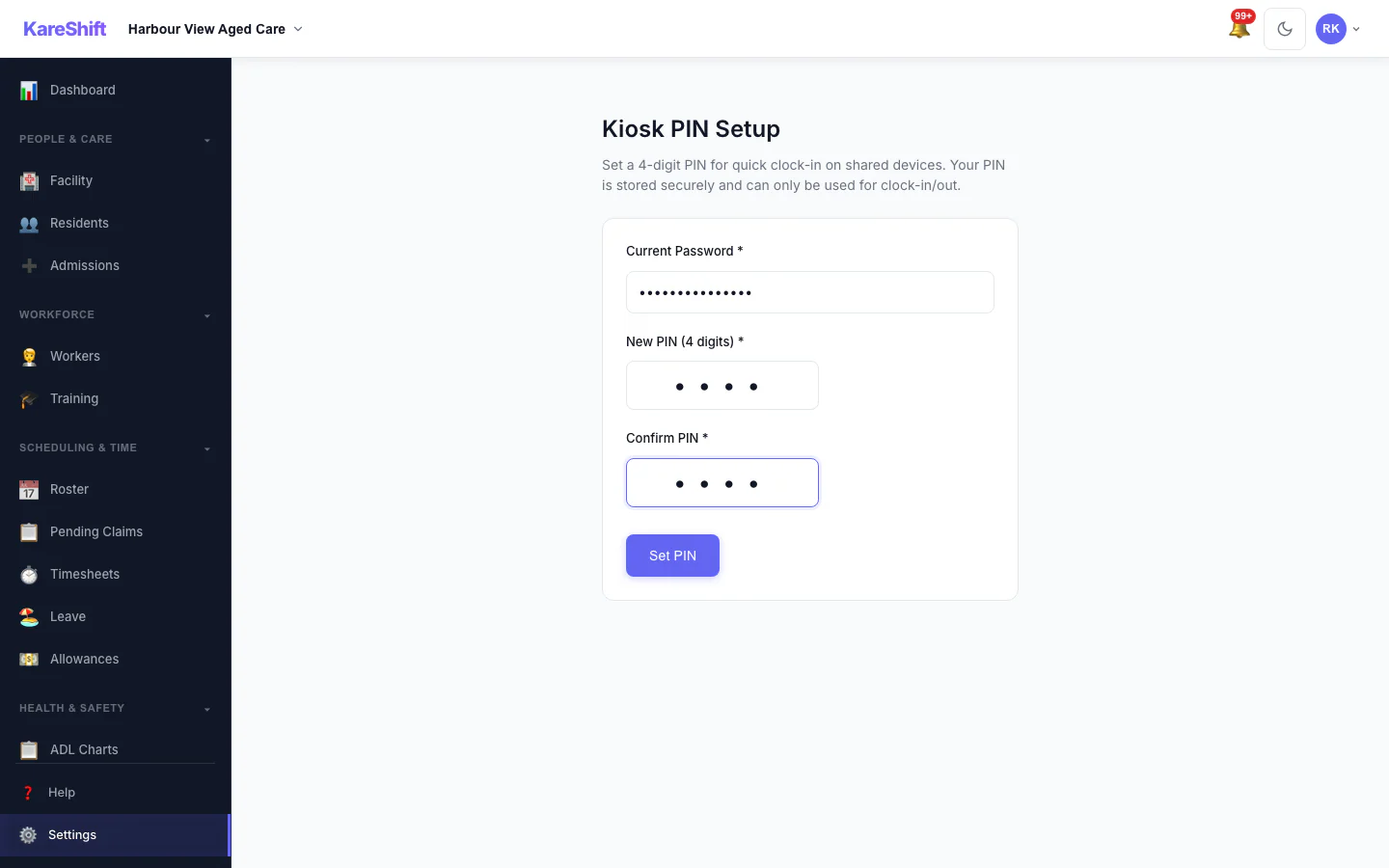
Kiosk PIN
Set the PIN workers use at a shared kiosk.
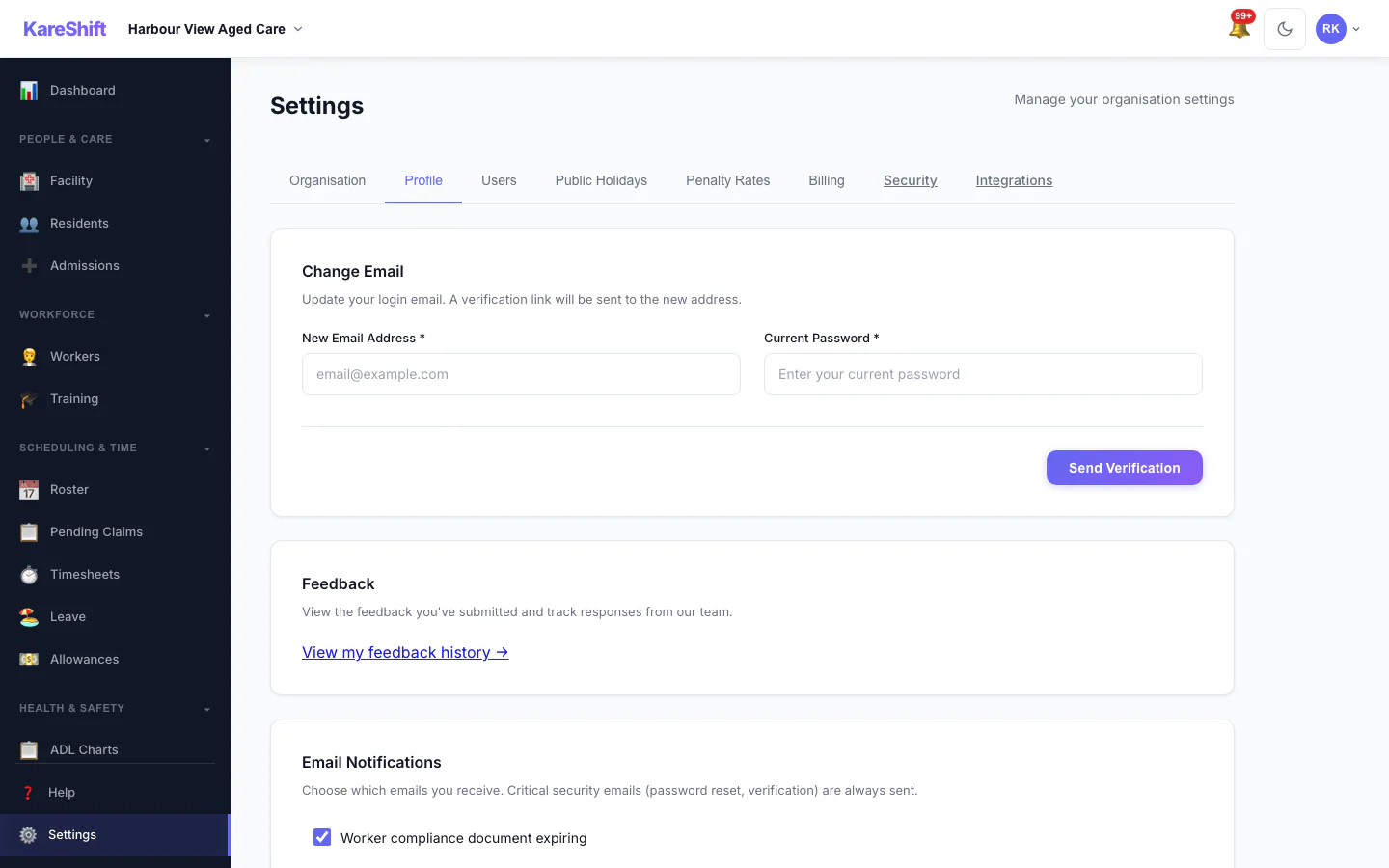
Your Profile Settings
Your login email and email notification choices.
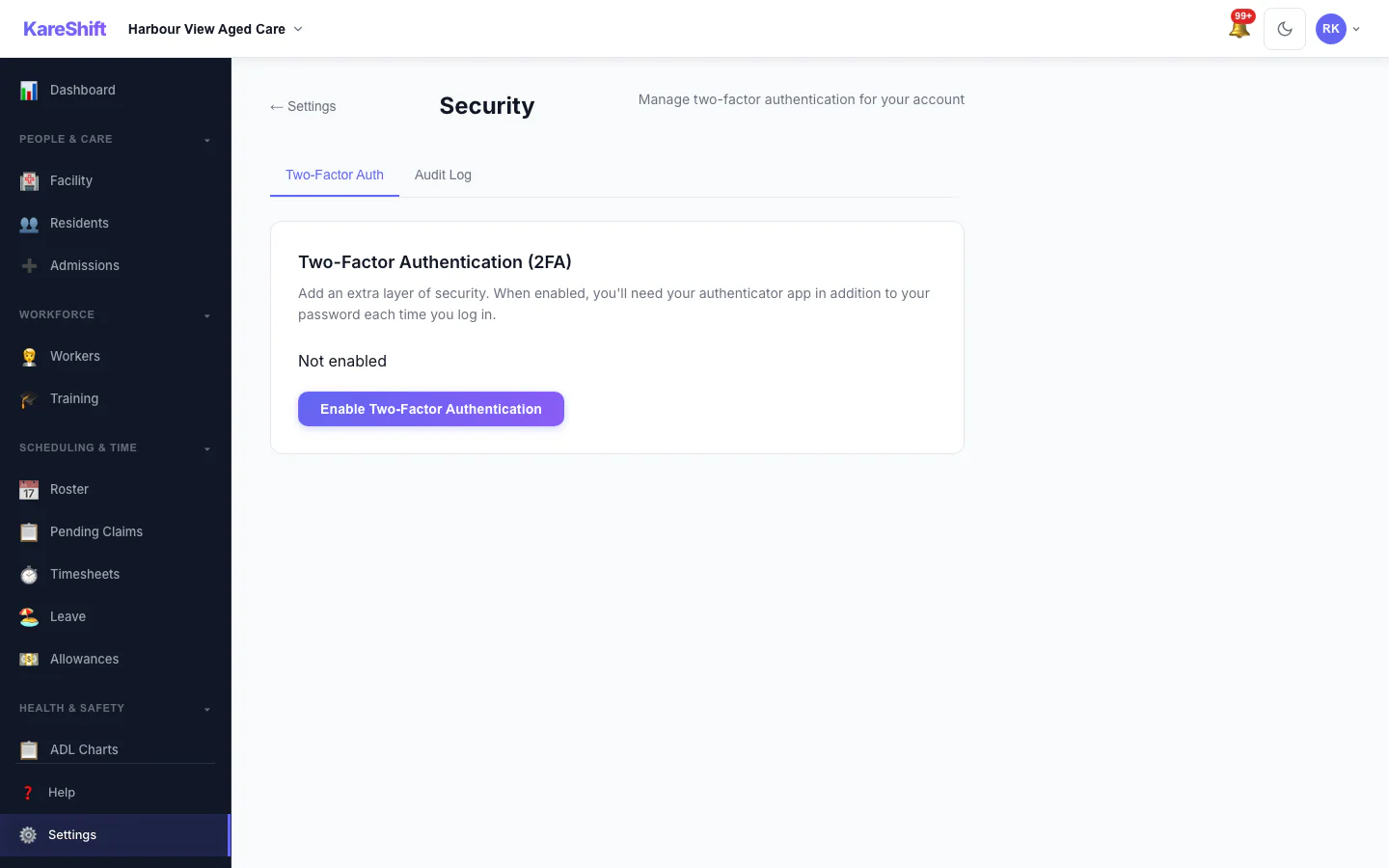
Security Settings
Two-factor status for your account, with trusted devices and an audit log for owners.
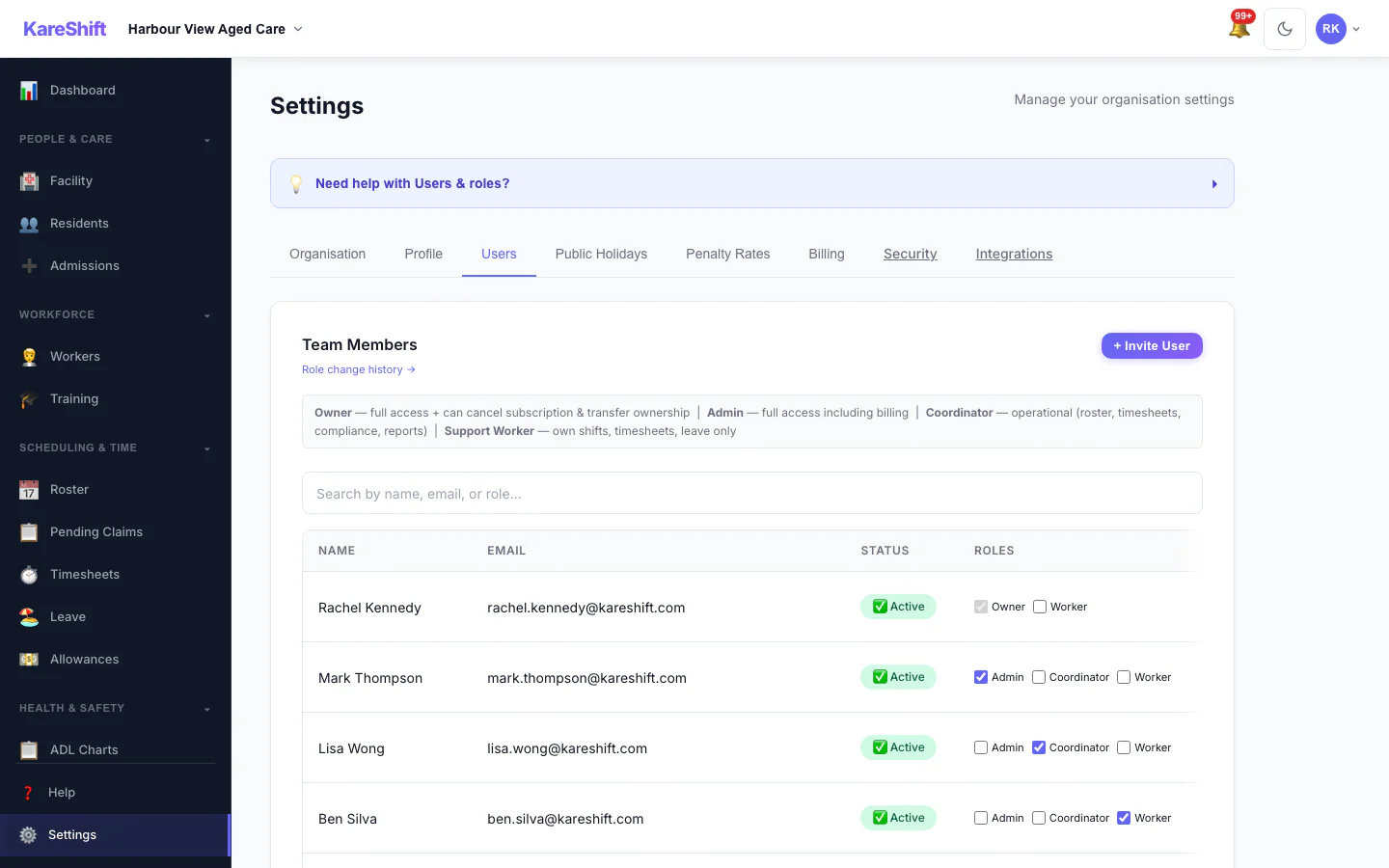
Team Members and Roles
Everyone in your organisation, their status and roles.
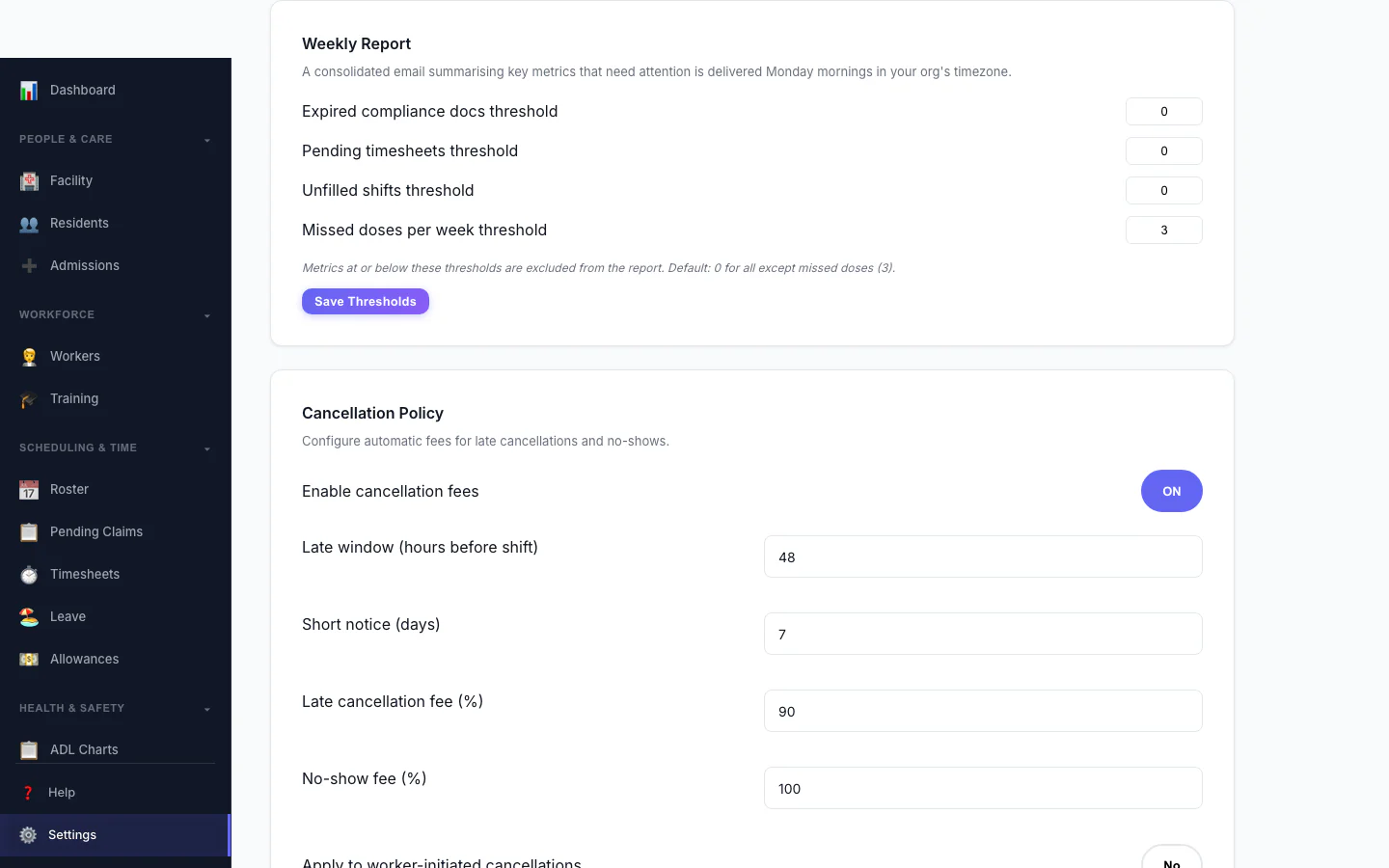
Weekly Report
Set the thresholds for the weekly summary email.
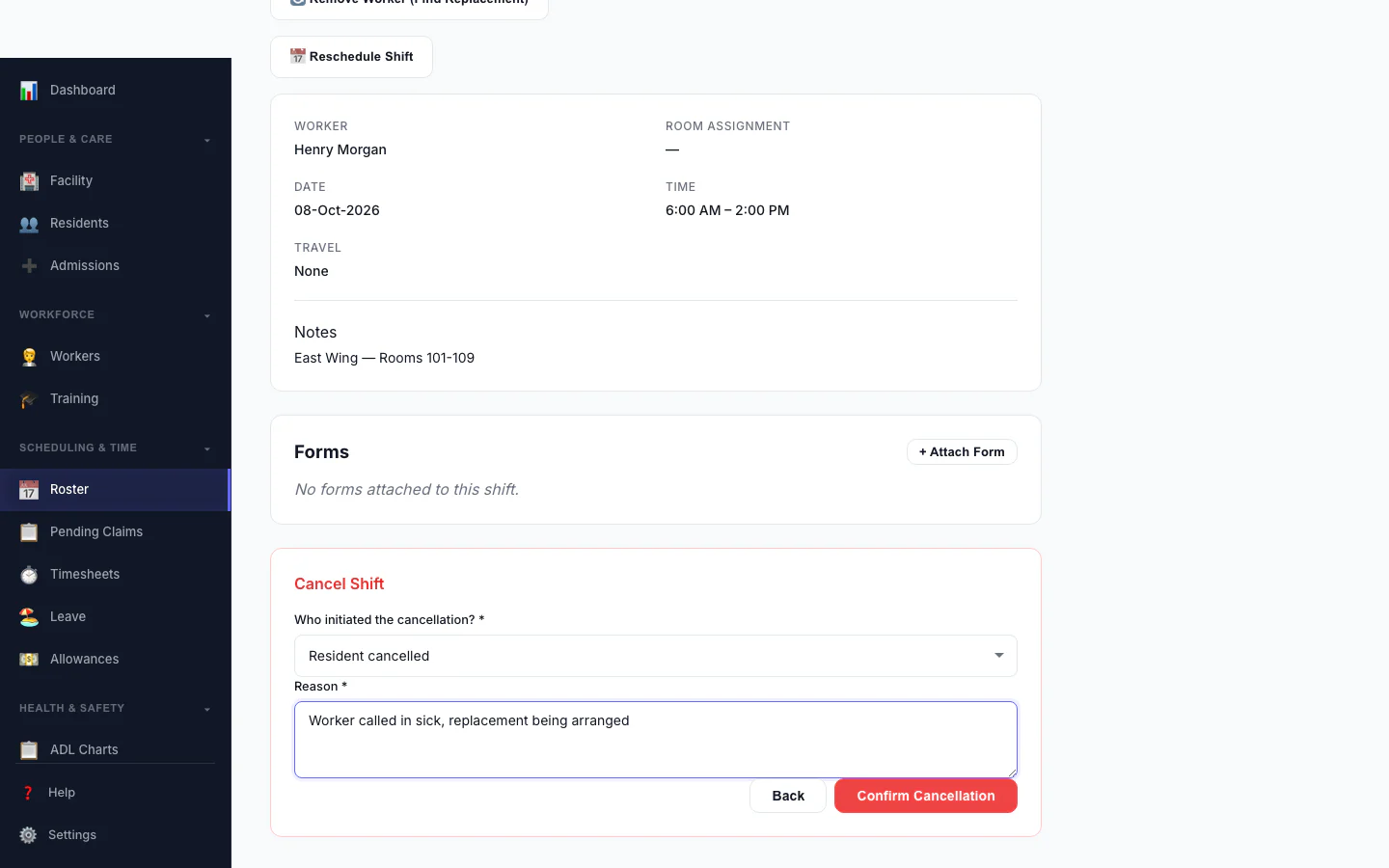
Cancel a Shift
Record who cancelled and why, so the right fee is applied.
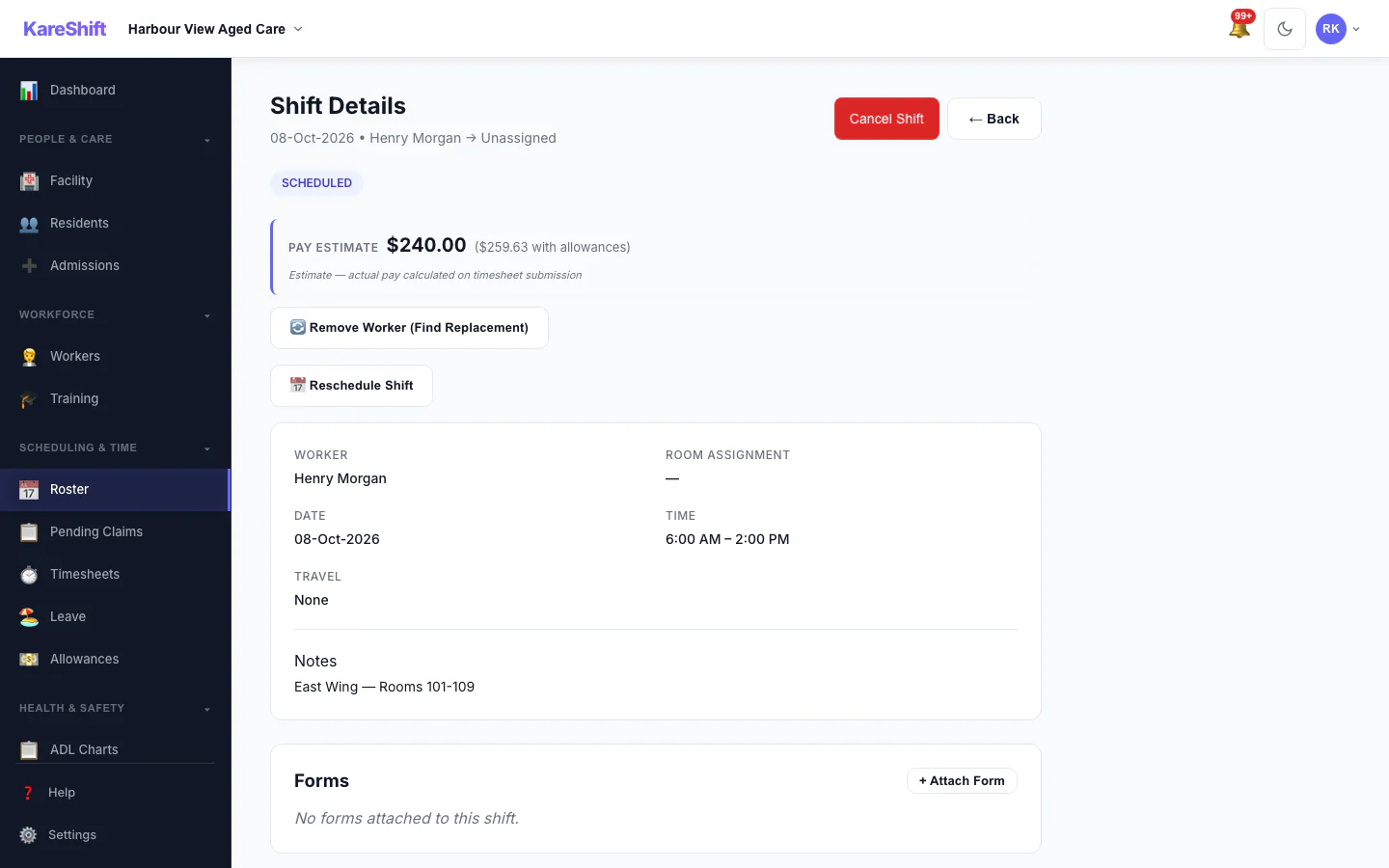
Shift Detail
A shift with its worker, pay estimate and attached forms.
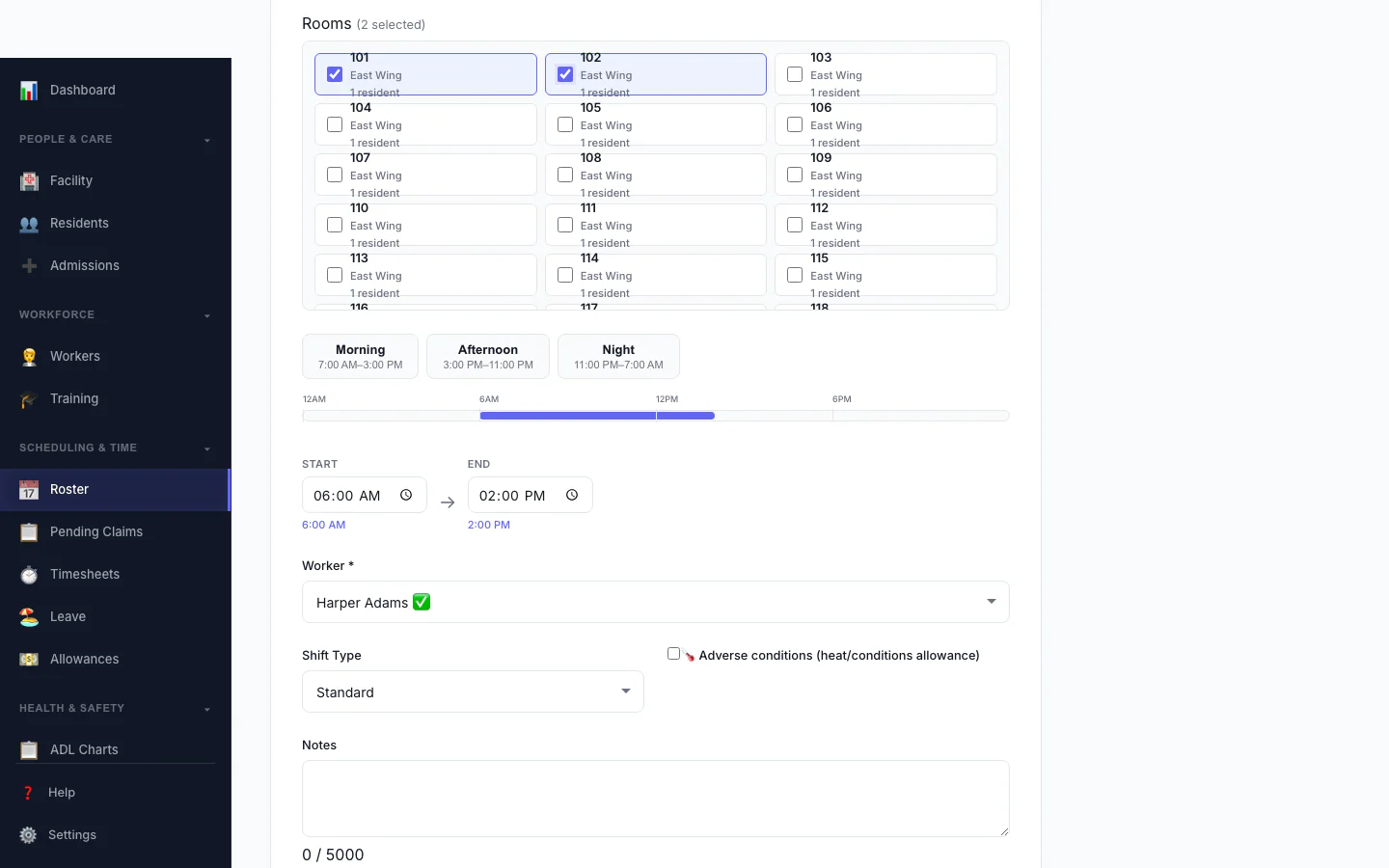
Add a Shift
Pick the person, date and times, and see suggested workers.
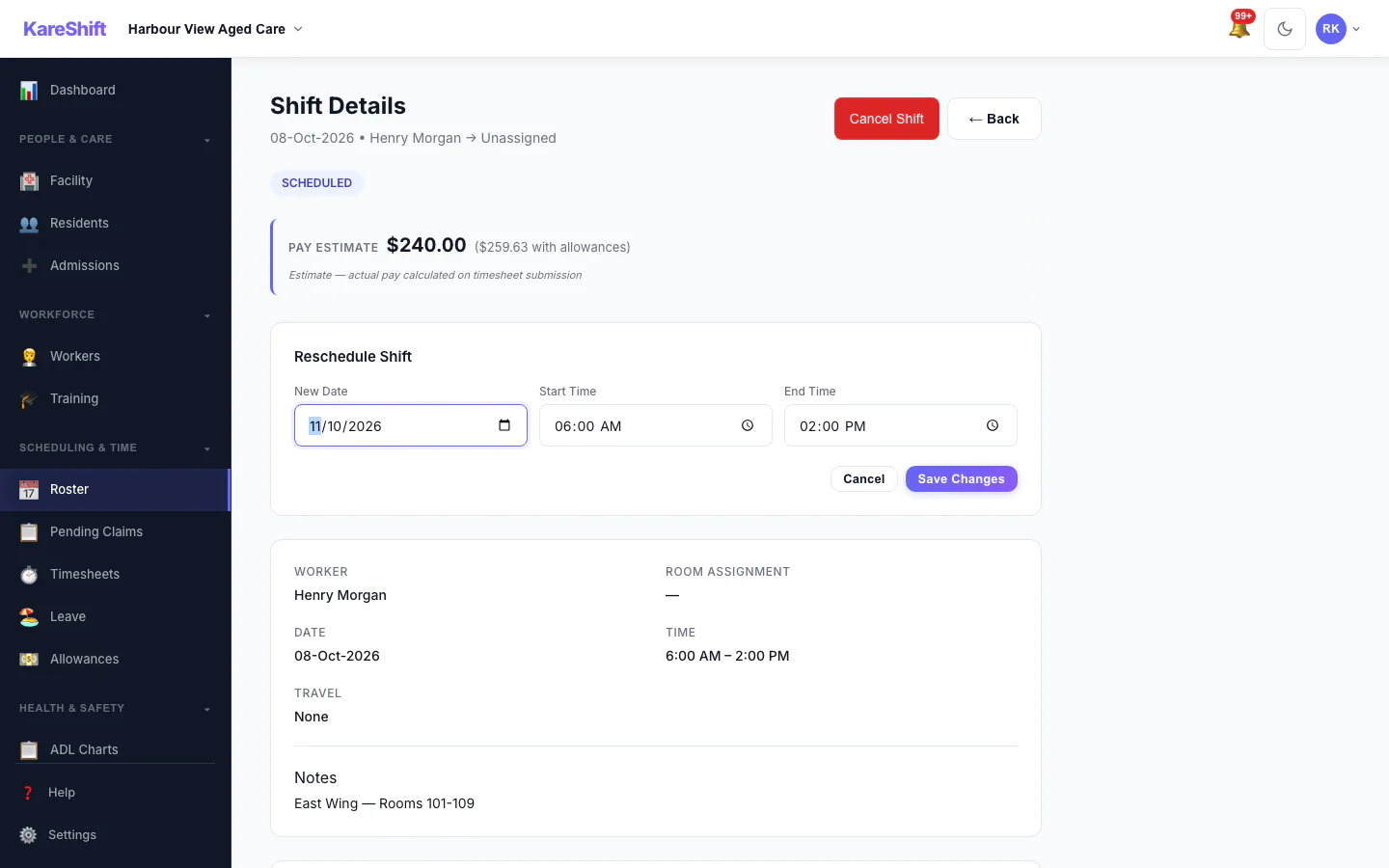
Reschedule a Shift
Move a shift to a new date and time.
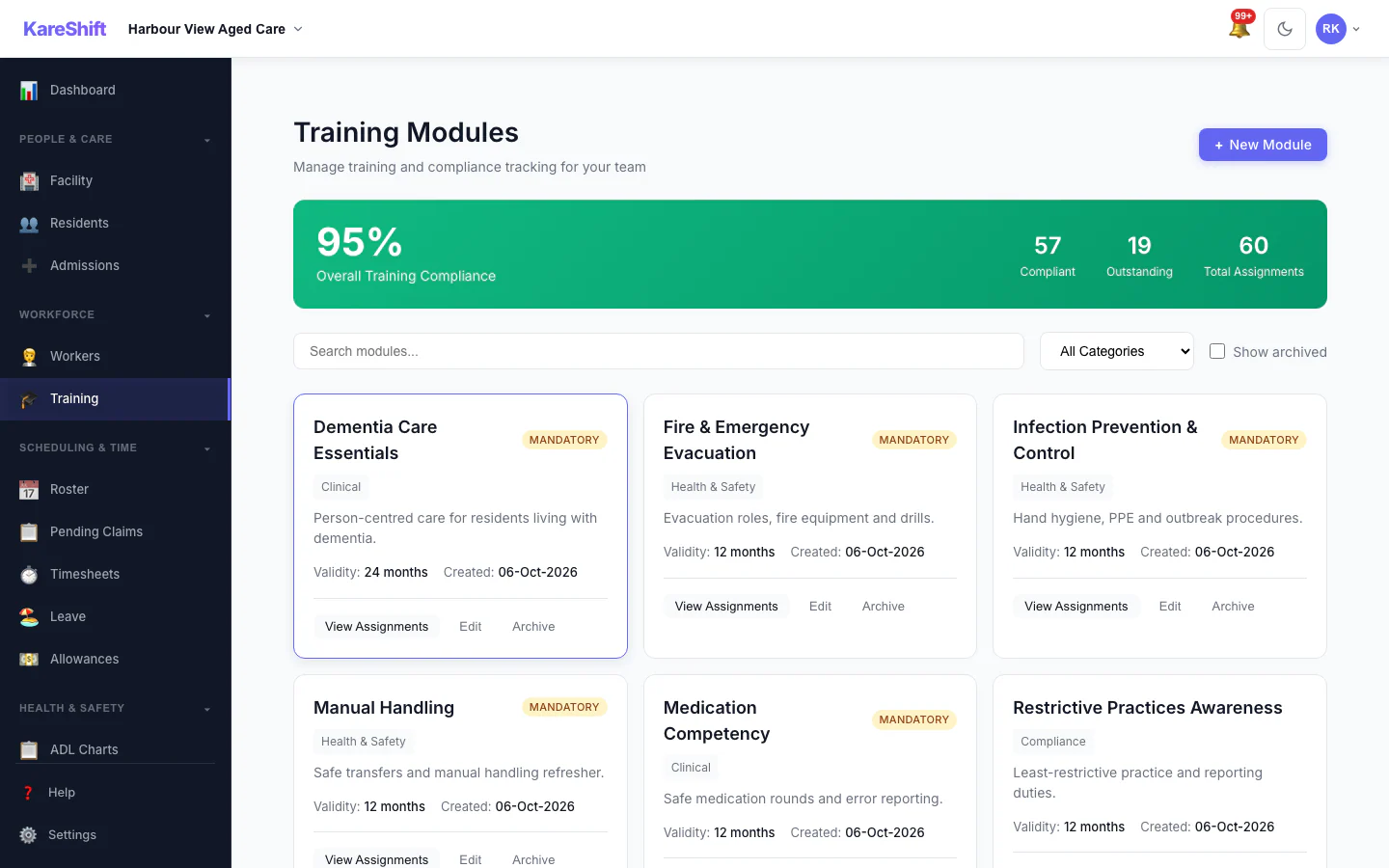
Training Modules
Mandatory and optional training, overall compliance and who is due.
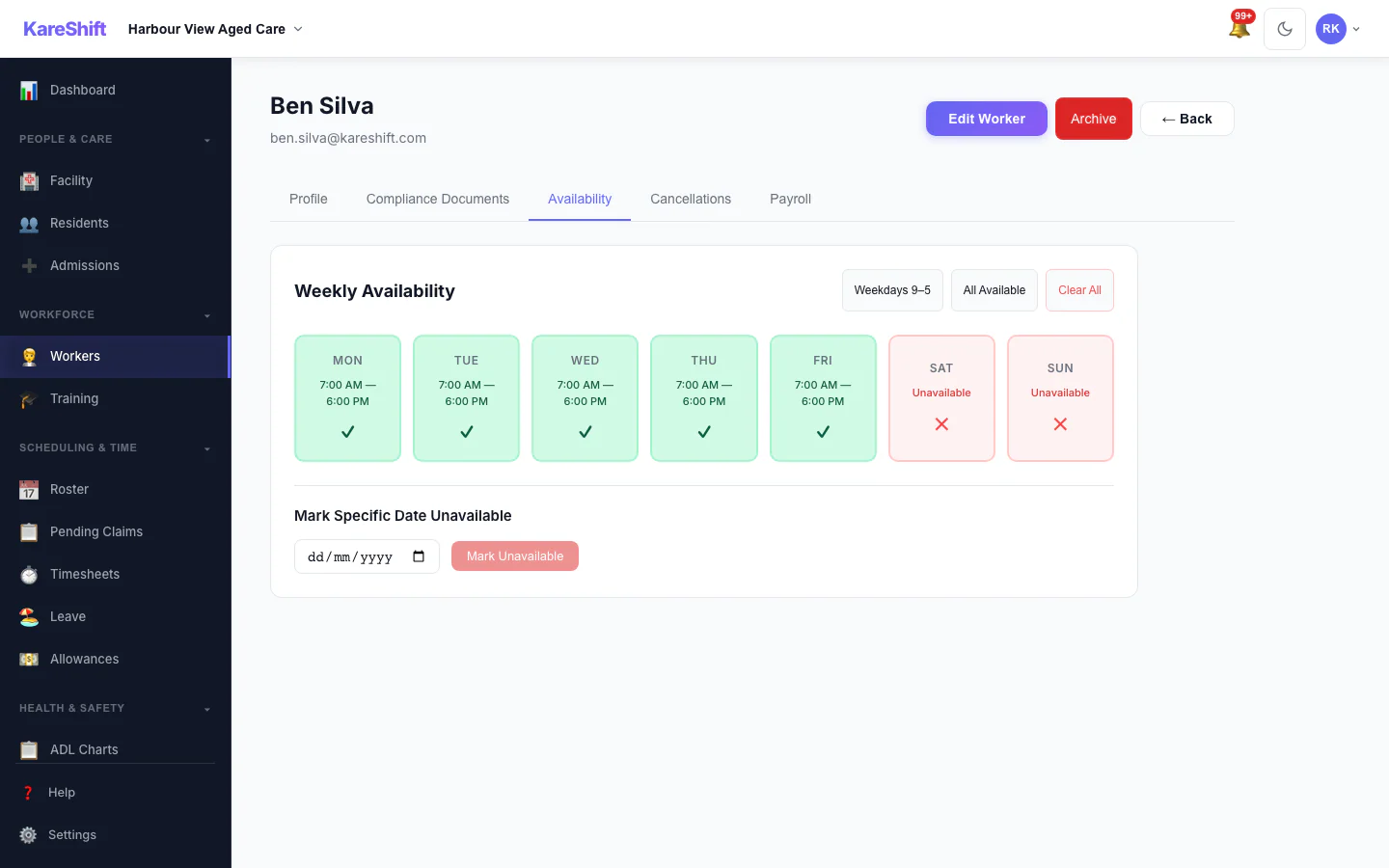
Worker Availability
A worker's weekly availability grid.
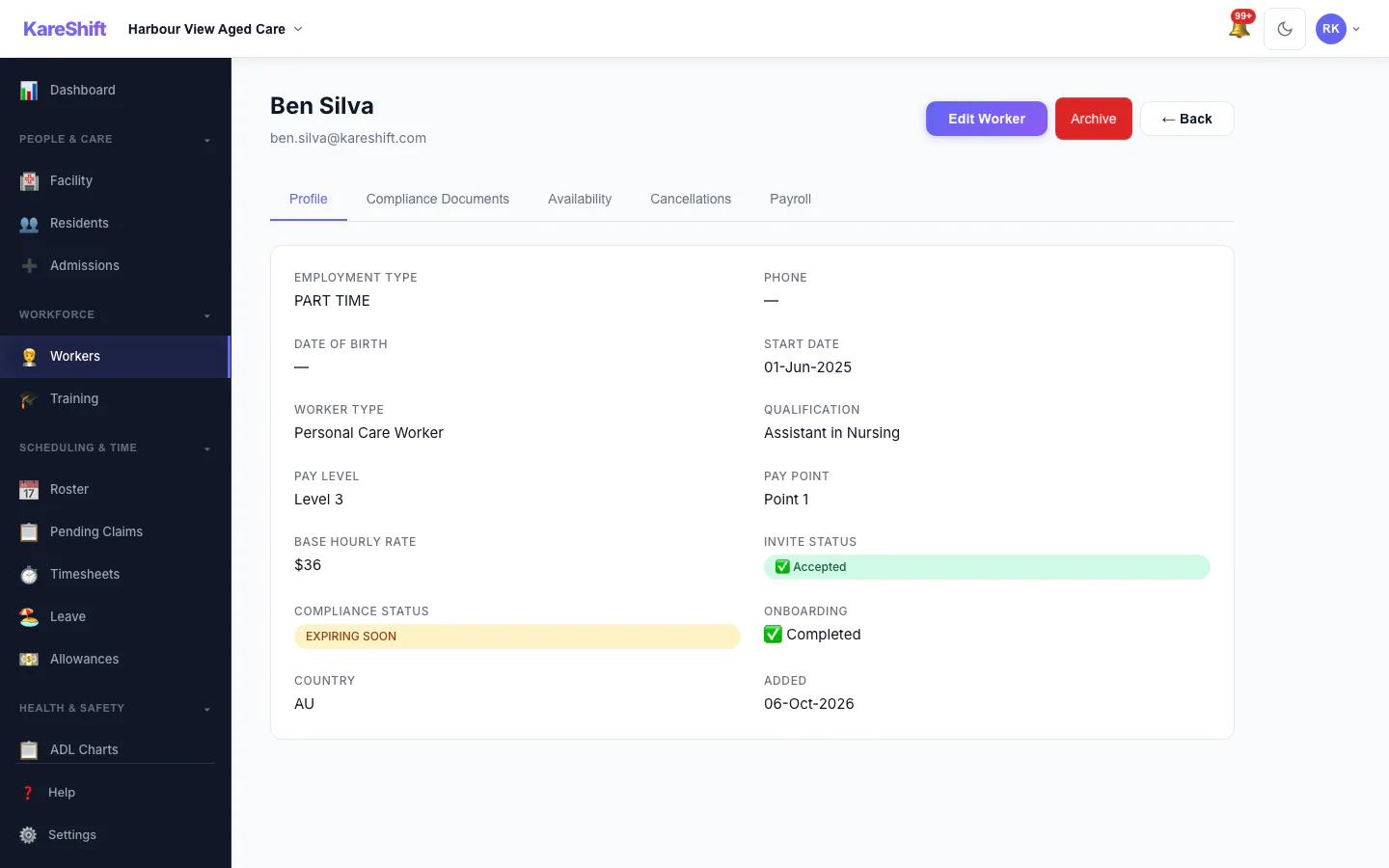
Worker Profile
A worker's profile and details.
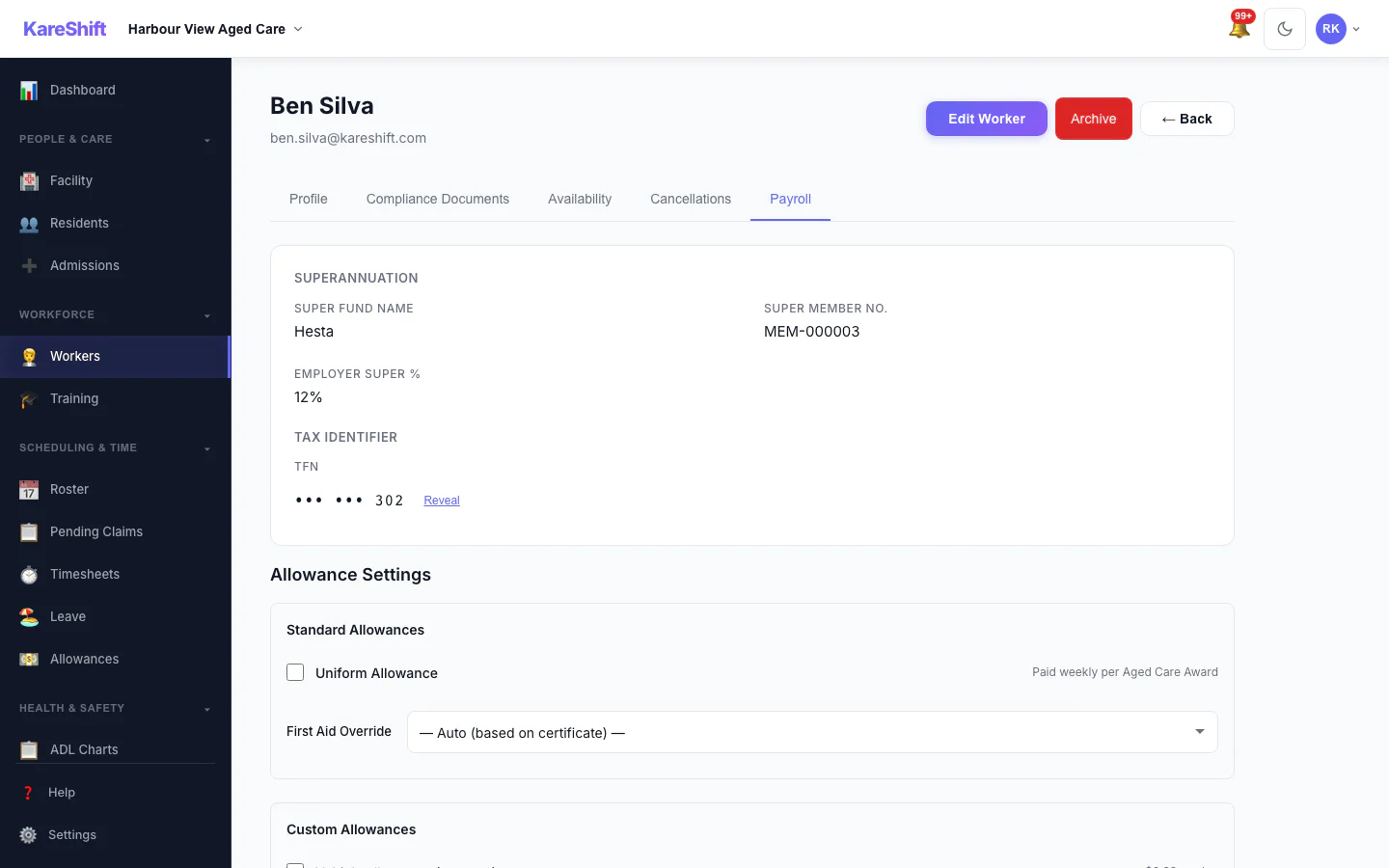
Worker Payroll Details
Payroll details and allowance settings for a worker.
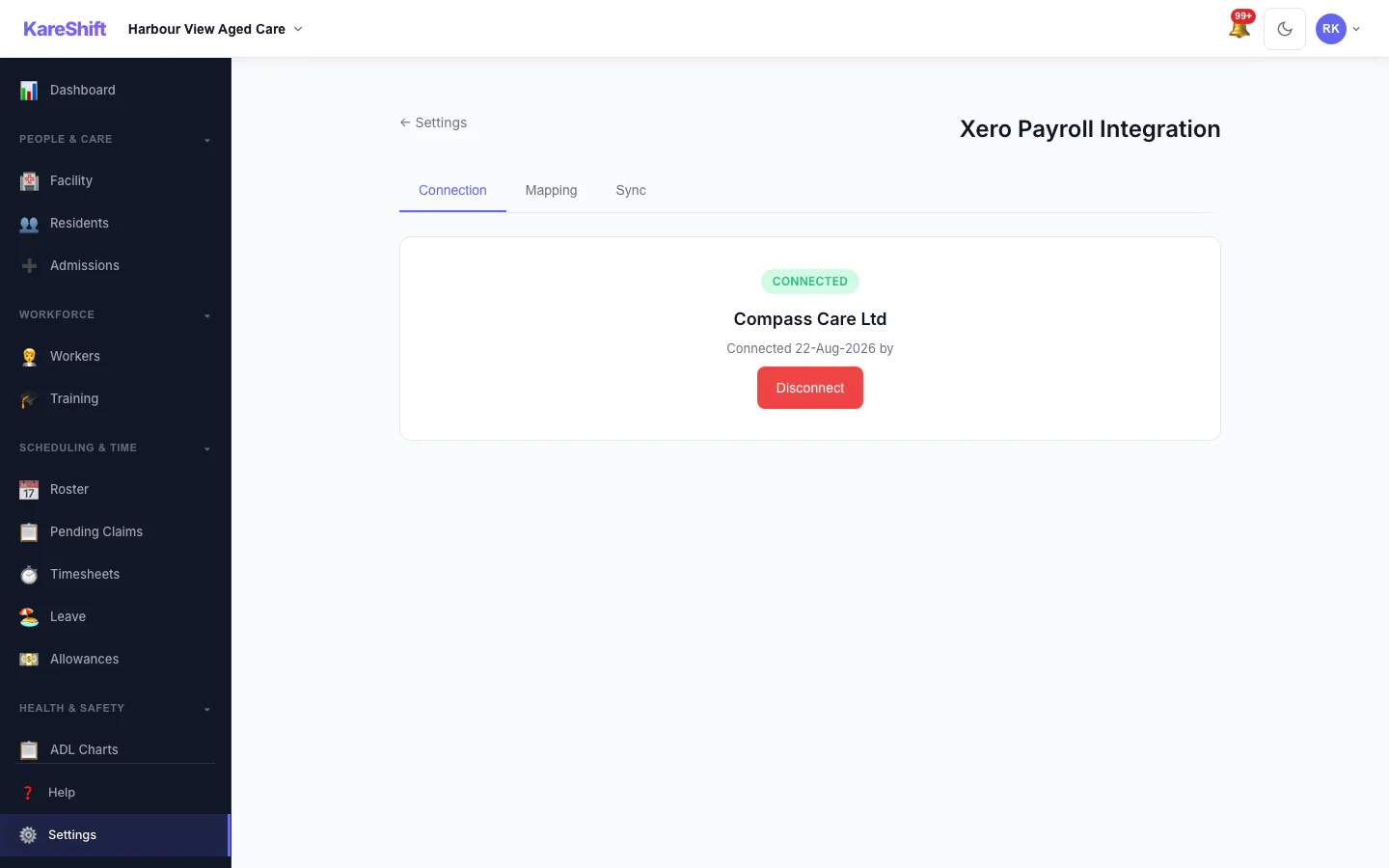
Xero Connection
Connect your Xero organisation once.
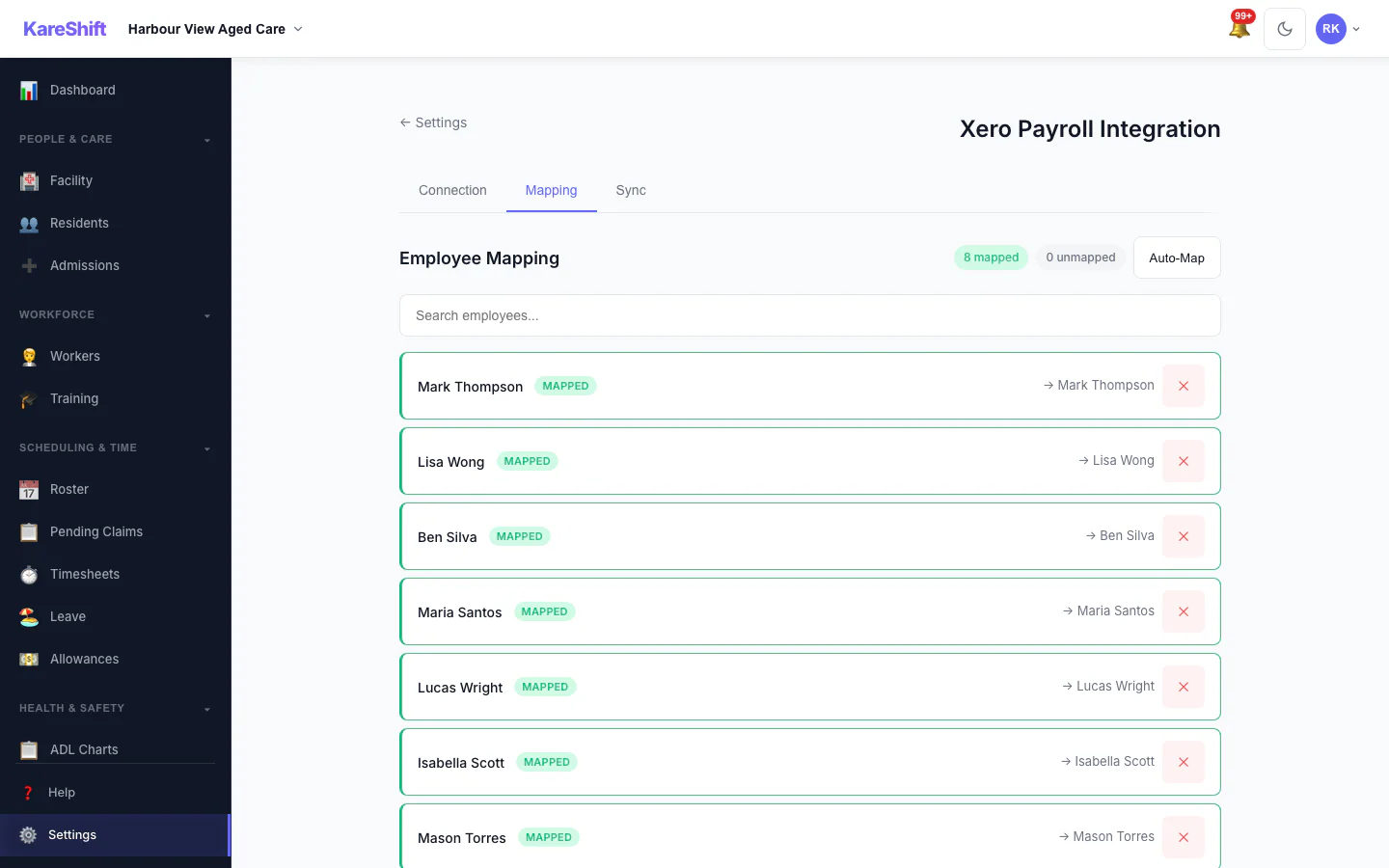
Xero Pay-Item Mapping
Map KareShift pay categories to your Xero earnings rates.
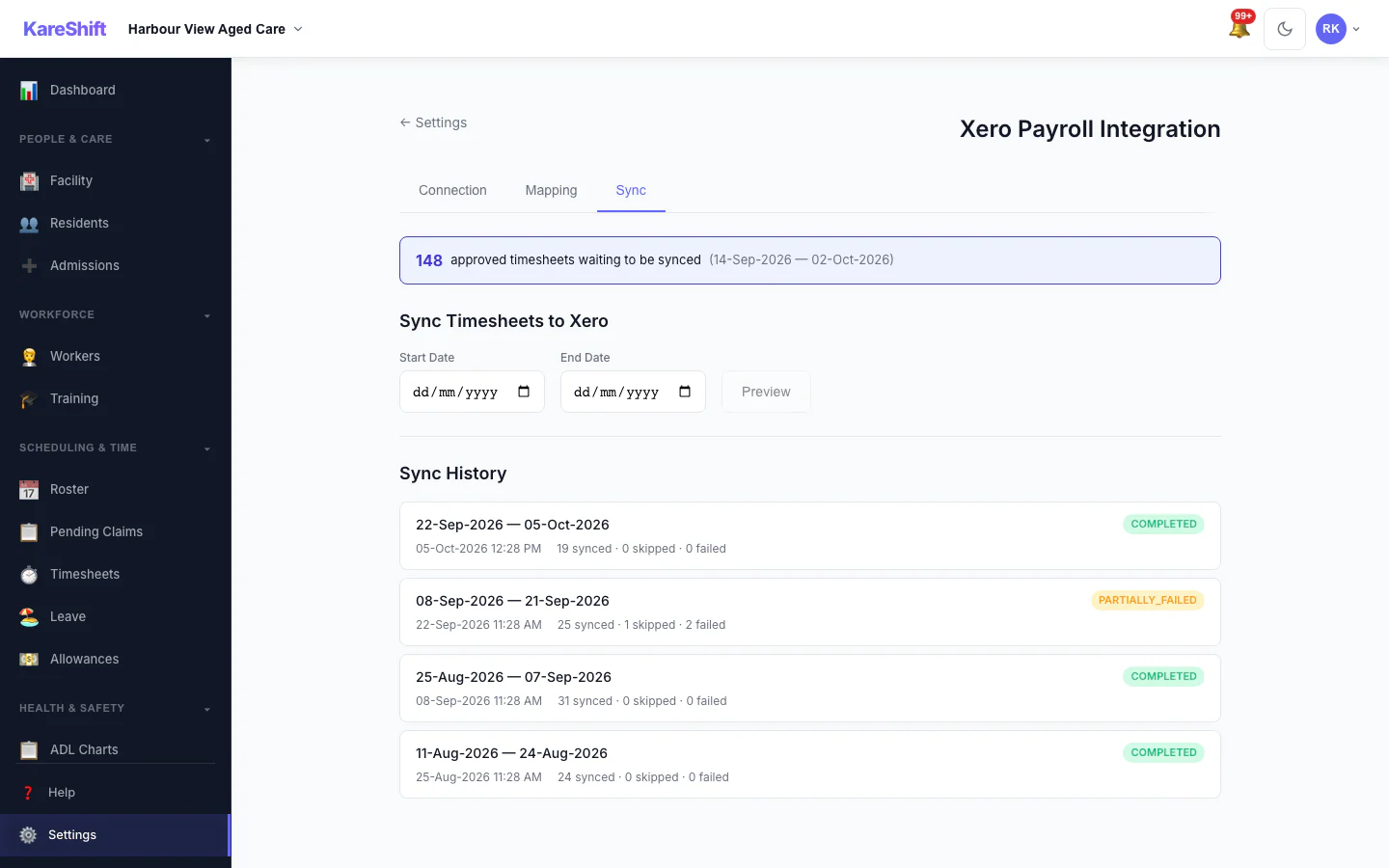
Xero Sync History
Past syncs with what succeeded and what failed.
Mobile Experience
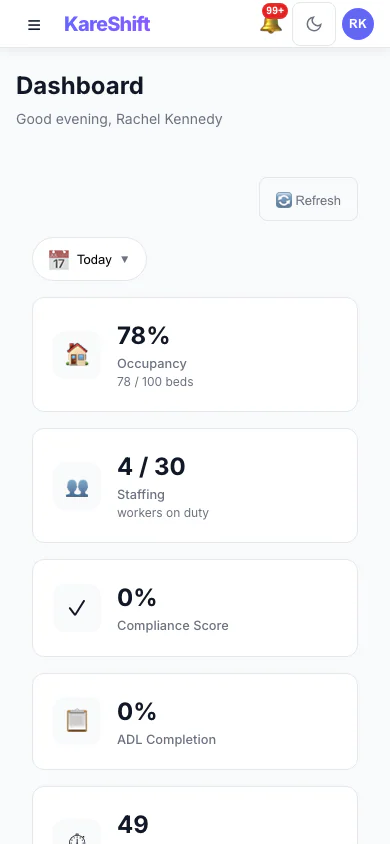
Dashboard (Mobile)
Occupancy, care minutes, and staffing alerts on your phone.
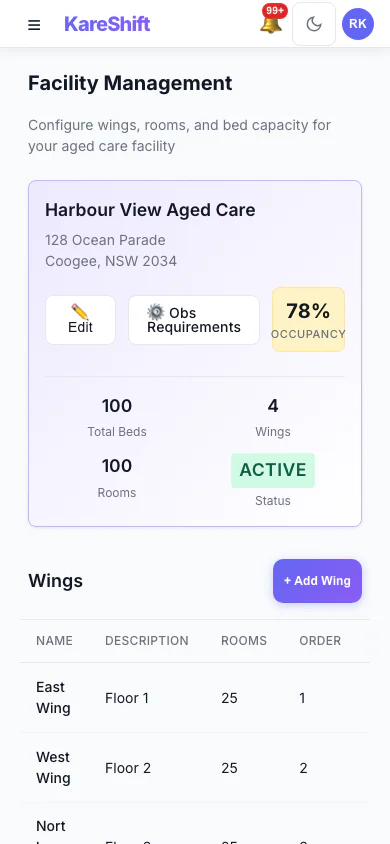
Facility (Mobile)
Wings, rooms, and bed status on mobile. Quick occupancy check.
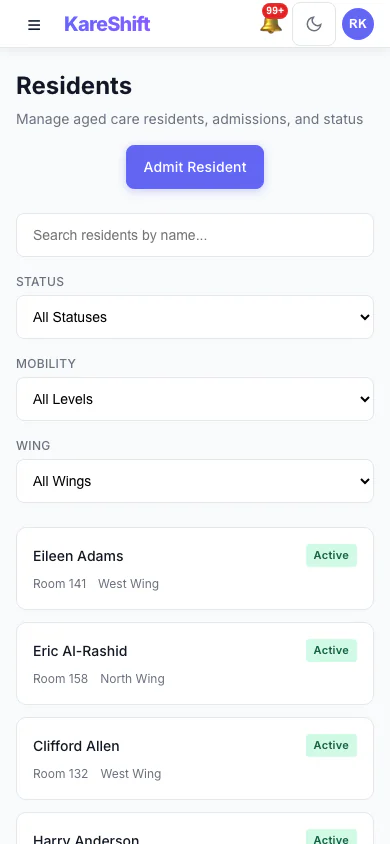
Residents (Mobile)
Browse residents on your phone — status, room, wing at a glance.
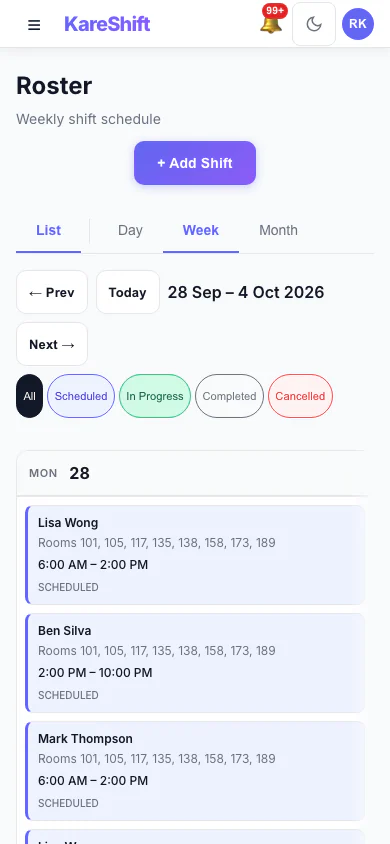
Roster (Mobile)
View and manage shifts from your phone. Quick coverage check per wing.
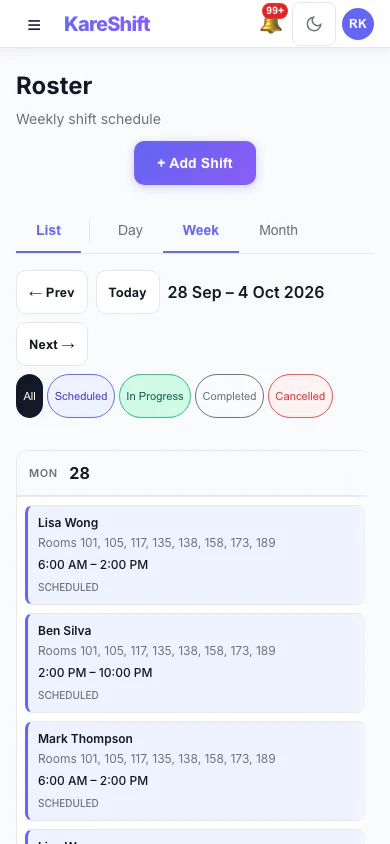
Roster Calendar (Mobile)
Visual shift calendar on mobile. Scroll through the week.
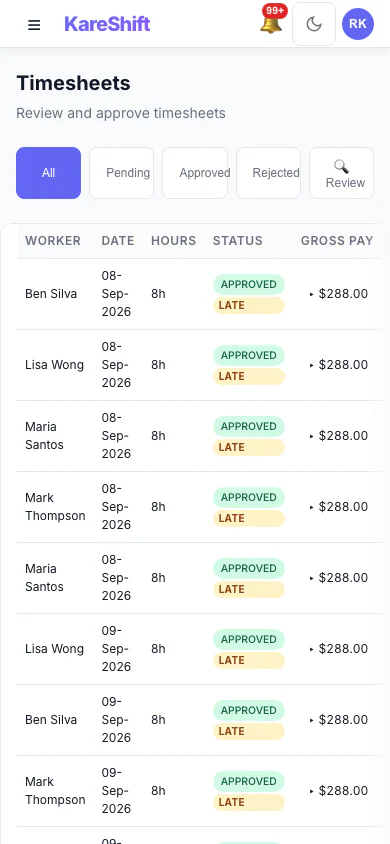
Timesheets (Mobile)
Review and approve timesheets from anywhere.
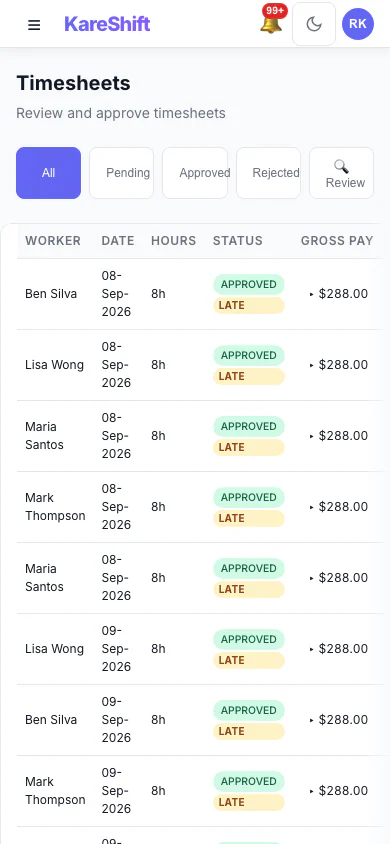
Residential Timesheets (Mobile)
Residential staff timesheets on mobile — room-range and shift type visible.
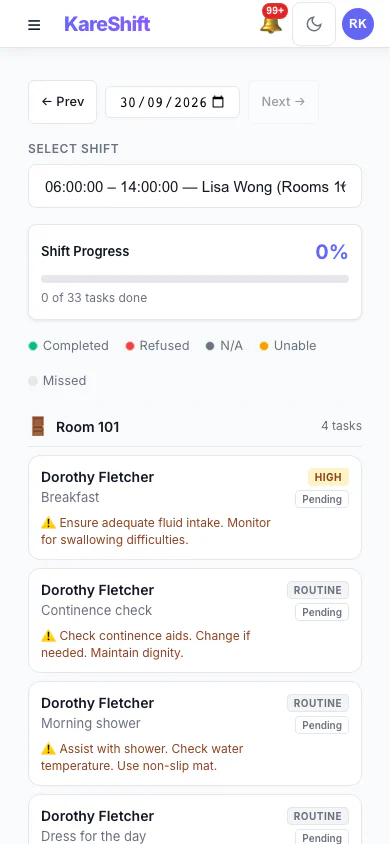
ADL Charts (Mobile)
Activities of daily living tracking on mobile. Quick status updates.
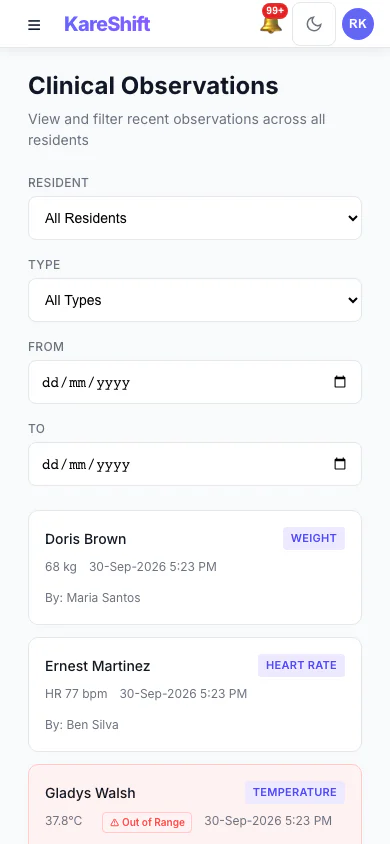
Clinical Observations (Mobile)
Record and review vitals on mobile. Out-of-range alerts at your fingertips.
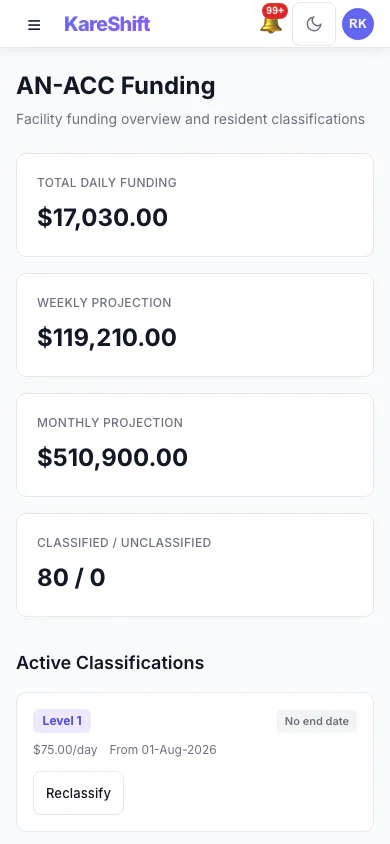
AN-ACC Funding (Mobile)
Classification and subsidy tracking on your phone.
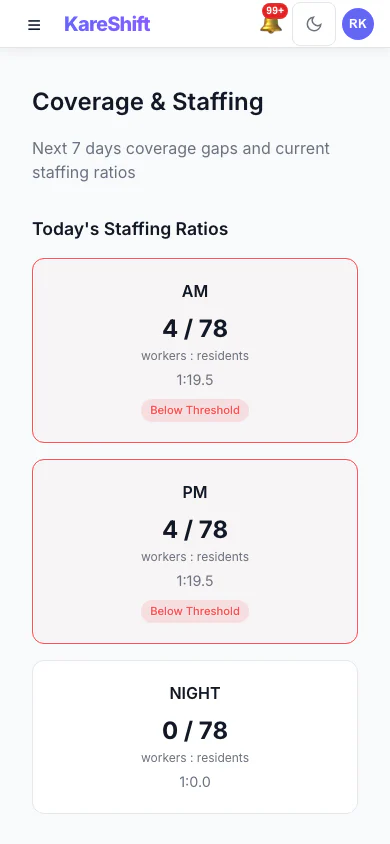
Coverage (Mobile)
Staffing gaps and coverage ratios on mobile. Quick checks on the go.
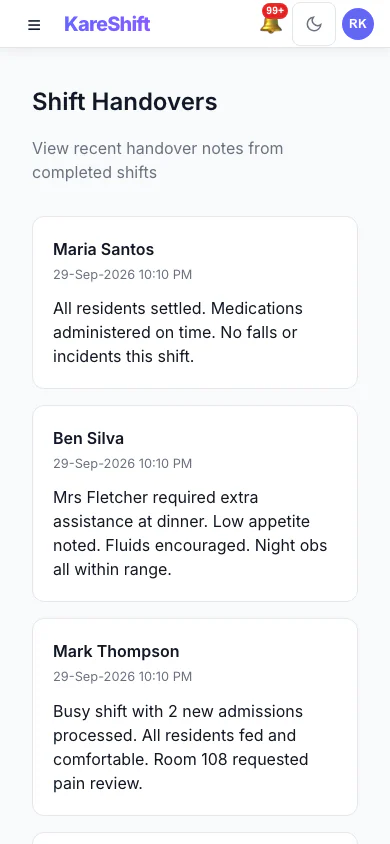
Handover (Mobile)
Shift handover on mobile — flagged residents and concerns.
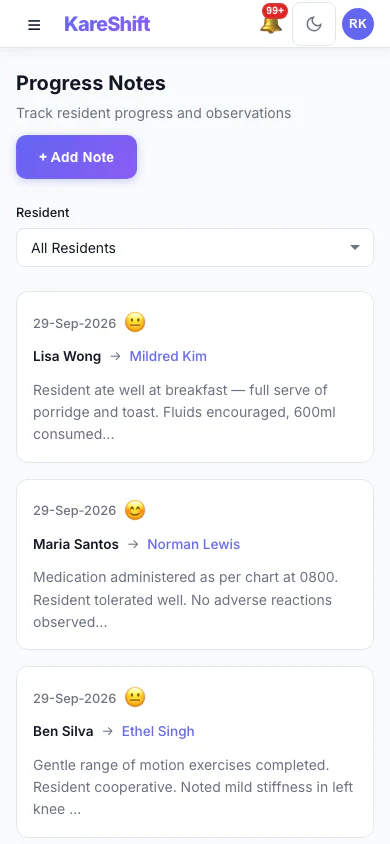
Progress Notes (Mobile)
Browse shift notes on your phone. Searchable by resident or date.
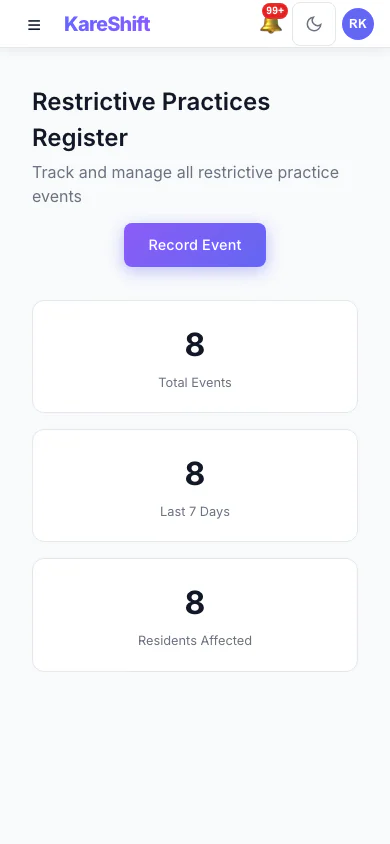
Restrictive Practices (Mobile)
Review restrictive practice events on mobile. Frequency and compliance status.
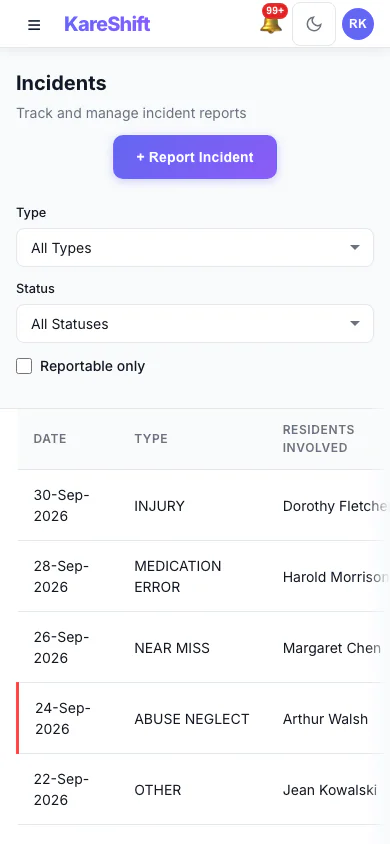
Incidents (Mobile)
Log and review incidents from the field. SIRS classification on mobile.
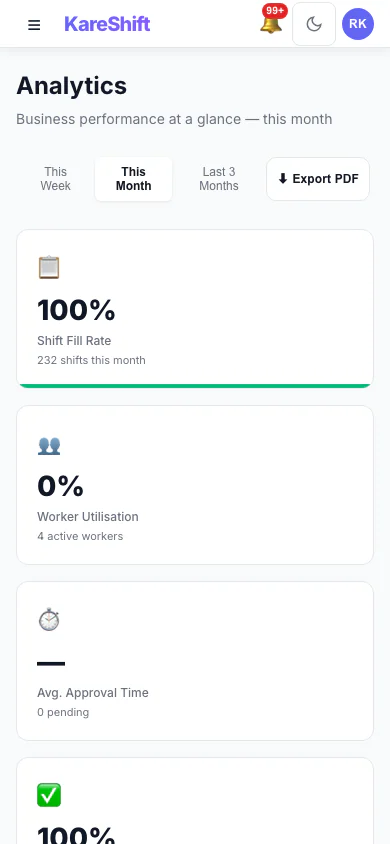
Analytics (Mobile)
Key aged care metrics on your phone — fill rate, compliance, utilisation.
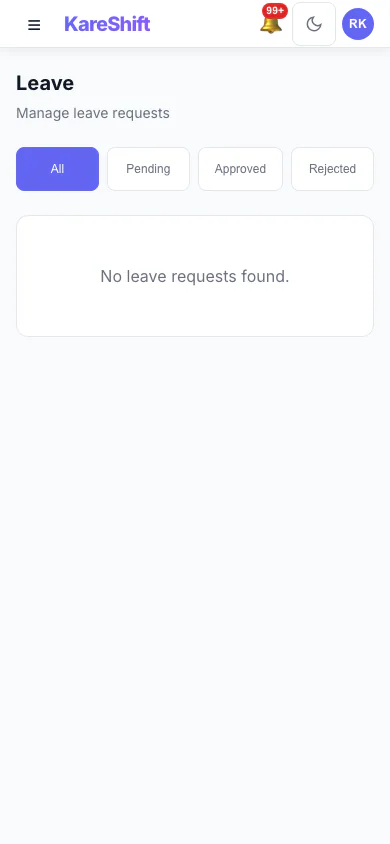
Leave (Mobile)
Approve leave requests on the go. See balances and upcoming absences.
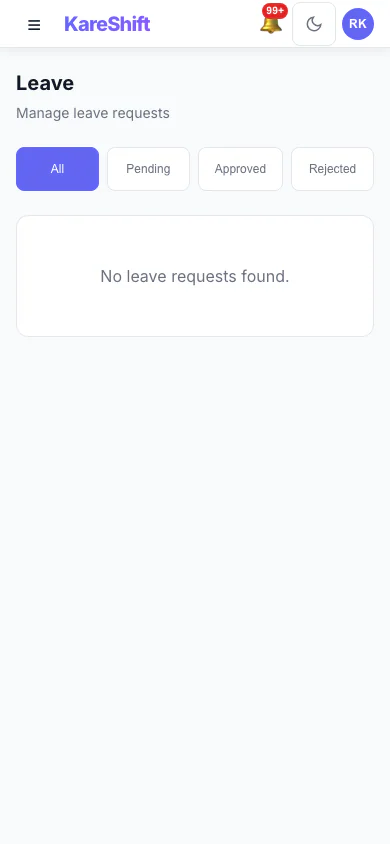
Resident Leave (Mobile)
Track resident absences on mobile. Social leave, hospital visits at a glance.
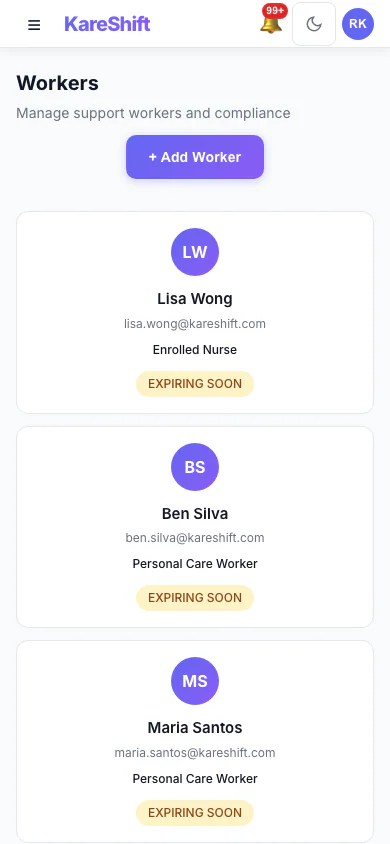
Workers (Mobile)
Full team list on mobile — compliance status and hours at a glance.
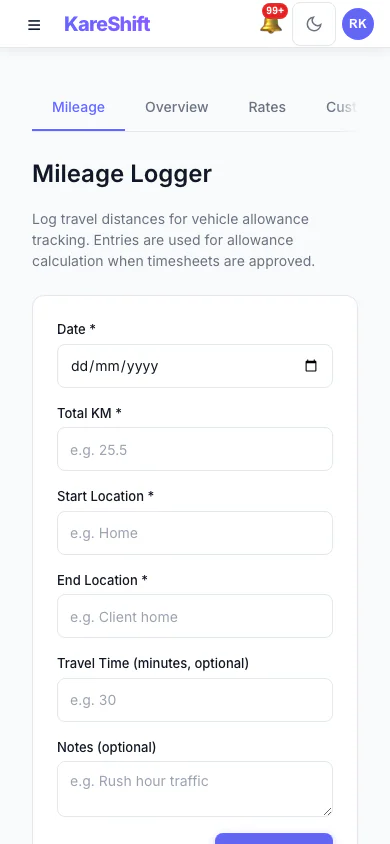
Allowances (Mobile)
SCHADS allowances on your phone. View rates and history.
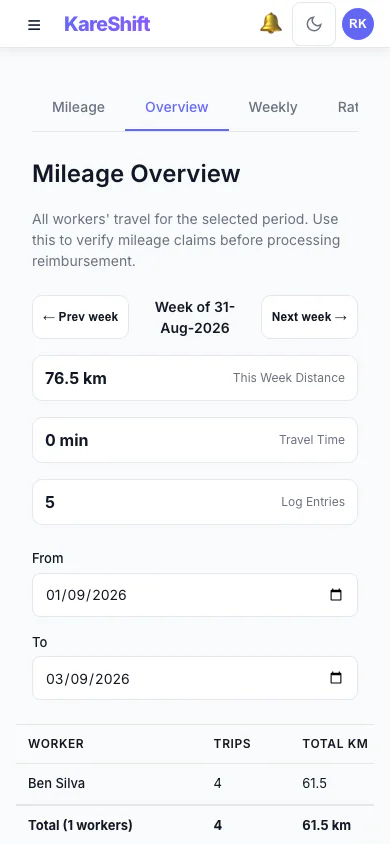
Mileage Overview (Mobile)
Travel reimbursement summary on your phone. Worker totals and distances at a glance.
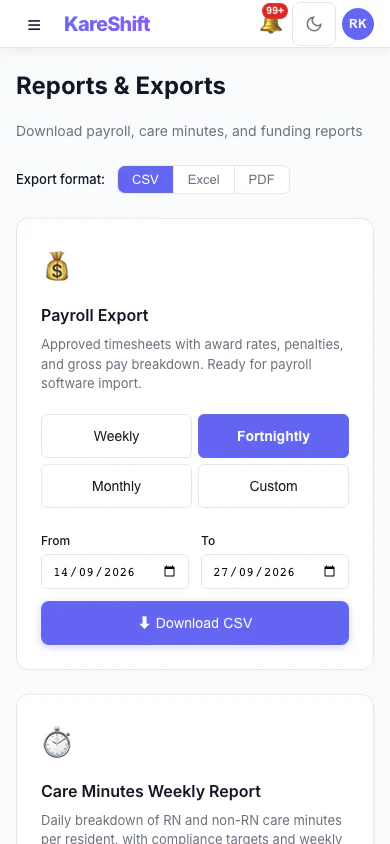
Reports (Mobile)
Access reports and exports on your phone.
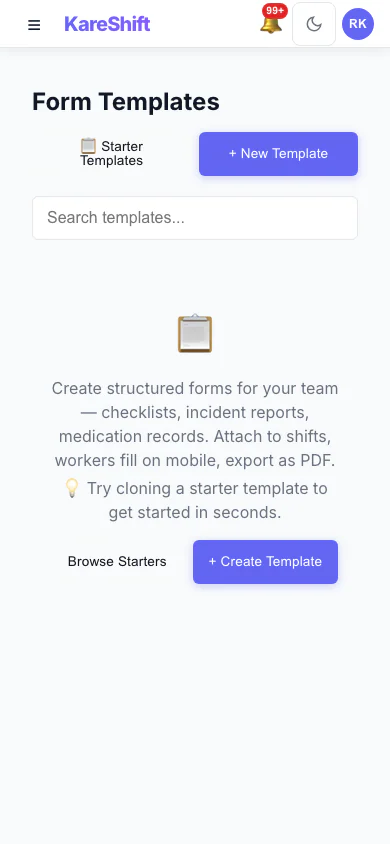
Forms (Mobile)
Custom forms on mobile — wound assessments, fall risk checks, skin integrity.
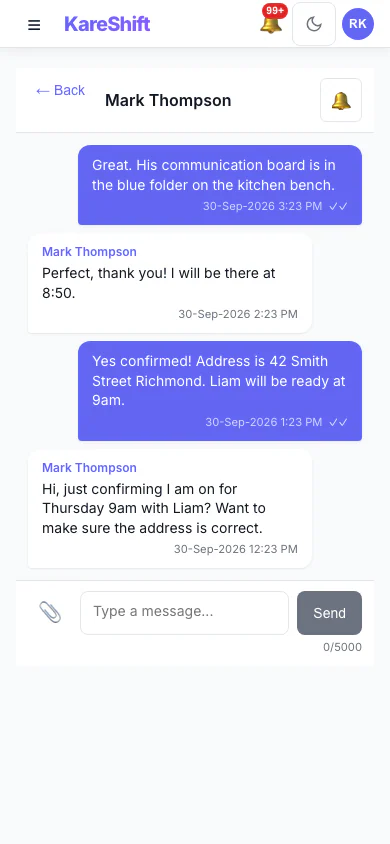
Messages (Mobile)
Stay connected with your aged care team. Full messaging on mobile.
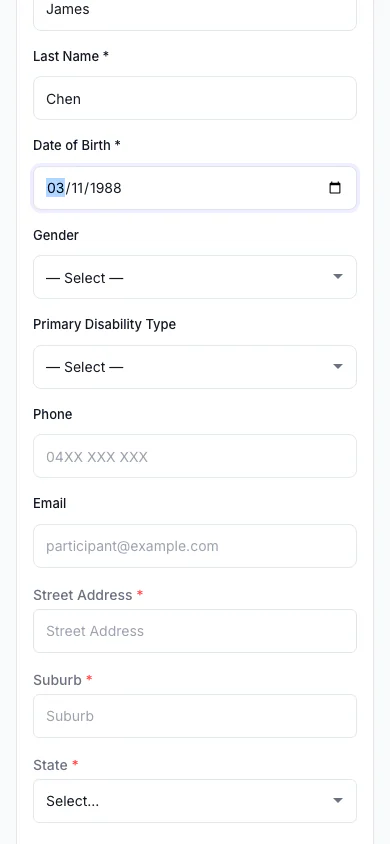
Travel Area (Mobile)
MMM remoteness lookup on your phone.
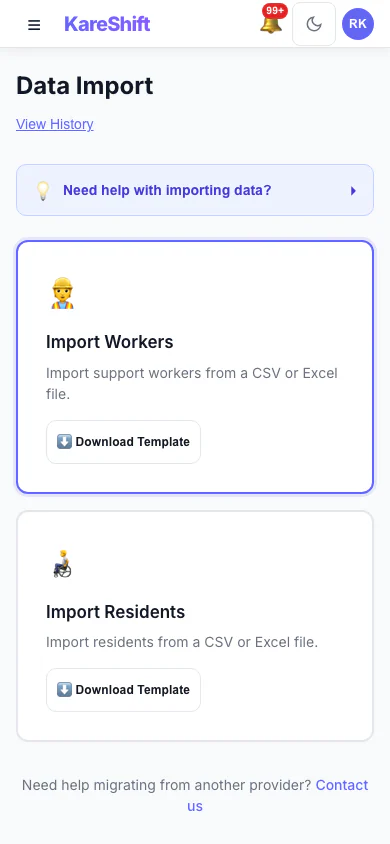
Import (Mobile)
Bulk import interface on mobile.
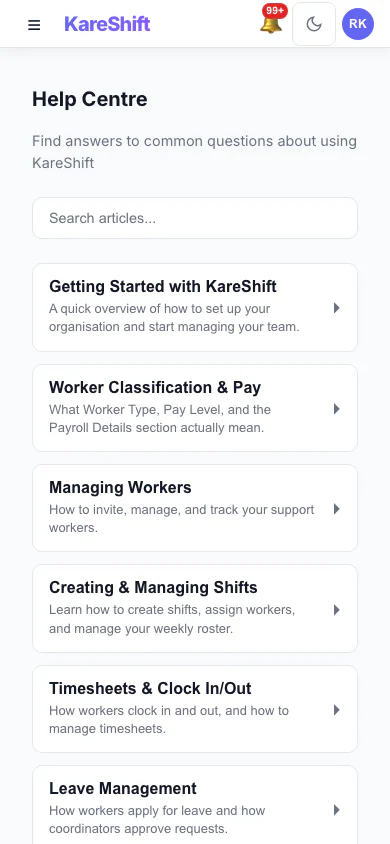
Help Centre (Mobile)
Search help articles and access support on the go.
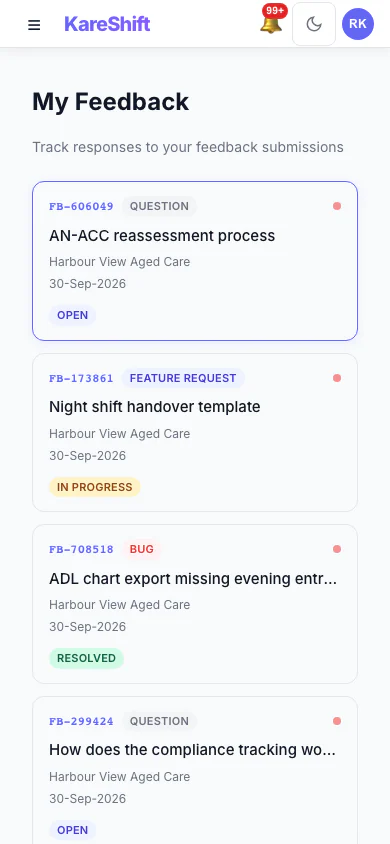
Feedback (Mobile)
Submit and track feedback from your phone.
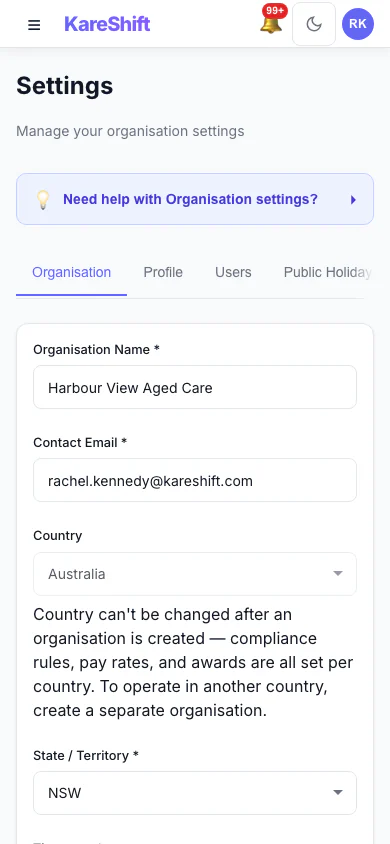
Settings (Mobile)
Manage organisation settings from your phone.
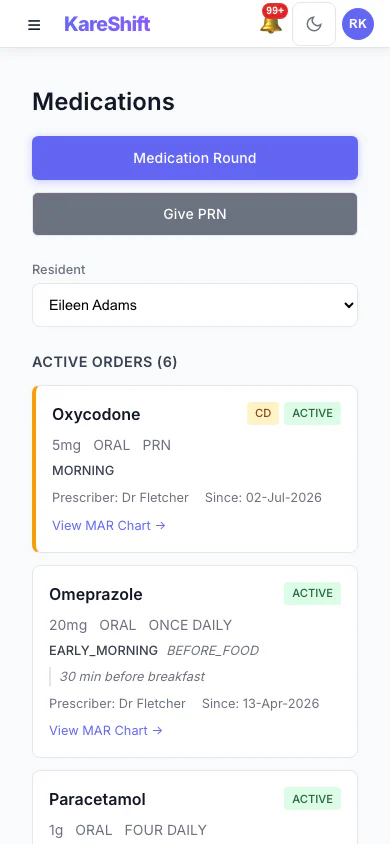
eMAR (Mobile)
Medication orders and administration status on your phone.
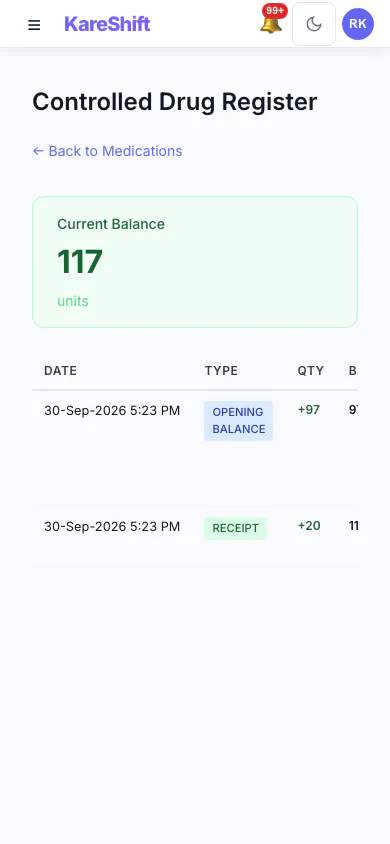
Controlled Drugs (Mobile)
CD register on mobile — chain of custody, balances, and discrepancy alerts.
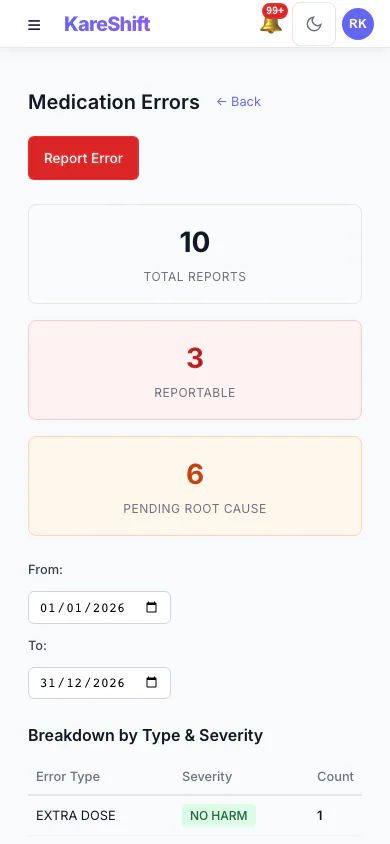
Error Reports (Mobile)
View medication error reports on your phone. Filter by severity and type.
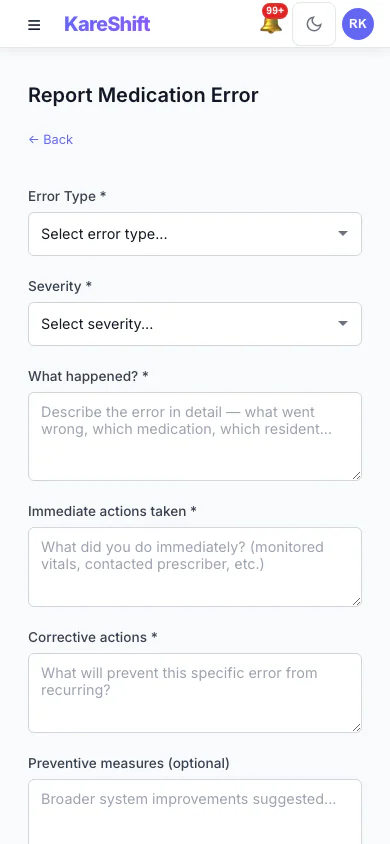
Report Error (Mobile)
Submit medication error reports from the floor. Quick entry on mobile.
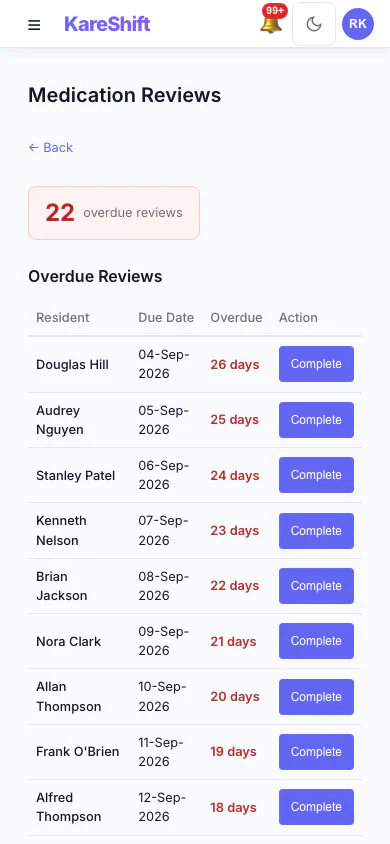
Medication Reviews (Mobile)
Track overdue reviews on your phone. Quick access to review history.
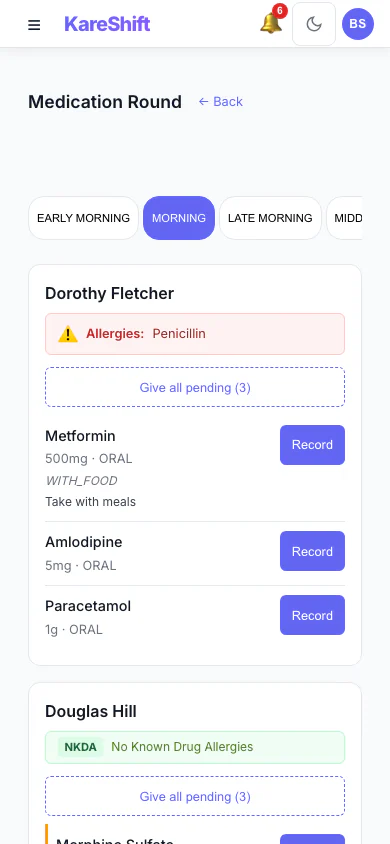
Medication Rounds (Mobile)
Workers administer medications from their phone. Room-by-room checklist.
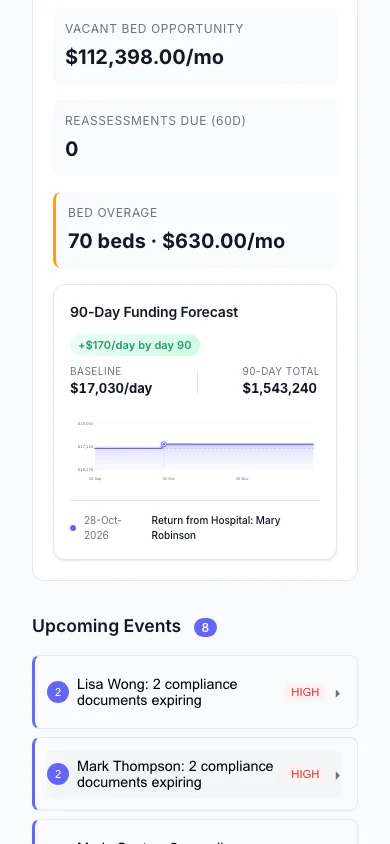
Funding Forecast (Mobile)
90-day AN-ACC projection on your phone.
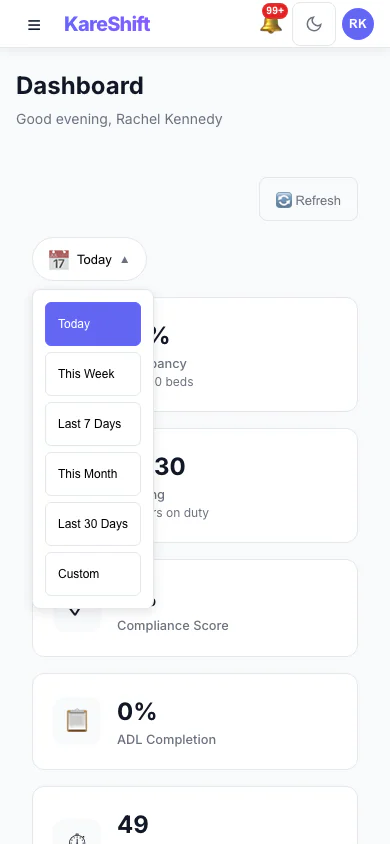
Date Range (Mobile)
Dashboard date filtering on mobile.
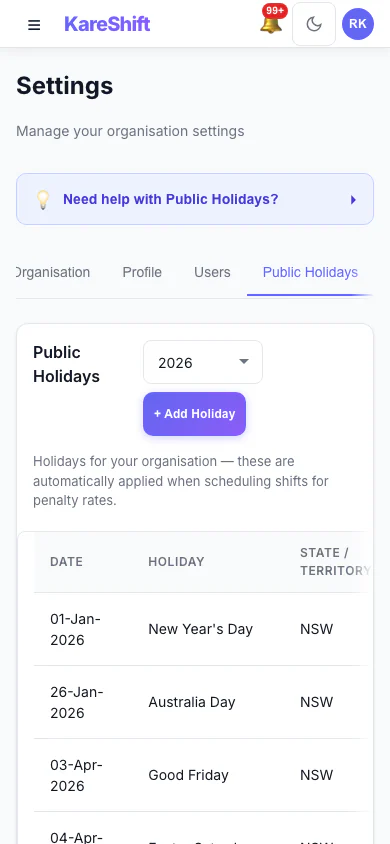
Public Holidays (Mobile)
View and manage public holidays on mobile.
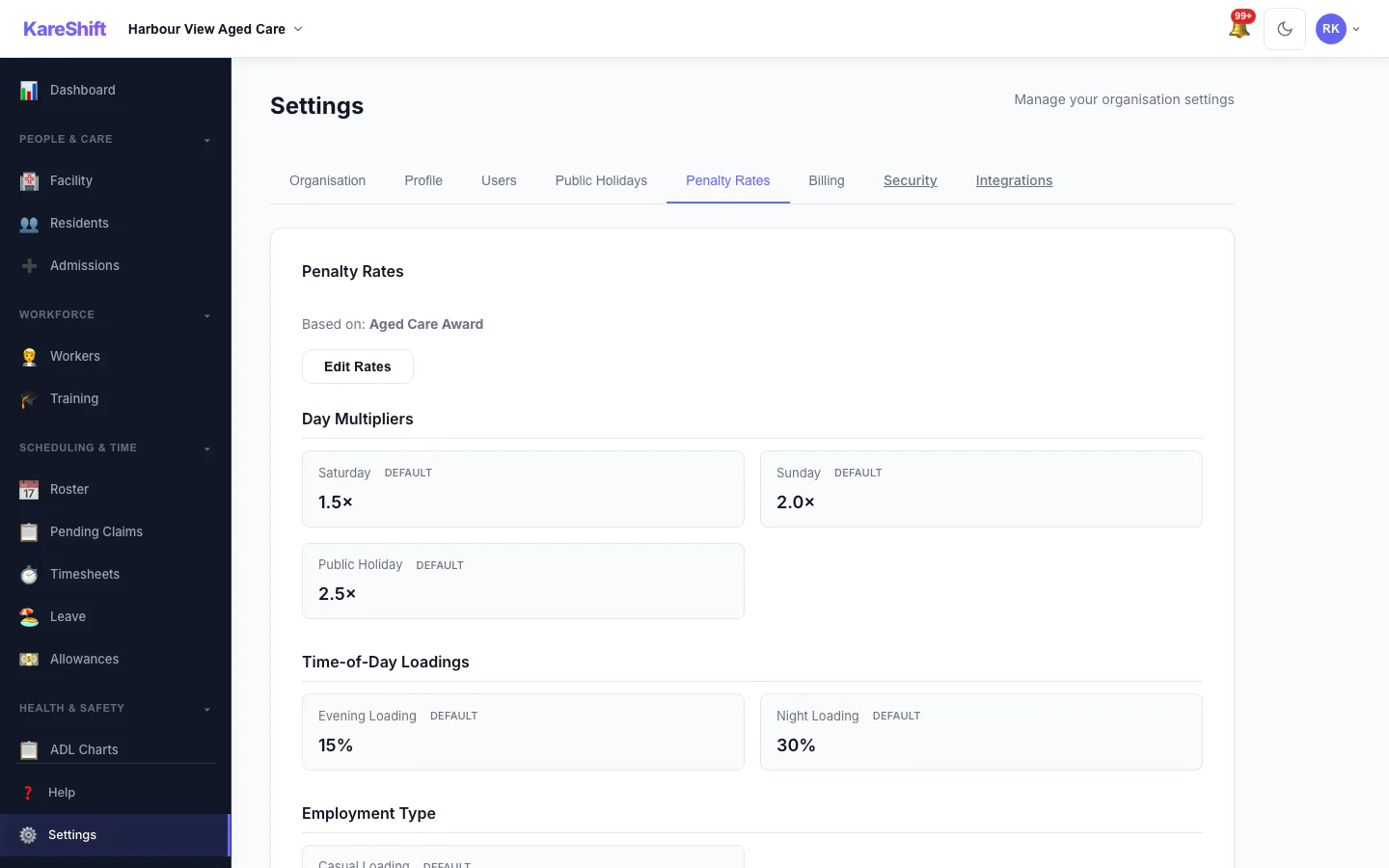
Penalty Rates
Customisable penalty rate multipliers for aged care. Default rates pre-loaded, override per org.
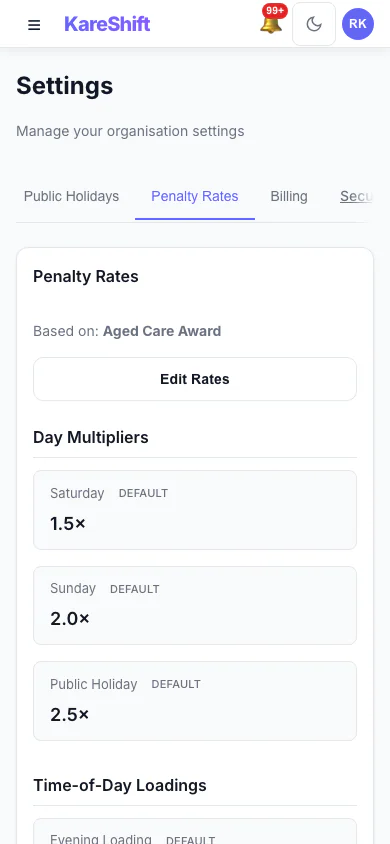
Penalty Rates (Mobile)
Rate configuration on mobile.
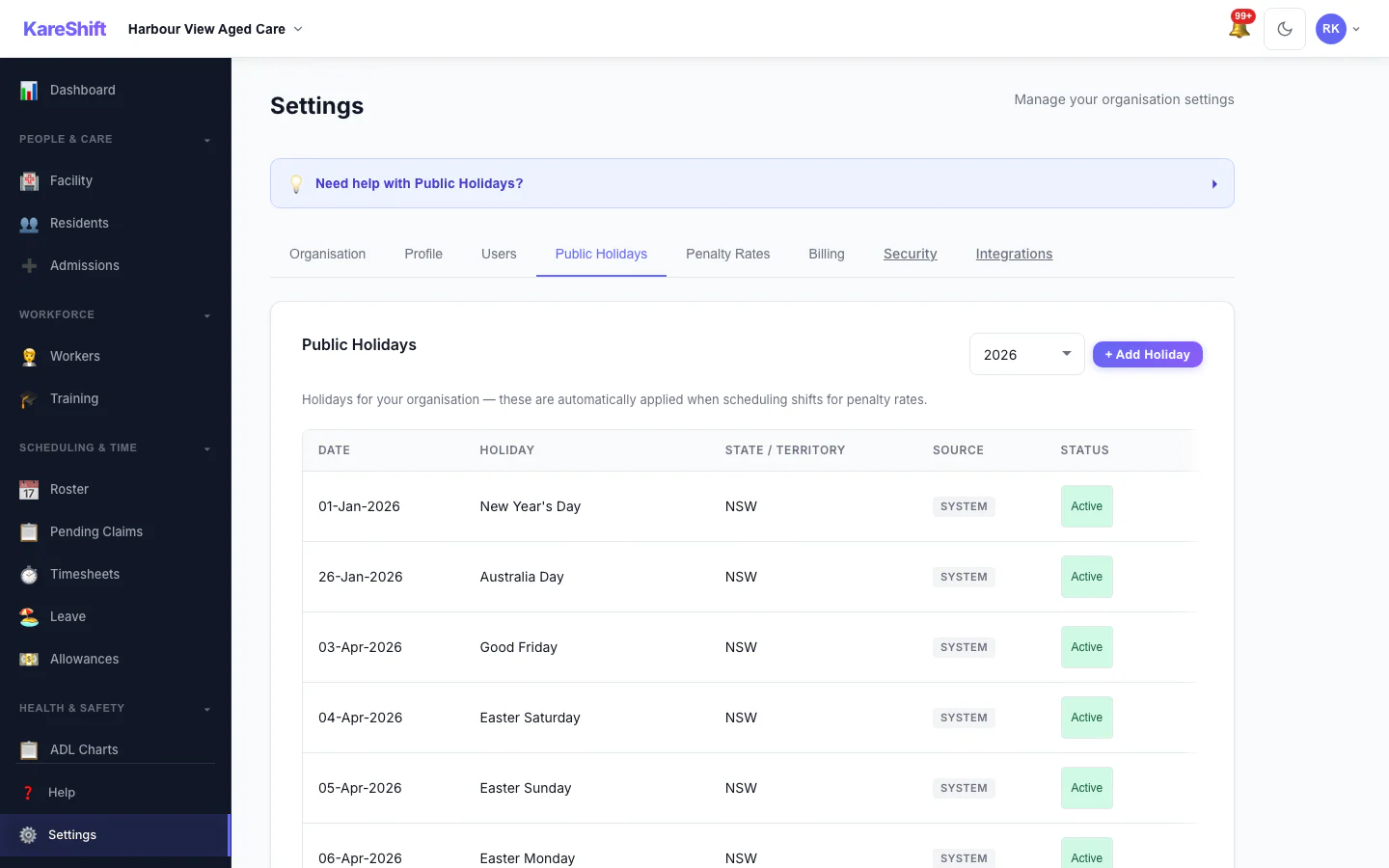
Holiday Exclusion
Toggle system holidays Active or Excluded for your facility.
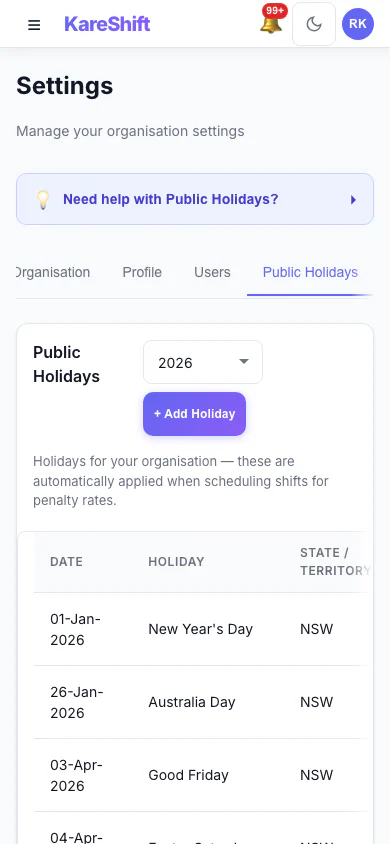
Holiday Exclusion (Mobile)
Toggle holidays on mobile.
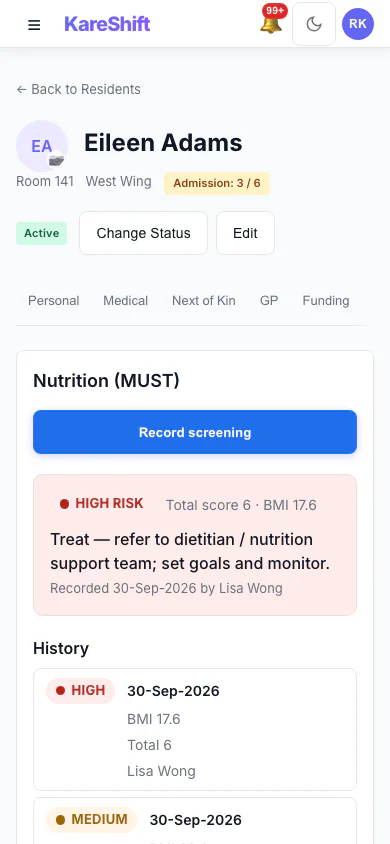
Nutrition Screening (MUST) (Mobile)
Record MUST screenings for each resident and see the risk level, the recommended action and the full screening history.
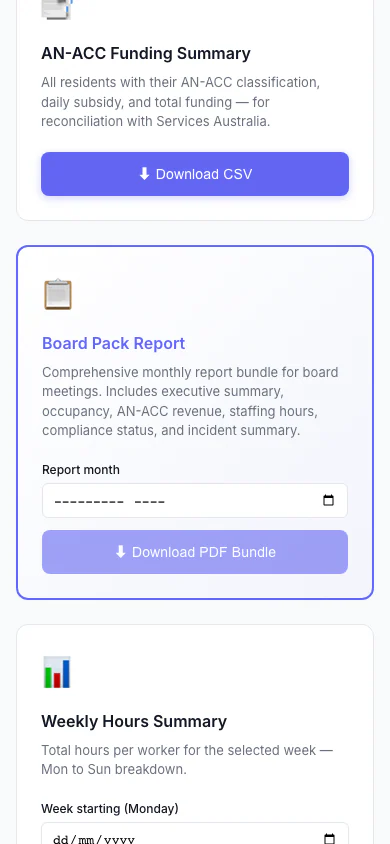
Board Pack Report (Mobile)
One monthly report bundle for board meetings: executive summary, occupancy, AN-ACC revenue, staffing hours, compliance status and incident summary.
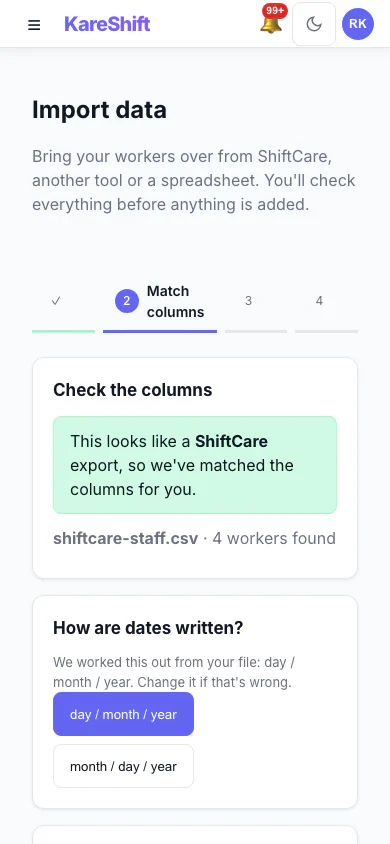
Import — Match Columns (Mobile)
A ShiftCare export is recognised and its columns are matched for you, with the date format detected.
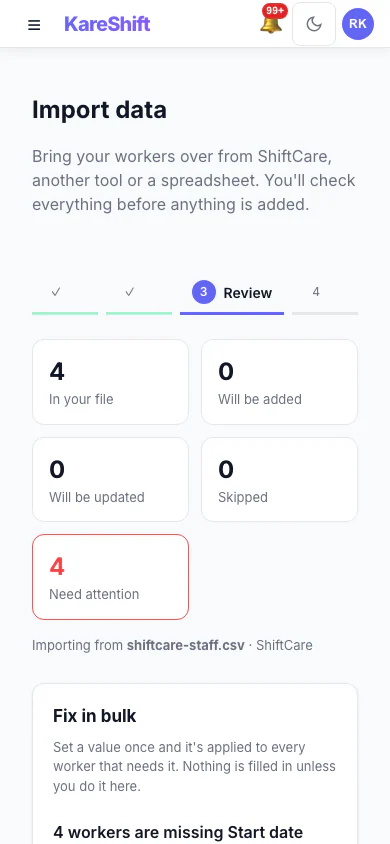
Import — Review & Bulk Fix (Mobile)
See what will be added, updated or skipped, and set a missing value once for everyone before anything is saved.
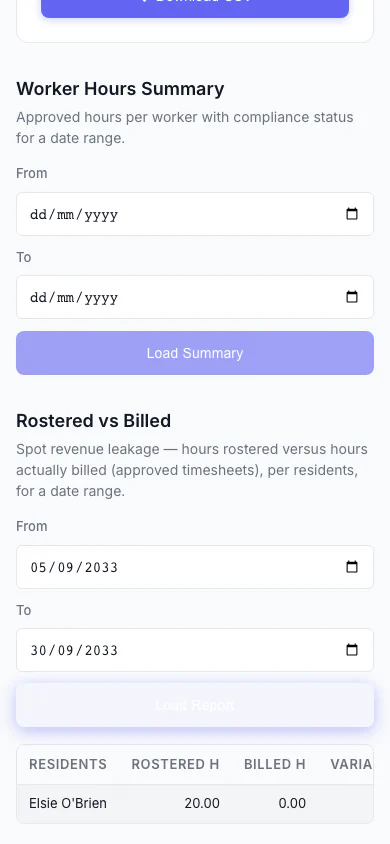
Rostered vs Billed (Mobile)
Spot revenue leakage at a glance — rostered hours versus hours actually billed, per participant, with the shortfall highlighted.
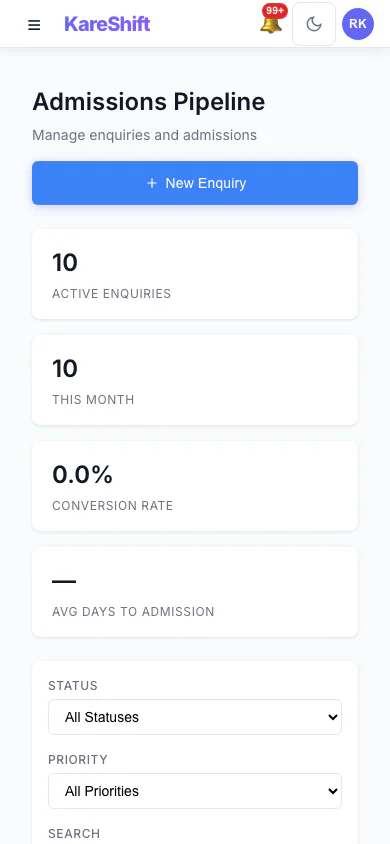
Admissions Pipeline (Mobile)
Track every enquiry from first call to admission: stage, priority, source and days waiting.
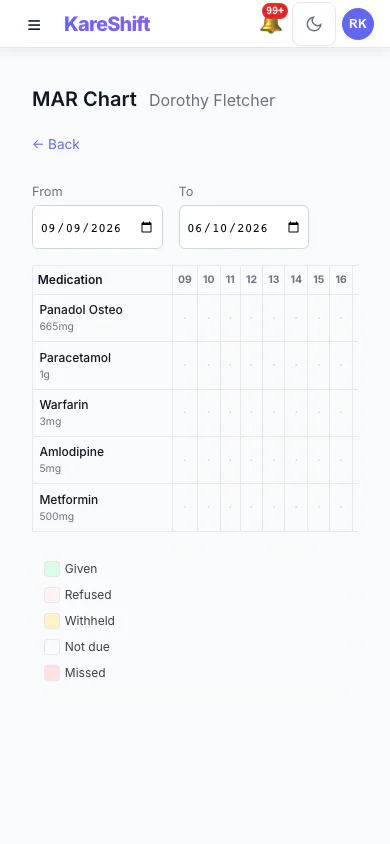
MAR Chart (Mobile)
A resident's medication administration over a week: given, refused, withheld and missed.
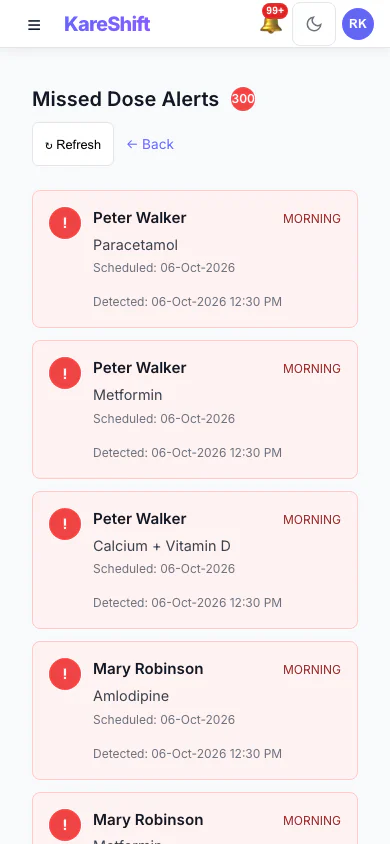
Missed Dose Alerts (Mobile)
Doses that were due and not recorded, so nothing is missed between rounds.
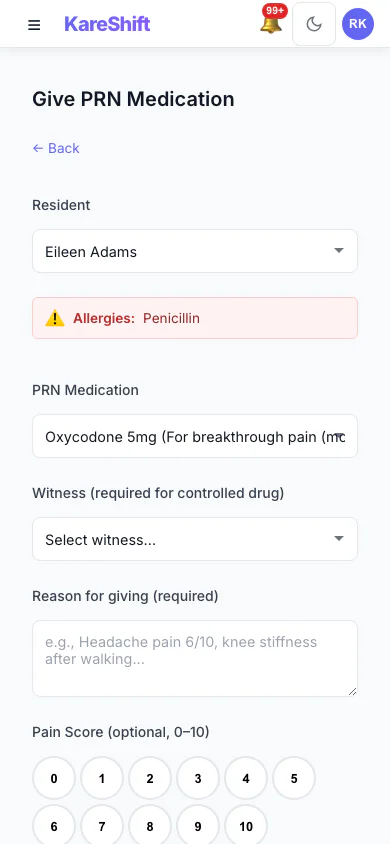
Give PRN Medication (Mobile)
Record an as-needed dose with the reason and a pain score; allergies and controlled-drug witnesses are shown.
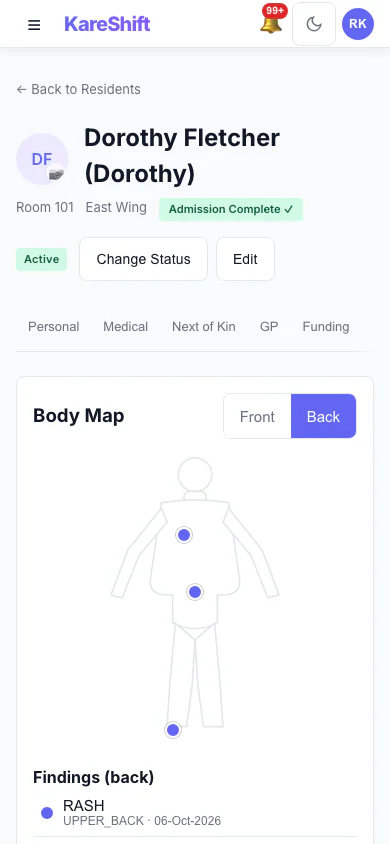
Body Map — Back (Mobile)
Back view with sacrum and heel pressure injuries recorded.
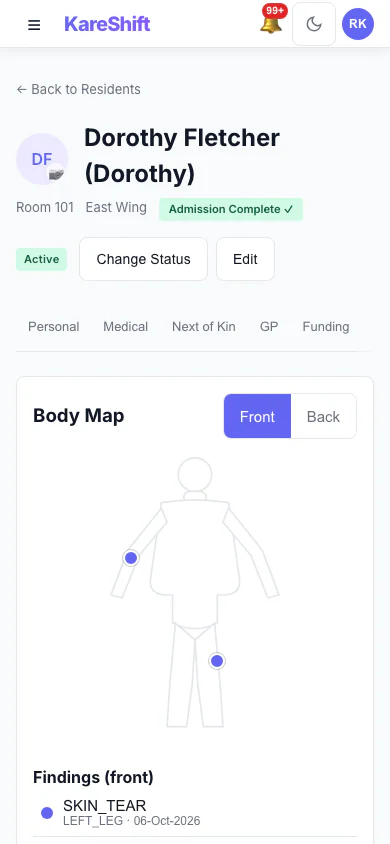
Body Map — Front (Mobile)
Mark skin findings on the front of the body and see them in the resident's record.
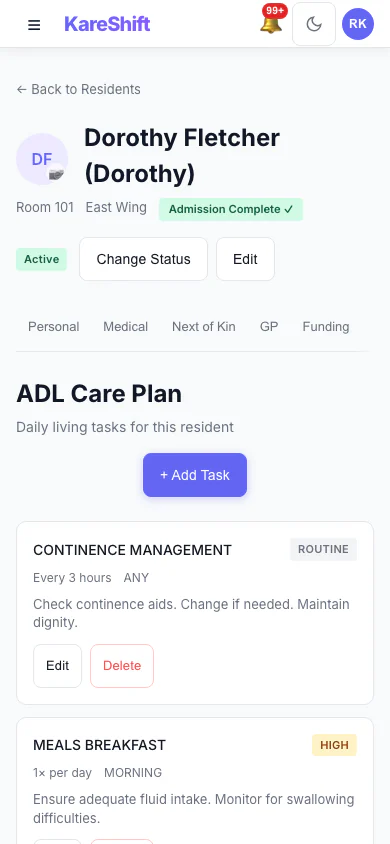
Resident Care Plan (Mobile)
The care plan for a resident, in the same record as everything else.
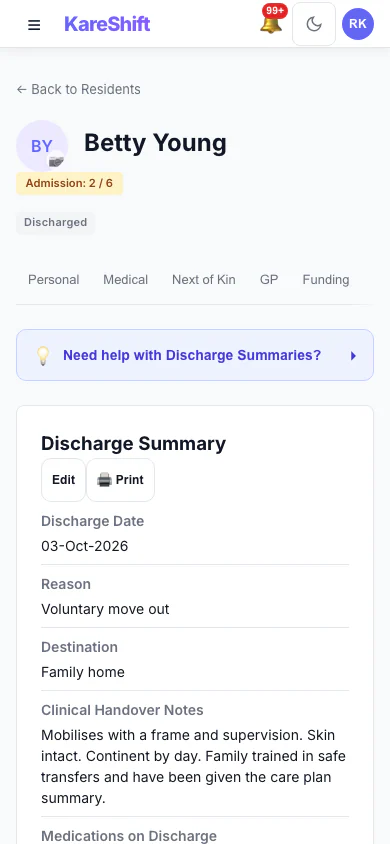
Resident Discharge (Mobile)
A completed discharge with its summary kept on the record.
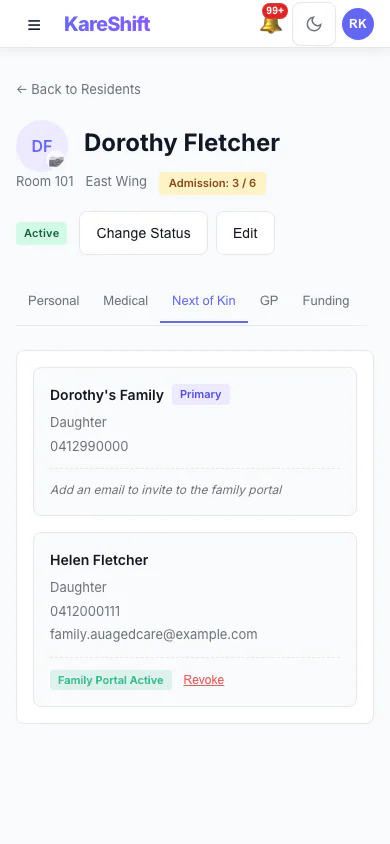
Next of Kin and Family Portal (Mobile)
Contacts on a resident's record, and who has family portal access.
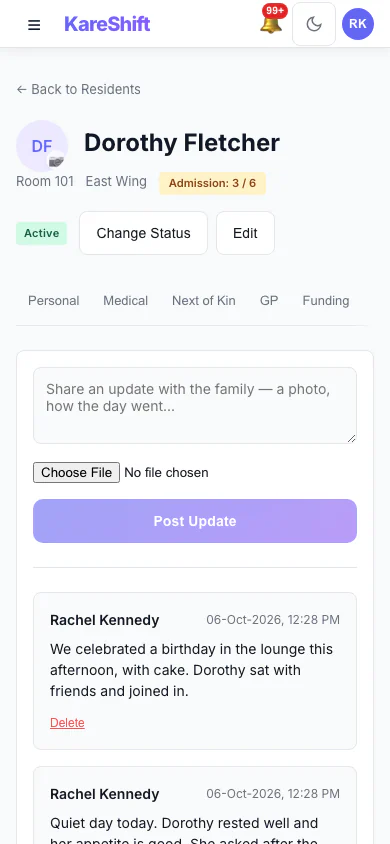
Family Updates (Mobile)
Post an update to the family and see what has already been shared.
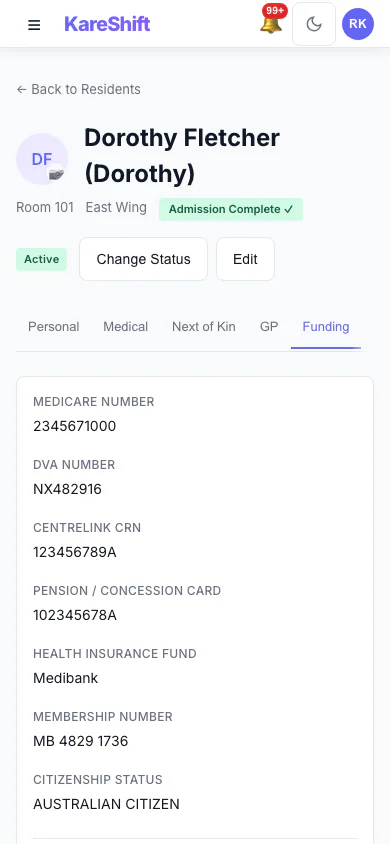
Resident Funding (Mobile)
Funding and fee details held on the resident's record.
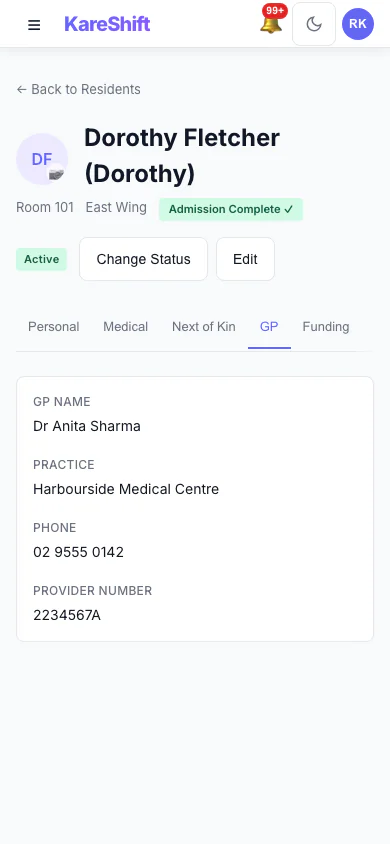
Resident GP Details (Mobile)
The resident's GP and contact details.
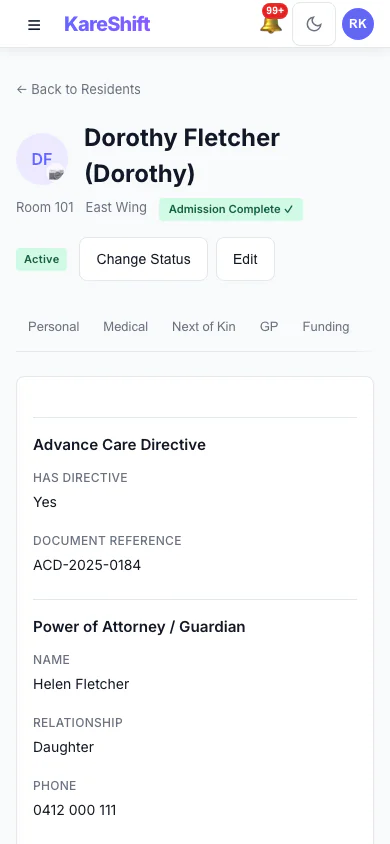
Resident Legal Documents (Mobile)
Advance care directive and power of attorney recorded for the resident.
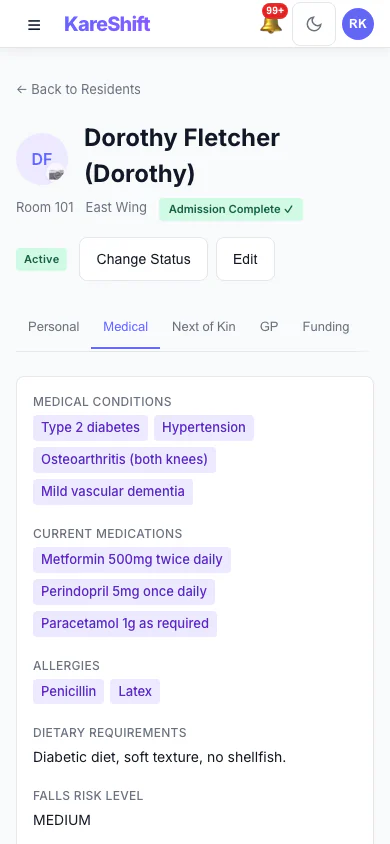
Resident Medical Profile (Mobile)
Conditions, medications, allergies and falls risk.
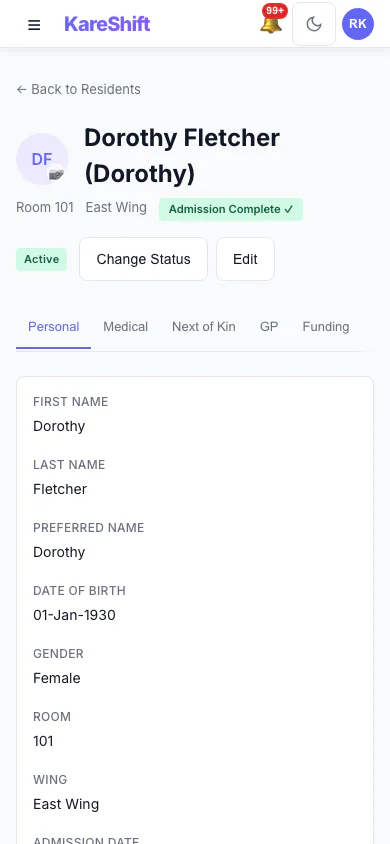
Resident Personal Details (Mobile)
The resident's personal details and room.
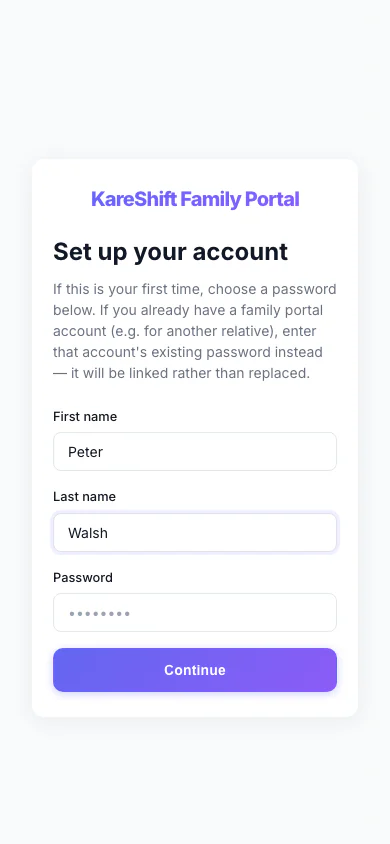
Family Portal — Accept Invitation (Mobile)
A relative accepts an invitation with a name and a password.
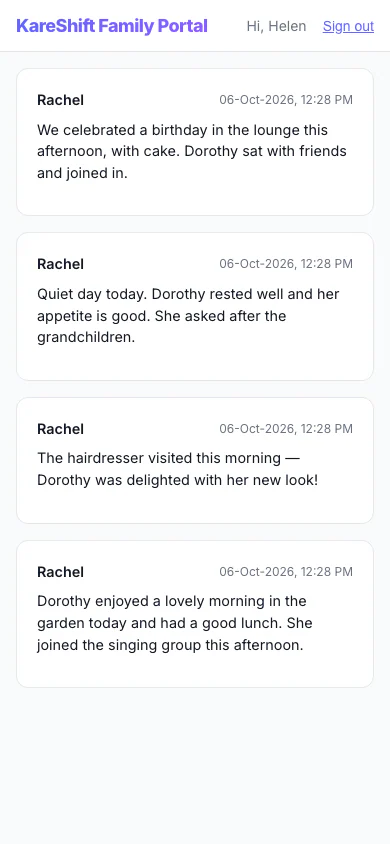
Family Portal — Updates (Mobile)
A relative's private feed of staff-written updates about their family member.
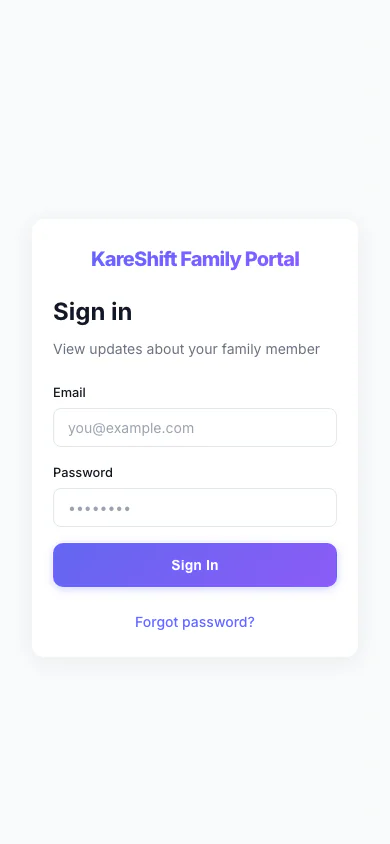
Family Portal — Sign In (Mobile)
Relatives sign in to their own portal, separate from the staff app.
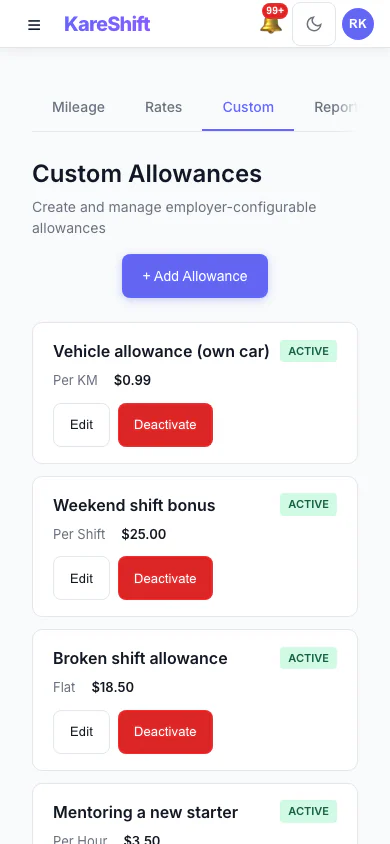
Custom Allowances (Mobile)
Create your own allowances beyond the standard ones, each with its own rate.
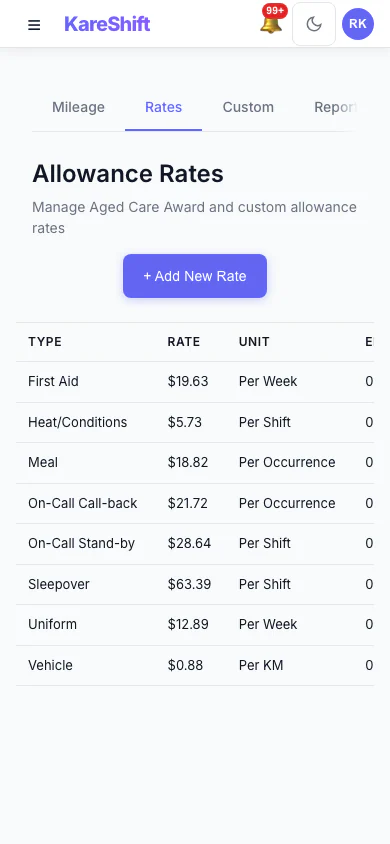
Allowance Rates (Mobile)
The rates used for each allowance, in one table.
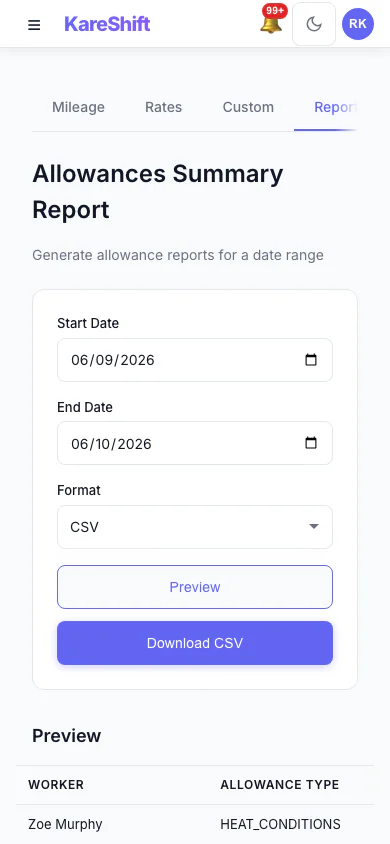
Allowances Report (Mobile)
Preview and export what was paid in allowances over a period, with a grand total.
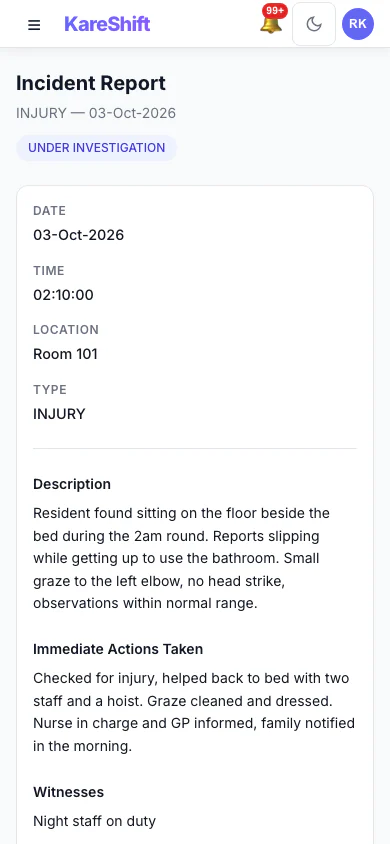
Incident Detail (Mobile)
An incident with its status, details and the update trail of who did what.
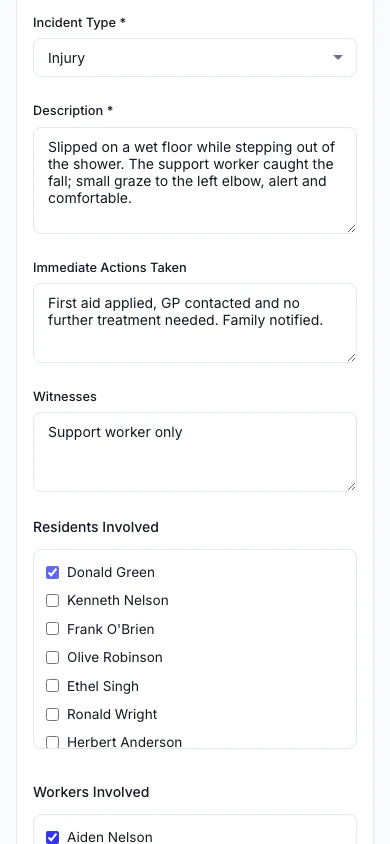
Report an Incident (Mobile)
Record what happened, who was involved and what was done straight away.
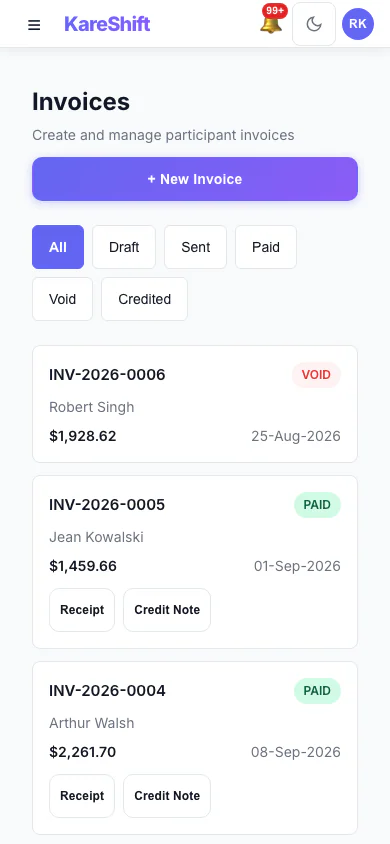
Invoices (Mobile)
Draft, sent, paid and voided invoices in one list, with PDF, receipt and credit note actions.
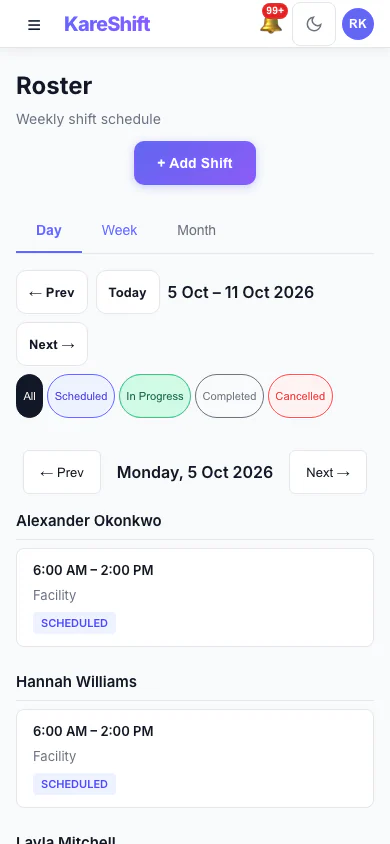
Roster — Day View (Mobile)
One day's shifts grouped by worker.
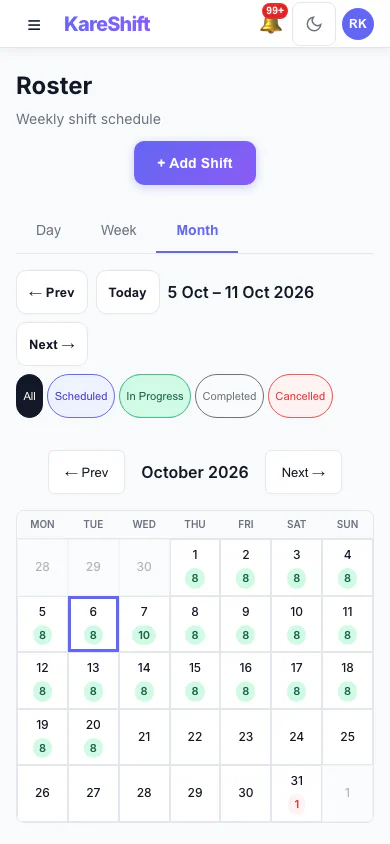
Roster — Month View (Mobile)
A month at a glance with shift counts for each day.
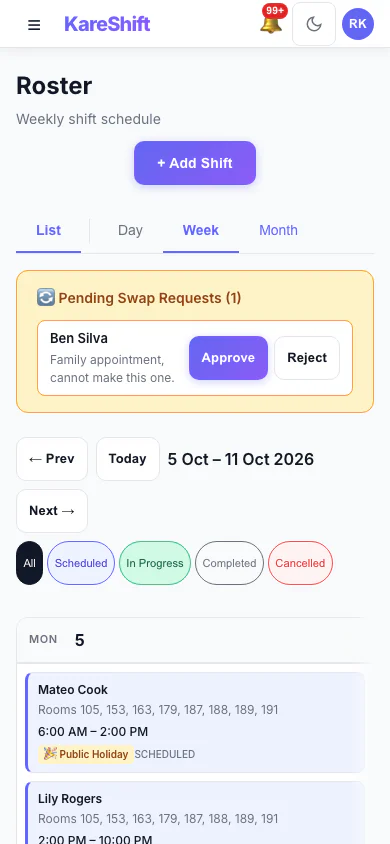
Shift Swap Requests (Mobile)
Pending swap requests with approve and reject.
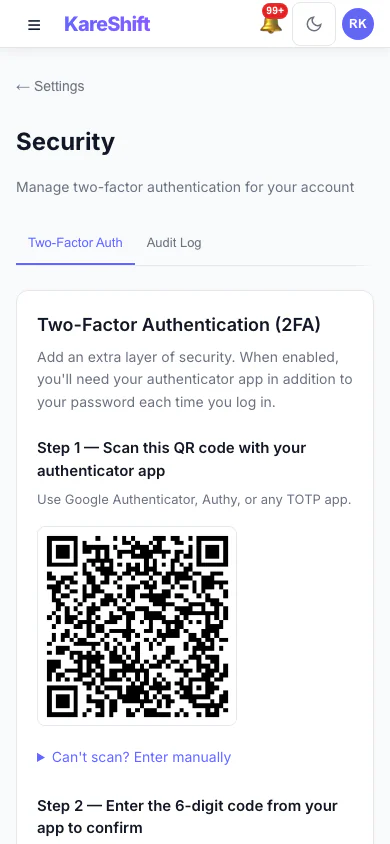
Set Up Two-Factor Authentication (Mobile)
Scan a code with an authenticator app, then enter the six-digit code to switch it on.
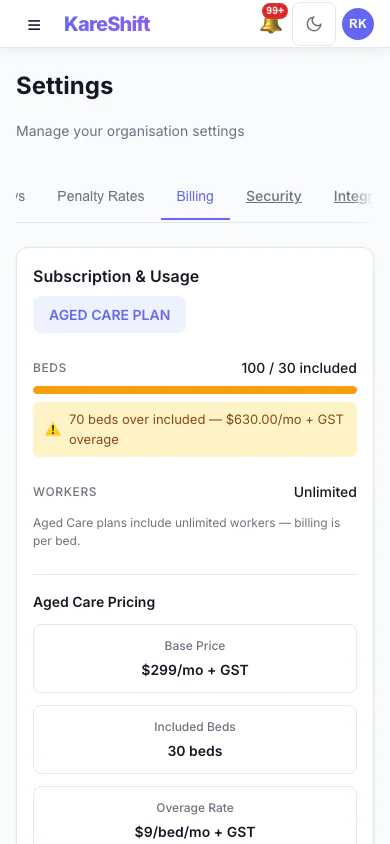
Billing and Plan (Mobile)
Your plan, worker usage and billing history.
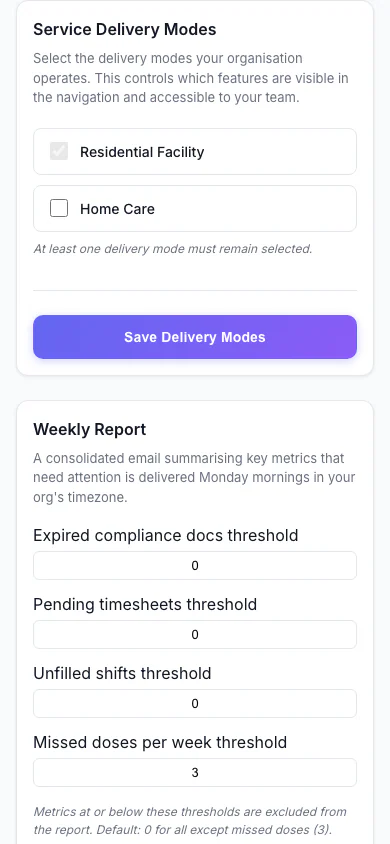
Service Delivery Modes (Mobile)
Choose which kinds of service your organisation delivers.
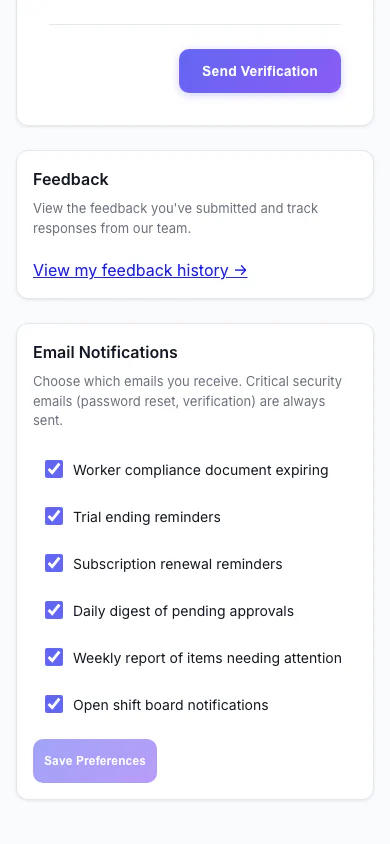
Notification Preferences (Mobile)
Choose which emails you receive.
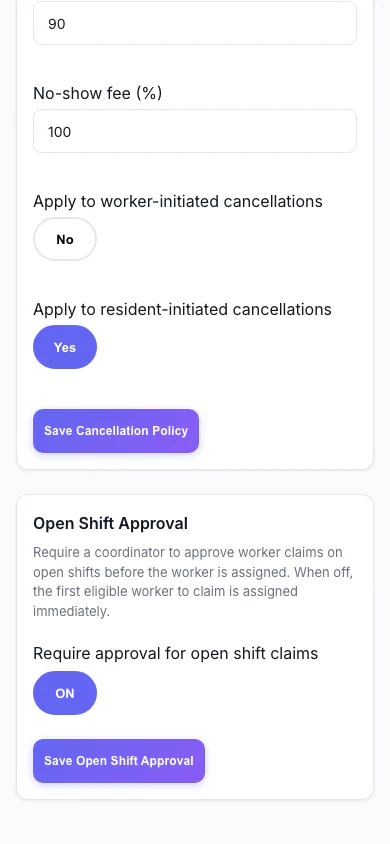
Open Shift Approval (Mobile)
Decide whether workers can claim open shifts straight away or need approval.
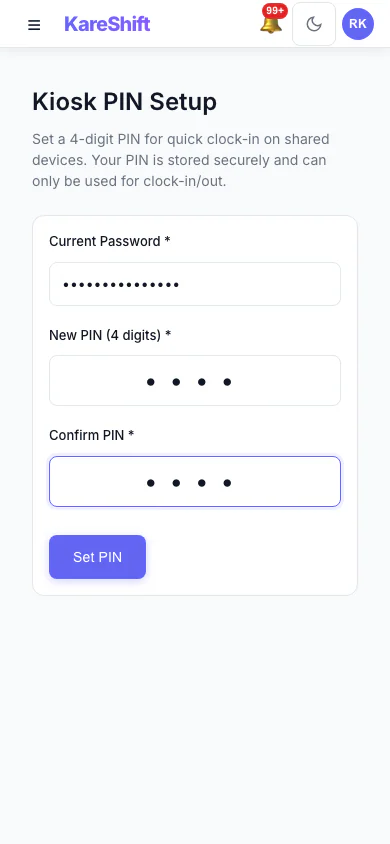
Kiosk PIN (Mobile)
Set the PIN workers use at a shared kiosk.
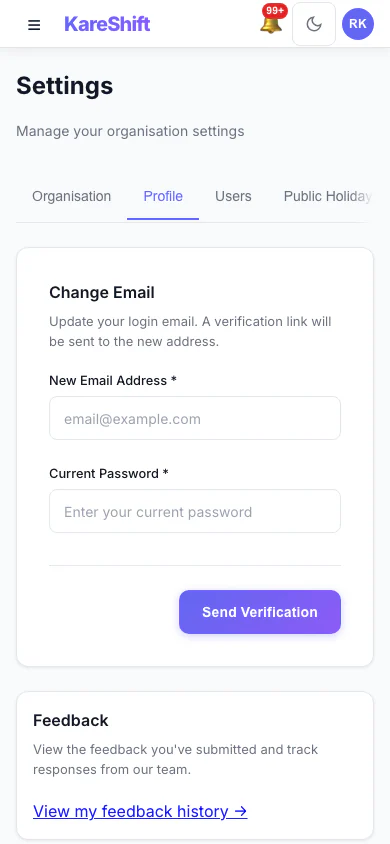
Your Profile Settings (Mobile)
Your login email and email notification choices.
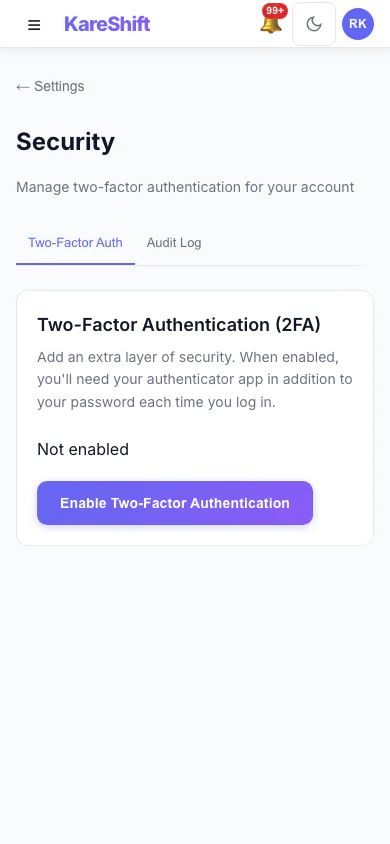
Security Settings (Mobile)
Two-factor status for your account, with trusted devices and an audit log for owners.
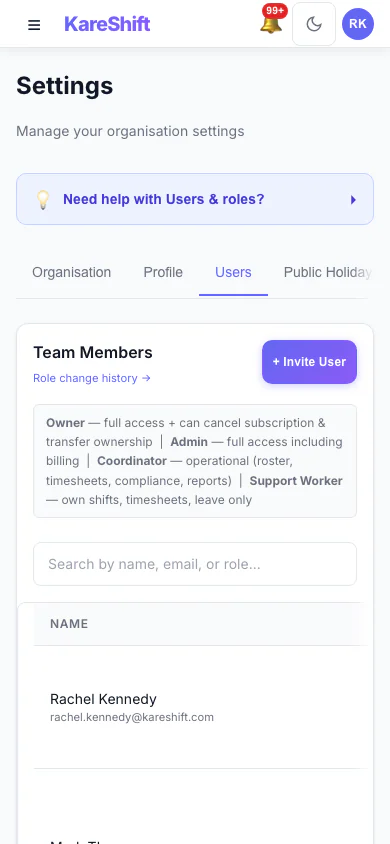
Team Members and Roles (Mobile)
Everyone in your organisation, their status and roles.
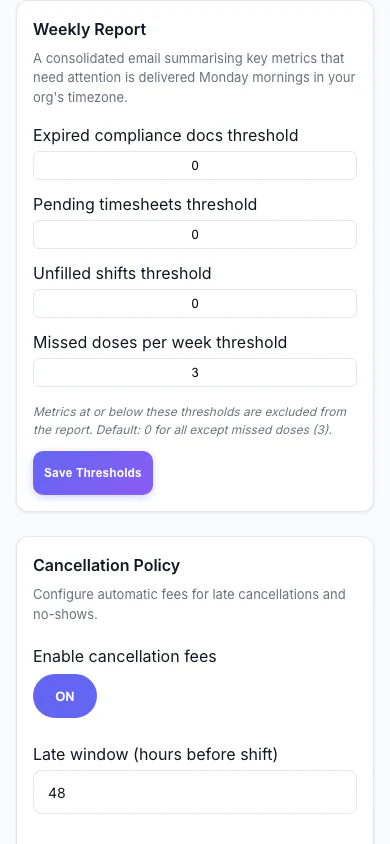
Weekly Report (Mobile)
Set the thresholds for the weekly summary email.
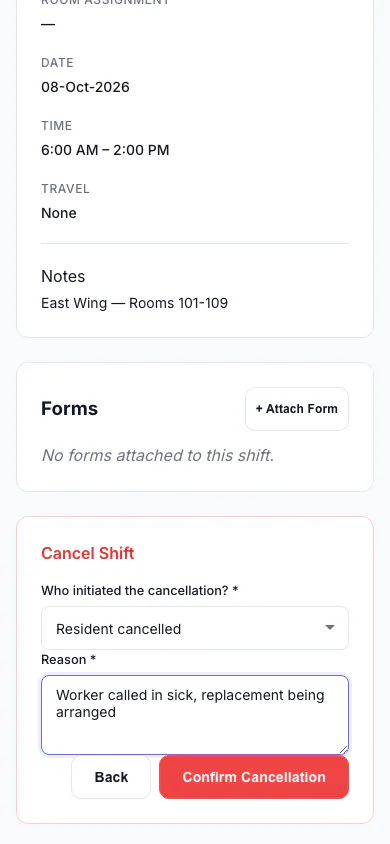
Cancel a Shift (Mobile)
Record who cancelled and why, so the right fee is applied.
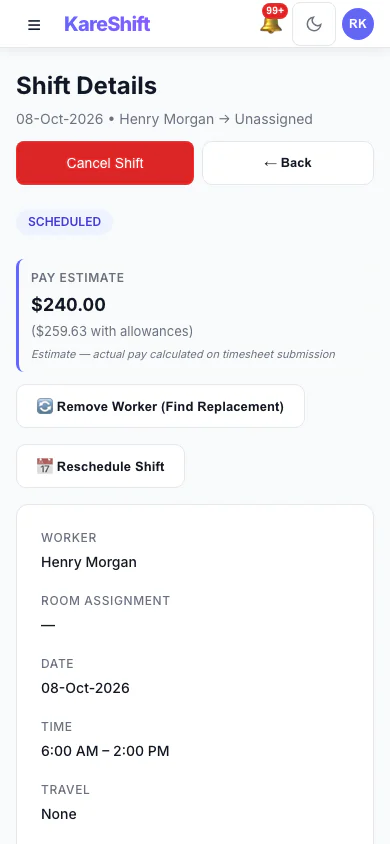
Shift Detail (Mobile)
A shift with its worker, pay estimate and attached forms.
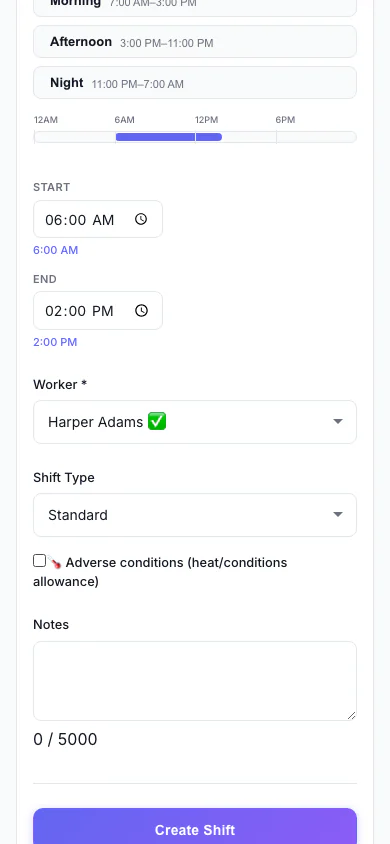
Add a Shift (Mobile)
Pick the person, date and times, and see suggested workers.
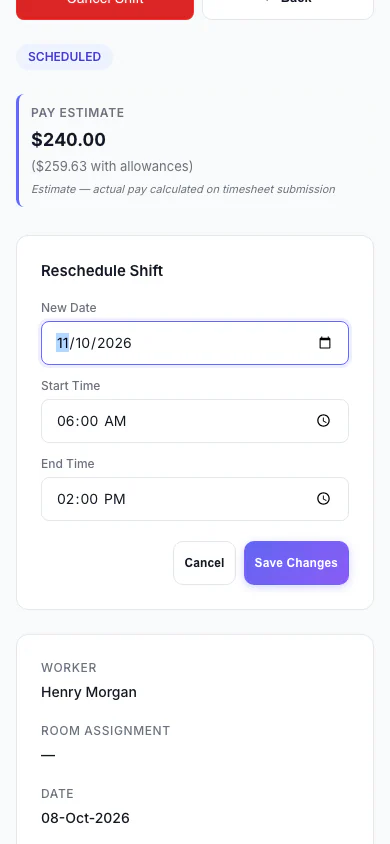
Reschedule a Shift (Mobile)
Move a shift to a new date and time.
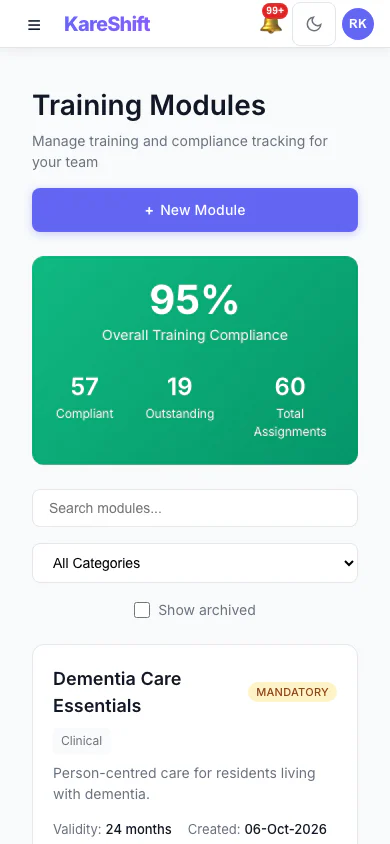
Training Modules (Mobile)
Mandatory and optional training, overall compliance and who is due.
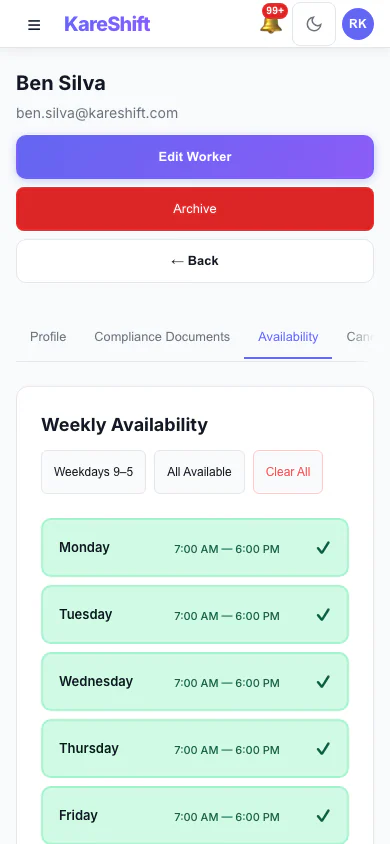
Worker Availability (Mobile)
A worker's weekly availability grid.
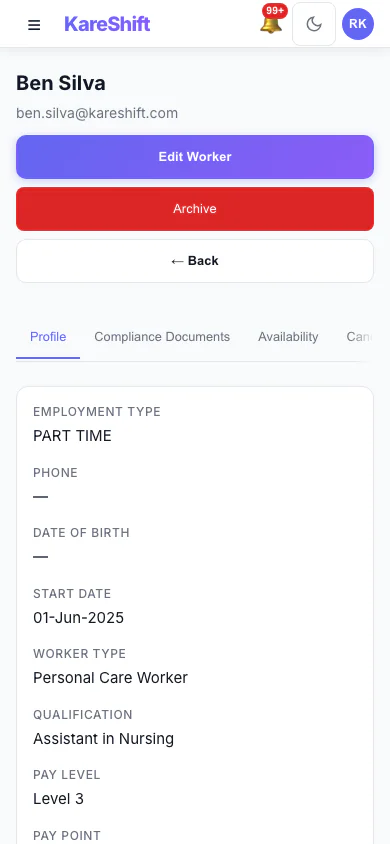
Worker Profile (Mobile)
A worker's profile and details.
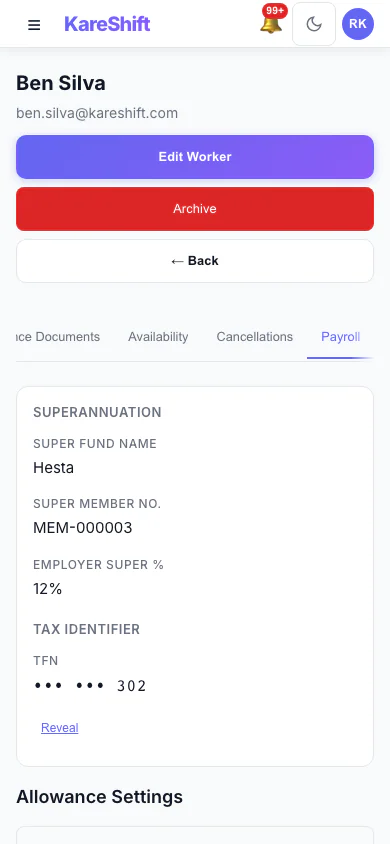
Worker Payroll Details (Mobile)
Payroll details and allowance settings for a worker.
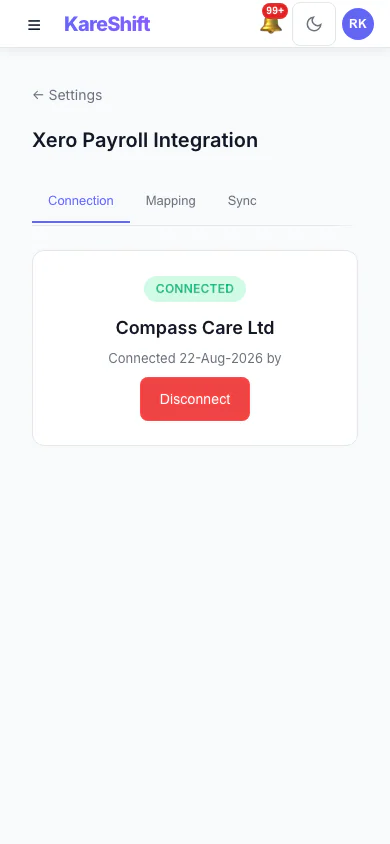
Xero Connection (Mobile)
Connect your Xero organisation once.
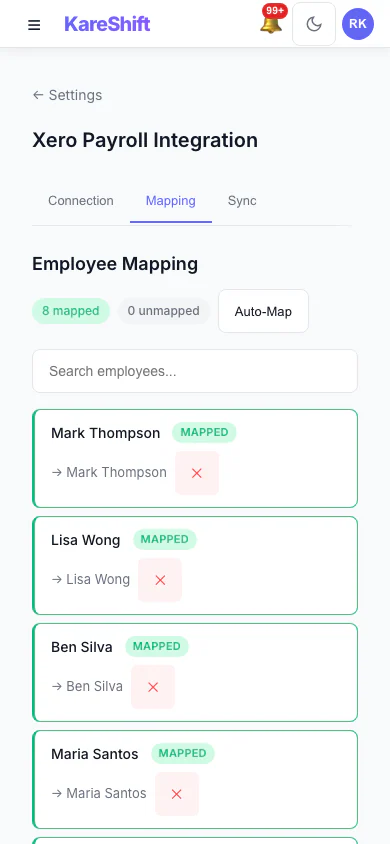
Xero Pay-Item Mapping (Mobile)
Map KareShift pay categories to your Xero earnings rates.
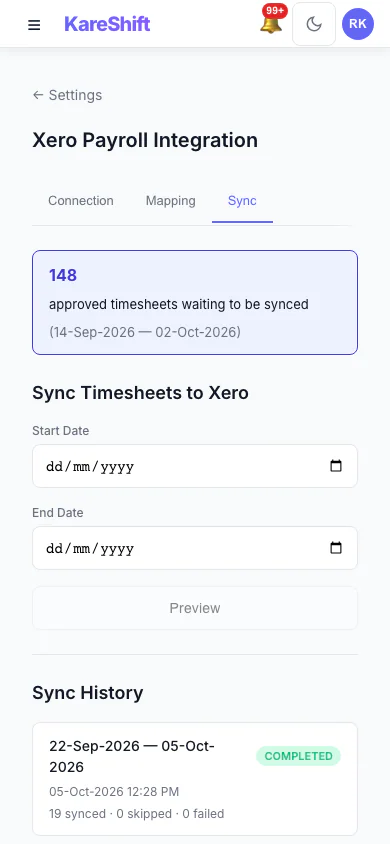
Xero Sync History (Mobile)
Past syncs with what succeeded and what failed.
Home Care — Owner / Coordinator View
What you see managing a home care business with 5+ clients receiving Support at Home services.
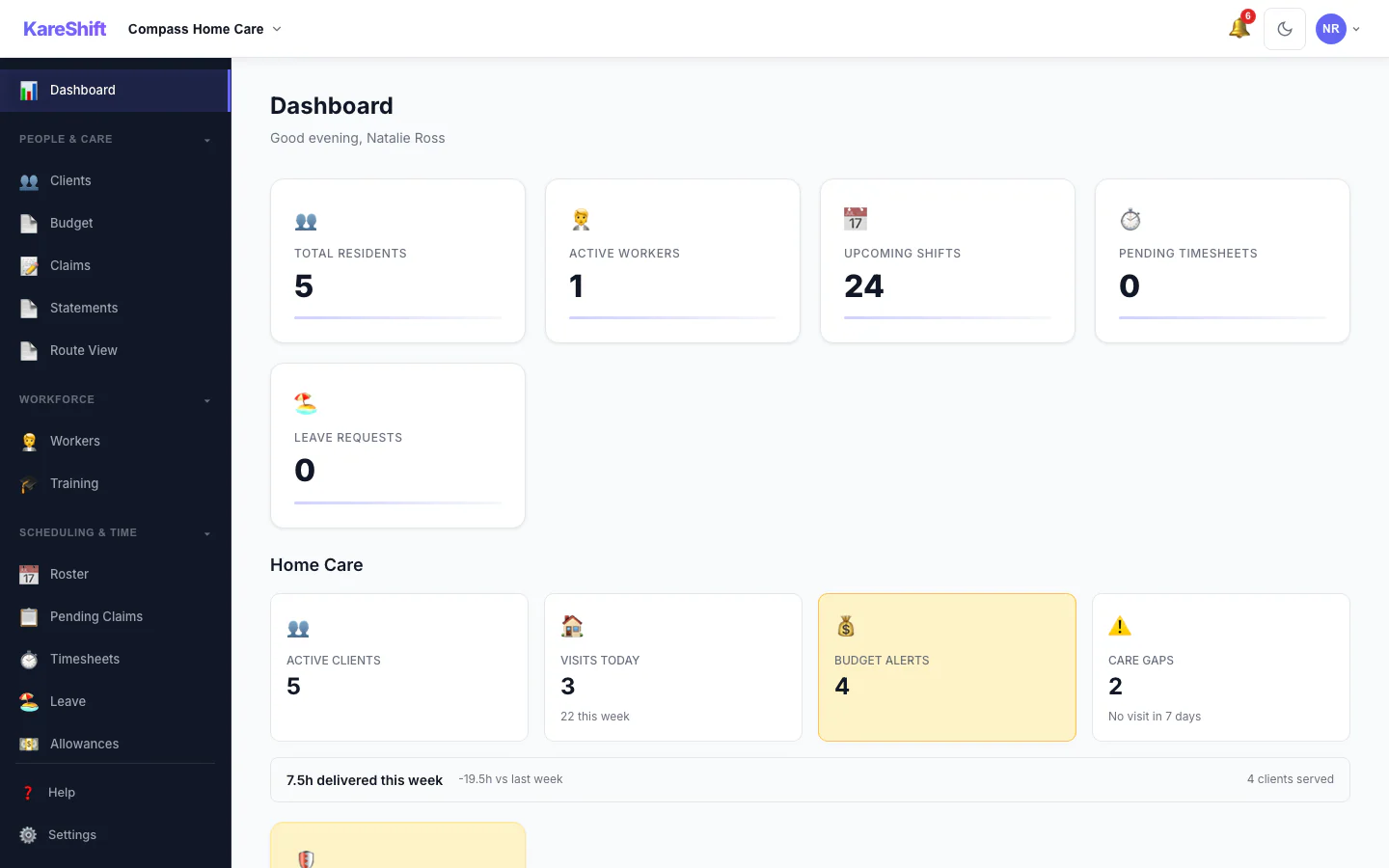
Dashboard
Daily overview — visits scheduled, worker routes, budget alerts, compliance status.
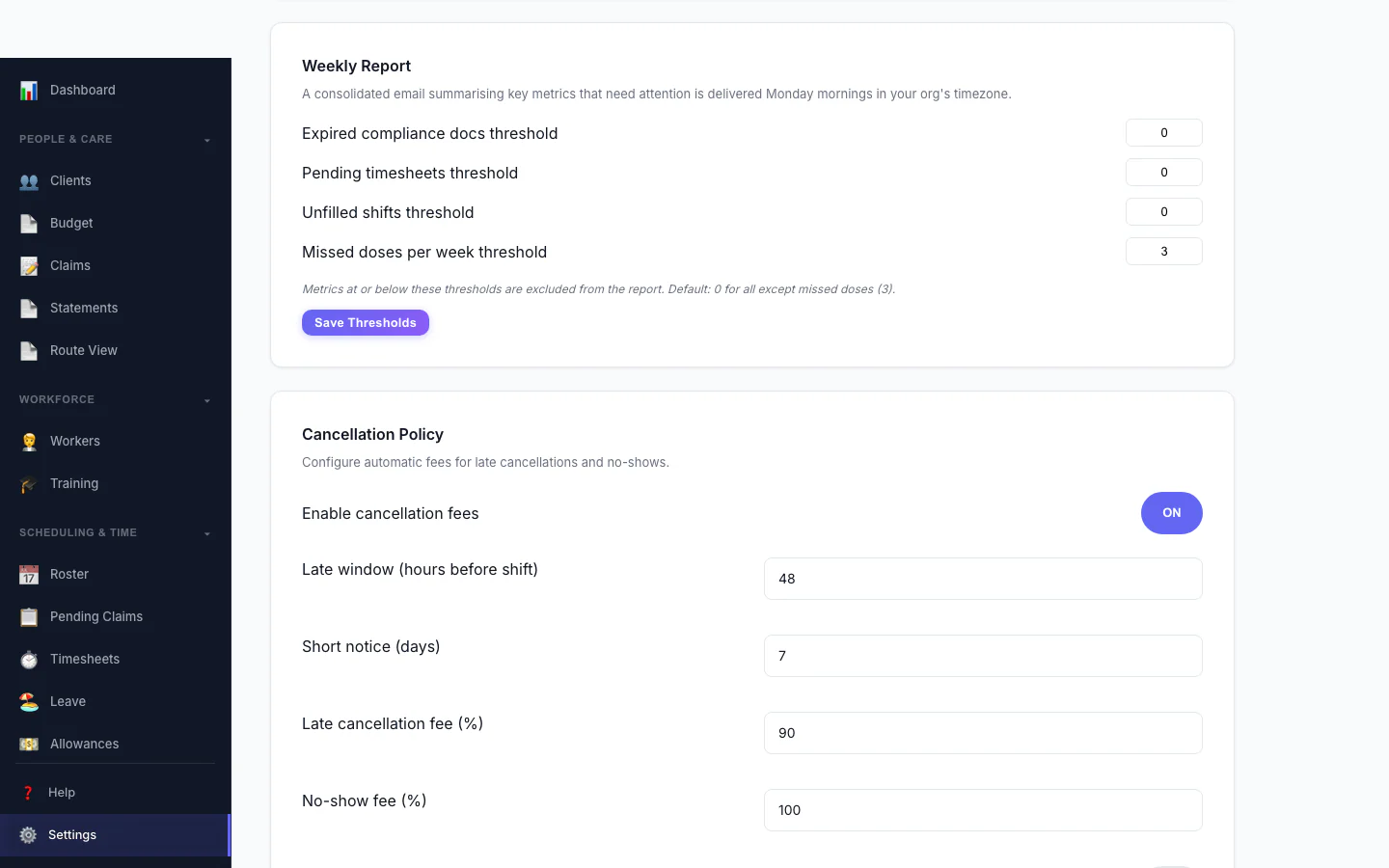
Cancellation Policy
Automate late-cancellation and no-show fees. Configure the late window, fee percentages and who they apply to.
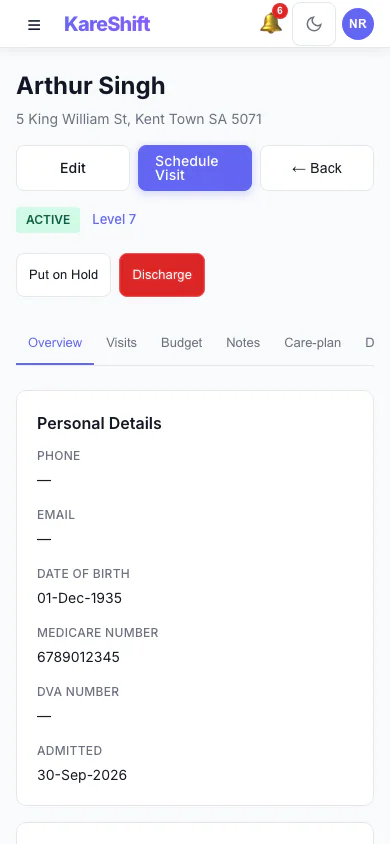
Client Detail (Mobile)
Full home-care client profile — budget, visit schedule, notes and linked workers.
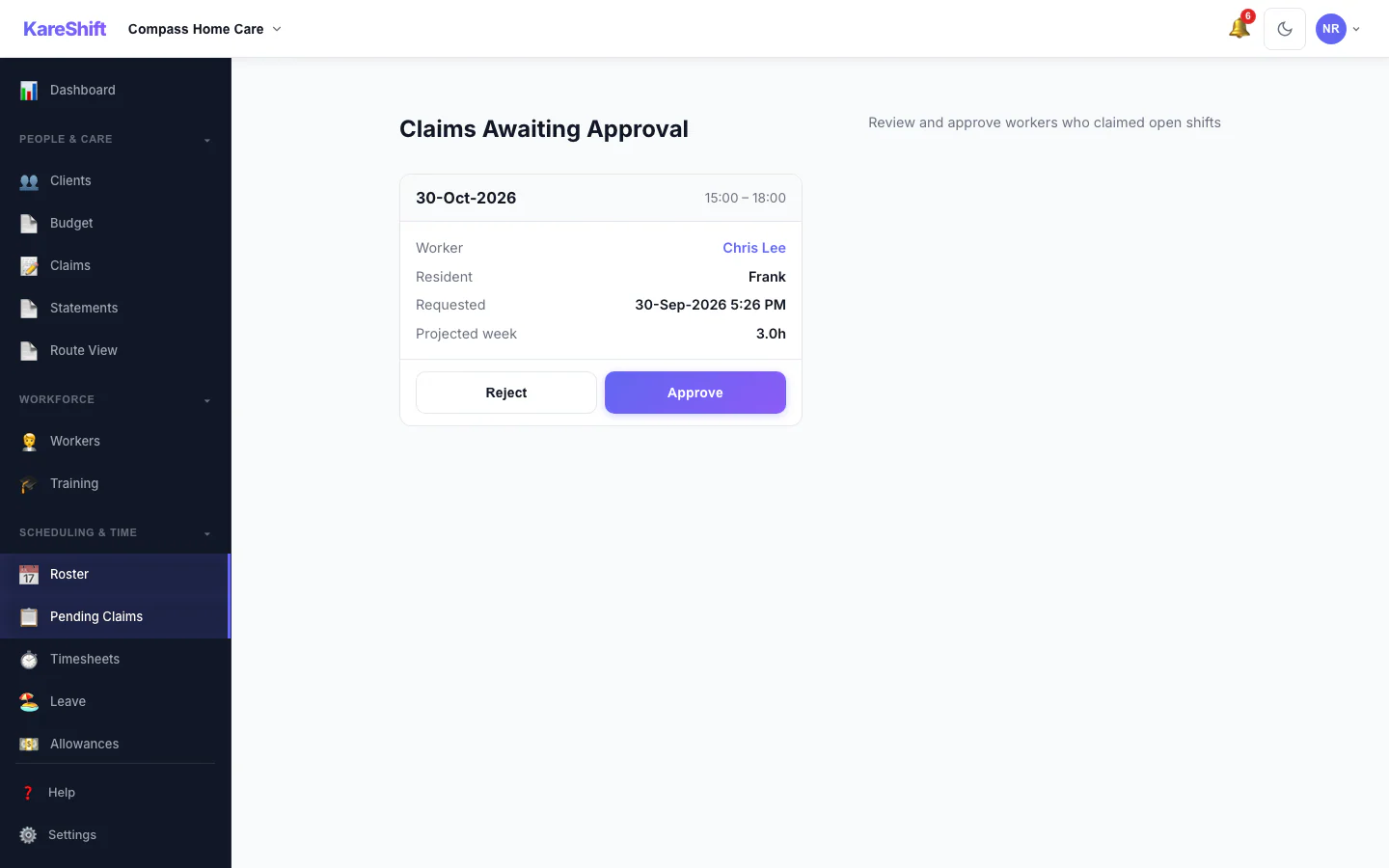
Claim Approval
Optionally require coordinator approval before a worker is assigned an open shift. Each claim shows projected weekly hours with an overtime warning.
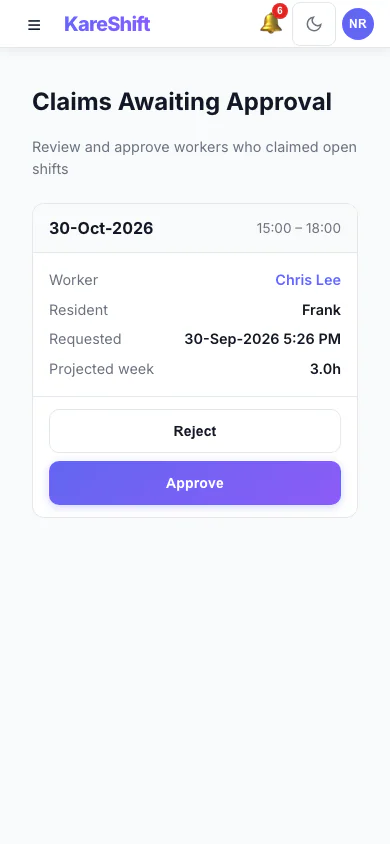
Claim Approval (Mobile)
Optionally require coordinator approval before a worker is assigned an open shift. Each claim shows projected weekly hours with an overtime warning.
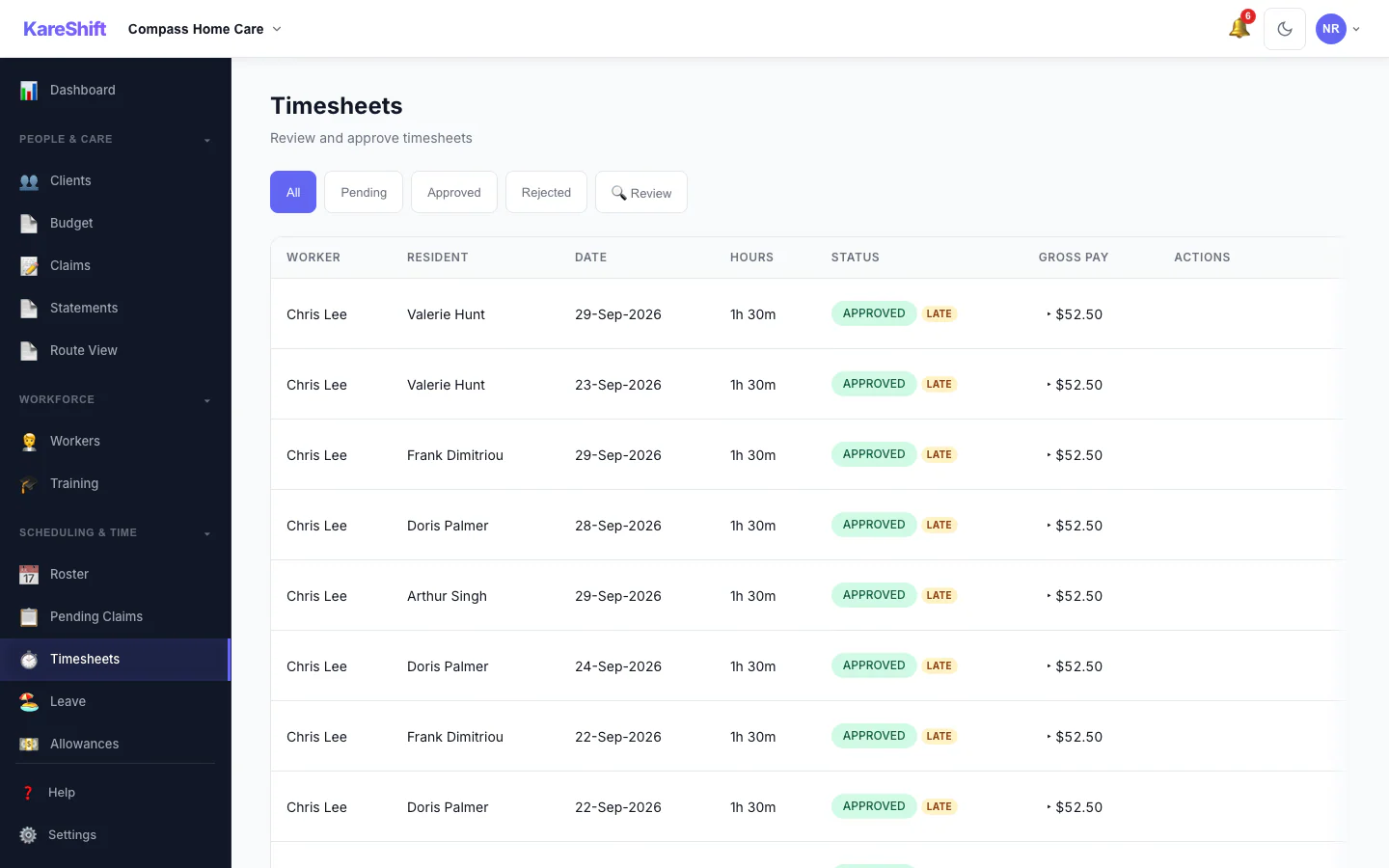
Visit Confirmation
The Review filter surfaces timesheets needing a closer look — GPS geofence violations, clock-time variance, late submissions — so you verify visits before invoicing.
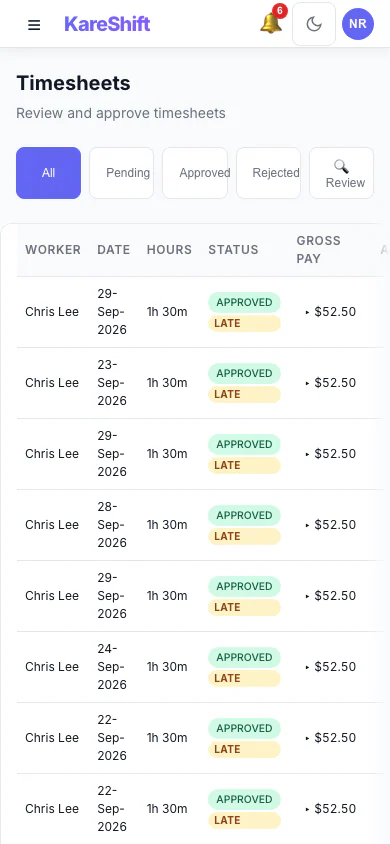
Visit Confirmation (Mobile)
The Review filter surfaces timesheets needing a closer look — GPS geofence violations, clock-time variance, late submissions — so you verify visits before invoicing.
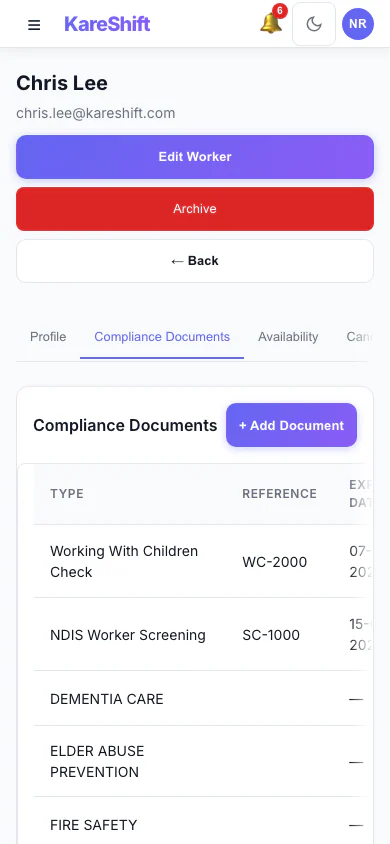
Worker Compliance (Mobile)
Per-worker document tracking — screenings, training and certifications with expiry alerts.
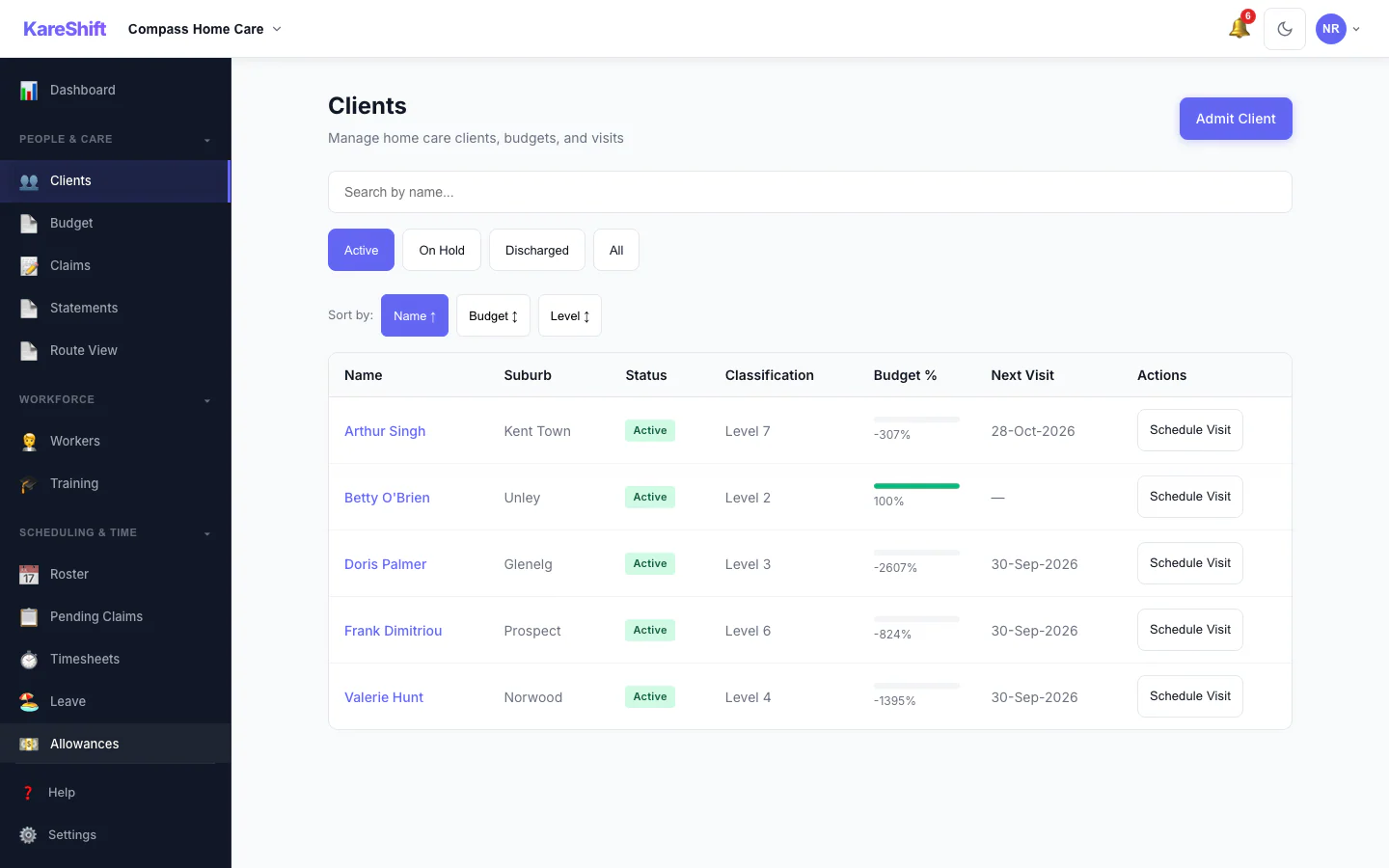
Client Management
Classification levels, budget burn-down, status filtering, search, and schedule visits.
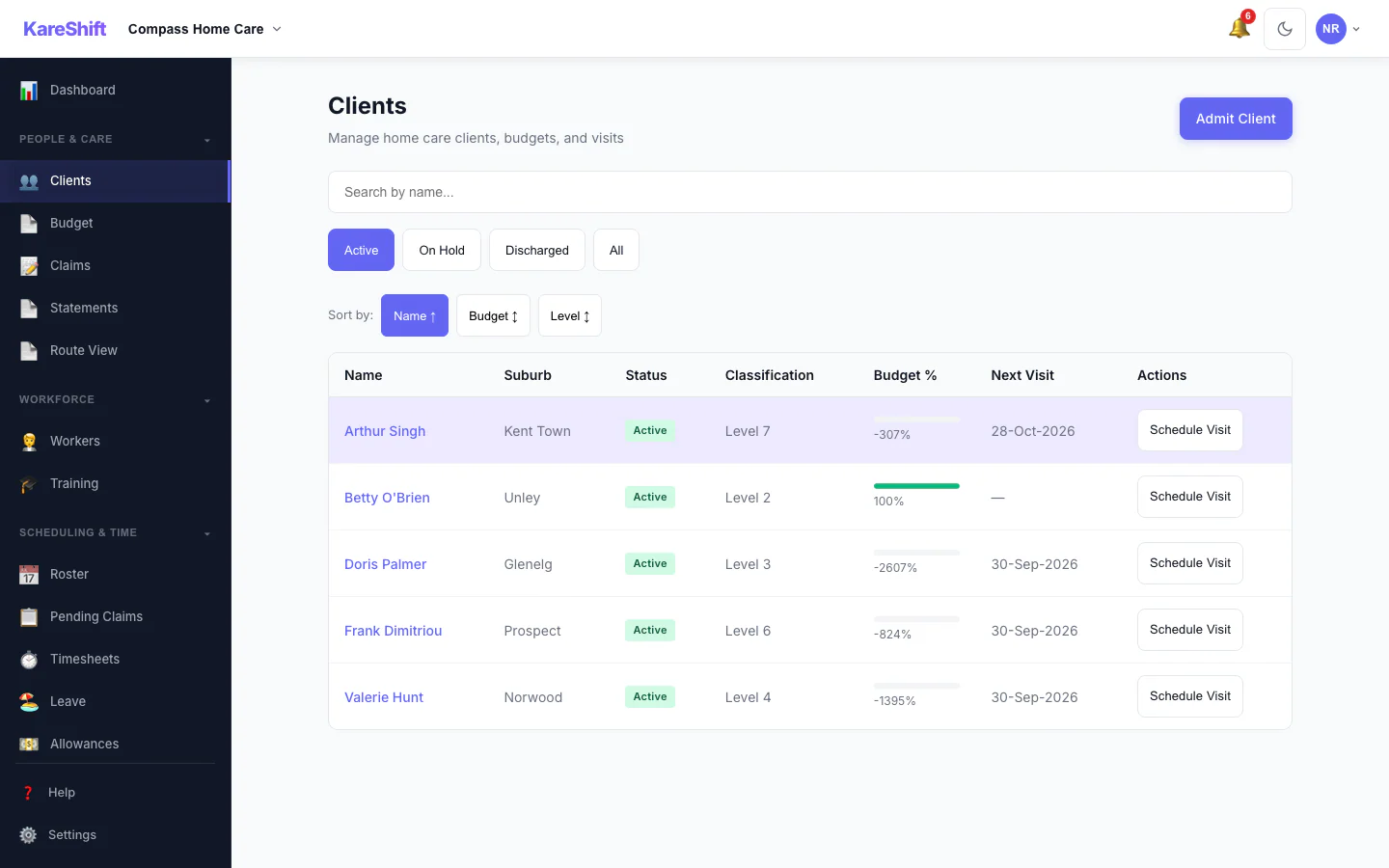
Clients List
Home care clients with classification, budget status, and next visit.
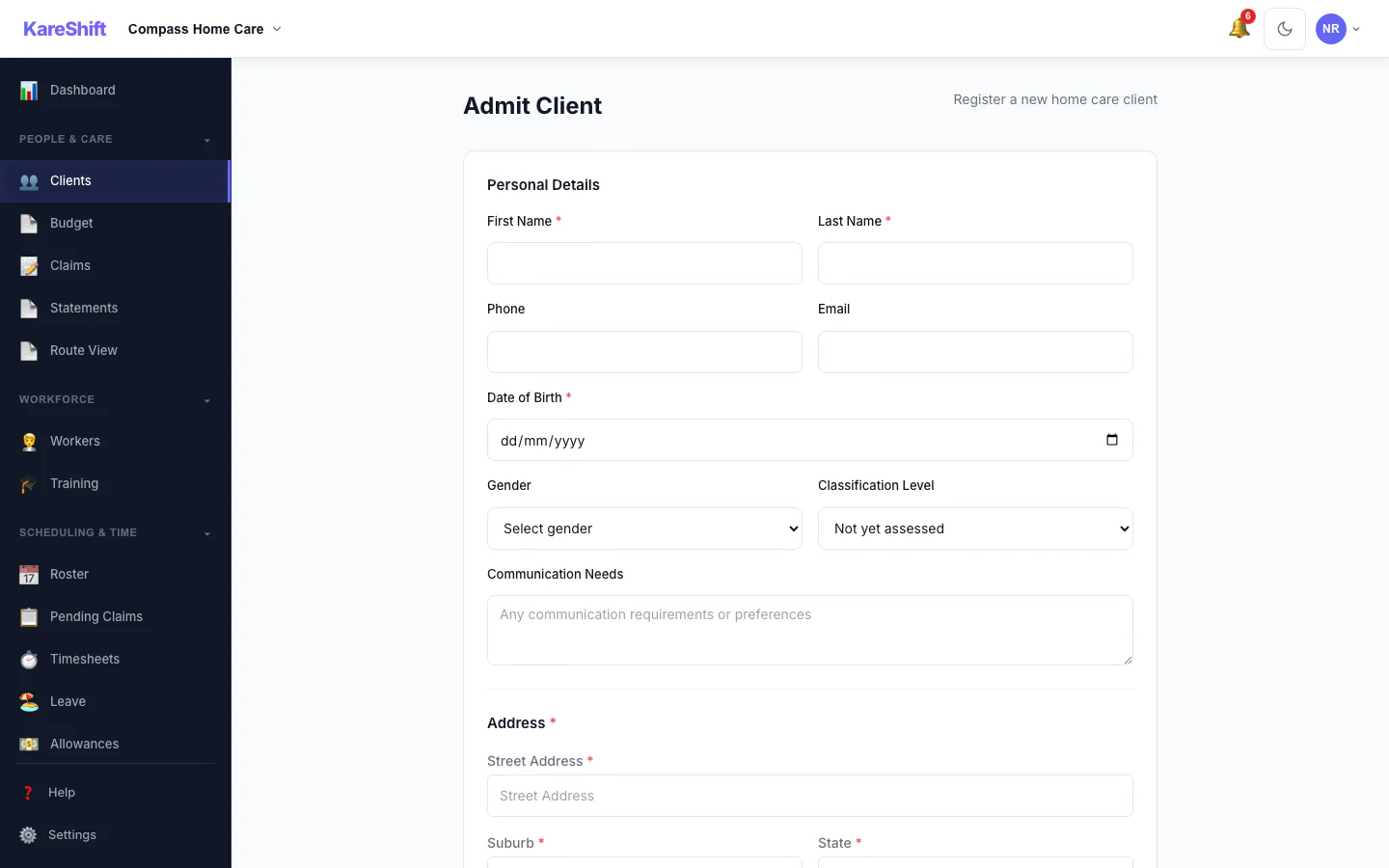
Client Admission
Structured admission form — demographics, classification, emergency contacts, GP details.
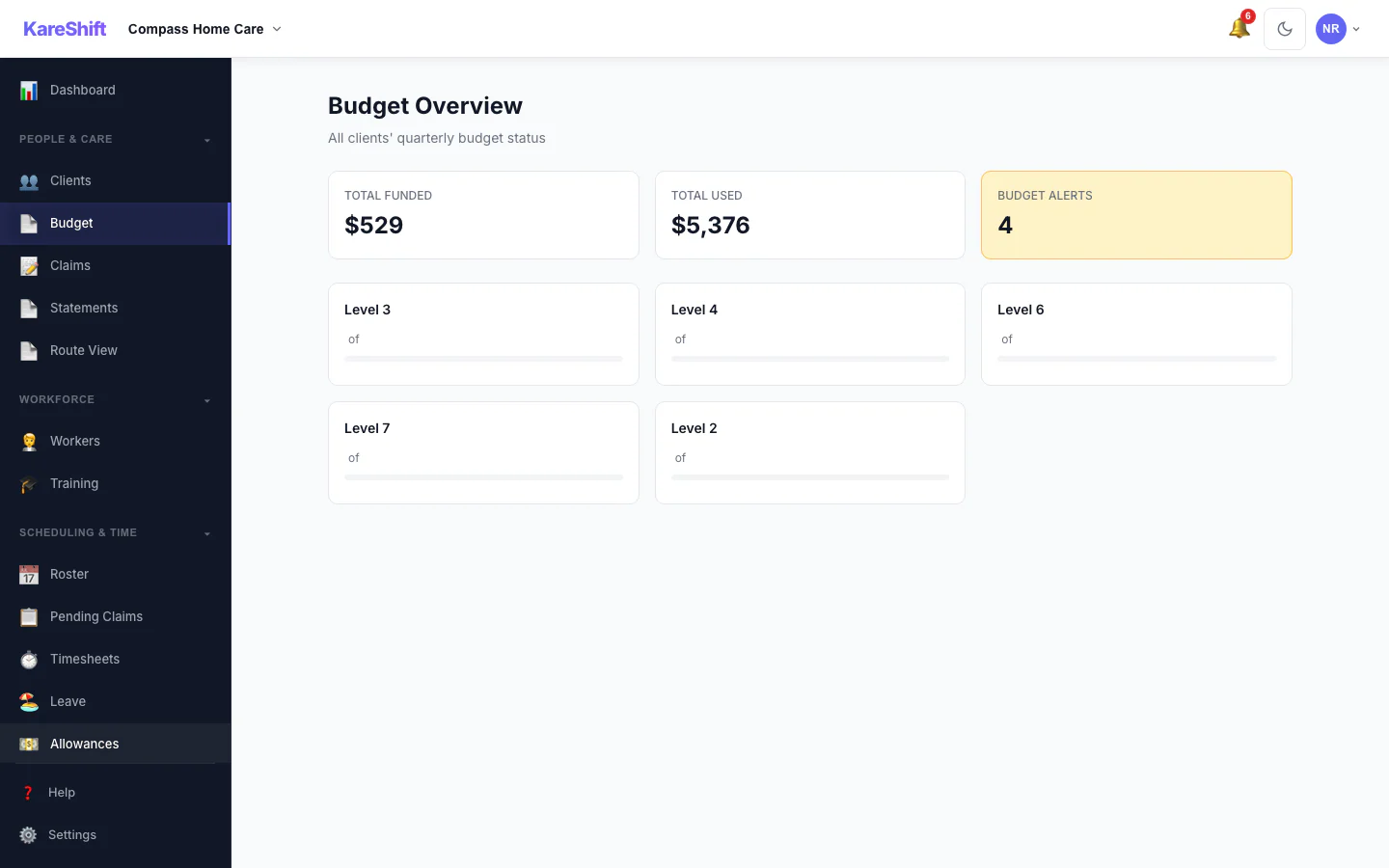
Budget Tracking
Quarterly budgets with real-time usage. Alerts when clients approach their funded limit.
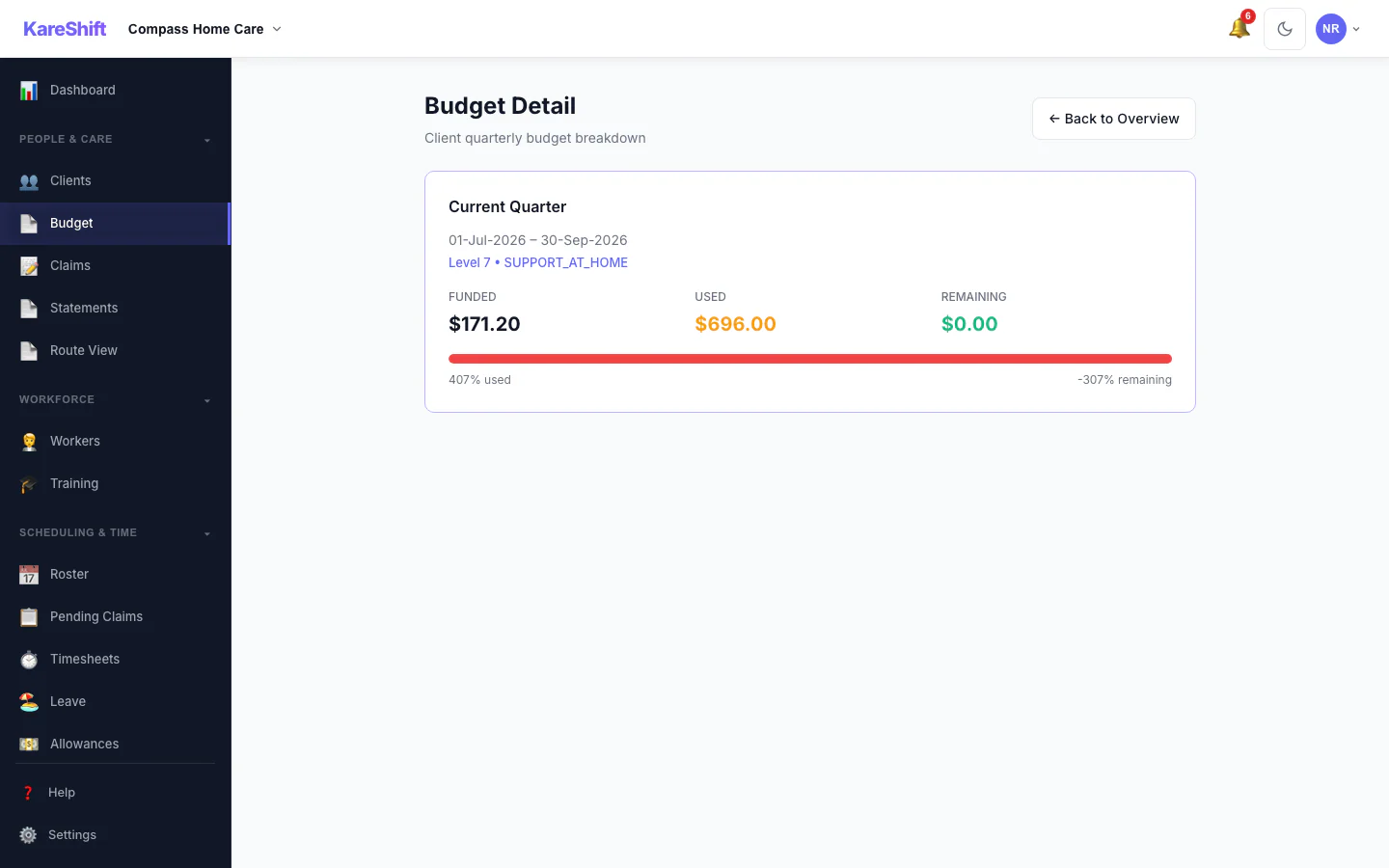
Budget Detail
Per-client budget breakdown — services consumed, remaining balance, projected end date.
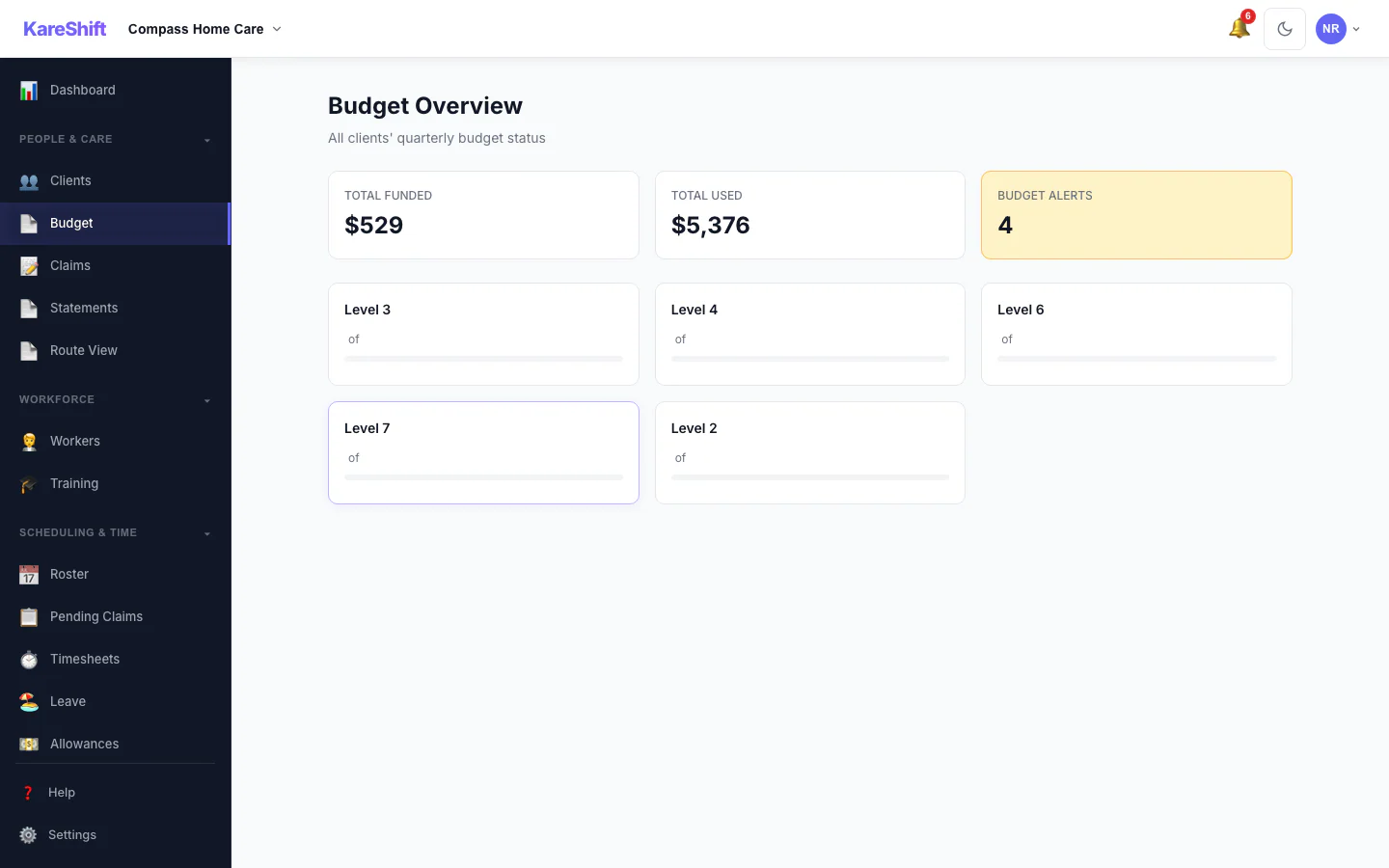
All Budgets
Overview of all client budgets — spend rate, alerts for approaching limits.
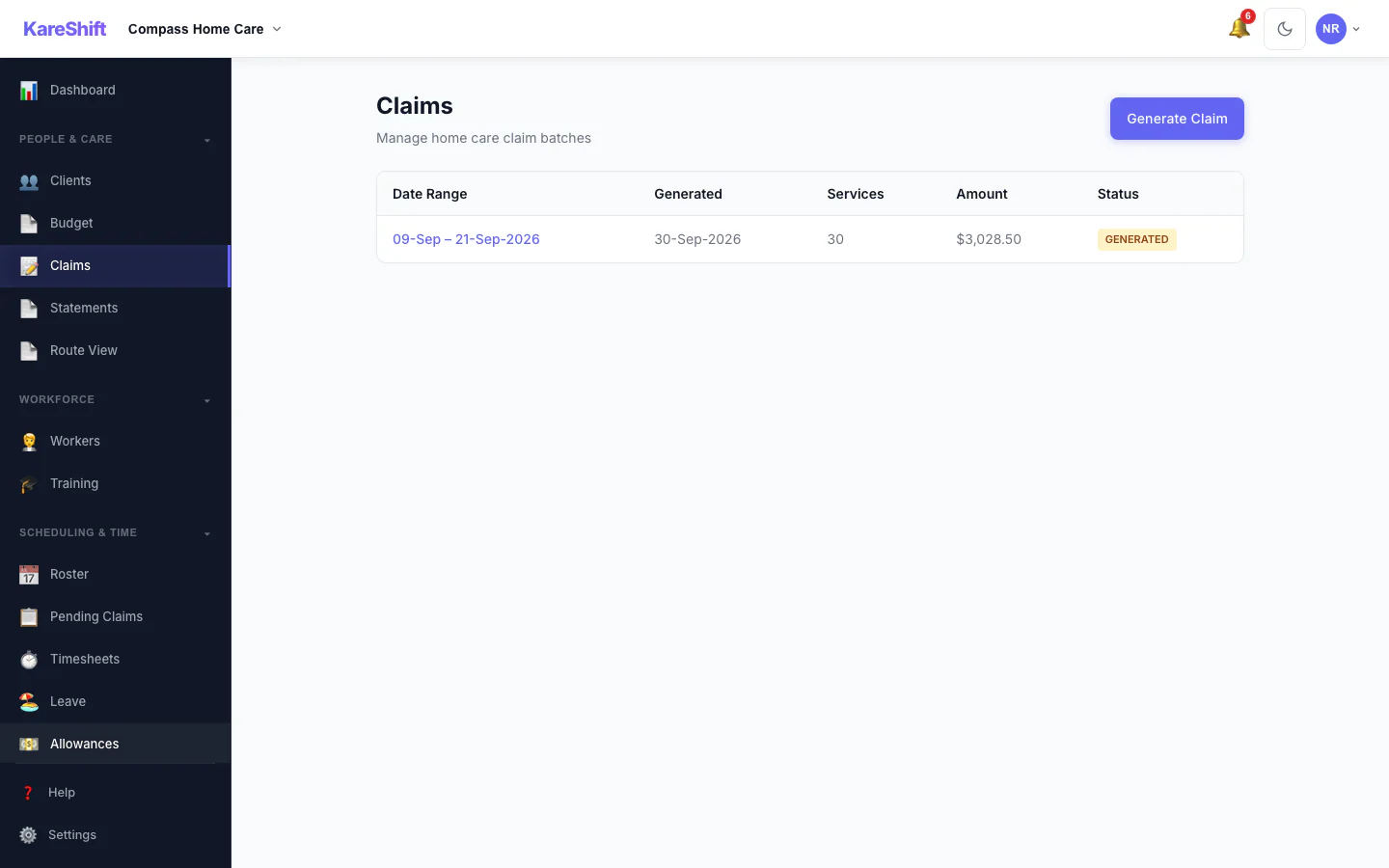
Claiming Export
Generate claim batches for Services Australia. Validation, download, and undo support.
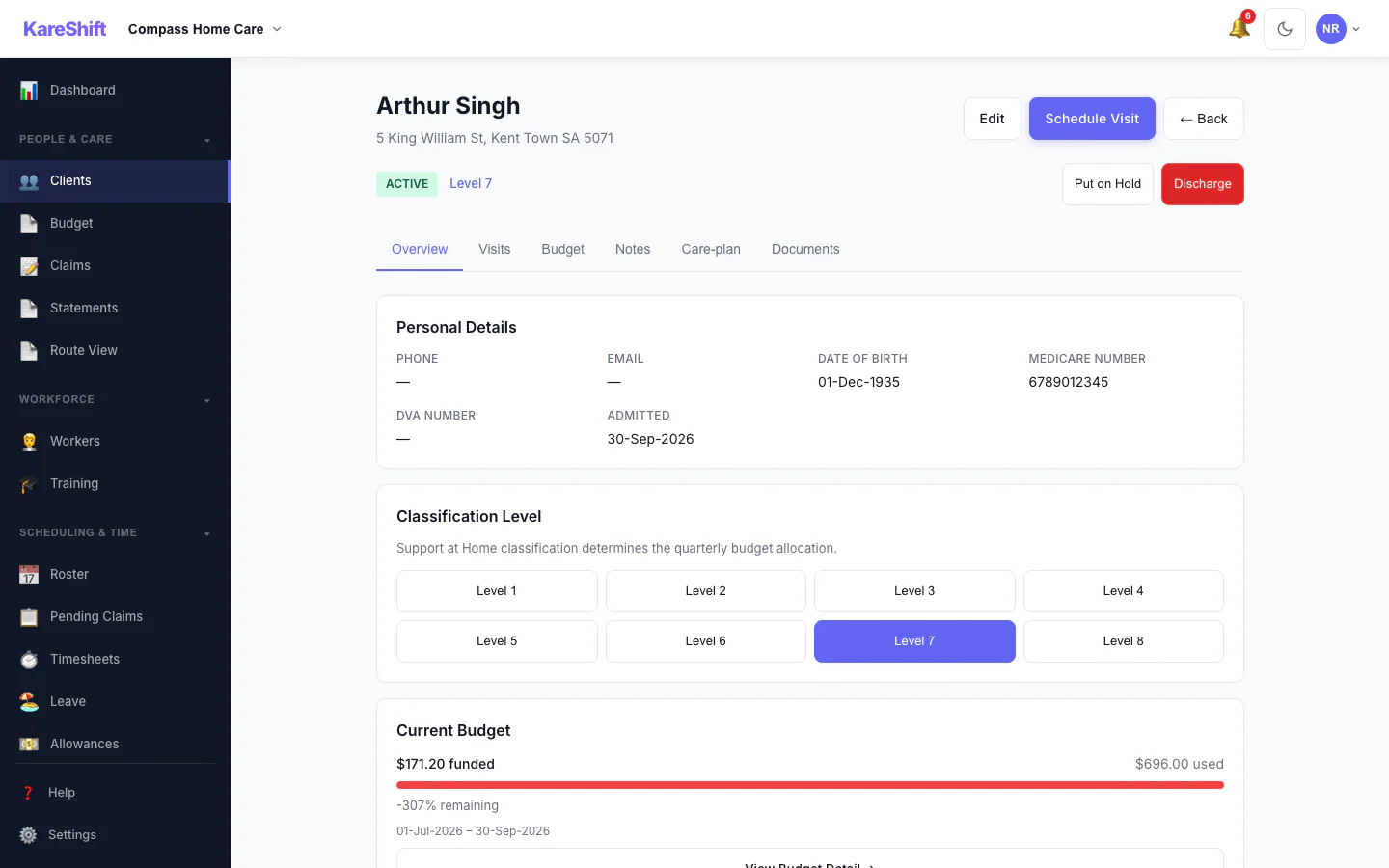
Client Detail
Classification assignment, budget summary, visit history, care plan — all in one view.
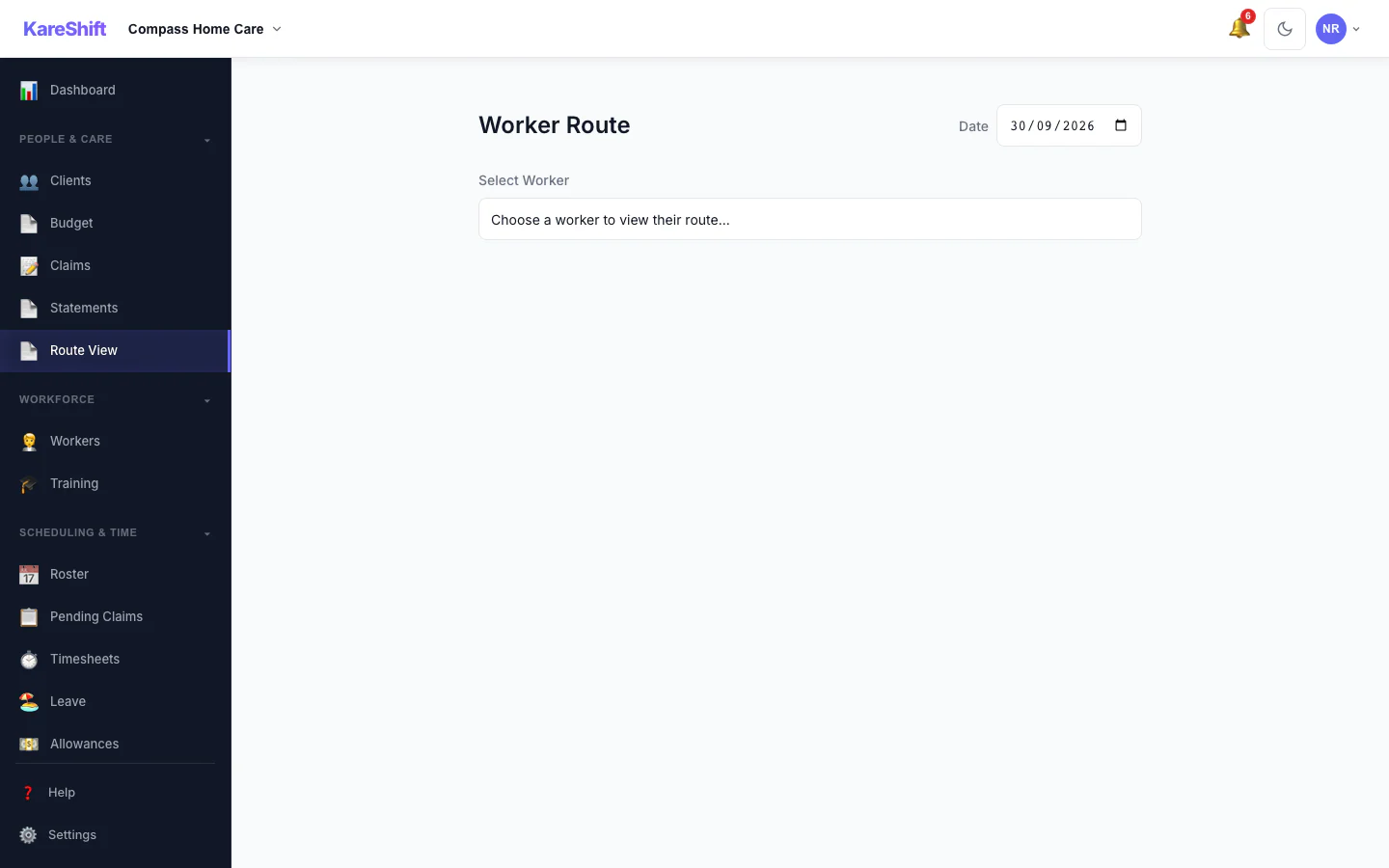
Route View
Worker daily schedule with travel estimates, gap alerts, and distance tracking.
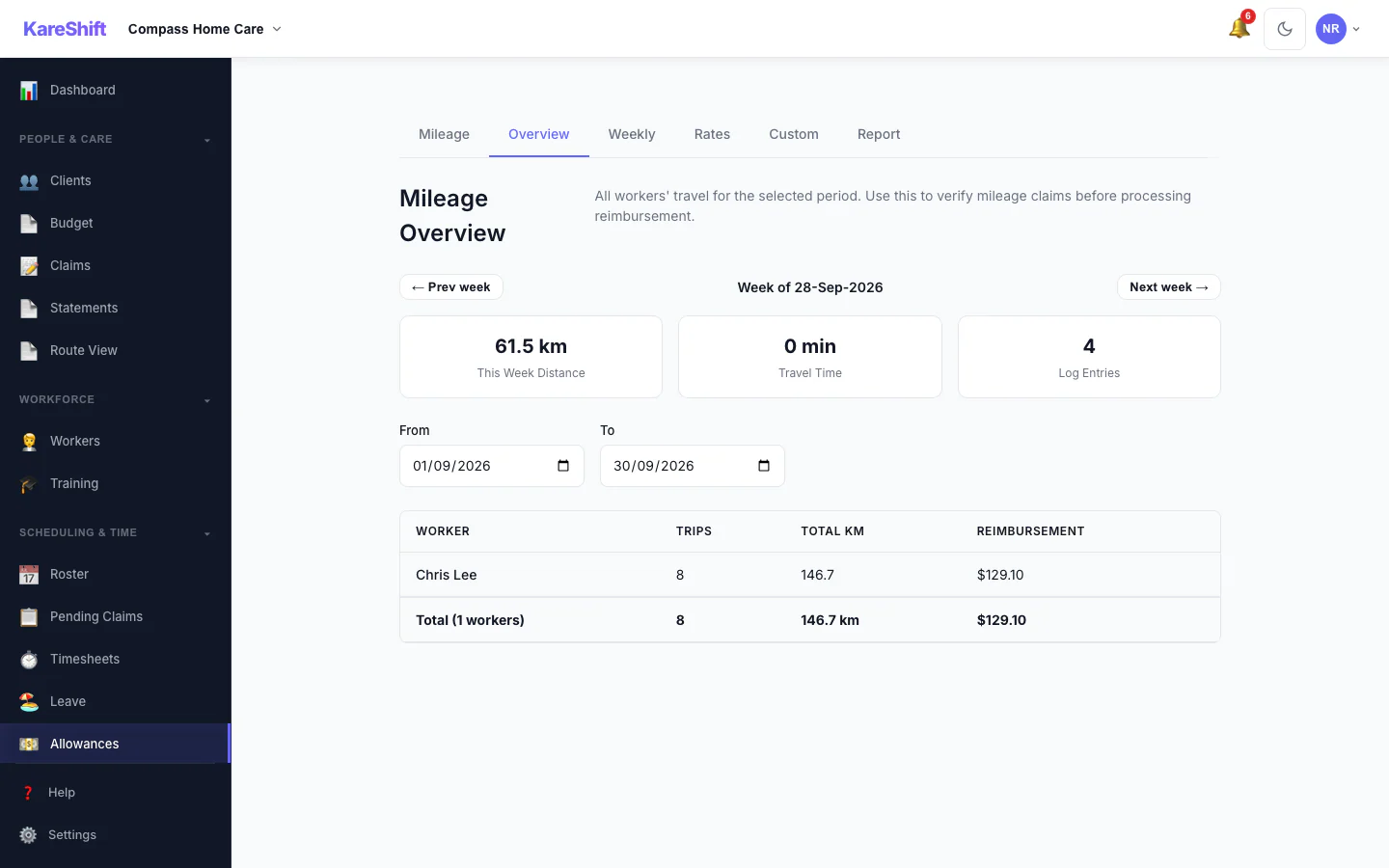
Mileage Overview
All workers' travel at a glance. Distance, trips, and reimbursement totals — ATO rate applied.
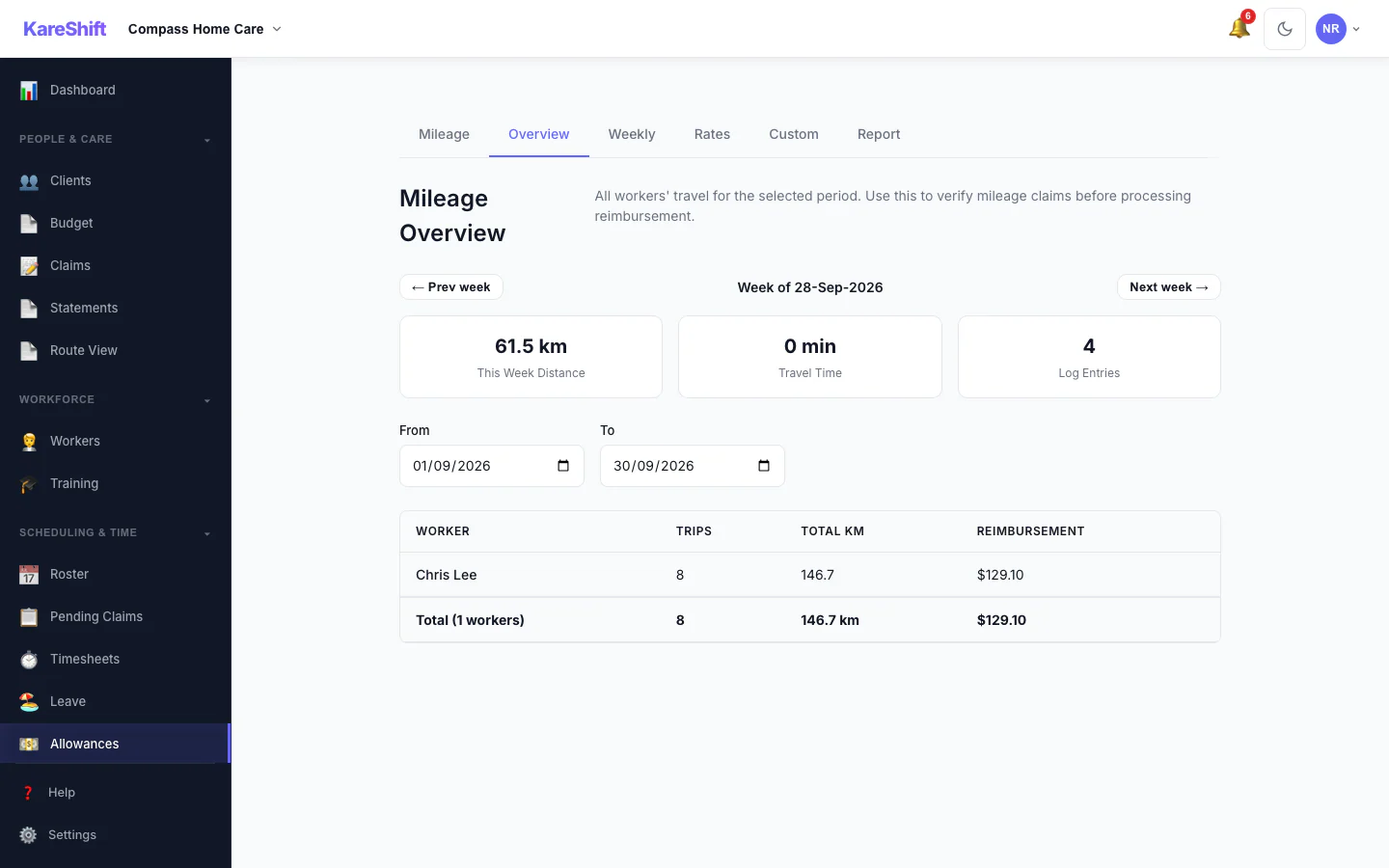
Allowances & Mileage
Combined view of all allowances and mileage for your home care team. Payroll-ready totals.
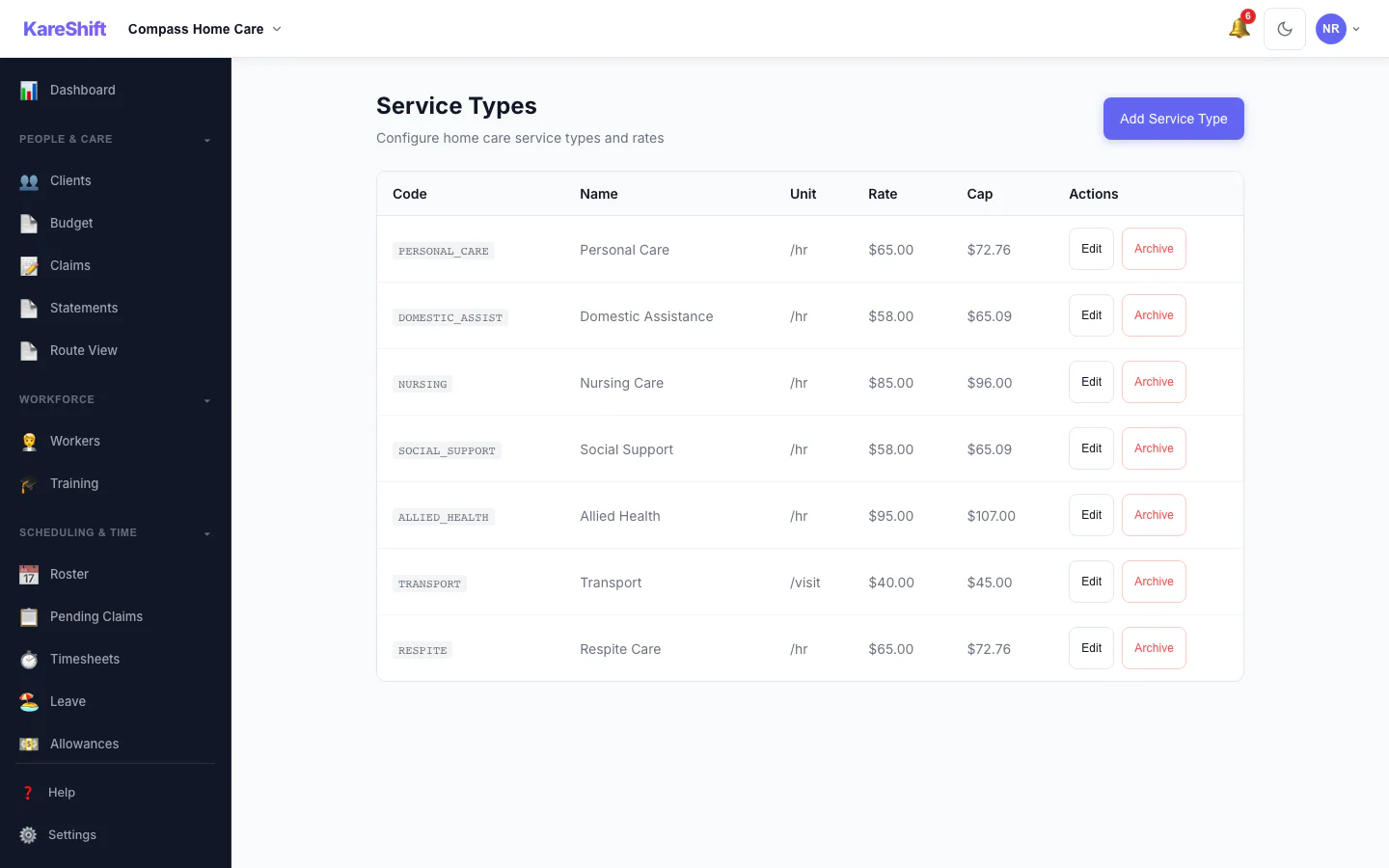
Service Types
Configure rates, government price caps, and Services Australia codes per service type.
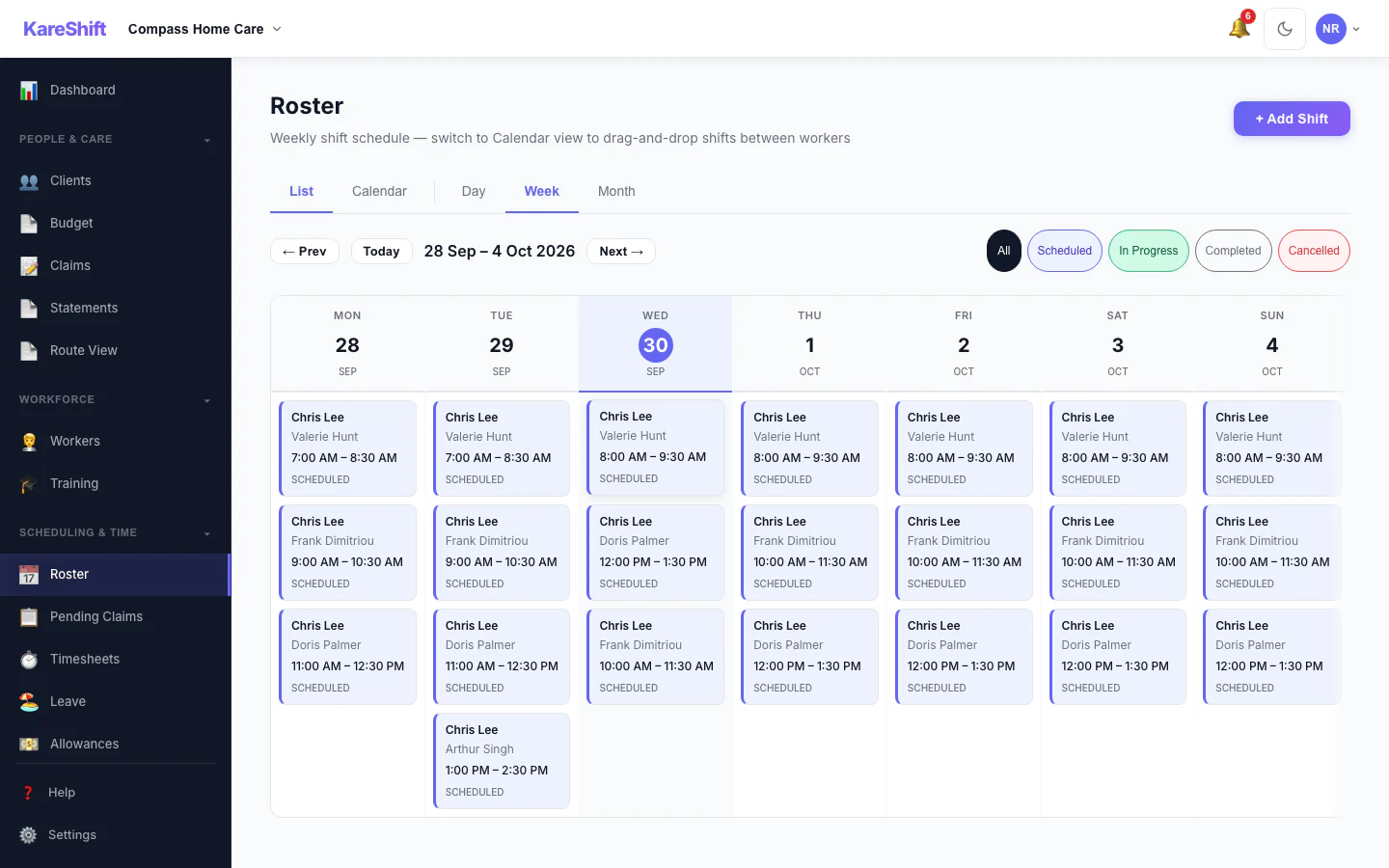
Roster
Schedule visits and shifts for your home care team. Route-aware scheduling.
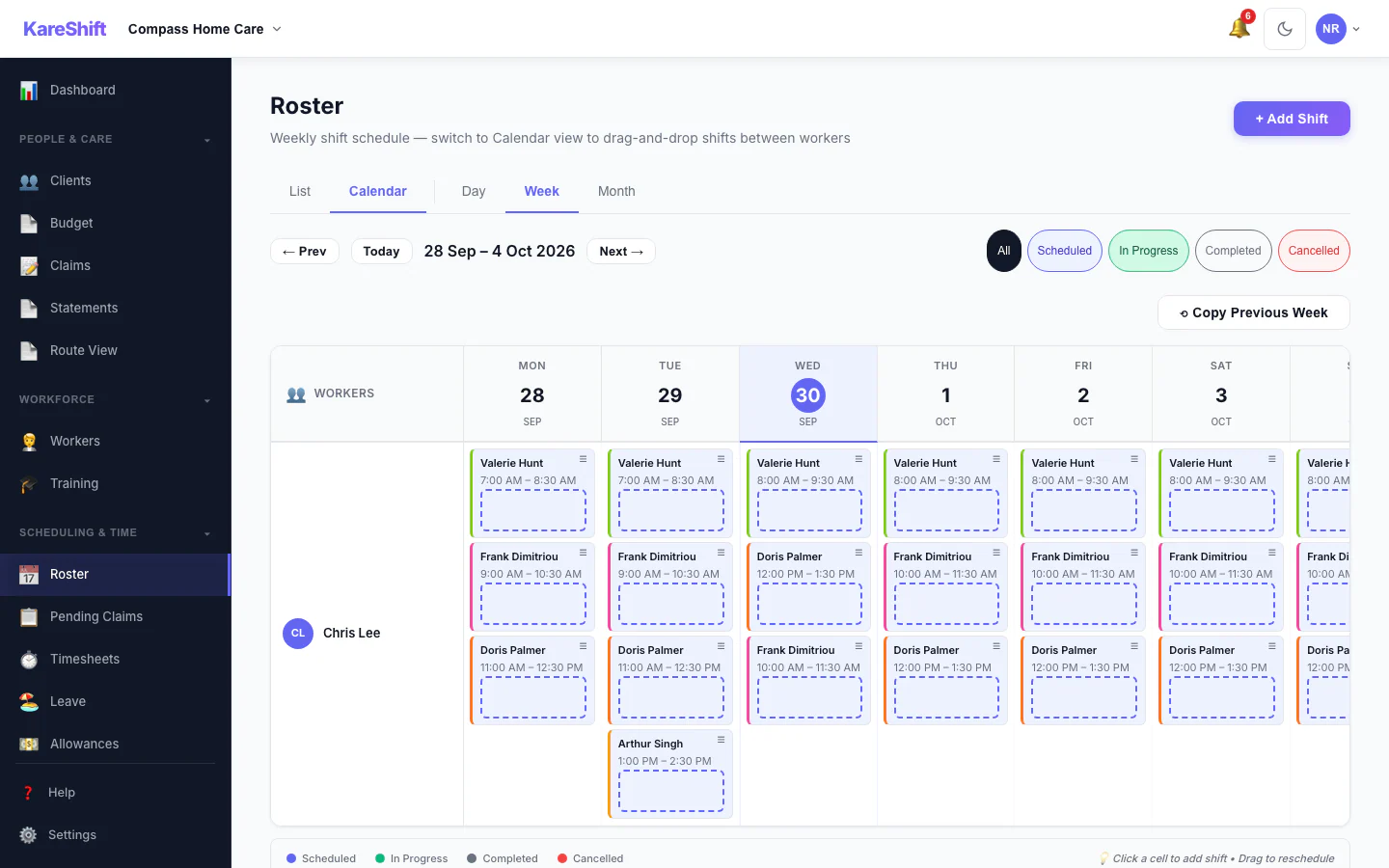
Roster Calendar
Visual calendar view of all visits and shifts for the week.
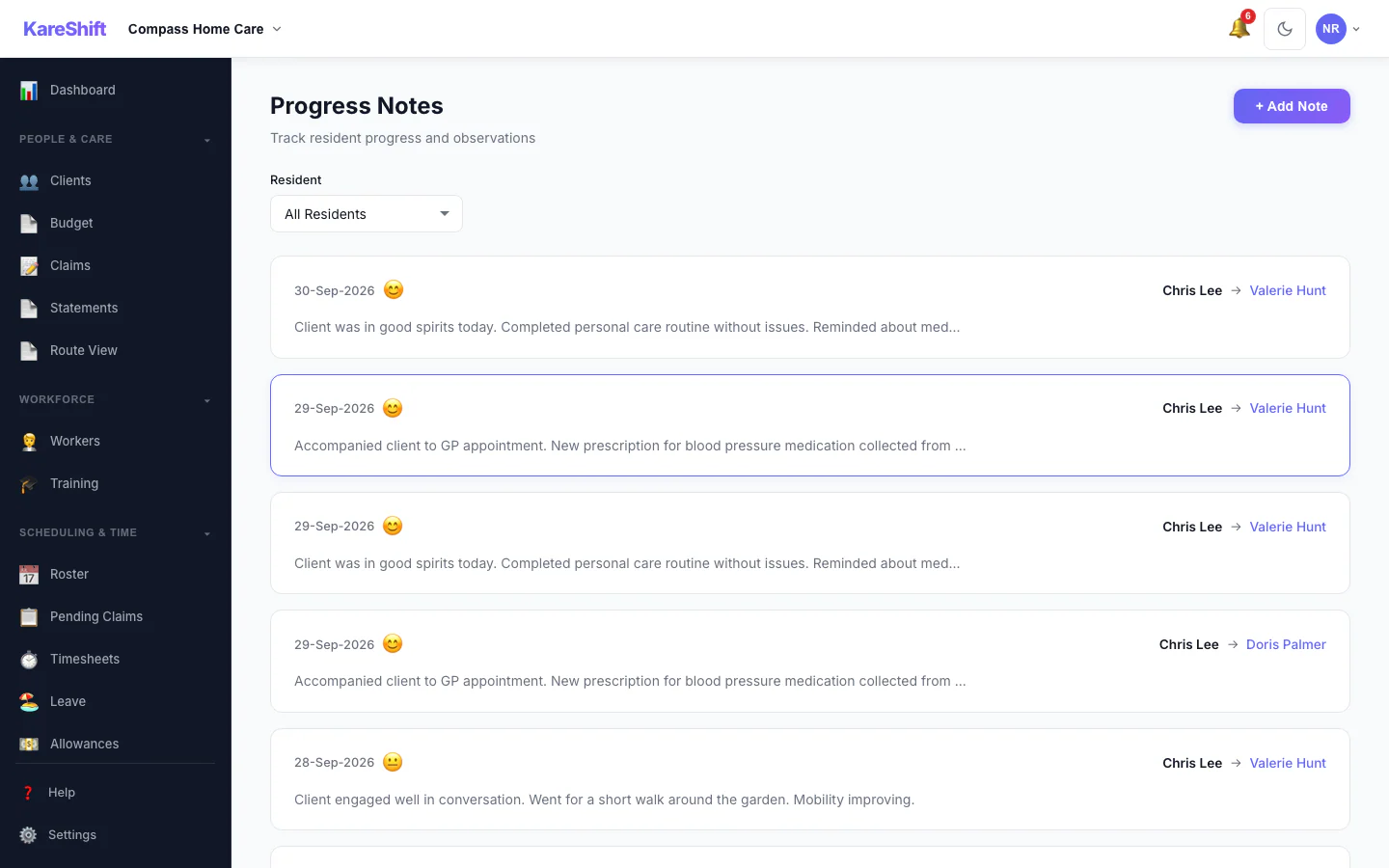
Progress Notes
Visit notes linked to clients. Searchable, timestamped, audit-ready.
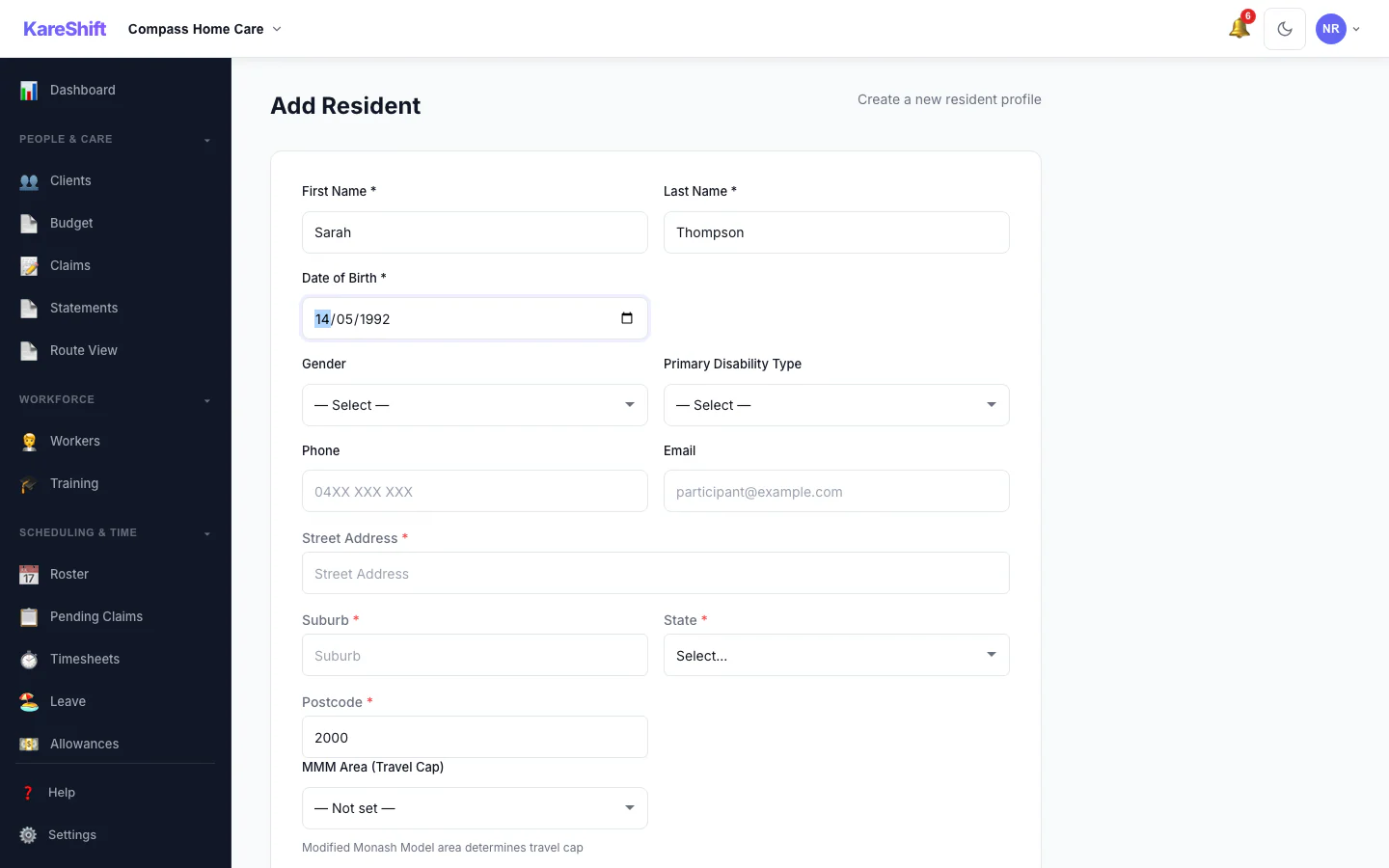
Travel Area Auto-Lookup
MMM remoteness auto-resolves for travel billing and remote loading rates.
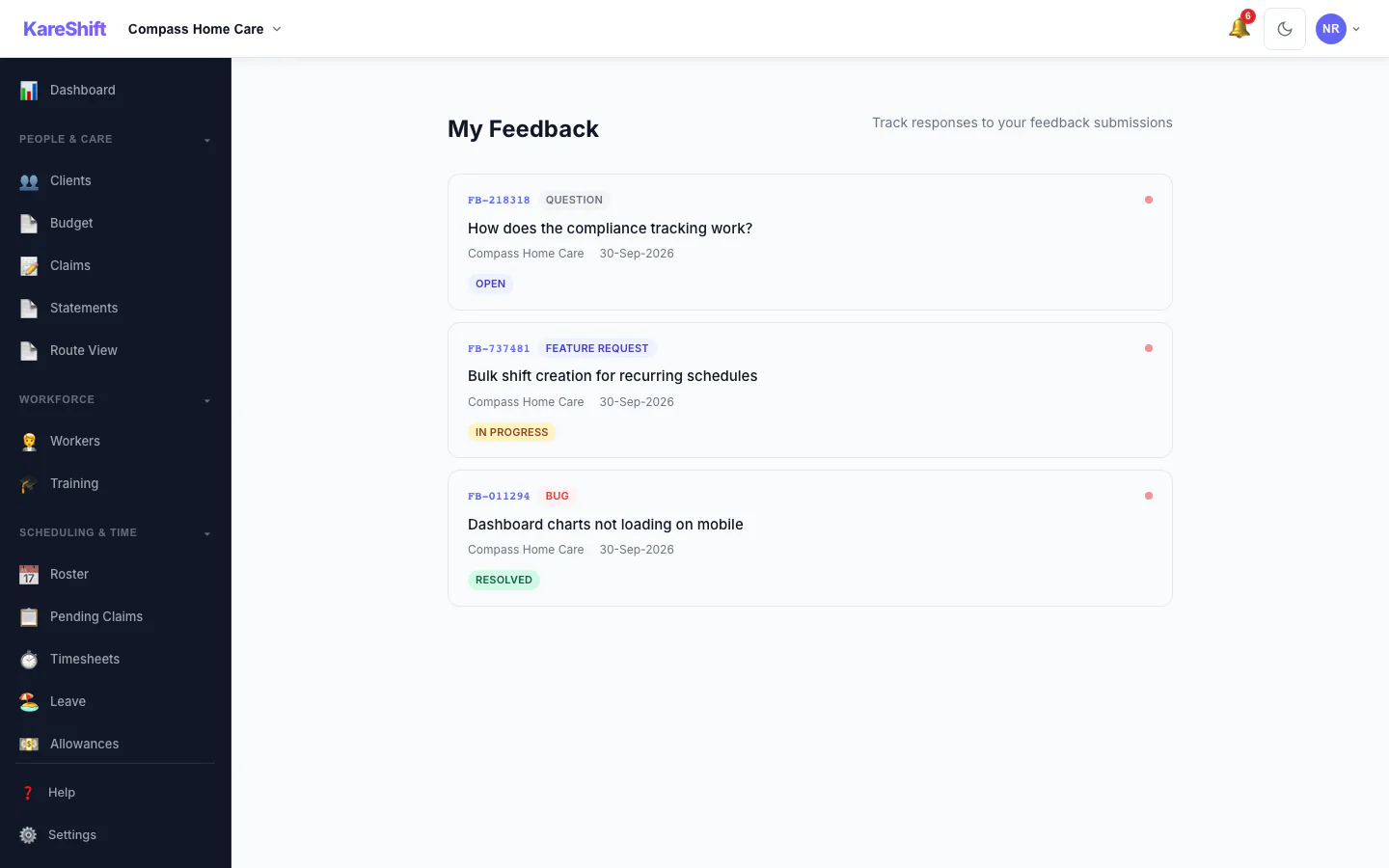
Feedback Overview
All your submissions in one place — sorted by status, with admin responses.
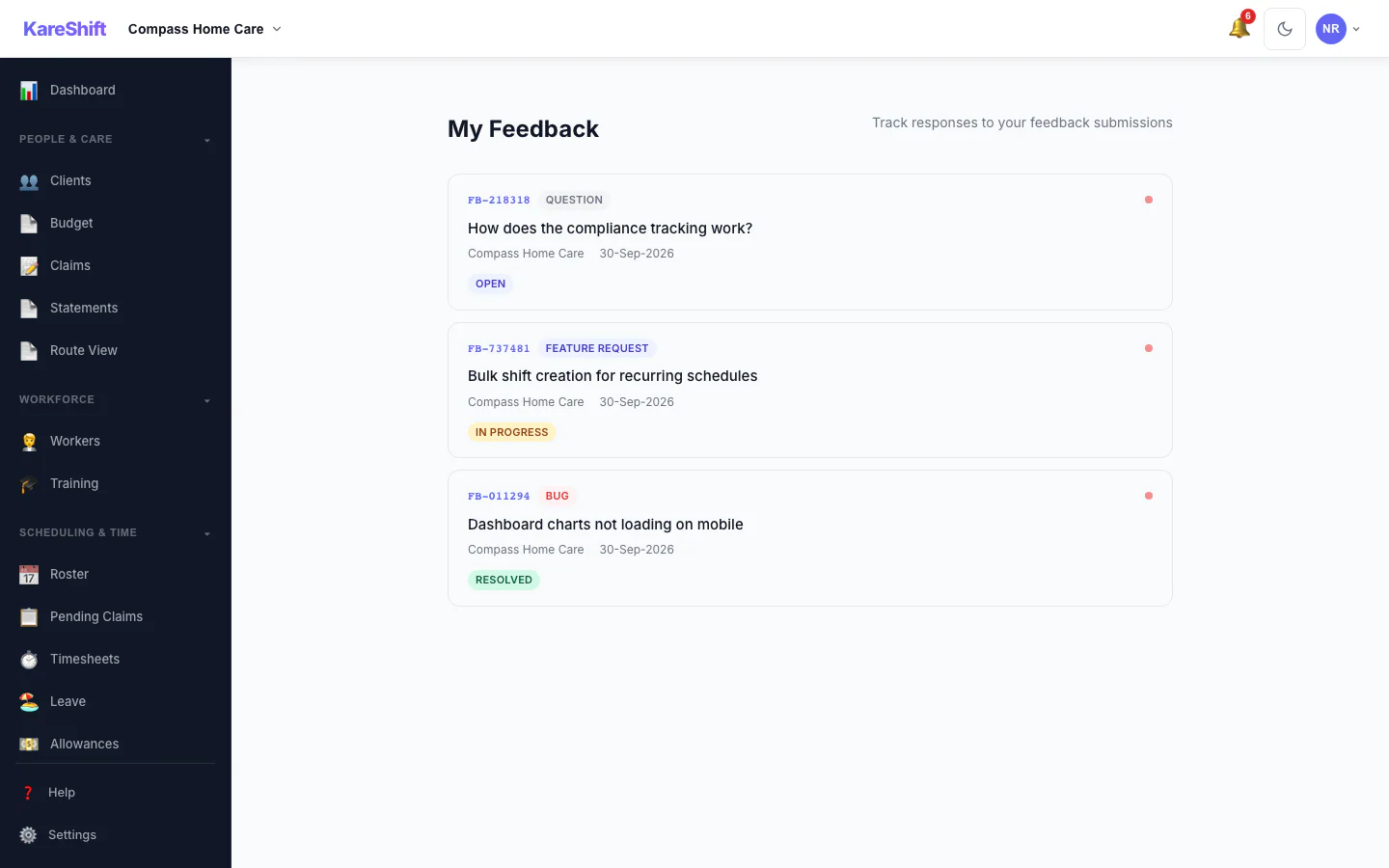
Feedback History
View all submitted feedback, track responses, and see unread replies.
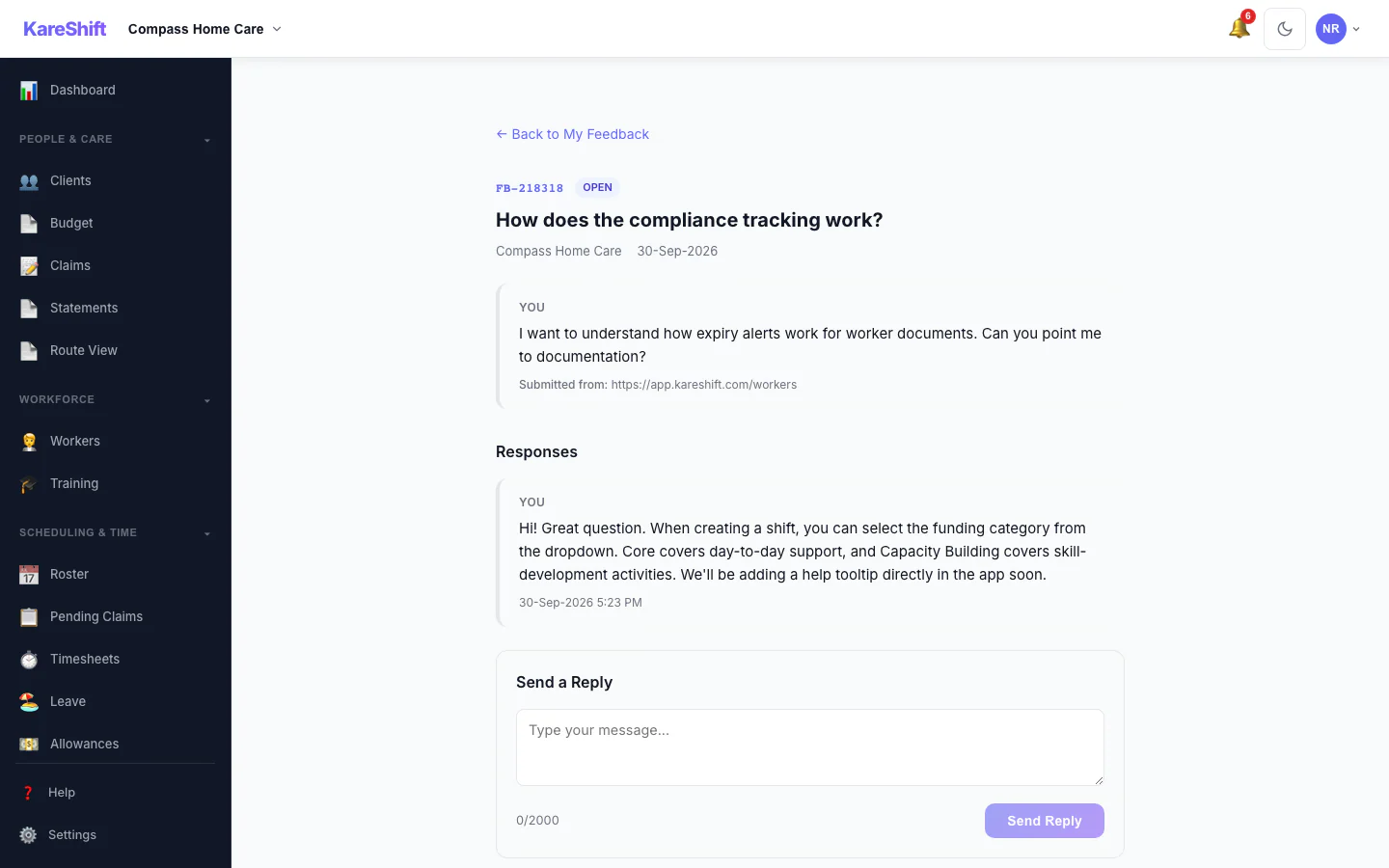
Feedback Detail
Track your submissions and see responses in a conversation thread.
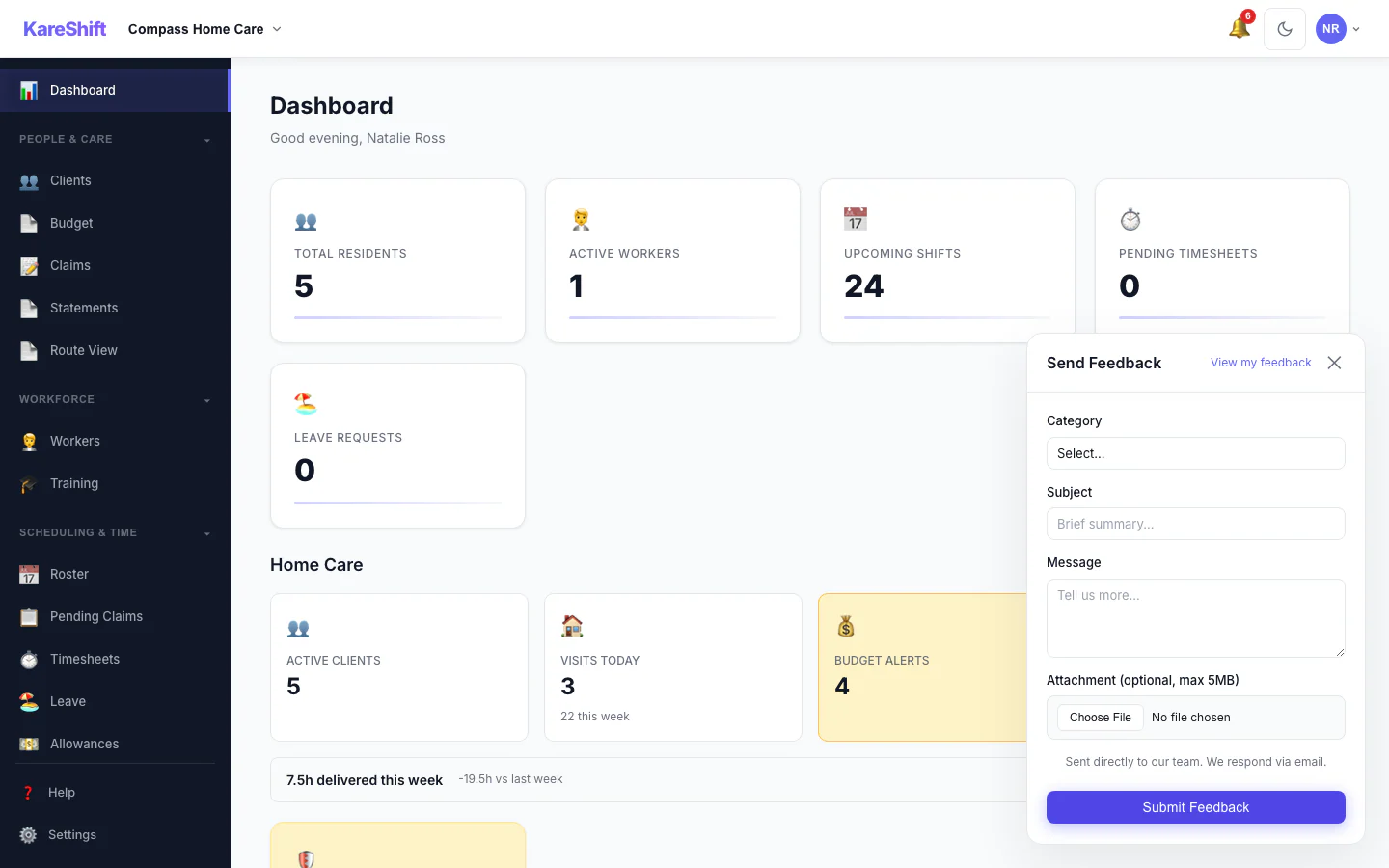
Quick Feedback
Submit feedback from any page with our floating widget.
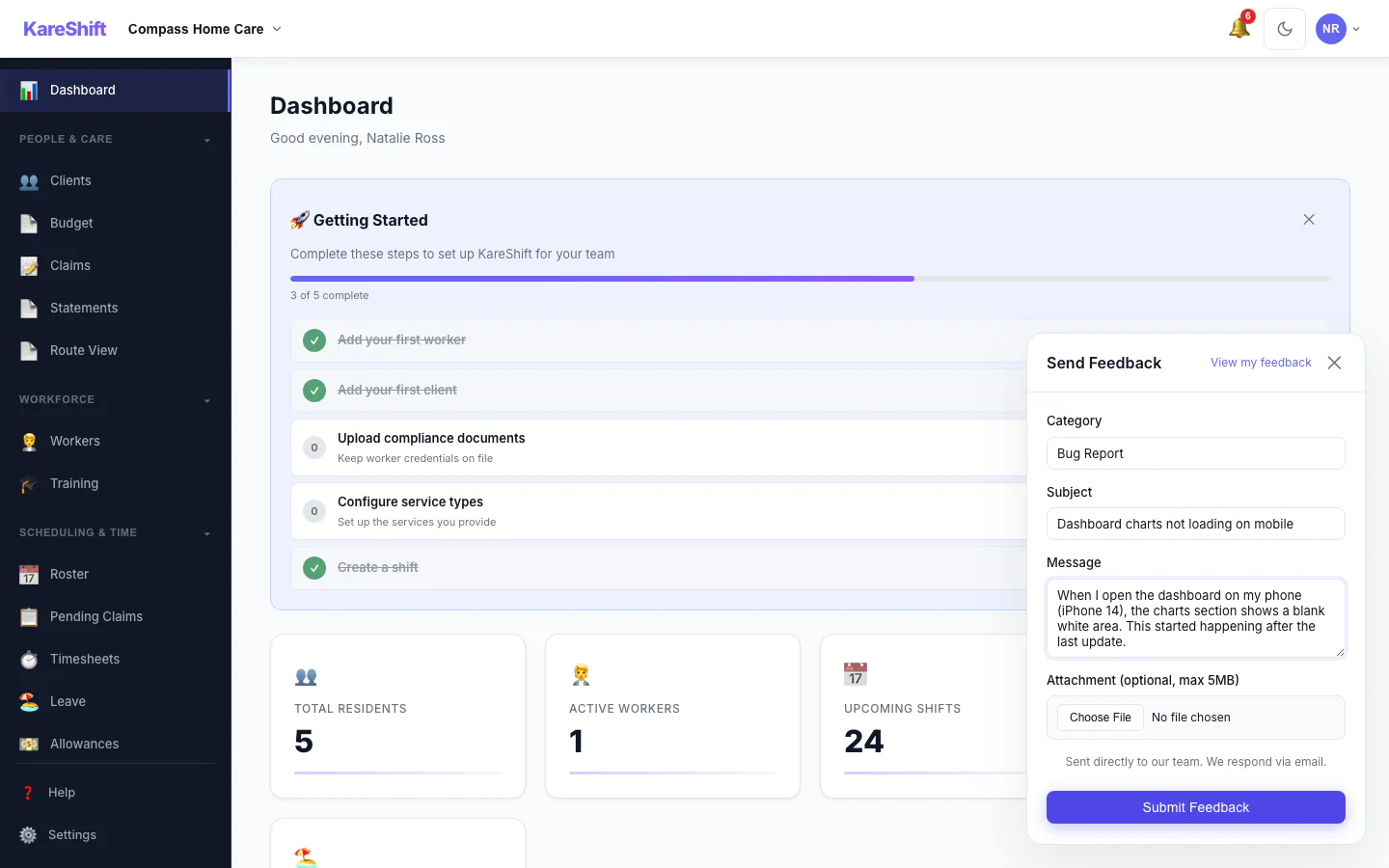
Feedback Widget (Filled)
Submit bugs, feature requests, or questions. Get replies in-app and via email.
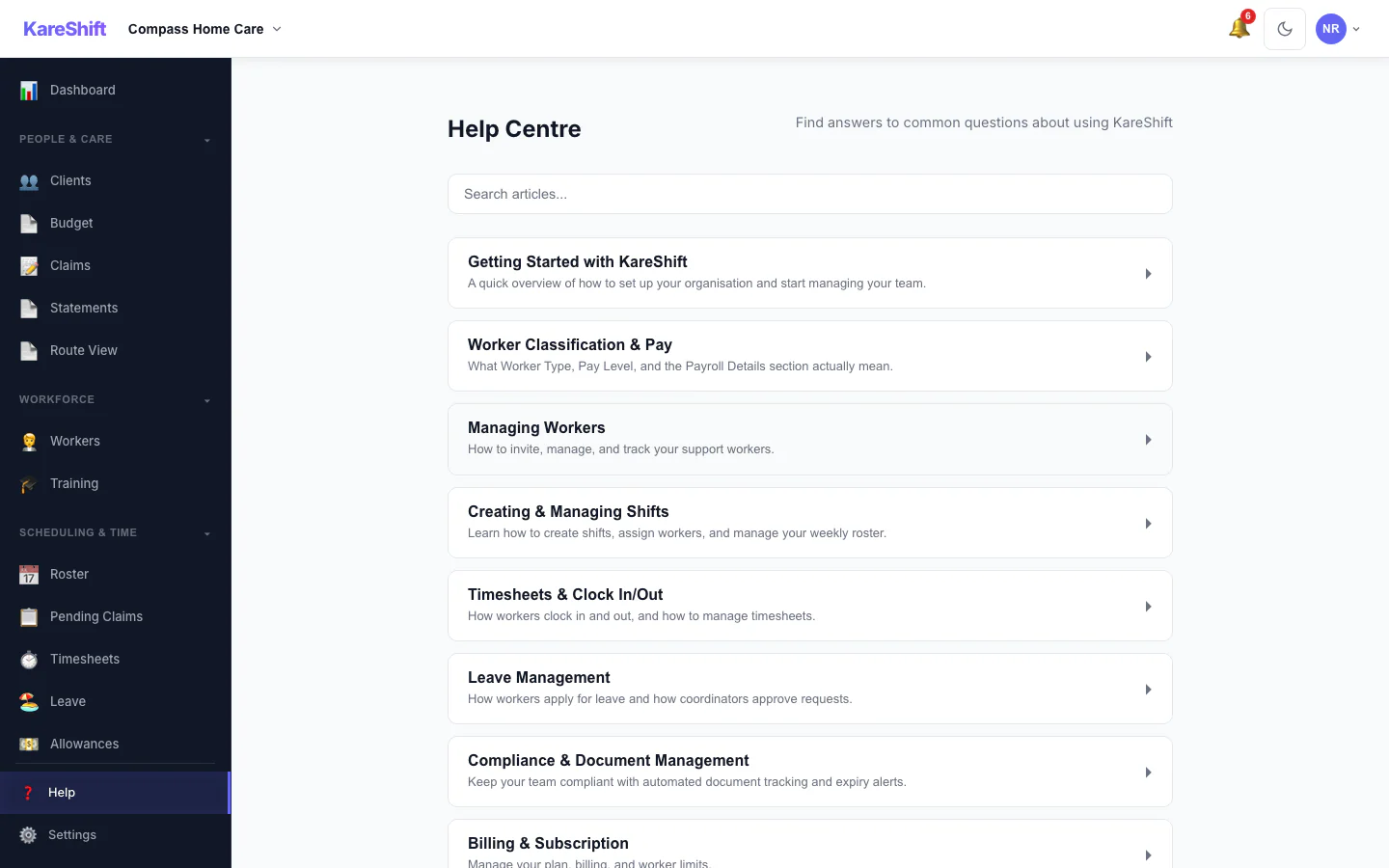
Help Centre
Searchable help articles built into the app.
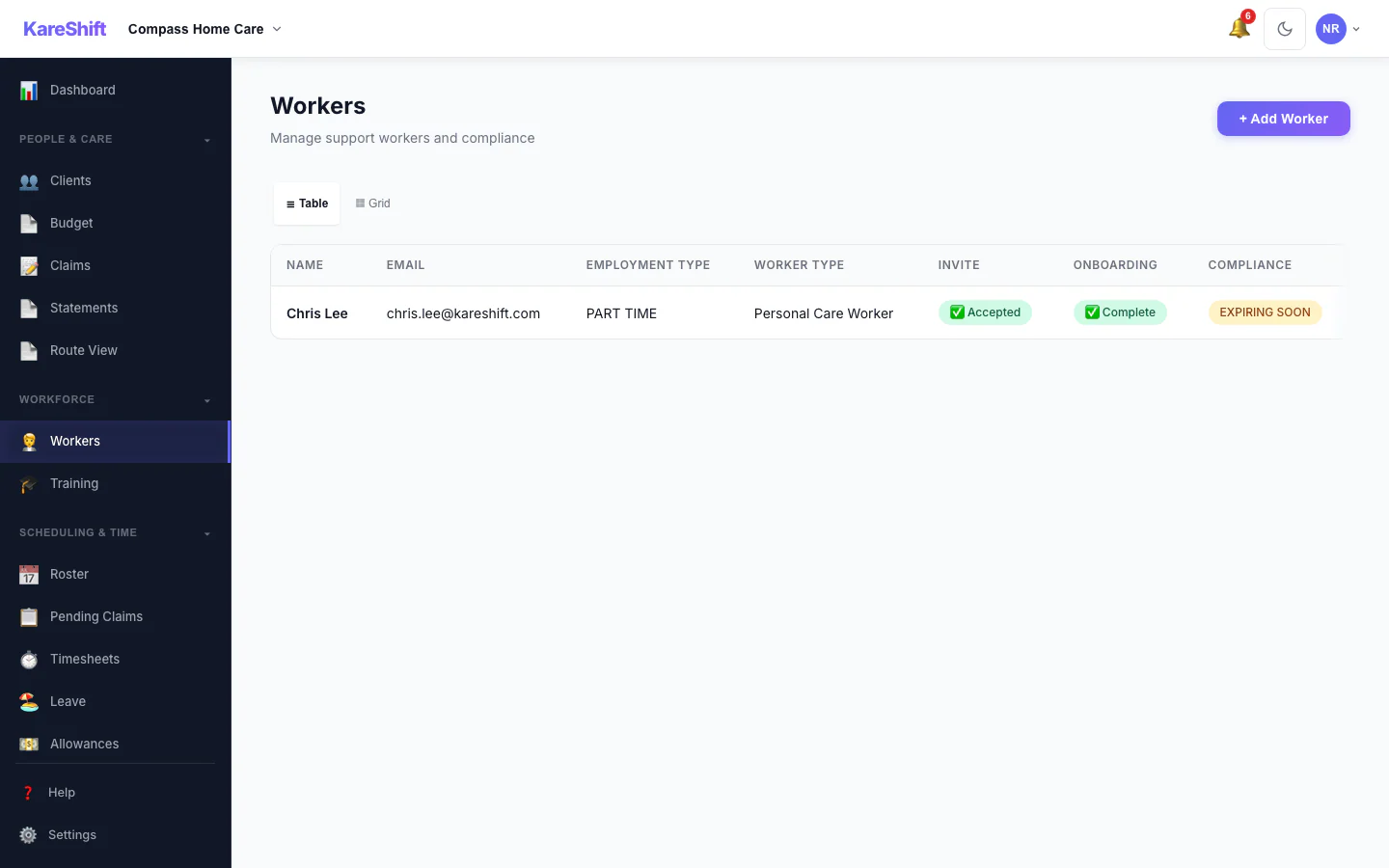
Workers
Full team — compliance status, availability, hours this week.
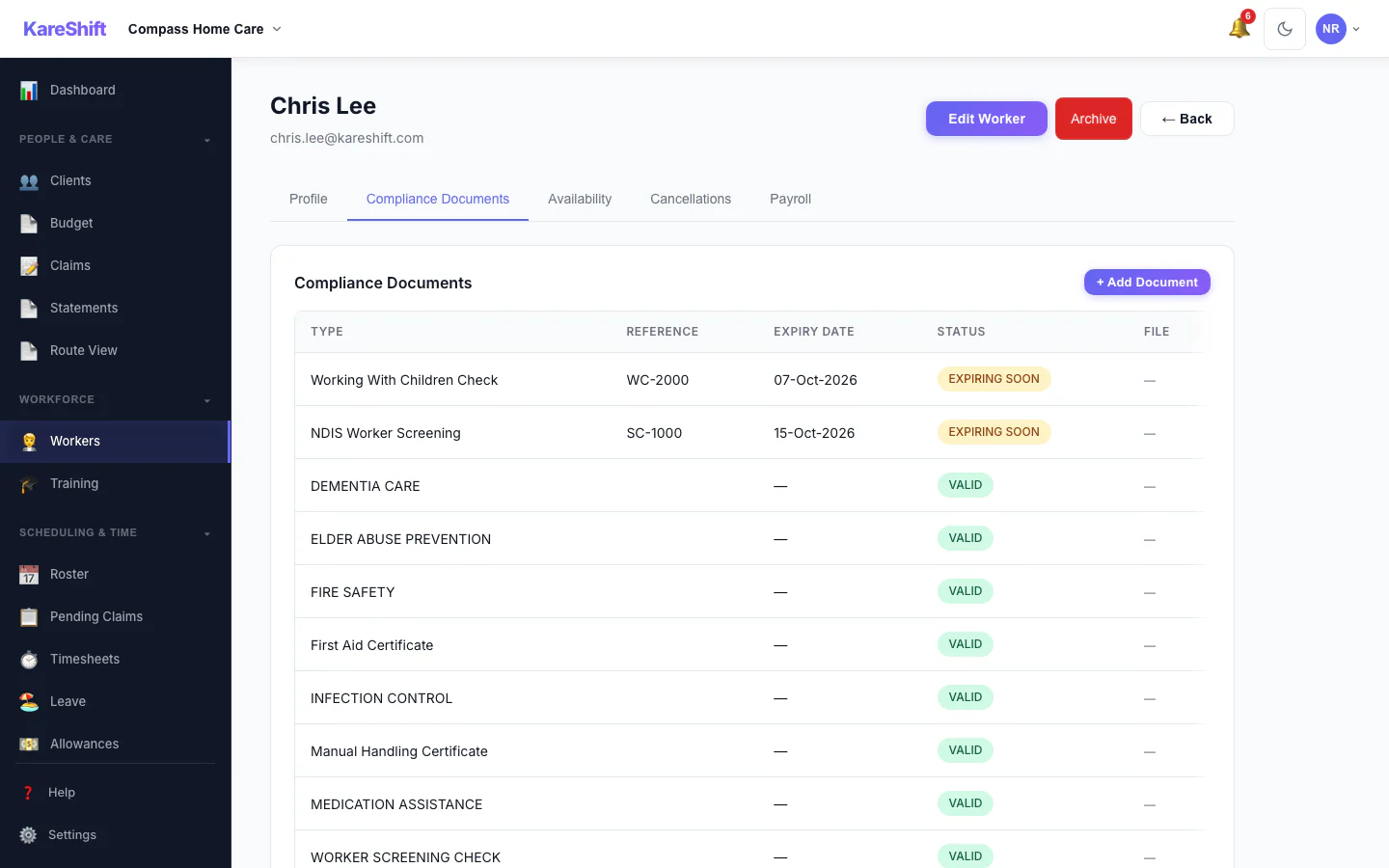
Worker Compliance
Per-worker document tracking — police checks, training, certifications.
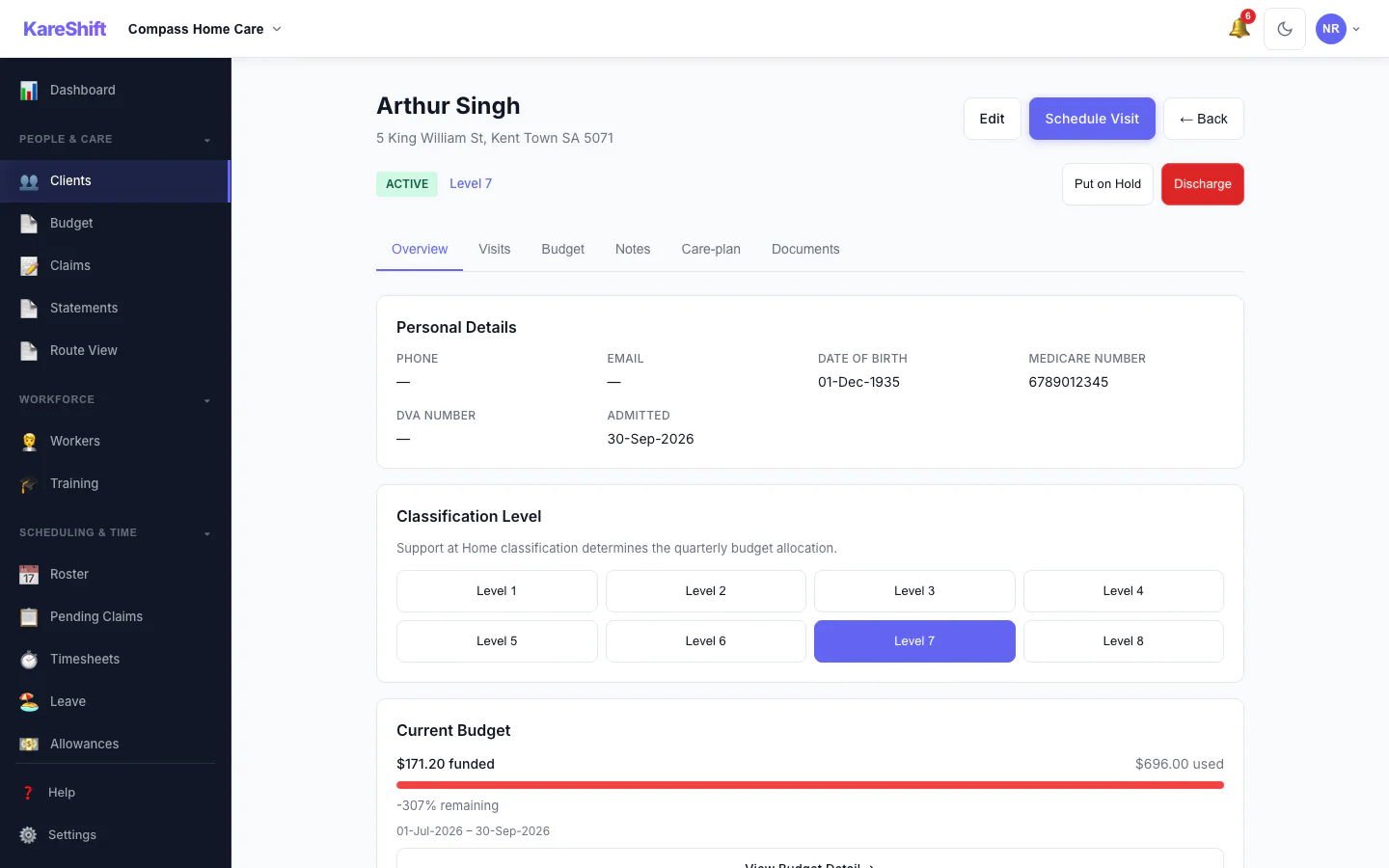
Client Detail
Full client profile — classification level, quarterly budget, visit history, NOK.
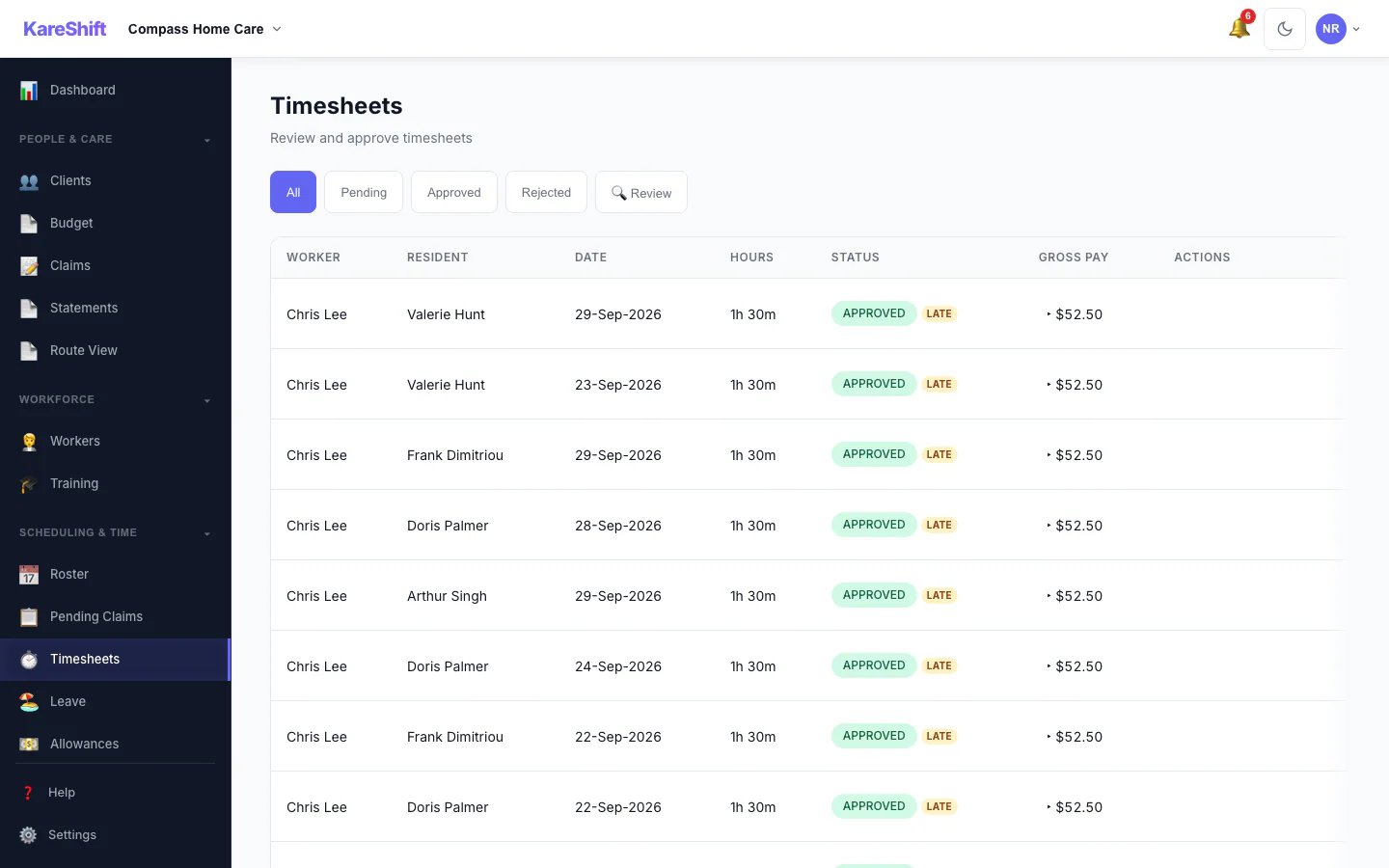
Timesheets
Auto-generated from clock-in/out. Approve and export to payroll.
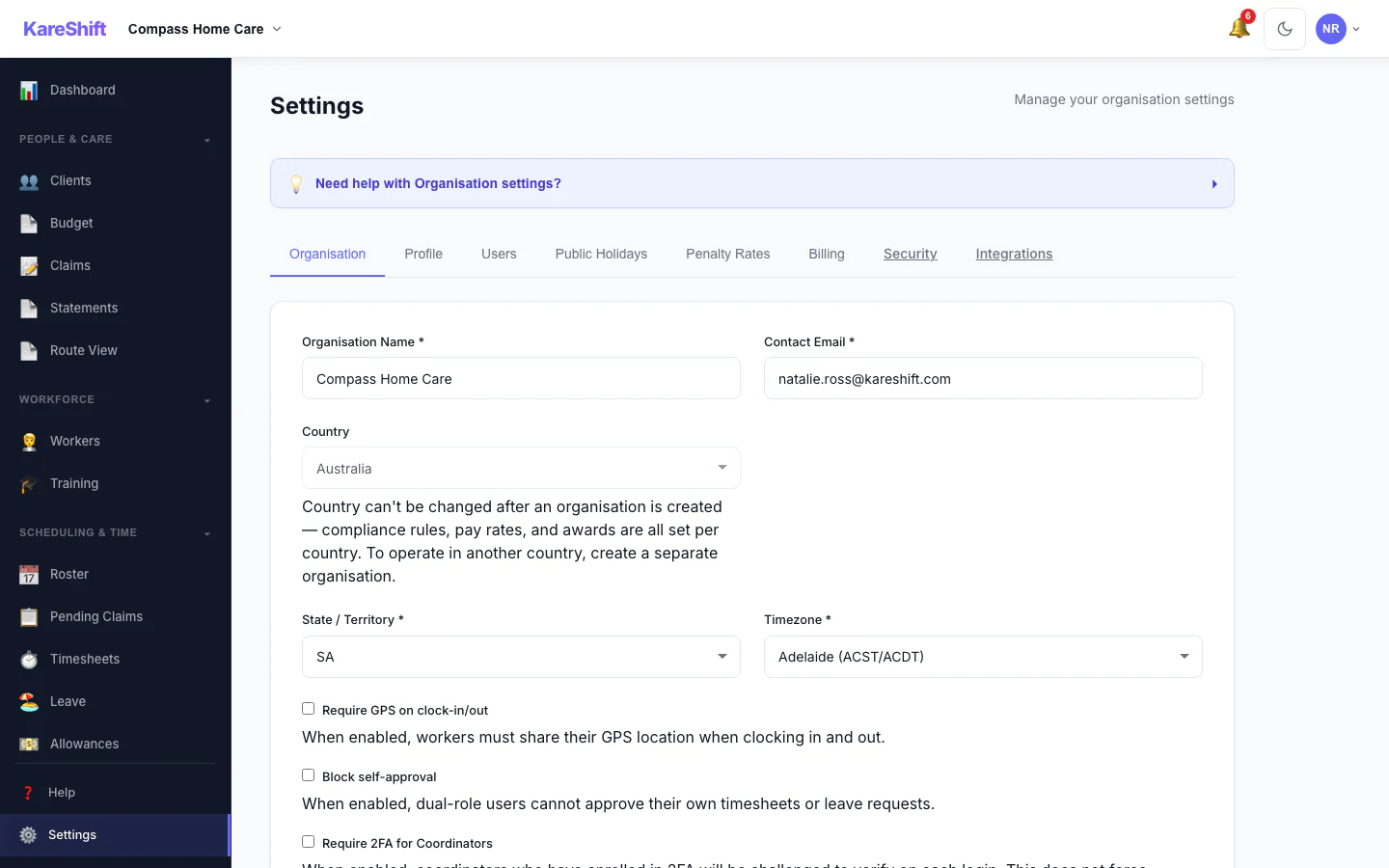
Settings
Organisation settings, billing, subscription, notification preferences.
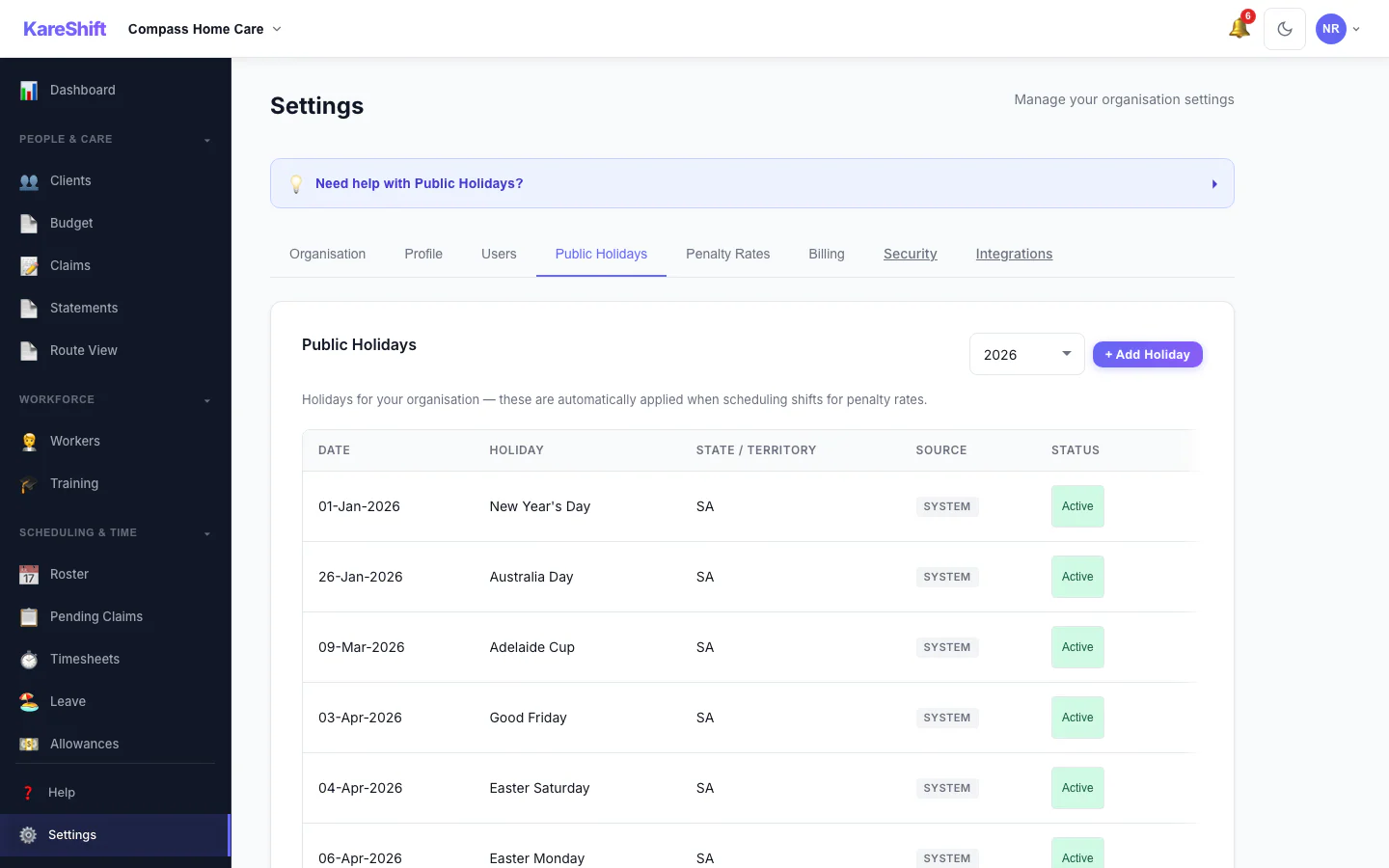
Public Holidays
System holidays pre-loaded. Add custom for penalty rate triggers.
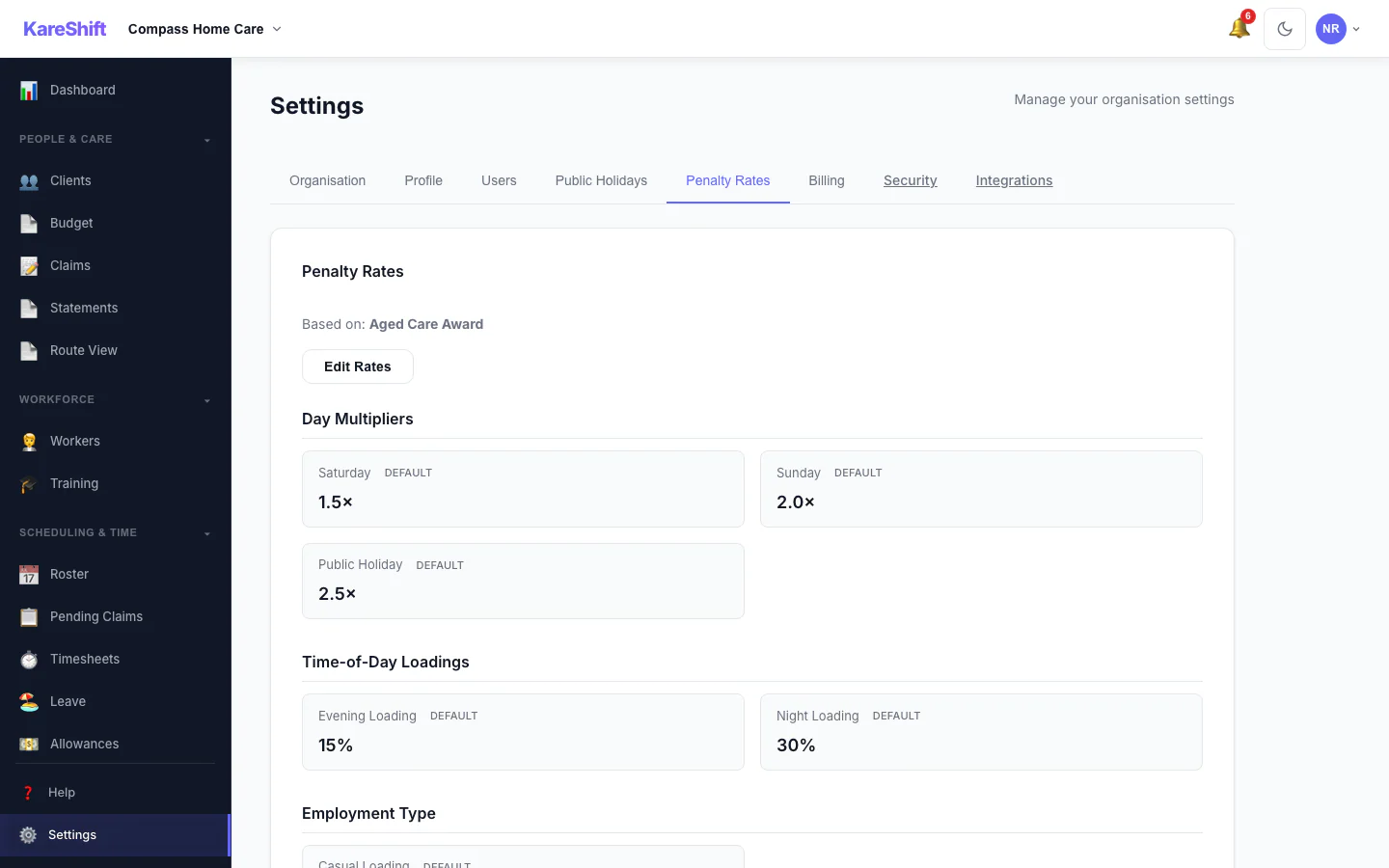
Penalty Rates
Configure penalty rate multipliers. Override defaults or use standard rates.
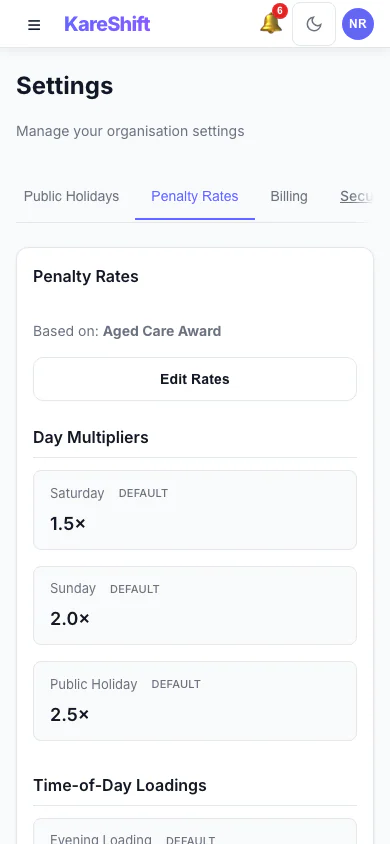
Penalty Rates (Mobile)
Rate config on mobile.
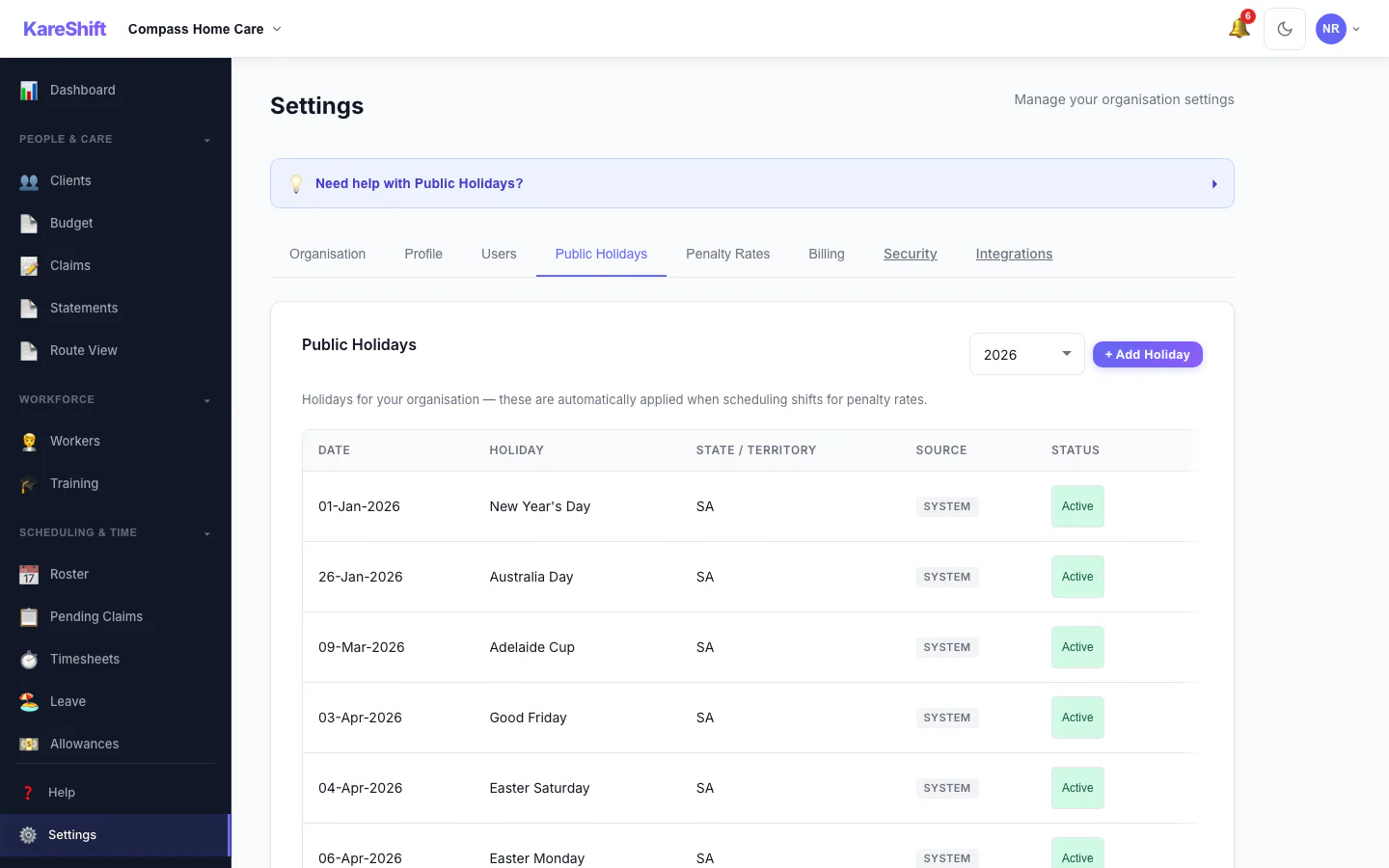
Holiday Exclusion
Toggle holidays Active or Excluded.
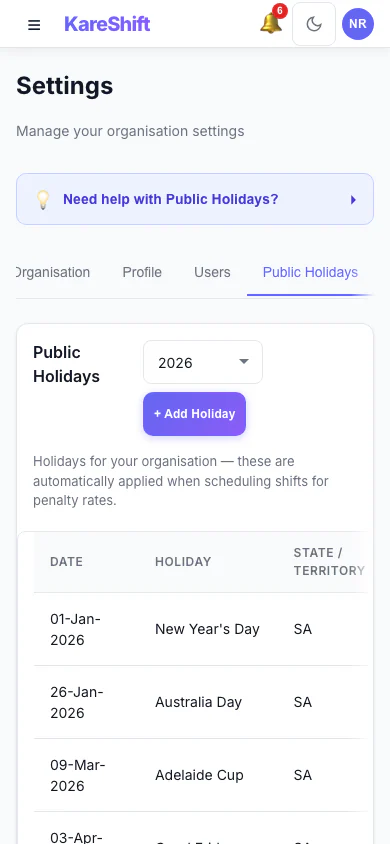
Holiday Exclusion (Mobile)
Toggle on mobile.
Client Detail
Full client profile — classification, budget, contacts, GP.
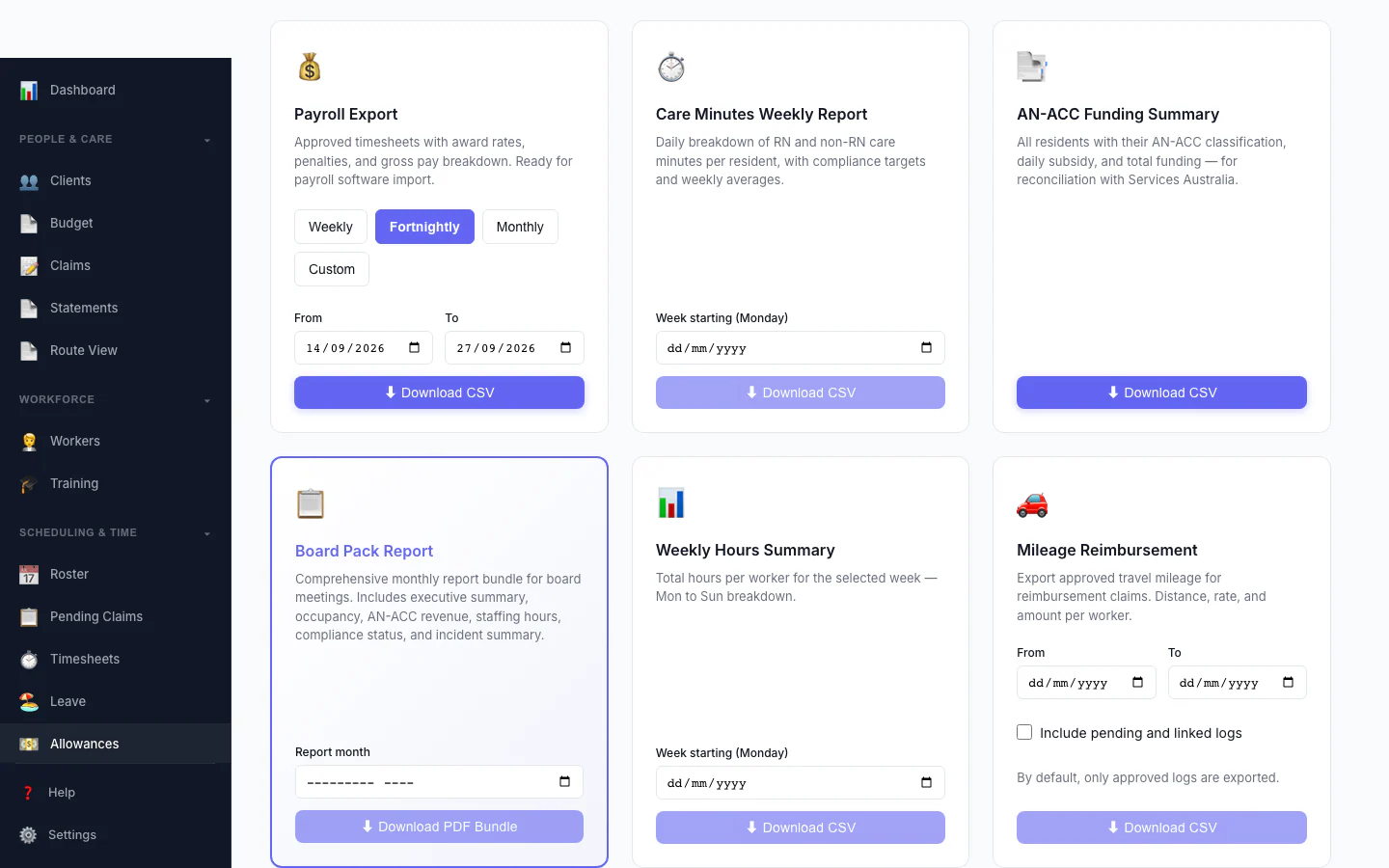
Board Pack Report
One monthly report bundle for board meetings: executive summary, occupancy, AN-ACC revenue, staffing hours, compliance status and incident summary.
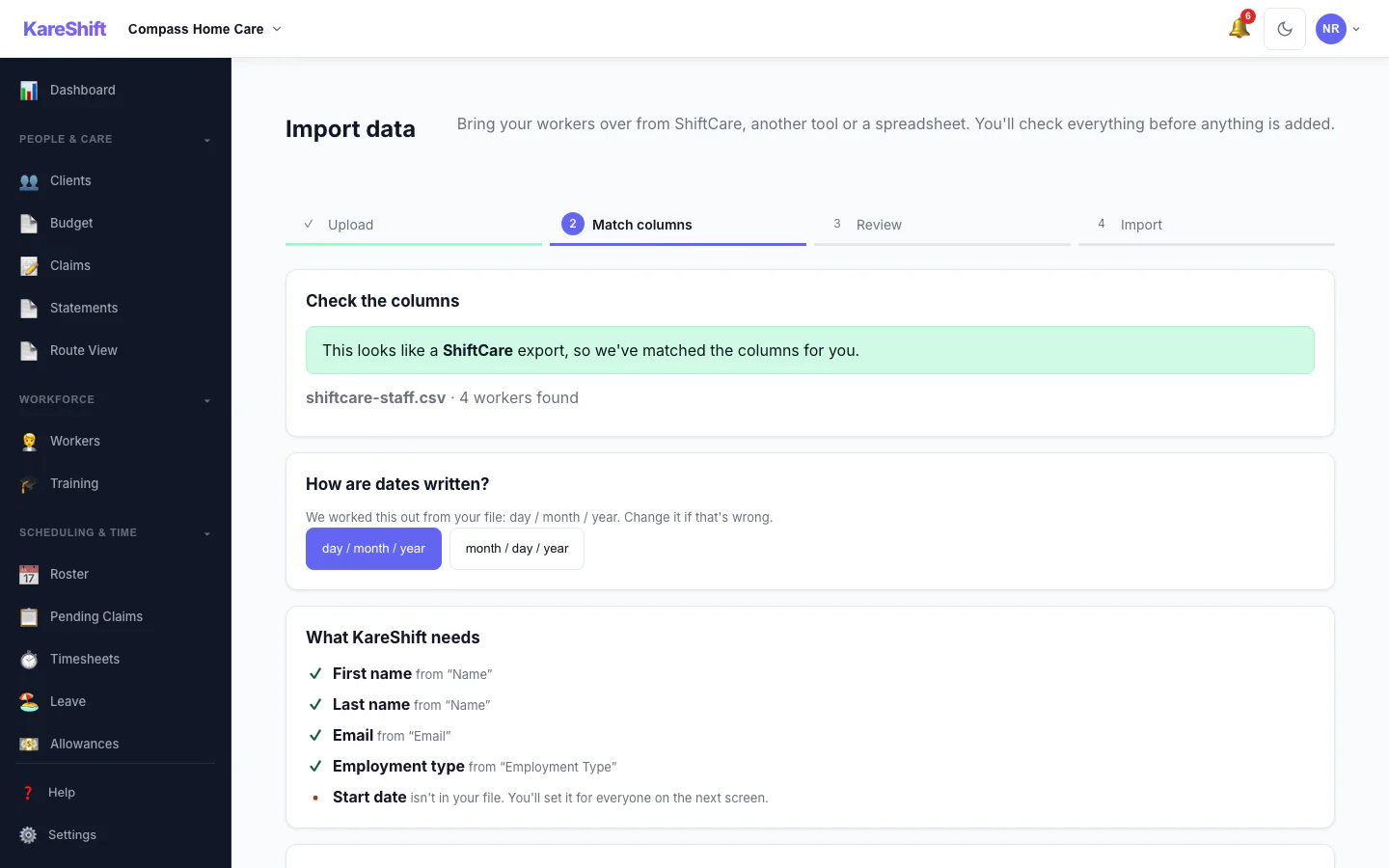
Import — Match Columns
A ShiftCare export is recognised and its columns are matched for you, with the date format detected.
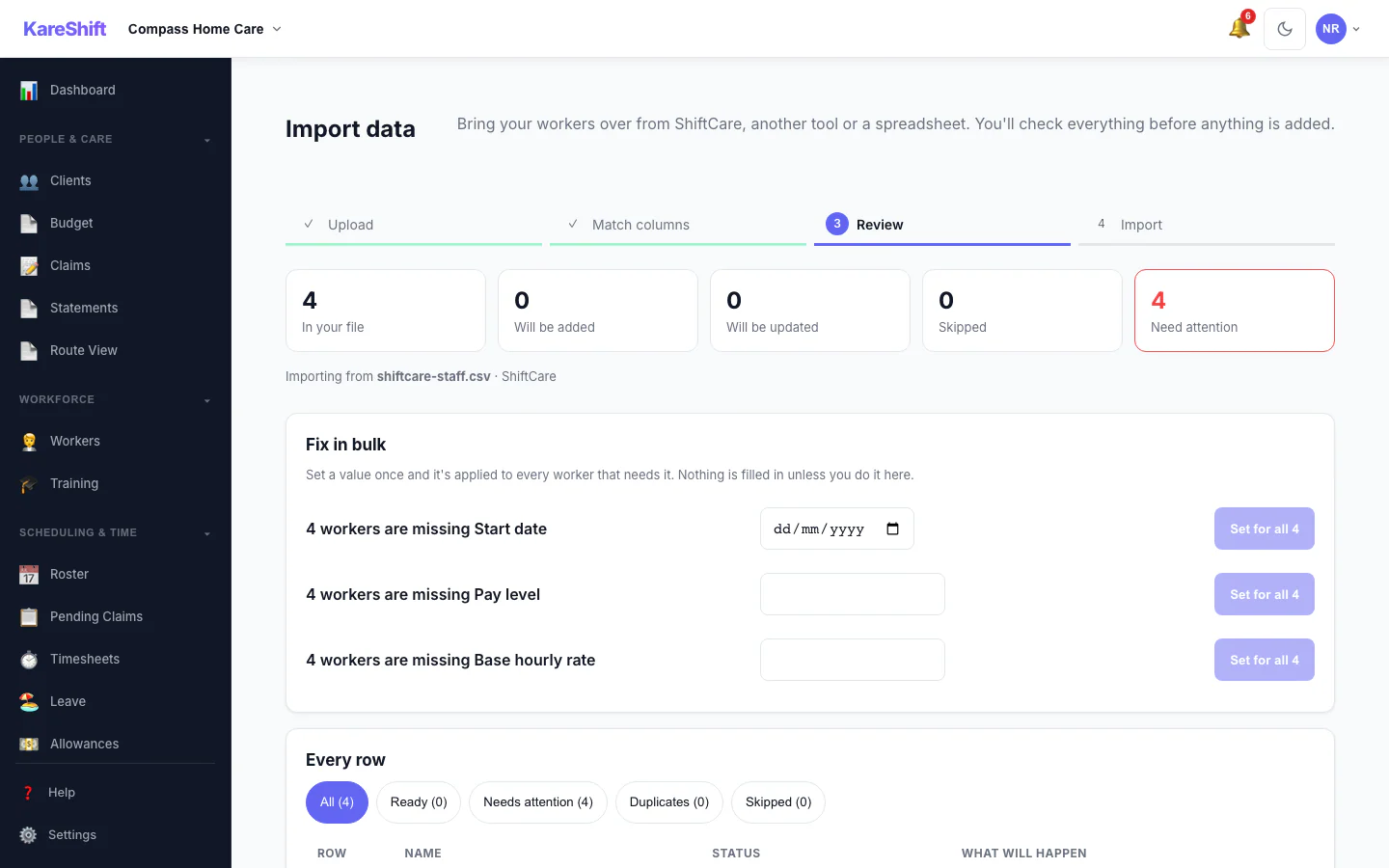
Import — Review & Bulk Fix
See what will be added, updated or skipped, and set a missing value once for everyone before anything is saved.
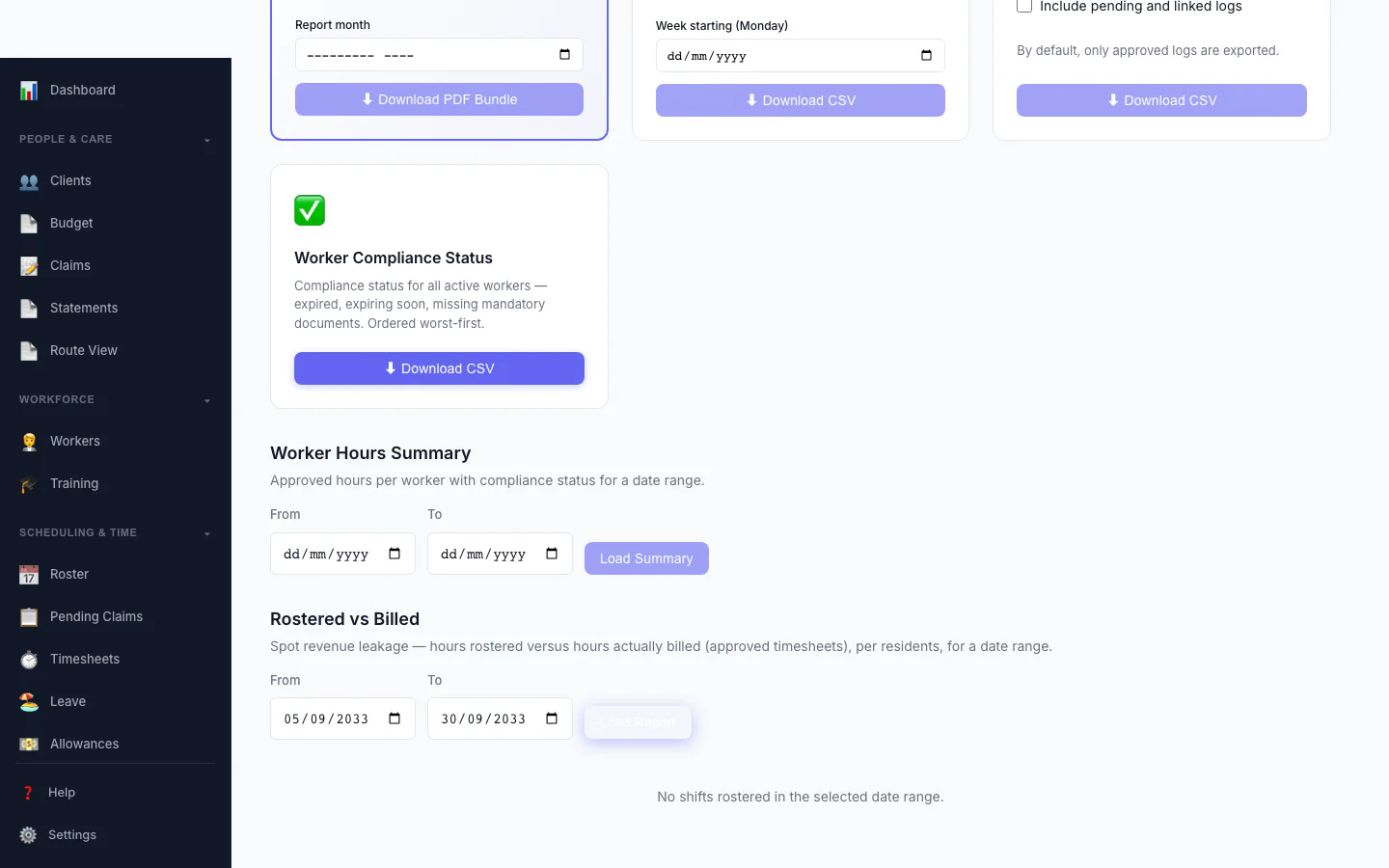
Rostered vs Billed
Spot revenue leakage at a glance — rostered hours versus hours actually billed, per participant, with the shortfall highlighted.
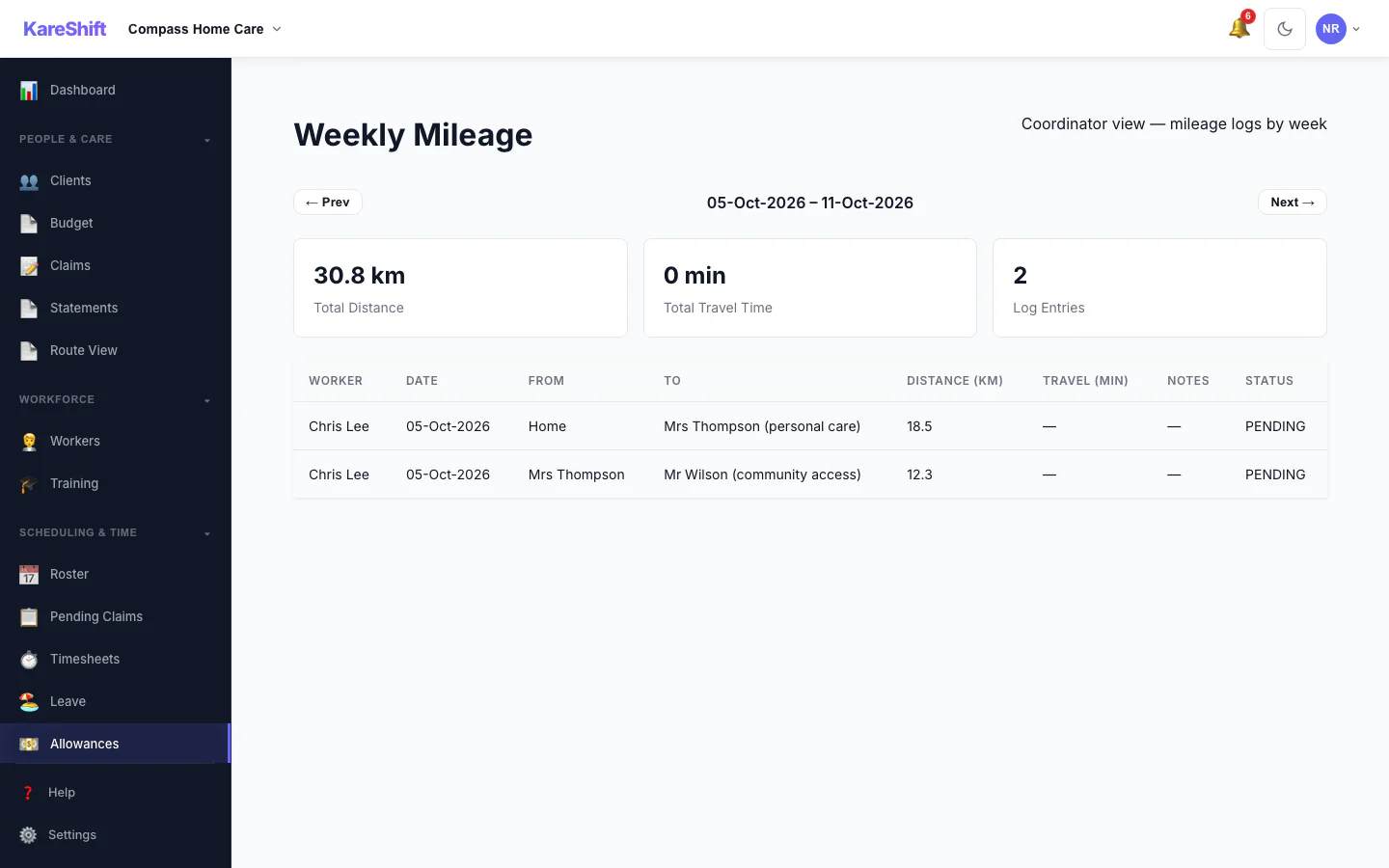
Weekly Mileage
A coordinator's week of mileage logs: total distance, entries, status per worker.
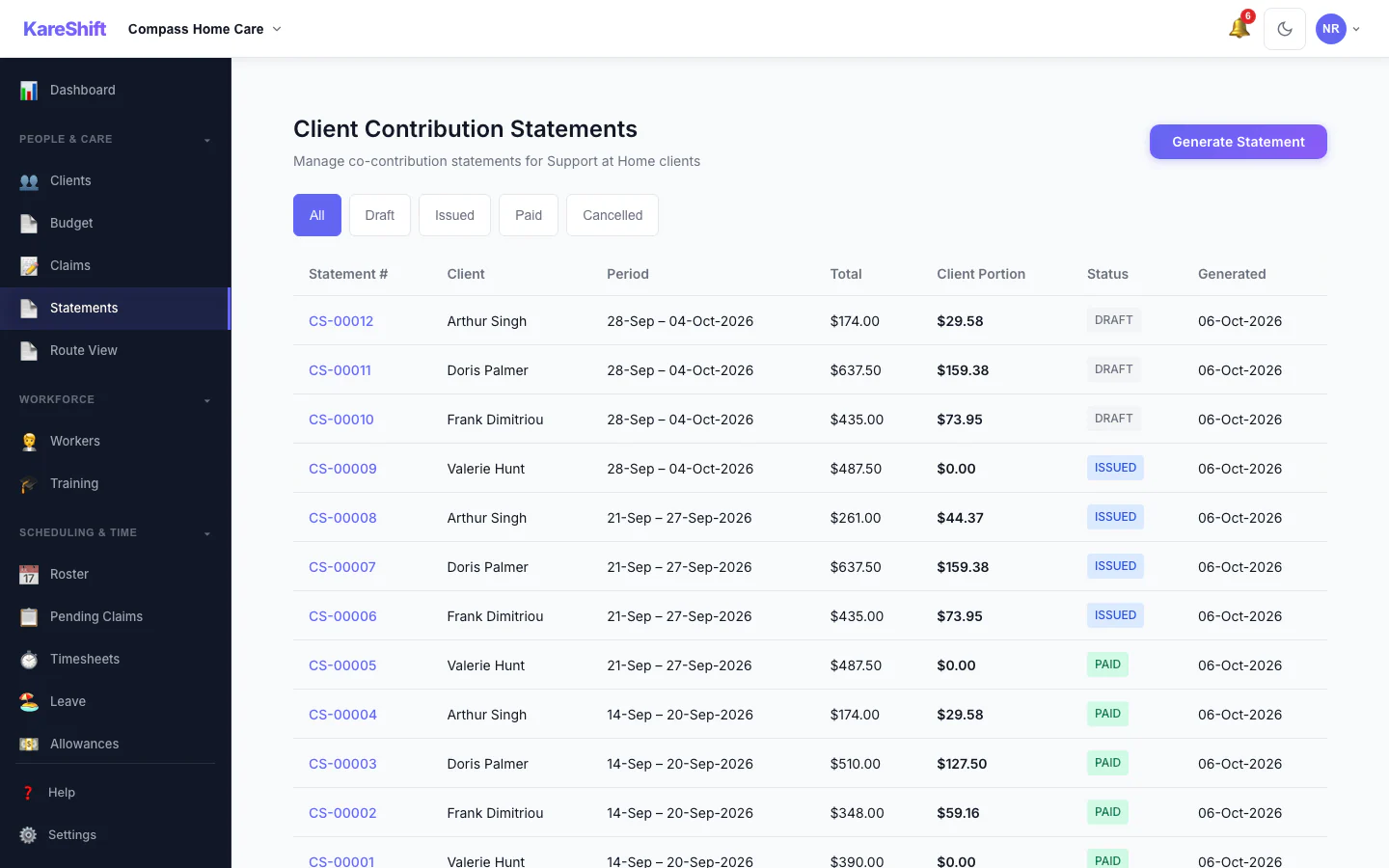
Client Contribution Statements
Statements for Support at Home clients: period, total, client portion and status.
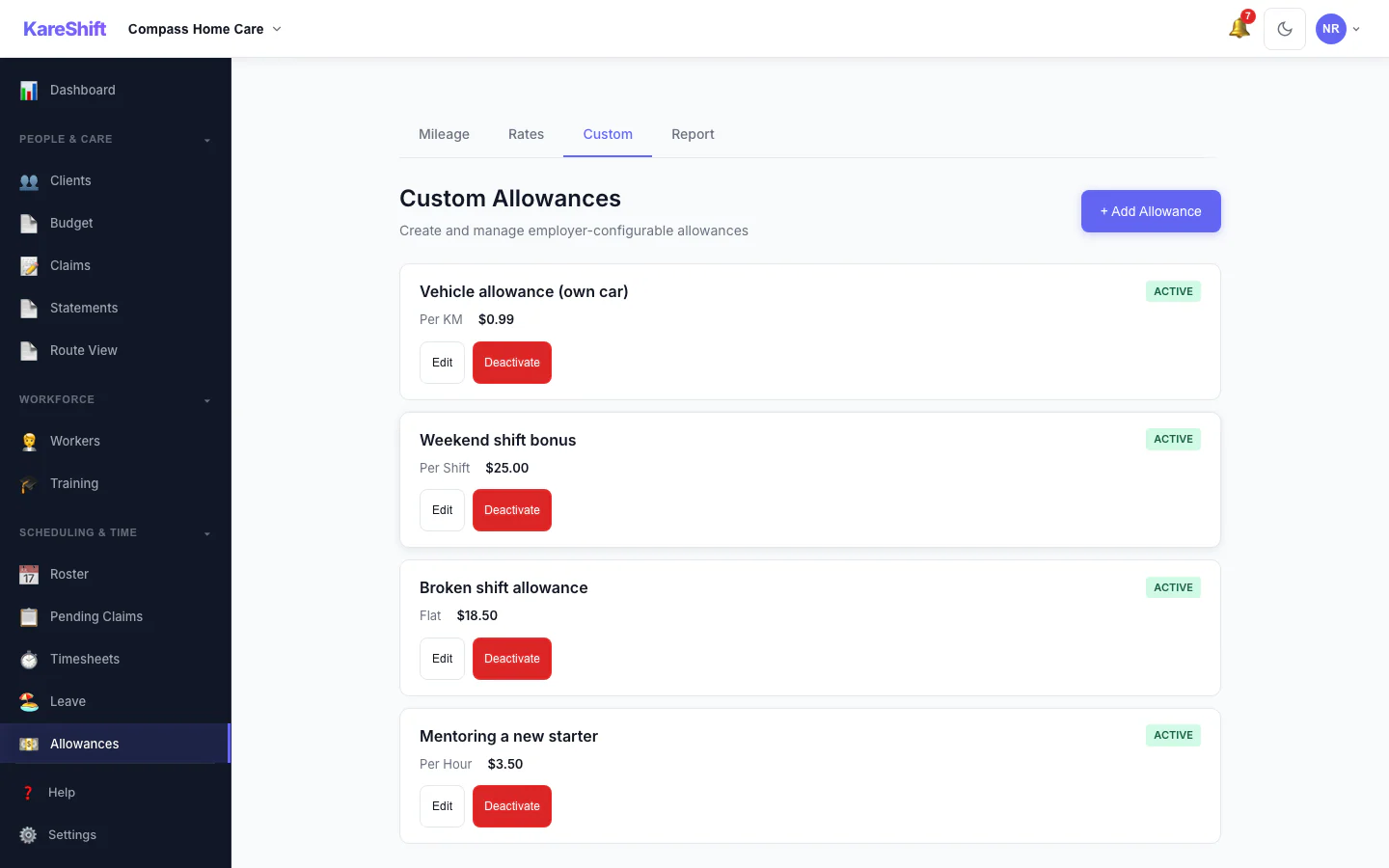
Custom Allowances
Create your own allowances beyond the standard ones, each with its own rate.
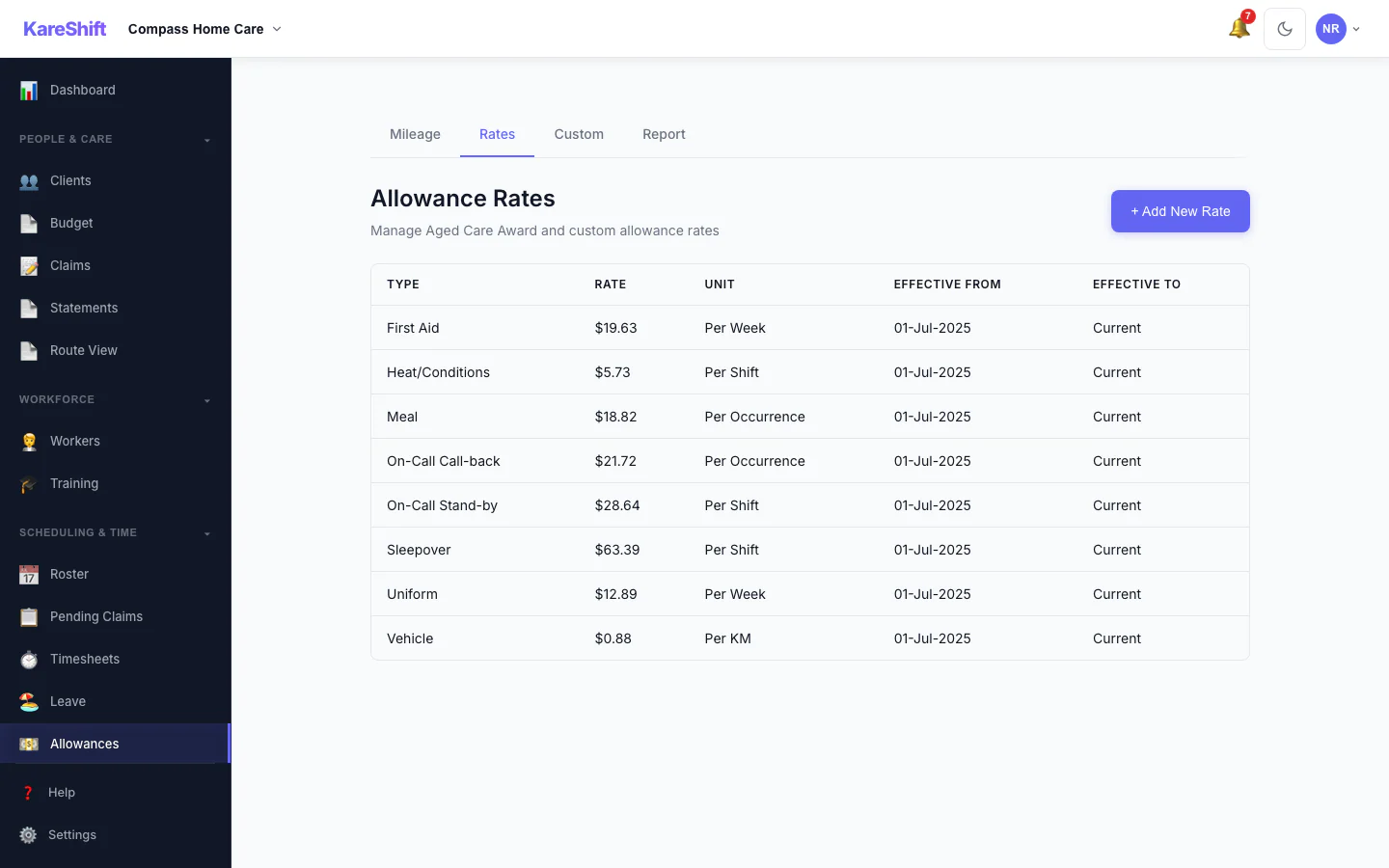
Allowance Rates
The rates used for each allowance, in one table.
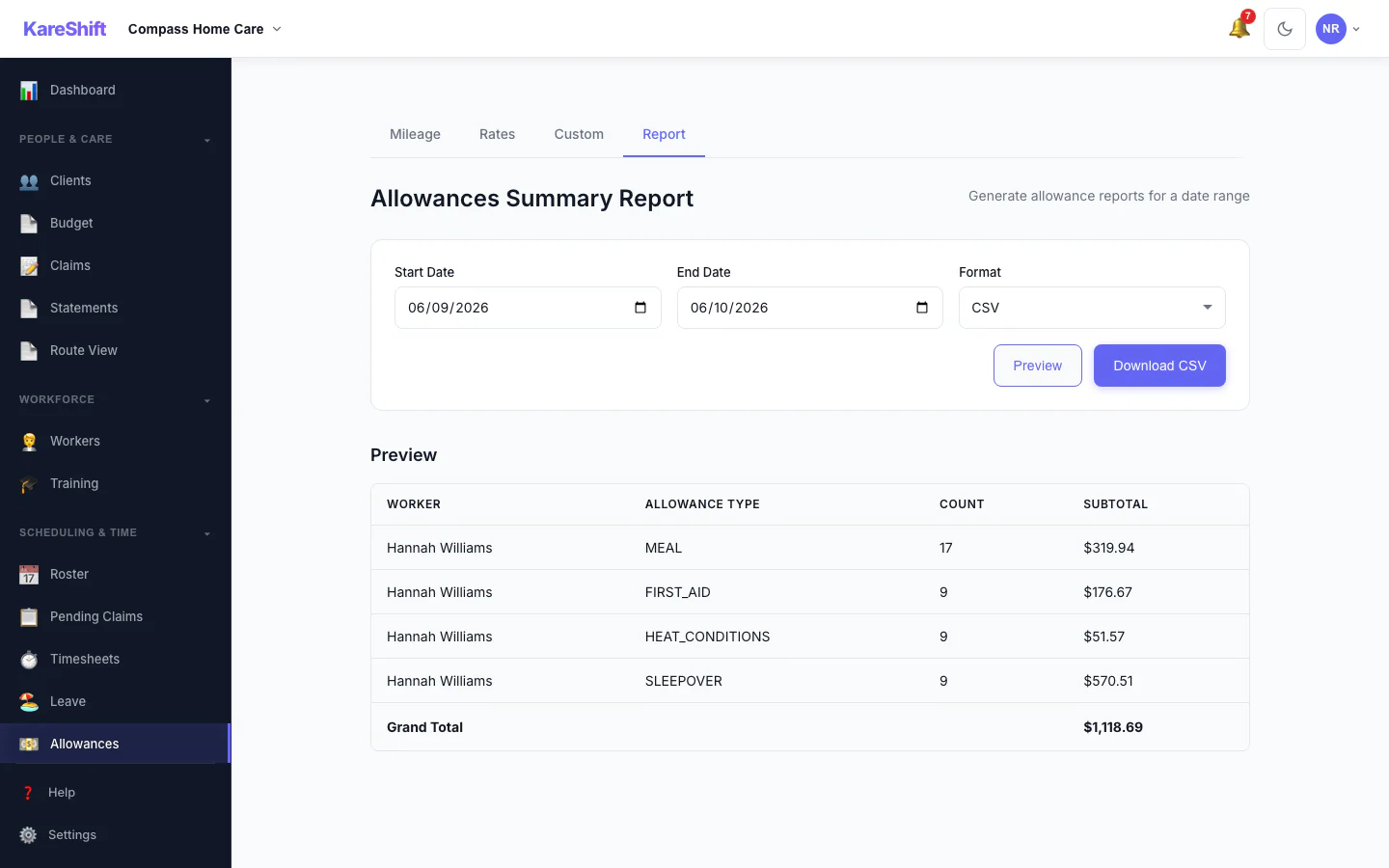
Allowances Report
Preview and export what was paid in allowances over a period, with a grand total.
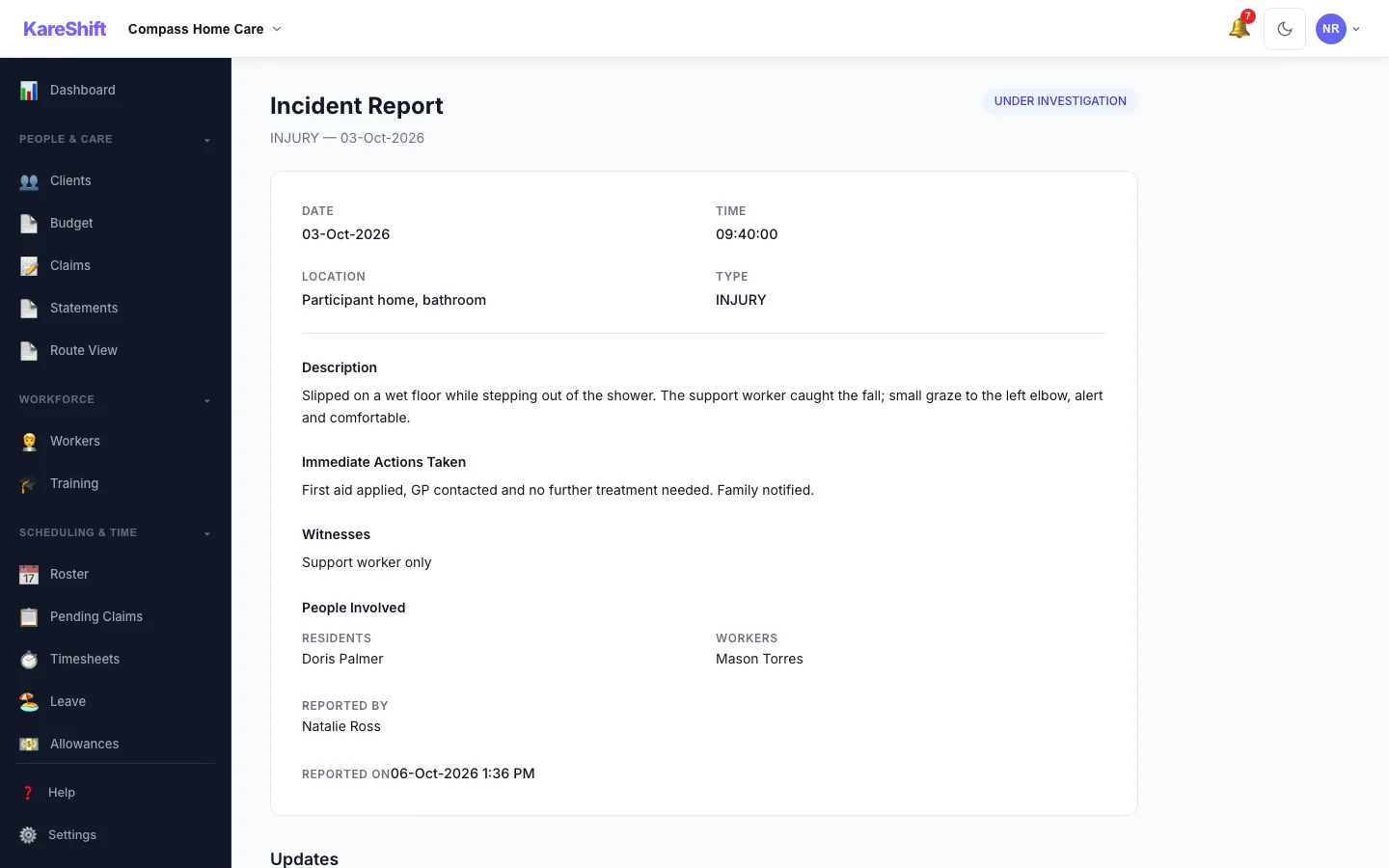
Incident Detail
An incident with its status, details and the update trail of who did what.
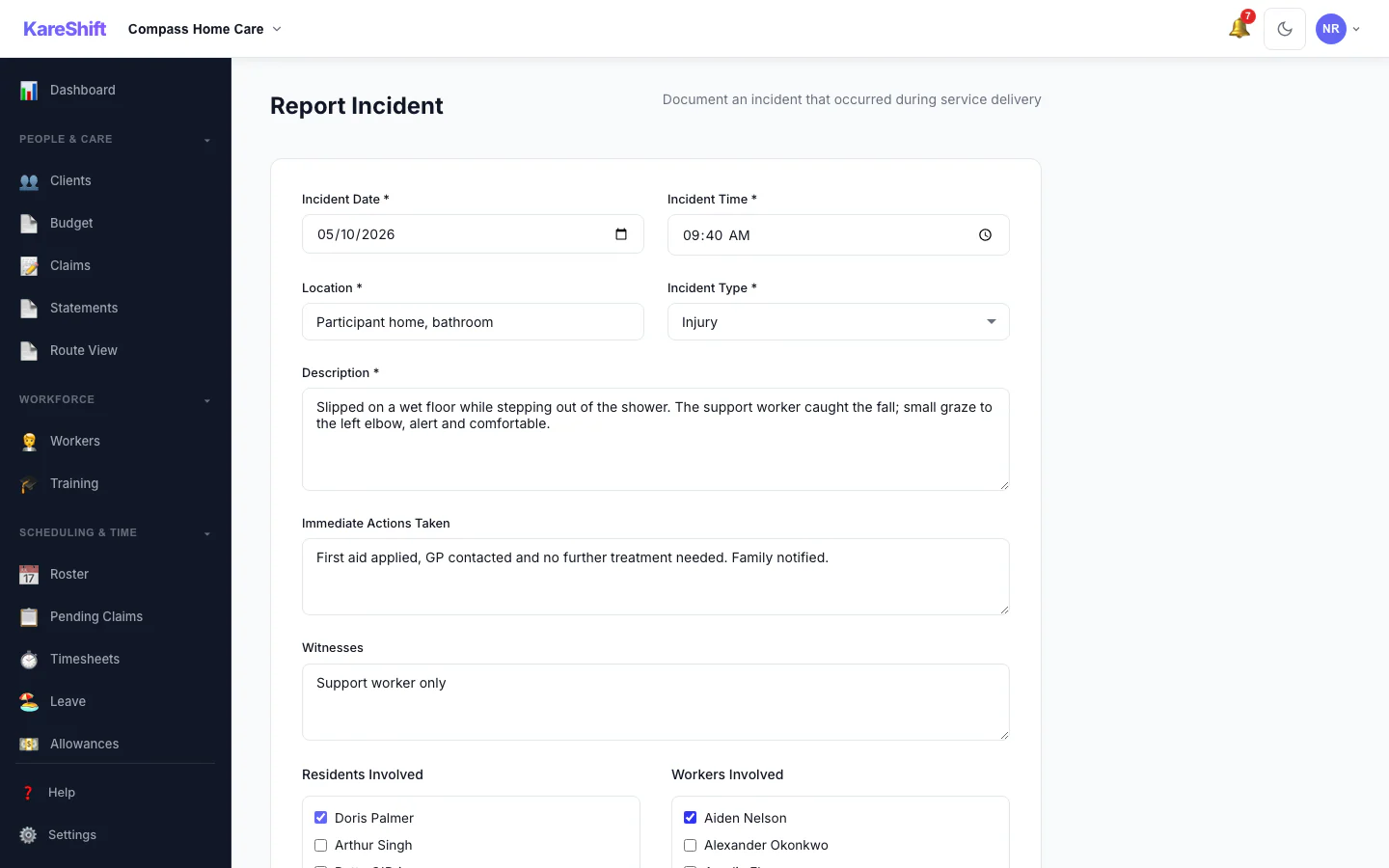
Report an Incident
Record what happened, who was involved and what was done straight away.
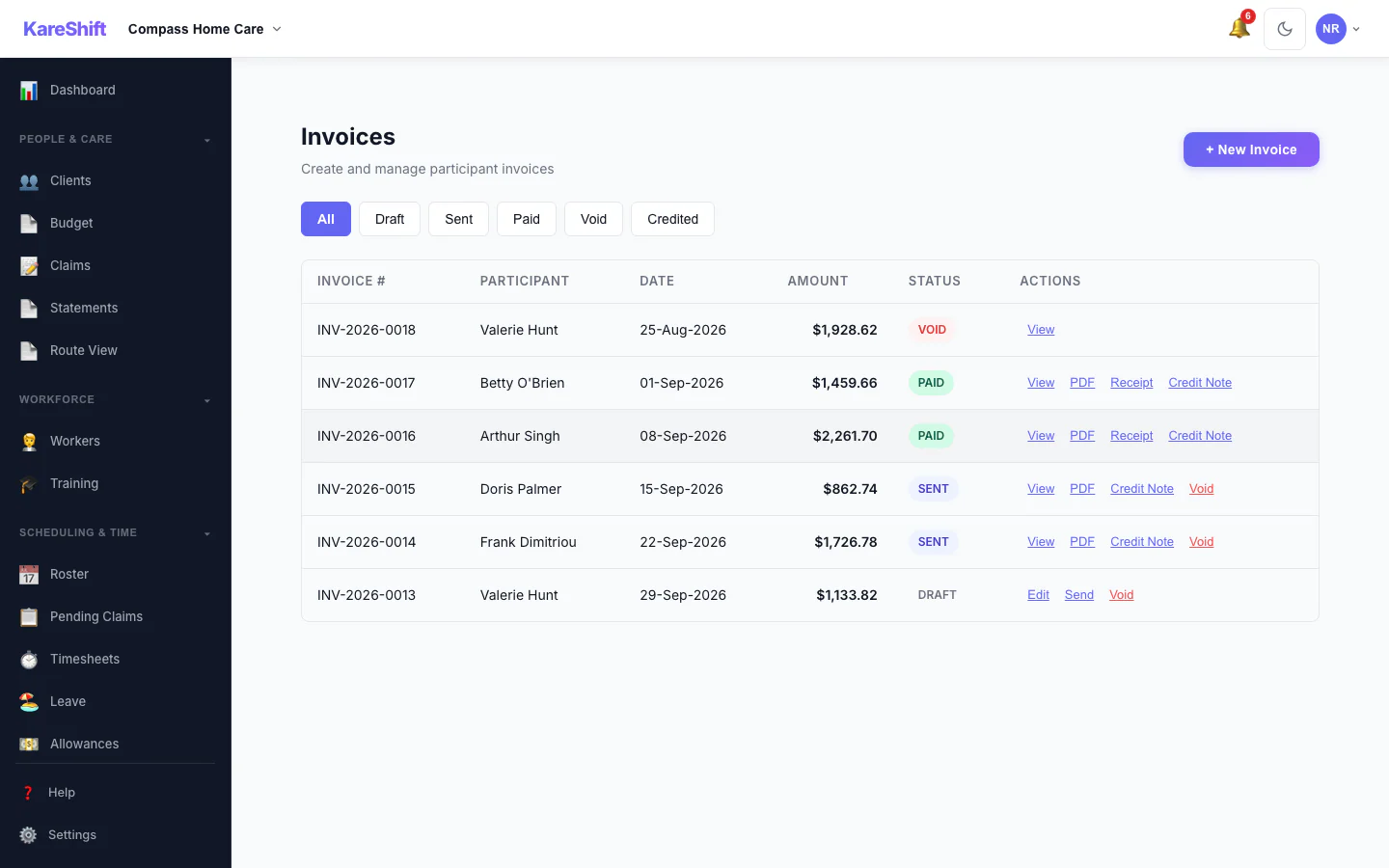
Invoices
Draft, sent, paid and voided invoices in one list, with PDF, receipt and credit note actions.
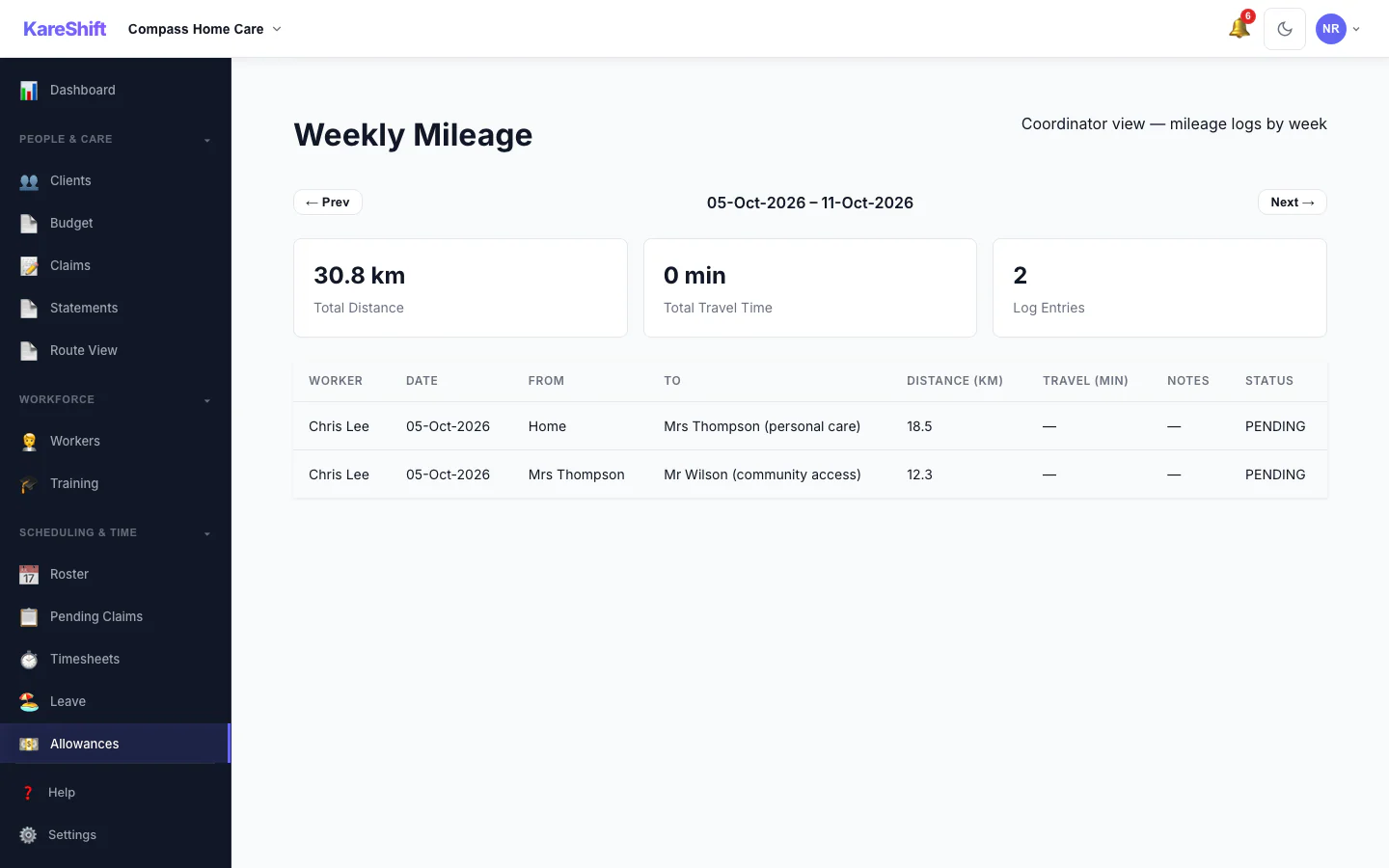
Weekly Mileage
A coordinator's week of mileage logs: total distance, entries, status per worker.
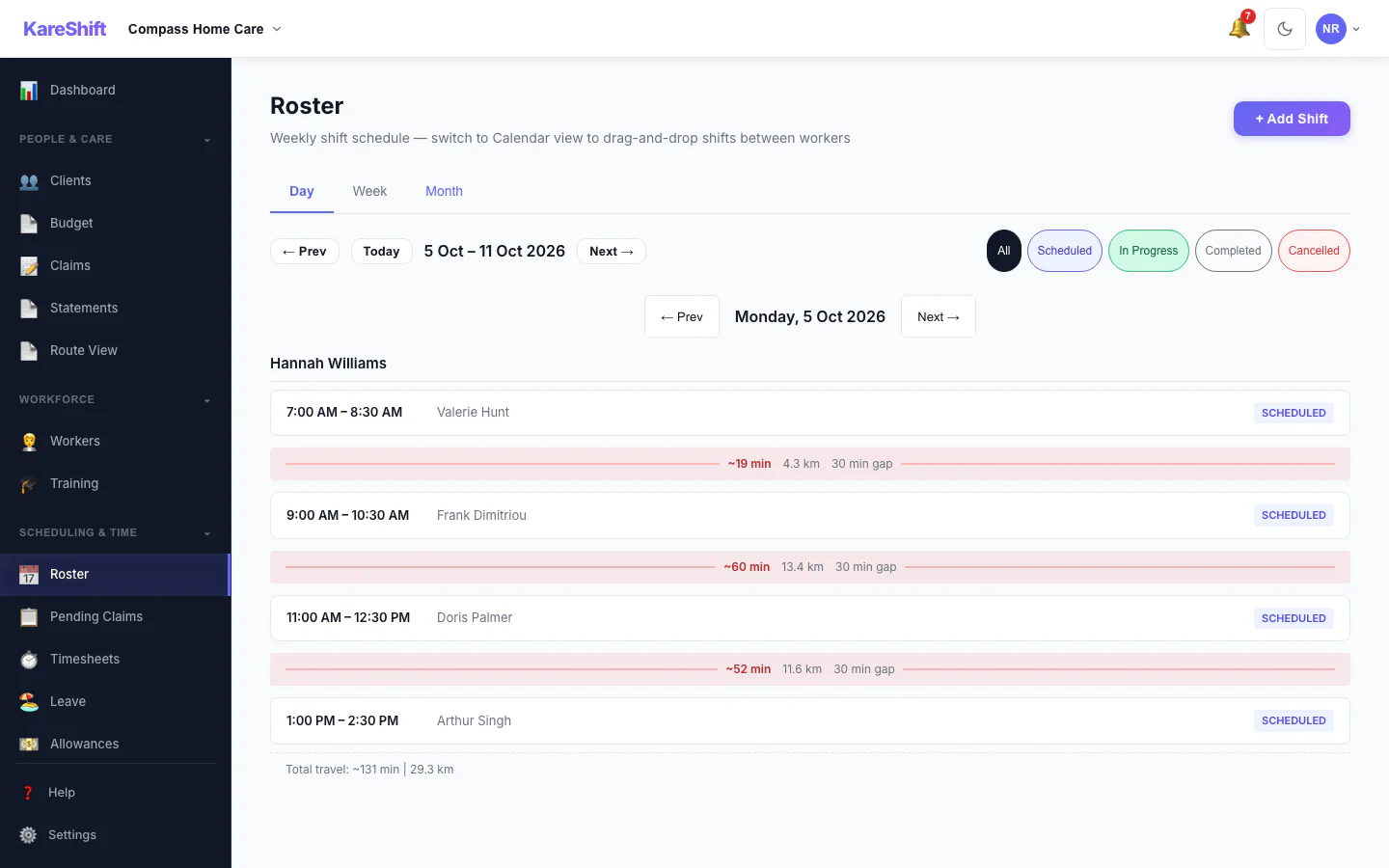
Roster — Day View
One day's shifts grouped by worker.
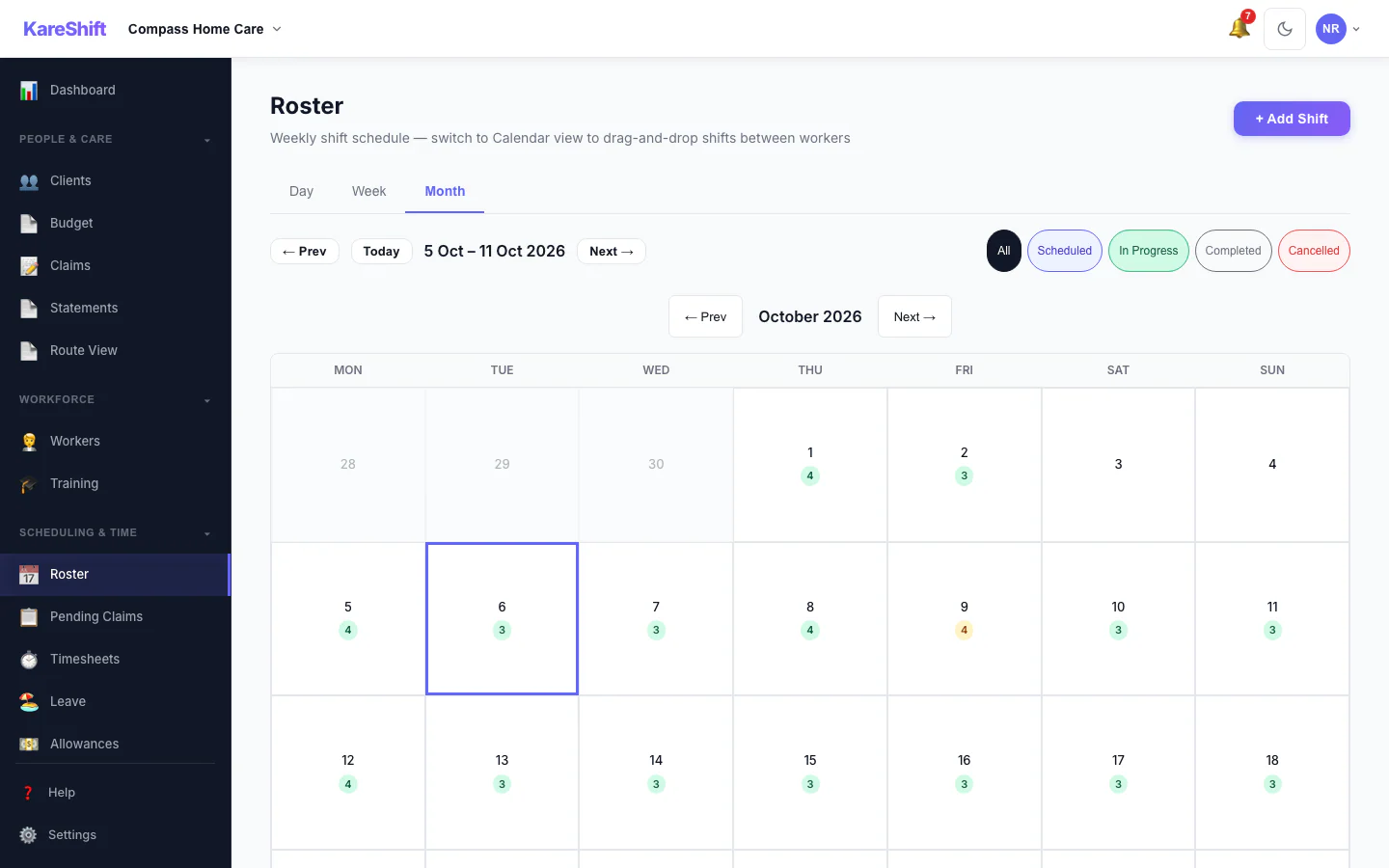
Roster — Month View
A month at a glance with shift counts for each day.
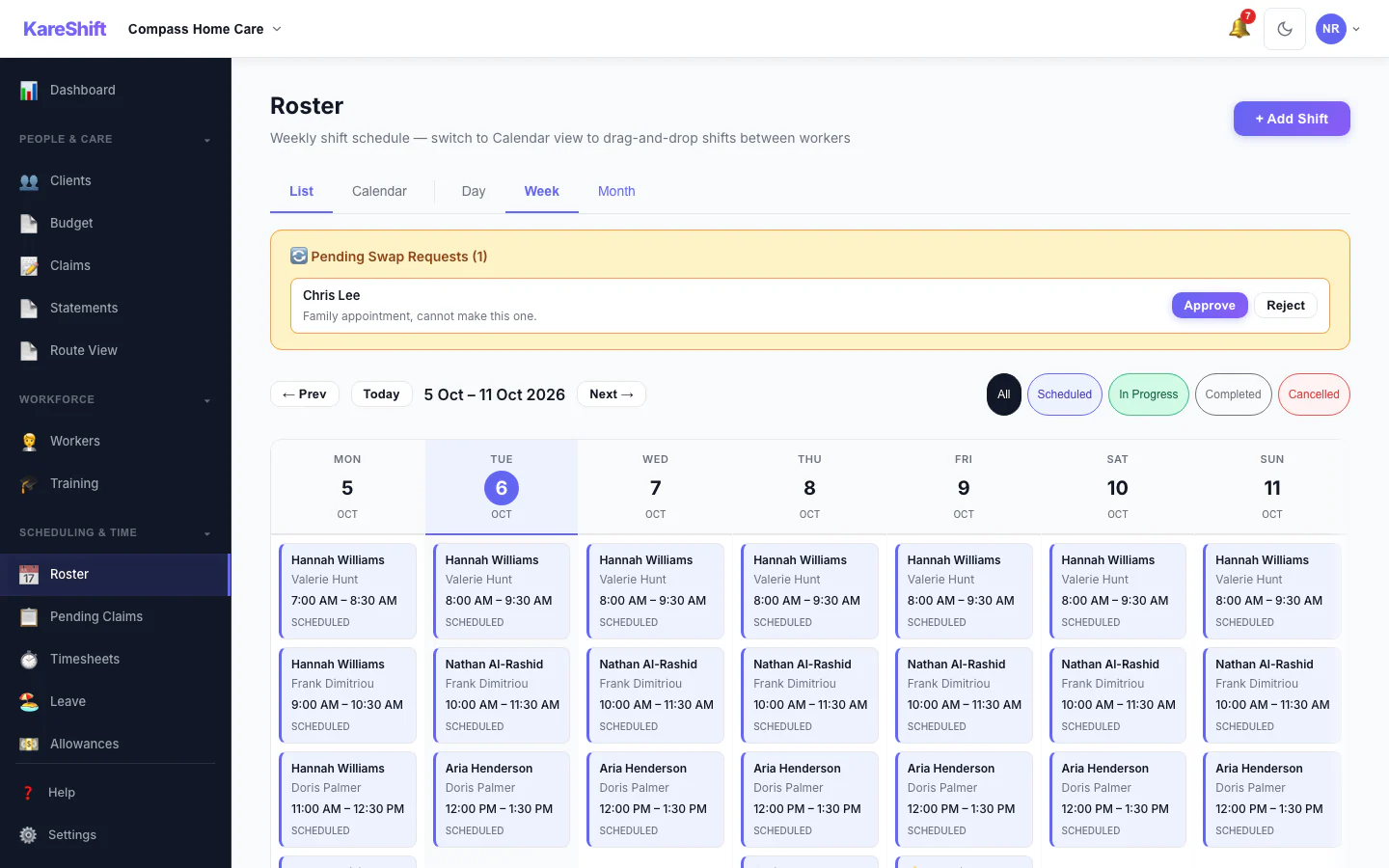
Shift Swap Requests
Pending swap requests with approve and reject.
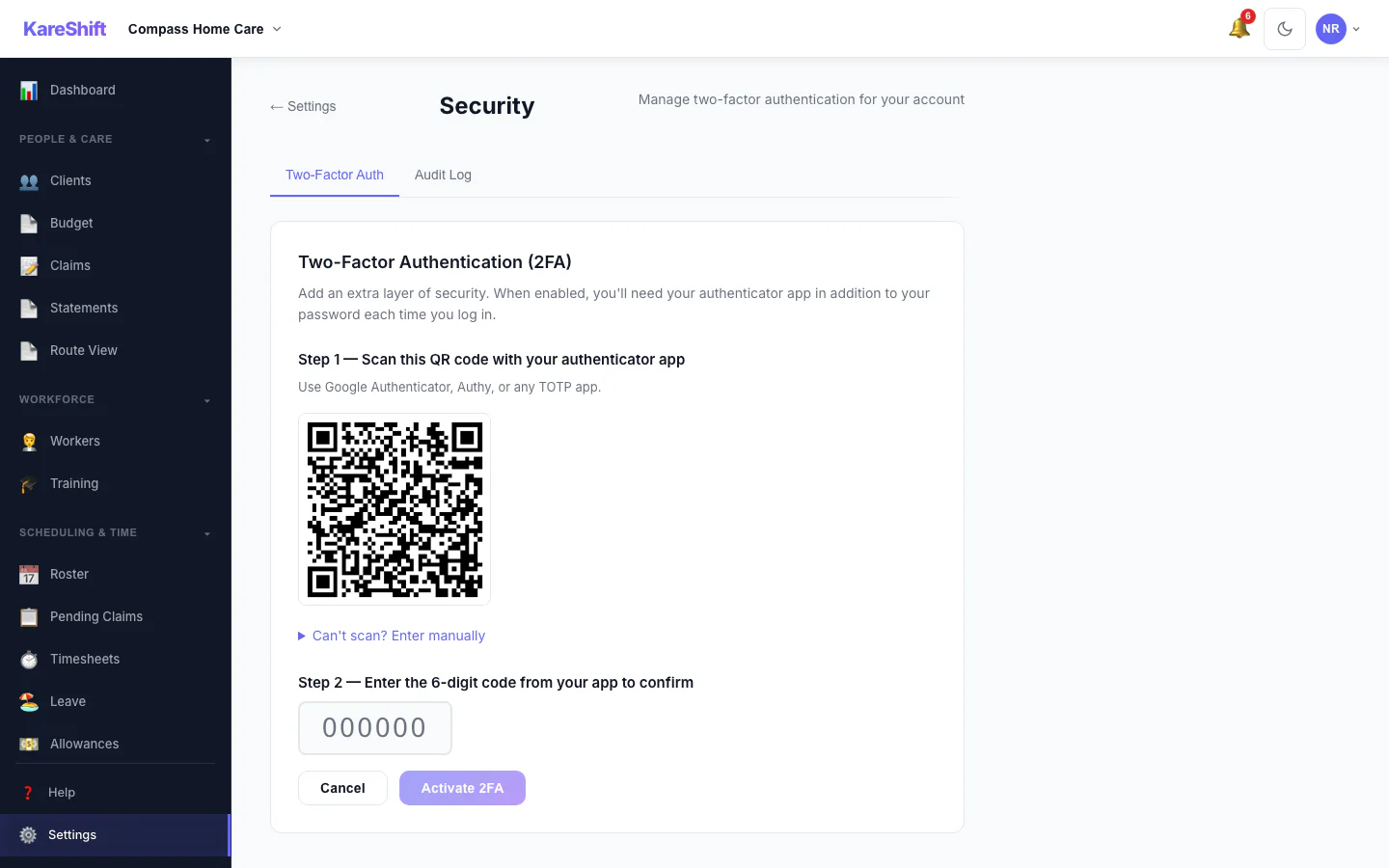
Set Up Two-Factor Authentication
Scan a code with an authenticator app, then enter the six-digit code to switch it on.
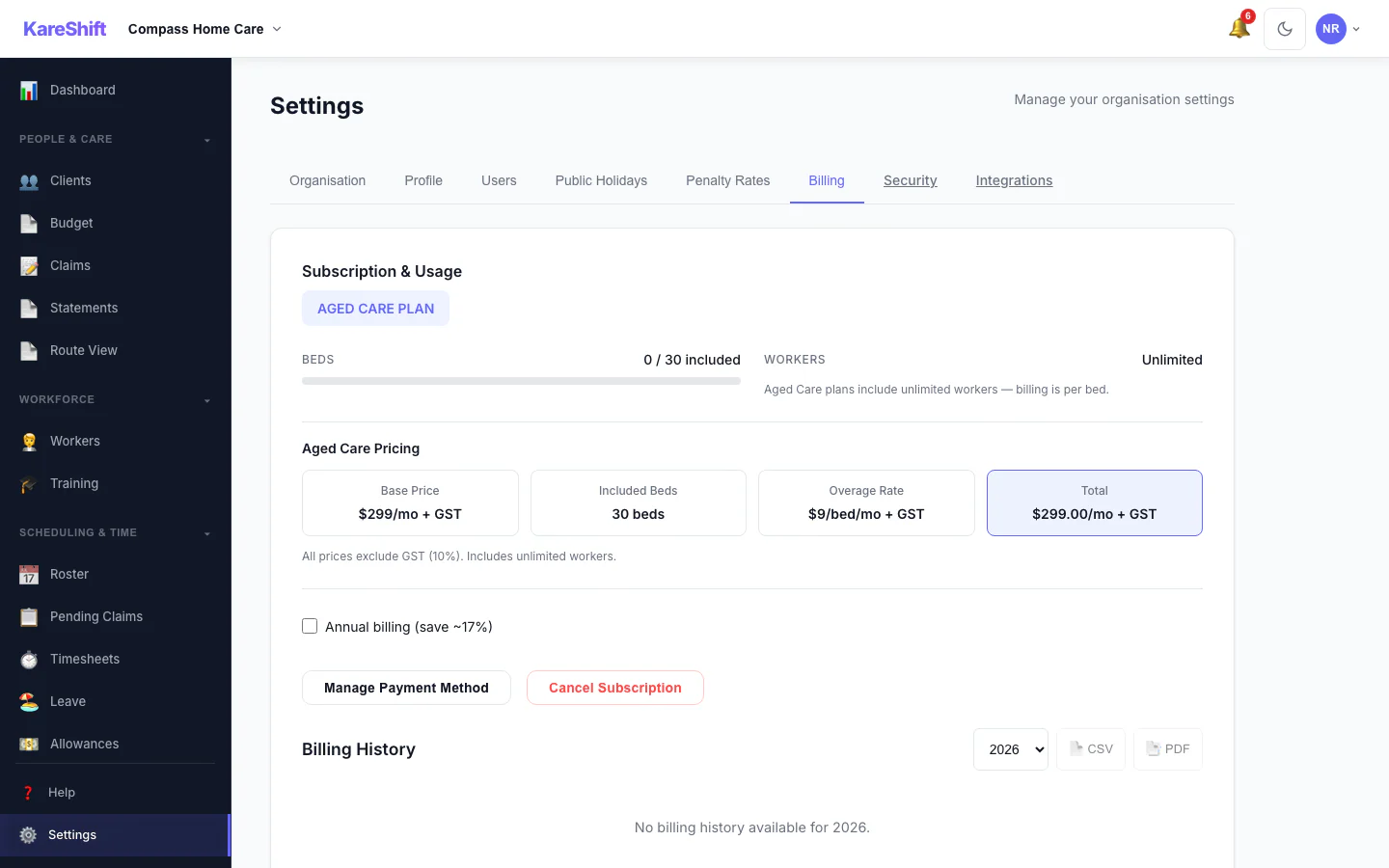
Billing and Plan
Your plan, worker usage and billing history.
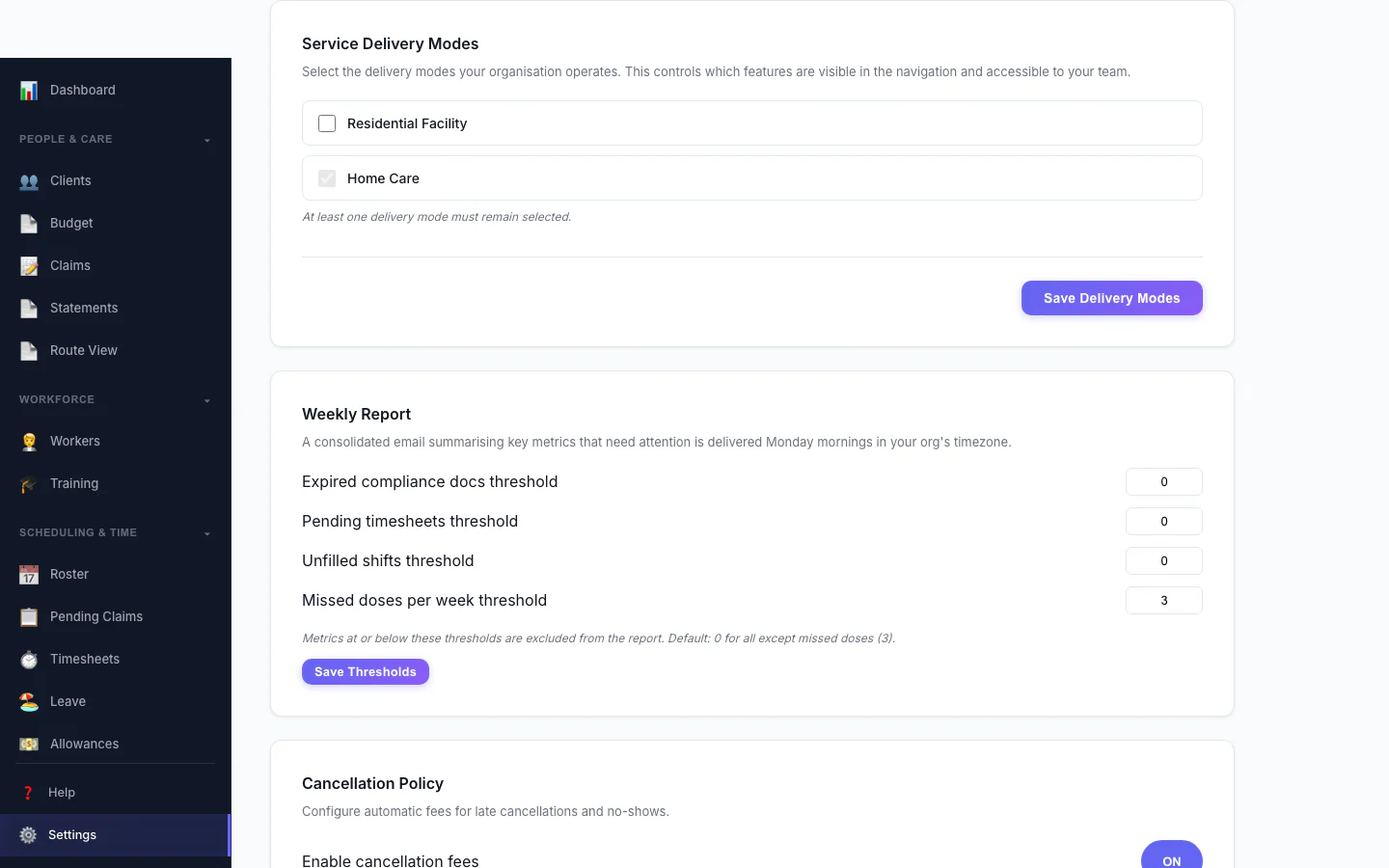
Service Delivery Modes
Choose which kinds of service your organisation delivers.
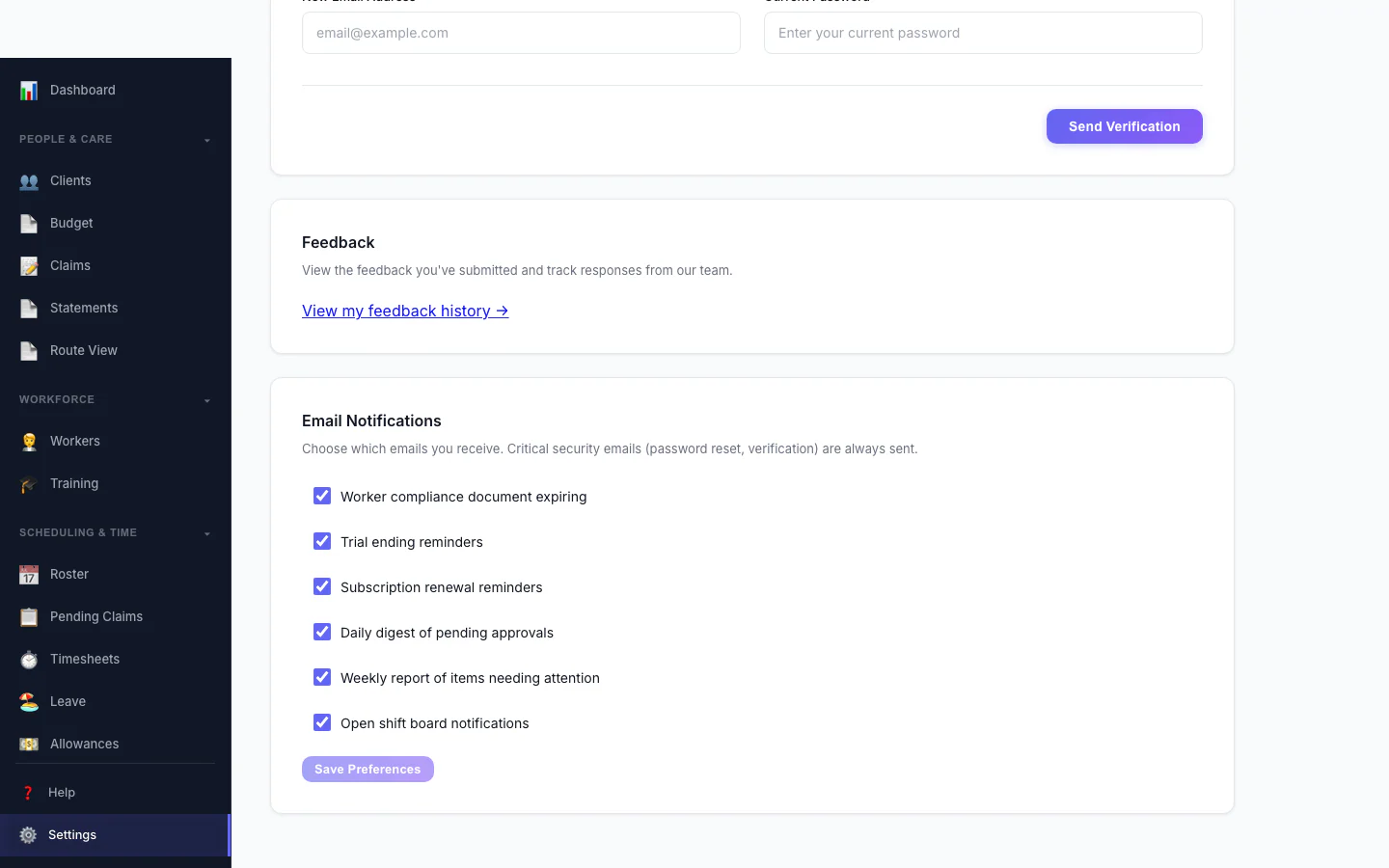
Notification Preferences
Choose which emails you receive.
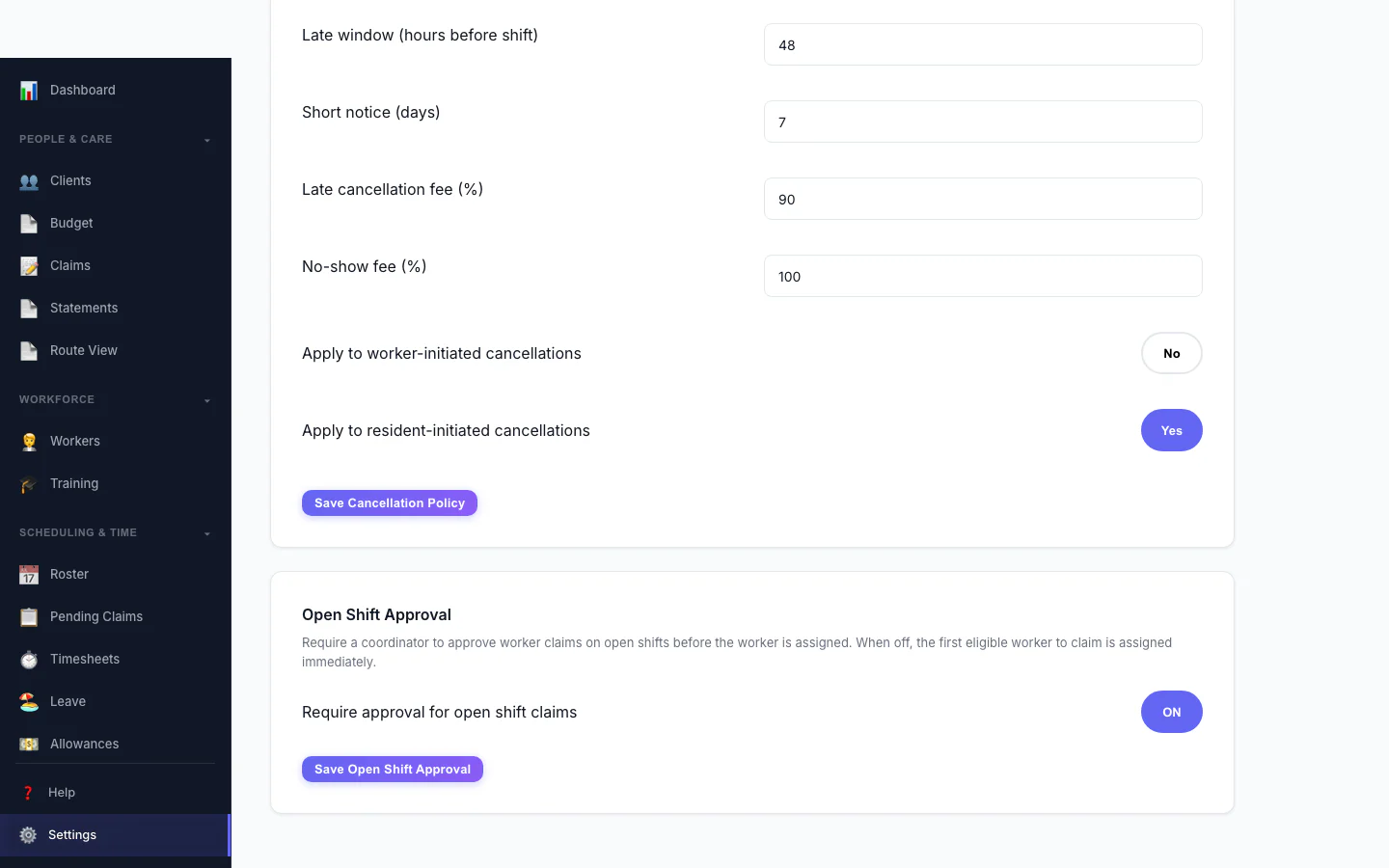
Open Shift Approval
Decide whether workers can claim open shifts straight away or need approval.
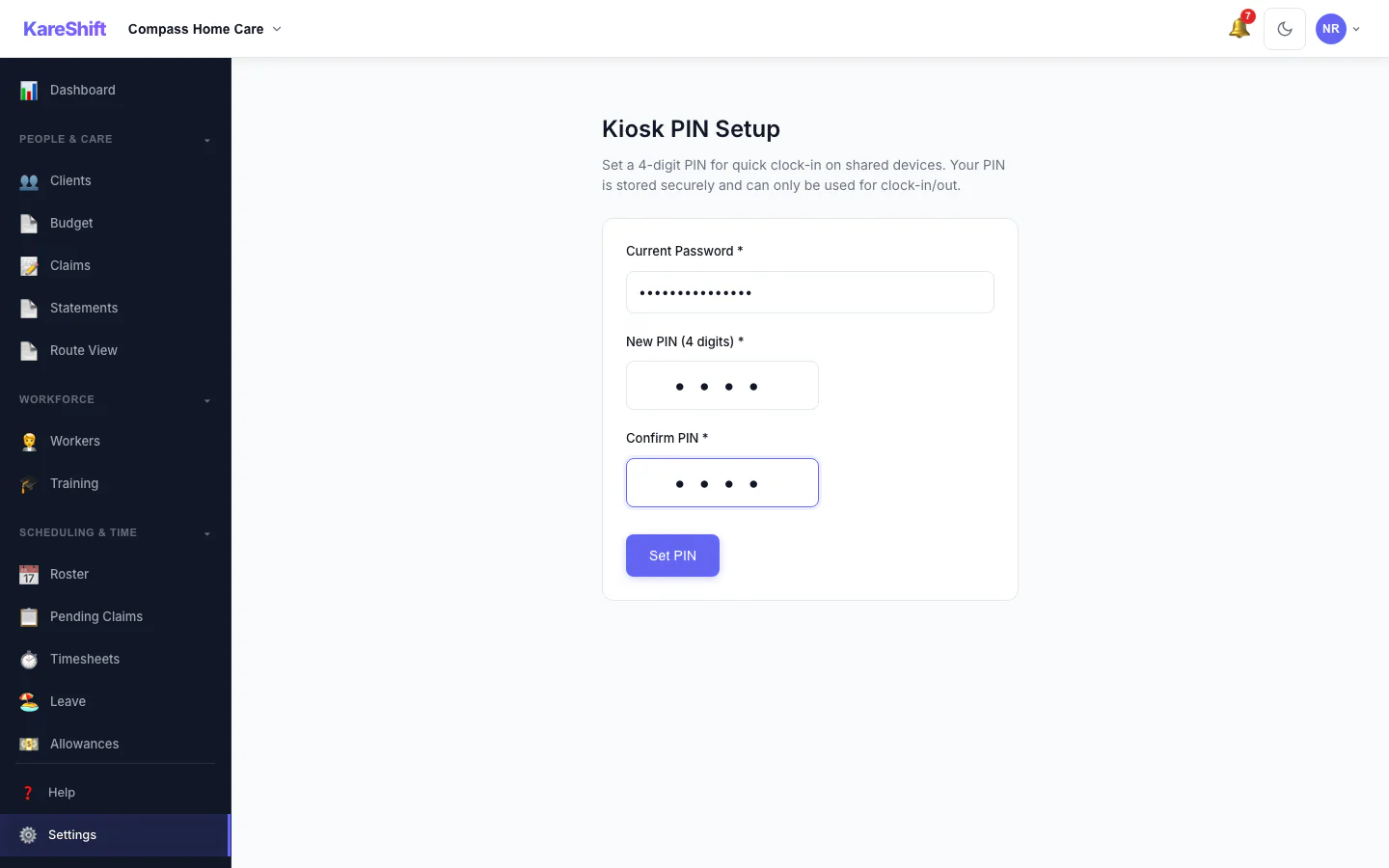
Kiosk PIN
Set the PIN workers use at a shared kiosk.
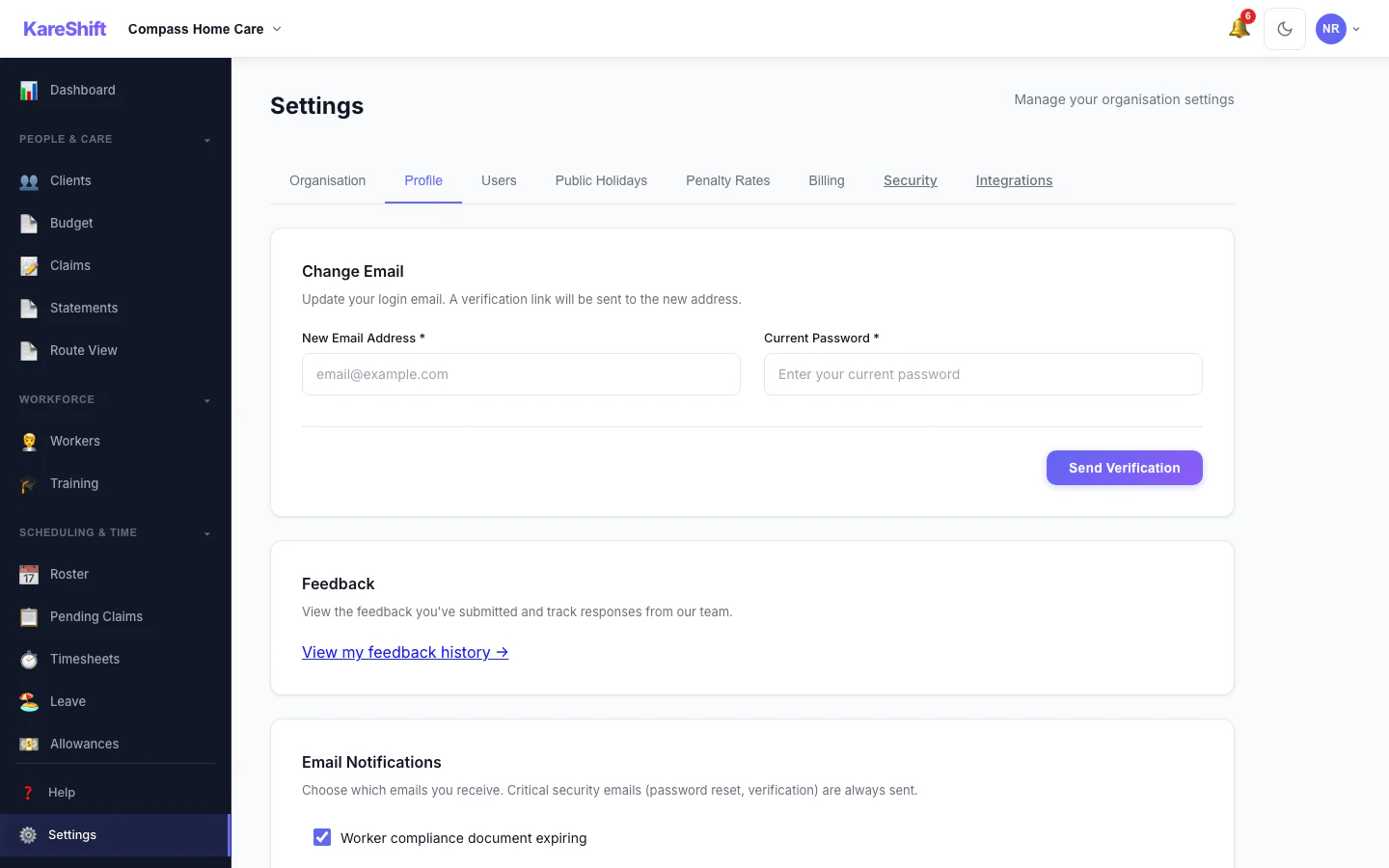
Your Profile Settings
Your login email and email notification choices.
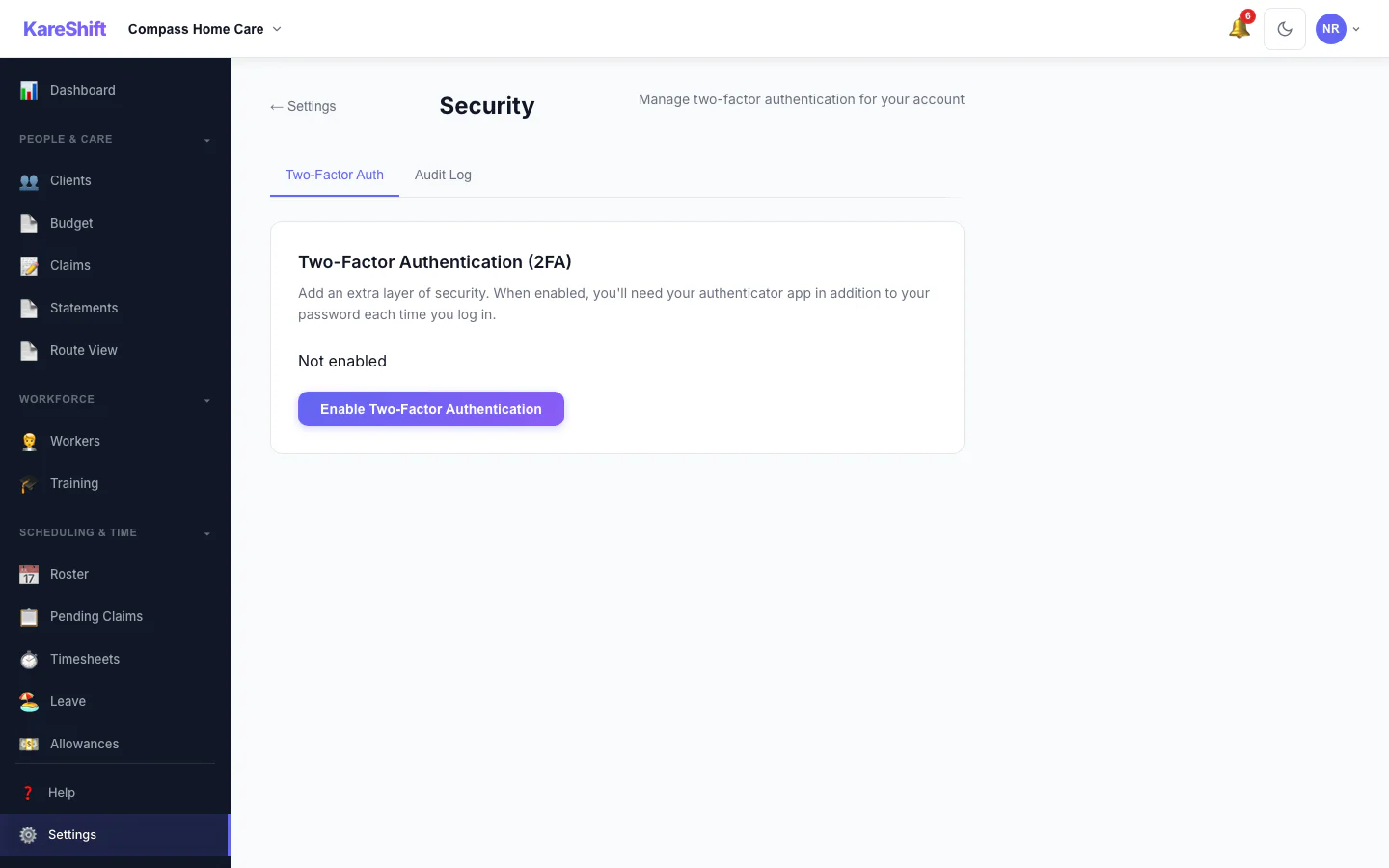
Security Settings
Two-factor status for your account, with trusted devices and an audit log for owners.
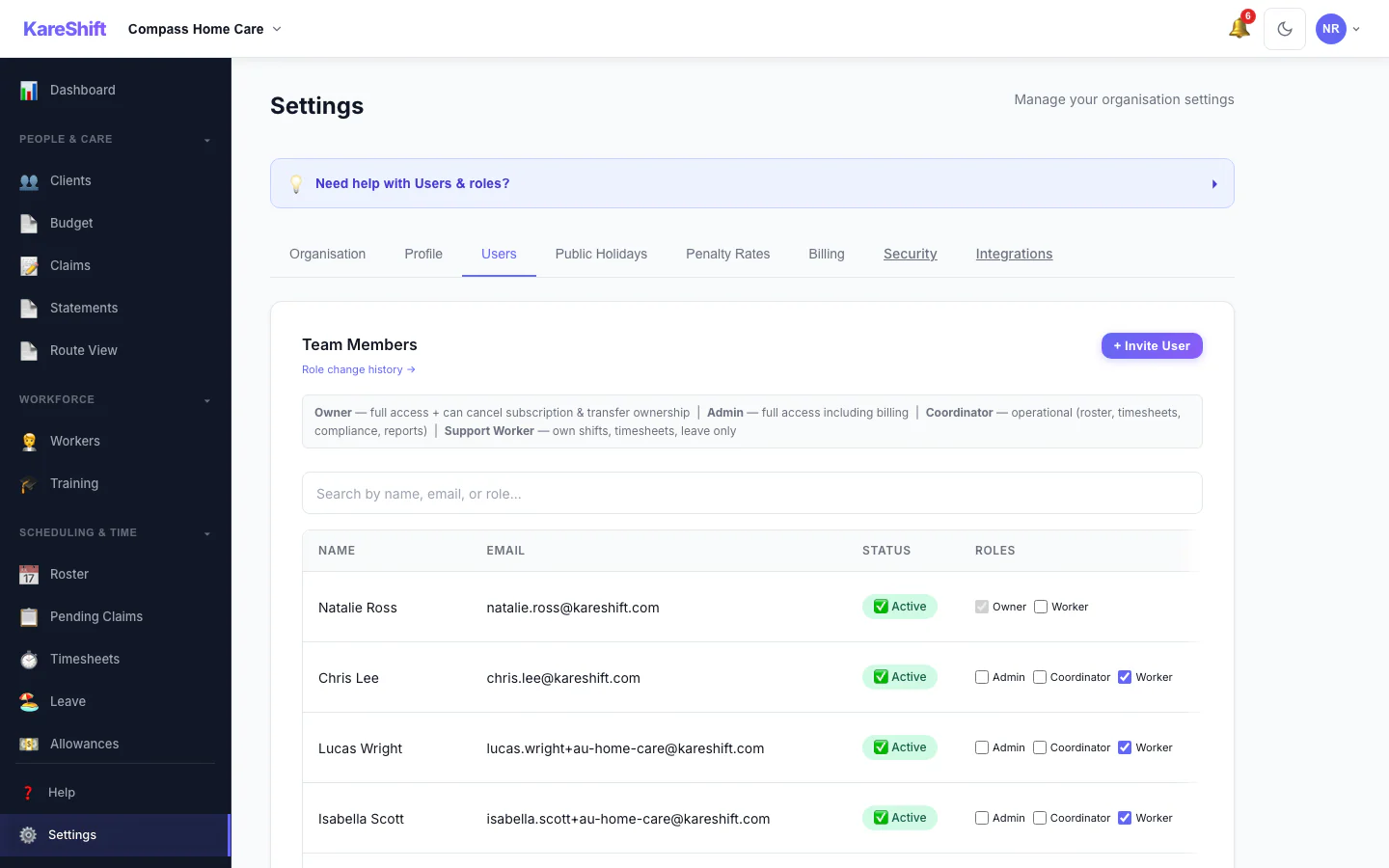
Team Members and Roles
Everyone in your organisation, their status and roles.
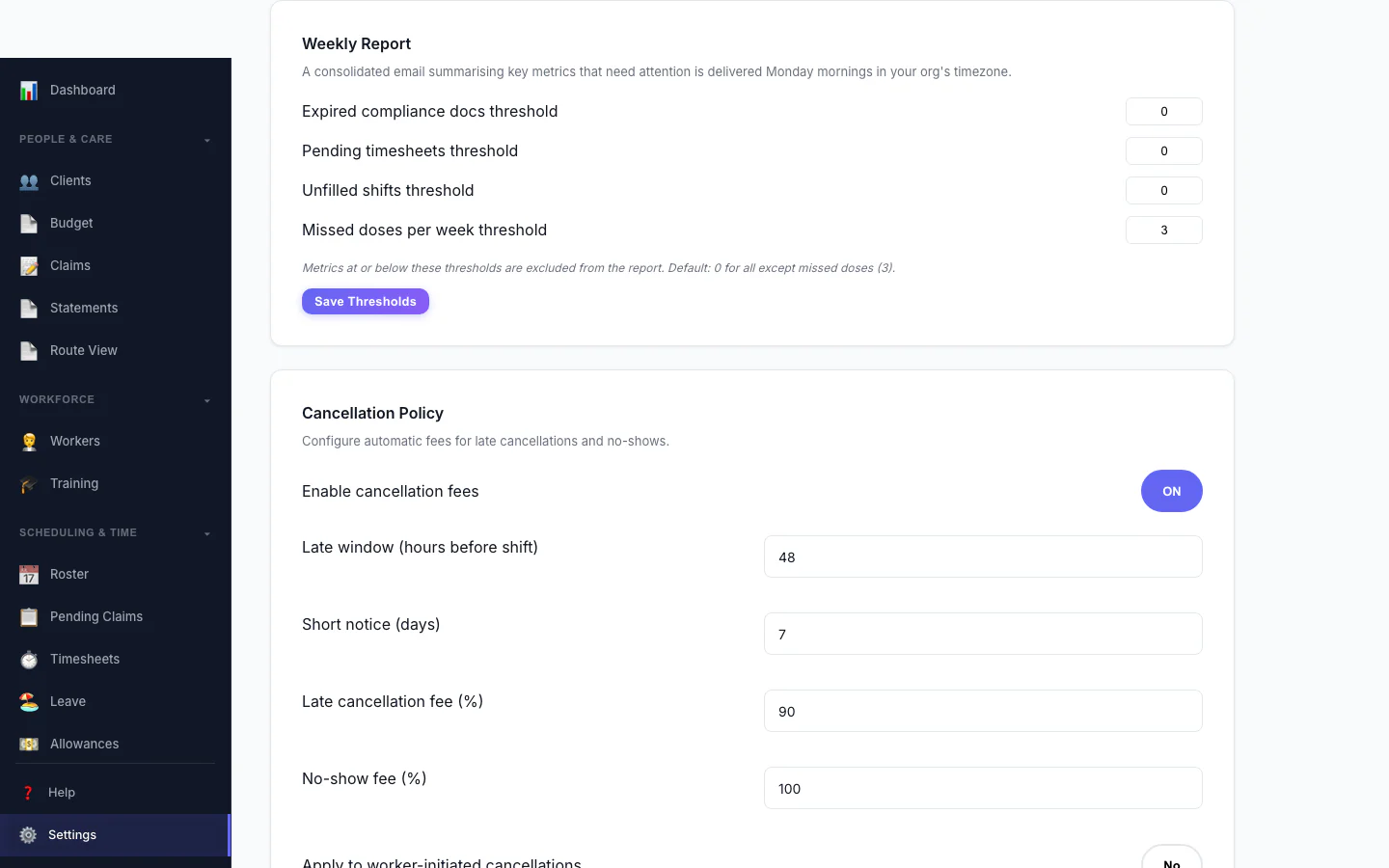
Weekly Report
Set the thresholds for the weekly summary email.
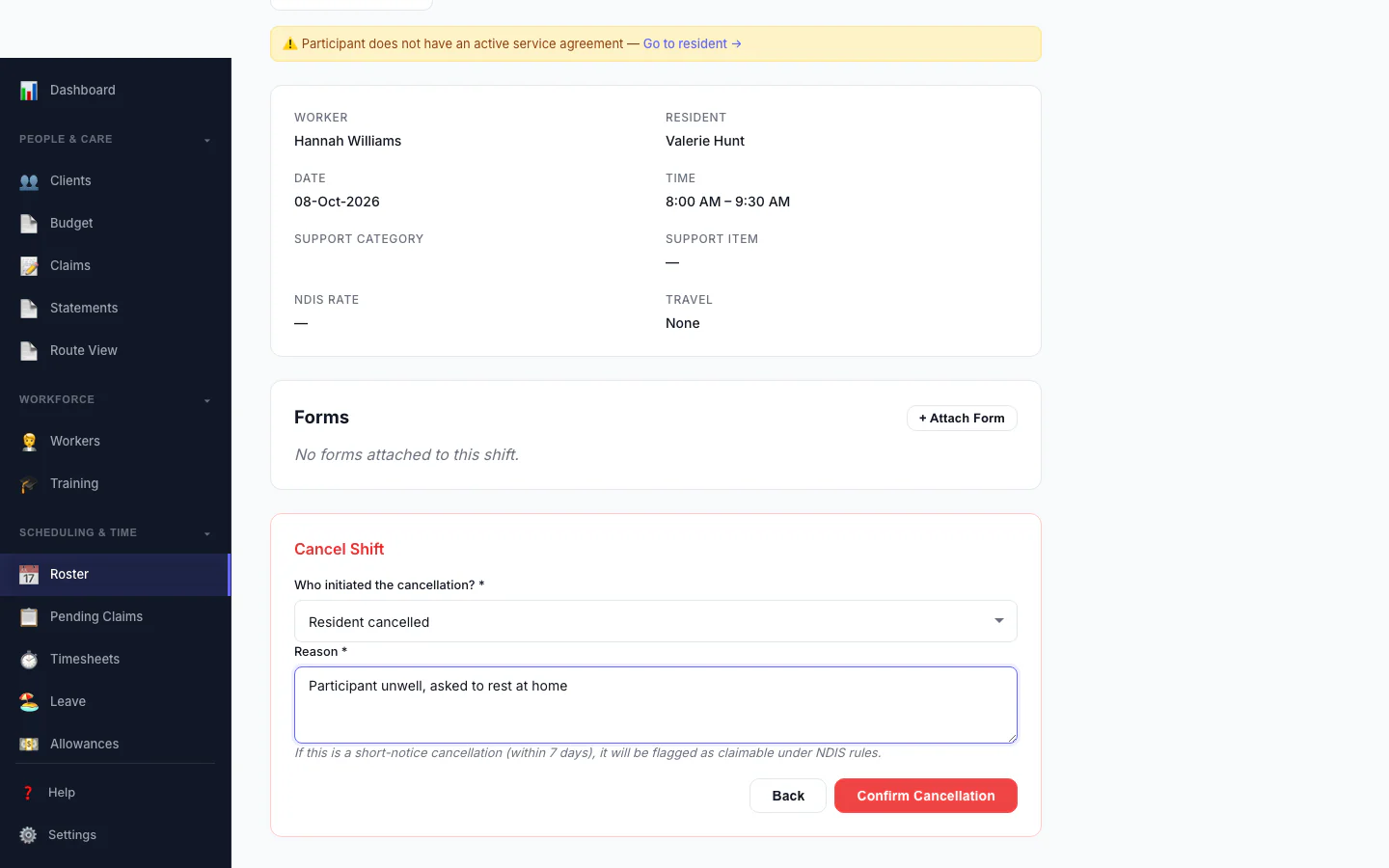
Cancel a Shift
Record who cancelled and why, so the right fee is applied.
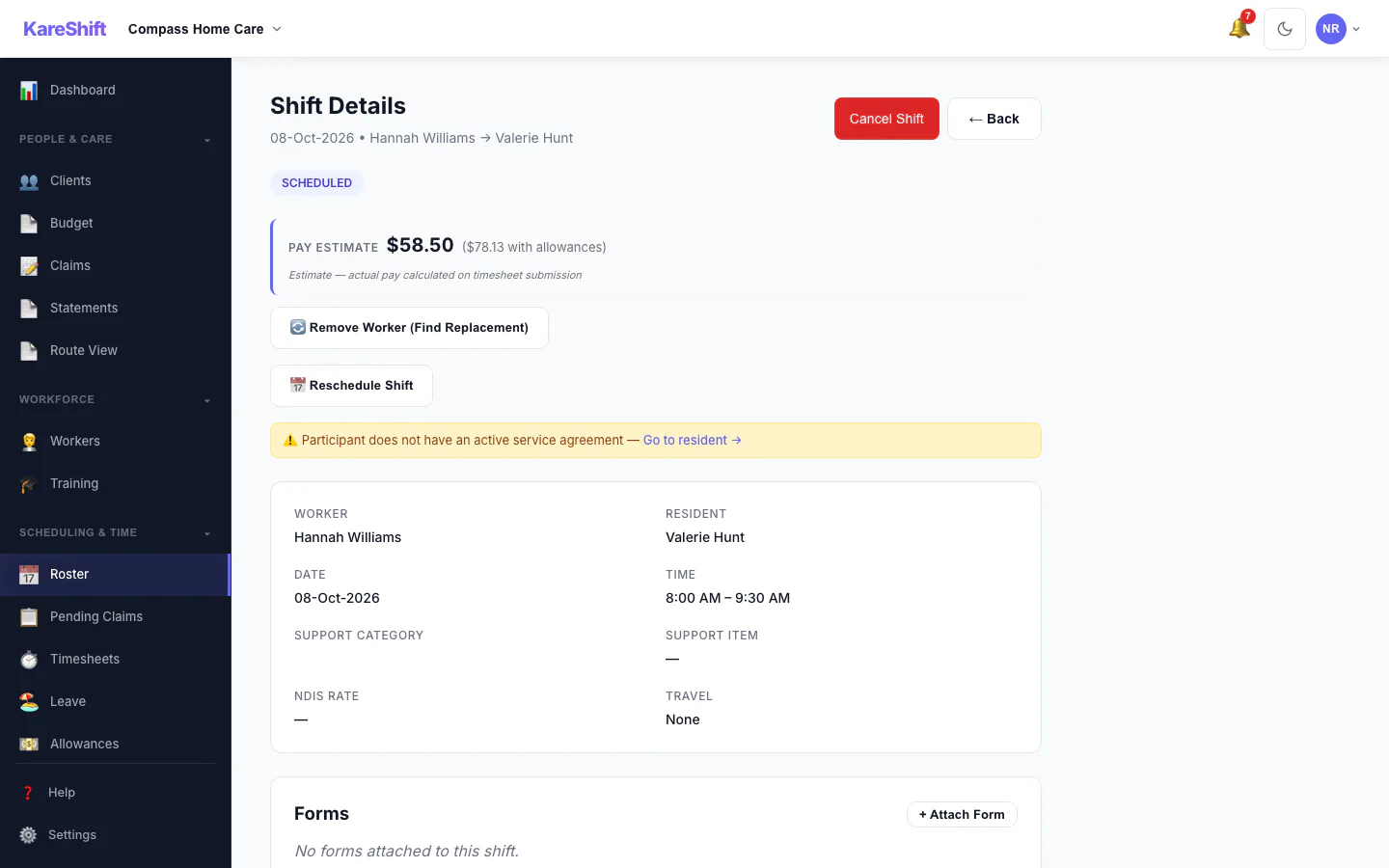
Shift Detail
A shift with its worker, pay estimate and attached forms.
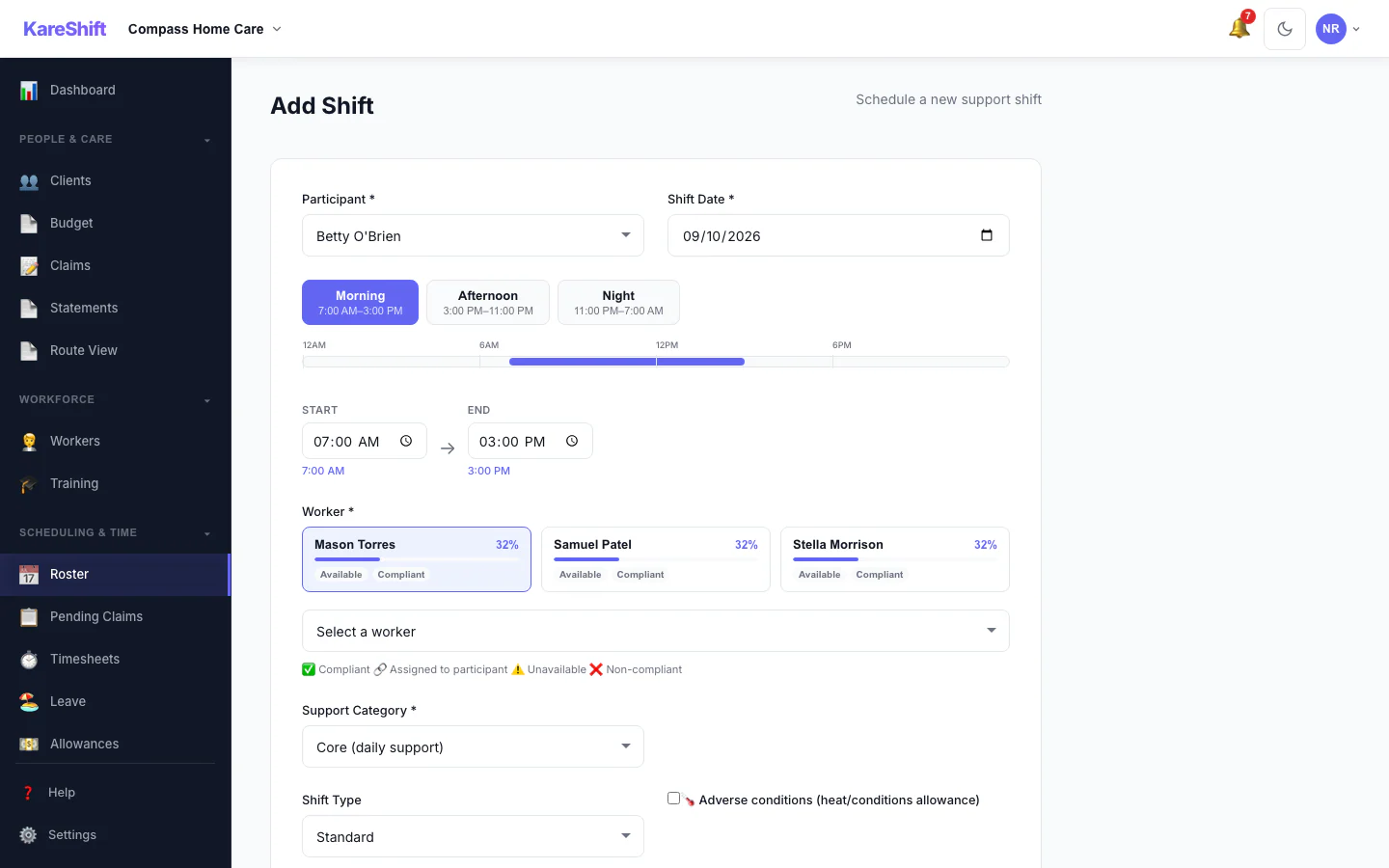
Add a Shift
Pick the person, date and times, and see suggested workers.
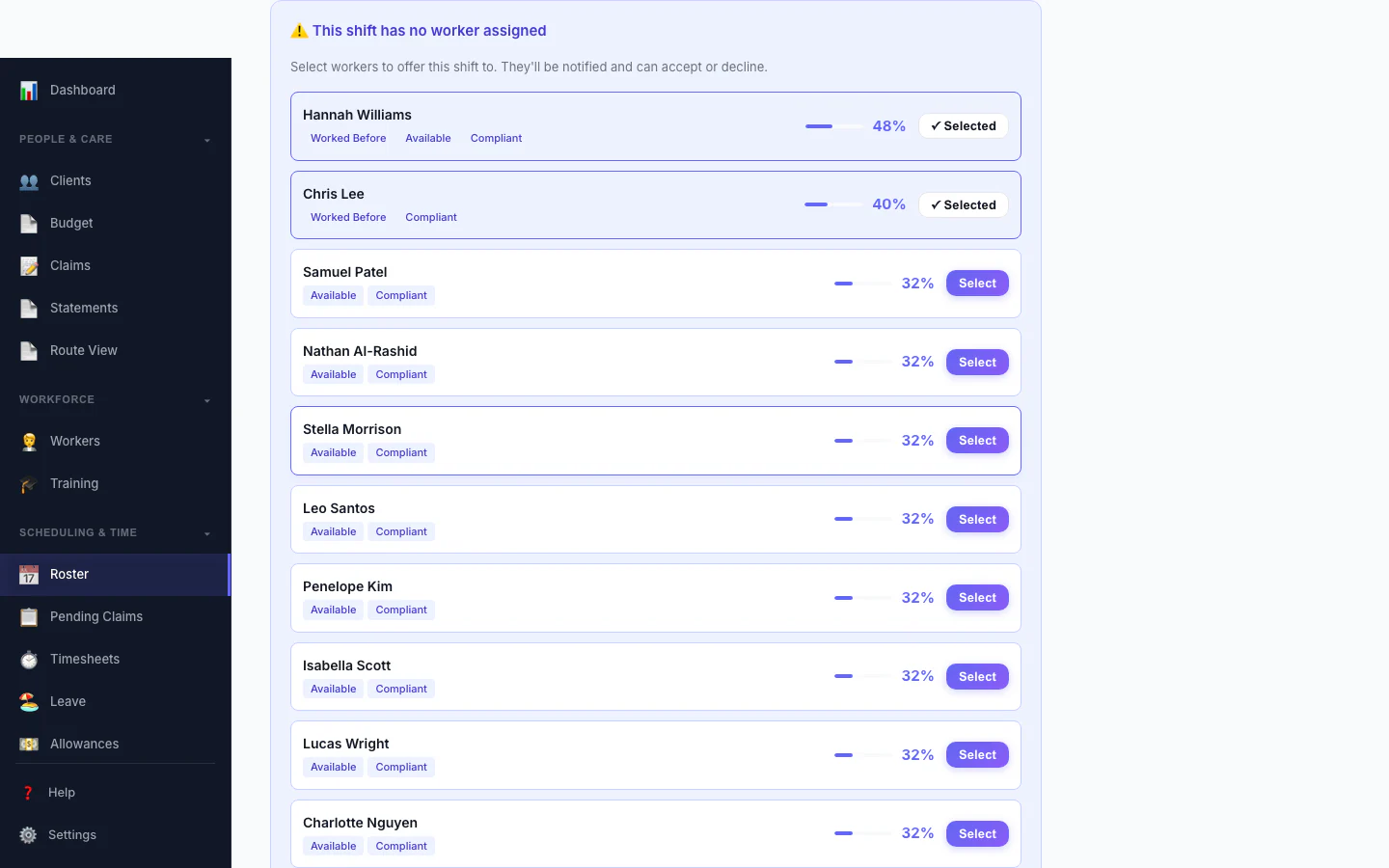
Replacement Assistant
A vacant shift with ranked replacement workers and one-click offers.
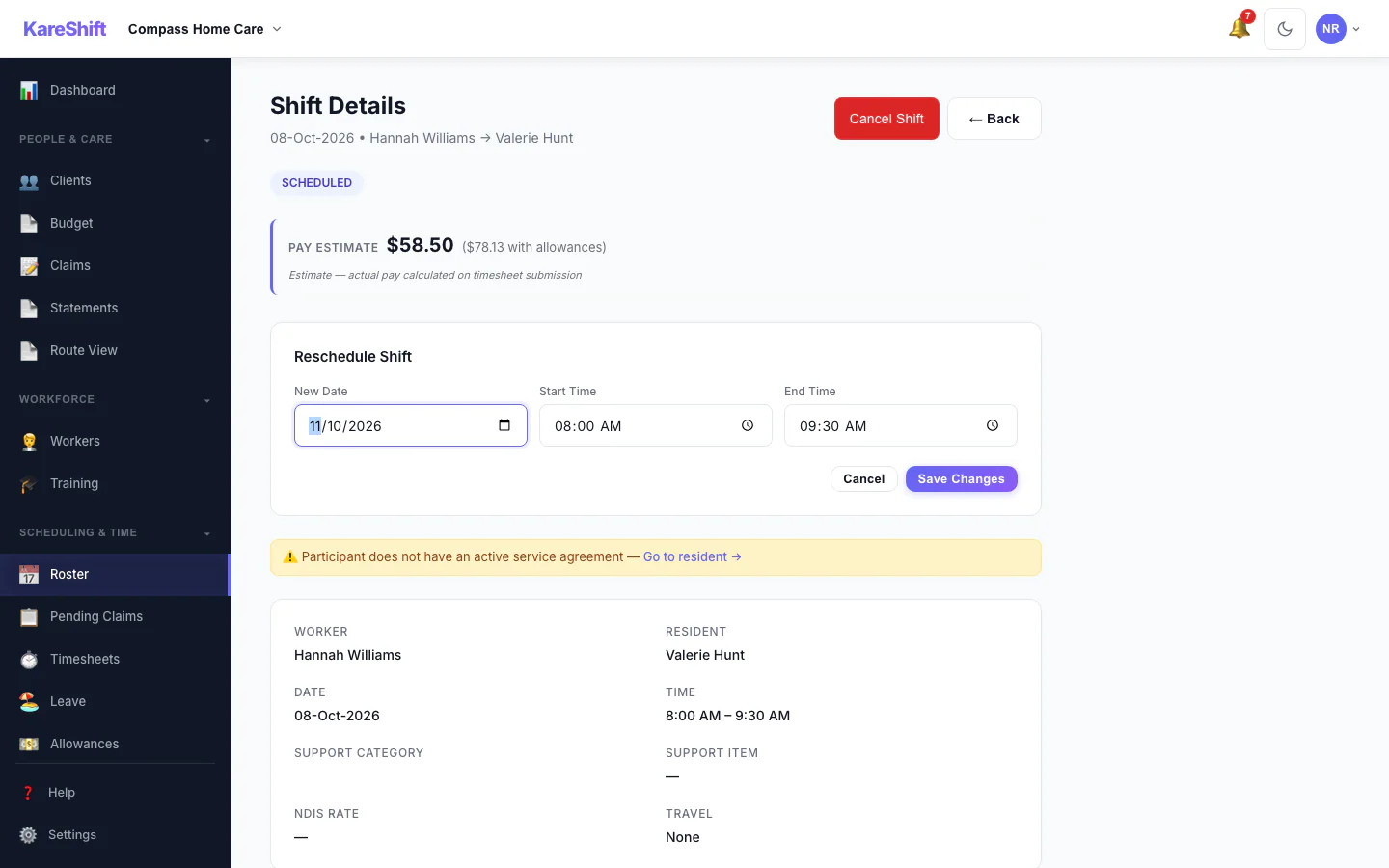
Reschedule a Shift
Move a shift to a new date and time.
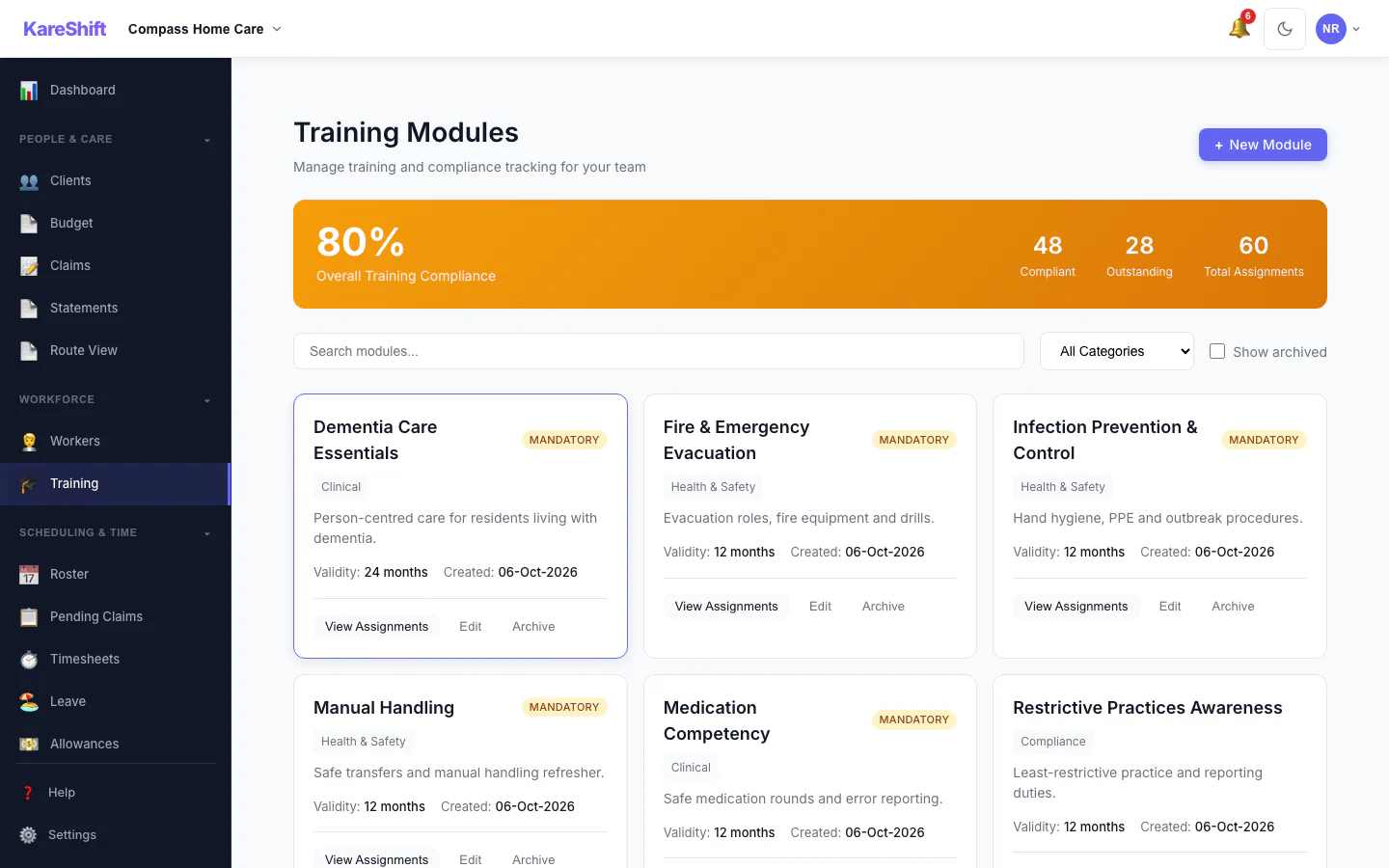
Training Modules
Mandatory and optional training, overall compliance and who is due.
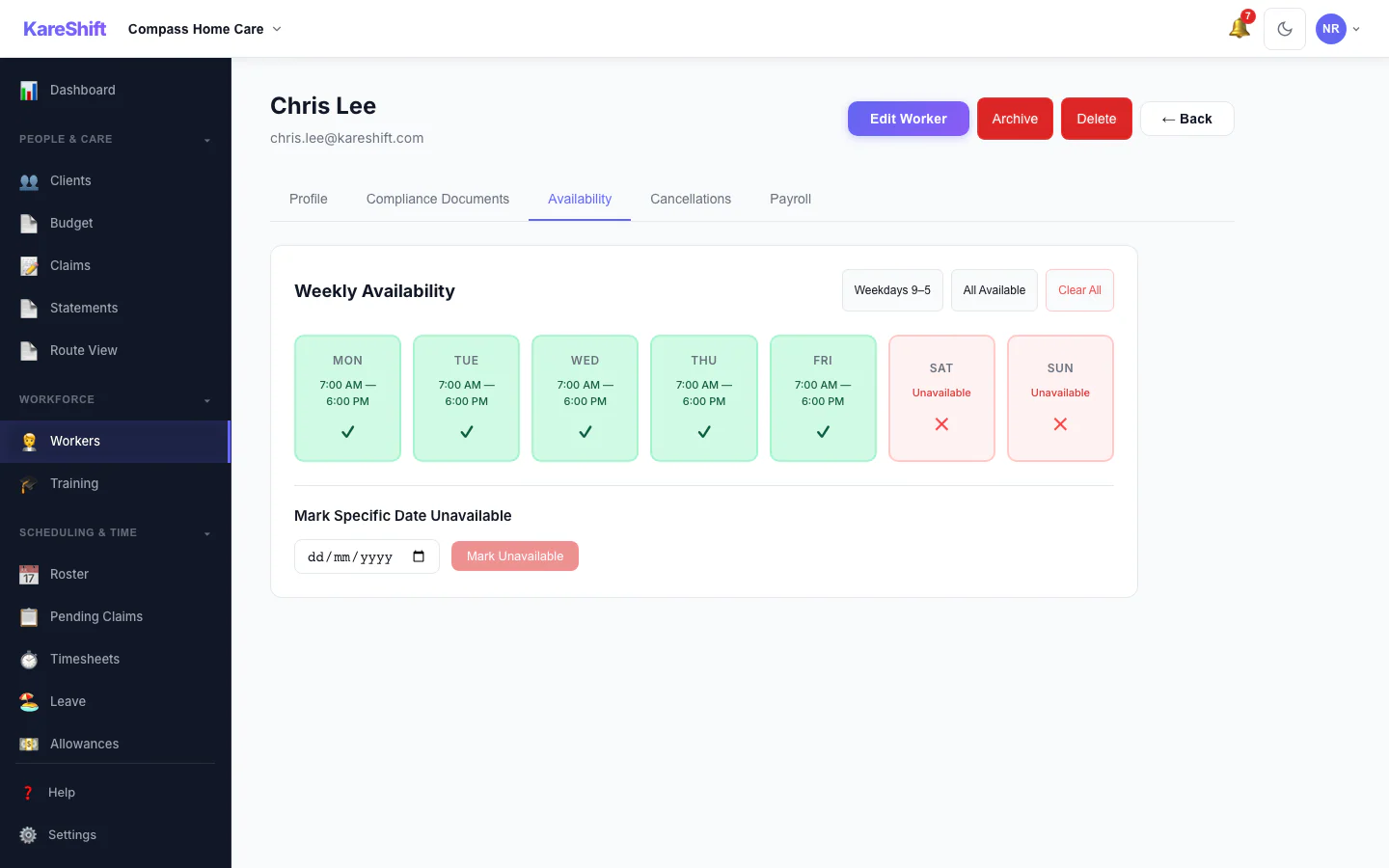
Worker Availability
A worker's weekly availability grid.
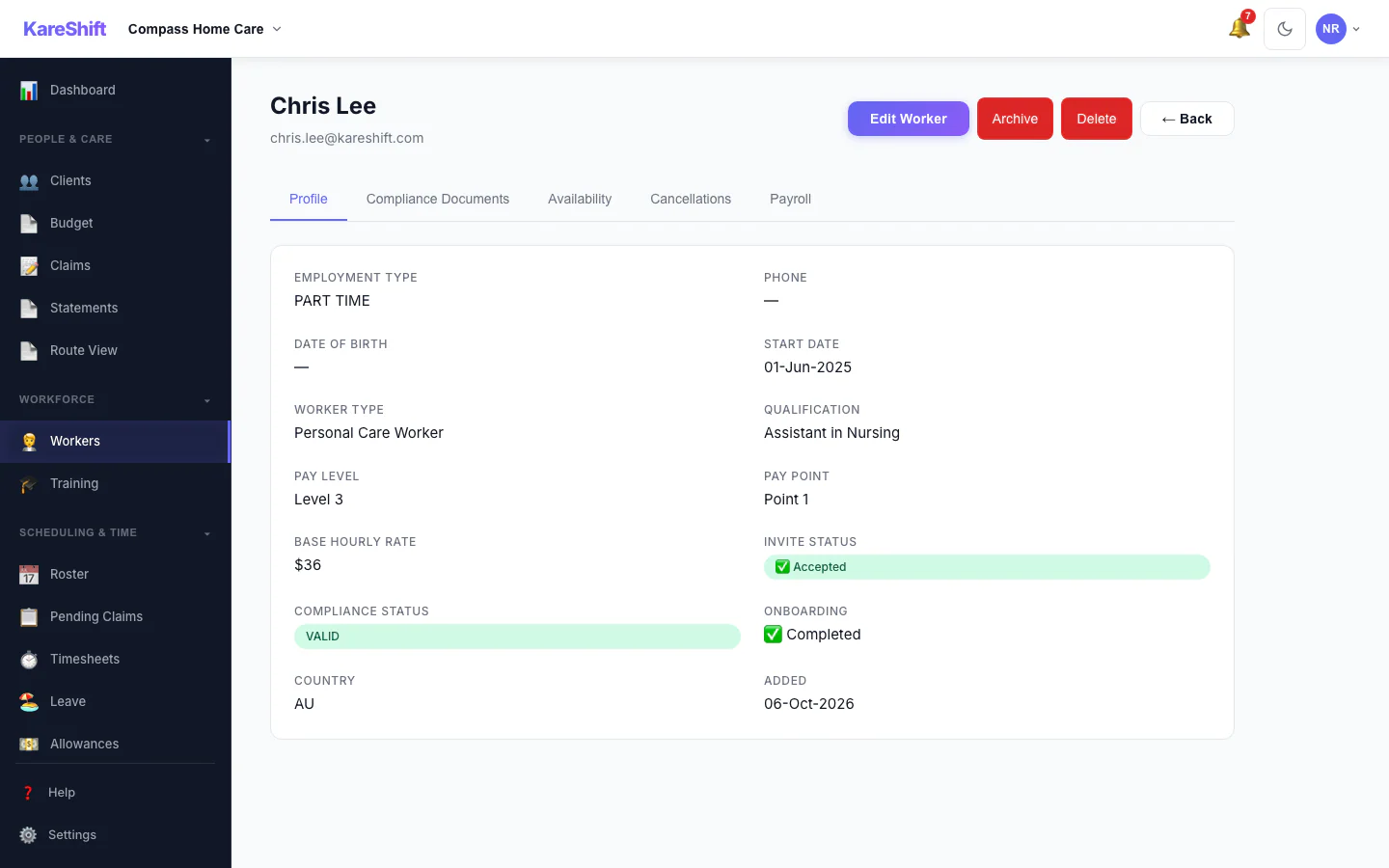
Worker Profile
A worker's profile and details.
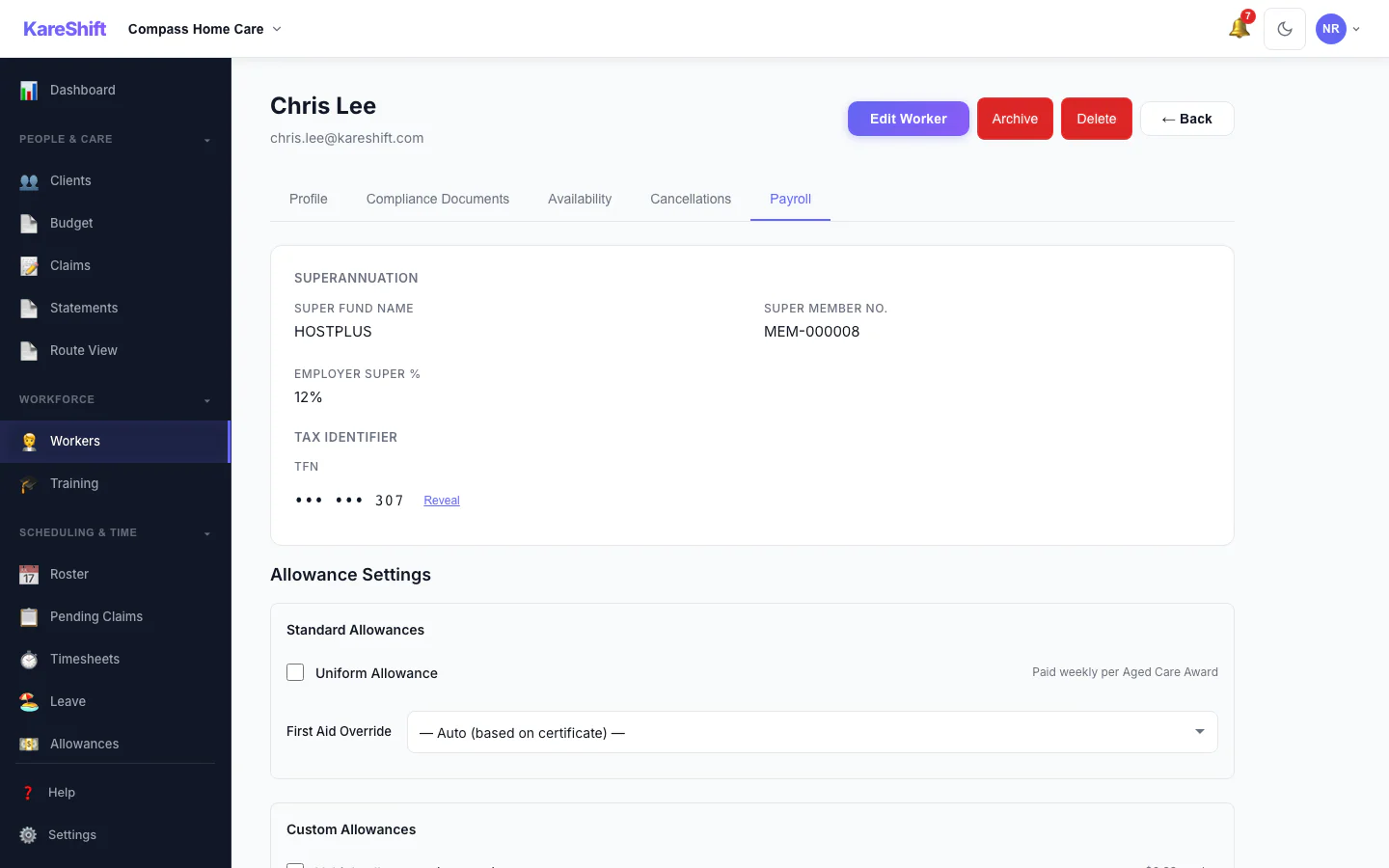
Worker Payroll Details
Payroll details and allowance settings for a worker.
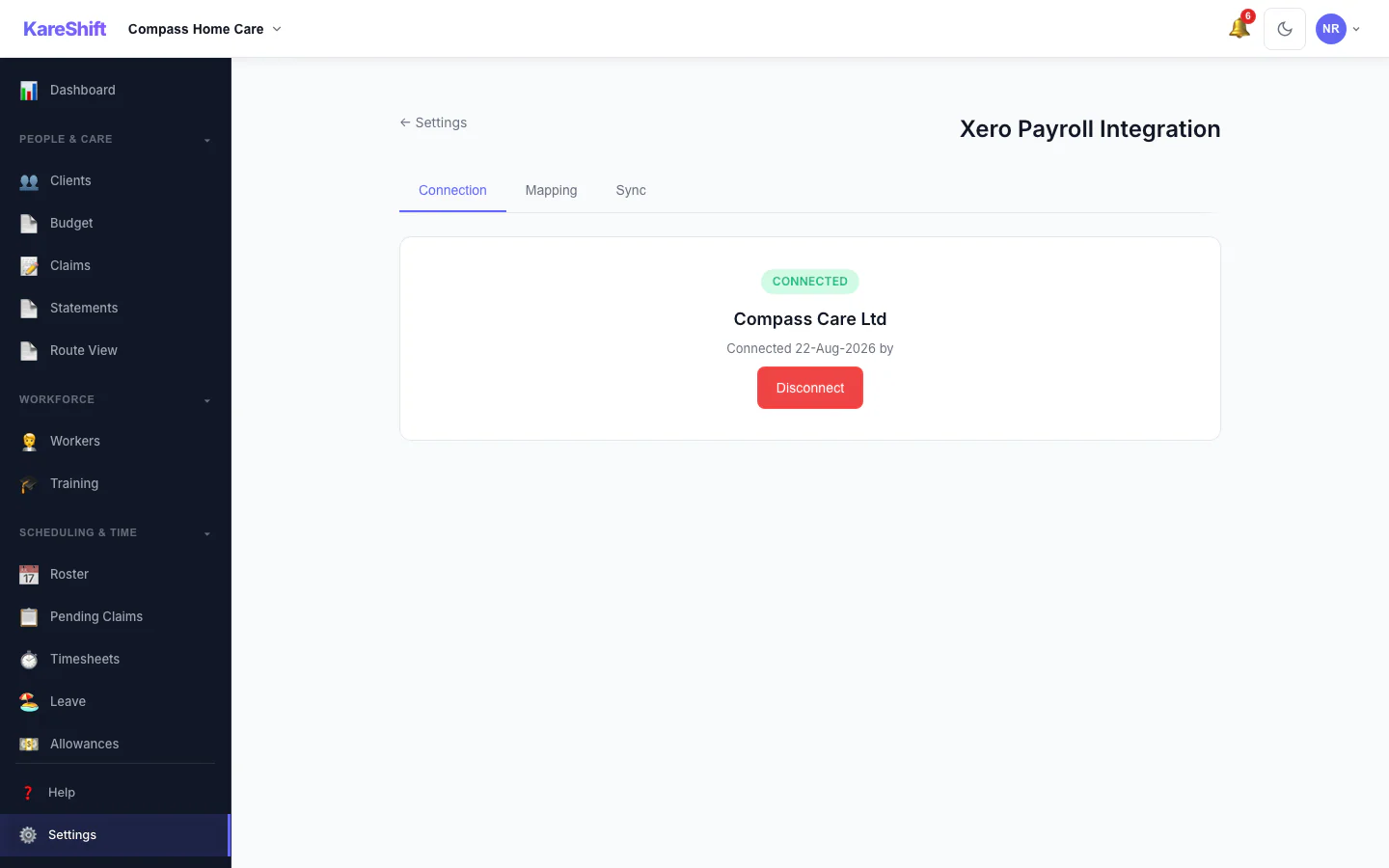
Xero Connection
Connect your Xero organisation once.
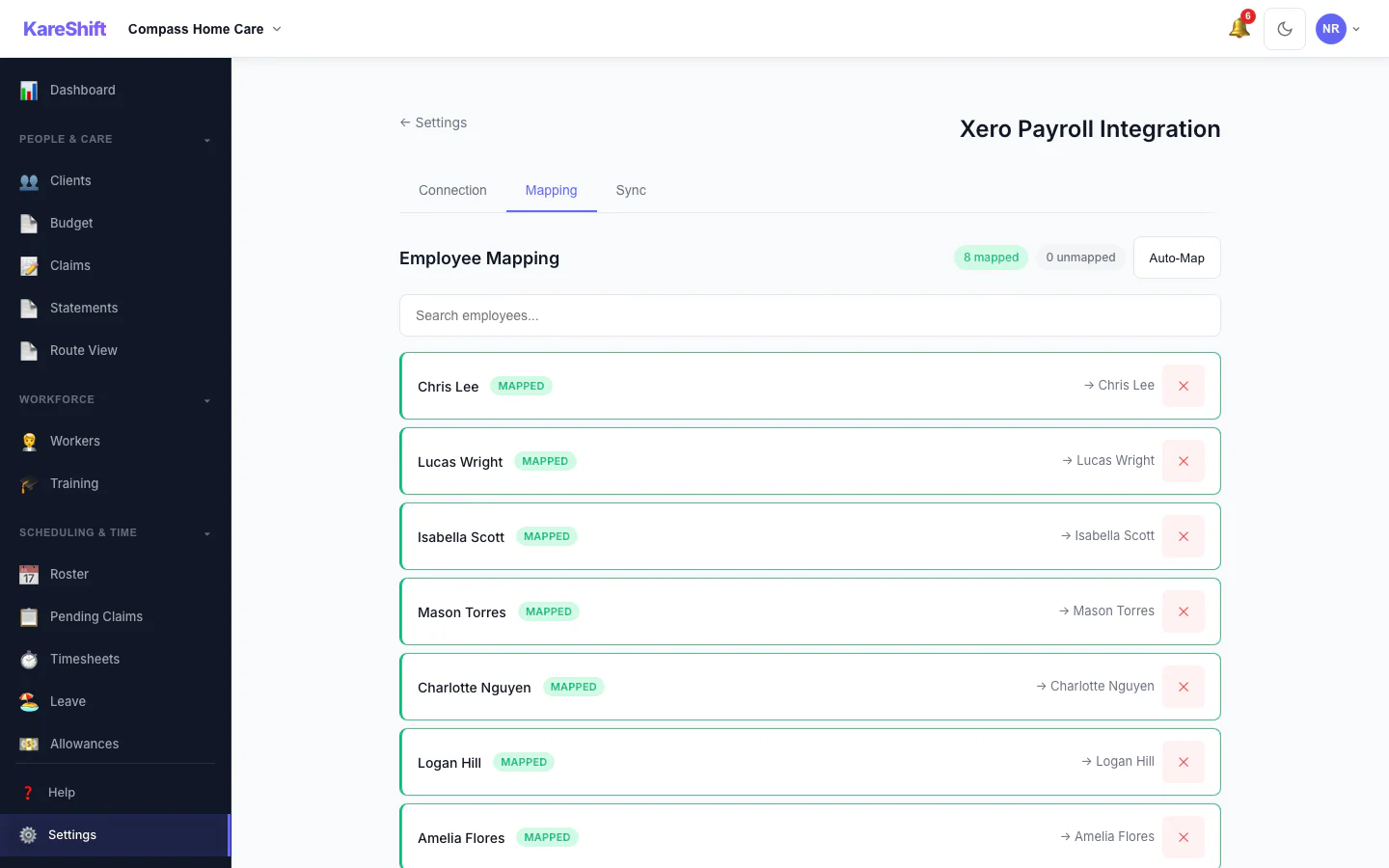
Xero Pay-Item Mapping
Map KareShift pay categories to your Xero earnings rates.
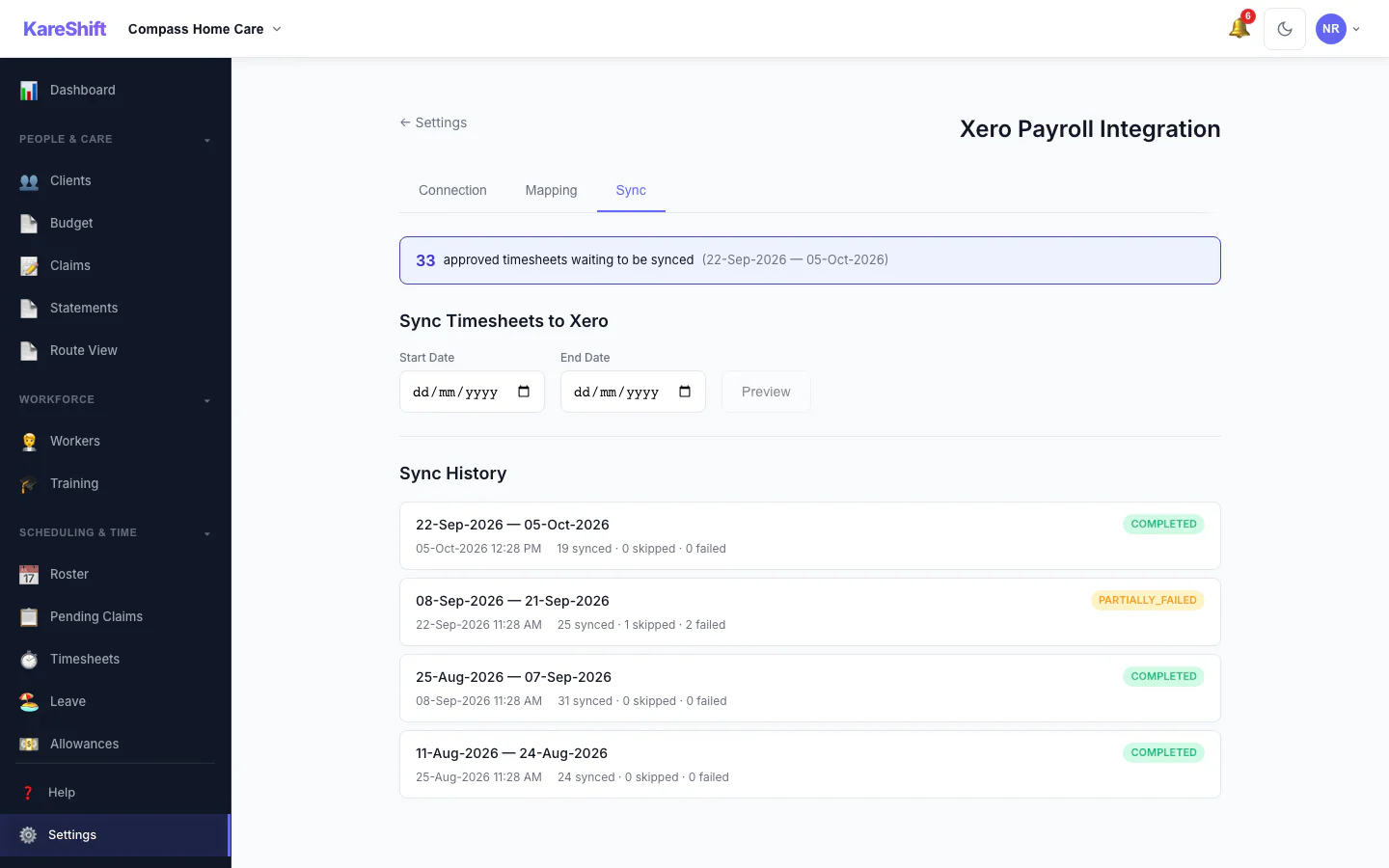
Xero Sync History
Past syncs with what succeeded and what failed.
Mobile Experience
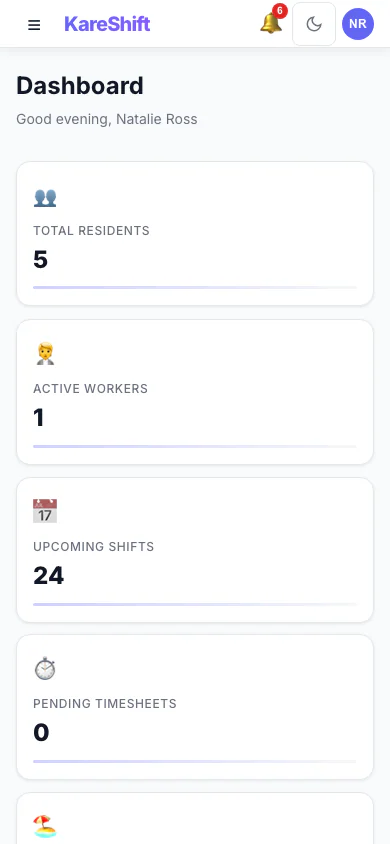
Dashboard (Mobile)
Daily overview on your phone — visits, routes, budget alerts.
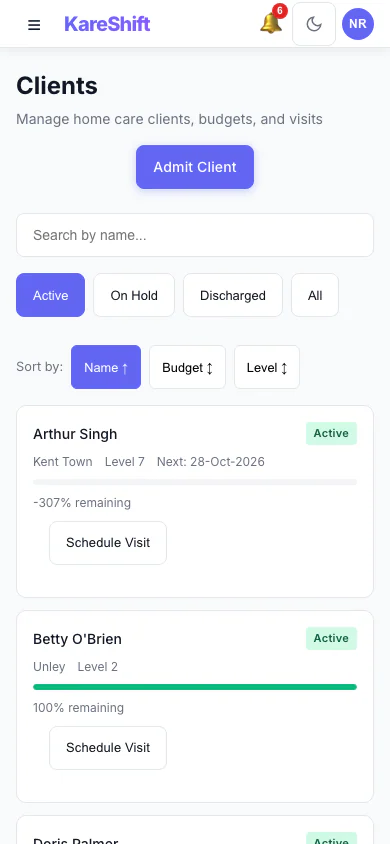
Clients (Mobile)
Browse home care clients on your phone.
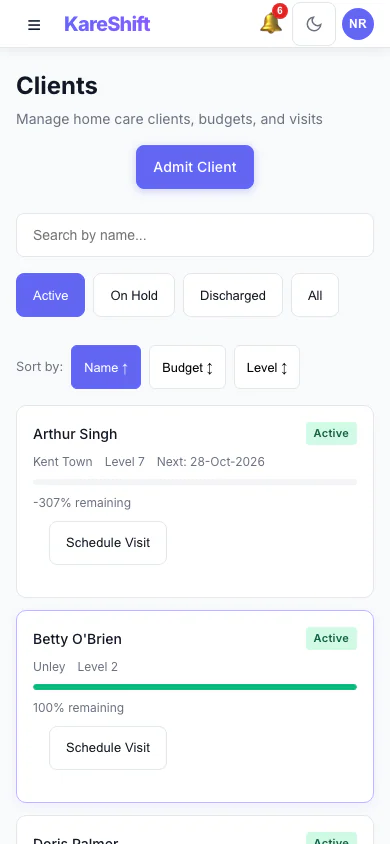
Client List (Mobile)
Full client list with classification and budget status on mobile.
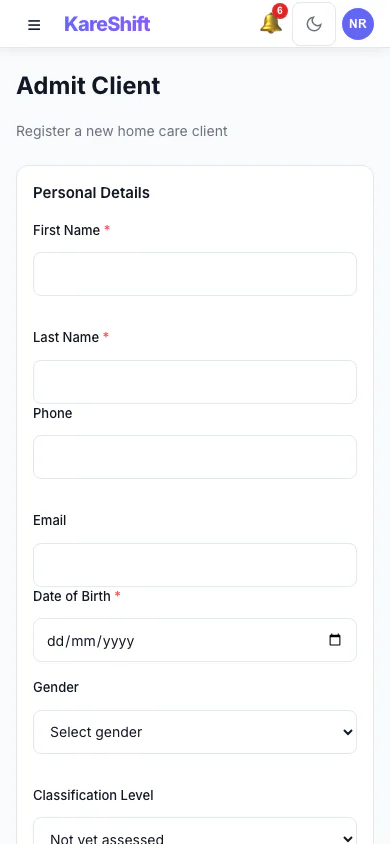
Client Admission (Mobile)
Admission form on mobile — demographics, classification, contacts.
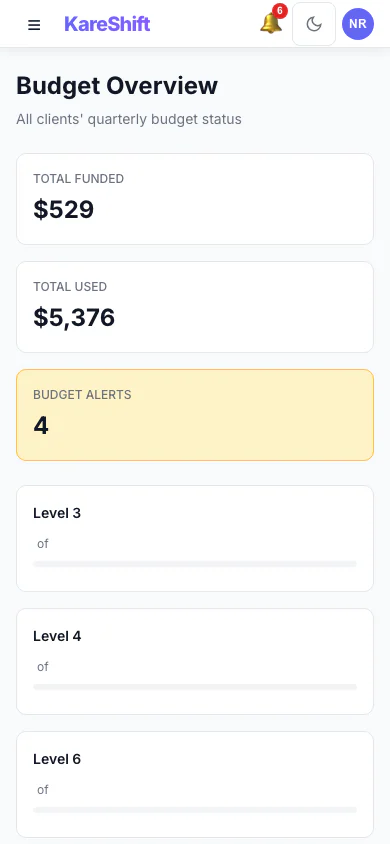
Budgets (Mobile)
All client budgets on mobile — spend rate and alerts.
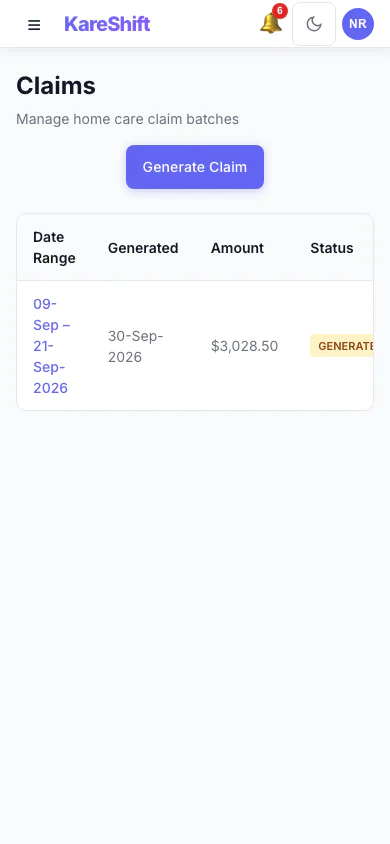
Claims (Mobile)
Claiming export on mobile — review and download batches.
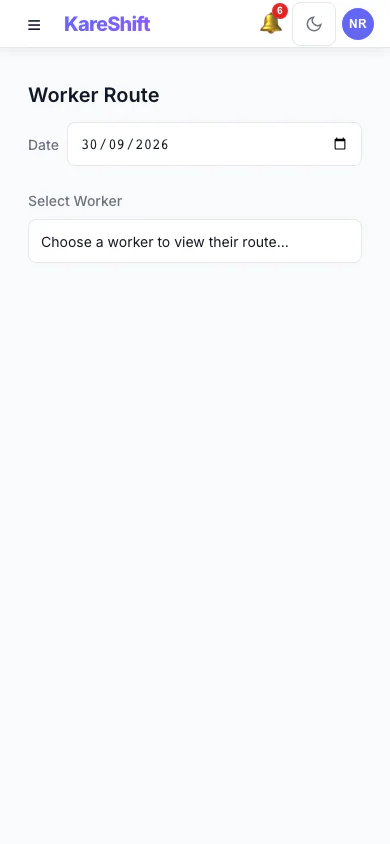
Route View (Mobile)
Worker routes and travel estimates on mobile.
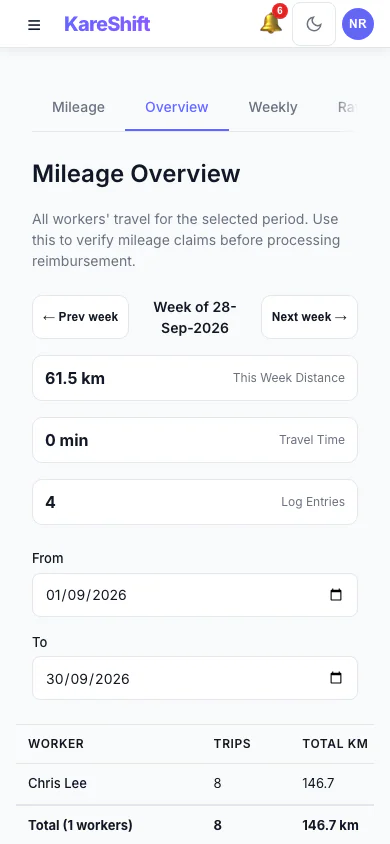
Mileage Overview (Mobile)
Travel reimbursement summary on your phone. Worker totals and distances at a glance.
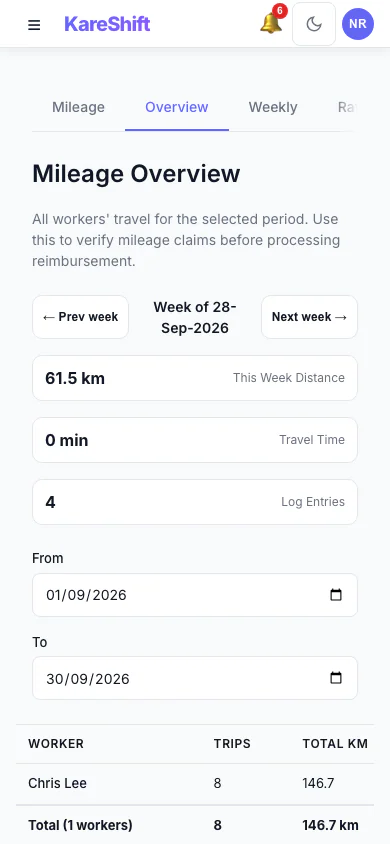
Allowances & Mileage (Mobile)
Combined allowances and mileage overview on your phone.
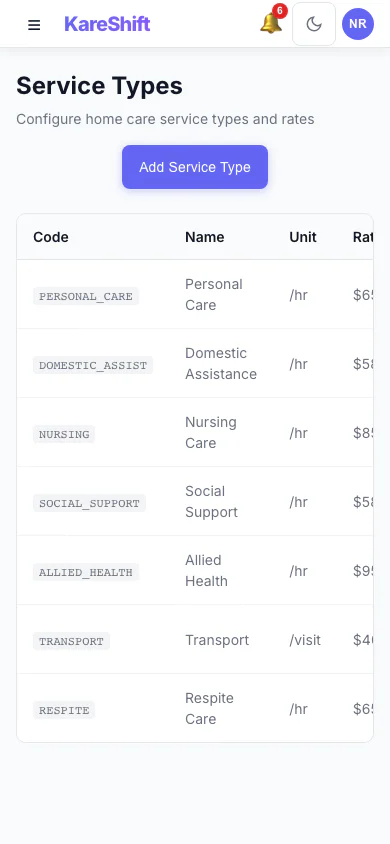
Service Types (Mobile)
Service type configuration on mobile.
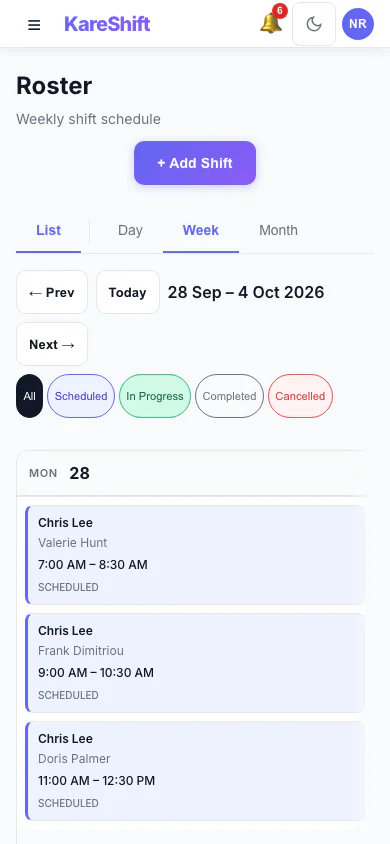
Roster Calendar (Mobile)
Visual calendar on mobile. Scroll through the week.
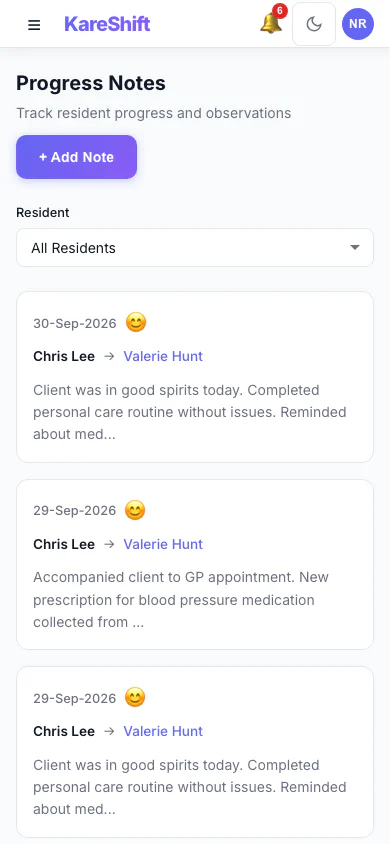
Progress Notes (Mobile)
Visit notes on your phone. Browse by client or date.
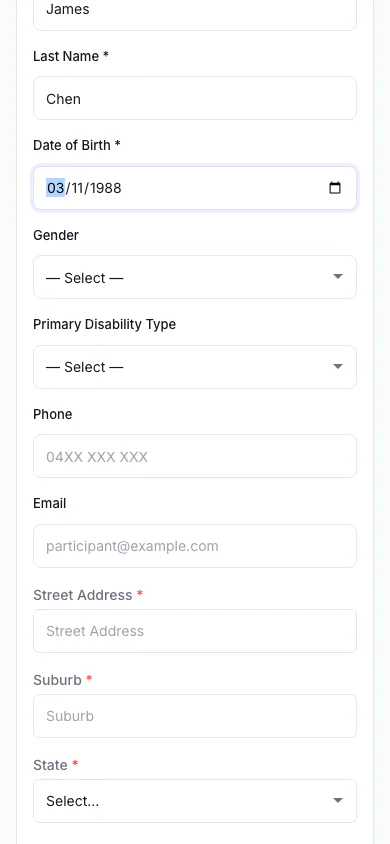
Travel Area (Mobile)
MMM remoteness lookup on your phone.
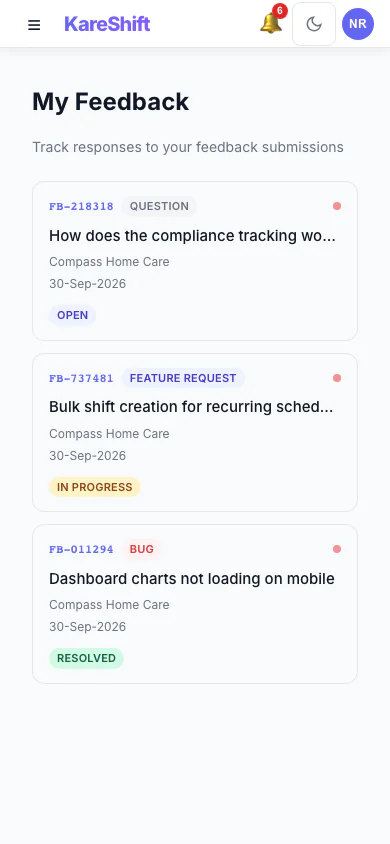
Feedback (Mobile)
Submit and track feedback from your phone.
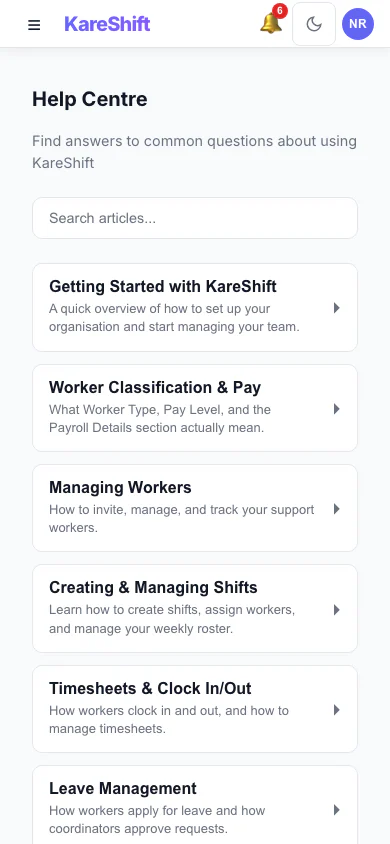
Help Centre (Mobile)
Search help articles and access support on the go.
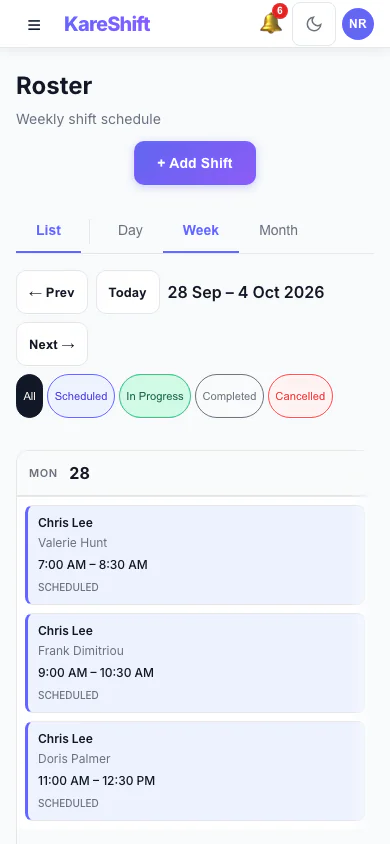
Roster (Mobile)
Schedule visits and shifts from your phone.
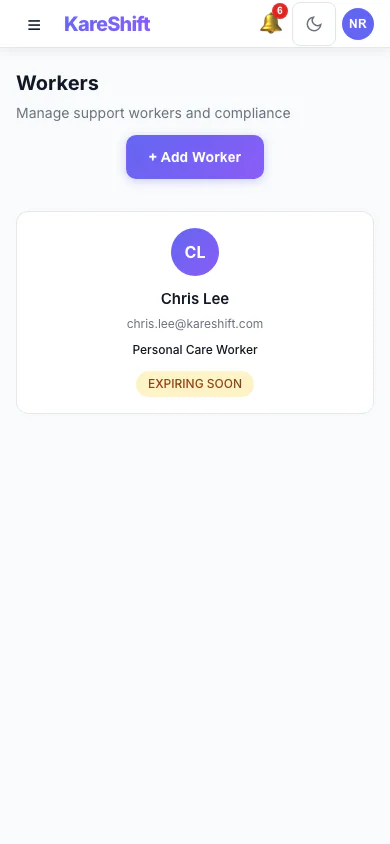
Workers (Mobile)
Full team list on mobile — compliance and hours.
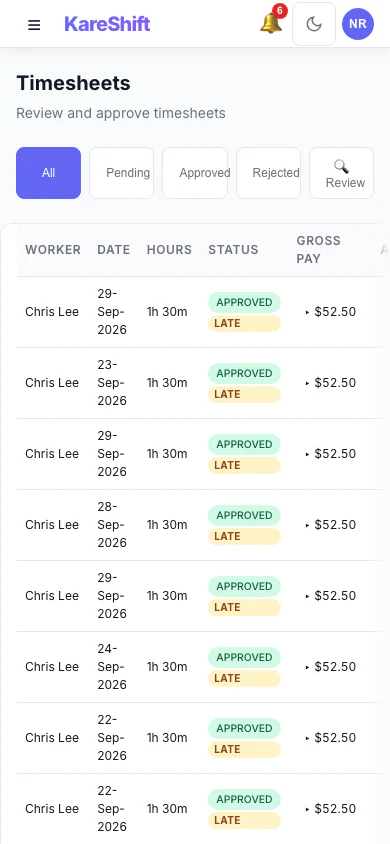
Timesheets (Mobile)
Approve timesheets from your phone.
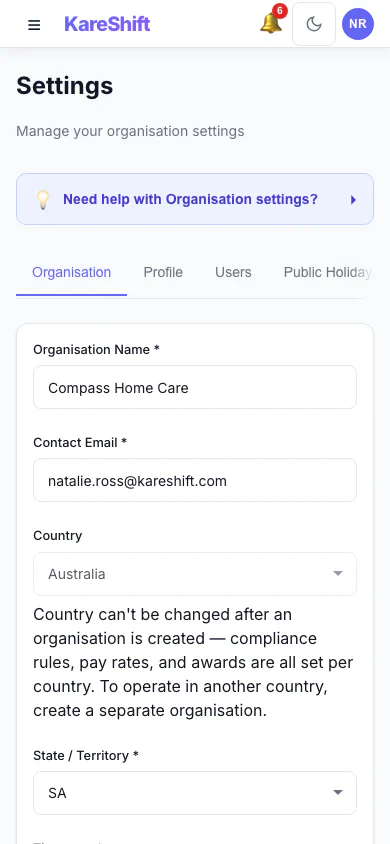
Settings (Mobile)
Organisation settings on mobile.
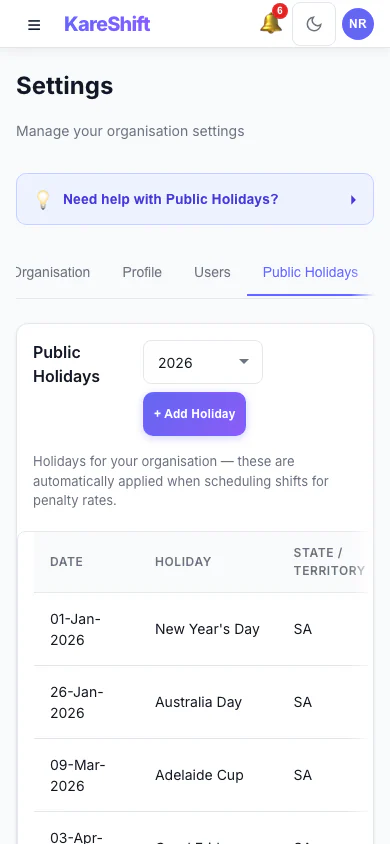
Holidays (Mobile)
View and manage holidays on mobile.
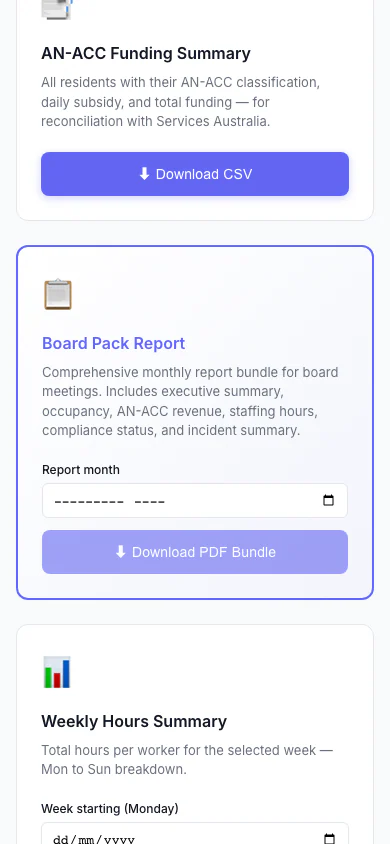
Board Pack Report (Mobile)
One monthly report bundle for board meetings: executive summary, occupancy, AN-ACC revenue, staffing hours, compliance status and incident summary.
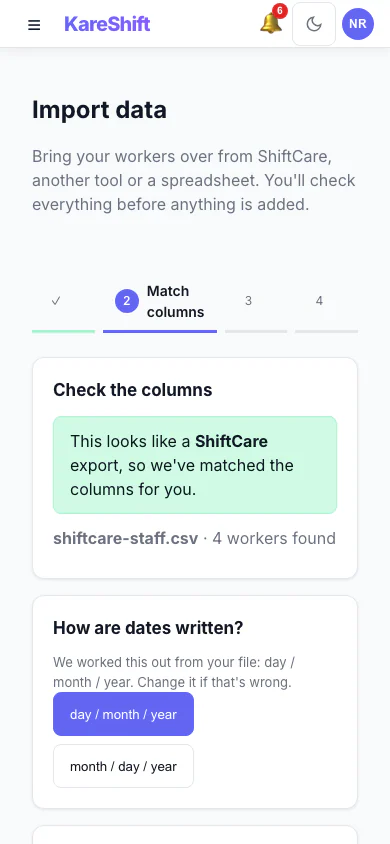
Import — Match Columns (Mobile)
A ShiftCare export is recognised and its columns are matched for you, with the date format detected.
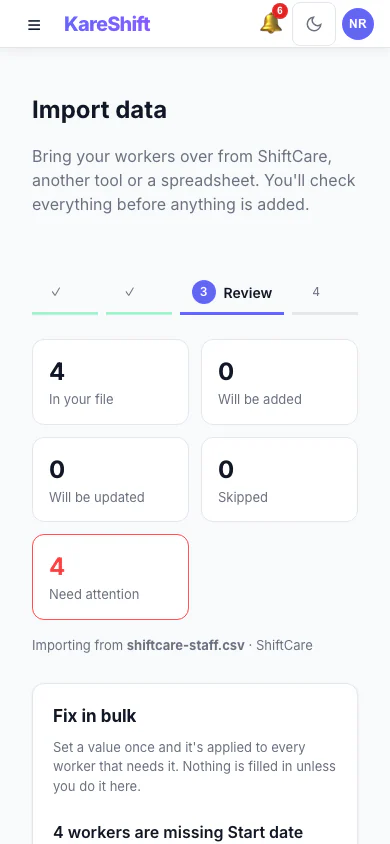
Import — Review & Bulk Fix (Mobile)
See what will be added, updated or skipped, and set a missing value once for everyone before anything is saved.
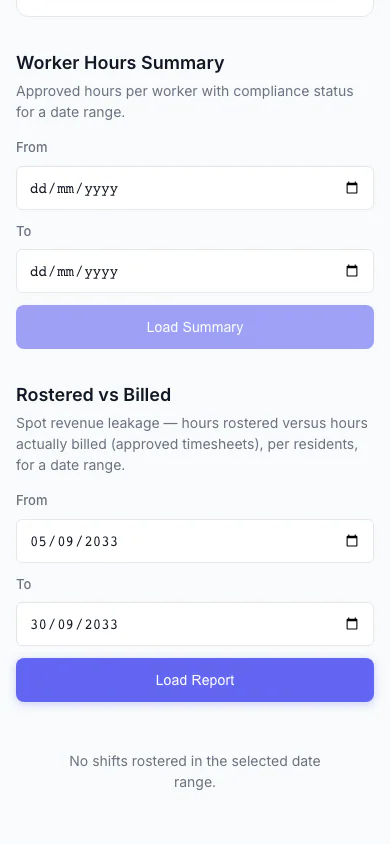
Rostered vs Billed (Mobile)
Spot revenue leakage at a glance — rostered hours versus hours actually billed, per participant, with the shortfall highlighted.
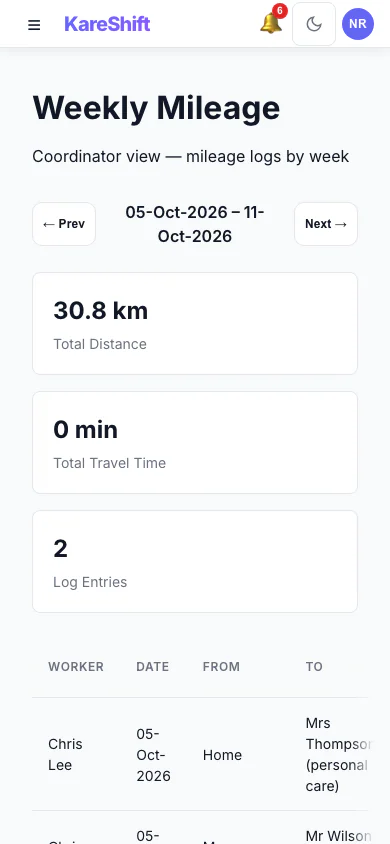
Weekly Mileage (Mobile)
A coordinator's week of mileage logs: total distance, entries, status per worker.
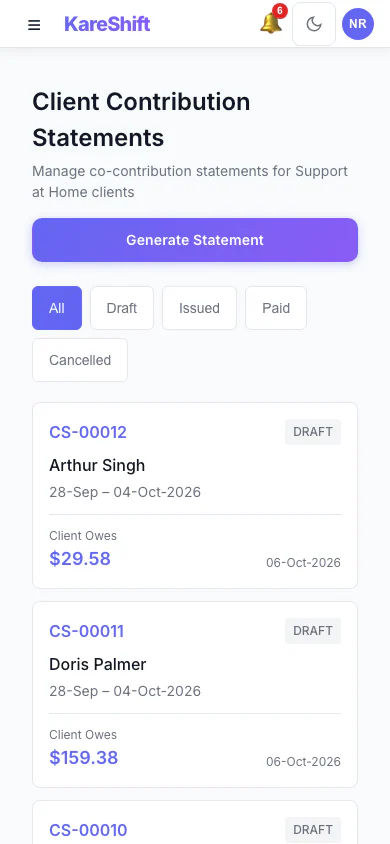
Client Contribution Statements (Mobile)
Statements for Support at Home clients: period, total, client portion and status.
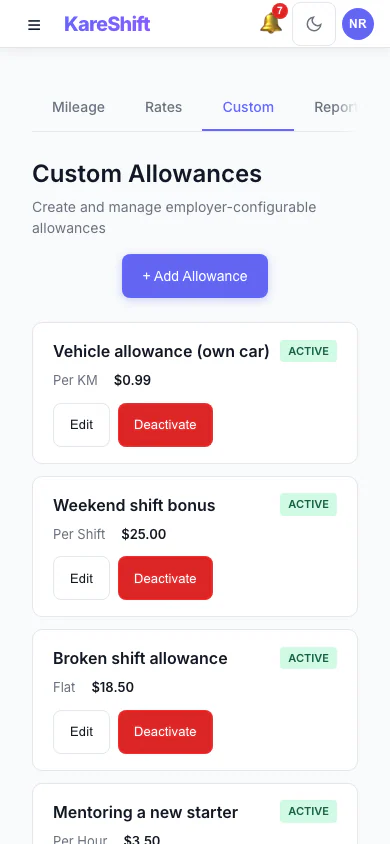
Custom Allowances (Mobile)
Create your own allowances beyond the standard ones, each with its own rate.
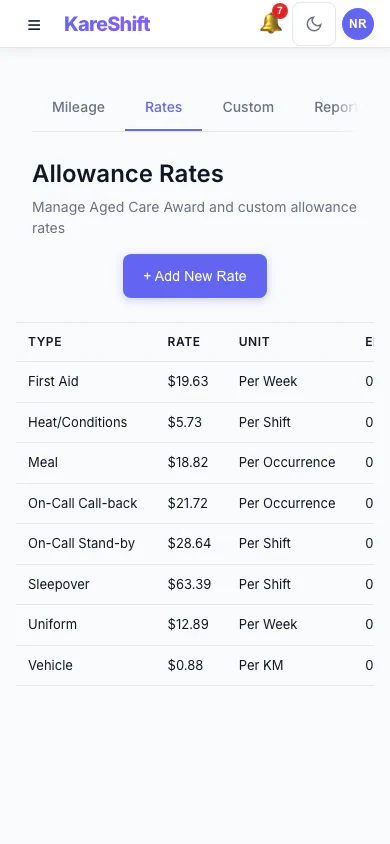
Allowance Rates (Mobile)
The rates used for each allowance, in one table.
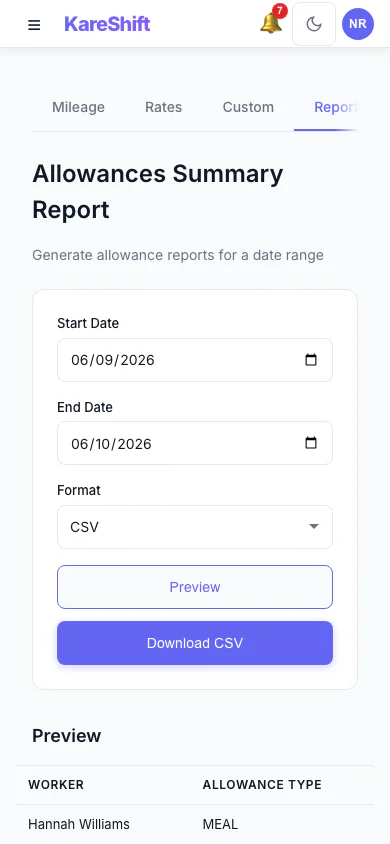
Allowances Report (Mobile)
Preview and export what was paid in allowances over a period, with a grand total.
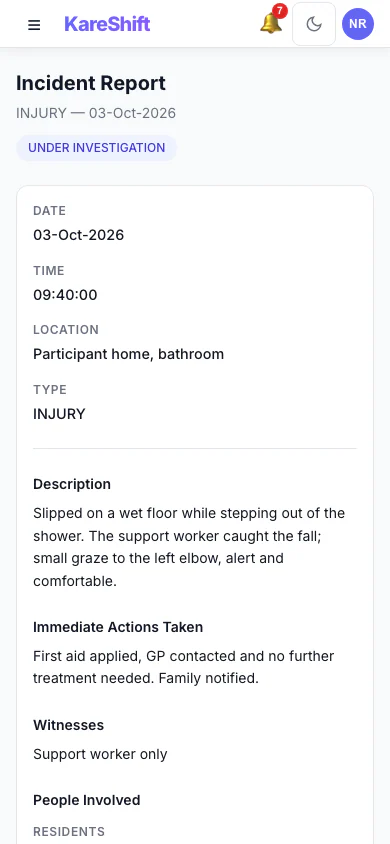
Incident Detail (Mobile)
An incident with its status, details and the update trail of who did what.
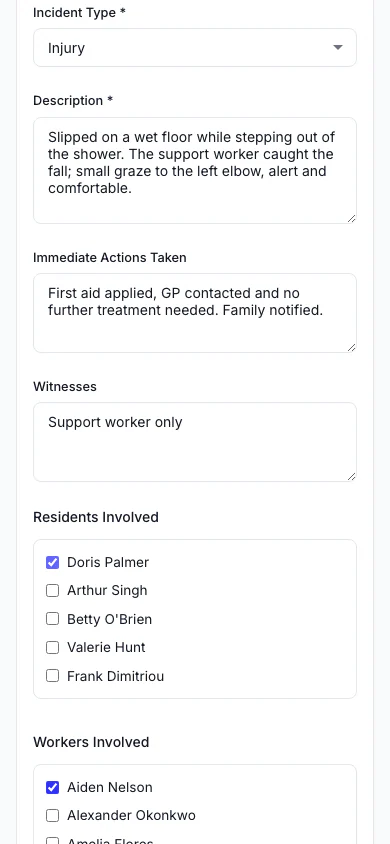
Report an Incident (Mobile)
Record what happened, who was involved and what was done straight away.
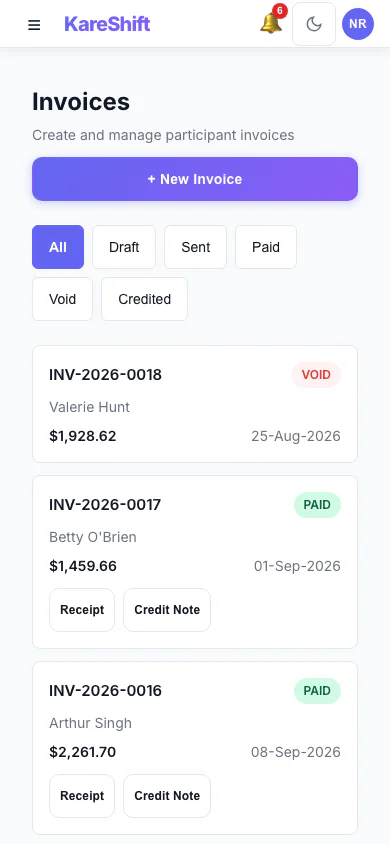
Invoices (Mobile)
Draft, sent, paid and voided invoices in one list, with PDF, receipt and credit note actions.
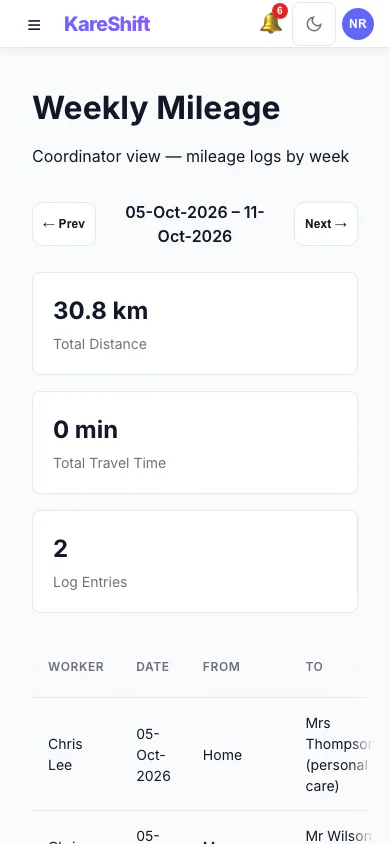
Weekly Mileage (Mobile)
A coordinator's week of mileage logs: total distance, entries, status per worker.
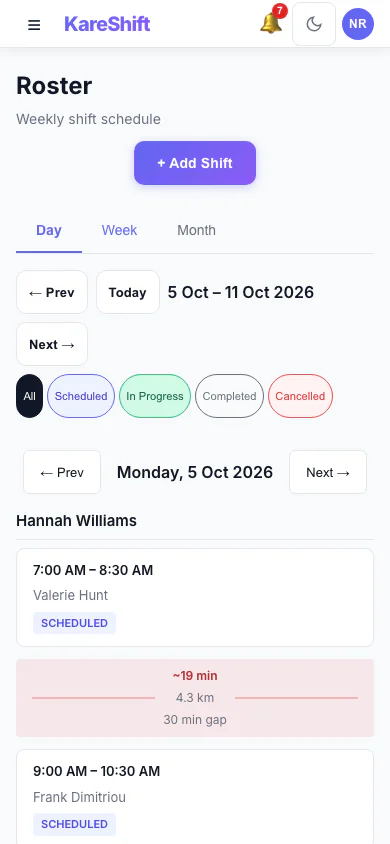
Roster — Day View (Mobile)
One day's shifts grouped by worker.
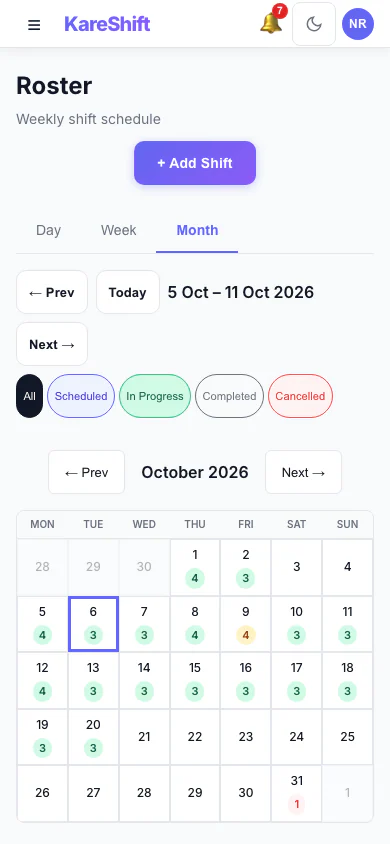
Roster — Month View (Mobile)
A month at a glance with shift counts for each day.
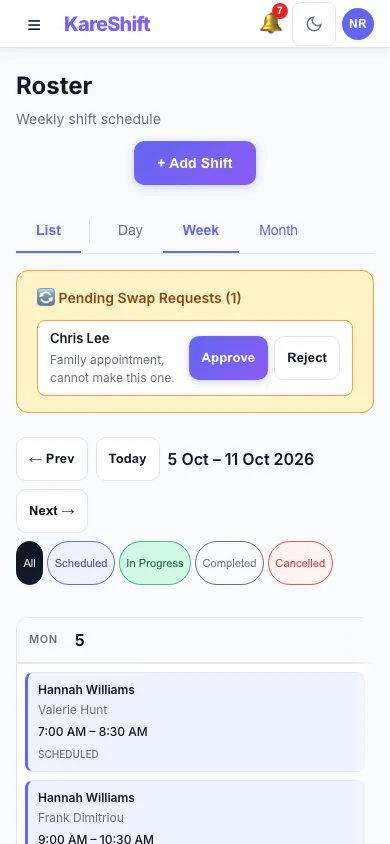
Shift Swap Requests (Mobile)
Pending swap requests with approve and reject.
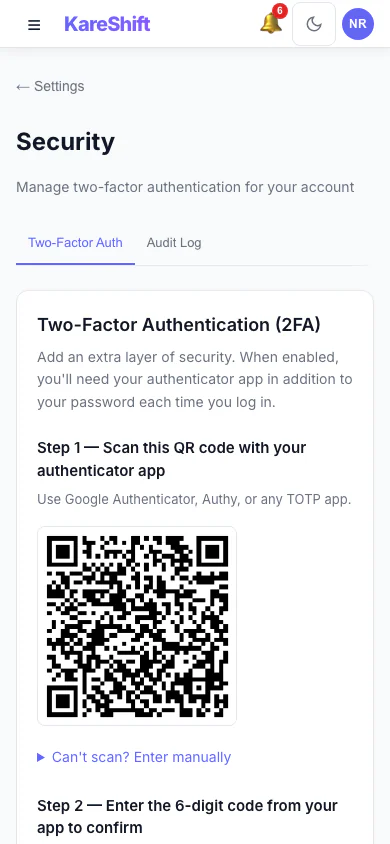
Set Up Two-Factor Authentication (Mobile)
Scan a code with an authenticator app, then enter the six-digit code to switch it on.
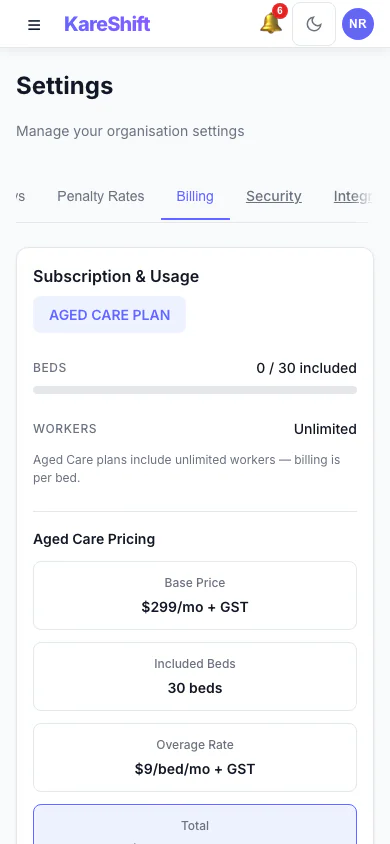
Billing and Plan (Mobile)
Your plan, worker usage and billing history.
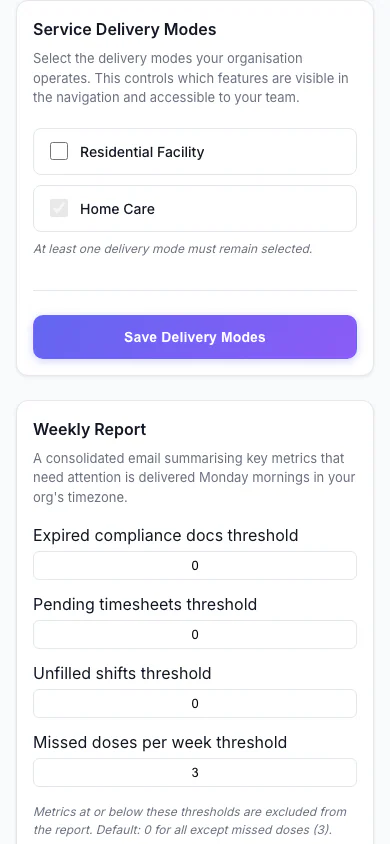
Service Delivery Modes (Mobile)
Choose which kinds of service your organisation delivers.
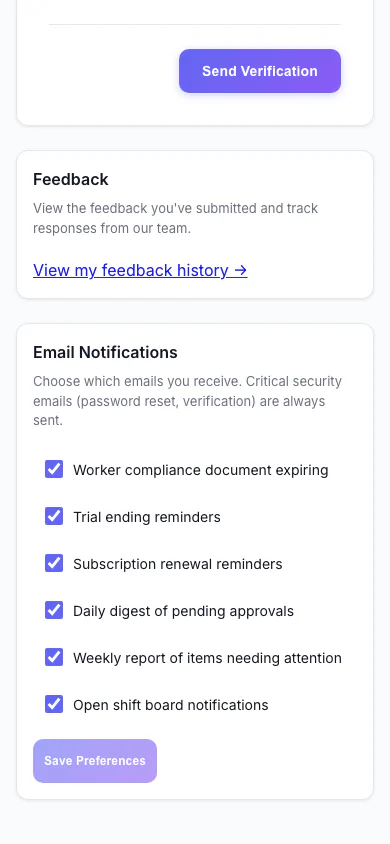
Notification Preferences (Mobile)
Choose which emails you receive.
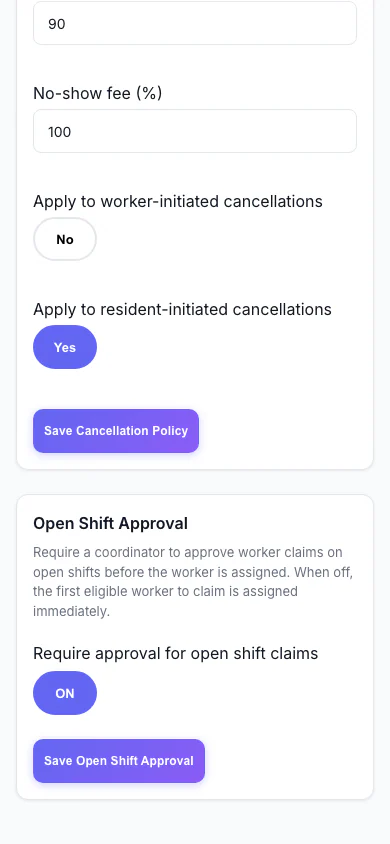
Open Shift Approval (Mobile)
Decide whether workers can claim open shifts straight away or need approval.
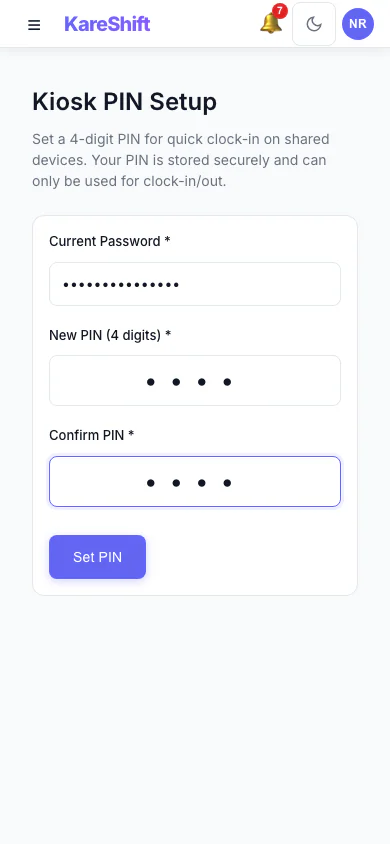
Kiosk PIN (Mobile)
Set the PIN workers use at a shared kiosk.
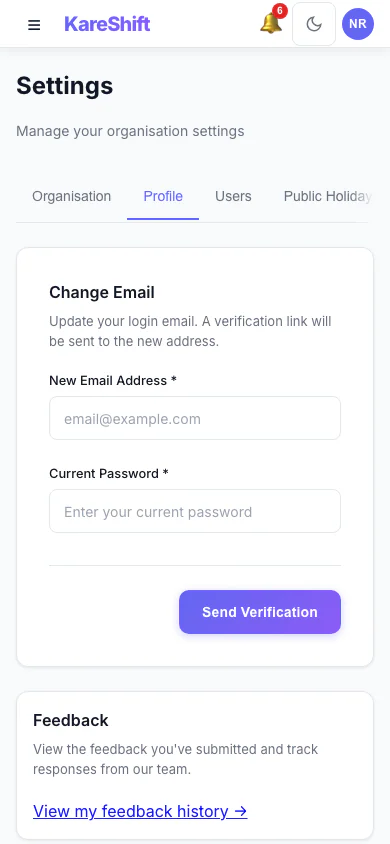
Your Profile Settings (Mobile)
Your login email and email notification choices.
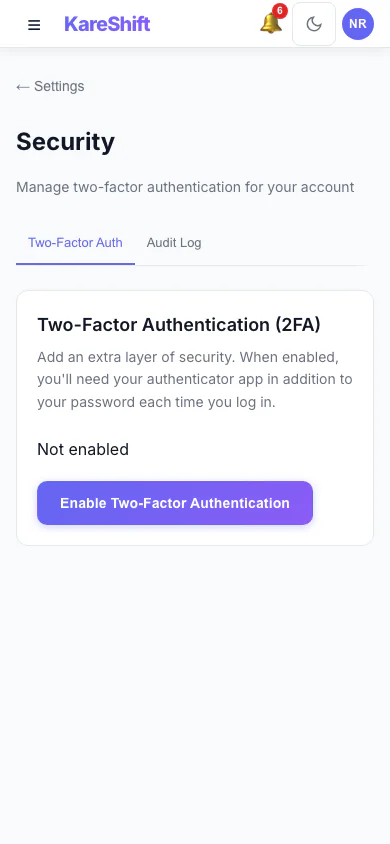
Security Settings (Mobile)
Two-factor status for your account, with trusted devices and an audit log for owners.
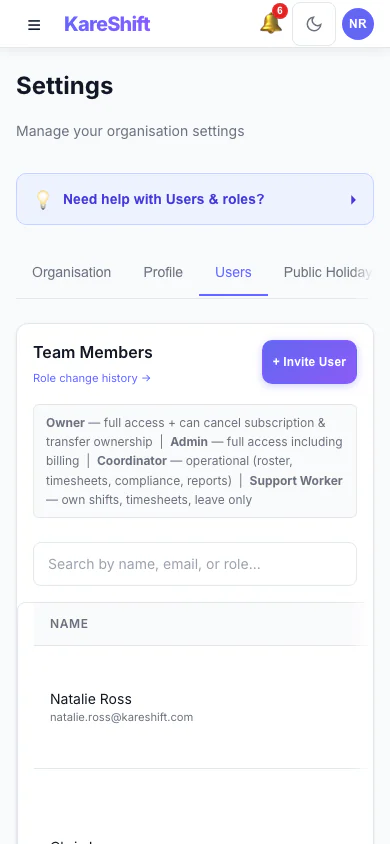
Team Members and Roles (Mobile)
Everyone in your organisation, their status and roles.
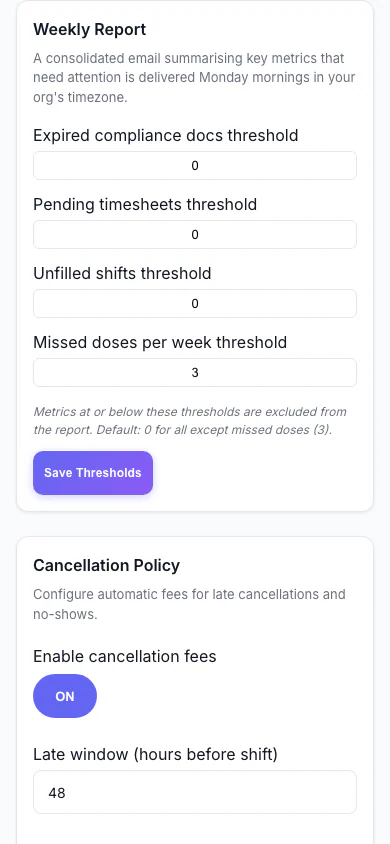
Weekly Report (Mobile)
Set the thresholds for the weekly summary email.
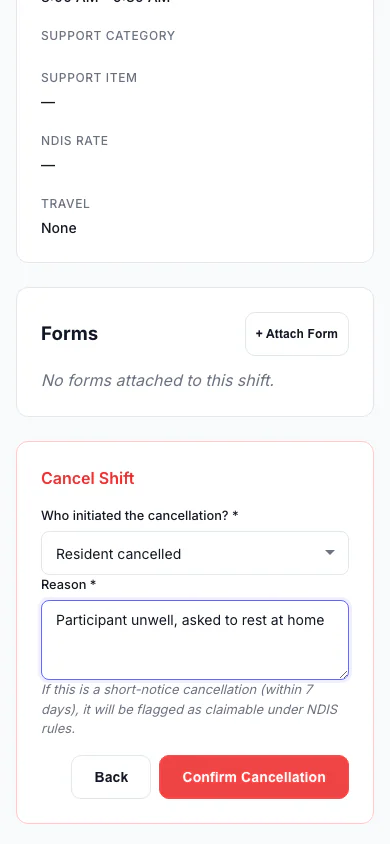
Cancel a Shift (Mobile)
Record who cancelled and why, so the right fee is applied.
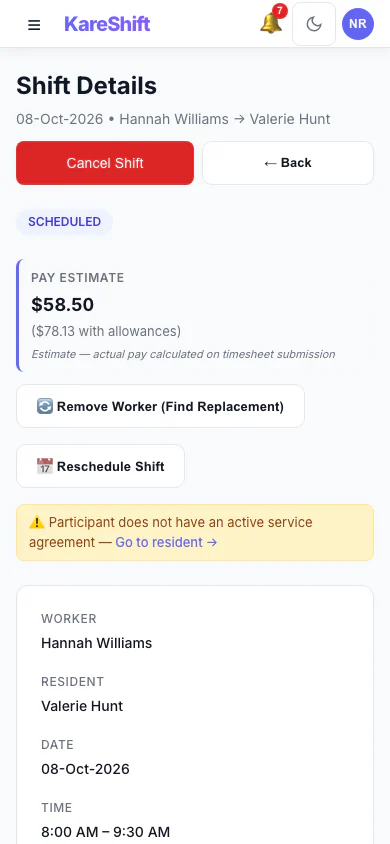
Shift Detail (Mobile)
A shift with its worker, pay estimate and attached forms.
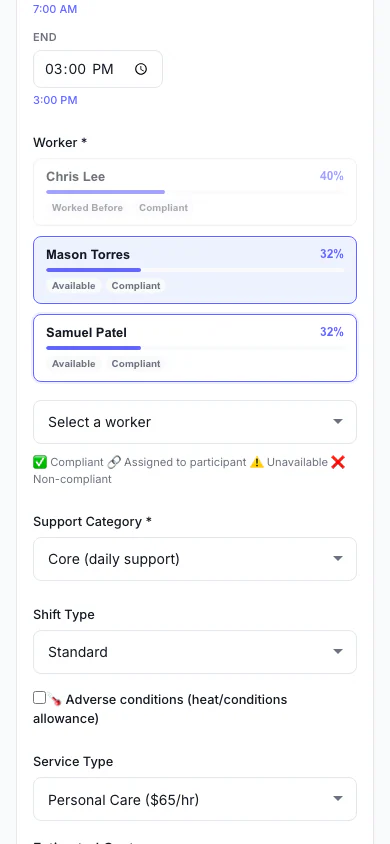
Add a Shift (Mobile)
Pick the person, date and times, and see suggested workers.
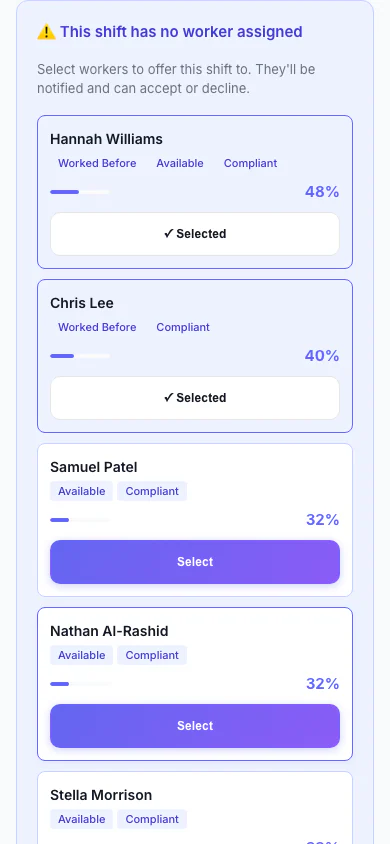
Replacement Assistant (Mobile)
A vacant shift with ranked replacement workers and one-click offers.
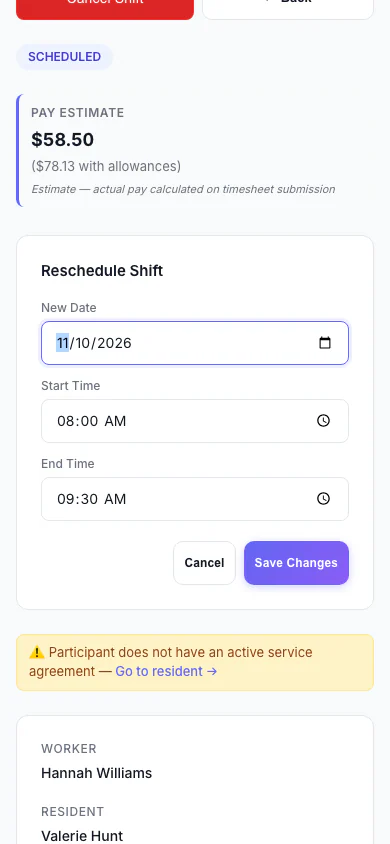
Reschedule a Shift (Mobile)
Move a shift to a new date and time.
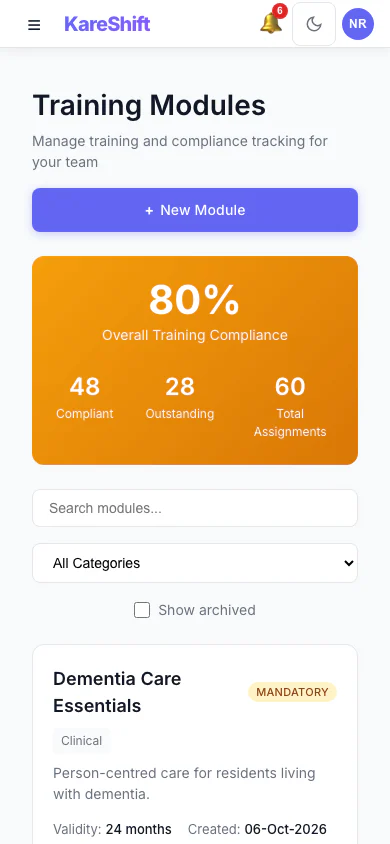
Training Modules (Mobile)
Mandatory and optional training, overall compliance and who is due.
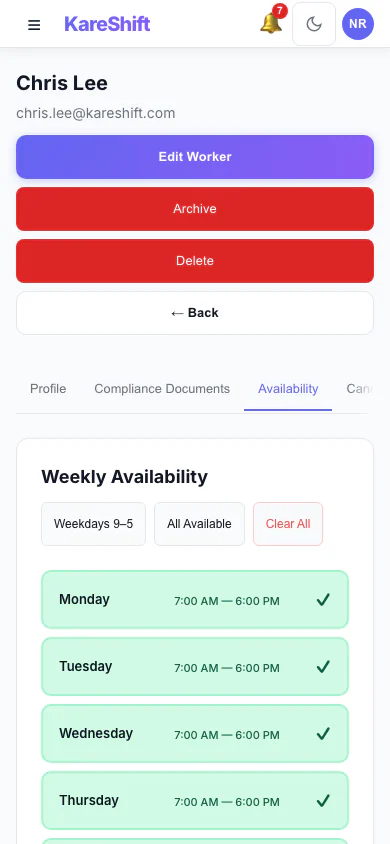
Worker Availability (Mobile)
A worker's weekly availability grid.
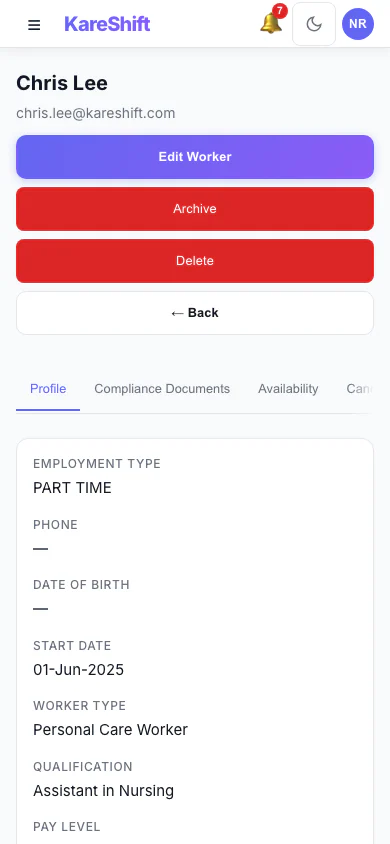
Worker Profile (Mobile)
A worker's profile and details.
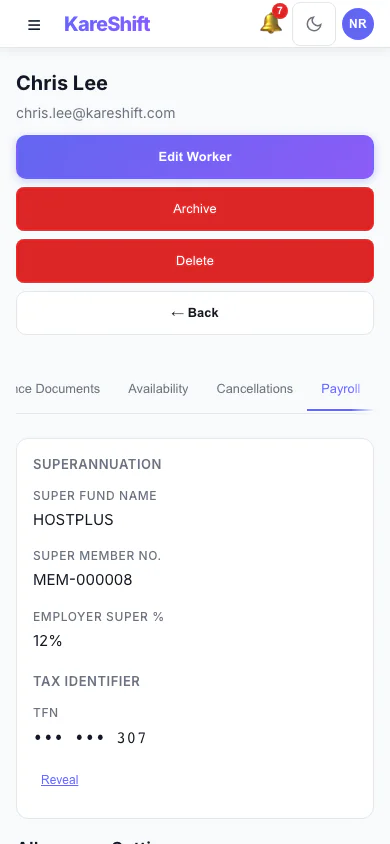
Worker Payroll Details (Mobile)
Payroll details and allowance settings for a worker.
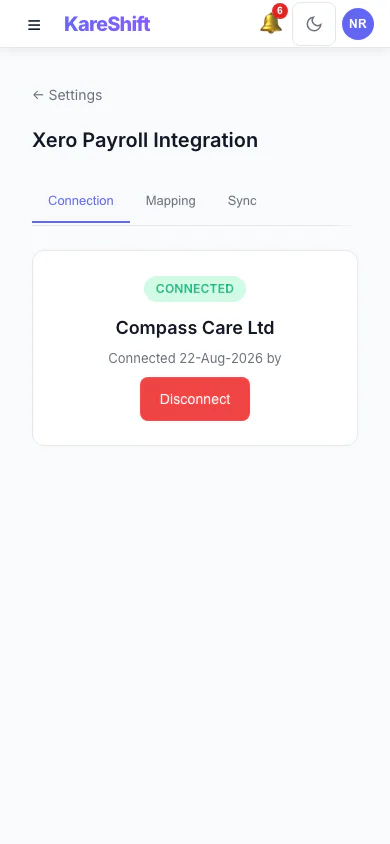
Xero Connection (Mobile)
Connect your Xero organisation once.
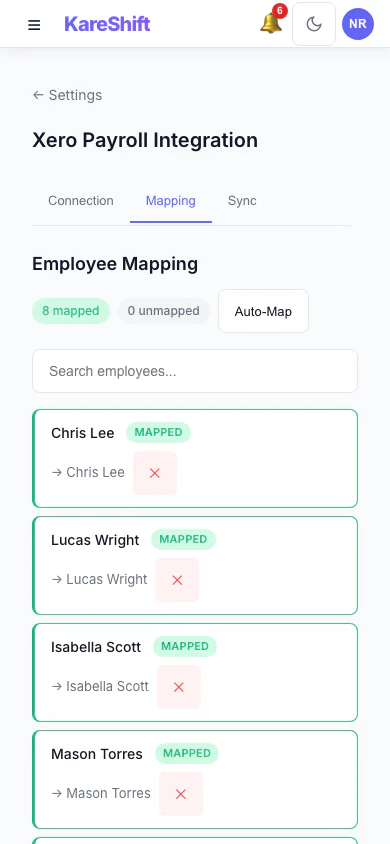
Xero Pay-Item Mapping (Mobile)
Map KareShift pay categories to your Xero earnings rates.
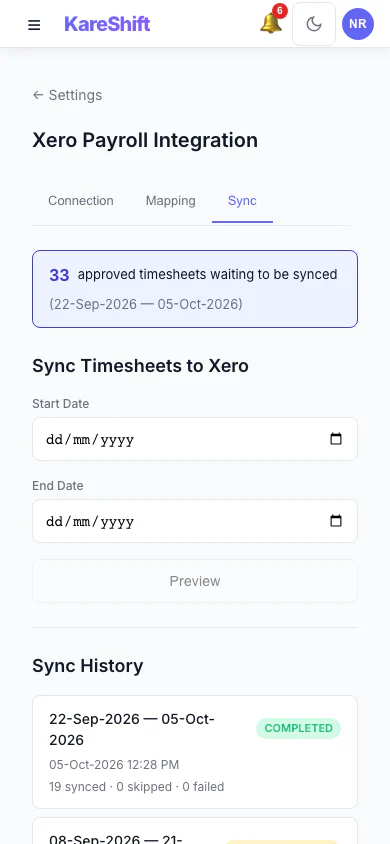
Xero Sync History (Mobile)
Past syncs with what succeeded and what failed.
Aged Care Facility — Support Worker View
What care workers see — their room assignment, ADL tasks, residents, handover notes.
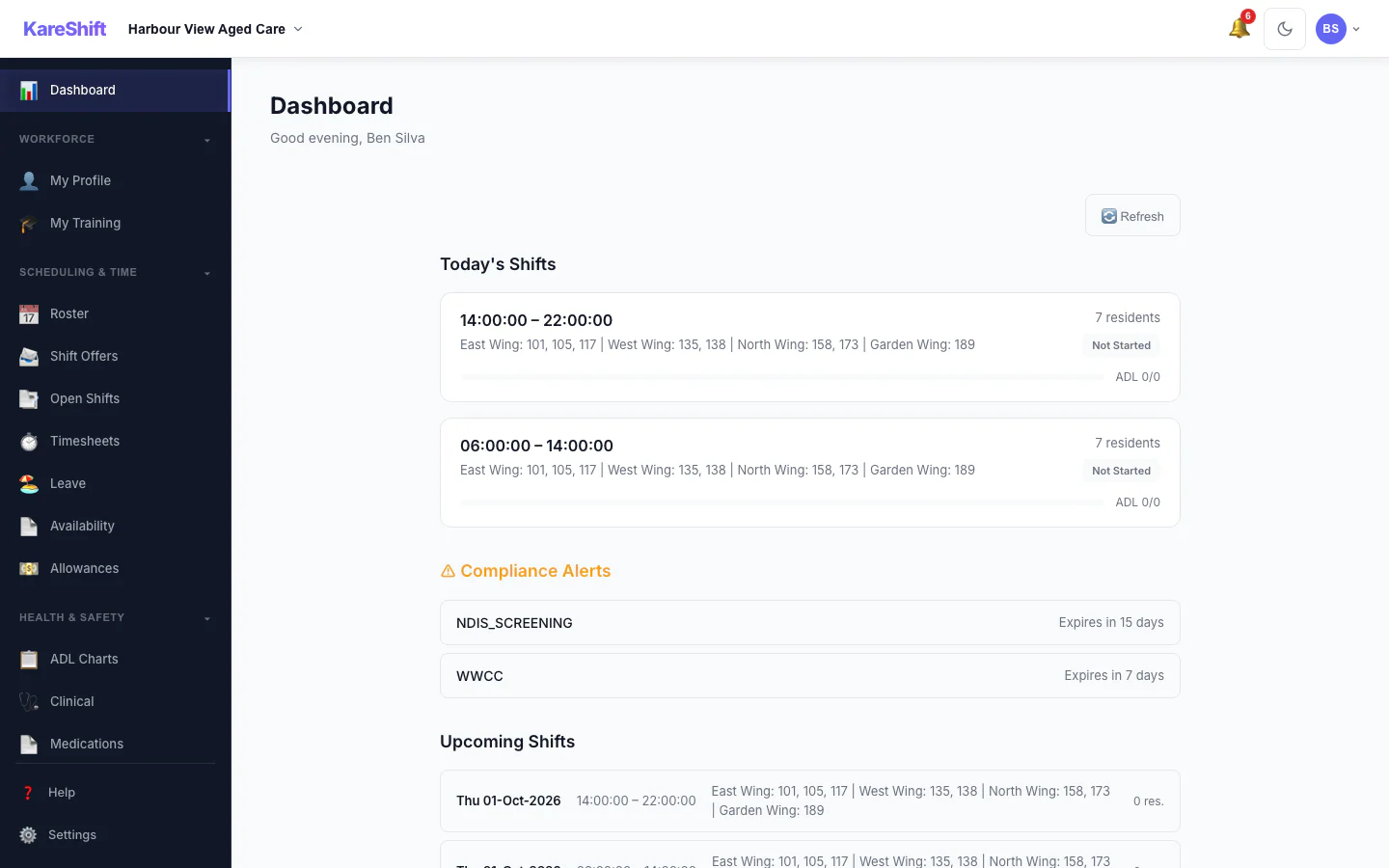
Worker Dashboard
Room range, resident list, ADL progress, clock-in status, handover indicator, compliance alerts.
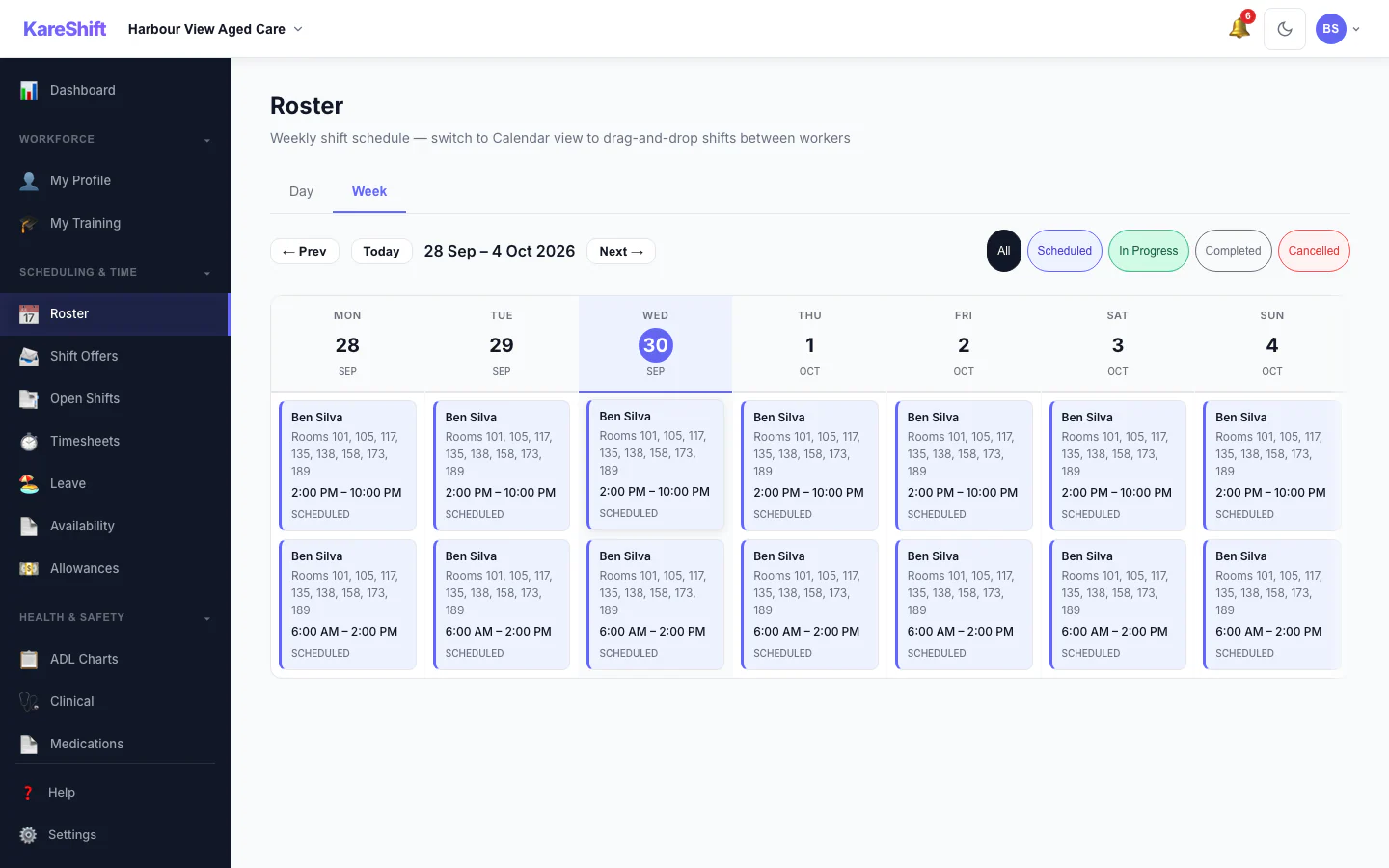
My Shifts
Assigned shifts with room range, wing, time. Morning/afternoon/night at a glance.
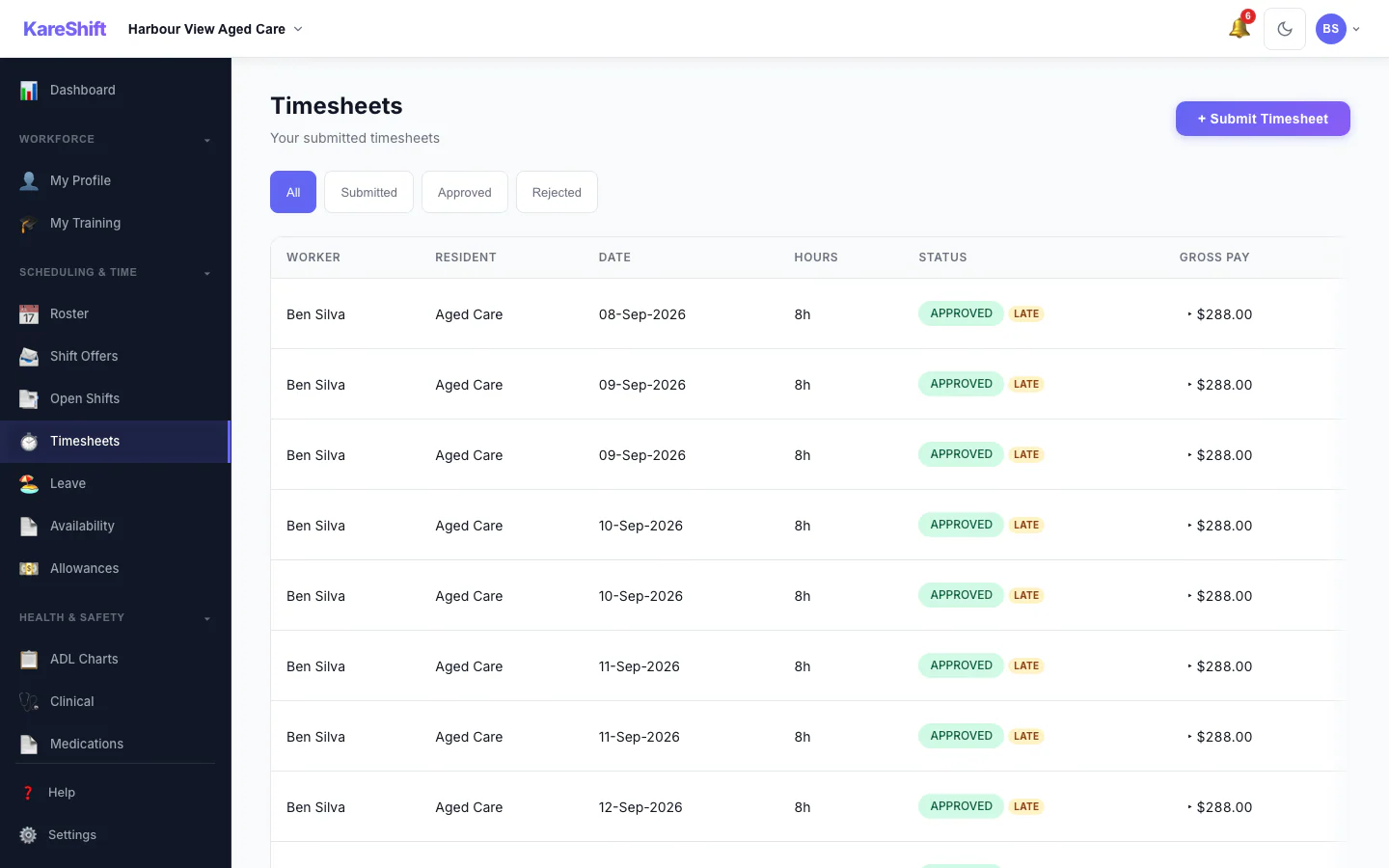
My Timesheets
Auto-generated from clock-in/out. View status, total hours, and pay period breakdown.
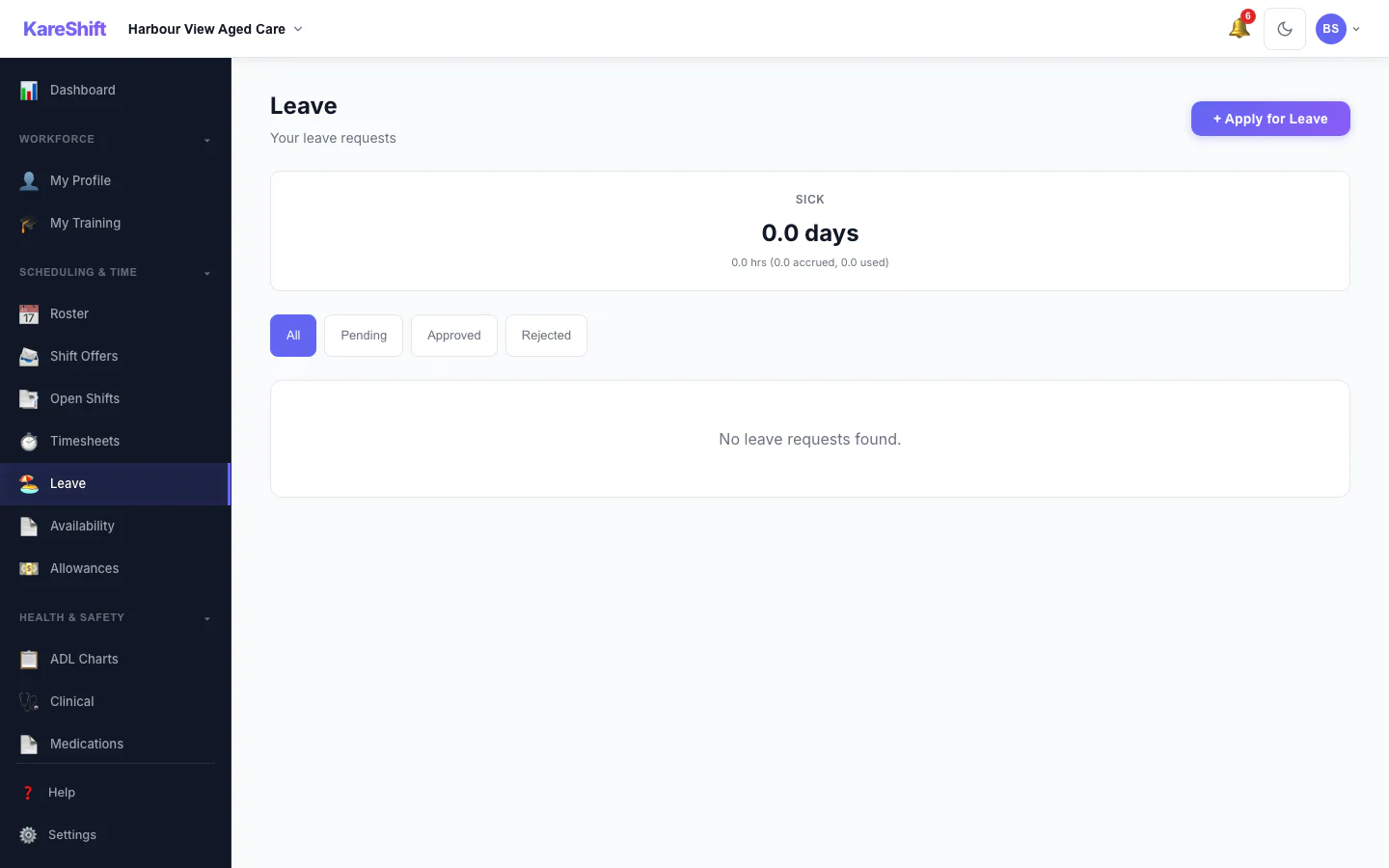
Apply for Leave
Request annual, personal, or unpaid leave. See balance, track approval status.
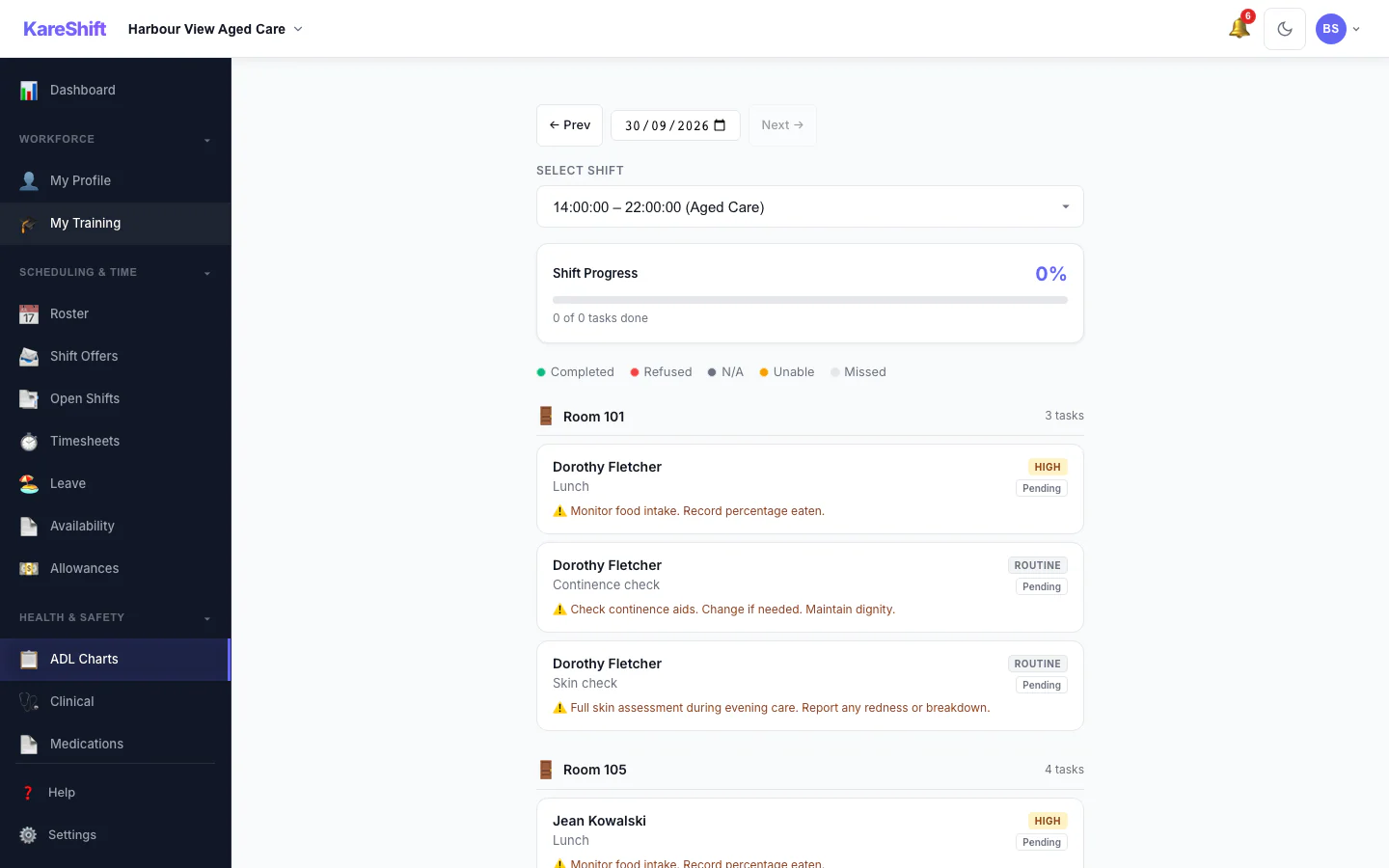
ADL Tasks
Today's care tasks for your room range. Mark complete, refused, or unable. Immutable once marked.
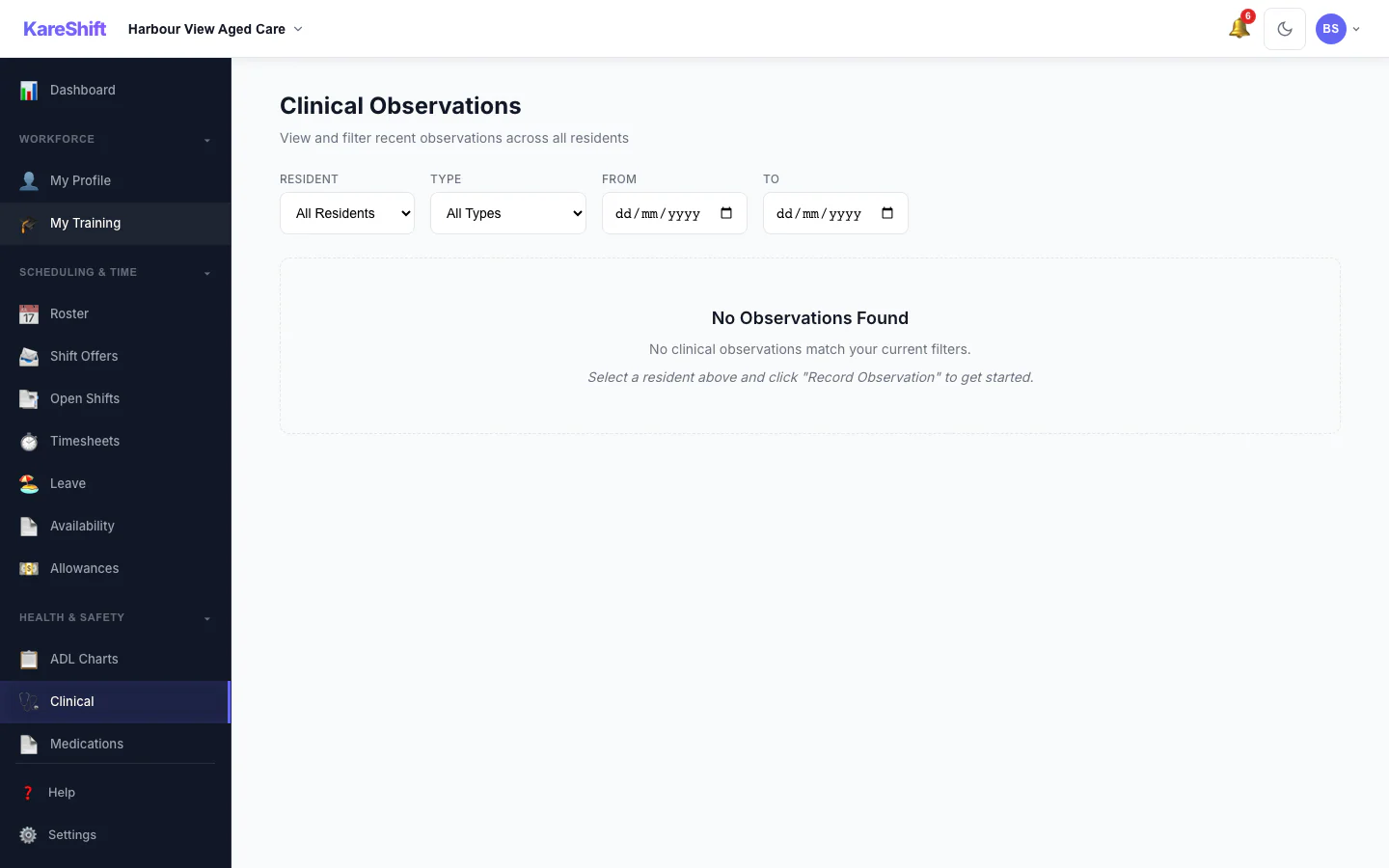
Clinical Observations
Record vitals during your shift — BP, temperature, heart rate. Alerts for out-of-range values.
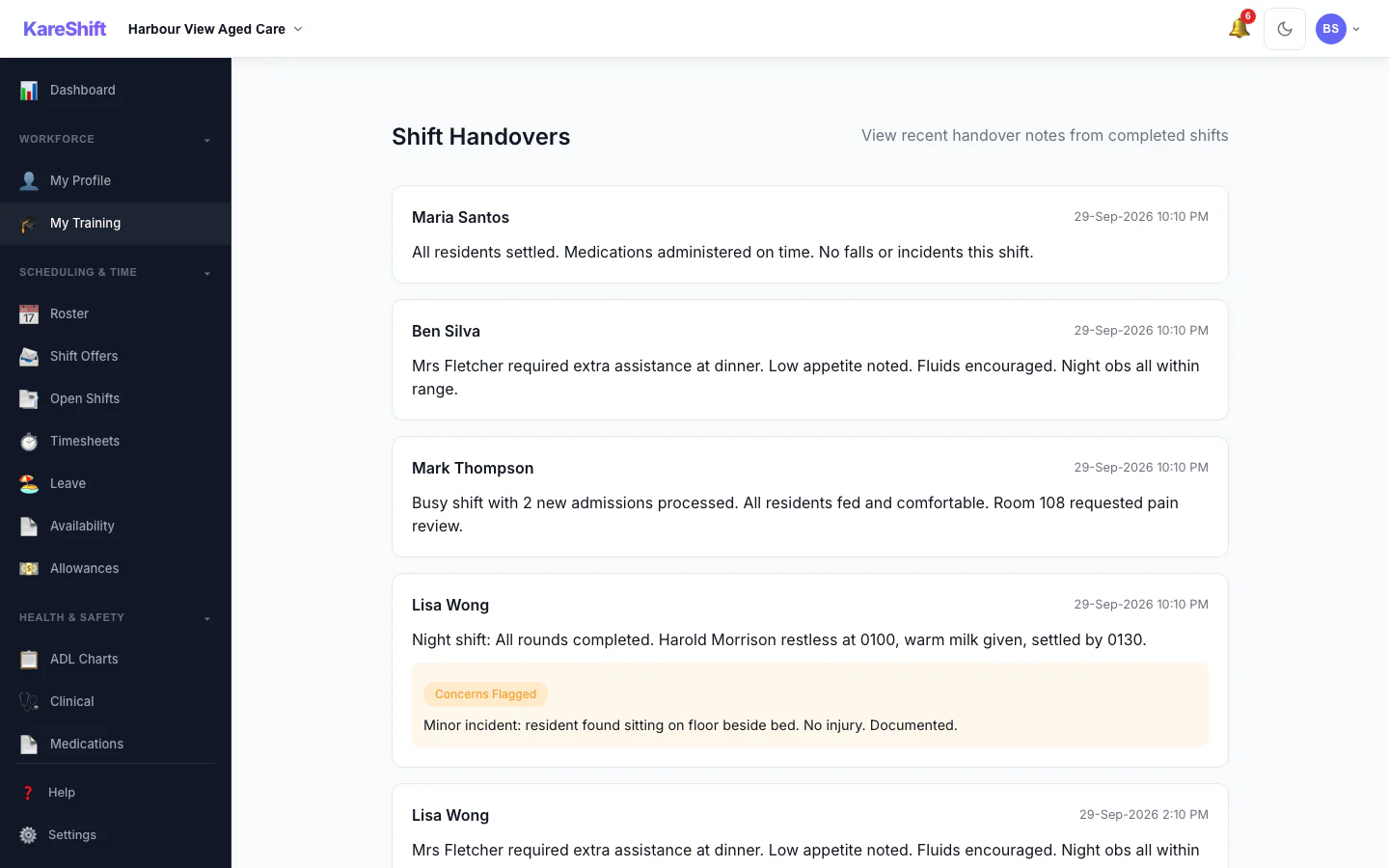
Submit Handover
End-of-shift handover — flag residents with concerns, summarise the shift for incoming staff.
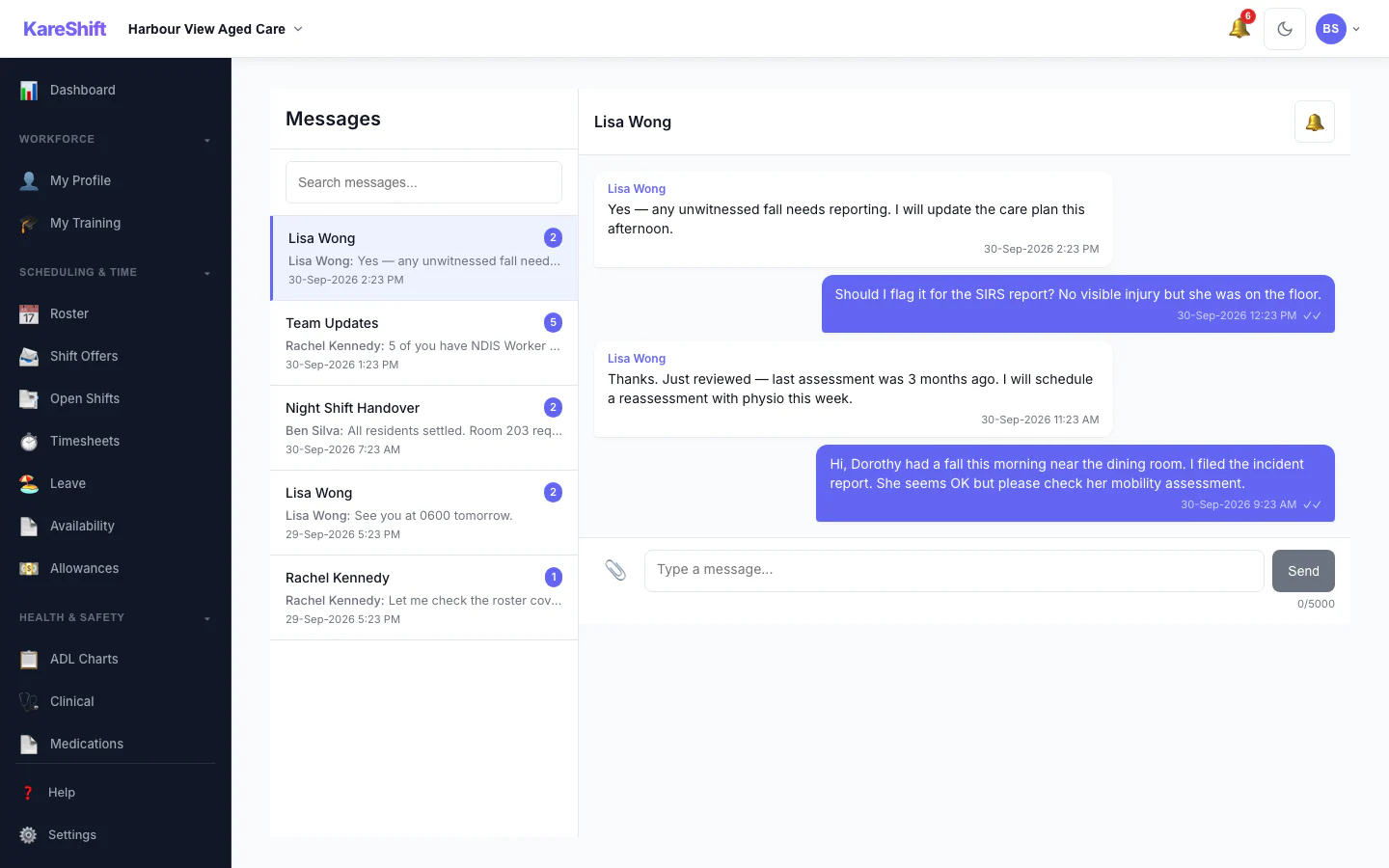
Messages
Stay in touch with coordinators. Shift-linked messages, urgent flags, file attachments.
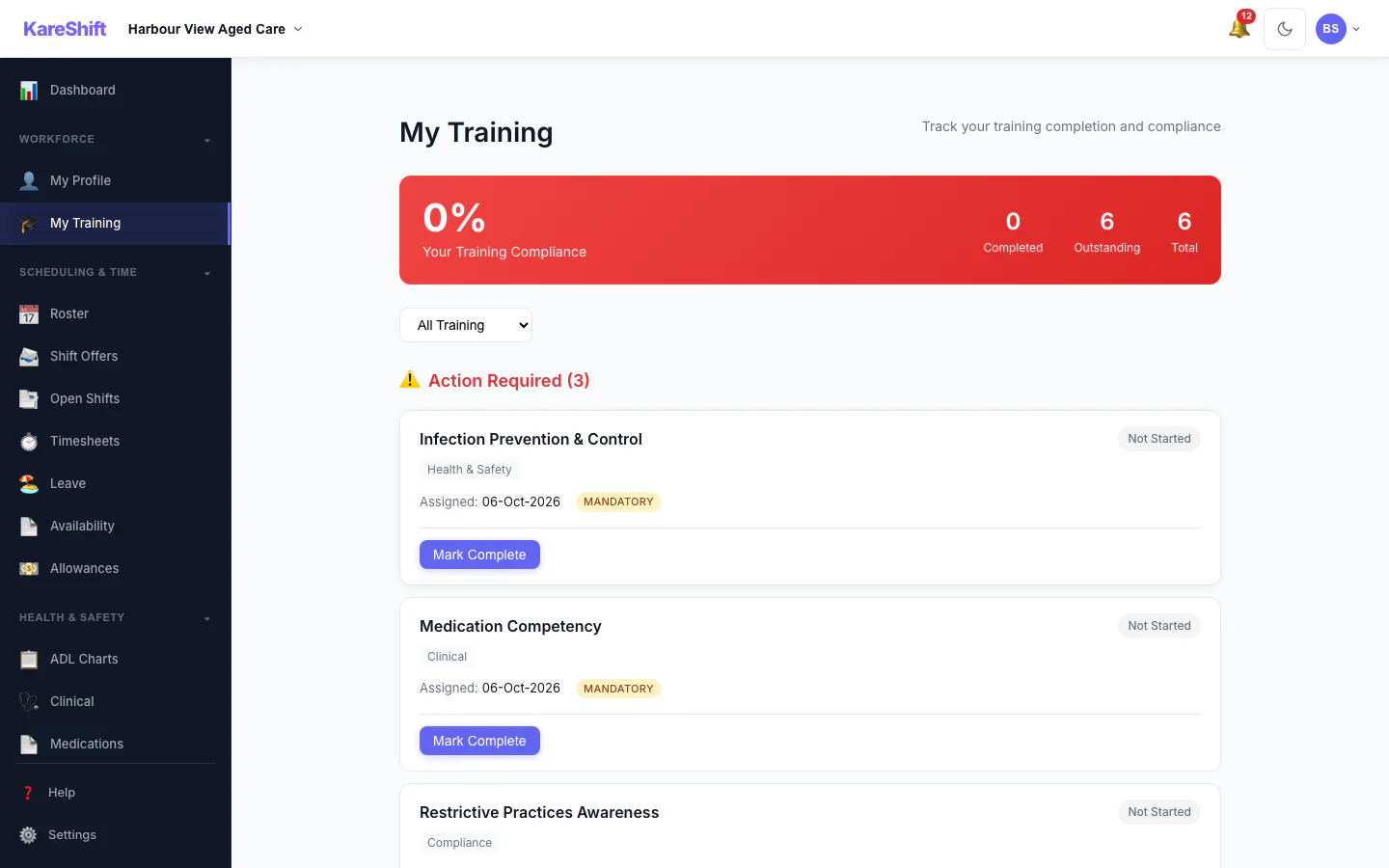
My Training
A worker sees the training assigned to them and what is complete.
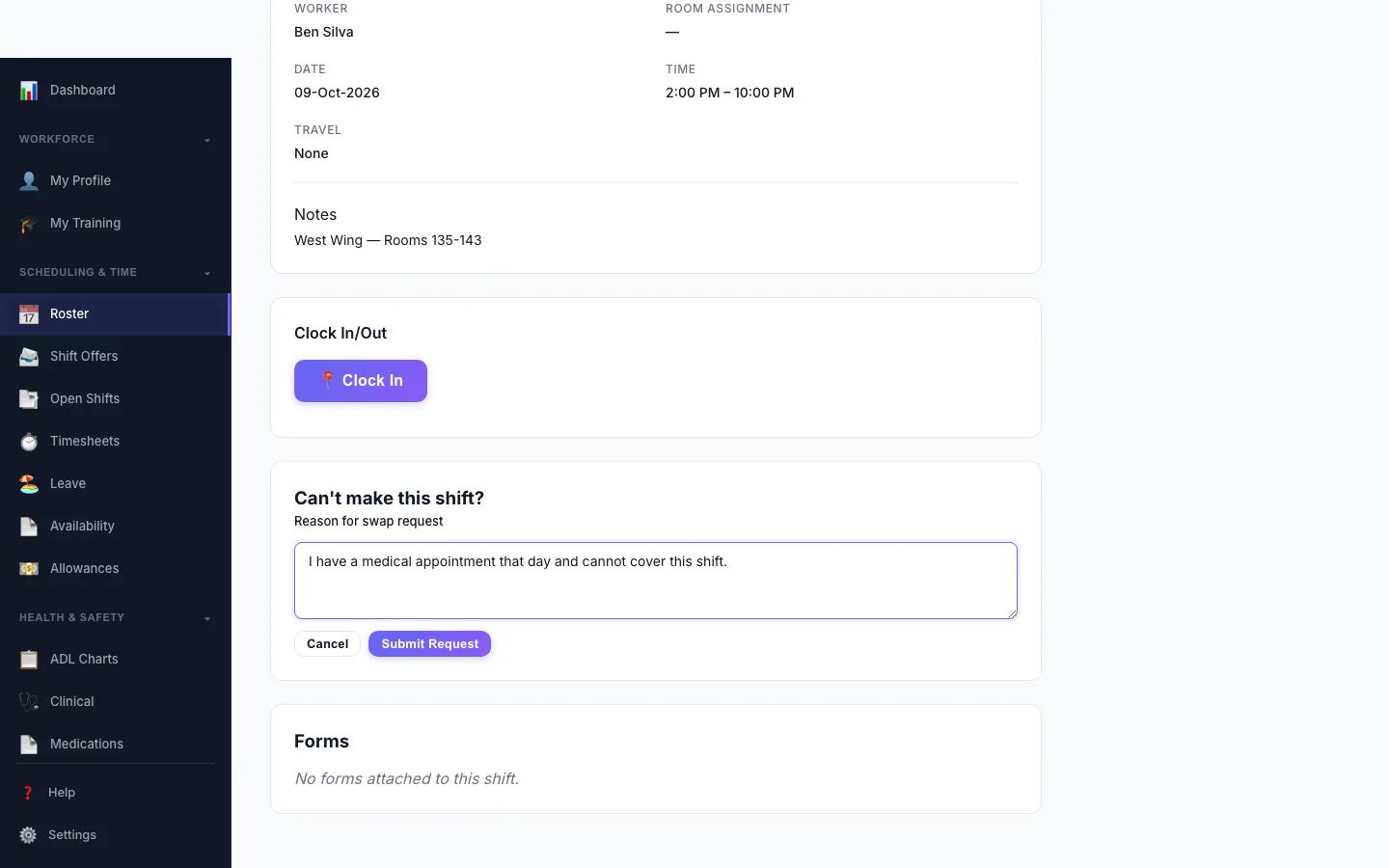
Ask to Swap a Shift
A worker who can't make a shift asks to swap it and says why.
Mobile Experience
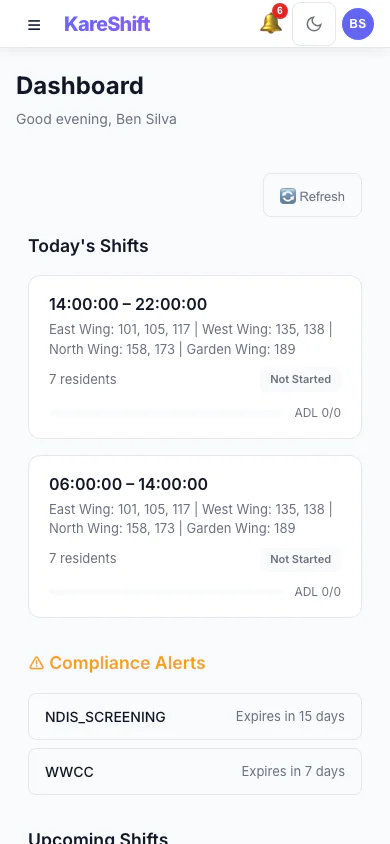
Dashboard (Mobile)
Room range, ADL progress, and clock-in status on your phone.
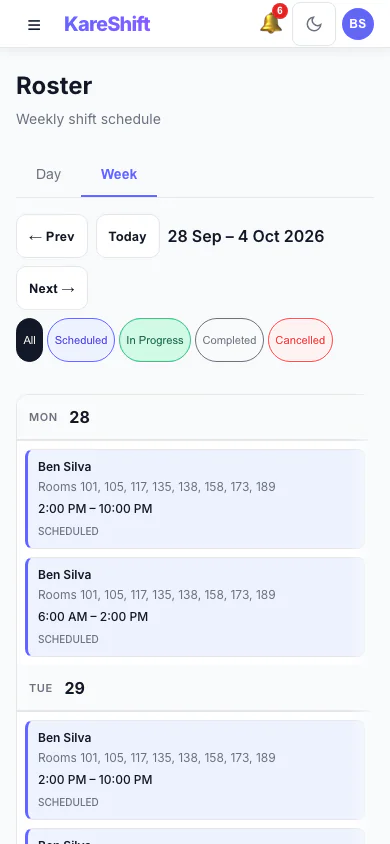
My Shifts (Mobile)
Your assigned shifts on mobile — room range and wing at a glance.
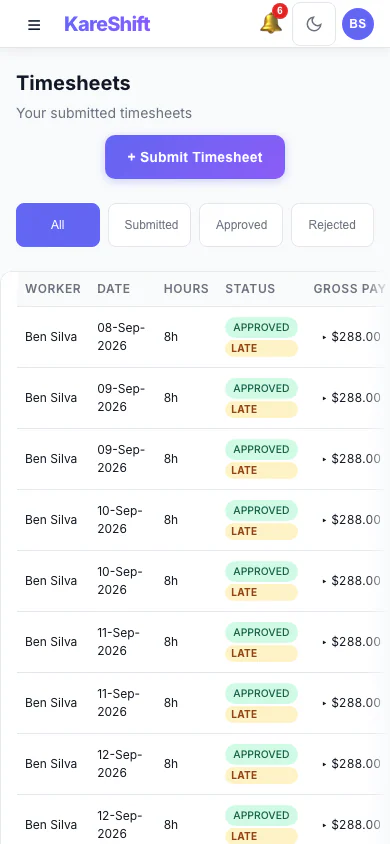
Timesheets (Mobile)
View your timesheet history and status on mobile.
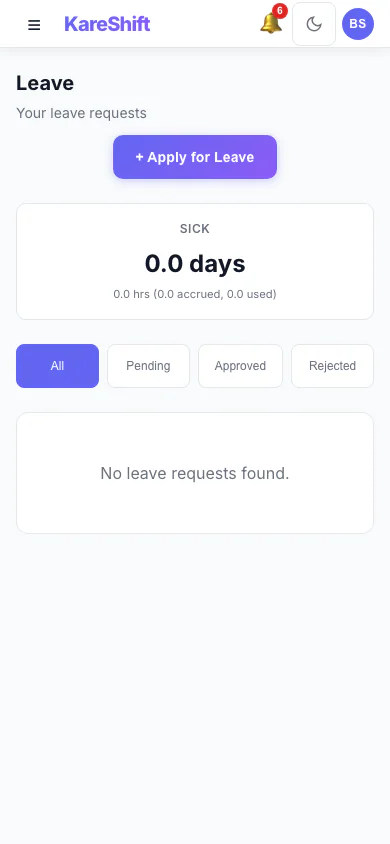
Leave (Mobile)
Apply for leave from your phone. Check balances and track approvals.
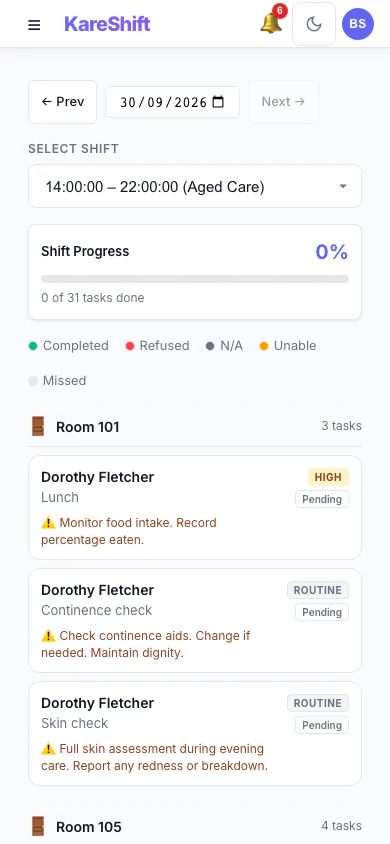
ADL Tasks (Mobile)
Complete care tasks from your phone. Tap to mark done, refused, or unable.
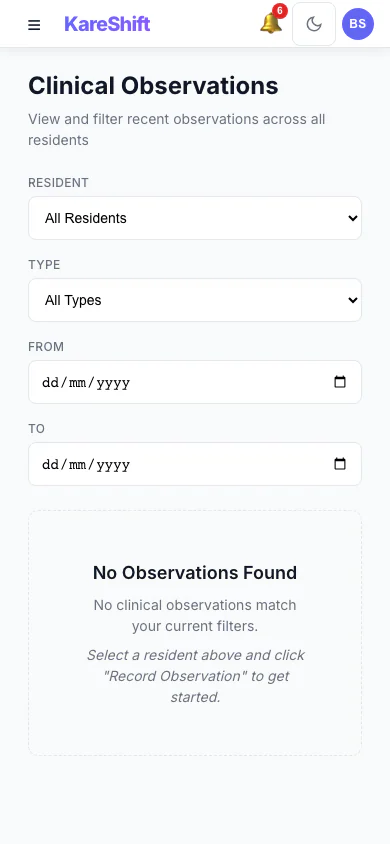
Clinical Observations (Mobile)
Record vitals on mobile — quick entry for BP, temp, heart rate.
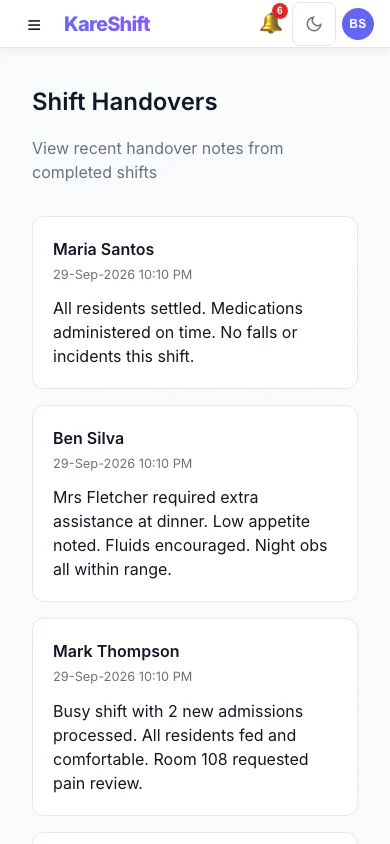
Handover (Mobile)
Submit end-of-shift handover from your phone. Flag concerns quickly.
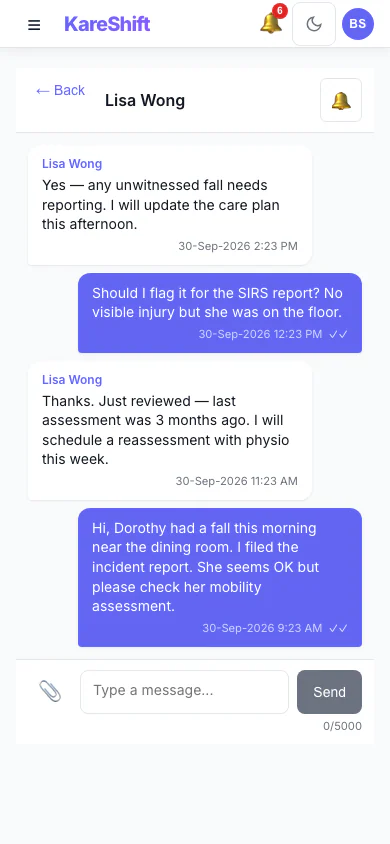
Messages (Mobile)
Chat with coordinators on mobile. Urgent flags and push notifications.
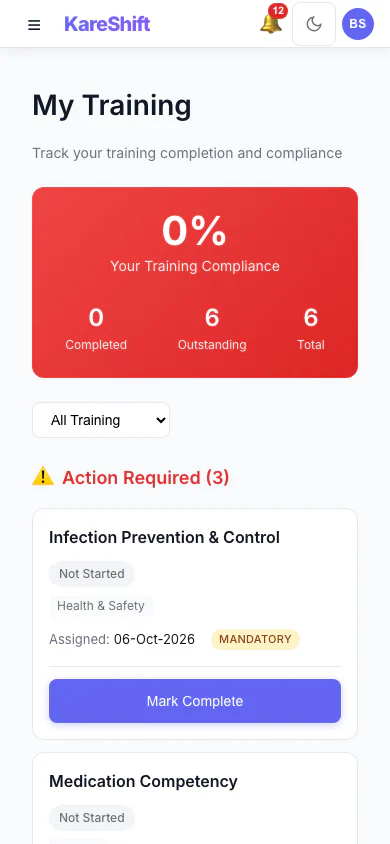
My Training (Mobile)
A worker sees the training assigned to them and what is complete.
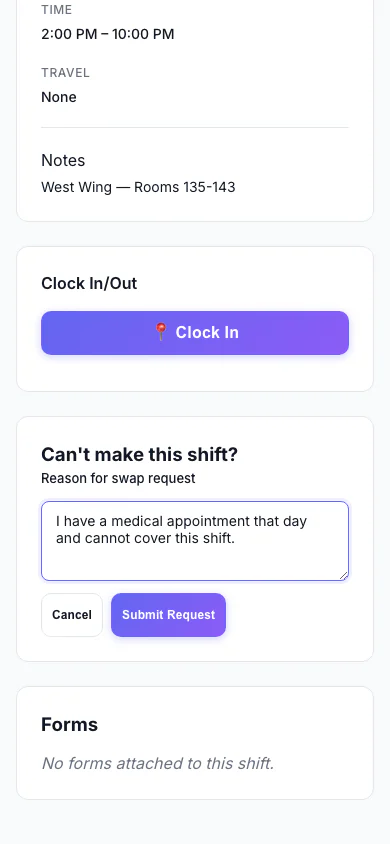
Ask to Swap a Shift (Mobile)
A worker who can't make a shift asks to swap it and says why.
Home Care — Support Worker View
What home care workers see — their visits, routes, timesheets, and messages.
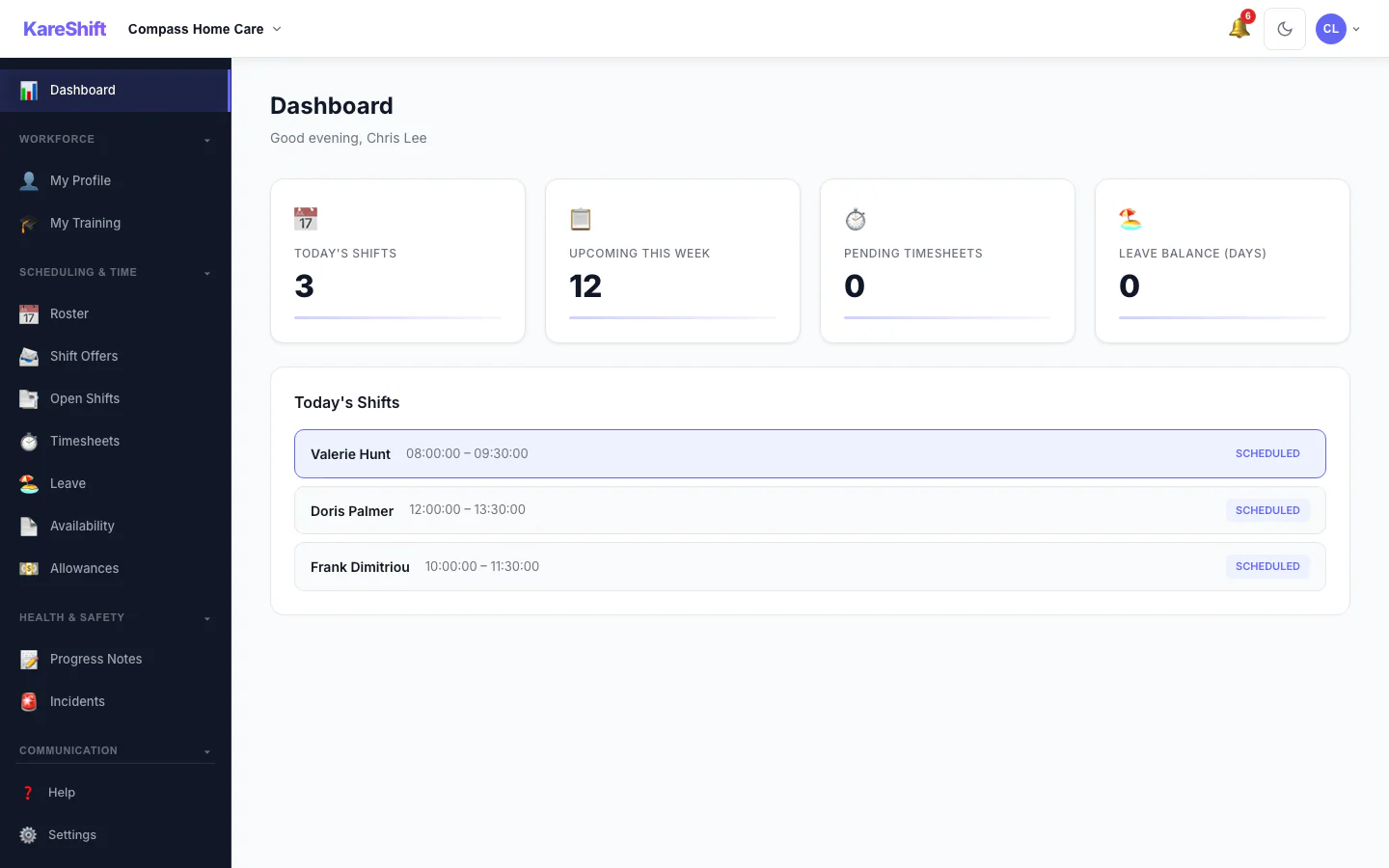
Worker Dashboard
Today's visits, route overview, clock-in status, upcoming schedule.
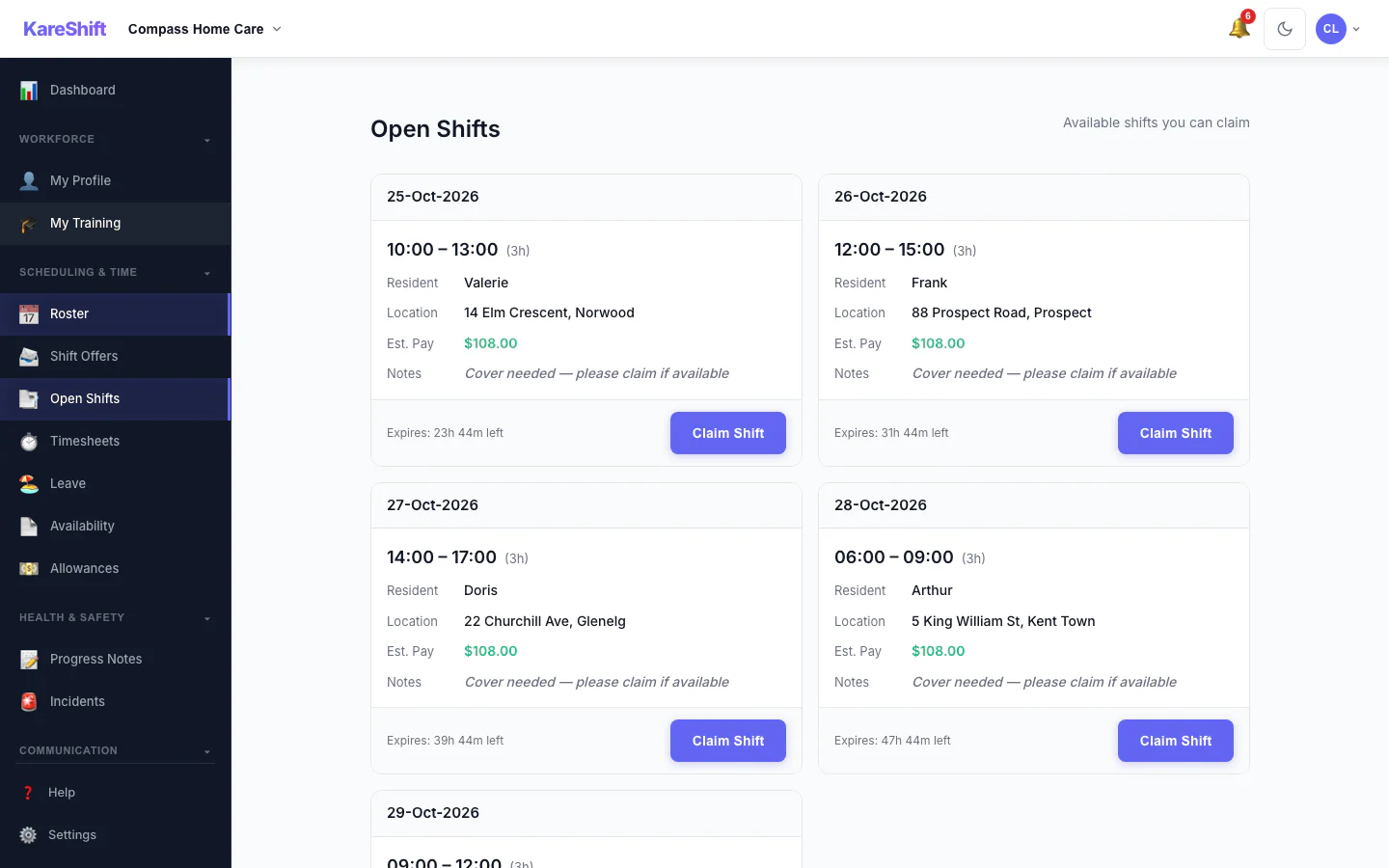
Open Shift Board
Vacant shifts broadcast to the team. Workers see date, time, pay estimate and expiry, then claim with one tap.
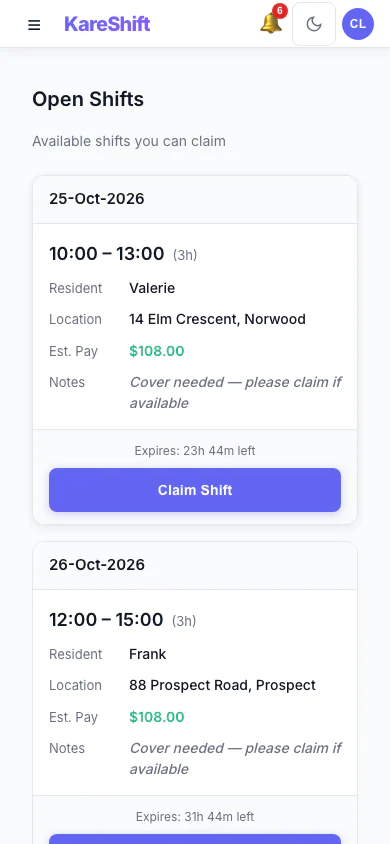
Open Shift Board (Mobile)
Vacant shifts broadcast to the team. Workers see date, time, pay estimate and expiry, then claim with one tap.
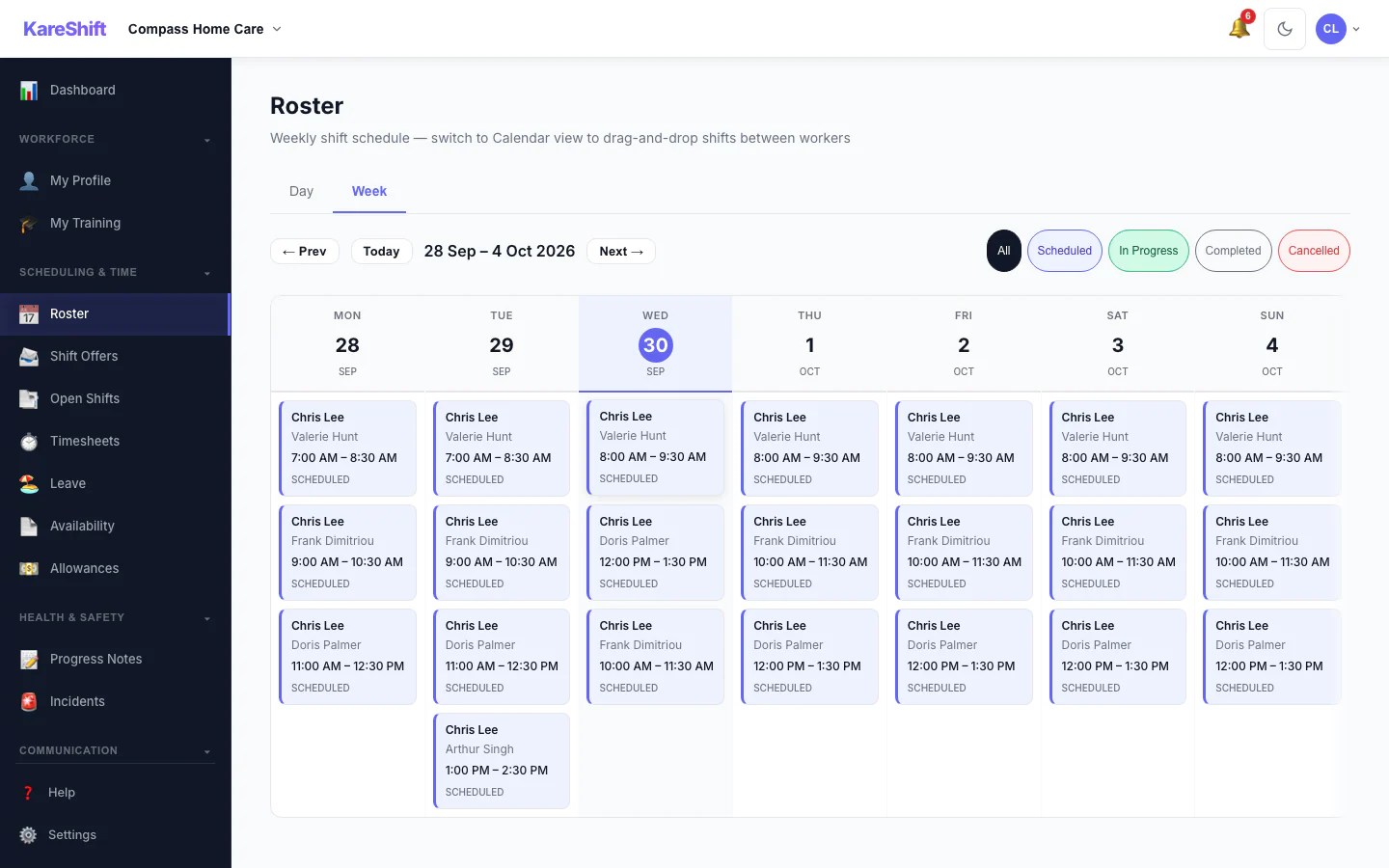
My Visits
Weekly view of assigned visits. Client details, address, notes, travel time.
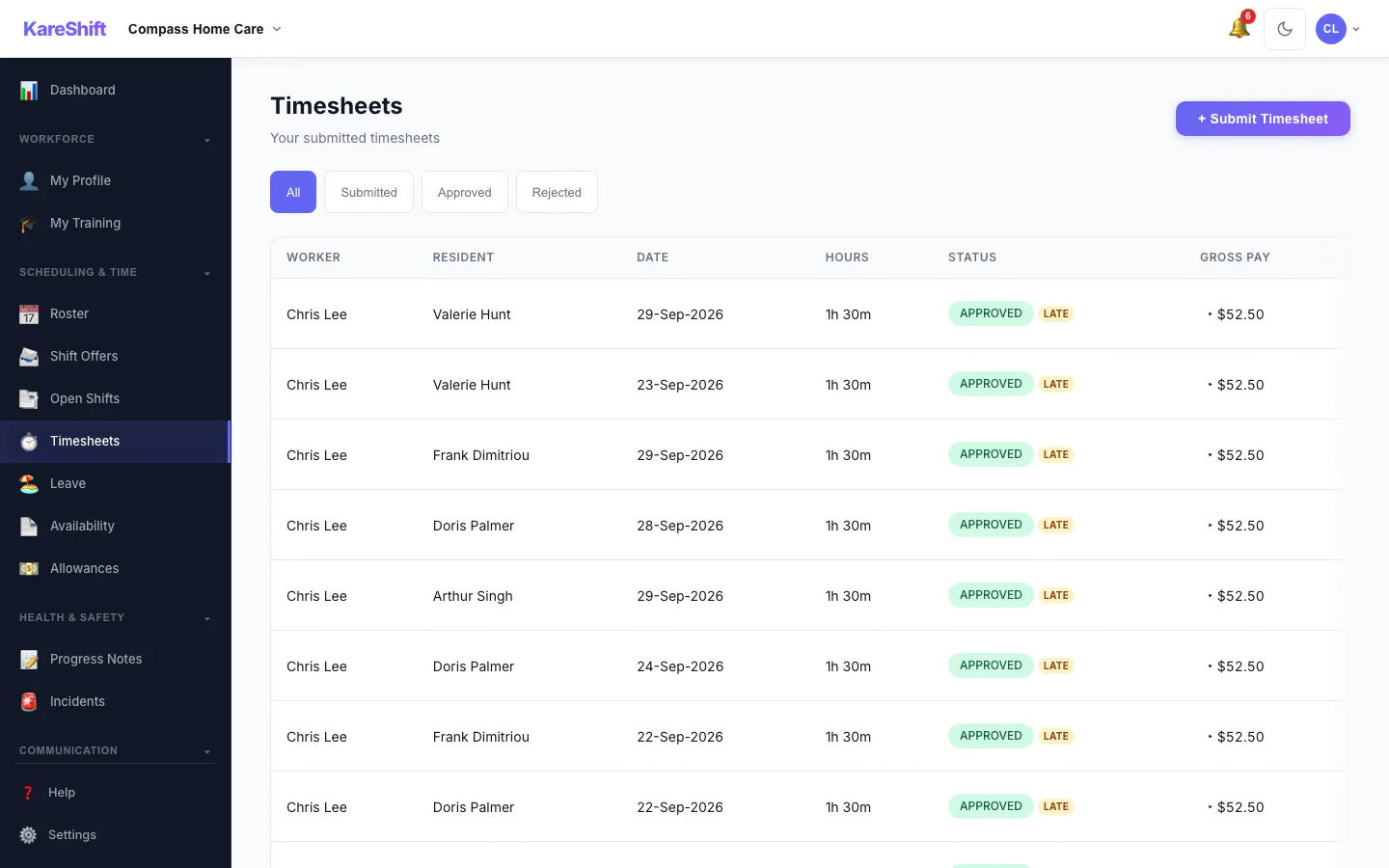
My Timesheets
Auto-generated from clock-in/out. Travel time tracked separately. View status and totals.
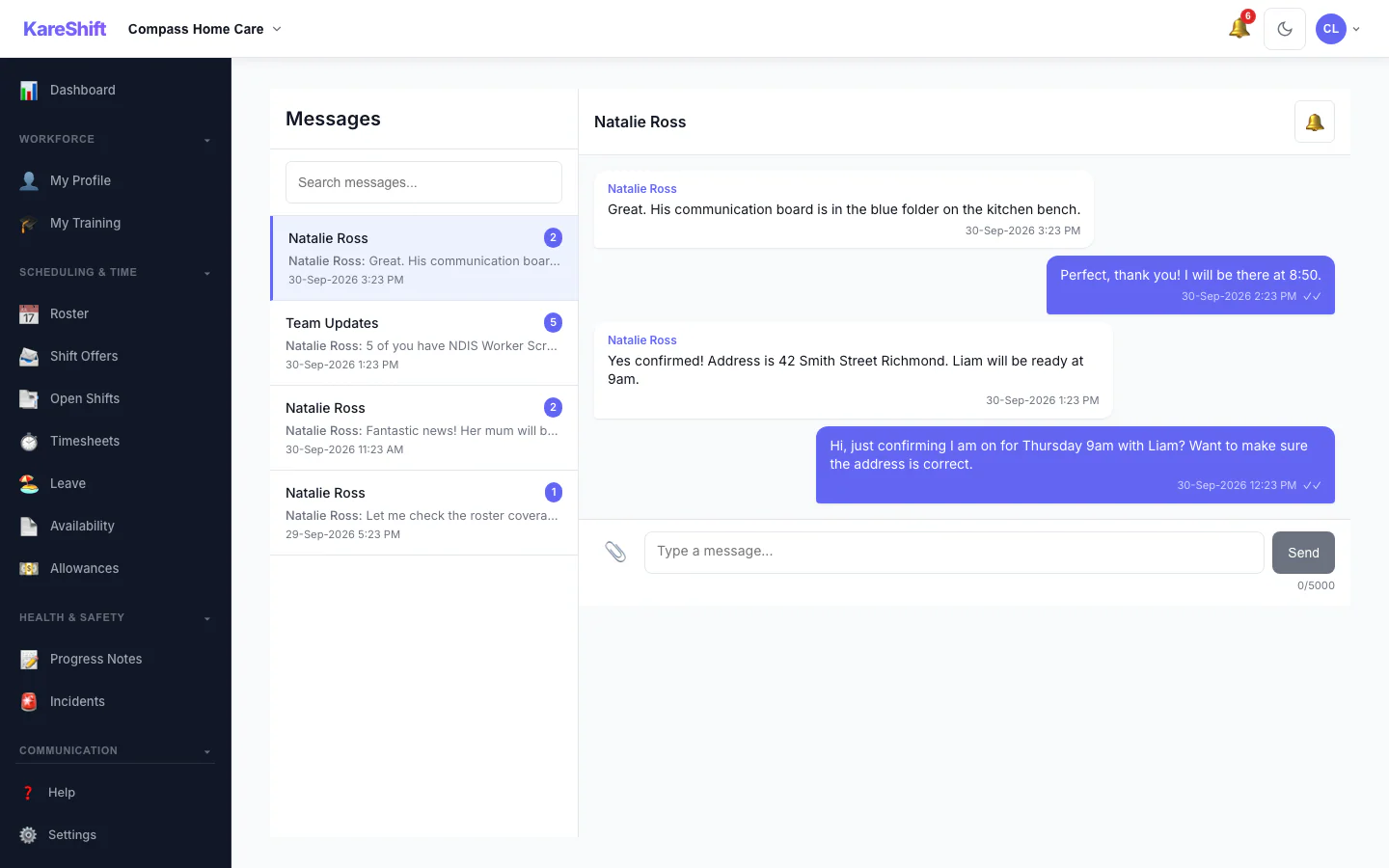
Messages
Chat with coordinators. Client-linked messages, file sharing, push notifications.
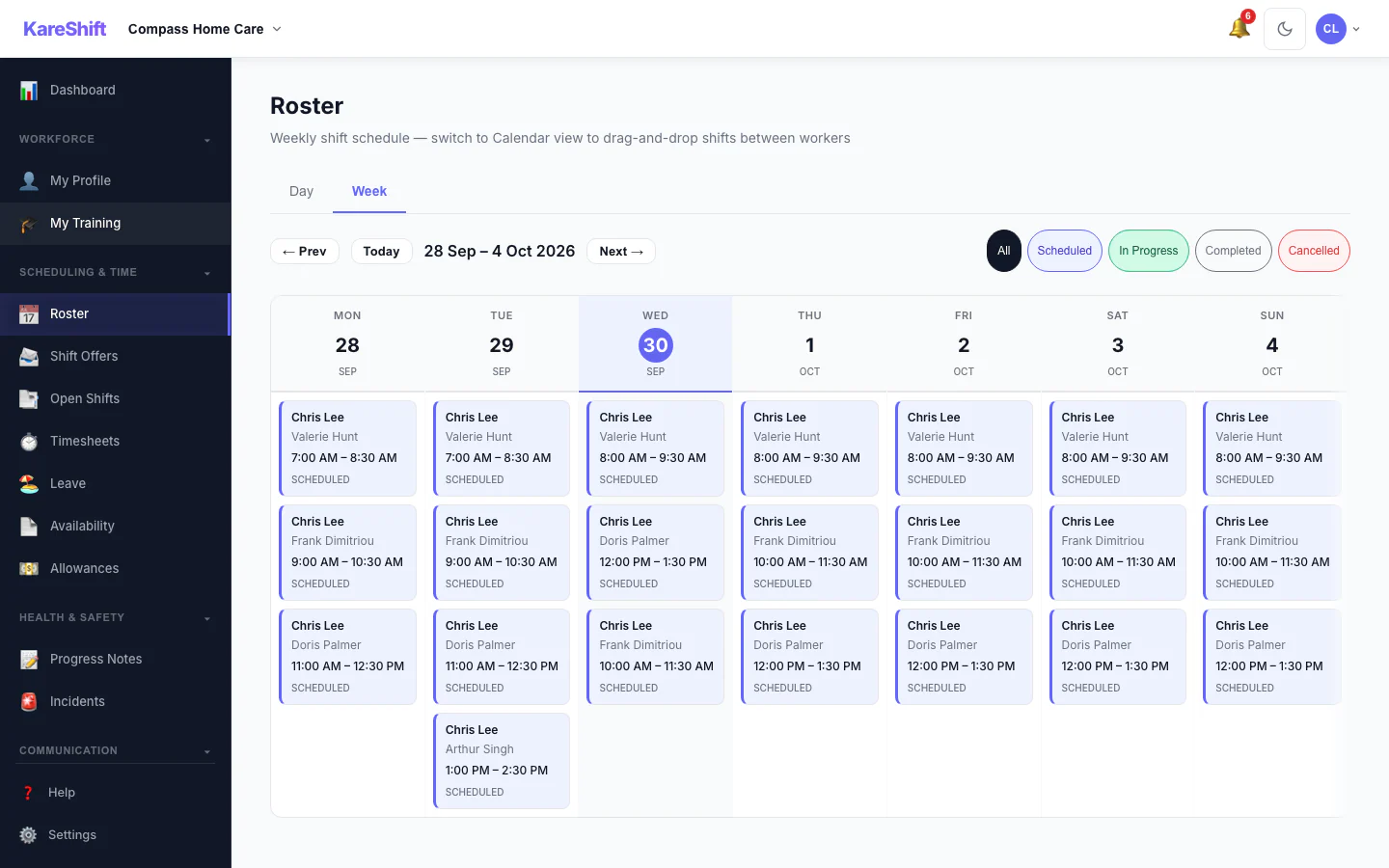
Visit Roster
Detailed visit roster with client addresses, time slots, and care notes.
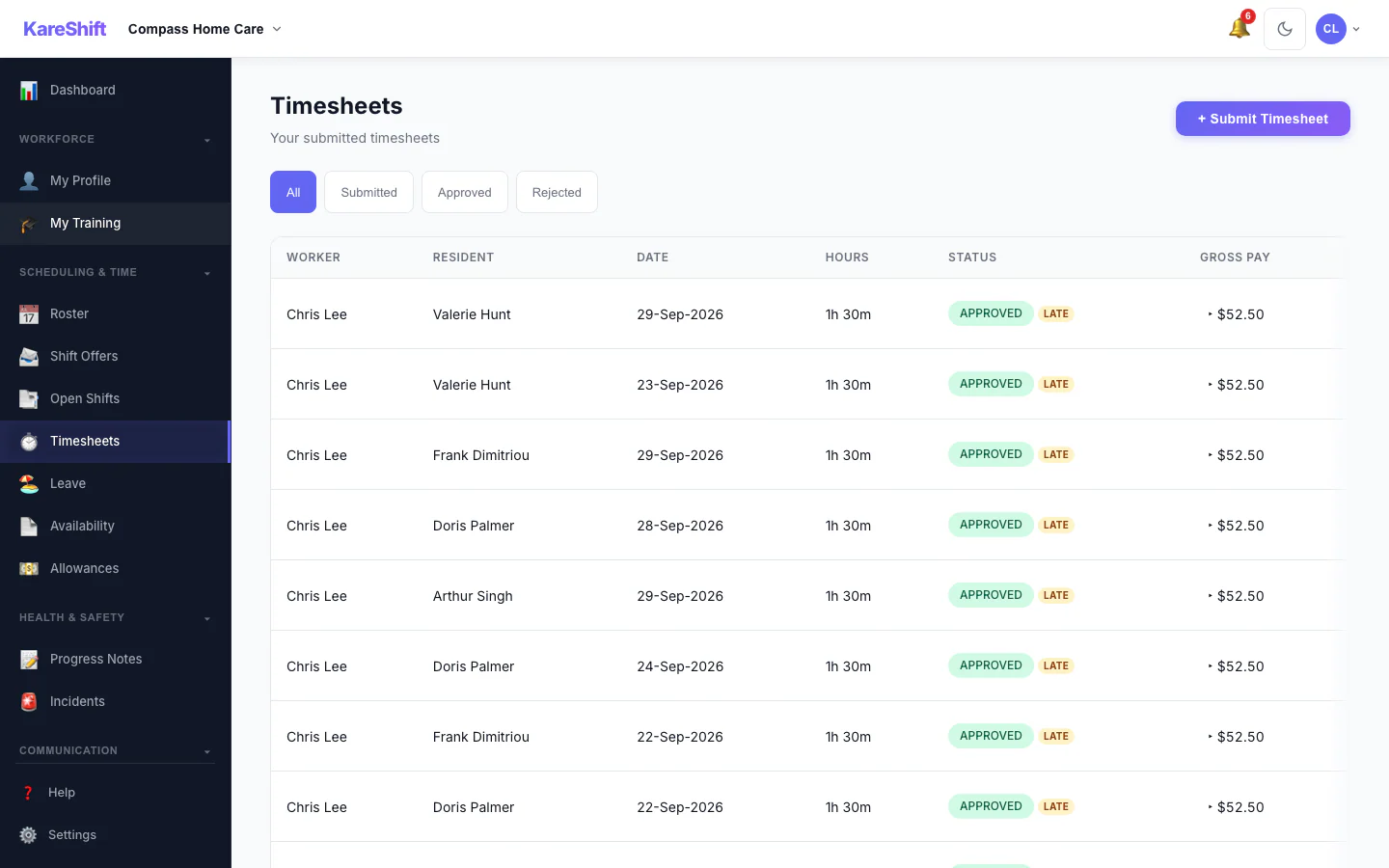
Visit Timesheets
Auto-generated from clock-in/out. Travel and service hours split clearly.
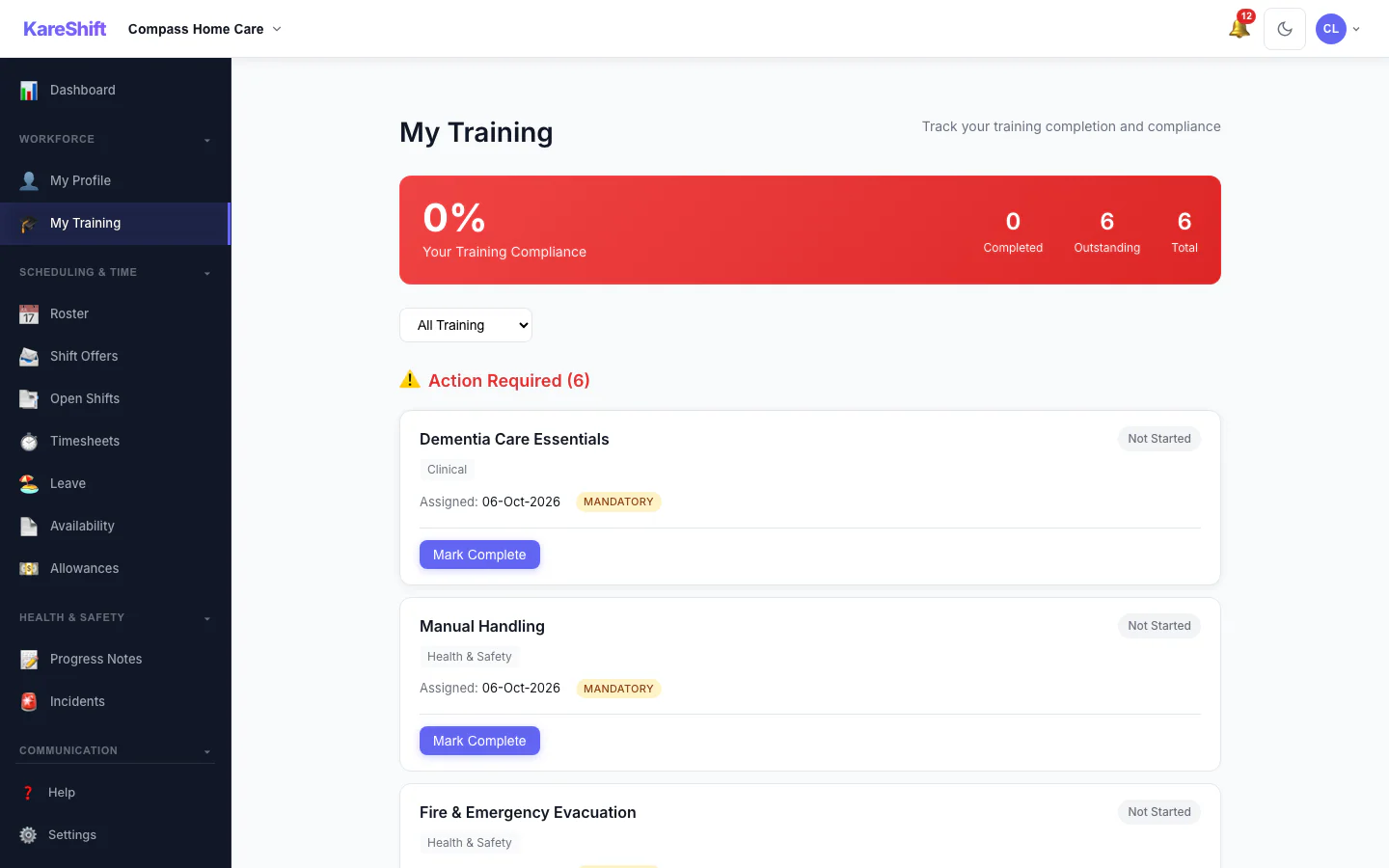
My Training
A worker sees the training assigned to them and what is complete.
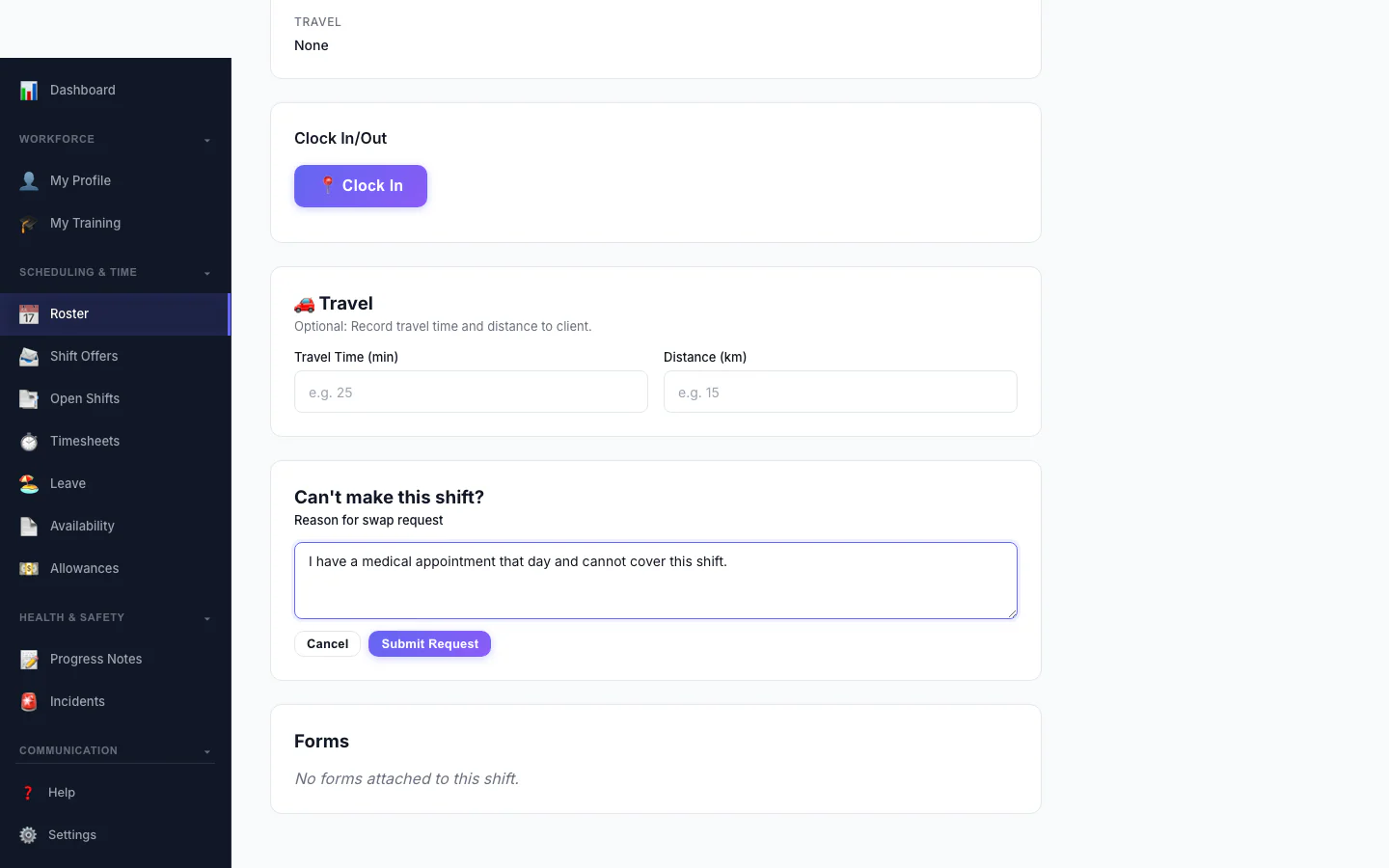
Ask to Swap a Shift
A worker who can't make a shift asks to swap it and says why.
Mobile Experience
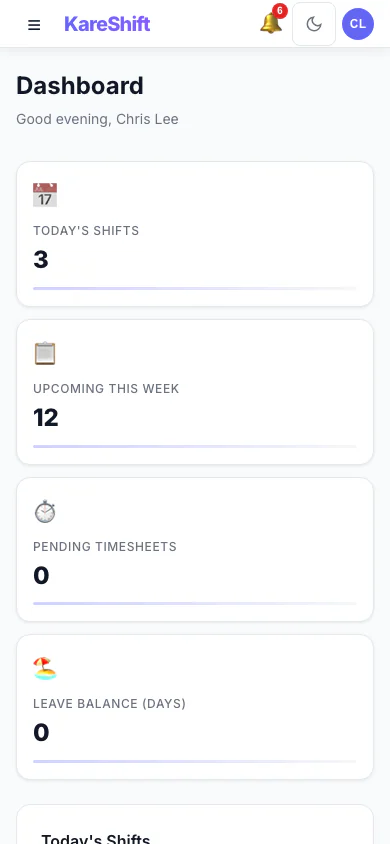
Dashboard (Mobile)
Today's visits and route on your phone. Quick clock-in action.
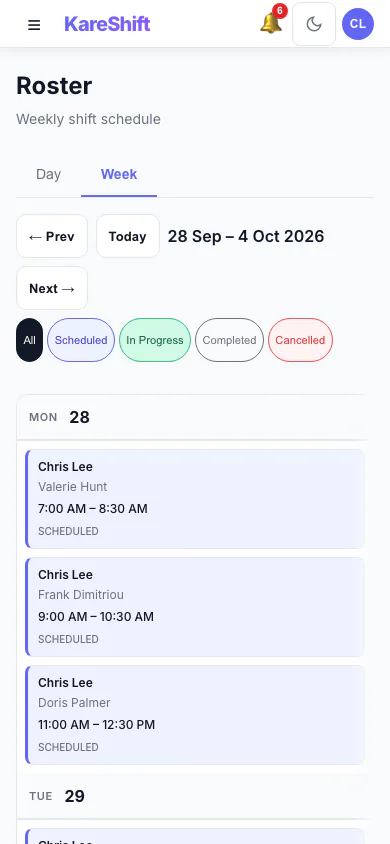
My Visits (Mobile)
Your visit schedule on mobile. Tap for client details and navigation.
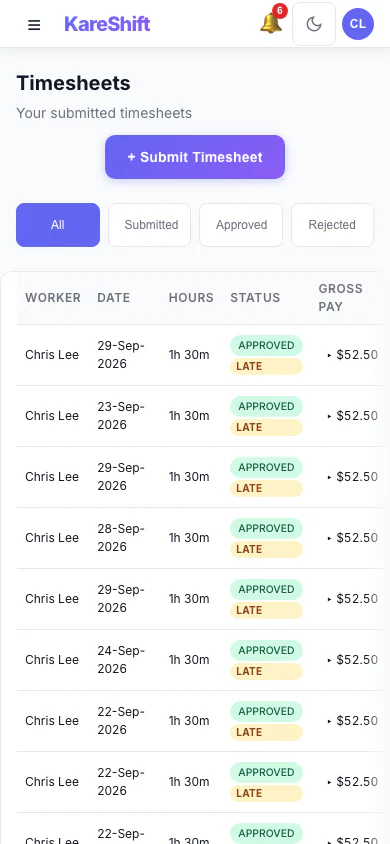
Timesheets (Mobile)
View timesheet history and status on mobile. Travel and service hours split.
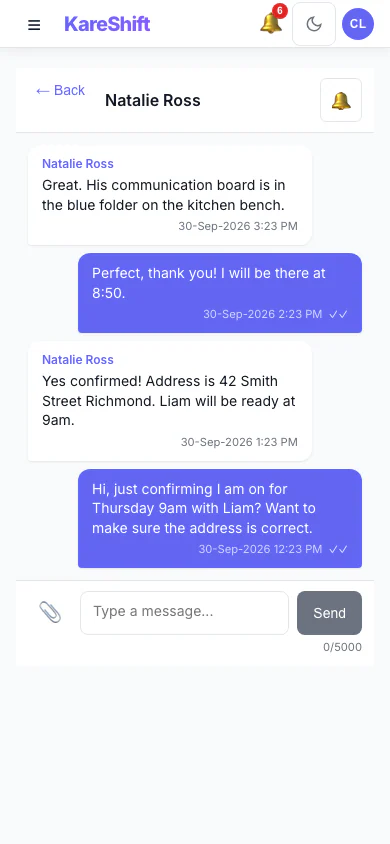
Messages (Mobile)
Stay in touch with your team on mobile. Push notifications for new messages.
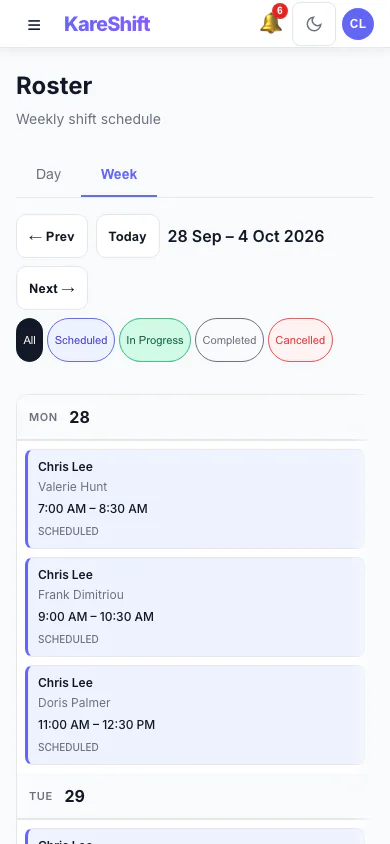
Visit Roster (Mobile)
Your visit schedule on your phone — tap for directions.
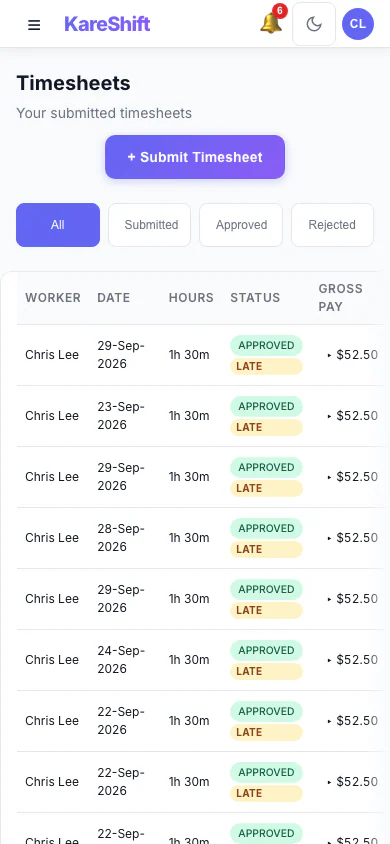
Timesheets (Mobile)
View travel and service hours on your phone.
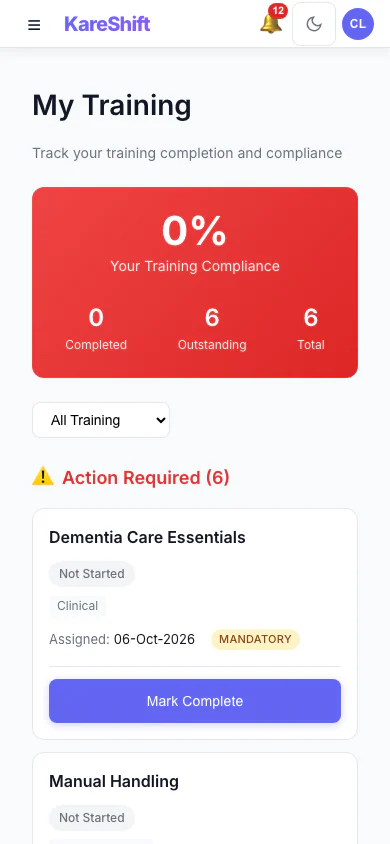
My Training (Mobile)
A worker sees the training assigned to them and what is complete.
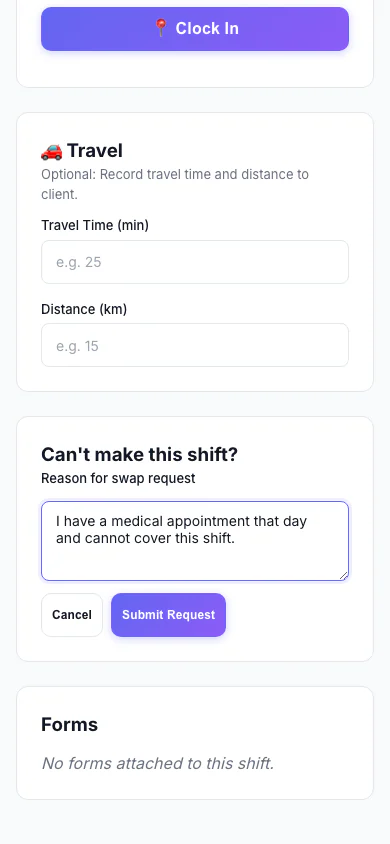
Ask to Swap a Shift (Mobile)
A worker who can't make a shift asks to swap it and says why.
Multi-Role Management
Owners and admins who also work shifts can switch between management and worker views without separate accounts.

Role Switcher
Switch between Owner and Support Worker views instantly from the top bar. No logout required.
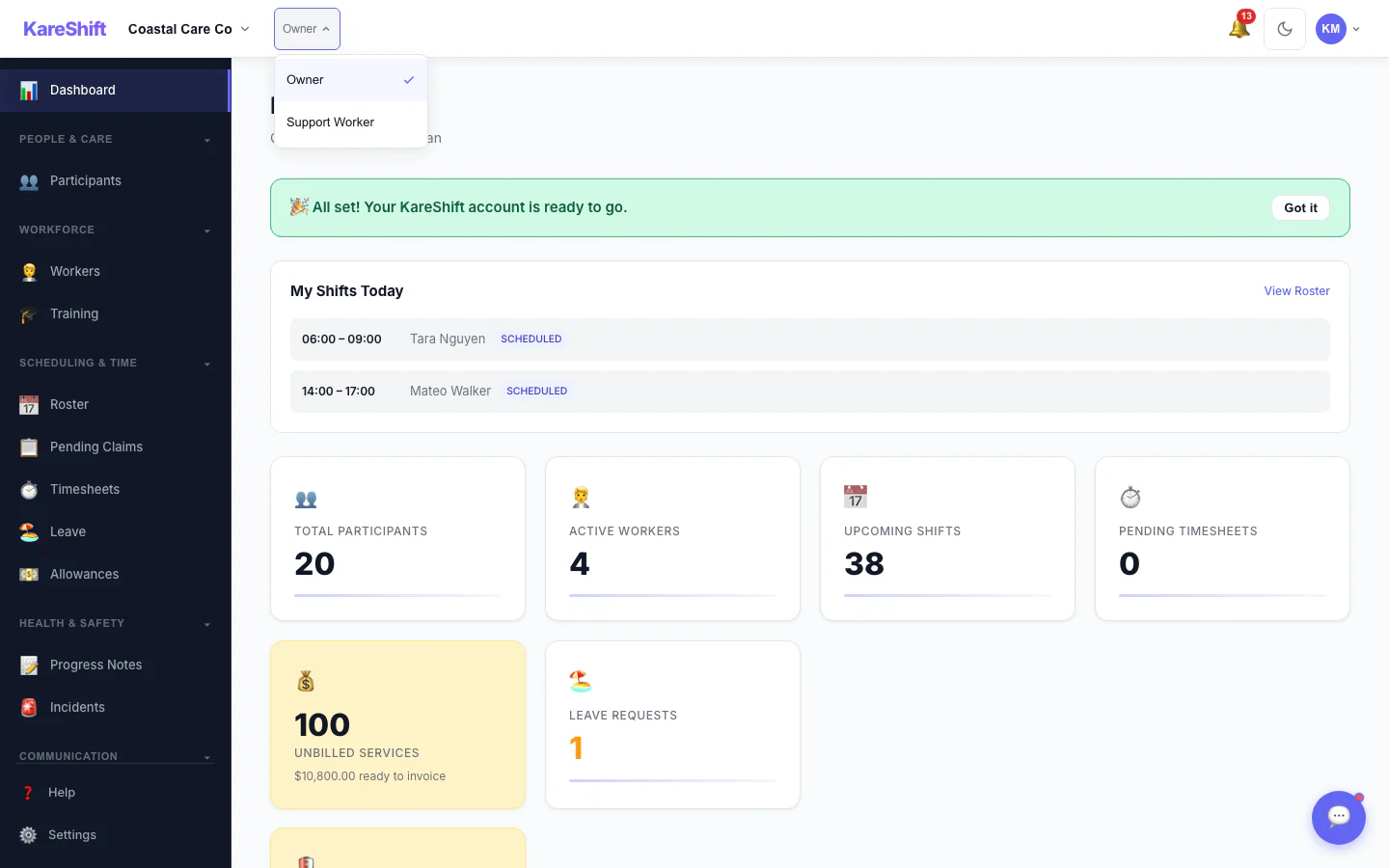
Role Dropdown
Select your active role — dashboard, navigation, and permissions change instantly to match.
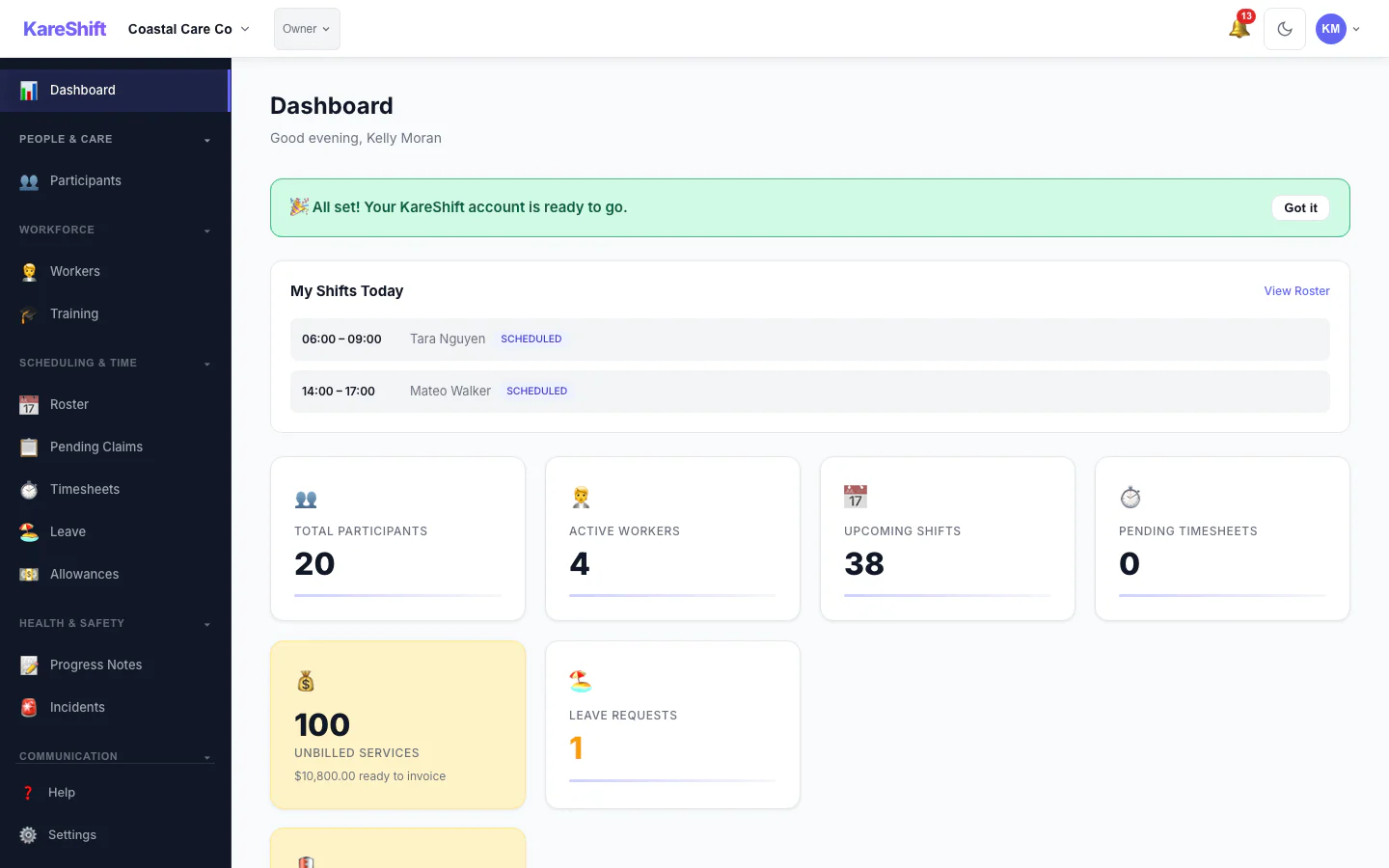
My Shifts Today
Dual-role users see their upcoming shifts on the management dashboard — no need to switch to worker view.
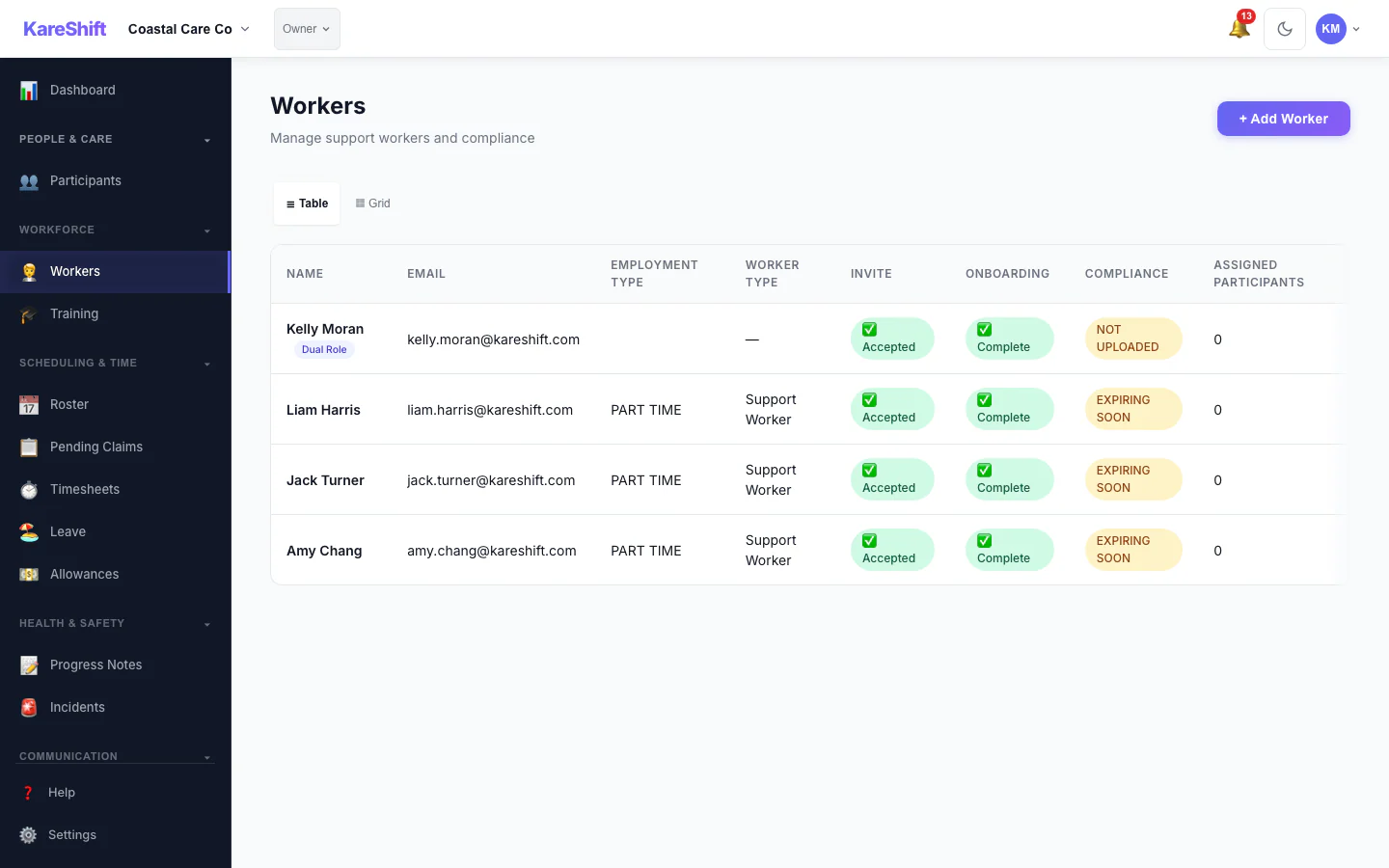
Dual-Role Badge
Worker list clearly shows who holds multiple roles with a "Dual Role" badge next to their name.
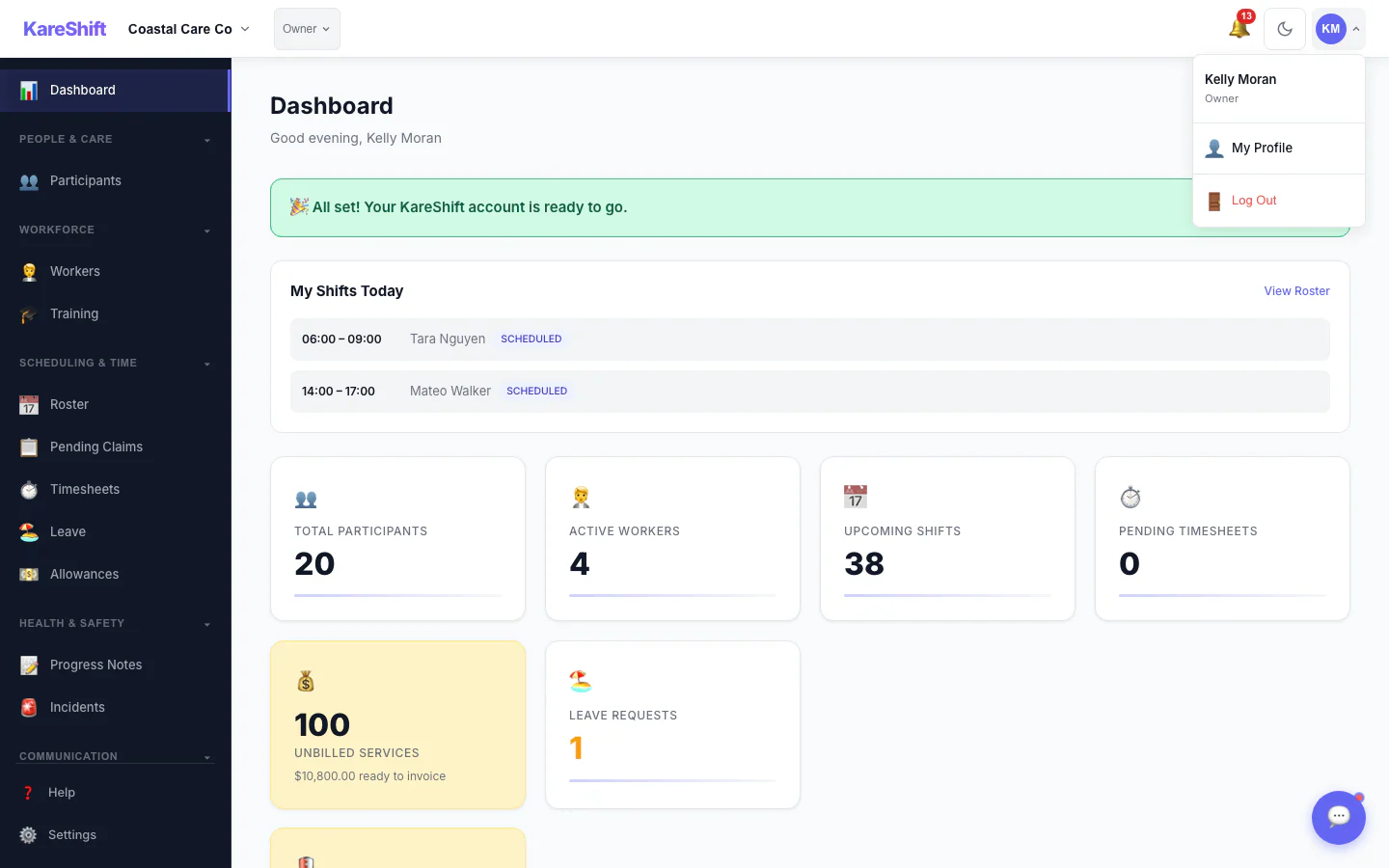
Avatar Menu
Quick access to profile, theme settings, and logout from the top-right avatar dropdown.
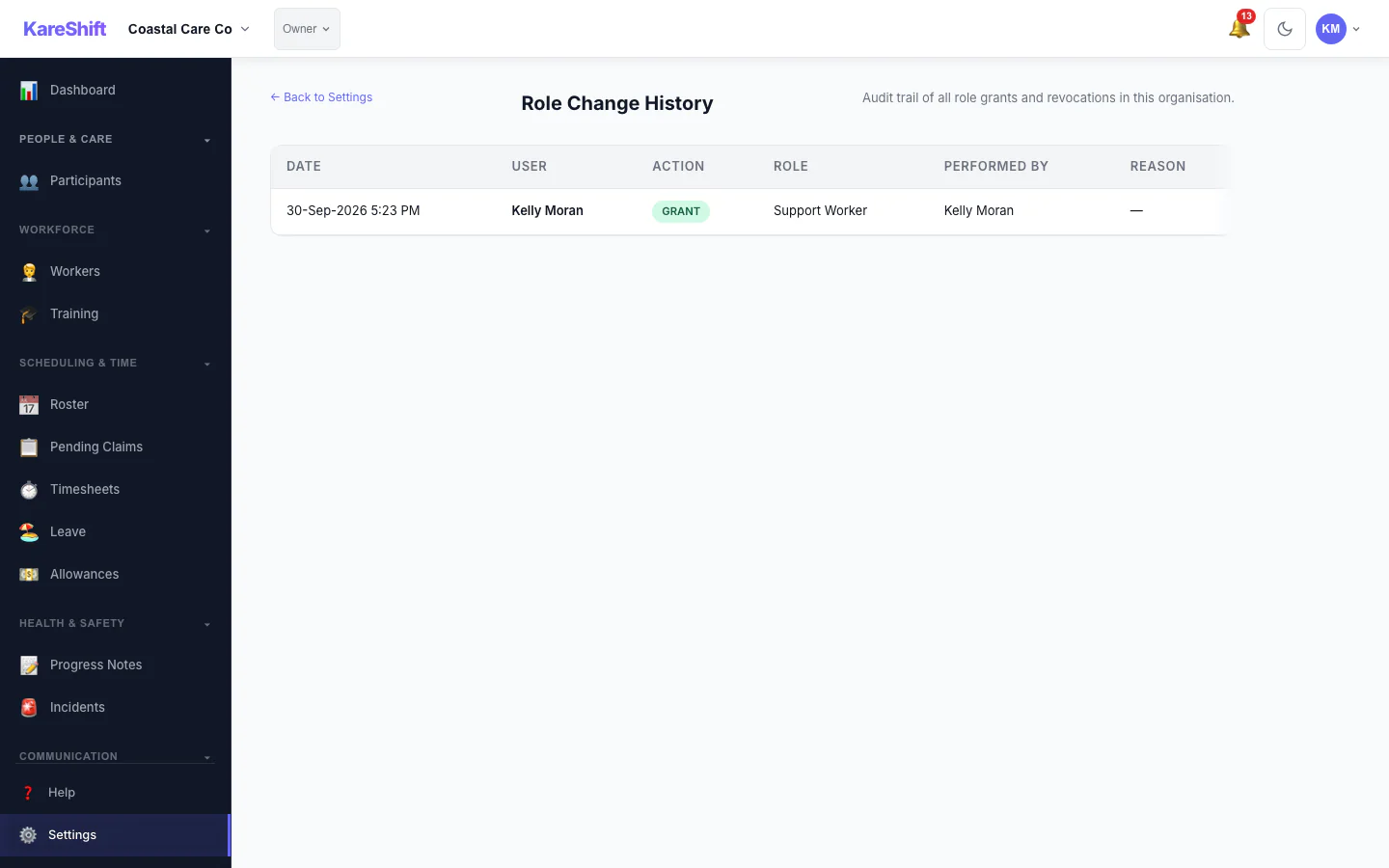
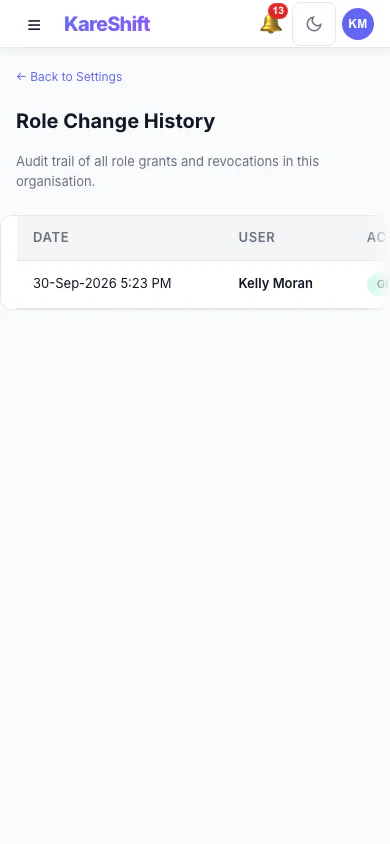
Role History
Full audit trail of every role grant and revocation — who did what, when, and why.

Role Switcher (Mobile)
Switch roles on the go — same one-tap experience on your phone.
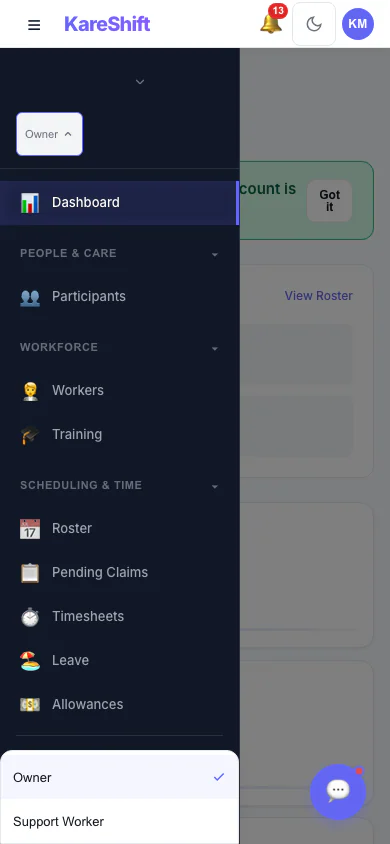
Role Dropdown (Mobile)
Select Owner or Worker role from your phone. Permissions update instantly.
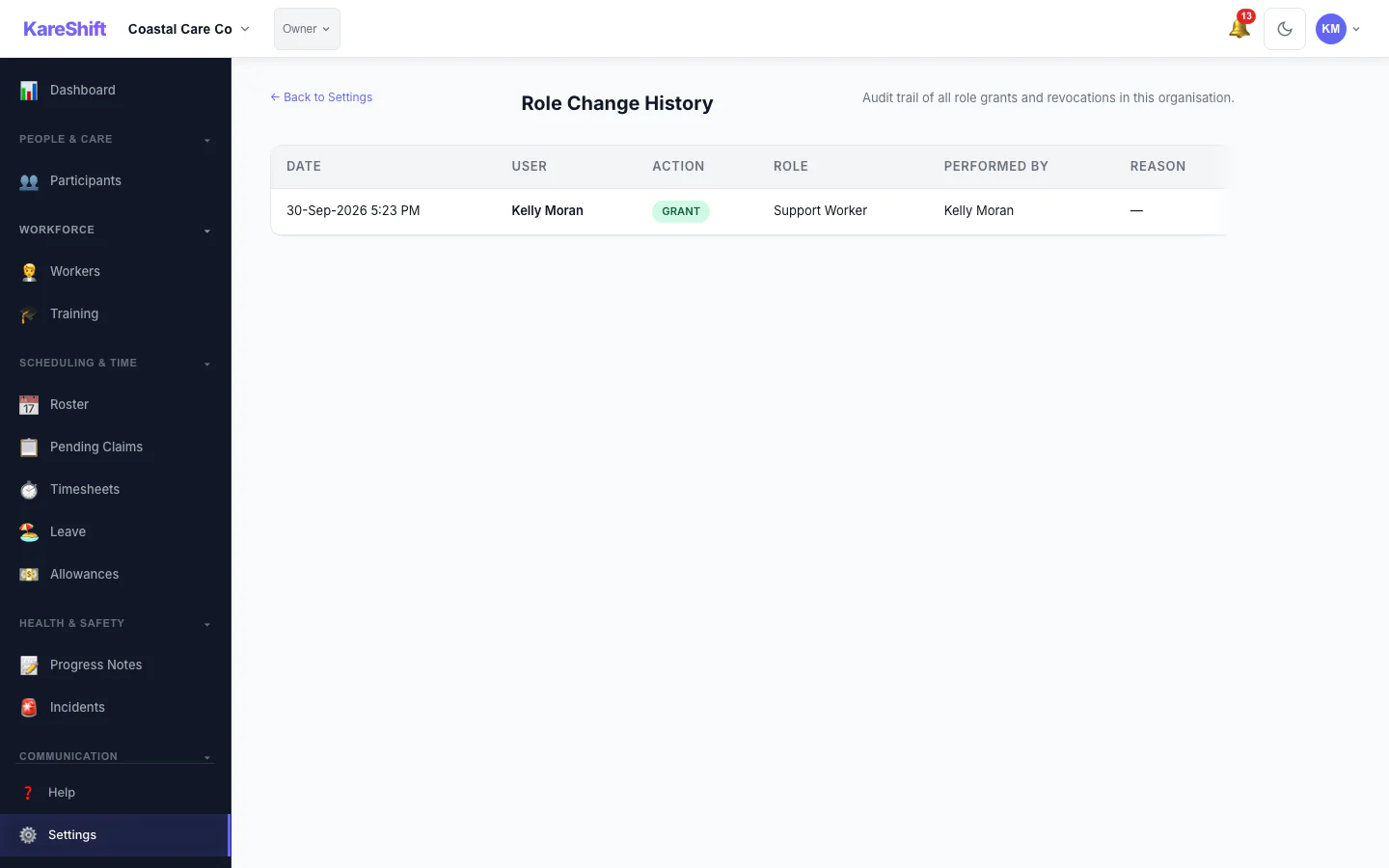
Settings — Role Audit
View the complete role change history from Settings. Grant, revoke, and modification timestamps.
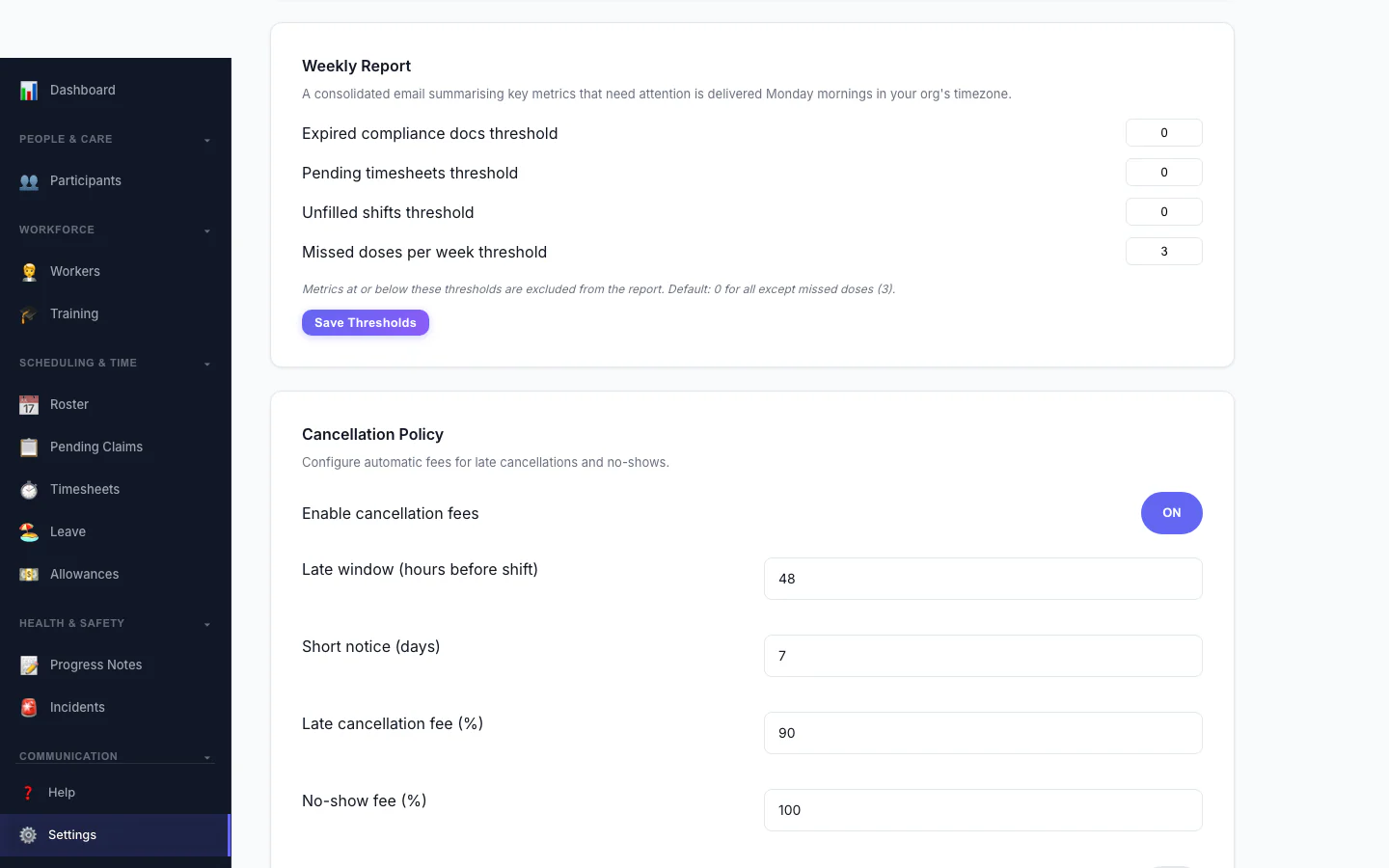
Cancellation Policy
Automate late-cancellation and no-show fees. Configure the late window, fee percentages and who they apply to.
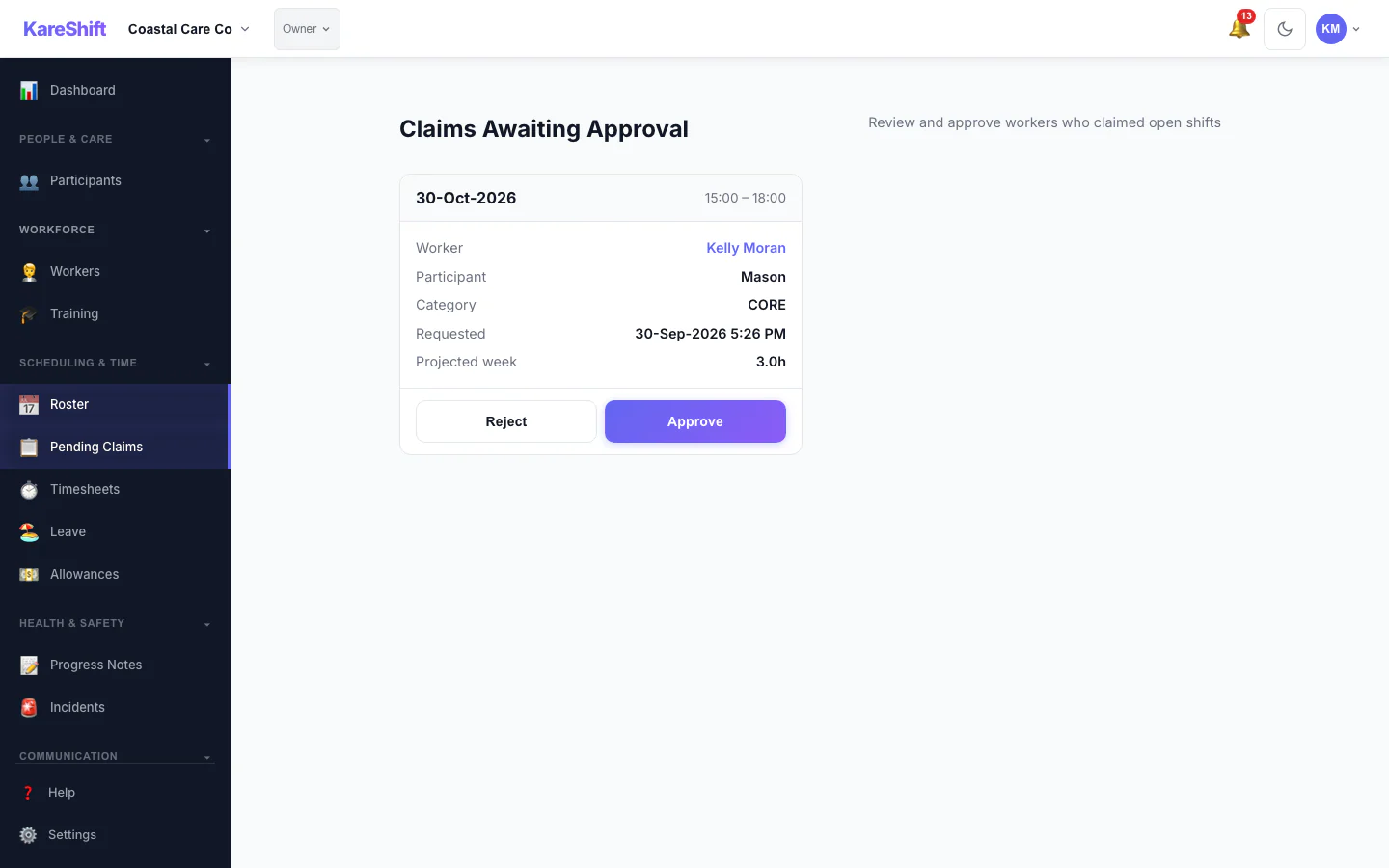
Claim Approval
Optionally require coordinator approval before a worker is assigned an open shift. Each claim shows projected weekly hours with an overtime warning.
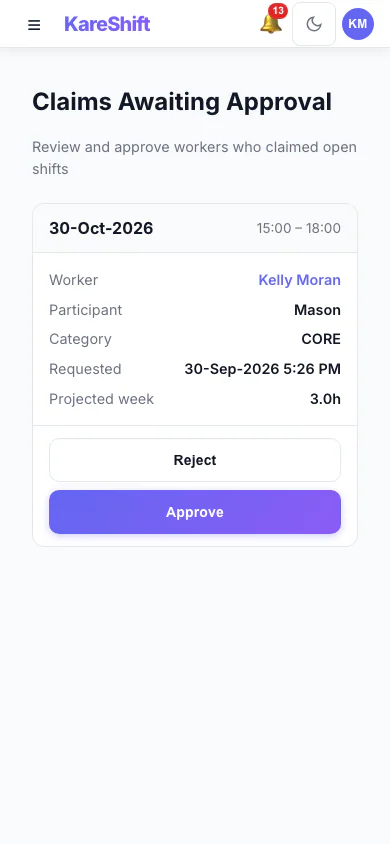
Claim Approval (Mobile)
Optionally require coordinator approval before a worker is assigned an open shift. Each claim shows projected weekly hours with an overtime warning.
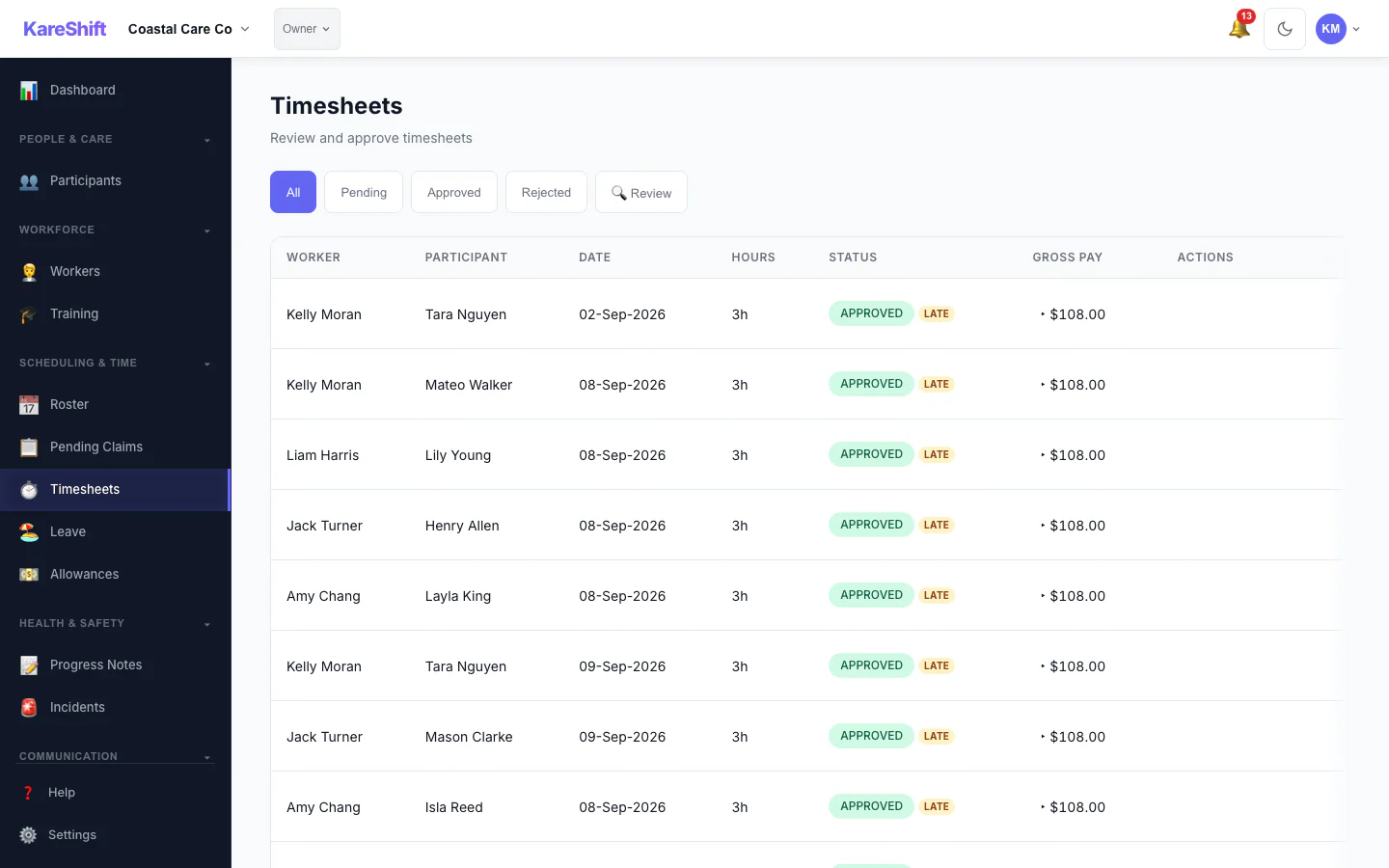
Visit Confirmation
The Review filter surfaces timesheets needing a closer look — GPS geofence violations, clock-time variance, late submissions — so you verify visits before invoicing.
Visit Confirmation (Mobile)
The Review filter surfaces timesheets needing a closer look — GPS geofence violations, clock-time variance, late submissions — so you verify visits before invoicing.
Worker Compliance (Mobile)
Per-worker document tracking — screenings, training and certifications with expiry alerts.
Dual-Role View — AU NDIS
Every page as seen by an owner who also works shifts — role-switcher visible in the navigation bar.
Dashboard
Dashboard (Mobile)
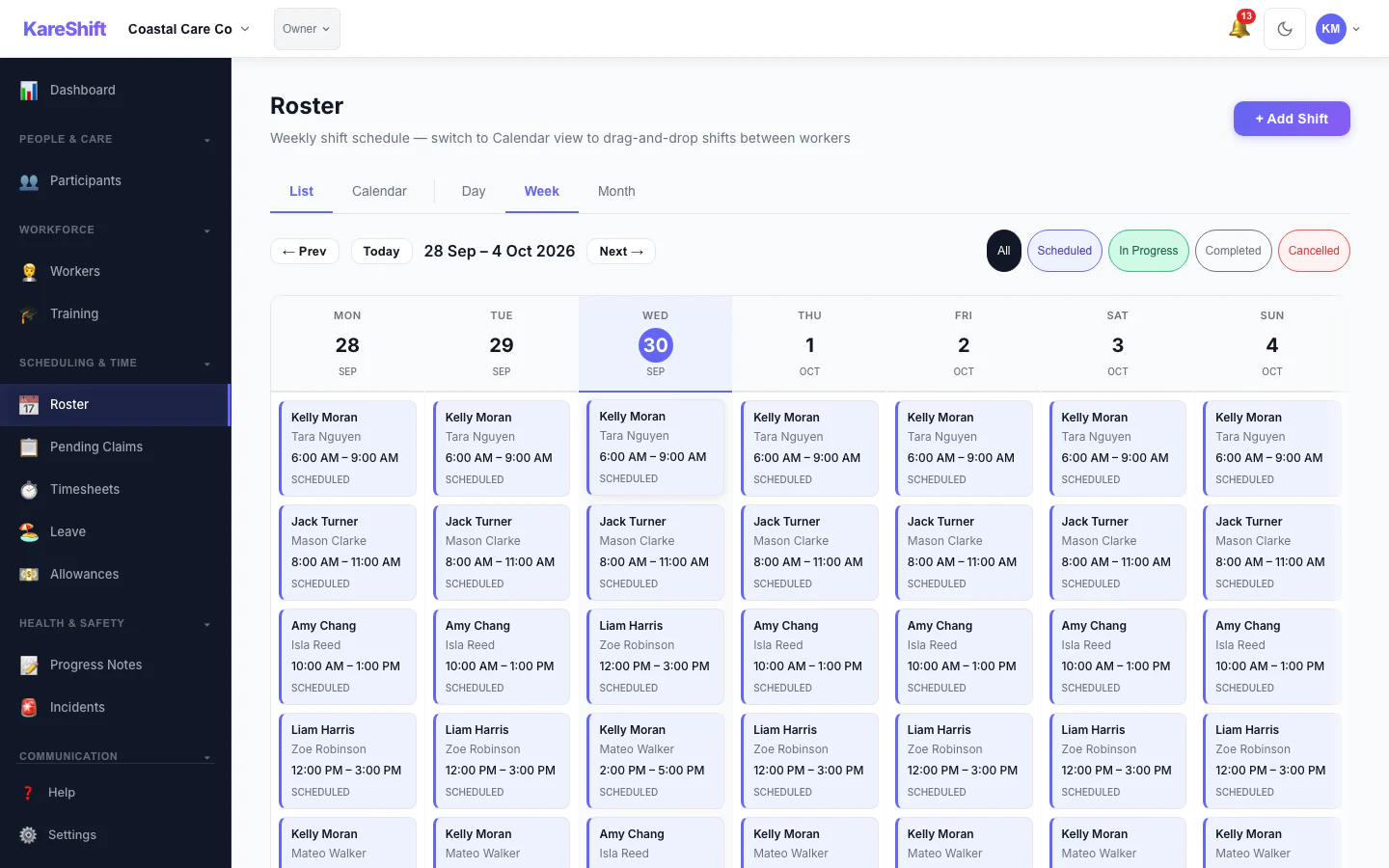
Roster
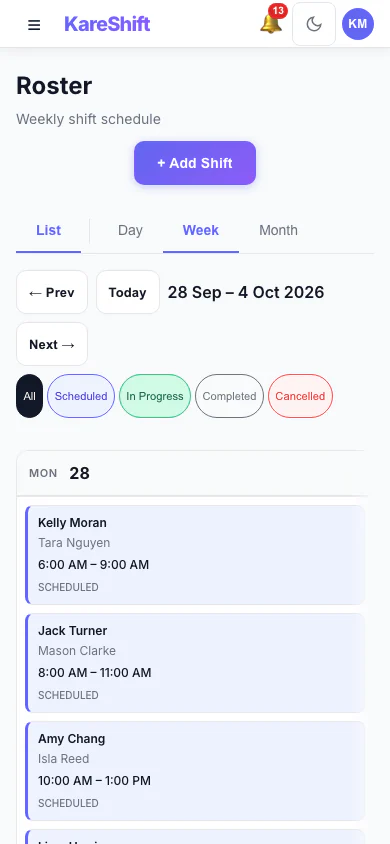
Roster (Mobile)
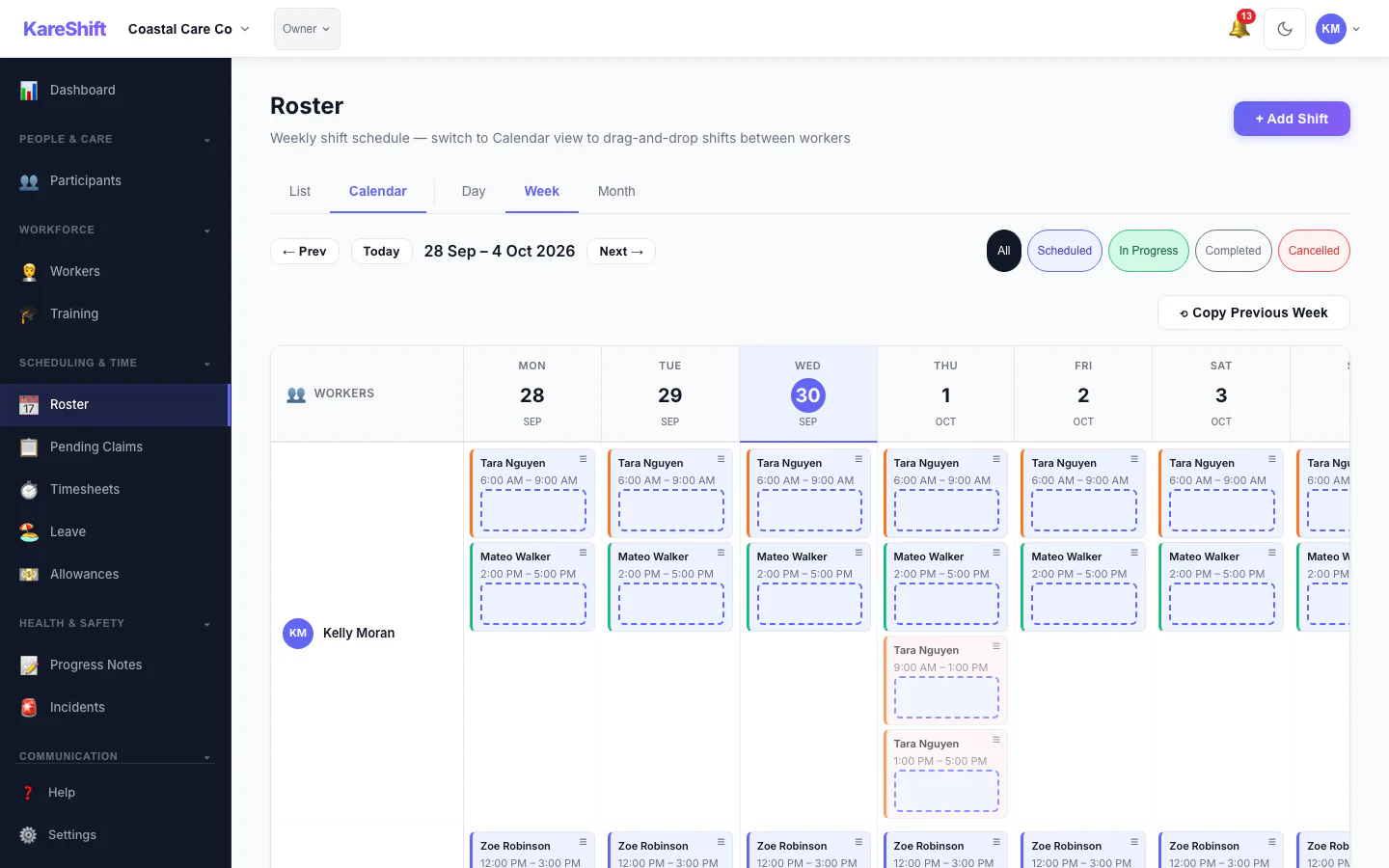
Calendar
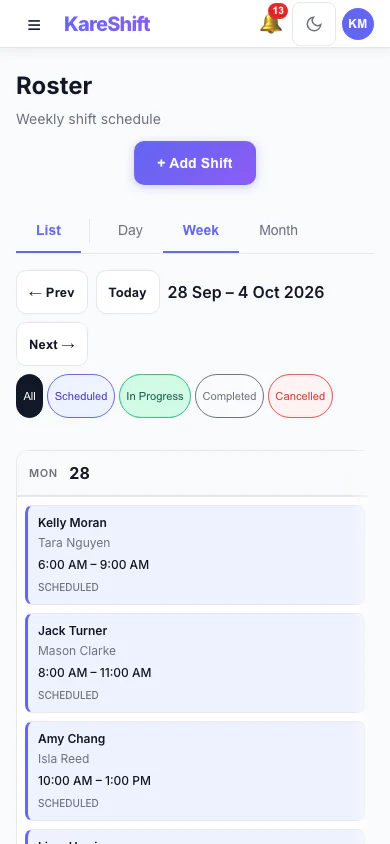
Calendar (Mobile)
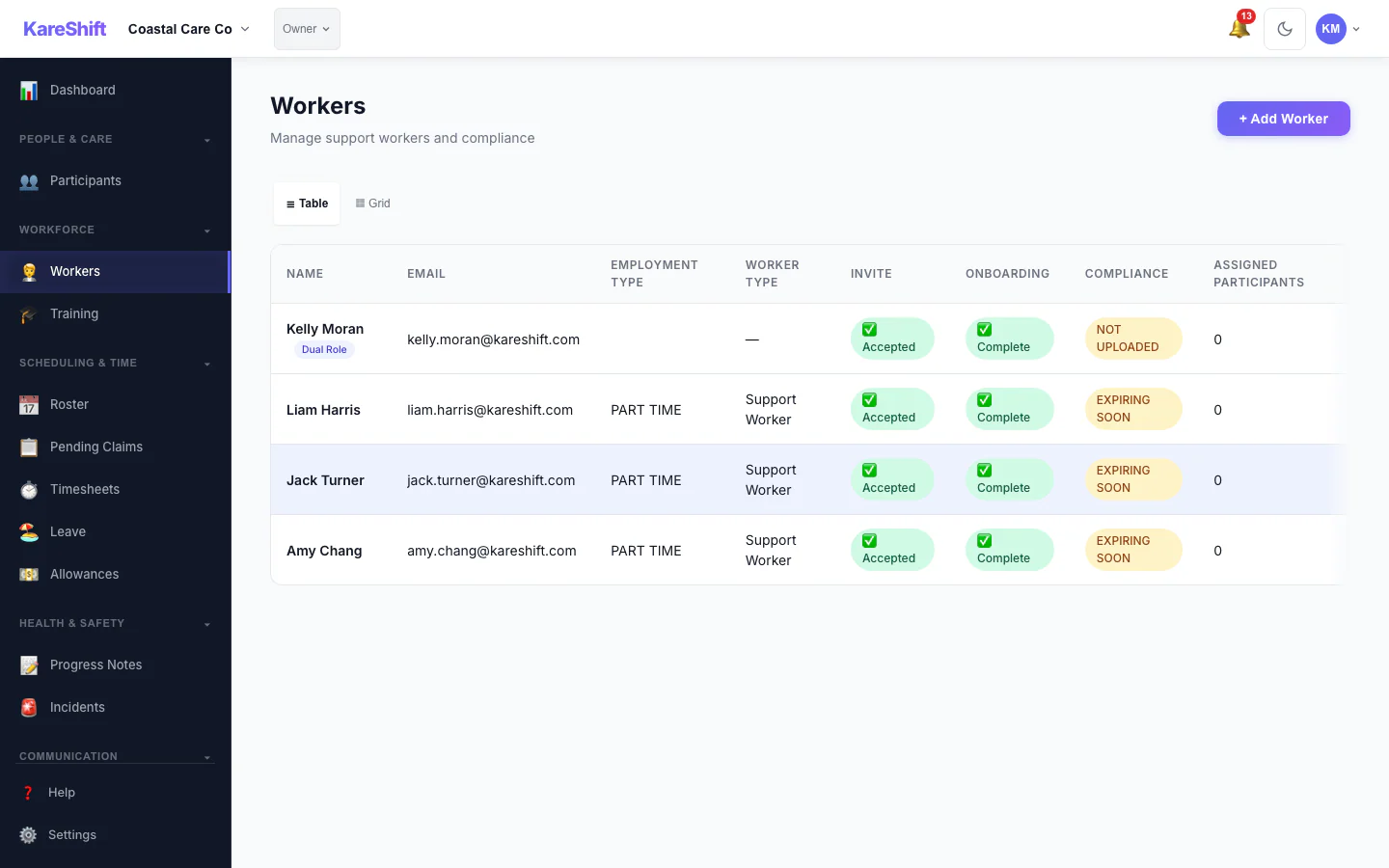
Workers
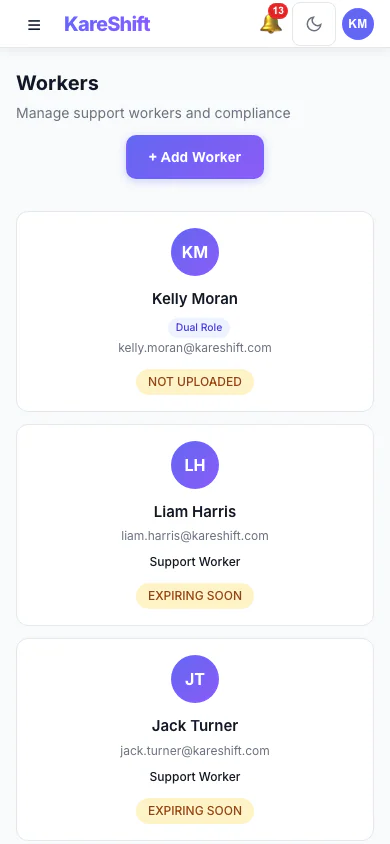
Workers (Mobile)
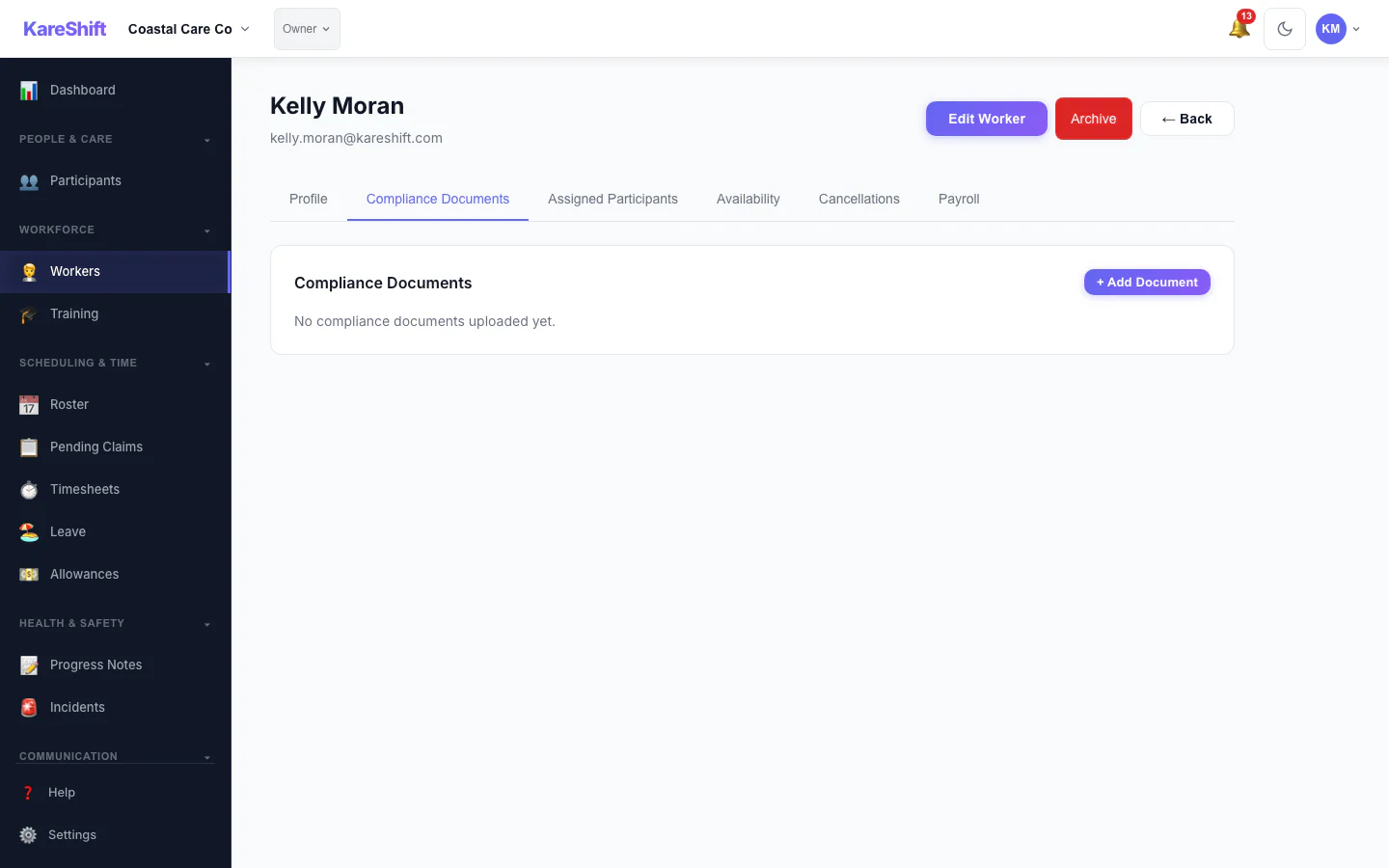
Compliance
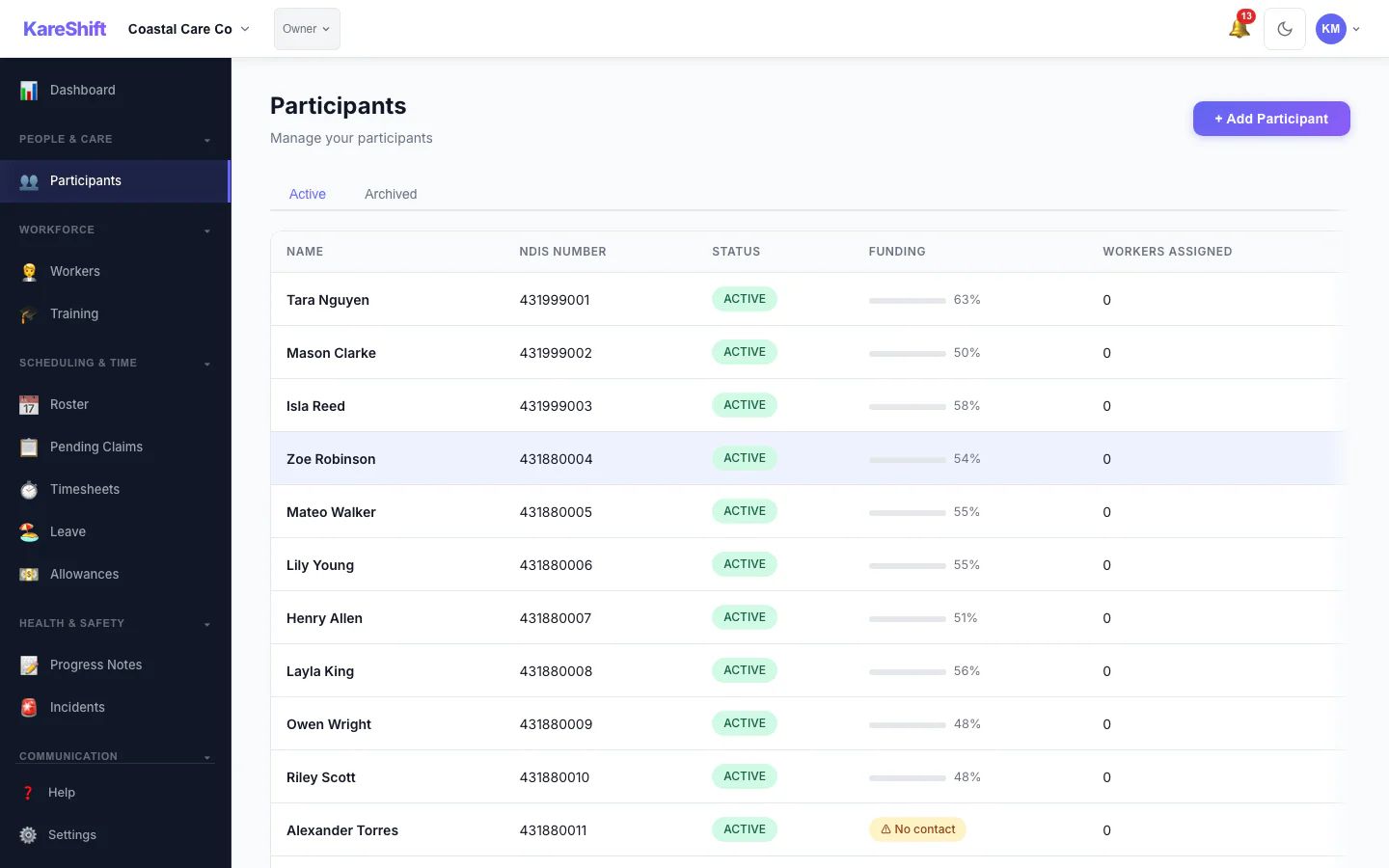
Participants
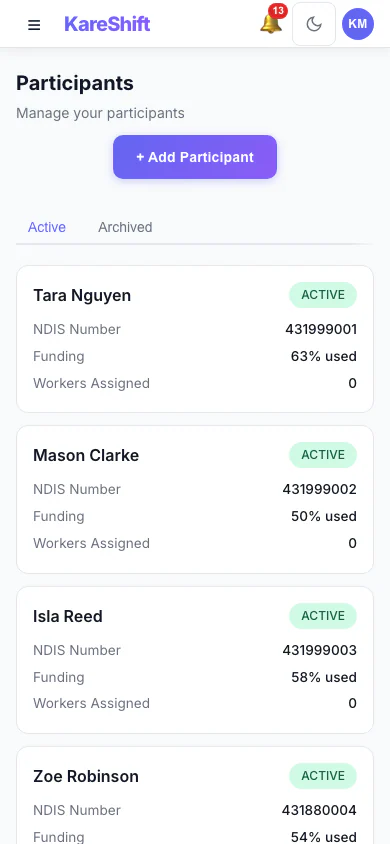
Participants (Mobile)
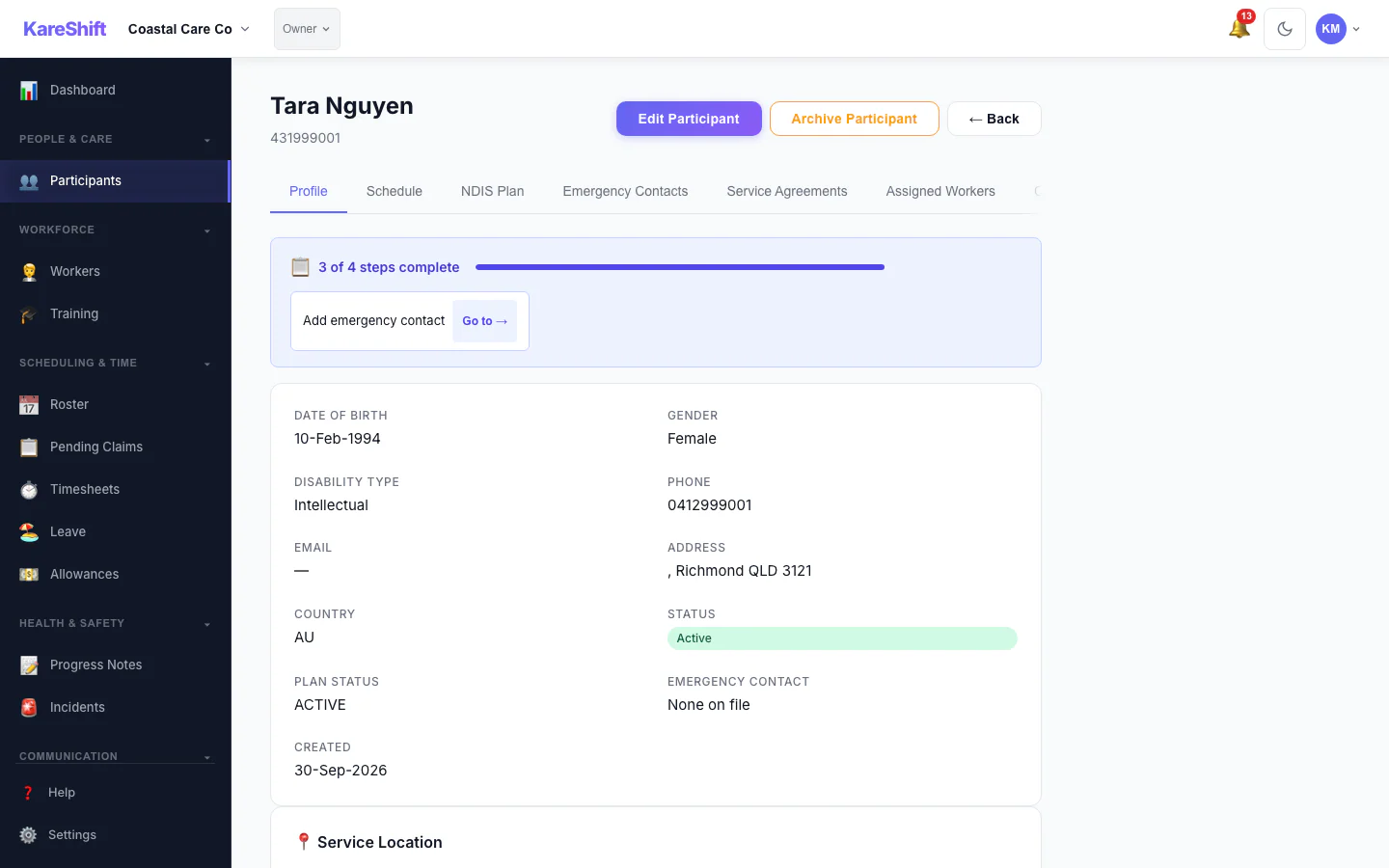
Participant Detail
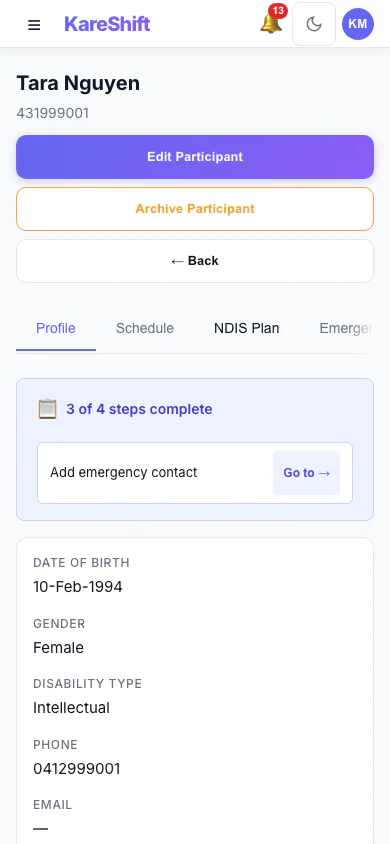
Participant (Mobile)
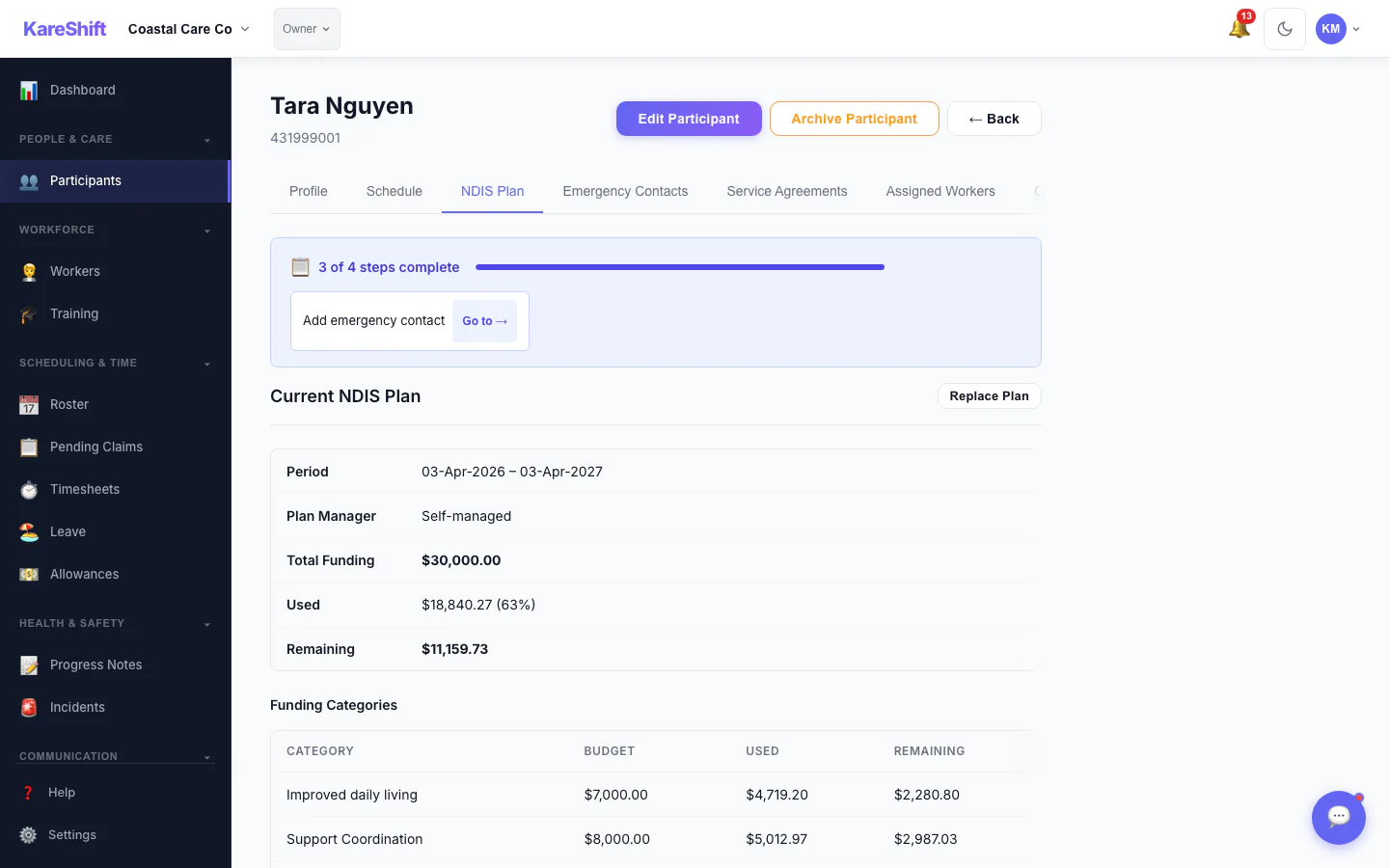
Funding Breakdown
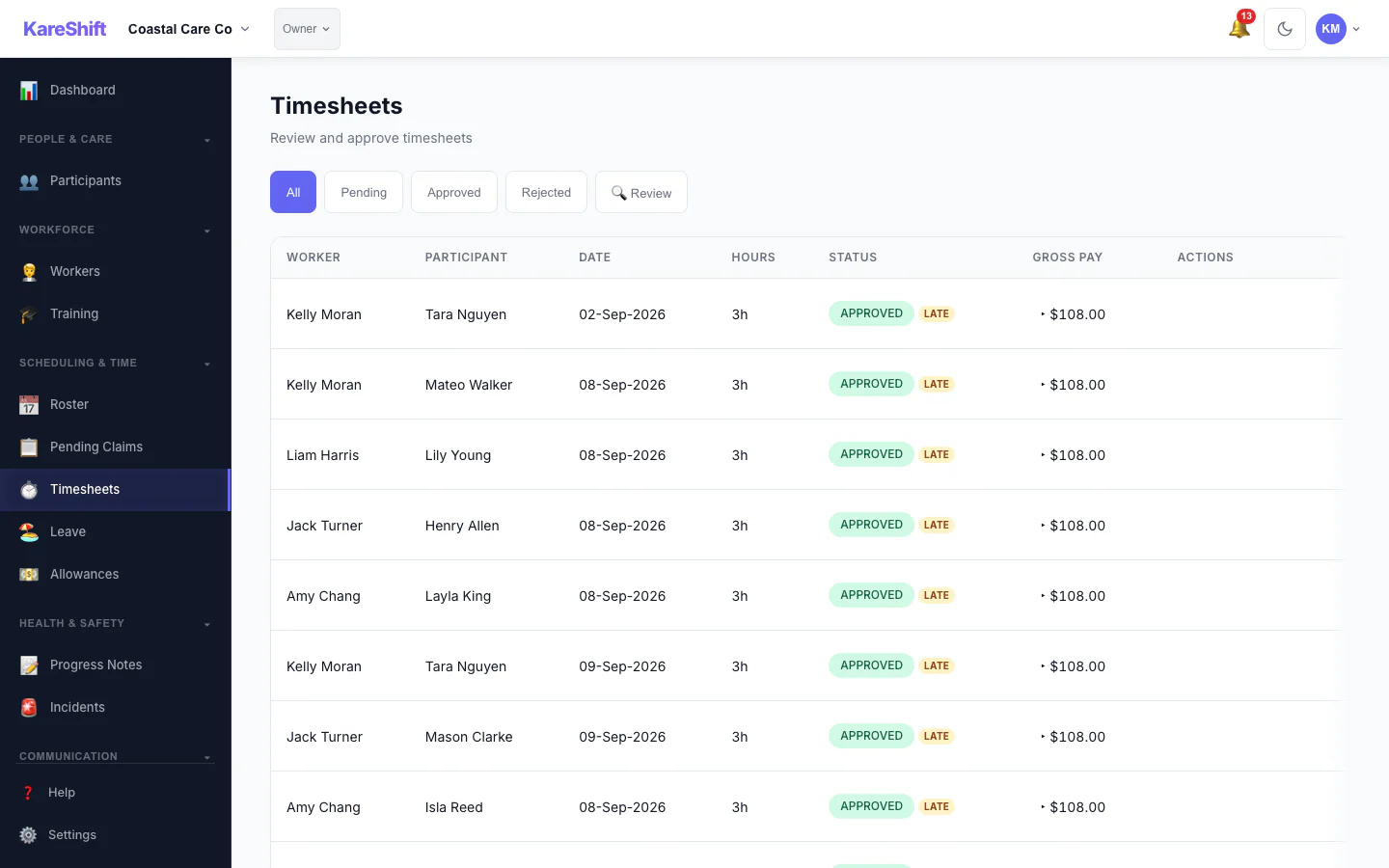
Timesheets
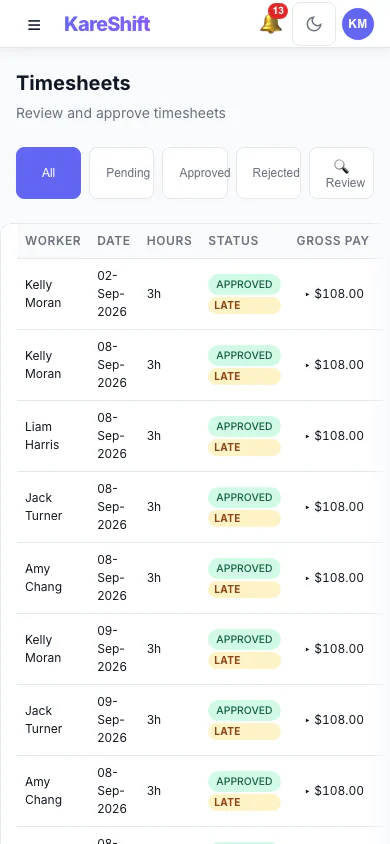
Timesheets (Mobile)
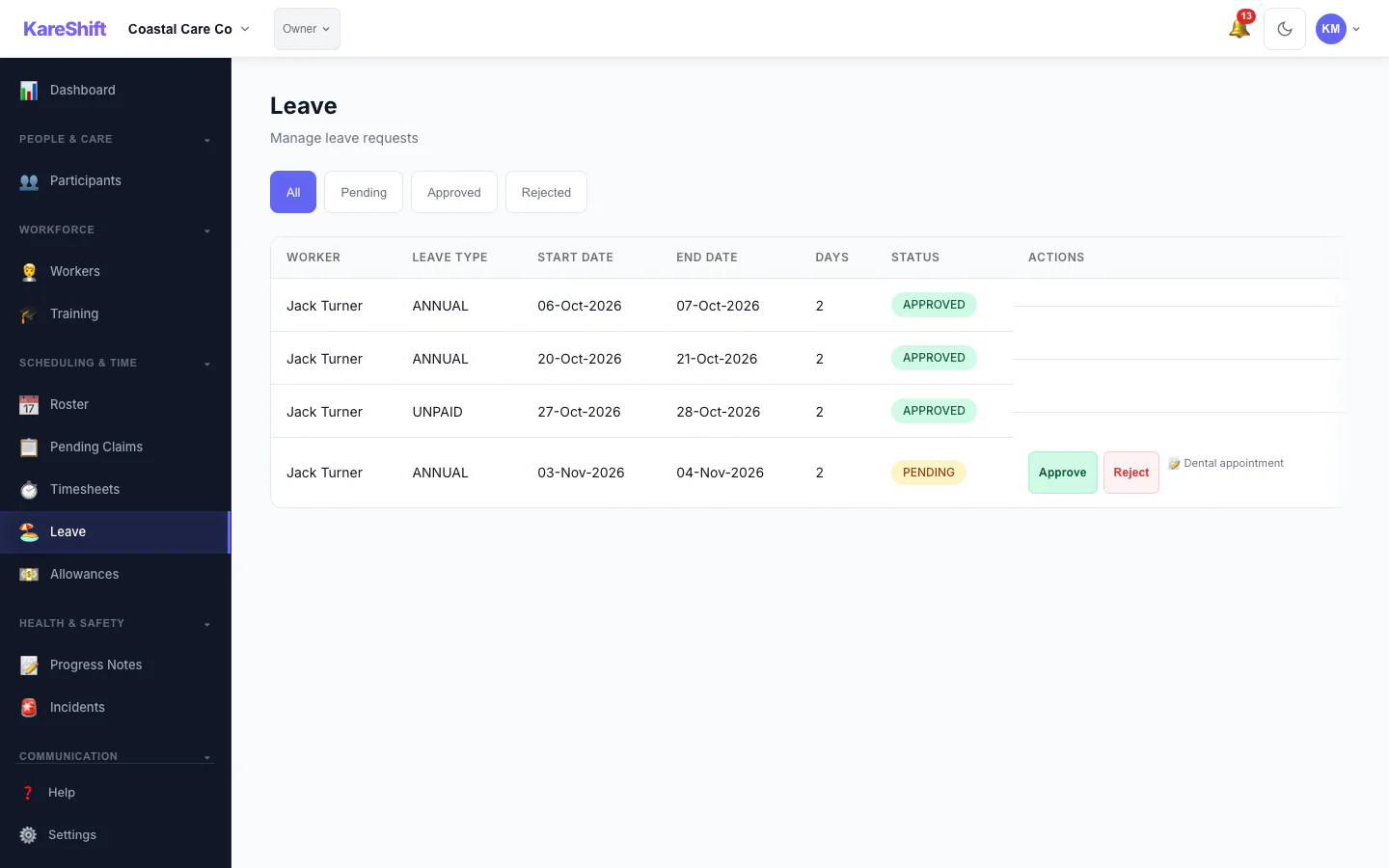
Leave
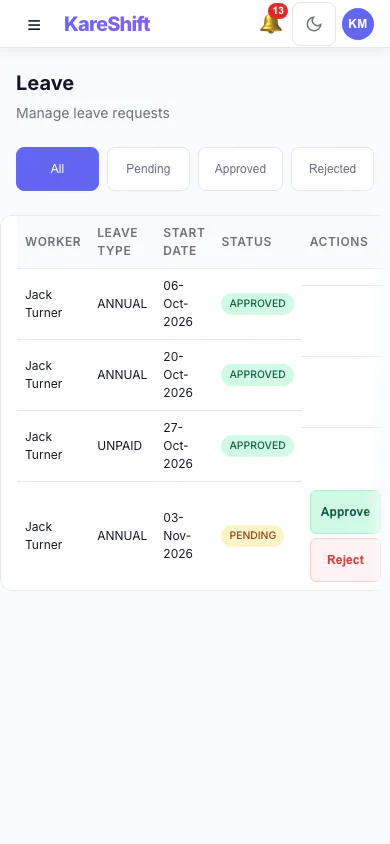
Leave (Mobile)
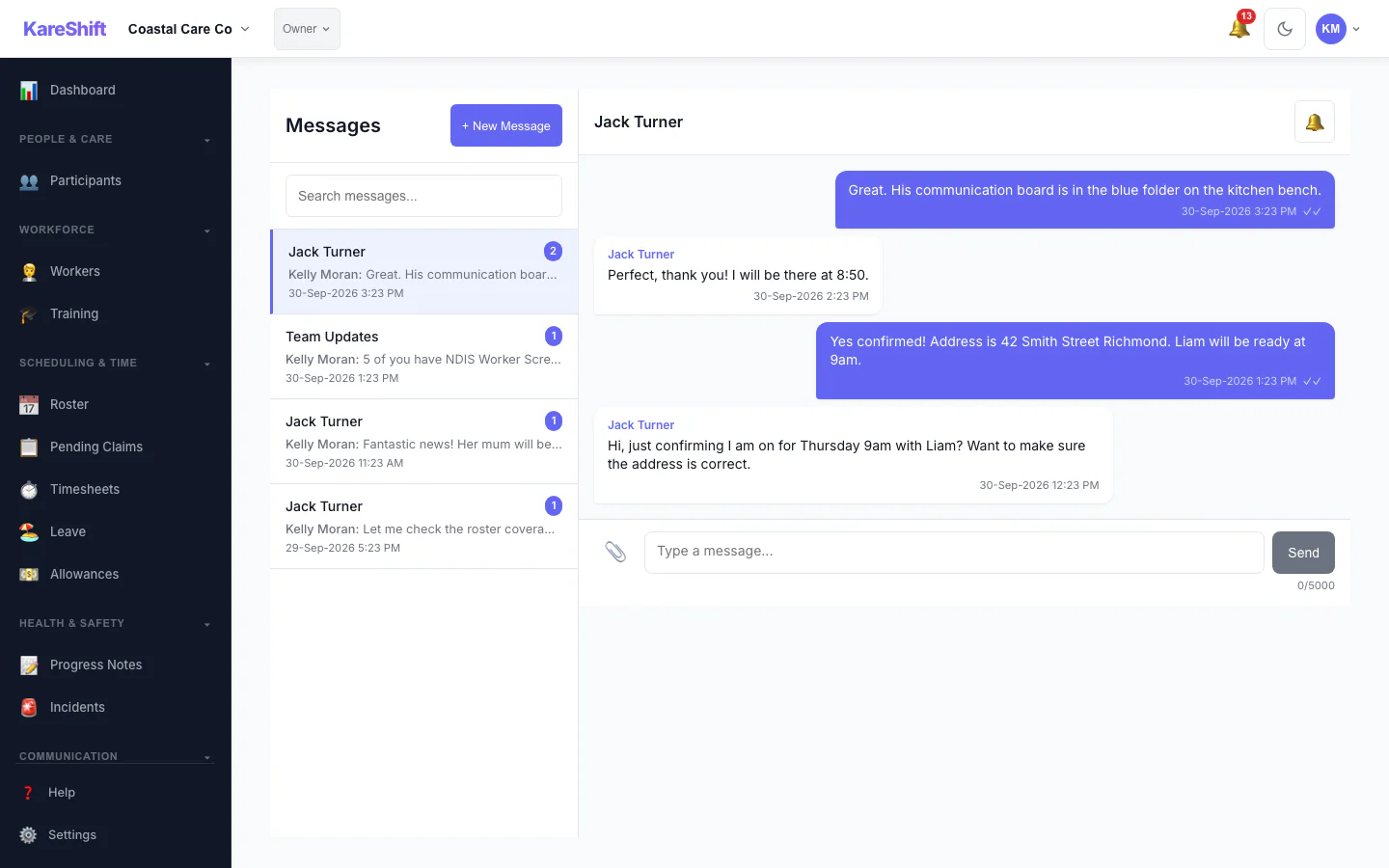
Messages
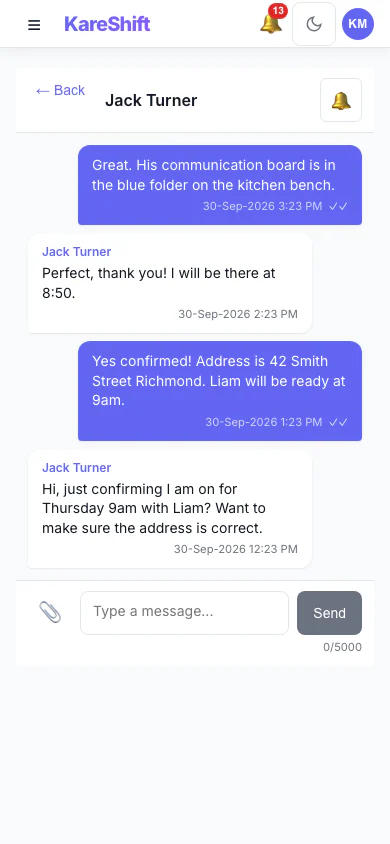
Messages (Mobile)
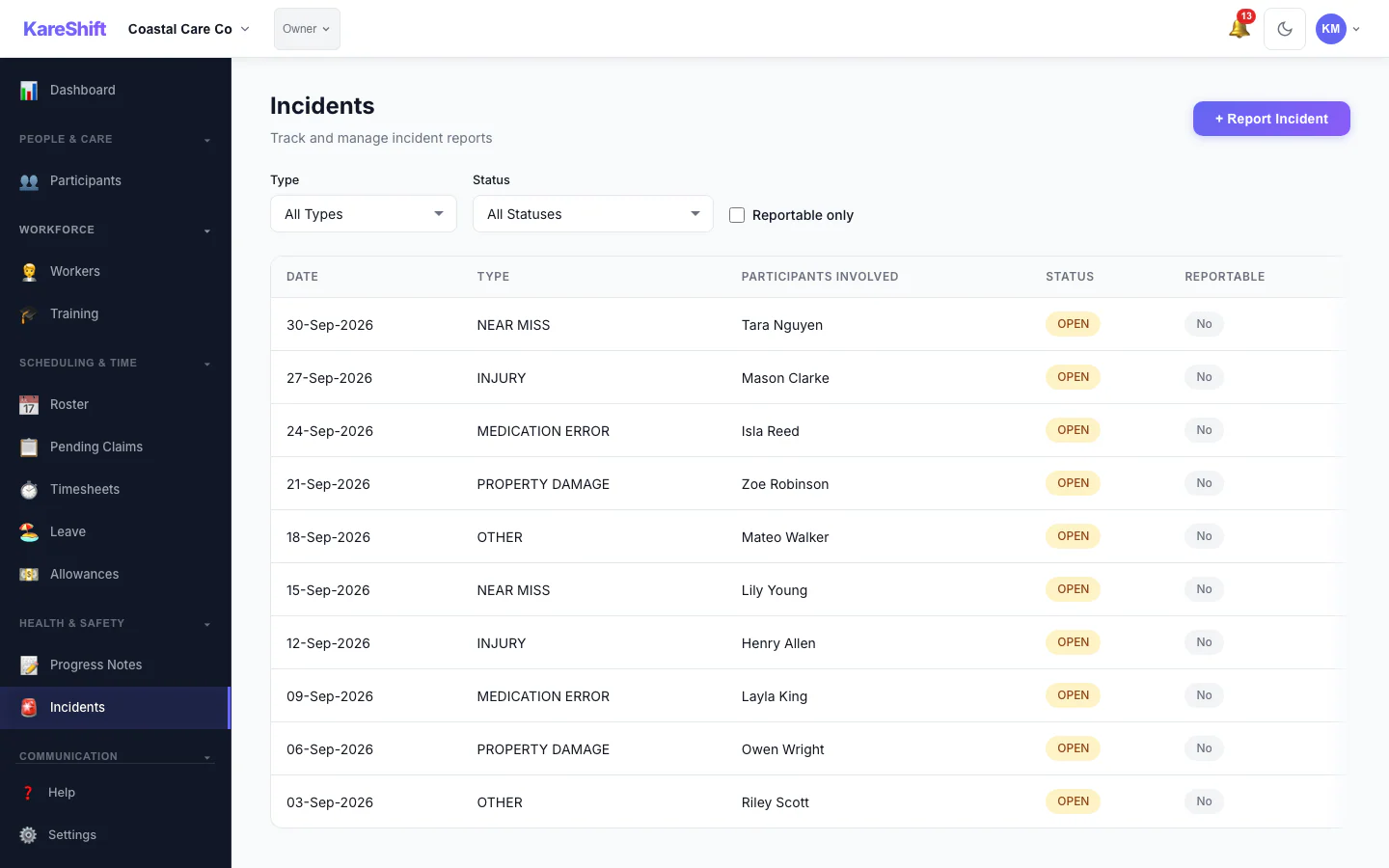
Incidents
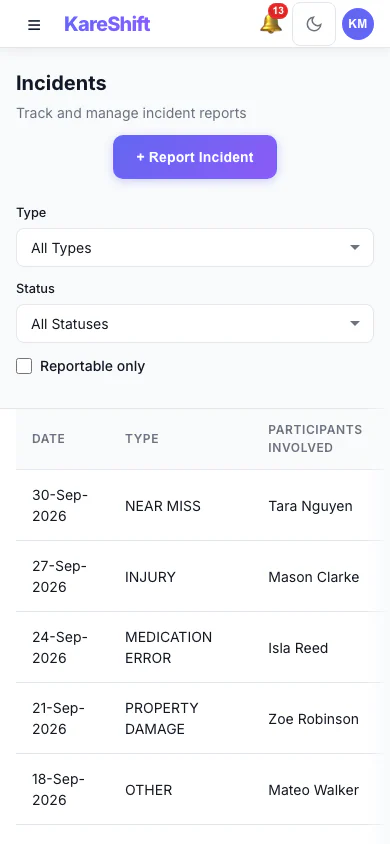
Incidents (Mobile)
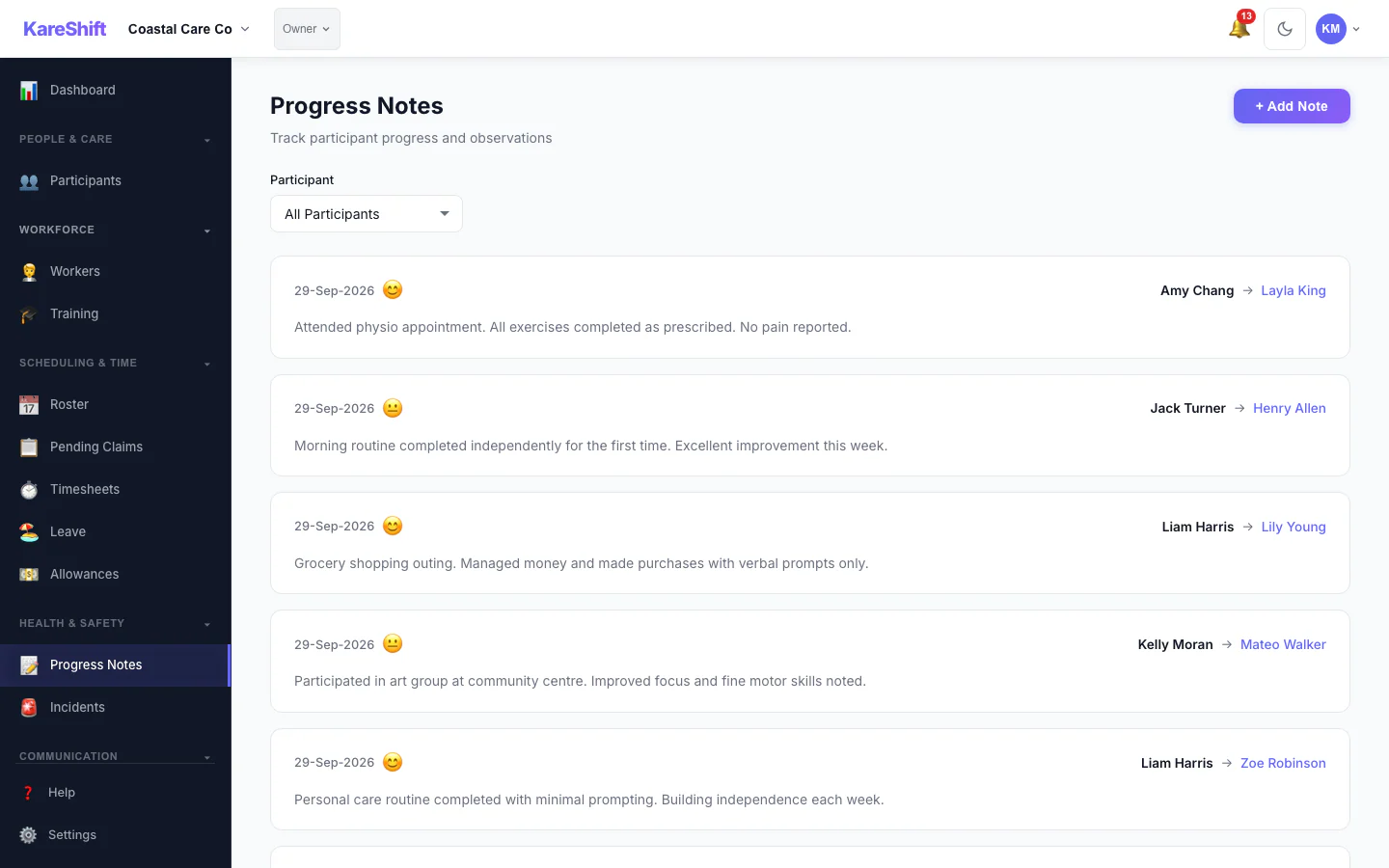
Progress Notes
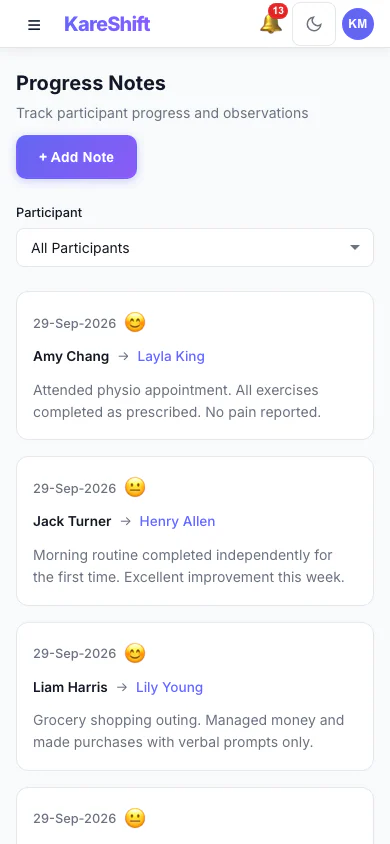
Notes (Mobile)
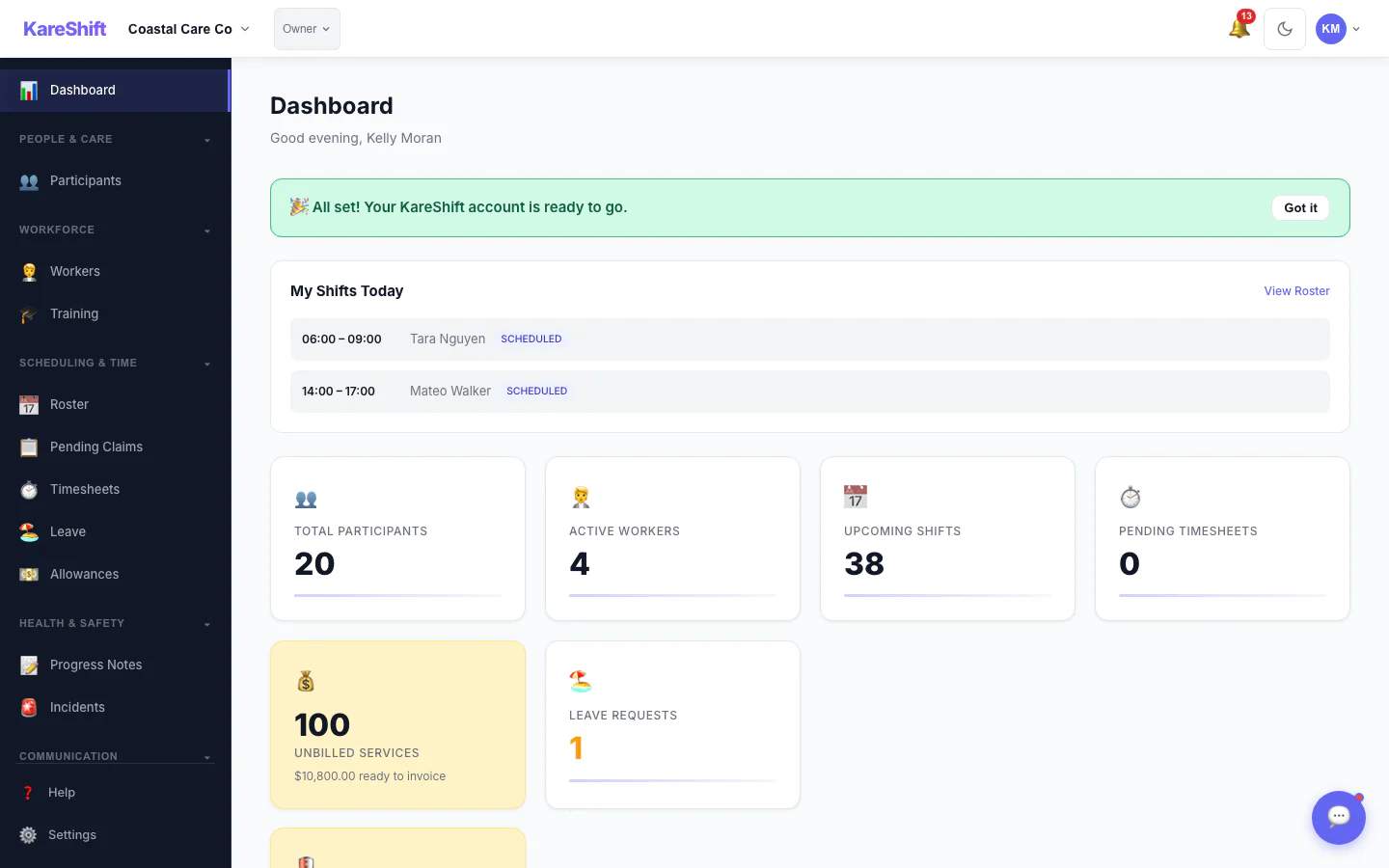
Unbilled Services
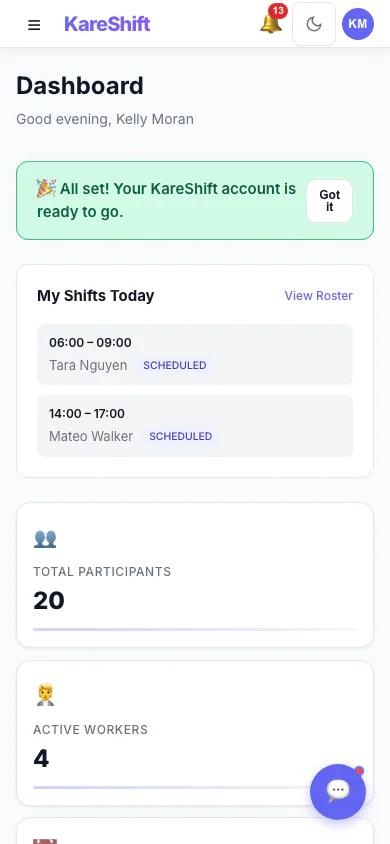
Unbilled (Mobile)
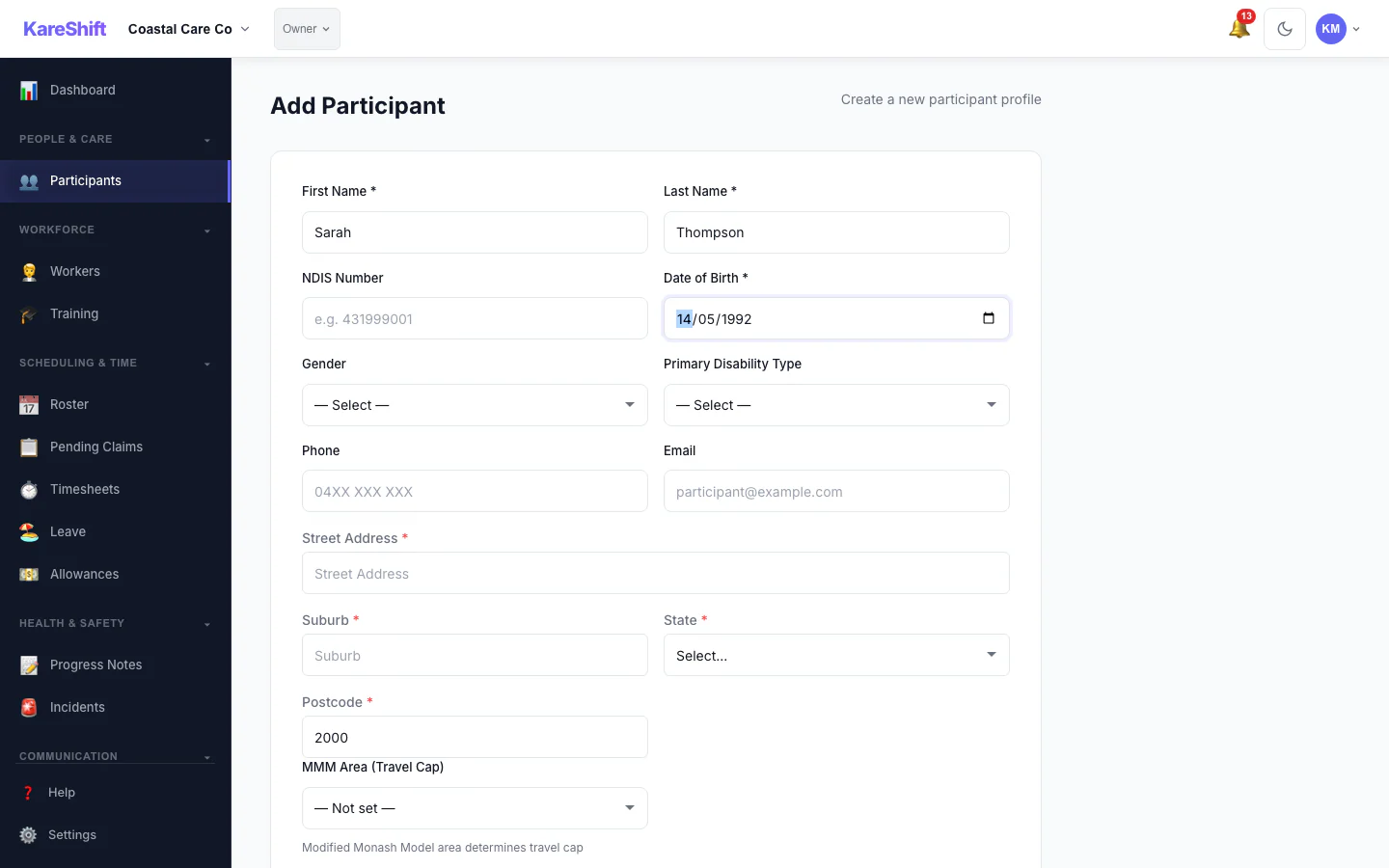
MMM Auto-Fill
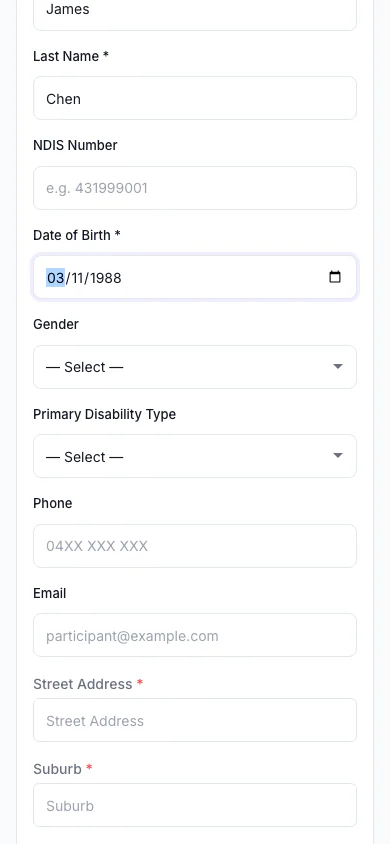
MMM (Mobile)
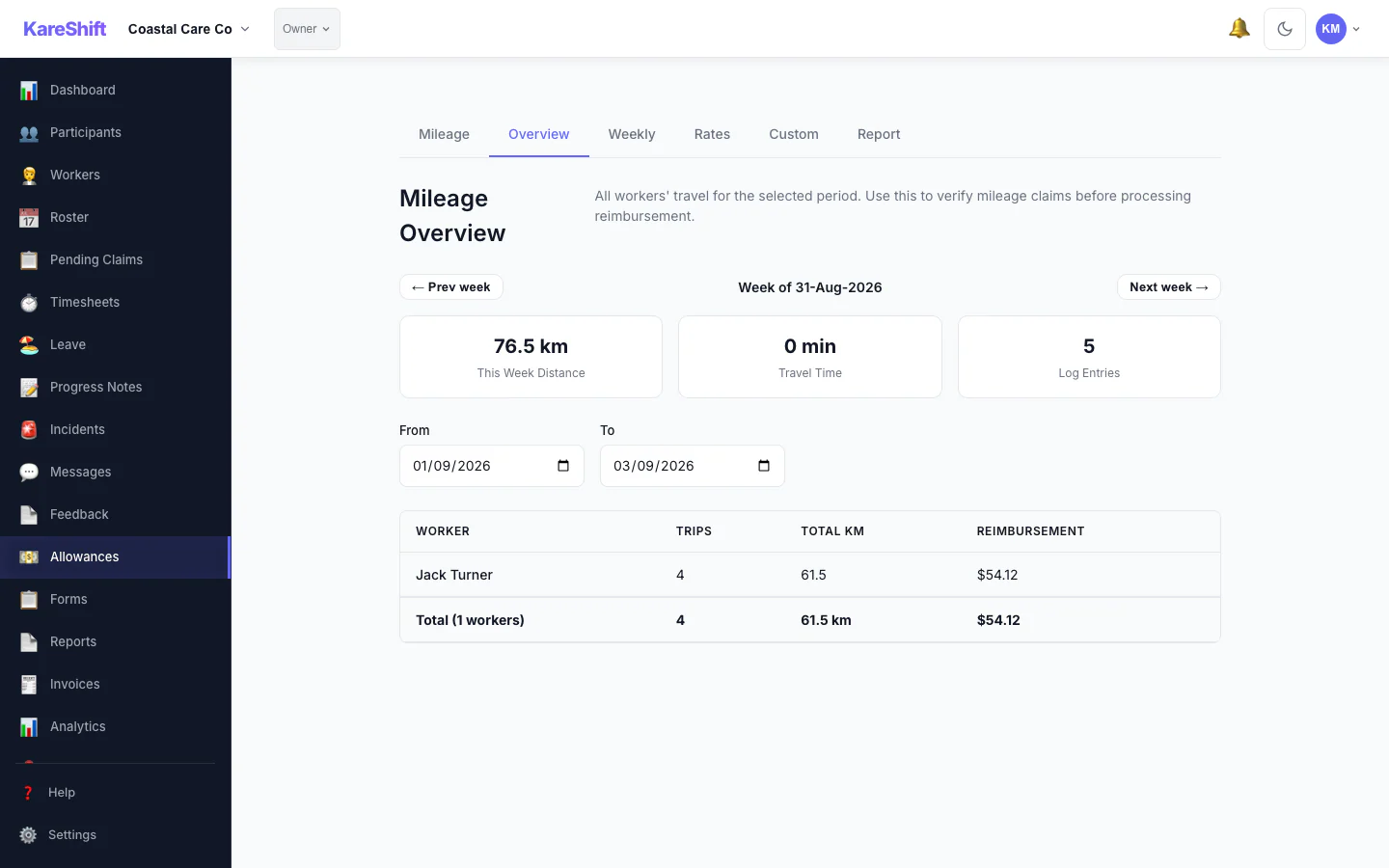
Mileage
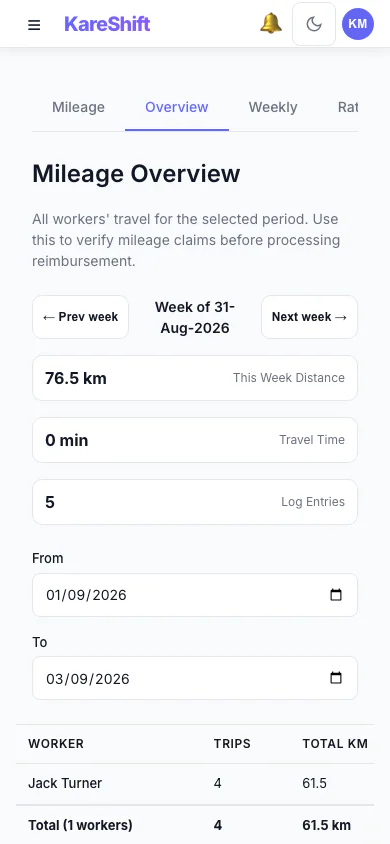
Mileage (Mobile)
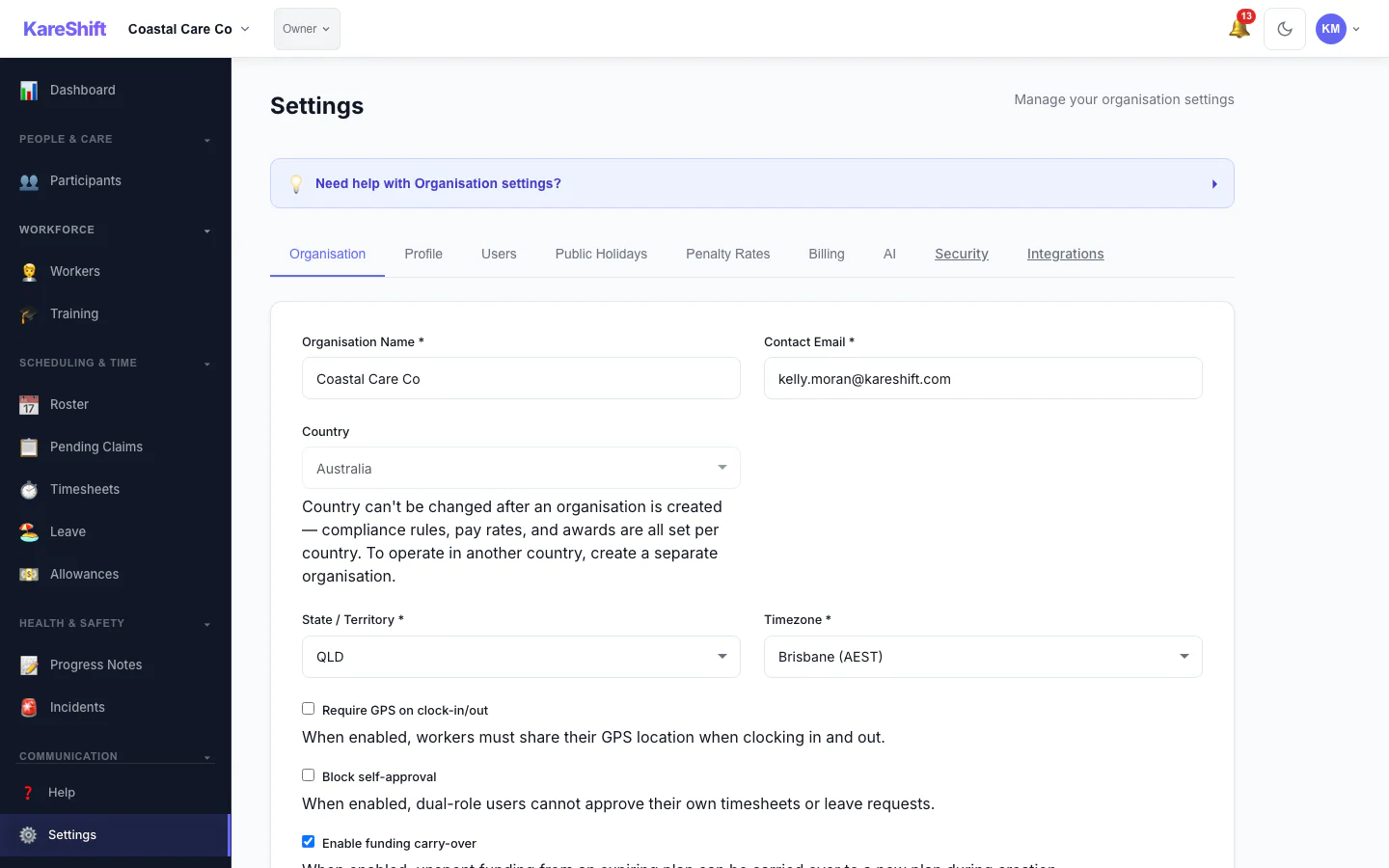
Settings
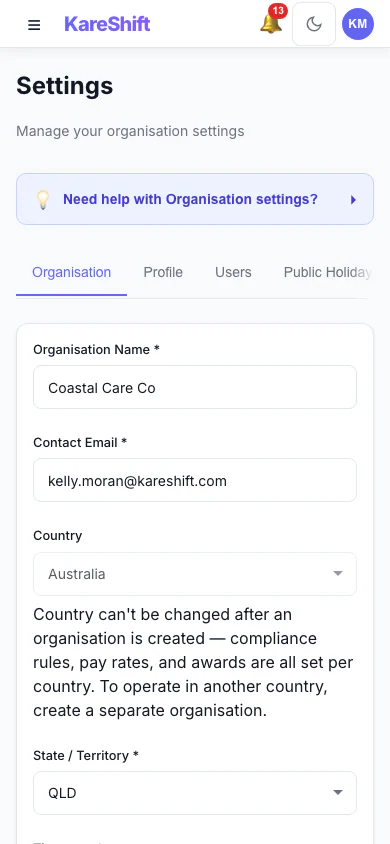
Settings (Mobile)
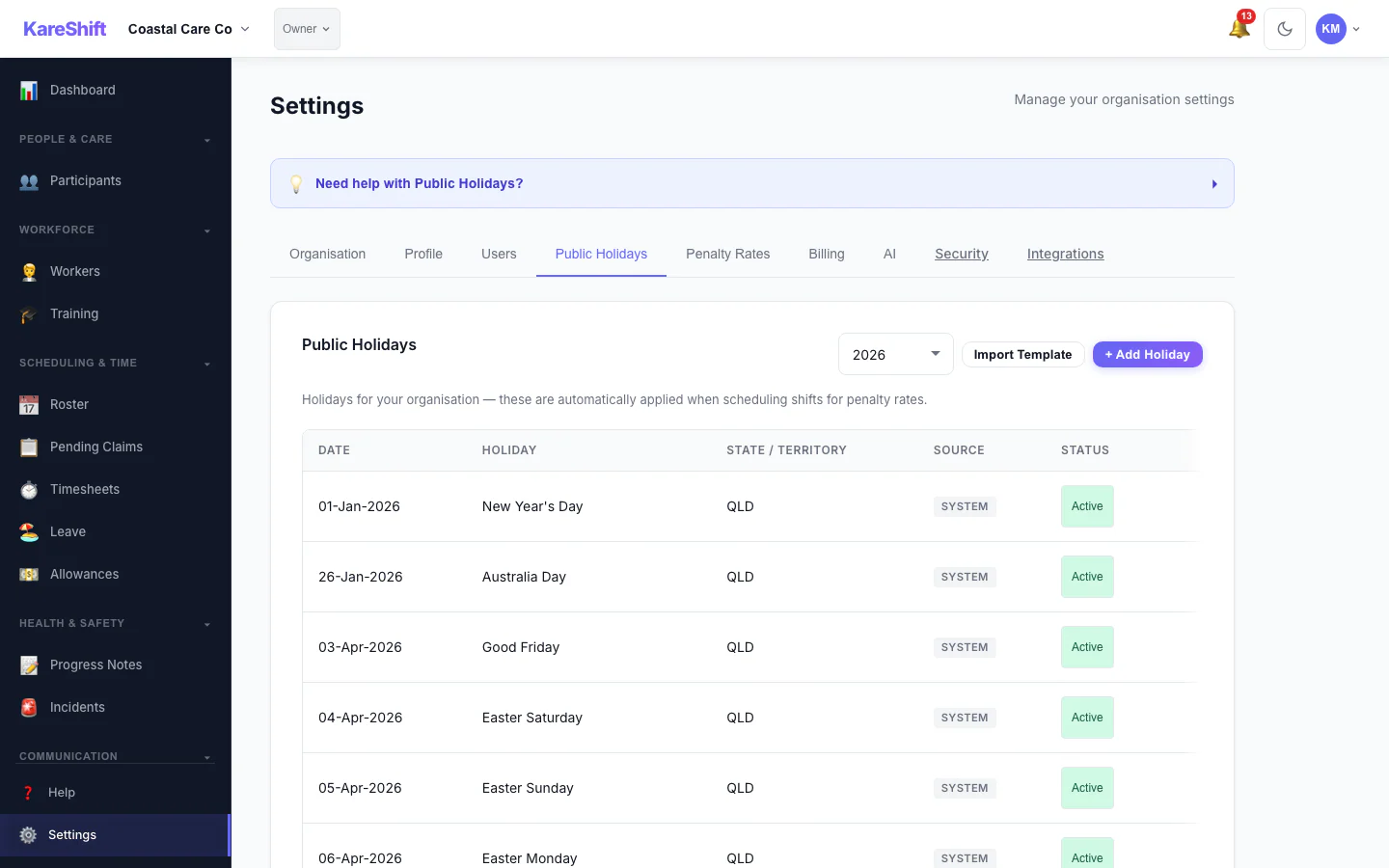
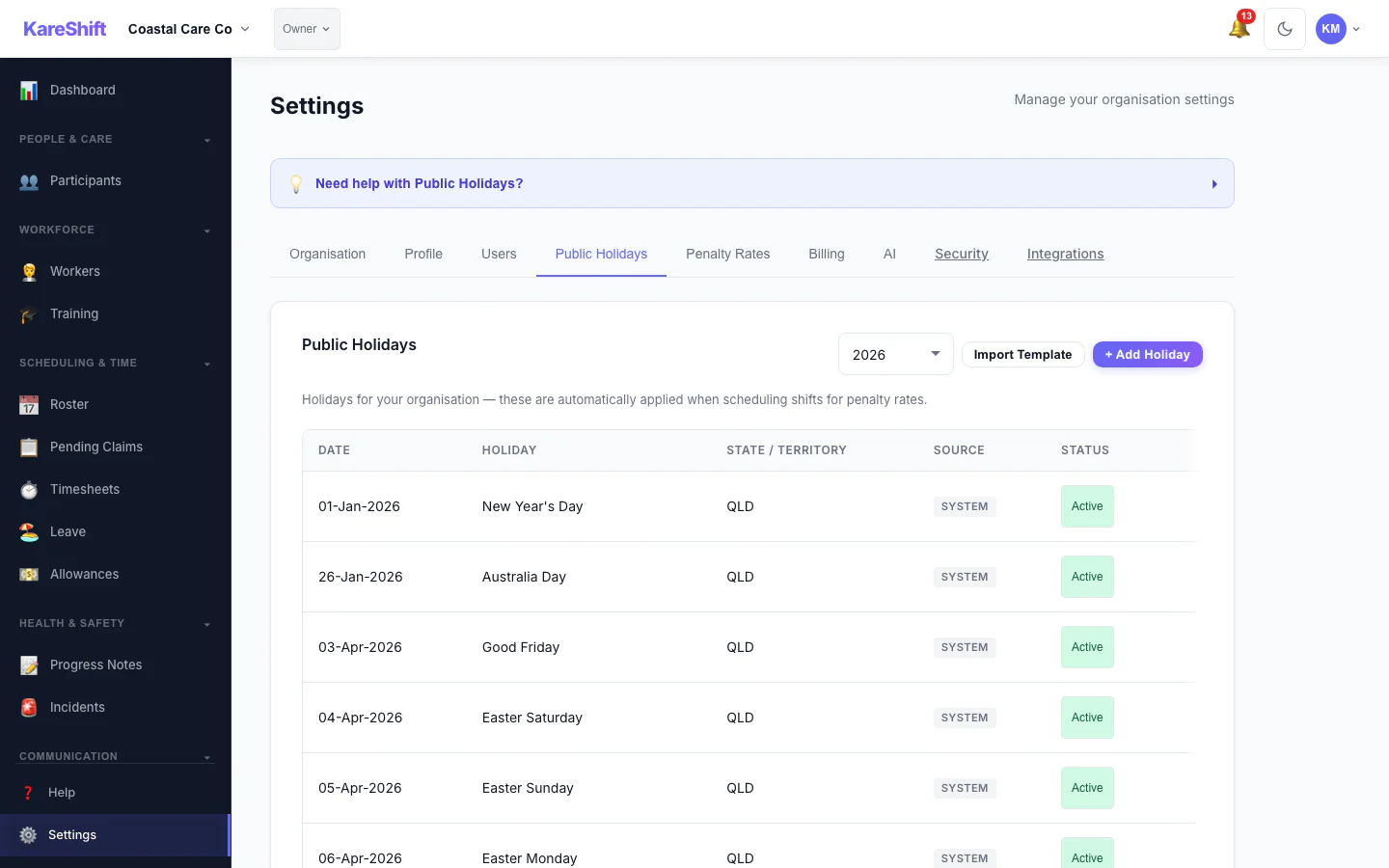
Holidays
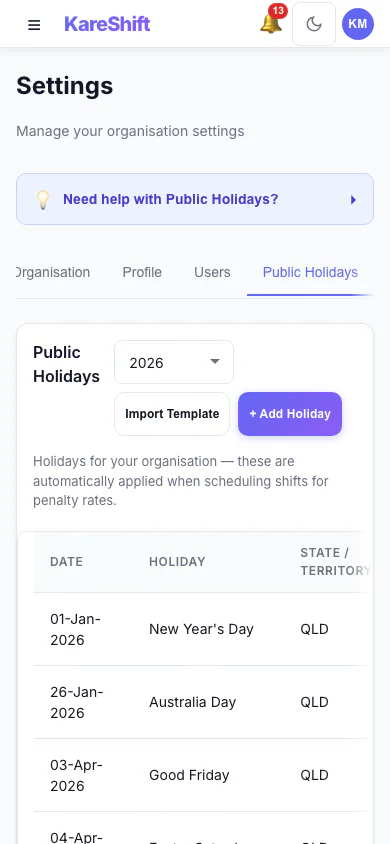
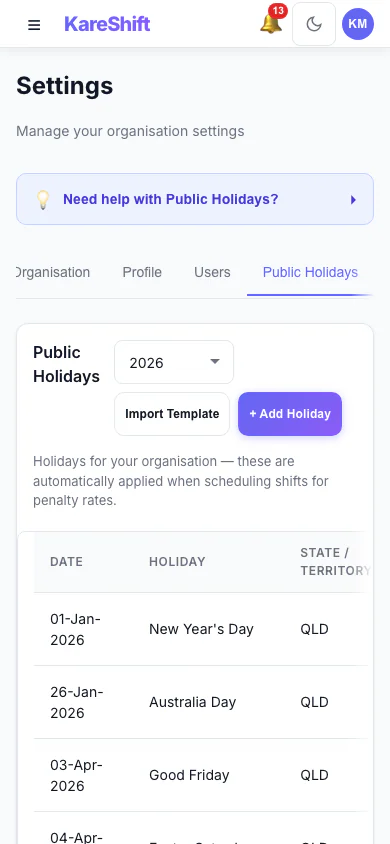
Holidays (Mobile)
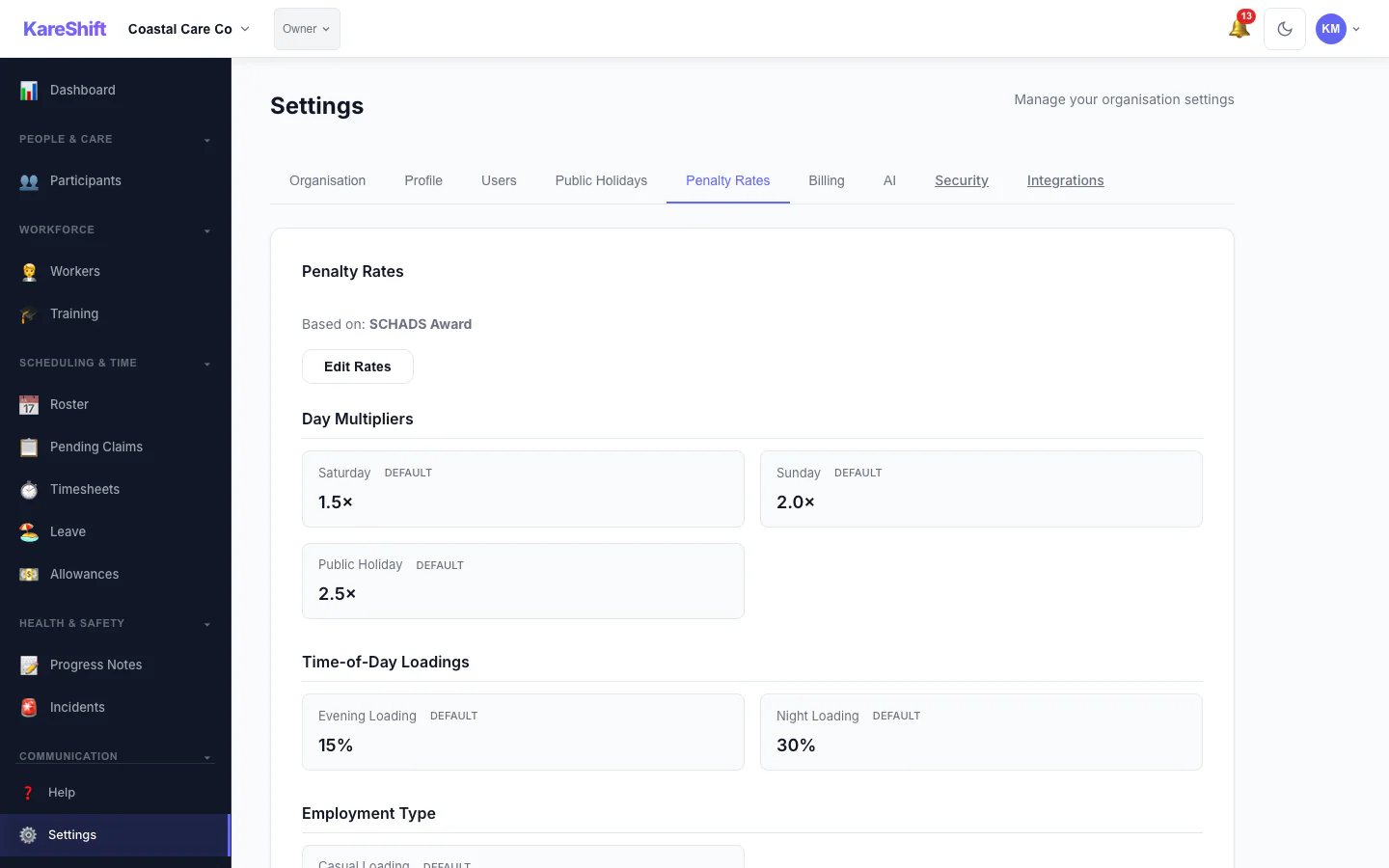
Penalty Rates
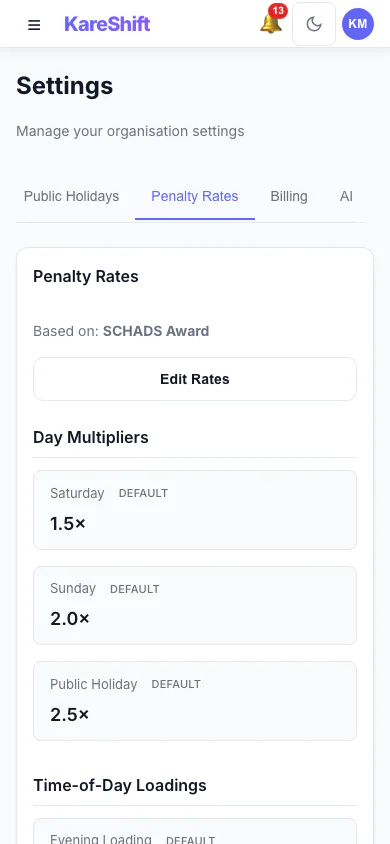
Penalty Rates (Mobile)
Holiday Exclusion
Exclusion (Mobile)
Role History (Mobile)
Help
Help (Mobile)
Feedback Widget
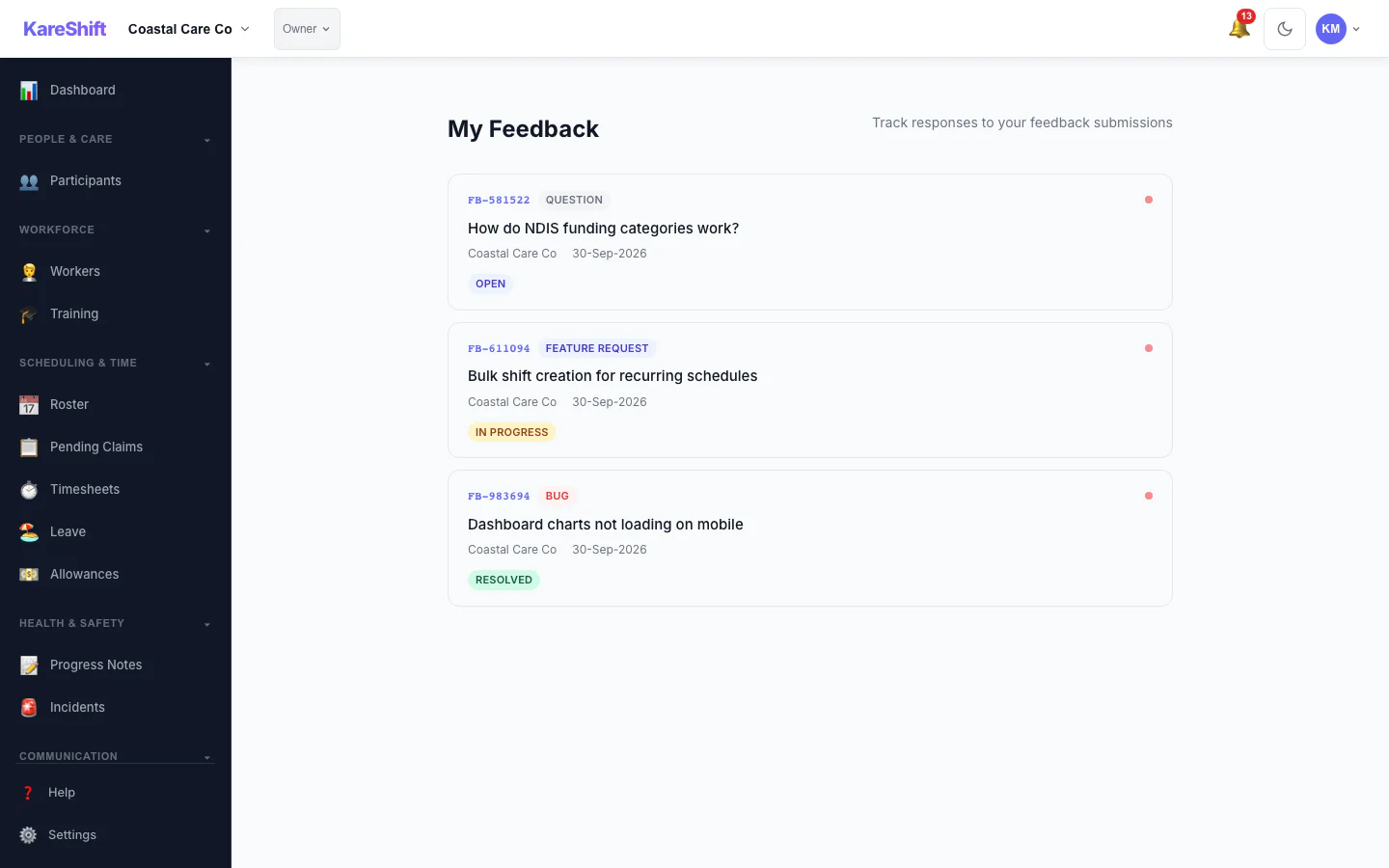
Feedback List
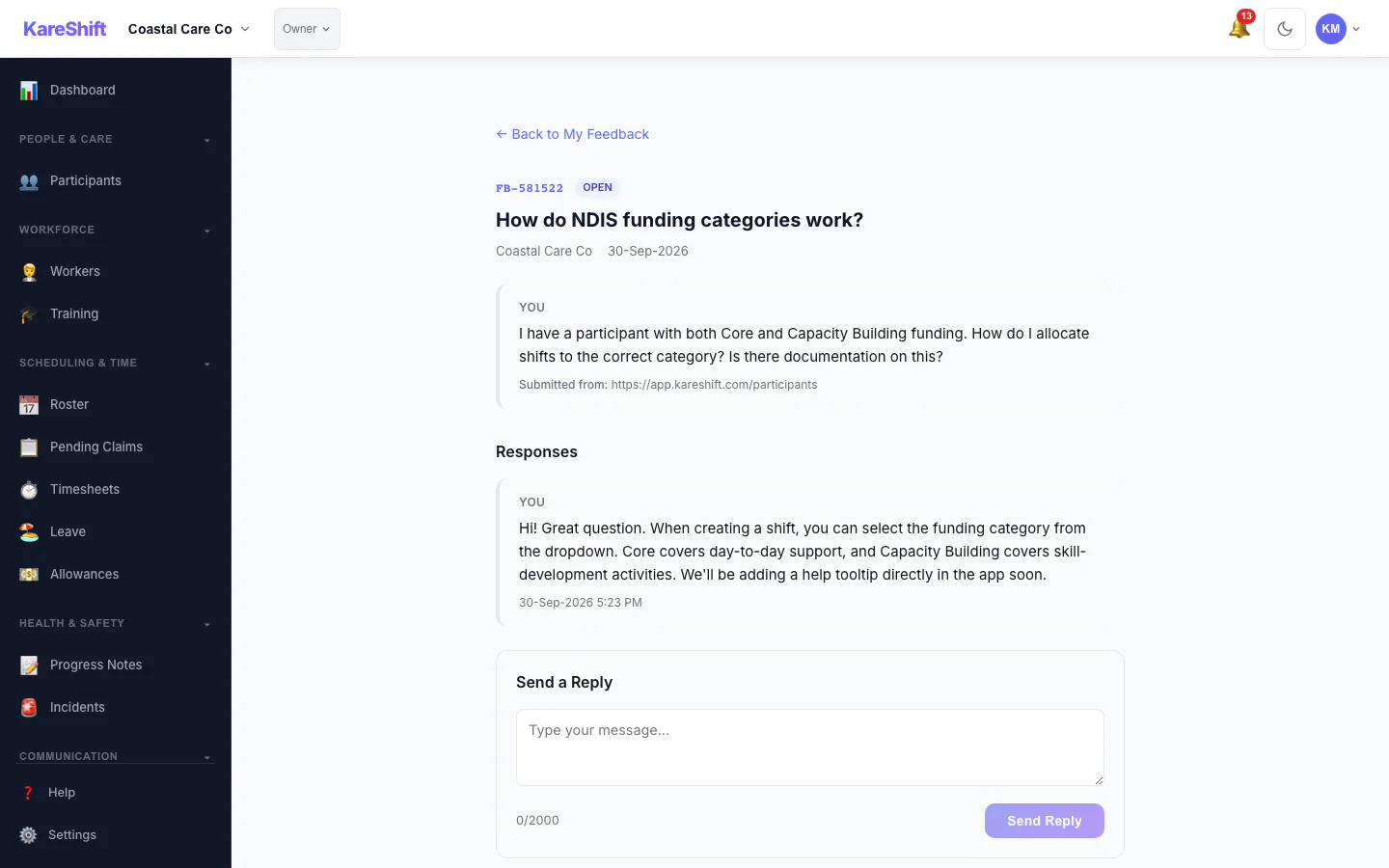
Feedback Detail
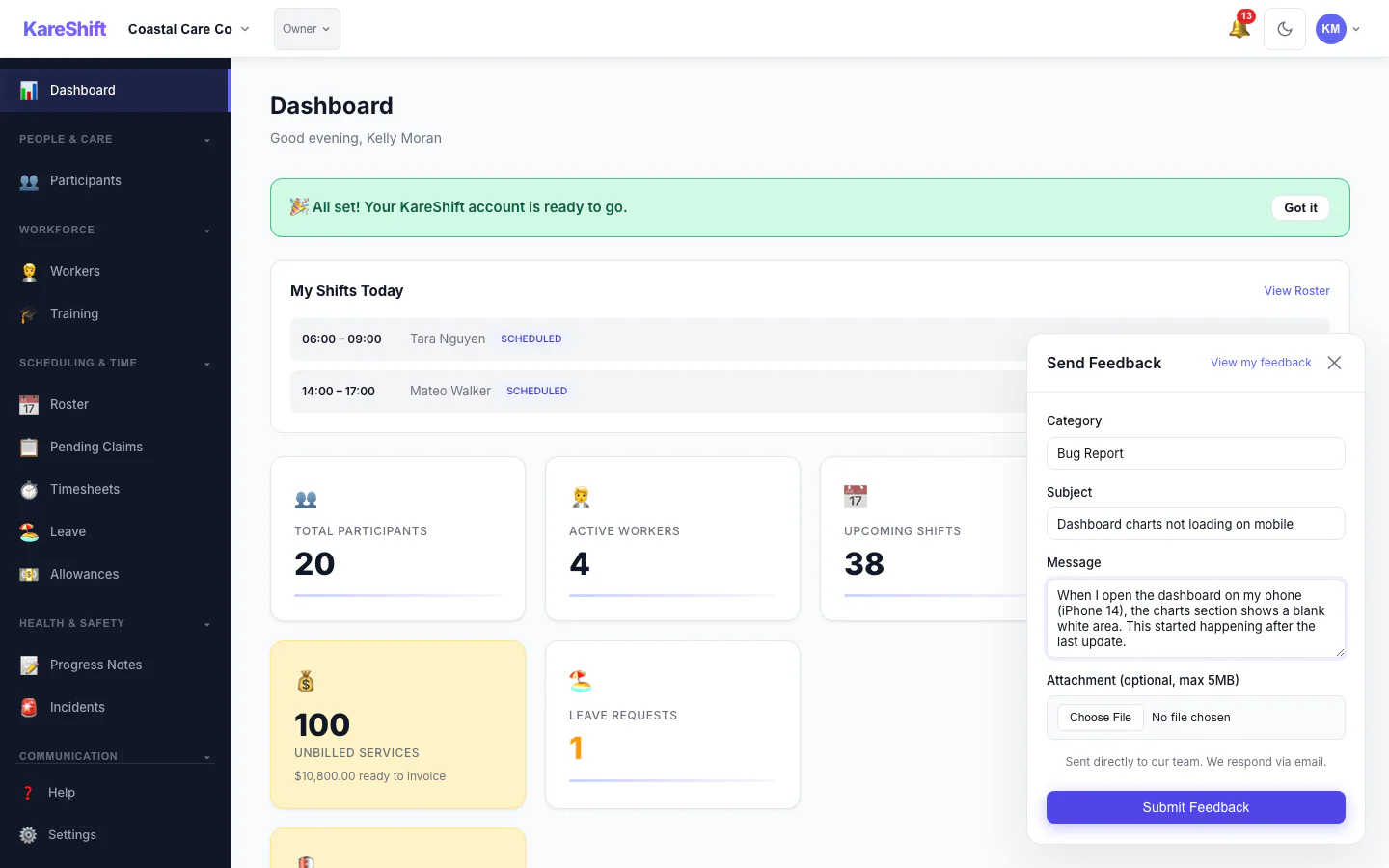
Submit Feedback
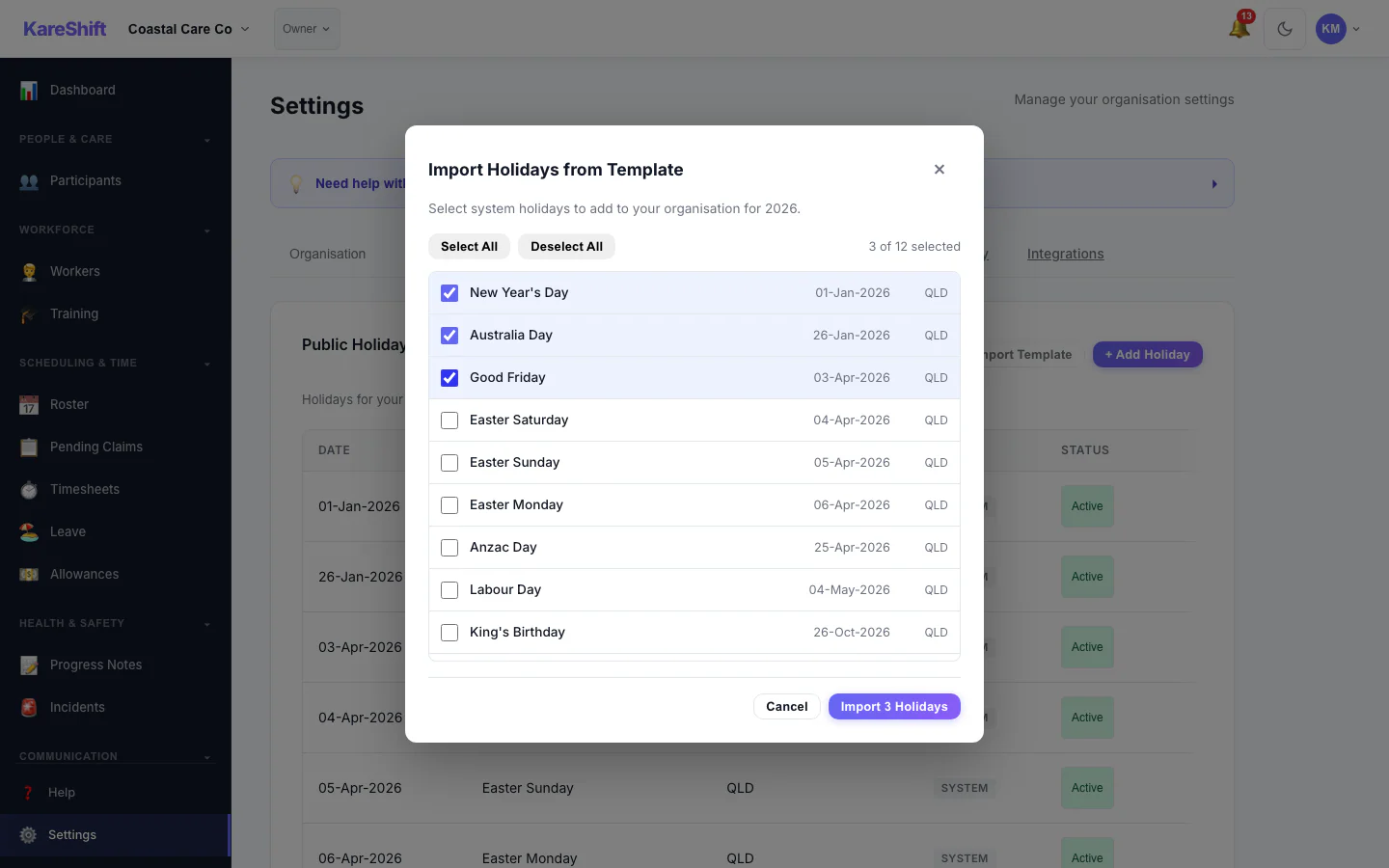
Template Import
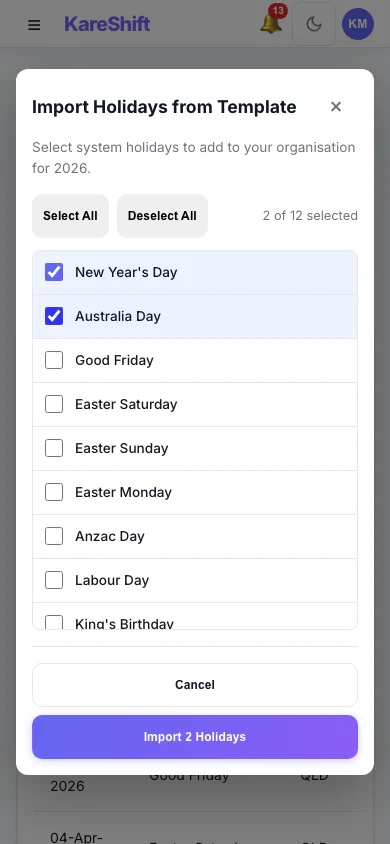
Template Import (Mobile)
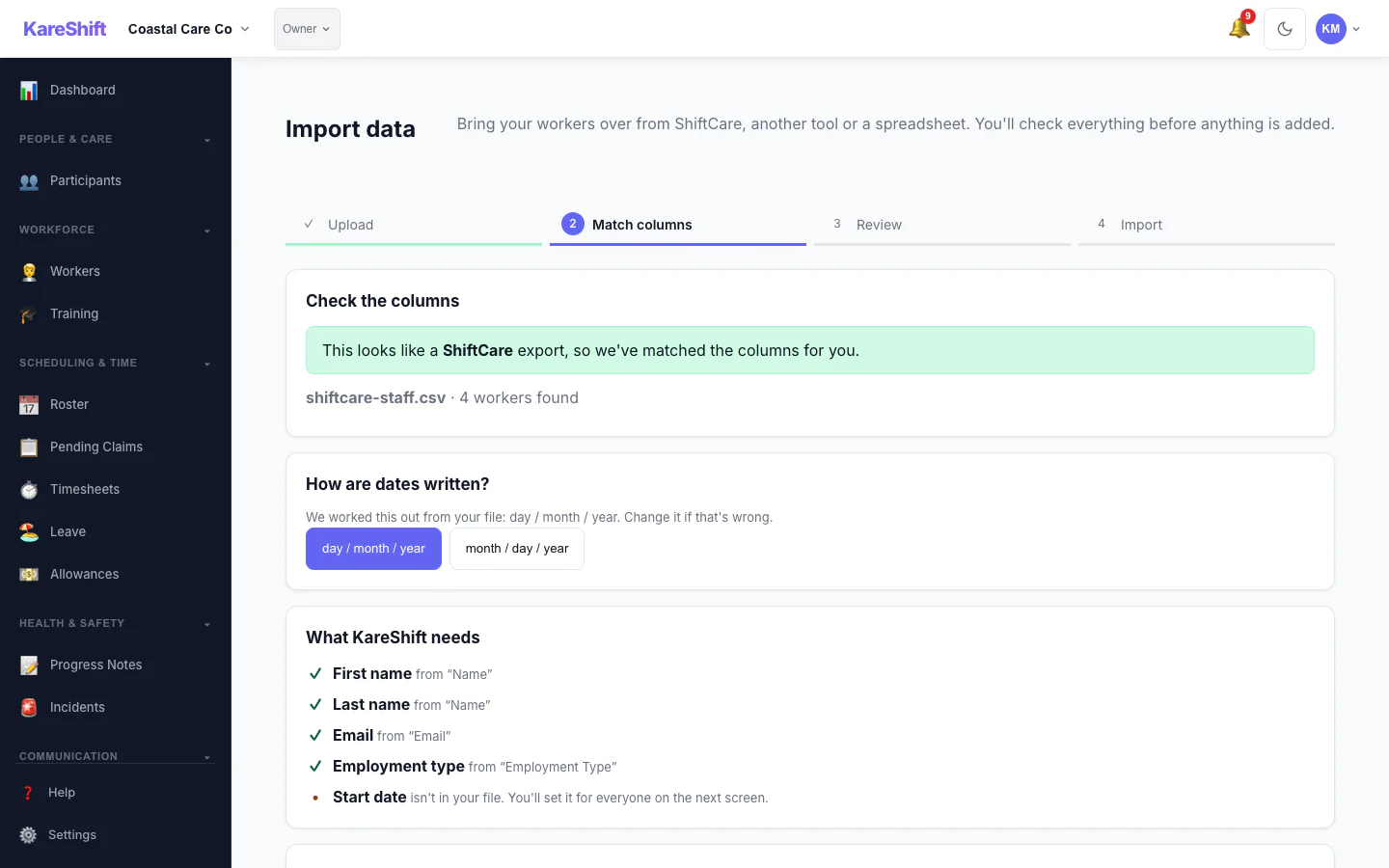
Import — Match Columns
A ShiftCare export is recognised and its columns are matched for you, with the date format detected.
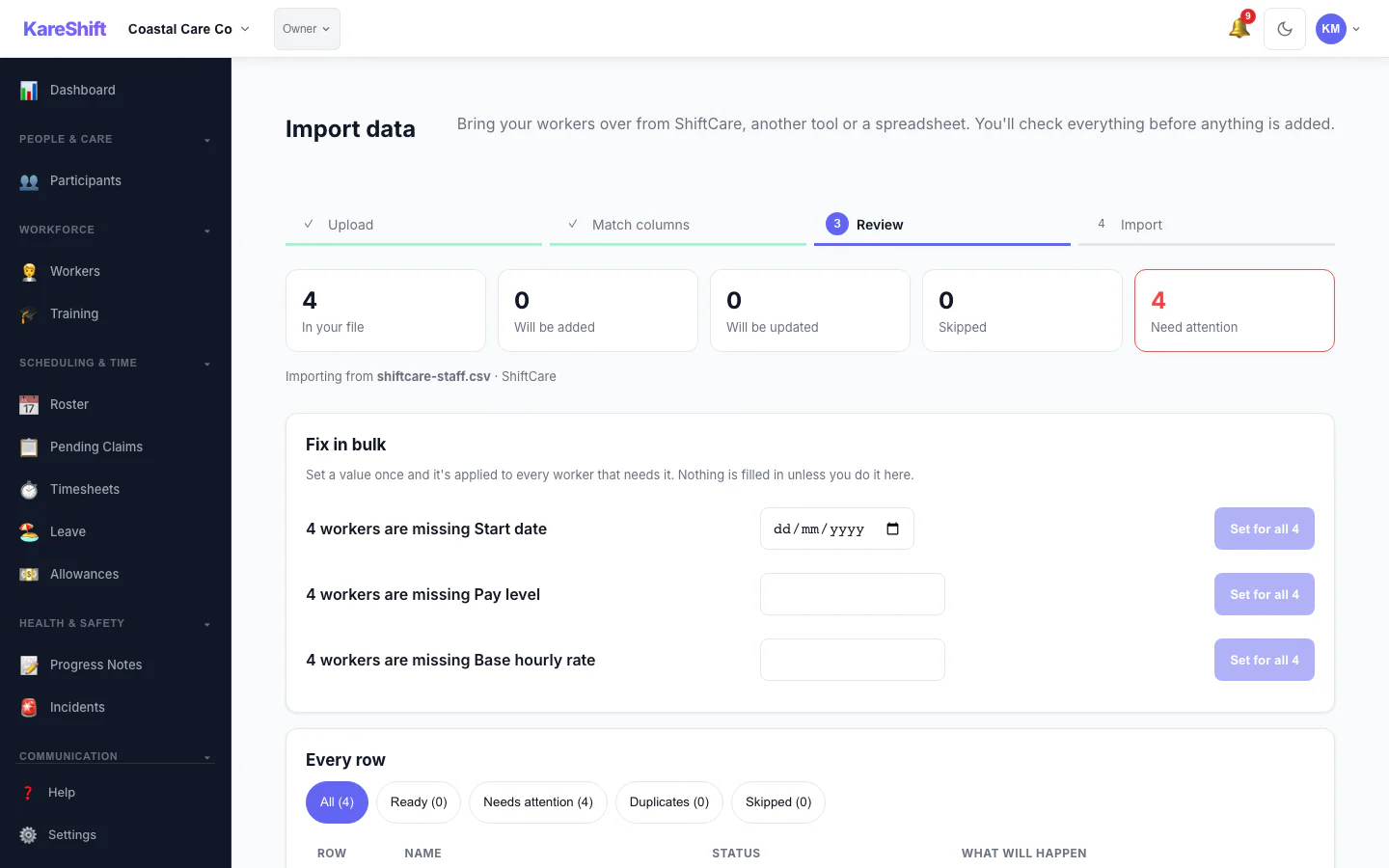
Import — Review & Bulk Fix
See what will be added, updated or skipped, and set a missing value once for everyone before anything is saved.
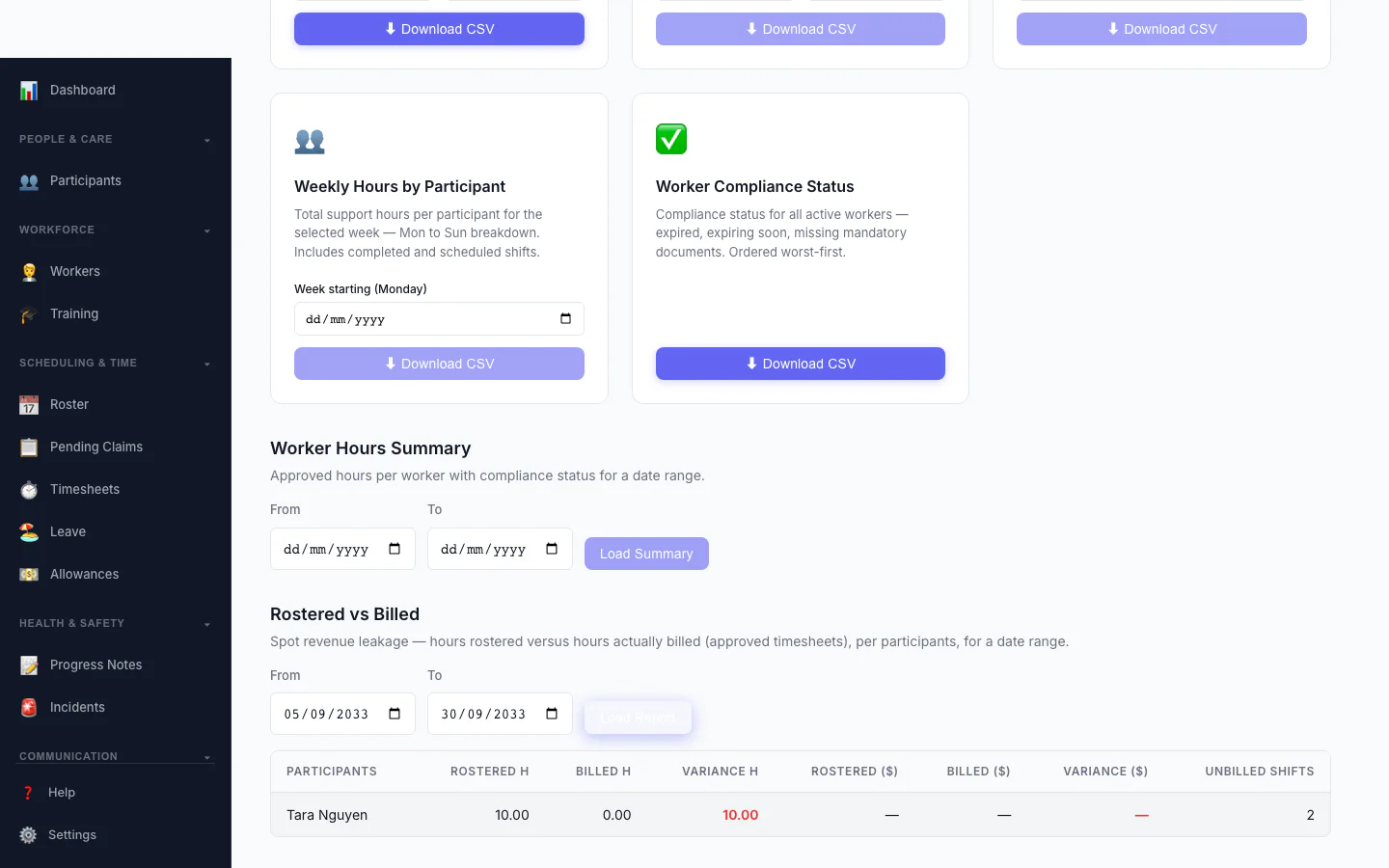
Rostered vs Billed
Spot revenue leakage at a glance — rostered hours versus hours actually billed, per participant, with the shortfall highlighted.
Worker View (Dual-Role)
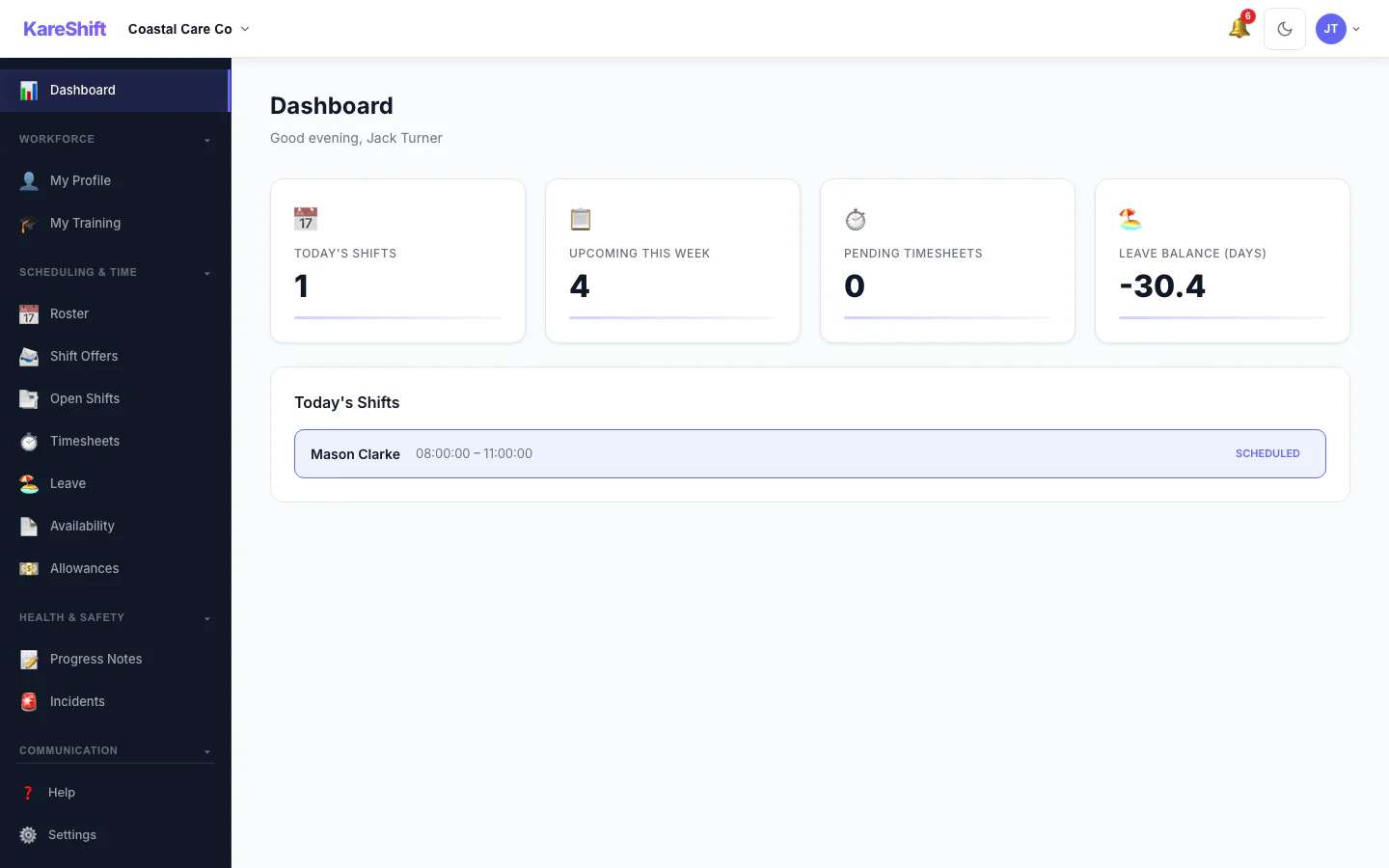
Worker Dashboard
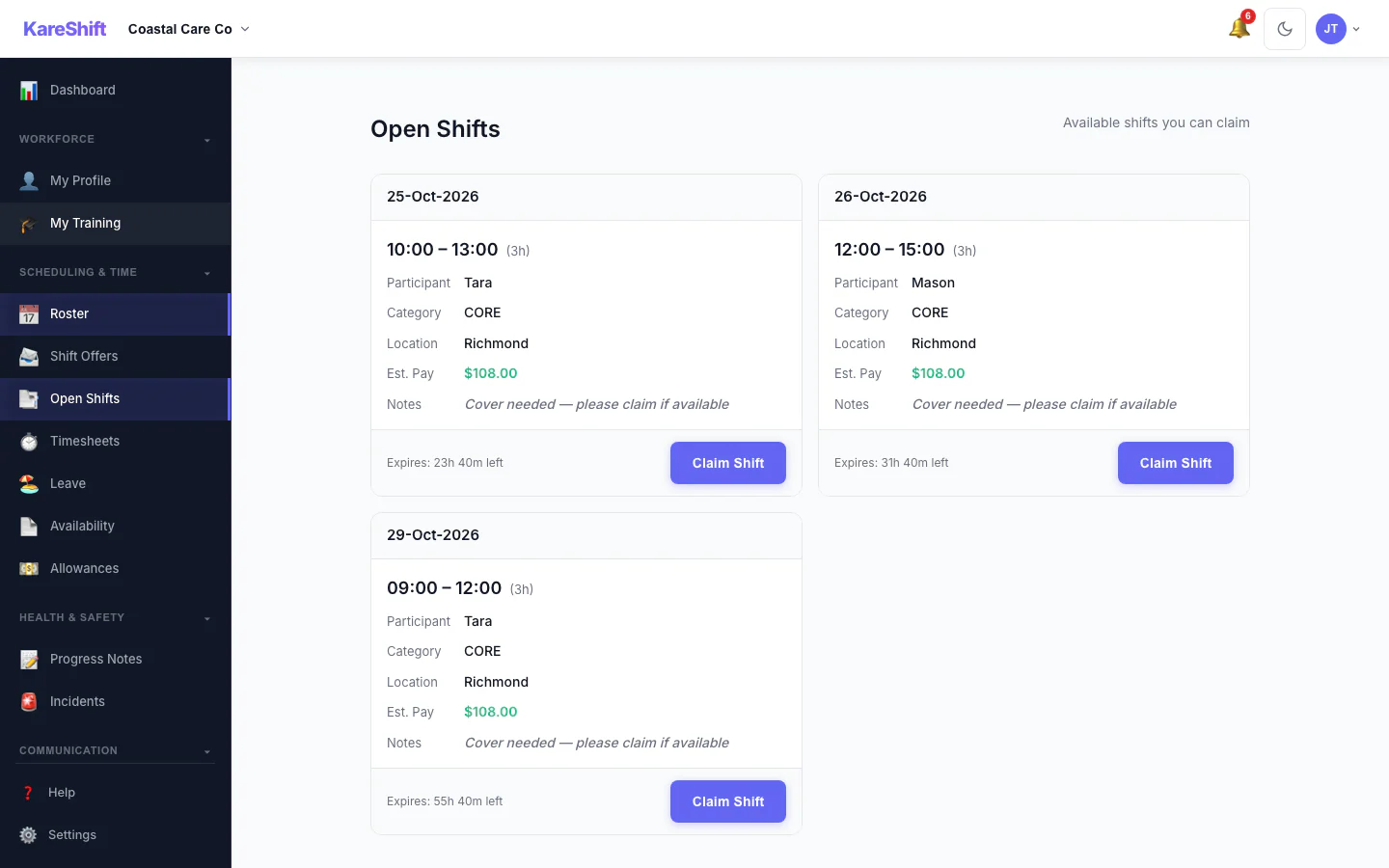
Open Shift Board
Vacant shifts broadcast to the team. Workers see date, time, pay estimate and expiry, then claim with one tap.
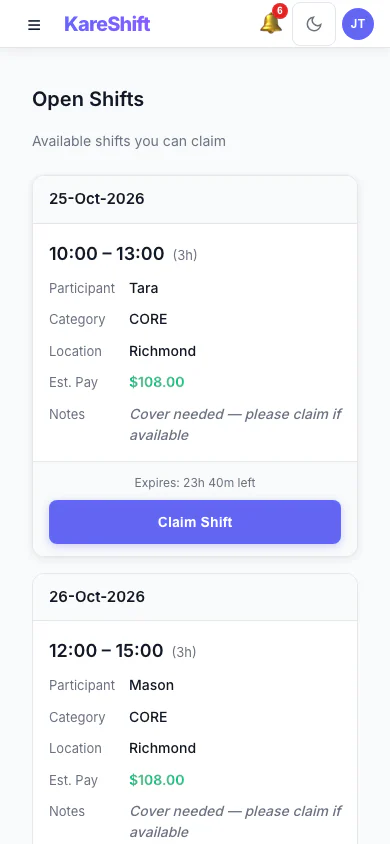
Open Shift Board (Mobile)
Vacant shifts broadcast to the team. Workers see date, time, pay estimate and expiry, then claim with one tap.
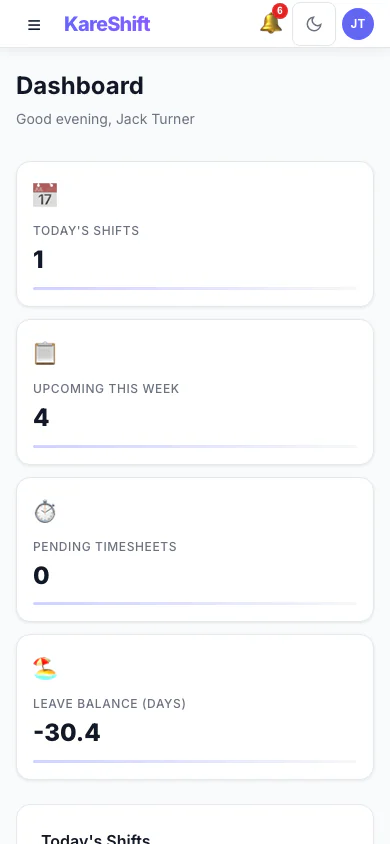
Dashboard (Mobile)
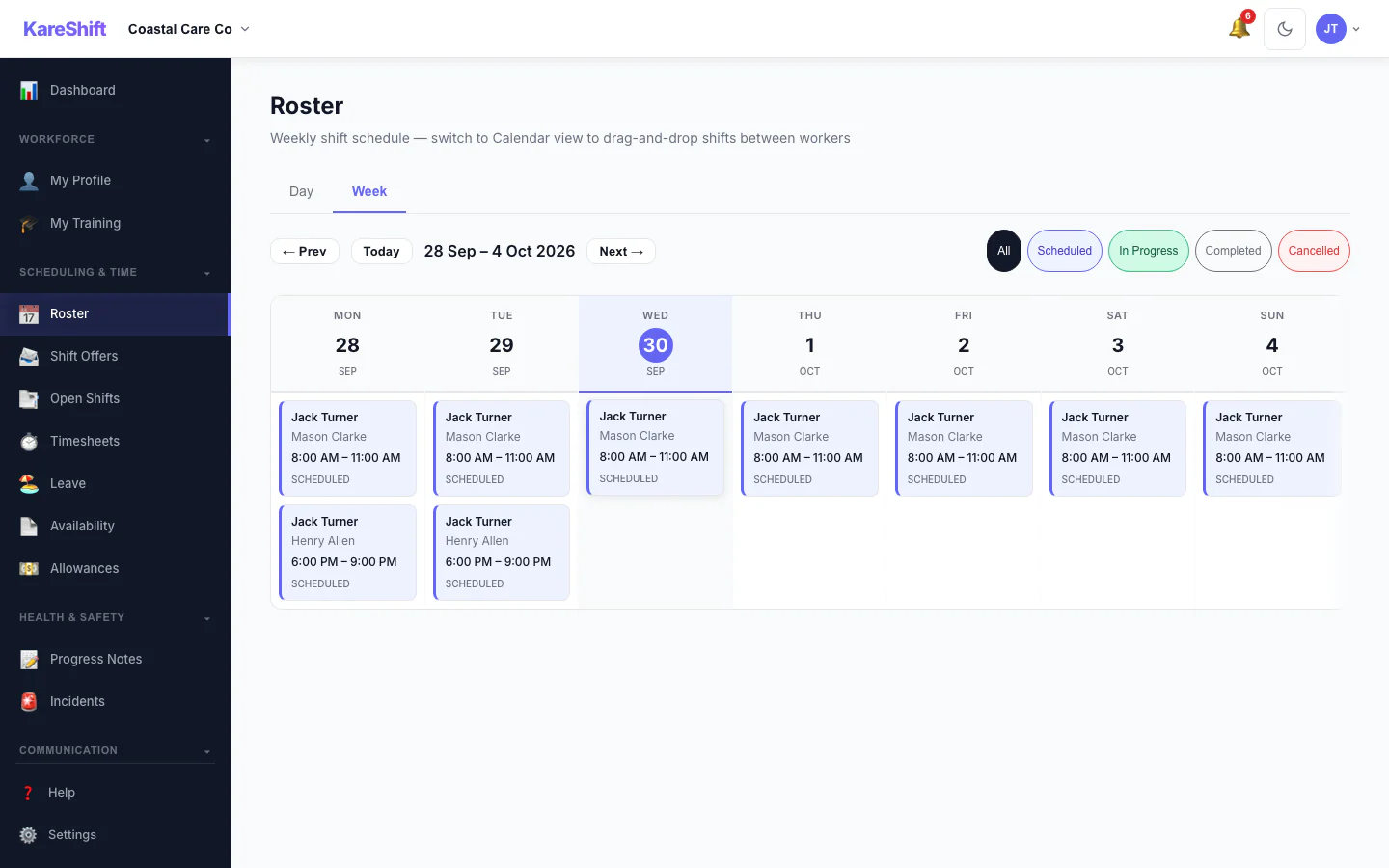
My Shifts
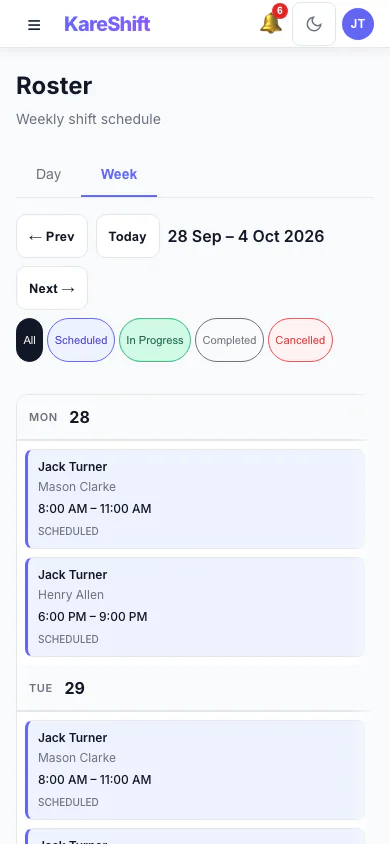
Shifts (Mobile)
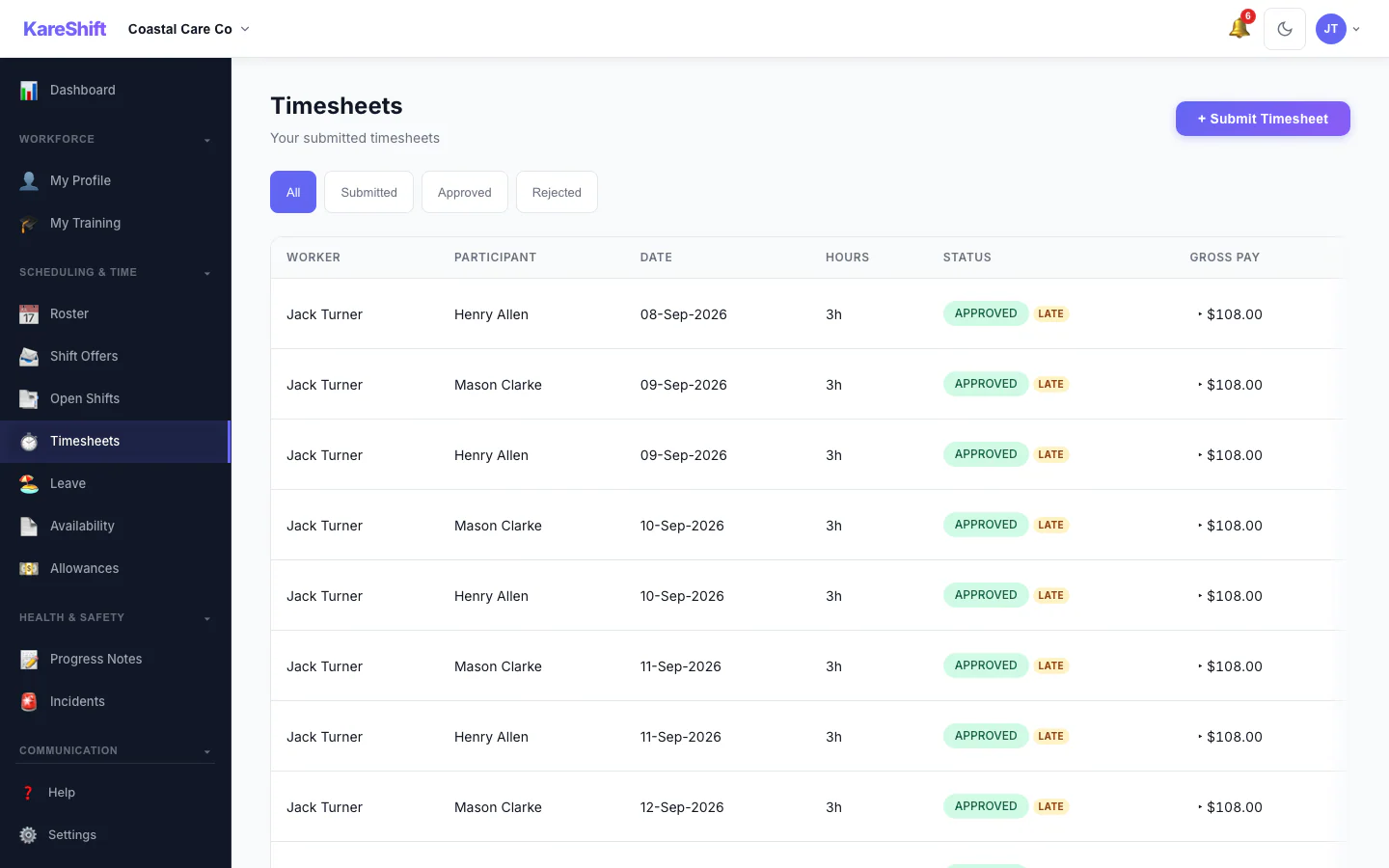
Timesheets
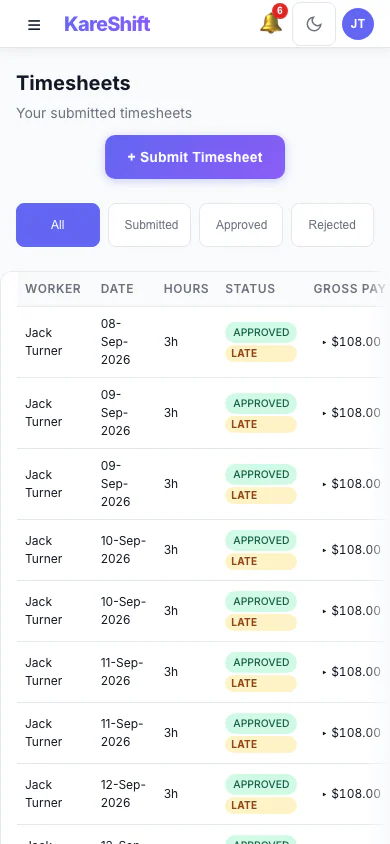
Timesheets (Mobile)
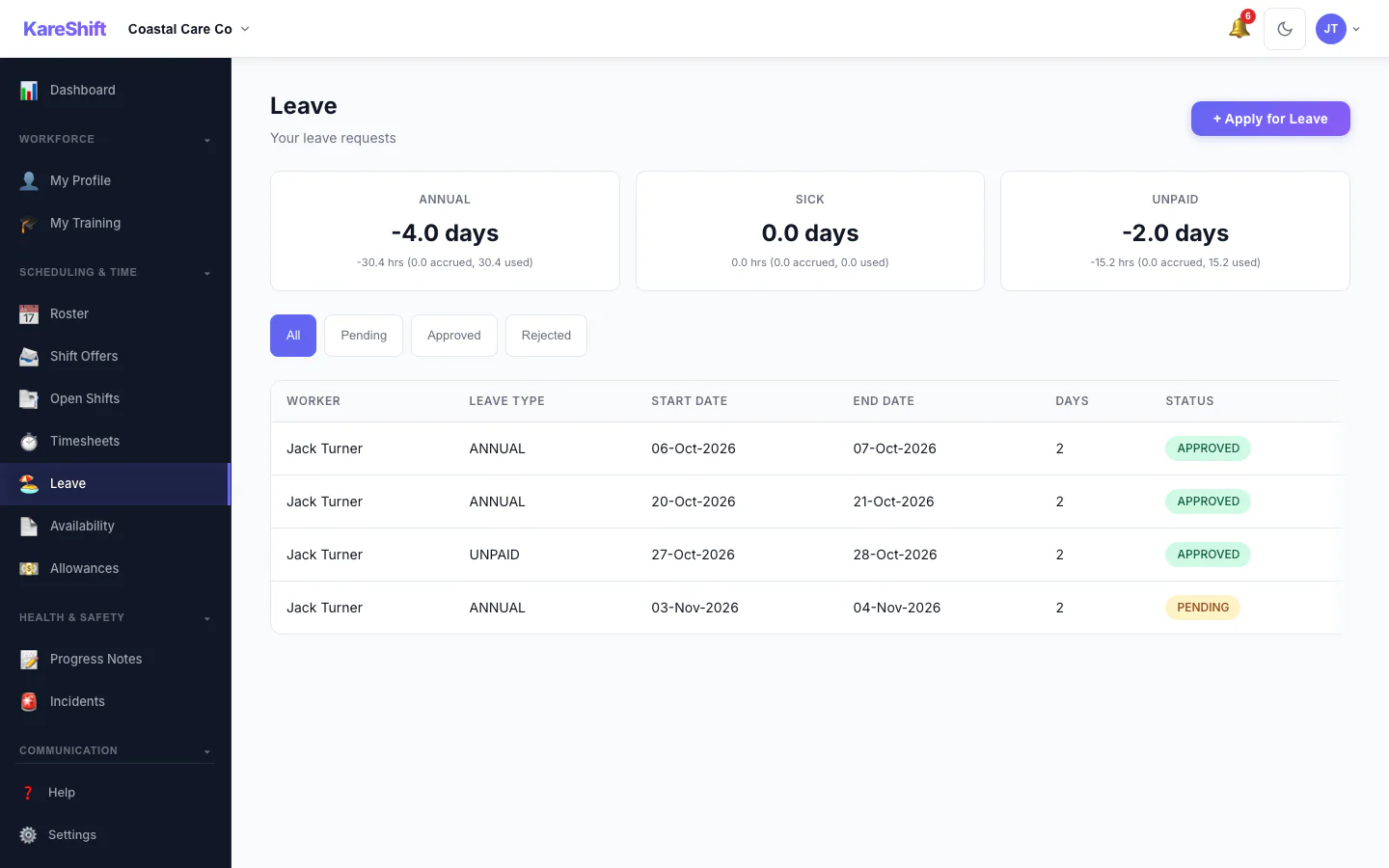
Leave
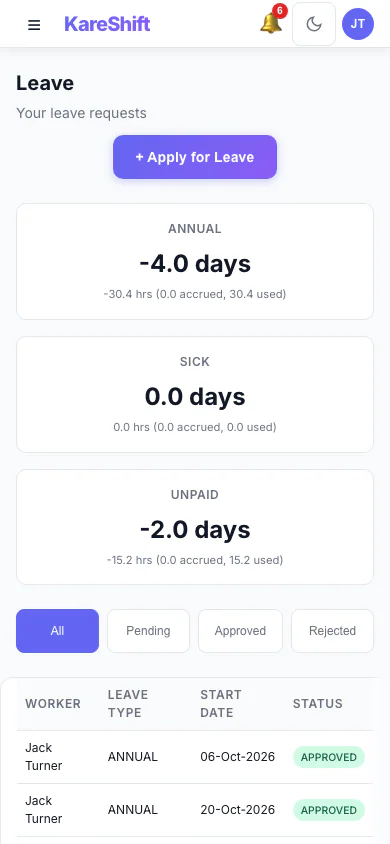
Leave (Mobile)
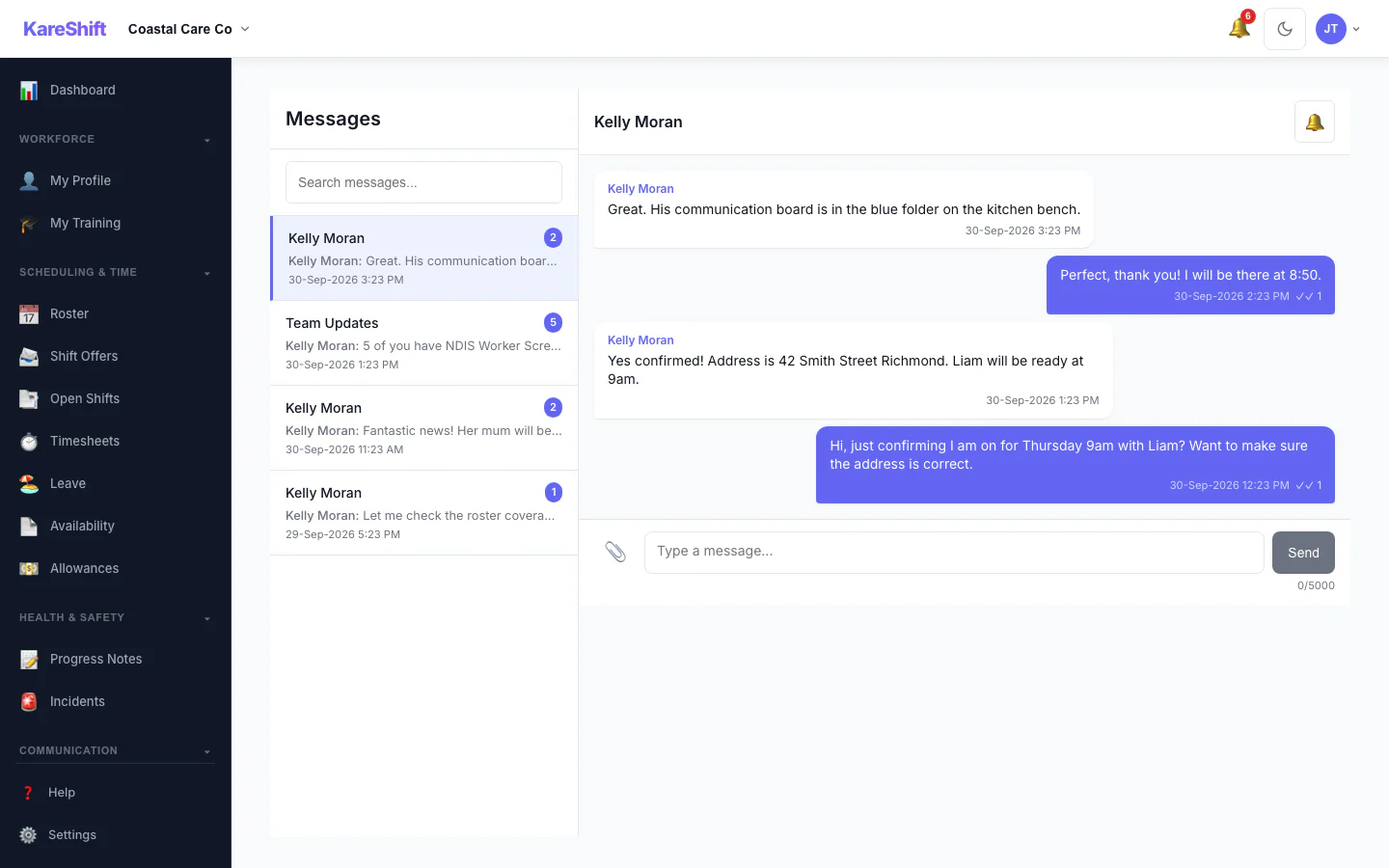
Messages
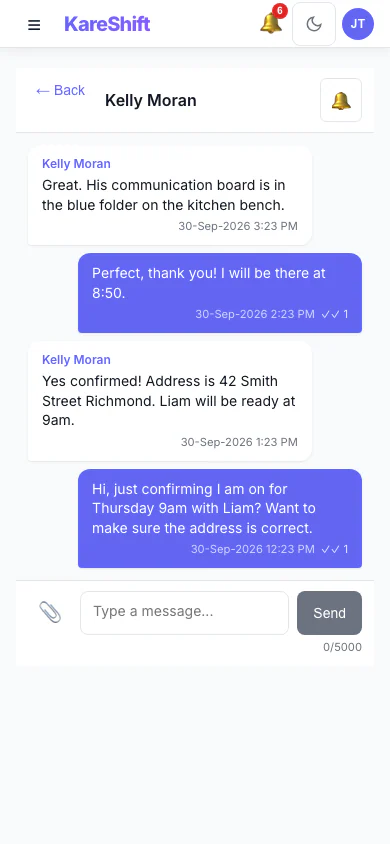
Messages (Mobile)
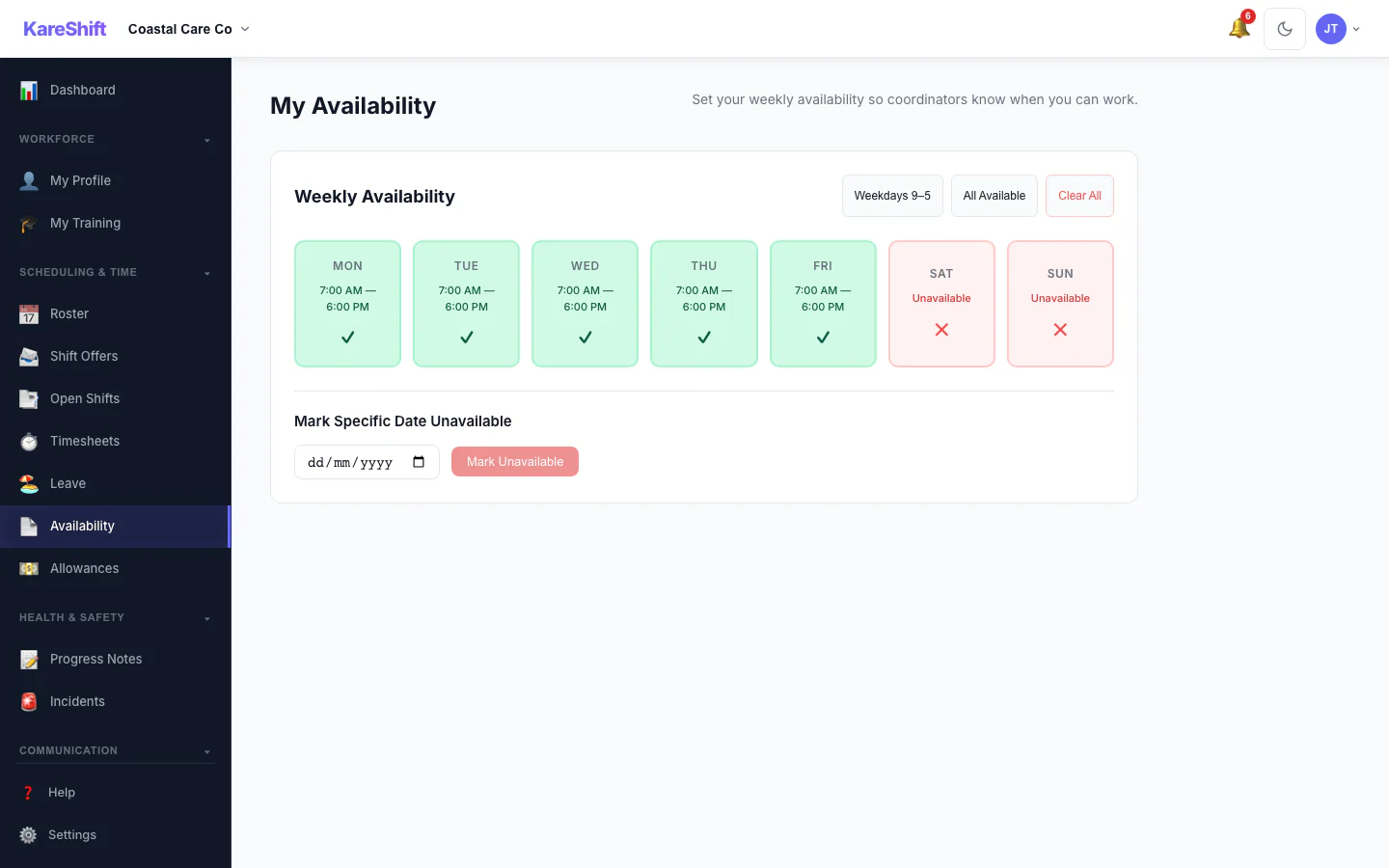
Availability
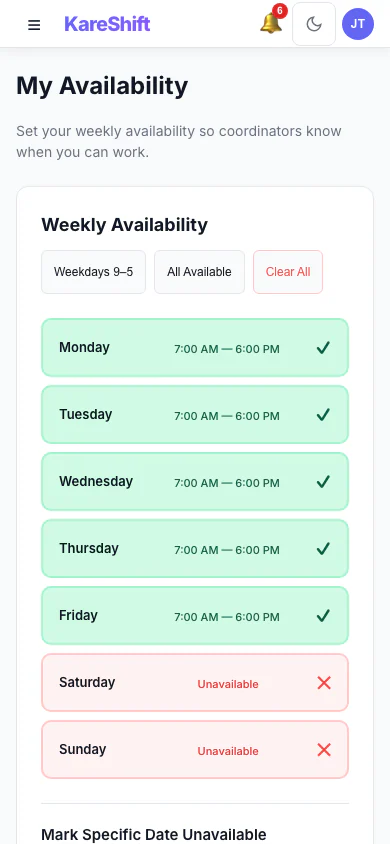
Availability (Mobile)
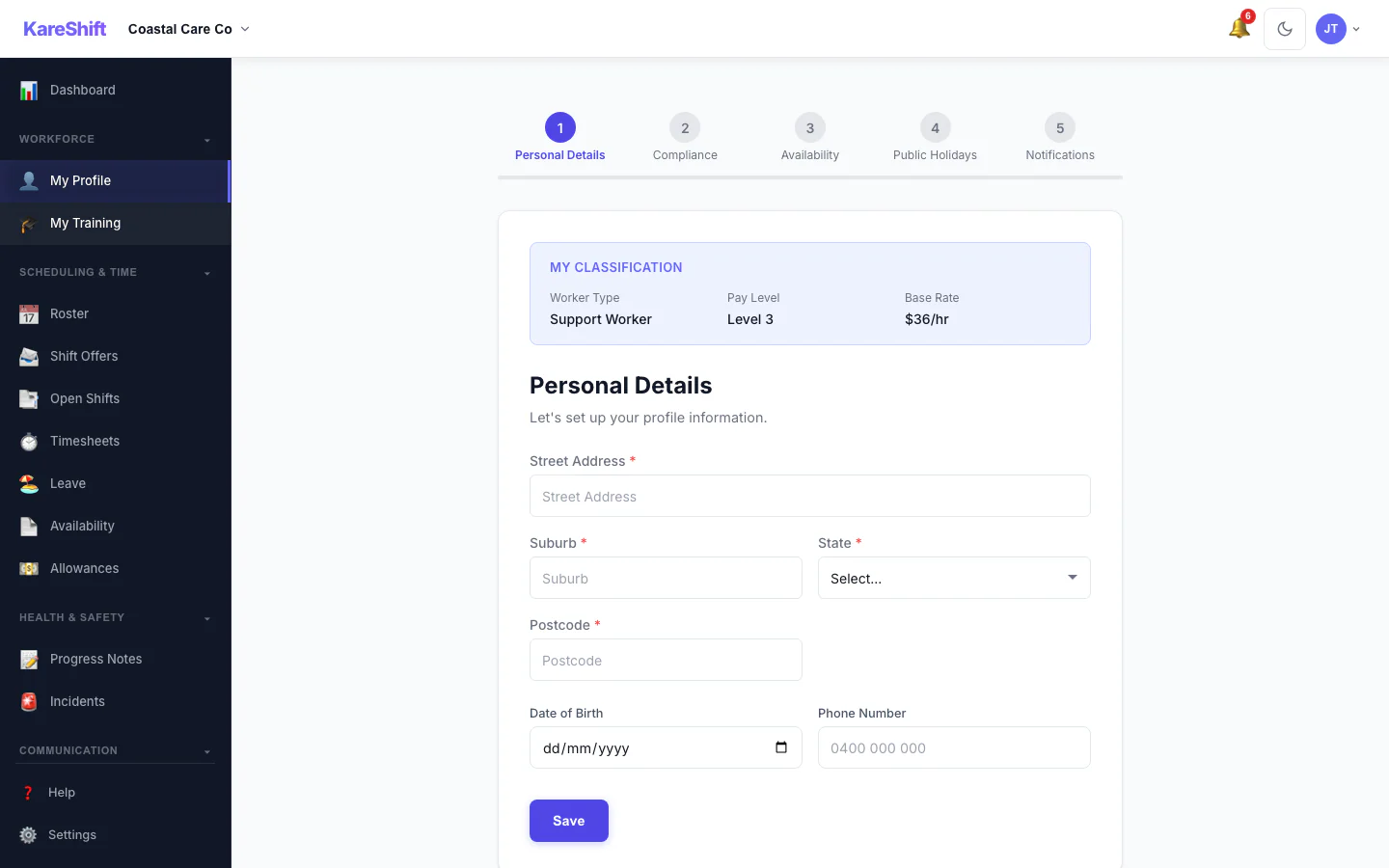
Onboarding
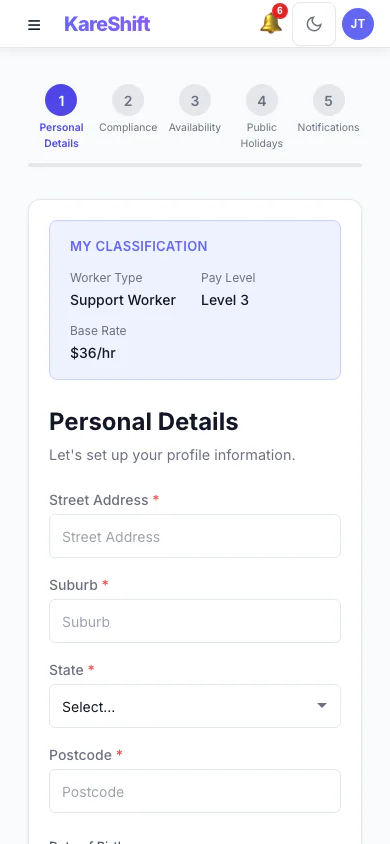
Onboarding (Mobile)
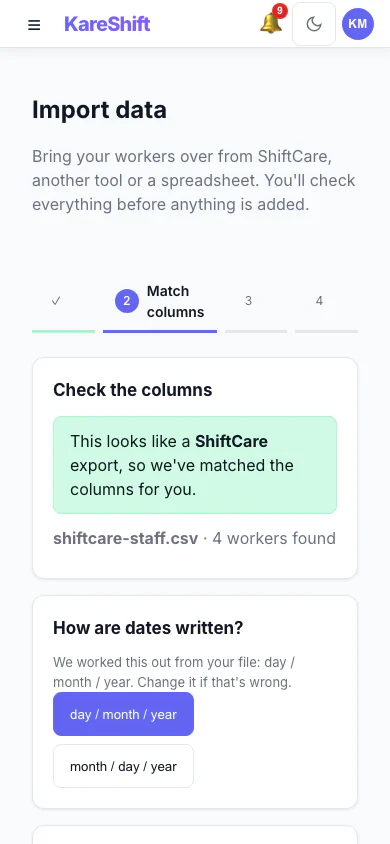
Import — Match Columns (Mobile)
A ShiftCare export is recognised and its columns are matched for you, with the date format detected.
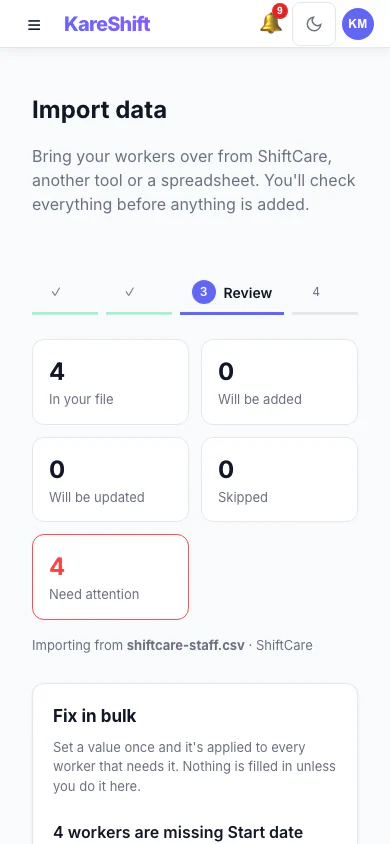
Import — Review & Bulk Fix (Mobile)
See what will be added, updated or skipped, and set a missing value once for everyone before anything is saved.
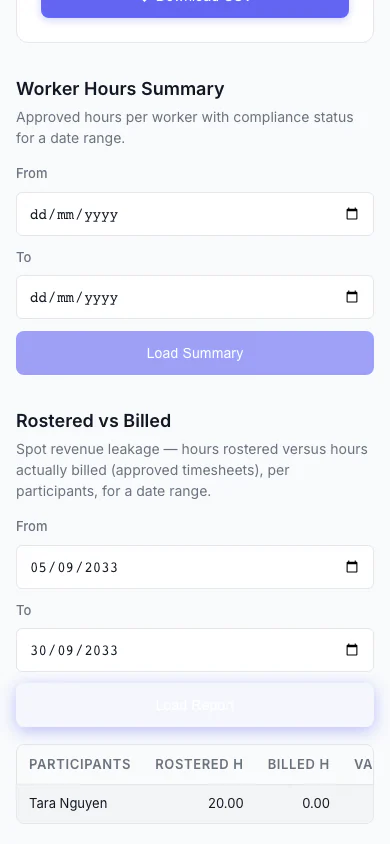
Rostered vs Billed (Mobile)
Spot revenue leakage at a glance — rostered hours versus hours actually billed, per participant, with the shortfall highlighted.
Ready to try it yourself?
90-day free trial. No credit card. Everything except Xero Payroll sync and payroll export, which need a paid plan.
Start Free Trial