Modern workforce and participant management for NDIS providers.
KareShift helps you roster the right workers to the right participants — with timesheets, compliance, funding tracking, and NDIS billing in one platform — predictable per-tier pricing, no per-user fees.
No credit card required · Cancel anytime (takes effect at period end)
Sound familiar?
If you're running an NDIS provider, you're probably dealing with these every day.
Rosters in spreadsheets
Juggling worker availability, participant preferences, and SCHADS compliance in Excel. One mistake = underpayment or double-booking.
Per-user pricing that punishes growth
Every new worker adds to your monthly bill. 20 workers × A$12/user = A$240/month — and that's before admin seats.
Compliance headaches
Worker screenings, WWCC, First Aid — tracked in spreadsheets with manual reminder emails. One lapse = audit risk.
No funding visibility
You don't know how much of a participant's plan is used until you manually calculate it. Overspends surface too late.
Paper timesheets
Workers submit hours on paper or text message. Admin re-enters into payroll. Errors everywhere. Hours wasted every week.
Disconnected tools
Roster in one app, timesheets in another, compliance in a spreadsheet, billing in yet another. Nothing talks to anything.
Everything you need to run your NDIS business
From rostering to compliance and NDIS claims — one platform, no spreadsheets.
Smart Rostering
Drag-and-drop shift scheduling with availability checks, conflict detection, and SCHADS Award calculations to assist your rostering.
Timesheet & Clock-in/out
Digital clock-in/out from mobile with GPS verification. Automatic timesheet generation ready for payroll export.
Funding Tracking
Track NDIS plan budgets in real-time. Know exactly how much funding remains for each participant across all support categories.
Worker Compliance
Track NDIS Worker Screening, First Aid, WWCC, and other credentials. Get alerts before they expire. Block non-compliant rostering.
Progress Notes & Incidents
Workers log notes and incidents from their phone. Managers review and approve in one click. Full audit trail.
Leave Management
Workers request leave, managers approve. Automatically reflected in the roster — no double-handling or manual gap-filling.
Worker Self-Onboarding
Invite a worker — they complete their own profile, upload compliance docs, and set availability. No admin data entry needed.
Analytics Dashboard
Shift fill rates, worker utilisation, compliance health, and cancellation trends — all at a glance. Know how your business is performing.
Participant Schedule Coverage
See which hours are covered for each participant and spot gaps instantly. Spot uncovered sessions early.
Smart Worker Suggestions
When creating a shift, KareShift ranks available workers by history, compliance, and availability — so you always pick the best match.
Shift Notifications & Reminders
Workers get emailed when shifts are assigned, changed, or cancelled. Automatic reminders 2 hours before each shift.
Export Everything
Payroll-ready CSV, styled Excel, and branded PDF exports. NDIS bulk payment requests. One click to get data out.
Recurring Shifts
Set up a shift once, repeat it weekly, fortnightly, or monthly. Build your roster in seconds, not hours.
SCHADS Award Alerts
Automatically detects minimum engagement breaches, overtime, and broken shift gaps. Less manual checking.
Auto Penalty Rates
Saturday, Sunday, and public holiday rates applied automatically based on your state. Correct NDIS claiming every time.
Shift Pay Preview
See the SCHADS-calculated cost of a shift — including penalties and overtime — before you assign it. Roster with the real cost in front of you.
Participant Goals & Outcomes
Record each participant's goals and track progress against them, linked to progress notes. Show funders the outcomes you're delivering.
Service Agreements
Create NDIS service agreements and capture the participant's digital signature — no printing, scanning, or chasing paperwork.
In-App Messaging
Message workers directly, broadcast to teams, share attachments. Push notifications keep everyone in the loop — no more WhatsApp groups.
Custom Forms
Build custom forms (checklists, assessments, reports) and attach them to shifts. Workers fill them out on-site. PDF export for records.
Shift Offers
Broadcast open shifts to available workers. They accept or decline from their phone. Fill vacancies in minutes, not hours of phone calls.
Travel & Mileage
Workers log travel between participants. Mileage rates applied automatically. Export for reimbursement or NDIS claiming.
Travel Time Visuals
See estimated drive time between consecutive visits on the roster. Green, amber, red indicators flag tight gaps — avoid rushed visits and lateness.
Geofence Verification
Verify workers are at the right location when they clock in. Automatic alerts on geofence violations. Peace of mind for plan managers.
Bulk Data Import
ShiftCare client and staff lists are recognised automatically. Bring in plans, assignments, compliance documents, shifts and timesheets with our templates. Review and bulk-fix before saving, undo within 30 days, and past work is kept as history, never paid or invoiced again.
eMAR — Medication Management
Full electronic medication administration records. Orders, rounds, PRN, controlled drugs, MAR chart, allergy alerts, error reporting. Multi-country (AU/NZ/GB/CA).
Xero Payroll Integration
Direct timesheet sync to Xero. Employee auto-mapping, earnings rate configuration, batch processing. No manual re-entry. Scale plan.
Invoicing
Generate invoices from approved timesheets. Credit notes, receipts, PDF export. Integrated with participant funding tracking. Growth and Scale plans.
Two-Factor Authentication
Optional authenticator-app 2FA for owners, admins and coordinators, with backup codes and trusted devices. Owners can require it for their team, and a security log records the changes. How sign-in is protected.
Voice Dictation
Workers speak their progress notes after a shift — no typing on a phone. Tap the mic, dictate naturally, notes are saved. Works on Chrome and Edge.
NFC/QR Tag Check-in
Place a QR code or NFC tag at the participant's home. Workers scan to clock in — proof of presence without GPS uncertainty. Perfect for home care and community support.
SIL & Group Homes
Manage Supported Independent Living sites — allocate participants to group homes, track worker-to-participant ratios, and roster 24/7 coverage across multiple houses.
Multi-Role Support
Owners and admins who also do support shifts can switch roles instantly. One account, two views — no separate login or dual profile needed.
Worker Availability
Workers set and update their own availability from their phone. Coordinators see real-time availability when building the roster — no more back-and-forth texts to confirm shifts.
Training & Learning Records
Create training modules, mark them mandatory or optional and set how long each completion stays valid. Assign them to workers, record completions, and see expiring or expired training flagged. Workers can see their own training.
AI Progress Summaries
Scale plan, opt-in for your organisation. Owners and coordinators can ask for a summary of a participant's progress notes, billed per summary (about 10c each). The notes are sent to OpenAI to write the summary, so a staff member should review every summary before relying on it.
See it in action
Real product screenshots — not mockups. This is what your team will use every day.
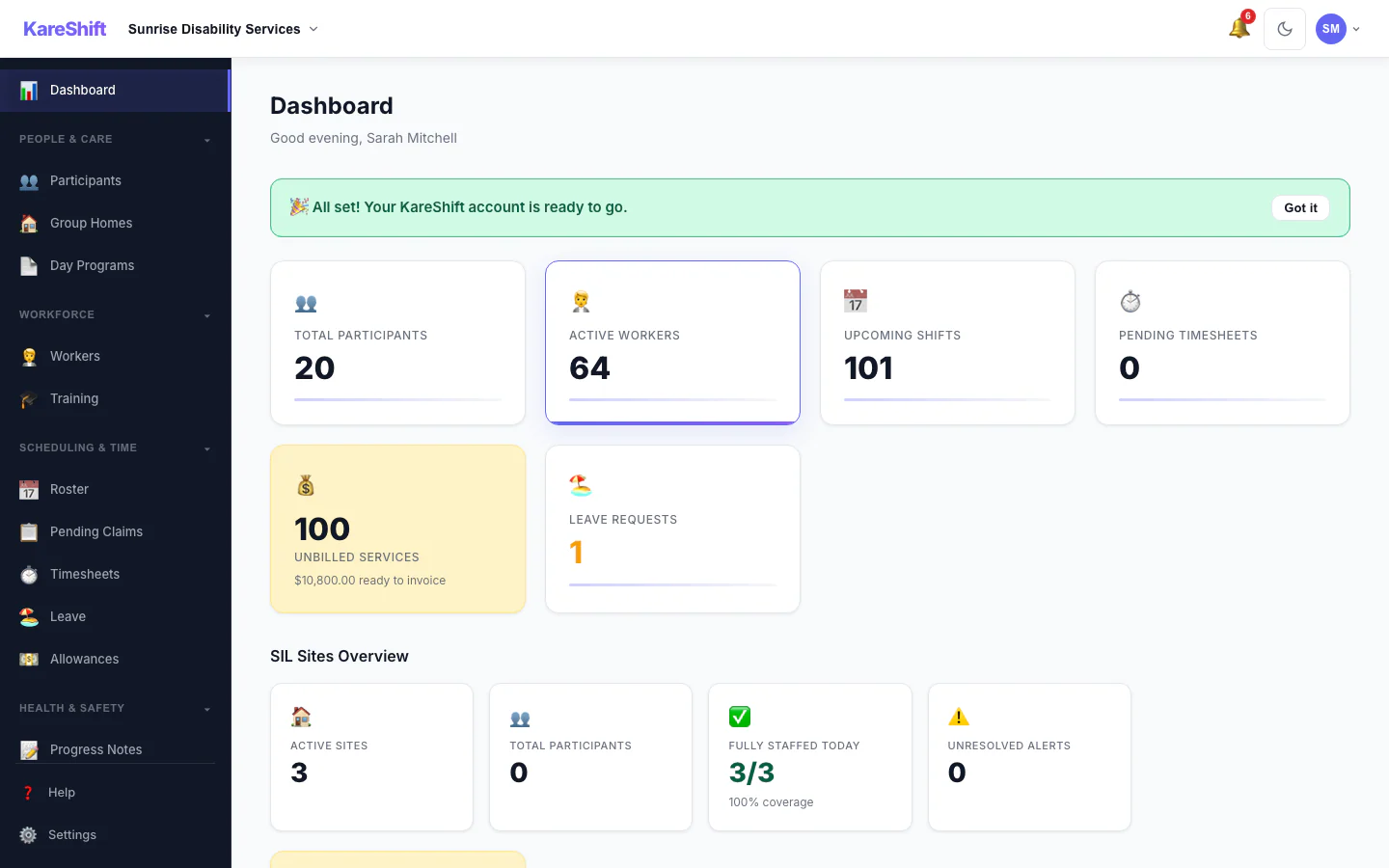
Owner Dashboard
Shifts today, compliance alerts, worker stats, getting started checklist — everything at a glance.
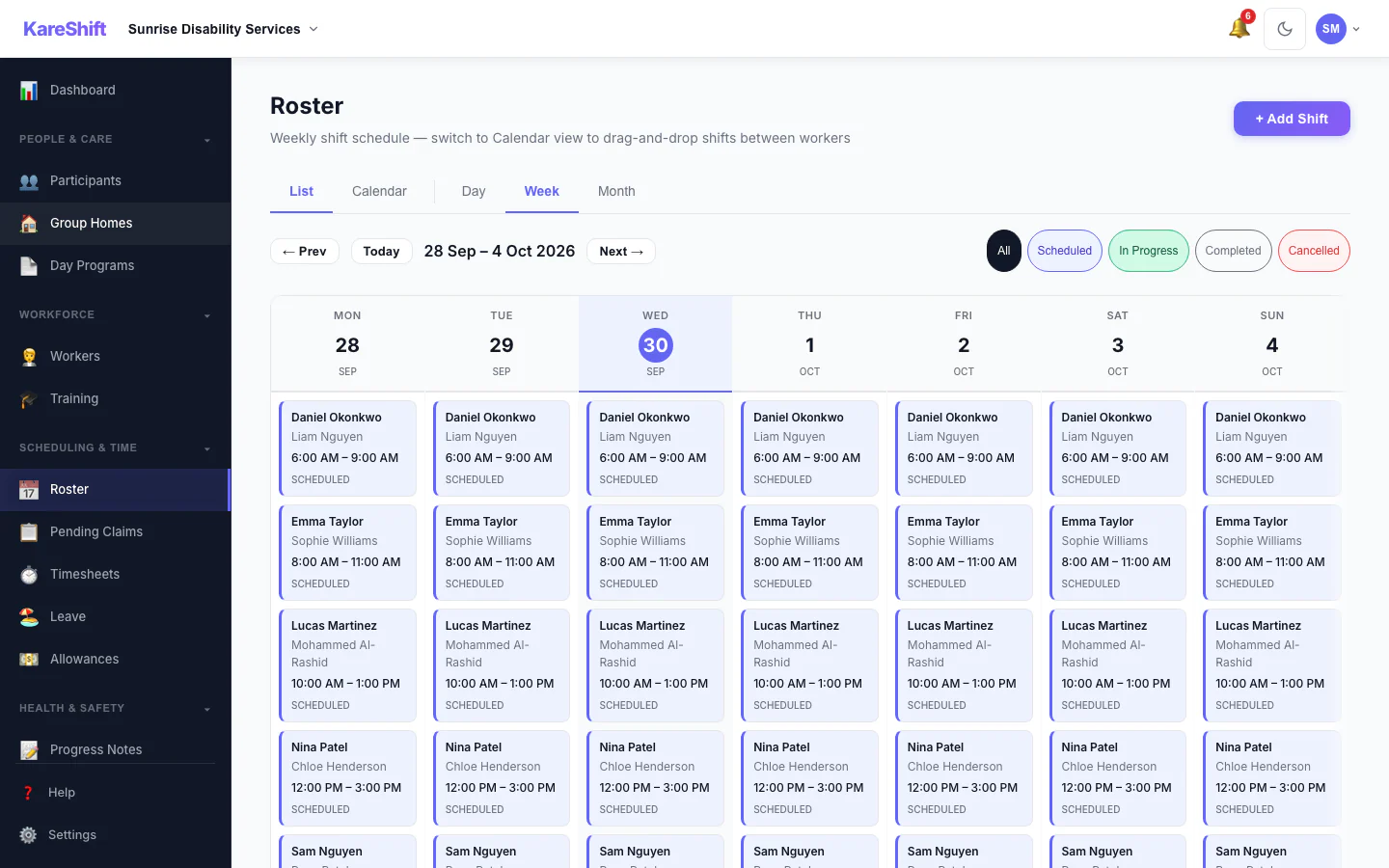
Roster & Scheduling
Weekly shift calendar with colour-coded participants, conflict detection, and drag-and-drop.
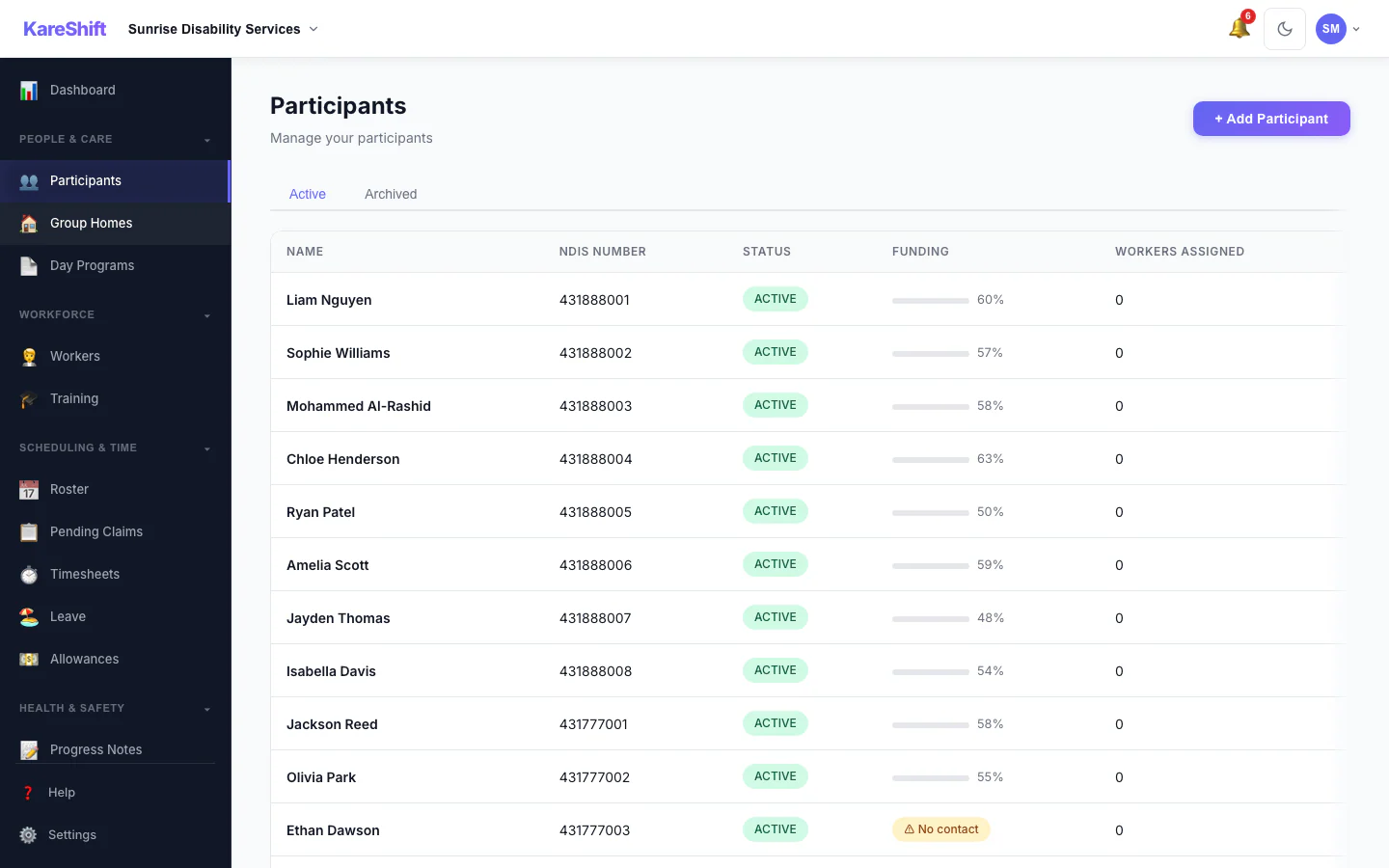
Participants
All your NDIS participants — plan status, funding remaining, goals, linked workers.
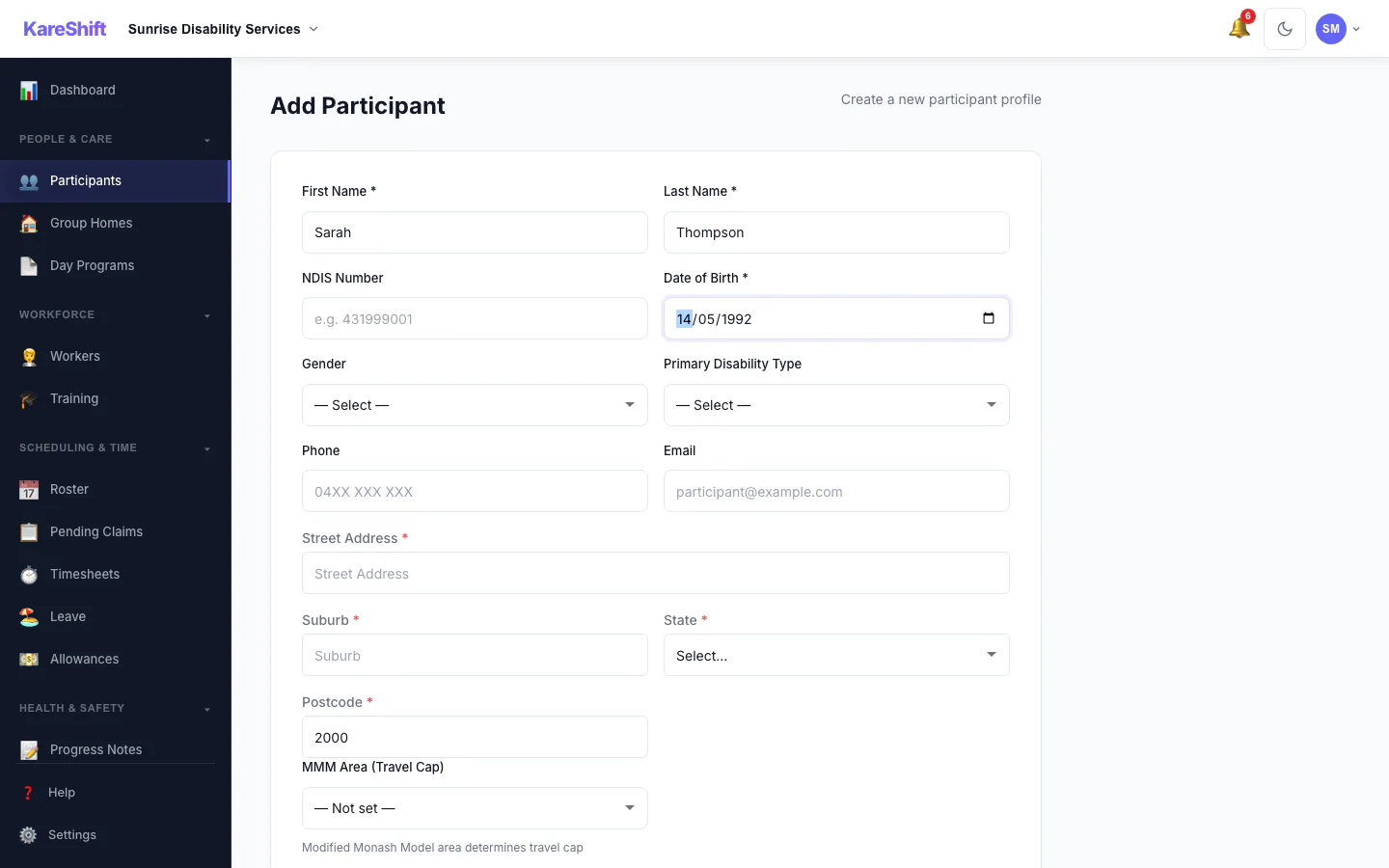
Travel Area Auto-Lookup
Enter a postcode — MMM remoteness area auto-resolves. Determines NDIS travel billing caps. Manual override available.
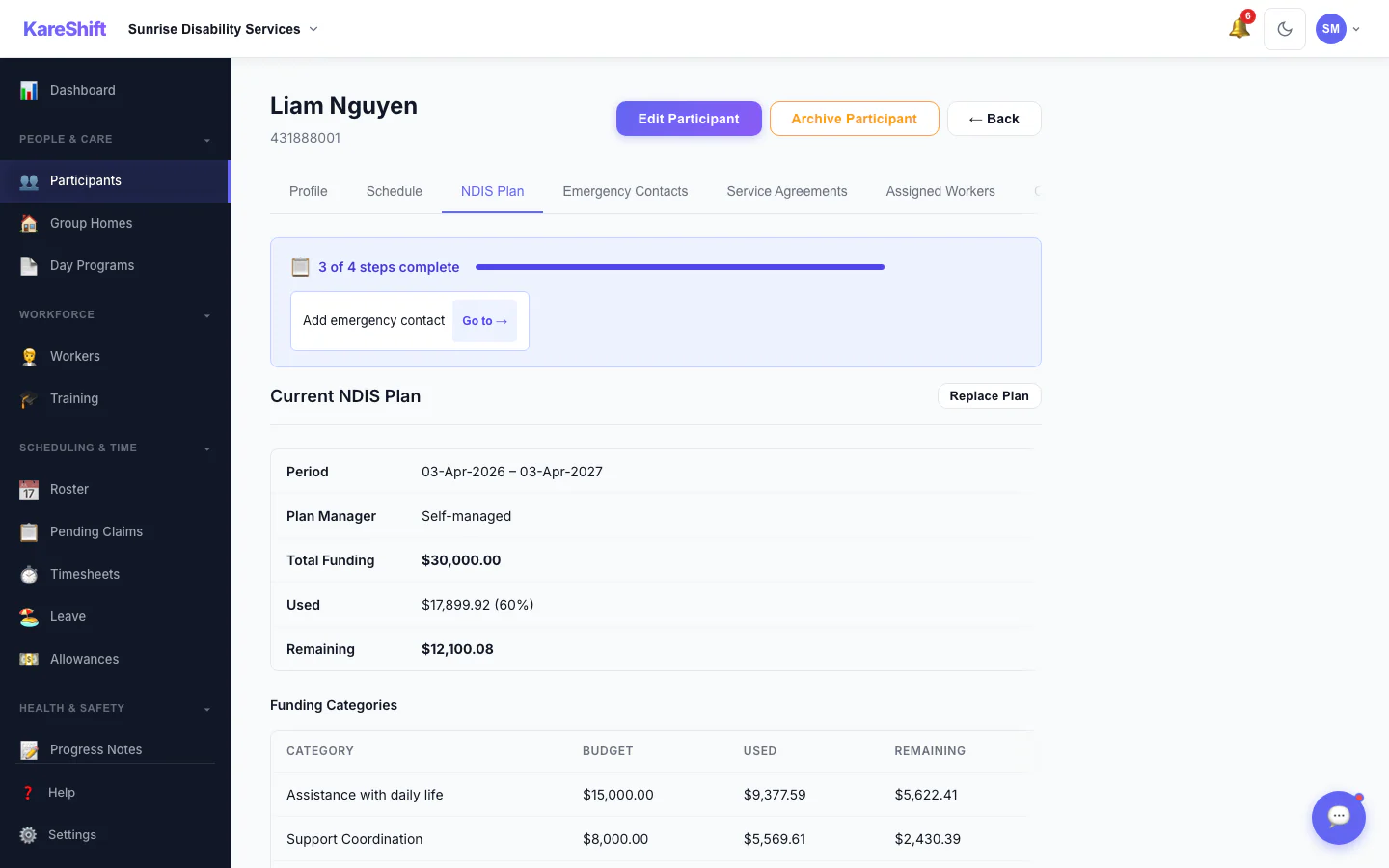
Funding Travel Breakdown
See exactly how much of each funding category is spent on service delivery vs travel. Helps prepare for NDIS plan reviews.
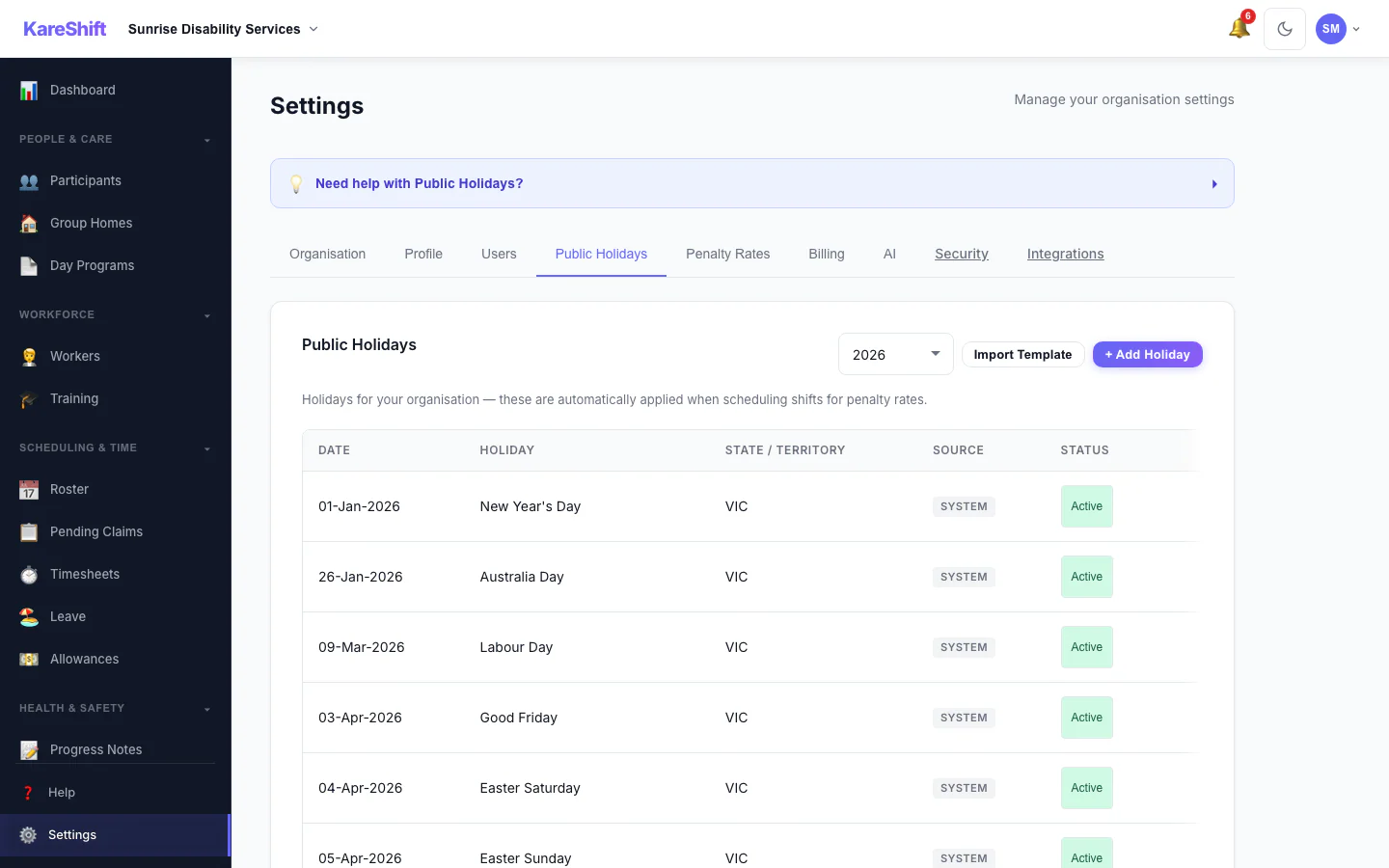
Public Holidays
System holidays auto-applied. Add your own (RDOs, enterprise days) — custom holidays trigger 2.5× penalty rates on shifts.
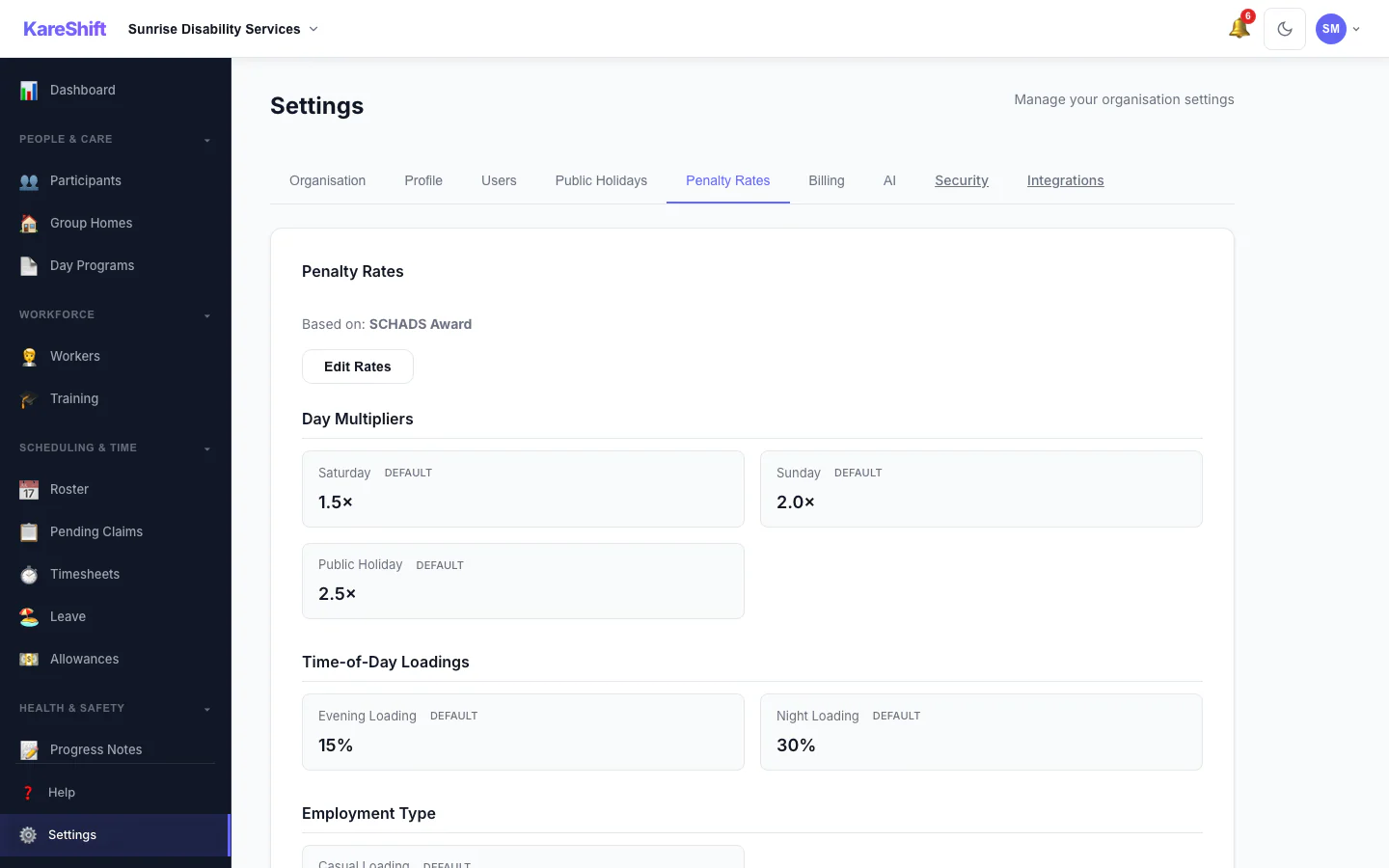
Penalty Rates
SCHADS penalty rates auto-calculated. Customise multipliers per org — Saturday, Sunday, public holiday, overtime, casual loading all configurable.
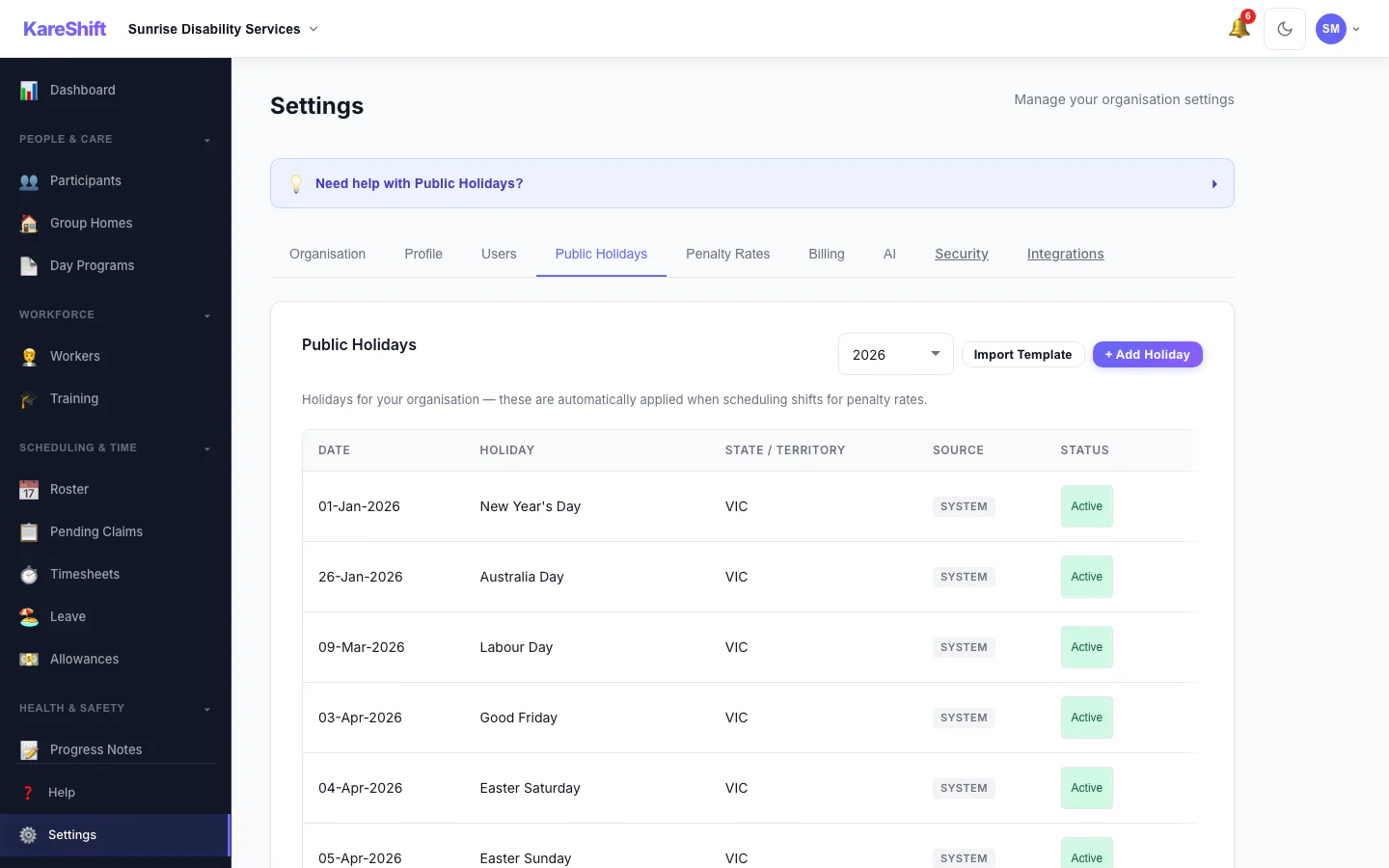
Holiday Self-Service
Toggle system holidays Active or Excluded. Orgs that don't observe certain holidays can exclude them — no penalty rates applied on excluded days.
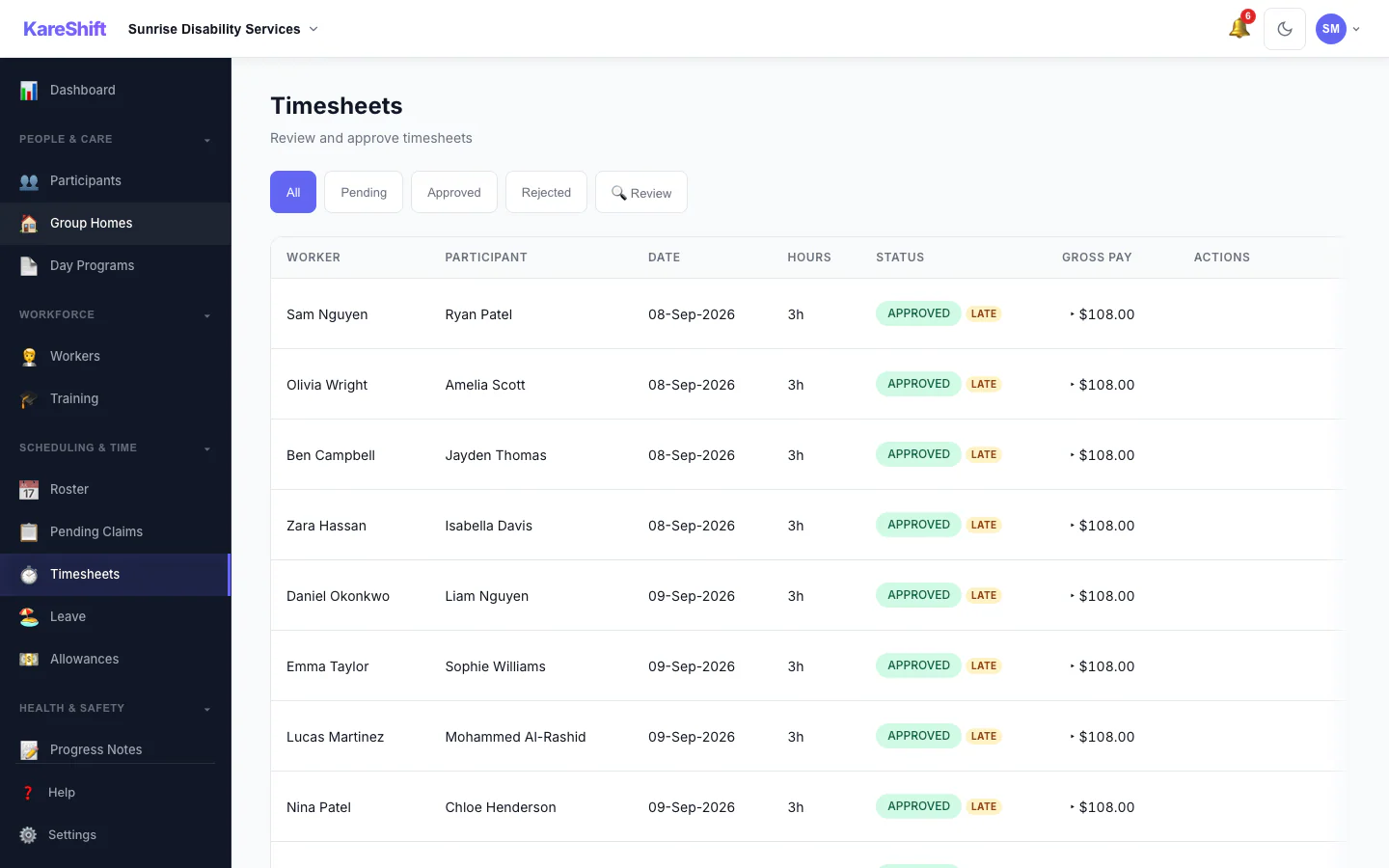
Timesheets
Auto-generated from clock-in/out. Approve, reject, or query. Exports to payroll CSV/Excel.
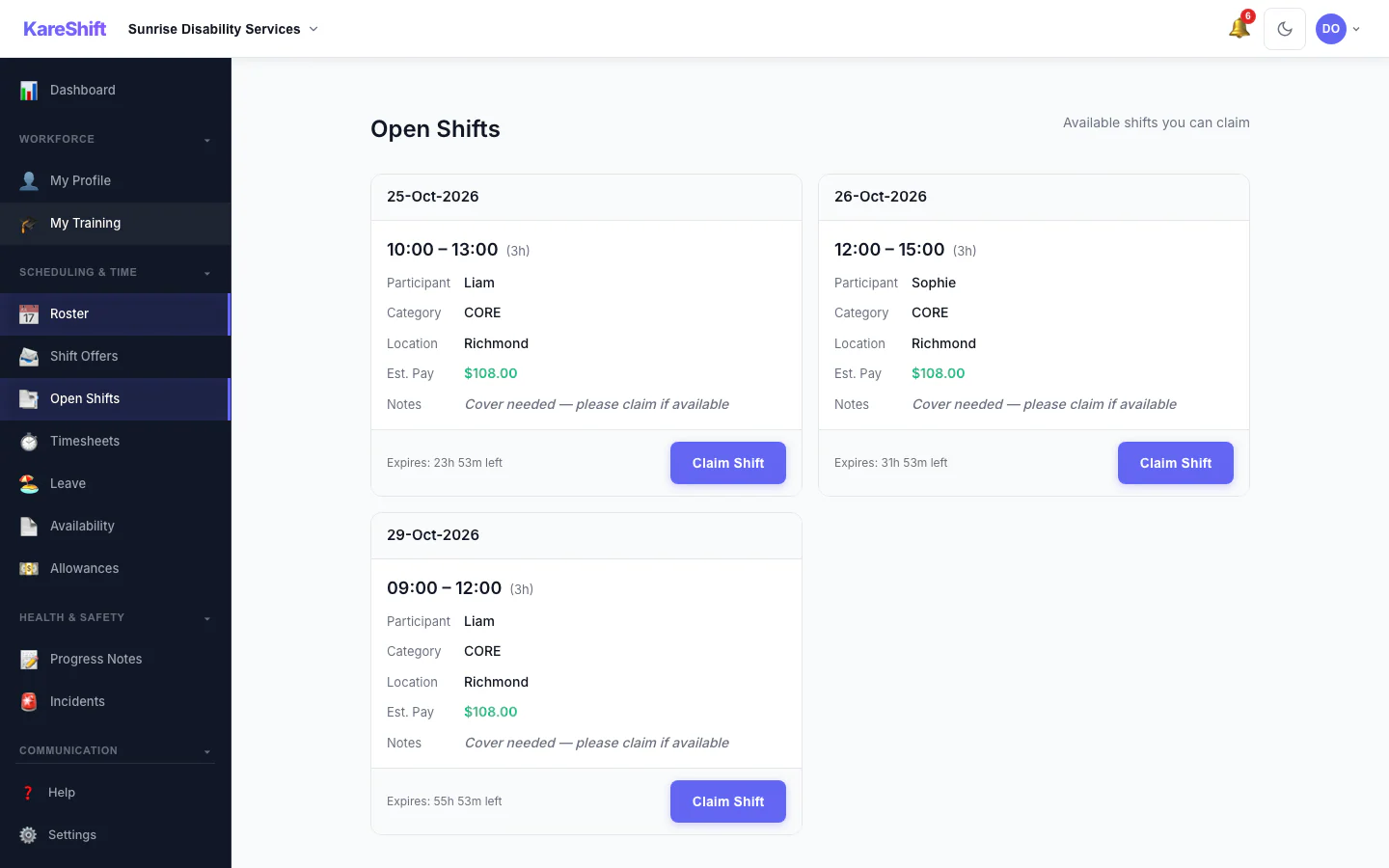
Open Shift Board
Broadcast vacant shifts to your team. Workers see pay estimate and expiry, then claim with one tap. Only eligible shifts appear — no leave clashes, no overlaps.
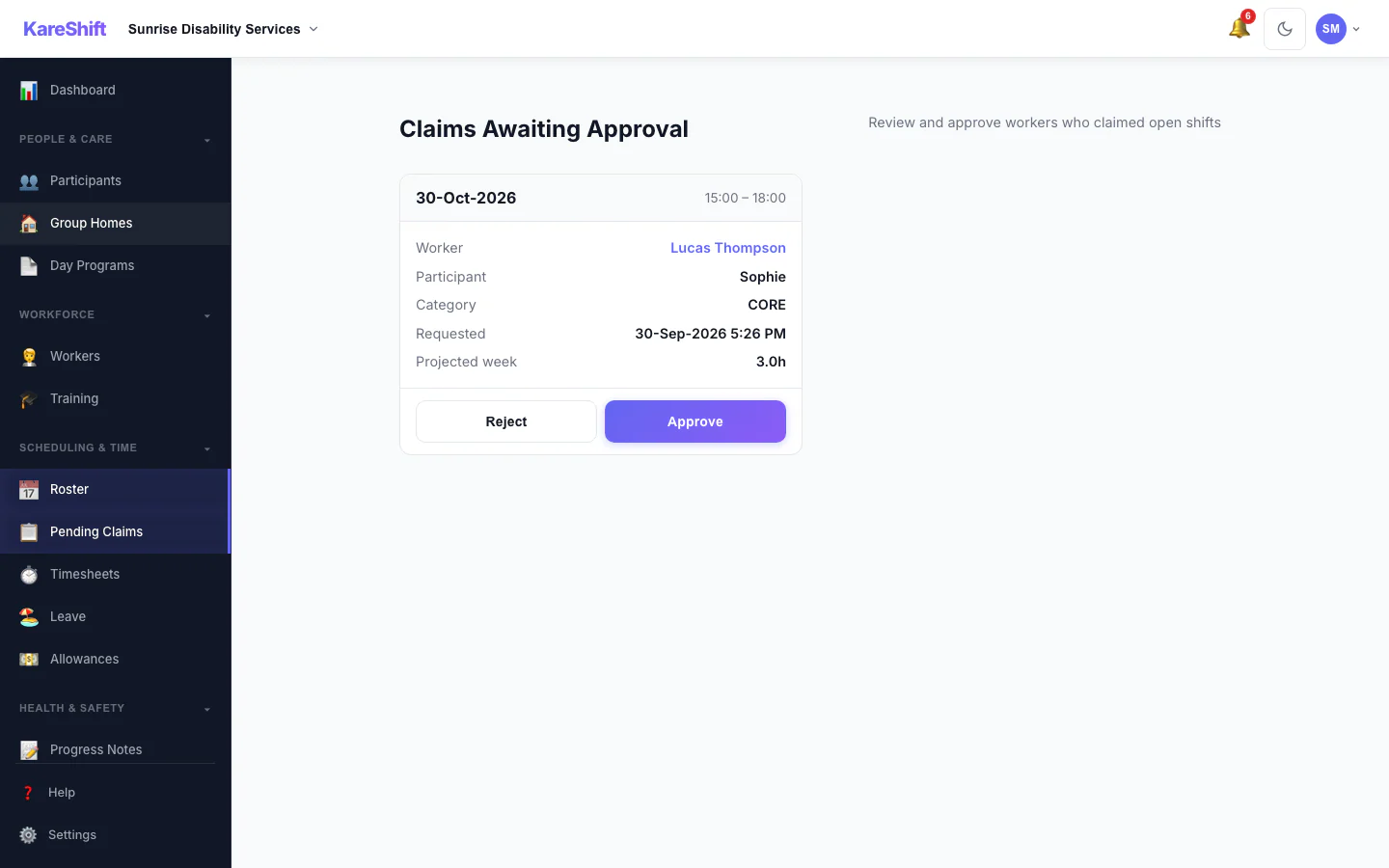
Claim Approval
Optionally require coordinator sign-off before a worker is assigned an open shift. Each claim shows projected weekly hours with an overtime warning, so you approve or reject with full context.
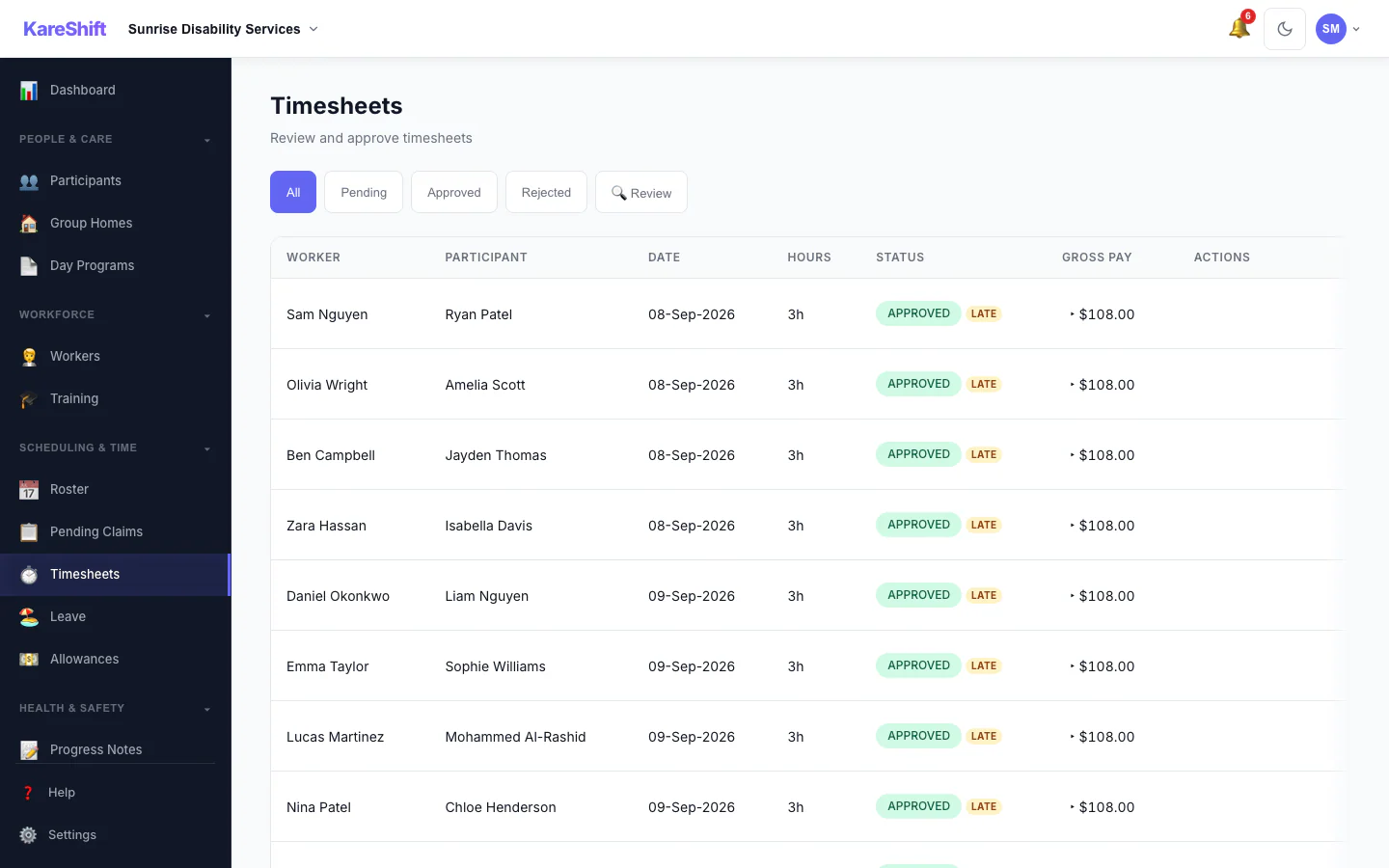
Visit Confirmation
Review filter surfaces timesheets with GPS geofence violations, clock-time variance, or late submissions — verify visits happened before you invoice.
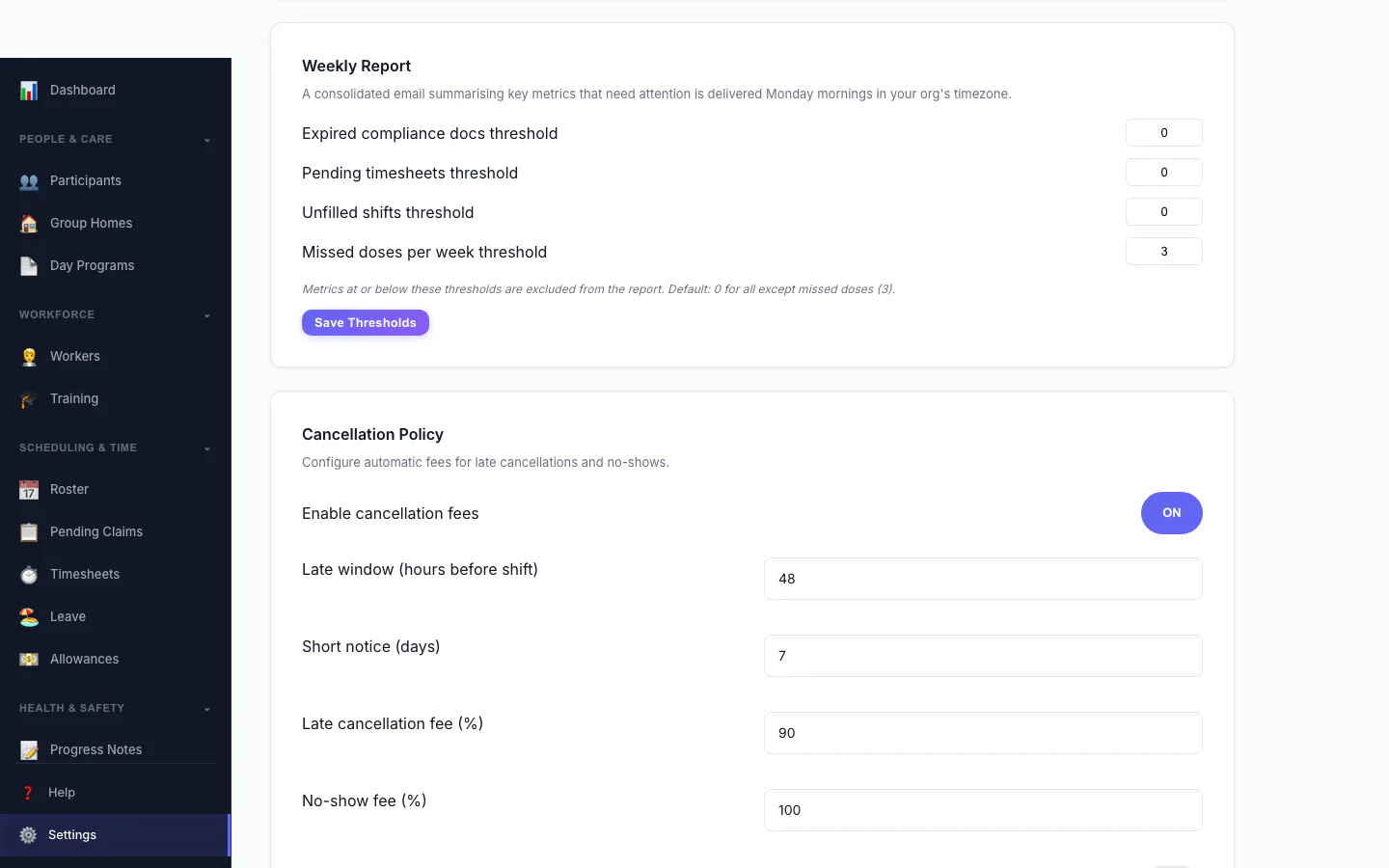
Cancellation Policy
Automate late-cancellation and no-show fees. Configure the late window, fee percentages, and who they apply to. Charges flow straight to invoices.
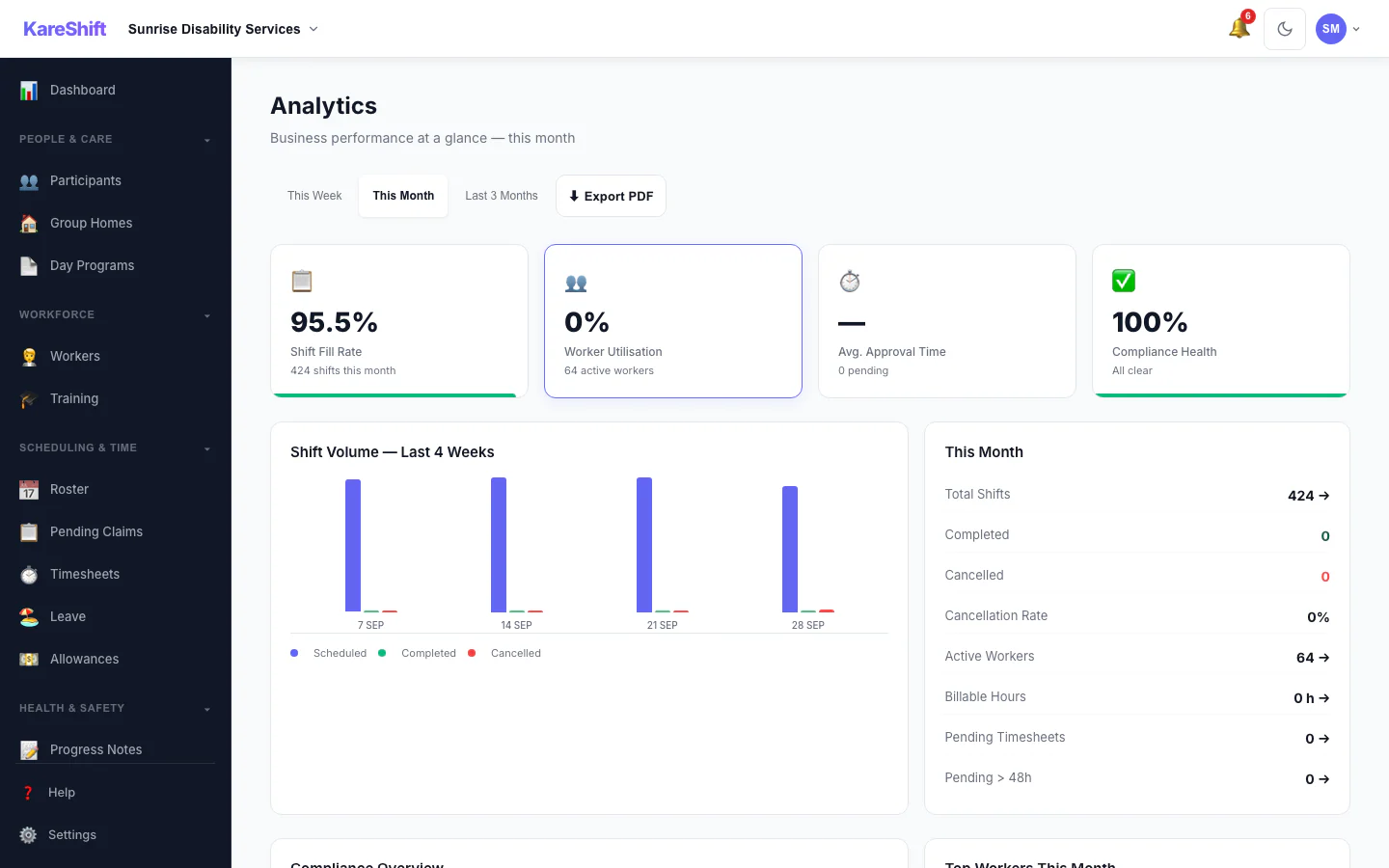
Analytics
Shift fill rate, worker utilisation, cancellation trends, compliance health, funding burn rate.
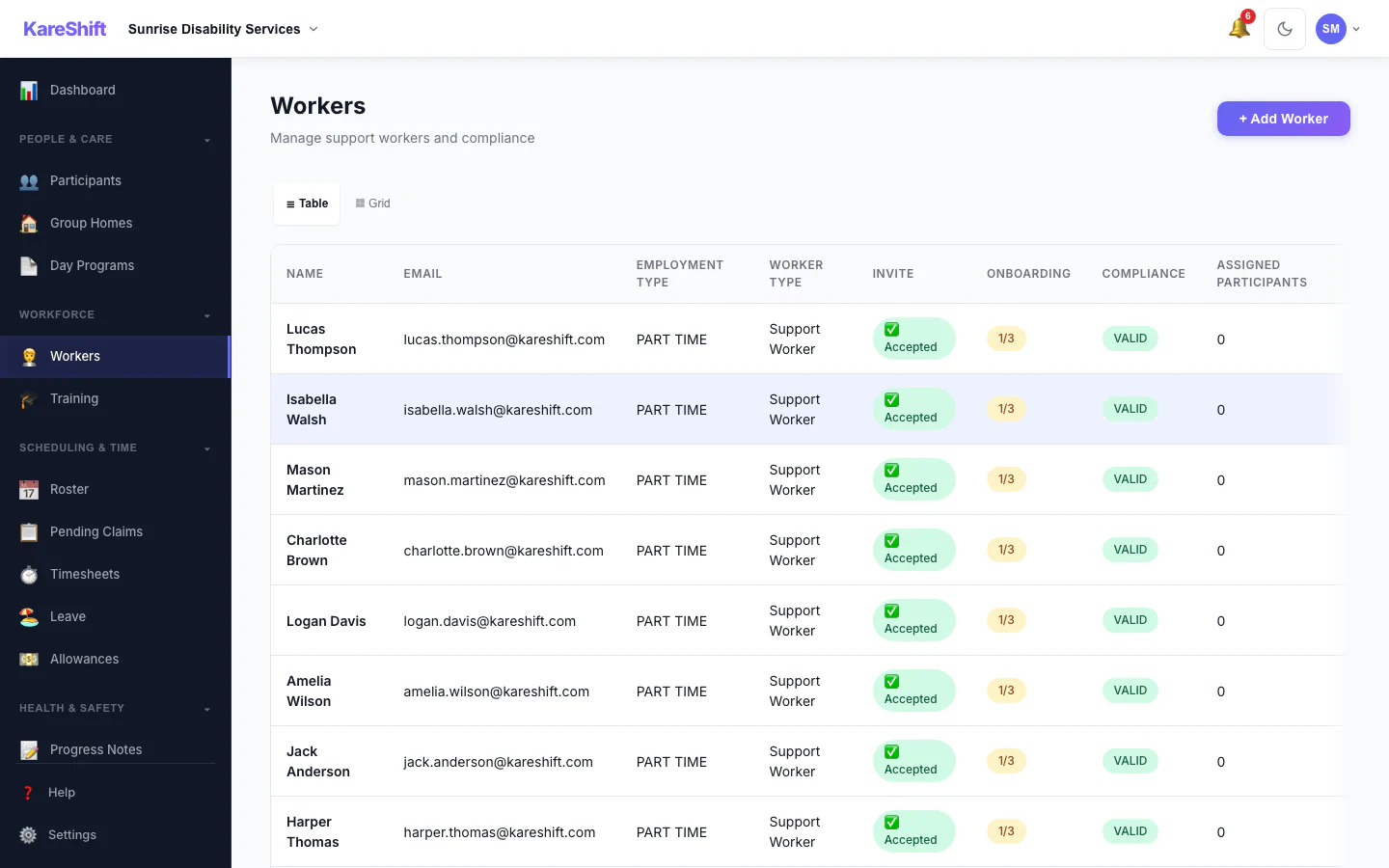
Workers
Your full team — compliance status, availability, hours this week. Card or table view.
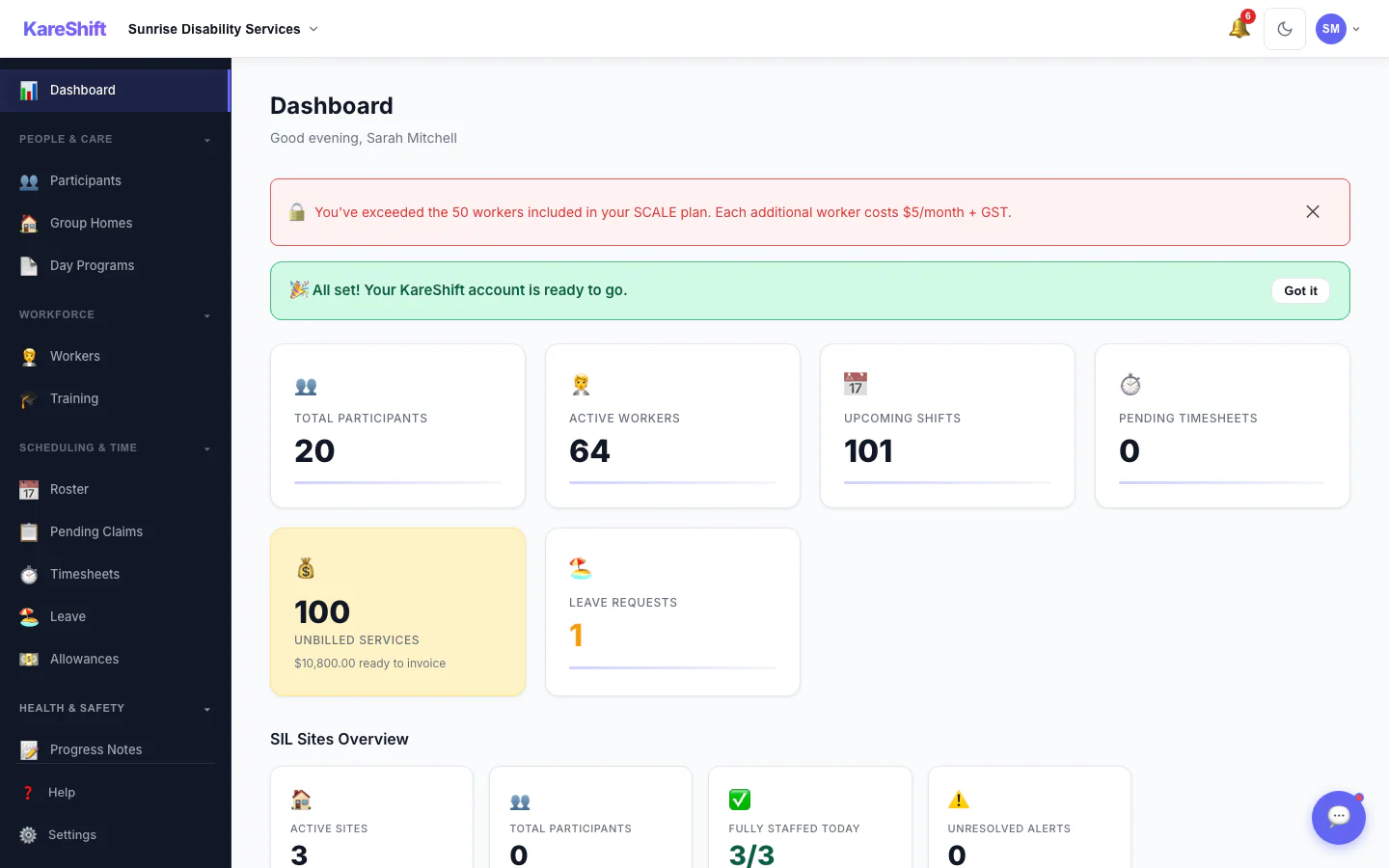
Unbilled Services
See all delivered shifts not yet claimed. Filter by participant, date range, and worker so billable hours do not slip through.
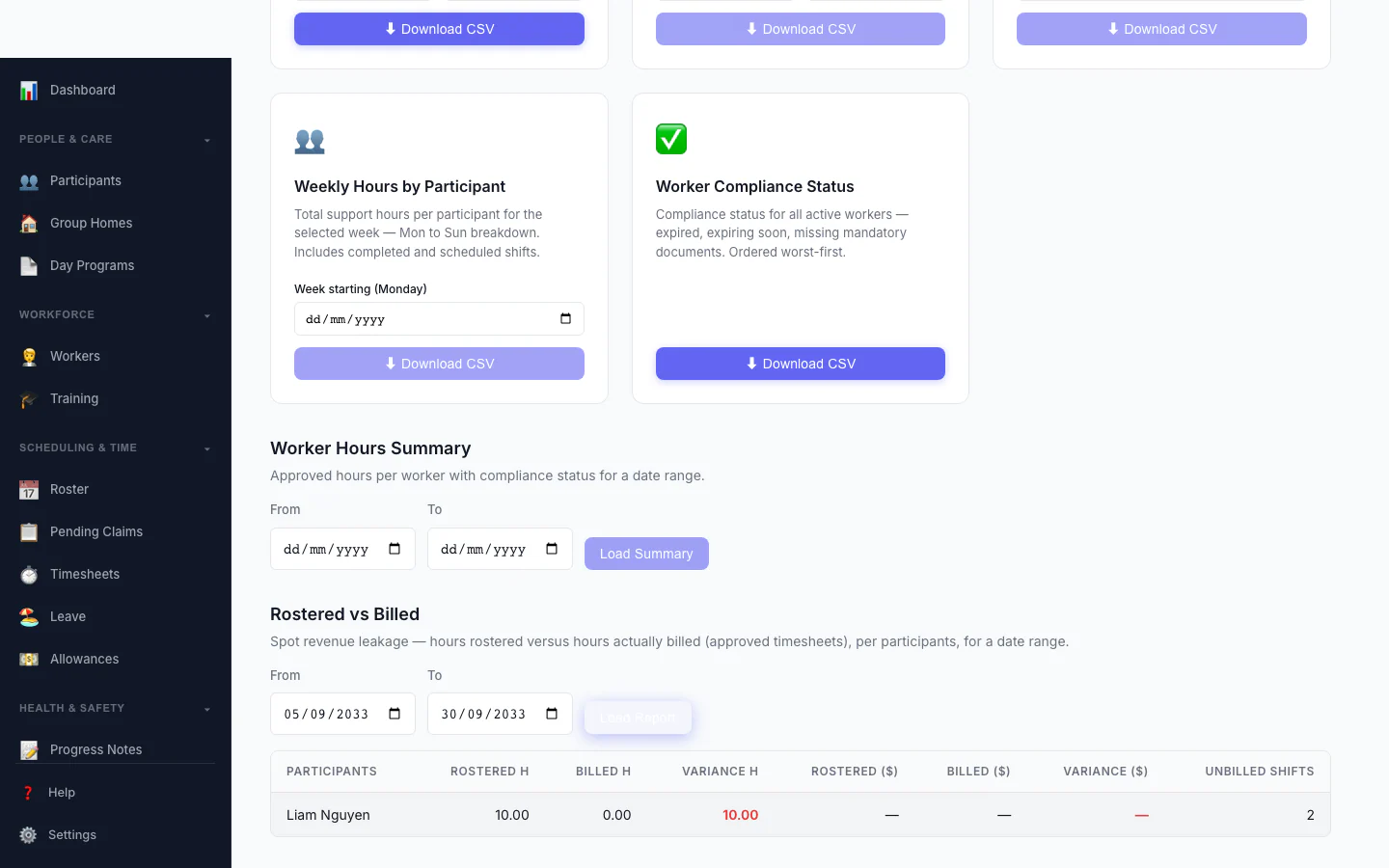
Rostered vs Billed
Spot revenue leakage at a glance — rostered hours versus hours actually billed, per participant, with the shortfall highlighted. See exactly where planned care never made it onto a claim.
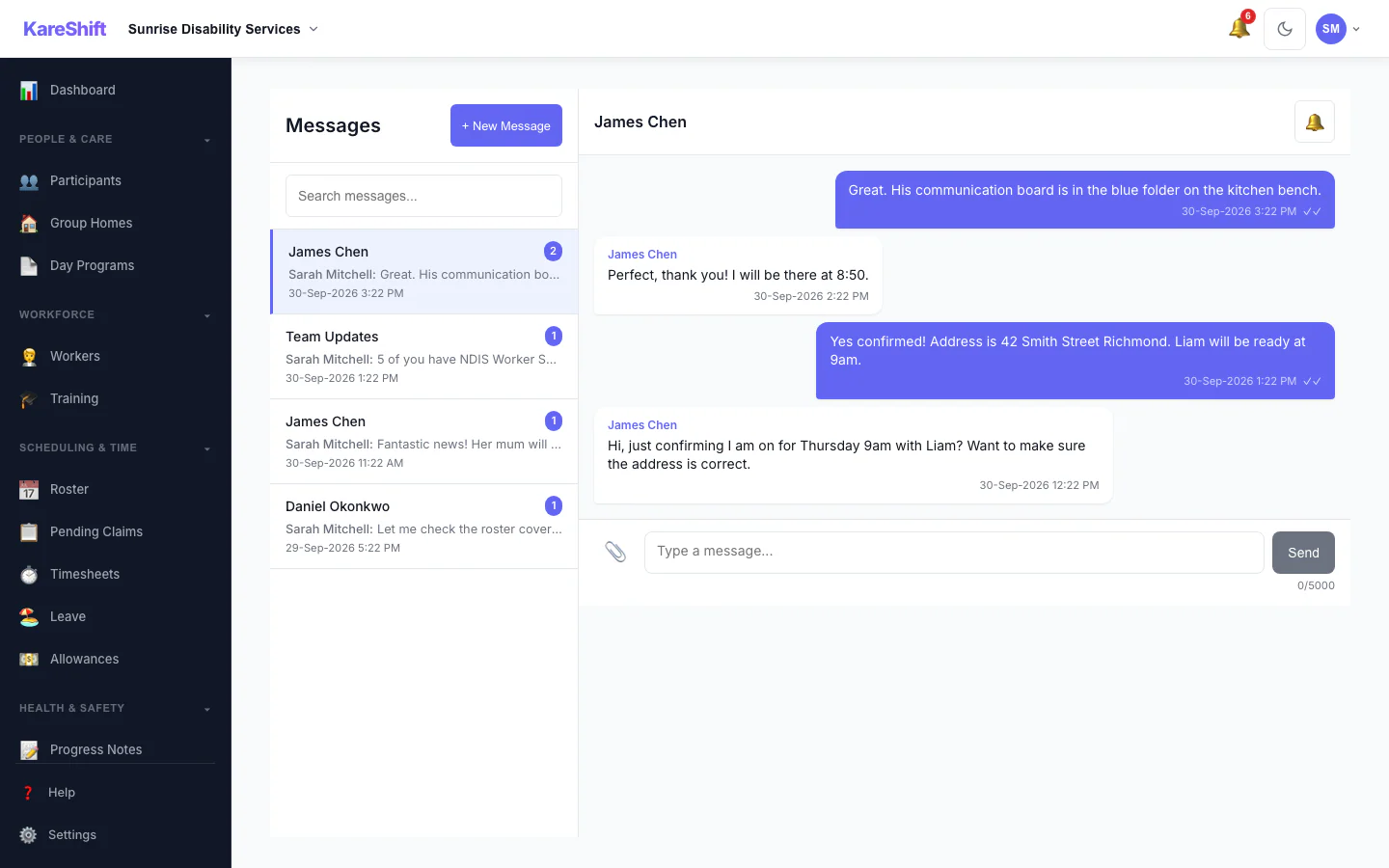
In-App Messaging
1:1 and group messages. File attachments, read receipts, push notifications.
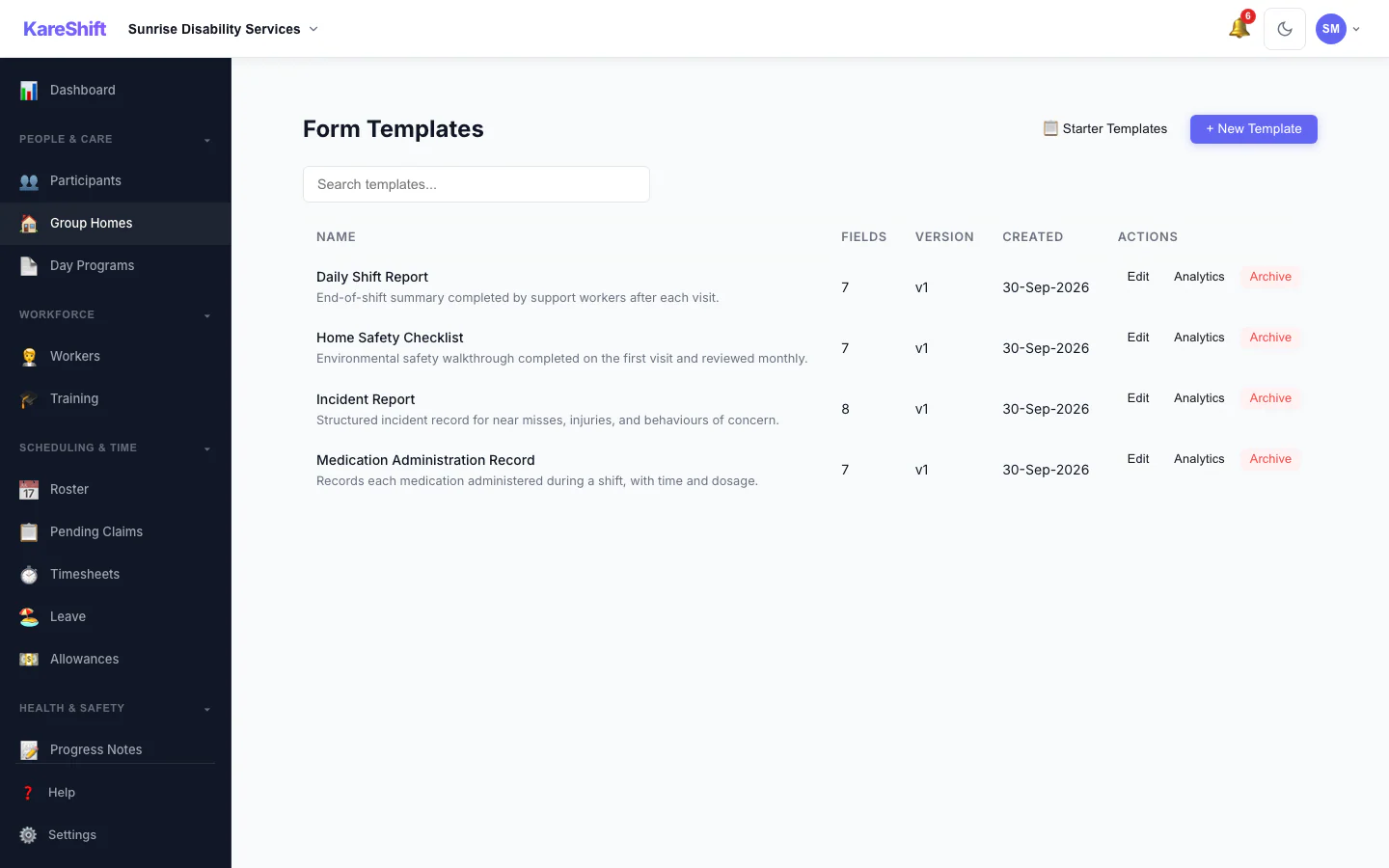
Custom Forms
Build checklists, assessments, and incident forms. Signature pad, photo capture, PDF export. Workers complete on mobile during shifts.
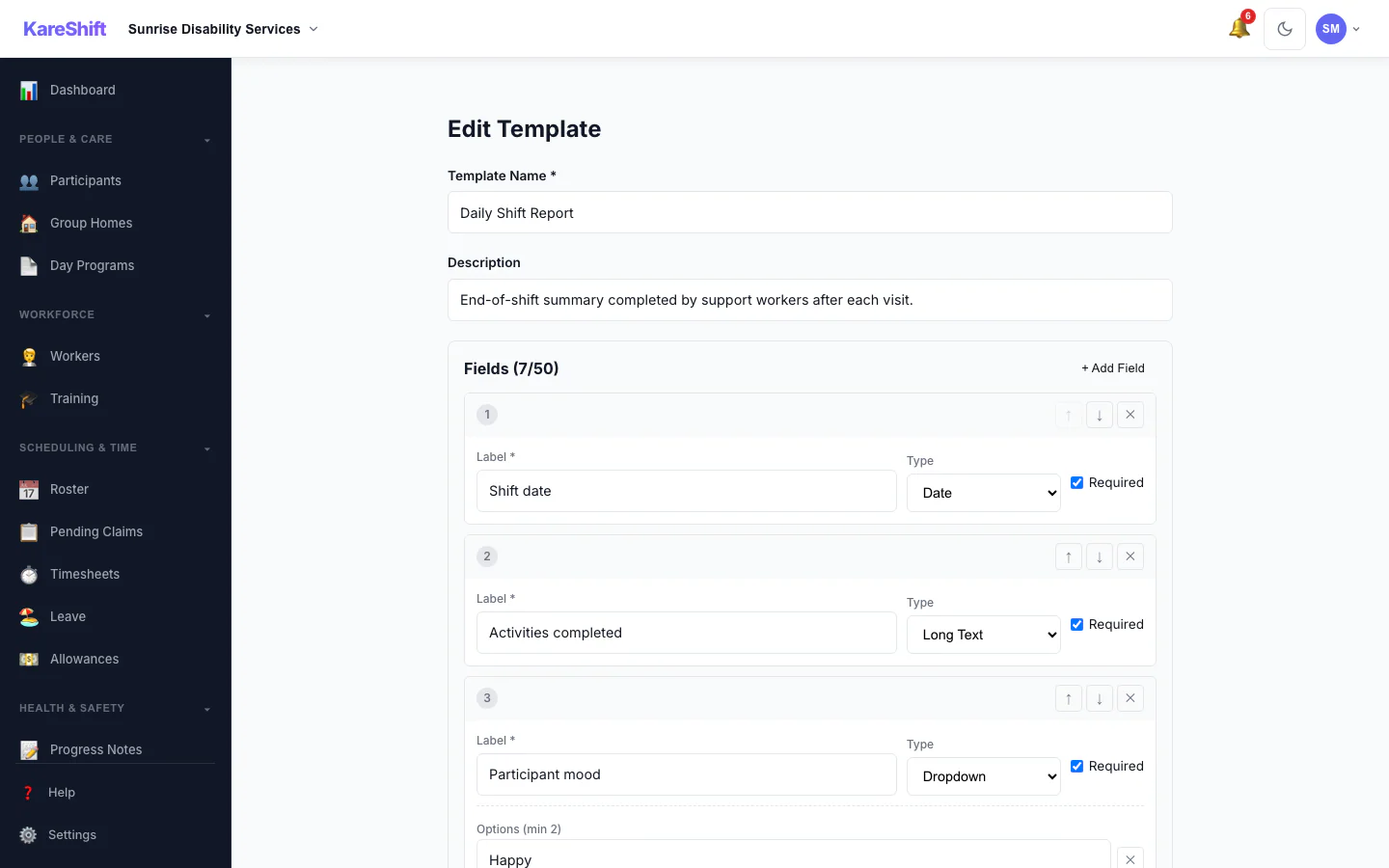
Form Builder
Design templates field by field — text, dropdowns, checkboxes, signatures, photos. Set required fields and reorder with a click.
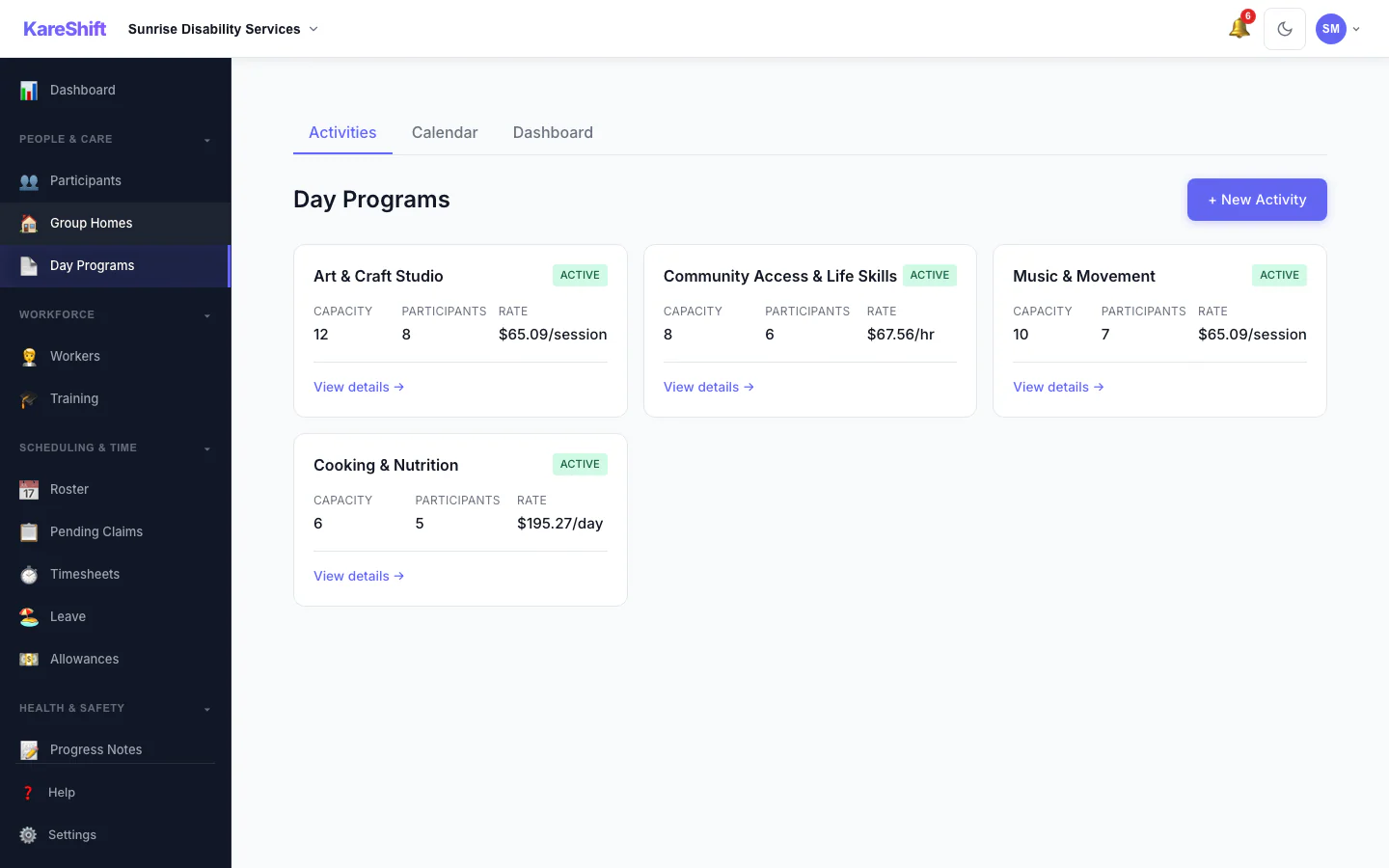
Day Programs
Run centre-based group activities — art, community access, music, cooking. Track capacity, enrolments, and per-session or hourly billing.
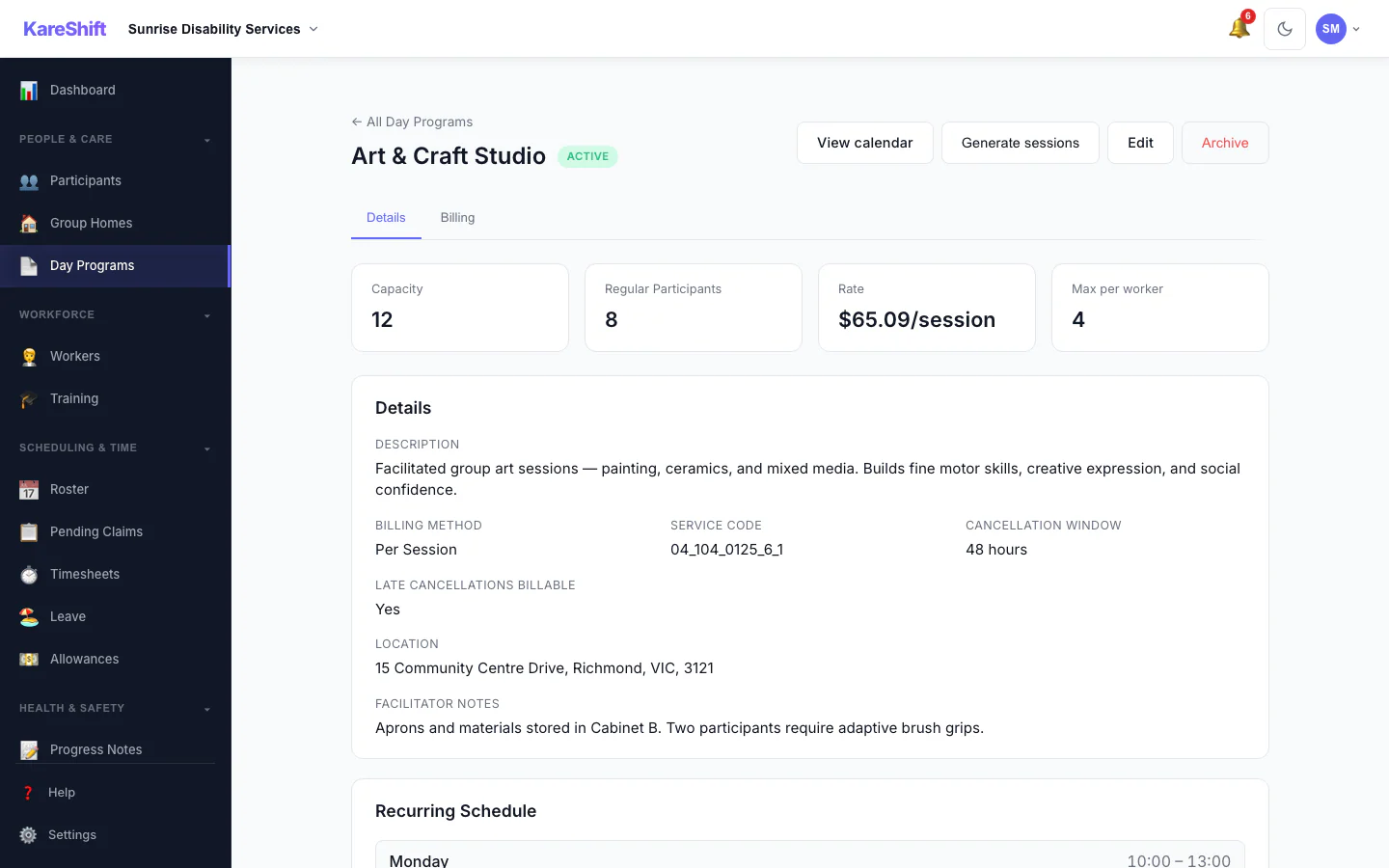
Activity Detail
Everything about an activity in one place — capacity, regular participants, billing rate, cancellation policy, and the recurring weekly schedule that drives session generation.
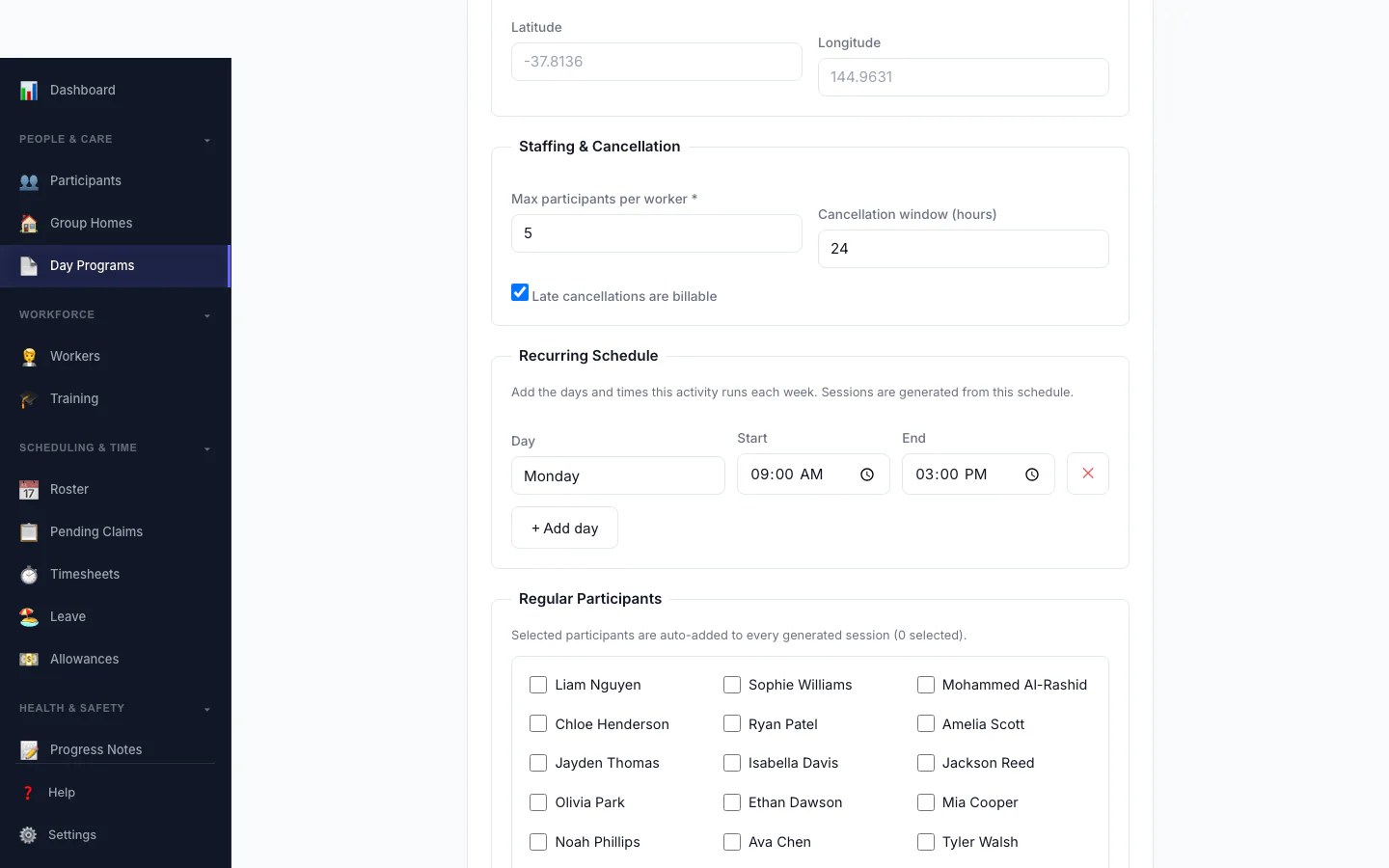
Build an Activity
Set up a group activity in minutes — capacity, billing method and rate, a weekly recurring schedule, and the regular participants auto-added to every session.
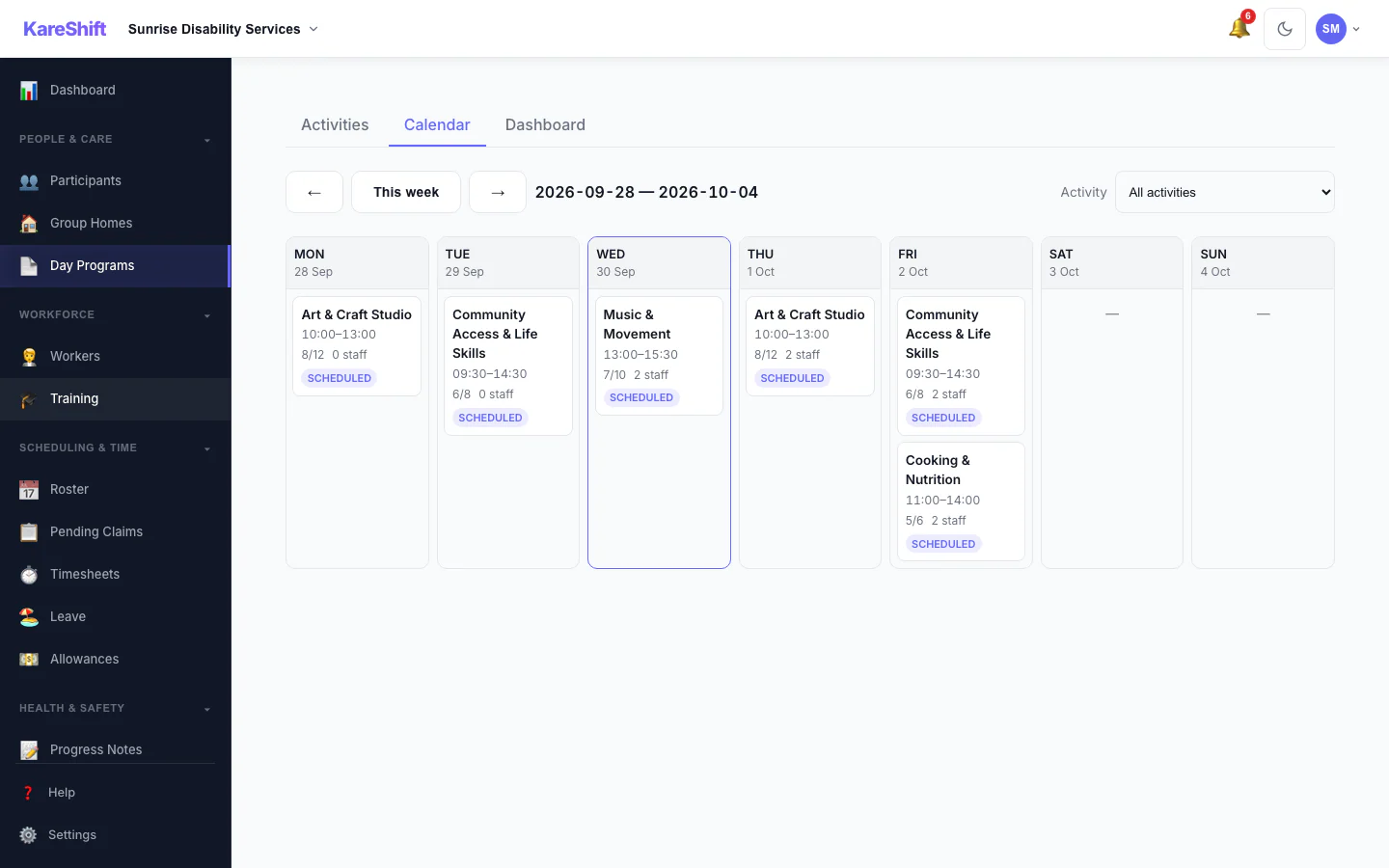
Session Calendar
See the week's sessions at a glance — participants versus capacity, staff assigned, and a ratio indicator. Open any session to run it.
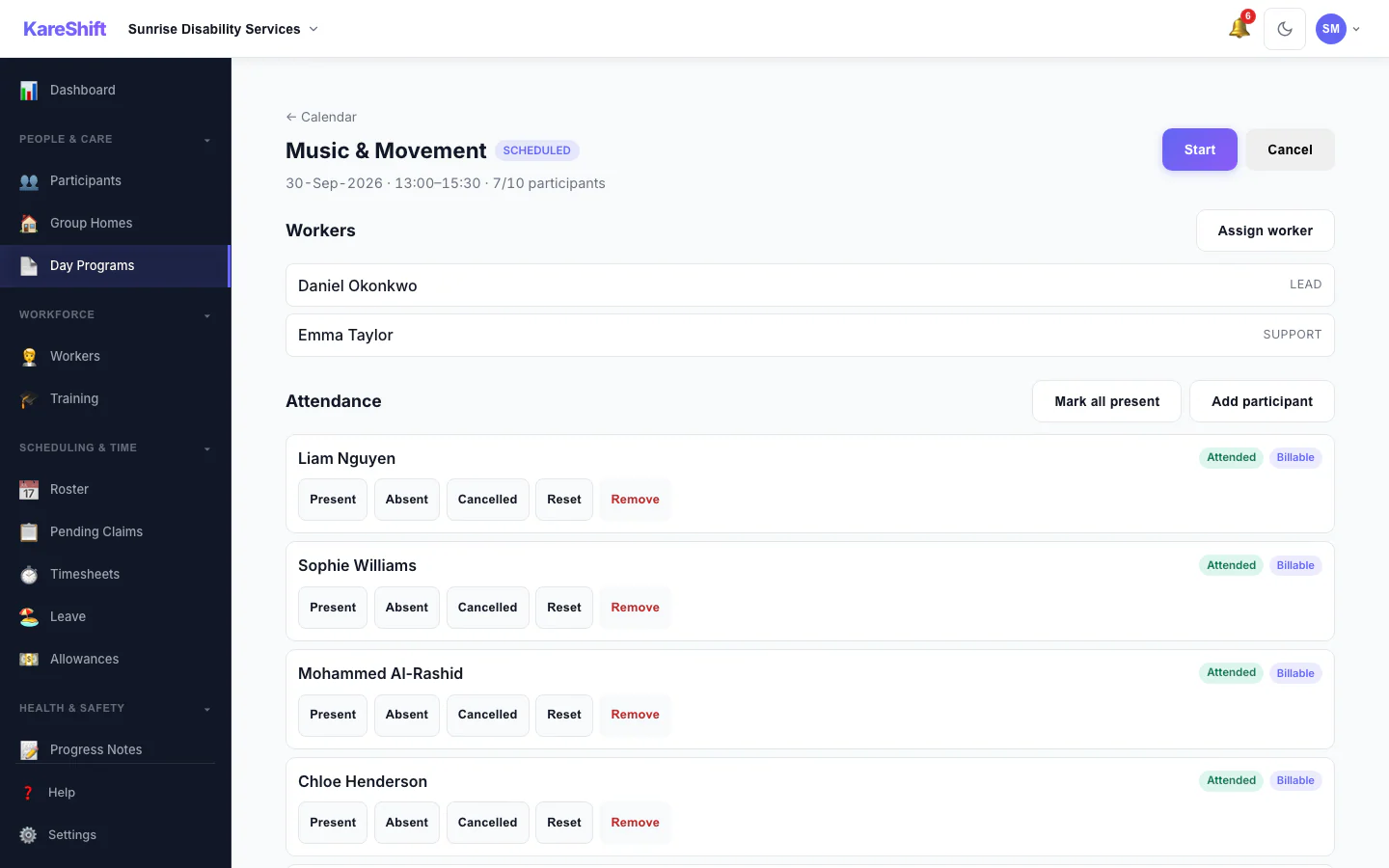
Run a Session
Assign workers, mark per-participant attendance, record transport, and move a session from scheduled to completed — with billable no-shows and late cancellations handled correctly.
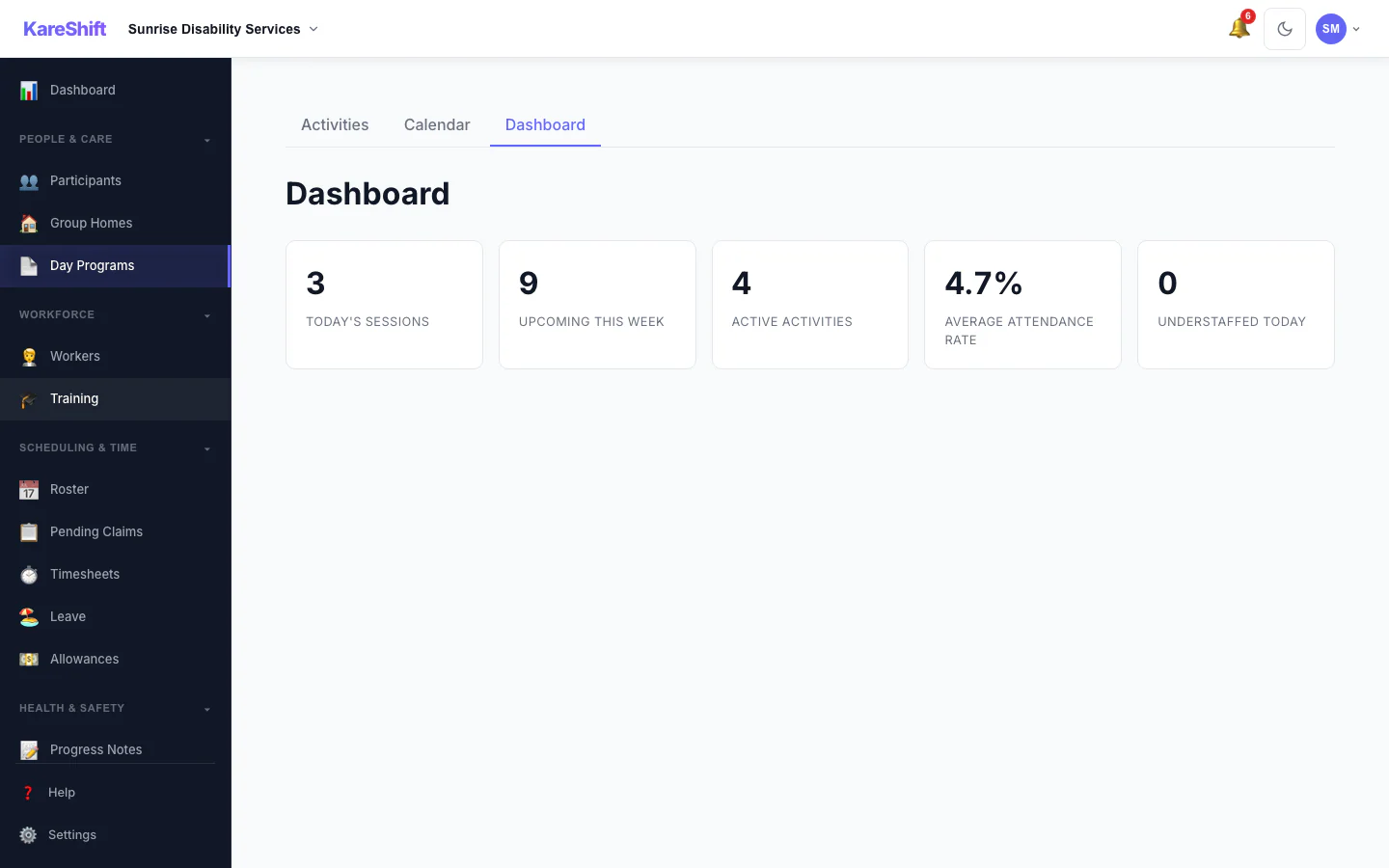
Day Program Dashboard
Today's sessions, the week ahead, active activities, average attendance, and a clear flag when a session is understaffed.
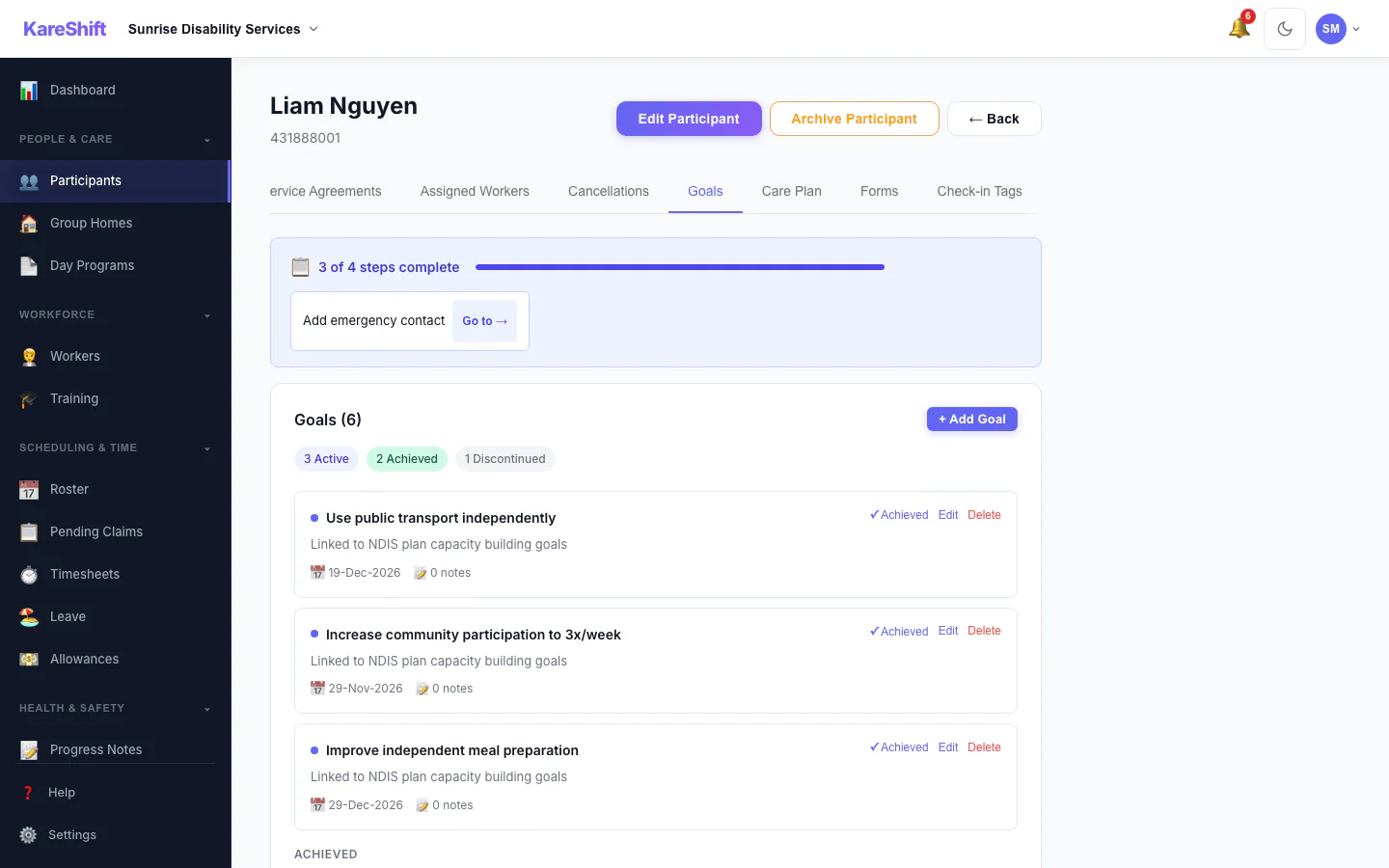
Participant Goals
Set and track outcome goals against each participant's plan. Mark progress and achievements, and link goals to shift notes for plan reviews.
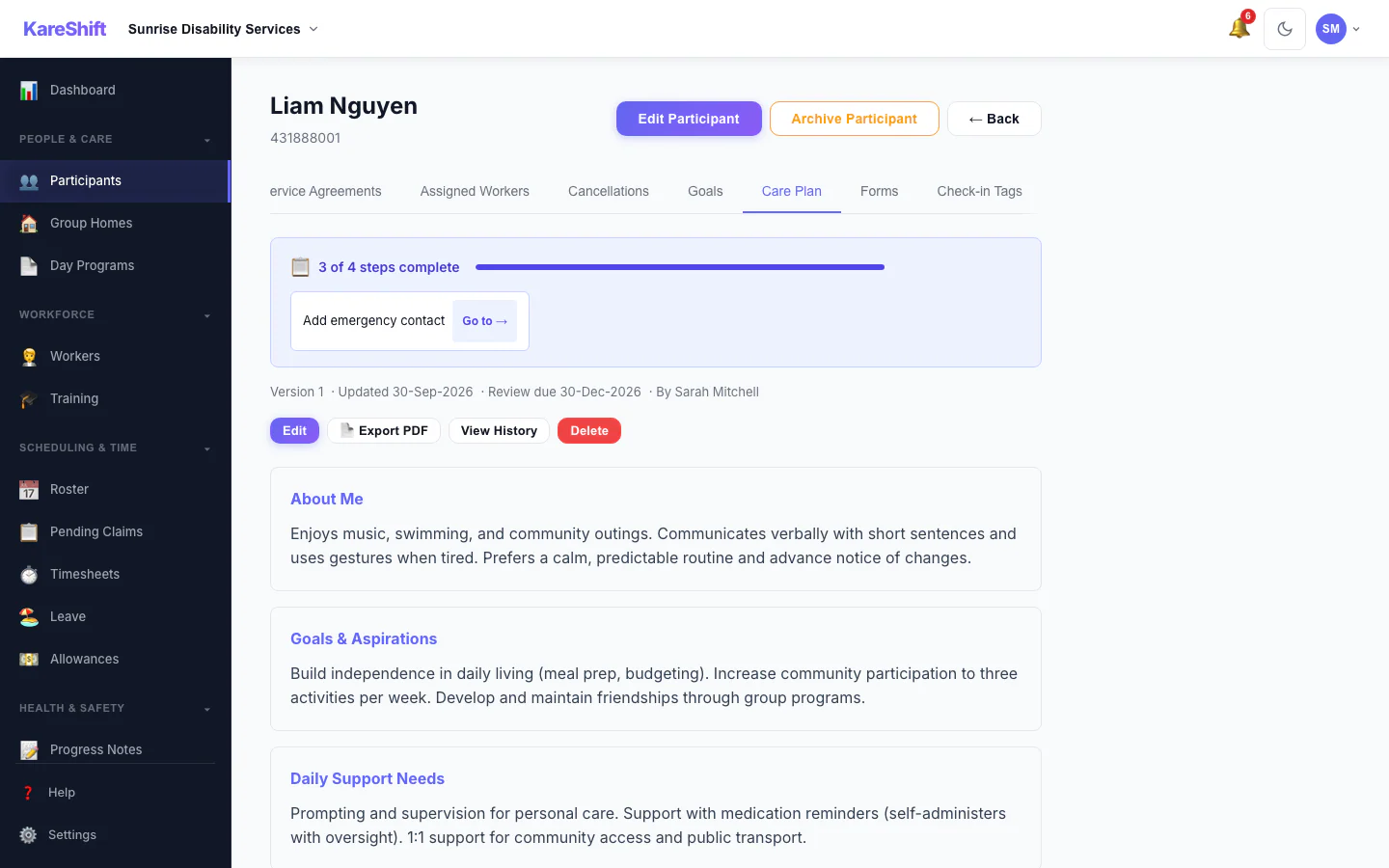
Care Plans
Build person-centred support plans with structured sections. Versioned, review-scheduled, and exportable to PDF for the participant and their circle.
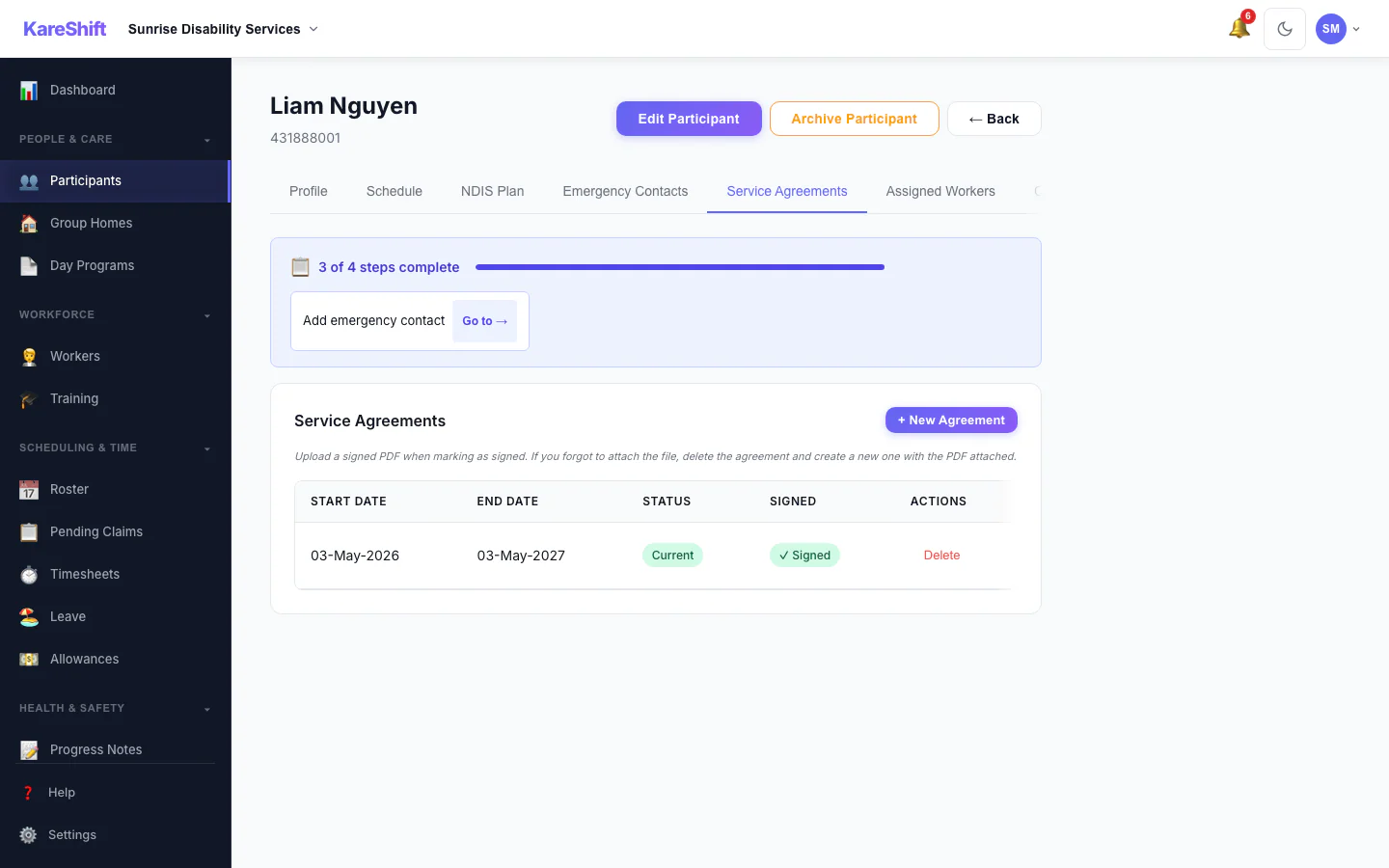
Service Agreements
Create NDIS service agreements and capture the participant's digital signature. Track current vs expiring agreements — no printing or scanning.
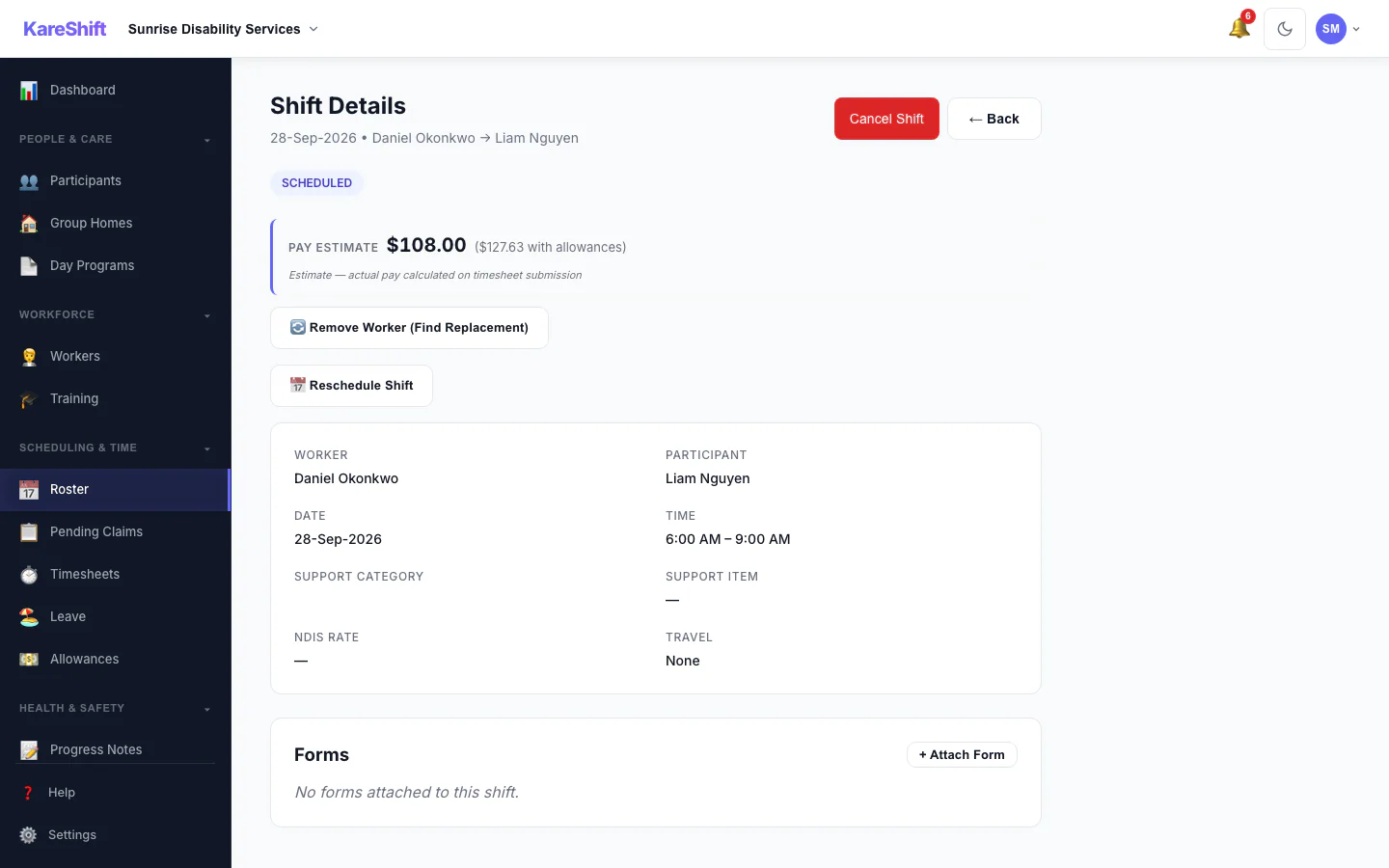
Shift Pay Preview
See the SCHADS-calculated cost of a shift — including penalties and allowances — before you assign it. Roster with the real cost in front of you.
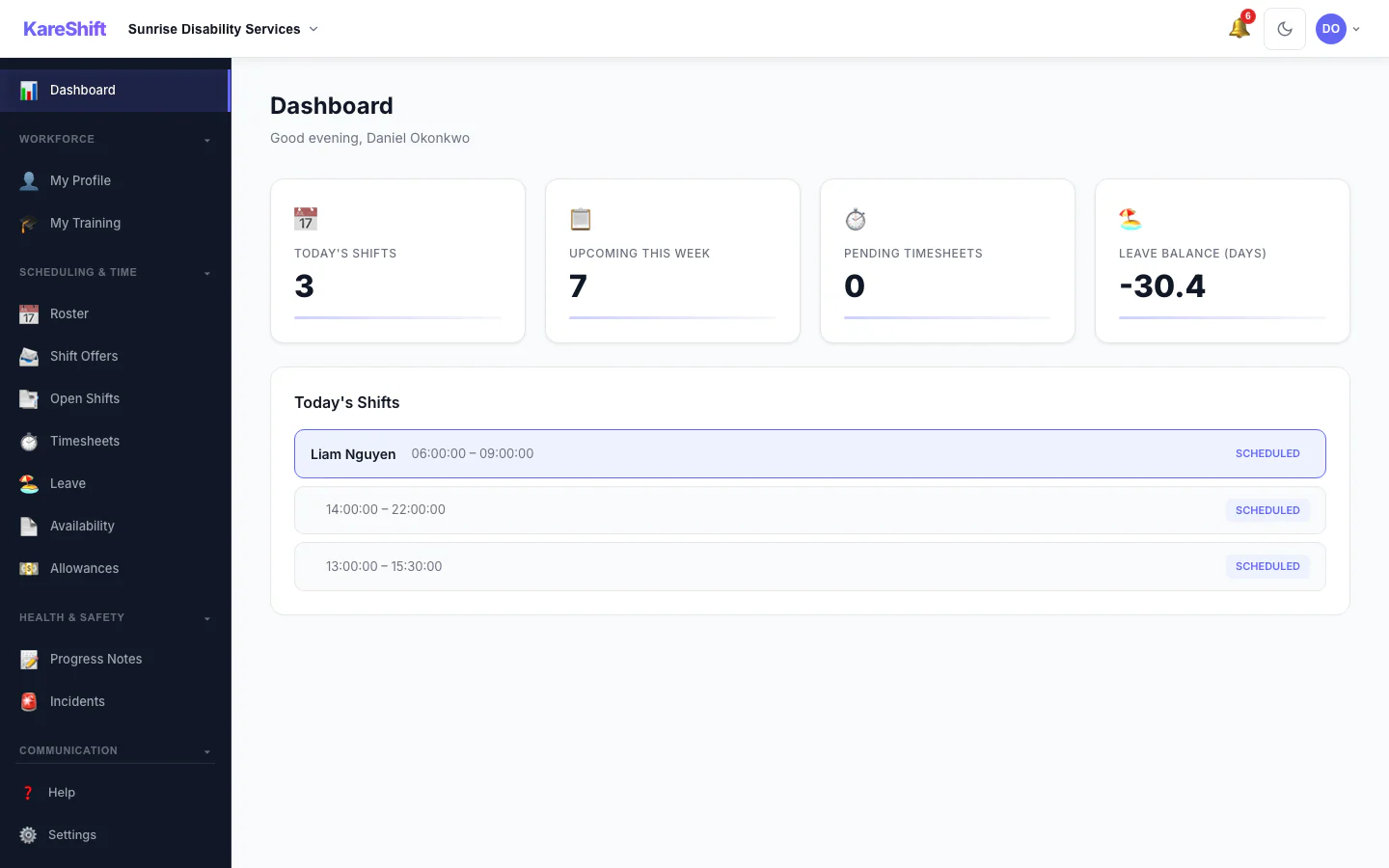
Worker View
What support workers see — today's shifts, quick clock-in, compliance alerts, upcoming schedule.
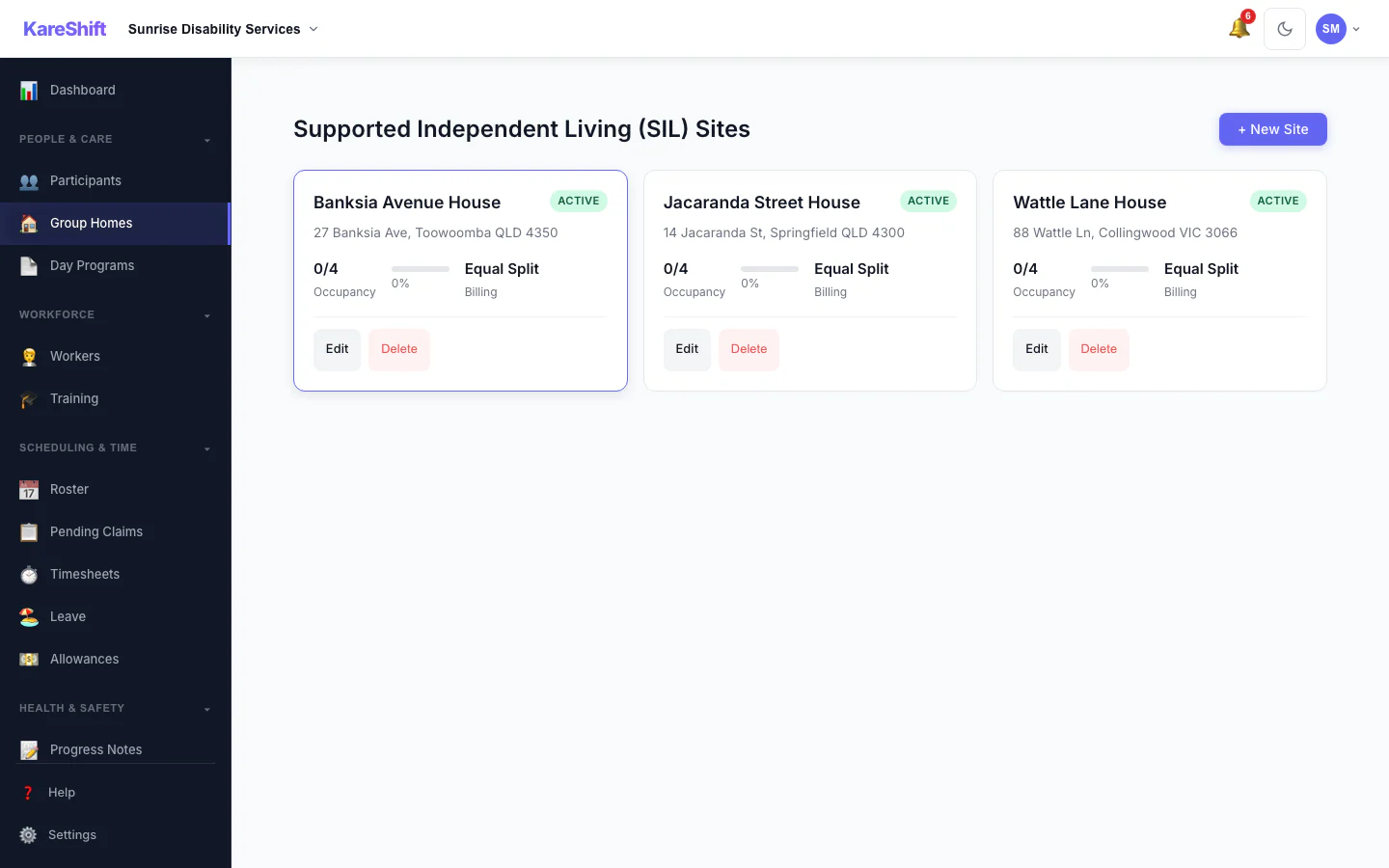
Group Homes (SIL)
Manage group home sites, allocate participants, track ratio compliance, and roster 24/7 coverage.
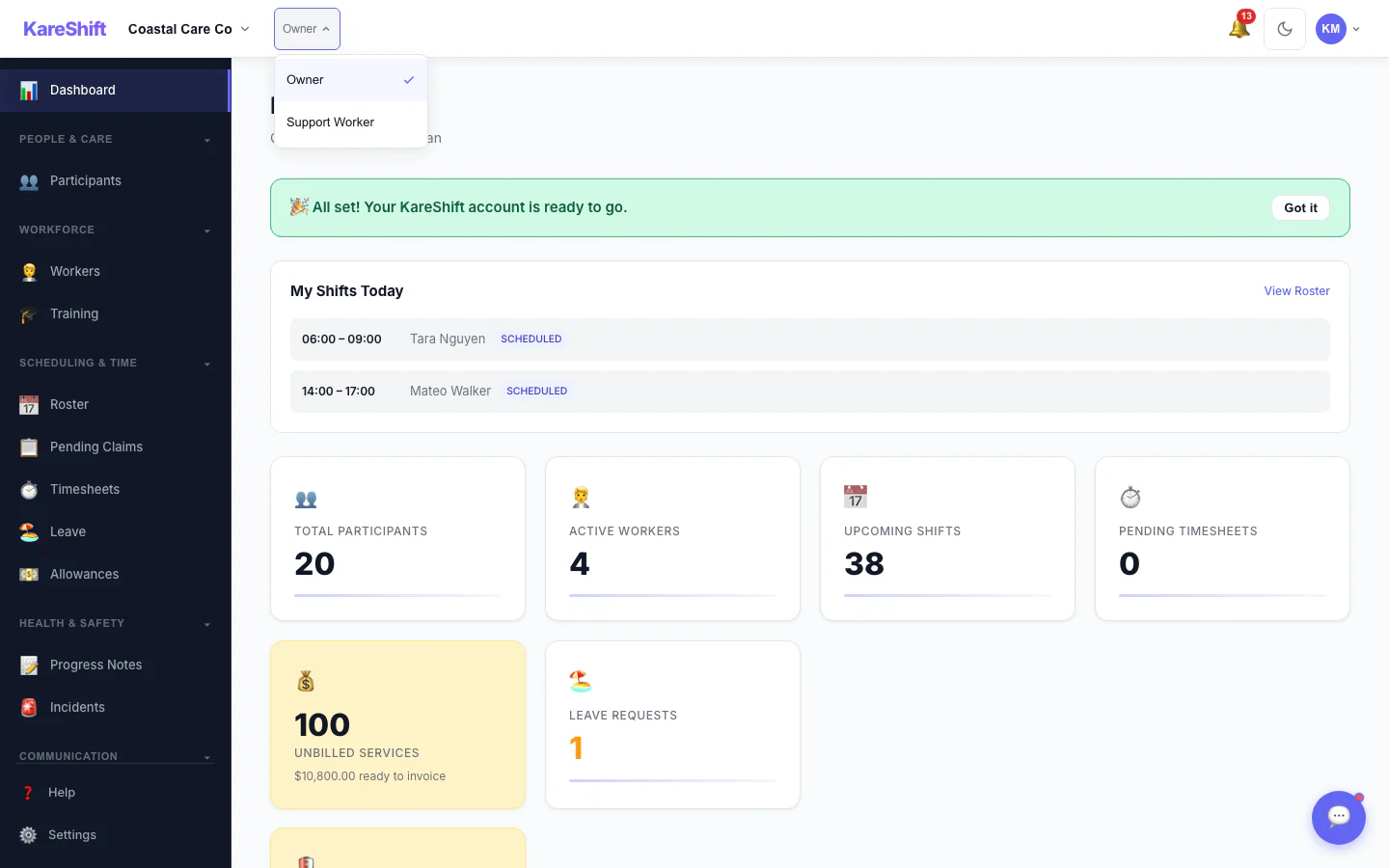
Multi-Role Support
Owners and admins who also do shifts can switch roles instantly. No separate account needed.
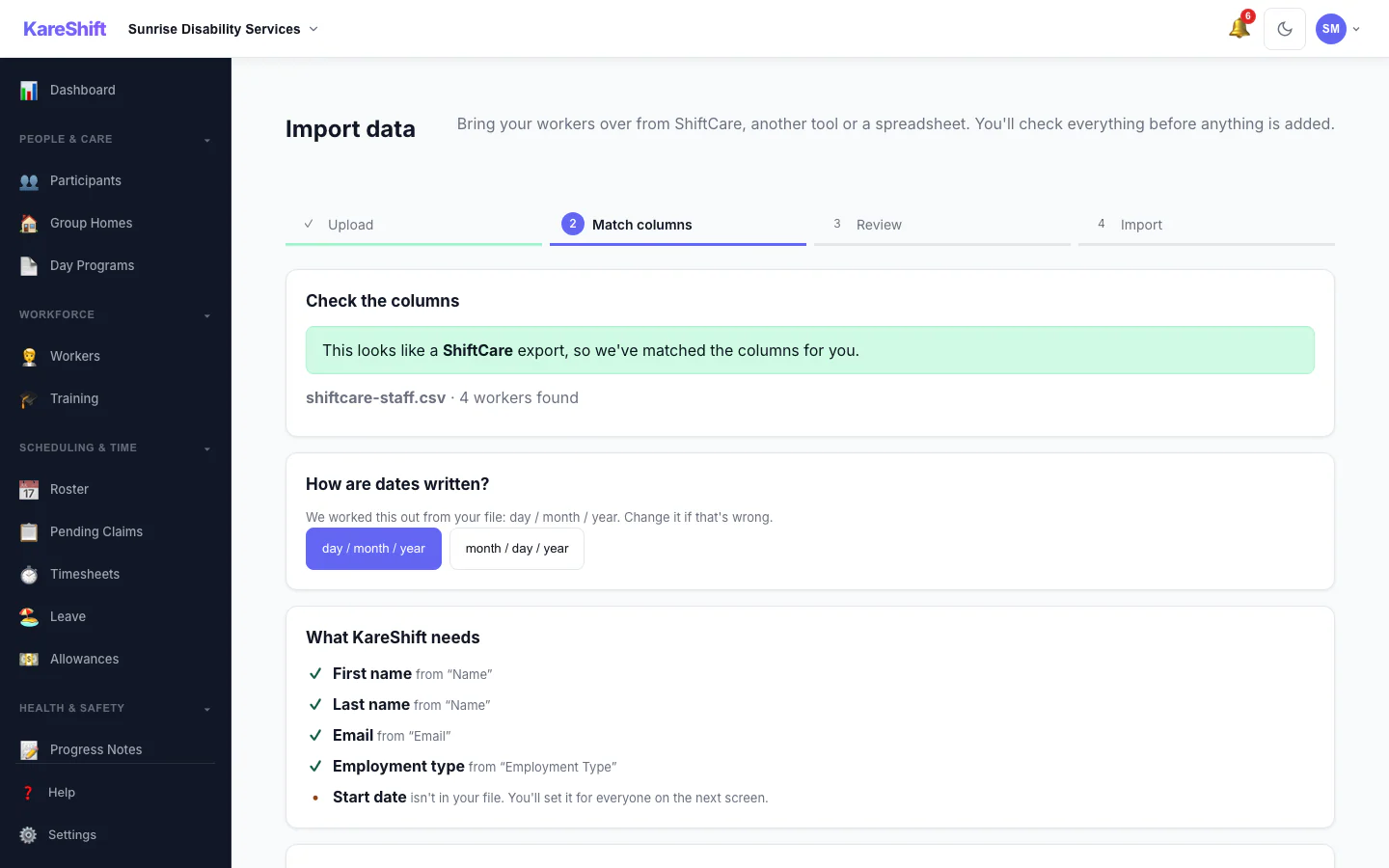
Import — Match Columns
A sample ShiftCare staff file, shown here, is recognised and its columns are matched for you, with the date format detected.
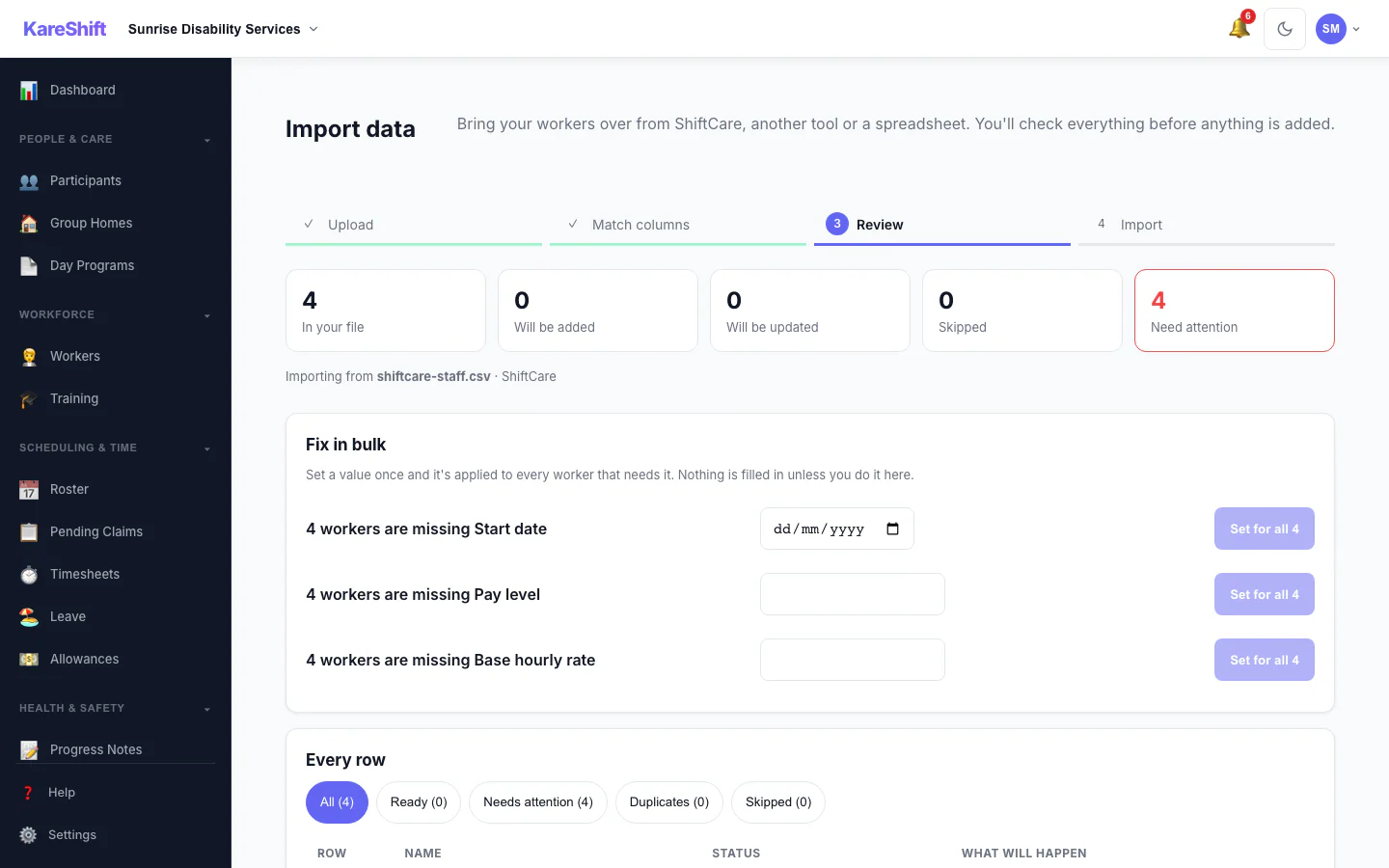
Import — Review & Bulk Fix
See what will be added, updated or skipped, and set a missing value once for everyone before anything is saved.
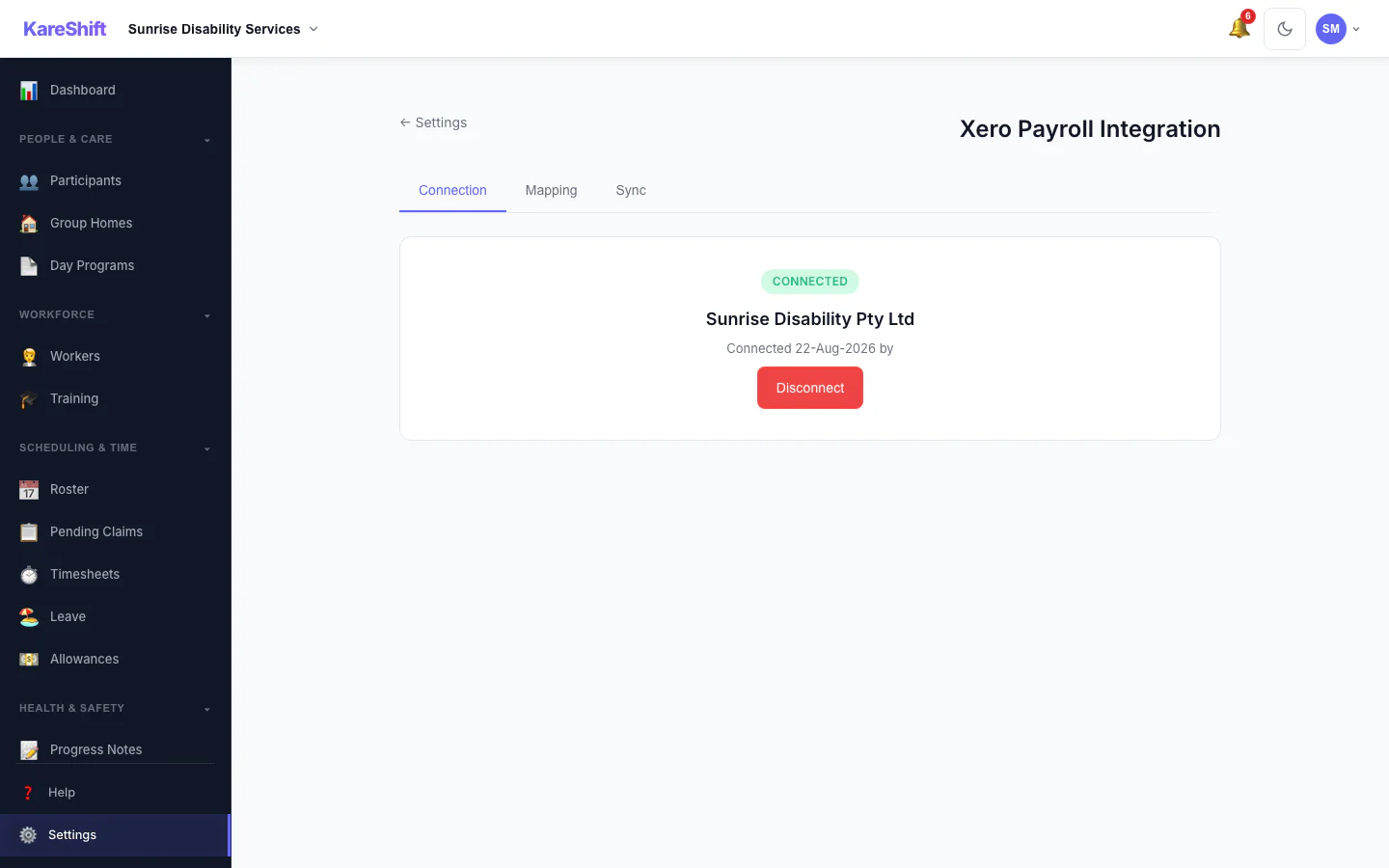
Xero Connection
Connect your Xero organisation once; KareShift keeps it linked.
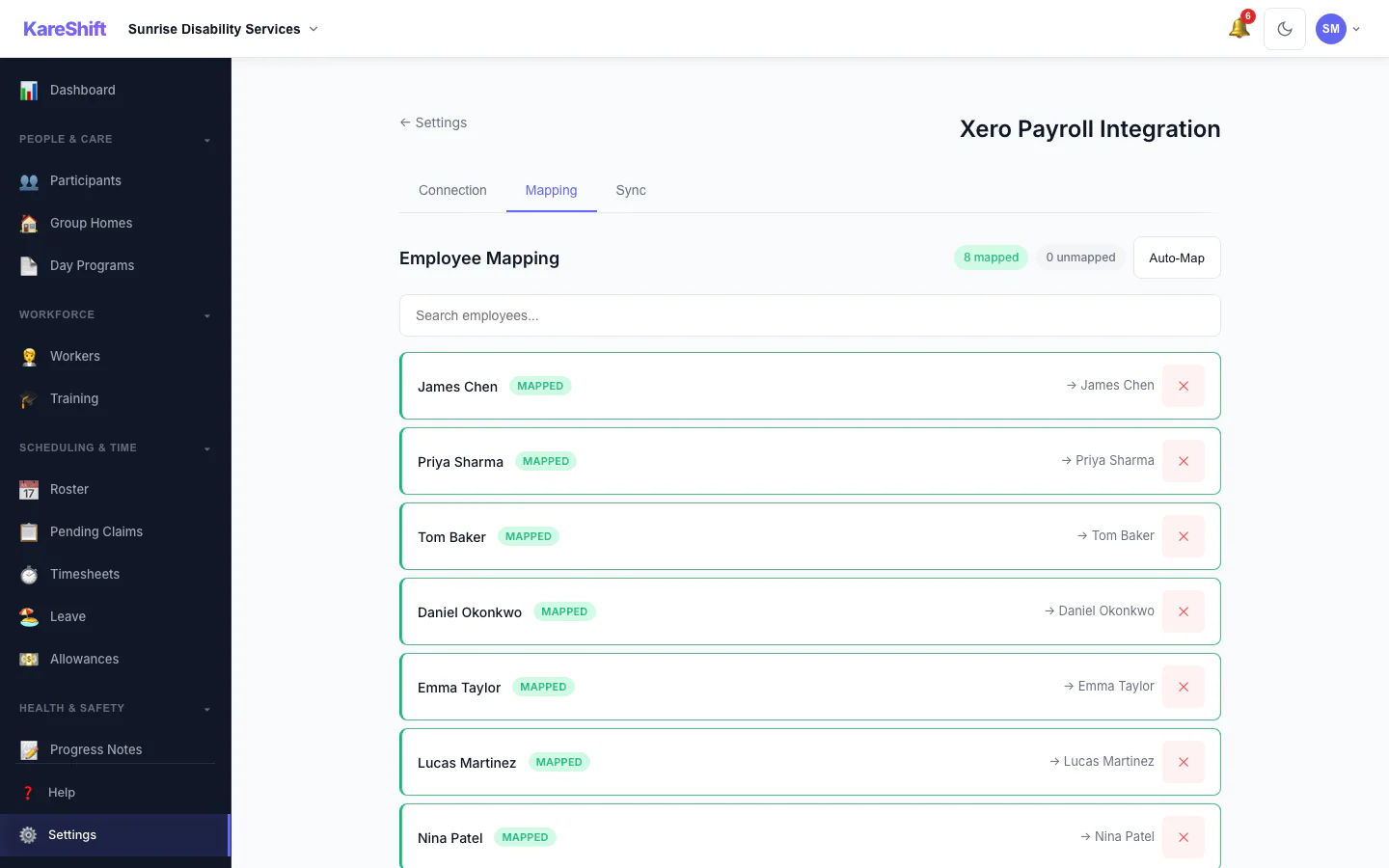
Xero Pay-Item Mapping
Map KareShift pay categories to your Xero earnings rates so timesheets sync correctly.
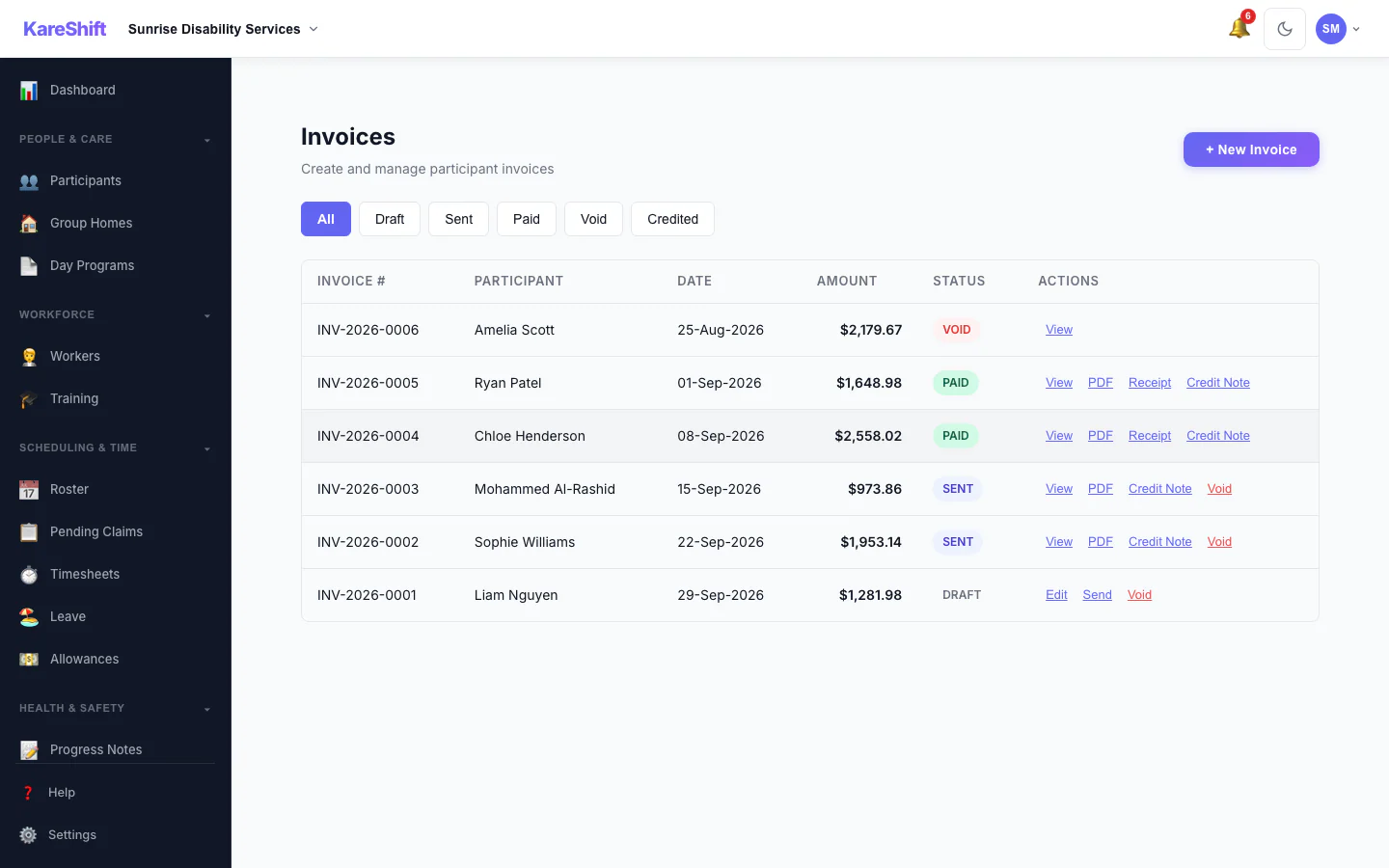
Invoices
Draft, sent, paid and voided invoices in one list, with PDF, receipt and credit note actions.
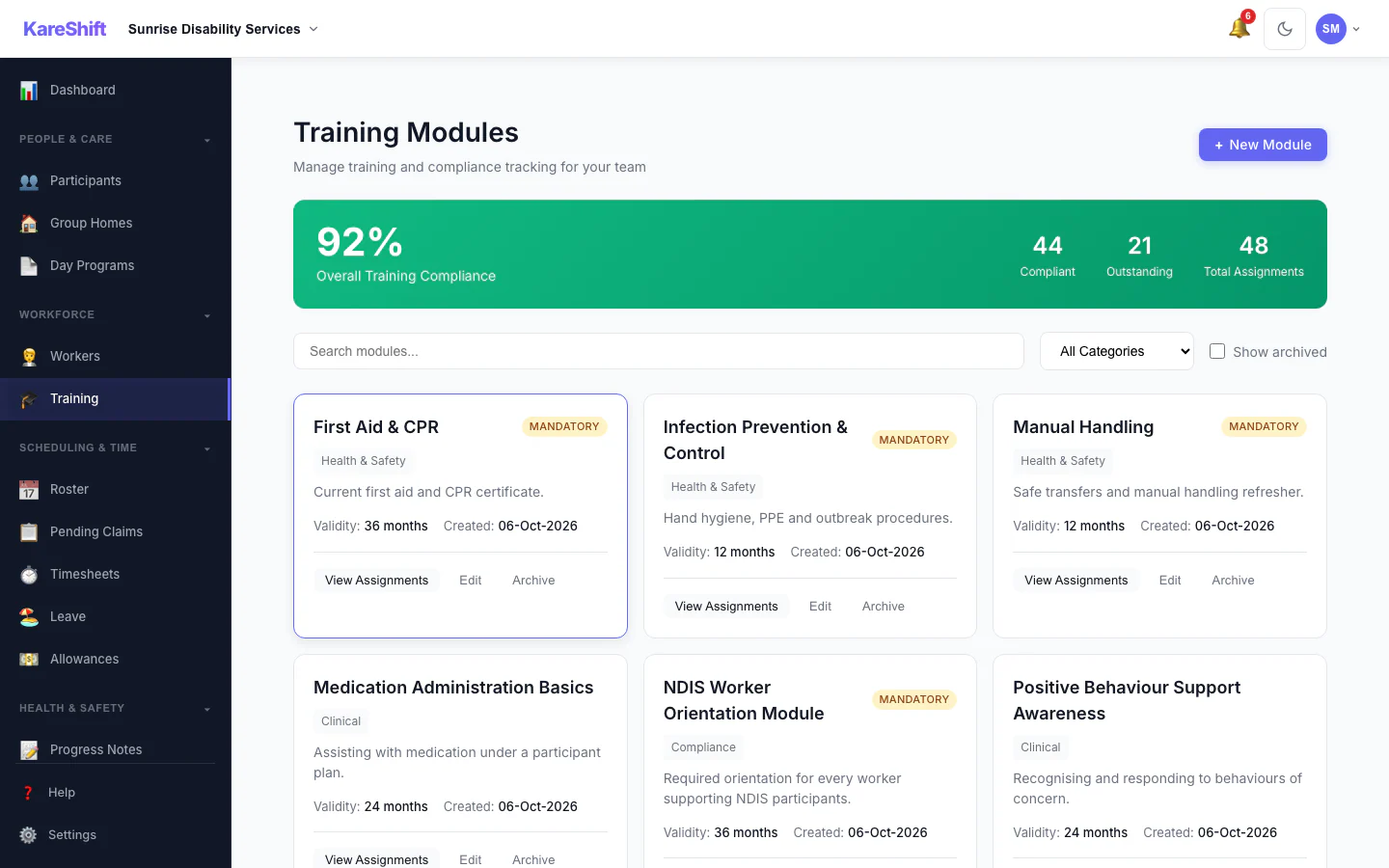
Training Modules
Mandatory and optional training, overall compliance and who is due.
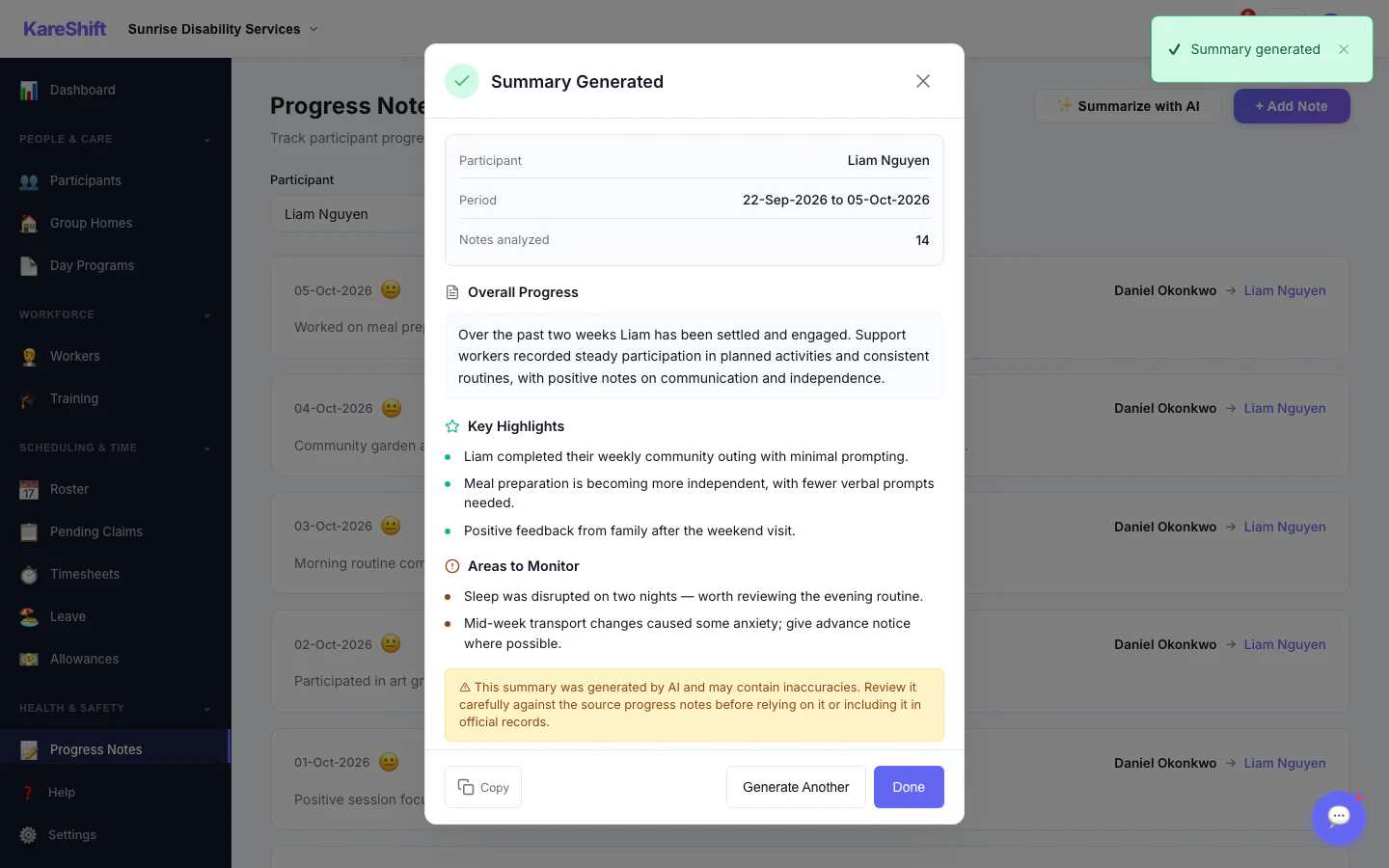
AI Progress Summary — Result
A written summary with highlights and areas to monitor. Staff review it before relying on it.
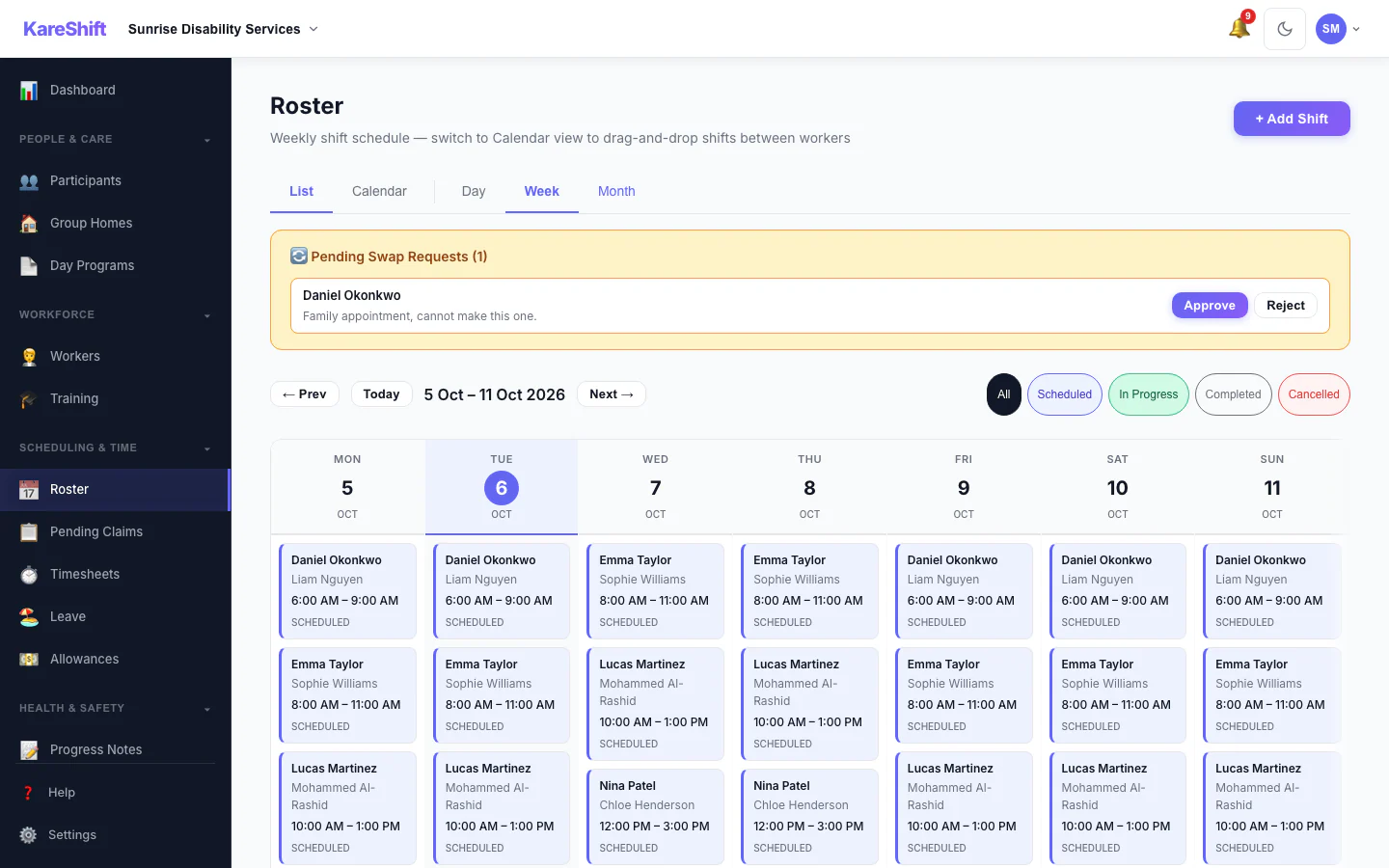
Shift Swap Requests
Pending swap requests with approve and reject.
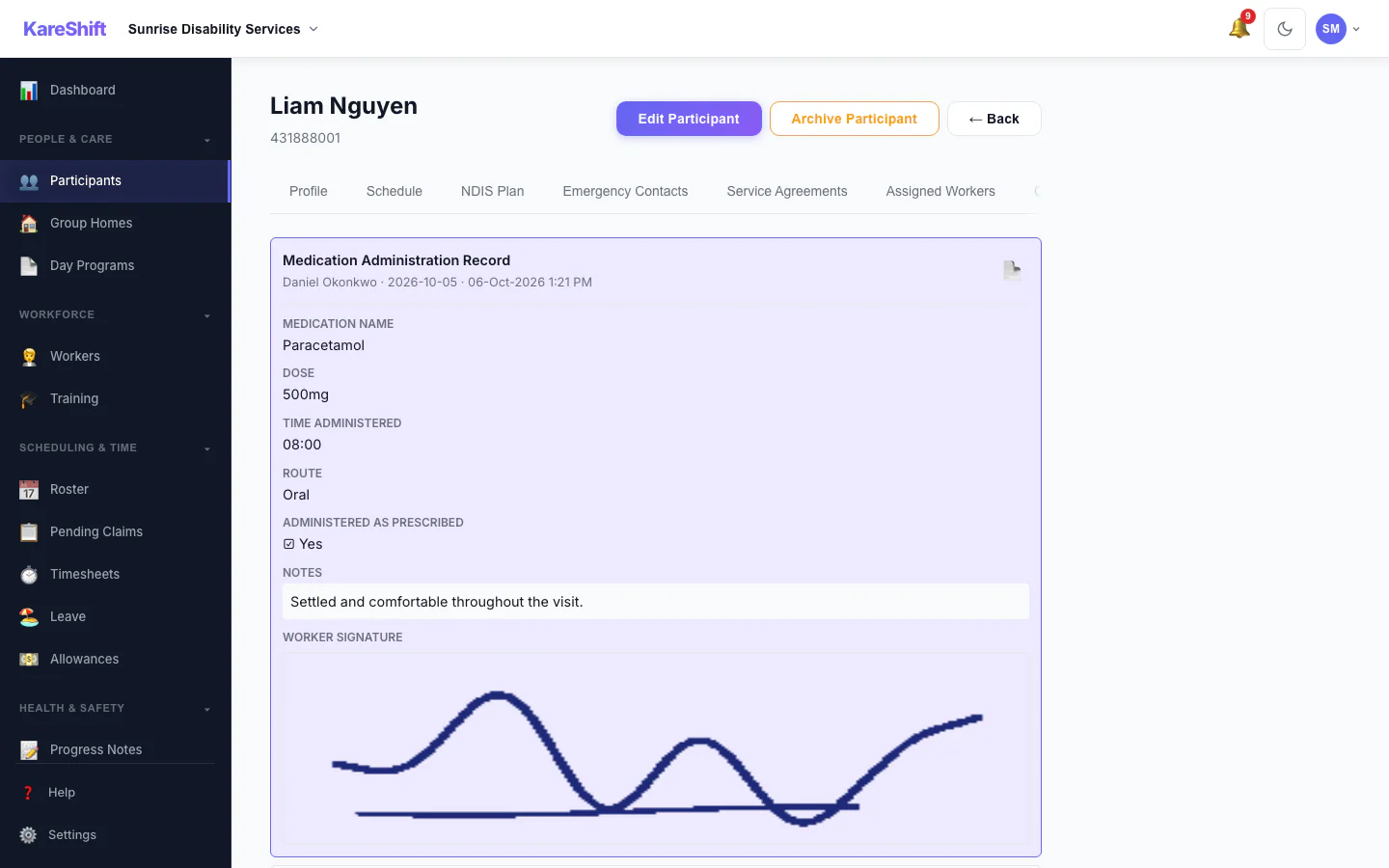
Form Submissions
Completed forms on a participant's record, with signatures.
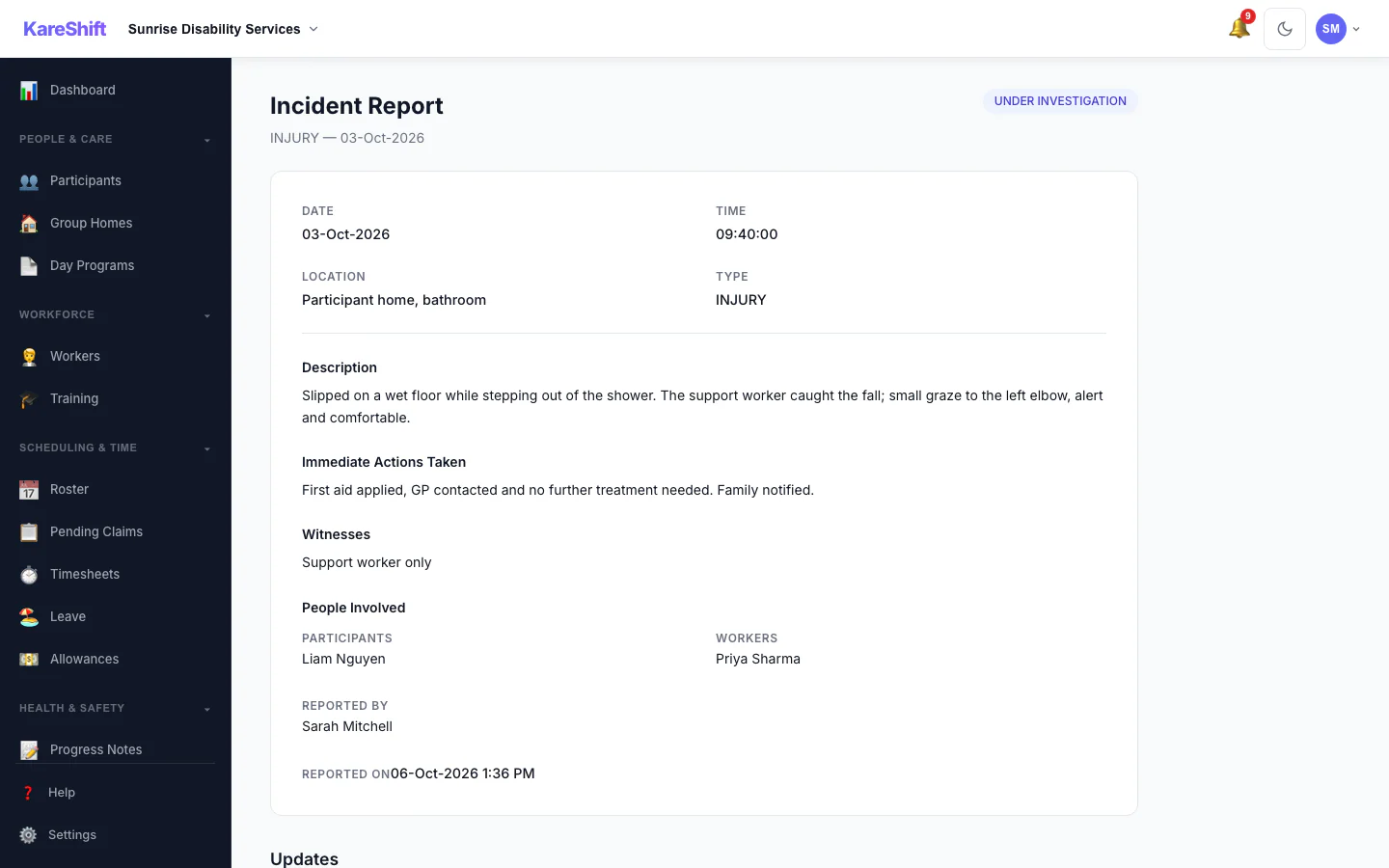
Incident Detail
An incident with its status, details and the update trail of who did what.
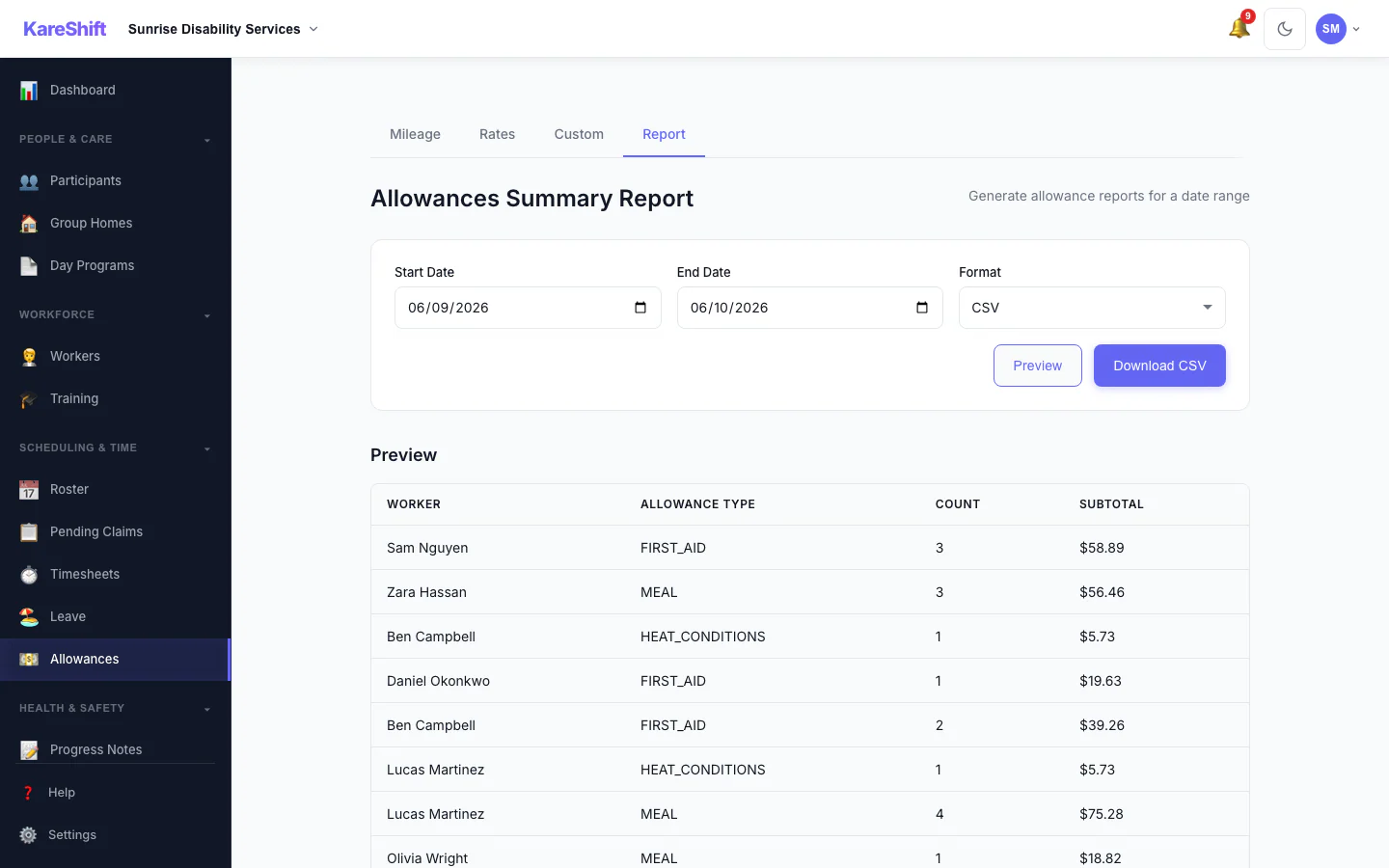
Allowances Report
Preview and export what was paid in allowances over a period, with a grand total.
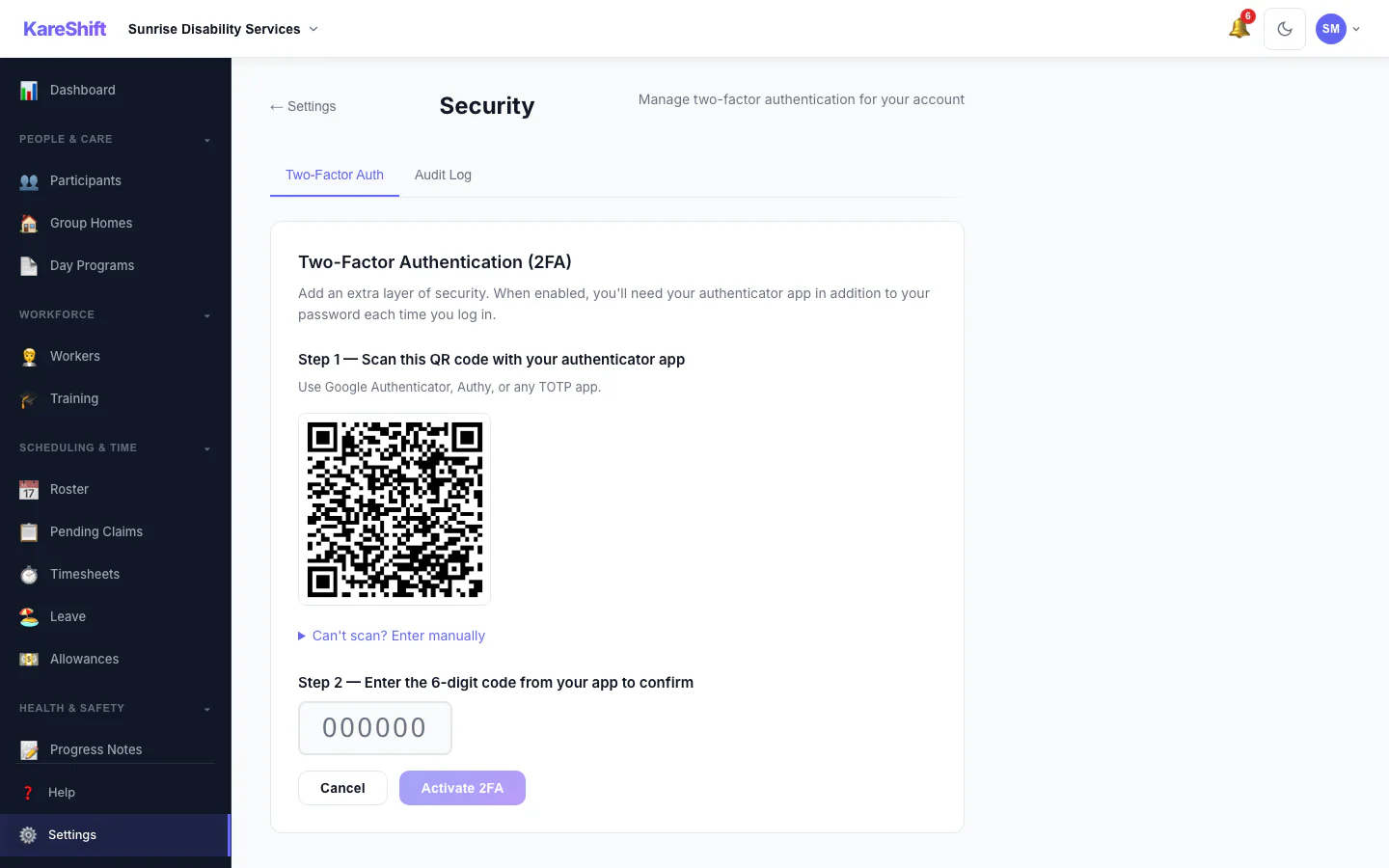
Set Up Two-Factor Authentication
Scan a code with an authenticator app, then enter the six-digit code to switch it on.
Up and running in minutes, not weeks
Sign up in 2 minutes
Create your account. No credit card, no sales call, no lock-in.
Add workers & participants
Import your team and participants (ShiftCare lists are recognised) or add them manually. Set up participant profiles and NDIS funding.
Create shifts & track time
Build your roster, assign shifts, and let workers clock in from their phone.
Export for payroll & NDIS claims
One-click export to your payroll system. Generate NDIS bulk payment requests.
How KareShift compares for NDIS
See why per-tier pricing is built for growing care providers for growing NDIS providers.
| Feature | KareShift | Per-user tools | Spreadsheets |
|---|---|---|---|
| Pricing model | Per-tier from A$49/mo + GST | A$7–A$12 per user/month | Free (but costly in time) |
| Cost for 20 workers | A$99/month + GST | A$140–A$240/month | A$0 + hours of admin |
| SCHADS Award tools | ✓ Built-in calculations | ✓ Some | ✗ Manual |
| Digital clock-in/out | ✓ GPS verified | ✓ | ✗ |
| Worker credential tracking | ✓ With expiry alerts | ✓ Basic | ✗ |
| NDIS funding tracking | ✓ Real-time budgets | ✓ Some | ✗ |
| NDIS bulk payment export | ✓ One-click | ~ Manual | ✗ |
| Setup time | Minutes | Days–weeks | Hours (then ongoing) |
| Lock-in contract | None | Varies — check terms directly with each provider | N/A |
| Data location | Australia | Varies | Your computer |
Competitor estimates based on publicly available pricing. Last verified: 28-Aug-2026
Purpose-built pricing for care providers
One platform for your whole operation. No per-user fees, no setup fees, no exit fees. All prices exclude GST.
Starter
A$470/year (save 20%) + GST
For solo operators and micro providers
- Up to 5 workers
- Unlimited participants
- Rostering & timesheets
- Digital clock-in/out (GPS)
- Worker compliance tracking
- Email support
- Funding tracking
- Progress notes & incidents
- Leave management
- Analytics dashboard
- Schedule coverage view
Growth
A$950/year (save 20%) + GST
For growing providers scaling their team
- Up to 20 workers
- Unlimited participants
- Everything in Starter, plus:
- Custom forms
- Invoicing
- Shift swap & replacement
- Penalty-rate overrides & holiday exclusions
Scale
A$2,390/year (save 20%) + GST
For established providers with large teams
- 50 workers included (+A$5/worker + GST after)
- Unlimited participants
- Everything in Growth, plus:
- NDIS bulk payment export
- Xero Payroll sync
- Payroll export (CSV, Excel, PDF)
- Opt-in AI progress summaries (billed per summary)
- Security audit log kept for 7 years
- One-click data export (CSV/Excel/PDF)
Pricing built around your operation, not your headcount
Compared to typical per-user rostering platforms at ~A$10–11/user/month (estimated from publicly available pricing for ShiftCare, CareMaster, and similar tools as of Aug 2026 — contact providers for current rates). All prices exclude GST (10%). GST is added at checkout for Australian businesses.
Built for NDIS providers like you
Providers tired of spreadsheets
You're managing rosters in Excel and timesheets on paper. KareShift replaces the chaos with one simple system.
Growing providers scaling their team
From 5 workers to 500+. KareShift grows with you — no migration, no per-user penalties, no enterprise lock-in.
Providers who care about compliance
NDIS Worker Screening, WWCC, First Aid, SCHADS Award — tracked automatically with expiry alerts and roster blocks.
Frequently asked questions
No. KareShift is month-to-month. You can cancel anytime with no penalties or exit fees. Cancellation takes effect at the end of your current billing period.
Yes. All subscriptions renew automatically. We send a reminder email 7 days before your next billing date. Cancel anytime from your account settings — takes effect at the end of your current billing period.
Each plan includes a set number of workers (5, 20, or 50 depending on your tier). Within that limit, no per-user fees. On the Scale plan, additional workers beyond 50 cost just A$5/worker/month + GST.
Yes. On the Scale plan, you can generate NDIS bulk payment request files directly from approved timesheets. Support categories, line items, and rates are calculated automatically.
All care data (participant records, shifts, timesheets, notes) is encrypted at rest and in transit, stored in AWS Sydney (ap-southeast-2). Built to support your Australian Privacy Principles obligations. Transactional services (email delivery, payments) may use overseas infrastructure — see our Privacy Policy.
Yes. ShiftCare client and staff lists are recognised automatically. Plans, assignments, compliance documents, shifts and timesheets come in through our Excel templates (CSV also accepted). KareShift validates every record, you review and bulk-fix issues before anything is saved, and any import can be undone within 30 days. Past shifts and timesheets are kept as history and are never paid or invoiced again.
Yes! KareShift also supports Residential Aged Care with ADL charting, care plans, AN-ACC tracking, clinical observations, and SIRS compliance. See KareShift for Aged Care →
Up to 5 workers for 90 days, no credit card required. The trial includes everything except Xero Payroll sync and payroll export, which need a paid Scale plan. At the end of your trial, choose the plan that fits. If you don't subscribe, your account enters read-only mode — we never charge without your explicit consent.
Ready to ditch the spreadsheets?
Join NDIS providers who've switched to KareShift. Start your free 90-day trial today.
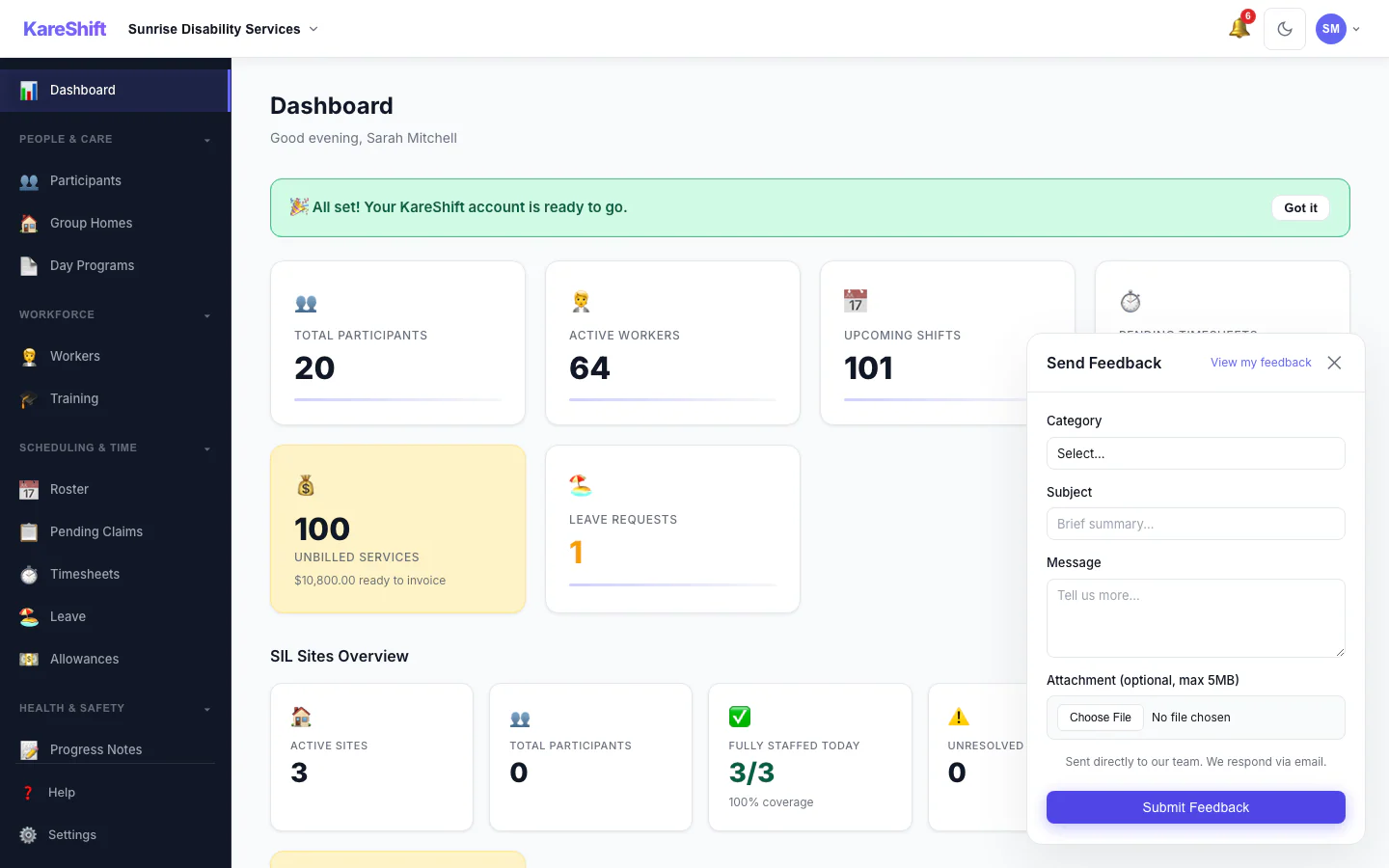
Start Free Trial — No Credit CardSubmit feedback directly inside the app — no email needed. Feature requests go straight into our roadmap.
NDIS Guides & Resources
The Complete Guide to NDIS Rostering Software
What to look for in purpose-built rostering tools — GPS clock-in, SCHADS pay calc, compliance tracking.
SCHADS Award Pay Rates Explained
Levels, penalty rates, overtime, casual loading, and how software auto-calculates them.
NDIS Plan Management Tips
Why Excel fails for funding tracking and how digital tools give real-time burn-down visibility.