Replace paper charts and legacy systems with one modern platform.
KareShift helps residential aged care facilities digitise ADL charting, manage care plans, track AN-ACC funding, and support compliance with the Aged Care Quality Standards — all in one place.
No credit card required · No lock-in contract · Cancel anytime (takes effect at period end)
Sound familiar?
If you're running a residential aged care facility, you're probably dealing with these every day.
Paper ADL charts
Workers filling out paper charts that get lost, damaged, or can't be read. No real-time visibility for managers. Auditors want 7 years of records — good luck finding them.
Compliance anxiety
SIRS deadlines, Quality Standards evidence, worker screening expiry — tracked across spreadsheets, email reminders, and sticky notes. One missed deadline = non-compliance.
Legacy software that fights you
Clunky systems built 15 years ago. Workers hate using them. Training takes weeks. No mobile access. Every update breaks something.
Per-user pricing that scales against you
30 care workers × A$12/user/month = A$360/month before you even add admin staff. Your software bill grows faster than your revenue.
Disconnected systems
Roster in one system. Timesheets in another. Care plans on paper. Observations in yet another app. Nothing talks to anything. Data entry happens 3 times.
No visibility into care quality
You don't know today's ADL completion rate until tomorrow. Care minutes are calculated manually at month-end. Problems surface too late to fix.
Everything your facility needs in one platform
Purpose-built for residential aged care. Not bolted onto an NDIS tool.
Digital ADL Charting
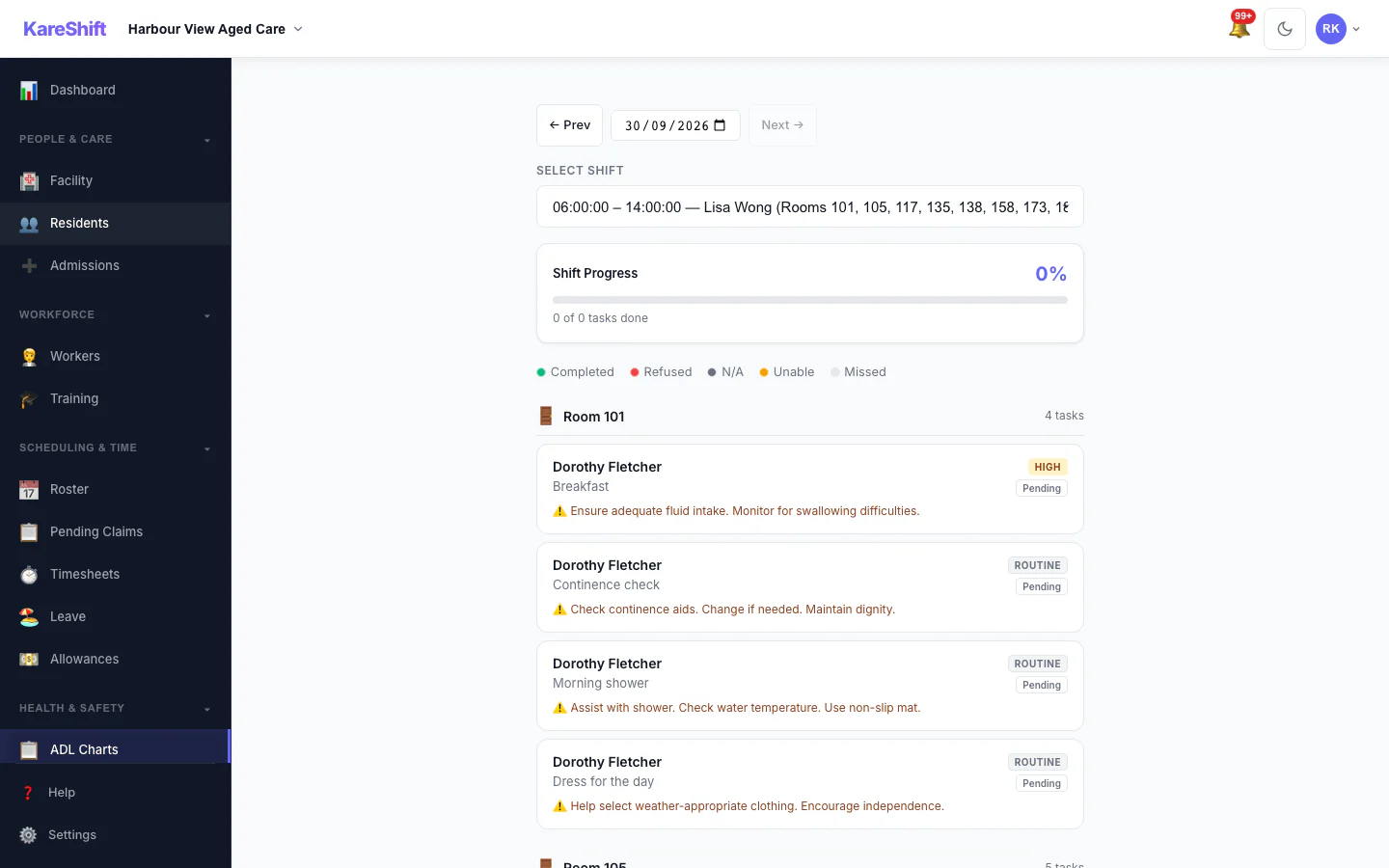
Workers tap to record care delivery on their phone. No more paper charts. Every task is timestamped, attributed, and immutable — ready for audit at any time.
- Auto-generated task lists from care plans + room assignments
- Mark tasks: Completed, Refused, Not Required, Unable to Complete
- Mandatory notes on refusals and escalation on unable-to-complete
- Real-time progress indicator per shift
- Immutable records with an amendment trail
- Shift-end summary flags incomplete tasks to coordinator
Structured Care Plans
Prescribe exactly what care each resident needs, how often, and when. The system generates the right tasks for the right shift automatically.
- Standard ADL categories: showering, dressing, meals, mobility, continence, oral care
- Custom task definitions for facility-specific activities
- Frequency: once daily, twice daily, every 2h, per meal, per shift, weekly
- Time-of-day preferences (morning, afternoon, evening, night)
- Priority levels: Routine, High, Urgent
- Full version history with who changed what and when
Clinical Observations & Vitals
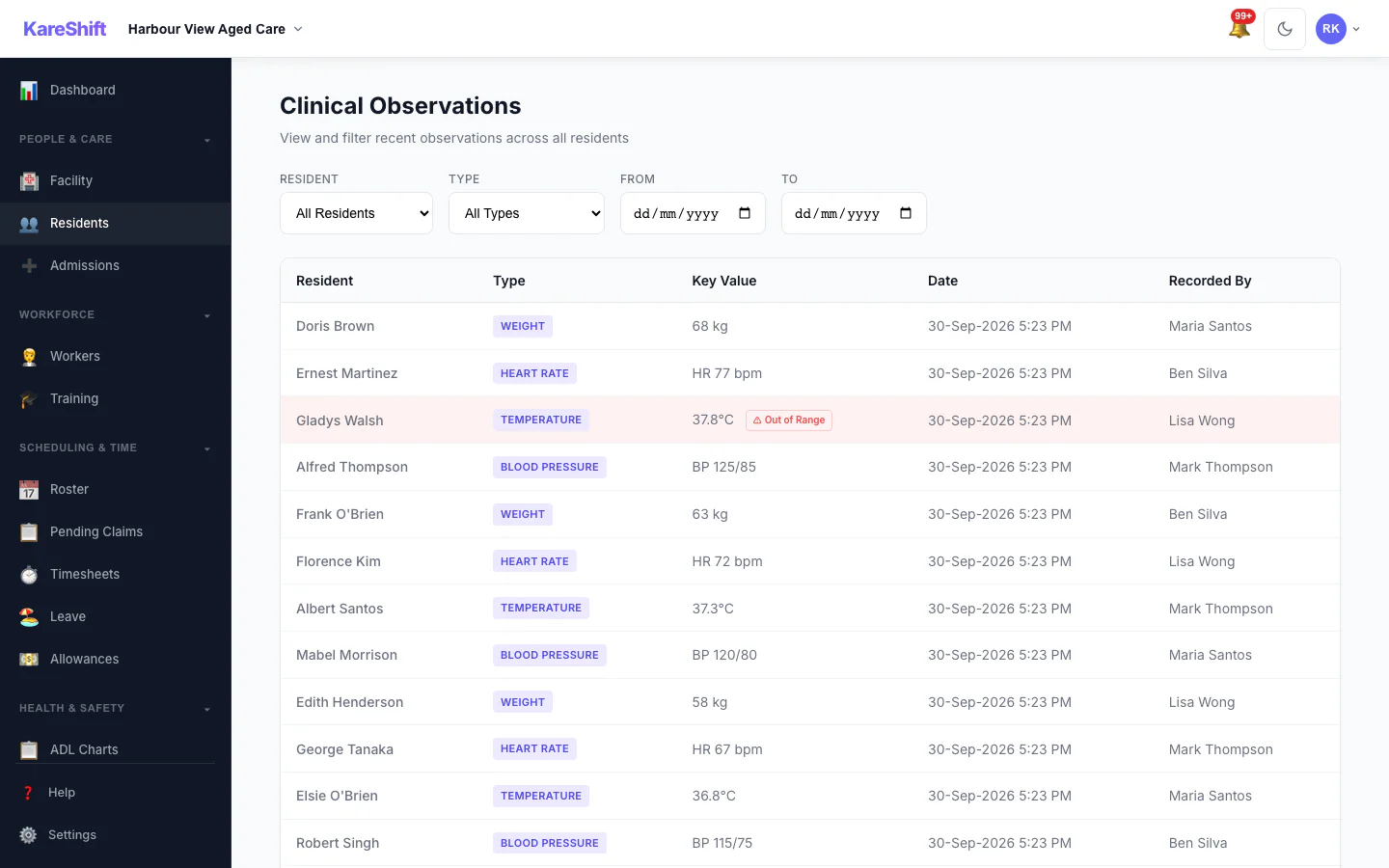
Record vitals, skin integrity checks, falls risk assessments, and weight — with automatic range validation and out-of-range alerts to coordinators.
- Blood pressure, heart rate, temperature, O₂ sats, respiratory rate
- Weight tracking with trend analysis
- Skin integrity: body map, wound staging, photo attachments
- Falls risk assessment with configurable scoring
- Out-of-range alerts sent to shift coordinator within 60 seconds
- Trend charts: 7-day, 30-day, 90-day, 6-month, 12-month views
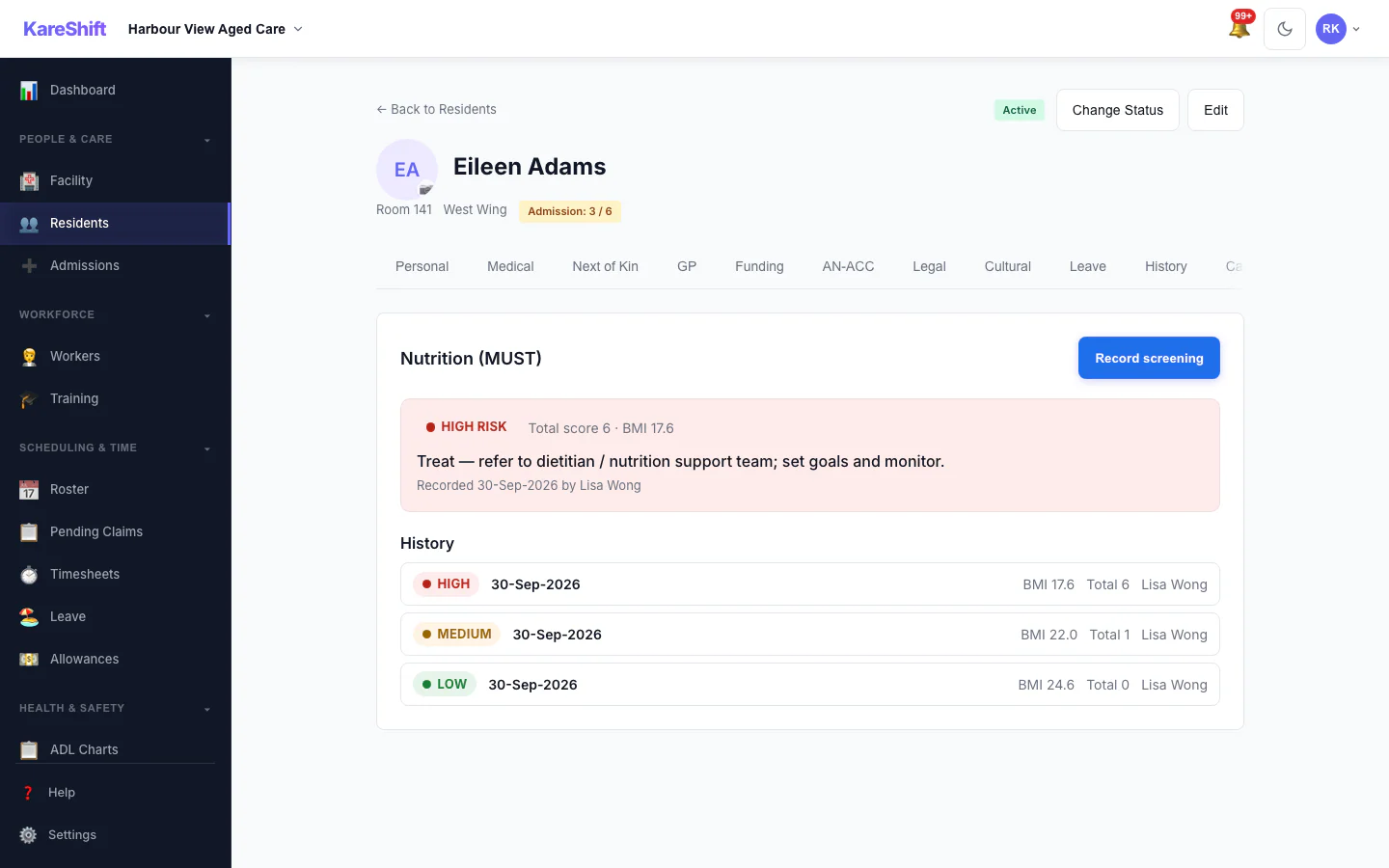
Nutrition Screening (MUST)
Structured malnutrition screening using the internationally recognised MUST (Malnutrition Universal Screening Tool). Enter height, weight, unplanned weight loss and acute-illness status — KareShift computes the BMI, the three sub-scores, the total, and the risk band, then recommends the management action.
- Automatic BMI, sub-scores and total — no manual calculation
- Low / Medium / High risk banding with the recommended action
- High-risk screenings alert coordinators for dietitian referral
- Height carried forward and weight pre-filled from the latest observation
- Full screening history per resident to track risk over time
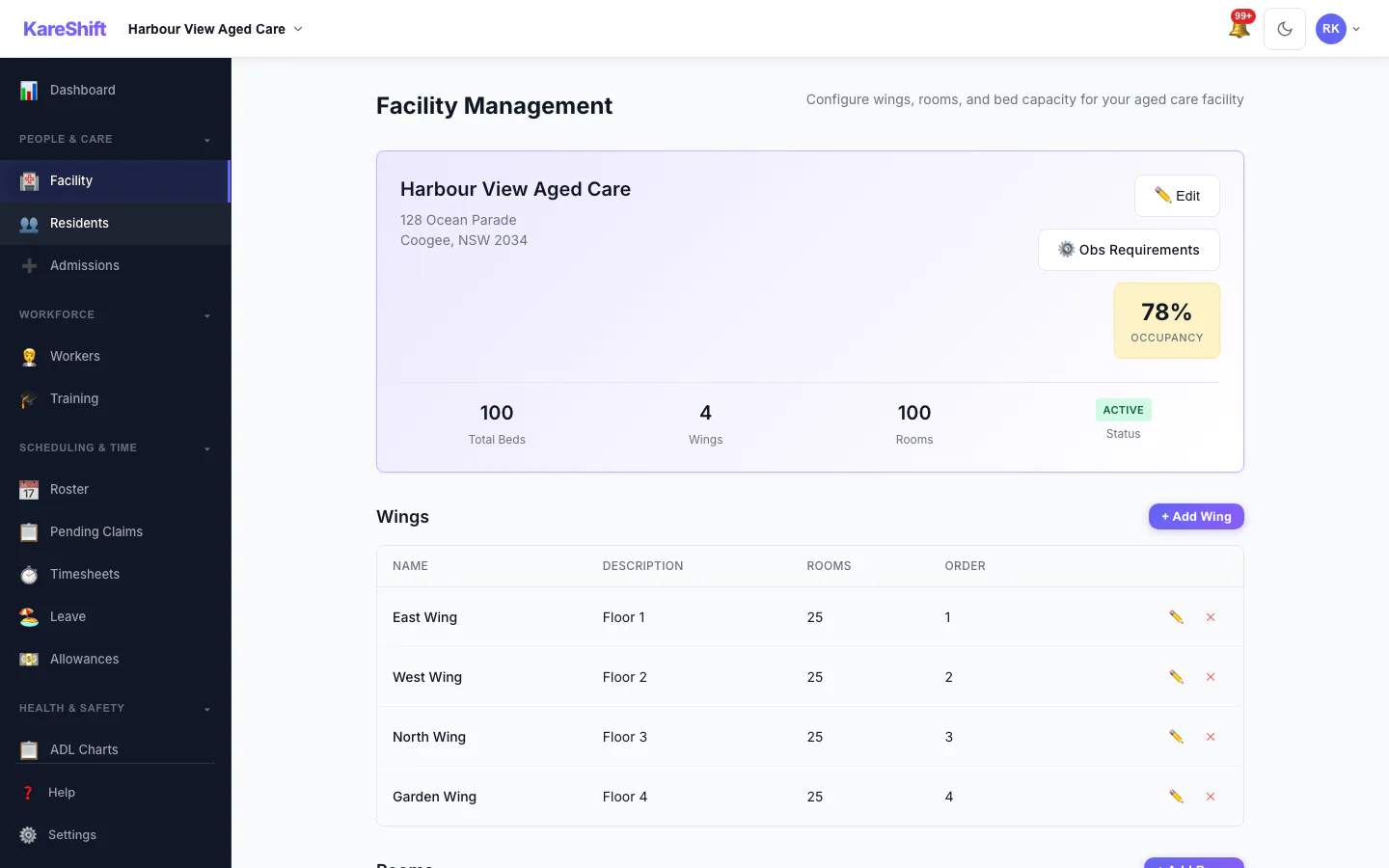
Facility & Room Management
Model your physical building structure — wings, floors, rooms, bed counts. See occupancy at a glance. Assign residents to rooms and workers to room ranges.
- Wings, floors, rooms with bed capacity (1–4 beds per room)
- Room status: Available, Occupied, Maintenance, Closed
- Occupancy dashboard with real-time bed availability
- Capacity enforcement — prevents over-assignment
- Unlimited rooms, wings, and floors per facility
- Room-range rostering: assign workers to rooms, not individuals
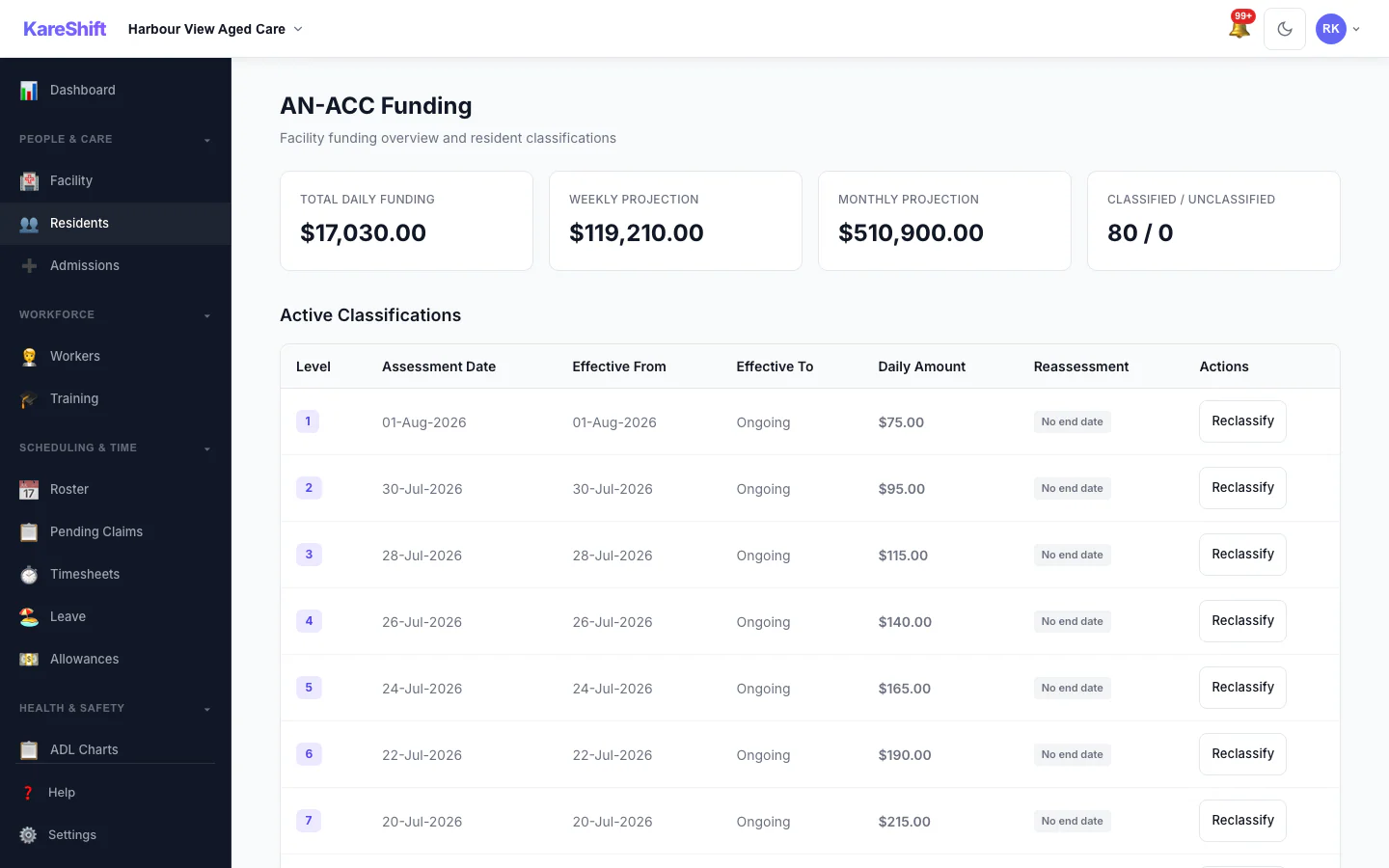
AN-ACC Funding Tracking
Track each resident's AN-ACC classification, daily funding amount, and reassessment dates. See total facility revenue at a glance.
- Per-resident classification with effective dates
- Base care tariff, adjusted amount, and supplement breakdown
- Daily, weekly, and monthly funding totals
- 60-day reassessment approaching alerts
- Auto-close classification on discharge or death
- CSV/Excel/PDF export for finance team
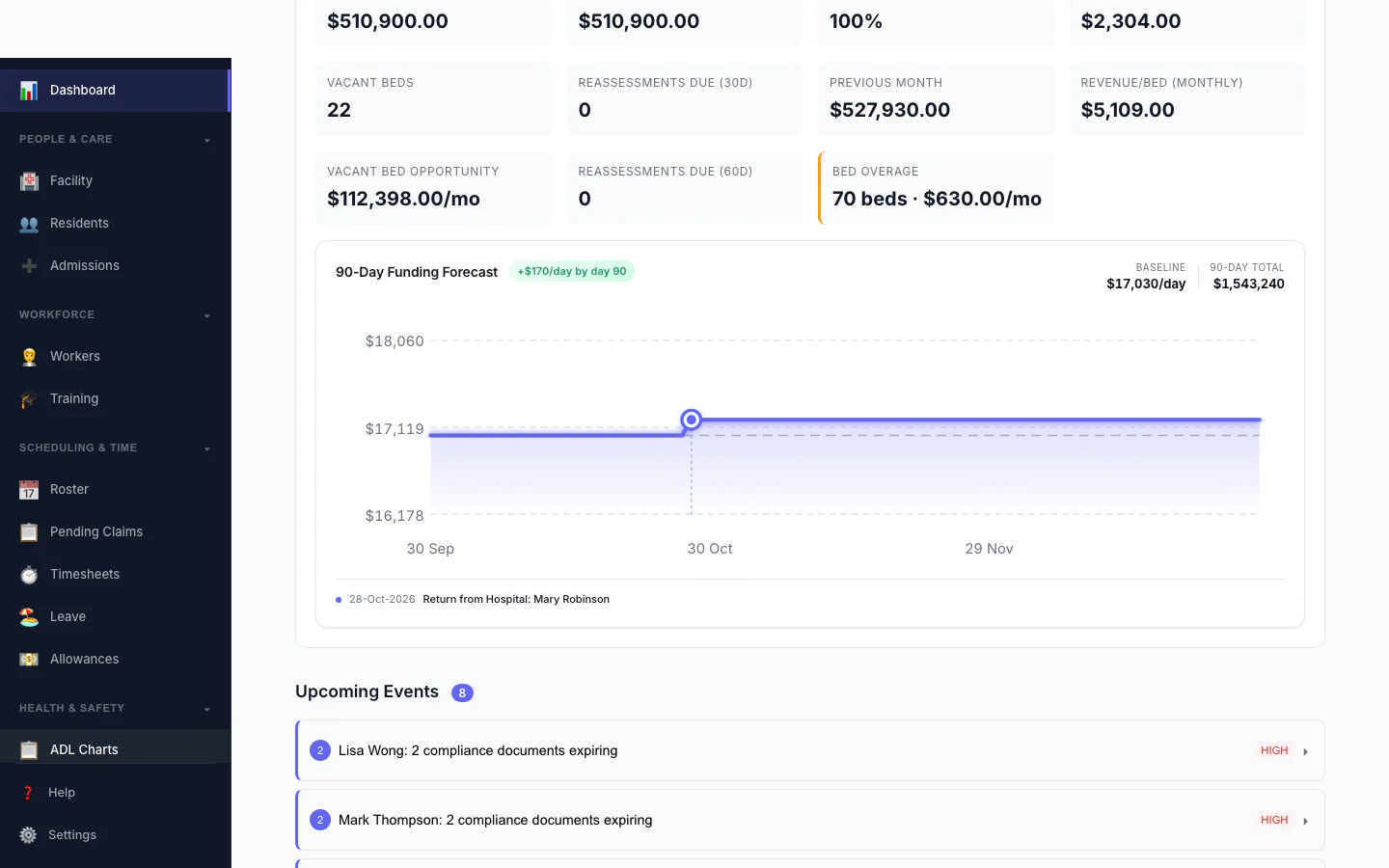
90-Day Funding Forecast
Project your AN-ACC revenue for the next 90 days. The chart accounts for bed hold returns, classification changes, and current occupancy to give you a clear financial outlook.
- Daily projected amount over 90 days
- Bed hold return events marked on the timeline
- Baseline vs projected revenue comparison
- Date-range filtering on the management dashboard
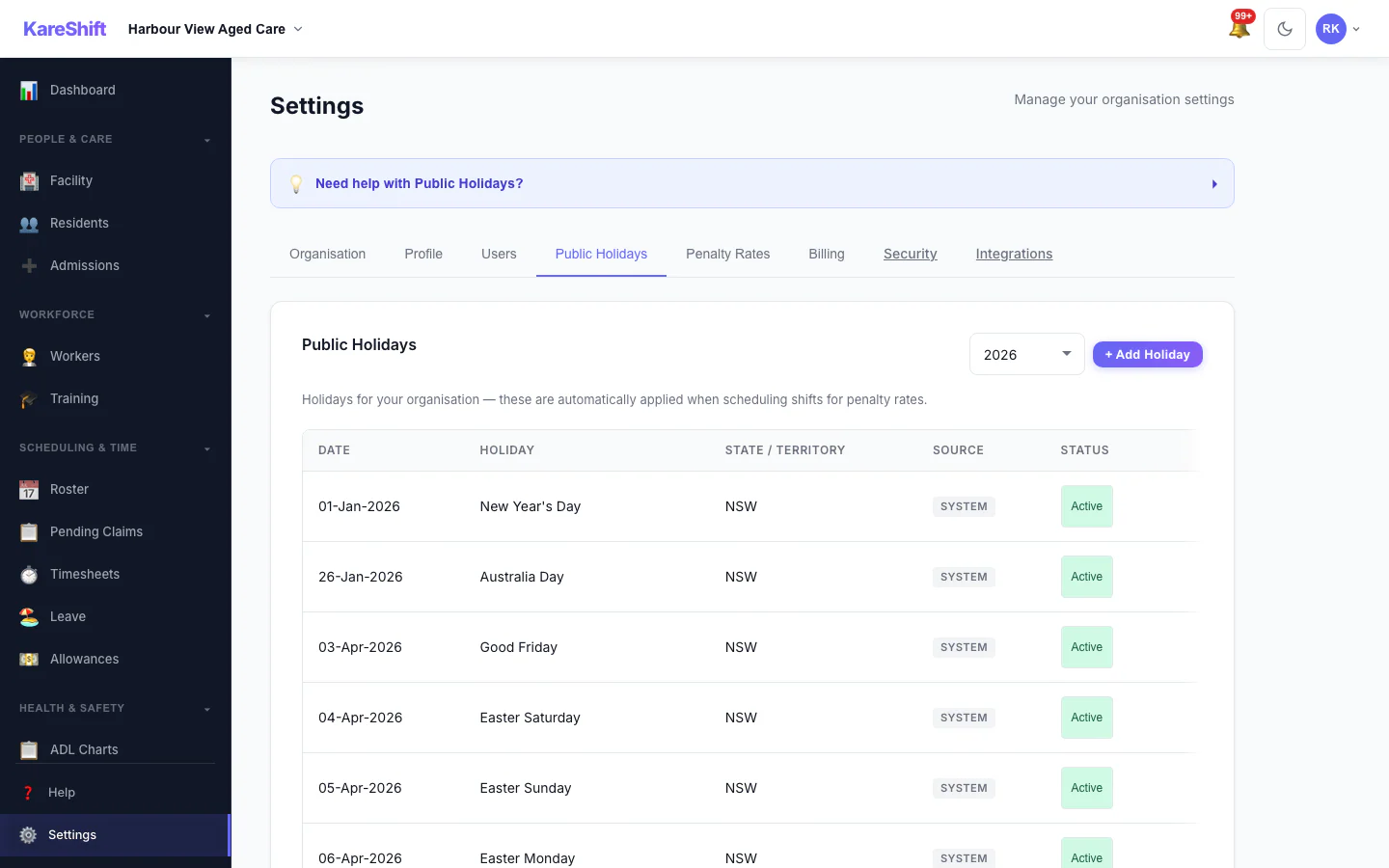
Public Holiday Management
System holidays are auto-applied for penalty rate calculations. Owners can add custom holidays (RDOs, enterprise agreement days) that also trigger penalty rates on shifts.
- Government holidays pre-loaded for all states
- Add custom org holidays (company days, RDOs)
- Custom holidays trigger 2.5× penalty rates automatically
- Source badges — see which are system vs custom
- Multi-country: AU, NZ, GB holidays supported
- Bulk import for loading entire years at once
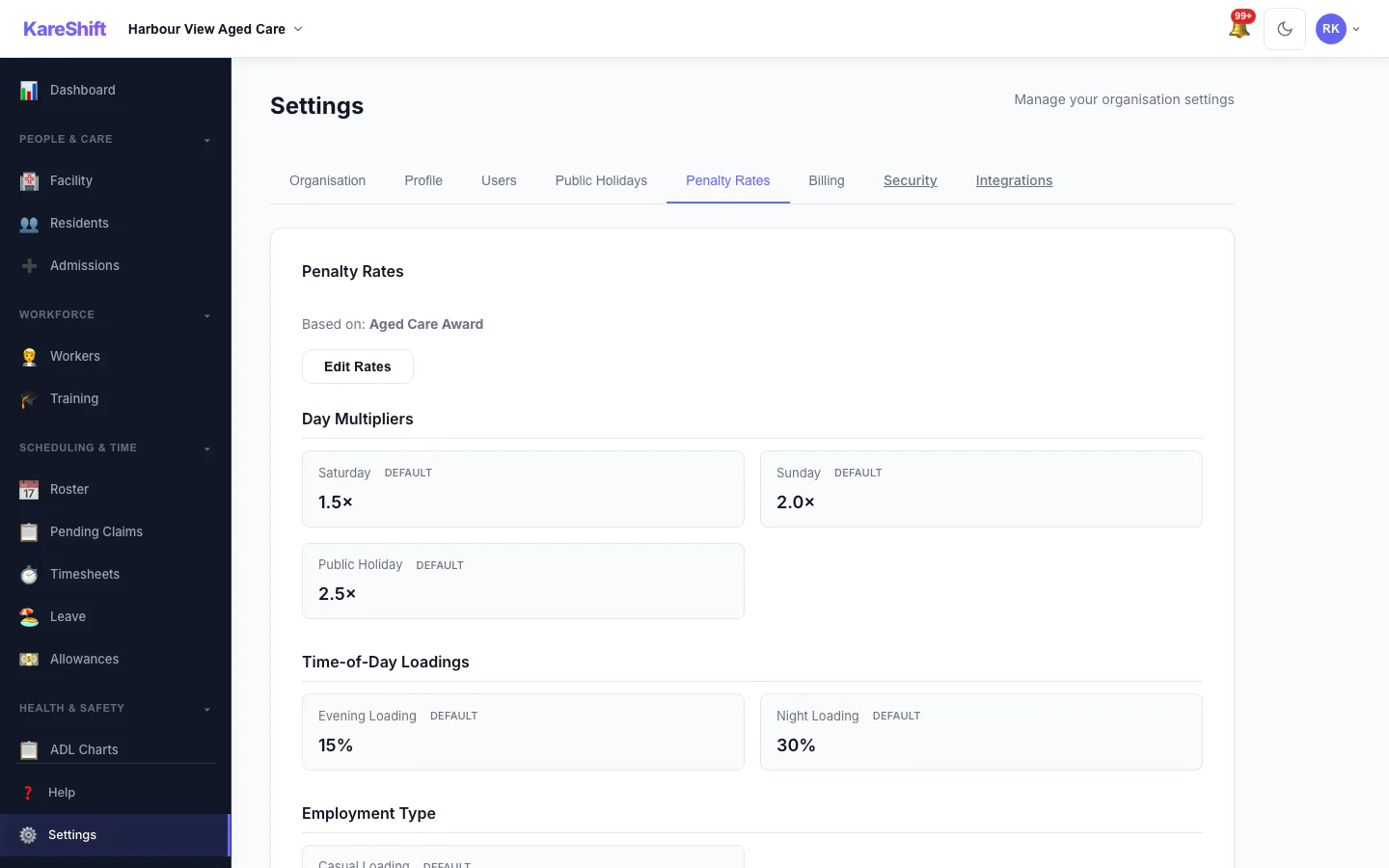
Penalty Rates & Template Import
Configurable penalty rate multipliers with one-click holiday template import. Override defaults per organisation or use standard aged care rates.
- Saturday, Sunday, public holiday multipliers
- Casual loading, overtime, broken shift allowance
- Default/Custom badges show what's overridden
- Import entire year's holidays from templates
- Holiday exclusion toggle — skip irrelevant holidays
- Instant backfill — existing shifts update automatically
Plus everything else you need
Shift Handovers
Structured handover from outgoing to incoming shift. Flag residents needing attention. Priority tasks auto-highlighted for incoming workers.
Room-Range Rostering
Assign workers to rooms, not individuals. Contiguous ranges (rooms 1–10) or specific rooms (3, 7, 12). Overlapping assignments for team shifts.
Care Minutes Tracking
Automatic calculation of care minutes per resident per day. RN vs total distinction. Weekly reports. Alerts when below 200-minute target.
eMAR — Medication Management
Full electronic medication administration: orders, rounds, PRN with dose limits, controlled drug register, MAR chart, allergy alerts, and error reporting.
RN Coverage Monitoring
See registered-nurse coverage across each shift window at a glance, so you can prove and maintain required clinical cover.
Worker Compliance
Aged Care Worker Screening, mandatory training, credential expiry tracking. Auto-populated checklist on worker creation. Dashboard health score.
Facility Dashboard
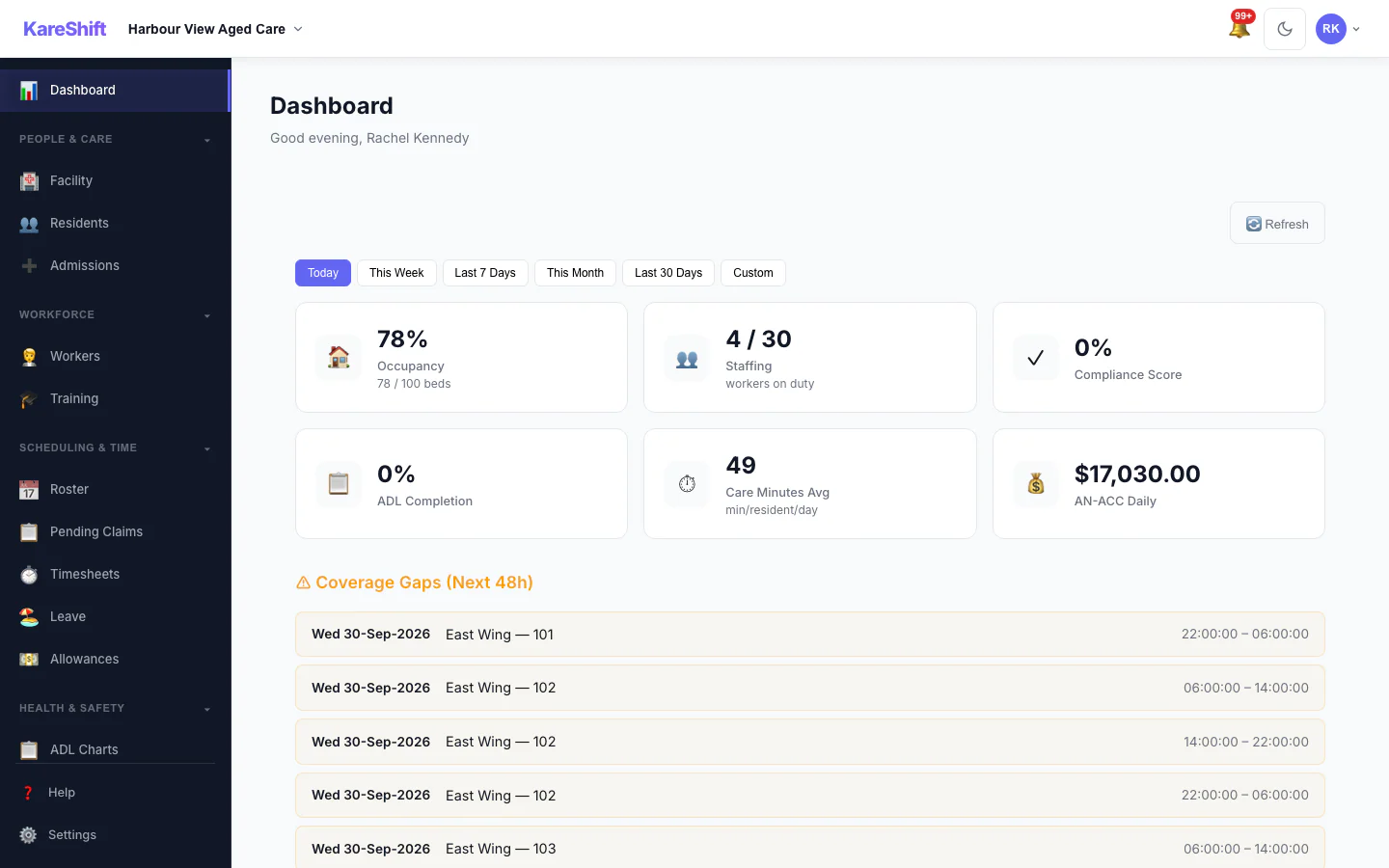
Occupancy, staffing, ADL completion rate, AN-ACC total, care minutes, coverage gaps, incidents — everything at a glance.
Coverage Monitoring
Detect staffing gaps for the next 7 days. Staffing ratio per shift period. Auto-recalculate on cancellation or sick leave.
Resident Profiles
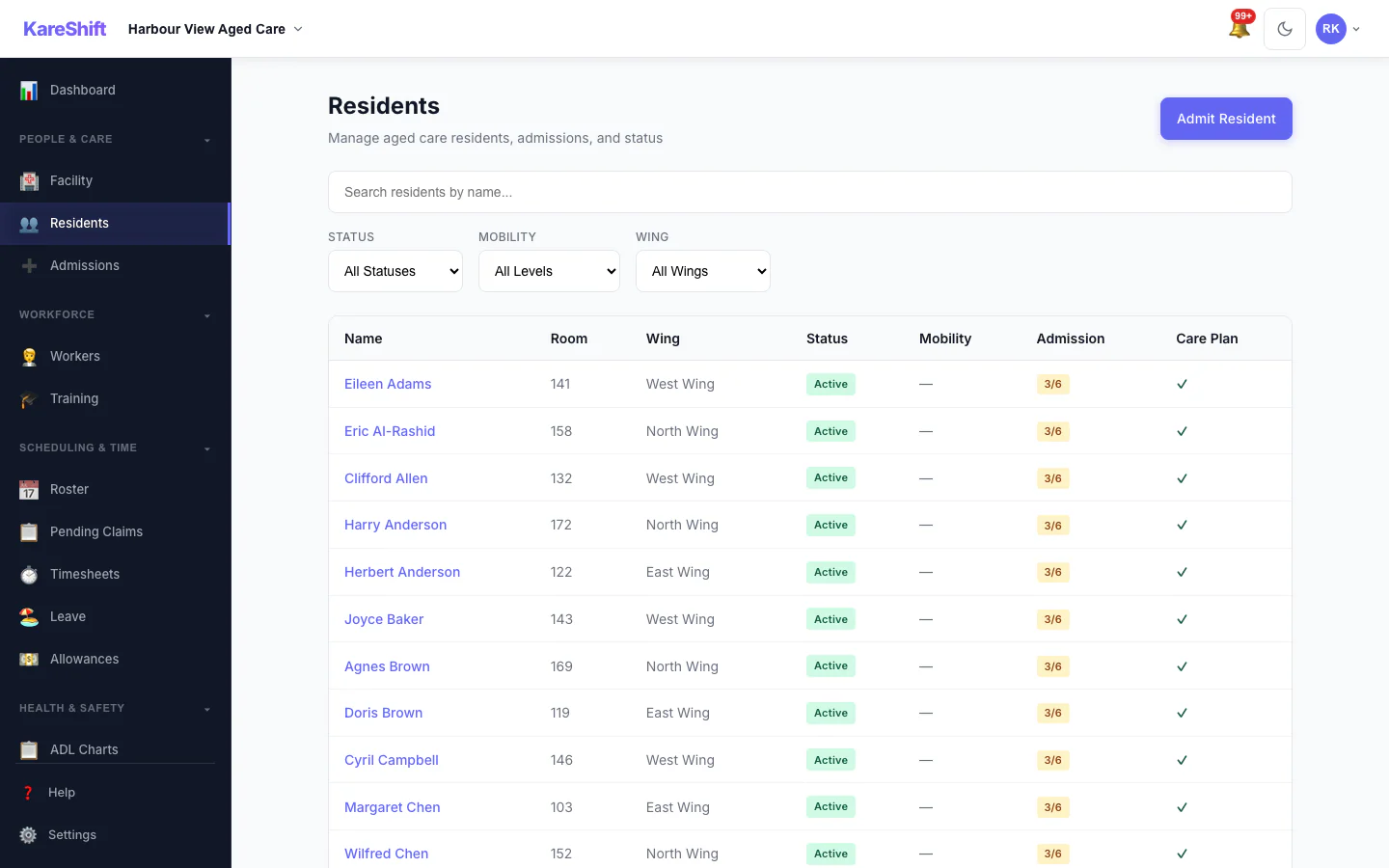
Comprehensive profiles: medical history, medications, allergies, dietary needs, NOK, GP details, mobility, cognitive status. All in one place.
Restrictive Practices Register
Record all restrictive practice events. Per-resident history. Facility-wide summary. Alerts at 3+ events in 7 days. Full regulatory compliance.
Payroll & Export
Payroll-ready CSV, styled Excel, and branded PDF exports. Timesheets with room context. No NDIS line items — just clean shift hours for aged care payroll processing.
In-App Messaging
Message workers and coordinators directly. Broadcast announcements to teams. Share attachments. Push notifications keep everyone connected.
Custom Forms
Build custom checklists and assessment forms. Attach to shifts. Workers complete on mobile. PDF export for records and audits.
Xero Payroll Integration
Direct timesheet sync to Xero. Employee auto-mapping, earnings rate configuration, batch processing. No manual re-entry of timesheet data.
Invoicing
Generate invoices from approved timesheets. Credit notes, receipts, PDF export. Track billing against resident funding and fee agreements.
Two-Factor Authentication
Optional authenticator-app 2FA for owners, admins and coordinators, with backup codes and trusted devices. Owners can require it for their team, and a security log records the changes. How sign-in is protected.
Bulk Data Import
ShiftCare client and staff lists are recognised automatically. Bring in plans, assignments, compliance documents, shifts and timesheets with our templates. Review and bulk-fix before saving, undo within 30 days, and past work is kept as history, never paid or invoiced again.
Voice Dictation
Workers speak their shift notes and progress entries — no typing on a phone. Tap the mic, talk naturally, notes are saved. Works on Chrome and Edge. Saves 5 minutes per shift.
NFC/QR Tag Check-in
Place a QR code or NFC tag at the client's home. Workers scan to clock in — proof of presence without GPS uncertainty. Ideal for home care and community aged care visits.
Shift Offers
Broadcast open shifts to available workers. They accept or decline from their phone. Fill vacant shifts in minutes — no phone calls or text chains.
Geofence Verification
Verify workers are at the right location when they clock in. Automatic alerts on geofence violations. Objective attendance evidence for aged care audits.
Recurring Shifts
Set up a shift pattern once, repeat weekly, fortnightly, or monthly. Build a full roster in seconds. Adjust individual shifts without breaking the pattern.
Smart Worker Suggestions
When creating a shift, KareShift ranks available workers by history, compliance, and availability — so you always assign the best match for that resident and room.
Worker Availability
Workers set and update their own availability from their phone. Coordinators see real-time availability when building the roster — no more back-and-forth to confirm shifts.
Worker Self-Onboarding
Invite a worker — they complete their own profile, upload credentials, and set availability. No admin data entry. Saves 30 minutes per new hire.
Travel & Mileage
Workers log travel between sites for home care and community visits. Mileage is logged at a configurable per-km rate. Export for reimbursement — especially relevant for Home Care Package and Support at Home work.
Multi-Role Support
Directors and coordinators who also work care shifts can switch roles instantly. One account, two views — no separate login or dual profile needed.
Leave Management
Workers request leave, managers approve. Automatically reflected in the roster — no double-handling or manual gap-filling.
Analytics Dashboard
Shift fill rates, worker utilisation, compliance health, ADL completion trends, and coverage gaps — all at a glance. Know how your facility is performing week to week.
Family Update Feed
Staff post short text and photo updates about a resident, and the family reads them in a private, sign-in portal. Relatives get an email notification. It is one-way — a feed of updates your staff choose to share, not a live care timeline.
Admissions Enquiries
Track each enquiry from first contact through tour, assessment, waitlist and offer to admission, with activity notes and documents on every enquiry. Convert an accepted enquiry into a resident record.
Training & Learning Records
Create training modules, mark them mandatory or optional and set how long each completion stays valid. Assign them to workers, record completions, and see expiring or expired training flagged. Workers can see their own training.
See it in action
Real product screenshots — not stock photos. This is what your team will use every day.
Management Dashboard
Occupancy, care minutes, staffing, AN-ACC revenue, SIRS alerts — everything at a glance.
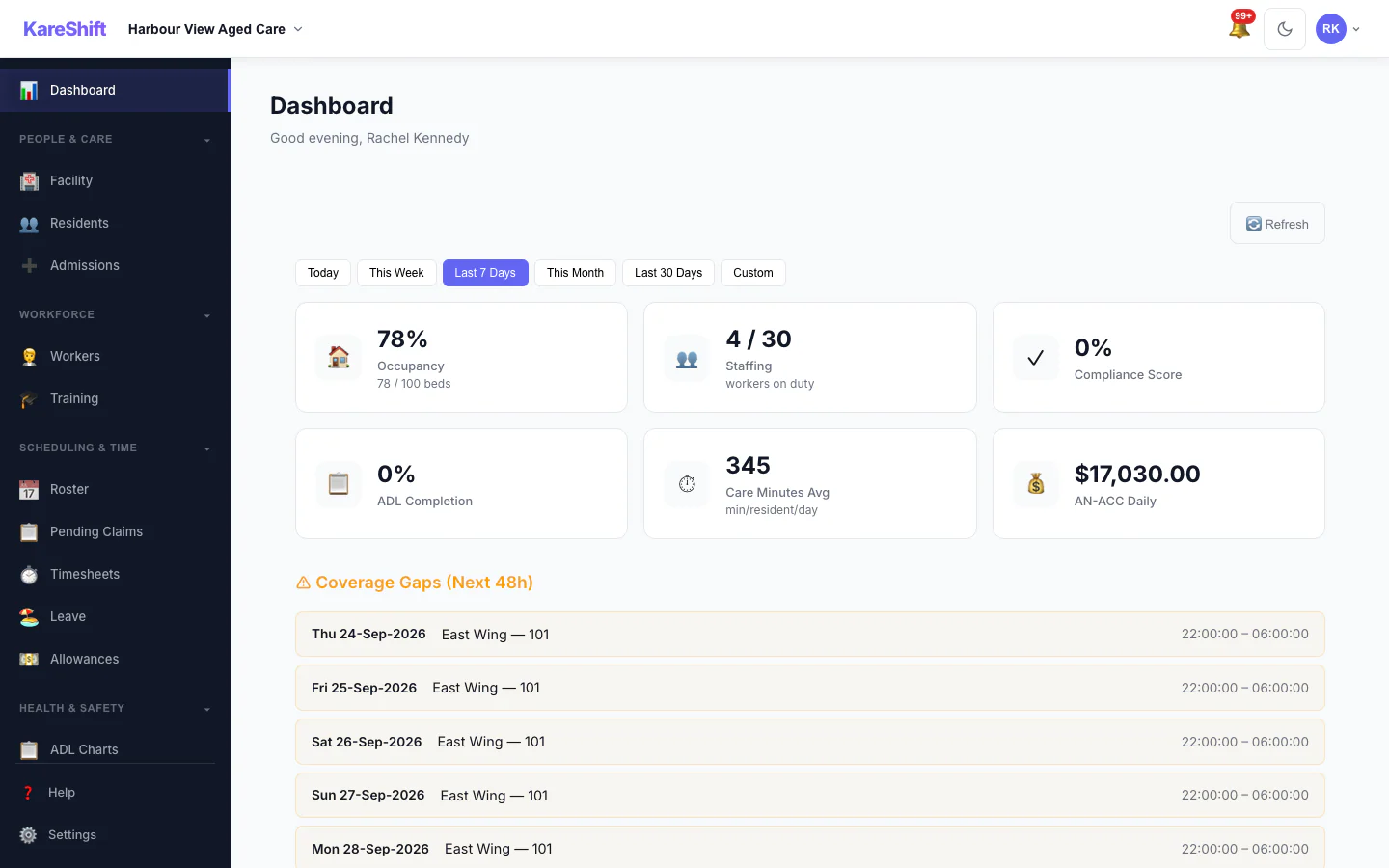
Date-Range Filtering
Filter dashboard metrics by preset ranges or custom dates. Coverage, incidents, and care minutes all respond to the selected window.
Funding Forecast
90-day AN-ACC revenue projection. Visualises baseline, bed hold returns, and total expected funding.
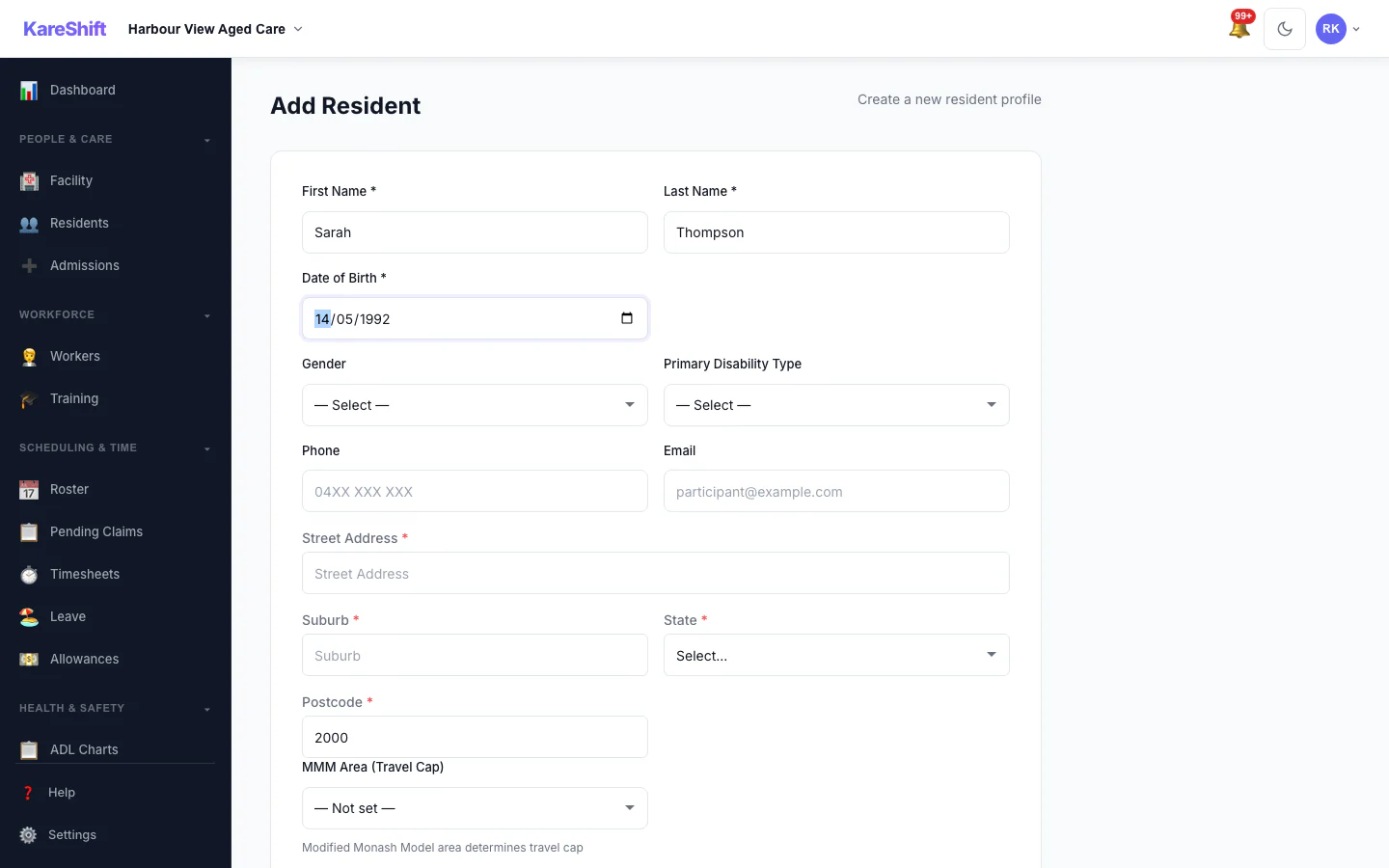
Remoteness Auto-Lookup
Postcode entered, MMM area auto-resolved. Used for remote funding loadings and workforce incentive calculations.
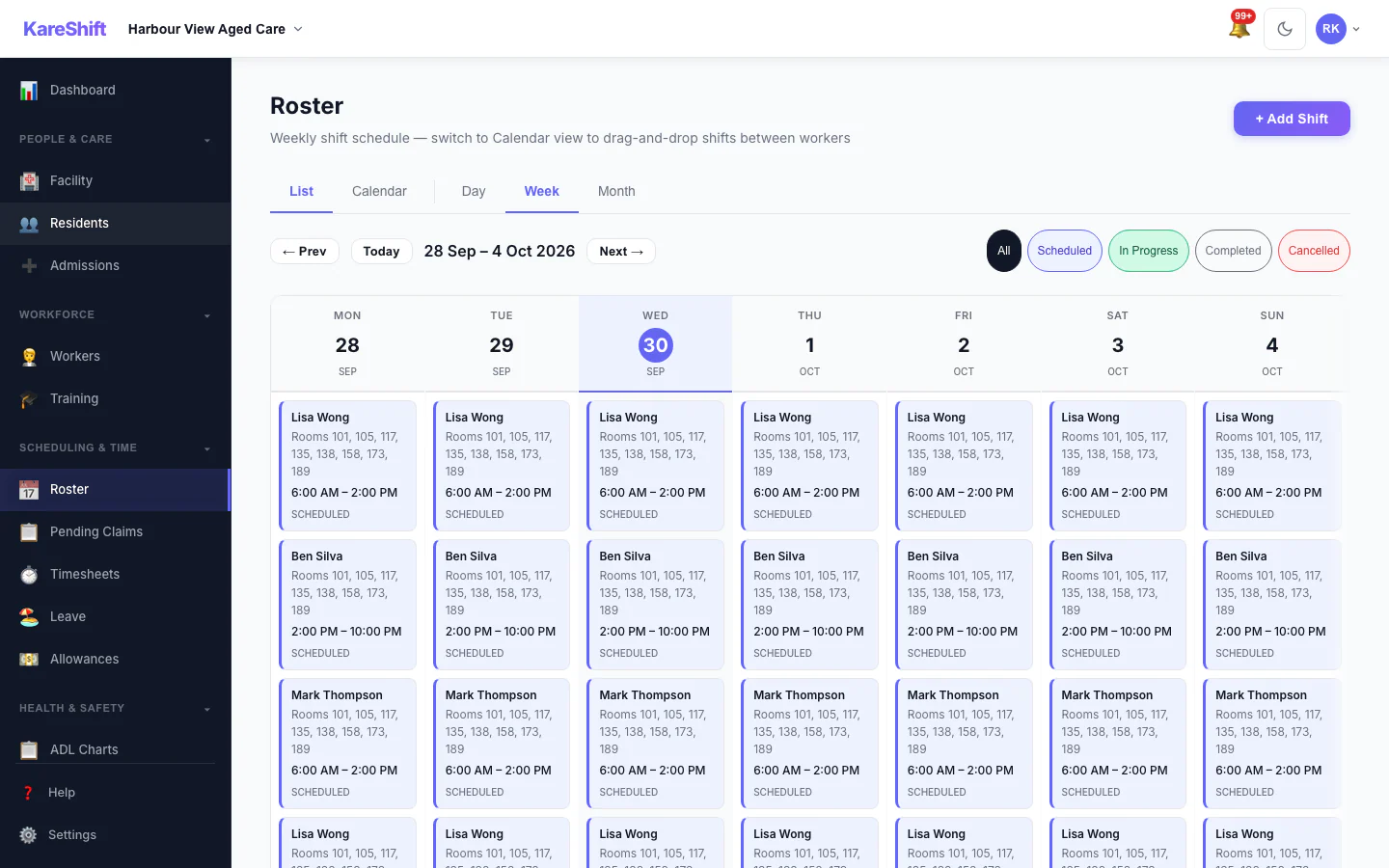
Roster & Staffing
Room-range shift assignment. Morning/afternoon/night coverage across all wings.
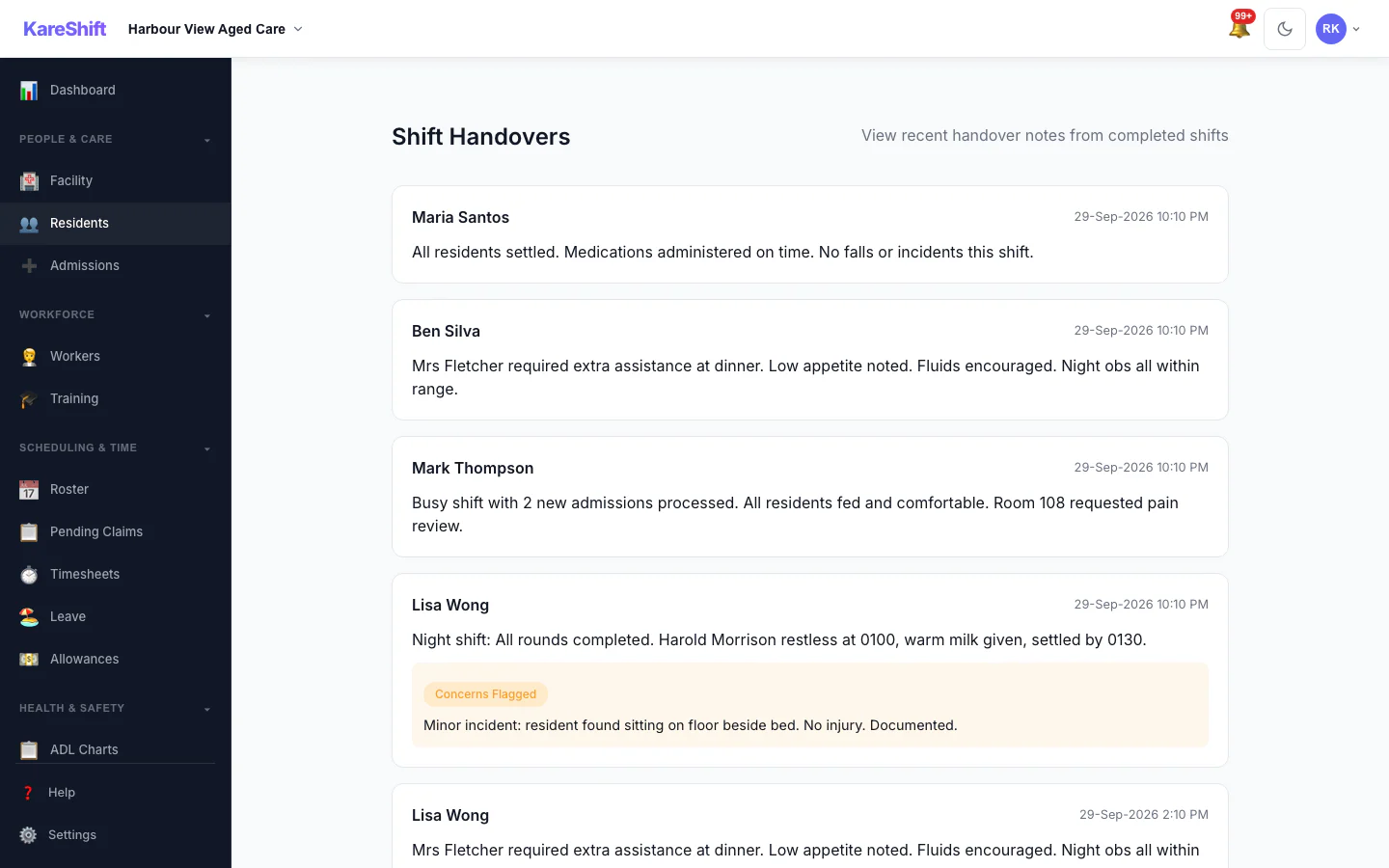
Shift Handover
Structured handover — flagged residents, priority tasks, concerns from outgoing staff.
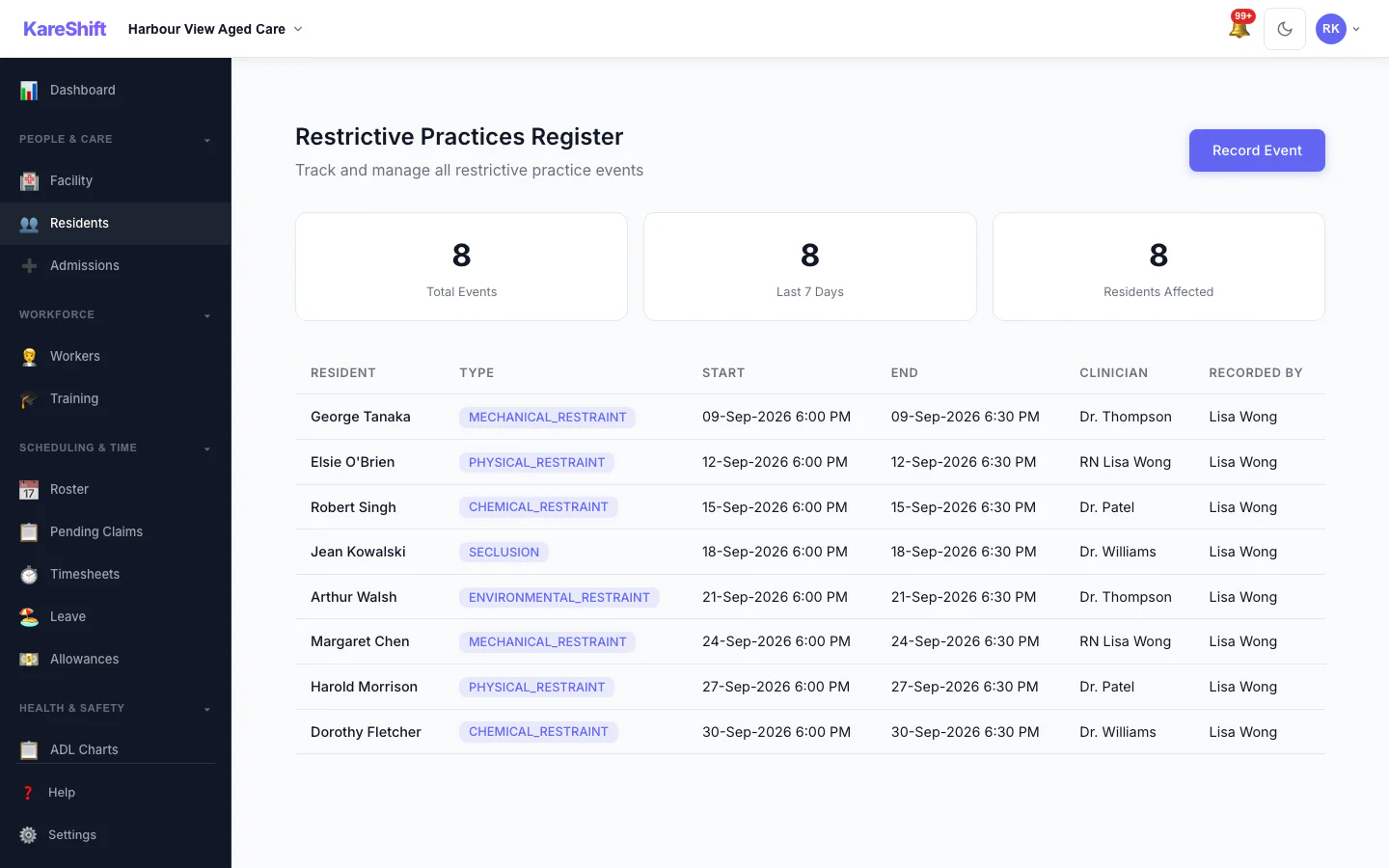
Restrictive Practices
Complete register per resident. Frequency monitoring, alerts, compliance reporting.
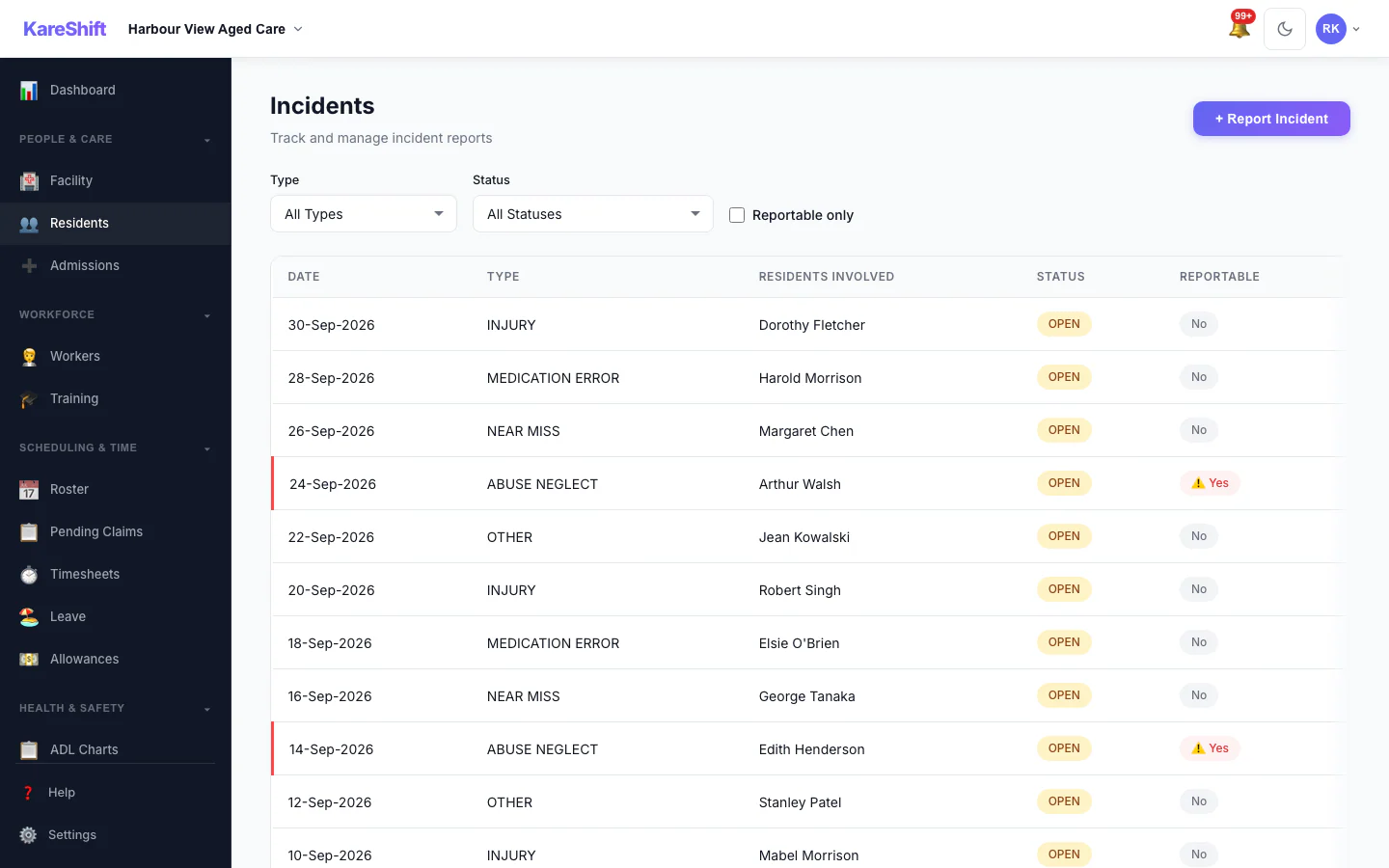
SIRS & Incidents
SIRS classification, 24-hour deadline tracking, quality standards evidence.
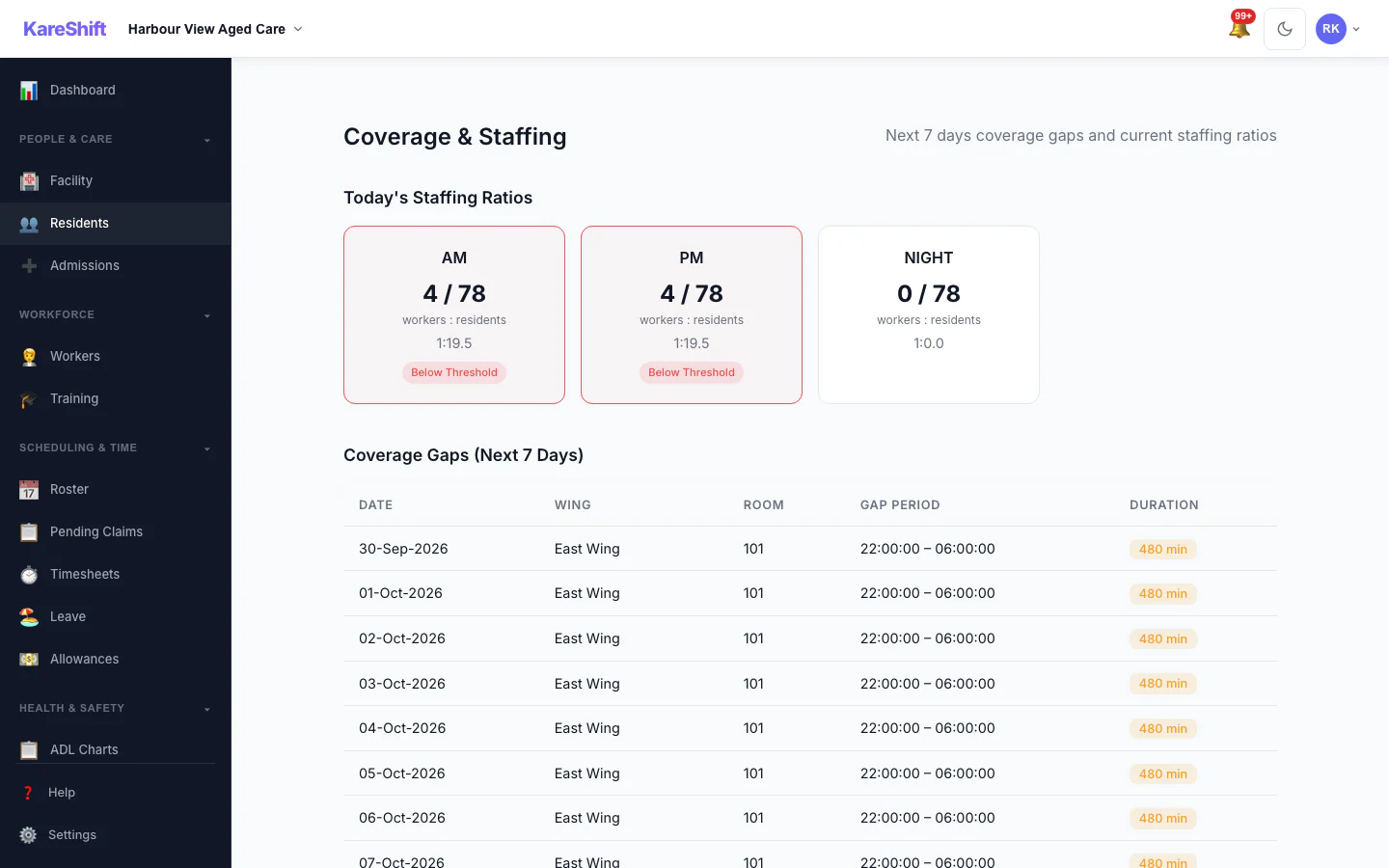
Coverage Monitoring
Identify gaps, verify ratios, ensure every wing is covered every shift.
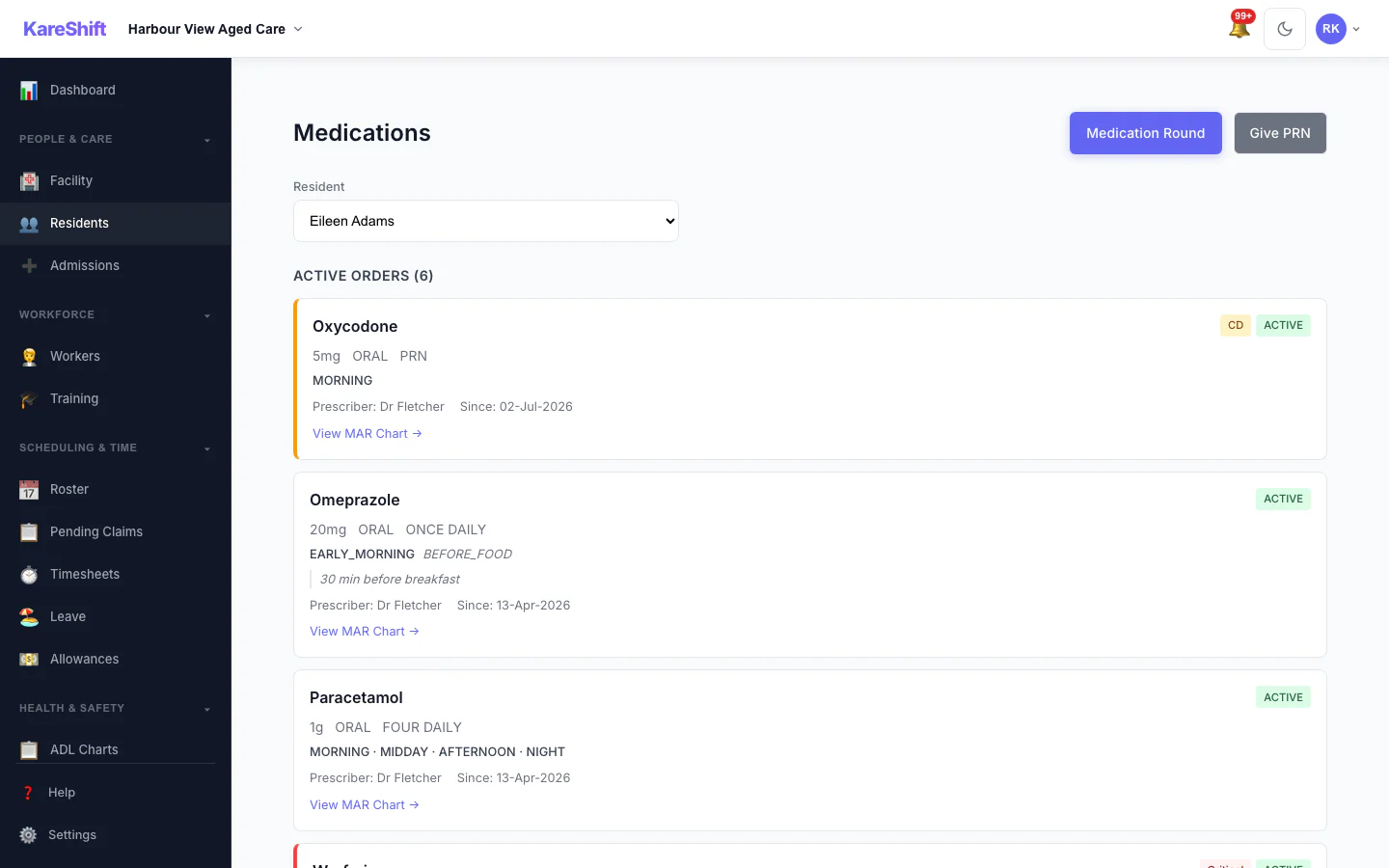
Electronic Medication Administration (eMAR)
Full medication management — orders, rounds, PRN, controlled drugs. Allergy alerts flag conflicts during administration. Real-time compliance tracking with missed dose alerts.
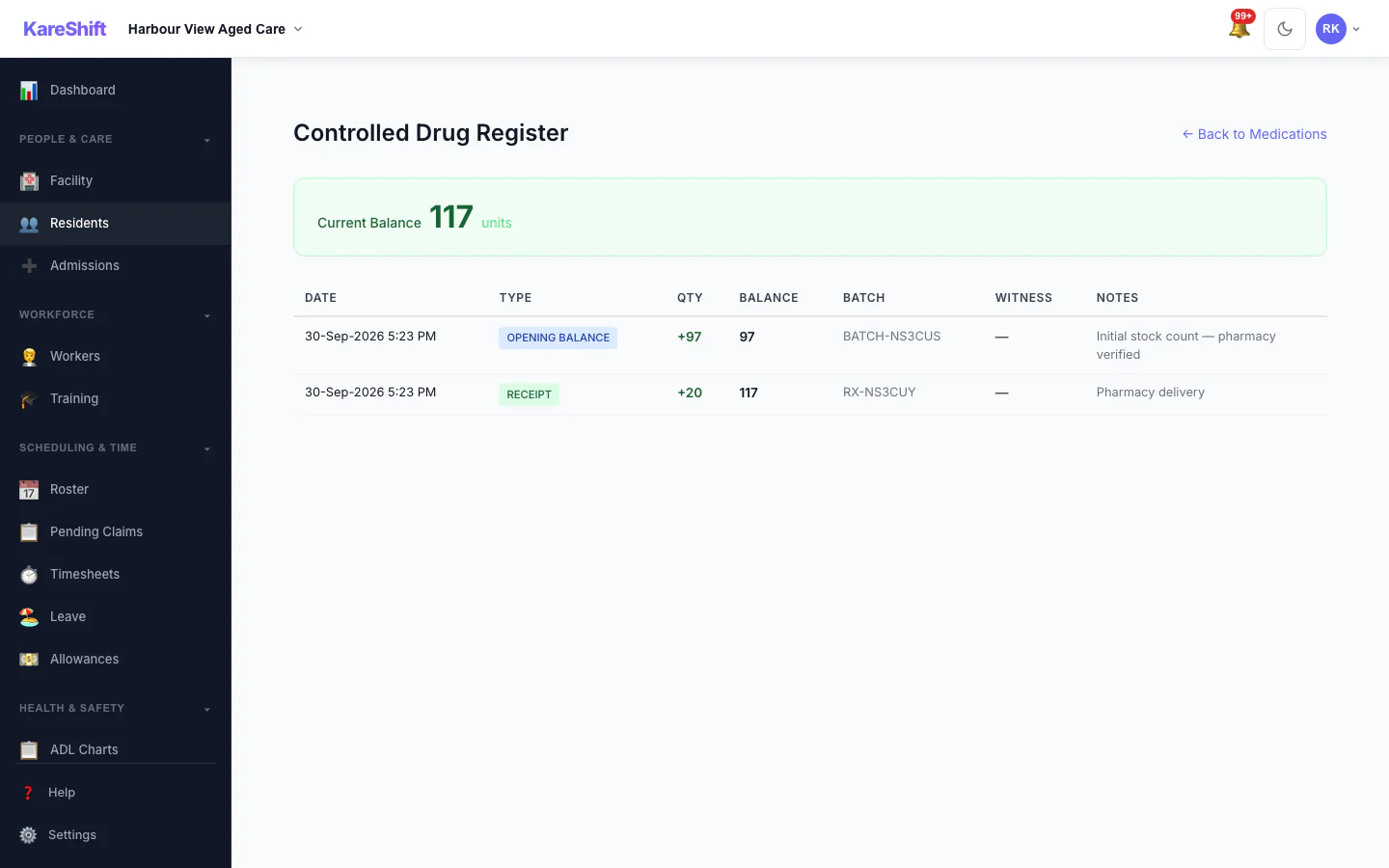
Controlled Drug Register
Schedule 8 register with opening balance, receipts, administrations, disposals, and discrepancy alerts. Full chain of custody.
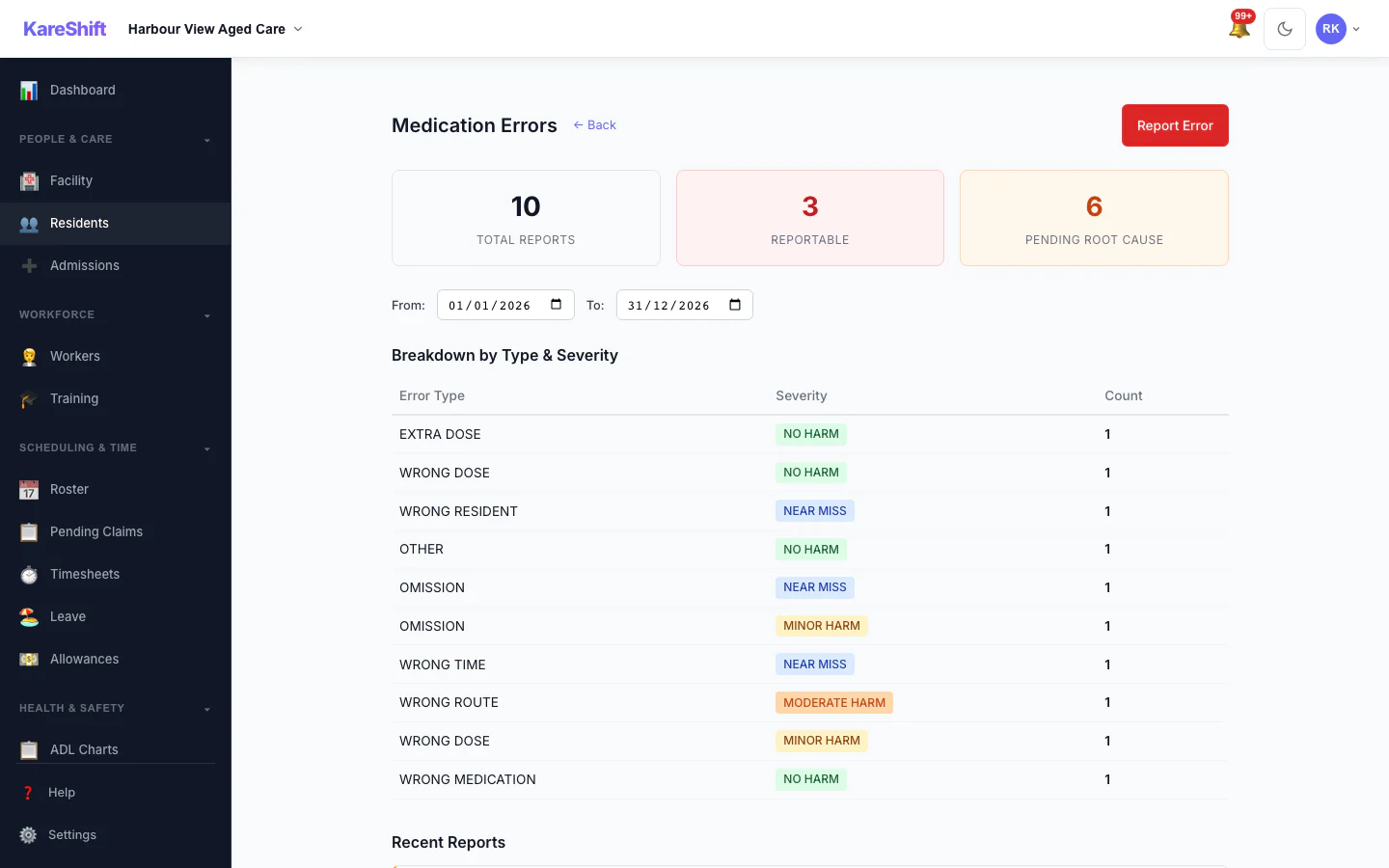
Medication Error Reporting
Structured incident reporting — wrong dose, wrong time, omission. Root cause analysis, severity classification, SIRS-reportable flagging for serious incidents.
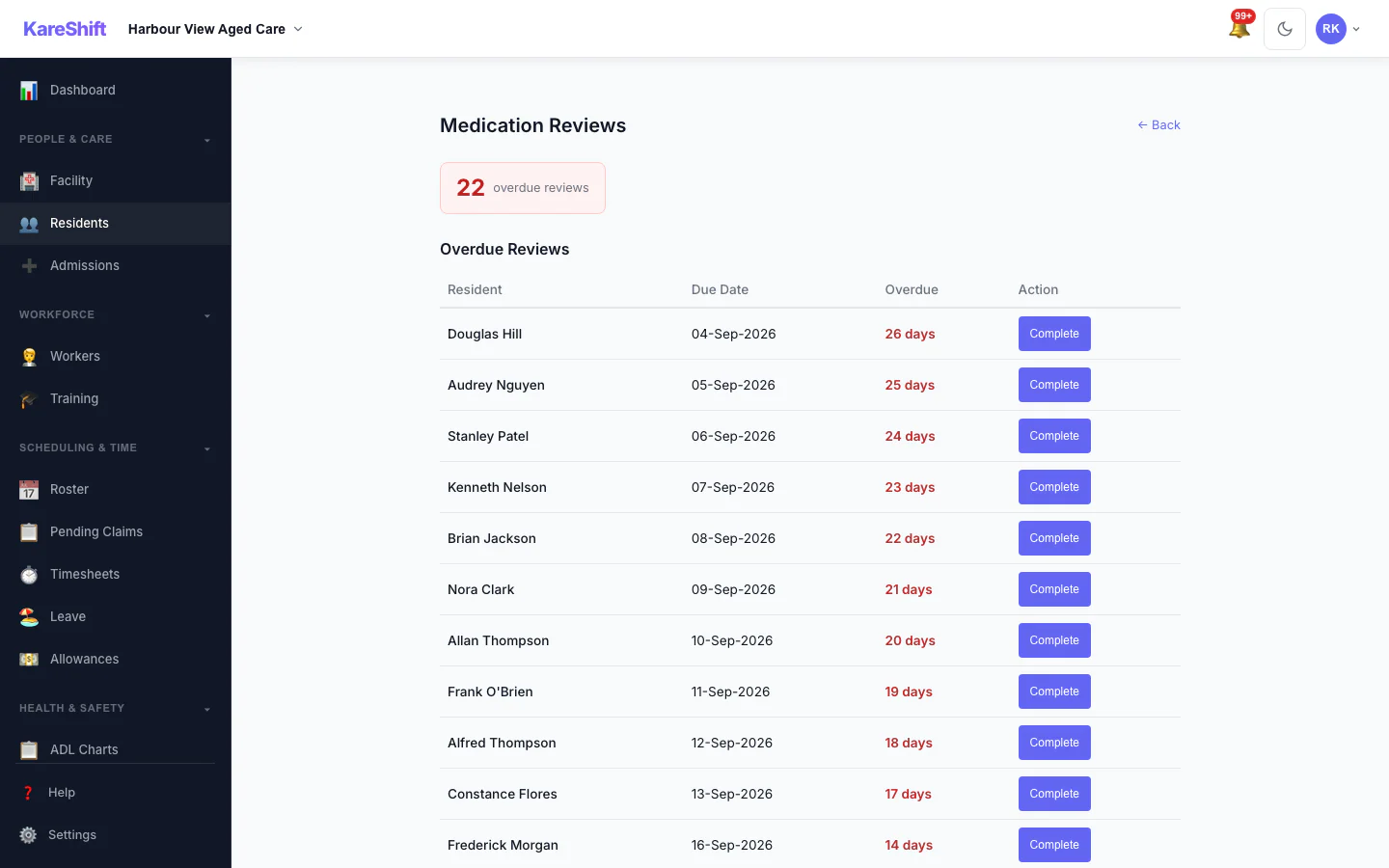
Medication Review Tracking
Track overdue quarterly medication reviews. GP/pharmacist sign-off, deprescribing documentation, next review scheduling.
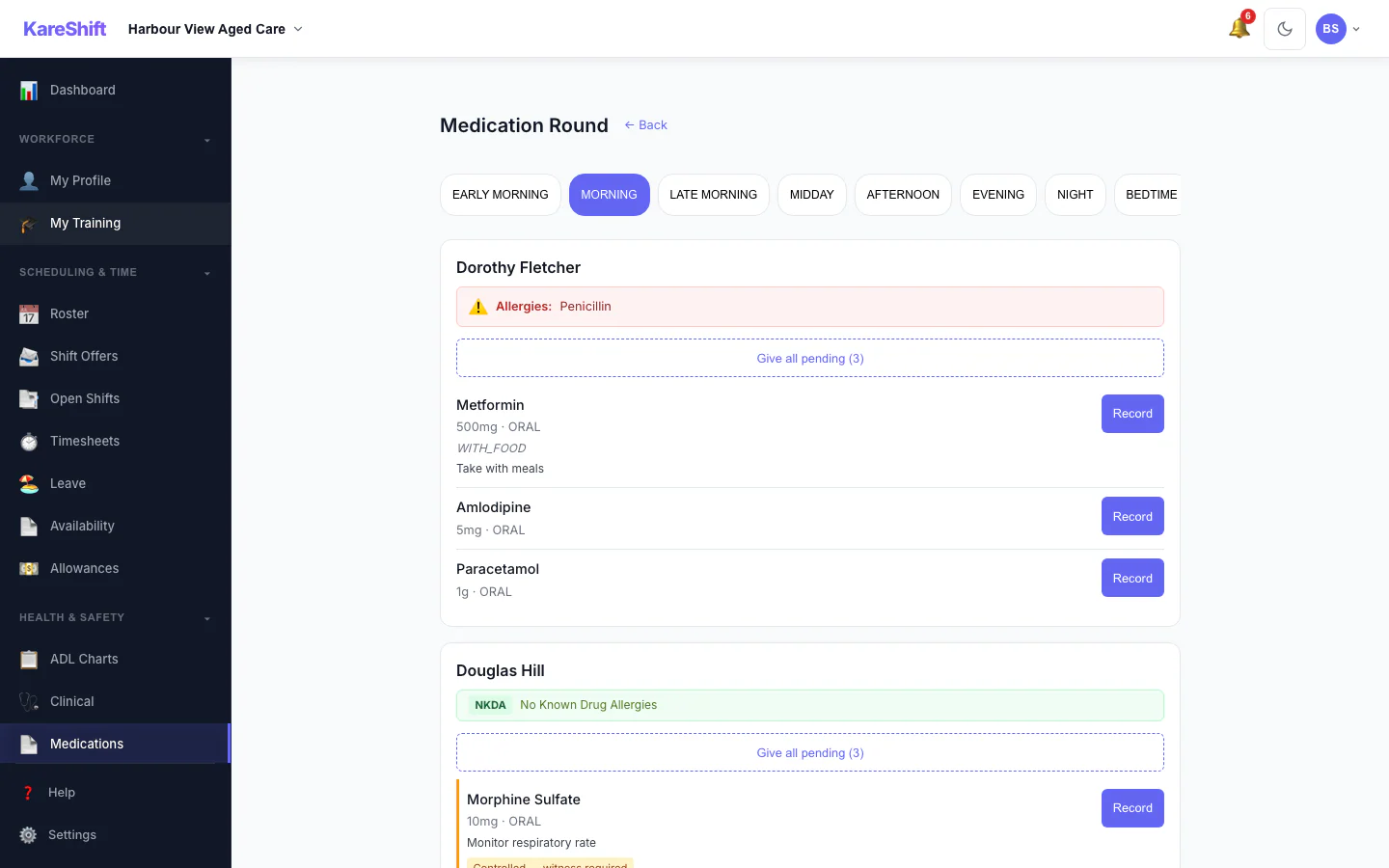
Medication Rounds
Workers see their room assignments with medication checklists. Allergy warnings shown before administration. Tap to administer, record PRN, flag missed doses. Mobile-first.
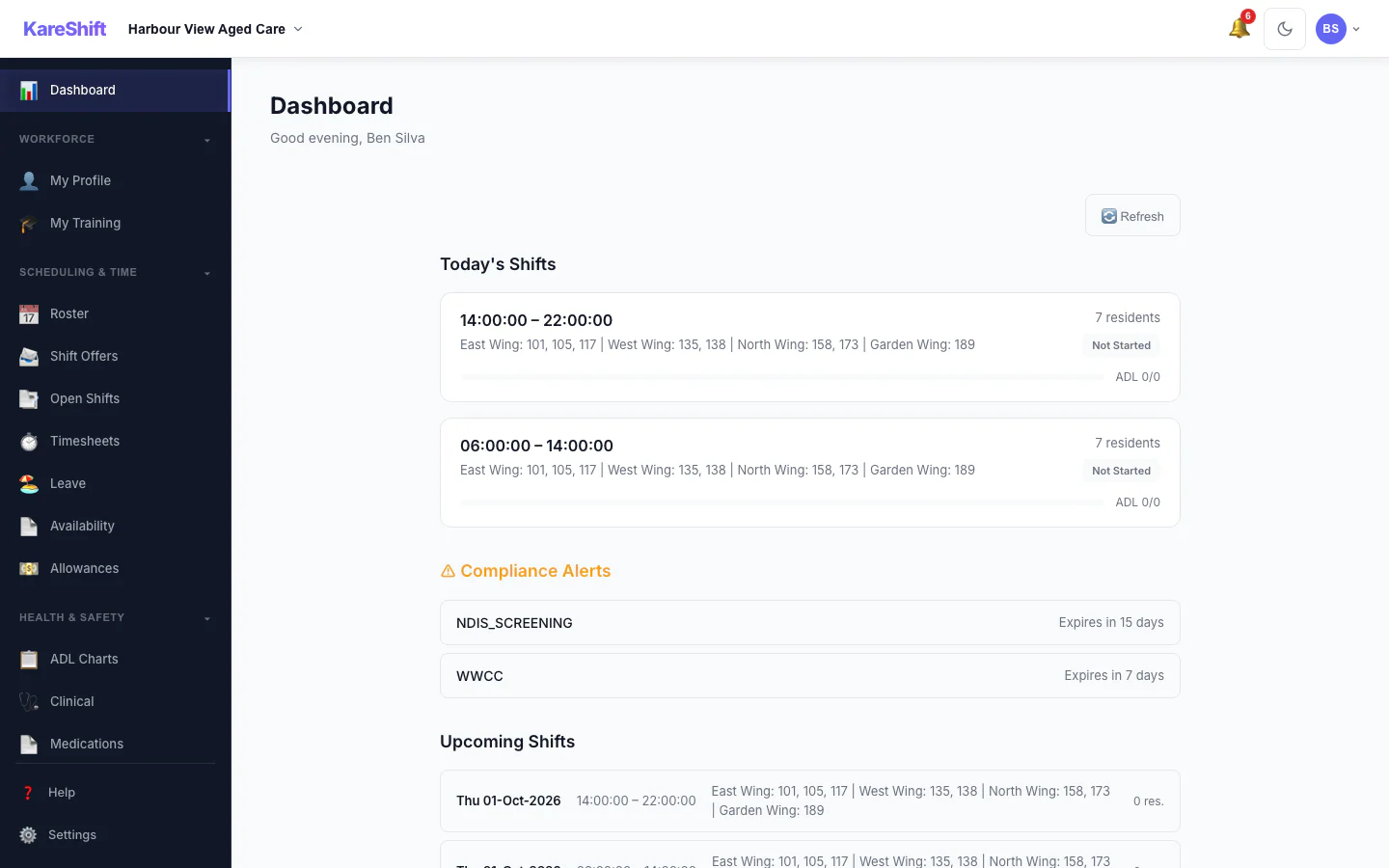
Worker View
What care workers see — room assignments, ADL tasks, handover notes, compliance alerts.
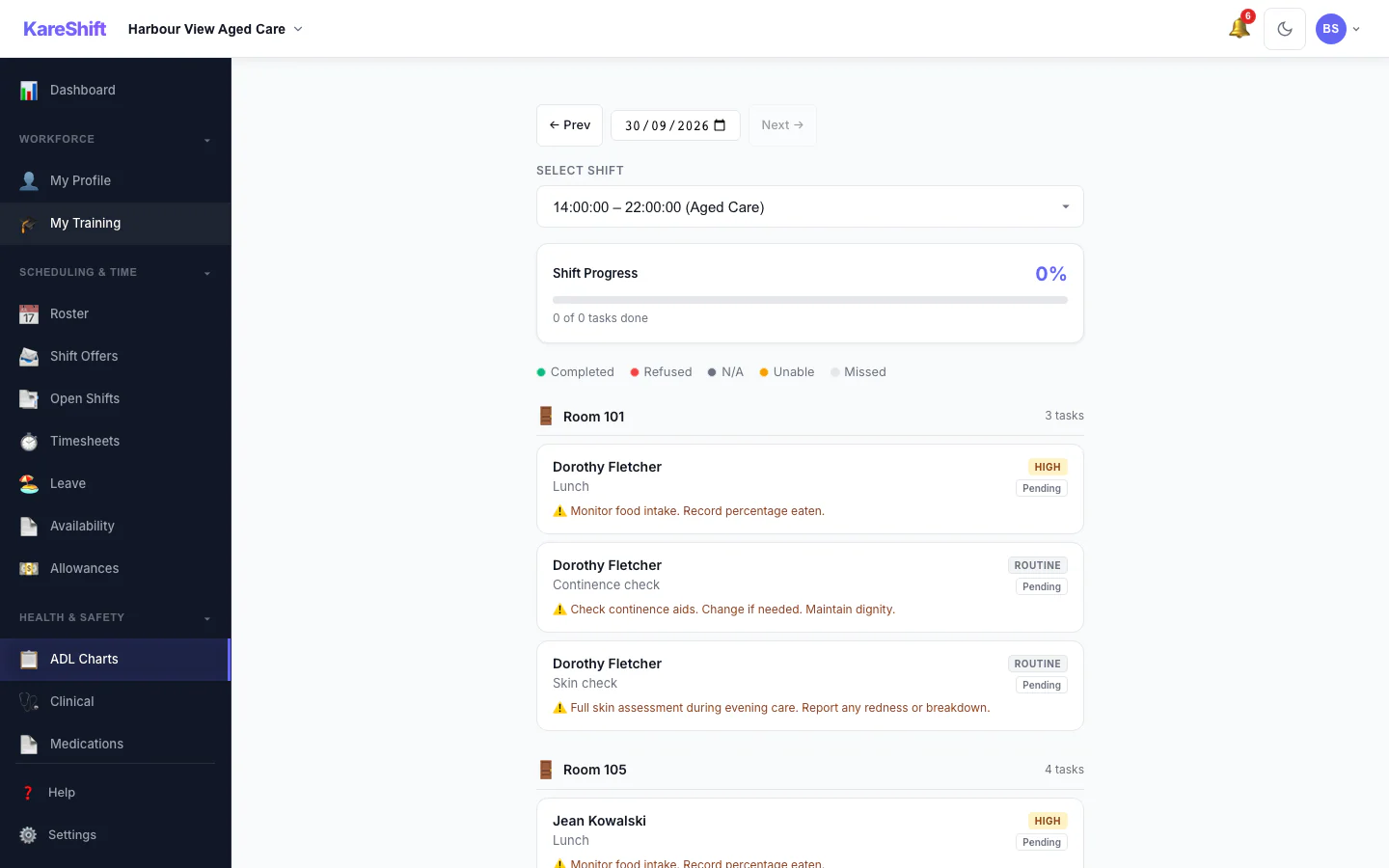
Worker ADL Charting
Tap to mark tasks complete. Progress indicator. Notes on refusals. All from their phone.
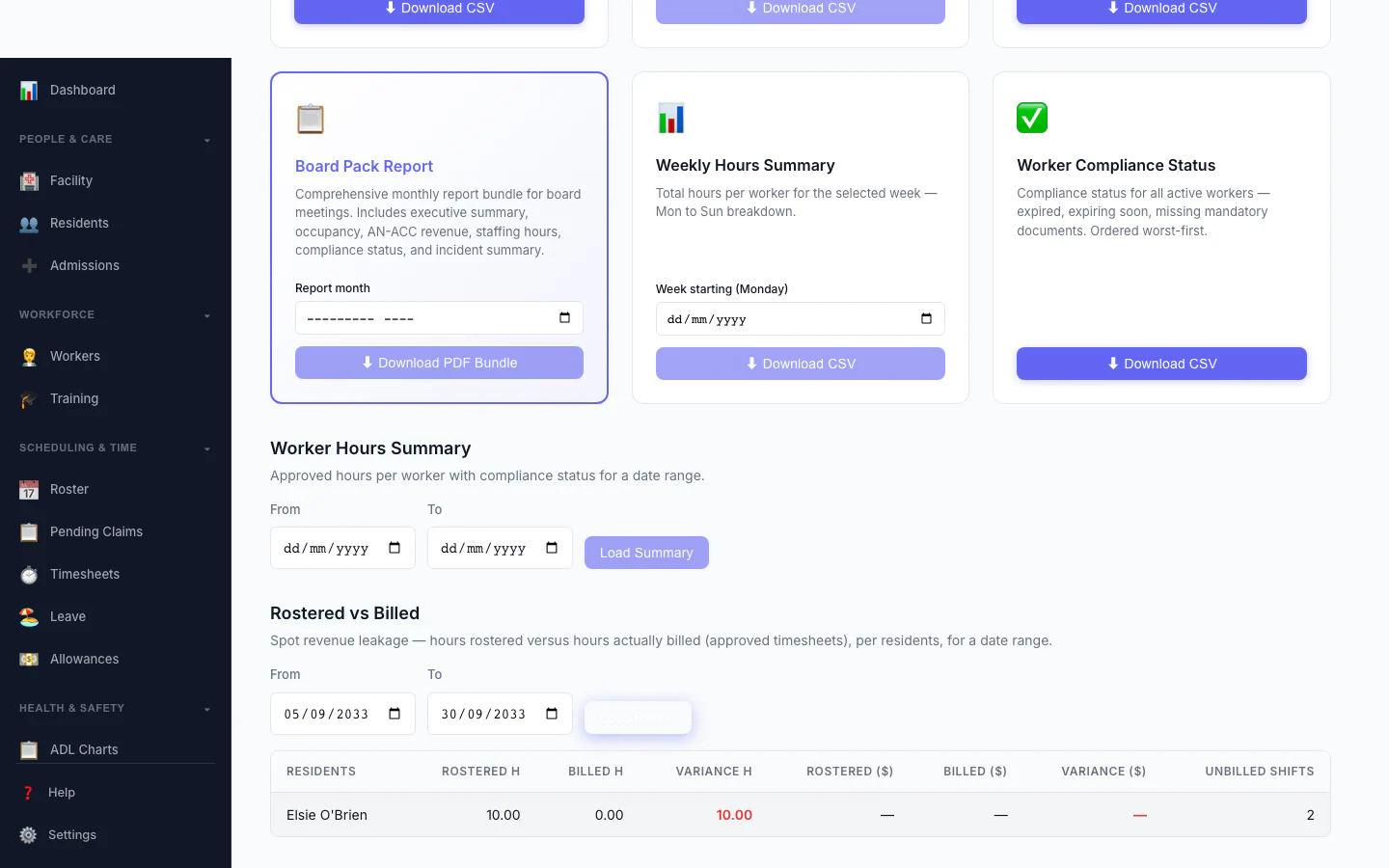
Rostered vs Billed
Spot revenue leakage at a glance — rostered hours versus hours actually billed, per participant, with the shortfall highlighted.
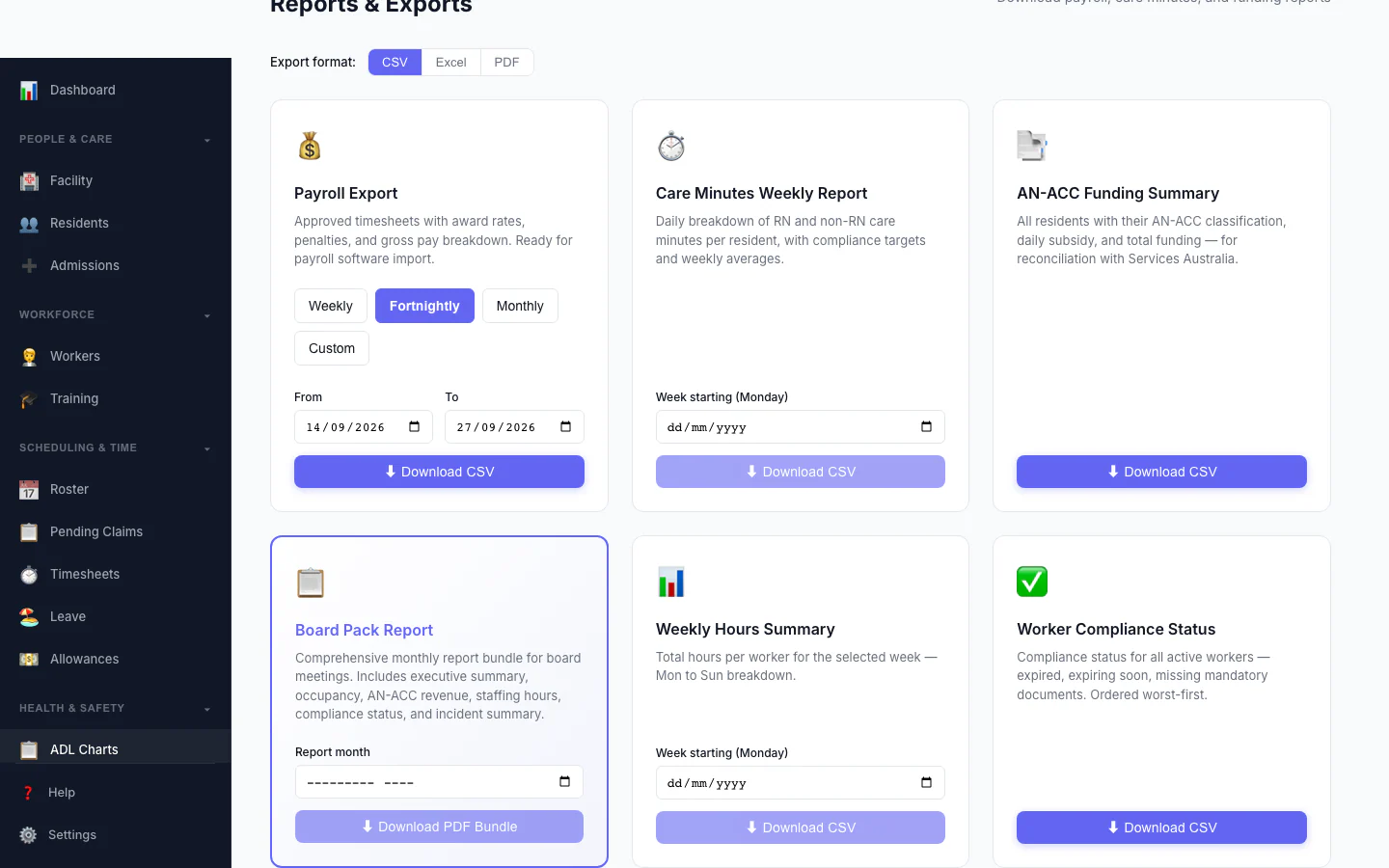
Board Pack Report
One monthly report bundle for board meetings: executive summary, occupancy, AN-ACC revenue, staffing hours, compliance status and incident summary.
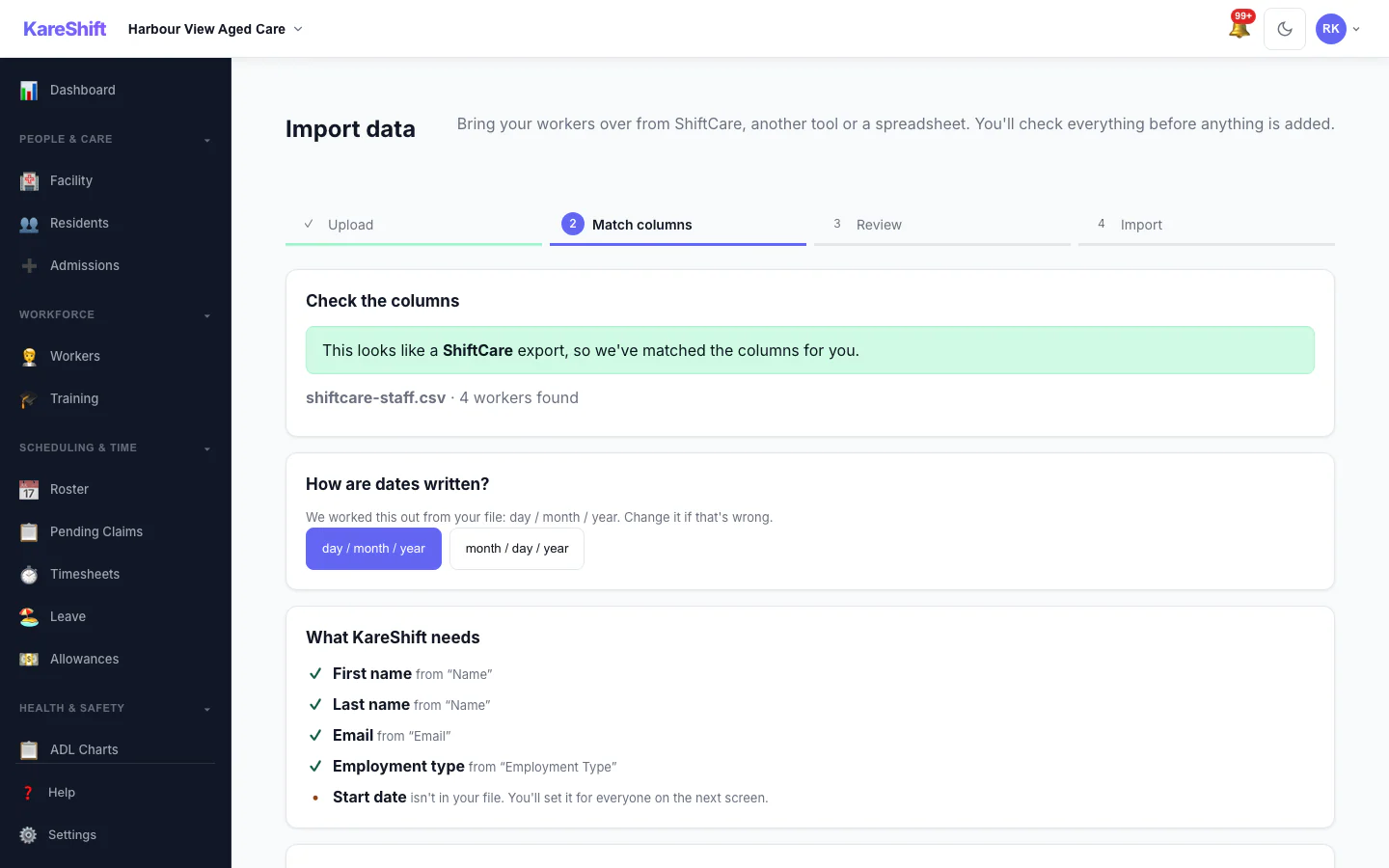
Import — Match Columns
A sample ShiftCare staff file, shown here, is recognised and its columns are matched for you, with the date format detected.
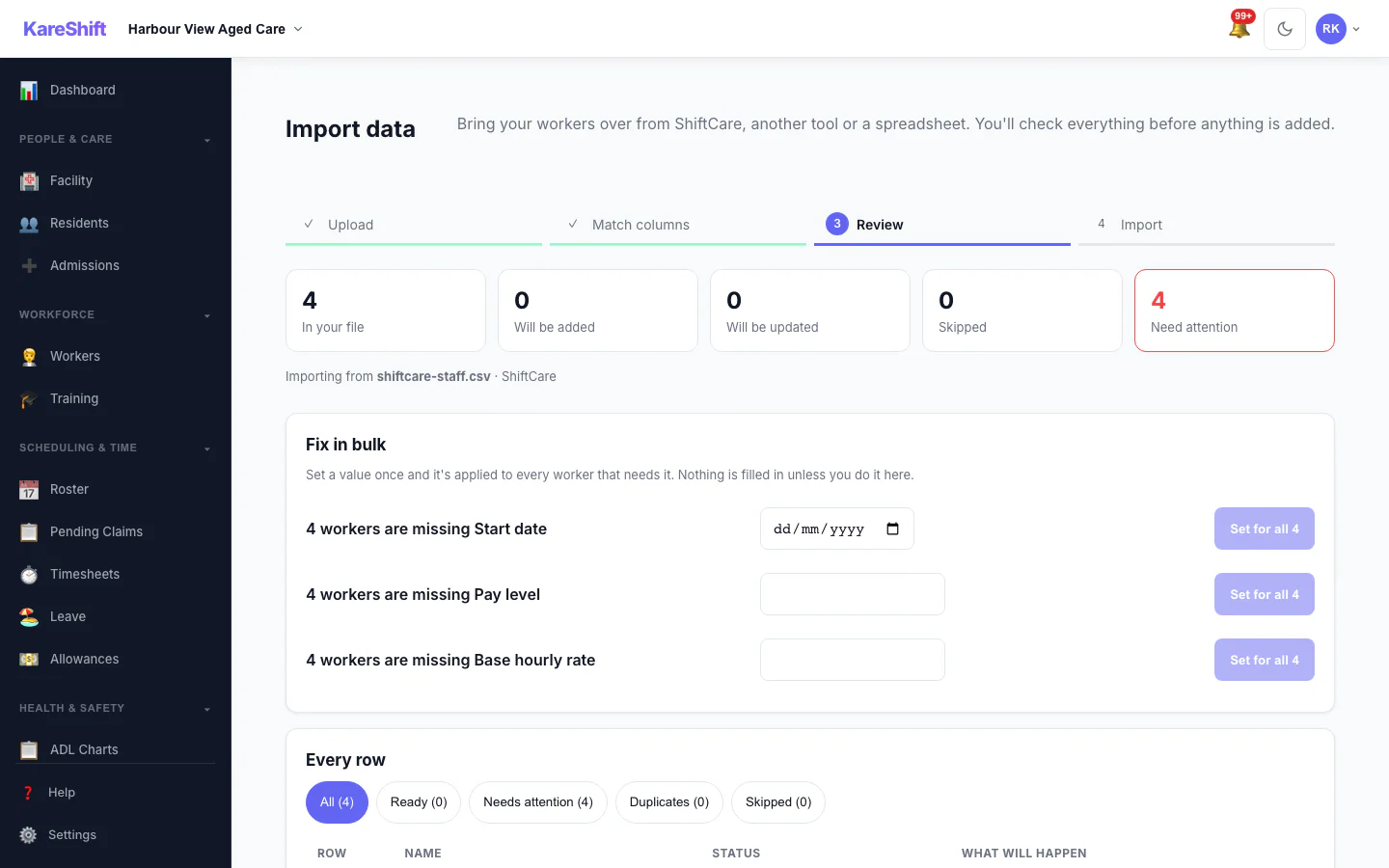
Import — Review & Bulk Fix
See what will be added, updated or skipped, and set a missing value once for everyone before anything is saved.
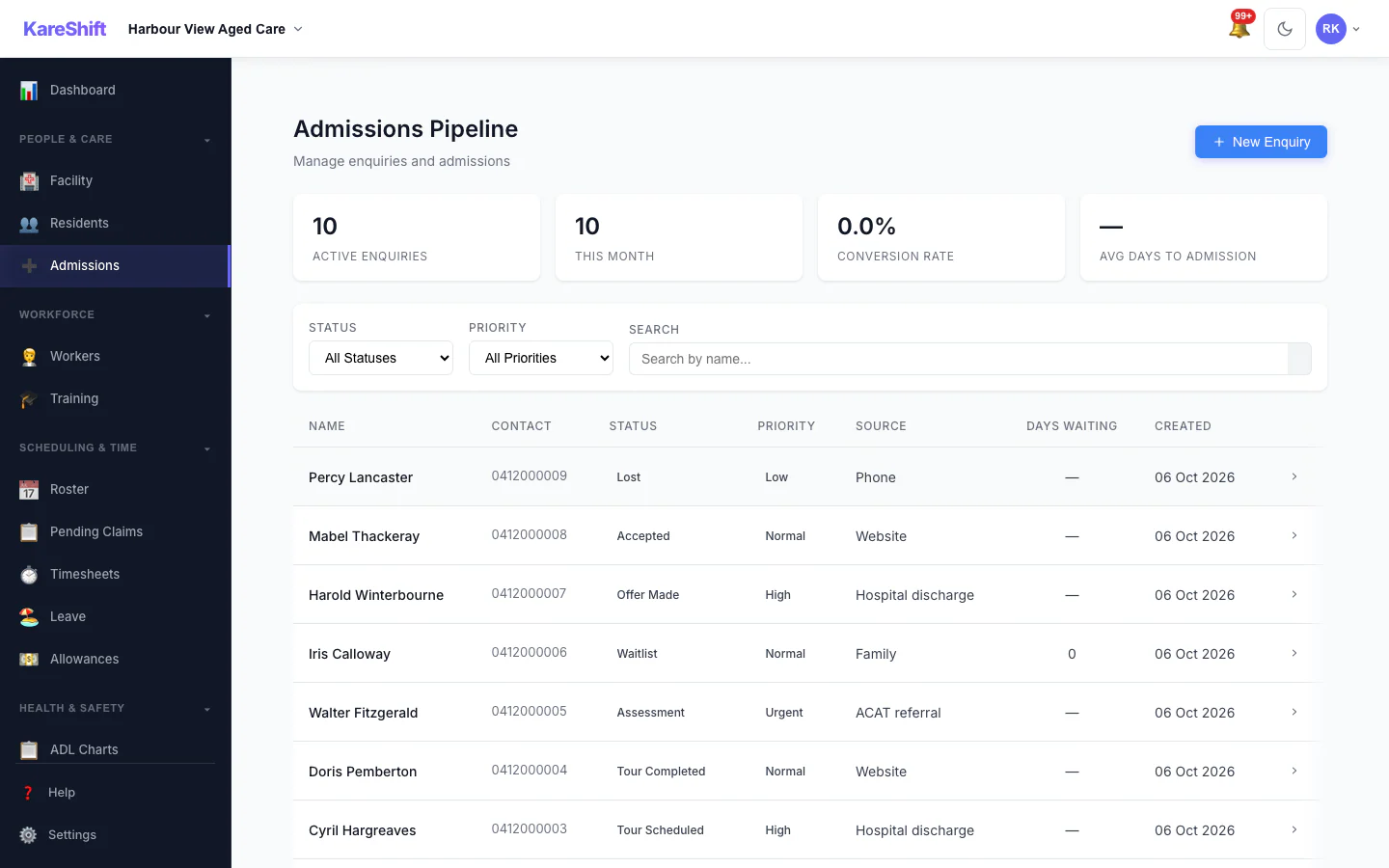
Admissions Pipeline
Track every enquiry from first call to admission: stage, priority, source and days waiting.
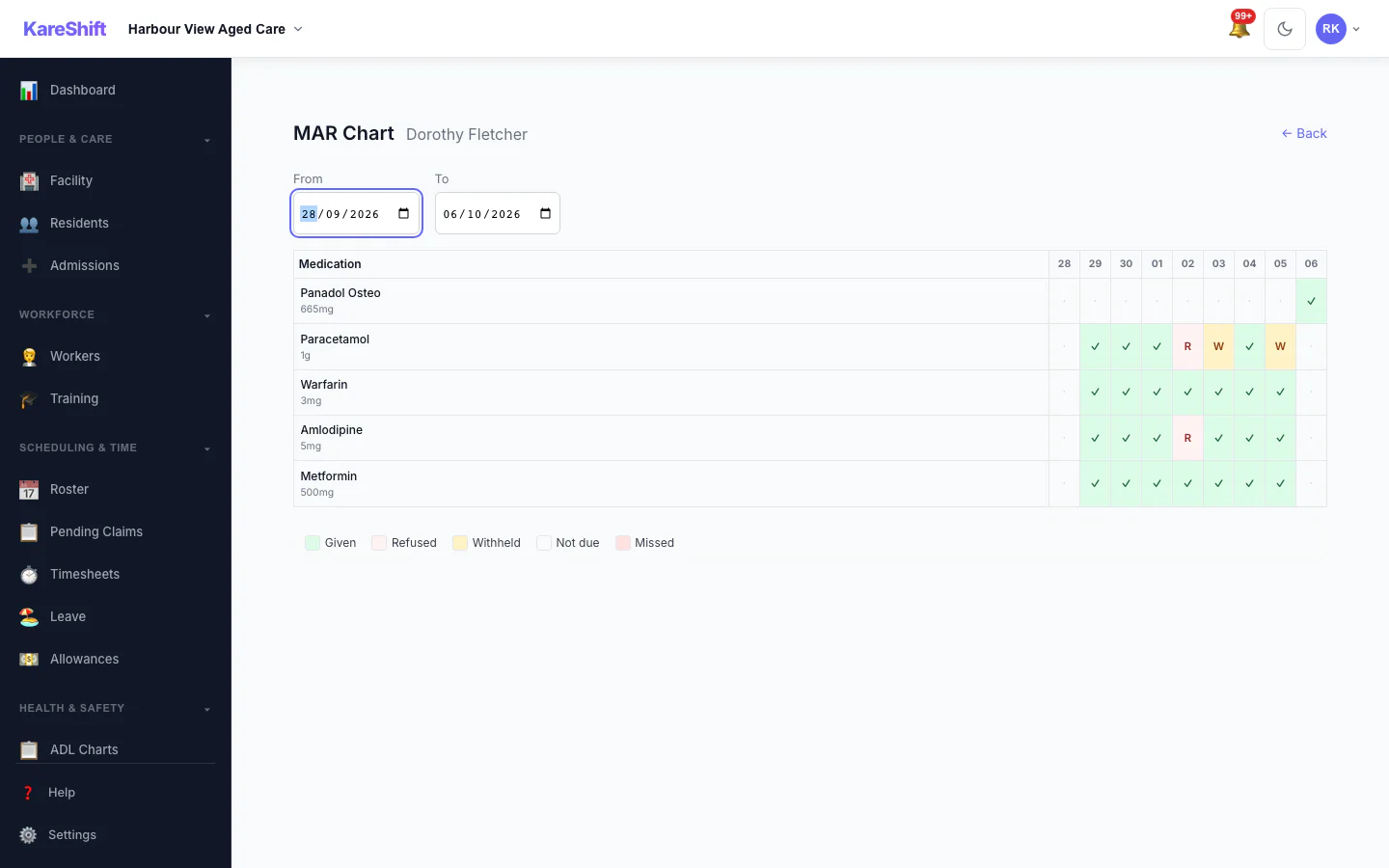
MAR Chart
A resident's medication administration over a week: given, refused, withheld and missed.
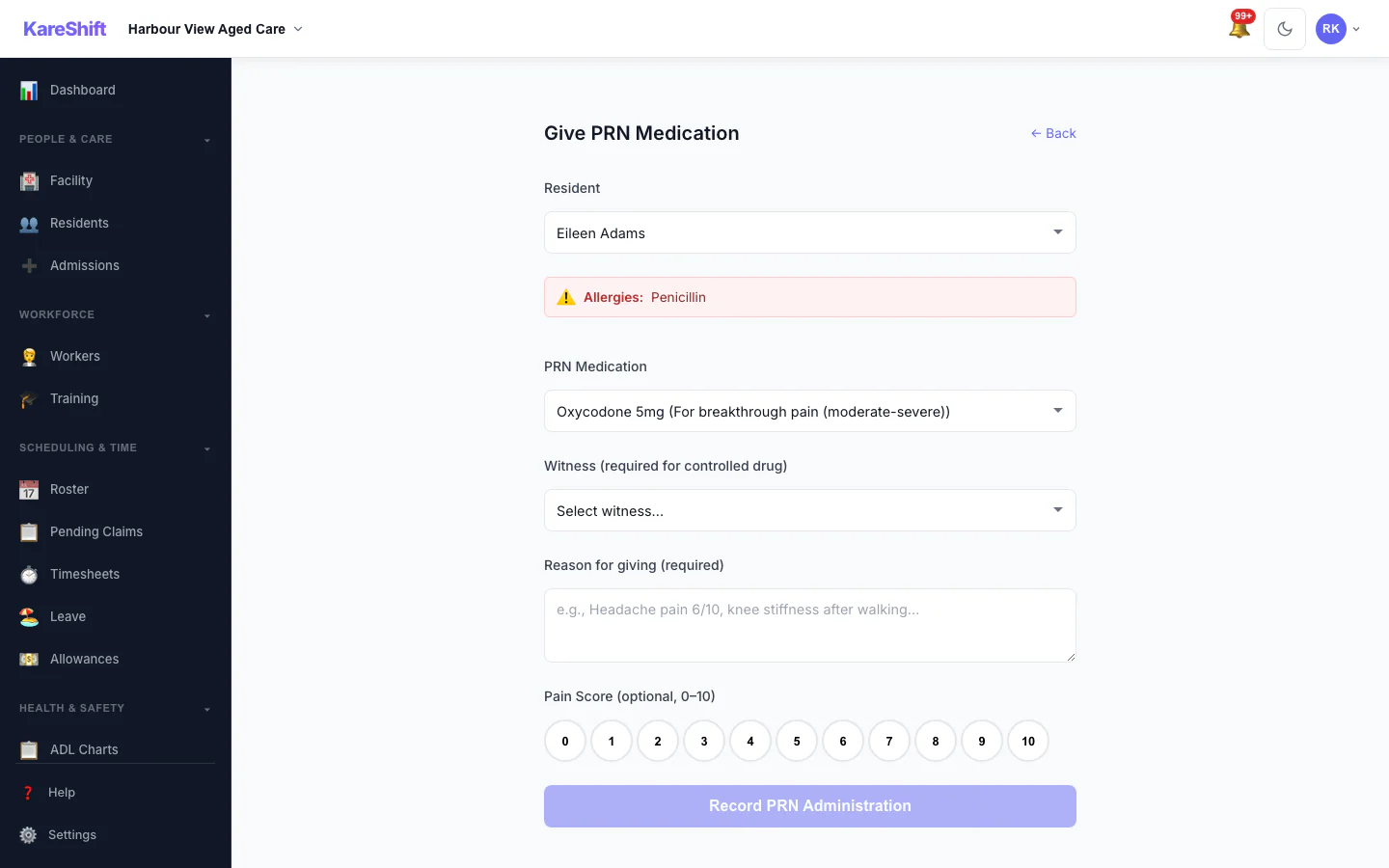
Give PRN Medication
Record an as-needed dose with the reason and a pain score; allergies and controlled-drug witnesses are shown.
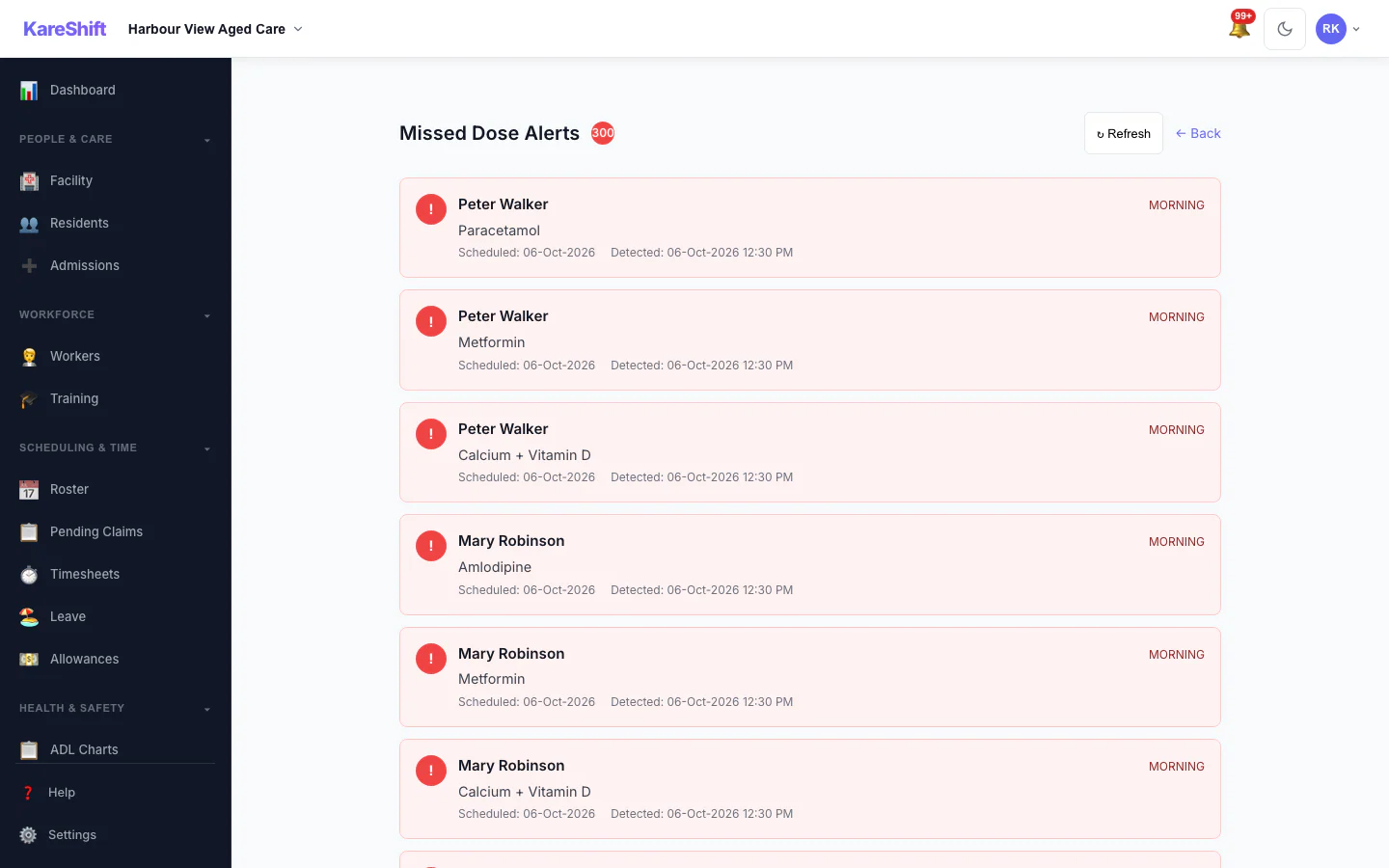
Missed Dose Alerts
Doses that were due and not recorded, so nothing is missed between rounds.
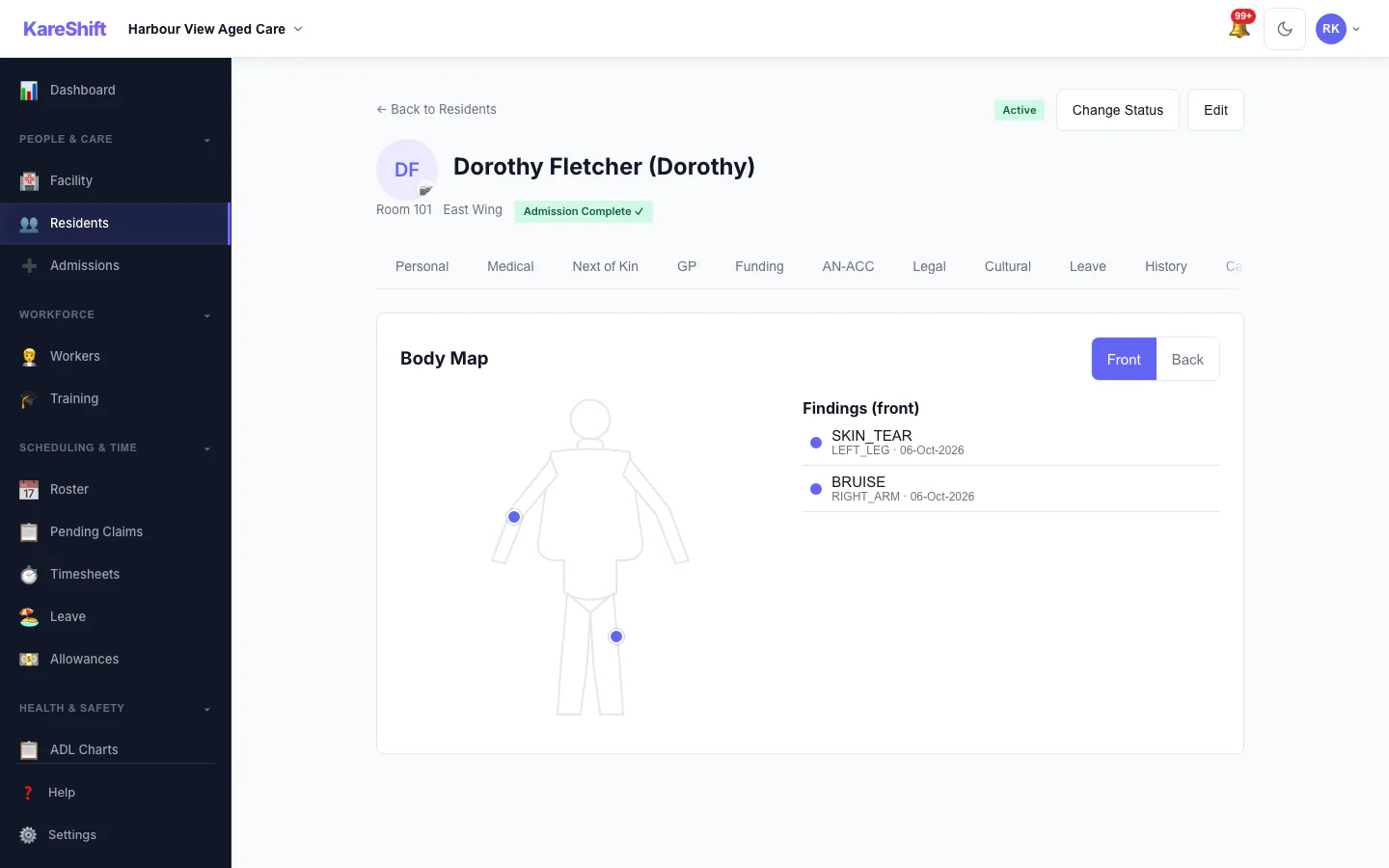
Body Map — Front
Mark skin findings on the front of the body and see them in the resident's record.
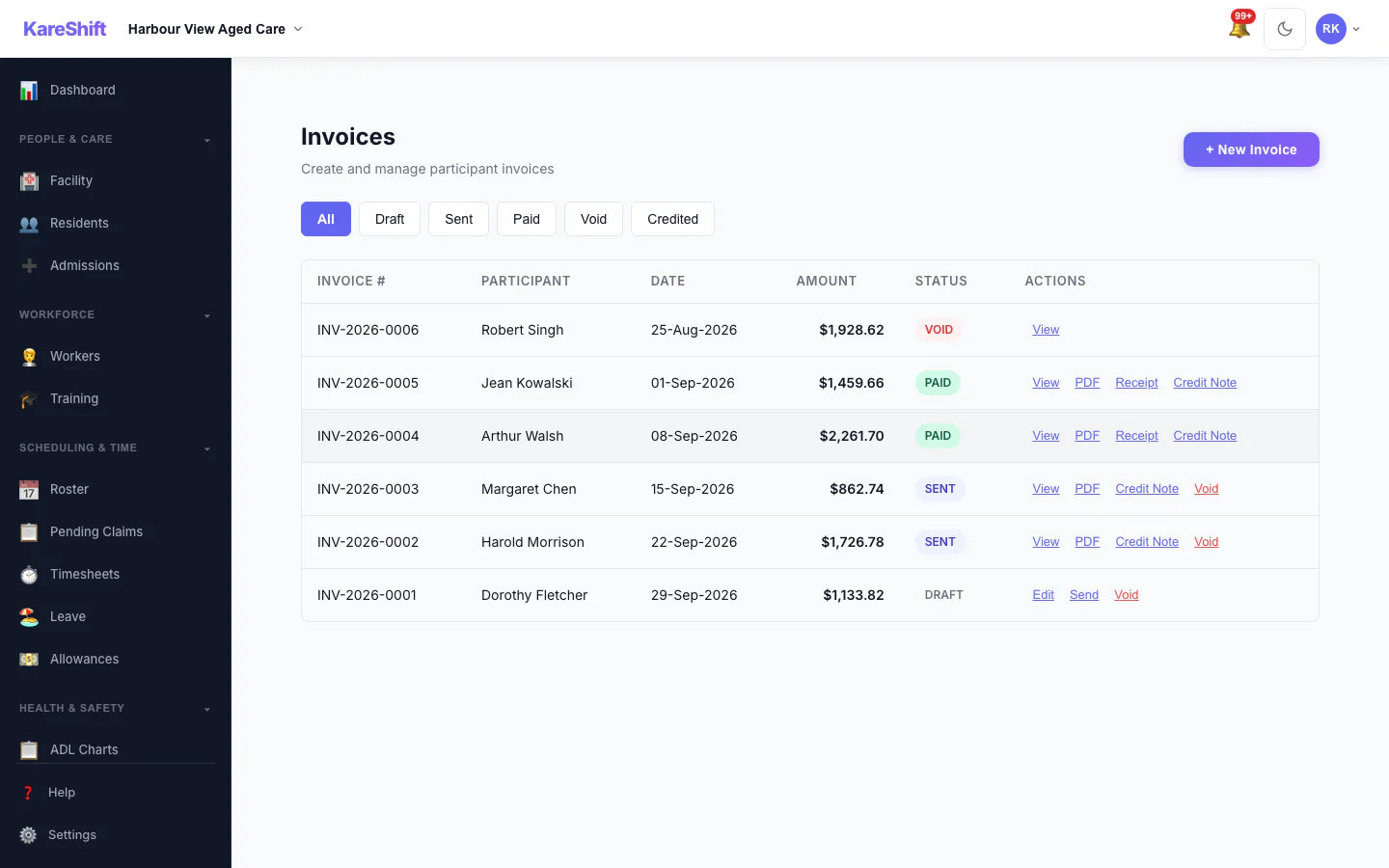
Invoices
Draft, sent, paid and voided invoices in one list, with PDF, receipt and credit note actions.
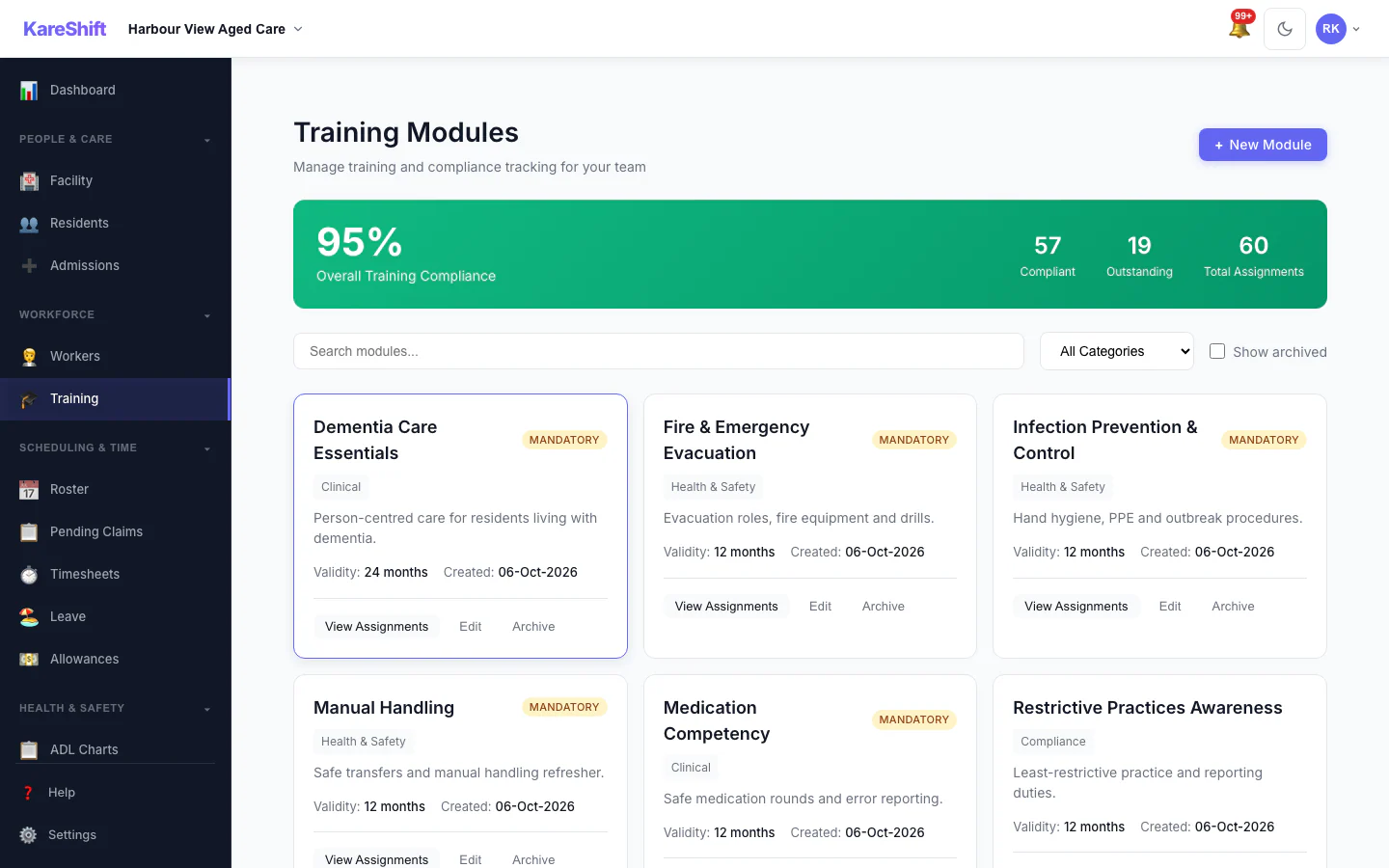
Training Modules
Mandatory and optional training, overall compliance and who is due.
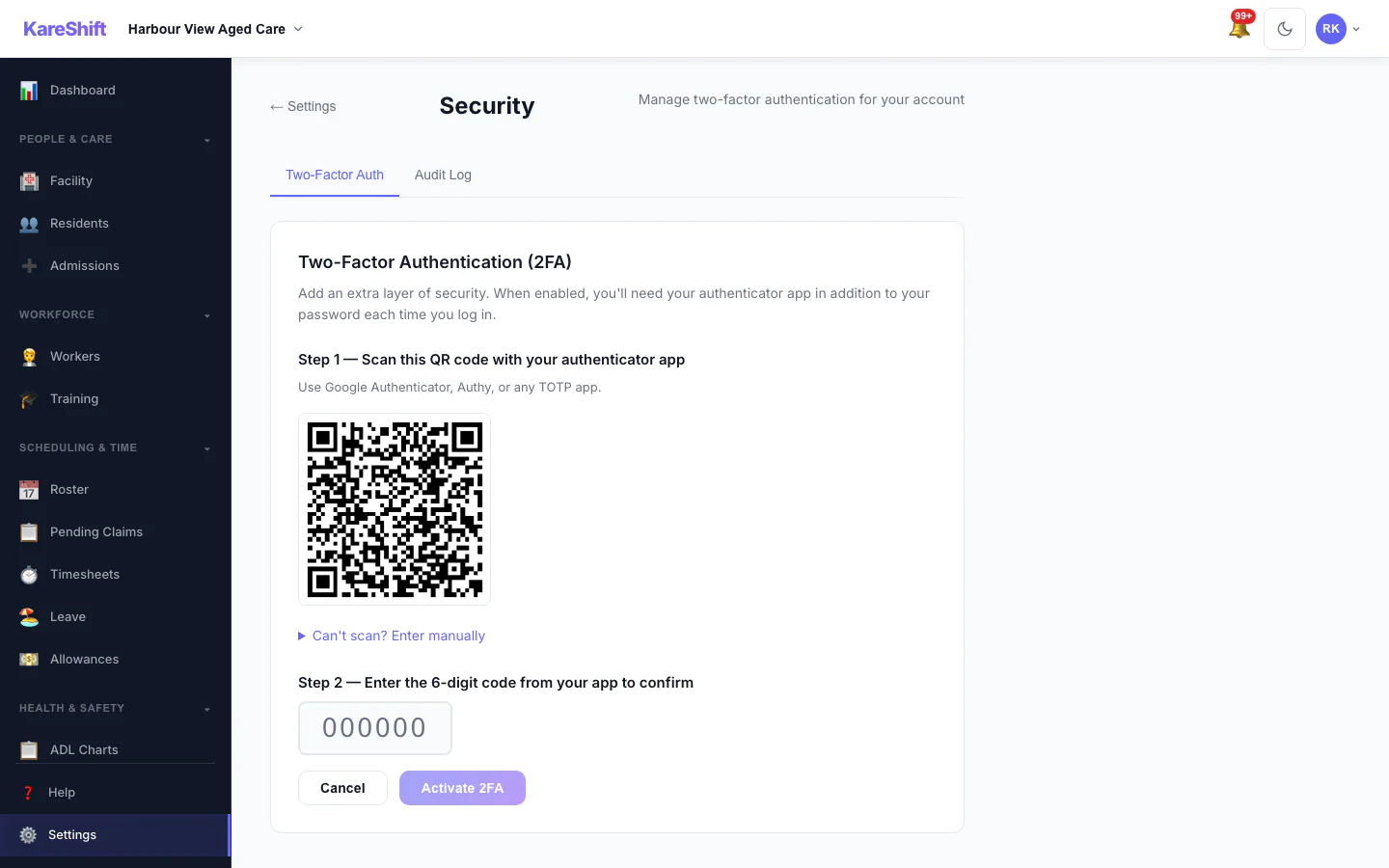
Set Up Two-Factor Authentication
Scan a code with an authenticator app, then enter the six-digit code to switch it on.
Support at Home — Community Aged Care
For providers delivering care in clients' homes. Quarterly budgets, service tracking, and claiming — built for the new Support at Home program.
Client Management
Admit clients, assign classification levels (1-8), track quarterly budgets. Search, filter, and schedule visits directly from the client list.
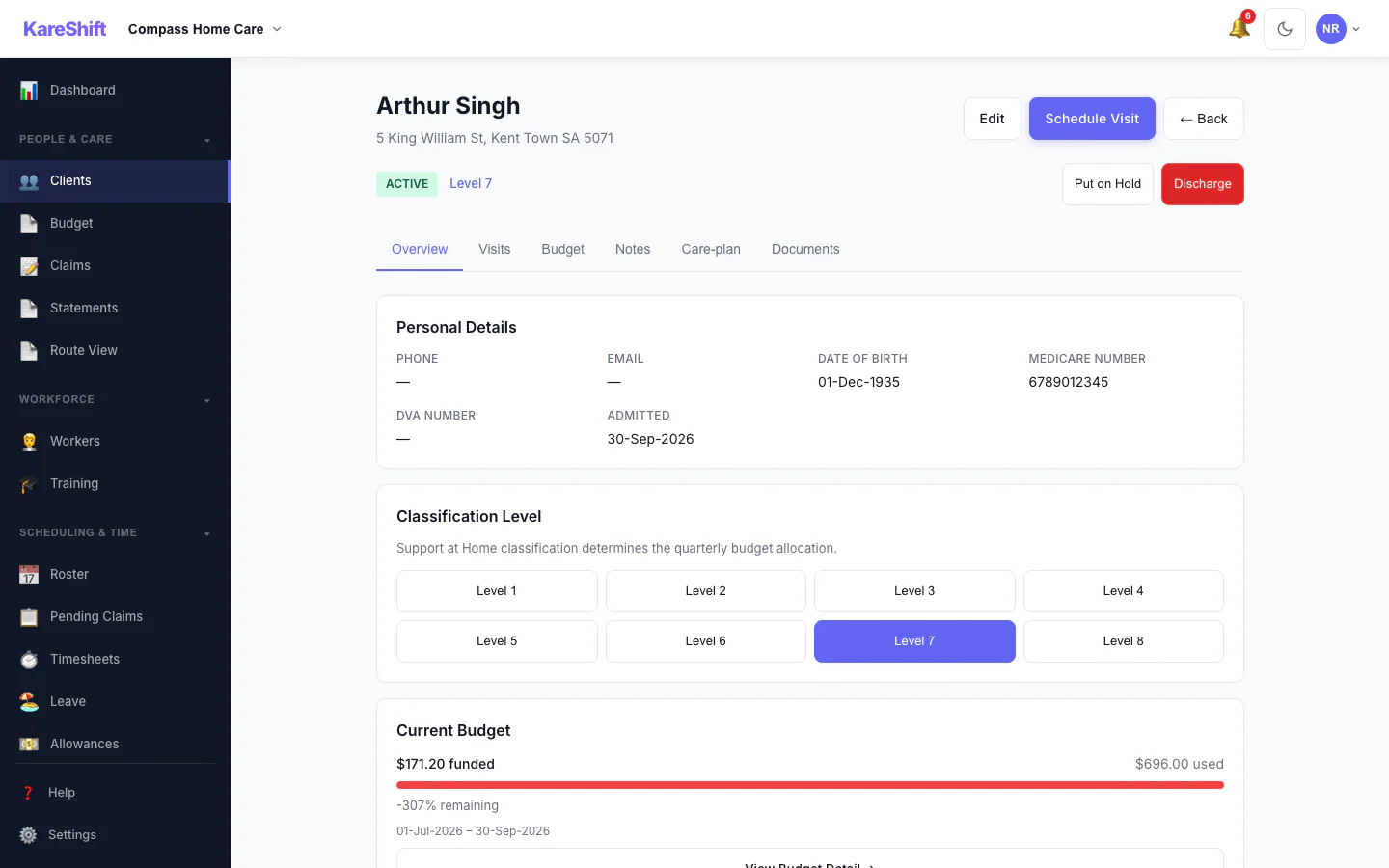
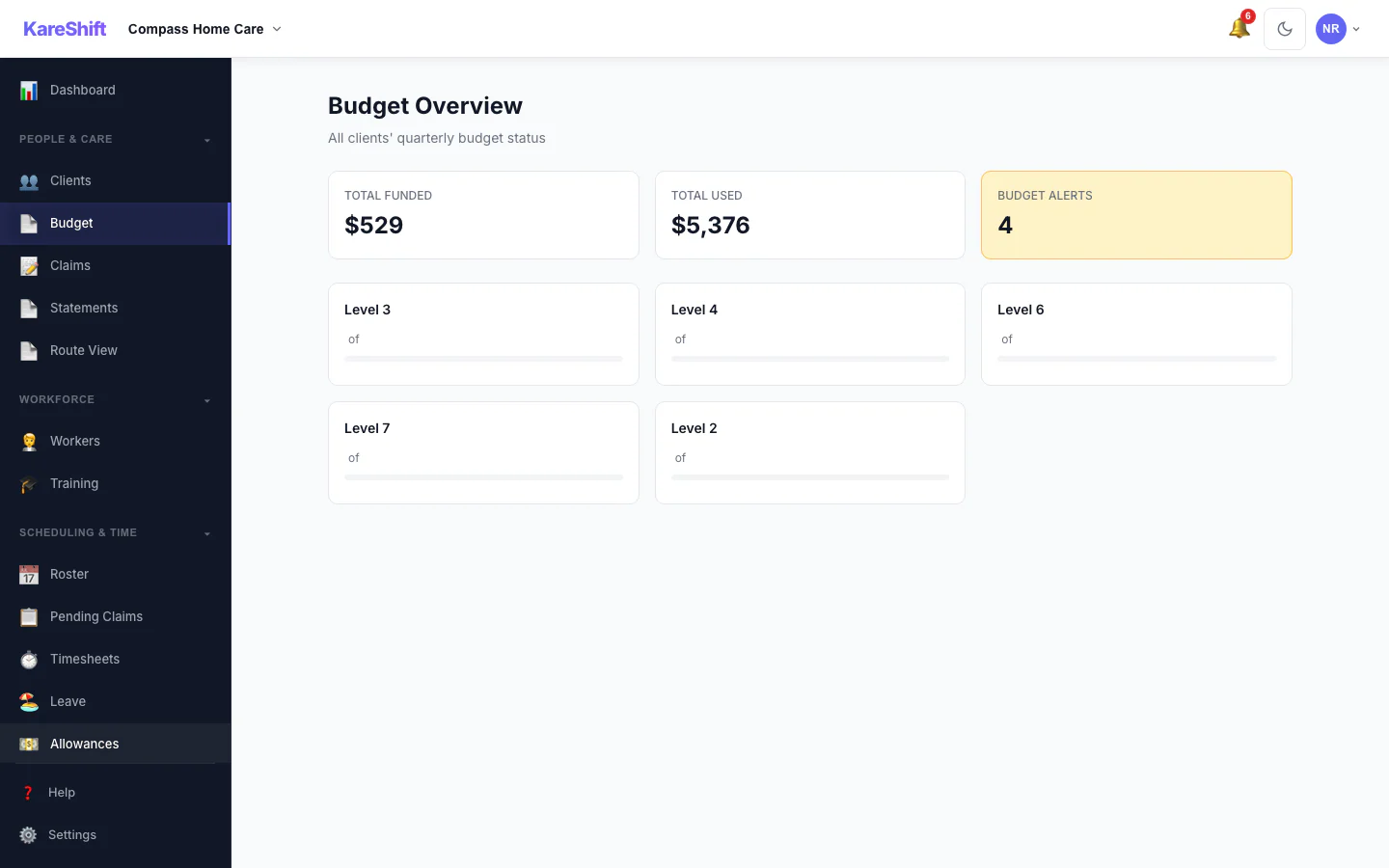
Budget Tracking
Quarterly budgets auto-created from classification levels. Real-time burn-down as timesheets are approved. Alerts at 75% and 90% usage.
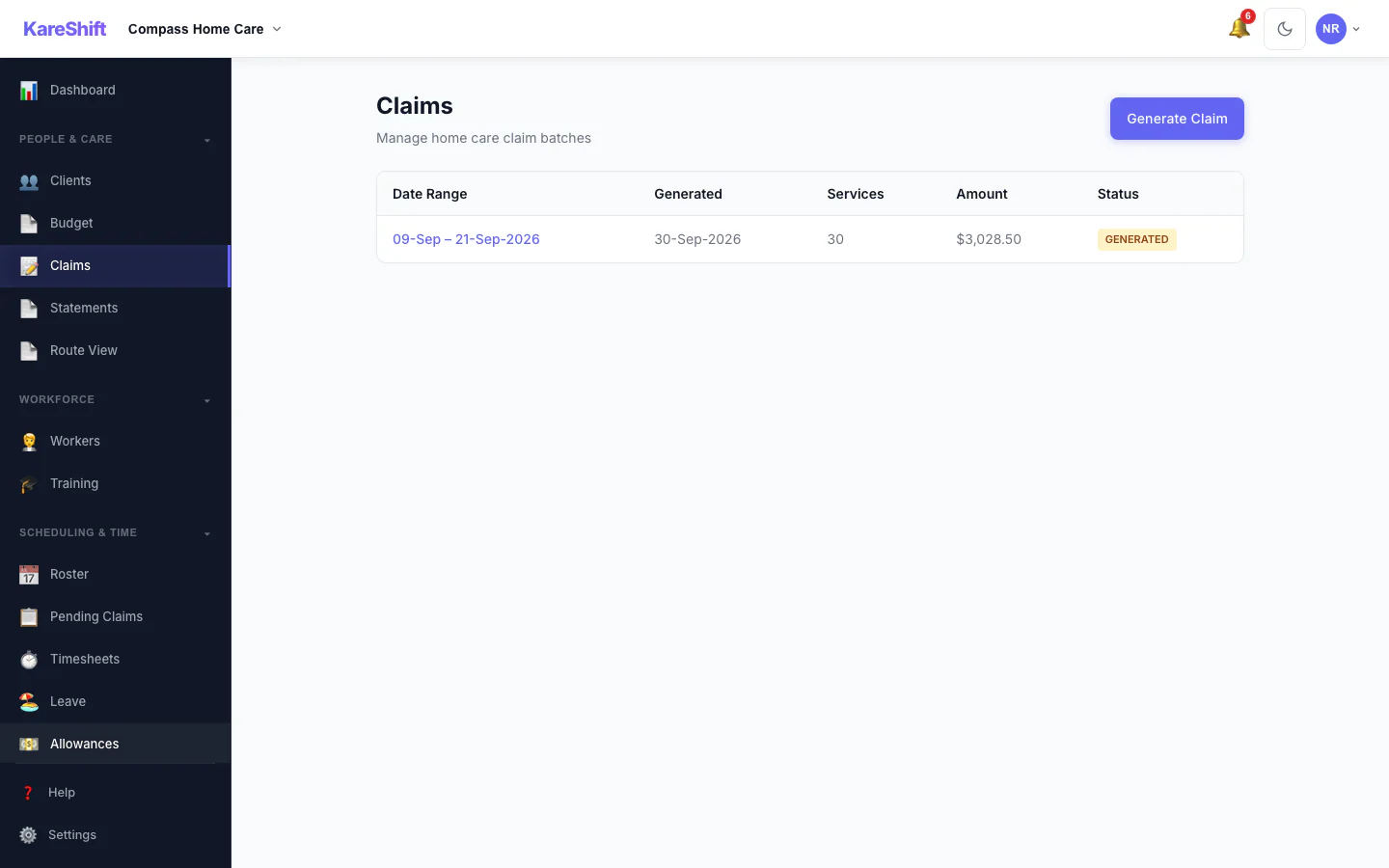
Services Australia Claiming
Generate claim batches for submission. Validates government IDs, checks rate caps, and produces the bulk upload file.
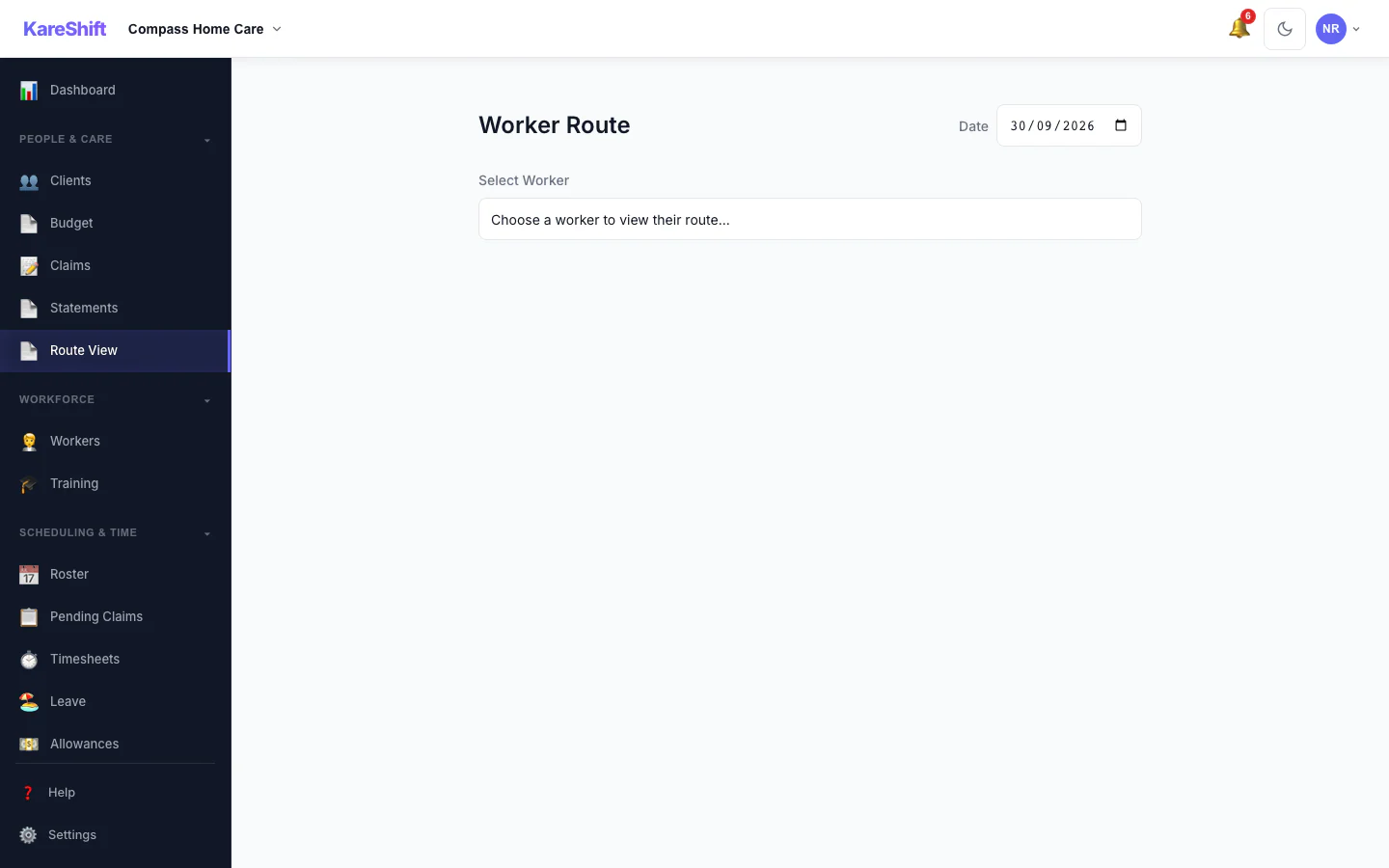
Worker Route View
See a worker's daily schedule as a route between clients. Estimated travel times, gap alerts, and distance tracking.
Built for Aged Care Act 2024 compliance
SIRS reporting, Quality Standards evidence, restrictive practices — tracked and managed in one system.
SIRS Reporting
Priority 1 and Priority 2 incident classification. Automatic deadline tracking (24h / 30d). Alerts at 20h and 25d before deadline. Full reporting status audit trail.
8 Quality Standards
Evidence repository per standard. Upload documents (PDF, DOCX, images). Track coverage. Know exactly which standards have evidence gaps before your next assessment.
Worker Screening
Track Aged Care Worker Screening status per worker. Auto-expire. 30-day warning alerts. Visual indicator on roster when screening is expired. Mandatory from mid-2025.
Restrictive Practices
Complete register per resident. Practice types: chemical, physical, mechanical, environmental, seclusion. Frequency alerts. Behaviour support plan linking.
Care Minutes
Automatic calculation against the 200 min/day target (40 min RN). Rolling 7-day average. Weekly export. Alerts when falling below threshold.
Immutable Records
Clinical observations, ADL charts, incidents, handovers, and restrictive practices are recorded immutably. Corrections create amendment records linked to the original, so the audit trail stays intact.
Up and running in a day, not months
No lengthy implementation. No consultants. No training sessions. Your team picks it up because it's designed to be obvious.
Set up your facility
Create your facility, add wings and floors, define rooms with bed counts. Takes 15 minutes.
Add residents & care plans
Create resident profiles with medical details, NOK, and GP. Set up care plans with ADL tasks and frequencies.
Invite workers & roster
Workers self-onboard (profile, compliance docs, availability). Create shifts by assigning workers to room ranges.
Workers deliver & chart care
Shift starts → task list auto-generates from care plans. Workers tap to record. Managers see progress in real-time.
How KareShift compares for aged care
Purpose-built vs legacy systems vs paper.
| Feature | KareShift | Legacy aged care systems | Paper / Spreadsheets |
|---|---|---|---|
| Pricing | Per-bed from A$249/mo + GST billed annually | Contact-sales enterprise pricing (varies widely) | Free (massive labour cost) |
| ADL charting | ✓ Digital, mobile, real-time | ✓ Desktop-only, clunky | ✗ Paper charts |
| Care plan → task generation | ✓ Automatic per shift | ~ Manual assignment | ✗ Workers read the folder |
| Clinical observations | ✓ With alerts & trends | ✓ Basic recording | ✗ Paper log |
| AN-ACC tracking | ✓ Auto-close, reassessment alerts | ~ Separate system | ✗ Spreadsheet |
| SIRS compliance | ✓ Deadline tracking + alerts | ~ Manual tracking | ✗ Calendar reminders |
| Care minutes calculation | ✓ Automatic daily | ~ Monthly manual | ✗ Not tracked |
| Mobile access | ✓ Mobile-first design | Limited mobile access (varies by provider) | N/A |
| Setup time | 1 day | 3–6 months | N/A |
| Lock-in contract | None | Varies — check terms directly with each provider | N/A |
Per-bed pricing built for residential care
Pay based on your facility size, not headcount. Unlimited workers on every plan. All prices exclude GST.
Monthly
No lock-in — cancel anytime (takes effect at period end)
- Up to 30 beds included
- +A$9/bed/month + GST for each bed above 30
- Unlimited workers (no per-user fees)
- All features included
- ADL charting, care plans, clinical observations
- AN-ACC tracking, SIRS compliance
- Facility dashboard & care minutes
- Shift handovers & coverage monitoring
- Restrictive practices register
- Immutable care records with an amendment trail
Annual
Billed A$2,988/year + GST
Save A$600/year vs monthly
- Up to 30 beds included
- +A$7/bed/month + GST for each bed above 30
- Unlimited workers (no per-user fees)
- All features included
- ADL charting, care plans, clinical observations
- AN-ACC tracking, SIRS compliance
- Facility dashboard & care minutes
- Shift handovers & coverage monitoring
- Restrictive practices register
- Immutable care records with an amendment trail
What would your facility pay?
All prices exclude GST (10%). GST added at checkout.
Built for facilities like yours
Small residential facilities (30–50 beds)
Single-site operators moving off paper. You need something affordable that your workers will actually use. No 6-month implementation project.
Mid-size facilities (50–100 beds)
You've outgrown basic tools but don't need enterprise bloat. Full ADL charting, AN-ACC tracking, SIRS compliance, and care minutes — without the enterprise price tag.
Facilities replacing legacy systems
Your current system is 15 years old, desktop-only, and workers hate it. KareShift is modern, mobile-first, and designed for people who actually deliver care.
Frequently asked questions
Your subscription is based on total bed count (sum of all room bed counts in your facility). The base plan includes up to 30 beds. Above 30, you pay A$7/bed/month + GST (annual) or A$9/bed/month + GST (monthly). Workers are unlimited — no per-user fees, ever.
Up to 30 beds for 90 days, no credit card needed. The trial includes everything except Xero Payroll sync and payroll export, which need the paid aged care plan. At the end of 90 days, choose monthly or annual billing. If you don't subscribe, your account enters read-only mode — we never charge without your explicit consent.
Yes. All subscriptions renew automatically. We send a reminder email 7 days before your next billing date. Cancel anytime from your account settings — takes effect at the end of your current billing period.
KareShift is built to support compliance with the Aged Care Quality Standards, SIRS obligations, and the Aged Care Act 2024. The platform provides the tools — SIRS deadline tracking, evidence repositories, worker screening management, and care minutes calculation — to help your facility demonstrate compliance. As with any software tool, the platform assists your compliance efforts but does not replace independent verification by your quality team.
Most facilities are operational within a day. Create your facility and rooms (15 min), add residents (depends on count — batch import available), invite workers (they self-onboard), and you're live. No consultants, no training programs, no "go-live" project.
Yes. The ADL charting interface is designed mobile-first — workers tap to mark tasks, add notes, and record observations from their phone during their shift. No app download needed — it works in the browser. Managers use desktop for facility-level views.
ADL charts, clinical observations, incident records, handovers, and restrictive practice events are recorded immutably — corrections create amendment records linked to the original, preserving the full audit trail.
Yes. KareShift supports both NDIS and Aged Care as separate verticals. If you operate in both sectors, create one organisation for NDIS and another for Aged Care — each gets the right modules, terminology, and pricing for their sector. Same login, separate workspaces.
All care data (resident records, shifts, timesheets, clinical observations) is stored in AWS Sydney (ap-southeast-2), encrypted at rest and in transit. Built to support your Australian Privacy Principles obligations. Transactional services (email delivery, payments) may use overseas infrastructure — see our Privacy Policy.
Ready to digitise your facility?
Join aged care providers replacing paper charts and legacy systems with KareShift. Start your free 90-day trial today — no credit card, no lock-in, no risk.
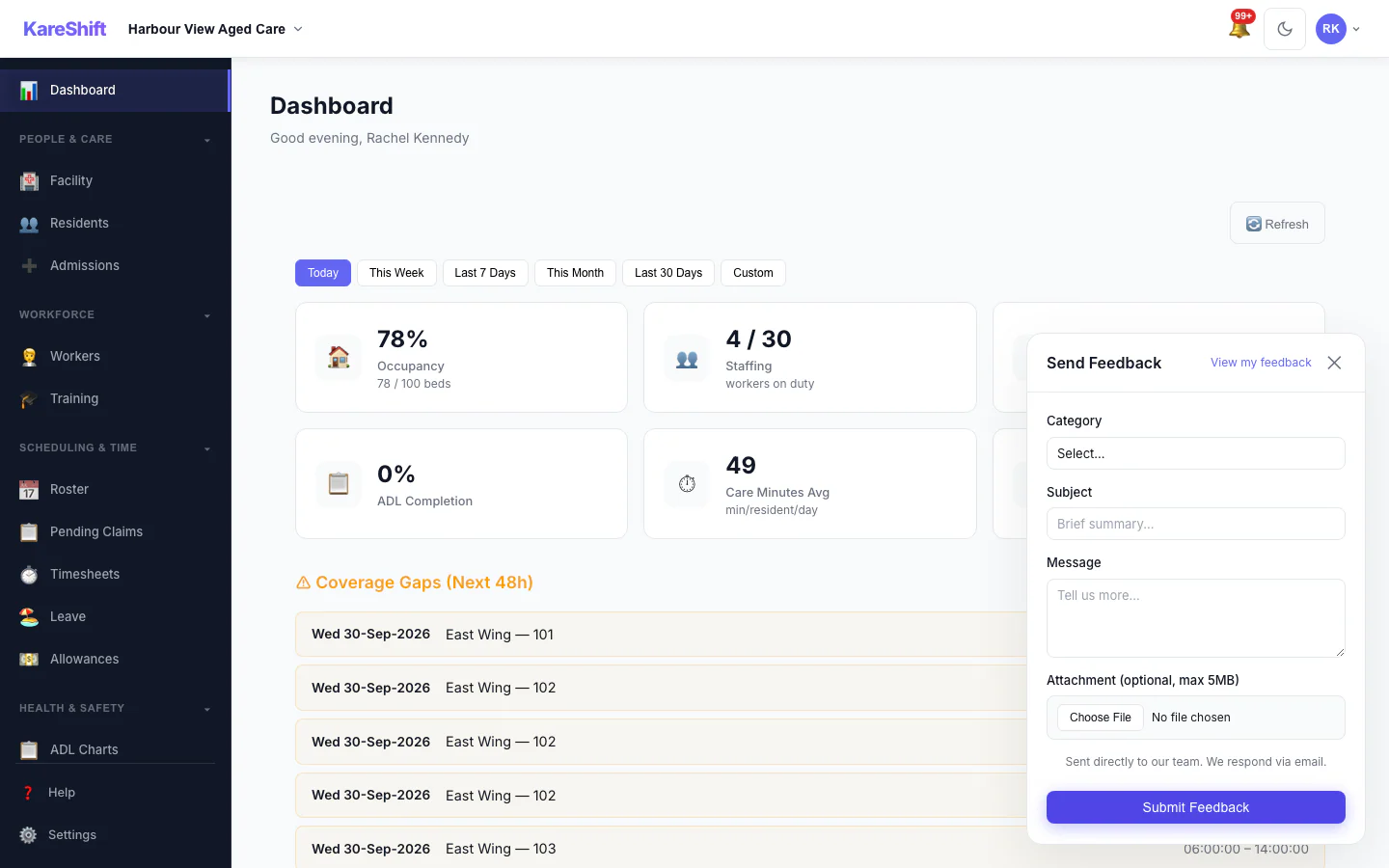
Start Free Trial — 90 Days FreeSubmit feedback directly inside the app — no email needed. Feature requests go straight into our roadmap.
Aged Care Guides & Resources
Aged Care Staff Compliance
AHPRA, police checks, first aid — how automated expiry alerts prevent compliance gaps.
Care Minutes Compliance Guide
200-minute target, RN requirements, and how to track compliance from roster data.
AN-ACC Funding Explained
Three funding components, classification process, and why reassessment dates matter.